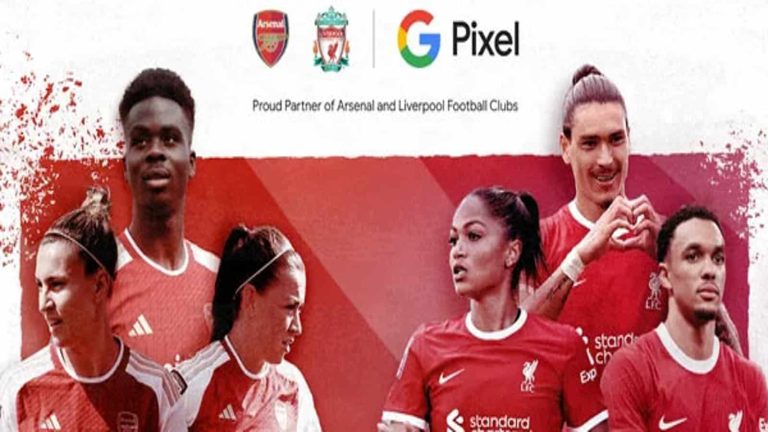
English Premier League teams Arsenal and Liverpool have made a big Google Pixel move. These teams have picked Google Pixel as their official smartphone ahead of the league. This is a big recognition for Google, although they are a top manufacturer in the smartphone industry.
With this partnership on the ground, all parties in question stand to gain a lot from one another. The football clubs will be able to earn a certain amount from ads that Google will run in the clubs’ stadiums during matches. The brand on its part will also benefit from the publicity the clubs’ provide, considering that they are very popular around the world.
Google will work with both the male and female teams of these clubs as their official smartphone partner. Pixel fans in England and around the world will be able to catch their brand on screen while watching an Arsenal or Liverpool game. Also, this partnership will enlighten more people about the features of Google Pixel devices, hence prompting them to make a purchase.
Google’s marketing strategy involves Arsenal and Liverpool Football clubs
Google’s latest partnership with Arsenal and Liverpool Football clubs will help promote their product. Just like every other partner with these clubs, this new one is a marketing strategy. This will help Google’s smartphone business grow in regions where these clubs have a certain amount of influence.
The choice of clubs here is also a very impressive one, as both clubs are part of the English Premier League’s big five. Last season Arsenal finished second place in the men’s league table with Liverpool trailing behind. For the women’s teams, Arsenal came in third place and Liverpool trailed behind again.
But a new season is starting, and both teams have new player signings and play strategies. In the men’s and women’s leagues, both teams look forward to a good season as they play to win the title. Part of the partnership deal involves a dedicated YouTube series for the Liverpool women’s first team.
Google will not be the first smartphone brand to move into a partnership with big football brands. In 2015 OPPO went into a partnership with Barcelona FC and so did Snapdragon with Manchester United last year. These partnerships will help the brands such as Google Pixel grow their fan base around the world, hence boosting sales.
Taking to its official website, Qualcomm proudly announces that its Snapdragon X75 chip is now a record holder. This modem chip currently holds the record for the fastest download speed on any mobile device. During its download speed tests, this device showed off a mind-blowing 7.5Gbps downlink speed.
At this speed, this new modem chip floors its predecessor as well as any other modem chip on the smartphone market. Currently, the Snapdragon X70 modem chip boasts 3.3Gbps in real-time usage. So the coming Snapdragon X75 chip is set for more than this download speed when it comes to flagship devices later this year.
This is a very impressive upgrade, one that Qualcomm is proud of, and it’ll also improve how consumers access the internet. However, its download speed is not the only area where this new modem is bringing notable upgrades. In this article, you’d get to find out places where this new modem is stepping up its game in the industry.
Asides from its download speed, the new Snapdragon X75 chip is the world’s first in other areas
To achieve this remarkable download speed, Qualcomm relied on the 300Mhz spectrum. This system runs on a single download connection with 1024QAM, four carrier aggregations, and four TDD channels. With this system combination, the new Snapdragon X75 chip is more efficient than its predecessor.
But aside from the faster download speed on this new modem chip, Qualcomm brings some other improvements. It highlights these improvements in three major areas, all bringing world’s first technology. The areas of improvement are the next-gen modem-RF system architecture, AI hardware acceleration, and better 5G performance and spectrum flexibility.
For its mmWave-sub6 modem-RF system architecture, the Snapdragon X75 is more efficient (cost and energy) and reduces board footprints. With this technology, OEMs can create better-performing 5G devices. Contributing to this improvement is the world’s first mmWave-sub6 converged transceiver and sensor-modem-RF solution for mmWave beam management.
In the AI department, this modem comes with the world’s first hardware accelerator for AI-enhanced 5G. This is an AI tensor accelerator that packs the 5G AI Processor Gen 2 and 5G AI Suite Gen 2 technology from Qualcomm. With all these features working together, the Snapdragon X75 chip offers massive AI improvements.
For better 5G performance, Qualcomm debuts the world’s first 256QAM 10CC mmWave solution. On the sub-6 GHz spectrum, it also brings the world’s first 5x carrier aggregation, 1024-QAM, and FDD UL-MIMO technology. With all these improvements coming, Qualcomm Snapdragon-powered devices will offer consumers a faster and more reliable internet connection.
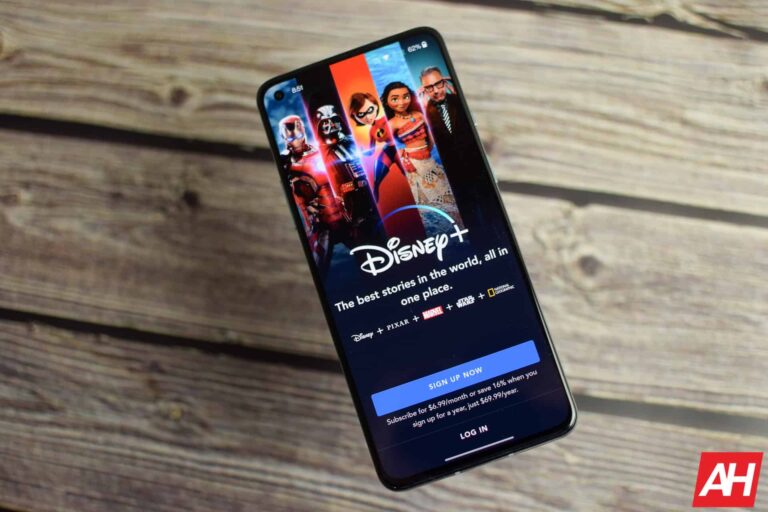
Disney Plus appears to be looking into cracking down on password sharing, according to Disney CEO Bob Iger (via The Verge.) Details of the potential change were announced briefly during Disney’s most recent earnings call on August 9.
Iger says the plan is to start changing some of the policies later this year. But that doesn’t mean subscribers will start seeing the changes take affect at that time. Disney does plan to update subscriber agreements with “additional terms” and changes to sharing policies in 2023. But It won’t be looking to monetize those changes until sometime in 2024. “We will look to roll out tactics to drive monetization in 2024” Iger says.
What does this mean for subscribers? Well for the moment it’s tough to say. Disney is simply exploring the idea of cracking down on password sharing for Disney Plus right now. And for the time being it hasn’t laid out any plans for how it would work or when it would be rolled out. But the changes do seem inevitable. Iger reported that the service did see a decrease in subscribers, although slightly. And he also mentioned that the number of accounts sharing passwords was “significant.” Which it sounds like may have negatively impacted Disney’s bottom line for subscriber numbers.
Disney can already monitor password sharing
If you’re asking yourself how Disney will know, Iger says the company already has the “technical capabilities” to monitor sign-ins. So it’s already equipped to tell who is sharing passwords and who isn’t. All that’s left for Disney to do is to start implementing the policy changes.
As mentioned though there’s no way of knowing for now when exactly that happens. Or how the end results will look. When Netflix rolled out password sharing changes, it offered subscribers a way to add people onto the account for use outside the home network. Disney may or may not choose to do the same thing. Either way, Disney’s intention here is likely to increase subscribers. And it already knows this can be an affective method thanks to Netflix. As the company reported that its password sharing crackdown worked.
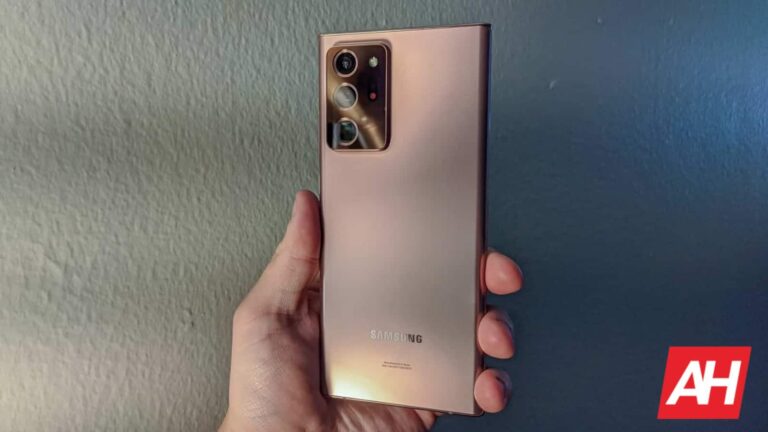
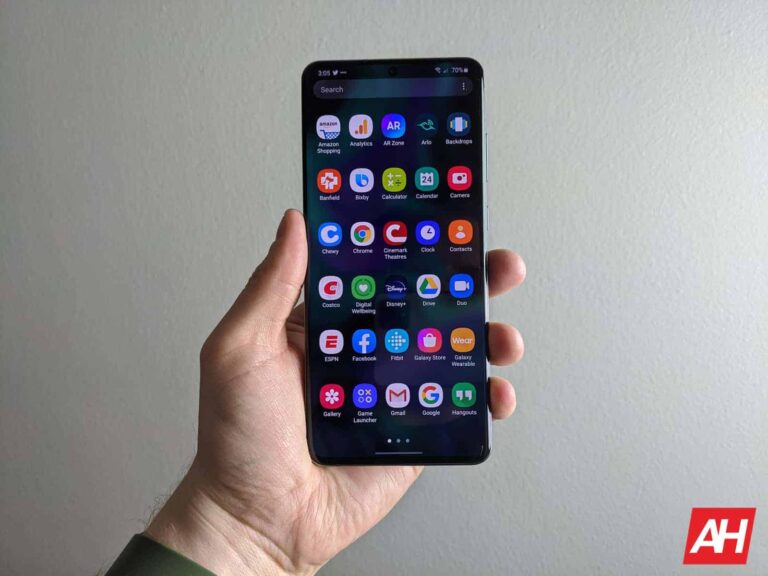
A couple of days back, Samsung released the August security update for the Galaxy Note 20 series and Galaxy S20 FE 5G. However, the rollout was limited to select international markets, including Latin America and Europe. Thankfully, the company didn’t take long to bring the update to the US. These phones are now receiving the latest security patch stateside as well.
As of this writing, Samsung is rolling out the August SMR (Security Maintenance Release) to the factory-unlocked variants of the Galaxy Note 20 and Galaxy Note 20 Ultra in the US. The new firmware build number for the phones is N98*U1UES5HWG6. The last Note-branded Galaxy flagships are getting nothing more than this month’s security fixes, the official changelog provided by the company confirms.
The August SMR itself is pretty big, though. Samsung revealed earlier this week that the latest security release contains more than 80 vulnerability patches. These include over 50 Android OS patches coming from Google and partner vendors. The remaining 30-odd patches concern Galaxy-specific security flaws (not present in Android products from other brands) and come directly from Samsung.
At least three vulnerabilities patched this month were critical issues (including at least one Galaxy-specific patch), Samsung has confirmed. Users with a Galaxy Note 20 or Galaxy Note 20 Ultra in the US can install the latest update to stay safe from these vulnerabilities. The Korean firm has already pushed the August SMR to all of its recent foldable smartphones stateside (excluding the 2023 models releasing tomorrow).
The Galaxy S20 FE 5G is also getting the August update in the US
The Galaxy S20 FE 5G is another Samsung smartphone that is now getting the August update in the US. However, unlike the Galaxy Note 20 series or the foldable models, the rollout for this phone has begun with carrier-locked units. The original Fan Edition (FE) phone is receiving the August SMR with firmware version G781USQSCHWGA. As of this writing, the update is live on T-Mobile, Metro, and Sprint networks.
However, it shouldn’t be long before Galaxy S20 FE 5G users on other networks get the latest security patch from Samsung. The rollout for unlocked units should also begin soon. Don’t expect anything notable apart from the aforementioned security patches, though. The changelog doesn’t mention anything else. As usual, you will get a notification once the OTA (over the air) release hits your phone. You can wait for the notification or manually check for updates from the Settings app.
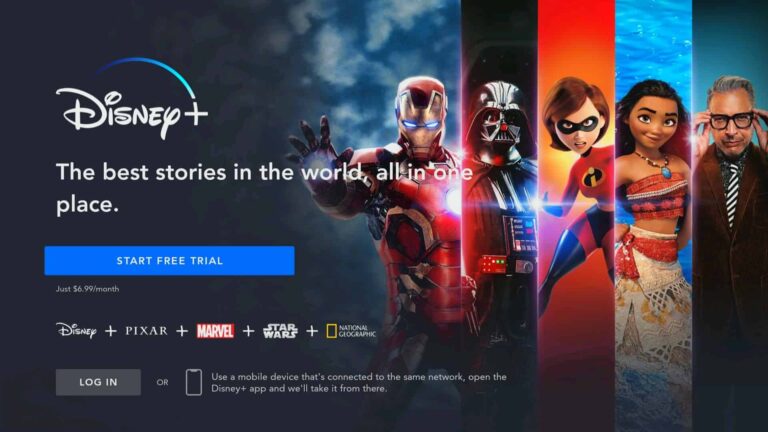
These days, everyone has their own streaming service. Gone are the days where you could count the number of streaming services on one hand. Now movie studios are starting their own streaming services, which make sense since they do have a large library of content they’ve made over the years and even decades, or centuries like Disney. In comes Disney+. A streaming service, with a boatload of content, thanks the many decades of movies and TV shows that The Walt Disney Company has produced over the last century plus.
It owns quite a few popular franchises too, which makes Disney+ really attractive. It has Disney (of course), Star Wars, Marvel, National Geographic and Pixar. Which have made some of the most popular movies and shows ever, in the last few decades. So it sounds like a no-brainer to be the best streaming TV service, right? Well let’s give you all of the details on Disney+ to see if it is right for you.
How much is Disney+?
Update: Disney has announced price increases for Disney+ and has also debuted a new bundle. These prices will go into effect on October 12. Disney+ ad-supported remains at $7.99 per month. The Ad-free tier will be moving to $13.99/month or $139.99/year. It’s also adding a Duo Premium bundle which includes Disney+ and Hulu, both ad-free for just $19.99. That’s a $31.98 value if bought separately.
As of December 8, 2022, Disney+ now offers an ad-supported plan. Which raises the price for the main plan now. So you can get Disney+ Basic with Ads for $7.99 per month or Disney+ Basic for $10.99 per month.
You can still bundle it with Hulu and ESPN+ with and without ads too.
Duo Basic – Disney+ and Hulu with ads for $9.99 per month
Trio Basic – Hulu, Disney+ and ESPN+ with ads for $12.99 per month
Trio Premium – Hulu and Disney+ are ad-free, ESPN+ with ads for $19.99 per month.
Premier Access is a new tier of Disney+ that it debuted in the summer of 2020. This allowed users to pay $20 to watch Mulan, when it would have been in theaters. Due to the COVID-19 pandemic in 2020, theaters were closed, so Mulan was available on Disney+ for $20.
So far, no other movies have been added to Disney+ Premier Access yet, but Disney has promised to add more movies to this service in the future. This could finish off movie theaters even before the pandemic is over with.
Disney has discontinued Premier Access as movies are now more openly available to watch in theaters.
What devices can I watch it on?
You can watch Disney+ on just about any platform. As a result it is available on your web browser on Mac, PC and even Chrome OS. It is available on mobile via Android, iOS, iPadOS and Amazon’s Fire OS.
When it comes to the TV. It is available on Amazon Fire TV, Android TV, Apple TV, Chromecast, LG TV and Roku. It is also available on the PlayStation 4, and Xbox One consoles. However, it is also worth nothing it is also available on the PlayStation 5, Xbox Series X and Xbox Series S released in late 2020. Making it one of the first streaming apps available on these new consoles. That is a big deal.
So basically, any platform out there, Disney+ is available on. As a result, it’s super easy to watch Disney+ anywhere and at anytime.
Where is Disney+ available?
Currently Disney+ is available in the following countries:
Albania
Algeria
Andorra
Argentina
Australia
Austria
Bahrain
Belgium
Bolivia
Bosnia and Herzegovina
Brazil
Bulgaria
Canada
Chile
Colombia
Costa Rica
Croatia
Czech Republic
Denmark
Ecuador
Egypt
El Salvador
Estonia
Finland
France
Germany
Greece
Greenland
Guatemala
Honduras
Hungary
Iceland
India (branded as Disney+ Hotstar)
Indonesia
Iraq
Ireland
Israel
Italy
Japan
Jordan
Kosovo
Kuwait
Latvia
Lebanon
Libya
Liechtenstein
Lithuania
Luxembourg
Malta
Mexico
Monaco
Montenegro
Morocco
Netherlands
New Zealand
Nicaragua
North Macedonia
Norway
Oman
Palestine territories
Panama
Paraguay
Peru
Poland
Portugal
Qatar
Romania
San Marino
Saudi Arabia
Serbia
Singapore
Slovakia
Slovenia
South Africa
Spain
Sweden
Switzerland
Tunisia
Turkey
United Arab Emirates
United Kingdom
United States
Uruguay
Vatican City
Venezuela
Yemen
On June 14, 2022, Disney+ launched in about 50 new countries. The above list has been updated to reflect that.
What movies are on Disney+?
The short answer here is, almost everything that is under the Disney, Pixar, National Geographic, Star Wars or Marvel umbrella. There are very few movies that didn’t make the cut to Disney+. And of those that aren’t available on Disney+ now, they will be later.
Marvel movies
You see, some movies were already available on other streaming services. Like Thor: Ragnorak, which was available on Netflix and Disney had to wait for that licensing deal to run out before it could be put on Disney+. Now it’s worth mentioning, that in the Marvel Cinematic Universe, everything is available on Disney+. With the exception of the Spider-Man movies. Since Sony actually owns the rights to Spider-Man and not Disney, those movies are not available on Disney+ – they are currently on STARZ though. The 20th Century Fox Marvel movies have been added as well, after it closed the deal to buy that studio just before Disney+ launched. So X-Men, X-Men: Days of Future Past, X-Men: Apocalypse,Fantastic Four (2015), Fantastic Four (2005) and The Wolverine are also available.
Star Wars movies
Moving over to the Star Wars movies, all nine of them are available on Disney+. It also has the spinoff movies: Rogue One: A Star Wars Story and Solo: A Star Wars Story. Additionally, there are two feature-length documentaries on Disney+: Star Wars: Galaxy’s Edge – Adventure Awaits and Empire of Dreams: The Story of the Star Wars Trilogy.
The acquisition of 20th Century Fox (Now just called 20th Century), brought more than just Marvel movies over to Disney+. It also brought over some other popular Fox films like Miracle on 34th Street, The Sound of Music, Willow, Home Alone, Doctor Dolittle (1998), The Simpsons Movie, Avatar, Diary of a Wimpy Kid, Never Been Kissed, The Sandlot, Ice Age: Collision Course, and The Peanuts Movie.
Disney movies
The entire Disney vault is available on Disney+ too, as well as some of its more modern hits. Including the Pirates of the Caribbean films, Alice in Wonderland, TRON: Legacy, Race To Witch Mountain, The BFG, and Pete’s Dragon (2016) have been placed alongside classics like Mary Poppins, Treasure Island, The Absent-Minded Professor, Old Yeller, The Parent Trap, The Incredible Journey, That Darn Cat!, The Love Bug, and Bedknobs and Broomsticks.
The 21st Century Fox acquisition also helped add another popular show to Disney+. And that is The Simpsons. All 32 seasons of The Simpsons are available on Disney+ to watch. Giving you plenty of shows to watch and binge-watch. Disney+ even adapted the show from the native 4:3 aspect ratio it was initially shot in for the classic episodes, bringing it to 16:9. So you won’t see huge black bars on either side when watching the show.
The classics
Disney’s library of TV shows isn’t as vast as its movie library. And that’s because it didn’t get into doing TV shows until the ’80s and ’90s when it launched The Disney Channel and later bought ABC Television (which included ESPN). Some of the favorites from the ’80s and ’90s are available though. Including DuckTales (1987), Chip ‘n’ Dale: Rescue Rangers, Darkwing Duck, Goof Troop, The Little Mermaid, Bonkers, and Quack Pack. As well as Adventures of the Gummi Bears and The New Adventures of Winnie the Pooh.
There are other animated TV shows available on Disney+ too like Recess, Lilo & Stitch: The Series, TRON: Uprising, Gravity Falls, Phineas and Ferb, Big Hero 6: The Series, Kim Possible, DuckTales (2017), and Tangled: The Series. Along with live-action shows like Hannah Montana, Even Stevens, Lizzie McGuire, That’s So Raven, The Suite Life of Zack & Cody, Wizards Of Waverly Place, and Girl Meets World.
Marvel TV shows
There’s plenty of TV shows available for Marvel fans too. For instance, shows like Spider-Man (1981), Spider-Man and His Amazing Friends, Spider-Woman, X-Men, Iron Man, The Incredible Hulk, Fantastic Four (1994), Spider-Man (1994), Silver Surfer, Spider-Man Unlimited, The Avengers: United They Stand, X-Men: Evolution, Iron Man: Armored Adventures, and Wolverine and the X-Men in cartoon form. Modern Marvel animated adaptations, The Avengers: Earth’s Mightiest Heroes, Ultimate Spider-Man, Avengers Assemble, Hulk and the Agents of S.M.A.S.H., and Spider-Man (2017).
Star Wars shows
Finally, for Star Wars fans, every episode of Star Wars: The Clone Wars, Star Wars Rebels, and Star Wars Resistance are available on Disney+. As well as a number of LEGO adaptations. Like LEGO Star Wars: The New Yoda Chronicles, LEGO Star Wars: Droid Tales, LEGO Star Wars: The Freemaker Adventures, and LEGO Star Wars: All-Stars.
What original content will be available, and when?
The service launched with some originals, though the biggest one came from the Stars Wars arm of Disney. And that was The Mandalorian. It introduced Baby Yoda which quickly became an internet sensation. But that is not the only original show or movie coming to or available on Disney+.
Marvel and Star Wars announced a ton of original series for Disney+. Star Wars also has the seventh season of Star Wars: The Clone Wars on Disney+. And Diego Luna’s Cassian Andor and Ewan McGregor’s Obi-Wan Kenobi are also in the works, as live-action Star Wars series.
Marvel had some big plans for Disney+, but the pandemic delayed filming of some of its originals. Which have been pushed back to 2021. These included The Falcon and the Winter Soldier, WandaVision and Loki. There are also plans for live-action shows featuring Ms. Marvel, She-Hulk, Hawkeye, and Moon Knight.
Under the Disney umbrella, there are some other original shows coming. Like Muppets Now recently bringing back Jim Henson’s iconic creations in a new comedy sketch show. There’s also High School Musical: The Series, The World According to Jeff Goldblum, Encore!, Fairy Tale Weddings, Marvel’s Hero Project, Be Our Chef, Prop Culture, and Rogue Trip.
Finally, it has also planned a few different documentaries. Disney Gallery: The Mandalorian andInto the Unknown: Making Frozen II are already available.
Star is a new umbrella of content that Disney+ added to its library in a number of countries in Europe as well as Canada and Australia. It’s essentially Hulu, for countries that don’t have Hulu (which is everywhere except the US).
On Star, you’ll find all sorts of content, particularly from ABC Signature, 20th Television, FX, Freeform, 20th Century Studios, Searchlight Pictures, Touchstone Pictures and Hollywood Pictures.
With the addition of Star in other countries, Disney+ did raise its price. So that it does cost a little bit more, but still cheaper than paying for Disney+ and Hulu, however. So it’s a pretty good deal.
Is Disney+ available in 4K HDR?
Yes, but there are a few caveats here. With most newer content is being filmed in 4K HDR. But most of Disney’s library was not filmed recently, or even in the last decade. So the majority of Disney+ content is not available in 4K HDR, or Dolby Vision. However, there are “dozens” of titles available in 4K HDR and/or Dolby Vision according to Disney+.
Disney+ does have a category showing which titles are available in 4K HDR. Now since most of these were not filmed in 4K HDR, they are upscaled. So it’s not quite the same as true 4K HDR for these titles. But it’s better than watching it in 720p or even 480p on a big 4K HDR TV.
Which titles are available in 4K HDR?
10 Things I Hate About You
A Bug’s Life
Aladdin (1992)
Aladdin (2019)
Ant-Man
Auntie Edna
The Avengers
Avengers: Age of Ultron
Avengers: Endgame
A Wrinkle in Time
Bao
Beauty and the Beast
Big Hero 6
The Black Cauldron
Black Panther
Brave
Captain America: Civil War
Captain America: The First Avenger
Captain America: Winter Soldier
Captain Marvel
Cars
Cars 2
Cars 3
Coco
Doctor Strange
Dumbo (2019)
Finding Dory
Finding Nemo
Free Solo
Frozen
Frozen II
The Good Dinosaur
Guardians of the Galaxy
Guardians of the Galaxy Vol. 2
Hocus Pocus
The Incredibles
Inside Out
Iron Man
Iron Man 2
Iron Man 3
Lamp Life
The Lion King (1994)
The Lion King (2019)
The Little Mermaid
Moanna
Monsters, Inc.
Monsters University
The Muppet Christmas Carol
National Treasure
National Treasure 2: Book of Secrets
Olaf’s Frozen Adventure
Pirates of the Caribbean: On Stranger Tides
Pirates of the Caribbean: The Curse of the Black Pearl
How fast does my Internet need to be for streaming Disney+?
The recommendations provided by Disney+, is that you need at least 5Mbps for streaming high-definition TV shows and movies. For 4K UHD, you’ll need at least 25Mbps. Of course, the more speed you have, the better. Especially if there are other people on your network.
You can test out your Internet speed here. And see if it is fast enough.
How can I sign up for Disney+?
You can sign up for Disney+ by clicking here. And it’s a pretty simple process. You’ll just create an account, add your credit card information, and you’re all set.
If you would rather sign up for the+ bundle, you can sign up for that right here.
Another day, another Samsung device picks up the August 2023 security update. In fact, a bunch of them are joining the party today. The latest security patch is now rolling out to the Galaxy S20 series and Galaxy A34 5G. The Korean firm has already updated over a dozen other models to the August SMR (Security Maintenance Release), including the Galaxy S23 series.
As of this writing, Samsung’s August update is available for the 4G/LTE versions of the Galaxy S20, Galaxy S20+, and Galaxy S20 Ultra in Latin America. We can confirm the availability of the update in Argentina, Bolivia, Brazil, Colombia, Guatemala, Mexico, Paraguay, Peru, Trinidad and Tobago, and Uruguay. The new firmware build number for the phones is G98*FXXSIHWH1.
The official changelog supplied by Samsung confirms that the latest update for the 2020 Galaxy S-series flagship trio brings nothing more than this month’s security patches (more on that later). The company will soon push the update to the 5G versions of the phones. The rollout will also gradually expand to other markets, including the US. Note that the 4G-only Galaxy S20 didn’t arrive stateside.
The August SMR is also rolling out to the Galaxy A34 5G, a mid-range phone launched a few months back. Once again, the Korean firm has begun the rollout in Latin America. According to a SamMobile report, the update comes with firmware version A346MUBS3AWH1 in the region. Like the Galaxy S20 series, this phone also doesn’t seem to be gaining anything more. The new update is all about the latest security fixes.
Galaxy devices get over 80 security patches with the August update
The August security update for Samsung’s Galaxy devices is a pretty big one. The company’s updated monthly security bulletin mentions as many as 86 vulnerability patches. That’s the combined total of Android OS flaws (51) and Galaxy-specific issues (35). At least three of these vulnerabilities were classified as “critical” by Samsung and Google. These vulnerabilities could lead to remote code execution without requiring additional privileges or user interaction.
If you’re using a Galaxy S20 flagship or the Galaxy A34 5G in Latin America, all of these security patches should be available to you anytime now. Users of these devices in other markets can also expect to receive the August update soon. At the same time, Samsung will expand the availability of the August SMR to other eligible Galaxy devices as well. Like before, you can check for new updates on your phone from the Settings app.
Hulu is one of the OG’s when it comes to streaming. It’s been around since late 2007. That’s around the time that Netflix started transitioning into a streaming service from mailing out DVDs to its customers. It was was originally owned by NBCUniversal, Disney and Fox, the owners of the biggest OTA networks in the US. Now it’s majority owned by Disney, and have gone through some significant changes over the years. But is it worth signing up for?
In this guide, we’ll be covering everything that you need to know about Hulu, and even the differences between it and Hulu + Live TV. To help you decide whether you should sign up for Hulu or not.
What is Hulu?
In the early days, Hulu was a place where you could watch TV shows the day after they aired on ABC, FOX, NBC and a few other networks. Though those were the major ones. There were also movies available on Hulu, but the big seller for Hulu was being able to watch the newest episode of Grey’s Anatomy on Friday, the day after it aired. Basically a DVR without having an actual DVR.
Hulu used to only offer its service with ads, which annoyed a lot of people, since they were paying for a service and still seeing ads. Now we’ve kind of gotten used to this. With other services doing it too – Paramount+, Peacock, and more. But Hulu also debuted an ad-free tier for users to sign up for as well.
Since then, Hulu has ventured into making its own original content. And Disney now owns a majority share in the service, with Comcast/NBCUniversal having a significant share as well. Disney gained a majority share after it bought some of Fox’s business – which included 21st Century Fox.
Hulu has been a mainstay in the world of streaming services, right there with Netflix. Normally when you think of streaming, Netflix is first and then Hulu.
Hulu + Live TV is a bit different from regular Hulu. Essentially it is their Live TV streaming service and starts at $65 per month (currently, there’s a promo where you can get it for $54.99 per month for your first three months). Which does include regular Hulu, and gives it the biggest on-demand library in the business.
If you’re looking to cut the cord, then Hulu + Live TV is a really great option since it has the entire library plus over 65 live channels. Which does include sports.
You can opt to get just Hulu though, and still be able to get most of the content you’d find on the Live TV version of the service. You can find out more about it here.
How much does Hulu cost?
Update: Disney has announced that prices are going up for Hulu (as well as Disney+ and Hulu Live TV). Starting on October 12, Hulu will cost $17.99 for the ad-free tier, that’s a $3/month increase. The ad-supported tier is remaining the same. Disney has also introduced a new bundle – Duo Premium. Which includes Disney+ and Hulu ad-free for $19.99, that’s a $31.98 value.
There are two plans for the regular Hulu service. There is the ad-supported tier that costs $7.99 per month. And then an ad-free tier that is $14.99 per month. Hulu does tend to have quite a few ads scattered through its shows and movies, so if you get annoyed by ads, then you might want to spend the extra cash.
The service is the same for both tiers. The only difference is the ads. Unlike Peacock, all the content available on the Hulu ad-free tier is also available on the ad-supported tier.
Can I bundle it with Disney+?
Yes.
Since Hulu is majority owned by Disney now, it has bundled Hulu in the Disney+ bundle. Much like there is with Hulu, there are also two plans for the Disney+ bundle. You can bundle Disney+, Hulu (with ads) and ESPN+ for $14 per month. Or you can bundle the three with ad-free Hulu for $20 per month. That is cheaper than paying for each one individually. Since Disney+ is $8, ESPN+ is $6 and Hulu is $6 (or $11) per month respectively.
And if you want to bundle with Hulu + Live TV, it’ll cost you $72.99 per month. Which is a really great deal. Basically $7 more per month to add Disney+ and ESPN+ to your Hulu plan.
Update: On October 10, 2022, prices for the Disney bundle are increasing. Disney will be increasing the cost of the Disney+ and Hulu (without ads), and ESPN+ (with ads) bundle to $19.99 per month. While debuting two new bundles, which includes Disney+ and Hulu with ads for $9.99 per month. Or you can get Disney+, Hulu and ESPN+ with ads for $12.99 per month.
How can I get it for free?
Many years ago, Comcast would give Hulu to its customers for free. But that’s not the case anymore. However, there are still other ways to get Hulu for free.
The easiest way is to be a Verizon customer. Verizon offers the entire Disney+ bundle on its Play More and Get More Unlimited plans. So if you subscribe to either of those, you can get Disney+, Hulu and ESPN+ for free, as long as you remain a Verizon customer.
Hulu is still pretty affordable, even at $6 per month, it’s one of the cheaper streaming services available right now. And has a boatload of content. But you can add even more content to Hulu with some of their add ons.
You can add different premium streaming services to your Hulu account. These include HBO MAX for $15, Cinemax for $10, STARZ for $9, or Showtime for $11 per month. Obviously, if you add all of these to your account, your Hulu price can get expensive real quick. But you’ll also have a ton of content to watch on your couch.
These can also be added if you have Hulu + Live TV.
What original content does Hulu have?
Hulu doesn’t spend anywhere near as much on original content as Netflix does, but it does still have a nice library of original titles. It also helps that ABC creates a number of originals for Hulu itself. Since both are owned by Disney, it makes loads of sense.
And that’s just a fraction of the original titles that are currently available on Hulu. There are plenty more available and loads more coming. So there’s definitely something for everyone to watch.
What devices are compatible with Hulu?
Hulu is available pretty much everywhere you can imagine, from browsers, to smartphones to smart TVs and beyond. Here’s the full list of every device that supports the current Hulu app.
Android phones and tablets
Android TV (select models)
Apple TV (4th generation or later)
Chromecast
Echo Show
Fire Tablets
Fire TV and Fire TV Stick
iPhones and iPads
LG TV (select models)
Nintendo Switch
Mac and PC browsers/apps
PlayStation 3
PlayStation 4
PlayStation 5
Roku (select models)
Samsung TV (select models)
VIZIO SmartCast TVs
Xbox 360
Xbox One X
Xbox One S
Xbox Series X
Xbox Series S
Xfinity Flex Streaming TV Box
Xfinity X1 TV Boxes
If you have an older device, you may have to use the “Classic Hulu app” which means that you won’t get access to the live TV or some of the premium add-ons. But you can watch Hulu still. These devices include:
How fast does my internet need to be, to watch Hulu?
Hulu rarely buffers anymore, since the Internet is fast enough for most of us to stream it without any issues. And it has had many years to optimize its streaming too. However, for Hulu in HD, you do need at least 6Mbps download speed, and at least 8Mbps for Hulu + Live TV. The more, the better, as always. Especially if there are others in your home that are streaming or doing other things on your network.
Here are Hulu’s recommendations for internet connection speeds:
You will be able to start your free trial, which is 30 days. During the sign up process, you’ll be asked which tier you want to sign up for. And which premium networks you want to add. And that’s it/ It’s really pretty easy to do.
And of course, as is the case with all of the streaming services, there are no contracts to sign, and you can cancel at any time. However, if you cancel before your next billing date, you will not be refunded for the unused days. Instead, your account will continue to be operational until that billing date. Hulu does allow you to pause your account for a few months, or cancel it. And if you want to sign up again, your information is all there, including your watchlist and recommendations.
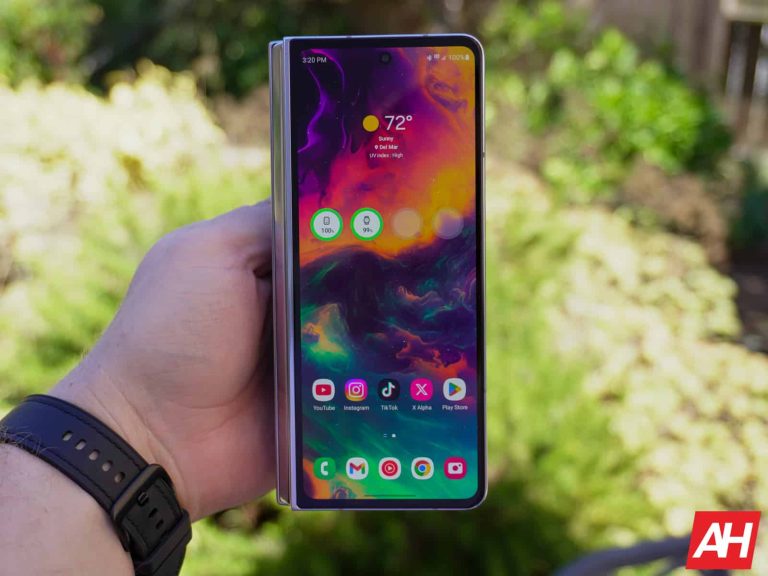
The Galaxy Z Fold 5 is the fifth-generation foldable from Samsung, and it’s the most refined foldable yet. It costs the same $1,799 as the Galaxy Z Fold 4, and each Galaxy Z Fold since the original. But it does have some new software and is guaranteed to get four years of software updates, which is great to see.
Much like other Samsung smartphones, the Galaxy Z Fold 5 also features a number of ways that you can take a screenshot on the device. So today, we’re going to show you all of the ways that you can take a screenshot, in case you’re having trouble with that.
How to take a Screenshot on Samsung Galaxy Z Fold 5
It’s pretty simple to take a screenshot on the Galaxy Z Fold 5, but it is a tiny bit different from other Android smartphones. So here’s how you do it.
Simply press the volume down and power button together. Press them for a short time, about a second.
Then let go, and you’ll see the animation for a screenshot. Along with a toolbar for editing and sharing your screenshot.
That’s literally it. You can crop, draw and more on your screenshot when you press the edit button on that toolbar. So you only share a part of your screen and not the entire thing.
The default settings on the Galaxy Z Fold 5 will put you into the power menu if you press and hold the volume down and power buttons together. Which is why you need to only tap these together for a second. Otherwise, you’ll be taken to the power menu for powering off, restart or emergency call. You can change that in the settings.
Additional ways to take a screenshot
For Samsung smartphones, there are two other ways that you can use to take a screenshot. And that is also the case for the Galaxy Z Fold 5, making it easier to grab a screenshot. Here are those two ways.
Palm Swipe
This is a method that Samsung has had available for quite some time. But essentially, you can use your palm to swipe across the screen and grab an image. You will need to turn this on, and here’s how to do that:
Jump into Settings.
Tap on Advanced Features.
Then tap on Motions and Gestures.
You’ll see an option for “Palm swipe to capture”, it’ll be towards the bottom. Tap on the toggle there.
If you tap on the option it’ll give you more information on how this feature works.
And that’s it. It’s just that easy to enable Palm swipe to capture. Now this one can be a bit tricky on other Samsung smartphones, particularly the curved display phones. But since the Galaxy Z Fold 5 is not curved, it’s not as difficult. Just make sure to swipe from edge to edge. You can opt to do left-to-right or right-to-left.
This is likely not the easiest way to take a screenshot on the Galaxy Z Fold 5, but it is a different way of doing it.
Assistant Menu
Now, if neither of the above options work for you, particularly if you like to use your phone with one hand, this option is going to be great for you.
Head into Settings.
Then tap on Accessibility.
Now tap on “Interaction and dexterity”
Finally, tap on “Assistant Menu” and turn that on.
This turns on a new Assistant Menu, which brings a floating button that can be moved virtually anywhere on the screen. When you tap on it, it will expand to show a number of different options, including your navigation buttons, power button, volume, screenshots, and more. Just tap on the “screenshots” button to take a screenshot.
This is a really great feature to have for doing other things on your phone too. Particularly if you can’t reach the top of the phone, or other parts of the phone. Especially since the Galaxy Z Fold 5 has such a tall Cover Display. And then there’s a lip on the main display. Making this a bit tougher.
And that’s it. That is all of the ways you can take a screenshot on the Samsung Galaxy Z Fold 5.
In a recent development, the Justice Department has fined Elon Musk’s Twitter, now rebranded as “X,” a sum of $350k for its refusal to comply with a search warrant related to former President Donald Trump’s Twitter account.
The legal battle first began in January when special counsel Jack Smith successfully obtained a search warrant for Donald Trump’s Twitter handle, @realDonaldTrump. This was a significant development in an ongoing investigation into accusations of Trump’s involvement in disruptions during the peaceful transition of power after the 2020 presidential elections, as well as the events leading up to the January 6, 2021, Capitol attack.
Informing Trump about the investigation
Twitter objected to the information mandated by the warrant and took exception to a gag order preventing it from notifying Trump about the search. Twitter’s argument, articulated on February 1st, was grounded in the First Amendment, highlighting that it should not be compelled to surrender records until the issue of the gag order was resolved. However, the court sided with the government’s position, arguing that a public search order could trigger obstructive actions by former President Donald Trump or even lead to an attempt to evade prosecution.
On February 2nd, Twitter adopted a more assertive stance by nullifying the nondisclosure order and stating that the order infringed upon its right to communicate with its subscribers. Additionally, Twitter initiated an appeal to contest the lower court’s decision. And despite the appeal reaching the U.S. Court of Appeals for the District of Columbia, the verdict favoured the government. As a result, Twitter found itself subjected to significant penalties, with daily fines of $50,000 progressively doubling for each day of non-compliance.
Finally, Twitter conceded and provided the records, which encompassed draft tweets, direct messages, and information about account access, within three days. However, it is important to note that, following the legal proceedings, the government also allowed the company to inform Trump about the contents of the warrant while withholding the identity of the case agent.
Proofpoint’s report highlights a rise in account takeovers, contradicting expectations of MFA’s effectiveness.
Malicious EvilProxy phishing kit emerges as a key player, exploiting MFA’s limitations.
EvilProxy employs a complex infection chain, utilizing legitimate redirectors and reverse proxy architecture.
High-level executives are targeted due to their access to sensitive data; 39% of compromised users held C-level positions.
Organizations urged to enhance email, cloud, and web security, and consider better authentication methods like FIDO-based keys.
Cybersecurity firm Proofpoint’s recent report has revealed a surge in account takeovers, defying the expectation that multi-factor authentication (MFA) would curb such incidents. The firm’s research showed that at least 35% of compromised users over the past year were equipped with MFA protection. It seems threat actors have found a way to exploit this defence.
The key protagonist in this narrative is the malicious phishing kit dubbed EvilProxy. As MFA gained traction, attackers responded with sophisticated methods to bypass this layer of security. EvilProxy, a reverse proxy-based phishing kit, has taken center stage in these endeavours, demonstrating its prowess by targeting thousands of users, including a significant number of C-suite executives.
Reverse Proxy (Proofpoint)
The method of attack involves a complex multi-step infection chain. Phishing emails, often impersonating trusted services like DocuSign and Adobe, contain malicious links that redirect users through a labyrinth of legitimate redirectors, including YouTube, malicious cookies, and 404 redirects. At the core of this campaign lies EvilProxy’s reverse proxy architecture. The kit intercepts MFA requests, obtains valid session cookies, and leverages them for authentication in the actual domain.
What is striking about this campaign is the attackers’ discrimination in targeting. They prioritized high-level executives due to their potential access to sensitive data and financial assets. Proofpoint’s study indicated that out of numerous compromised users, approximately 39% held C-level executive positions, including 17% who were chief financial officers and 9% who were presidents and CEOs.
Roles compromised in the attack (Proofpoint)
Once the attackers obtain access, their post-compromise activities include establishing persistence within the organization’s cloud environment. They leverage Microsoft 365 applications for MFA manipulation, further cementing their control. This persistent access opens avenues for lateral movement and potential malware deployment.
Proofpoint’s findings have shone a spotlight on the relentless evolution of cyber threats, highlighting that even the most secure of defences can be outmanoeuvred. The rise of EvilProxy as a tool of choice for such attacks has exposed critical vulnerabilities in organizational defence strategies. With a 100% increase in cloud account takeover incidents targeting high-level executives in the past six months, the battle between attackers and defenders continues to escalate.
Organizations are urged to strengthen their defences against these advanced hybrid threats by focusing on email security, cloud security, web security, and user awareness, and considering adopting better authentication methods, such as FIDO-based physical security keys.