Samsung has a major hardware launch event scheduled for this Wednesday, July 26. The company will launch new foldables, tablets, and smartwatches at the event. But behind the scenes, it’s already working on its next-gen Galaxy S flagships. The Galaxy S24 series will arrive in early 2024 with a few hardware upgrades over this year’s Galaxy S23. Unfortunately, the Korean firm may not upgrade the selfie camera.
Sources have told GalaxyClub that the Galaxy S24, Galaxy S24+, and Galaxy S24 Ultra will use the same 12MP selfie camera found on the Galaxy S23 trio. It’s not a new camera with an unchanged resolution, but the sensor itself remains unchanged. unchanged We are talking about the Samsung S5K3LU sensor that has 1.12µm pixels and an f/2.2 aperture. It supports dual-pixel PDAF (phase detection autofocus).
That’s not to say the Galaxy S24 series won’t capture better selfies than the Galaxy S23 models, which already offer one of the best smartphone cameras out there. Samsung can still improve the picture quality with software optimizations. After all, good photos are a combination of quality hardware and powerful software processing. Just that it won’t be a substantial upgrade in selfie photos.
It’s worth noting that the 12MP selfie camera found on the Galaxy S23 series is relatively new too. Samsung used a 10MP or 40MP selfie shooter in its Galaxy S series flagships for three generations before that. It might now be looking to refine the sensor rather than opt for something new. It’s standard practice for the Korean firm to reuse the same flagship camera for a few years before upgrading it.
The Galaxy S24 might not significantly upgrade the rear cameras either
It’s not just the selfie camera that may remain unchanged on the Galaxy S24 series. Samsung will reportedly reuse the rear cameras as well. The 200MP ISOCELL HP2 sensor that debuted on the Galaxy S23 Ultra is expected to return with the Galaxy S24 Ultra next year. The 12MP ultrawide lens might also carry over unchanged, and so might the 3x zoom camera.
The 10x zoom camera, meanwhile, may get some improvements if early rumors turn out to be accurate. Since the Galaxy S24 series is still several months away, you should be cautious about the authenticity of this information. We will let you know when we know more. For the time being, stay tuned for Samsung’s Galaxy Unpacked event in a couple of days.
The ever-growing influence of Artificial Intelligence and generative AI has caused panic in many industries, including entertainment, where writers and actors have gone on strike. Now, amidst the strike, Fable Studios unveiled its new AI model called SHOW-1, which allegedly has the capacity to make an entire TV show and showcased its capabilities with a fake “South Park” episode.
Although the episode was just 11 minutes long and lacked the authenticity and humour of the original series, it provided a glimpse into SHOW-1’s capabilities, which utilizes a large language model (LLM) and diffusion tools to construct scripts and visuals while the user contributes by selecting characters, settings, and providing prompts for the AI to work with.
Ethical concerns
Despite demonstrating significant development in the AI field, there are ethical and creative concerns regarding its impact on the livelihoods of professionals in the entertainment industry. Additionally, with over half of Hollywood already on strike, studio executives could potentially use this technology as a cost-cutting measure, leading to widespread job losses and a decline in the quality of creative work. And this is the reason why industry professionals are calling out for strict protections against the unchecked use of AI tools by producers without artists’ express permission.
Fable’s response
When discussing the potential repercussions of introducing the SHOW-1 AI at such a sensitive time, Edward Saatchi, the CEO of Fable Studios, argued that this development could benefit the labour side of the dispute. He believes that demonstrating the capabilities of AI can prompt discussions that lead to establishing clear rules and limitations for its usage in creative processes.
“We think the timing is correct — we are right in the middle of the biggest strike in 60 years, by releasing the research (but not the ability for anyone to create episodes of protected IP), we hope [for] the Guilds in Hollywood to negotiate strong, strong, strong protections that producers cannot use AI tools without the express permission of artists,” said Edward Saatchi.
However, many people participating in the strike remain sceptical about the positive impact of this development, with some speculating it to be a clever marketing stunt. Nevertheless, Fable’s AI technology has sparked significant debate, as the company aims to achieve Artificial General Intelligence (AGI) through simulated characters living in virtual environments.
Changes have become a regular occurrence on Twitter lately. Perhaps the most significant change since Elon Musk’s acquisition of the company is the latest rebranding, where X is set to replace the blue bird. While soon the iconic bird might no longer fly around the web, sharing tweets, it is still here and brings some updates.
Twitter (or X, as we might soon call it) limits the number of DMs unverified accounts can send. According to the company, this change aims at reducing spam in Direct Messages. So, if you don’t have a paid account, you will have a daily limit for sending out DMs. And if you don’t want to experience this limitation, the option is for you to subscribe to Twitter Blue.
We’ll soon be implementing some changes in our effort to reduce spam in Direct Messages. Unverified accounts will have daily limits on the number of DMs they can send. Subscribe today to send more messages: https://t.co/0CI4NTRw75
These changes, aimed at attracting more paid users seem reasonable since Twitter is still not generating profits. Elon Musk himself shared that the company is facing negative cash flow due to a significant drop in advertising revenue in addition to a heavy debt load.
The rebranding of the platform is another move by Musk to transform the company into a profitable one. We could expect X to introduce further changes to encourage unpaid subscriptions to convert into paid ones. With the bird gone, the rebranded platform can start afresh with a new vision, purpose, and features. Unlike unverified accounts, there seem to be no limitations set for Musk and his team’s imagination.
The China-linked threat actors who stole the US State Department and other Microsoft customer emails may have acquired access to apps other than Exchange Online and Outlook.com.
According to Wiz Researchers, the compromised signing key was more potent than it first appeared to be and was not restricted to just those two services.
The threat actor may have been able to forge access tokens for a variety of Azure Active Directory applications, including any that supports personal account authentication, such as SharePoint, Teams, or OneDrive, as well as customer applications that support the “login with Microsoft” feature and multi-tenant applications under specific circumstances.
It is advised to organizations look for instances of forged token usage on any potentially compromised apps.
Overview of the Hack
Microsoft issued a warning earlier this month after an advanced persistent threat group it refers to as Storm-0558 breached the systems of around 25 customers globally, including several government clients.
The hackers purportedly obtained access to private emails from U.S. Commerce Secretary Gina Raimondo and other high-profile individuals.
The Cybersecurity and Infrastructure Security Agency (CISA) collaborated with Microsoft on efforts to mitigate the damage and further examine how the hackers initially got access after government authorities informed Microsoft about the incident.
According to a statement by Microsoft earlier this month, the threat actor created access tokens for Exchange Online and Outlook.com after gaining access to an MSA consumer signing key.
The Wiz study reveals that the key gives users access to a significantly larger range of applications.
The signing keys used by identity providers are among the most potent trade secrets today. They are far more potent than TLS keys, for instance.
To have a major impact, an attacker would still need to impersonate a google.com server even if they had access to the google.com TLS key. One may instantly and directly access any email box, file service, or cloud account using identity provider keys.
To secure important keys like this one, our industry, notably cloud service providers, must commit to higher security and transparency.
The risks of compromised OpenID signing key
Which Applications Are Affected?
The analysis says the problem only affected Azure Active Directory applications that use Microsoft’s OpenID v2.0. Applications running on version 1.0 were unaffected since the token validation process did not use the compromised key.
Recommendation
Search for the use of forged tokens and use the Indicators of Compromise (IoCs) published by Microsoft to look for any activity that originates from the IP addresses provided by Microsoft.
Verify that no apps are using the cached version of the Microsoft OpenID public certificates, and clear the cache if they are.
Microsoft has introduced extra verifications to the official Azure SDK to prevent the use of MSA keys to authenticate organization accounts. The most recent version of the package should be updated by users.
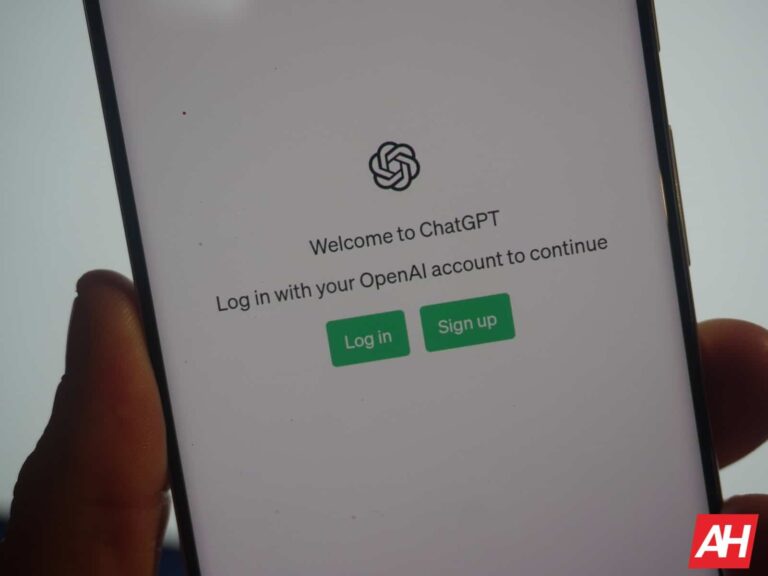
Currently, only iOS users have the ability to use conversational AI chatbot ChatGPT from OpenAI’s own mobile app. But next week will be Android users’ turn to install the app if they so choose, and unlike AI platforms, we are not hallucinating. If you tap on this link, you’ll be taken to the Google Play Store listing for the free ChatGPT app. Tapping on the blue button will allow you to pre-register the app on your Android device. According to the Play Store, the advantage of pre-registering is that the app will be installed on your phone automatically once it is available.
The Play Store listing says, “This official app is free, syncs your history across devices, and brings you the newest model improvements from OpenAI. With ChatGPT in your pocket, you’ll find:
According to TechCrunch, over 500,000 iOS users installed the ChatGPT app from the App Store the first week it was available. Since the Android app says that it syncs user history across devices, if you use one platform at home and the other at the office, your ChatGPT history will be available to you from both locations.
At left, Android users can now pre-register for the ChatGPT app from the Play Store; on the right, the iOS version of the app
Also, we should point out that while Android users won’t have the OpenAI app until sometime this coming week, they have been able to use ChatGPT via the Bing app or by going to the mobile browser on their device and heading to OpenAI.com. But if you prefer the ease of using a mobile app, you should open the Play Store on your Android phone and search for ChatGPT. As you can see from the image we’ve embedded, you’ll be offered the opportunity to pre-register the app which is something you should do.
We don’t have the exact date when OpenAI will start rolling out the Android version of ChatGPT, but sometime next week it should hit your Android device automatically if you agreed to pre-register it on your Android phone or tablet.
APIs are poisoned pills you can’t live without. In today’s world, they are the enemy you must coddle next to every night. That is why API security is so vital in today’s digital landscape.
APIs connect links between different software systems, making them prime targets for attackers. This is where your highwaymen will attack — your bridges. Strengthening API security and shielding them against potential threats is imperative to safeguard digital assets. Here are some tips to protect your APIs effectively — an API security checklist.
Understanding API security
API security protects Application Programming Interfaces – APIs – through policies and procedures to prevent unauthorized access, data breaches, and other security risks.
As APIs play a crucial role in connecting systems and facilitating information exchange, securing them is essential to prevent misuse or exploitation. Companies should regularly test APIs for vulnerabilities and follow security best practices. They should have a protocol that underlines and guides the use of these little digital devils.
The significance of API security — and their challenges
API Security Checklist is vital to preserving sensitive data and preventing unauthorized access to Application Programming Interfaces – APIs.
APIs facilitate data interchange and communication between software applications, and if not adequately secured, they can be vulnerable to various threats. And API by, let’s say, PayPal enables you to bill your clients through this platform — if there’s a glitch in their programming, it might open you up to bad actors and internet malcontents.
Folks can use that glitch to infiltrate your systems. Now, consider all those other APIs you have integrated into your system. From social media accounts to automation tools to even security tools. Hundreds upon hundreds.
Let’s look at some of the common challenges when securing APIs:
Authorization breaches
Only authorized users or apps can access and utilize APIs through proper authentication and authorization. Inadequate authentication procedures can lead to unauthorized access and potential data breaches.
For example, a well-known Pizza delivery service had an API glitch — folks could, from their app, access other users’ private data simply by reloading a screen.
Data integrity
Protecting data integrity during transmission to prevent unauthorized alteration or interference, which can violate data integrity.
Injection attacks
Addressing vulnerabilities where malicious code or SQL queries can be inserted into API requests, making them susceptible to injection attacks. Proper input validation and sanitization techniques can mitigate these risks.
Denial-of-Service – DoS -attacks
Mitigating DoS attacks that overload systems with requests, rendering them inaccessible to legitimate users. Implementing technologies like rate limitation and throttle can minimize the impact of such attacks.
Inadequate logging and monitoring
Ensuring APIs have robust logging and monitoring systems to effectively identify and address security incidents. Sufficient logging and monitoring are crucial for detecting and fixing potential security flaws.
Lack of secure communication
Employing secure communication protocols such as HTTPS to encrypt data transmission and prevent eavesdropping or interception. Insecure communication methods can expose sensitive information to hackers.
Inadequate access controls
Implementing strong access controls, such as role-based access control – RBAC, to ensure only authorized activities are performed. Insufficient access controls can lead to unauthorized data alteration or misuse of API features.
The role of APIs in modern digital applications and services
APIs, or Application Programming Interfaces, are extensively used in contemporary digital programs and services.
They act as supporting structural elements that enable seamless interaction and communication between different software systems and services, eliminating the need to start from scratch.
APIs simplify the integration of various services and platforms, allowing them to work efficiently together in today’s connected digital world. For example, social networking sites often provide APIs to enable third parties to incorporate features like sharing or login capabilities into their applications. ]
This connectivity enhances user experience and allows businesses to reach a broader audience and communicate more effectively.
The API security checklist: Top tips to fortify API security
As gateways to highly guarded data, APIs present a challenge for securing them from hackers. Mainly because they don’t belong to you — their coding is some other company’s IP.
You have no idea what standards the company has regarding its fortification. So, it’s up to you to guard against them — to, at the very least, shore up that digital interface of that conversation.
Here are some easy-to-follow API Security Checklist:
Implement proper authentication and authorization
Ensure that only authenticated and authorized users can access your API. Use robust authentication techniques like OAuth or JWT to verify the reliability of each request.
Regularly conduct security audits.
Perform audits to identify weaknesses in your APIs and address them before they become exploitable by hackers.
Audit your APIs’ architecture, design, and implementation, paying close attention to common issues like injection errors, broken authentication, and unsafe data storage.
Encrypt data in transit and at rest
Secure API endpoints using HTTPS instead of HTTP to encrypt data transmitted between clients and servers, making it difficult for hackers to intercept and alter.
Limit data exposure
Minimize response content, especially in error messages. Restrict email content and subject lines to fixed, non-customizable texts. Monitor IP addresses to avoid revealing sensitive information.
Monitor API activity
Continuous monitoring helps identify API vulnerabilities quickly and enables timely response and remediation.
Regularly update and patch APIs
Oddly enough, one of the most significant issues regarding API security is also the easiest to fix — updating your software. Most companies that give you their API interface and codes are on the up and up. They constantly fix, patch and update their systems.
The problem is that you’ll have to update your API and plugins for those fixes and new updates to hit your system. In many cases, companies seem to drop the ball in this regard. And, like an individual with an iPhone, they tend to wait until the very last second to update their IOS.
Keep your software and APIs up to date to reduce vulnerability. Apply security patches, update libraries, and upgrade to the latest platform version to minimize the risk of security breaches.
Apply rate limiting
Implement rate restrictions on your API to prevent brute force attacks and denial-of-service attempts. Limit the number of queries a client can make within a specific period.
Use secure coding practices.
Implement secure coding techniques such as input sanitization, output encoding, and exception handling to prevent malicious programs from accessing and modifying data.
APIs and hackers — a match made in heaven
Today, most software companies have an API they are more than willing to give you. Hackers are aware of this and are constantly on the prowl for that one company with no regard for security measures.
That company, the one whose coders are too creative to stop and go over their lines and see if they made a mistake, the one who invests in other departments and not in security, is the one they will target. That’s going to be their gateway into your systems.
API security is crucial for any organization processing and storing data. Following simple tips like using authentication tools, implementing access control measures, monitoring API activity, securing data in transit, employing secure coding practices, and regularly updating APIs can fortify API security.
Security teams should stay updated on API Security Checklist risks, trends, and best practices. Regular security assessments and training are essential to ensure vigilance and knowledge among the security team.
Investing in security tools that provide visibility into API activity and detect vulnerabilities is crucial. Securing APIs enables organizations to identify and address potential security issues before they escalate promptly.
A few minutes into Sunday morning Elon Musk took to his Twitter account to post, “And soon we shall bid adieu to the twitter brand and, gradually, all the birds.” Musk posted the image of a flickering letter “X” and answered in the affirmative when asked whether the Twitter logo was going to change. He added that “”it should have been done a long time ago.”
After posting the aforementioned “X,” Musk added, “If a good enough X logo is posted tonight, we’ll make go live worldwide tomorrow.” Twitter’s multi-billionaire owner has a habit of making off-the-cuff comments on Twitter and then revising them via an additional tweet a few hours later so we will have to actually see a new logo introduced before we can say with any certainty what is going on.
The first tweets discussing the logo change were spotted by Reuters. The report noted that Musk changed Twitter’s corporate name to X Corp. after spending $44 billion to buy the social media platform back in October. Musk’s goal is to build a “super app” like China’s WeChat which is not only a social media hang out, but is also used for instant messaging, playing video games, as a mobile payment app and more. WeChat has over 1 billion monthly active users. Twitter has approximately 450 million monthly active users worldwide.
Twitter could have a new logo Sunday morning
Musk’s comments contradict Twitter’s own website which notes that its blue bird trademark is “our most recognizable asset. That’s why we’re so protective of it.” But if nothing changes Musk’s mind over the next few hours, the Twitter bird might fly away to be replaced by a single letter. While Twitter started up in 2006, it wasn’t until 2010 that the blue bird that we all recognize as Twitter’s trademark came into being. It even has a name, seriously. According to logomyway, it is called Larry T Bird after Boston Celtics Hall of Famer Larry Bird.
While it isn’t clear whether Twitter would still call its messages “tweets” if the bird logo is replaced, that term might be too entrenched for any change to be made.
If you’re a long- time iPhone user, you might remember the Camera+ app. Users would install the app and use it instead of the native iOS photo app when taking photos. It featured basic and advanced editing tools, special effects, lighting filters, and the ability to integrate with social media platforms such as Twitter, Facebook, and Flickr. In March 2012, the app received a major update.
Now here we are in 2023 and the same developer behind Camera+, LateNiteSoft, has a new camera app called Photon. The website says that Photon will give you “all the control you need to create powerful professional photos.” Before snapping away with your iPhone’s camera, Photon will allow you to adjust the focus, shutter speeds, ISO settings, and white balance.
Advanced settings like Focus Peaking show you exactly where the lens is focusing. Different formats are supported including HEIF, JPEG, ProRAW, and RAW. With the iPhone 14 Pro and iPhone 14 Pro Max, Proton will allow users to choose between 12MP and 48MP shots when using the primary Wide lens. With Session Preview, users can get a look at the photos they just took and quickly delete the ones they don’t like and share the images they do all without leaving the app.
The Photon app allows iPhone users to shoot photos in various formats
LateNiteSoft’s Product Manager Noël Rosenthal spoke with TechCrunch and said “Photon is the product of our more than 10 years of experience in the photography business, without all the baggage. We took the time to rethink every aspect of the shooting experience, considering all of the feedback we’ve received and the impacts of all of our choices in the past. What we have produced is, in our eyes, simply the best, most intuitive, accessible, but powerful way to shoot photos on the iPhone.”
Users can employ Photon’s auto mode for free but if they want to use the pro features it will cost them $3.99 per month or $19.99 per year. For a limited time, the developer is offering a lifetime subscription for $39.99. There is a seven-day trial for the app. If you want to install Photon Camera on your iPhone, click on this link to download the app from the App Store.
Google Photos is the default photo and video app for Pixel users and is available for Android and iOS users as well. The app features useful editing tools and according to Android Police, Google is making some changes to the app’s user interface and UI elements including the removal of the bottom navigation bar. Nail Sadykov, head of the Google News Telegram channel posted some images showing the new UI which reportedly has been rolled out to just a small number of users.
One change features a new Memories tab on the bottom navigation bar, which is now floating on the bottom of the display. The search tab is now in a circular floating button of its own on the right bottom of the screen and the Sharing tab has moved to the top right corner to the left of the profile picture. The Google Photos logo also has a new position at the upper left corner of the display from the middle of the screen.
New look for the Google Photos app for Android and iOS
Sadykov believes that this UI shakeup is purely a test on Google’s part and since it has shown up on a “narrow range” of Android and iOS devices, Sadykov says that Google isn’t “all in” on the new design which is why the rollout is limited in scope.
What the Google Photos app looks like on Android before the update
Google might go through the feedback it receives from both Android and iOS users about the UI shakeup it created for Google Photos. No matter how well the changes are received, it doesn’t appear that Google is ready yet to have these changes show up on prime time.
Those Pixel users currently riding the Pixel 14 Beta train will soon be getting off at the last station marked “Stable Android 14.” The estimated time of arrival is sometime next month. But for now, issues are still taking place even though for the most part Android 14 Beta 4 has been the most well-behaved of the releases. One app that started to exhibit problems on Friday is Google’s own YouTube app.
What kicked off the issue was an update to the Android version of the YouTube app to version 18.27.35. Per 9to5Google, once that update was installed on a phone running Android 14 Beta 4 or Beta 3.1, tapping the Library tab on the app would lead it to crash. This is taking place not only on Pixel handsets (including the mid-range “a” series models) but also on the new Pixel Tablet as well.
Note that this is not an issue on Pixel devices running Android 13. Nor is the YouTube app crashing when other tabs, such as Home, Shorts, and Subscriptions are tapped. This means that as long as you don’t go into your YouTube library to continue viewing a video you never finished watching, or to view a certain video again, you should have no problem using the YouTube app on your Pixel.
Version 18.27.35 of YouTube is crashing on Android 14 Beta 4 and 3.1 when the Library tab is tapped
My Pixel 6 Pro running Android 14 Beta 4 is running YouTube version 18.27.33 so it has yet to receive the updated version that is crashing. To check which version of the YouTube app you’re using on your Pixel, open the YouTube app and tap the profile picture in the upper right corner of the screen. Select settings and then scroll to the bottom of the next page which should say “About.” Tap on “About” and you will see the App version which is the next to last listing on the page. Again, if it reads 18.27.35, the app will crash when you tap the Library tab.
The ball is in Google’s court. Google can issue a new update to YouTube perhaps as soon as this weekend. You can look for it by opening the Play Store, tapping on the profile picture in the upper right corner, and clicking on Manage apps & device. Under Updates available, tap on See details. If you see YouTube listed in the update queue, press on “Update.” If not, you can check back in every so often to see if a bug fix was released.