Not too long ago, people using the WAM speakers from Samsung’s “R” series experienced an annoying issue. They were boot looping, and there wasn’t really a way to make it stop. However, Samsung fixed the boot looping issue with its speakers, according to SamMobile.
We’re not sure what the issue with the speakers was. However, devices like the R1, R Lite, R3, and R6 experienced this problem. While this issue was a mystery, there was a workaround. Users could still use the speakers if they disconnected them from the internet. While this gave them their speakers back, it was annoying having to disable a core feature.
However, Samsung fixed the boot looping issue with its speakers
This issue caught the attention of Samsung, and the company was able to patch it up. Samsung told its users that the speakers are now working again. The company encouraged its users to reconnect to the internet. While the company didn’t go into too much detail about what caused the problem, it said that it was “resolved by an update to our third-party content providers server.”
That’s good news for people who want to enjoy their music using their WAM speakers. If you experienced this issue, you should be good to reconnect it to the internet.
Other Samsung news: Here are leaked specs of the Galaxy Watch 6
If you’re waiting for the next Galaxy Watch, then we have some leaked specs for you. This smartwatch is set to get an unveiling this month. Rumor has it that the Galaxy Watch 6 will have a 300mAh battery in the 40mm size and a larger 425mAh battery in the 44mm size.
This watch could use the Exynos W930 SoC. That could be backed up by 2GB of RAM and 16GB of storage. There’s a lot more information about this phone, so, if you’re interested in reading more, you can check out the story here.
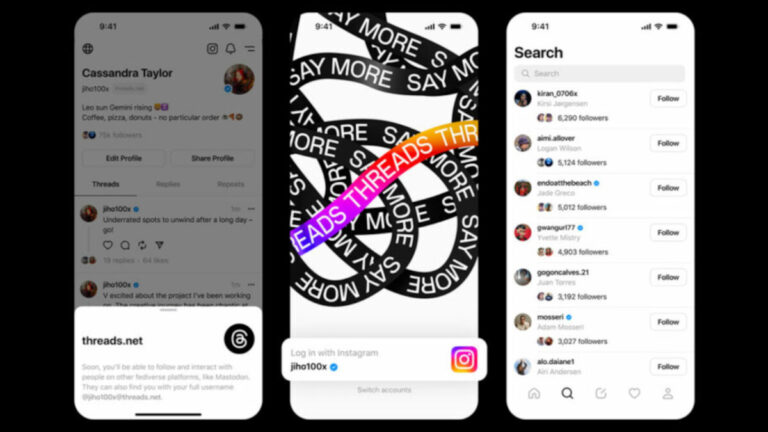
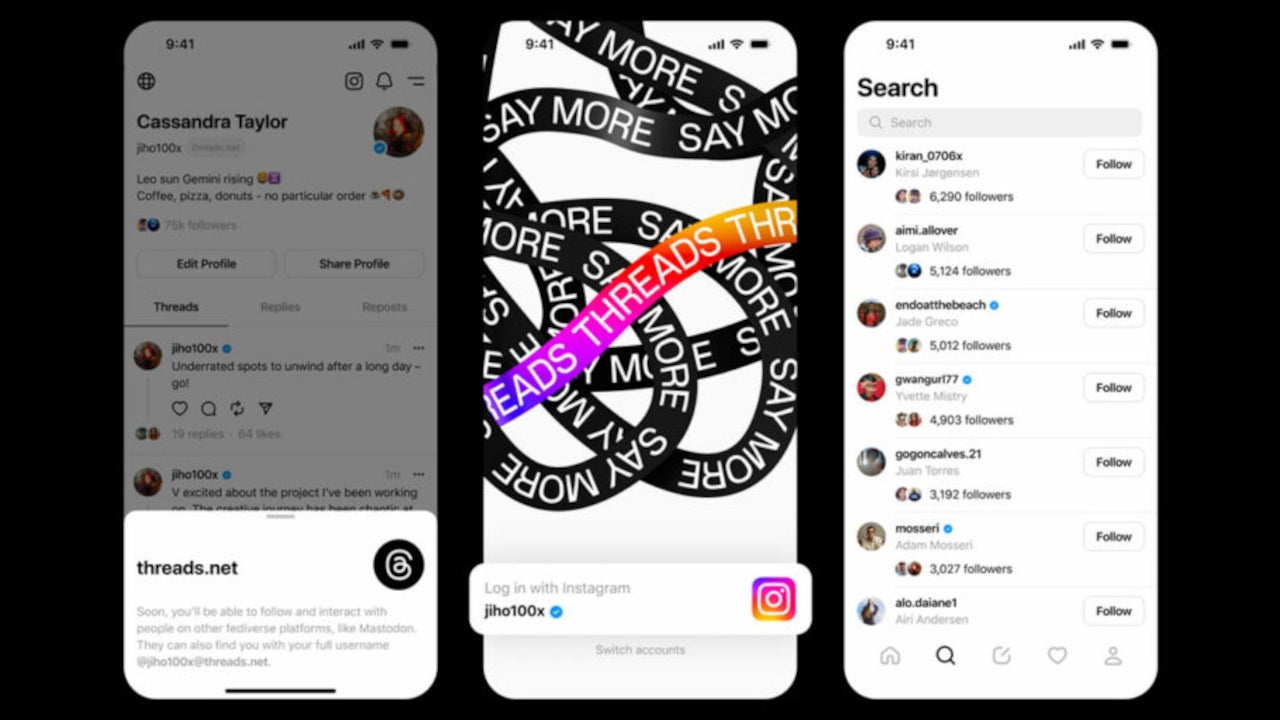
Threads had 100 million subscribers about a week ago, not counting EU customers who aren’t allowed to use the app due to privacy issues. That’s an impressive number even for a service launched by one of the world’s biggest companies, Meta.
Since it’s been developed in around five months, Threads is still missing a lot of important features to be able to compete with apps like Twitter that have been around for many years. But it’s important to have a solid foundation before starting to add more layers to the construction.
That said, if you’re using Threads on an iOS device, a new update is now available for download. You won’t find a list of changes on the App Store, but Meta’s Cameron Roth was kind enough to share the changelog with their followers on Threads. Without further ado, here is what the update adds to the app:
Translations (the same AI-powered translations that Instagram uses)
Follows tab on activity feed
Subscribe to unfollowed users
Activity feed scrolling + loading improvements
Following + on thread replies page
Tappable reposter labels
Open the IG followers list
A few small crash fixes. we’re now at 0.02%
More binary size cuts
A handful of other small bugs
According to Camroth, after installing the update, you might have to restart the app to be able to take advantage of all the new features and improvements in the update. If you still don’t see some of these changes, you’ll have to wait until the end of the day since Meta is using a system of server-delivered flags that can take a while to fully release.If you don’t live in the EU, you’re free to download Threads and use it without any issues. Just make sure not to share too much of your personal information with the app because we all know Meta can’t keep it safe.
OnePlus just launched its Nord 3, and the next flagship is still half a year away. You’d expect the rumor mill surrounding the OnePlus 12 to be dry at this point. However, enter Smartprix (partnered with OnLeaks) with a bunch of leaked specs for the OnePlus 12. They point to a pretty powerful device.
There’s another OnePlus device that you should know about. It’s the OnePlus Nord N30. This is a beast of a mid-ranger, and Android Headlines had the privilege to review it. It’s a smooth-performing phone with a beautiful display, great speakers, and the latest version of OxygenOS. It got 5/5 stars in our review which you can read right here.
The OnePlus 12 just had its specs leaked
As with any leak (especially about a device that’s so far from launching), you’ll want to take it with a grain of salt. There’s a chance that something could change between now and its launch.
Starting off with the display, OnePlus puts impressive displays in its phones, and this one won’t be any different. It looks like the phone will have a 6.7-inch 2K AMOLED display with a 120Hz refresh rate. It could also have LTPO technology that will knock the refresh rate down super low when looking at a static image.
Moving over to the internals, the OnePlus 12 will most likely use the Snapdragon 8 Gen 3 SoC. That will be the latest and most powerful processor from Qualcomm. We expect that to be backed up by 16GB of LPDDR5X RAM and 256GB of UFS 4.0 storage. We’re not sure if there will be a 512GB variant, but, hopefully, there will be one.
As for the battery, OnePlus is going to fit a larger 5400mAh battery into this phone. That’s 8% larger than the standard 5000mAh batteries that we see in flagships and ambitious mid-rangers. As for charging, the OnePlus 12 could have blazing-fast 100W wired charging and 50W wireless charging.
Now, the camera. The leak points to the OnePlus 12 sporting a 64MP main camera accompanied by a 50MP ultrawide camera and a 3X optical zoom camera. This camera will also bear the Hasselblad branding. Up front, there could be a 32MP selfie camera.
It looks like the OnePlus 12 will launch with Android 14 out of the box. With it, the phone will get the latest version of OxygenOS. Other leaked features include an under-display fingerprint scanner and an alert slider.
So far, it looks like the OnePlus 12 will be one of the most powerful phones of 2024. We’ll need to keep an eye open for more information on this phone.
Logitech has announced an acquisition of Loupedeck, the company that makes the Loupedeck Live stream controller. This puts Logitech squarely in competition with Elgato, now owned by Corsair and makers of the Stream Deck. A similar device with macro buttons for to help you more easily interact with your stream.
The two companies officially announced the acquisition on July 18, but did not announce how much Loupedeck was acquired for. The two companies say Loupedeck was acquired for an undisclosed, non-material amount. Logitech offers a wide variety of peripherals for gamers (such as gaming keyboards) and content creators, but didn’t have anything in its product portfolio that fits into this category. Now though, Logitech can expand its offerings to all kinds of content creators with the Loupedeck Live under its umbrella.
“Empowering streamers, creators and gamers is a joint passion of Loupedeck and Logitech. Together we are focused on removing all barriers so they can create, edit and stream without limits,” says Logitech G General Manager Ujesh Desai.
Logitech now owns Loupedeck, but Loupedeck will operate as normal
Loupedeck now be owned by Logitech, but the company will still operate as it always has for quite some time. The announcement says Loupedeck will continue to support its partners and customers and operate as usual “for the foreseeable future.”
So those using Loupedeck products shouldn’t expect much if any change. At least for now. But something customers can look forward to is the likelihood that Loupedeck will get some cool support or integrations with Logitech G products. The announcement doesn’t mention detailed specifics but it makes prefect sense and would be a completely reasonable move on the part of both companies.
What it does say is that “Logitech and Loupedeck will be in the position to provide a more seamless experience for creators.” The company says this includes onboarding. In addition to “tighter coupling” between Loupedeck devices and Streamlabs software. Basically it sounds like setup between devices should be simpler moving forward. Though it’s unclear when these improvements will happen.
Popular meditation and wellness app Calm is offering some of its content for free to Spotify users. A small collection of Calm’s sleep stories, meditations, and podcasts is available through the music streaming app at no additional cost. You need a paid Calm subscription for full access.
According to a Techradar report, around 30 pieces of Calm content are available for free on Spotify. These range from 60-second meditations to 40-minute sleep stories. The company has categorized its content under four playlists: Calm for Beginners, Calm for Stress & Anxiety, Calm for Meditation, and Calm for Sleep.
There’s also a dedicated section for kids. It offers meditation lessons as well as sleep stories for kids, some of which are narrated by celebrities like Jennifer Garner and Wanda Sykes. Calm also has content read by Cillian Murphy, Dame Mary Berry, and many other celebrities in addition to meditation specialists.
Of course, the free content is just a fraction of what the platform offers. But if you want to access everything, you will have to purchase a paid Calm subscription, which costs $14.99 a month or $69.99 annually. New users get a 30-day free trial via Spotify. Once you have subscribed, you can link your Calm account with Spotify and enjoy the content of both platforms in one place.
Note that Calm already offers a separate mobile app of its own. You can also use that app to enjoy its content. But, with the Spotify integration, you have one fewer app on your phone. This will help enable a distraction-free morning yoga session with your favorite music playing along. This also means you can use Calm on every device where you use Spotify. It could be your phone, smart speaker, smartwatch, or desktop.
Spotify and Calm partner up to mix music and wellness
This partnership between Spotify and Calm is a result of the former’s Spotify Open Access program launched in 2021. It allows companies to offer their content on the music streaming service. This enables them to reach more potential subscribers as millions of people use Spotify around the world.
Calm is likely looking to benefit from Spotify’s popularity as well. It is one of the most widely used wellness and meditation platforms globally. The company has surpassed 100 million downloads and had more than four million paying members as of October 2022. This integration with Spotify may enable it to grow further amid growing competition in the wellness sector.
In this day and age of digital communication, encryption plays a key role in protecting military emails from falling into the hands of hackers or foreign adversaries. However, in a remarkable display of oversight, millions of emails intended for Pentagon employees over the last ten years were being routed to email accounts in Mali, all due to a simple typo where users mistakenly entered “.ML,” Mali’s country identifier, instead of the correct “.MIL” domain associated with the US military.
According to a report from the Financial Times, Dutch entrepreneur Johannes “Joost” Zuurbier, whose company manages the “.ML” domain, first discovered and reported the issue about ten years ago. However, when the US Government ignored his reports, he set up a system to capture these misdirected emails.
The US Military sent emails to Mali
While the system to catch the emails worked for a while, Zuurbier says that the sheer number of the emails was staggering as he intercepted over 117,000 emails in January alone. Additionally, these emails contained sensitive information related to the US military, including medical records, identity documents, lists of military personnel, photos of military bases, naval inspection reports, ship crew lists, and tax records. Moreover, the report also highlights an instance of an email that contained General James McConville’s travel itinerary, including his hotel room number, during his visit to Indonesia.
Furthermore, as Zuurbier’s contract with Mali nears its end, the intercepted emails will soon be accessible to Malian authorities and the military. This development raises significant concerns, especially in light of Russia’s recent presence in Mali through the Wagner Group, a state-backed paramilitary organization.
US government’s response
While the Department of Defence has blocked its email accounts from communicating with “.ML” email addresses, the fact that military personnel have been sending emails to the wrong addresses for over a decade raises some serious concerns.
In response to the report, Tim Gorman, a spokesperson for the Office of the Secretary of Defence, stated, “The Department of Defense (DoD) is aware of this issue and takes all unauthorized disclosures of Controlled National Security Information or Controlled Unclassified Information seriously.
Despite the measures, Gorman acknowledged that this approach does not prevent other government agencies or individuals working with the US government from mistakenly sending emails to Malian addresses.
When you’re using Google Workspace, you’re prioritizing streamlining productivity and efficiency. What better way to do that than with a custom app? According to Techradar, Several Google Workspace tiers are getting a subscription to AppSheet thrown in for no extra charge.
As we know, there are several payment tiers for Google Workspace. They range from $7.20/month for the most basic plan to $21.60/month for the Business plan. There’s also the Enterprise plan that has the most features, but you’ll need to contact the Google Sales team to work out a pricing plan. Just know that it will be pretty expensive; it’s for major companies.
If you’re interested in trying it out, there’s a 14-day free trial. Visit the pricing page to check out the plans and see if it’s right for you.
Google Workspace is adding AppSheet for free
If you’re already a subscriber to the plan, then you’ll be able to take advantage of the new AppSheet integration. What is this AppSheet? Well, if you’re running a business, you’ll want to keep everything organized and running smoothly. Building your own custom apps is a way to do so.
AppSheet is an app builder that will let you design custom productivity apps to use in your business. You’ll be able to add all sorts of productivity tools for inventory management, CRM, sales, task management, etc. You can build apps tailored to your company and allow your employees and colleagues to use them.
Now, we’re not talking about apps that you would build and post to the Google Play Store. These are for internal use in your company. You’ll need to look elsewhere for a service like that.
Like Google Workspace, AppSheet has different tiers. The tier you’ll be getting is the Core tier. It’s the second-lowest tier, and it offers you a fair amount of tools to get you started.
You can use AppSheet if you have the Business Starter, Business Standard, Business Plus, Enterprise Starter, Enterprise Standard, Frontline Starter, Frontline Standard, Non-Profit, or Educational Standard tier. That covers a wide range of tiers, so chances are, you will have it.
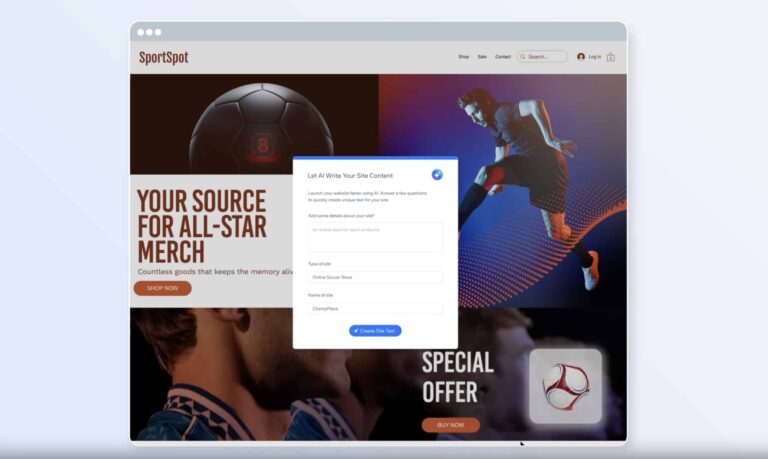
Building a website for your business can be a daunting task, especially if you lack a background in computer science or website development. Now, in an effort to make this process easier, template website builder, Wix, has introduced a new feature called the “AI Site Generator,” which allows users to create entire websites with just a description and a few simple follow-up questions.
Building a website made easy
Although template website builders like Wix have previously allowed users to customize templates according to their preferences, the AI Site Generator takes personalization to a whole new level. This is because, by harnessing the power of artificial intelligence, users can now describe their website’s needs and intentions, and the AI will take care of the rest. This includes designing a homepage, generating relevant text, selecting suitable images, and even incorporating various business solutions such as online stores, booking systems, restaurant layouts, and event pages.
For instance, if a user wants to build a fitness-oriented website, they only need to provide a brief description of their services. The AI will then prompt for a few additional specifications and present sample images of fitness trainers, allowing the user to choose the one that aligns best with their desired style and vibe. Once all the specifications are in place, users can simply click the “Generate Site” button.
However, it is important to note that the AI site generator utilizes a combination of ChatGPT and Wix’s proprietary AI models. The company says that the text creation is managed by ChatGPT, while Wix’s AI handles the creative aspects. Additionally, the release date of the new AI site generator remains unclear.
“We’re on the edge of something truly amazing, and we will keep advancing our offerings as AI technology progresses to enable users to grow their businesses and have success with more efficiency and creativity than ever before,” said Avishai Abrahami, Co-Founder and CEO of Wix.
The leaked file, measuring only 313 kilobytes, includes the names of 5,600 account holders registered with VirusTotal, along with their email addresses and organizations.
In a recent security breach, a file containing the names and email addresses of approximately 5,600 registered users of the popular cybersecurity platform VirusTotal was inadvertently exposed to the public.
The incident, first reported by The STANDARD, an Austrian news outlet, threatens the privacy and safety of employees from prominent intelligence agencies, such as the U.S. National Security Agency (NSA) and German intelligence agencies which were included in the data leak.
The incident should not come as a surprise, as VirusTotal has been in the news for unconfirmed security issues. One such incident occurred in January 2022 when researchers revealed an attack called “VirusTotalHacking.” They claimed to have accessed a trove of stolen credentials on VirusTotal. However, this attack was denied by VirusTotal founder Bernardo Quintero.
Homepage of VirusTotal
VirusTotal, owned by Google and widely used by security researchers, offers a web service for scanning suspicious files and links to detect malware. This incident brings to light the potential consequences of relying on such services without adequate safeguards, especially for intelligence agencies.
The leaked file, measuring only 313 kilobytes, includes the names of 5,600 account holders registered with VirusTotal, along with their email addresses and organizations. Notably, the compromised users consist of 20 accounts linked to the U.S. Cyber Command, as well as users from the U.S. Department of Justice (DoJ), the Federal Bureau of Investigation (FBI), and the NSA. Additionally, the list features official bodies from the Netherlands, Taiwan, and Great Britain.
Further, reportedly, addresses from Austrian organizations, including the Federal Ministry of Defense and the Interior Ministry, are also listed. Notably, the file includes employees from German intelligence agencies, such as the Federal Office for Information Security (BSI), the Federal Criminal Police Office (BKA), the Military Counter-Intelligence Service (MAD), and the Federal Office for Telecommunications Statistics (BFSt).
Additionally, employees from prominent German companies, including Deutsche Bahn, Allianz, BMW, Daimler, and Deutsche Telekom, are also among those affected.
The authenticity of the leaked information has been verified by both The STANDARD and the German news magazine Der Spiegel, highlighting the seriousness of the data breach.
Google, the owner of VirusTotal, has responded to the incident by stating that a VirusTotal employee unintentionally made a portion of customer data accessible. The company promptly removed the list from the platform and is actively working to enhance internal processes and technical controls to prevent similar breaches in the future.
This data leak raises questions about the security measures implemented by VirusTotal and other similar platforms. While these services play a crucial role in detecting malware, they also pose inherent risks, particularly when handling sensitive or classified information. It is essential for individuals and organizations to exercise caution and ensure that appropriate security measures are in place when utilizing such services.
In light of this incident, the affected parties, including intelligence agencies and corporations, should remain vigilant for potential cyber attacks, such as social engineering and targeted phishing attempts. Additionally, users are encouraged to monitor their financial accounts, consider two-factor authentication, and initiate fraud alerts to protect against unauthorized activities.
Meta’s Threads has seen a ton of success backlit by Twitter’s latest blunder. While the platform seems pretty empty, Meta is looking to fix that. Threads is adding three new features that you’ll love. It’s also adding one that you might not like.
Thanks to the recent data, it’s clear that the honeymoon phase is over. Overall engagement and time spent on Threads have all dropped significantly since its launch. This shows that the excitement for the app has died down. While this is the case, we expect its numbers to rise again when Meta brings more features to the app.
Threads is bringing three new features
It was only a matter of time before Meta could sprinkle new features on Threads. There are some features that people have been griping about since day one. According to Insider (via Techradar), there’s a leaked document that explains some new features that Meta is going to bring.
The first new feature is a DM (direct messaging) system. People are eager to get out and contact their new Threads friends directly. Your Threads account is tied to your Instagram account. Ostensibly, most of the people you know on Threads should already be accessible via Instagram.
However, it’s a nice feature to have, as people are making new connections on the new app. We’re not sure if your DMs on Threads will be tied to your DMs on Instagram.
The second feature is Trends & Topics. Right now on Threads, you’re able to see a feed of algorithmically-curated posts. You’ll see posts from those you follow and people you don’t. However, this feature will show you the latest news on different topics. We’re talking about politics, sports, science, etc.
Lastly, the third feature is Improved Search. You’re able to search for accounts on Threads at the moment, but that’s it. There’s no hashtag system, so there’s not much to search for.
The document states that it will get an improved search experience. The document doesn’t go into detail about how it’s going to improve the experience. However, we can suspect that you’ll be able to search topics. Who knows if this means that Threads is going to add hashtags?
Now, for the one you won’t like…
Let’s rip the bandaid off: Rate Limits. However, it’s different from what we have with Twitter. If you recall, Twitter limited the number of Tweets that all accounts could see. It didn’t matter if you were a verified account, an unverified account, a new account, or an old account. You were limited.
In the case of Threads, the rate limits will only apply to accounts believed to be spam accounts. That’s bitter-sweet. It’s good because, if you’re just an average Joe posting live events and hot takes, then you’re good. However, it could be an issue if your account is falsely accused of being a spam account.
If your account is limited, there’s an appeals process that could take a couple of days. It’s tedious, but it’s worth it to have your account back.