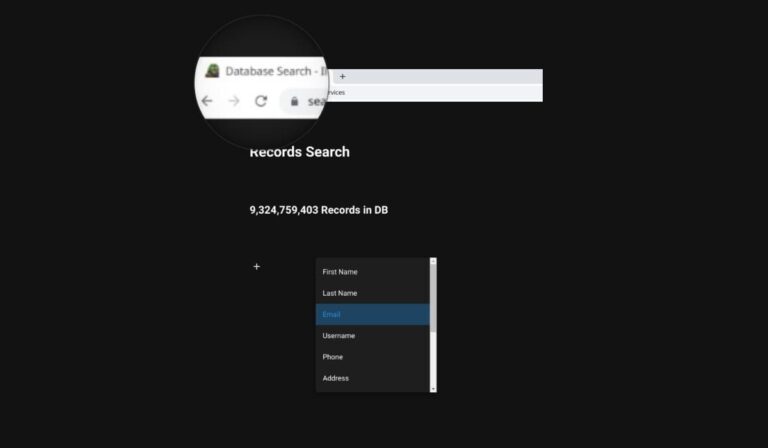
In a surprising turn of events, Illicit Services (Search.illicit.services), an OSINT (Open-Source Intelligence) tool widely used for gathering information based on personal identifiers, has been shut down by its owner due to growing concerns of exploitation and abuse.
The platform, known for its comprehensive search capabilities covering various personal data points, has been a subject of both controversy and praise.
The owner of Illicit Services, who remains anonymous but is referred to as “Miyako Yakota,” made the decision to close the service following mounting evidence that it was being misused for illegitimate purposes rather than functioning as an effective tool for Open-Source Intelligence. The irony of the platform’s name, given the circumstances, is not lost on Yakota.
Homepage of Illicit Services (left) – Search result on Illicit Services (right) – Screenshot: Hackread.com
One of the key reasons cited by Yakota for the shutdown was the observed spike in abuse of the service, particularly within communities engaged in doxxing and sim-swapping. These malicious activities involve the exposure of personal information and unauthorized manipulation of phone services, respectively. By shutting down the service, Yakota aims to curtail the potential harm inflicted upon unsuspecting victims.
However, it is worth noting that Yakota acknowledged the positive aspects of Illicit Services during their announcement on the official Telegram channel. Sharing a user’s success story, Yakota highlighted the case of a non-paying roommate who was exposed for using a fake name on a lease agreement and engaging in fraudulent internship activities, leading to their eviction. Such instances, according to Yakota, shed light on the potential benefits of the platform when used responsibly.
In an unexpected twist, Yakota expressed a willingness to share the data with the Intelligence Community, specifically those allied with the United States. They clarified that while aggregated leaks shared in confidence would not be disclosed, other information would be made available for analysis. Yakota’s decision to involve the Intelligence Community underscores the need to leverage data for lawful purposes while maintaining user privacy and security.
Miyako Yakota on Telegram (Screenshot credit: Hackread.com)
The closure of Illicit Services raises questions about the wider implications of exploiting personal data and the ethical considerations surrounding the use of OSINT tools. It also highlights the responsibility of platform owners to ensure their services are not inadvertently facilitating illegal activities.
The staggering new stat show Russian-language Dark Net Markets (DNM) dominated the Illicit drug trade with over 80% of the $1.49 billion spent in 2022.
Russian-language Dark Net Markets (DNMs) have experienced a significant surge in popularity among drug dealers and buyers, emerging as a dominant force in the global illicit drug trade, a new report suggests.
Recent data presented by blockchain intelligence platform TRM Labs reveals that these markets accounted for an alarming 80% of the $1.49 billion worth of illicit drugs purchased in 2022.
In order to fully understand the rise of Russian DNMs in the drug trade, one must unpack the technological advancements, socio-political factors, and evolving drug market dynamics that have contributed to their unprecedented popularity.
According to researchers, the appeal of Russian DNMs in the drug trade lies in the convenience and perceived anonymity they offer. Technological advances have made the battle against cybercrime syndicates all the more challenging for law enforcement, and the same encryption and anonymity tools are being used to run the dark net markets.
These underground online marketplaces allow dealers and buyers to operate covertly, challenging law enforcement investigations and arrests. The preference for crypto transactions and blockchain technology within DNMs has further amplified the advantage bestowed upon actors in the illicit drug trade. Loose regulations surrounding cryptocurrency payments make them an ideal tool for masking illegal exchanges.
The growing prominence of Russian-language DNMs also begs the question: how much of a free rein has the widening disconnect between the West and the Kremlin on matters of cybercrime given them?
According to BanklessTimes’ report, geopolitical tensions and conflicting interests have hindered collaboration, creating fertile ground for DNMs to flourish. Consequently, law enforcement agencies ability to track, apprehend, and prosecute cybercriminals has been significantly impacted.
Impact of Russian DNM Takedown on Illicit Drug Trade
Moreover, the shift from traditional to online markets in recent years has allowed the drug trade to flourish in the shadows of the dark net. According to the Chainanalysis report, four out of five of the highest-earning dark net markets in 2022 were involved in the drug trade.
Investigations and arrests that could previously be conducted within one region are now slowed by these DNMs, which provide an open market free from geographical boundaries and laws, making them highly alluring to those involved in illicit drug sales.
In April 2022, when law enforcement shut down Hydra, a major Russian-speaking DNM, a decline in the average daily revenue of all such markets was observed, dropping from $4.2 million before closing to $447,000 after its closure. If global efforts against Russian-language DNMs are combined, their impact would send shockwaves through the online illicit drug trade market.
Halting Illegal Transactions
Addressing the most nefarious darknet marketplaces starts with improved information sharing among law enforcement agencies, financial institutions, and cyber-research institutions. The global nature of the dark web makes international cooperation imperative.
During 2018 and 2019, Interpol and the European Union brought together law enforcement agencies from 19 countries, leading to the identification of 247 high-value targets and the sharing of operational intelligence required for effective enforcement.
The outcomes were promising, as these joint efforts resulted in arrests and the closure of 50 illicit dark-web platforms, including major drug markets such as the Wall Street Market, Genesis, Alphabay, Hansa, and Valhalla.
One of the most important Google apps for those using the search giant’s tool for work is by far Calendar. Many of its features help users keep track of their meetings scheduled, as well as the overall workflow. Ever since the COVID-19 pandemic, the need for tools that would provide users with the same level of productivity while working from different places has increased.Google Calendar has had a specific feature since 2021 that enables users to provide information about where they’re working from directly in the app. Although Google has further improved this feature in the last couple of years, there’s always room for improvement.
The most recent Calendar update introduces a new feature for the working locations functionality, which allows users to set working locations in Calendar that indicate where they are working for specific portions of the day. Up until now, you could only highlight one or more days to indicate the period of time you’ll spend working from a specific location.
The new option makes working locations even more accurate when reflecting the availability of a user based on the physical location they set, which can change throughout the day. Important for those that are part of a hybrid work environment where employees may work from home, and office, a specific building, or a combination of any of these, the new feature is meant to appeal to another type of audience, one that has become larger since pandemic.
According to Google, the new Calendar feature is already available for those using the app, but only if you’re enrolled in the rapid release program. For the rest of us, the new feature should start rolling out on July 14.
The working location feature will be enabled by default (unless disabled by an admin). To start using the new option and set a sub-day working location, simply select Working Location as an event type in Calendar, choose a location, and modify time, date, or recurrence by clicking on the time element.
It’s important to add that this is available to Google Workspace Business Standard, Business Plus, Enterprise Standard, Enterprise Plus, Education Fundamentals, Education Standard, Education Plus, the Teaching and Learning Upgrade, and Nonprofits.
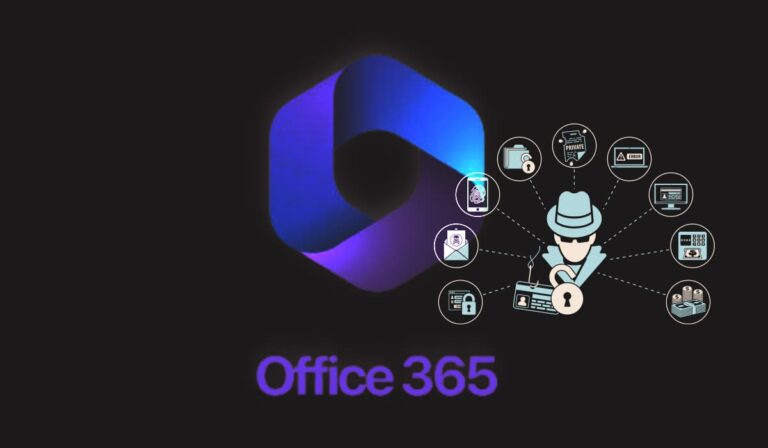
Vade, a provider of email security and threat detection services, has released a report on a recently discovered phishing attack that involves the spoofing of the Microsoft 365 authentication system.
According to Vade’s Threat Intelligence and Response Center (TIRC), the attack email includes a harmful HTML attachment with JavaScript code. This code is designed to gather the recipient’s email address and modify the page using data from a callback function’s variable.
TIRC researchers decoded the base64-encoded string when analyzing a malicious domain and obtained results related to Microsoft 365 phishing attacks. Researchers noted that requests for phishing applications were made to eevilcorponline.
Its source code, found via periodic-checkerglitchme, was similar to the attachment’s HTML file, indicating that phishers are leveraging glitch.me to host malicious HTML pages.
Glitch.me is a platform that enables users to create and host web applications, websites, and various online projects. Unfortunately, in this instance, the platform is being exploited to host domains involved in the ongoing Microsoft 365 phishing scam.
The attack begins when the victim receives an email containing a malicious HTML file as an attachment. When the victim opens the file, a phishing page masquerading as Microsoft 365 is launched in their web browser. On this deceptive page, the victim is prompted to enter their credentials, which the attackers promptly gather for malicious purposes.
Due to Microsoft 365’s widespread adoption in the business community, there is a significant likelihood that the compromised account belongs to a corporate user. As a result, if the attacker gains access to these credentials, they can potentially obtain sensitive business and trade information.
Additionally, according to their report, Vade’s researchers have also discovered a phishing attack that involves the use of a spoofed version of Adobe.
Login pages for Office 365 and Adobe phishing scams (Image credit: Vade)
Further analysis revealed that the malicious “eevilcorp” domain returns an authentication page related to an application called Hawkeye. It is important to highlight that cybersecurity experts, including Talos, have conducted assessments on the original HawkEye keylogger and classified it as a malware kit that emerged in 2013, with subsequent versions appearing over time.
This context is relevant because it explains why TIRC researchers were unable to establish a direct connection between the authentication page and the HawkEye keylogger.
The indicators of compromises were identified to be the following ones:
periodic-checkerglitchme
scan-verifiedglitchme
transfer-withglitchme
air-droppedglitchme
precise-shareglitchme
monthly-payment-invoiceglitchme
monthly-report-checkglitchme
eevilcorponline
ultimotemporeonline
This attack stands out due to the utilization of a malicious domain (eevilcorponline) and HawkEye, which is available for purchase on hacker forums as a keylogger and data-stealing tool. While Vade’s investigation is still ongoing, it is crucial for users to remain vigilant and follow these steps to prevent falling victim to a Microsoft 365 phishing scam:
Check the email sender: Be cautious of emails claiming to be from Microsoft 365 that are sent from suspicious or unfamiliar email addresses. Verify the sender’s email address to ensure it matches the official Microsoft domain.
Look for generic greetings: Phishing emails often use generic greetings like “Dear User” instead of addressing you by name. Legitimate Microsoft emails usually address you by your name or username.
Analyze email content and formatting: Pay attention to spelling and grammar mistakes, as well as poor formatting. Phishing emails often contain errors that legitimate communications from Microsoft would not have.
Hover over links: Before clicking on any links in the email, hover your mouse cursor over them to see the actual URL. If the link’s destination looks suspicious or differs from official Microsoft domains, do not click on it.
Be cautious of urgent requests: Phishing emails often create a sense of urgency, pressuring you to take immediate action. Beware of emails that claim your Microsoft 365 account is at risk or that require urgent verification of personal information.
Remember, if you suspect an email to be a phishing scam, it’s best to err on the side of caution. Report any suspicious emails to Microsoft and avoid providing personal or sensitive information unless you can verify the legitimacy of the request through official channels.
Cybersecurity is infamous for its acronyms. From APT to ZTNA, it is easy to get bogged down in the quagmire of jargon that, whether we like it or not, comes with the territory. This problem worsens when we come across nigh-on identical acronyms, DDR and EDR, for example.
However, organizations must understand what these acronyms mean and how they differ.
It’s no secret that the cybersecurity vendor market is saturated; security decision-makers need to know precisely what they require to avoid purchasing the wrong solution.
Data Detection and Response (DDR) and Endpoint Detection and Response (EDR) are often confused. While they do share some similarities, they are, in fact, distinct tools with distinct purposes.
This article will explore the key differences between DDR and EDR.
What is Data Detection and Response?
In real-time, DDR solutions detect and respond to threats and anomalies within an organization’s data environment.
By combining data security, threat detection, and incident response elements, DDR provides a comprehensive strategy for identifying and mitigating data breaches and security incidents.
DDR’s data monitoring and analytics capabilities identify any unusual or suspicious behavior that may indicate a security breach. DDR solutions monitor data access, transfers, user activities, and system events to establish a baseline of normal behavior and alert security teams of deviations from the norm.
DDR solutions work in five stages:
Data Collection – DDR solutions gather and centralize data from various organizations’ sources, such as network logs, system logs, database logs, and user activities.
Data Analysis – Using advanced analytics techniques like machine learning (ML), DDR solutions analyze the collected data and identify potential threats or anomalies. This analysis often involves correlating disparate data points to detect patterns and indicators of compromise.
Threat Detection – DDR solutions apply predefined rules, signatures, and algorithms to detect known threats and suspicious activities, comparing the collected data against known attack patterns or indicators of compromise.
Incident Response – Once a DDR solution has detected a threat or anomaly, it triggers an incident response plan, assessing the severity and impact of the incident, containing the threat to prevent further damage, and initiating mitigation measures.
Remediation and Recovery – Once DDR has contained the incident, organizations work on remediating vulnerabilities, addressing compromised systems, and recovering from any potential data loss or disruption.
DDR’s primary goal is to minimize the time between detecting and responding to a security incident, thereby reducing the potential impact of data breaches and other cybersecurity threats.
DDR solutions focus on proactive monitoring, continuous analysis, and swift response to emerging threats to protect critical data and maintain an organization’s security posture.
What is Endpoint Detection and Response?
EDR solutions also detect and respond to threats and anomalies solely at the endpoint level.
Endpoints are any individual devices – a computer, laptop, server, or mobile device, for example – that connect to a network. Unlike DDR, which covers an organization’s entire data environment, security teams directly install EDR solutions on endpoints to provide real-time visibility, threat detection, and incident response capabilities.
EDR solutions work to improve an organization’s:
Endpoint Visibility – EDR solutions provide organizations with comprehensive visibility into endpoint activities such as process execution, file changes, registry modifications, network connections, and other endpoint-related events. This visibility empowers security teams to monitor and analyze endpoint behavior and identify potential security incidents.
Threat Detection – Through various techniques such as behavioral analytics, machine learning, and threat intelligence, EDR solutions identify deviations and anomalies that could indicate endpoint security threats, such as malware infections, unauthorized access attempts, or the presence of advanced persistent threats (APTs).
Incident Response – Once EDR detects a potential endpoint threat, it alerts the security team in real-time, allowing them to investigate and respond. The best EDR tools offer incident response capabilities such as threat containment, compromised endpoint isolation, forensic data analysis, and system remediation.
Forensic Analysis – EDR solutions store detailed endpoint activity logs and capture forensic data to empower security teams to perform in-depth analysis after an incident. This analysis can help identify the root cause, extent, and associated indicators of compromise (IOCs) or attack patterns.
Threat Hunting – EDR solutions allow security analysts to search for suspicious activities or indicators across endpoints, utilizing advanced search capabilities, historical data queries, and conducting investigations to identify potential threats that may have evaded initial detection, thus supporting proactive threat hunting.
Key Differences Between DDR and EDR
DDR and EDR’s key differences lie in their respective scope and visibility. DDR monitors a broader range of data-related activities and security events across an organization’s entire data environment, including network traffic, user activities, and data transfers, while EDR focuses specifically on endpoints, monitoring activities such as process execution, file changes, registry modifications, network connections, and other endpoint-specific events.
DDR solutions provide security teams with insight into an organization’s overall data security landscape, whereas EDR offers clear visibility into individual endpoints, allowing for granular threat detection and response.
Through endpoint telemetry, behavior monitoring, and threat intelligence integration, EDR solutions detect and respond to endpoint-specific threats such as malware infections, advanced persistent threats, or suspicious activity.
DDR focuses on data-centric security, while EDR focuses on threats specifically at the endpoint level. While both are worthwhile as standalone solutions, they are most effective as part of a comprehensive cybersecurity strategy.
Currently, LetsCall is targeting users in South Korea, but considering how sophisticated it is, researchers believe attackers can expand this campaign to European Union countries.
The rise of Vishing (voice or VoIP phishing) has impacted consumers’ trust in unidentified callers. Usually, calls from bank employees or salespeople are common, but what if a fraudster makes the call?
According to a report from ThreatFabric, published on 7 July 2023, vishing attacks have become much more sophisticated lately. In a newly detected muli-stage vishing campaign attackers are using an advanced toolset dubbed LetsCall, featuring strong evasion tactics.
LetsCall is targeting users in South Korea, but considering how sophisticated it is, ThreatFabric researchers believe attackers can expand this campaign to European Union countries. What makes it unique is that it is a “ready-to-use framework, which any threat actor could use.”
LetsCall Attack Stages
This attack comprises three stages. Researchers dubbed the first stage the Downloader, in which preparations run on the device, necessary permissions are obtained, and a phishing web page is displayed. Afterwards, the second stage of malware is downloaded from the control server.
In the first stage, the victim visits the attacker’s specially crafted phishing web page, which looks like Google Play Store and is tricked into downloading the malicious application chain.
The second stage entails a powerful spyware application. The attacker exfiltrates data and enrols the infected device into the P2P VOIP network to make voice/video calls to the victim. A legit service called ZEGOCLOUD is also abused to facilitate VOIP communication/messaging.
Since such communications are enabled through WEB RTC, the attacker uses relay servers, particularly the publicly available STUN/TURN servers, including Google STUN and self-configured servers. This process may leak credentials in the application code.
Communication can be enabled via web sockets, which may cause duplication of commands from the P2P service and web socket. An attacker can configure a white list for the phone numbers to be redirected to and a blacklist for numbers that should bypass redirection. Researchers also noted the use of nanoHTTPD for creating a local HTTP server.
In the third stage, a companion application for the second-stage malware is launched to extend its functionalities. It features phone call functionality to redirect calls from the victim’s device to the attacker’s call center. Its APK file is similar to the second stage APK as both have the same evasion techniques and XOR-encrypted DEX files in the APK file’s root folder.
This application has a large code base and an interesting package called “phonecallapp” that contains code for the phone call manipulation attack. It can intercept incoming/outgoing calls and reroute them per the attacker’s desire. For phone call processing, attackers use a local SQLite database, the structure of which is as follows:
Part of the APK assets is pre-prepared MP3 voice messages played to the victim if outgoing bank call attempts are needed just to add legitimacy to the process by guiding the caller to the best operator from the bank. Here’s the transcript of one of these messages translated from Korean to English:
“Hello, this is Hana Bank. For … Press 1 for remittance to Hana Bank, 2 for remittance to another bank, and 3 for transaction details. For credit card connection, press 6 for other services.”
Many MP3 files imitate DTMF dialling codes to simulate sounds a victim produces when dialling pad numbers. Moreover, the third stage includes a set of commands, including Web socket commands.
The Frontend app also features tutorials and demos; two demos ThreatFabric researchers downloaded and observed the full infection chain and numerous backend APIs divided into Admin and Sys-user.
Pic Credits: Threatfabric
How are the Victims Tricked?
It is unclear how the attacker convinces the victim to visit the web page. Researchers suspect that attackers might be using Black SEO or social engineering techniques. What’s clear is that the pages mimic the Google Play store and can be viewed on mobile screens.
These are in the Korean language, but the script has comments in the Chinese language. Three pages researchers saw mimicked Banksalad (Loan comparison aggregator), Finda (loan comparison aggregator), and KICS (Korea Information System of Criminal-Justice Services).
Each asked for sensitive data like Resident Registration Number/ID, phone number, salary, home address, and employer identity. The data gets transferred to attackers and into a genuine loan aggregator page to request a loan.
Vishing Attacks: An Ever-Evolving Threat
Threat Fabric’s latest report has raised concerns among the cybersecurity fraternity by explaining how sophisticated vishing tools have become in trapping unsuspecting users. Per their observation, fraudsters are using modern tech for voice traffic routing. They have developed systems, aka auto-informers, capable of calling the victims automatically and even automating advertising via phone calls.
These systems play pre-recorded messages to lure users into visiting malicious URLs or giving away sensitive personal or financial data (e.g., bank account or credit card credentials).
They may even be lured into visiting their nearest ATM to withdraw cash. By combining vishing with mobile phone infection, scammers can request a micro-loan on behalf of the victim, which the victim will have to pay as financial institutions would not believe them.
If the victim suspects unusual activity, the fraudster will call them posing as the bank’s security team personnel to assure them nothing is wrong. After gaining complete control of the device, the attacker can reroute calls to any call center of their choice and even answer calls from the bank.
The OPERA1ER group’s illicit activities have resulted in estimated losses of at least $11 million, with the potential to exceed $30 million.
In a breakthrough against cybercrime, authorities have apprehended a suspected senior member of the notorious cybercriminal organization known as OPERA1ER.
The arrest, which occurred in Côte d’Ivoire, a country in West Africa, marks a significant blow to the group’s criminal activities that have targeted financial institutions and mobile banking services across Africa, Asia, and Latin America.
The international operation, codenamed Nervone, was conducted in collaboration between INTERPOL, AFRIPOL, Group-IB, and Côte d’Ivoire’s Direction de l’Information et des Traces Technologiques (DITT).
OPERA1ER Cybercrime Group
OPERA1ER, also identified as Common Raven, Desktop-Group, and NXSMS, has been operating since at least 2016, carrying out highly-organized attacks using sophisticated techniques such as spear-phishing campaigns, malware distribution, and large-scale Business Email Compromise (BEC) scams.
The group has targeted financial institutions, telecoms firms, and mobile banking services, exploiting vulnerabilities to steal funds. Their illicit activities have resulted in estimated losses of at least $11 million, with the potential to exceed $30 million.
The cybercriminal gang’s malicious email campaigns first came to the attention of Group-IB in 2018, when they detected spear-phishing operations responsible for spreading remote access tools and other malware.
In a collaborative effort, INTERPOL’s Cybercrime Directorate, Group-IB, and Orange exchanged intelligence, allowing authorities to track the group’s activities and identify a likely location for their operations.
Additional support was provided by the United States Secret Service’s Criminal Investigative Division and Booz Allen Hamilton DarkLabs cybersecurity researchers, who confirmed leads crucial to the investigation.
How it occurred
The arrest of a key suspect in Côte d’Ivoire in early June resulted from the successful coordination of international efforts. The captured individual is believed to be a senior member of OPERA1ER and was involved in attacks against financial institutions across Africa.
Authorities are confident that this arrest will have a significant impact on the group’s criminal endeavours, disrupting their network and preventing further financial losses.
In a press release, Bernardo Pillot, INTERPOL’s Assistant Director of Cybercrime Operations, commended the operation, stating,
“Operation Nervone is a testament to what we can achieve through international collaboration and intelligence sharing. This successful operation marks a significant step in our ongoing mission to dismantle organized cybercrime networks, showcasing the power of collective action in stemming the tide against cybercrime.”
Bernardo Pillot
The successful arrest of a senior member of the OPERA1ER cybercrime group demonstrates the importance of international collaboration and the tireless efforts of law enforcement agencies and cybersecurity experts in safeguarding financial systems and protecting individuals from cyber threats.
As the fight against cybercrime continues, authorities remain dedicated to dismantling criminal networks and ensuring the security of global cyberspace.
If convicted, Rambler Gallo faces up to 10 years in prison and a fine of $250,000.
Rambler Gallo, a 53-year-old resident of Tracy, California, has been formally indicted by a federal grand jury in the Northern District of California for allegedly hacking the computer systems of an East Bay-based water treatment facility in 2021.
According to the US attorney’s office, Gallo launched a cyberattack on the Discovery Bay Water Treatment Facility to delete critical software. He is now facing federal criminal charges.
The indictment was filed on June 27, 2023, and sealed today, revealing shocking details of the attack on the facility. According to the indictment, Gallo worked as a full-time employee at a private firm in Massachusetts, referred to as Company A. This company had a contract with the Discovery Bay facility, which entitled it to oversee the town’s wastewater treatment service.
According to the DoJ’s press release, while employed at Company A (between July 2016 and December 2020), Gallo served as its instrumentation and control technician. His responsibilities included maintaining instrumentation and computer systems that controlled the electromechanical processes of the facility, which served the 15,000 residents of the town.
Gallo is accused of installing software on his personal computer and Company A’s private internal network to obtain remote access to Discovery Bay’s computer network while performing his duties.
In January 2021, he resigned from Company A, and in the same month, he remotely accessed the water treatment facility’s computers and sent a command to uninstall software. This software was critical to operating the facility’s computer network and protecting its water treatment systems, including water filtration, water pressure, and chemical levels maintenance.
The jury has charged Gallo with one count of transmitting a program, information, code, and command to cause damage to a protected computer. If convicted, the accused faces up to 10 years in prison and a fine of $250,000.
Additionally, he may face supervised release at the end of his prison term, as well as assessments and restitution if necessary. However, it is worth noting that the charges in an indictment are mere allegations, and the suspect will be treated as innocent until proven guilty.
Water treatment facilities often become easy targets for cyberattacks, and mainly former employees are involved. The most famous incident involved a water plant in Oldsmar, Florida, initially dubbed a cyberattack, but further investigation revealed that human error caused the issue.
In April 2021, 22-year-old Wyatt Travnichek from Ellsworth County, Kansas, was indicted by the US Department of Justice (DoJ) for hacking and tampering with a public water facility.
Those of you who signed up for Meta’s Threads app are probably aware that there is no web version as of now. Instagram boss, Adam Mosseri, said that Threads focus is on mobile apps at the moment, but that the web version is coming.
Threads focus is currently on mobile apps, but the web version is coming
If you’re planning to use Threads in a similar fashion as you did Twitter, and you use the web version of Twitter a lot, well, then this definitely matters to you. It matters to us for sure, due to work-related reasons, most of all.
At the moment, when you go to threads.net, you’re greeted with the name of the social network, a nice spacey animation, and a QR code. That QR code basically leads you to install the app on your phone. Or in case the app is not available in your region, all you get is an error message.
The app is still lacking some crucial features
It would, of course, be great to see Threads on the web from the get-go, but that’s not the case. In fact, Threads does lack other features that users would expect, such as DM support, a better search, and so on.
You do have to remember that Threads is a brand-new app, though. The company is seemingly working on plenty more features, but for the time being, we’ll have to do with what Meta is offering.
It’s growing at an amazing pace
Threads launched very recently, and it’s growing at an incredible speed. It raked in 10 million users in just 7 hours after launch, which are great numbers for the app. The challenge will be keeping the momentum, and then keeping the users that signed up. Delivering new features that users would expect will be a crucial part of that.
Elon Musk doesn’t seem to be happy with what’s going on, based on his recent tweets, at least. A report even surfaced claiming that Twitter could end up suing Meta because of Threads. It remains to be seen if it’ll happen, though.
Meta’s Threads app is growing at an amazing pace. Mark Zuckerberg revealed that the app passed 10 million users in only 7 hours since launch. Well, that number has now doubled after 12 hours, and kept on growing to 30 million users. At the moment, over 55 million users joined Threads, it seems.
Threads app has managed to rake in 55 million users since launch
This info has been published by the Search Engine Journal, and it’s based on the number badges appearing on Instagram profiles. Needless to say, these are outstanding numbers for Threads.
For those of you who are out of the loop, Threads is Meta’s competitor for Instagram. The app has been around for less than two days at the time of writing this article, actually.
At the moment, it’s only available in a form of an app, but a web version is coming. We don’t know when, though. Threads app is still lacking some features like DMs, a more capable search, and several others, but that’s not really bothering users it seems, at least not yet.
Elon Musk made some unpopular choices since taking over Twitter
Elon Musk made some questionable choices since taking over Twitter, and it managed to annoy quite a few users along the way. A number of competitor platforms emerged since then, but none of them presented as huge a threat as Threads.
Meta basically used Instagram’s popularity and user base to make the transition easy. If you have an Instagram account, jumping to Threads is a piece of cake. That’s probably what made it possible for the platform to grow so fast.
It remains to be seen what will happen moving forward. Threads will not only need to keep up the momentum, but also retain the users it gets. Keeping the app stable and making sure new features are constantly flowing in will be key to its success.
It will also be interesting to see whether Twitter’s alleged lawsuit will happen, or not.







.png
)