AI has crawled its way into just about every corner of the tech industry, so it’s no surprise that there is AI photo editing. A popular photo editing site, PhotoRoom, has partnered with Google Cloud in order to substantially boost its processing time.
A huge area where AI thrives is in the business enterprise section. As scary as AI is, one of the scariest aspects of it, the ability to produce almost human-level content within seconds, is one of its most valuable. Businesses looking to maximize productivity utilize AI to cut down on processing time.
This is where PhotoRoom comes in. This site uses artificial intelligence to process professional-grade images. It can also use generative AI to produce backgrounds. This goes along with using AI to remove objects.
PhotoRoom partners with Google Cloud to boost productivity
Google has access to some pretty powerful computers- as anyone could guess. So, any person or company getting access to these powerful computers will definitely see a boost in processing speed. This is the case with PhotoRoom. According to Techradar, the two companies partnered so that PhotoRoom can use Google’s A3 supercomputers.
We don’t have the exact specs of these computers, but, do we really need them? These are the computers powering your entire Google experience, so, you can bet that they’re pretty blazing fast. But, don’t take our word for it. PhotoRoom announced that the pairing will cut the production time for photos “from days to less than an hour – without compromising accuracy or quality.” That’s a substantial boost in production speed.
The company also says that it expects the number of images generated per year to skyrocket. So far, PhotoRoom boasts about 2 billion images generated each year. However, with the higher production speed, there’s no doubt that it’ll be much higher by the end of 2023.
This is obviously a huge win for PhotoRoom. Also, this could also open the door for more companies to partner with large Brands such as Google to use its service. This could greatly increase the processing speed of their AI products.
Strava, used by more than 100 million people, includes features you’d commonly see in this kind of product like heart rate, GPS data, and so on. Users can build up a picture of their health related activities over time and make informed decisions based on the findings of the service.
The mobile tracking app is designed to track exercise activity, but it also includes a social component, allowing users to connect with each other. The primary concern of researchers focused on the heat map feature, which aggregates user data and allows you to see how many people are doing forms of exercise in various locations.
Although there are attempts to anonymise user data, the study highlighted ways in which some personal information—including home address—could be found. Researchers claim they found a “loophole” to ignore the anonymity of aggregated heatmap data. From their post:
Specifically, the researchers found it is possible for anyone to look up all of the Strava users in a given area. It is also possible for users to look at the aggregate data on a heatmap and see where each of the anonymous users’ routes begin and end.
In a densely populated area, with lots of routes and lots of users, there is so much data that it would be extremely difficult to track any specific person,” Das says. “However, in areas where there are few users and/or few routes, it becomes a simple process of elimination – particularly if the person someone is looking for is a highly active Strava user. Even users who have marked their accounts as private show up when anyone searches for a list of all the users in a given municipality, so marking an account private doesn’t necessarily provide additional protection against this tracking technique.
Strava told the researchers that heat map data isn’t shared unless several users are active in any given area, but the researchers still managed to identify the home addresses of some users via the heatmap. These locations were confirmed using voter registration data. Note that depending on which country you live in, voter data may not be available to use in this manner (or even be available in the first place).
While this may all sound very straightforward to do, the actual process involved is fairly involved. As Bleeping Computer highlights, the process is as follows:
Collect data on your chosen location for a period of roughly a month.
Overlay OpenStreetMaps (an open geographic database maintained by volunteers) at a zoom level which allows for singling out residence addresses.
Compare heatmap endpoints and user data accessible from search to establish connections between “high activity points” and home addresses.
This, combined with public profiles displaying real names, photographs, and data related to specific activities means that singling out certain users was achievable. A word of caution: the success rate for this kind of needle in a haystack activity is not fantastic. The study mentions that more active users will be potentially easier to track down, but for “average” users of the app the likelihood of being discovered is 37.5%.
The paper highlights a few of the ways Strava users can reduce the possibility of falling victim to this attack, but a lot depends on the app developers implementing them or the randomness of your personal circumstances. For example, living in a heavily populated area will go a long way toward blending you into the crowd.
Another is large exclusion zones around your home area, to make it impossible to figure out which specific location you’re exiting and entering. You can set your Strava profile to private, and also disable the heatmap feature if you don’t need any of the social features available to you. If you use another form of fitness tracking app, this is the ideal moment to see what data you may be sharing and lock down as needed.
We don’t just report on threats—we remove them
Cybersecurity risks should never spread beyond a headline. Keep threats off your devices by downloading Malwarebytes today.
In this article, we’ll compare the Google Pixel 7a vs Xiaomi 13. Some would say this is a rather odd comparison, and it is, to a degree. The Xiaomi 13 is a flagship-level smartphone, while the Pixel 7a is more of a mid-ranger. It’s considerably more affordable than the Xiaomi 13. The thing is, they’re similar in terms of size, as they’re both somewhat compact. So chances are some of you are looking into both of them due to their size.
These two devices are quite different, outside of the size aspect. They even look considerably different. Having said that, we’ll first list their specifications, and will then move to compare them across a number of different categories. We’ll compare their designs, displays, performance, battery life, cameras, and audio performance. Without further ado, let’s get started.
Both of these phones have a frame made out of aluminum, but their backplates are different. The Xiaomi 13 sports a glass-made backplate (or vegan leather, depending on the model), while the Pixel 7a has a plastic backplate included. The Xiaomi 13 is more rounded of these two, and it also has thinner, uniform bezels. The Pixel 7a bezels are thicker overall, and they’re also not uniform, its bottom bezel is thicker than the rest.
Both smartphones have a centered display camera hole at the top. Their backsides are entirely different, though. The Xiaomi 13 has a regular camera island in the top-left corner. A rectangular one with rounded corners. The Pixel 7a has a camera visor on the back, like its siblings. It stretches from one side of the phone to the other. The Xiaomi 13 has three cameras on the back, while the Pixel 7a has two.
The Xiaomi 13 has a noticeably larger display than the Pixel 7a, and despite that, it’s barely shorter than the Pixel 7a (less than 1mm difference), while it’s also narrower, and thinner. On top of all that, the Xiaomi 13 is also lighter than Google’s latest mid-ranger at 185/189 grams, compared to 193.5 grams. Both smartphones offer water and dust resistance, but the Xiaomi 13 is better in that aspect. It offers an IP68 rating, compared to the IP67 rating on the Pixel 7a. Both phones feel like quality products in the hand.
Google Pixel 7a vs Xiaomi 13: Display
You will find a 6.36-inch fullHD+ (2400 x 1080) AMOLED display on the back of the Xiaomi 13. That display supports a 120Hz refresh rate, and also has Dolby Vision support. HDR10+ content is also supported here, while the display goes up to 1,900 nits of brightness at its peak. The aspect ratio is 20:9, and the display is flat. Corning’s Gorilla Glass 5 is included to protect this display.
The Google Pixel 7a, on the other hand, features a 6.1-inch fullHD+ (2400 x 1080) display. This is an OLED panel with a 90Hz refresh rate. It is also flat, like the Xiaomi 13’s, while it has the same display aspect ratio too, 20:9. The Pixel 7a does come with worse display protection, though. It includes a sheet of Gorilla Glass 3 on the front, which is not the best when it comes to scratch protection.
When it comes to actual use, both of these displays are very good. They have vivid colors, and good viewing angles. They’re also both more than sharp enough, and offer deep blacks. The Xiaomi 13 does have a higher refresh rate, and it is noticeable in direct comparison. It also gets noticeably brighter than the Pixel 7a’s panel in direct sunlight. So, if that’s important to you, take note of it. The touch response is really good on both panels.
Google Pixel 7a vs Xiaomi 13: Performance
Google’s Pixel 7a handset is fueled by the Tensor G2 processor from Google. That is the same chip that fuels the Pixel 7 and Pixel 7 Pro flagships. Google also included 8GB of LPDDR5 RAM here, and UFS 3.1 flash storage. The Xiaomi 13, on the flip side, is fueled by the Snapdragon 8 Gen 2 SoC. It also comes with up to 12GB of LPDDR5X RAM, and UFS 3.1/4.0 storage. Only the variant with 128GB of storage includes UFS 3.1.
The Xiaomi 13 does have a more powerful processor, while it also has newer and faster RAM and storage modules. That does make the phone a bit more snappy in certain aspects of its performance, such as launching apps and so on. The thing is, if you’re not using them side-by-side, both smartphones will feel plenty fast, because they are. Both provide rather smooth performance.
The Xiaomi 13 does do better when gaming is concerned, though. It can run extremely demanding games better than the Pixel 7a. That is not exactly surprising due to its hardware, but it is worth noting. The Pixel 7a can still play pretty much everything just fine, but when it comes to demanding titles, the Xiaomi 13 is the better choice.
Google Pixel 7a vs Xiaomi 13: Battery
A 4,385mAh battery sits inside the Pixel 7a, while a 4,500mAh unit is included inside the Xiaomi 13. The Xiaomi 13 does have a slightly larger battery than the Pixel 7a, but it doesn’t offer better battery life overall. That is not surprising considering it also has a larger display, and a higher refresh rate. Still, the difference is not that major.
The Pixel 7a, in our experience, provided around 7 hours of screen-on-time, usually a bit more than that. The Xiaomi 13 will likely offer you around 6-6.5 hours of screen-on-time. Do note that your numbers could vary, considerably. You will be using different apps in different ways, under different signal strengths. So… you could be able to pull out more or less juice out of each phone.
What about charging? Well, the Xiaomi 13 humbles the Pixel 7a in that regard. It supports 67W wired, 50W wireless, and 10W reverse wireless charging. The Pixel 7a offers 18W wired, and 7.5W wireless charging. Do note that the Xiaomi 13 also comes with a charger, unlike the Pixel 7a. The Xiaomi 13 will charge up a lot faster than the Pixel 7a, that goes for both wired and wireless charging. It’s not even close.
Google Pixel 7a vs Xiaomi 13: Cameras
The Pixel 7a has a 64-megapixel main camera, and a 13-megapixel ultrawide camera (120-degree FoV) on the back. The Xiaomi 13, on the other hand, includes a 50-megapixel main camera, a 12-megapixel ultrawide unit (120-degree FoV), and a 10-megapixel telephoto camera (3.2x optical zoom). Do note that the Xiaomi 13 also has Leica lenses included, unlike the Pixel 7a.
When it comes to final products, both smartphones do a great job, though different. The Pixel 7a tends to provide more contrasty photos, while the photos from the Xiaomi 13 will depend on which shooting mode you go for. Leica Authentic and Leica Vibrant are your choices. We’d suggest the ‘Vibrant’ mode to avoid vignetting and get more vibrant photos at the same time. Both phones do well in HDR situations, though the Pixel 7a photos do end up looking more appealing most of the time, even though they are not exactly close to real life.
Both phones do a really good job in low light, while the Xiaomi 13 will keep photos looking closer to what you actually see. Still, once again, most people will likely prefer the Pixel 7a output, even in low light. The video recording is better on the Xiaomi 13, it’s considerably less shaky, the difference is quite noticeable.
Audio
There is a set of stereo speakers on both of these phones. The Xiaomi 13 will, however, provide you with a slightly richer audio output. Its speakers sound a bit better, as the soundstage seems to be a bit wider, not to mention there’s a bit more bass in the output. The difference is not that big, however.
What you will not find on either phone is an audio jack. You’ll have to rely on their charging ports, Type-C ones, if you want to establish a wired audio connection. If you want to go wireless, there’s always Bluetooth 5.3 which is included on both devices.
Apple is reportedly working on two new AR/VR headsets for the coming years. The source claims one of the in-works products is a cheaper model planned for late 2025, and another is a sequel to the Vision Pro.
When it comes to unveiling a product, Apple knows how to turn heads and make its product stand out. The Vision Pro headset is the company’s first headset for the virtual reality market that costs you $3,500. If the price tag doesn’t seem reasonable, you should probably wait until late 2025 to access a cheaper model from the company.
Bloomberg journalist Mark Gurman has come up with news about Apple’s new headsets in his Power On newsletter. He claims Apple is currently developing a non-Pro headset that aims to be a cheaper model. The product could have fewer cameras, lower-quality screens, and a less powerful processor to cut prices for final customers.
Apple’s new VR headset will arrive in late 2025 at a lower cost
Gurman added that Apple’s non-Pro headset might launch with a more basic head strap design. It may also need to pair with AirPods for spatial audio. However, the headset could preserve its external EyeSight screen or hand/eye tracking as key features.
The tech giant is also developing a sequel for its glamorous Vision Pro headset. Gurman says the sequel model comes with a faster processor. Other changes and improvements might be applied before the official launch.
It is quite clear that Apple wants to adopt the same iPhone marketing strategy for the headset market. The company’s best-selling product line has standard variants at a lower price and a Pro variant for customers that want the ultimate experience and have no budget limit. Such a strategy would help the company to expand its reach.
Apple’s Standard VR headset is planned for late 2025. It remains to be seen how it differs from the Vision Pro model in terms of specifications and price. Meta CEO Mark Zuckerberg has recently pointed out that Apple’s Vision Pro headset is not a rival for the company’s Quest 3 headset because of its hefty price.
Previously, the Google Docs paginated mode was only available on the web platform by default. But sometime last year, the web platform dropped this view, switching over to a pageless format. This switch brought a sense of harmony between all devices that have the Google Docs app from the web to the mobile platforms.
In a recent update, the Google Workspace update team announced on their blog that the paginated mode is arriving on all devices. This means that regardless of the device you use to access Google Docs, you’d get a paginated view. To a certain extent, this new improvement will aid users in their work and help them get more productive in certain ways.
You might be asking yourself what the paginated mode is and how it can help boost your productivity. Well in this article you’d find answers to these questions that might be weighing upon your mind. This improvement will have a major effect on how you work if you make use of Google Docs on an Android device.
Details on the Google Docs paginated mode rolling out to all devices
Paginated mode on Google Docs displays the working page individually with what is known as page breakers. This stimulates the idea of working with A4-size papers and is great if the work will end up as a print out. But previously this format was only on by default on the Google Docs web platform.
On mobile devices, working Google Docs took place on a continuous page. However, users were at liberty to activate the paginated mode from the three-dot icon at the top right-hand corner of the screen. Now the paginated mode is going to be available on all devices by default to aid users while they work.
By switching the paginated mode on all devices, Google is trying to sync the experience across the board. So even if you work from your laptop using the web platform or your smartphone using the app, you’d get the same visual experience. There will be page breakers to tell where each page ends and where a new one starts.
This might help to improve how organized your work will be if you work with your smartphone. Google goes on to show how this paginated mode will appear on the mobile app using a large-screen tablet device. The appearance will be similar to a smartphone, except for the fact it will be a bit more cramped to work with for some people.
So if you make use of the Google Docs app on your mobile device, you should expect this change. In place of the continuous working page you are used to, you will get a paginated view with page breakers by default. This change will roll out to users globally via an update to the Google Docs app.
It comes as no surprise that iPhone prices remain stable even months after launch. However, according to a lawsuit filed back in November, Apple and Amazon allegedly joined forces to artificially inflate the prices of iPhones and iPads sold on the platform, effectively eliminating over 98% of all Apple resellers. Now, in a recent development, U.S. District Judge John Coughenour has denied the request made by Apple and Amazon to dismiss the lawsuit, allowing it to progress further.
As a result, the case will now move forward to evidence-gathering and other pretrial proceedings, representing a significant step for the plaintiffs – all U.S. residents who purchased new iPhones and iPads on Amazon from January 2019 onwards.
“A major win for consumers of Apple phones and iPads,” said Steve Berman, a lawyer for the plaintiffs
The lawsuit argues that both Apple and Amazon signed an agreement in 2018 where Amazon agreed to drastically reduce the number of Apple resellers in exchange for Apple’s regular supply of discounted devices, therefore benefiting both parties. Additionally, the lawsuit also states that prior to this deal, there were approximately 600 third-party Apple resellers on Amazon in 2018, but this number dropped to only seven after the agreement took effect.
Apple’s response
Although the allegations about Apple’s practices have raised some concerns, the company defended its agreement, stating that it helped combat the sale of counterfeit Apple products on Amazon. Additionally, Apple’s attorneys stated in a court filing that such agreements were commonplace and legally acceptable, citing previous rulings that recognized them as pro-competitive and lawful. However, Judge Coughenour noted that any opposing motivations behind the agreement would be addressed in later stages of the litigation.
The outcome of this lawsuit will have implications not only for Apple and Amazon but also for the wider e-commerce landscape. Furthermore, the complaint seeks unspecified triple damages and other forms of relief.
WhatsApp is currently working on a new feature that will allow users to be notified when channels are available. This feature is still in development and is only available to beta testers in the countries where Channels are currently rolled out.
WhatsApp announced the new Channels feature last week. This feature will allow users to follow users and channels and keep up with them via a feed, similar to what we have now with Twitter, that is separate from existing chats.
Unfortunately, the feature launched in limited capacity and is currently only available in Singapore and Colombia, with the promise to come to other countries soon. However, it is this limitation that made it possible for the folks over at WaBetaInfo to discover a brand new feature tied to Channels — a notifier that lets you know when you will able to subscribe to them.
This feature is currently being tested in version 2.23.12.20 of WhatsApp Beta, which is available via the Play Store to those enrolled in the beta program. It turns out that when the Channels feature launched, users that had access to it shared invite links which ended up in the hands of users that did not have access to the feature. At first, this resulted in a generic message stating that the feature is not yet available.
However, on this latest beta version, the generic notification has been transformed and now looks more polished. Aside from the fancy redesign, the notification now also includes an option for the user to tap on “Notify me,” to be added to a waiting list. Once channels are available for your account, you will receive a notification letting you know.
Source – WaBetaInfo
It is unclear when channels will be available to users outside of Singapore and Colombia. However, the fact that WhatsApp is working on a feature to allow users to be notified when channels are available suggests that they are planning to roll out the feature to a wider audience in the near future.
After the Galaxy Z Fold 4 and Galaxy Z Flip 4, Samsung has now released the June 2023 Android security patch to its third-gen foldables in the US. Both Galaxy Z Fold 3 and Galaxy Z Flip 3 are receiving the latest security update stateside. The new SMR (Security Maintenance Release) is also available for the US-bound Galaxy A32 5G.
The Galaxy Z Fold 4 was the first Samsung device to pick up the June SMR globally, with the rollout beginning in the US. The Korean firm released the update for the foldable early last week alongside the Galaxy Note 20 series. It has since added several others to the party, including the Galaxy Z Flip 4. Today, Samsung has released the latest security update for the Galaxy Z Fold 3 and Galaxy Z Flip 3 in the US.
Both carrier-locked and unlocked versions of these foldables are getting the June SMR stateside. The new firmware build numbers for the two versions of the Fold model are F926USQS3FWE5 and F926U1UES3FWE1, respectively. Likewise, those for the Flip model are F711USQS4FWE5 and F711U1UES4FWE1. According to SamMobile, which first reported this rollout, the update is widely available on most carrier networks. The devices don’t seem to be getting any major user-facing changes or new features. The update is all about this month’s security fixes.
Speaking of security fixes, the June SMR contains more than 60 of those. That’s the combined total of fixes for Galaxy-specific issues (coming directly from Samsung) and other generic Android OS issues (coming from Google or vendors of respective components). At least three of those were critical security issues. If you’re using one of Samsung’s recent foldables in the US, all of these security patches will reach your phone soon. Watch out for a notification about the OTA (over the air) rollout. You can also manually check for updates from the Settings app.
The Galaxy A32 5G is also getting the June security update in the US
Along with the 2021 foldables, Samsung has also released the June security update for the Galaxy A32 5G in the US. The carrier-locked version of this midrange smartphone is currently getting the new SMR on a handful of networks, including T-Mobile, Sprint, and MetroPCS. A wider rollout may follow in the coming weeks. The updated firmware build number for this phone is A326USQSADWE2. The June SMR doesn’t bring any additional goodies to the Galaxy A32 5G either. It will get Android 14 if Samsung decides to push three major Android OS updates to this phone.
The Nintendo Switch is a massively popular console and it’s garnered a ton of support from third-party hardware developers. There’s a new accessory coming that will take your Switch game to the next level. The Nitro Deck is a Switch accessory that promises a “professional” experience.
As stated, there are a ton of Switch accessories on the market, but the Nitro Deck is one of the most robust-looking add-ons. It’s more than a set of third-party Joy-Cons. Rather, as the name suggests, it’s a deck that you’ll slip your Switch into.
The Nitro Deck will give you a professional Switch experience
The Nitro Deck has the rough appearance of a Steam Deck, but you can’t get the Steam Deck in some fun and nostalgic colors (more on that later). You will slip your Switch into it, and it will connect to the USB-C port just like on a dock. After that, you’re good to go. In case you’re wondering, yes, this also works with the Switch OLED.
As with most Switch accessories, this deck brings additional features that you don’t find with the first-party products. For starters, the deck connects via the USB-C port. This means much lower-latency input. This will also pass through a current to charge your Switch.
Moving over to the back, you’ll see four remappable buttons. These are for people who want to tailor their experience to their liking.
One of the most important aspects of this deck is the set of joysticks. If you remember the large lawsuit that Nintendo went through a couple of years ago regarding the “Joy-Con Drift”, then you’re probably wary about picking up first-party Joy-Con accessories. The Nitro Deck promises that there will be no drift with its joysticks.
Did someone say “Nostalgia”?
Now, let’s talk colors. The Nitro Deck is going to come in some rather nice and nostalgic colors when it launches. Starting, there are the classic Black color and the Black & White color.
If you were around in the early 90s, then you’d appreciate the color that looks like the SNES controller. If the GameCube was your jam, then you’ll love the GameCube controller color.
There are colors from Limited Run Games, as well. These are some fun transparent colors that look amazing.
If you’re looking forward to picking up one of these decks, there’s going to be a bit of a wait. These officially ship on September 18th. The base-level Nitro Deck costs $59.99 (£47.99 / AU$88). You can learn more using the link below.
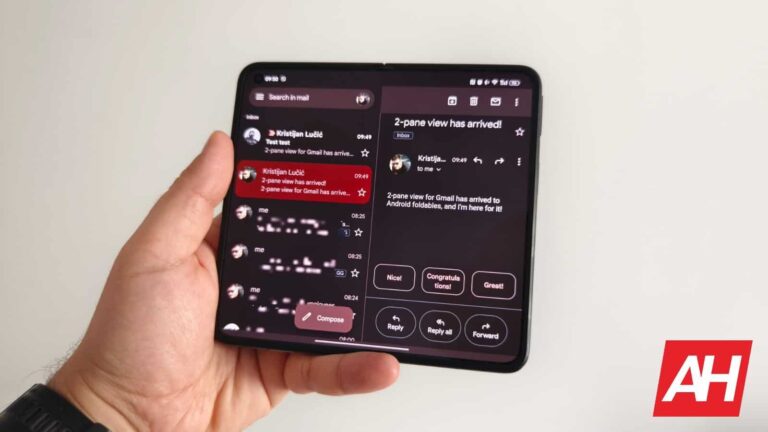
Google has announced a couple of new updates for Google Drive on Android aimed at enabling a more cohesive design between web and mobile, as well as improving the experience with foldables.
The first of these updates optimizes the Google Drive app for foldable devices by implementing a visual tweak. The item preview viewer now contains controls that will intelligently respond to the position of the foldable device, depending on whether it is opened, closed, or even partially opened. Once it detects the correct position, the viewer and the controls will adjust themselves accordingly.
Source – Google Workspace Blog
This will be particularly helpful if you are using a device such as a Galaxy Z Fold or any of the upcoming foldables. One notable folding smartphone that will be benefitting from this change is Google’s own upcoming Pixel Fold, which should be arriving later this month to those that pre-ordered.
Additionally, if you use Google Docs on an Android device, you will now see your docs in paginated mode when you first open them. There is one exception to this and that is if the document has already been set up to open in “pageless” mode.
Pageless mode sets up your document so that it continuously scrolls without any page breaks, images adjusts to your screen size, and wide tables can be fully viewed by scrolling to the left and right. In contrast, paginated mode shows your document with pages and page breaks. This view was previously not available on mobile.
Source – Google Workspace Blog
Google has been slowly but surely updating their own apps to take advantage of the larger real estate on tablets and foldables as well as adjusting the layout of said apps to make more sense to the user. It will be interesting to see what other tweaks are in the pipeline for Google Apps, and any app for that matter, now that foldables are becoming more mainstream.