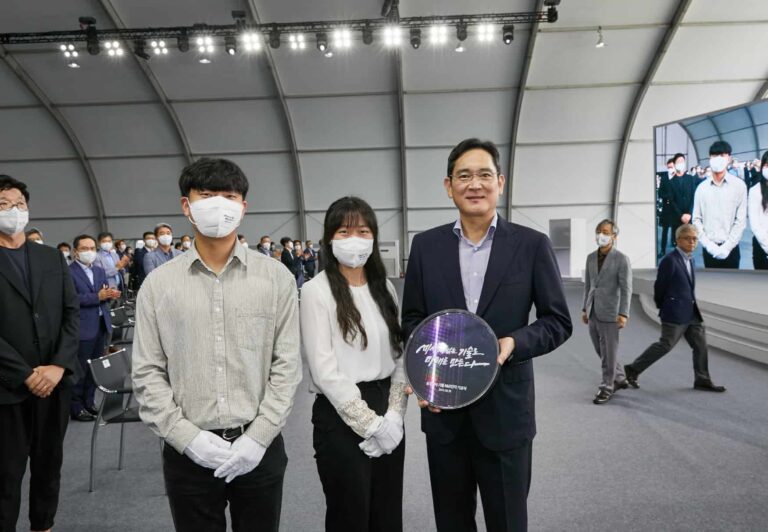
Samsung‘s semiconductor division has had a horrible past few months. It posted its first-ever quarterly loss in 14 years in Q1 2023. The company’s foundry unit also lost some clients to rival TSMC due to poor yield rates. However, the Korean behemoth is determined to turn things around. And it plans to do that with continued R&D investments. At the same time, Samsung is also planning to cut the production of memory chips by about 25 percent.
In a recent interview, Samsung co-CEO Kyung Kye-hyun said that the company will stick to its planned capital expenditure in the research and development of next-gen semiconductors. The idea is to be ready to pounce when the market rebounds in the future.
The firm will raise wafer input to “gain the upper hand in technology for future products,” Kyung said during a recent staff business session. He leads the Device Solutions Division overseeing global memory operations at System LSI, which is Samsung’s semiconductor business unit.
According to The Korea Herald, Samsung invested a record KRW 6.58 trillion (roughly $4.9 billion) in research and development in the first quarter of 2023. Additionally, it also spent a record KRW 10.7 trillion (roughly $8 billion) on equipment and facility during the same period.
The total investment of KRW 17.28 trillion is about 27 times the company’s operating profit of KRW 640 billion (roughly $478 million) in Q1 2023. Samsung reportedly plans to invest a whopping $230 billion in the semiconductor business over the next 20 years. It is even ready to borrow money if needed but won’t scale back investment, unlike some other firms.
Samsung will scale back memory chips production
Samsung’s poor financial results in Q1 2023 were largely due to a steep decline in the prices of memory chips. The company is the world’s largest vendor of memory chips by a huge margin. A large amount of its profits came from the memory business in the past years. A price drop in recent months led to its profit dropping a staggering 96% this past quarter. It is also seemingly left with a huge inventory pile-up.
In its earnings report, Samsung hinted at a production cut of memory chips going forward. Industry analysts are suggesting that the company will reduce production by about 25 percent in the first half of this year. It could cut the production of both NAND flash and DRAM chips. Low-cost solutions like such as DDR3 and DDR4 could see a bigger cut, with Samsung focusing more resources on advanced memory chips like DDR5.
According to the latest industry data, the average contract price of 8GB DDR4 DRAM was $1.45 last Friday. That’s down almost 20 percent from a month earlier (via). The market saw a similar decline in January 2023 as well. Worst yet, research firms are estimating a continued decline in prices in the coming months.
“We achieved the biggest monthly sale for DRAM and NAND flash, but their price fell too much,” Kyung told the staff. “To deal with the drastic deterioration of the performance, we will take active measures,” he added, seemingly referring to inventory adjustments. But the Samsung executive is wary that the road ahead is equally tough.
“The [country’s] economic growth rate is expected to continue to go down. While we may not be able to avoid falling into deficit, we can still reduce it, and that is up to what we do in the remaining seven, eight months [of the year],” he said.
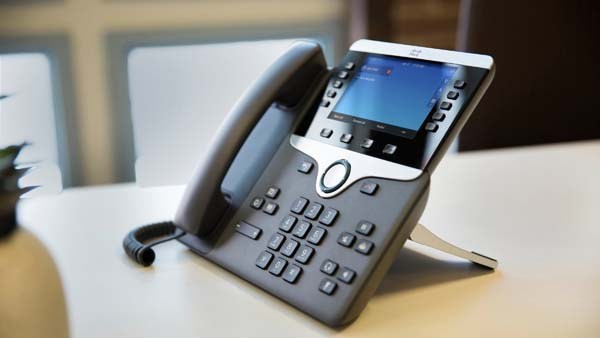
Recently, Cisco has addressed a severe vulnerability affecting its IP Phone firmware that could allow remote code execution or DoS attacks. The vendor confirmed having detected PoC exploits for the stack overflow in its IP Phone 7800 and 8800 Series firmware.
Cisco IP Phone RCE Vulnerability Received A Fix
Sharing the details in a recent advisory, Cisco highlighted a high-severity vulnerability riddling its IP Phones 7800 and 8800 Series.
As explained, the vulnerability specifically affected the Cisco Discovery Protocol processing feature of the Cisco IP Phones. The bug appeared due to insufficient input validation of the incoming Cisco Discovery Protocol packets.
Consequently, it allowed an unauthenticated adversary to send maliciously crafted Cisco Discovery Protocol packets to the target devices to induce stack overflow. As a result, the attacker Could trigger denial-of-service or conduct RCE attacks on the target devices.
This vulnerability, CVE-2022-20968, received a high-severity rating with a CVSS score of 8.1. Cisco confirmed the existence of the PoC exploit code of the flaw in the public. However, it did not detect any malicious exploitations before releasing the vulnerability fix.
According to the timeline shared in the advisory, Cisco first disclosed this vulnerability in December 2022. However, it took the firm months to patch the vulnerability, releasing the fix only now.
The vulnerable devices include IP Phone 7800 Series and IP Phone 8800 Series (except Cisco Wireless IP Phone 8821) running the IP Phone firmware version 14.2 and earlier. Cisco released the patch with IP Phone firmware release 14.2(1) for the respective devices. It also credited Qian Chen of the Codesafe Team of Legendsec at QI-ANXIN Group for reporting this flaw to Cisco.
While the updates would automatically reach the relevant Cisco IP Phone users, users must check for any updates manually to ensure receiving the patch in time. Moreover, since Cisco confirmed having no workarounds for the vulnerability, updating the vulnerable devices at the earliest is even more critical.
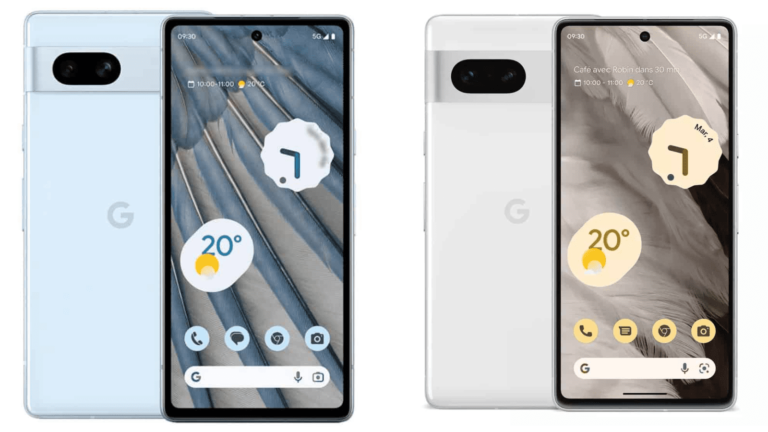
We’re just over a week away from Google announcing the Pixel 7a, and a few other Pixel devices. But the Pixel 7a will likely be the best selling of the three new Pixel devices that are set to be announced at Google I/O on May 10.
This year, the rumor mill has given us pricing for the Pixel 7a, and it’s getting a price increase. This was expected, given how the prices of literally everything have jumped quite a bit in recent months. The rumors point to the Pixel 7a costing $499. That’s still a great price for a phone that will likely win the blind camera smartphone test once again.
However, there’s a problem. The Pixel 7 exists. The Pixel 7 debuted at $599, however over the past few months, it has been discounted to $499 quite often, and even $449 from time to time. So why would you buy a “mid-range” Pixel 7a, when the Pixel 7 exists at a lower or the same price. That’s going to make the Pixel 7a a tough sell for Google.
Pixel 7a specs are very similar to the Pixel 7
When you put the Pixel 7a and Pixel 7 side-by-side, the rumored specs and the official specs are pretty identical. The Pixel 7a will come with a 6.1-inch display, while the Pixel 7 has a 6.3-inch display. Otherwise, both are OLED 90Hz displays, and have the same resolution of 1080×2400. While we don’t know for sure, since it hasn’t leaked yet, the Pixel 7 will likely have a brighter display, as it is rated for 1400 nits peak brightness. It also supports HDR10+, while the leaks for the Pixel 7a point at just HDR.
Inside, both phones will sport the Google Tensor G2 chipset, with 8GB of RAM and 128GB of storage. The Pixel 7 does have a 256GB option, however.
The batteries are fairly similar with the Pixel 7a having a 4500mAh capacity battery and 4355mAh on the Pixel 7.
Where things really start to differ is in the cameras. The Pixel 7 has a 50-megapixel main sensor, 12-megapixel ultrawide and a 10.8-megapixel front-facing camera. On the Pixel 7a, it’s getting a new camera that Google has never used before. That is a 64-megapixel main sensor, and then a 12-megapixel ultrawide. And of course the 10.8-megapixel front-facing camera.
That’s a bit odd because Google typically will debut new hardware components on their flagships and then move them down to the a-series. Instead, Google is using a 64MP camera on the Pixel 7a, while the Pixel 7 and Pro both use a 50MP camera. This is a rumor that I don’t think will be true, but we have seen it from many sources. And this could be why the Pixel 7a is getting a price jump.
Could the Pixel 7a replace the Pixel 7?
This is very unlikely, because Google hasn’t done this before. But could Google use the Pixel 7a to replace the Pixel 7? The difference in their MSRPs is already only $100, so there’s a very small line between the two right now. But this is even more unlikely, since Google is rumored to be keeping the Pixel 6a around. Something that they don’t typically do.
Now if they do keep the Pixel 6a around at its regular sale price of $299, that would make this lineup quite impressive. With the Pixel 6a at $299, Pixel 7a at $499, Pixel 7 at $599 and Pixel 7 Pro at $899.
The Pixel 7a will be the best sub-$500 phone on the market
As is the case every year, since Google unveiled the Pixel 3a back in 2019, the Pixel 7a will be the best sub-$500 smartphone on the market. And that’s because it is basically a flagship smartphone, at a sort of mid-range price. One could argue that the $499 price is not really “mid-range” anymore. But it’s still quite affordable compared to say, the Galaxy S23 which starts at $799.
Pixel 7a will come with a new camera, but it will have all of Google’s smarts. Making it one of the best cameras on the market. Along with having 128GB of storage, which is not something we typically see at this price. Especially when paired with 8GB of RAM. Samsung’s new Galaxy A54 5G comes with 6GB and 128GB at the base price of $449. That’s only $50 less, for less RAM and the same storage. It does of course have a much larger battery inside, to make up for it.
Would you buy the Pixel 7 over the Pixel 7a?
This is a hard question, especially since the Pixel 7a isn’t out yet, so I haven’t had a chance to try it out. But given the MSRP of each phone – that’s $499 for Pixel 7a and $599 for Pixel 7 – it’s a really tough decision. I do prefer smaller phones, so that might be what tempts me to the Pixel 7a. But then again the Pixel 7 is not that large either.
This is something that a lot of people are going to struggle with, once the Pixel 7a is announced on May 10. Especially since it is set to be available that same day.
Dropbox, Lyft, and Clubhouse are the latest companies that announced plans to lay off employees. The economic slowdown and the rise of AI are cited to be the reasons for recent layoffs.
Employees in tech companies are at the risk of losing their job more than ever. The tech industry is dealing with its greatest exodus, with tens of thousands of employees losing their jobs in 2023, and more is yet to come. Just in April, Meta said it would cut 10,000 jobs in the coming months, and Apple confirmed laying off staff in its corporate retail teams. Lyft, Clubhouse, and Dropbox are also joining the bandwagon.
The cloud storage giant Dropbox announced on April 27 that 500 employees would leave the company. This amount accounts for 16% of Dropbox’s total staff. The CEO, Drew Houston, said the layoffs are because of the slowing growth and the arrival of the “AI era.”
The Dropbox SEC filing reveals that the layoffs would cost the company $37 million to $42 million. Houston added that while Dropbox is profitable, its growth has been slowing due to the economic downturn that pressures both customers and the business.
The AI era of computing is another reason for Dropbox’s layoffs. “We’ve believed for many years that AI will give us new superpowers and completely transform knowledge work,” Houston noted. “And we’ve been building towards this future for a long time, as this year’s product pipeline will demonstrate.”
Lyft is axing 26% of its staff
The ride-sharing app Lyft is another company that confirmed removing 1,072 jobs, which equals 26% of the total staff. This is the second layoff by the company after it fired 13% of its staff in November last year. The affected employees will get severance and benefits valued at $47 million.
Lyft CEO and co-founder Logan Green has recently left the company, and former Amazon executive David Risher replaced him. Risher called for a renewed focus on the “needs of riders and drivers” and ordered remote employees to back to the office.
Clubhouse to layoff its staff again
The social audio app Clubhouse is also firing employees. The app, which exploded in popularity during the pandemic, has lost users’ attention and has declined since the pandemic ended.
The founders, Paul Davison and Rohan Seth sent employees a letter informing them about the decision to scale back the company by 50% and “say goodbye to many talented, dedicated teammates.” Despite the layoffs and reduced usage, Clubhouse founders said, “years of runway remaining.” They also confirmed building “Clubhouse 2.0.”
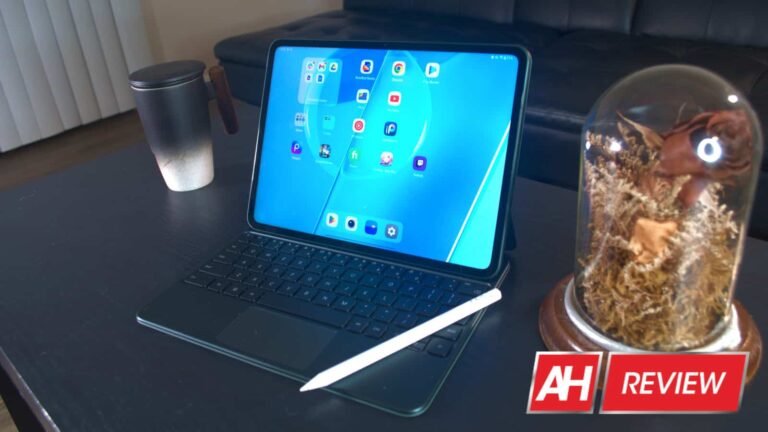
We’ve been waiting for a tablet from OnePlus for years, and the company finally delivered. The OnePlus Pad is here, and Android Headlines was given the opportunity to review it. Is this a good first attempt at making a tablet, or is it back to the drawing board for OnePlus? Let’s find out.
By the way, this isn’t the only OnePlus device that launched this year. The company also launched the OnePlus 11. If you’re interested in checking out the company’s latest flagship phone, you can check out our review right here.
OnePlus Pad: Build and design
OnePlus really put a lot of love and care into the build and design of the OnePlus Pad. Design-wise, it’s rather simple. This tablet has a high-quality metal unibody that’s both sturdy and smooth to the touch. As opposed to Galaxy Tabs and iPads, the frame is rounded. The frame is only flat at the top to facilitate the stylus pen.
The back of the tablet has a brushed metal look to it, but it’s extremely smooth to the touch. It looks nice, but it’s a definite fingerprint magnet. Also, you’ll want to watch what surfaces you place it on. It’s pretty slippery.
Overall, this is a tablet that undercuts most of the Galaxy Tabs and iPads in terms of price, but it doesn’t cut any corners in terms of build quality. It’s able to set itself apart from those tablets while remaining tough.
OnePlus Pad: Display
In my opinion, the display is the best aspect of this tablet; however, there is one drawback. Most tablets in this price range will opt for a 1080p (or similar) display. OnePlus opted for a display that’s between 2K and 3K. It has a resolution of 2880 x 2000, and it looks absolutely gorgeous.
This is an OLED display, so the colors pop throughout the software, and this makes watching media a treat. To top it off, it runs at 144Hz. So, not only is the display pleasantly saturated, but it’s also smooth as silk. So, I can honestly say that this device has the best display of any tablet that I’ve reviewed.
The one drawback is the contrast. When I first powered on this tablet, I had to double-check to see if the display was actually OLED. For some reason, the blacks on this display aren’t truly black like you’d see on other OLED displays. They’re the hallmark dark gray that you see on LCD displays. That’s rather confusing, seeing as the colors are so saturated. That’s the only complaint that I have about the display.
OnePlus Pad: Speakers
OnePlus touted a powerful set of quad speakers for this tablet, and they are powerful, indeed. The set of speakers offers a loud and punchy sound when you’re watching content or listening to music. They’re loud and full enough to use this tablet without needing to take out your Bluetooth speaker.
That being said, the quality of the speakers isn’t really anything to write home about. They’re not terrible, but they’re definitely lacking in the immersion department. They get plenty loud, but the sound is very flat overall.
The thing is that nothing really pops out. It doesn’t matter if the song is more bass-heavy or emphasizes the higher frequencies, the sound profile is pretty flat. You can adjust the tuning with the Dolby Atmos sound settings, but they don’t do much to improve the sound.
Overall, the speakers get the job done. They’re not bad, but they’re not great. If speaker quality is secondary to you, then they’ll serve you just fine.
OnePlus Pad: Performance
The OnePlus Pad uses the Dimensity 9000 SoC. This is MediaTek’s most powerful processor out at the time of writing this review, and it’s the company’s competitor to the latest Snapdragon SoCs. Going into this review, I expected top-of-the-line performance.
However, I was let down a bit. From a performance standpoint, the OnePlus Pad doesn’t particularly impress. I wouldn’t say that the experience is laggy overall, and it’s far from unusable. But, you get the hallmark experience of a device with a mid-range processor.
Navigating the interface, you see a couple of stutters in the animations. The app drawer lags a bit, closing an app takes a second, etc. They’re few and far apart, but they do happen. When the interface hiccups while you’re not doing anything particularly labor-intensive, it’s never good for morale.
Gaming
When it comes to gaming, the story is the same as the general performance. It’s not bad. In fact, it’s pretty good. Most of the games you’ll get will run perfectly fine. 2D titles are no sweat, and most 3D games will run just fine. Sky: Children of Light is a good-looking 3D title and it will slow down most underpowered devices. It runs perfectly fine on the OnePlus Pad, and the same goes for Asphalt 9.
When it comes to more graphically-intensive games like Genshin Impact and Star Rail, you’ll start to see the performance dip, but not by much. I was able to play both games on full graphical settings and get relatively smooth gameplay, but there were stutters here and there while playing.
Action scenes with a lot of effects will be the main cause of stutters, and I saw them more often in Ganshin Impact. However, these games are more than playable on the tablet.
If you’re looking to make this your gaming tablet, you will not be disappointed with the majority of the games on the market. Just know that the more demanding games will definitely push the OnePlus Pad to slow down a bit.
OnePlus Pad: Battery
The battery life on the OnePlus Pad is pretty middle-of-the-road. Using the tablet with several hours of gaming, video-watching, and writing, I was able to get about seven hours of screen-on time. That’s not bad considering that I had the brightness up to 100% and the display was set to 144Hz. Adjusting those settings will definitely push the battery a bit further, so it should be able to get you through the day.
If you have to top it off quickly, then OnePlus has you covered in that department. You get a 67W charger included in the box which is always nice to have. You’re able to charge the tablet from 0% to 100% in about 80 minutes which is great for a tablet.
OnePlus Pad: Software
Moving onto software, the OnePlus Pad is running OxygenOS 13 running on Android 13. Because it’s on Android 13, it’s running a version of Android that’s well formatted for tablets. You’ll see the revamped notification shade along with the new multitasking view and optimized Google apps.
Since this is OxygenOS, you have access to a ton of customization tools. You have deep customizations for the app icons, animations, home screen transitions, theme, animation speed, and much more.
If you’re a OnePlus phone user, then you should feel at home with this software. OnePlus did a great job optimizing its software for the tablet form factor.
So, how did the company do on its first tablet?
This is OnePlus’ first time making a large-screen device, and I think the company knocked it out of the park. OnePlus was able to give us a tablet with a sturdy design, a beautiful and fluid display, good performance, a pretty good gaming experience, and perfectly optimized software while keeping the price within a reasonable range.
If you’re looking for a great tablet experience for a great price, then I recommend that you pick up the OnePlus Pad.
Heads up, UPS users! Schneider Electric has patched numerous severe vulnerabilities in its APC Easy UPS Online Monitoring software. Exploiting these flaws could allow remote code execution and DoS attacks on target devices.
According to a recent advisory from Schneider Electric, the vendors have patched three different security vulnerabilities in its APC Easy UPS Online Monitoring Software.
Specifically, two of these vulnerabilities could allow remote code execution attacks from an adversary. Whereas a third vulnerability could let the attacker induce denial of service on the target devices.
Below is a quick review of these vulnerabilities.
CVE-2023-29411 (CVSS 9.8): It’s a critical severity vulnerability that could allow an attacker to modify admin credentials. Exploiting the flaw could lead to remote code execution on the Java RMI interface. Schneider Electric has credited the researcher Esjay from the Trend Micro Zero Day Initiative for reporting the vulnerability.
CVE-2023-29412 (CVSS 9.8): Another critical severity flaw that existed due to improper handling of case sensitivity. Exploiting the flaw could allow a remote attacker to manipulate internal methods via the Java RMI interface and execute codes. This vulnerability caught the attention of two researchers, Esjay from the Trend Micro Zero Day Initiative and Nicholas Miles from the Tenable Network Security.
CVE-2023-29413 (CVSS 7.5): It’s a high-severity vulnerability that could allow an unauthenticated adversary to induce denial of service on the target Schneider UPS Monitor service. The advisory acknowledges Esjay from Trend Micro ZDI for reporting this issue.
Recommended Mitigations And Patched Updates
The vendor explained that these vulnerabilities affect the Easy Ups Software clients for Windows 10 and 11 and Windows Server 2016, 2019, and 2022. However, Schneider Electric has presently released the patches for the Windows 10 version only. The updated software versions include the APC Easy UPS Online Monitoring Software Version V2.5-GA-01-23036 and Schneider Electric Easy UPS Online Monitoring Software version V2.5-GS-01-23036.
Nonetheless, for Windows 11 and Windows Server 2016, 2019, and 2022 users, the vendors recommend updating the Easy UPS units with the PowerChute Serial Shutdown (PCSS) software on all servers protected by your Easy UPS On-Line (SRV, SRVL models) as mitigation.
Google Authenticator now allows you to sync your 2FA (two-factor authentication) with your Google Account. This way, you can log into the apps with your Google Account when the phone is unavailable. However, security researchers say this feature might pose a risk to users’ safety.
Google Authenticator is one of the most popular apps for setting two-factor authentication and receiving codes. The app is free, reliable, and supported by Google. In a recent update, Google has addressed one of the biggest user concerns by allowing them to sync the Authenticator app with their Google Account.
The company says this feature would make “one-time codes more durable by storing them safely in users’ Google Accounts.” The 2FA codes will be safely backed up in the Google Account. They’ll be easily accessible when you lose your phone or want to set up a new device.
Of course, Google still allows you to use the Authenticator app without syncing it with your Google Account. Additionally, the app has a new icon and design tweaks for a better user experience.
Security researchers warn about syncing the Google Authenticator app with Google Account
While the feature could bring convenience to users, security researchers at the software company Mysk say the traffic in the Authenticator app is not end-to-end encrypted. This means a third party, like a Google employee, could see the 2FA codes you use to log into accounts. Things could get worse if a cybercriminal could access your Google Account.
Mysk researchers further add that 2FA codes contain other information like account and service names. Google could use this data to personalize ads. Of course, researchers say, “Google data exports do not include the 2FA secrets that are stored in the user’s Google Account. We downloaded all the data associated with the Google account we used, and we found no traces of the 2FA secrets.”
In response to Mysk researchers, Google’s Product Manager for Identity and Security Christiaan Brand, noted that they encrypt data in all products, including the Authenticator app. However, he says that E2EE [end-to-end encryption] could get users locked out of their own data without recovery. That’s why Google started to roll out optional E2EE for some of its products. The Authenticator would also get the feature soon.
“Right now, we believe that our current product strikes the right balance for most users and provides significant benefits over offline use.” Brand added. “However, the option to use the app offline will remain an alternative for those who prefer to manage their backup strategy themselves.”
Qualcomm’s next-gen flagship smartphone chipset Snapdragon 8 Gen 3 is starting to take shape. There are already rumors that the new Qualcomm processor will feature a slightly different CPU core arrangement with a much speedier prime core. Another noted tipster has reiterated that information.
According to a tipster Digital Chat Station, the Snapdragon 8 Gen 3 will bear the model number SM8650 (via). That’s in line with the previous-gen solutions (SM8450 for Gen 1 and SM8550 for Gen 2). However, Qualcomm will reportedly switch to a 1+5+2 CPU core arrangement this year. The company is replacing an efficiency core with a performance core. Last year’s solution featured a 1+4+3 configuration. The Snapdragon 8 Gen 1 came with a 1+3+4 CPU core arrangement in 2021.
This suggests Qualcomm is focusing more on the performance side of things as node improvements make chips more efficient than ever. The rumored frequency of the Snapdragon 8 Gen 3’s Cortex-X4 prime CPU core suggests the same too. The upcoming chipset will reportedly boast a clock speed of up to 3.7GHz, a figure similar to the one reported last month. That’s about 15 percent faster than the regular Snapdragon 8 Gen 2, which tops out at 3.2GHz. The Samsung-exclusive version found in the Galaxy S23 series goes up to 3.36GHz.
The massive boost is reportedly enabled by TSMC’s improved 4nm process node. The Taiwanese firm will manufacture the Snapdragon 8 Gen 3 N4P node, which is said to be about six percent more efficient than the N4 node used to manufacture last year’s chip. The upcoming solution will also upgrade to the Adreno 750 GPU, but its frequency details are not known yet. We will let you know when we have more information.
Qualcomm may skip the Snapdragon 8+ Gen 2
Qualcomm usually launches two flagship smartphone chipsets every year. The first one comes in the first half of the year and is essentially an overclocked version of its previous-gen solution (denoted by a “+” sign). For example, it launched the Snapdragon 8+ Gen 1 in May last year with a slightly faster CPU and GPU setup than the 2021 flagship Snapdragon 8 Gen 1, which debuted in November.
Going by this, last year’s flagship Snapdragon 8 Gen 2 should get a “+” version within the next couple of months. Qualcomm’s Taiwanese rival MediaTek has already confirmed a May 11 launch of its Dimensity 9200+, a similarly overclocked version of last year’s Dimensity 9200. However, rumors are that the American chipmaker doesn’t plan to launch Snapdragon 8+ Gen 2 this year. It will go straight to Gen 3. That explains why there hasn’t been any talk about the former but the latter frequently pops up in the rumor mill.
Heads up, Android users! The notorious HiddenAds adware again targets Android users by impersonating legit gaming apps like Minecraft. Users must review the applications installed on their devices to delete malicious apps.
Minecraft And Other Android Gaming App Clones Spread HiddenAds Adware
According to a detailed McAfee report, around 38 gaming apps are actively distributing the HiddenAds adware, targeting Android users. These apps even appeared on the Google Play Store, luring even those gamers who stick to downloading from official sources only.
As explained, these apps boasted millions of downloads on the Play Store, highlighting the widespread impact of the malicious campaign. For example, one such app, “Block Box Master Diamond,” boasted over 10 million downloads. Likewise, the other apps, “Craft Sword Mini Fun,” “Block Box Skyland Sword,” and “Craft Monster Crazy Sword,” garnered over 5 million downloads each.
Most of these malicious apps impersonated Minecraft to trick users. These apps didn’t alert the user immediately as they could still play the games. However, the adware would continue to run background ads, consuming the device’s resources.
List of Malicious Apps
The researchers have listed the following malicious apps found to be spreading this adware campaign.
Application Name
Package Name
Google Play Downloads
Block Box Master Diamond
com.good.robo.game.builder.craft.block
10M+
Craft Sword Mini Fun
com.craft.world.fairy.fun.everyday.block
5M+
Block Box Skyland Sword
com.skyland.pet.realm.block.rain.craft
5M+
Craft Monster Crazy Sword
com.skyland.fun.block.game.monster.craft
5M+
Block Pro Forrest Diamond
com.monster.craft.block.fun.robo.fairy
1M+
Block Game Skyland Forrest
com.cliffs.realm.block.craft.rain.vip
1M+
Block Rainbow Sword Dragon
com.block.builder.build.clever.craft.boy
1M+
Craft Rainbow Mini Builder
com.fun.skyland.craft.block.monster.loki
1M+
Block Forrest Tree Crazy
com.skyland.craft.caves.game.monster.block
1M+
Craft Clever Monster Castle
com.box.block.craft.builder.cliffs.build
500K+
Block Monster Diamond Dragon
com.block.sun.game.box.build.craft
500K+
Craft World Fun Robo
com.builder.craft.diamond.block.clever.robo
500K+
Block Pixelart Tree Pro
com.block.master.boy.craft.cliffs.diamond
500K+
Craft Mini Lucky Fun
com.fun.block.everyday.boy.robo.craft
500K+
Block Earth Skyland World
com.builder.craft.block.sun.game.mini
500K+
Block Rainbow Monster Castle
com.dragon.craft.world.pixelart.block.vip
500K+
Block Fun Rainbow Builder
com.craft.vip.earth.everyday.block.game
500K+
Craft Dragon Diamond Robo
com.block.good.mini.craft.box.best
500K+
Block World Tree Monster
com.lucky.robo.craft.loki.block.good
100K+
Block Diamond Boy Pro
com.caves.robo.craft.dragon.block.earth
100K+
Block Lucky Master Earth
com.tree.world.city.block.craft.crazy
100K+
Craft Forrest Mini Fun
com.game.skyland.craft.monster.block.best
100K+
Craft Sword City Pro
com.everyday.vip.caves.house.block.craft
100K+
Block Loki Monster Builder
com.cell.rain.block.craft.loki.fairy
100K+
Block Boy Earth Mini
com.block.good.sun.boy.craft.fun
100K+
Block Crazy Builder City
com.fairy.builder.sun.skyland.craft.block
100K+
Craft Sword Vip Pixelart
com.monster.house.good.block.earth.craft
100K+
Block City Fun Diamond
com.block.best.boy.craft.sword.cell
100K+
Craft City Loki Rainbow
com.crazy.clever.city.block.caves.craft
100K+
Craft Boy Clever Sun
com.cliffs.builder.craft.block.lucky.earth
100K+
Block City Dragon Sun
com.lucky.best.block.game.diamond.craft
100K+
Craft Loki Forrest Monster
com.build.craft.boy.loki.master.block
100K+
Lokicraft: Forrest Survival 3D
com.build.lokicrafts.master.forest
50K+
Craft Castle Sun Rain
com.sun.realm.craft.lucky.dragon.block
50K+
Craft Game Earth World
com.block.craft.vip.sun.game.box
50K+
Craft Lucky Castle Builder
com.rain.crazy.lucky.pro.block.craft
50K+
Craftsman: Building City 2022
com.JavaKidz.attacksnake
50K+
Craft Rainbow Pro Rain
com.skyland.house.block.craft.crazy.vip
50K+
Google Removed the Malicious App
Following the researchers’ report, Google removed all malicious apps from the Play Store and empowered Play Protect to detect those apps.
Nonetheless, Android users should still scan their devices for any malicious applications running on their devices. Also, it should remain a rule of thumb not to download apps from unknown or untrusted developers, even from the Play Store.
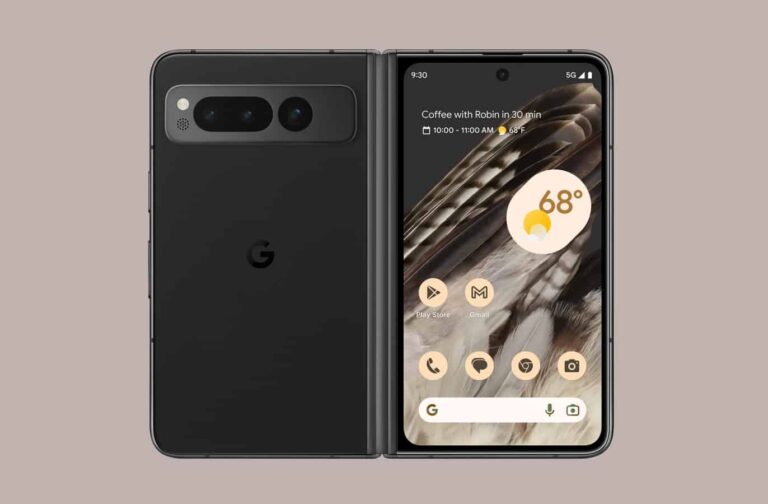
Evan Blass aka @evleaks has just shared detailed Pixel Fold specs, following some official images he shared over the weekend. There’s a lot of information included here, so let’s get into it.
Detailed Pixel Fold specs have just surfaced, laying out everything on the table
The Pixel Fold will feature a 7.6-inch main display. That will be a flat OLED panel with a 6:5 aspect ratio, and a 1840 x 2208 resolution. We’re looking at a 380 ppi here, by the way, while a 120Hz refresh rate will be supported. It will have a plastic protective layer, and be able to get up to 1,450 nits of peak brightness.
The cover display will measure 5.8 inches, and it will also be an OLED panel with a 120Hz refresh rate. This panel will have an aspect ratio of 17.4:9, and a resolution of 2092 x 1080. We’re looking at a 408 ppi here, and 1,550 nits of peak brightness. This panel will be protected by the Gorilla Glass Victus.
The Google Tensor G2 SoC will fuel the phone, while the Titan M2 co-processor will also be included. The device will offer 12GB of LPDDR5 RAM, and 256GB or 512GB of UFS 3.1 flash storage.
30W wired charging will be supported, no wireless charging
A 4,821mAh battery (typical) will also be included, while 30W wired charging will be supported. We’re guessing that a charger won’t be included, though, as Google doesn’t include it with its phones. Wireless charging also won’t be supported.
A 48-megapixel main camera (0.8um pixel size, f/1.7 aperture, 82-degree FoV, dual pixels) will lead the pack on the back. A 10.8-megapixel ultrawide camera (f/2.2 aperture, 1.25um pixel size, 121.1-degree FoV) will also be included. The third camera on the back will be a 10.8-megapixel telephoto unit (f/3.05 aperture, 1.22um pixel size, dual pixel, 21.9-degree FoV, 5x optical zoom).
It will have two selfie cameras, and be water resistant
The Pixel Fold will have two front-facing cameras. The camera above the main display will be an 8-megapixel unit (f/2.0 aperture, 1.12um pixel size, 84-degree FoV). Google decided to utilize a 9.5-megapixel camera (f/2.2 aperture, 1.22um pixel size, 84-degree FoV) on the cover display.
The device will be IPX8 certified for water resistance. It will include a Type-C 3.2 Gen 2 USB port at the bottom. The device is coming in Obsidian and Porcelain color options. Blass also said that the Pixel Fold will measure 139.7 x 79.5 x 12.11mm when folded, and 139.7 x 158.7 x 5.8mm when unfolded. It will weigh 283 grams.