New information has surfaced regarding a security flaw patched by Microsoft in Azure Service Fabric Explorer (SFX). The vulnerability had the potential to result in unauthorized remote code execution.
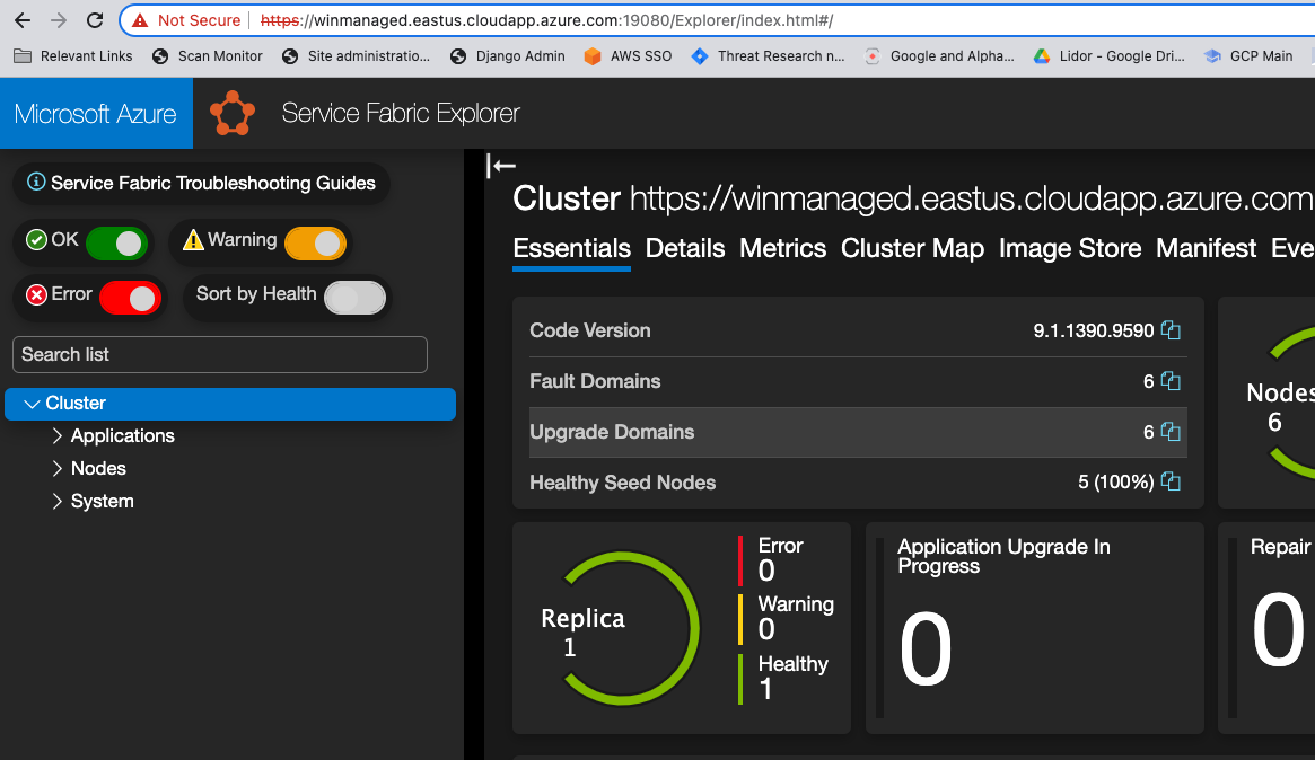
The current Service Fabric Explorer (SFX) dashboard shares many similarities with the previous version, which Microsoft patched in October 2022 following the discovery of the FabriXss vulnerability (CVE-2022-35829).
On the other hand, the difference between the old SFX and the new one is that we can no longer toggle between the two at any time.
By exploiting the XSS vulnerability, the Super FabriXss vulnerability can enable threat actors to execute code remotely on a container hosted on a Service Fabric node. All these could be done without needing to authenticate themselves.
XSS is an attack involving injecting malicious code into legitimate websites, typically through vulnerabilities on the client side, allowing attackers to execute harmful scripts.
A number of unintended effects can occur when the scripts in the compromised website are executed on each visit by a victim.
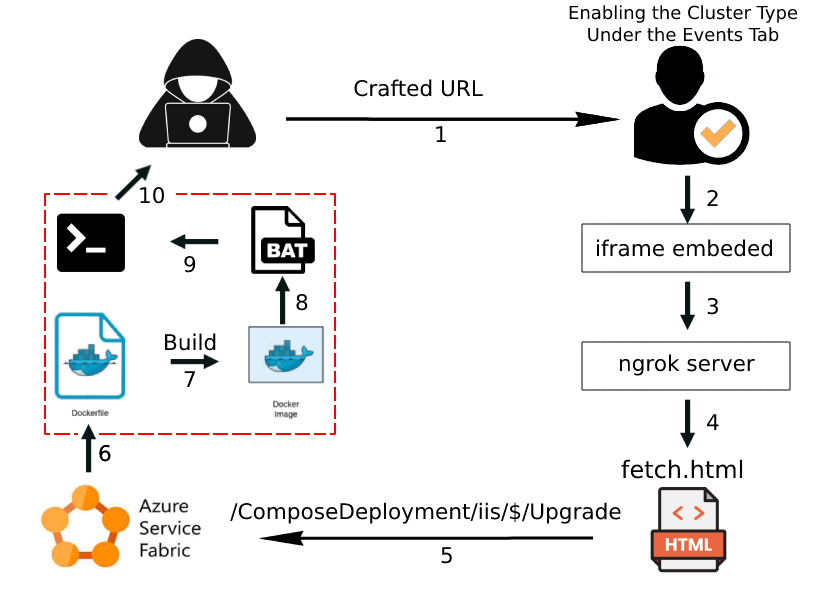
The recently discovered Super FabriXss vulnerability in the “Events” tab of Azure Service Fabric Explorer is a reflected XSS flaw that can be triggered when a user clicks a link with an embedded malicious script.
To take advantage of an XSS vulnerability in the Service Fabric platform, attackers can exploit the Cluster Type Toggle options by exploiting the vulnerability.
This is done so that a customized URL can initiate the upgrade and the existing Compose deployment can be overwritten. It specifically targets the Service Fabric platform by targeting the Events Tab.
Flaw Profile
CVE ID: CVE-2023-23383
Description: Service Fabric Explorer Spoofing Vulnerability
CVSS Score: 8.2
Severity: Critical
Super FabriXss Vulnerability Demo
It is only the Windows Cluster that is susceptible to the SuperFabriXxs vulnerability. The steps for exploiting this vulnerability are outlined below:-
Step 1: Creating the Azure Service Fabric Cluster
Step 2: Observing Node Name Changes
Step 3: Toggling the Cluster Option
Step 4: Leveraging the XSS to an RCE
NetSPI has recently disclosed a security vulnerability in Azure Function Apps that allows users with limited “read-only” permissions to obtain unauthorized access to confidential data and execute commands.
When an attacker hijacks a genuine application, they can utilize it as a launching pad for more attacks or to obtain entry to valuable resources and confidential data.
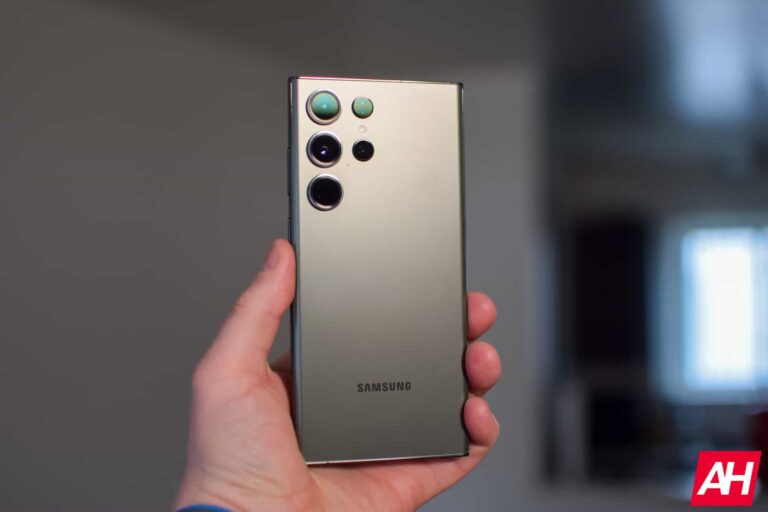
Samsung was expected to release a big camera update for the Galaxy S23 series in March end, and it’s here. The update started rolling out in the company’s home country South Korea earlier today. It should reach global markets, including the US, in the next few days.
The Galaxy S23, Galaxy S23+, and Galaxy S23 Ultra are getting a host of camera-related changes and improvements with this update. In a community post in South Korea, Samsung announced that pressing the shutter button will now take photos even if the frame is not in focus completely. Photos may sometimes come out partly or fully blurry, but this behavior ensures you don’t lose the perfect moment waiting for autofocus to be ready. If you don’t like this behavior, you can change it from the Camera Assistant app.
Low-light videos from the ultrawide camera on the Galaxy S23 phones will reduce flickering after this update. Samsung has also improved the stabilization of Full HD videos captured at 60fps when Auto FPS is turned off. When shooting the night sky in high-resolution mode (50MP or 200MP), you should no longer see a line-shaped banding noise. Intermittent blurring and sharpness of footage have been improved too. Some Galaxy S23 users reported occasionally seeing a green line when using the rear camera. Samsung has fixed that issue as well.
Elsewhere, you can now delete photos from the Gallery app immediately after capturing them, even if the system is still processing them. This update also fixes a problem where face recognition didn’t work properly for some time after ending a third-party video call. Last but not least, Samsung has improved the image quality of low-light photos captured without enabling the Night mode. You can see the full changelog in Samsung’s official community post here (translated from Korean).
This Galaxy S23 camera update is already rolling out
As said earlier, Samsung has already started pushing this camera update to Galaxy S23 users. It was rolled out to users in South Korea earlier today with the firmware build number S91*NKSU1AWC8. A screenshot shared by @Tech_Reve on Twitter shows the OTA (over the air) package weighs more than 922MB for the Ultra model. It should be a similar-sized OTA package for the vanilla Galaxy S23 and Galaxy S23+ as well.
Along with all of those goodies, the Galaxy S23 series is also getting a new security patch with this update. Samsung is pushing the April 2023 SMR (Security Maintenance Release) to the latest Galaxy flagships. April isn’t here yet, so we will have to wait a few more days to know the details about vulnerabilities patched with the new security release. The April security update will soon reach more Galaxy devices. We will keep you posted on those updates.
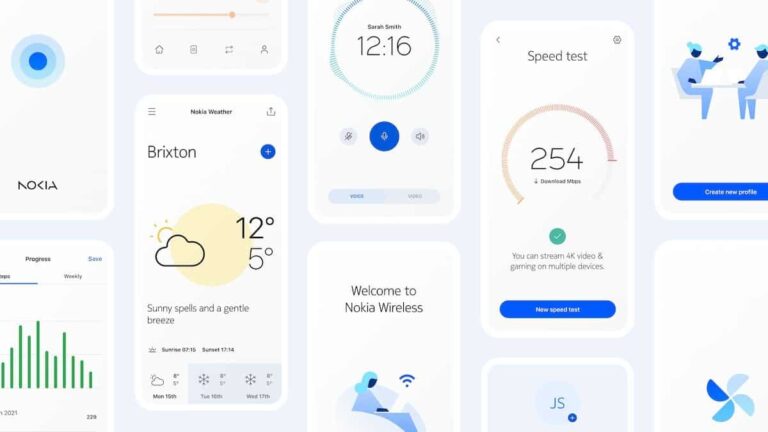
Nokia redesigned its logo after six decades. That change was announced during the Mobile World Congress (MWC) last month, and now the company has more news to share. Nokia just announced a new user interface for its devices called ‘Pure UI’.
Nokia intros ‘Pure UI’ for its Android smartphones and other devices
As many of you know, Nokia basically used stock Android for quite some time now. Well, that’s about to change, as the company wants to set itself apart. The good news is, Pure UI does look very clean, minimal.
The Nokia Pure typeface is a major part of this design, and you’ll see it throughout the UI. Nokia also brought forth new icons, which are based on strokes. Their thickness will vary from one device to the next.
The company also said that new animations have been added to the mix. They’re supposed to be smooth, and really pleasant to use. It’s also worth saying that dark mode is supported.
The company has prepared some standard Pure UI elements for designers to work with. That should make it rather easy for them to create consistent-looking screens, should they choose to do so.
The company says that this UI is suitable for various display sizes and shapes
Nokia also says that this UI is suitable for various displays, it’s not limited to just phones. You can check out the gallery below to see it in action on a smartwatch, laptop, and more.
We don’t have all the information just yet, as the company still didn’t share all the details. What we’ve talked about here comes from Phandroid, as we’re waiting for the nokiapure.com website to get updated.
We’re not sure when will Nokia phones start getting this UI, but we’re guessing soon. Let’s hope that the company will share more information soon. This UI sure does look interesting. There are a bunch of images included in the gallery below, to give you a great look at Pure UI.
One of the best browsers available for Android users is the Samsung Internet Browser. Like many major browsers, Android users can also install a Beta version of the browser on their phones. The public version of the app can be installed from the Play Store by tapping on this link. The Beta version of the browser can be installed by pressing on this link. Those with Galaxy phones can click on this link to install the Internet Browser Beta app from the Galaxy Store. The app weighs in at 110.52MB.
According to SamMobile, an update to the Beta version of the app to version 21.0.0.25 has added some new features. To make sure that you have the latest version, tap the hamburger menu icon found on the bottom right of the display, tap on Settings, and scroll down to About Samsung Internet. Tap on it and you’ll see a page that will give you the Version number of the Beta app under the Samsung Internet heading.
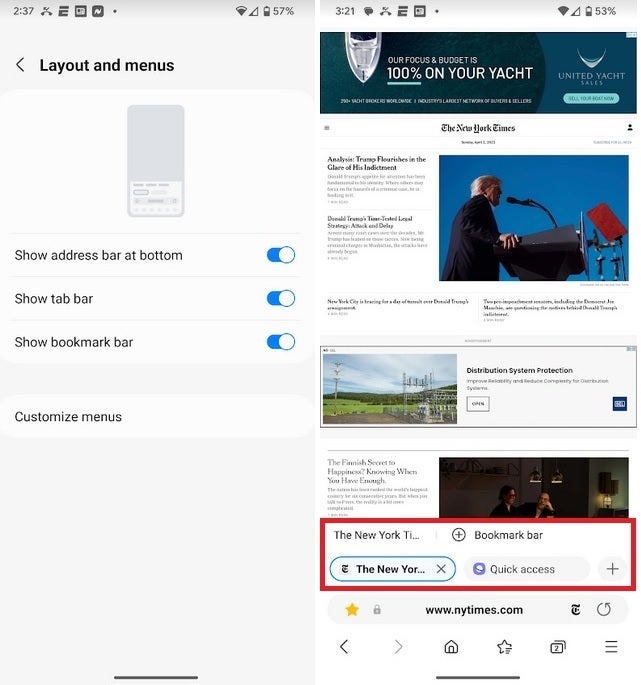
The new features can be toggled on and the bookmark and tab bars appear on the browser
One of the new features allows users to move the bookmark bar and tab bar to a position near the bottom of the screen. And while smartphone users already had the ability to move the URL address bar to the bottom of the screen, this feature is now available for tablet owners using the Samsung Internet Browser Beta. To enable the new features, tap the hamburger menu icon on the bottom right of the screen and go to Settings > Layout and menus and toggle on the appropriate settings.
Your options will include:
Show address bar at bottom
Show tab bar
Show bookmark bar
When you long-press on a listing in the bookmark bar, it will automatically open that website in a new tab, and a new window. You can also edit the bookmark, copy the link, or delete the bookmark. By long-pressing the tab on the tab bar, you can close the tab, close other tabs, close all tabs, move the tab, open the app in a new tab, and open it in a new window.
Buy the Samsung Galaxy S23 Ultra now!
If you’re an Android user, check out the Samsung Internet Browser and if you’d like the aforementioned features on your browser now, make sure you install the Beta version of the browser app. The Samsung Internet Browser is a popular app with over 1 billion installs. The Beta variant of the app has been installed over 5 million times.
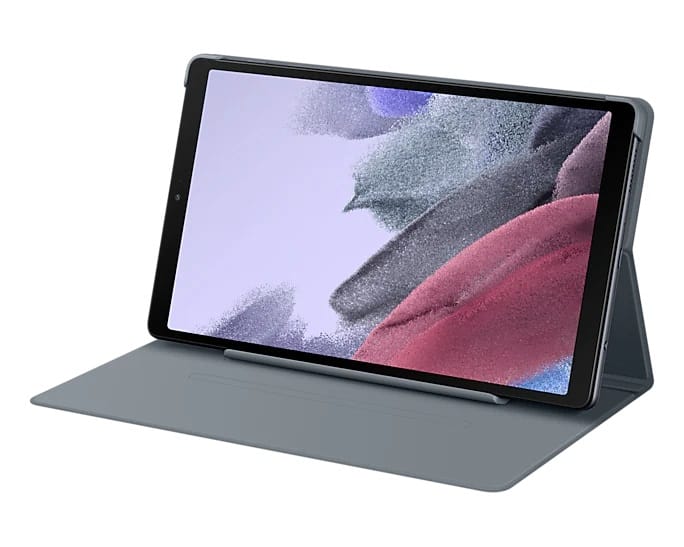
Samsung‘s Galaxy Tab A7 Lite is receiving the One UI 5.1 update. According to SamMobile, the rollout began a few days back in India with the firmware build number T225XXU2CWB3. The company should release the update in more markets in the coming days.
The Galaxy Tab A7 Lite debuted in mid-2021 as an affordable Android tablet in Samsung’s lineup. The device came with Android 11 onboard. While Samsung kept it waiting for Android 12 until August last year, Android 13 reached it just a few months later. The latest Android version was pushed to the tablet in December 2022. Three months into its Android 13 life, the Galaxy Tab A7 Lite is now grabbing another major feature update.
The One UI 5.1 update for this low-cost tablet comes bundled with the February 2023 Android security patch. It isn’t the latest one now that Samsung has released the April SMR (Security Maintenance Release) as well. However, it’s still a fairly recent one. After all, this update is more about new features than security enhancements. The Galaxy Tab A7 Lite is picking up plenty of goodies here.
One UI 5.1 brings a host of new features to the Galaxy Tab A7 Lite
With One UI 5.1, Samsung has added new selfie effects to its camera app. There’s a new shared family album in the Gallery for easy sharing of photos and videos between multiple family members. New and enhanced gestures make multitasking more efficient, and so do improvements to Modes and Routines. Samsung Internet, AR Emoji, and the weather widget also pick up a few nifty improvements that add to your user experience.
Overall, this update will elevate the functionality of the Galaxy Tab A7 Lite to a new level. Your tablet can do more than before, and more efficiently and in a better way too. Unfortunately, One UI 5.1 is probably the last major feature update for it. The device isn’t expected to receive the Android 14 update. We will surely let you know if things change course for good in the future.
Meanwhile, you might want to go grab the latest update as soon as you can. To check for new software releases manually, navigate to Settings > Software update and tap on Download and install. Your Galaxy Tab A7 Lite will not connect to the internet and look for new updates on Samsung’s servers. If an update is found, you will be prompted to download it. If not, wait a few days and check again.
The Samsung Galaxy Z Flip 5 is coming, and it’s expected to bring some notable design-related changes to the table. You’ll easily be able to tell this phone apart from its predecessor, as we’ll explain later in the article… well, at least if the rumors and leaks are true, of course. The Galaxy Z Flip 5 will be a direct successor to the Galaxy Z Flip 4 which launched in August last year.
In this article, we’ll try to fill in the gaps for you, and show you what you can expect out of this phone. Rumors and leaks did report some details, but a lot of info is still missing. So, we’ll combine some educated guesses with the info that surfaced in order to fill in the gaps. Having said that, let’s get started, shall we?
This article will be regularly updated with new information on the Samsung Galaxy Z Flip 5 (this is a preview article) — both official teasers and credible leaks, rumors, and insider claims — as it becomes available in the run-up to the release of the upcoming Android smartphone. The last update was made on DATE.
When will the Samsung Galaxy Z Flip 5 be released?
The Samsung Galaxy Z Flip 5 will probably become official in August. That’s when the Galaxy Z Flip 4 landed, and is usually when Samsung intros its next-gen foldable smartphones. The Galaxy Z Flip 5 is expected to launch alongside the Galaxy Z Fold 5. We still don’t know the exact launch date, but we’ll almost certainly see the phone launch in August. It will go on pre-order after the event, and then a couple of weeks later you’ll be able to grab it in a store.
What models are coming?
Only one Galaxy Z Flip 5 handset will launch, but it may offer different RAM and storage combos. All Galaxy Z Flip 4 models included 8GB of RAM, but the phone was available in three different storage options, depending on the region. Something similar may happen with the Galaxy Z Flip 5. We’re still not sure how much RAM will it offer, but the storage options did surface. The phone will launch in 128GB, 256GB, and 512GB storage variants. We’re looking at LPDDR5X RAM and UFS 4.0 storage here, most probably.
How much will the Samsung Galaxy Z Flip 5 cost?
Its pricing details didn’t appear just yet, but chances are we’ll see the same price as last year. The Galaxy Z Flip 4 was priced at $999 at launch, the same as its predecessor, the Galaxy Z Flip 3. Samsung almost certainly won’t cross the $1,000 threshold. The phone will either have the same price as its predecessor, or cost a bit less, we’ll see. Do note that this price tag applies to the 128GB storage model. More storage will equal a higher price tag, of course.
What will the Samsung Galaxy Z Flip 5 look like?
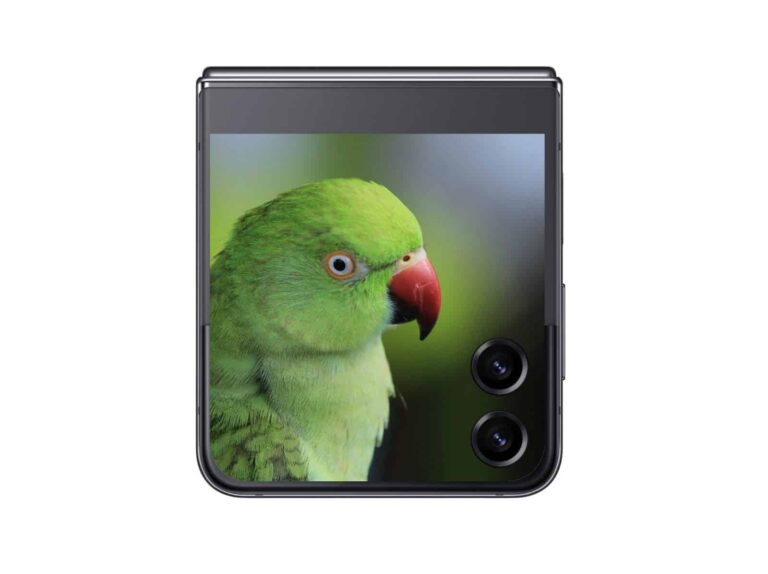
The Galaxy Z Flip 4 is rather similar to its predecessor, but that won’t be the case with the Galaxy Z Flip 5. Based on what we’ve heard and seen thus far, the Galaxy Z Flip 5 will see a major design change on the outside. To be more specific, it will have a much larger cover display. The Galaxy Z Flip 4 includes a 1.9-inch cover display, the Find N2 Flip has a 3.26-inch unit, and the one on the Flip 5 should be even larger than that. Based on rumors, it will even go around the cameras, and take up almost half of the phone’s back. A tipster actually claims it will look similar to what you can see below. Do note that narrower bezels are also tipped.
That alone will represent a major design change that is immediately noticeable. On top of that, however, Samsung is planning to utilize a different hinge here. It’s finally ready to ditch the ‘U’ hinge and switch to a waterdrop-style hinge that other OEMs have been using. That will allow the company to make a phone that folds flat. Oh, and offer a less pronounced crease than previous Galaxy Z Flip devices.
Samsung will combine a new hinge with water resistance
On almost all other foldables, except the Huawei Mate X3, such hinge style automatically means no water resistance. Well, Samsung will offer water resistance on the Galaxy Z Flip 5, if rumors are to be believed. That’s probably the reason the company has been holding off on including a different hinge in its foldables. It took Samsung time to figure out how to offer water resistance in combo with such a hinge.
Thanks to all that, the Galaxy Z Flip 5 should end up looking more modern, and in line with what other OEMs are offering. The phone will once again be made out of metal and glass, and feature two cameras on the back. There won’t be a dedicated camera island on the back of the phone, though, as each camera will protrude on its own.
What specs will the Samsung Galaxy Z Flip 5 have?
Not much is known about the Galaxy Z Flip 5 specs at the moment, but we’ll try to fill in the gaps. What we do know, based on rumors, is that the phone should launch in 128GB, 256GB, and 512GB storage options. We’re looking at UFS 4.0 flash storage here, by the way. The phone will almost certainly be fueled by the Snapdragon 8 Gen 2 processor. That is the most powerful chip Qualcomm has to offer at the moment.
When it comes to RAM, the phone will most likely offer either 8GB or 12GB of RAM. It’s possible both variants will be available, but that’s just a guess. The company will hopefully include LPDDR5X RAM in all units. Android 13 will come pre-installed on the device, along with OneUI 5.X. Last year’s model included a 3,700mAh battery, but the Galaxy Z Flip 5 will come with a larger unit. It will include a much larger cover display, so that’s the only solid solution, as that 3,700mAh battery pack isn’t large to begin with. The good news is that the Snapdragon 8 Gen 2 is good with power consumption. Both wired and wireless charging will be on offer, most likely the same offerings as in the Galaxy Z Flip 4. Samsung could bump up the wired charging to 45W, though. Wireless charging will still be capped at 15W, while reverse wireless charging will sit at 4.5W.
The main display size will probably be similar
Samsung will either include the same display size as in the Flip 4, a 6.7-inch panel, or bump that up to 6.8 inches. That main display will have a fullHD+ resolution, and a 120Hz refresh rate. We’re still not sure about the size of the cover display, but it will be a lot larger than the 1.9-inch panel on the Flip 4. The Galaxy Z Flip 5 will also include a set of stereo speakers, and some sort of water resistance. No camera info surfaced thus far, but we don’t expect major changes in that regard.
Should you wait to buy the Samsung Galaxy Z Flip 5?
There are not many clamshell foldables available in global markets at the moment. Other than Samsung, you do have the option to get the Huawei P50 Pocket, OPPO Find N2 Flip, or the Motorola Razr 2022. The thing is, the Find N2 Flip has limited availability region-wise, while the same goes for the P50 Pocket. Huawei’s foldable also comes without Google services. The Motorola Razr 2023 is right around the corner, so getting the Razr 2022 may also not be the best idea. If you really want a foldable this very second, the Galaxy Z Flip 4 is also a solid choice. The same goes for the phones mentioned in the previous sentences. Still, waiting for the Galaxy Z Flip 5 may be the best option. Well, especially if it ends up costing the same as the Galaxy Z Flip 4. You’ll get a brand new hinge, less visible crease, gapless design when folded, and a much larger cover display, amongst other things.
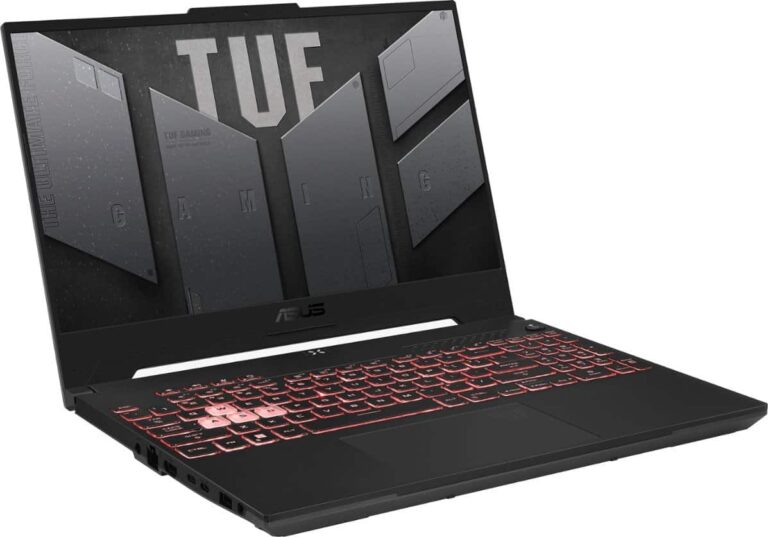
If you’re looking for a new gaming laptop, then look no further than Best Buy’s current sale. Which has the ASUS TUF Gaming A15 laptop. This is currently on sale for $799, which is going to save you $280 off of its regular price. This does bring it down to an all-time low price, so it’s definitely worth picking up today.
Why should you buy the ASUS TUF Gaming A15 Laptop?
This is one of the cheapest gaming laptops that have an NVIDIA GeForce RTX 3050 Ti inside. Which makes it a pretty impressive gaming laptop to get, especially for this price.
Some of the other specs include a 15.6-inch FHD 144Hz display. It’s also powered by the AMD Ryzen 7 6800H, with 8GB of DDR5 RAM, and a 512GB PCI-E SSD. A lot of gaming laptops are pretty heavy, though this one is on the lighter side at about 4.58 lbs. And it is pretty thin at 0.88 inches.
It’s a gaming laptop, so it has to have a RGB Backlit Keyboard. Which you can control very easily. So you can keep it on, or turn it down and even completely off. So if you are looking to turn it off and concentrate on getting some work done, you can do so. The keyboard also has a full number-pad, making it easy to get Excel work done too.
ASUS did outfit this one with WiFi 6, which is nice, but we would have rather see WiFi 6E here. As that would make this laptop a bit more future-proof. But where a lot of gamers like to play with a wired connection, that’s probably not an issue.
Perhaps the most surprising part of this laptop is the fact that it does have Dolby Atmos included. Giving you a really good sound experience when you’re playing games or watching videos.
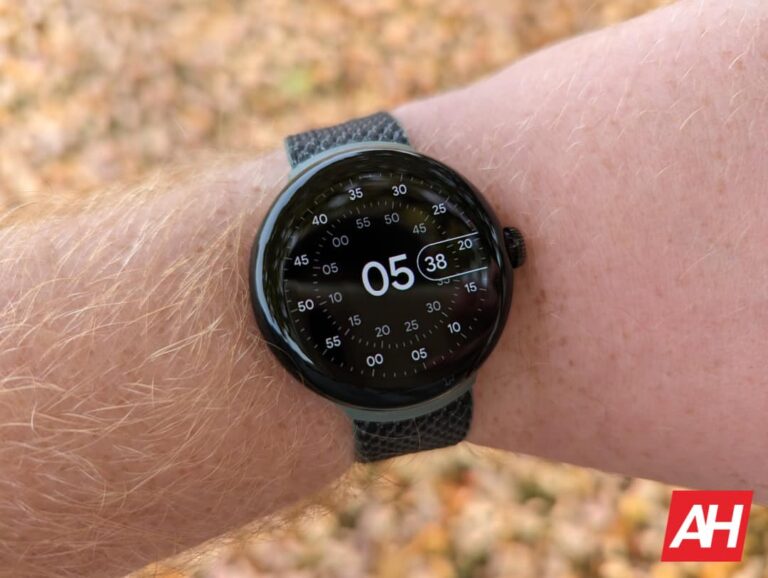
The Google Pixel Watch has been very popular since its launch in October of 2022. And now, you can get it for $50 less. Amazon is currently selling the WiFi and the LTE models for $50 off. That brings them down to $299 and $349 respectively. That does bring them back down to their all-time lowest prices.
Google’s first smartwatch, the Pixel Watch, debuted in October 2022 to much fanfare. This is because it had been rumored for literally years. And Google had finally gotten Wear OS to a good spot, and it owns Fitbit. So the Pixel Watch was met with high expectations, and it mostly met them. The Pixel Watch is a stunning smartwatch from Google, and comes in a variety of colors.
Google sells the Pixel Watch in a matte black case, champaign gold case, or polished silver case. It is also available with a ton of different watch band materials and colors. So you can really customize it to your liking.
So, as mentioned, the Pixel Watch does run on Wear OS. Which is Google’s own wearable platform. It also has Fitbit integrated, so if you’re looking for a replacement for your Fitbit, this might be the one. Like with other Fitbit’s, it is able to track your activity, your workouts, your sleep and so much more. Pixel Watch owners also get Fitbit Premium free for 6 months with your purchase.
Now, the elephant in the room. Battery life. It’s not the best. In fact, it’s really not that great. But depending on your usage, you can probably get a full day out of it. You will want to do some optimizing of the settings, like turning off notifications from some apps and such. If you’re coming from a Fitbit fitness tracker, you definitely won’t like this aspect. So keep that in mind.
Netflix is still making a hard push into the gaming market despite its round of layoffs last year. There are still Netflix-exclusive games coming to the mobile market, and the latest one is called Terra Nil, according to Android Police.
In case you don’t know, Netflix has a library of games on the Google Play Store and the iOS App Store. These are developed by several companies and they’re typically high-quality. If you want to play these games, you need an active Netflix subscription on the device.
Terra Nil is like SimCity in reverse
We’re all used to city builder games where you start off in wooded areas and construct a metropolis. They’re fun, but the issue is that you’re always intruding on nature. Well, what if you can do the opposite of that? You can in Terra Nil.
This is a city builder… or nature builder where you take barren wastelands and convert them into flourishing environments. Just like in SimCity, you’ll start off by generating electricity. You won’t be surprised to know that the source of electricity is a wind turbine.
Then, you’ll use the electricity to create machines that will clean the soil. This is essential for planting plant life. You’ll build irrigators, to expand the grasslands and machines to rehydrate rivers. As you further expand the grass, you’ll gather resources to purchase more machines. As you progress, you’ll have access to more machines that perform different tasks.
What’s neat is that you’ll be able to create different types of environments as you progress. You can create environments like wetlands, flowers, etc. The game lets you place these environments pretty much wherever you want. So, you’ll be able to craft the ecosystem to your liking.
The game plays well on devices like the Pixel 6 with some moderate stutters. So, the game will be able to run on most devices. If you’re using a mid-range device, you will see some stutters, but it won’t be too bad.
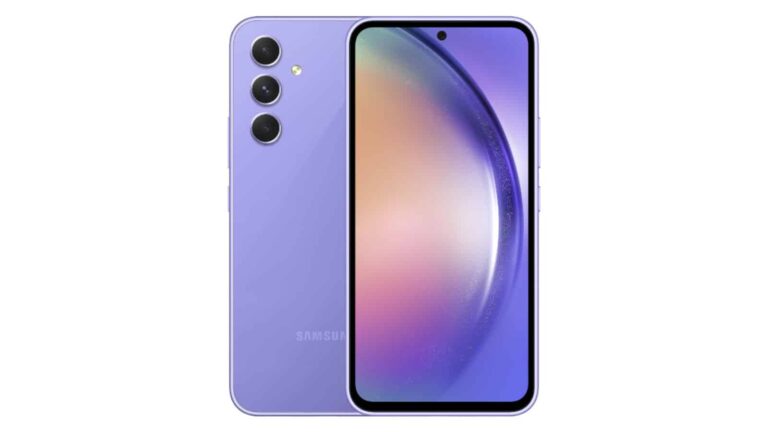
Samsung launched its Galaxy S23 phones earlier in the year. They’re great, but what if you can’t quite afford one? Well, you can pre-order the cheaper Galaxy A54 5G today. This is the next best thing to the S23, and it cost notably less.
The Galaxy A series of phones has always been a popular line of devices. They still give you an amazing media-watching experience with gorgeous displays and great speakers. They’re the best phones to buy if you want to have a full One UI experience at an affordable price.
You can pre-order the Galaxy A54 5G today
So, let’s go over this phone’s specs. This phone has a moderately-sized 6.4-inch AMOLED display. It has a 1080P+ resolution (1080 x 2340) and it runs at a 120Hz refresh rate.
As for the internals, we’re looking at the Exynos 1380 that’s backed up by 6GB/8GB of RAM and 128GB/256GB of onboard storage. Those are decent specs for an upper-tier mid-range phone.
Keeping the lights on is a large 5,000mAh battery. This phone supports 25W fast charging, so you won’t get the fastest charging speeds.
Moving onto the camera, we’re looking at a 50MP main camera. Accompanying it is a 12MP ultrawide camera with a 5MP macro camera.
How to put in your pre-order
If you want to pre-order the Galaxy A54 5G, go to this page on the Samsung website. On this page, you’ll see more information about it along with the colors that it comes in.
You can look through all of the perks that the phone brings. If you’re convinced that you want this phone, you can go ahead and put in your order.
First things first, don’t be fooled by the first price. This is the price if you have a qualifying trade-in. Scroll down and select which storage configuration you want and the color.
If you do have a trade-in, select the phone you’re trading in and the condition. If you don’t have one, then click the No Trade-in option. When you do that, you’ll see the price jump to $449.99.
Under that section, you can choose to use any current promotions, select a protection plan, and/or set up financing. Once you’re finished, you’ll then click the Pre-order now button on the bottom. After that, you’ll put in your payment information and place your order.