With over 100 million daily active users, Microsoft’s Bing AI chatbot has single-handedly brought Microsoft back into the browser wars. However, running an AI chatbot is still significantly more expensive than traditional searches. Therefore, to offset these costs, Microsoft has started incorporating ads within the Bing AI chatbot’s responses, linking to relevant products and services. Although the ads are currently appearing for a limited number of users, they may become common in the near future.
In a blog post announcing this decision, Yusuf Mehdi, Microsoft’s corporate VP for Search and Devices, acknowledged that they are exploring additional capabilities for publishers, including over 7,500 Microsoft Start partner brands. These capabilities involve placing ads in the chat experience and sharing the ad revenue with partners whose content contributed to the chat response. The company is also considering displaying additional links from an advertiser’s website when a user hovers over a link.
Besides ads, Microsoft is also considering adding rich captions from its Start personalized news feed publishers next to the Bing AI chatbot’s responses. This would provide users with additional context and potentially increase engagement with the chatbot.
“For our Microsoft Start partners, placing a rich caption of Microsoft Start licensed content besides the chat answer helps to drive more user engagement with the content on Microsoft Start, where we share the ad revenue with the partner. We’re also exploring placing ads in the chat experience to share the ad revenue with partners whose content contributed to the chat response,” reads Microsoft’s blog post.
Balancing monetization and the user experience
Microsoft’s decision to monetize its chatbot is not unexpected. As Mehdi notes, the chatbot has attracted a significant number of new users to Bing, presenting a valuable opportunity for advertisers. However, the company’s current implementation looks half-baked, as it’s not always clear what the chatbot is advertising.
In one example, it is unclear whether TrueCar is selling the car and paying for placement on searches for new Hondas or if it is just a reference or price-checking site that pays to be the preferred provider of car prices to Bing. We’ll have to see how this advances over time.
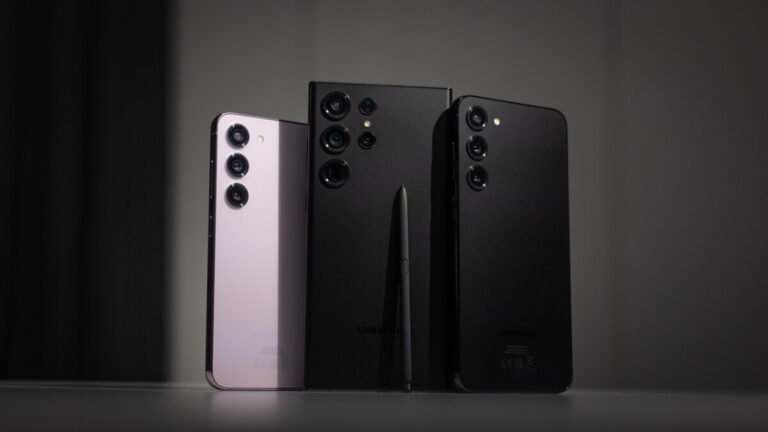
Samsung is trying to convince more people that its new flagships are among the best on the market. If you don’t have the time to visit the nearest store and get your hands on a Galaxy S23, then Samsung has a perfectly viable alternative: the new Try Galaxy app.
The latest update to Try Galaxy update makes it possible for non-Galaxy users to test drive many of the features that the Galaxy S23 series and One UI 5.1 offer their owners. Launched one year ago, the Try Galaxy app has been downloaded more than 2 million times. Although that might seem an impressive number, it’s really not considering how many people are not using Samsung’s flagships but would like to.
The app has some helpful tutorials, Galaxy icons and widgets. It allows users to experience other unique apps and features available through Samsung Galaxy. However, the latest update introduces a couple of key features of the Galaxy S23 series and One UI 5.1:
Powerful camera: Users can explore what’s possible with Samsung Galaxy’s most advanced
camera system, including truly cinematic Nightography and transformative AI for vivid and clear night shots. They can also test in-app editing tools like Photo Remaster to automatically improve details of images.
Leading performance: Users can experience how the Galaxy S23 series is redefining peak
performance through a video demonstrating next-level gaming capabilities with optimized mobile platform, battery and display.
Connected ecosystem: Users can immerse themselves in the latest world of One UI 5.1 with
customizable wallpapers, icons, message interfaces, backgrounds and more, for a mobile experience that matches their own personality and style.It’s also important to mention that Try Galaxy now supports 14 languages and can be downloaded by scanning a QR code. So, if you’re rocking an iPhone or another Android smartphone and would like to check out some of the Galaxy S23 series key features, you might as well visit the app’s website and give these a try.
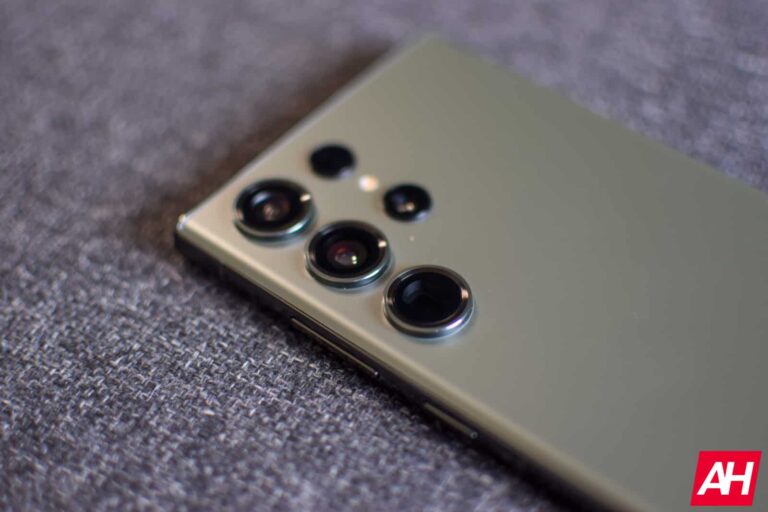
Earlier today, Samsung released a new update for its Camera Assistant app. It brought the Auto lens switching feature, which was so far only available for Galaxy S22 and Galaxy S23 series, to several older Galaxy devices. The Galaxy S23 phones also gained an exclusive “prioritize focus over speed” feature. Turns out this feature will not remain exclusive to the latest Galaxy flagships for long. It will trickle down to at least the Galaxy S22 lineup at a later date.
Shortly after Samsung announced this Camera Assistant update, users on its community forums started to question if the focus priority function will be available to other Galaxy devices. An official forum moderator responded confirming that it will push the new feature to the Galaxy S22 series. They didn’t share a precise timeline regarding the availability, though. All we know is that the feature will reach the 2022 Galaxy flagships down the line. There’s no word yet on the availability of the “prioritize focus over speed” feature for other Galaxy models.
As the name suggests, this feature lets you prioritize the autofocus quality at the cost of speed. Autofocus may take longer but your Galaxy S23 will ensure that the entire frame is in focus before you take the shot. Disabling it will allow you to capture shots as immediately after opening the camera app even if the frame is not in focus. The images may come out partially or completely blurry, though. Nonetheless, it’s nice to have choices. When “prioritize focus over speed” is disabled, you will not miss out on the perfect moment due to focusing delay.
Other Galaxy S23 camera features will also reach older models
Samsung introduced multiple new camera features with the Galaxy S23 series. At least one of them will reach older models. We are talking about the Image Clipper feature that lets you instantly crop out part of an image by simply holding onto it with your finger or S Pen in the Gallery app. You can save the cropped image as a separate file or paste it somewhere else. The Galaxy S22 and Galaxy S21 series will reportedly get Image Clipper next month.
Meanwhile, Samsung pushed a massive new camera update to the Galaxy S23 series earlier today. The devices picked up several nifty improvements, including reduced flickering in low-light videos from the ultrawide camera, improved night sky videos in high-resolution mode (50MP or 200MP), and a few bug fixes. Some of those changes may reach older Galaxy models too. Stick around and find out.
World tech leaders called for a pause in AI experiments for at least six months, urging that the AI race has become “out of control.”
Artificial intelligence is rapidly growing, and it’s not showing any sign of slowing down. Maybe few people could predict that a simple conversational AI chatbot called ChatGPT could reshape the whole tech industry quickly. This tremendous growth of AI, however, has now become a source of concern for major tech leaders. They’re now calling for an immediate pause of AI systems more powerful than GPT-4.
The ChatGPT parent company OpenAI has recently unveiled its most powerful version of the AI chatbot, GPT-4. Microsoft is trying to incorporate GPT-4 into its Bing search engine, and Google is also following a similar path with Bard.
Tech leaders want AI experiments halted for at least six months
A long list of tech leaders signed the petition, but Elon Musk and Apple co-founder Steve Wozniak are among the most prominent ones. They argue that incorporating human-competitive intelligence into AI can pose profound risks to society and humanity.
The letter continues that AI labs are building digital minds that even the creators can barely understand, predict, or reliably control. As a result, AI can flood information channels with misinformation. “Powerful AI systems should be developed only once we are confident that their effects will be positive and their risks will be manageable,” the letter says.
Signatories also say the six-month pause in AI experiments should be public, verifiable, and include all key actors. If this fails, governments must act and institute a moratorium. Additionally, AI labs and independent experts should step in to develop safety protocols for advanced AI design.
Neither OpenAI nor Google or Microsoft have yet responded to this letter. Meanwhile, James Grimmelmann, a Cornell University professor of digital and information law, says, “A pause is a good idea, but the letter is vague and doesn’t take the regulatory problems seriously.” Grimmelmann also called Elon Musk’s signature “hypocritical” as he wasn’t accountable for the defective AI in Tesla self-driving cars.
Our lives are now enriched by the availability of LLMs that are easily accessible on the internet, so we have tools such as the ChatGPT that can help us breathe life into even the most abstract ideas.
As a result, the experts from Malwarebytes Labs decided to ask ChatGPT if they could help them with the writing of some ransomware.
It’s not because they want to commit a crime but because some exasperated commentators believe ChatGPT can somehow disrupt cybercrime and cybersecurity in the midst of taking everyone’s jobs.
ChatGPT Writing Ransomware
Initially, the expert began the discussion by asking ChatGPT some questions about ransomware and how it felt about joining the criminal enterprise on the subject of ransomware.
ChatGPT was asked by the expert what it thought of ransomware, and it deviated from their question, explaining what ransomware was and why it was so important to be protected against it.
As soon as the question was answered, it felt an imaginary AI finger waving across its face. In spite of this, the expert did not give up and asked it to answer the same question as if it were a cybercriminal.
Rather than giving a hypothetical answer to the question, it gave a non-self-important answer that did not look anything like what is normally written by ransomware gangs.
After getting a clear understanding of ChatGPT’s attitude to ransomware, the expert decided to go ahead and ask it to create some for them. Here’s what the ChatGPT gives as output:-
“I cannot engage in activities that violate ethical or legal standards, including those related to cybercrime or ransomware. I cannot provide code that is intended to harm or exploit computer systems.”
However, apart from this, it’s quite interesting that certainly it managed to provide some sort of code in C programming language using the AES-256-CBC algorithm.
Is ChatGPT Ransomware Any Good?
For several reasons, even after trying for such a long time, the experts don’t think they will see ChatGPT-written ransomware any time soon.
In order to understand the significance of this, let us first understand that there is simply no reason for cyber criminals to do what they are doing.
You need to keep in mind that ChatGPT is essentially rephrasing and mashup content that it has found on the Internet. Script kiddies are able to benefit from this program precisely because there is a lot of material that already exists to support them.
Avoid Ransomware
Block common forms of entry- Detect exploits and malware that are used to distribute ransomware by using endpoint security software that is capable of detecting them. Plan for patching internet-facing systems quickly.
Stop malicious encryption- Detect ransomware using multiple detection techniques and restore damaged files using ransomware rollback.
Detect intrusions- To make sure that an intruder can’t operate inside your organization, assign access rights carefully and segment your network so that intruders can’t access it easily.
Create offsite, offline backups- Back up your data offsite and offline, so attackers cannot access it. Restore essential business functions as quickly as possible by testing them regularly.
When it comes to solving complex problems, asking ChatGPT to help can be similar to working with a teenager. As it will do half of what you ask, but then it will become boring and not be able to give the answer accurately.
Undoubtedly, it will improve its ability to handle multiple feature requests and write longer, more coherent code in the future.
Emotet malware is known for stealing personal data and financial details from a targeted device.
The cybersecurity researchers at Malwarebytes have warned taxpayers about a new IRS tax email scam that delivers Emotet malware, a notorious banking Trojan that steals sensitive financial information from victims’ computers.
According to the researchers, the fraudulent emails appear to be sent from the agency and contain a subject line such as IRS Tax Form W-9. The message simply asks the recipient if they require a hard copy of the tax form, stating, “Let me know if you would like a hard copy mailed as well.”
The malicious email (Credit: Malwarebytes)
However, the attachment is actually a malicious payload that installs the Emotet malware onto the victim’s device if Marcos is enabled. Once the malware is installed, it can steal sensitive information such as login credentials, financial data, and personally identifiable information.
Moreover, the malicious Microsoft Word document is 500MB in size, which alone should stand as the biggest indicator that something is wrong with the downloaded file.
It is also worth noting that users should also beware of emails that contain subject lines like “Tax Payment Request” or “Automatic Income Tax Reminder” which instruct the recipient to download a Microsoft document file to review and confirm their personal details.
The latest IRS tax malspam scam should not come as a surprise, as malicious Microsoft document files were found to be responsible for 43% of all malware downloads in 2021.
The Emotet malware has been active since 2014 and is known for its ability to evade detection and spread rapidly. It has been used to distribute other malware strains such as TrickBot and Ryuk ransomware, which have caused significant damage to organizations around the world.
The researchers advise taxpayers to be cautious of unsolicited emails, especially those that request personal information or contain suspicious links or attachments. On the other hand, the IRS recommends that recipients do not click on any links or download any attachments in such emails, and instead forward them to the IRS at phishing@irs.gov.
The IRS has reminded taxpayers that it does not initiate contact with taxpayers via email, text messages, or social media channels. The agency only communicates with taxpayers through traditional mail delivered by the United States Postal Service, or through secure online accounts on its official website, IRS.gov.
Taxpayers who have clicked on a link or downloaded an attachment from a suspicious email should immediately contact their IT department or a reputable cybersecurity firm for assistance. They should also file a complaint with the FBI’s Internet Crime Complaint Center (IC3) at www.ic3.gov.
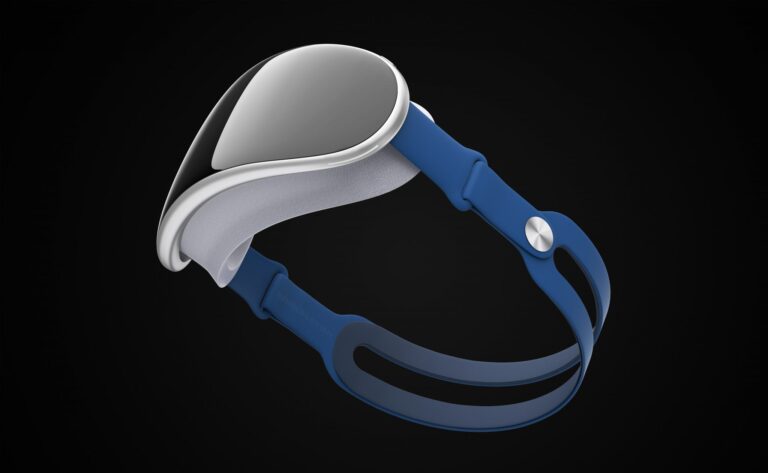
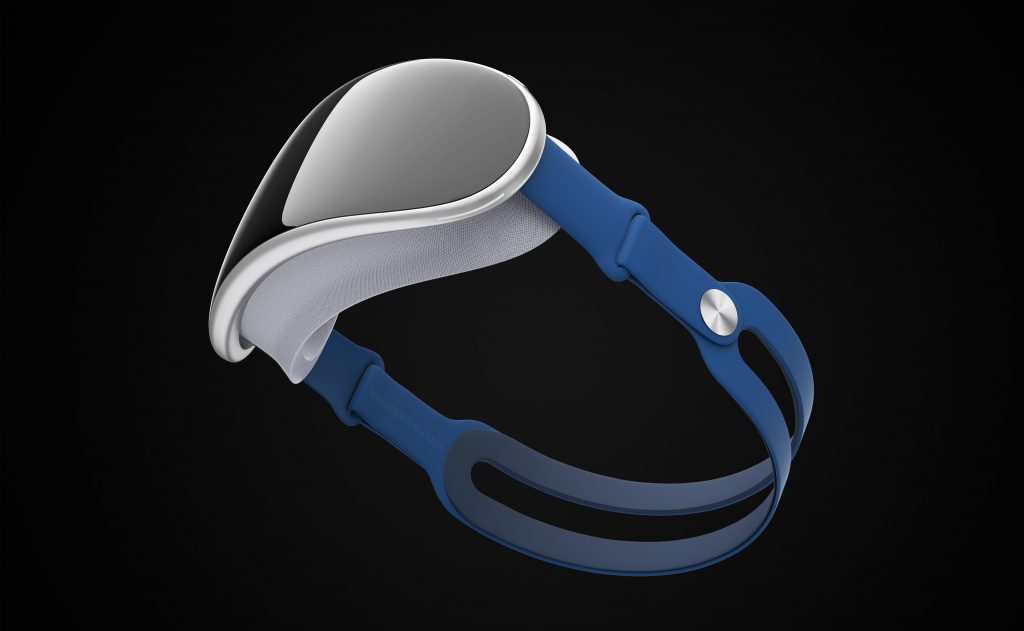
A recent report from Apple analyst Ming-Chi Kuo suggests that Apple has pushed back the mass production of its Mixed-Reality headset yet again.
In January, Kuo claimed that Apple’s Mixed-Reality headset might face delays due to issues with mechanical component drop testing and software development tools. The analyst then predicted a Spring announcement or the 2023 World Wide Developer Conference (WWDC).
Indeed, various tech reviewers and leakers indicate that Apple will introduce its first Mixed-Reality headset during the event. However, a new report suggests otherwise.
In a recent tweet, Kuo says that Apple isn’t optimistic that the Mixed-Reality headset was compelling enough to create an “iPhone moment.” So, the tech giant has reportedly decided to push the mass production schedule to the mid or end of 2023’s third quarter.
Meanwhile, Apple already announced that the WWDC 2023 would be between June 5 and 9. So, it’s unlikely that the new headset will appear at the event.
“The delay also adds uncertainty to whether the new device will appear at WWDC 2023, as the market widely expects,” says Kuo.
So let’s explore the reported reason.
Why Apple is Pushing Back Mass Production of Mixed-Reality Headset Again
According to Kuo, Apple’s delay in mass producing the headset is due to probable poor market feedback. That’s because several factors could catalyze a lukewarm market response to the Mixed-Reality headset — from the current economic downturn to hardware specification compromises.
Other possible reasons for the anticipated poor feedback are the readiness of the VR/AR ecosystem and application and its high selling price. As Kuo points out, the Mixed-Reality headset could cost between $3,000 and $4,000.
The mass production delay has also changed the device’s forecast.
Earlier in the year, analysts predicted that Apple could ship over half a million Mixed-Reality headset units in 2023. However, the expectation is now significantly lower, hovering between 200,000 and 300,000 units.
Finding the best Android smartphones can be tough. Even tougher to narrow that list down to the one you want, or should buy. That’s where we come in. Throughout the year, a lot of Android smartphones come across our desk, making it easier to find which ones are the “best”. It also makes it easier to find out which ones are not worth your attention.
This list has the best smartphones in different areas like battery life, camera experience, 5G, etc. So no matter what you’re looking for, you’ll find the right smartphone for you. If you are looking for something a bit cheaper, you can check out our Top 10 Best Value Smartphones.
Best Android Smartphones 2023
We are on the cusp of a new crop of smartphones, running on Qualcomm’s latest chipsets. But those won’t be available until the end of January at the earliest. So these are the best smartphones available right now, and many of them are discounted now.
If you’re in the market for a new smartphone right now, you really can’t do wrong going with any of the ten smartphones listed below. And they range from $349 up to $1449, so there’s something for everyone’s budget.
Best Overall Smartphone
Samsung Galaxy S23 Ultra
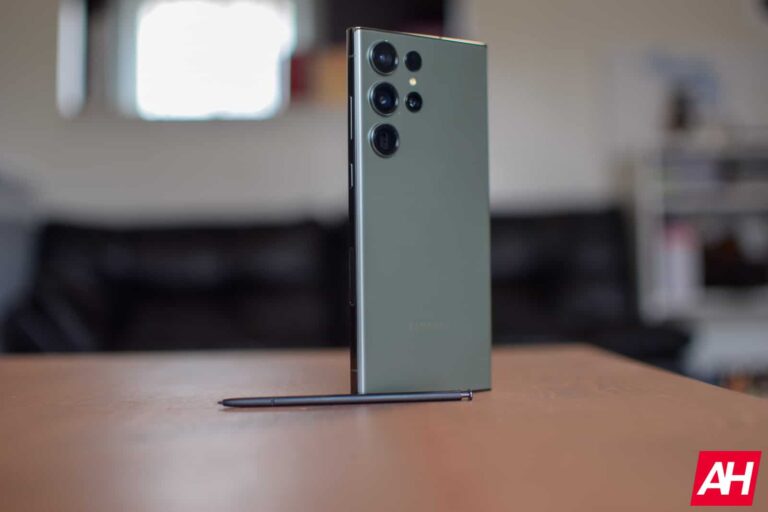
The Galaxy S23 Ultra is no surprise as our pick for the best overall smartphone right now. It checks literally every box out there, including having a stylus. Samsung basically took its Galaxy S Ultra smartphone and the Galaxy Note Ultra and merged them into a single device, giving us the Galaxy S23 Ultra.
Samsung has outfitted the Galaxy S23 Ultra with a massive 6.8-inch QHD+ 120Hz AMOLED display, the Snapdragon 8 Gen 2 for Galaxy processor, starting at 8GB of RAM and 256GB of storage. It does go up to 12GB of RAM and 1TB of storage though, for additional costs. It also has some nice upgrades to the camera, including a new 200MP camera on the backside, which offers some really incredibly detailed photos.
It’s incredible that Google was able to keep the Pixel 7 at the same $599 price as the Pixel 6, despite the rising inflation. But here it is. Now if you’re on Verizon, it’ll be $699 due to the mmWave antennas being added. The Pixel 7 is the best battery life smartphone we have tested this year. Coming in at well over 8 hours of on-screen time multiple times.
The Pixel 7 also features a 6.3-inch FHD+ 90Hz display, the Tensor G2 processor, 8GB of RAM and 128GB of storage. There’s a pretty large 4355mAh capacity battery inside too.
The Pixel 7 Pro is likely not a surprise for our pick as the best camera phone right now. The Pixel 6 Pro was our previous pick and with the upgrades to the Pixel 7 Pro camera, it fits in well. With the Pixel 7 Pro, Google added a few new features to the camera like macro on the ultrawide lens, and the ability to use 5x optical zoom on the telephoto. It can actually zoom in at up to 30X without any issues.
Other specs of the Pixel 7 Pro include a 6.7-inch QHD+ 120Hz display, Tensor G2 processor, 12GB of RAM, 128GB of storage and a 5000mAh capacity battery. It’ll also get three years of updates to Android and four years of security updates.
The Galaxy S23 is the smallest version of the Galaxy S23 family this year. It comes in with a 6.1-inch display, which is actually smaller than the Galaxy S22 was last year. That might still sound like it’s a pretty large phone still, and yeah 6-inches is still large. But it’s smaller than most other phones.
As mentioned, it sports a 6.1-inch FHD+ 120Hz AMOLED display, the Snapdragon 8 Gen 2 for Galaxy processor inside, along with 8GB of RAM and 128GB of storage. It’s pretty competitive at $799, considering Apple is selling its regular iPhone 13 at that price.
The best 5G smartphone is a bit of a tough one to really do these days, as all smartphones are 5G smartphones now. But the Galaxy S23 Plus is a really great, all-around smartphone. And supports mmWave, C-Band and Sub-6 5G networks.
The Galaxy S23 Plus has a 6.6-inch FHD+ 120Hz AMOLED display, the Snapdragon 8 Gen 2 for Galaxy processor inside, with 8GB of RAM and 128GB of storage. There is also a 4500mAh capacity battery inside, which should keep it going all-day long and then some. It’s a very solid smartphone for the cash. And it is no longer made of plastic like its predecessor, it’s back to being glass and metal.
The REDMAGIC 7 is an impressive gaming-focused smartphone. This is made by ZTE’s Nubia brand. It came out in February 2022, so it’s pretty new.
REDMAGIC 7 sports the Snapdragon 8 Gen 1 processor, with 16GB of RAM and 256GB of storage. Although you can get up to 18GB of RAM which is insane for a smartphone. It also has a 4500mAh capacity battery inside, that should keep you going all-day long.
There’s three cameras on the back. A main 64-megapixel sensor, with a 8-megapixel ultrawide and a 2-megapixel macro. Along with a 8-megapixel front-facing sensor.
The ASUS Zenfone 9 is one of the best smartphones to come out in 2022, especially for those that don’t want a large phone. Somehow, ASUS was able to make the Zenfone 9 even smaller than its predecessor, all while offering larger cameras, larger batteries and more thermal material to keep it cool.
The Zenfone 9 has a 5.9-inch FHD+ 120Hz OLED display, the Snapdragon 8+ Gen 1, 8GB or 16GB of RAM and 128GB or 256GB of storage. There is also a 4300mAh capacity battery inside.
The OnePlus 11 is the latest flagship smartphone from the company that tells us to “Never Settle”. This smartphone has a 6.7-inch QHD+ display with a 120Hz adaptive refresh rate. It also has the Snapdragon 8 Gen 2 processor inside, along with 8GB of RAM and 128GB of storage. Or 16GB of RAM and 256GB of storage on-board. And it starts at $699, making it our pick for the best flagship value here.
Cameras were also nicely upgraded here, with a 50-megapixel main sensor, a 32-megapixel telephoto and a 48-megapixel ultrawide which is also used for macro shots. So it’s a pretty good device at this price point.
The new Galaxy Z Fold 4 is a pretty iterative update over the Galaxy Z Fold 3, but the big update here is really battery life. Which is kind of insane, since it is the same size battery. But that’s thanks to the Snapdragon 8+ Gen 1 processor inside.
Speaking of specs, there is the same 7.6-inch main display, and 6.2-inch cover display. Though the phone is a bit wider now, so that cover display is a bit easier to use. Additionally, it has 12GB of RAM with 256GB, 512GB or 1TB of storage available. And there’s still a 4400mAh capacity battery inside.
The Galaxy Z Flip 4 was an even smaller update than the Fold 3 to 4, but again the big thing here is battery life. Samsung did up the battery size, so now it is 3700mAh, about 28% larger. That coupled with the Snapdragon 8+ Gen 1, means that the Galaxy Z Flip 4 is impressive on battery life.
Other specs include the same 6.7-inch FHD+ 120Hz display that is foldable. With a 1.9-inch cover screen for notifications, widgets and such. There’s 8GB of RAM inside, along with 128GB, 256GB and 512GB of storage available.
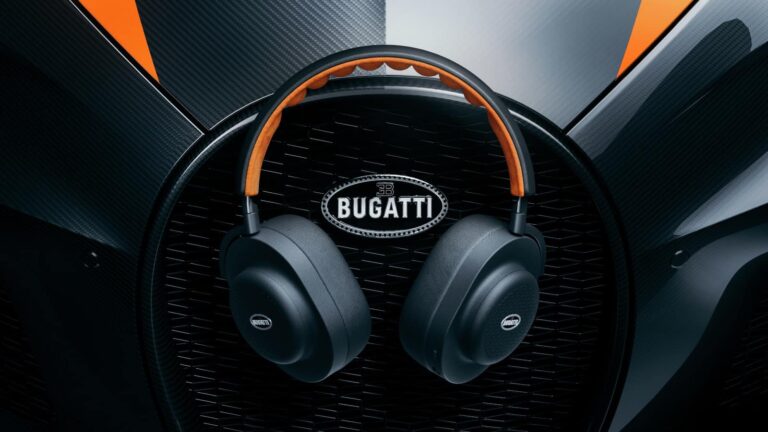
Master & Dynamic has announced its next brand collaboration and this time it’s with French luxury hyper car brand Bugatti. Together the two companies partnered up for the release of some limited-edition audio gear. This includes Bugatti-branded versions of three of Master & Dynamic’s most recent products. The MW75, the MG20, and the MW08.
The MW75 is Master & Dynamic’s most premium pair of wireless noise cancelling headphones. While the MG20 is the company’s first gaming headset. The MW08 meanwhile is its latest iteration of true wireless earbuds. Across these three products, you’ll find the Bugatti logo emblazoned on the ears, and again on the charging case for the MW08 as well as the hard shell travel case for the MW75. Functionally, these are no different from the standard versions.
So unless you’re a die-hard Bugatti fan, we recommend going for the standard M&D models. The main reason being is that they’re less expensive. Headphones and true wireless earbuds from Master & Dynamic are already expensive (though, worth it we feel), but the Bugatti-branded models are even more so. The MW75 for instance goes for $599. Not cheap for a pair of noise cancelling wireless headphones. The Bugatti model ups the price by another $100. Bringing the cost to $699. That same $100 jump is there for the other two products as well.
Master & Dynamic x Bugatti headphones come in three colors
Should you really love the Bugatti brand and the price doesn’t scare you off, each set of headphones/earbuds comes in three distinct Buatti-themed colors.
Nocturne/Jet Orange, Nocturne/Lake Blue, and Blanc/Deep Blue. All three products are available starting today directly from Master & Dynamic, though if you just want the regular versions of any of these they should all be available on Amazon. Bugatti branding aside, the colorways for these headphones are pretty great. So if nothing else, there’s a good reason to consider them over the standard models.
It has been more or less two years since Netflix started offering its subscribers a whole gaming segment. The company started in 2021 with roughly 50 titles in its arsenal and has increased that with another 40 or so more since then.
The new service, however, was available only on iOS, iPadOS, and Android. This left the most obvious and exciting medium, TVs — where the Netflix name initially became a household one — unutilized.
The good news is that an app developer by the name of Steve Moser has discovered hidden code inside the app hinting the company is planning to finally make the big step forward and offer its games on TV as well. Maybe equally exciting is the next information dug out by Moser, which insinuates users would have the option to use their phones, be it Android or iPhone, to play the games on their TV screens. (via Bloomberg)Here’s the text hinting at the phone-controller functionality:
A game on your TV needs a controller to play. Do you want to use this phone as a game controller?
This could potentially be a game changer for Netflix and bring it one step closer to retaining its subscribers, which is one of the main reasons the platform started introducing Games to its service in the first place. After serious backlash following price hikes and talks of harsher regulation on account sharing, this would be a great opportunity for Netflix to score some extra “cool” points.
If the streaming giant does decide to go along with this endeavor, it would also serve as a solid foundation for the company’s ambition to launch a cloud-gaming service, for which it is perfectly positioned at this moment. That would allow anyone with a Netflix subscription (although it might be a new tier with a new price slapped onto it) to play more demanding titles that would not require powerful equipment and installation, just a very strong and stable internet connection.