Researchers at Mandiant have identified a campaign that persisted on SonicWall SMA 100 Series appliances tenaciously.
Researchers at Mandiant have identified a malware campaign targeting SonicWall SMA 100 Series appliances, thought to be of Chinese origin. The malware was likely deployed in 2021, and was able to persist on the appliances tenaciously, even surviving firmware upgrades. The malware was able to steal user credentials and provide shell access.
The SMA 100 Series is an access control system that lets remote users log in to company resources. It offers a combined single-sign-on (SSO) web portal to authenticate users, so intercepting user credentials would give an attacker that is after sensitive information a huge advantage.
The Mandiant researchers reportedly worked with the SonicWall Product Security and Incident Response Team (PSIRT) to examine an infected device.
The analysis of the files found on the device showed that harvesting the (hashed) user credentials of all logged in users was the primary purpose of the malware. A number of scripts and a TinyShell variant provided the attacker with readily available, high-privileged access. The original TinyShell is a python command shell used to control and execute commands through HTTP requests to a web shell. A web shell is a malicious script used by an attacker with the intent to escalate and maintain persistent access on an already compromised web application. In other words, it acts as a backdoor on affected systems.
The researchers noted that the attackers put significant effort into the stability and persistence of their tooling and showed a detailed understanding of the appliance.
The malware checked for the presence of a firmware upgrade every ten seconds. When found it unzipped the package, copied the malware into the upgrade and put the zip back in the original place, now including the malware, so after the upgrade it could continue to harvest credentials.
Mitigation
SonicWall is urging SMA 100 customers to upgrade to version 10.2.1.7 or higher, which includes hardening enhancements. In a blog post from March 1, 2023 SonicWall describes the patch and states that:
SonicWall has taken the approach of incorporating security enhancements in their products, such as the SMA 100 series, which helps identify potentially compromised devices by performing several checks at the operating system level and baselining normal operating system state. In addition, SonicWall sends anonymous encrypted data to backend servers, including device health data, to detect and confirm security events and release new software to correct the issue.
As part of this upgrade, SMA100 customers on versions 10.2.1.7 or higher will receive notifications in their Management Console about pending CRITICAL security updates.
The upgrades, and the instructions on how to upgrade to 10.x firmware versions from various older versions of the SMA 100 Series can be found in the SonicWall knowledge base article Upgrade Path For SMA100 Series.
We don’t just report on vulnerabilities—we identify them, and prioritize action.
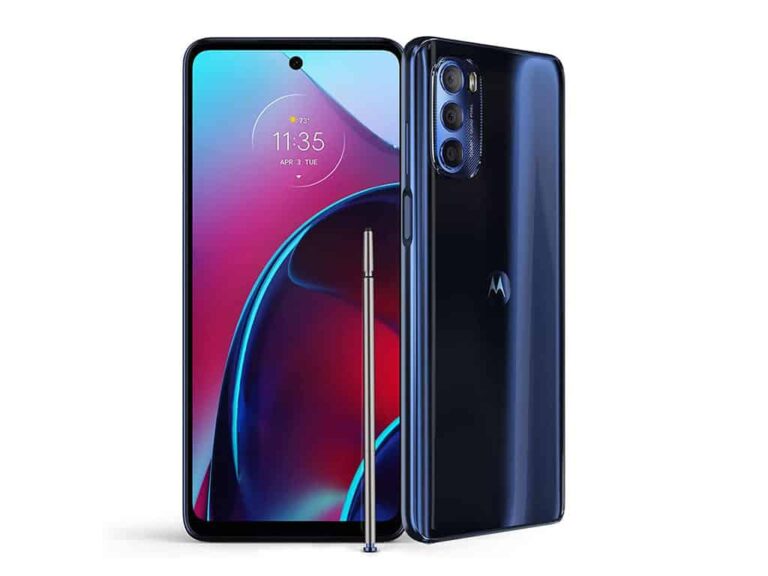
Today, Amazon has the Moto G Stylus 5G 2022 on sale for $150 off of its regular price. This is rather impressive, since it just launched within the last month. Now you can pick it up for just $249. That’s a pretty good price for this model, since it is the 8GB RAM and 512GB of storage model.
The Moto G Stylus 5G 2022 comes with a 6.8-inch FHD+ display that is 120Hz. However it is not an LTPO display, it’s still LCD, so you may want to push it down to 60Hz to save battery life. Speaking of battery, it does have a massive 5,000mAh capacity battery inside. Which should be plenty for most people.
Internally, the Moto G Stylus 5G 2022 sports the Qualcomm Snapdragon 695 5G processor inside. As well as the aforementioned 8GB of RAM and 512GB of storage. It’s pretty rare to see 512GB of storage on a phone under $500. But it’s here. And there’s still a micro SD card slot for you to expand that storage.
Motorola has outfitted this phone with a triple-camera array. This includes a 50-megapixel main sensor. This is an f/1.9 aperture and 26mm equivalent. There’s a 8-megapixel ultrawide which is an f/2.2 aperture and about 118-degree field-of-view. Then there is the 2-megapixel depth sensor with a f/2.4 aperture. That sensor you won’t be able to use, as it’s used to capture data for better bokeh effects.
On the front, there is a 16-megapixel sensor for taking those selfies.
The Moto G Stylus 5G 2022 comes in two colors: Seafoam Green and Steel Blue. It also of course has a stylus, which lives inside the phone. The stylus isn’t quite as good as Samsung’s S Pen, but it can be used for taking notes and scrolling through the operating system and more. So it is nice to have.
You can pick up the Moto G Stylus 5G 2022 from Amazon today by clicking here.
Using a messaging platform doesn’t seem like it’d typically require a lot of battery and horsepower to operate. You’d be surprised, and one of the most popular messaging platforms is looking to address this. Telegram introduced a new power-saving mode.
All apps could stand to be more power-efficient. Telegram isn’t quite Genshin Impact, so it’s hard to believe that it’d need to cut back on its performance. However, most apps use more battery than you think. Telegram is a fully-featured messaging platform, so there’s definitely more going on under the hood than most people think.
Telegram brings new power-saving mode
The company announced this new mode via a blog post, and it will limit some of the app’s functionality in order to maintain performance. There are several areas in the Telegram app that could be toned down for the sake of savings.
Mainly, the app is going to cut down on animations. Telegram is full of animations that make the experience much prettier. However, they’re not exactly necessary. There are animations for emoji reactions, stickers, messages, etc.
The power-saving mode will disable these animations. Also, the mode will stop videos from auto-playing. If you see a video in the chat, you’ll need to tap on it for it to play.
While devices like the Galaxy S23 Ultra or Pixel 7 Pro won’t have trouble with Telegram, this mode is made for older and lower-powered phones. Phones with older batteries lose capacity much quicker. Also, their processors are just not able to keep up with all of the animations.
So, this will definitely benefit cheaper Android phones more than iPhones. However, this mode is still compatible with iPhones.
You have control over how this operates. For starters, you can set what battery percentage you want the mode to activate. There’s also the option to have it on all the time. There are also several toggles that you can switch. Say, if you want the mode to disable certain animations and leave others, you can. This mode is rolling out now, so chances are that it’s already available for you.
NetWire malware has been utilized by various cybercrime groups, but its most notable use occurred in February 2022 when the ModifiedElephant APT group used the malware to plant incriminating evidence on victims’ devices.
In a joint operation between the US Federal Bureau of Investigation (FBI), the European Union Agency for Law Enforcement Cooperation (Europol), and other international law enforcement agencies, the internet domain used to sell NetWire malware has been seized.
NetWire is a powerful tool used by cybercriminals to gain unauthorized access to computer systems and control them remotely. It’s worth noting that NetWire was used extensively in several cyberattacks, including those targeting the aviation and defence sectors in February 2022, thousands of global oil and gas and energy firms in August 2017, and attacks on the aerospace and travel sectors in May 2021.
In addition, NetWire was utilized in a malicious campaign last year by the ModifiedElephant APT to plant incriminating evidence on victims’ devices. The activities of this APT group are closely aligned with the “Indian state interests.
According to a press release from the US Attorney’s Office for the Central District of California, the seizure was part of an ongoing investigation into the sale and distribution of NetWire malware. The domain, which had been in operation since 2012, sold the malware to buyers worldwide, including individuals in the United States for their own criminal ends.
The operation to seize the domain involved the coordinated efforts of law enforcement agencies from around the world. The FBI worked with Europol, Croatia, Switzerland, and other partners to identify and track down the individuals responsible for the sale and distribution of NetWire.
The operation resulted in the seizure of the domain and the arrest of a suspect whose name has not been released by US or Croatian authorities.
NetWire malware is a type of remote access Trojan (RAT) that cybercriminals often use to gain access to a victim’s computer. Once installed, the malware allows the attacker to remotely control the computer, access sensitive information, and carry out a range of malicious activities.
The seizure of the NetWire domain is a significant development in the fight against cybercrime. It demonstrates the effectiveness of international cooperation in tackling online threats and highlights the commitment of law enforcement agencies worldwide to combat cybercrime.
The seizure notice
“By removing the NetWire RAT, the FBI has impacted the criminal cyber ecosystem,” Donald Alway, the assistant director in charge of the FBI’s Los Angeles field office, said in a statement.
“The global partnership that led to the arrest in Croatia also removed a popular tool used to hijack computers in order to perpetuate global fraud, data breaches and network intrusions by threat groups and cyber criminals,” Alway added.
This victory serves as a reminder that the fight against malware is far from over because cybercriminals are constantly developing new tools and techniques to evade detection. It is therefore essential that individuals and organizations take steps to protect themselves against cyber attacks by implementing strong security measures, such as using anti-virus software and keeping their systems up to date with the latest security patches.
Google doesn’t release as many phones as some other OEMs out there, in fact, they basically release three phones a year. There’s the two flagships and then a mid-range(ish) phone in the a-series around Google I/O. And that’s it. Which makes it a bit easier to find the right Google Pixel smartphone for you to buy.
However, there are still quite a few options available. So we’ve rounded up the very Best Google Pixel phones that can currently buy. It’s worth mentioning, that Google is only selling the Pixel 6a, Pixel 7 and Pixel 7 Pro right now. So others will either be from a third-party or renewed/refurbished. So keep that in mind.
Best Google Pixel Phones You Can Buy
Here are the best Google Pixel phones that you can buy right now. This list goes all the way down to the Pixel 4a. Here’s some criteria we used to pick these phones in particular. For one, all of these phones are still being updated for at least another year (Pixel 4a through 2023, Pixel 5-series through 2024), and these are all still sold from reputable sellers on Amazon, or from Google itself. Only one on this list is actually “renewed” and that is the Pixel 5. Since so few were made, it’s hard to find “new” Pixel 5 models right now.
The order is based on when these phones came out, so the further down the list you go, the older they are and usually the cheaper they are. The Pixel 4a is an exception since it is new while the Pixel 5 is “renewed”.
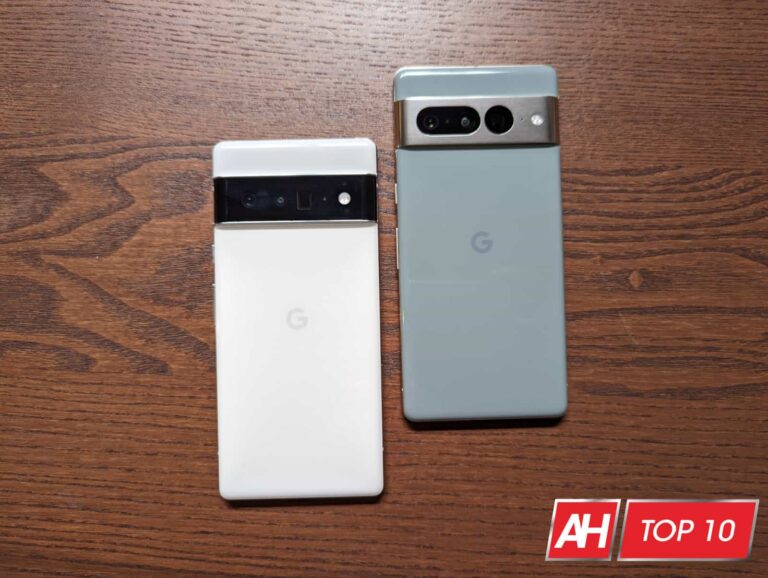
The Google Pixel 7 Pro is the 2022 flagship from Google. It sports a 6.7-inch QHD+ 120Hz AMOLED display, powered by the Tensor G2 processor, 12GB of RAM and 128GB of storage inside. There’s also a pretty massive 5000mAh capacity battery inside, which is really nice to see here.
It also gained some pretty cool camera features this year, like Macro mode. Something that the iPhone actually did before Pixel. Otherwise, you still have the three cameras for wide, ultrawide and telephoto here.
The Pixel 7 Pro will get three years of Android updates and five years of security updates. So that it is until 2025 and 2027 respectively.
The Google Pixel 7 is the smaller (barely) brother of the Pixel 7 Pro. The main differences are the flat display which is also 1080p at 90Hz, the smaller battery and there’s no telephoto camera here either. Which also means no macro mode. The battery isn’t a big deal since it does still last about the same amount of time.
But the Pixel 7 does have a 6.3-inch FHD+ display, powered by the Tensor G2 processor, 8GB of RAM on-board and 128GB of storage. There’s also a pretty hefty 4355mAh capacity battery inside.
Much like the Pixel 7 Pro, the Pixel 7 will also get three years of Android updates and five years of security updates.
The Google Pixel 6a is the smallest of the 2022 Pixel smartphones. It sports a 6.1-inch FHD+ display at 60Hz. It also has the original Google Tensor chipset inside, with 6GB of RAM and 128GB of storage. There’s also a 4410mAh capacity battery inside, which is indeed larger than the Pixel 7. And yes it does offer better battery life than the Pixel 7.
It sports the older Pixel 6 design, with 12-megapixel wide and 12-megapixel ultrawide sensors on-board. It does come in some cool colors too.
A lot like the Pixel 7 models, there’s also three years of guaranteed Android updates here and five years of security updates.
The Google Pixel 6 Pro is currently the company’s most powerful smartphone. It has a massive 6.71-inch QHD+ 120Hz display. It is an LTPO AMOLED display, so it will ramp up and ramp down the refresh rate as needed. It’s powered by the Tensor chip (for the first time), which is made by Google specifically for Pixel. There’s also 12GB of RAM inside and 128GB of storage as well. This is all powered by a 5003mAh capacity battery.
It launched with Android 12, and Google is promising three years of platform updates and five years of security updates (through 2024 and 2026 respectively).
The Google Pixel 6 Pro isn’t all about hardware, Google has also added in a good amount of features into the software. This includes things like Magic Eraser which is like Photoshop, built into your camera app. So you can easily remove subjects from your pictures. Among other things.
The Pixel 6 was released alongside the Pixel 6 Pro. It actually comes in two flavors. This $599 model does not include support for mmWave 5G, so if you are buying this from Verizon, you’ll be paying $100 more for that. Leaving out mmWave helped keep the Pixel 6 at this aggressive price point.
Pixel 6 is smaller than Pixel 6 Pro, of course. It sports a 6.4-inch FHD+ 90Hz display, with the Tensor chipset, 8GB of RAM and 128GB of storage. It also has a pretty beefy battery that has a capacity of about 4614mAh. That is enough to get you through a full day without any issues.
It launched with Android 12, and will get Android updates through 2024, with security updates through 2026.
The Pixel 5a was the latest iteration of Google’s “Cheap” smartphone. It came in costing $449, with mostly flagship specs, which is always amazing. Now the Pixel 6a has been announced, but you can’t buy it yet. It won’t be available until July 28.
Pixel 5a is somewhat small, with a 6.34-inch FHD+ OLED display. It has the Snapdragon 765G processor with 6GB of RAM and 128GB of storage on-board. There’s also a pretty large 4680mAh capacity battery. Which we found from our review, would last at least a full day, sometimes two.
This launched with Android 11, and was later updated to Android 12. It will continue receiving Android platform updates and security updates through August 2024.
The Google Pixel 5 was released in 2020, and saw Google return to small phones. Which many of us loved, while others hated.
It sported a 6-inch FHD+ 90Hz OLED display, along with the Snapdragon 765G processor inside, 8GB of RAM and 128GB of storage. It also had, what sounds like a small battery, coming in at 4080mAh capacity. But it did actually last quite some time.
It launched with Android 11, and later was updated to Android 12. The Pixel 5 will get both Android and security updates through October of 2023.
The Pixel 4a was somewhat surprising for most of us. Since it was actually one of the smallest phones Google released in years. It had a 5.81-inch OLED display, along with the Snapdragon 730G processor, 6GB of RAM and 128GB of storage. All for $449 at the time – now that stock is limited as Google stopped manufacturing the 4a over a year ago, prices have gone up.
It also had the same great camera from the Pixel 4, and earlier Pixels all at a much cheaper price tag. Which is really great to see on smartphones like this.
Pixel 4a debuted on Android 10 and later got updated to Android 11 and then 12. It will also get Android and security updates from Google through August 2023
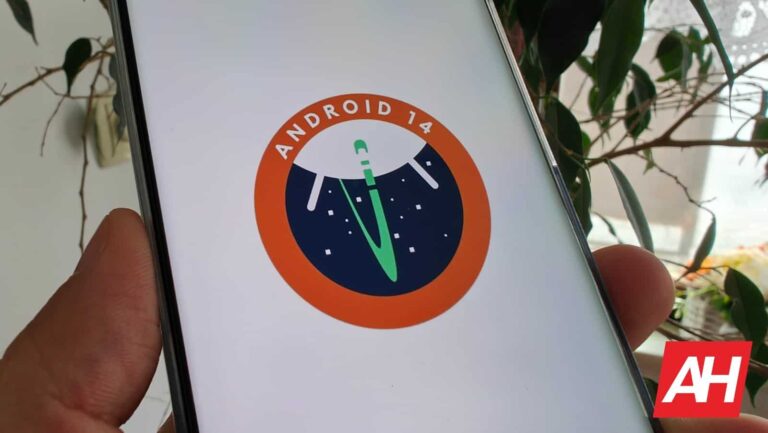
Android 14 is now in the developer preview stage, and we’re all digging into it to see what Google has in store for us. The second DP is out, and, while showing us Android going forward, it has one feature that we saw in the past. Android 14 could bring back the lava lamp effect for the media player, according to Android Police.
Google recently released the second DP for Android 14, and we’re getting an idea of some of the features and changes coming with the final release. You’re able to install it on your Pixel phone now to see what’s coming.
Just know that installing the DP isn’t like installing the beta. You’ll need to manually flash the image file onto the device. To do this, it’s recommended that you have some technical know-how. It’s an involved process and, if you do it improperly, you run the risk of bricking your phone.
If you’re excited about getting Android 14 early, you can wait for the beta version of the app that will launch in a few months. You can get it on devices as old as the Pixel 4 5G. When Google releases the update, you’ll be able to download the OTA and install it. It’s the safest way if you don’t want to flash an image file.
Android 14 DP2 brings back the lava lamp effect to the media player
Back during the transition between Android 12 and Android 13, Google experimented with a few styles for the system media player. The system previously had an interesting color effect that would play when you summon the notification shade. There were subtle shapes that would travel over the media player. This gave it a bit of a lava lamp look to it.
We briefly saw this effect back during the early stages of Android 13, but the company took it away. The fact that it’s bringing it back could point to the company having a change of heart. We’re not sure if it’s going to exist in the final build of Android U, however. Only time will tell.
Qualcomm has announced a new Snapdragon launch event for next week. The March 17 event in Beijing, China is expected to bring the Snapdragon 7+ Gen 1, its latest premium mid-range chipset. There are also hints of it being the Snapdragon 7 Gen 2, but we don’t have any confirmation yet. Either way, while a new processor is a win for most Android OEMs, it isn’t for Samsung, albeit for a different reason. The Korean firm once again lost out against TSMC in the race to manufacture a Qualcomm chipset.
The Snapdragon 7+ Gen 1 is a 4nm chipset. There haven’t been many leaks or rumors about this Qualcomm processor, but we have a few details. A Geekbench listing recently revealed that the chipset (identified by the part number SM7475) has one Cortex-X2 prime CPU core clocked at 2.92GHz, three Cortex-A710 mi-cores operating at a maximum frequency of 2.5GHz, and four Cortex-A510 efficiency cores clocked at 1.8GHz. The Adreno 725 GPU handles graphics with a maximum clock speed of 580Hz.
This would be the first Snapdragon 7 series Qualcomm processor to feature ARM’s Cortex-X series CPU. Industry insiders are calling the Snapdragon 7+ Gen 1 an underclocked Snapdragon 8+ Gen 1, which is a flagship chipset launched last year. The upcoming processor scored 1,232 points in the single-core CPU test and 4,095 points in the multi-core CPU test during the aforementioned Geekbench run. These numbers are pretty impressive for a mid-range chipset. Thankfully, it won’t be a long wait before the Snapdragon 7+ Gen 1 is official. Stay tuned for the launch event next week.
TSMC will manufacture the next Qualcomm Snapdragon processor
Qualcomm’s Snapdragon 7+ Gen 1 is a big loss of business for Samsung Foundry. The Korean firm manufactured last year’s Snapdragon 7 Gen 1 and was likely hoping to get the contract for its successor as well. But it was not to be. Its Taiwanese rival has snatched the contract for the Snapdragon 7+ Gen 1. Qualcomm opted for the latter’s solution because of power efficiency and yield issues with that of Samsung.
This is precisely the reason why the American chip giant switched to TSMC for manufacturing its Snapdragon 8 Gen 2 processor. It is rumored to stick with the Taiwanese firm for its future chips as well. As for Samsung, it is losing trust in the industry. Tesla and others have also switched to TSMC from it in recent months. Even its mobile division doesn’t want to use Samsung Foundry chips in flagship products. It remains to be seen if the Korean firm bounces back anytime soon.
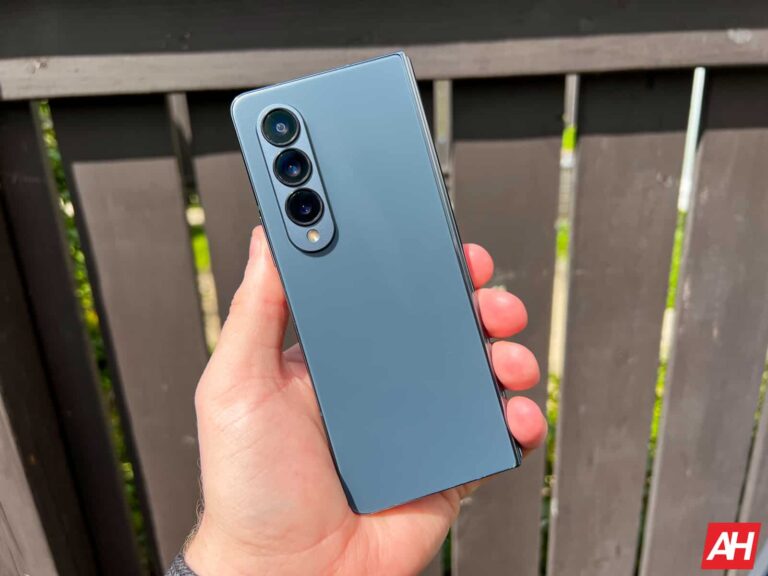
Samsung may not equip the Galaxy Z Fold 5 with a 200MP camera, or even a 108MP unit. According to the noted tipster Ice Universe, the upcoming foldable will stick to a 50MP sensor for the primary rear camera. They precisely claim that it’s the “same camera module” found on the 2022 model. It is reportedly “impossible” for the Korean firm to equip the handset with the 200MP camera found on the Galaxy S23 Ultra. The source doesn’t explain whether it has to do with costs or if it’s a technical limitation.
Galaxy Z Fold 5 may not get improved cameras
Based on the leaks and rumors so far, the Galaxy Z Fold 5 looks set to bring plenty of upgrades to Samsung’s foldable lineup this year. Most notably, the handset could be thinner and come with a less visible display crease. The company has developed a new waterdrop-type hinge to make this possible. We are also expecting improvements in terms of durability and overall functionality of the phone.
There have been talks about camera upgrades too. But if the latest rumor is accurate, that won’t be the case. The Galaxy Z Fold 5 would come with the same camera setup as its predecessor. At least the primary rear shooter will remain unchanged.
This would be a little disappointing. Not because Samsung should have included a 108MP or 200MP camera. A 50MP unit is fine. But an unchanged sensor isn’t. The company could have equipped the new foldable with the improved camera hardware.
The Galaxy Z Fold 4’s 50MP camera has an aperture of f/1.8, Dual Pixel PDAF (Phase Detection Auto Focus), and OIS (Optical Image Stabilization). While it is no slouch, there’s always room for improvement. The fifth-gen foldable would have benefitted more from Samsung’s improved camera software and processing if it got hardware improvements too.
But not to be. Hopefully, the company has optimized the sensor to make it work better. After all, smartphone photography is a lot about software rather than hardware.
No S Pen slot, unchanged cover display
Rumors about the Galaxy Z Fold 5 have been coming quite frequently in recent weeks. The word is that Samsung will not include a built-in S Pen slot because it wants to make the foldable thinner. And an unchanged length and breadth mean the cover display may not change either. We should hear more about the Galaxy Z Fold 5 and Galaxy Z Flip 5 in the build-up to their launch in the second half of the year.
More than two years after launching its first smart object tracker, Samsung is reportedly preparing to launch a succeeding model. The Korean firm plans to launch a second-gen version of its Galaxy SmartTag in the second half of this year. The reported timeline suggests it will arrive alongside the new foldables and wearables.
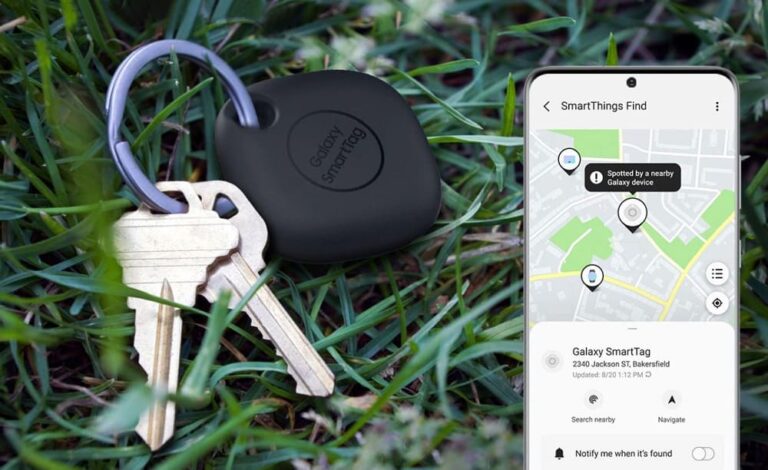
Samsung launched the original Galaxy SmartTag and Galaxy SmartTag+ alongside the Galaxy S21 series in January 2021. The former is a Bluetooth-powered tracker while the latter adds ultra-wideband (UWB) support. These tiny tech pieces work in conjunction with the company’s SmartThings IoT (internet of things) platform to help you find lost objects through a crowdsourced network. You can locate your object using SmartThings Find. Galaxy SmartTags will exchange encrypted signals with the SmartThings IoT network to let you know about its location.
The two smart trackers also feature a physical button that lets you remotely ring your smartphone or tablet should you misplace them. The same button can be programmed to serve as a remote controller for your IoT and smart home devices. Despite all of these capabilities, Samsung’s first foray into smart trackers doesn’t seem to have gone as planned. Two years have passed with no sign of new models. Perhaps this market never took off as the company has anticipated. Apart from Apple, not many have succeeded here.
But Samsung isn’t giving up just yet. It is now gearing up to launch a new version of the Galaxy SmartTag, sources have told SamMobile. Unfortunately, no other information is available at the moment. It’s unclear if the Korean firm will launch two models once again. We also don’t know what improvements it will bring to the table. The publication speculates that Samsung may offer a better wireless range, louder beeper volume, and enhanced security measures that prevent misuse or unauthorized tracking.
Samsung is developing a second-gen Galaxy SmartTag
We should hear more about the second-gen Galaxy SmartTag in the coming months as Samsung progresses with its development. As said earlier, the company plans to launch it in the second half of 2023. More precisely, somewhere between July and September. That’s when it is expected to unveil the Galaxy Z Fold 5 and Galaxy Z Flip 5 foldables too. The launch event should also see the unveiling of the Galaxy Watch 6 series and a new pair of TWS earbuds. The Galaxy S23 FE may be part of the lineup as well. We will keep you posted.
The hacker behind the breach of the cybersecurity and cloud protection service provider is the same individual who was behind the recent Indian HDFC bank and Acer breaches.
A Swiss technology and cybersecurity company, Acronis, has been hit by a data breach, with over 21 GB of files and folders being leaked by a hacker known as Kernelware.
The trove of data was posted on Breach Forums on Thursday, March 9th, 2023, with no login credentials being leaked. The hacker, who was also behind the recent Indian HDFC bank and Acer breaches, claimed to have breached Acronis because “they were bored and wanted to humiliate the company.”
According to Kernelware, the leaked data includes various certificate files, command logs, system configurations, system information logs, archives of their filesystem, and python scripts for their maria.db database, backup configuration stuff, and loads of screenshots of their backup operations.
This is what the hacker had to say about the breach (Image credit: Hackread.com)
Hackread.com also analyzed the leaked data and it can be confirmed that no login credentials were leaked in the breach. However, several files and folders showed internal images and logs from Lansing, Michigan-based web hosting firm, Liquid Web.
Liquid Web was informed by Hackread.com and is investigating the leak. On the other hand, Acronis’ CISO, Kevin Reed, confirmed the incident in a LinkedIn post, stating that “Based on our investigation so far, the credentials used by a single specific customer to upload diagnostic data to Acronis support have been compromised.”
Reed claimed that no other system or credential has been impacted by this incident. The company has found no evidence of any other successful attacks and the leaked data is limited to the folder of the affected customer.
The leaked data (Image credit: Hackread.com)
In a comment to Hackread.com, Matt Rider, VP of Security Engineering EMEA at Exabeam said “This news reinforces the importance of making sure that all bases are covered when it comes to cybersecurity, as this leak resulted from just a single employee’s credentials being compromised.”
Matt emphasised that “finding an intruder quickly is essential to stopping them in their tracks, yet most organisations struggle to know when legitimate credentials have been compromised. This is because it is impossible to detect abnormal credential use unless you have already baselined what is normal.”
This incident and other recent cybersecurity incidents serve as a reminder of the importance of cybersecurity measures for businesses and organizations. As technology continues to advance, the threat of cyberattacks has become more prevalent, and the consequences can be severe, including financial loss, reputational damage, and legal liabilities.
Businesses must take proactive steps to protect their data and systems by implementing robust cybersecurity measures, such as regular security assessments, employee training, network monitoring, and incident response planning. It is also crucial to stay up to date with the latest cybersecurity trends and best practices to address evolving threats.
Furthermore, individuals also play an important role in preventing cybersecurity incidents by being vigilant about online activities, using strong passwords, and keeping software and systems up to date. Overall, it is essential to recognize the seriousness of cybersecurity threats and take necessary precautions to prevent and mitigate their impact.