PoC Exploit Released For Critical Microsoft Word RCE Bug

0
[ad_1]
PoC - Microsoft Word RCE Bug

There has been a proof-of-concept published recently for CVE-2023-21716 that analyzes this vulnerability. This vulnerability has been marked as “Critical” and has been detected in Microsoft Word which permits remote code execution (RCE).

Microsoft’s latest Patch Tuesday release in February patched the vulnerability, preventing it from being exploited. In ‘wwlib.dll’ of Microsoft Office, this RCE flaw was initially discovered by a security analyst, Joshua Drake Last year.

The researcher notified Microsoft immediately of his discovery after sending a technical advisory containing a PoC demonstrating that the vulnerability can be exploited.

The vulnerability could potentially be exploited by a remote attacker to execute code on a compromised system.

Vulnerability Details

  • CVE ID: CVE-2023-21716
  • CVSS Score: 9.8
  • Severity: Critical
  • Flaw: Remote Code Execution (RCE)

A remote attacker could potentially take advantage of the issue to execute code. As a result, the attacker has the same permissions as the victim, who opened the malicious [.RTF] file with the same privileges.

A malicious file can be delivered to a victim by attaching it to an email, which is perhaps the easiest way to deliver it, but there are many other methods also available.

In an effort to prevent users from falling victim to this kind of attack, Microsoft warns that they do not have to open the malicious RTF document. The attacker can begin exploiting the system simply by loading a version of it in the Preview Pane.

According to the researcher’s findings, the RTF parser incorporated in Microsoft Word possesses a vulnerability to heap corruption. 

This vulnerability is activated when the software is handling a font table denoted by “\fonttbl” that consists of a considerable number of fonts marked by “\f###.”

An attacker could use a properly crafted heap layout to exploit the bug for arbitrary code execution after memory corruption occurs. To demonstrate code execution, the PoC does not launch the Calculator app in Windows to illustrate heap corruption.

The vulnerability does not appear to be exploited in the wild at the present time. At the present time, Microsoft believes that exploiting the issue is unlikely to occur.

Workaround

There is a fix provided by Microsoft for users that are not able to apply the fix. As Microsoft recommends users to read emails in plain text format. However, this fix is unlikely to be adopted since there will be no enhancements or improvements to the user experience.

There is also a workaround that can be used to make sure RTF documents don’t open when they’re from untrusted or unknown sources by enabling the Microsoft Office File Block policy.

In addition to requiring modification of the Windows Registry, this method also comes with some risks. However, there is no doubt that the best way to address this vulnerability is to install a Microsoft security update.

Network Security Checklist – Download Free E-Book


[ad_2]
Source link

Play ransomware gang leaks City of Oakland data

0
[ad_1]

After claiming responsibility for attacking the City of Oakland, California, the Play ransomware gang has begun leaking the data it stole.

The Play ransomware gang has begun partially publishing data they stole from the City of Oakland, California. The data were in multiple archive files with a collective file size of 10GB. According to the ransomware gang, the files contain “[p]rivate and personal information data, financial information. IDs, passports, employee full info, human rights violation information.”

“If there is no reaction full dump will be uploaded,” the gang wrote in a comment on their leak site. They also hinted that each file could be used independently.

Play ransomware gang’s leak page for the City of Oakland, California

Following the release of the data, the City of Oakland said in an updated statement:

“While the investigation into the scope of the incident impacting the City of Oakland remains ongoing, we recently became aware that an unauthorized third party has acquired certain files from our network and intends to release the information publicly.

We are working with third-party specialists and law enforcement on this issue and are actively monitoring the unauthorized third party’s claims to investigate their validity.”

The City of Oakland, California was attacked four weeks ago, bringing several City services to a standstill. This pushed Interim City Administrator G. Harold Duffey to declare a state of emergency. The Play ransomware group claimed responsibility for the attack.

How to avoid ransomware

  • Block common forms of entry. Create a plan for patching vulnerabilities in internet-facing systems quickly; disable or harden remote access like RDP and VPNs; use endpoint security software that can detect exploits and malware used to deliver ransomware.
  • Detect intrusions. Make it harder for intruders to operate inside your organization by segmenting networks and assigning access rights prudently. Use EDR or MDR to detect unusual activity before an attack occurs.
  • Stop malicious encryption. Deploy Endpoint Detection and Response software like Malwarebytes EDR that uses multiple different detection techniques to identify ransomware.
  • Create offsite, offline backups. Keep backups offsite and offline, beyond the reach of attackers. Test them regularly to make sure you can restore essential business functions swiftly.
  • Write an incident response plan. The period after a ransomware attack can be chaotic. Make a plan that outlines how you’ll isolate an outbreak, communicate with stakeholders, and restore your systems.

Have a question or want to learn more about our cyberprotection? Get a free business trial below.

GET STARTED


[ad_2]
Source link

Only two Android devices made it to best-selling charts in 2022

0
[ad_1]

According to research firm Counterpoint, only two Android devices made it among the top ten best-selling smartphones globally in 2022. Those were Samsung‘s budget handsets Galaxy A03 and Galaxy A13. The remaining eight spots were taken by Apple’s iPhones, with the iPhone 13 topping the chart.

Eight of the ten best-selling smartphones in 2022 were iPhones

Apple usually dominates these charts and that isn’t surprising. Since the company only launches a handful of models every year, people looking to buy iPhones don’t have many choices. They end up buying one of the recent iPhone models, thus driving volumes. On the other hand, the sheer amount of options in the Android space means there’s no default choice here. Whatever might be your budget or requirements, you’ll always find several models fitting all criteria.

It has been this way for several years now and it isn’t changing anytime soon. In fact, Apple is increasingly benefitting from the growing competition in the Android space. It had eight iPhone models in the top ten best-selling smartphones chart for the first time last year. The iPhone 13 and iPhone 13 Pro Max were the monthly leaders from January to August, i.e. until the iPhone 14 series came along. The iPhone 14 Pro Max was the crowd favorite for the next three months, with the iPhone 14 topping the chart in December.

Overall, the iPhone 13 accounted for five percent of all smartphones sold last year. It was followed by the iPhone 13 Pro Max and iPhone 14 Pro Max. The Samsung Galaxy A13 sits in the fourth spot, followed by the iPhone 13 Pro, iPhone 12, iPhone 14, iPhone 14 Pro, iPhone SE 2022, and Galaxy A03. Counterpoint says the latest iPhone Pro Max model sold in more numbers than the Pro and base models for the first time.

“Major advancements in the iPhone 14 Pro series, such as dynamic island and faster processor, make it more attractive, as the base model is almost identical to the previous year’s model,” the research firm explains. In the Android space, Samsung’s Galaxy A13, which is the successor to 2021’s best-selling smartphone Galaxy A12, was a popular choice in the Caribbean, Latin America, and India.

Android OEMs are shrinking their smartphone portfolios

The top ten best-selling smartphones accounted for almost 19 percent of total shipments last year. Counterpoint estimates this share to grow in 2023. That’s because Android OEMs are shrinking their smartphone portfolios. Around 3,600 smartphones were active in the global market in 2022, down over 14 percent from more than 4,200 in 2021. This number may go further down this year. “Brands will focus on their portfolios’ premiumization to translate volumes into profitability,” Counterpoint states.

Best selling smartphones 2022 Counterpoint


[ad_2]
Source link

Amazon Prime Video will air a free NFL Game on Black Friday this year

0
[ad_1]

Amazon really wants to get more people watching Prime Video for Thursday Night Football, and this year, they are trying something new. They will be airing a game on Black Friday – that’s Friday, November 24 – at 3PM ET. And the game will be free to everyone. Which means that even if you don’t subscribe to Prime Video, you’ll be able to watch. Which is great news.

This is kind of like a “free sample” of Amazon’s Thursday Night Football broadcasts, and Amazon hopes will get more people into watching Football on Prime Video. It also shows a further extension of Amazon’s relationship with the NFL.

Prime Video’s vice president and global head of Sports, Jay Marine stated that “we’re excited to expand our relationship with the NFL and build a new holiday tradition for our customers with the first Black Friday NFL game. We’re so very proud of our Thursday Night Football production and all the teams in front of and behind the camera. As families look to spend time together over the holiday weekend, we are excited to provide an opportunity for everyone to enjoy this new day of NFL action.”

This could pose a threat to college football

Normally, for Thanksgiving week, we have three NFL games on Thanksgiving. Usually the Detroit Lions have the early games. With two more games later in the day. And then on Black Friday, there’s a good amount of College Football games, which kicks off Rivaly Week in College. Which continues onto Saturday. And the NFL week continues on Sunday and Monday.

But if there’s going to be a NFL game on Black Friday, that could take some eyes away from College Football. Though, luckily, the teams playing on that Friday in college are not the best teams. For instance, Michigan and Ohio State will always play on Saturday at Noon.

It’s an interesting thing for Prime Video to try out, and it’ll be interesting to see how it does for them.


[ad_2]
Source link

YouTube is removing legacy overlay ads from videos starting on April 6

0
[ad_1]
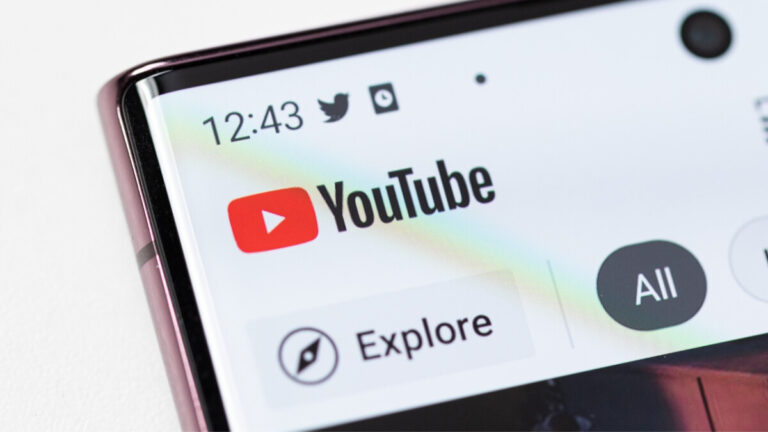
YouTube has announced via a community post that it will be doing away with the “overlay ads” format on the platform in order to improve the viewer experience. The change will take place starting on April 6th, 2023.

As detailed on the post, “overlay ads” were often very disruptive to viewers as they were overlayed on top of the content, thus interfering or blocking parts of it. The company also explained that it expects this change to cause YouTube Creators very “limited impact” as these types of ads are now only seen on desktop browsers and has not been available on mobile for quite some time now. Additionally, it appears that these legacy ads didn’t perform as well as other formats on desktop and mobile devices.

Instead of “overlay ads,” the company will be shifting towards other ad formats that are more viewer friendly, although no specifics were detailed on what they will consist of. It is possible that YouTube will simply follow the same formula it did on mobile, by using pre-, mid-, and post-roll ads instead, all of which can typically be skipped over.

No action will be necessary from creators that are currently using these types of ads on their videos. The ads will simply just stop showing starting on April 6th and the option to use them will no longer be available on YouTube Studio. This change will most likely be noticed by users who watch videos on their desktop computers without the need to use questionable ad-blocking add-ons.

For convenience’s sake, it makes sense for content creators to begin evaluating the content they currently have on the platform and whether they need to start replacing any legacy overlay ads with other ad formats already available on the platform. The company also confirmed via the same post that there are currently no changes planned to any of the other available ad formats.

[ad_2]
Source link

DoppelPaymer ransomware group disrupted by FBI and European police agencies

0
[ad_1]

In cooperation with the FBI, European police agencies have made arrests that disrupt the DoppelPaymer ransomware operation

Europol has released information about the arrests of two suspected core members of the criminal group responsible for carrying out large-scale cyberattacks with the DoppelPaymer ransomware. On 28 February 2023, the German Regional Police and the Ukrainian National Police, with support from Europol, the Dutch Police, and the United States Federal Bureau of Investigations (FBI), apprehended two suspects and seized equipment to determine the suspect’s exact role in the structure of the ransomware group.

DoppelPaymer is a ransomware group that has been linked to Russia, the EvilCorp group, and Emotet. DoppelPaymer is a mostly enterprise-targeting ransomware with targets including healthcare, emergency services, and education. They have been around since 2019. Last year they claimed responsibility for a high-profile ransomware attack on Kia Motors America.

According to the Europol statement DoppelPaymer relied on Emotet to infiltrate target networks. Emotet is a modular type of malware that can be used to drop other malware on infected systems. At Malwarebytes we have also seen usage of the modified Dridex malware 2.0, for both initial access and lateral movement.

DoppelPaymer was responsible for the attack on a German hospital that led to the death of a patient that could not be admitted. They were also responsible for the costly attack on the St. Lucie County sheriffs department, the Dutch Institute for Scientific Research (NWO), and the Illinois Attorney General’s office. Other victims attacked by DoppelPaymer in the past, include CompalPEMEX (Petróleos Mexicanos), the City of Torrance in California, Newcastle UniversityHall County in Georgia, Banijay Group SAS, and Bretagne Télécom.

The law enforcement agencies used operational analysis, crypto-tracing, and forensics to find the suspects and to determine where the suspects fit into the organizational structure of the DoppelPaymer group. These investigations may lead to further arrests.

Recently we have seen an increased number of take-downs and arrests in ransomware, and related, cases. Better and more effective investigational methods, backed by a shorter time-frame in which cyberincidents have to be reported, and already dwindling ransomware revenue, may significantly bring down the amount of damages caused by ransomware attacks.

How to avoid ransomware

  • Block common forms of entry. Create a plan for patching vulnerabilities in internet-facing systems quickly; disable or harden remote access like RDP and VPNs; use endpoint security software that can detect exploits and malware used to deliver ransomware.
  • Detect intrusions. Make it harder for intruders to operate inside your organization by segmenting networks and assigning access rights prudently. Use EDR or MDR to detect unusual activity before an attack occurs.
  • Stop malicious encryption. Deploy Endpoint Detection and Response software like Malwarebytes EDR that uses multiple different detection techniques to identify ransomware.
  • Create offsite, offline backups. Keep backups offsite and offline, beyond the reach of attackers. Test them regularly to make sure you can restore essential business functions swiftly.
  • Write an incident response plan. The period after a ransomware attack can be chaotic. Make a plan that outlines how you’ll isolate an outbreak, communicate with stakeholders, and restore your systems.

Have a burning question or want to learn more about our cyberprotection? Get a free business trial below.

GET STARTED


[ad_2]
Source link

ARCore support is now available for the Google Pixel 6a, 7, and 7 Pro

0
[ad_1]

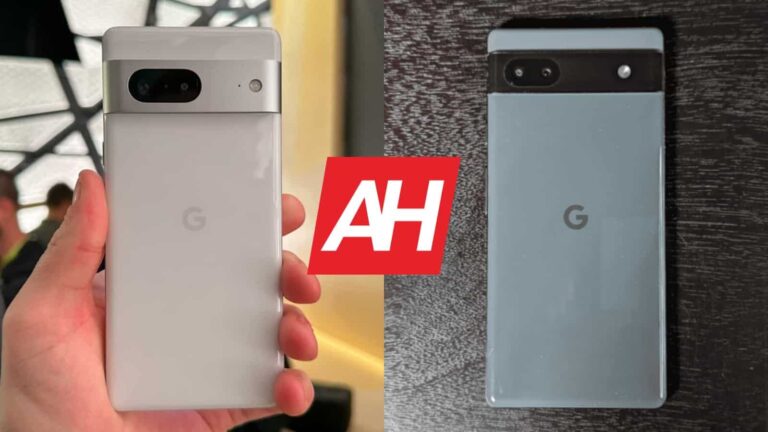
Finally, the Google Pixel 6a, 7, and 7 Pro midrange and flagship devices are getting ARCore support. This announcement was made by Google via the ARCore official website. These devices have finally passed the ARCore certification process after being available for over a year.

These devices can now offer great user experience while using AR apps or integrated features. Some of these AR apps include Google Lens, IKEA Place, Pokémon GO, and so many others. Apps like this make use of the device’s camera and motion sensor to integrate its features with the real world.

More users are experimenting with such AR apps, hence this certification is important. But it is not only these Google Pixel devices that recently got ARCore certification. Here are the other devices that also recently got ARCore support.

Google Pixel 6a, 7, and 7 Pro get ARCore support along with other devices

For this certification process, Google ARCore took into consideration a lot of factors. These include the device’s camera, motion sensors, design, and all-around performance. To ensure the last factor mentioned is intact, ARCore takes into consideration the device’s CPU to see if it meets the requirements.

Taking into consideration, the CPU is essential since it is the brain of the entire device. ARCore also says that they are constantly working with various brands to ensure that their devices meet the augmented reality requirements. These brands produce devices in various price segments, ranging from flagship to budget options.

The Google Pixel 6a, 7, and 7 Pro are not the only devices to recently get ARCore support. Joining the list of devices with ARCore support are options from various smartphone manufacturing brands. Asides from the Google Pixel devices, there are other new entries from Infinix, Lenovo, Motorola, OPPO, Sharp, Sony, Xiaomi, and ZTE.

A few other Chinese manufacturers like Fujitsu, FCNT, and Zebra. All devices from these brands retail at various prices, hence bringing AR integration to users regardless of their budget. In the coming months, more devices will also get ARCore support, bringing augmented reality to more people.


[ad_2]
Source link

The latest YouTube policy update now allows moderate swearing

0
[ad_1]

YouTube’s policy update is now giving users room to take certain actions that were once prohibited. In this case, the new policy update now allows users to swear while on the platform. This is surprising as YouTube was previously on an all-out pursuit to root out swearing from their platform.

Both creators and viewers alike were prevented from swearing in their videos or the comment section. Those swearing (especially creators) would face certain penalties as outlined by the YouTube team. This all-out attack on the use of profanity kicked off a few months ago.

After rolling out its profanity policy, YouTube restricted creators from swearing in the first seven seconds of their videos. Also, if the video contains a large amount of swearing, YouTube will then tag it as inappropriate. This will then lead to severe penalties for the channel, but all of this is coming to an end.

YouTube’s policy update says creators can swear just a little bit

With the new policy update, YouTube will allow creators to swear in their videos without getting demonetized. The profanity policy from last year punished swearing creators by demonetizing their videos. This action was aimed at making creators wary of the words they use in their videos.

Now, the video-sharing platform seems to be loosening its grip on creators that swear. The new policy update will give them room to swear in their videos without facing any penalties. As long as creators can reduce the amount of indecent language they use in their videos, they won’t have any problem.

This YouTube policy update now allows users to swear in the first seven seconds of their videos. But, it must be moderate, as the use of strong vulgar speech will make YouTube demonetize the video. After the first seven seconds, creators can still swear but should be mindful of how much they do so.

It is advisable with this new policy update that creators swear just a little. This is important because YouTube hasn’t fully trashed its profanity policy. They only are giving creators a little room to retain the originality of their videos (for those accustomed to swearing) and avoid demonetization.


[ad_2]
Source link

Facebook tests a feature it removed in 2016 that users have wanted back

0
[ad_1]
Back in 2016, Facebook, looking to push users toward the Messenger app for texting, removed in-app texting capabilities from the Facebook app. But parent company Meta is considering returning this feature to the Facebook app. The company announced today that over 140 billion messages are sent each day over Meta’s apps (which also include Instagram and WhatsApp in addition to Facebook and Messenger). On Instagram, Reels are re-shared nearly 1 billion times a day and private sharing of Reels is growing on Facebook.
As a result, Meta has been giving some Facebook users the ability to access their Messenger inbox from the Facebook app as part of a test. This test will now be expanded soon which means that more users will be able to take advantage of the integration of Messenger on the Facebook app. Tom Alison, head of Facebook, wrote, “Over the coming year, we’ll build more ways to integrate messaging features in Facebook. Ultimately, we want it to be easy and convenient for people to connect and share, whether in the Messenger app or directly within Facebook.”
Alison also noted that more users are using messaging as a way to build community. He added that “We started introducing community chats to some Facebook Groups last year as a way for people to connect more deeply with their online communities in real time around the topics they care about. And, the early results are promising. Across Facebook and Messenger, we saw the number of people trying community chats increase by 50% in December 2022.”

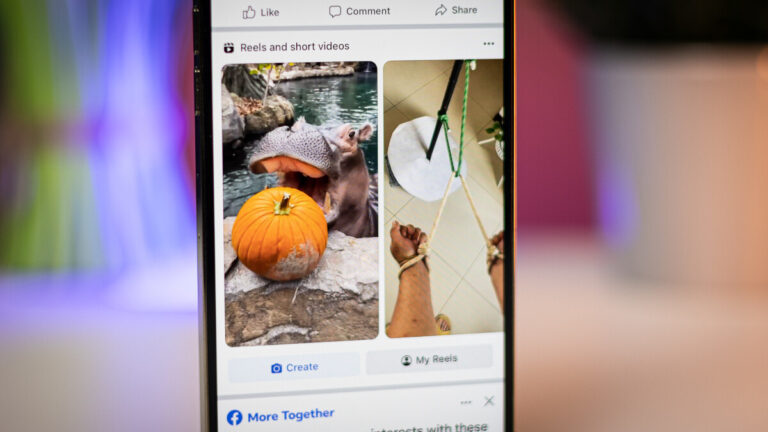
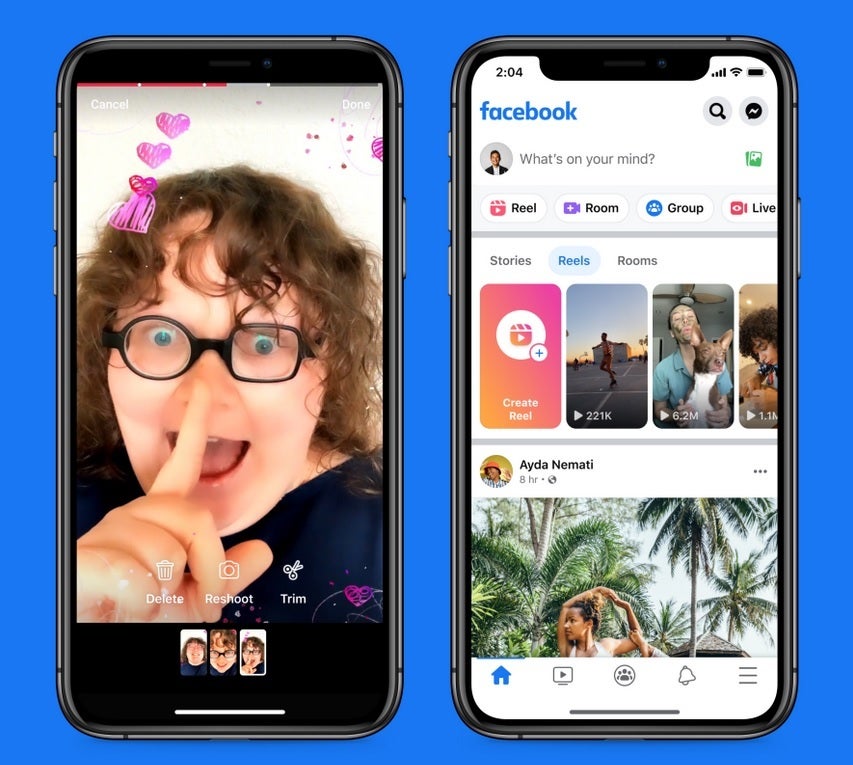
Facebook doesn’t see itself as a social media platform anymore and prefers to be known as a place for social discovery and sharing. Using AI, Facebook says that it will “deliver content to the people who will appreciate it the most.” It also is working hard to expand its short-form vertical video platform Reels. Hmm. Short-form vertical videos. Can you think of another app that offers this? Of course you can. Does TikTok ring a bell?

Facebook’s main threat is TikTok despite the possibility that the latter could be banned from the U.S. Between Facebook and Instagram over 140 billion Reels play every day. Facebook uses AI to recommend to users content that goes beyond Reels such as “photos, text, groups, short- and long-form videos, and more.” Alison states that “Using AI to find public Group content based on your interests, we can now show you highly relevant content from public Groups in your Feed– without you having to do any searching or depending on word of mouth to uncover a Group.”

[ad_2]
Source link

Great for cloud gaming, but a bit pricey

0
[ad_1]

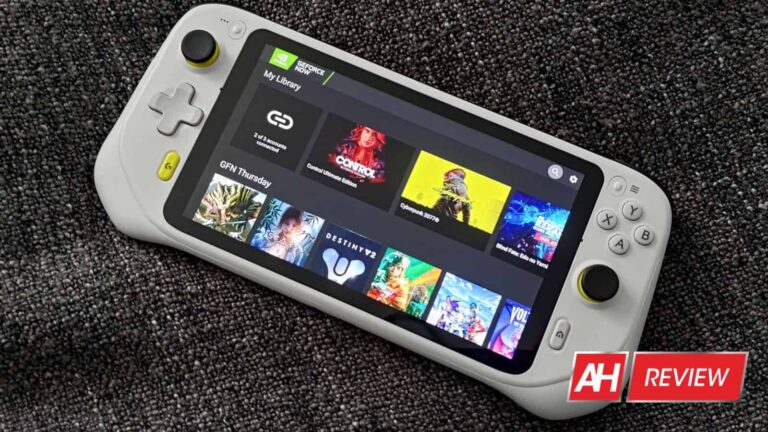
When Logitech announced the G Cloud, I was genuinely excited. Here was another new gaming device that was attempting to leverage the power of cloud gaming. Made for easy access to your favorite titles using services like Xbox Game Pass, GeForce NOW, Steam Link and more.

It even has Android built-in so you can play mobile games if you wish. After using this thing for a few months to serve my couch gaming needs, I can say this is a great device for shorter, casual gaming sessions or even longer gaming marathons. However, it does have a few missteps that I would love to have seen change, or that I hope change in future iterations should Logitech decide to make and release a follow-up.

There are some improvements that could be made. Regardless, the G Cloud has been one of my favorite devices to game on in recent times. And a lot of that is attributed to its ease of use, as well as its comfortable to hold ergonomic design. That being said, it does lose me in a few areas. So let’s get into what makes this a fun gaming device and what Logitech could improve on.

The Logitech G Cloud is built for marathon sessions

Right out of the gate, one thing I noticed about the Logitech G Cloud is that it was designed to deliver great battery life. That’s why Logitech didn’t bake this thing with top-end components with more than necessary performance and power.

It wanted the G Cloud to last you for a good amount of time before needing a recharge. I was presently surprised to learn that it more or less lived up to what Logitech promised. A solid 12 hours at least. Your mileage may vary, of course, but for me, it was consistently getting 12 hours or more. Give or take the odd cycle where it would last a little less time due to my use of Bluetooth headphones and cranking up the brightness on the display.

Overall, though, you should expect the G Cloud to hit that 12-hour mark almost all the time. Which is great. Because if you’re only playing a few hours a day, you shouldn’t have to plug it in until the end of the week. For me, I found myself using it for two to three hours a day. Which meant I could pull it off the charger on Monday with a fresh, 100% battery and not worry about plugging it in until anywhere between Thursday and Saturday.

Some of the best feeling buttons on a handheld

I’m not sure not everyone would agree with me here, but I genuinely love the buttons on the G Cloud. They’re comfortable to press and give a decent amount of feedback. None of the face buttons feel mushy, and the joysticks don’t make my thumbs feel sore after playing for a few hours like some controllers can.

What I like the most though, are the triggers. They have a noticeable curve to them that just fits the shape of your fingers so nicely as you have them sitting there. And this makes a big difference in not only comfort but a tactile feel when pressing them down.

There’s not too much travel in them and both the triggers and the bumpers have grooves that I’m certain are intended to help with grip and prevent slippage should your fingers get a little sweaty. Though I never found this to be an issue. If there’s one downside to the buttons it’s that there are no remappable buttons on the back or anywhere else. So if you like a more custom set of controls, you won’t find them here.

That aside, all the buttons feel great and like they’ll hold up over time. And I didn’t notice any issues with stick drift which was a big plus.

A great ergonomic design that’s lightweight and comfortable

While I love my Steam Deck, there is no denying that it sometimes feels like an ungainly beast. It’s heavy by handheld standards, and the sheer size of it can make it hard to hold when leaning back in bed or on the couch if wanting to play for more than an hour or two.

You don’t really have that problem with the G Cloud. Which is more lightweight and slightly smaller. It has a great ergonomic design that I found was comfortable to hold for hours. Everything feels like it’s in the right place and I wouldn’t change a thing. Save for maybe moving the Logitech G and home buttons a little more north.

I also wouldn’t mind (and would probably prefer) if the two speakers were front-facing as opposed to bottom-firing. But Logitech probably didn’t do this due to room for all the face inputs. On the bottom you’ll also find the USB-C port where you’ll plug in the charging cable, and a 3.5mm audio port for wired headphones if you want personalized audio without having to drain the battery more than gameplay already will.

On the top is where the volume rocker is located so adjusting volume levels is easy enough, and Logitech opted for a power slider here instead of a traditional button. I found this to be a little more finicky than a power button you press but you do get use to it. Logitech also placed a microSD card slot on the top should you need more than it’s already built-in 64GB of internal storage.

Logitech clearly put a lot of thought into the design and build quality of this device. It feels rigid and doesn’t have any flex because it’s one solid unit. While I would leave almost everything untouched, I do wish it came in more than one colorway. A nice matte black would have been a great option.

Satisfying software makes the experience better

Software makes up a good portion of the experience with any system. And Logitech has done a great job here I think. The home interface has an easy to navigate UI with all of your apps laid out in a series of panels you can scroll through horizontally.

Not unlike what you’d find on a PS4 or PS5. Things like the Play Store, GeForce NOW, and similar apps for cloud gaming are already in this list but you can also add more panels if you end up installing a game you want quick access to. A simple downward press on the d-pad brings up the “add app” function where you can select from all of your installed apps and games.

One of my favorite parts about the system software is the audio. You can certainly turn the sound effects off. But for me, they add to the experience. And the unique sound effects for scrolling and menu navigation give it more of a fun feeling. Since this is essentially just a skinned version of Android, you’ll update all your apps via the Play Store just like you did if this were a phone or tablet. And you can easily check for updates by tapping the quick settings buttons above the left joystick and four action buttons.

And when in apps like Xbox Game Pass, you can use the G button to bring up your friends list to see who’s online. This button doesn’t do the same thing in every app though. For instance, in GeForce NOW it takes you back to the home screen just like the home button does. So Logitech’s thoughtful integration doesn’t apply everywhere.

Still, the user interface and software as a whole is easy to use and I don’t think it’s going to bother anyone the way things are set up.

You’re limited to Wi-Fi, and that’s the main downfall

The only real issue with this device is that it is a Wi-Fi-only handheld. It does come with integrated storage. So you can install Android mobile games at your leisure and play them when you desire. But due to the G Cloud’s more mid-range specifications, games like Genshin Impact are probably out of the question. Unless you want to dump the graphics down to their absolute lowest. Either that, or the games tend to suffer from low frame rates.

Logitech wasn’t exactly shy about this fact though. It was straight up from the start that this was designed as a handheld meant for cloud gaming. And that’s really how this device should be used if you want to get the most enjoyment out of it. Therein lies the problem though. You’re limited to using Wi-Fi. Since it doesn’t come with a 5G connection capability. And it doesn’t do too great when connected to a hotspot either, at least not for games that offer online multiplayer. Destiny 2 for example, not great when playing via a tethered connection.

If all you want is something to use on Wi-Fi then you will love this thing. Because it makes for a perfect couch companion and it’s great for playing games in bed.

The verdict: Should you buy the Logitech G Cloud?

I think Logitech had a clear customer in mind when setting out to make this device. But unfortunately for Logitech, it has plenty of competition from handhelds that offer equally (if not sometimes more) compelling features and performance.

The G Cloud is made well and I have enjoyed using it. Thoroughly. However, it’s a tough sell for me at its price point. You can now find it at $50 off the launch price (which was $350), so it’s a better deal now than it was when it first released. Still, $299 is a big ask for something that won’t play graphically demanding local mobile titles, and can’t connect to mobile internet without a hotspot for cloud gaming.

Especially when your phone already does the same things the G Cloud will do. Then you have to factor in that devices like the Steam Deck, which can be had for just a little more money and will play games locally without internet. Not to mention Razer’s newly released Edge can be had in a 5G model. Which is a direct competitor to this handheld. But all of that said the G Cloud is still a really cool piece of gaming hardware and I do think it’s a good buy for some gamers.

Buy the Logitech G Cloud if:

  • You want a dedicated cloud gaming handheld that isn’t your phone
  • You plan to use it mostly at home or other locations that have Wi-Fi
  • Comfort and battery life are important to you.

Don’t buy the Logitech G Cloud if:

  • You want something that connects to 5G
  • You want to play graphically demanding local games

In the end, the Logitech G Cloud is a well-made gaming handheld. If it didn’t suffer from the lack of mobile internet capabilities, it would be a solid buy for more people. Either that, or a price drop down to around $200-$250 would make it more of a good value. I can certainly recommend it. But I do also suggest doing some heavy consideration on why you want one before making the purchase.



[ad_2]
Source link