Ivanti has disclosed two new zero-day vulnerabilities assigned with CVE-2024-21888 and CVE-2024-21893 in the products Ivanti Connect Secure and Ivanti Policy Secure.
The vulnerability (CVE-2024-2188) exists in Ivanti Connect Secure and Ivanti Policy Secure web components, allowing a threat actor to elevate their privileges to an administrator.
The SAML component of Ivanti Connect Secure, Ivanti Policy Secure, and Ivanti Neurons for ZTA is affected by a vulnerability (CVE-2024-21888). This vulnerability enables a threat actor to access specific unrestricted resources without authentication.
Ivanti has released a security advisory for patching these vulnerabilities and urges all its customers to fix them accordingly.
DocumentRun Free ThreatScan on Your Mailbox
Trustifi’s Advanced threat protection prevents the widest spectrum of sophisticated attacks before they reach a user’s mailbox. Try Trustifi Free Threat Scan with Sophisticated AI-Powered Email Protection .
Attacks on the Rise
Between January 26-30, 2024, researchers from Unit 42 discovered that Ivanti Connect Secure and Policy Secure had been exposed in 145 countries, with over 28,000 instances.
On January 23, 2024, it was discovered that the security of Ivanti Connect Secure and Policy Secure devices had been breached in 44 different countries.
A total of 610 instances were affected by the compromise, indicating a severe and widespread security issue that requires attention and action.
Since January 13, 2024, there has been a significant surge in the volume of IP addresses scanning the vulnerability. This increase in scanning activity indicates a potentially heightened risk of security breaches, and it warrants close attention and proactive measures to mitigate any potential threats.
On January 20, 2024, researchers observed a significant surge of 4,120 targeted attacks, all intended to exploit a particular vulnerability.
Attack Surge
“Most observed attacks appeared to come from the U.S. region, accounting for 74% of all attacks, followed by the EU and Canada. However, we recognize that attackers might leverage proxy servers and VPNs in those countries to hide their physical locations,” reads the report.
Stay updated on Cybersecurity news, Whitepapers, and Infographics. Follow us on LinkedIn & Twitter.
Hackers exploited compromised toothbrushes running Java, turning them into botnets to execute DDoS attacks on an undisclosed Swiss website.
A Swiss company’s website was disrupted by a Distributed Denial of Service (DDoS) attack on three million smart toothbrushes, which were infected with malware, reported Swiss newspaper Aargauer Zeitung.
The toothbrushes, running on Java, were turned into an army of malicious botnets, flooding a Swiss company’s website with traffic and forcing it to go offline. This could potentially cost the company a significant amount of cash in financial losses.
The source report does not mention a specific toothbrush brand, but it suggests that these toothbrushes used the connectivity feature to track and improve the user’s oral hygiene habits.
The cybersecurity of Internet of Things (IoT) devices has been a concern for over a decade, with Fortinet’s system engineer director, Stefan Zuger stating that every device connected to the internet is a potential target.
The incident highlights the potential for internet-connected devices to be exploited for malicious purposes. Hackread.com has been reporting a constant rise and growing sophistication of attacks targeting IoT devices in homes/businesses.
Bitdefender Labs recently discovered vulnerabilities in the Bosch BCC100 thermostat, allowing remote attackers to manipulate settings and install malware. Such incidents highlight the wider trend of IoT devices, including electronic skateboards, coffee machines, treadmills, and security cameras, being vulnerable to cybersecurity attacks.
At DefCon 23, 2015, security conference, researchers Rico Healey and Mike Ryan discovered a vulnerability in Bluetooth-controlled electronic skateboards, allowing remote hacking and control.
Peloton treadmills have also been found to have security vulnerabilities, as reported by researchers at Check Point Technologies. The vulnerabilities were found in the operating system, applications, and malware.
Researchers have even uncovered life-threatening vulnerabilities in Industrial Internet of Things (IIoT) devices, including industrial robots. In June 2017, a chemical engineer, using the username C10H15N1 on Reddit, disclosed a hack of a coffee machine that resulted in a ransomware attack due to issues with a local control system in a European petrochemical factory. Despite remote analysis, the monitoring system crashed, even without internet connectivity, underscoring the potential for cyber threats in IoT devices.
Cybersecurity experts suggest that updating networked devices’ software with automatic security patches, using antivirus software, and monitoring unusual energy and data usage spikes are necessary to combat this threat. Moreover, regular password updates and two-step verification are crucial for maintaining the security of your IoT devices.
The Galaxy S24 phones are out in circulation, and there are some of the best Android phones you can buy. However, some people can’t quite afford these devices, as they are rather expensive. This is where the Galaxy A line comes in. Well, we have a fresh new leak of the Galaxy A35, and the design will look very familiar.
Android Headline exclusively leaked renders of this phone a while back, and they showed a design that we’ve been seeing from Samsung for a few years. Ever since the Galaxy S22 Ultra, Samsung has been shipping phones with camera sensors jutting from the body individually. This has since trickled down to the less expensive Galaxy S models starting with the Galaxy S23 phones.
Well, it appears that Samsung wants to extend this even further. We’re getting new leaks of devices coming with this design aesthetic.
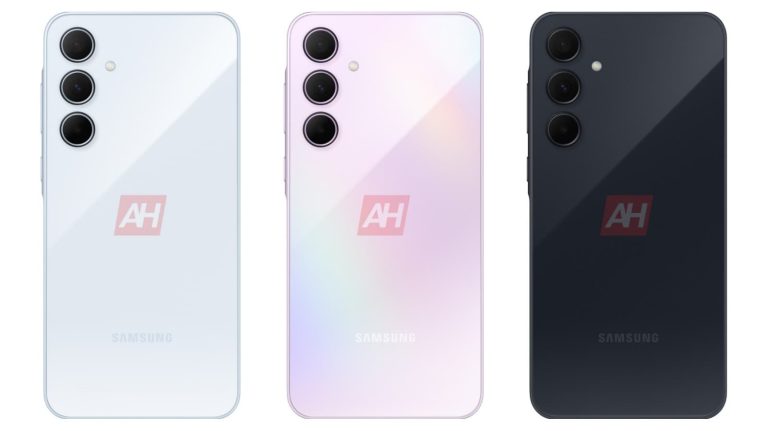
We have a new leak of the Galaxy A35
The Galaxy A53 had a design that heavily contrasted with the Galaxy S22 phones. It had a less premium feeling with its plastic build. However, Samsung flipped the script with the Galaxy A54. It adopted the current Galaxy S phone design, and this is what we’re seeing with the Galaxy A35 now.
Looking at the photo below, it pretty much confirms what we’ve seen in previous leaks. We see that the phone has relatively rounded corners just like what we see with the Galaxy S24 and Galaxy S24+. Along with that, the back is possibly made of glass with three camera sensors at the top left corner. They stick out from the frame individually, and that’s what’s pretty much characterized the Galaxy flagships thus far. Along with the flagships, we also see it with the Galaxy A54 and Galaxy S23 FE.
Rumored specs
As for the current rumored specs for this phone, it’s obviously going to be a mid-ranger. Right now, these are still rumors, so you’ll want to take this news cautiously.
It appears that this phone will have the model number SM-835N6. Rumor states that this phone will come with 6GB of RAM, which is pretty standard for mid-range phones. As for the processor, we’re looking at the Exynos 1380 chip. This is the same chip that’s powering the Galaxy Tab S9 FE (Review).
Right now, there are a ton of details missing about this phone, so you’ll have to wait until more details come out.
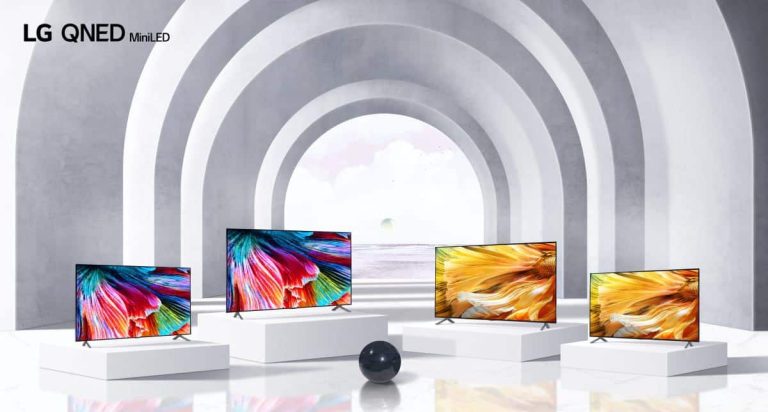
At CES 2021, LG introduced its first line of QNED TVs. These are boasting a new technology that LG is using in its TVs for 2021. Which is a form of LED, but what exactly is QNED? Is it better than the holy grail that is OLED? And how does it compare to Samsung’s QLED Neo technology, which also debuted at CES 2021?
TV manufacturers have been using various acronyms to name their technologies for a long time. Some of these acronyms include OLED, QLED, QNED, LCD, and LED. In this article, we will provide an in-depth analysis of QNED technology and tell you everything you need to know about it. By the end of this article, you’ll be able to decide whether a QNED TV is the right choice for you.
What is QNED?
QNED is primarily a branding term, which is Quantomdot Nanocell Emitting Diode.
Basically, QNED will make use of around 30,000 LEDs used in the backlight. That is far more than the number found in its existing LCD TVs. This is because QNED is using MiniLED technology. That’s a backlight that can use a large number of very small LED lights to control brightness and create effective contrast between different areas of the screen.
LG’s QNED TVs, in particular, boast 2,500 dimming zones to limit blooming and ensure light is directed where it is supposed to be, across your screen.
MiniLED is not new. Actually, TCL has been using it in its QLED TVs in its 6- and 8-Series TVs in recent years. And Samsung will be announcing MiniLED TVs shortly.
According to LG, the new backlight “comprises up to almost 30,000 tiny LEDs that produce incredible peak brightness and a contrast ratio of 1,000,000:1 when paired with up to 2,500 dimming zones and advanced local dimming zones.”
Because of that, the contrast and brightness control is going to be similar to OLED. Remember that OLED panels can turn off individual pixels entirely, which leads to the so-called “infinite” contrast ratio between bright highlights and deep blacks. However, LG says that QNED won’t beat OLED. At least not yet.
Of course, the backlight alone won’t make the QNED TV the best on the market. It also depends on the processor. Half of LG’s new QNED TV models use the a9 Gen 4 AI processor, while the others use a lower-end a7 processor. Basically, just having QNED or MiniLED plastered on the box isn’t going to mean that it is the best TV around.
QNED vs OLED
For LG in particular, the announcement of QNED is pretty interesting. Since it is still selling its OLED TVs, it’ll be cheaper than its OLED lineup.
LG makes the best OLED TVs in the business, and those are not going away. QNED is basically sitting in its lineup as a middle ground between its OLED which is its holy-grail TV line, and the Nanocell. Which are LED TVs. And usually only a few hundred bucks.
LG isn’t getting rid of OLED, but it is pretty clear that it is looking to keep its ground in the LCD space, and not lose that to Samsung. Who has been really good with LCD and QLED TVs in recent years?
Basically, OLED still has better colors than QNED does, and that’s due to the type of panel there and the fact that individual pixels can be turned off when needed. Nothing is going to compete with OLED black levels. However, QNED can get very close.
Don’t confuse it with Samsung’s Neo QLED
Confusing huh? Yeah, we thought so at CES 2021. Samsung also announced Neo QLED, which sounds similar to the QNED that LG announced.
It is similar to Neo QLED is a transmissive MiniLED technology. And the Q still stands for Quantum. With Neo QLED, Samsung is relating it to the Quantum Matrix Technology and its picture-optimizing Neo Quantum Processor. Samsung promises 100% reproduction of the DCI-P3 color space.
What makes the Neo QLED technology stand out is the smaller backlight LEDs, much like QNED. This new Quantum Mini LED is 1/40 the height of its previous design. This allows for a significant increase in the density of these backlights. In order to make them this much smaller, Samsung had to remove the packaging and lens from the LED chip, replacing it with a new ultra-thin microlayer to guide the LED light.
The Quantum Matrix Technology boasts precise dimming, enhanced local power distribution, and a new black detail boost option. Which will extract more detail from dark areas. Neo Quantum Processor will offer 16 different neural network models trained for content upscaling.
There are some other Neo QLED features available, like 12-bit steps of LED brightness control for local dimming, although this doesn’t necessarily mean the panel supports 12-bit HDR content.
QNED vs Neo QLED
The biggest difference is actually a pretty subtle one. And that’s the LCD color filter being used between LG and Samsung for their new TVs. LG hasn’t disclosed which panel layer it is using on its QNED TVs; it is likely going to use IPS based on previous releases.
Samsung has already started to transition to Vertically Aligned LCD. This delivers better contrast than traditional IPS at the expense of narrower viewing angles. The HDR contrast versus viewing angle compromise could be the biggest difference that customers would see between the two.
Fundamentally, both of these technologies are the same. But, like with any technology, there are changes between the hardware and software here. Which is going to make these TVs look different compared to each other.
But both of these are technologies to keep an eye on for 2021. And moving forward.
Is this the future of TVs?
Simply put, yes.
But don’t expect every TV out there to use “QNED.” Instead, TV makers will use MiniLED – some of which are already doing so as QNED is mostly specific to LG TVs.
QNED is a pretty impressive iteration on LCD. And we can’t wait to see some form of QNED make its way into more TVs.
It’ll still be a few years before QNED is able to take on OLED TVs that are on the market, but it likely won’t take that long once people see the differences, especially with QNED being cheaper.
What QNED TVs can I buy?
LG first announced its lineup of QNED TVs at CES 2021, which means that we now have a pretty wide range of TVs that you can buy. The latest models are the 2023 models, since the models announced at CES 2024 are not yet available to purchase.
The best option here, in terms of pricing and features, is going to be the QNED75 series. This set comes 43-, 50-, 55-, 65-, and 75-inch sizes. This range starts at $399 and goes up to $899. So it’s quite affordable, and perfect to put in just about any room in your home.
LG also has QNED MiniLED available. The MiniLED portion relates to the backlight, this is going to allow the TV to get brighter without affecting the color accuracy of the picture. The QNED MiniLED 99 series is quite expensive currently, as MiniLED is still fairly new, but the 65-inch starts at $2,499.
A recent massive operation by INTERPOL, which happens to be the biggest international police organization in the world, has successfully targeted the underlying infrastructure behind malicious activities such as phishing, malware, and ransomware attacks.
The operation is a significant step towards mitigating the impact of these nefarious activities and ensuring a safer online environment for everyone.
During the three-month period from September to November 2023, a global operation called “Synergia” was conducted across more than 50 countries, involving a total of 60 law enforcement agencies.
This operation was aimed at tackling complex and cross-border criminal activities, with a focus on employing advanced technical tools and methodologies for effective investigations and interventions.
DocumentRun Free ThreatScan on Your Mailbox
Trustifi’s Advanced threat protection prevents the widest spectrum of sophisticated attacks before they reach a user’s mailbox. Try Trustifi Free Threat Scan with Sophisticated AI-Powered Email Protection .
1,300 suspicious websites and servers linked to cybercrime were identified.
70% of these malicious servers were taken down, disrupting their operations.
31 individuals were arrested, with 70 more suspects identified.
Countries across continents participated, from Europe and Asia to Africa and South America.
Operation “Synergia”’ involved:
Conducting house searches and seizures of equipment
Collaboration with private sector partners: Tech giants like Kaspersky and TrendMicro provided crucial intelligence and support.
Assistant Director “Bernardo Pillot” at INTERPOL Cyber Crime added:
“The results of this operation, achieved through the collective efforts of multiple countries and partners, show our unwavering commitment to safeguarding the digital space. By dismantling the infrastructure behind phishing, banking malware, and ransomware attacks, we are one step closer to protecting our digital ecosystems and a safer, more secure online experience for all”.
Stay updated on Cybersecurity news, Whitepapers, and Infographics. Follow us on LinkedIn & Twitter.
Samsung has begun a wider rollout of the February 2024 Android security patch for Galaxy devices. Following an initial release for the Galaxy Z Fold 3 and Galaxy Z Flip 3, the company has now pushed the new security update to the Galaxy Tab S6 Lite (2020), Galaxy M31s, and Galaxy M13. More devices will join the party in the coming days.
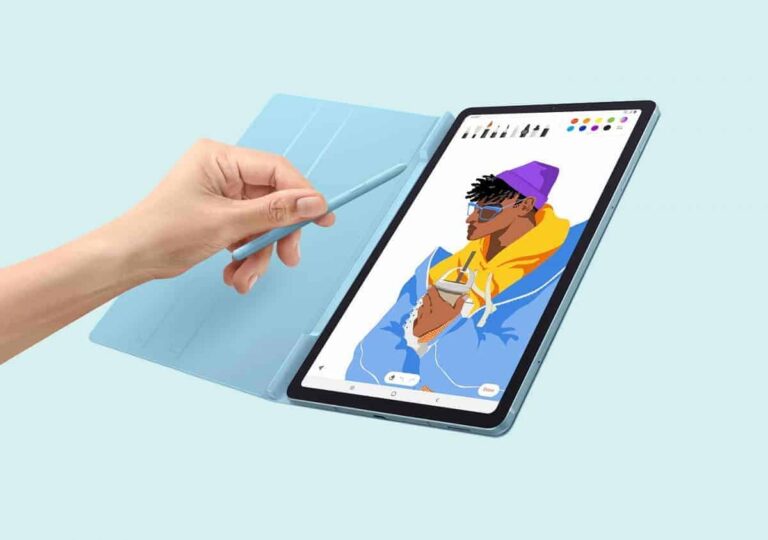
Galaxy Tab S6 Lite picks up Samsung’s February update
As of this writing, Samsung’s February 2024 SMR (Security Maintenance Release) is rolling out to the Galaxy Tab S6 Lite (2020) in Europe and Asia. More specifically, the update is available to users in France, Bangladesh, India, Nepal, and Sri Lanka. The new firmware build number for the device is P615XXS7FXA1. Samsung should soon cover the tablet with the latest security patch in more markets.
The company also released a 2022 refresh of the Galaxy Tab S6 Lite. The newer model, which came with a few upgrades, has yet to pick up the February SMR. Hopefully, Samsung won’t keep its users waiting for the update long. Don’t expect any major user-facing changes, though. The latest update is all about this month’s security fixes. “The device is protected with improved security,” the official changelog states.
The Korean firm has already published the updated security bulletin with the content of the new SMR. The latest security release patches 69 vulnerabilities across the Galaxy family. These include three critical Android OS vulnerabilities, 58 high-severity Android OS vulnerabilities, and eight Samsung Vulnerabilities and Exposures (SVE) items. The latter security issues only exist on Samsung products.
If you are using a Galaxy Tab S6 Lite (2020), you should soon get an update with these security fixes if you haven’t already. Watch out for a notification in the coming days. You can also check for updates manually on your tablet from the Settings app. As Google recently said, not updating devices to the latest security patches is one of the most common cybersecurity mistakes. You might not want to make this mistake.
Galaxy M31s and Galaxy M13 have also received this update
Samsung’s February security patch is also available for the Galaxy M31s and Galaxy M13 in India. The two M-series phones are picking up the new SMR with the firmware build numbers M317FXXS5DXA1 and M136BXXS6DXA1, respectively. Like the two foldables and the 2020 tablet, these devices are also only getting the latest security fixes. There are no new features or other changes in tow.
As we embrace digitalization in various aspects of our lives, we inadvertently expose ourselves to heightened cybersecurity risks. However, with proper attention and precautionary measures, it is entirely possible to mitigate and avoid these cyber threats. Google recently highlighted the six most common cybersecurity mistakes people make. It also provided tips to enhance your online safety.
Google offers tips to avoid common cybersecurity mistakes
According to Google, reusing passwords is one of the most common cybersecurity mistakes. Many people use the same password across multiple online platforms. This habit can create a dangerous domino effect if one of those platforms suffers a breach. All of your accounts are suddenly at risk. The safest practice is to never reuse a password, not even twice. Create a different password for each account.
People usually reuse passwords that are easy to remember. Creating a strong and unique password for each platform makes it incredibly hard to remember all of them. You should use a password manager app to store your passwords securely. Some platforms also support passkeys, which are a safer and more convenient alternative to passwords. With passkeys, you can access your online accounts using your device’s biometrics or PIN.
Neglecting software updates is another cybersecurity mistake that can have serious implications. Updates often contain patches for critical security vulnerabilities on your device. If you don’t update your device timely, you leave it vulnerable to security attacks. Some vulnerabilities allow attackers to gain remote access to affected devices, potentially causing extensive damage if exploited.
2-Step Verification (2SV) is also an important online security feature that many people ignore when setting up their profiles. It adds a step during the sign-in process. Along with a password, 2SV requires verification via something that you possess, like a security code sent to your smartphone. It blocks unauthorized access even if your password is compromised. 2SV cuts down many kinds of attacks, “including 100% of automated bot attacks.”
Always configure a screen lock on your device and never click on suspicious links
With the vast amount of personal and sensitive information stored on our smartphones, such as contact details, financial data, and login credentials, it is imperative to keep them locked and secure. You should always configure a screen lock on your devices, so even if you lose them, you don’t immediately open doors for potential cyberattacks and unauthorized access to your online accounts.
Additionally, you should never click on links that look suspicious, particularly if they are sent by unknown persons or phone numbers. Google notes that cybercriminals often disguise malicious links as legitimate ones, so it is difficult to determine if a link is genuine. However, you should be wary when clicking on links received in emails or text messages from unknown senders. Search for legitimate websites for organizations online.
Last but not least, Google says it is important to have a password recovery plan. If you lose or misplace your phone, which is crucial for 2SV, you may not be able to access your account without resetting the password. But if you haven’t created a recovery plan beforehand, you might left stranded with no access. Always add a recovery email or phone number to your accounts.
The Pixel 4a 5G and Pixel 5 had their software update support end late last year in November and October, respectively, according to Google’s own support page. But the company just pushed out one more update to both devices.
The new update doesn’t even include a new build number; it only added a .B2 to the end. Indicating that it’s a pretty small update. Google has not mentioned what was fixed with this update, and no changelog has been published either. Given how small the update is, it’s likely something pretty minor that was fixed here.
These are both phones released in 2020, with the Pixel 5 going on sale in October 2020 and the Pixel 4a 5G going on sale in November 2020. This explains why their software support ended in different months. Google promised three years of operating system and security updates here, which is a far cry from the new Pixel 8 series that was announced in October 2023. The Pixel 8 and Pixel 8 Pro get seven years of updates and will continue to be updated until 2030.
Google’s Pixel 5a is next to stop receiving updates in 2024
Sadly, the Google Pixel 5a is going to be next in line to stop receiving new updates. It was released in August of 2021, and three years of software and security updates were promised as well. Which means it will get its last update in August 2024. Considering the Pixel 5a is very, very similar to the Pixel 4a, 4a, 5G, and 5, we wouldn’t expect to see it get extended like some older Pixel phones have gotten in the past.
The Pixel 6, Pixel 7 series, and Pixel Fold all got an upgrade in updates, thanks to Google switching to Tensor. These phones all are getting three years of software updates and five years of security updates. That means the Pixel 6 series will get Android 15 this fall, and then only get security updates for the next two years.
As we’ve seen today, just because the software support has ended doesn’t mean Google won’t push out a new software update later on. Those updates are typically security updates that are patching a pretty serious issue. So always a good idea to install it.
Google may be working on a smart ring behind the scenes. It recently secured a patent for a compact antenna design for small-sized wearable devices, like smart rings. In fact, the patent documents categorically explain applications of the antenna in ring-shaped wearables.
Google patents a compact wearable antenna design
As spotted by MSPowerUser, the USPTO (United States Patent and Trademark Office) published a patent application from Google at the end of January 2024. Titled “wearable antenna and wearable device,” it describes a compact antenna for wearable devices for facilitating wireless communication with other devices around it.
Google explains that developing compact antennas for wearable devices is challenging because these devices sit close to the skin or in direct contact with the skin. Since the human body is electrically conductive, it can affect the performance of the antenna. The company’s patented antenna design uses microwave dielectric substrate with a high relative permittivity to mitigate the body effects.
The antenna is 8×8mm or smaller in dimension, making it extremely compact while transmitting and receiving signals better. It can also store electrical energy for better battery life. Google’s patent documents go into detail about the technical tidbits of the product. They also highlight some applications of the antenna, with sketches specifically showing its use in a smart ring.
The company notes that the antenna can also be used in other types of wearable devices, such as smartwatches, smart textiles, and similar products that require a compact antenna with good efficiency. However, Google may be exploring a smart ring itself. These tiny wearable devices are seen as the way forward for fitness accessories that can be paired with smartphones, which are omnipresent in our lives.
Industry estimates suggest the smart ring market will grow exponentially over the next few years. According to DataHorizzon Research, the market was valued at $147.1 million in 2022 and is expected to reach $1,405.1 million by 2032. That marks a CAGR (compound annual growth rate) of 25.4%. It remains to be seen when Google enters the smart ring market.
Samsung will launch a smart ring later this year
Samsung could be the first big tech company to launch a smart ring. The company is preparing to unveil the Galaxy Ring in the second half of this year. The ring is said to come in multiple sizes with a wide range of health sensors. The Korean behemoth teased the product during the Galaxy S24 launch last month. We may hear more about the Galaxy Ring from Samsung in the coming months.
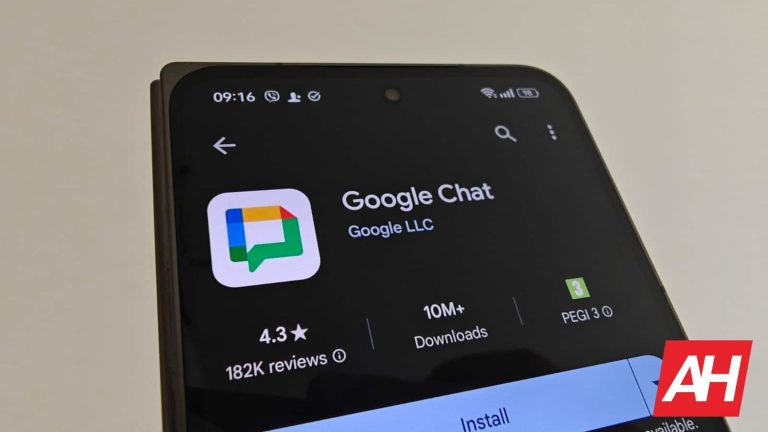
Google Chat is yet another chat service by Google. Many of you are probably quite confused at this point, as Google had quite a few of these services, some of which are gone at this point. In this article, we’ll do our best to explain what is Google Chat and provide you with some additional information about the service. This service was launched back in 2017, and it’s not as popular as some other messaging services. It not only arrived late to the party, but it launched as a spin-off, in a way. Let’s talk more about Google Chat, shall we?
What is Google Chat?
As mentioned in the introduction, this is a chat service aka communication software. Google Chat came to life as a spin-off from Google Hangouts, in a way. It came to being one of two apps to replace Google Hangouts. Google launched Google Chat and Google Meet. Google Meet seemingly managed to get more traction than Google Chat, at least it seems that way, as Google didn’t release any official information.
How can I access Google Chat?
Google Chat is available on both desktop and mobile platforms. You can access it via the Gmail client, with ease, as it replaced Hangouts there. You’ll notice the ‘Chat’ menu in the left-hand menu on Google’s official mail.google.com website. You’ll need to log in first, of course. Google Chat is also available in the form of a smartphone app. If it’s not already installed on your phone, you can get it from the Google Play Store. It’s free, of course. It’s also available on iOS, in case you’re using an iPhone.
Does Google Chat contain my Hangouts conversations?
Those of you who used Hangouts in the past are probably wondering whether your archive of conversations is available in Google Chat. The answer is yes, well, if you want. You can get Google Chat to pull the list of your Hangouts conversations for you, at least that was the case when I first installed the app. That was quite some time ago. It’s possible that it’s pulling the conversations on its own now.
Does it have ads?
No, Google Chat does not have ads, unlike many other apps out there. Those of you who use Viber, Facebook Messenger, and some other popular instant messaging applications, will know that ads are usually a part of such apps. Well, that’s not the case here, which is to be expected, as this is Google’s app. You won’t be bothered by ads in between your conversations, nor will you get any other type of ads here.
Is it feature-rich?
Google Chat, as things stand, is a minimalistic instant messaging service. It does have all the essentials that you’d expect out of such an app. You can send text messages, pictures, videos, GIFs, calendar invites, and so on. It even has great integration with Google Meet, as expected. It does not have some other, more advanced instant messaging features, though. Those non-essential ones. You won’t find custom stickers here, for example, nor can you record and send a voice clip to someone via this app. All the essentials are here, though.
Is the UI clean or cluttered?
Both the Google Chat app and web client are quite clean in terms of the UI design. That’s not surprising considering that this is Google we’re talking about. If you prefer a straightforward design with no clutter, Google Chat is one of the best out there. Other than the hamburger menu, search bar, profile picture, and two tabs at the bottom, the entire focus is on the conversations themselves. Even when you open a particular chat, you’ll get a really clean UI, with most features being located on the left side of the message field.
Does it support group conversations?
Yes, it supports group conversations, the same way Hangouts did back in the day. You can easily create group chats. All you have to do is start a new chat with one person, and then you’ll see the add icon at the top. Via that icon, you’ll be able to add more people to that chat without a problem.
Does it come pre-installed on Android phones?
That question, regardless of what app we’re talking about, always depends on what phone we’re talking about. Android OS is installed on a lot of phones these days, some of which have Google services, some do not. On phones without Google services, no, it does not come pre-installed. Even on phones that do come with Google services, chances are you won’t see it pre-installed. Some phones may have it, but most that I’ve seen do note. Google may start pushing the app more aggressively down the line, but that’s just not the case at the moment. It’s way more aggressive with Google Meet, in all honesty.
What are Google Chat alternatives?
There are tons of instant messaging apps in the market, so you have plenty of alternatives to Google Chat. In fact, most of those alternatives have been alive longer than Google Chat, in its current form. Some of the alternative instant messaging services are Viber, WhatsApp, Facebook Messenger, Signal, Telegram, and Kik. These are, of course, not all the services available out there, but only some of the most popular ones.
Is Google Chat Android exclusive?
No, it’s not. It is also available on iOS, in an app form. Google Chat as a service, on the other hand, is available pretty much everywhere. Regardless of what OS you’re using, you can access this service via the web browser. Simply open mail.google.com, as we talked about earlier, and it will be there, along with your emails.
Will Google Chat remember my past conversations?
By default, yes, it will. Google Chat does have an option to disable message history, though. If you’d like it to delete older messages, you can opt for that as well. Most people prefer to have all their chats in one place, and not lose any of them, or choose which ones to delete. So, by default, the chat history is turned on. You can easily change that.
Is Google Chat aimed at private or business use?
Well, both, kind of. It aims to be a regular instant messaging app, but it also caters to business users. It’s a part of Google’s Workspace portfolio, and it is being used for business purposes as well. It does a good job in that aspect.
Does Google Chat support dark mode?
Many people prefer dark themes these days, and some of you are probably wondering if dark theme/mode is available in the Google Chat app. The answer is, yes, it is. In fact, you have several options regarding dark mode. You can choose between Light and Dark modes in the settings, or you can simply opt to have Google Chat follow your system settings. If your phone is set to dark mode, in general, this app will be too.
Can I uninstall Google Chat?
Yes, you can. This app doesn’t come pre-installed on many devices, but even if it does, chances are you’ll be able to replace it. We haven’t tested every single phone in the market, of course, so there could be some exceptions, but in general, you can uninstall it without a problem.