In an attempt to make the internet space more competition-friendly, the EU with the DMA (Digital Markets Act) has established a so-called “gatekeepers” list, and TikTok is one of the companies included in it.
Being listed as a gatekeeper requires you to meet a series of requirements to ensure the space is competition-friendly. TikTok’s parent company, ByteDance, has appealed the inclusion of TikTok in the list. But now, this appeal has been dismissed.
Examples of requirements that ‘gatekeeper’ services need to meet under the DMA are, for example, messaging services to support interoperability with other messaging services. Or, OS developers to let users choose which apps to pre-install, and not to favor their own services and apps over those of third parties.
To be considered a ‘gatekeeper’, the service needs to have a specific number of users, market capitalization, and to be influential among people.
TikTok was one of the first services listed as a ‘gatekeeper’, and ByteDance appealed. However, the General Court of the EU has now ruled that the company meets the conditions for a gatekeeper.
TikTok was arguing that appointing gatekeepers was to protect emerging services from dominant companies but TikTok didn’t have a comparable position to others in the gatekeepers list. The list also includes giants such as Amazon, Alphabet, Apple, ByteDance, Meta, and Microsoft.
The rules from the DMA indicate that services with more than 45 million monthly users and a capitalization of more than 75 billion euros in the EU are to be considered gatekeepers. TikTok meets these conditions, and it also has an influence on people.
ByteDance can still try to defend itself despite its appeal being dismissed. To do so, the company needs to take the case to the Court of Justice of the European Union (CJEU). This will be the last chance for the company to evade the gatekeeper list.
Izzy, a tech enthusiast and a key part of the PhoneArena team, specializes in delivering the latest mobile tech news and finding the best tech deals. Her interests extend to cybersecurity, phone design innovations, and camera capabilities. Outside her professional life, Izzy, a literature master’s degree holder, enjoys reading, painting, and learning languages. She’s also a personal growth advocate, believing in the power of experience and gratitude. Whether it’s walking her Chihuahua or singing her heart out, Izzy embraces life with passion and curiosity.
Researchers at Bitdefender Labs remain ever-vigilant, informing users about the latest scams and internet perils that threaten their security and finances.
The latest discovery involves cybercriminals exploiting an alleged assassination attempt on former US President Donald Trump to conduct extensive crypto-doubling schemes.
Stream-Jacking Attacks on YouTube
Stream-jacking attacks on YouTube, where hijacked channels are used to promote fraudulent schemes, are not new. However, cybercriminals continue to refine and adapt their tactics to maximize their reach and success.
In a recent development, threat actors have leveraged the assassination attempt against Donald Trump to lure unsuspecting victims into their crypto-doubling scam.
The Mechanics of the Scam
Bitdefender researchers have identified dozens of hijacked YouTube channels that have been broadcasting deep fake live streams featuring Elon Musk since July 16. These streams purport to reveal insights into the assassination attempt on Trump.
Protect Your Business Emails From Spoofing, Phishing & BEC with AI-Powered Security | Free Demo
While the videos do not mention the incident, the channel descriptions provide additional context, falsely linking Elon Musk to political support for Trump.
One such description reads, “Elon Musk plans to provide about $45 million a month to a new political committee supporting former US leader Donald Trump as part of the presidential campaign #Tesla #Musk #Trump.
“Another hijacked channel description states, “Former President Donald Trump was the target of an apparent assassination attempt Saturday at a Pennsylvania rally, just days before he was to accept the Republican nomination for a third time.
Amidst a barrage of gunfire, a bloodied Trump, who reported being shot in the ear, was surrounded by Secret Service and hurried to his SUV, all while defiantly pumping his fist.
Trump’s campaign has since stated that the presumptive GOP nominee is doing ‘fine’ after the shooting, which pierced the upper part of his right ear.
The incident set off panic at the rally, with many attendees seeking cover from the unexpected violence. Billionaire Elon Musk reacted to the incident, stating Saturday evening that he ‘fully’ supports Donald Trump.
Musk’s statement has added a new dimension to the unfolding events, hinting at potential political endorsements in the upcoming election. #Tesla #Musk #Trump.”
Hijacked Channels and Deepfake Videos
Not all hijacked YouTube channels have changed their names, but some have been renamed “Tesla” or “Donald Trump Jr.”
The threat actors have stripped these channels of their original content and begun livestreaming the same deepfake video promoting crypto-doubling offers under titles like “Elon Musk Reveals Insights on Trump Assassination Attempt and Election Support.”
The potential reach of this scam is alarming. One of the hijacked channels has 1.26 million subscribers, while others have subscriber counts ranging from 100,000 to over 700,000.
The broadcasts use looped-deep fake videos of Elon Musk, encouraging viewers to scan a QR code embedded in the video to participate in a crypto giveaway.
Fraudulent Websites and QR Codes
Scanning these QR codes directs users to fraudulent websites hosted on domains resembling the impersonated brand, such as Tesla, or domains that associate Musk’s and Trump’s names.
Examples of these malicious domains include musktrump[.]org, tesla-elon[.]gives, elomusk[.]finance, muskrise[.]io, and taketesla[.]org.
Bitdefender’s anti-phishing and anti-fraud filtering systems have detected and blocked these domains.
Protecting Against Crypto-Doubling Scams
Vigilance and adherence to good cyber practices are crucial to avoid such scams.
Bitdefender researchers recommend the following steps:
Be Wary of Click-Bait Titles: Avoid videos and links with sensational titles related to Tesla or the attack on Donald Trump.
Check for Malicious Domains: Identify malicious domains and ensure your security systems block them.
Secure Your YouTube Account: Follow dedicated guides to keep your YouTube account safe from hijackers.
Scrutinize Crypto Investment Promises: Be skeptical of messages and videos promising double returns on crypto investments.
Avoid Scanning QR Codes in Videos: Do not scan QR codes in YouTube videos that offer too-good-to-be-true crypto giveaways.
Inspect YouTube Channels for Suspicious Activity: Look for signs such as missing or deleted videos and closed comment sections.
Report Suspicious Activity: Notify the platform or other relevant parties about any suspicious activity.
Use Comprehensive Security Solutions: Employ trusted security solutions that can block phishing attempts and fraudulent links.
Utilize Scamio for Verification: When in doubt, use Bitdefender’s Scamio to analyze texts, messages, links, QR codes, or images for potential scams.
Scamio is available on Facebook Messenger, WhatsApp, and web browsers and can be shared with others in various countries.
As cybercriminals continue exploiting high-profile events for their schemes, users must stay informed and vigilant.
Individuals can protect themselves from these sophisticated crypto-doubling scams by following the recommended precautions and utilizing advanced security solutions.
If you’re actively participating in the Tinder subculture, you’re going to get a kick out of this: the popular dating app declares that a new feature is coming to the US this July!
Tinder has announced the release of ‘Photo Selector’, an AI-powered feature designed to help users choose their profile pictures from a curated selection of photos retrieved directly from their phones.
Authenticity is crucial in attracting the right match on Tinder – and the idea is that the AI tool will make you somehow more authentic, a Tinder blog post explains. Hey, look on the bright side: at least there’ll be someone (or rather – something) to blame when you don’t get any Tinder matches.
They’re citing data from a survey: 85% of singles believe their dating app profiles should represent their true selves, while 52% find it challenging to select a profile image.
Most single women prefer men’s profiles with at least four images that genuinely reflect their personalities. Men who include more than one face photo in their profiles increase their chances of matching with women by 71%, the announcement continues.
Photo Selector could be seen as a digital companion that curates a diverse selection of photos from users’ camera rolls, optimized to help users find a match.
Image cred
Tinder.
Singles aged 18-24 report spending an average of 33 minutes selecting the right profile photo for their dating app – this is where the new app comes into play!
By alleviating the burden of photo selection, Photo Selector enables users to focus more on making meaningful connections rather than spending excessive time on choosing photos.
“We’re proud to be the first dating app to roll out an AI tool that can make the profile-building experience significantly easier – an area we know is one of the hardest parts of dating. As the category leader, we’re pushing ourselves to define the industry’s best use cases for meaningful consumer AI integrations. As demonstrated by our Photo Selector feature, we’re developing AI tech to assist you in making decisions, not to make them for you. Our commitment to our users is clear and equally applies to our view of AI: at Tinder, we develop innovative technologies to create a safer space for people to make authentic connections.
–Faye Iosotaluno, CEO of Tinder.
Using Photo Selector
Here’s how this is supposed to work – simply snap a selfie for facial recognition, grant access to your camera roll, and let our AI tech curate a selection of images for your review.
You decide which pictures you want to select and add to your profile.
Capturing the ideal images from your smartphone
Tinder Resident Dating Expert Devyn Simone offers tips on choosing profile photos that truly reflect your personality.
Find your light: Think of yourself as the star of a glamorous photoshoot. Well-lit photos are always the vibe; natural light is your best friend. On a sunny day, seek out a nice shaded spot and snap a few variations. It’s always good to have a few options to choose from.
Avoid confusion: No one wants to play “Where’s Waldo?” with your dating profile pics. People are here to meet you, not your entire friend group. One group photo is fine, but keep the rest solo. Opt for a bright, fun pic that showcases you in all your glory.
Clean that lens: It’s basic but crucial. You don’t want to look like you were photographed with a potato. Give your camera lens a quick wipe with a microfiber cloth before snapping away. Crisp and clear photos = instant upgrade.
Have fun: Your profile should be a mini-story about your fabulous life. Show off different sides of your personality with a variety of photos: a stunning headshot, an action shot (you doing something you love), a social shot, and a candid shot. Inspire people to want to know more about the amazing you!
Mix it up: If your profile pics are older than your favorite brunch spot, it’s time for a refresh. Keep things current by adding at least one or two new photos. Fresh pics show you’re active and keep your profile feeling new and exciting.
Photo Selector will be available in the U.S. region beginning in July, as well as international markets later this summer.
You will soon be able to track your Pixel Watch, and do other useful things, remotely, even if the watch is offline and not paired with any device. This upcoming new feature leverages the Find My Device network capabilities, and it’s something that’s been around in iOS for some time.
Actually, this functionality already works with Android phones and tablets, as well as some trackers. Our friends at 9to5Google have found out that the feature is coming to the Pixel Watch. By decompiling the code of the Pixel Watch app, they found a couple of stings of code, suggesting that a Find My Watch feature is in the works.
The strings of code show a label nested under the Find My Device setting, called “Find My Watch.” There’s also a short description of the feature, reading: “Allow to remotely locate, lock, and erase your watch, even when your watch is offline.”
This means that if you lose your Pixel Watch or your device gets stolen, you will be able to locate it and hopefully retrieve it, or in the worst case scenario, erase it to prevent personal data leaks. It’s done using other devices linked to the Find My network, so you don’t need to be connected or paired directly to your Pixel Watch.
Google will probably expand this functionality to other Wear OS devices, as the Find My Device network uses Google Play Services, meaning it can connect a wide range of devices, independently of their specific hardware. The Pixel Buds Pro, for example, might be next in line to receive the Find My feature.
Chrome is constantly testing new features and evolving. A new feature in the works now indicates that Android users will be getting fewer APK download warnings in Chrome.
There’s a lot of risk when you’re downloading APK files from places other than Google Play Store. In fact, if it ends up being malicious, it could create loads of problems on your Android phone and cause you headache after headache. Of course, Google wants to warn you about these risks, and Chrome on Android displays a warning prompt when you try to download APK files from another website.
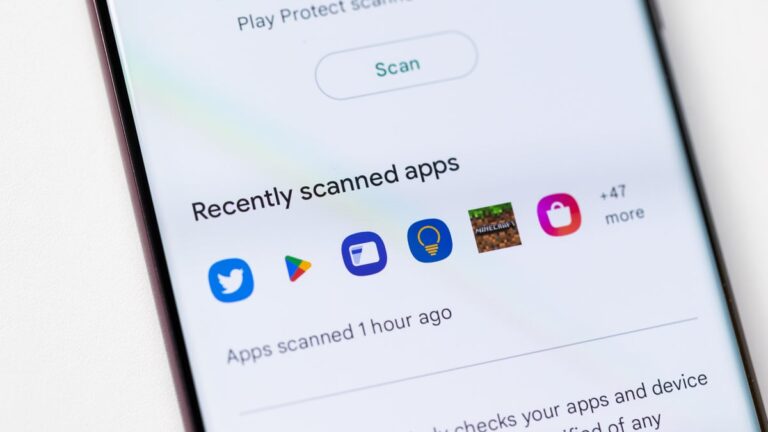
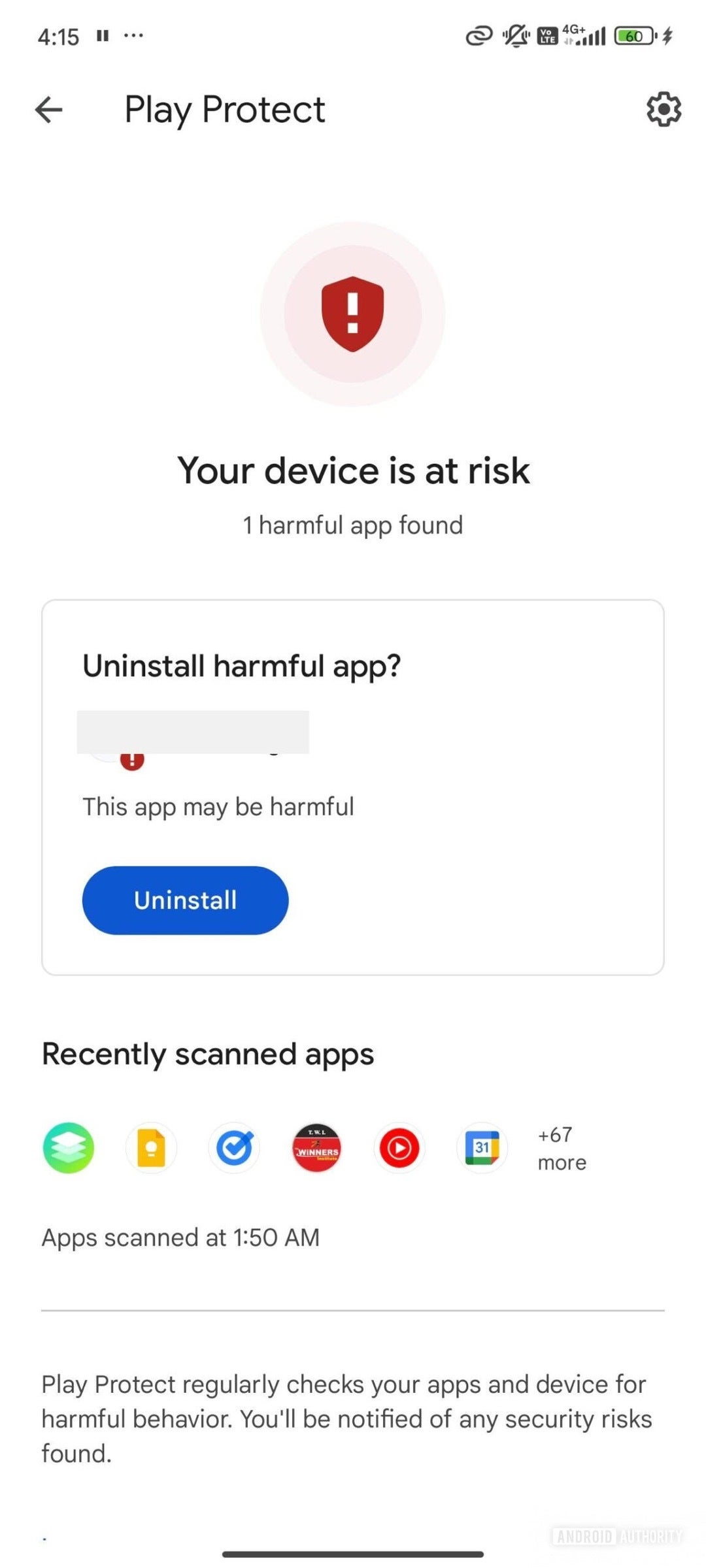
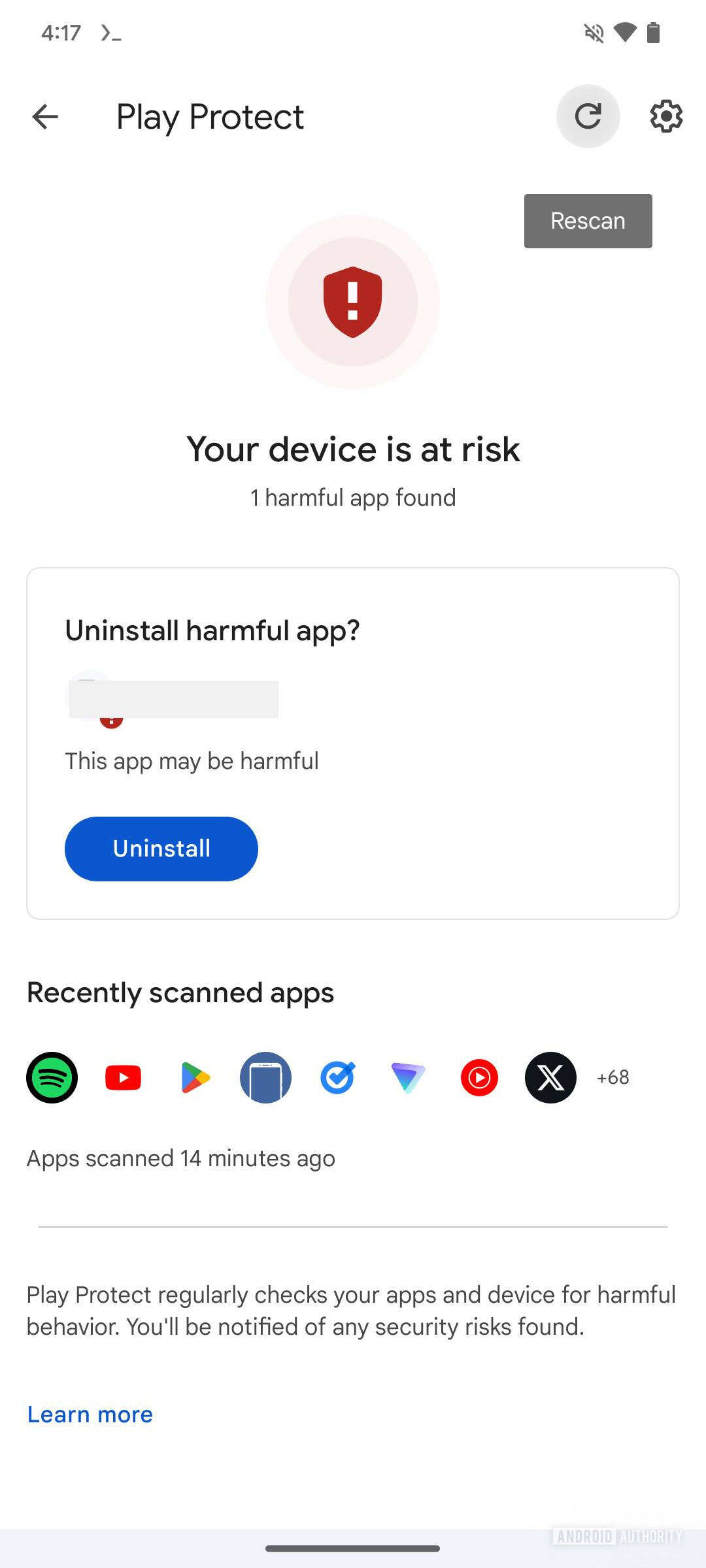
This feature is undoubtedly useful, but the warnings can be overwhelming and unnecessary sometimes. You see warnings “File might be harmful” even if you’ve enabled Google Play Protect (GPP). GPP basically scans your apps and files to determine if they are malicious.
Google is reportedly working on eliminating unnecessary APK download warnings, specifically when you have Play Protect enabled on your device.
This won’t get rid of all download warnings though. The “File might be harmful” warning will still be visible to users when downloading a file if you have disabled Google Play Protect.
This feature is currently being tested, so it’s unclear when it will make it an official release.
In my opinion, warnings are always important but too many warnings can create the opposite effect and people might start ignoring them. If we have fewer warnings, then those will be more attention-worthy. However, I don’t consider getting rid of all warnings if you have GPP activated to be the best solution. It’s always good to have some sort of indication to users that they may be doing something bad for their phone.
Izzy, a tech enthusiast and a key part of the PhoneArena team, specializes in delivering the latest mobile tech news and finding the best tech deals. Her interests extend to cybersecurity, phone design innovations, and camera capabilities. Outside her professional life, Izzy, a literature master’s degree holder, enjoys reading, painting, and learning languages. She’s also a personal growth advocate, believing in the power of experience and gratitude. Whether it’s walking her Chihuahua or singing her heart out, Izzy embraces life with passion and curiosity.
Designer, Microsoft’s image editor that allows users to create custom images, stickers and more, is getting a mobile version. Initially available on the web, Microsoft Designer is making the jump to mobile after about a year in beta.
Starting today, Android and iOS users can take advantage of all the AI-powered tools Designer offers. The only requirement is having a personal Microsoft account, which can be created for free in just a few steps.
It’s important to add that Designer is more than just a simple image editing app. Microsoft has already confirmed that Designer integrates seamlessly with many of its products, including Word and PowerPoint through Microsoft Copilot.
Another significant upgrade over the initial beta version of the app is that Designer now supports more than 80 languages. Besides being able to create images and designs with words, and the ability to edit images on the go, Designer also lends many of its generative AI editing and creation capabilities to other Microsoft apps such as Photos.
This means that users can edit their photos to erase objects, remove backgrounds, auto crop, make adjustments, apply filters, markup, and add text without leaving Photos.
Now that it’s out of preview, Microsoft’s Designer app gains several new features such as new prompt templates, the ability to create custom stickers, greeting cards, and invitations, as well as Restyle, a new feature that allows users to transform any photo into a work of art.
More importantly, Microsoft announced that Designer launches out of preview with 15 free daily boosts that can be used to create or edit AI-powered images. Those who need more than 15 daily boosts can upgrade to a Copilot Pro subscription and get 100 boosts per day.
Keep in mind that boosts are automatically used whenever you create or edit images or design both in the Designer app and where Designer is integrated across Microsoft apps.
Amazon Prime Day ends today, and you don’t want to miss it. The company is discounting all sorts of great Android phones right now, which we are rounding up here in this article. This includes a whooping $300 off of the best foldable on the market – the OnePlus Open. There are also big discounts on the Galaxy Z Flip 5 and Fold 5, the Pixel 8 Pro, and many more. In fact, there are some great smartphone deals that aren’t at Amazon that you will want to take advantage of.
However, by far the best deal that you can get right now is, a $300 Amazon Gift Card when you purchase the Galaxy Z Fold 6 or Galaxy Z Flip 6. That gift card can really come in handy and be used to purchase a new Galaxy Watch 7 or Ultra, maybe some new cases or even the new Galaxy Buds 3 Pro.
So, without further ado, here are the best smartphone deals still available during Amazon Prime Day.
Last week, Samsung unveiled the Galaxy Watch 7 and the Galaxy Watch Ultra at its Unpacked event. Although there are visible differences in the size and the design of both smartwatches, most features remain the same. However, when it comes to watch faces, both have a few differences.
While there are many watch faces in the latest smartwatches, two are exclusive to the Ultra model. Those two watch faces are “Ultra Analog” and “Simple Ultra.” But, a question always remains. Will Samsung bring these exclusive watch faces to the older Galaxy Watch models with future updates? Fortunately, the short answer to this is yes, at least for the time being.
The Ultra-exclusive watch faces have a unique feature
One may wonder what is so special about these exclusive watch faces. Samsung supercharges both watch faces with a unique feature giving hour markers, watch hands, and other UI elements a photoluminescent glow effect in the dark. Since both watch faces are exclusive to the Ultra model, it is evident that Samsung doesn’t offer them on the Galaxy Watch 7. Neither did it bundle these watch faces with the One UI 6 Watch Beta update for older Galaxy Watch models.
Although there were speculations that Ultra-exclusive watch faces won’t make it to the older Galaxy Watch models, today’s report from Android Authority hints at something good for those who haven’t upgraded or thought of upgrading to the latest Galaxy Watch models.
Older Galaxy Watch series could get Ultra-exclusive watch faces with future update
A Samsung Community forum post spotted by Android Authority suggests that the company could make the exclusive watch faces available to the older Galaxy Watch models. The user who stated the same happens to be a Beta Moderator. The user adds that the Ultra-exclusive watch faces “have the same One UI as Watch 4, Watch 5, and Watch 6 due to both hardware and software capabilities.” And, that Samsung could integrate the new watch faces into the older Galaxy Watch models with future updates.
That does make some sense, though. Generally, most brands initially keep new watch faces exclusive to the latest or high-end models. But, eventually end up making them available to the older models as well. All that said, there’s no word on the exact release timeline as we write. However, given the track record of Samsung, old Galaxy Watch users may soon get to flaunt the Ultra-exclusive watch faces.
Satellite communication could soon be coming to a few Samsung Galaxy Android smartphones. Samsung has been tweaking its first-party apps, which hints some devices could communicate via Low Earth Orbit (LEO) satellites.
Which Samsung smartphones are getting satellite communication?
Apple has been gradually offering satellite communication. On the Android side, only a few companies have embedded the technology in some of their smartphones.
To reliably support satellite communication, Android smartphones would need native support for the technology. Google has been adding relevant code to Android 15, which strongly suggests the mobile operating system could unlock the feature on supporting hardware.
— AssembleDebug (Shiv) (@AssembleDebug) July 17, 2024
Some of the Samsung apps such as Emergency SOS, Samsung Messages, and even the native Phone app have relevant lines of code. Simply put, Samsung is actively amending its app to support satellite communication.
Samsung hasn’t officially confirmed which Galaxy smartphones would get satellite communication. However, Samsung smartphones would need the latest chipsets that support this technology.
It is interesting to note that Samsung apps have code attempting to raise awareness about the new technology. In other words, these apps primarily try to alert users about the existence of satellite communication but redirect users to Google’s solutions. Likely, Samsung may gradually develop solutions in-house for Galaxy One UI OS.
Can smartphones make calls and send lengthy texts via satellites?
Satellite communication isn’t a new technology. It relies on LEO satellites to bounce messages. Currently, the technology is very rudimentary, and only a select few brands have managed to embed it into a few of their flagship devices.
Some Apple iPhones have satellite communication. However, Apple’s implementation of satellite communication restricts the feature to sending emergency messages only. In other words, no iPhone can send lengthy text messages or make calls using LEO satellites.
Needless to say, Samsung would initially restrict satellite communication to a select few flagship smartphones. Moreover, the company might not unlock or support all features primarily because satellite communication is more strenuous on a smartphone’s battery than cellular connectivity.
Wear OS devices would offer full support for the Find My Device network, probably starting with the Pixel Watch 3 series. Currently, the network is compatible with Android phones, tablets, and trackers. In the future, even earbuds or headphones will be compatible.
New Find My Device network support would arrive soon to Pixel Watch devices
The feature was spotted by 9to5Google in the latest Pixel Watch app update (v2.5.0.652251118). The APK code hides strings that make direct reference to the support of the updated device tracking system. The new “Find My Watch” option description says that it allows you “to remotely locate, lock, and erase your watch, even when your watch is offline.” Currently, the option is just a shortcut to the FMD app.
Wear OS devices do not support the new capabilities of the revamped Find My Device network. For weeks now, compatible devices added to the network can be tracked even when offline. On Pixel phones, you can even track the device for several hours after turning it off. However, Wear OS smartwatches require being connected to an FMD-supported phone or to the internet via a mobile network.
FMD support could reach more Wear OS devices too
So, the next step seems to be to make Wear OS devices able to access all Find My Device perks autonomously. You are much less likely to lose a smartwatch since it is always on your wrist. However, the feature would be especially useful in theft cases. While Find My Device network support was spotted in the Pixel Watch app, more Wear OS devices could get it too. After all, there are no special hardware requirements for it. Find My Device is one of those features powered by the Google Play Services platform.
It is not yet known when the feature will be available on Pixel Watches. However, the next Made by Google event will take place in August. Considering that the company will even introduce the Pixel Watch 3, it seems like a good day to reveal the new support. Also, the first announcements about the Find My Device network mentioned that earbuds or headphones would be compatible as well. So, Google has yet to offer updates about it.