If you are looking forward to following the NBA League on YouTube TV, you can now enjoy multiview streaming. Support for this feature is now rolling out for the NBA League Pass, and viewers can access it with each game. YouTube TV announced that this feature is coming to the NBA this season via their X page a few days ago.
While this announcement is a joyful one for some users, there are a few things that they need to take to mind. Not all NBA games are going to be able to benefit from the multiview feature. The announcement on X points out that only select games will benefit from this feature as the season kicks off.
Additionally, only those who are subscribed to the NBA League Pass on YouTube TV will benefit from this feature. With the season already in progress and games already in motion, fans will need multiview to keep up with any clashing games. If you aren’t aware, the YouTube TV multiview feature is not making its debut with the NBA League Pass.
Details on the YouTube TV multiview feature now making its way to the NBA League Pass this season
A few months ago, YouTube TV launched the multiview feature for some channels on the platform. With this feature, users could watch more than one content from supporting platforms at the same time. You can think of this as multitasking while streaming on the YouTube TV platform.
However, despite launching this feature, not all channels had access to it. Ever since its launch, Google has been expanding access to more channels on YouTube TV, one after the other. Now, as the new NBA season commences, the multiview feature is making its way to the League Pass channel.
With this feature, users will be able to watch multiple games at the same time. But why will a fan of the NBA and a YouTube TV subscriber want to watch more than one NBA game at the same time? Well, there are a few reasons why these users will want to watch more than one NBA game at the same time.
Throughout the season, there will be some games that clash with others. This clash might affect a fan’s ability to stay on top of things with the clashing games. But with the multiview feature, these users will be able to watch the two games at the same time and analyse their favourite teams or players’ performance in comparison with that of others.
If you want to watch NBA games this season and have access to the YouTube TV multiview feature, you’ll need to pay for a subscription plan. For YouTube TV, users will need to pay $72.99 per month and if they want to enjoy the season’s games, they’ll need to pay extra. For access to the NBA League Pass, users will pay $14.99 per month or $99.99 for the whole season.
Google One is the company’s latest cloud storage offering, which combines your storage across Google products, into one service. Every user gets 15GB of storage free (5GB for Gmail, 5GB for Drive and 5GB for Photos) that can be used across your Google account. But Google One does come with a number of other freebies, and it’s a paid service too.
Google One is very versatile, and one of the better cloud storage services out there, mostly because it is tied so tightly to your Google account.
Here’s everything you need to know about Google One. From the pricing, to features, and even some benefits that Google offers.
What is Google One?
When Google launched Drive nearly a decade ago, it started to get into the cloud storage game. But for the most part, everything was zero-rated in your Drive account, so storage quotas weren’t really a thing. And Google gave everyone 5GB of storage for free, which was enough for most people who were uploading documents and files to Drive.
As things got more popular, and more data was stored on Google’s servers, they started having to charge users for storage. But made it pretty simple, giving everyone 15GB of storage per account. It worked out to 5GB for each of its three major storage services: Gmail, Drive and Photos. But none of them were capped at 5GB each. Meaning you could use 8GB for Drive, 2GB for Photos and 1GB for Gmail, and still have 2GB left over for storage.
However, now Google is starting to get rid of the zero-rating documents and photos on Drive and Photos in 2021. Which makes Google One even more important. Google Photos had unlimited storage at high resolution but that changes in 2021. And the same goes for Google Docs. Which did not count against your data. Which is where Google One comes in.
Google One is mostly a cloud storage service from Google. But instead of just offering storage, Google has thrown in some other features too. Like access to Google Experts, Cash Back for shopping at the Google Store, and even a VPN for Google One users. Occasionally, Google will also toss in hotel discounts, free movie rentals from Google Play Movies & TV and other freebies.
Where is it available?
Google One is now available in more than 140 countries, after initially being a US-only service. You can check out the full list of countries where Google One is available here. But it’s more likely than not that it is available in your country.
How much does Google One cost?
In addition to the free plan, there are six other plans available for Google One. Ranging from 10GB of storage all the way up to 30TB of storage. However, there are three plans that most people will be subscribing to. That’s 100GB, 200GB or 2TB. In fact, Google does not even show the 10TB, 20TB and 30TB plans until you are on the 2TB plan.
If you upgrade to the 100GB plan, that will cost you $1.99 per month or you can save some cash and pay $19.99 per year.
When you upgrade to the 200GB plan for $2.99/month or $29.99/year, you’ll get a few added perks. This includes 3% back in the Google Store.
The 2TB plan is actually the best value, if you use Google services a ton. It’s $9.99/month or $99.99/year. And it ups the cash back on the Google Store to 10%, and also brings in the Google One VPN. Which is a really useful addition, since you can pay almost that much for a VPN separately.
Google’s more souped up plans, the 10TB, 20TB and 30TB plans offer the same perks as the 2TB plan. So you’re basically just paying for more storage here. 10TB will cost you $49/month, 20TB is $99/month and 30TB is $149/month. There’s no option to pay annually for these, unfortunately. For about 95% of Google users, this is going to be overkill, and actually the 2TB might even be overkill, but it is nice to have it available.
What features are available in Google One?
As mentioned above, Google One plans do come with different features, which make the price more than just for cloud storage. Making it a better deal than what Dropbox or Box has to offer. Let’s go over these features.
Google Experts
This feature is available on all paid plans for Google One. This is a pretty simple feature to explain. It basically gives you access to Google’s own “experts” that you can get help from. Having trouble with some documents in Google Drive? Give the Google Experts a call.
Essentially, this is like “premium support” but with a cooler name. And of course, Google couldn’t use “Genius” here since that’s what Apple uses.
Google One VPN
The Google One VPN is only available on the 2TB or higher plan. Essentially, it’s a VPN built by Google that will protect your internet traffic. These days, VPNs are pretty important, since hackers are everywhere, and we typically use free and/or unsecured WiFi networks quite often. Which make it easier for hackers to get our data or worse.
Currently, the Google One VPN is only available on Android. But Google is working to make it available on desktop as well as iOS. Allowing you to use the VPN on all platforms.
It is basically the same VPN that Google Fi customers have had for years, the only difference now is that everyone gets access to it, with Google One of course.
Cash back on Google Store purchases
This is a really slick perk, and might get you to shop at the Google Store more often. Since the Google Store does sell all of Google’s own hardware, as well as some partners. So you’ll find the Nest Cam, Nest Hub, Pixel 5 and much more.
This is available on the 200GB and up plan. The 200GB plan is capped at 3% back, while the 2TB and higher gets the full 10% back. If you shop at the Google Store a lot, this can really come in handy.
The cash back will return to you in the form of store credit. So it’s more like “credit back” instead of “cash back”.
Additional Google Photos Editing Tools
The newest perk for Google One is the addition of new Google Photos editing tools.
Some of the features that are available for Google One members are the ability to use Portrait Light and Portrait Blur, making your photos really stand out. Portrait Light allows you to easily adjust the lighting on your portrait shot. While Portrait Blur allows your subject to stand out, front and center in the picture.
These features work on any photo in your Google Photos library. Even those that were not taken in Portrait mode, or taken many years ago.
Can I share Google One with family members?
You can share your Google One plan with up to five family members (or friends, really anyone). Just invite them to your plan, and you’ll be able to share it amongst everyone. This can be very useful if you are on a 2TB plan, as it’s cheaper to share it with five people and split the cost, than everyone getting the cheapest $1.99 plan. As $9.99 split six ways is $1.66 per month.
Google will not make your data available to others on your plan. So if you have some pictures stored in Google Photos that you don’t want others on your plan to see, they won’t. You’re only really sharing the storage, not what is using the storage.
How can I share with others?
It’s pretty simple to add family members. In the app, you’ll want to go to the Settings tab. Then tap on Manage Family Settings and then Manage Family Group. From there you can click the “+” sign and type in each person’s email. Now click send to send the invite to your family member. They will receive an email with a link to click to accept the invitation and be added to your account.
If you already share other Google services with your family, you can simple flip on the toggle to start sharing with them. This really only applies if you have YouTube Premium and/or YouTube TV, which offers the ability to share with up to five people too. That does make it very simple to share Google One with everyone though.
How do I remove family members?
Removing family members is also pretty easy. Just click on their profile and select Remove Member. And poof that member will be gone.
You can also opt to remove a family group if you wish. So that you’re no longer sharing with anyone.
How to sign up for Google One
Signing up for Google One is pretty simple, and actually if you already have a Google account, you have Google One. But upgrading to a paid account is still simple.
Head to the Google One website, or you can click on the storage bar found at the bottom of your Gmail, or in the left sidebar of Drive or Photos. That will also take you to Google One.
Now you’ll see a big blue button saying “Upgrade”, click on that. If you don’t see that button, click on the “Storage” icon on the left side of the screen.
Next, you’ll choose the plan that you want to upgrade to. Then Google will go through the payment process for you with that plan. And that’s basically it. You’re now signed up for Google One.
The same steps work in the Google One app as well.
How do I cancel or change my plan
You can cancel your Google One membership at any time. But remember, you will not be refunded. So if you cancel your plan in the middle of a billing period, you’ll still have access to that plan until the billing period ends.
To cancel or change your plan within the app, go to settings and then tap on “Change Membership Plan”. From there you’ll be able to choose whether you want to move to a bigger or smaller plan, or cancel it altogether.
The process is pretty similar on the Google One website. Click on the “Storage” icon on the left side, then tap on “Get More Storage”. Then select the plan you want, and follow the onscreen prompts to confirm. And you’re all set.
Unlike some other subscription services, Google has actually made it pretty easy to cancel this one. Or to change your plan. Which is definitely a relief.
Is Google One worth the price?
If you are someone that uses Google services for literally everything, including using an Android smartphone, as all your data storage is done in Google. So you can subscribe to Google One for one monthly subscription, instead of using multiple other services for storage. Since Google One does email, files and photos. It’s a really good all-in-one option.
The best plan, value wise, is going to be the 2TB plan. That gives you plenty of storage for all of your data that you want to store in Google. And it also provides the Google One VPN, which is really important as we’ve mentioned before. And you get 10% cash back at the Google Store, and for any Android user, you’re likely spending a bunch at the Google Store already. So why not get some cash back there.
We do hope that when Google Photos turns off the unlimited storage, that Google will debut a few more storage plans, between the 200GB and 2TB thresholds, like a 1TB of even a 500GB option. But we’ll have to wait to see if that happens. The jump from 200GB to 2TB is a rather large one.
It also stacks up well against competitors like Apple’s iCloud, which I believe is the best apples to apples comparison for Google One. iCloud offers 50GB for $0.99/month, 200GB for $2.99/month and 2TB for $9.99/month. The pricing is very similar, but the storage plans are kind of lacking. Google does offer quite a bit more in terms of plans, as well as perks.
Google really needs to add more of its subscription services into Google One. After all, that was the promise with Google One, that it was an all-in-one service. Google could add YouTube Premium (which includes YouTube Music) to the service, as well as YouTube TV. Or even a discount for bundling them all together, as someone that uses all three. Similar to Apple One.
Overall, it’s a pretty good service, and definitely worth the price. Particularly now that Google is eliminating unlimited storage for some of its products.
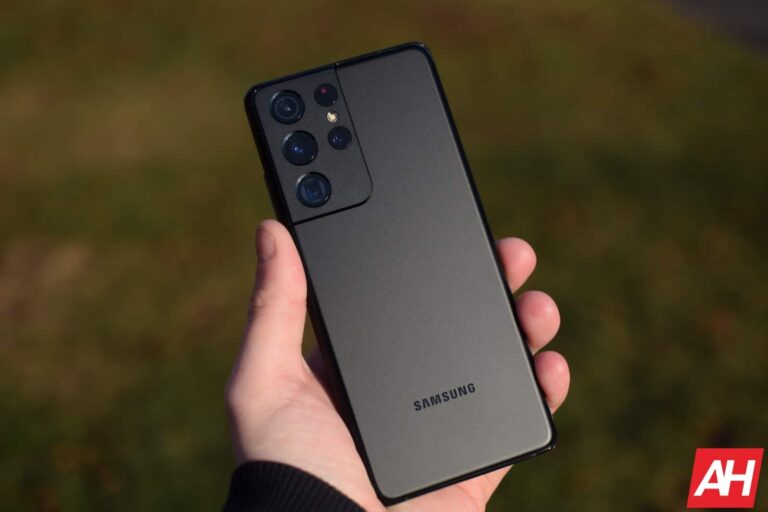
As Samsung fans await the S23 series launch, certification of the Ultra model’s S Pen hit the internet. This is through the stylus pen’s certification, which just became available to netizens. From these certifications, users can only glean so much information on the stylus pen, as well as the device it will launch with.
The information available on the certification only points out the stylus pen model number and one of its features. However, the feature in question is something that Samsung fans have known the S Pen to come with from the days of the Note series. This feature that the certification points out is none other than Bluetooth connectivity.
While this certification lacks any substance, it shows that the S Pen and the Galaxy S24 Ultra share similar model numbers. That information is only going to be vital for a handful of core Galaxy fans. The internet is looking out for actual details on the improvements to the coming Galaxy S24 Ultra and its S Pen, if there are any.
Samsung Galaxy S24 Ultra S Pen certification leak leaves netizens hoping for more
Netizens want to see leaks or certifications that reveal certain aspects of the coming Galaxy flagship line-up. These can include performance improvements, design upgrades, and so much more. Knowing fully well that the Galaxy S24 series launch is only months away, the tech leak industry is on its ten toes.
Over the years, Samsung and Google have held up to their strong reputation of keeping nothing a secret. You can liken these companies to a friend that you don’t trust to tell anything because they have a big mouth. Seeing that the certification of the coming Galaxy S24 Ultra S Pen has hit the internet, some netizens were expecting some juicy information from it.
Well, this certification just covers an S Pen and not any device on the S24 line-up. So there is not much it can give netizens and Samsung fans except what they are already aware of. The certification points out that the coming S Pen will support Bluetooth connectivity, which is a known fact.
When it comes to the model number of the coming S Pen, the certification reveals that as well (EJ-PS928). This model number is very similar to that of the Galaxy S24 Ultra (SM-S928) that this S Pen will launch with. Samsung might, however, improve the ways that users can put these products to use, hence improving productivity.
The launch of the Galaxy S24 series might take place in January 2024, which is only a few months away. As this launch event approaches, more certifications and leaks revealing details on the devices in this series will hit the internet. These leaks will throw more light on the coming Samsung flagship devices ahead of their launch.
October 30, 2023 – Last week on Malwarebytes Labs: Stay safe! Malwarebytes Managed Detection and Response (MDR) simply and effectively closes your security resources gap,…
October 29, 2023 – Most, if not all malvertising incidents result from a threat actor either injecting code within an existing ad, or intentionally creating…
October 27, 2023 – Octo Tempest is believed to be a group of native English speaking cybercriminals that uses social engineering campaigns to compromise organizations…
October 27, 2023 – Apple has released security updates for its phones, iPads, Macs, watches and TVs. Updates are available for these products: The important…
October 25, 2023 – VMWare has issued an update to address one out-of-bounds write and one information disclosure vulnerability in its server management software, vCenter Server. Since…
Eight months after market release, Samsung‘s Galaxy S23 series is still selling well. The company reportedly sold over two million units of the flagship trio over the past month. This is a healthy number considering the recent new entrants to the markets such as Apple’s iPhone 15 series and Google’s Pixel 8 series. The cumulative sales figure of the Galaxy S23, Galaxy S23+, and Galaxy S23 Ultra in the first eight months has almost reached 23 million.
Samsung registers healthy growth in Galaxy S23 sales
According to an estimate by Hana Securities Co. (via @Tech_Reve), the Galaxy S23 phones have cumulatively sold 22.89 million units in the eight months following their release. That marks a healthy 22 percent increase in sales over the Galaxy S22 series. This growth suggests Samsung’s latest flagships have benefitted from a strong word of mouth. The devices have received positive feedback from reviewers and consumers alike.
The sustained demand for the flagship trio is another indication that Samsung has done better this year. The company shipped over two million units of the three Galaxy S23 models combined in each of the previous two months. With the holiday shopping season still to come, the Korean firm may comfortably achieve its sales target for the lineup. It is aiming to ship at least 26 million units of its latest flagships before the end of the year.
As expected, the Galaxy S23 Ultra is a crowd favorite. It has accounted for almost half (10.69 million units) of Galaxy S23 sales so far. The base model has been picked up by over eight million people. The Galaxy S23+, which is more or less a Galaxy S23 in a bigger size, has sold 4.11 million units. Samsung flagships have shown a similar trend in sales split in the past few years, so this isn’t surprising.
We do have some surprising news, though. The same source reports that Samsung’s latest foldables are selling worse than their predecessors. The Galaxy Z Fold 5 and Galaxy Z Flip 5 have collectively sold 3.51 million units in the first two months after launch. In comparison, the 2022 models sold 3.63 million units over the same period last year. The Flip model is outselling the Fold, with the gap widening this year.
Samsung’s A series phones are selling well
Samsung may make a lot of profit from S and Z series phones but the A series has always been its volume driver, helping it keep its crown as the world’s largest smartphone vendor. The latest models in the series are reportedly selling well in their key markets such as India and the Middle East. It remains to be seen if Samsung can find a way to improve its foldable sales as well.
Podcasting is becoming a real deal and the Detail app is a tool that most podcasters can employ today. This is a podcast recording and editing app that helps its users explore the TikTok space as well as other similar platforms. It does this by allowing users to record up to two vertical videos and merge them one on top of another for different viewing angles.
By allowing users to record two videos with different devices, this app lets viewers have more than one speaker in their frame of sight. Currently, most video podcasters that use vertical videos for TikTok and the like switch cameras between two speakers. For some viewers, this might not be ideal considering the aspect ratio of the video.
The Detail app syncs the two devices that are recording together to be able to take the best videos. With vertical videos accessible from the Detail app, podcasters can increase their presence on social media platforms like TikTok. If you are a podcaster and are looking to use this app, this article has all the details you need.
Podcasters hoping to navigate TikTok will love the Detail app and its features
There are a lot of video editing features that are available on the Detail app. But, for this article, we will focus on the podcasting feature that’ll help users make TikTok-style videos for their podcasts. This app permits users to connect two iPhones and shoot a podcast video.
To secure this connection, the podcaster doesn’t even need a cable as everything is done wirelessly. The videos come up on both devices during the recording session, with the focus subject of one iPhone’s camera coming above the other. After recording, users can edit the video directly from the Detail app without the need for exporting to a video editor.
This feature is known as the Dual-Cam Podcast Recorder, and it is great for TikTok style videos. These are vertical video formats that are popular on TikTok, Instagram Reels, YouTube Shorts, and a few other platforms. Podcasters on these platforms upload their videos in vertical format, with the cameras switching from one subject to another through the conversation.
With the Detail app, podcasters can record directly from their iPhones, making it more convenient. The split view recording is available to two iPhones or one iPhone using the front and rear cameras. Once the recording and editing sessions are over, the podcasters can share the podcast video directly to TikTok or any other platform.
Well, there are a few drawbacks here as the app doesn’t support remote recording. All participants on the podcast must be together for creators to use the Detail app. Also, at the moment, this app is only available on Apple devices, so podcasters on team Android need to stick to their current podcast app.
Malwarebytes Managed Detection and Response (MDR) simply and effectively closes your security resources gap, reduces your risk of unknown threats, and increases your security efficiency exponentially. Malwarebytes MDR staffs highly experienced Tier 2 and Tier 3 analysts who are hands-on with customer endpoints, ensuring critical threats are quickly identified and a thorough response is rapidly deployed.
Want to learn more about MDR? Get a free trial below.
In the ever-evolving landscape of online security, passkeys are appearing as the next big thing to replace passwords and two-factor authentication. Google, a prominent player in this arena, will reportedly introduce its Credential Manager to implement passwordless login to Android devices on November 1.
The Credential Manager is intended to simplify the login process. It securely stores passkeys, passwords, and usernames. It also adds an extra layer of security on top through biometrics. Passkeys represent a shift away from the traditional username and password model and even bypass the need for two-factor authentication. Instead, users will be able to access their favorite apps and websites with a simple fingerprint or face scan.
What sets Google’s Credential Manager apart is its ability to automatically guide users to the appropriate login method. This means you no longer have to remember which app uses which authentication method, as the system handles it for you.
Google’s Credential Manager might be an invitation to app developers to implement passwordless login
Google has recently taken a significant step by making passkeys the default method for logging into personal Google accounts. Users will be prompted to create and use passkeys during the next sign-in. This strategic move signals Google’s intent to encourage Android apps to embrace passkeys.
Moreover, Credential Manager simplifies the process of integrating passwordless login into apps. Google mentions that popular applications like WhatsApp and Uber have already adopted this system. It can select the most suitable login option for users, even when multiple options exist for the same account. This prioritization and seamless switching between accounts enhance the user experience.
Passkeys are more secure than traditional passwords all while being easier to use
From a security perspective, passkeys offer several advantages over traditional passwords. They are less susceptible to phishing attempts as they only function within the specific website or app for which they were created. Furthermore, the device never shares them with the website or app itself, strengthening security and privacy.
For users, passkeys offer a more secure and easy login experience, while developers benefit from simplified support for various login methods. The Credential Manager also works seamlessly with popular password managers.
As the digital world continues to evolve, Google’s Credential Manager brings the promise of a more secure, convenient, and efficient future for online authentication.
Telegram’s latest fall update is a testament to the platform’s commitment to enhancing user experience. The update addresses user feedback by introducing many highly requested features to the messaging app. The fall update includes adjustable link previews, customizable colors, an all-new ‘replies 2.0’ feature, and more.
Telegram, a pioneer in handling complex conversations, has introduced a feature that allows users to quote specific portions of a message. Instead of quoting an entire message, you can now respond precisely to the part of the text that caught your attention. To enhance this feature, Telegram’s fall update has introduced a brand-new animation that smoothly navigates you to the exact location of the quoted text.
The Telegram fall update has added a new feature that allows users to send replies to messages in other chats. This feature continues their efforts to improve the messaging experience for their users. With this feature, you can quickly reply to a message privately or in a more personal chat. It comes in handy when you need to have a one-on-one conversation with someone or discuss something in a smaller group.
One standout feature of the fall update is customizable link previews. Unlike other platforms with fixed link previews, Telegram gives users the power to customize how links appear in group chats. You can adjust the size and location of the featured image, decide whether the preview should appear above or below the accompanying message, and select the link you want to preview if multiple links are present. Moreover, there is no need to worry about link misclicks; you can now open links with a simple tap anywhere in the preview area.
With the fall update, premium users receive more options to customize their accounts, including personalized color combinations
Telegram Premium, priced at $4.99 per month or at a discounted annual rate, offers a range of exclusive features. Premium users enjoy doubled channel limits, 4GB file uploads, an ad-free experience, and various other premium perks. With the Telegram fall update, premium users can now change the color of their name, links they send, and replies to messages. Additionally, they have the option to choose an icon to create a unique pattern behind their messages, adding a stylish backdrop to their conversations.
Stories have also seen a significant transformation in Telegram’s fall update, introducing the capability to fast forward and rewind videos. This enhancement simplifies the process of analyzing specific parts of a video. In addition, selfie lovers can now enjoy the new front flash and image filters that enhance warmth and intensity, perfect for creating the ideal picture.
Telegram’s user base has witnessed remarkable growth in recent years, cementing its position as one of the most beloved messaging apps in the market. This fall update reaffirms Telegram’s commitment to its loyal user base, continuously introducing fresh and innovative features that keep users engaged and connected.
Google Search is launching some new features to help you with math and science problems. These features include the ability to search for math and physics problems by typing them into the search bar or taking a picture of them using Google Lens.
You can now add this to my list of things I wish were a thing when I was going to school: Google is now making Search and Lens even more helpful when it comes to solving word, geometry, and physics problems. Additionally you will be able to explore interactive 3D diagrams of biology, chemistry, physics, and astronomy topics.
By just typing in your math problem into Search, you can now take advantage of Google’s new advanced math solver. Don’t know how you can even type in that intricate equation? No problem, because you can opt to instead use Lens to take a picture of it from your textbook or worksheet using Lens. Not only with Google solve it for you, but will actually teach you how to do it with step-by-step instructions.
Another new feature is the ability to get help with word problems and geometry problems by using Google’s language models. Word problems can be particularly difficult for students, but Google Search can now solve them and throw in interactive diagrams and animations in the process.
Finally, Google Search is now launching interactive 3D diagrams of biology, chemistry, physics, and astronomy topics. These diagrams allow users to explore complex scientific concepts in a more interactive and engaging way. For example, users can rotate and zoom in on 3D diagrams of molecules, cells, and planets.
These new features are a significant step forward for Google Search, as they make it easier for people to find the information they need about math and science. Additionally, they are designed to help students get some extra help getting some assignments done in a more interactive and engaging way.