Google has reportedly implemented a change to the Google Photos application that is widely used on both Android and iOS device. The change involves the way the application handles RAW files on Android devices and it could impact its users significantly.
Nowadays, many modern smartphones have the ability to capture images from their camera app in RAW format. These RAW images are unprocessed photo files that contain more data than JPEG files, which makes them larger in size, but also gives photographers more flexibility when editing their photos.
As spotted by 9to5Google, Google Photos appears to now be backing up these RAW images by default on Android devices that have that file type enabled in their Camera app. This can become a real problem as it would undoubtedly affect storage limits in the Photos application as well as data caps in the instances where backup via mobile network is enabled.
Image Credit – 9to5Google
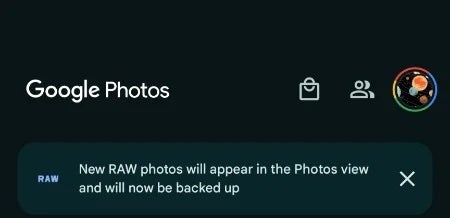
9to5 found this to be the case on a Pixel 8 device that had previously taken RAW images from its camera, where the next day a notice appeared within Google Photos stating that “New RAW photos will appear in the Photos view and will now be backed up.” More over, the images were automatically uploaded to Google Photos backup and appeared in the main photo grid, marked with a “RAW” badge on the top right corner. Opening the full image revealed both the RAW and JPEG versions of the photo.
However, this only seems to be happening with new images taken with the device and not existing ones in the library. It is unclear at this time if this is only happening on the Pixel 8 series as I was unable to replicate it on a Pixel Fold using the latest version of Google Photos.
Currently, all Google Accounts include 15 GB of free storage, which is shared across all Google applications. Most users will blow through that storage pretty quickly, especially when you add up the size of Android device backups and Gmail attachments to that number.
Unless you opt for external storage solutions, if you use Google Photos, you’re probably paying for a Google One plan that offers additional cloud storage. Hopefully, Google addresses this issue and clarifies if this is the new default behavior for the application — and what to do if storage is a concern.
The Ragnar Locker ransomware gang used Facebook ads to extort and terrorize victims, including hospitals.
In a significant international operation, law enforcement agencies from eleven countries have successfully dismantled the notorious Ragnar Locker ransomware group. This joint effort, led by Europol and Eurojust, dealt a major blow to a cybercriminal organization responsible for a series of high-profile attacks on critical infrastructure worldwide.
The operation, conducted from October 16th to 20th 2023, involved coordinated searches in Czechia, Spain, and Latvia. The “key suspect” linked to the malicious ransomware strain was apprehended in Paris, France, on October 16, 2023.
Subsequent interviews were conducted with five suspects in Spain and Latvia. At the conclusion of the operation, the alleged mastermind behind the Ragnar group was presented before the examining magistrates of the Paris Judicial Court.
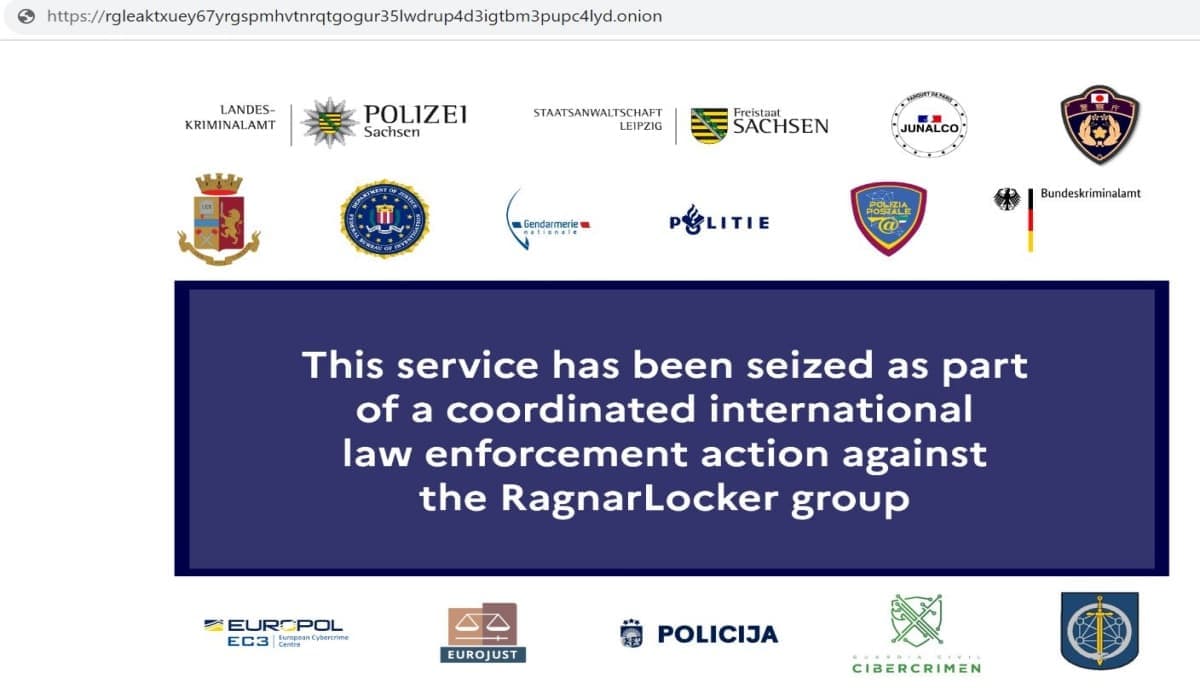
Law enforcement agencies also seized the ransomware’s infrastructure in the Netherlands, Germany, and Sweden, and took down the associated data leak website on Tor in Sweden.
Seizure notice on the official dark web domain of the Discussions about the Ragnar Locker Ransomware Gang (Screenshot credit: Hackread.com).
The investigation, according to Europol’s press release, leading to this international operation was a collaborative effort involving the French National Gendarmerie, as well as authorities from Czechia, Germany, Italy, Japan, Latvia, the Netherlands, Spain, Sweden, Ukraine, and the United States. The initial arrests in Ukraine, with support from Europol, occurred in October 2021 as part of this complex investigation.
Ragnar Locker, both the ransomware strain and the criminal group behind it, has been active since December 2019. The group gained fame for targeting critical infrastructure worldwide, including recent attacks on the Portuguese national carrier and an Israeli hospital.
Among the infamous Ragnar Locker ransomware gang’s victims were well-known Japanese video gaming firm Capcomand Energias de Portugal (EDP), a Portuguese electric company and energy giant. This ransomware specifically targeted Windows devices and often exploited vulnerabilities such as Remote Desktop Protocol for unauthorized access.
Ragnar Locker was known for employing a double extortion tactic, demanding large payments for decryption tools and threatening to release stolen sensitive data. Its focus on critical infrastructure made it a high-level threat.
The group warned victims against contacting law enforcement, threatening to publish stolen data on its dark web ‘Wall of Shame’ leak site. It is worth noting that this is the same gang that used Facebook ads to extort victims.
However, law enforcement agencies, including the French Gendarmerie and the US FBI, cooperated with Europol and INTERPOL, leading to the arrest of two prominent Ragnar Locker operators in Ukraine in October 2021. The investigation continued, resulting in the recent arrests and disruption actions.
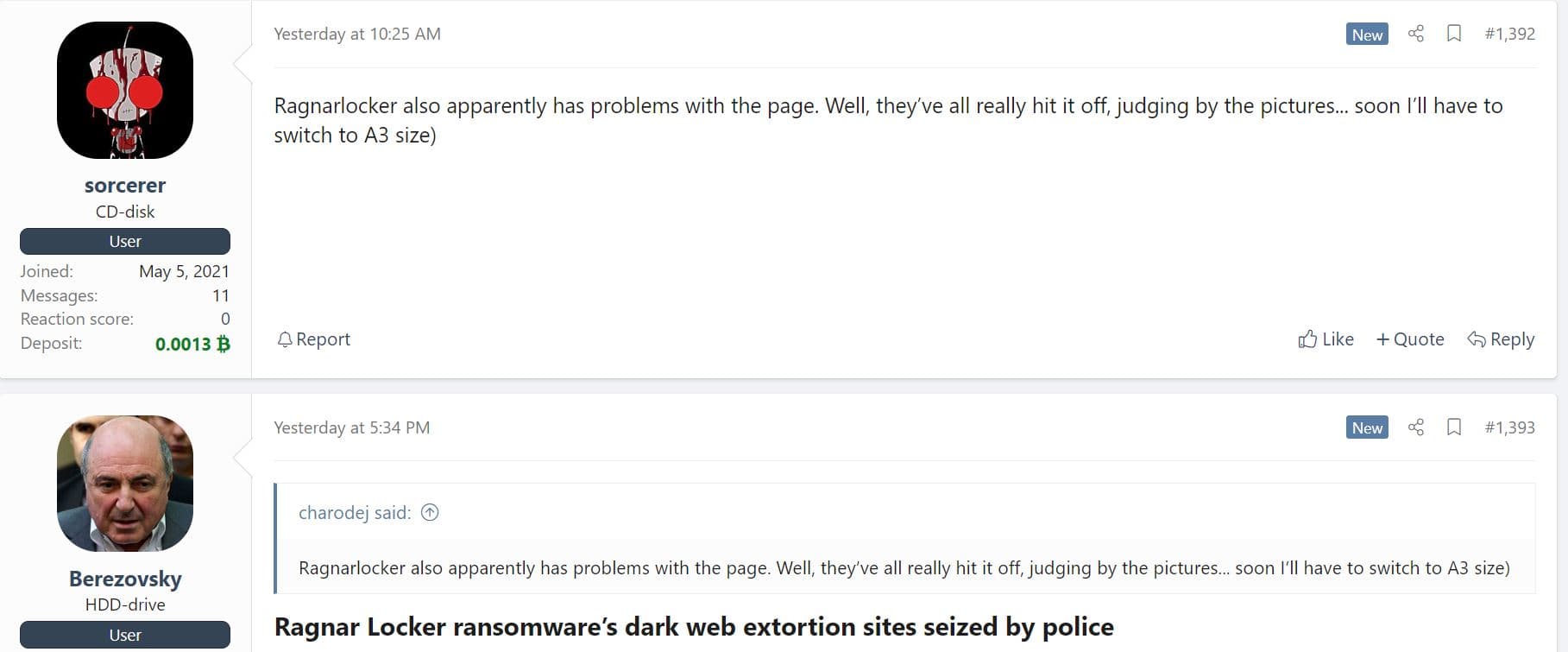
Discussions about the demise of the Ragnar Locker Ransomware Gang are already underway on a notorious Russian hacker and cybercrime forum (Screenshot credit: Hackread.com).
The Ragnar Locker ransomware gang is just another cybercriminal enterprise to bite the dust. Authorities have successfully seized domains or dismantled the infrastructure of several ransomware groups, including Netwalker, Cl0P, DarkSide, REvil, and Egregor.
Google has reached the halfway point of its antitrust case and will go on the defense. Attempting to convince judge Amit Mehta and the court that it isn’t running an illegal monopoly with online search. Since the beginning of this case back in September the prosecution has alleged Google has engaged in monopolistic practices to maintain its dominance in the online search market.
A big part of that has centered on Google’s exclusive deals to companies like Apple. Wherein Google paid Apple large sums of money to make Google the default search engine on its iPhones and other devices that use the Safari browser. Google’s rivals, including Microsoft and DuckDuckGo have issued statements that these deals make it nearly impossible to reach Google’s level of market share. Noting that Google makes it unnecessarily difficult to change the default to something else.
Google of course has asserted that users have a choice on what to use. And that they choose to use Google because they feel it’s better. Going forward, Google will present its defense that tries to back up these statements.
Google will present its defense in the antitrust case next week
Today marks the final day for the prosecution to showcase its claims that Google is running a monopoly. But Google isn’t set to give its defense until next week. With that part of the trial beginning on October 26. Which is next Thursday. Once the defense starts, the trial will continue for another five weeks. Though judge Mehta won’t make a final decision until sometime in 2024. The Justice Department can then make appeals if Google wins the case and Google will be able to do the same. Which means things aren’t likely to be finalized for quite some time. Especially with a monumental case like this one.
The defense will likely revolve around many of the arguments Google has made so far. But there have been some revelations that could be hard to overcome. Emails from now CEO Sundar Pichai from back in 2007 referred to being the only search option on Apple devices as “bad optics.”
Ex employees also described Google search as a benevolent dictatorship that forces advertisers to stomach costly changes. As Bloomberg notes, Google has some of its most difficult challenges in this case ahead of it.
In today’s digital age, messaging apps have become integral to daily communication. For forensic scientists, programmers and developers, these apps hold a treasure trove of potential evidence.
Forensic analysis of messaging apps is a complex and constantly evolving field. Android and iOS platforms present unique challenges to digital forensics experts, from data acquisition to encryption and recovery. Understanding the technical nuances of messaging app architecture, encryption methods, metadata and the recovery of deleted messages is crucial for forensic scientists, programmers and developers engaged in digital investigations.
Data Acquisition
The first crucial step is data acquisition before beginning the forensic analysis. Messaging apps store a wealth of information, including text messages, multimedia files, call records and metadata. Forensic experts use various techniques to retrieve this data related to mobile forensics, such as logical and physical extraction. Logical extraction involves accessing the app’s databases and files, while physical extraction requires direct access to the device’s memory.
In Android, forensic specialists can utilize tools like ADB (Android Debug Bridge) to obtain a logical image of the device. Physical extraction may require advanced techniques like JTAG or chip-off, but it provides a more comprehensive dataset.
iOS presents its challenges due to Apple’s stringent security measures. In most cases, forensic experts rely on logical extraction via tools like Cellebrite’s UFED or ElcomSoft iOS Forensic Toolkit. These tools help extract data from backups or directly from the device, depending on the available access.
App Architecture
A deep understanding of the messaging app’s architecture is essential for effective forensic analysis. Android apps typically use SQLite databases to store message content, contact information and call logs. Each app may have its unique database structure, making it crucial for forensic experts to identify the relevant tables and fields.
On iOS, apps are sandboxed and their data is isolated from other applications. This isolation presents a challenge for forensic analysis, but extracting valuable information with the right tools is possible. Understanding the app’s file structure and data storage locations is key. Apple’s Core Data framework is commonly used for data storage and an in-depth knowledge of the app’s schema is vital for efficient analysis.
Encryption
The encryption used by messaging apps is a significant hurdle in forensic analysis. Many popular networking apps, like WhatsApp and Signal, implement end-to-end encryption to protect user data. This means that even if forensic experts access the device, the contents of the messages are encrypted and cannot be deciphered without the encryption keys.
In Android, experts often resort to acquiring data when it is decrypted or in transit, such as when it’s displayed on the device’s screen. This method, known as “live forensics,” allows access to the unencrypted data for analysis.
iOS, on the other hand, presents a more formidable challenge due to Apple’s strong encryption and secure enclave. Extracting encryption keys from iOS devices is extremely difficult. Law enforcement agencies have sought assistance from Apple to unlock devices, leading to a legal and ethical debate surrounding user privacy.
Timestamps and Metadata
Forensic analysis of messaging apps involves thoroughly examining timestamps and metadata associated with messages. This data can be crucial in building a timeline of events and understanding the context of communications.
Android devices store metadata, including message timestamps, IDs and sender/receiver information. Forensic experts can analyze this data to piece together a comprehensive narrative.
iOS devices also provide metadata, although some may be stored in iCloud. In some cases, experts may need to access iCloud backups to obtain the complete metadata. This information can reveal when a message was sent, when it was read and when attachments were viewed.
Deleted Messages and Data Recovery
In the realm of messaging apps, deleted messages are often of particular interest in forensic investigations. Android and iOS devices handle deleted data differently and experts must employ specific techniques to recover this information.
Android devices typically mark deleted data as “unallocated” but don’t immediately overwrite it. This provides a window of opportunity for data recovery. EnCase and Autopsy are often used to recover deleted messages and media.
In the case of iOS, Apple’s efficient memory management and encryption make recovering deleted messages a significant challenge. Data recovery tools may attempt to access unallocated space, but success is not guaranteed. iCloud backups might also contain deleted messages, which can be extracted and analyzed.
Final Note
As these apps evolve, so must the techniques and tools used for forensic analysis to keep pace with emerging security measures and encryption protocols.
Google has been testing Google Play Games on Windows PCs since last year. It’s just that no one really knows about it. We can’t deny that the company has been pretty hush-hush about the subject. However, that’s finally changed, as Google is finally pushing Play Games on PC, according to a new report.
As stated, the company has been testing this since last year. Back in November 2022, the company released a launcher that could let you download, install, and play games from the Google Play store. You won’t have access to all of the games. Google partnered with developers to have them optimize their apps to use mouse and keyboard. So, you can play these games just like most other PC titles.
Google is finally pushing Play Games for PC
Of course, people in the tech world would know more about this, but the average Joe wouldn’t really know about it. So, Google is finally fixing this by pushing Play Games for PC more. You’ll notice this if you load up the Google Play Store site on your Windows computer.
Normally, you’d see the typical content like the best games and recommendations. However, if you access the Play Store, you’ll see a large landing page dedicated to the beta.
The first thing you see will be a pair of large banners with a featured game that you can get on your PC. They simply read “[Game title], now available on PC” with the text “Google Play Games PC”. Under that, you’ll see a grid of other apps that you can install on your computer.
However, Google might be testing multiple versions of the feed on different people because there’s also an entirely different layout. Another layout we see has banners alternating between carousels.
We’ll see the first banner with a carousel right under it. It’s then followed by another banner, carousel, and final banner. It’s possible that Google is testing two layouts on different parts of its testing base. The company might pick the preferred option and run with that for the public release. That’s just speculation, however.
In any case, it’s nice to see that Google is pushing Play Games for PC more. We’re not sure when the company is going to move this to a stable release, but this is definitely a step in the right direction.
MediaTek is gearing up to launch its next-gen flagship chipset, the Dimensity 9300, in November. Ahead of that, the processor has popped up in a benchmark listing on Geekbench to give us some idea about its performance. It appears to be outperforming the Snapdragon 8 Gen 3 in multi-core tests.
Dimensity 9300 may give Qualcomm’s next-gen chip a run for its money
The Dimensity 9300 appeared on the popular benchmarking platform Geekbench inside an unidentified Oppo phone bearing the model number PHZ100 and featuring 16GB of RAM. While no other detail is available about this phone at the moment, the benchmark listing confirms an unusual CPU setup for the new MediaTek chip.
Earlier rumors said that the octa-core chipset would feature four prime cores and four mid-core, with no efficiency cores to go with them. We are talking about one Cortex-X4 core clocked at 3.25GHz, three more Cortex-X4 cores clocked at 2.85GHz, and four Cortex-A720 cores clocked at 2.0GHz. Geekbench has confirmed this, along with the Immortalis G720 MC12 GPU.
As far as the benchmark scores are concerned, the Dimensity 9300 scored 2,139 in single-core CPU tests and 7,110 in multi-core tests on Geekbench 6. A quick look at the scores of the Snapdragon 8 Gen 3 For Galaxy reveals that the former outperformed the latter in multi-core tests. The Galaxy S24 Ultra powered by the overclocked version of the new Qualcomm chip scored 2,234 and 6,807, respectively.
We don’t yet have benchmark scores of the standard Snapdragon 8 Gen 3. It has a slightly slower CPU than the “For Galaxy” version used by the Galaxy S24 Ultra. Qualcomm has clocked its Cortex-X4 prime CPU core at 3.19GHz. It’s paired with five Cortex-A720 cores clocked at 2.96GHz and four Cortex-A520 cores at 2.27GHz. The overclocked version has its prime core operating at 3.30GHz and three Cortex-A720 cores at 3.15GHz.
Since the Snapdragon 8 Gen 3 has a slower CPU, the Dimensity 9300 may outperform it by a bigger margin. Rumors say the MediaTek chip is about ten percent more powerful than the new Snapdragon. Early benchmark runs are certainly pointing in that direction. However, it’s the real-world performance that matters the most. So we will have to wait until the chips are official for a fairer comparison.
Qualcomm unveils the new Snapdragon next week
Thankfully, it won’t be long before the new chips are official. Qualcomm will unveil the Snapdragon 8 Gen 3 at its Snapdragon Summit 2023, which kicks off in Maui, Hawaii on October 24. The chip could debut with the Xiaomi 14 series a few days later. As said earlier, MediaTek’s Dimensity is expected to arrive in November. It may ship with the Vivo X100 series.
Be cautious of the newly advertised ExelaStealer infostealer malware, now making the rounds on dark web forums and Telegram. Its primary aim is to target Windows-based devices.
KEY FINDINGS
FortiGuard Labs has discovered a new infostealer in the cybercrime landscape called ExelaStealer mostly targeting Windows devices.
The infostealer is written in Python but uses resources in many different languages when required.
The malware deployment entails a decoy PDF file and executing obfuscated Python code.
It can steal sensitive user data, including session data and cookies, credit card details, passwords, and keystrokes.
It can collect extensive system data, including WLAN profiles and firewall status.
ExelaStealer is available in open-source and paid versions on the Dark web. The paid version comes with additional customization features.
ExelaStealer uses code obfuscation techniques to block analysis and reverse engineering efforts.
We have seen many infostealing malware emerging in cyberspace including Raccoon, RedLine, Vidar, and the relatively new entrant ThirdEye. However, the buzz in the cybersecurity world is that the yet-unknown ExelaStealer is far more dangerous than these.
The cybersecurity researchers at FortiGuard Labs discovered ExelaStealer in August 2023 and provided a detailed account of ExelaStealer’s workings in its new blog post. Per its research, the infostealer is offered as open-source and paid versions on the dark web, with the paid one featuring extended capabilities.
The malware is written in Python but often uses other language resources such as JavaScript. Windows-based systems are its key targets, whereas the malware looks for sensitive data such as passwords, session data, cookies, keystrokes, and credit card details.
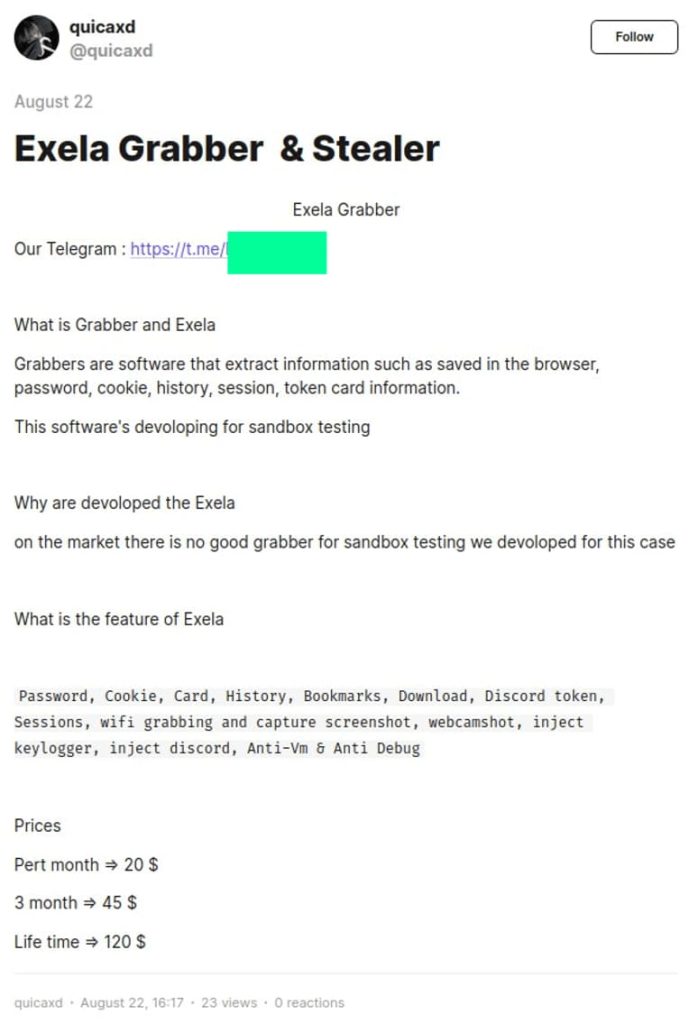
Both versions of ExelaStealer are advertised on Dark Web forums with all the ads posted by a single contact using the handle “quicaxd.” For the paid version, the pricing structure varies. A monthly subscription is offered at $20, a three-month subscription is $45, and a lifetime subscription is $120.
It is worth noting that, according to FortiGuard Lab’s report, an active Telegram channel is used for facilitating purchases and getting access to the GitHub repository for the open-source version.
Given the infostealer’s open-source feature, it is possible for anyone with basic programming skills to create their own binaries using its source code. At the moment, ExelaStealer’s packaging and configuration are such that they can only affect Windows systems.
The screenshot reveals the Telegram channel promoting ExelaStealer, managed by the user quicaxd (FortiGuard Labs)
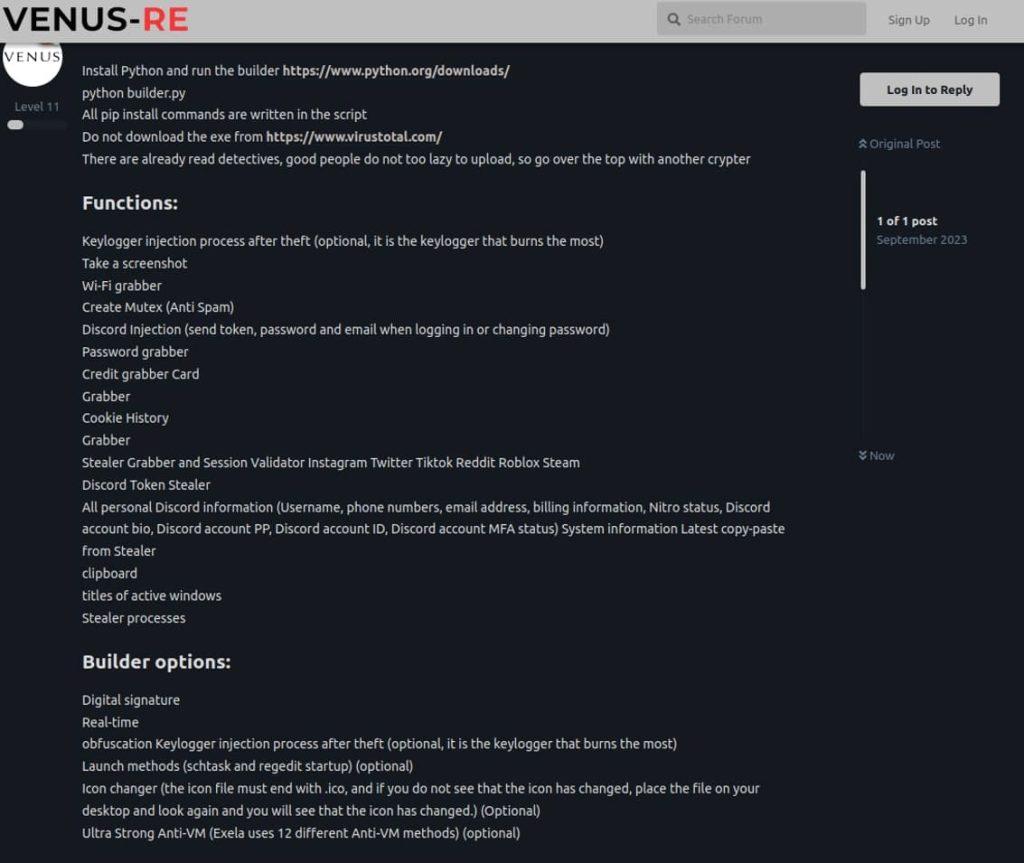
The screenshot displays an advertisement outlining the key capabilities of the malware and various build options (FortiGuard Labs)
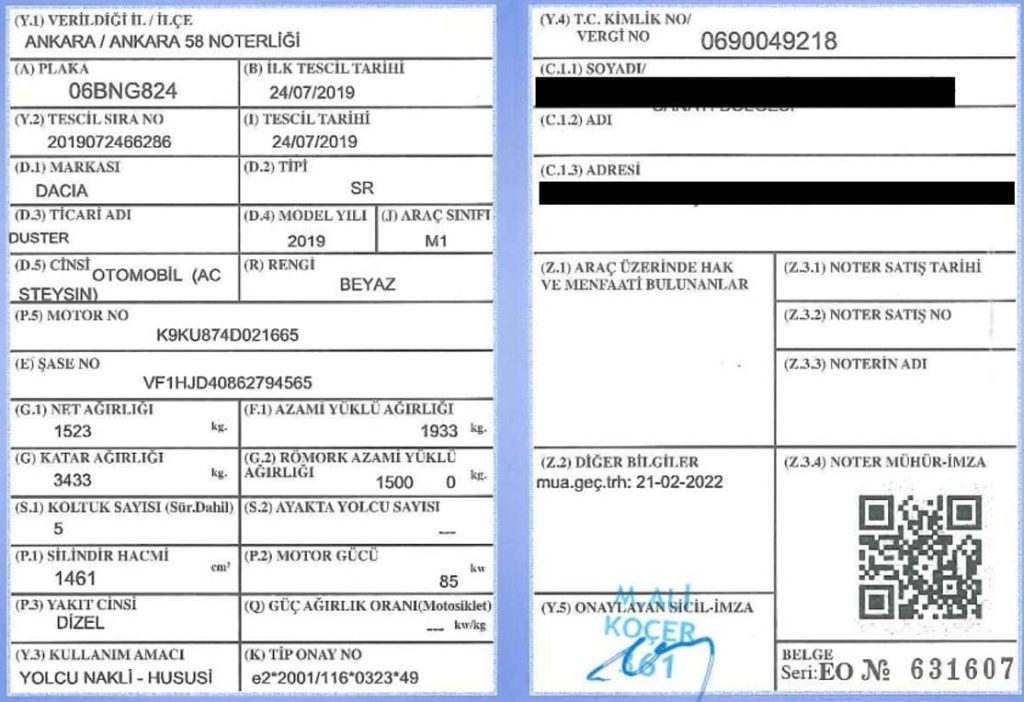
The screenshot displays a decoy PDF document resembling a Turkish vehicle registration certificate (FortiGuard Labs)
The screenshot illustrates the available options for building ExelaStealer (FortiGuard Labs)
As per Fortiguard Labs, the binaries they analyzed have been released as part of a specific campaign, and the involvement of a decoy document further supports this assumption.
Researchers couldn’t identify the initial attack vector, but they suspect it could be achieved through malware deployment, watering holes, or phishing attacks. The binary is the attack’s first stage, which spawns an executable (sirket-ruhsat-pdf.exe) and launches a PDF viewer to display a decoy document titled ‘BNG 824 ruhsat.pdf’ to the user. Sirket-ruhsat-pdf.exe and BNG 824 ruhsat.pdf are planted into the C: drive’s root directory in which the former is a PyInstaller-generated file while the latter is a decoy file.
Regarding the attack stages, FortiGuard Labs researchers noted that the malware’s core functionality is embedded in a file titled Exela.py. The build process starts with a batch file that invokes Python and the ‘build.py’ file. The builder then uses a file titled ‘obf.py’ to hide the infostealer’s code and evade detection, reverse engineering, and analysis efforts.
Except for the library components, the obfuscated code is consolidated into a file titled ‘Obfuscated.py’ which is then deployed. The malware then starts gathering data along with executing a base64-encoded PowerShell command. The information is sent to the attacker’s Telegram channel, where the files are packaged into a ZIP archive and sent to a Discord webhook.
Look out for Watering Hole and Phishing Attacks
To protect yourself from ExelaStealer, users need to be on the lookout for watering holes and phishing attacks. A watering hole attack is a type of cyberattack in which the attacker identifies and compromises a website that is frequented by a particular group of individuals or organizations.
The goal of this attack is to infect the visitors’ computers with malware or exploit vulnerabilities in their systems. The term “watering hole” is derived from the concept of predators waiting near watering holes in the wild to ambush their prey when they come to drink.
To protect against watering hole attacks, individuals and organizations should regularly update their software, use strong security measures, and be cautious when visiting websites, especially those that might be of interest to potential attackers. Additionally, security solutions that can detect and block malicious activity are essential for identifying and mitigating such attacks.
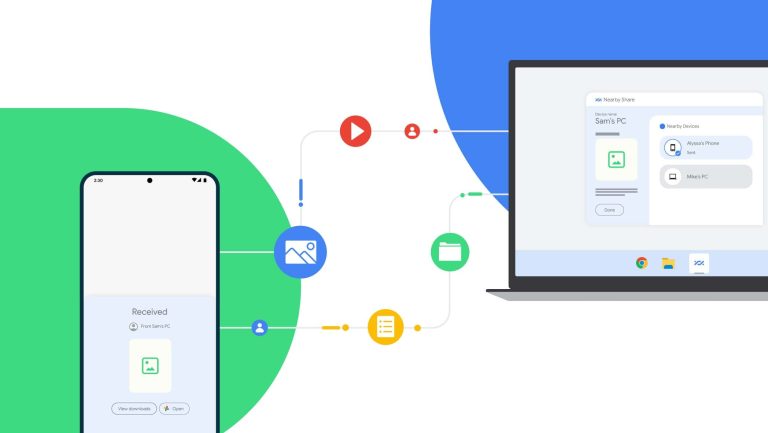
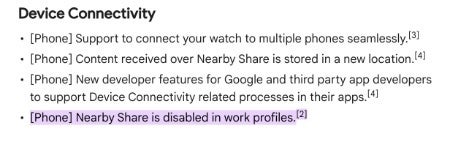
Nearby Share is an incredibly useful tool to transfer files between your Android devices. It’s gotten better over the years, and it’s getting better as time goes on. While it’s a great tool, Google just made it less accessible. According to Android Police (via 9To5Google), Nearby Share is going away on Android work profiles.
You can also use Nearby Share with your Windows computer. This functionality is relatively new, so it might get better as time goes on. In order to use it, you can download the .exe file using the official page. When you do that, you’ll be able to quickly get it set up.
You can read how to use Nearby Share on your computer for a guide to help you through the process. It’s pretty easy to set up, so it’s worth a shot.
Nearby Share is going away for work profiles
If you use Nearby Share on your phone for business, then you’ll be pretty frustrated with this change. What’s even more frustrating is that Google didn’t give any reason as to why it did this. This news was announced through the Google support updates page. It was just an item in the change log.
We’re not sure as to why the company did this, but it could be a security measure. One thing pointed out by Android Police is that this could be a security measure. When you’re using a work profile, your phone is most likely home to a bunch of sensitive data. Nearby Share gives you the ability to quickly share files between different devices. Well, this could pose a security issue.
We don’t expect to get a direct explanation from Google about this. In any case, if you have files on your work device that you want to share, you’ll have to use other methods such as Google Drive or good old-fashioned Bluetooth.
Qualcomm’s Snapdragon Summit 2023 is just a few days away now. The event kicks off on Tuesday, October 24, in Maui, Hawaii. While the company has plenty of things to unveil at the event, the Snapdragon 8 Gen 3 will be the star of the show. Leaks have already revealed a great deal about the new chip. Finer details are still missing but an industry insider says it will be an “almost perfect SOC.”
The Snapdragon 8 Gen 3 is more powerful and energy efficient
The Snapdragon 8 Gen 3 is an octa-core chipset with a 1+5+2 CPU configuration. According to rumors, it features one ARM Cortex-X4 prime CPU core clocked at 3.19GHz, five Cortex-A720 mid-cores clocked at 2.96GHz, and four Cortex-A520 efficiency cores clocked at 2.27GHz. Qualcomm is expected to pair the CPU with a new and improved Adreno 750 GPU. We don’t have the frequency of the graphics unit.
The chip will also come in an overclocked version that will be initially exclusive to Samsung’s Galaxy S24 series. The so-called “For Galaxy” version reportedly has its prime core operating at 3.30GHz and three Cortex-A720 mid-cores at 3.15GHz. The other two mid-cores and the two efficiency cores operate at the same frequency as the standard Snapdragon 8 Gen 3. The GPU may be overclocked too.
Early benchmark scores of the new Qualcomm chip have been promising. However, benchmark performances can’t always be taken seriously, as it’s easy to fabricate the scores. More importantly, those early tests are usually performed using pre-production devices or prototypes. This means there’s room for improvement through proper hardware and software optimization.
That said, the Snapdragon 8 Gen 3 may set a new bar for flagship smartphone chips. According to noted industry insider Ice Universe, the new Qualcomm processor has “strong performance” and that isn’t the best thing about it. The chip is “more energy efficient” too, so much so that it is “an almost perfect SOC.” The tipster says rivals will find it difficult to match the efficiency of the chip, let alone surpass it.
MediaTek may have its task cut out
The Snapdragon 8 Gen 3 will compete against MediaTek’s Dimensity 9300 in the flagship segment. The latter is also an octa-core chipset, but it lacks efficiency cores. The Taiwanese firm is offering one Cortex-X4 prime core clocked at 3.25GHz, three more Cortex-X4 cores clocked at 2.85GHz, and four Cortex-A720 mid-cores clocked at 2.0GHz. The chip comes with the Immortalis G720 MC12 GPU.
Benchmark runs of the Dimensity 9300 have shown it outperforming the Snapdragon 8 Gen 3 For Galaxy in multi-core tests. Rumors have also hinted at a more powerful CPU than the Qualcomm chip. However, the lack of efficiency cores may make it a power-hungry chip. MediaTek certainly has its task cut out to improve the efficiency of the new Dimensity. It will be interesting to see how the two chips stack up in everyday usage.
For Android users, the “Nearby Share” feature is the closest thing to Apple’s Airdrop, undoubtedly the preferred method when it comes to transferring files between devices. It can be used in a variety of use cases, and up to this point, had been available in Android devices without restrictions other than those imposed by the network you are on.
This comes as no surprise considering how Google usually locks down features when it comes to workspace or business accounts due to privacy and security concerns with larger enterprises. It appears that this has been the culprit here, as I’m sure the ability to openly share company files between corporate and personal devices is frowned upon by I.T. Security professionals.
This is more of a concern when you consider that adoption for “Nearby Share” has now become more commonplace, with devices such as Chromebooks (and now even Windows) supporting it. Unless work devices are completely locked down to the extent where even Bluetooth is disabled or the Network and System Administrators are properly updating the console and closing the required ports on the Firewall, it can become extremely difficult to monitor or stop employees from sharing files with each other, with themselves, or worse – with the outside world.
Google’s solution is simple: Nearby Share is part of Google Play Services, so let’s just disable that on work profiles and that will ensure that it doesn’t appear as an option within that profile. It is, in theory at least, a simple but effective solution for a complicated problem. Only time will tell if this will be just as effective in real life situations.
The changes began to roll out with Google Play Services version 23.41 on October 18th. Google hasn’t provided any info as to why the change was made, so it is unknown whether an option will be available to circumvent these restrictions, other than just uninstalling the work profile.