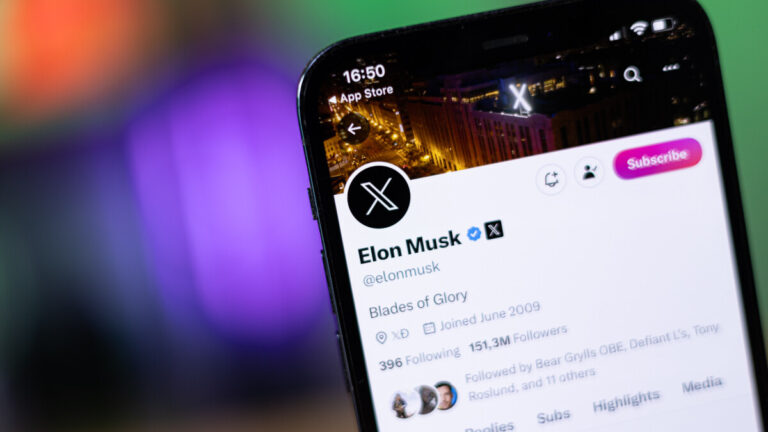
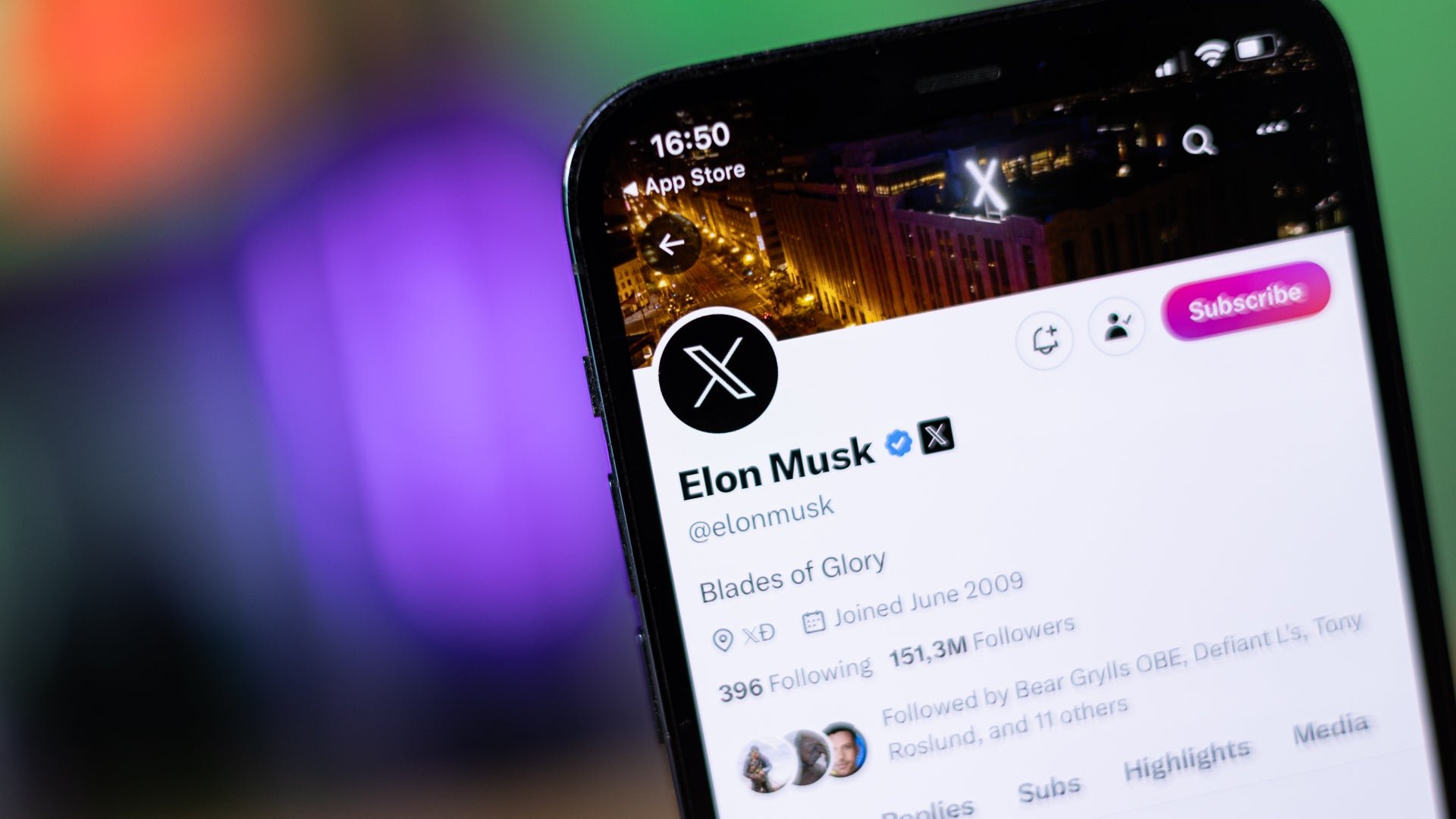
There are no further details provided on the coming subscription plans. People are commenting: “No ads? Wait a minute. So, if you pay for the higher tier you don’t see any ads, but people will still see ads on your posts, right? If everybody decides that they don’t want any ads anymore, and signs up for the more expensive tier, what’ll happen with the ad share revenue?”Just a few days ago, X began testing a “Not a Bot” plan, currently contained in two countries – the Philippines and New Zealand. The subscription plan comes at a modest cost of $1 annually, but keep in mind that prices may vary based on the country and currency.
Musk himself assured that the platform will remain free for reading. The $1/year fee would apply for writing tweets. According to the billionaire, combating bots (without clamping down on genuine users) will be easier this way and manipulation of the platform – “a thousand times harder”.
As for the users who are not willing to pay, they will only be able to take “read only” actions, such as: reading posts, watching videos, and following accounts, the company said on its website.
Meanwhile, new reports claim that X lost 600 million visitors in September. The data comes from SimilarWeb, a company that tracks visits to most websites. According to the data, X dropped from 6.4 billion visitors in August to 5.8 billion in September. While this isn’t as impactful as it sounds, it still amounts to an almost 10% decrease.
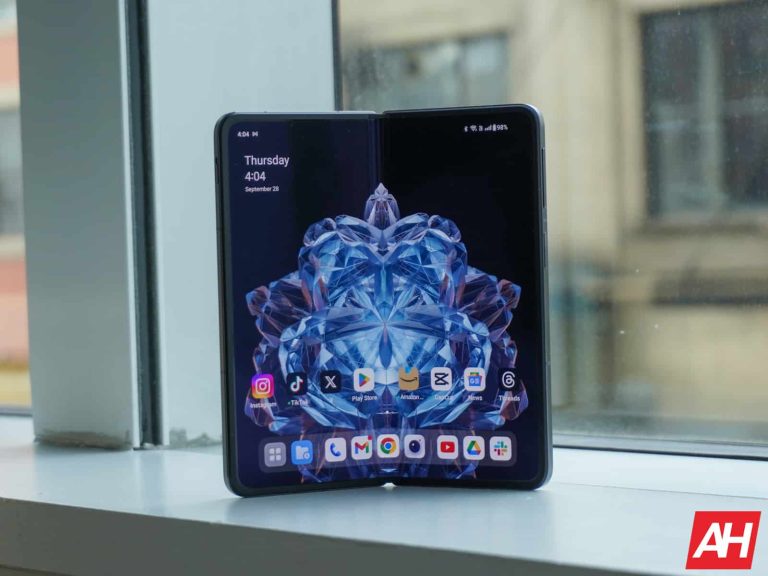
The OnePlus Open is the company’s first foldable, and there’s a lot of hype around it. Now that it is official, it’s time to look at some of the more important, but often times overlooked, details about the phone. Like how many updates will the OnePlus Open get?
OnePlus is promising four years of OS updates and five years of security updates here. Which means that it will get up to Android 17. This is right on par with the competition, with the exception of Google which announced earlier this month that the Pixel 8 series will get 7 years of updates. So this is still quite good for OnePlus, especially on a new form-factor.
OnePlus Open launches with Android 13, but should get Android 14 before the end of 2023
Despite launching after Android 14 did, the Open is not launching with it. Instead, it is launching with Android 13 and OxygenOS 13.2. But we’d expect to see the OnePlus Open get the update to OxygenOS 14 before the end of the year. Especially since they are already testing it out in a beta test on the OnePlus 11.
OnePlus has gotten quite good with software updates in recent years, so seeing this happen is not that big of a surprise. And honestly, Android 14 does not bring a lot of user-facing changes. So whether it is Android 13 or Android 14 on the OnePlus Open at launch, it’s not really that big of a deal.
The OnePlus Open is a pretty impressive foldable from the company. It has virtually zero crease on that folded display. It also has a 6.31-inch 20:9 aspect ratio front display, and a 7.6-inch main display. Both of these are 2K displays and can reach 2800 nits peak brightness. Which is really great to see, and beats the Pixel 8 series which launched with 2,000 nits and 2,400 nits respectively. It’s also powered by the Snapdragon 8 Gen 2.
Researchers at the Italian cybersecurity firm D3Lab have discovered a new malware attack featuring the SpyNote Android malware. The attackers have disguised the malware as an app for a public alert service, namely the IT Alert service operated by the Department of Civil Protection under the Italian government. The malware-laced fake app can steal the victim’s login credentials and other sensitive data from the device.
Malware-laced IT Alert app is targeting Android users in Italy
Italy’s IT Alert service provides citizens with alerts and information about various disasters and serious emergencies. It broadcasts emergency messages to mobile phones during floods, earthquakes, wildfires, and other calamities. Threat actors created a fake website imitating the government service to distribute malware. The website warns about the possibility of a “national earthquake” due to an upcoming volcanic eruption.
It urges users to install the IT-Alert app for more details, including the regions that may see the worst effects of the disaster. The website has a download button that downloads the “IT-Alert.apk” file on Android devices. The button redirects users to the official website when clicked through a PC or an iPhone. Unsuspecting Android users would think it’s a genuine app and install it to get more information about the seemingly nearing danger.
Little do they know that they have invited the danger to their phone. The APK file installs the SpyNote malware on the device and grants the app permission to use accessibility services, D3Lab reports. This effectively allows the app to run in the background with remote access capabilities. The attacker can then perform a wide range of malicious activities on the device, including stealing sensitive data and files.
The malware can capture and send photos and videos to servers operated by the attacker. It can also record calls, log key presses, and obtain login credentials and two-factor authentication (2FA) codes for banking apps and other online platforms. In short, the threat actor gains full control of the compromised device. They can do just about anything without the user noticing it. The use of accessibility services makes it difficult for users to uninstall the app.
Sideloading apps is always dangerous
The SpyNote Android malware has been around for a few years now. This is reportedly its third version (SpyNote.C). Over the years, we have seen many variants of the malware, some of which were distributed as banking apps or more generic Android apps such as the Google Play Store, Play Protect, WhatsApp, and Facebook. When a campaign is busted, threat actors quickly come up with new solutions.
However, the real problem is users not being vigilant when sideloading apps. Installing apps from unknown sources is always a danger. If it’s a genuine app, it must be available in official stores, including the Play Store. You should download it from those sources. Threat actors distribute malware or other dangerous codes through apps downloaded from unknown sources. We recently saw something similar in a spyware attack in Israel.
Google has confirmed that no app in the Play Store has the SpyNote malware. “Based on our current detection, no apps containing this spyware are found on Google Play. Google implemented user protections for this spyware ahead of this report’s publication,” the company told Bleeping Computer. “Users are protected by Google Play Protect, which can warn users or block apps known to exhibit malicious behavior on Android devices with Google Play Services.”
Lately, Artificial intelligence is in the spotlight, making its way into the products and services of big tech players. Meta has introduced its AI Assistant, finding a home on Instagram, Facebook, and WhatsApp. Google, not to be outdone, has its AI-powered chatbot, Bard, and the Pixel 8 and Pixel 8 Pro are loaded with a slew of AI-powered features. And the tech giant isn’t stopping there; it’s all about AI these days.Now, it seems that YouTube, a part of the Google family, is cooking up an AI tool that will let creators tweak their voices to mimic famous artists. Bloomberg reports that according to sources familiar with the matter, who prefer to remain anonymous, the streaming platform has reached out to music companies to discuss obtaining songs’ rights for training this tool.
This upcoming tool would enable users to record audio using the voices of famous musicians. However, as of now, major record labels haven’t given their green light, and discussions between the two parties are ongoing. YouTube is treading carefully to ensure the legal use of this technology, considering its history with the music industry. While past relations were challenging, they improved in the last few years as the streaming platform increased royalty payments.
AI is viewed by the music industry as both a promising technology and a potential threat. In the past, the industry faced challenges from piracy and user-generated content, then from streaming services like Spotify and YouTube, which made music companies cautious about embracing new technologies.
Yet, artists recognize the potential for these models to open new creative avenues. Musicians and labels are keen on controlling how companies use their copyrighted works to train models, seeking permission and compensation. The interest in AI heightened for record labels after a song that sounded remarkably like Drake and the Weeknd, though not recorded by them, went viral and was actually submitted for Grammys.
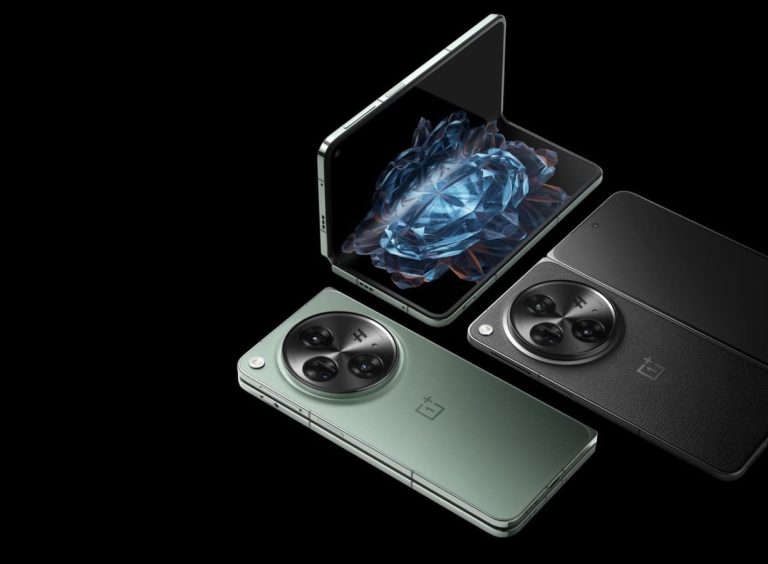
OnePlus finally announced its first foldable smartphone, the OnePlus Open. The phone was announced in October, after plenty of rumors, leaks, official teasers… and even a delay. This smartphone both looks the same as the OPPO Find N3, and shares the same specs as that device. We’ll talk about that later on, though. OnePlus really did its best to include top-of-the-line specifications inside of this smartphone, while keeping it as light and as thin as possible. On top of that, the device does offer a truly powerful camera setup, and much more than that. In this article, we’ll share as much useful information about the OnePlus Open as we can, including its specs, availability details, main features, and so much more. So, let’s get down to it, starting with its specs.
OnePlus Open specs
As already said in the intro, the OnePlus Open has an immensely powerful set of specs. OnePlus included the latest and the greatest components inside of this device. Let’s start with the SoC, which is provided by Qualcomm. The Snapdragon 8 Gen 2 fuels this smartphone, the best processor Qualcomm has to offer at the moment. OnePlus paired that processor with 16GB of LPDDR5X RAM and 512GB of UFS 4.0 storage. Not only is this plenty of RAM and storage, but it’s the fastest and most modern RAM and storage on the market.
Immensely bright 120Hz displays
The phone comes with two displays, both of which are the brightest in the industry. The main display measures 7.82 inches, while the external one measures 6.31 inches. The former has a resolution of 2440 x 2268, while the latter has a resolution of 2484 x 1116. These two panels are immensely similar in terms of specs, even though one is foldable, and the other is not. Both displays can go up to 2,800 nits of peak brightness, while both of them are LTPO AMOLED displays with up to 120Hz refresh rate. These panels support HDR10+ content, and also Dolby Vision. Both are TUV Rheinland certified, they have ‘Intelligent Eye Care’. The main display has UTG (Ultra Thin Glass) on top, while the external panel comes with ‘Ceramic Guard’ protection.
A 4,805mAh battery sits inside this phone, well, two batteries (3,295mAh + 1,510mAh) that form this battery capacity. The phone supports 67W SuperVOOC charging, and the charger is included. It can get fully charged in only 42 minutes. Wireless charging is not included, though. There is a side-facing fingerprint scanner here, while facial scanning is also supported. Bluetooth 5.3 support is included as well, and the same goes for Wi-Fi 6 and USB 3.1 (Type-C). The phone also includes “Reality” Speakers with Dolby Atmos support. Those are three speakers, actually.
Powerful camera setup with Sony’s LYTIA camera sensor
The cameras are one of the main selling points of this smartphone. The main camera is a 48-megapixel unit (Sony’s LYTIA T-808 CMOS sensor, f/1.7 aperture, 85-degree FoV, 1.12um pixel size, 7P lens, OIS, EIS). A 48-megapixel telephoto camera (Sony’s IM581 sensor, 0.8um pixel size, 6P lens, EIS, f/2.2 aperture, 114-degree FoV, macro) is also included. The last camera on the back is a 64-megapixel periscope telephoto unit (OV64B sensor, 3x optical zoom, 6x in-sensor zoom, 120x digital zoom, 0.7um pixel size, 4P lens, OIS, EIS, f/2.6 aperture, 33.4-degree FoV).
On the main display, you’ll find a 32-megapixel selfie camera (f/2.4 aperture, 88.5-degree FoV, 0.7um pixel size, EIS, 5P lens), while on the external display sits a 20-megapixel unit (f/2.2 aperture, 91-degree FoV, EIS, 0.7um pixel size, 4P lens). The phone comes in Emerald Dusk (glass back) and Voyager Black (vegan leather) models. They are both 153.4mm tall at all times. They’re also both 143.1mm wide when unfolded, and 73.3mm wide when folded. Their thickness is different, though. The Emerald Dusk model measures 5.8mm when folded, and 11.7mm when unfolded. The Voyager Black variant, on the other hand, measures 5.9mm when folded, and 11.9mm when unfolded. They also don’t weigh the same. The Emerald Dusk model weighs 245 grams, while the Voyager Black variant weighs 239 grams.
How much does the OnePlus Open cost?
The OnePlus Open has different price tags in different markets, of course. In the US, for example, it’s priced at $1,699.99, while it costs CAD$2,299.99 in Canada. Here are the price tags in some other markets (in no particular order), if you’re interested: – The UK: £1,599 – France: €1,849 – Spain: €1,849 – Italy: €1,849 – Germany: not available …and so on.
The phone is available in various other markets in Europe too, like Austria, Belgium, Poland, and so on. The price tags will differ from one market to the other, though, so it would be best if you visit OnePlus’ official website. The pre-order period opens today, while the open sale will commence on October 26. Only the Voyager Black variant will be available in Europe, by the way.
Are there any special offers in the US?
Yes, actually. Over at OnePlus.com, you can trade in ANY phone in ANY condition in order to get a minimum of $200 off your purchase. You can get a maximum of $1,000 off via the company’s official website. You can also grab a free pair of OnePlus Buds Pro 2, a Limited Edition pair (only 5,000 units made). They’re white, and come with laser engraving. You can see what they look like in the image below.
If you opt for Amazon US, you can get a $200 Amazon gift card, 3 months of YouTube premium, and 6 months of Google One 100GB membership. BestBuy US is offering an enhanced trade-in, online only, though. You can get up to $800 off, depending on the model you deliver. The company is offering a $200 bonus based on the original eligible trade-in, and $300 or $400 off with an activation offer. On top of that, 3 months of YouTube Premium and 6 months of Google One 100GB membership are on offer. Best Buy Canada has somewhat similar offers, also online only. We don’t have any info regarding the EU deals.
Where can I buy the OnePlus Open?
Unfortunately, the device will not be available through the carriers in the US. You can get it from OnePlus.com directly, or you can opt between Amazon and BestBuy. In Europe, it will be available through both OnePlus.com and Amazon (where applicable).
The OnePlus Open comes as an unlocked device, and has excellent band support, so it should work on a ton of carriers in the US and Canada. OnePlus still didn’t release a list to confirm, but chances are it will be similar to the one released for the OnePlus 11. If that ends up being the case, this is what you can expect (take it with a grain of salt, though):
The US: – T-Mobile 5G – AT&T 5G – Verizon Wireless 5G – Visible Legacy 5G – Visible VZW Core 5G – Mint Mobile 5G – Google Fi 5G – Ultra Mobile 5G – Simple Wireless 5G – Assurance Wireless 5G – Metro By T-Mobile 5G – Cricket 5G – Viaero 4G only – Altice 5G – Tracfone ATT 5G – Redpocket 5G – Airvoice5G – Puretalk 5G – Republic 5G – Boost Mobile 5G – Ztar (good2go mobile) 5G
Canada: – Bell Mobility 5G – Rogers Wireless 4G only – Telus Mobility 5G – Freedom Mobile 4G only
What colors does the OnePlus Open come in?
The OnePlus Open comes in two color variants, Emerald Dusk and Voyager Black. The color difference between them is not the only one, though. The Emerald Dusk model is greenish, and it comes with a glass backplate. The Voyager Black variant is black with a dark gray combo, and comes with a vegan leather backplate. The glass model is slightly heavier, and slightly thinner. It’s also worth noting that only the Voyager Black variant will be available in Europe.
What’s the difference between the OnePlus Open and OPPO Find N3?
The OnePlus Open and OPPO Find N3 are, from the hardware standpoint, identical smartphones. The only difference you’ll notice is in the branding, and colors. The former has OnePlus’ logo, while the latter has OPPO’s. The Find N3 comes in black and gold colors, while the OnePlus Open comes in black and green-ish color variants. Everything else is the same, down to identical internals and measurements, even.
What are the main highlights of the OnePlus Open?
The OnePlus Open has a lot to offer, as I’ve mentioned several times thus far. Its specifications are powerful, but all that is tied well with the software. In this section, we’ll try to highlight some of the most important characteristics of the device for you. So, let’s get going.
Snapdragon 8 Gen 2 muscles
The OnePlus Open is fueled by the Snapdragon 8 Gen 2 SoC, the best chip Qualcomm has to offer at the moment. We’ve seen this chip in a ton of flagship smartphones this year, and it basically never disappoints. It’s not only immensely powerful, but has excellent power efficiency on top of that. OnePlus basically could not have picked a better processor to include in its first foldable smartphone.
Latest & greatest RAM & storage
OnePlus opted for 16GB of LPDDR5X RAM and 512GB of UFS 4.0 flash storage for this device. That’s not only plenty of RAM and storage as it is, but it’s the fastest and most efficient RAM and storage on the market. That’s the only variant that the company will be selling, by the way, you cannot get a model with less RAM or storage. Do note that the storage is also not expandable.
Brightest displays in the industry
The OnePlus Open has two displays, and both of them are the brightest in the industry. Both can reach 2,800 nits of brightness at their peak. That’s not all, though. Both of these panels are LTPO AMOLED displays, and have an adaptive refresh rate up to 120Hz. HDR10+ content is supported, while both displays also offer Dolby Vision support. The main panel comes with UTG (Ultra Thin Glass), while the cover panel is protected by a ‘Ceramic Guard’. Both panels are also immensely sharp.
Properly fast wired charging
There is a 4,800mAh battery included in the device (made out of two separate batteries), and 67W SuperVOOC wired charging is supported. This smartphone supports only wired charging, which may disappoint some of you, but… it can be fully charged in only 42 minutes, and the charger is included in the box. Not many people will complain considering this. The charger is much faster than the competition offers. And by that, we mean the Google Pixel Fold and Samsung Galaxy Z Fold 5, first and foremost.
Triple speaker setup
The OnePlus Open comes with “Reality” Speakers. The phone includes three speakers, and does have Dolby Atmos support. This setup should be able to provide excellent sound output, better than you’d get on basically any smartphone with a dual speaker setup. We’ll have to wait and see, though, but it sounds promising on paper.
Powerful cameras
The OnePlus Open has a truly powerful set of cameras. The device includes a 48-megapixel main camera, with Sony’s LYTIA T808 ‘Pixel Stacked’ CMOS sensor. The ‘Pixel Stacked’ part stands for “Dual-Layer Transistor Pixel” technology. The phone’s ultrawide camera also looks immensely promising, and can also be used for macro shots. There is also a 64-megapixel periscope telephoto camera with up to 120x zoom. This phone will easily be in the competition for the best camera on a foldable smartphone. Do note that Hasselblad’s expertise is also included here.
Lighter than competition
The OnePlus Open may not be the lightest book-style foldable on the market, but it is one of the lightest ones. The phone’s Emerald Dusk model weighs 245 grams, while the Voyager Black model weighs only 239 grams. That makes it a lot lighter than the Pixel Fold (283 grams) and the Galaxy Z Fold 5 (253 grams). Despite the fact it’s as light, it’s not exactly any smaller than the competition. In fact, it has bigger displays than both of the other phones listed here.
Alert Slider
Ah… the Alert Slider. This is a trademark feature of OnePlus flagships, and it’s now available on the company’s foldable flagship too. Thanks to this switch, you can easily switch between three preset modes, which you do have some control over. If you need a quick way to mute your phone, for example, you can do that via this switch… even if it’s in the pocket, and you can’t see what you’re doing.
What cases are available for the OnePlus Open?
At this point in time, we’re seeing only one official case/accessory set available to purchase, the OnePlus Open Protective Set.
OnePlus Open Protective Set
The OnePlus Open Protective Set comes in both Black and Green colors, to match the color of the device. It is priced at $49.99, and you’re getting a case with a kickstand here, in addition to a screen protector for the cover display. “The protective case uses premium leatherette for a smooth and tactile hand feel” says OnePlus, and the built-in kickstand is made out of aluminum. You can check what the case looks like in the images provided below.
Black:
Green:
Should I buy the OnePlus Open?
Is the OnePlus Open the phone for you? That’s something only you can decide, but this is easily one of the most compelling foldable smartphones on the market. OnePlus made sure that it looks great, keeps a thin profile, stays light, and packs in almost every premium spec you could wish for… not to mention that it has an immensely powerful camera setup. It trumps the competition in a number of ways, and if you have the money to spend, you should consider this handset. The OnePlus Open is hard to ignore. Read our OnePlus Open review for more information.
EdrawMind is a flexible productivity tool streamlines numerous tasks by combining mind mapping and Mindmapnotdiagram It provides Intelligent Document Parsing, a function that boosts productivity in daily life, at work, and in school. EdrawMind’s AI algorithms automatically extract essential information from uploaded documents, simplifying the process of finding, organizing, and analyzing data. EdrawMind’s Intelligent Document Parsing enables you to increase productivity and accomplish more in less time, whether planning business projects, studying challenging material, or streamlining daily tasks.
A Closer Look at AI Tech- EdrawMind’s Brainpower
EdrawMind transforms mind mapping and Mindmap by utilizing the power of cutting-edge AI technology. EdrawMind’s advanced AI algorithms enable it to provide features like:
– Using AI to Increase Productivity
EdrawMind uses cutting-edge AI technology to make mind mapping and diagram creation simple. Users may easily create aesthetically appealing diagrams thanks to automatic layout modifications and insightful topic suggestions, which streamline content organization and concept creation.
– Increasing Efficiency and Collaboration
EdrawMind’s AI-driven Official Web platform provides cloud-based, real-time collaboration, allowing for seamless diagram sharing and modification across devices. EdrawMind helps individuals increase their creativity, productivity, and efficiency in personal and professional endeavors by incorporating AI technology into every element.
– Seamless Presentation Transformation
The presenting mode expands the possibilities of EdrawMind’s AI. It converts your mind maps into PowerPoint presentations without a hitch, optimizing layouts and lining up components for a polished appearance. This tool makes your ideas into polished, engaging presentations easier.
How will EdrawMind improve daily/work/study efficiency with the new feature Intelligent Document Parsing?
Intеlligеnt Documеnt Parsing, a ground-brеaking function of EdrawMind, is intеndеd to improvе daily tasks, workplacе еfficiеncy, and academic studiеs. This ground-brеaking application usеs sophisticatеd AI algorithms to еxtract and organize crucial information from documеnts quickly. Lеarn how it can savе timе and еffort whilе strеamlining your daily dutiеs, boosting workplacе productivity, and improving your study skills.
– Daily Efficiеncy
Intеlligеnt Documеnt Parsing from EdrawMind strеamlinеs daily work by quickly rеmoving crucial information from papеrs. It hеlps organizе pеrsonal filеs, such as bills or schеdulеs, making thеm еasiеr to rеtriеvе. Using EdrawMind, you may еasily accеss thе information you nееd and manage your daily life without spending hours sеarching for it. Thе usеr-friеndly intеrfacе and intuitivе dеsign of EdrawMind also еnablе obtaining and using parsеd data as a sеamlеss procеdurе, adding to thе daily routinе’s improvеmеnt.
– Work Efficiency
Intelligent Document Parsing from EdrawMind transforms data management in the workplace. Quickly locate vital information in lengthy reports or contracts speeds up initiatives. Data organization that happens automatically improves efficiency and decision-making. Collеaguе communication is еncouragеd whеn parsеd documеnts arе sharеd, еnsuring еvеryonе is on thе samе pagе. Work efficiency soars as mundane processes are reduced, allowing you to concentrate on strategic goals and provide superior results.
– Study Efficiency
EdrawMind’s Intelligent Document Parsing is a godsend for scholars and students. It streamlines the research process by instantly identifying the most essential information in academic texts. This tool helps with content organization and analysis, whether you’re doing research or studying for tests. It guarantees that study materials are readily available and saves hours of physical labor. With EdrawMind, your study productivity is increased, allowing you to succeed in your academic endeavors.
EdrawMind Mastery with Expert Tips and Techniques
Understanding various tips and tricks will help you get the most out of our software, EdrawMind, and completely transform your mind-mapping and diagramming experience. Let’s go through them:
– Templates and Themes: Use EdrawMind’s enormous library of templates and themes to get your projects off the ground and keep a consistent look throughout. – Export Options: To guarantee that your mind maps are usable on numerous platforms, familiarise yourself with the various export formats, such as PDF, Word, and picture files. – Integration: To simplify your workflow, integrate EdrawMind with other productivity applications like Microsoft Office and Google Workspace. – Backup and Sync: To ensure your work is secure and reachable from any device, enable automatic backup and syncing. – Mobile app: Download the EdrawMind mobile app to keep your ideas close at hand when brainstorming and editing on the fly. – Regular Updates: Keep current with the newest EdrawMind features and enhancements by frequently checking for software updates.
EdrawMind’s Versatile Toolkit From iOS to Android
Because EdrawMind is available for Android and iOS users, a more comprehensive range of people can benefit from the Full Toolkit’s potential. With the help of this complete toolkit, mind mapping and diagram creation will always be different. You may use functions like automatic layout modifications, intelligent topic suggestions, and Intelligent Document Parsing whether you’re using an iOS or an Android smartphone.
On both iOS and Android platforms, EdrawMind’s Full Toolkit provides users with cutting-edge AI-driven tools that revolutionize their creativity, productivity, and efficiency across various personal, professional, and educational endeavors.
Thus, EdrawMind is your one-stop iOS and Android app, combining productivity and AI innovation. It is the go-to choice for effectiveness and creativity since it comes with a Full Toolkit that reimagines mind mapping and document parsing. With EdrawMind’s potent AI-driven skills, you can improve your daily tasks, professional initiatives, and academic endeavors.
This means that if you update to the latest version of Samsung Internet Browser, regardless of whether or not you’re enrolled in the beta program, you’ll benefit from additional functionality.
As SamMobile points out, among the most important new features included in the latest update is support of URL autocomplete in address bar, which will save you a lot of time when you want to type in an address to visit a certain website.
Apart from that, the new version of Samsung Internet Browser also gained new support for syncing tab groups, as confirmed by the official changelog. Finally, the app now features an increased number of days of History saved, so you’ll be able to check which sites you’ve visited in the last 90 days.
If you’re looking to upgrade to Samsung Internet Browser v23.0.0.47, your only option is the Galaxy Store for the time being. However, the latest update should pop up in the Google Play Store very soon too in case you don’t want to go the Galaxy Store route.
WhatsApp is great in many ways, but there’s been one persistent problem that the company has been trying to fix. When using WhatsApp, it’s hard to either use the same account on multiple devices or vice versa. Thankfully, that’s about to change. WhatsApp will grant you the ability to switch between two accounts on a single device. But, there is one caveat.
The ability to switch accounts on a single device is something that other social media sites have had for years. In this day and age, most people wield multiple accounts for the same social media platform. People have personal accounts, business accounts, burner accounts, etc. So, being able to switch them on the fly is important to the whole social media experience.
WhatsApp will let you switch between two accounts on the same device
Much of the WhatsApp news that we receive has to do with the beta testing going on. However, this is a feature that’s getting ready to make its way to the public. Meta’s CEO Mark Zuckerberg announced on Facebook that the ability to switch between two accounts on one device will be rolling out to Android users over the coming weeks.
This is good news, as WhatsApp hasn’t been friendly to people who have more than one account or more than one device. It’s always been a hassle for folks who just want to do what other Meta-owned platforms like Facebook and Instagram can do.
So, what’s the catch
If you thought this process was going to be easy or accessible, you are mistaken. Whatsapp accounts are still tied to phone numbers. If you want to add an account to your device, you’ll need that second phone or the SIM card.
When you’re trying to add the second account to your main device, you’ll receive a one-time text message on the second device. You won’t need a second device if your main phone has dual-SIM support.
What’s fortunate is that when you set up your second account on your main device, you won’t need the SIM afterward. So, if you are willing to go through that trouble, then you’ll be able to set up a second account.
Right now, OpenAI is working on the latest iteration of its GPT model called GPT-4. It is a more advanced version of the model that powers ChatGPT, and it’s more powerful in several ways. However, more powerful doesn’t automatically mean better, as a team of researchers discovered. According to a new report, GPT-4 is actually pretty easy to trick.
A major issue with pretty much all AI LLMs (large language models) is that they don’t have a moral compass; they don’t know the difference between a good comment and a comment that will get you kicked out of a party. They just serve up results based on what they learned from the internet. This is why it’s possible for chatbots to produce harmful or offensive content.
LLMs like GPT-4 have safeguards in place, however, that try to keep them from generating harmful content. If you type in certain prompts, you might see the chatbot smack down your request. While this isn’t perfect, it’s certainly a lot better than not having them at all.
GPT-4 is powerful, but it’s pretty easy to trick
So, while GPT-4 has these safeguards in place, it’s not too hard to trick into saying something not too nice. Researchers from the University of Illinois Urbana-Champaign, Stanford University, University of California, Berkeley, Center for AI Safety, and Microsoft Research published a paper detailing their findings when pushing GPT-4 to its ethical limits. The team tested the LLM in several categories including stereotypes, privacy, fairness, toxicity, resisting adversarial tests, and machine ethics.
Along with testing GPT-4, they also compared it side-by-side with GPT-3.5. After all was said and done, the team found that GPT-4 was definitely more reliable than GPT3.5 in several ways. It did a better job of protecting personal information and avoiding toxic responses.
However, while it’s better in that regard, the researchers found that it’s actually easier to trick GPT-4 into bypassing its protocols. They were able to trick the chatbot into ignoring its safety protocols. This way, they were able to get it to shoot out biased and harmful results.
However, there is a silver lining here. The team found that, while it’s pretty easy to trick GPT-4, most of those issues don’t show up in user-facing versions of the LLM. When a company uses GPT-4, that company will use its own set of safeguards. So, Microsoft adds additional layers of security that will help eliminate unsavory results.
OpenAI is aware of this information, and the company is working on making GPT-4 harder to fool. There’s still a long way to go for AI companies, and OpenAI is no exception.
The Google Pixel 8 and 8 Pro both sport pretty bright displays. With peak brightness hitting 2,000 nits and 2,400 nits respectively. Which is pretty incredible. And many are wondering who made these displays. Was it Samsung? And if so, why didn’t they keep these for their own flagship phones like the upcoming Galaxy S24 series? Well we have an answer.
On the Pixel 8, Google is apparently sourcing displays from two companies. That’s Samsung and BOE. A bit surprising to see BOE there over LG. Google has used LG quite a bit on its Pixel devices, and BOE hasn’t gotten to make displays for a lot of flagship smartphones lately.
Over on the Pixel 8 Pro, Google is only sourcing displays from Samsung. So that means these ultra-bright displays are coming from Samsung. Making things a bit weird, since they usually save the best stuff for their latest flagship phones. So are we going to get even better displays on the Galaxy S24 series next year?
Super Actua is legit
With the Pixel 8 series, Google coined a new name for their displays. That’s Actua for the Pixel 8 and Super Actua for Pixel 8 Pro. It’s really just marketing, but who cares about that. Because these displays are incredible. As I mentioned in my Pixel 8 Pro Review, the display is not only bright, but it’s incredibly stunning. The colors really just pop at you. Which is not something I’ve said about Pixels in the past.
Google using both BOE and Samsung on the Pixel 8 means that either Google wasn’t able to secure enough panels from Samsung, or they are expecting to sell a lot of these phones. And honestly, they should sell a lot. These are both really great smartphones from Google. And that’s the first time I’ve said that in quite some time. Thanks to BOE and Samsung.