Ever since its introduction, the Snapchat My AI chatbot has garnered mixed responses, thanks in part due to the company’s lack of safety precautions and its prominent placement in the Chat feed. Now, in a recent disturbing revelation, the AI chatbot started recording videos of many users’ surroundings, including walls and ceilings, and subsequently sharing these videos as live Stories with their entire audience.
As a result, many users turned to X to voice their concerns. For instance, @RyanJKrul expressed their worry by stating, “My Snapchat AI posted a random 1-second story and isn’t responding to me, AND I’M FREAKED OUT.” Meanwhile, @repmiIas wittily drew parallels with a movie plot, and @Zander0009 playfully speculated that the AI had gained sentience. Moreover, the fact that the chatbot even stopped responding to user queries further fueled user concerns.
Snapchat’s response
While far from sentient, Snapchat promptly tackled the situation by attributing the ‘My AI’ anomaly to a technical glitch that disrupted the chatbot’s regular operations. Additionally, the platform also explained that they had resolved the issue and clarified that the AI had not covertly captured snapshots of users’ surroundings.
Nonetheless, this incident once again underscores the company’s haste in integrating AI into its service. Additionally, the fact that Snapchat’s support page explicitly advises users not to entrust the AI with sensitive information or anticipate entirely precise responses underscores the challenges companies are facing in regulating these AI systems.
However, Snap is not alone in grappling with these challenges. Zoom, for example, recently faced widespread backlash for revising its privacy policy to permit the use of customer data for AI training, ultimately backtracking its decision due to the criticism. Additionally, even tech giants like Google encountered significant hurdles during the initial days, with some Googlers expressing disappointment at the premature release of the Bard AI chatbot.
Telegram celebrated its 10th birthday at the beginning of the week and released its biggest update yet. Apart from making Stories available to everyone, not just to Premium users, this week’s Telegram update brings a bunch of interesting new features and a bucketload of improvements.
But let’s start with Stories, by far the most-requested feature in the history of Telegram, the company says in a blog post. After launching Stories for Premium users not long ago, Telegram is now making the feature available to everyone.
Telegram users can now experiment with Stories, which are displayed in an expandable section at the top of the screen, allowing them to see the full length of their chat list and folders. Stories can be shared with just a quick tap, or you can hold down to use reactions.
Another interesting new feature added this week is a Dual Camera mode, which allows users to take photos or videos with both the front and rear cameras simultaneously for their stories.
Also, Stories now support captions where creators can include longer text description, tag friends or add links. The new feature allows users to add multiple images from their gallery or use search to find GIFs and pictures from the web.
Privacy and security are very important for those using social apps, and Telegram delivers. Those who post their stories on Telegram can choose from four privacy settings: Everyone, My Contacts, Close Friends, and Selected Contacts.
Each of these options can be fully customized allowing users to include or exclusive any users. It’s also possible to disable screenshots to prevent viewers from saving or sharing it if you want to keep a story more private.
According to Telegram, this is a first for a social media app. Apparently, you can now update any element of a story at any time. For example, you can change a story’s visibility, caption, on-screen text, stickers or just about anything else, without having to delete and repost it from scratch.
Furthermore, stories can now be posted on your profile, even though they will only last up to 48 hours. If you have multiple stories posted, they will be arranged in a grid pattern.
Last but not least, Telegram users are getting detailed view statistics. Whenever a user opens a story, they will appear in a list of viewers that is only visible to the creator. You will now be able to see the list, which can be filtered to show just your contacts, and sort by recent views or reactions first.
And if you’re a Premium user, you can now enable Stealth Mode to erase views from any stories opened in the past 5 minutes and hide what you plan to view in the next 25 minutes.
Samsung is the one to beat when it comes to foldable phones, but there’s still one area that the company is looking to claim. We’re still waiting on the company to bring us a foldable Galaxy Tab. Well, according to TM Roh, a foldable tablet isn’t out of the cards.
Samsung recently launched the Galaxy Z Fold 5 and the Galaxy Z Flip 5. These phones have already broken pre-order records, and they continue the brand’s focus on refinement. The two latest foldables bring the latest specs along with some technical improvements.
If you want to order these phones, you can do so here. Click here to order the Galaxy Z Fold 5 and click here to order the Galaxy Z Flip 5.
A foldable Galaxy Tab seems likely to come
The thought of a foldable tablet doesn’t seem like much of a stretch. It’s a foldable phone, but just bigger. However, it’s not that simple. The larger the screen, the less durable it is. When talking about foldable displays, they need to be as durable as possible.
Regardless, the head of Samsung’s Mobile eXperience, TM Roh, reassures us that the company still has its sights set on a foldable Galaxy Tab. “What has been applied to the smartphone will then spread to the tablet and laptops as well.”, Roh said in an interview with Sam Mobile.
The company is actively looking into making larger foldable secrets in the near future. We just don’t know when to expect this to happen. If the company plans on launching a foldable tablet, it will need to live up to the standard already established by the Galaxy Z phones.
That’s easier said than done. A larger screen means a larger chance of ingress by particles. Also, we’ve mostly seen the durability of sub-8-inch foldable displays. If Samsung pushes the size to 10 inches, 12 inches, or even 14 inches, who knows if it will be able to last as long as a phone?
There are a ton of factors to take into consideration before making a foldable tablet. Let’s just hope that the company knows what it’s doing.
We reported on a number of different malware programs out there, and unfortunately, we have another such report. This time around we’re talking about Gigabud RAT, a sneaky Android banking malware.
Gigabud RAT is a rather new banking malware which can cause serious financial damage
At the moment, it’s targeting accounts holders over numerous financial institutions in Thailand, Indonesia, Vietnam, the Philippines, and Peru. It could spread to other countries, though.
This malware does things a bit differently than most other banking malware we’ve come across. It doesn’t execute any malicious actions until the user is authorized into the malicious application. That sheer fact makes it very, very difficult to detect. This info comes from Group-IB researchers.
This malware does not go for HTML overlay attacks, like most others. Instead, it “gathers sensitive information primarily through screen recording”.
Gigabud RAT is a rather new malware. It was first documented by Cyble back in January this year. Back then, it was impersonating bank and government apps to get sensitive data. It seems to have been operational since July 2022, though.
There is also a second version of this malware called ‘Gigabud.Loan’
There is also a second variant of this malware referred to as Gigabud.Loan. That particular malware disguises itself as loan applications. It lures users to file for a low-interest loan via a scam app. That way, it can gather all the info it needs.
TheHackerNews notes that both versions of this malware spread to users via phishing websites. Those links usually end up being delivered to users via SMS messages, or via social media. Gigabud.Load also gets pushed out in the wild in the form of APK files through WhatsApp.
As we always say, be very careful when it comes to unknown links that look suspicious, and also install apps from unknown sources. Your last line of defense are permissions on your Android phone. Make sure you grant permissions only to apps you trust, and be wary of what permissions you grant them as well.
We all know that WhatsApp is not the best app when it comes to sharing photos or videos. Meta’s messaging app compresses media files lowering the quality and while that’s probably fine if you view them on your phone, the situation is much different if you open these on the desktop.
It took quite a long time for WhatsApp to acknowledge the issue, but we’re finally happy to report that you can now send HD photos and the app will preserve their resolution.
The information was confirmed by Meta’s Mark Zuckerberg on his Facebook page, so if want to see the new feature in action, there’s also a short video attached to his post that sheds more light on support for HD photos.
Although this is a really nice surprise, we knew WhatsApp was testing the ability to share HD photos since June. What’s interesting is that support for HD videos is still not available, although Meta claims this will come very soon.
It’s also important to mention that support for HD photos is available for iOS and Android users, which makes sense considering the feature was spotted on both platforms a few months ago.
If you get the update, a new “HD” button should appear at the top of the photo-sharing screen, so tap it and then choose the photo quality. Although the default selection remains Standard Quality, you can now choose HD quality if you want your photos to preserve their resolution.
Those who are on the receiving end will notice that the picture shared using the HD quality option will have an HD label in the bottom left corner, which will confirm that they’ve been sent a higher-resolution picture.
According to Meta, all HD photos sent via WhatsApp are protected via the app’s end-to-end encryption system, so you won’t have to worry about privacy/security.
Researchers have found almost 2000 backdoored Citrix NetScalers, many of which were patched after the backdoor in the form of a web shell was dropped.
Fox-IT has uncovered a large-scale exploitation campaign of Citrix NetScalers in a joint effort with the Dutch Institute of Vulnerability Disclosure (DIVD). Over 1900 instances were found to have a backdoor in the form of a web shell. These backdoored NetScalers can be taken over at will by an attacker, even when they have been patched and rebooted.
A web shell is a malicious script used by an attacker with the intent to escalate and maintain persistent access on an already compromised web application. The scripts are placed on internet-facing servers and devices so they can be reached remotely.
In July, the Cybersecurity and Infrastructure Security Agency (CISA) added a critical unauthenticated remote code execution (RCE) vulnerability in Citrix NetScaler ADC and Citrix NetScaler Gateway to its Known Exploited Vulnerabilities Catalog, based on evidence of active exploitation.
The Common Vulnerabilities and Exposures (CVE) database lists publicly disclosed computer security flaws. The CVE that the cybercriminals used to plant the backdoor is listed as:
CVE-2023-3519 (CVSS score 9.8 out of 10): a Citrix NetScaler ADC and NetScaler Gateway code injection vulnerability. The vulnerability can lead to unauthenticated RCE. It affects appliances configured as a Gateway (VPN virtual server, ICA Proxy, CVPN, RDP Proxy) or as an authentication, authorization and accounting (AAA) virtual server.
Fox-IT (in collaboration with the Dutch Institute of Vulnerability Disclosure) scanned for the web shells to identify compromised systems. As of August 14th, 1828 NetScalers remain backdoored, 1248 of those have been patched but still remain vulnerable. So, it seems that many administrators saw the need to patch for the vulnerability, but didn’t realize that patching was not enough to deal with an already established backdoor.
Several factors indicate that the biggest part of this exploitation campaign took place between late July 20th and early July 21st. Some systems have been compromised with multiple web shells. In total, the scans revealed 2491 web shells on a total of 1952 compromised NetScalers.
The campaign was likely targeted at European organizations. Of the top five affected countries, only one is located outside of Europe, in Japan. Germany alone accounts for over 500 backdoored instances.
On August 10, 2023, the DIVD started reaching out to organizations affected by the web shell. It used its already existing network and responsible disclosure methods to notify network owners and national CERTs. There is no reason to wait for such a notification however.
Prevention, detection and response
If your Citrix server hasn’t been updated to a secure version, we strongly advise you to patch it as soon as possible, especially if you’re utilizing any of the following features:
SSL VPN
ICA Proxy
CVPN
RDP Proxy
AAA virtual server
If you are not using one of these servers, we still recommend that you patch to a non-vulnerable version to prevent your appliance from becoming vulnerable when you start using one of these functions in the future.
Regardless of whether and when the patch was applied, it is recommended that you perform an Indicator of Compromise check on your NetScalers.
There are several resources available that document the in-the-wild exploitation of Citrix appliances where forensic artifacts can be found:
Mandiant has provided a bash-script to check for Indicators of Compromise on live systems. Be aware that if this script is run twice, it will yield false positive results as certain searches get written into the NetScaler logs whenever the script is run.
If you find that your Citrix NetScaler has been compromised, make sure to set up a clean system from scratch, or at the very least backup/restore from a safe snapshot. But first, or from a forensic copy of both the disk and the memory of the appliance, investigate whether the backdoor has been used by the attackers. Usage of the web shell should be visible in the NetScaler access logs. If there are indications that the web shell has been used to perform unauthorized activities, it’s essential to perform a larger investigation, to see whether the adversary has successfully taken steps to move laterally from the NetScaler.
We don’t just report on vulnerabilities—we identify them, and prioritize action.
Did you know that you could have Verizon’s award-winning network, with unlimited data and pay as little as $25 per month? Well, you can, thanks to Visible.
Visible is a prepaid carrier owned by Verizon, and thus runs on the Verizon network. It’s an inexpensive way to be able to use Verizon’s 4G and 5G networks, and get the same great coverage and speeds. Visible’s plans start at just $25 per month for unlimited data.
So what do you get for $25 per month on Visible? As it turns out, quite a bit. As mentioned, you do get unlimited talk, text and data. In addition to that, you get unlimited mobile hotspot, unlimited talk and text to Canada and Mexico, as well as Spam Protection.
Visible offers a second more expensive plan, called Visible+. This plan is $45 per month, and offers access to Verizon’s Ultra Wideband (mmWave and C-Band) network. It does have unlimited data, however Visible notes that you might be throttled after you surpass 50GB of usage in a month. This plan offers everything that the base plan does, and it also includes unlimited talk, text and data roaming in Canada and Mexico, International Calling from the US to over 30 countries and International Texting from the US to over 200 countries.
That sounds like a pretty sweet deal at $45 per month, right? Well, Visible is making it even sweeter. With our exclusive code, VISIBLE35 you can get the Visible+ plan for just $35 per month when you bring your own device. As long as you stay an active member of Visible and do not change plans, you will continue to pay just $35 for the plan. This promotion for Visible+ expires on August 31, 2023.
No hidden fees, what you see is what you pay
In the base rates that Visible shows on their website, that is what you’ll be paying. Taxes and fees are all included in that price. So if you switch to Visible, and sign up for the base Visible plan, that’s $25 per month, or the Visible+ plan, that’s only $35 per month. Nothing more, and nothing less.
With Visible, there’s also no annual contract, you can leave Visible whenever you want, and bring your number with you. And this can all be done online. No more waiting in a carrier store to get help, Visible has fast and helpful customer service, which can be reached through online chat.
Let’s not forget that you can also get the latest phones through Visible. There are tons of phones available to purchase directly through Visible that will work on their network. Including the latest from Samsung, Apple and Google, like the Galaxy S23 series, the iPhone 14 series and even the new Pixel Fold. You can finance these new devices, though Visible hands that off to Affirm which offers 24- or 36-month payment plans, depending on the price of the phone.
You can bring your Apple Watch over to Visible as well, or buy a new one. Their wearable plan is $5 per month, allowing you to get phone and watch connectivity for as low as $30 per month. However, the wearable plan is currently limited to just the Apple Watch.
Finally, if your current phone does not work on Visible’s network, they will replace it for free with a compatible device. This is called Visible Swap, and it makes it easier to switch to Visible without worrying about if you have to buy a new phone. Once your phone number ports over to Visible, they will overnight you the Swap phone. Which will also come with a prepaid return label so you can send in your old phone. And poof, you now have a phone that works on Visible. It really couldn’t get much easier.
With Visible, you’re getting a lot of value, for not a lot of money. You can switch over to Visible by clicking here. It takes just a few minutes, as long as your phone is compatible and uses eSIM. If your phone is older and doesn’t support eSIM, don’t sweat it, Visible will overnight a physical SIM to you. So you’ll be up and running in no time.
The launch of ChatGPT late last year prompted many tech giants, such as Google, to develop their own AI chatbots like Bard. However, according to a new report from The Information, it looks like Google is already preparing to launch Bard’s successor named Gemini.
Developed in collaboration with Google and DeepMind, the new chatbot could reportedly launch as early as this Autumn and potentially reshape the AI chatbot landscape. This is because an insider source revealed that Google’s Gemini aims to merge the textual capabilities of large language models (LLMs) with the creative potential of AI-generated images. This innovative approach has the potential to unlock a world of new possibilities, as Gemini will not only function as a text generator but also as a contextual image creator. Furthermore, Google’s vision also includes features such as chart analysis, the creation of graphics accompanied by textual descriptions, and the ability to manipulate software using text or voice commands.
Although the specific details about how Google plans to implement Gemini in its services remain unclear, the company could draw inspiration from Microsoft’s strategy by integrating Gemini into Google Docs and Sheets as a helping hand to users who lack technical expertise.
Moreover, to help make Gemini the next leap forward in the world of generative AI, Google has assembled a team of prominent figures from Google Brain and DeepMind. Among them are Paul Barham, a senior Google researcher, visionary Tom Hennigan from DeepMind and Google’s co-founder, Sergey Brin, who plays a pivotal role in the evaluation and refinement of the AI models.
How is Google training Gemini?
Instead of using traditional methods of training AI models, which often involve collecting data from social media platforms, Google has chosen a unique path by using YouTube video transcripts to train its Gemini AI model. This approach taps into the extensive content library of YouTube, enabling Google’s model to amass knowledge across an extensive array of domains.
Nevertheless, the path toward Gemini will not be without challenges due to Google’s recent legal struggles related to the use of copyrighted data for AI model training. However, to address this, the company is committed to maintaining compliance with copyright regulations and has also proposed a new “opt-out” feature, providing publishers with the ability to prevent their works from being utilized for AI training purposes.
This tech support scam is one of the most long running and covert ones we have ever seen.
Back in January 2020, we blogged about a tech support scam campaign dubbed WoofLocker that was by far using the most complex traffic redirection scheme we had ever seen. In fact, the threat actor had started deploying infrastructure in earnest as early as 2017, about 3 years prior to our publication.
Fast forward to 2023, another 3 years have gone by and this campaign is still going as if nothing has happened. The tactics and techniques are very similar, but the infrastructure is now more robust than before to defeat potential takedown attempts. This change may have been in response to the work we did with web hosting companies and registrars, which only put this operation out of business temporarily.
It is just as difficult to reproduce and study the redirection mechanism now as it was then, especially in light of new fingerprinting checks. By connecting previous indicators of compromise we were able to expand our knowledge about the first iteration of WoofLocker and its new setup.
While we still do not know a lot about who is behind this scheme, we believe it may be the work of different threat actors that specialize in their area of expertise. WoofLocker may very well be a professional toolkit built specifically for advanced web traffic filtering and used exclusively by one customer. Victims that fall for the scam and call the phone number are then redirected to call centres presumably in South Asian countries.
This blog post summarizes our latest findings and provides indicators of compromise that may be helpful to the security community.
Overview
Contrary to other tech support scam campaigns that often rely on malvertising as a delivery vector, we only observed WoofLocker being distributed via a limited number of compromised websites. The threat actor appears to have gained access to two categories: non adult traffic and adult traffic. That distinction can be seen in the unique redirection URL created for each victim with a parameter called “nad” and “ad” respectively.
Malicious JavaScript embedded in the compromised websites is used to retrieve the WoofLocker framework directly into the DOM from one of a handful of domain names. The code used by WoofLocker is highly obfuscated and makes use of steganography, a technique that embeds data inside of images.
Each victim that visits the compromised site is fingerprinted to determine if they are legitimate or not. Numerous checks are performed to detect the presence of virtual machines, certain browser extensions and security tools. Only genuine residential IP addresses are considered, provided they have not already been fingerprinted.
Figure 1: WoofLocker version 2 diagram
The information from victims is sent back to the server as a PNG image (the data is hidden inside thanks to steganography) and followed by two possible outcomes. Users deemed not interesting will not see anything further, while potential victims will get redirected to another domain via a URL generated on the fly, with a unique ID only valid for this specific session.
This redirection shows the familiar browser locker screen with a fake warning about computer viruses. That part of the code is relatively straightforward and inspired by existing templates.
Compromised sites
As mentioned earlier, the threat actor is using two different types of traffic: adult and non adult. The majority of websites loading WoofLocker are adult sites and this is not a coincidence as it plays into the scam’s social engineering tactics.
Originally, the injected code was not obfuscated and contained the fingerprinting checks but in 2021 the threat actors changed it, to simply the injection and move some of the logic outside:
Figure 2: Code injected into compromised sites (comparison)
In the image below, we are using Chrome’s Developer Tools to see malicious code dynamically injected into the DOM. As a website administrator going directly to the raw HTML page, you might not see anything injected.
Figure 3: Code viewed in developer tools
This code allows the threat actor to connect with their fingerprinting and redirection infrastructure, which in this case is located at cdncontentstorage[.]com.
Fingerprinting
We previously described the fingerprinting mechanism in detail and it remains very similar. There were a few additions though, such as the check for specific Chrome extensions (GeoEdge, Kaspersky, McAfee). There also seems to be some kind of proxy detection, or perhaps detection specific to web debugging tools like Fiddler. This makes it much harder for security researchers to get a traffic capture as evidence of malfeasance.
Figure 4: Chrome extensions checks
The following Python script can be used to decode the PNG image containing the fingerprinting JavaScript (thank you to the person who shared it with us)
from PIL import Image
import sys

# Driver Code
if __name__ == '__main__' :
	image = Image.open(sys.argv[1], 'r')
	data=""
	imgdata = image.getdata()
	tt = []
	for i in range(len(imgdata)):
		tt.append(imgdata[i][0])
		tt.append(imgdata[i][1])
		tt.append(imgdata[i][2])
	for i in range(len(tt)):
		ar = 57 ^ tt[i]
		if ar >= 32:
			data += chr(ar)

	open(sys.argv[1]+'.decode', 'w').write(data)
Figure 5: Decoded output from PNG image
URL redirection
We were able to identify the redirection URL this time, after numerous replays and debugging attempts:
Figure 6: Browser locker URL is sent hidden in PNG image
Again, the threat actor uses steganography to include JavaScript code inside of an image. The browser reads that response via the getImageData function and executes it. Here, we can see the URL that is unique to this session (uid) and used for the redirect to the browser locker page.
Web traffic
We were able to record a full traffic capture despite WoofLocker’s evasion techniques. As mentioned previously, it appears that certain tools that involve proxying traffic may be detected. We had to use a different mechanism to get this traffic without being detected.
Sequentially, we see the fingerprinting checks being done with the use of steganography. The absence of the specific Chrome extensions the threat actor is looking for also generates some traffic. The final part is the user data validation and creation of a unique id (uid). The code once again uses steganography to load the malicious URL corresponding to the browser locker page.
Figure 7: Traffic capture showing the fingerprinting and redirection mechanisms
Infrastructure comparison
Since our original blog post, we were able to identify additional parts of the WoofLocker infrastructure. What is most interesting is how the threat actors completely changed it and went with hosting providers that appear to give them stronger protection against takedowns.
Figure 8: WoofLocker version 1
The ASNs are located in Bulgaria and Ukraine:
Figure 9: WoofLocker version 2
Conclusion
WoofLocker is an advanced fingerprinting and redirection toolkit that appears to have been built for a single customer. While it could be used for any web threat as an evasion framework, it has been pushing tech support scams for the past 6 years.
Unlike other campaigns that rely on purchasing ads and playing whack-a-mole with hosting providers and registrars, WoofLocker is a very stable and low maintenance business. The websites hosting the malicious code have been compromised for years while the fingerprinting and browser locker infrastructure appears to be using solid registrar and hosting providers.
Malwarebytes users have always been protected against this threat thanks to our heuristic detection engine.
We’ve already compared the Google Pixel Fold with Samsung’s latest book-style foldable, the Galaxy Z Fold 5. It’s now time to do the same with its predecessor. In this article, we’ll compare the Google Pixel Fold vs Samsung Galaxy Z Fold 5. Many of you probably still have the Galaxy Z Fold 4, and are trying to decide whether to upgrade to the Pixel Fold or not. On the other hand, maybe you’re thinking about whether to buy one of these devices one of these days. Either way, we do hope that this comparison will be able to help you make your decision.
We’ll first list the specs of both smartphones, and will then move to compare them across a number of categories. We’ll compare their designs, displays, performance, battery life, cameras, and audio performance. Having said that, let’s get started.
Specs
Google Pixel Fold & Samsung Galaxy Z Fold 4, respectively
– Screen size (main): 7.6-inch Foldable OLED display (120Hz, HDR10+, 1,450 nits) 7.6-inch Foldable Dynamic AMOLED 2X display (120Hz, HDR10+, 1,200 nits) – Screen Size (cover): 5.8-inch OLED (120Hz) 6.2-inch Dynamic AMOLED 2X (120Hz) – Display resolution (main): 1840 x 2208 1812 x 2176 – Display resolution (cover): 2092 x 1080 2316 x 904 – SoC: Google Tensor G2 Qualcomm Snapdragon 8+ Gen 1 – RAM: 12GB (LPDDR5) 12GB (LPDDR5) – Storage: 256GB/512GB (UFS 3.1) 256GB/512GB/1TB – Rear cameras: 48MP (wide, f/1.7 aperture, OIS), 10.8MP (ultrawide, 121-degree FoV), 10.8MP (telephoto, 5x optical zoom, OIS) 50MP (wide, f/1.8 aperture, OIS), 12MP (ultrawide, 123-degree FoV), 10MP (telephoto, 3x optical zoom) – Front cameras: 8MP (main display, f/2.0 aperture), 9.5MP (cover display, f/2.2 aperture) 4MP (under display, main display, f/1.8 aperture), 10MP (cover display, f/2.2 aperture) – Battery: 4,821mAh 4,400mAh – Charging: 21W wired, 7.5W wireless (no charger) 25W wired, 15W wireless, 4.5W reverse wireless (no charger) – Dimensions (unfolded): 158.7 x 139.7 x 5.8mm 155.1 x 130.1 x 6.3mm – Dimensions (folded): 139.7 x 79.5 x 12.1mm 155.1 x 67.1 x 14.2-15.8mm – Weight: 283 grams 263 grams – Connectivity: 5G, LTE, NFC, Wi-Fi, USB Type-C, Bluetooth 5.2 – Security: Side-facing fingerprint scanner – OS: Android 13 Android with One UI – Price: $1,799 $1,799 – Buy: Samsung Samsung
Google Pixel Fold vs Samsung Galaxy Z Fold 4: Design
Both of these phones are book-style foldables, but they’re quite different design-wise. The Google Pixel Fold leans towards a horizontal layout when unfolded, while the Galaxy Z Fold 4 has a different aspect ratio, and is closer to a square aspect ratio when unfolded. Also, when folded, the Galaxy Z Fold 4 offers a considerably narrower screen to use, despite the fact it’s technically bigger than the Pixel Fold’s. Most people will want to use the Pixel Fold’s cover screen more due to its “normal” aspect ratio.
Both phones are made out of metal and glass, and both have a rather noticeable crease on the main display. The Pixel Fold also has thicker bezels above and below the main display, while it hides a selfie camera in them. The Galaxy Z Fold 4 has thinner bezels, and hides the camera on its main display under the panel itself. You’ll notice a display camera hole is located on the cover display of both phones.
There are three cameras located on the back of both of these phones, though the camera islands do look considerably different. The Galaxy Z Fold 4 is taller than the Google Pixel Fold, while it’s also narrower. It’s actually considerably narrower when folded, the difference is huge. The Pixel Fold is a bit thinner, though, in both folded and unfolded states. The Pixel Fold is, however, heavier than the Galaxy Z Fold 4 by about 20 grams, and the Fold 4 is already quite a chunky phone. There are considerably thinner book-style foldables already available. Both phones do offer an IPX8 rating for water resistance.
Google Pixel Fold vs Samsung Galaxy Z Fold 4: Display
The Pixel Fold includes a 7.6-inch 1840 x 2208 Foldable OLED display. That panel offers a 120Hz refresh rate, and supports HDR10+ content. It has a peak brightness of 1,450 nits. The cover display on the phone measures 5.8 inches, and has a resolution of 2092 x 1080. That is an OLED display with a 120Hz refresh rate, and a peak brightness of 1,550 nits. It is protected by the Gorilla Glass Victus.
Google Pixel Fold
The Galaxy Z Fold 4, on the other hand, has a 7.6-inch 1812 x 2176 Foldable Dynamic AMOLED 2X display. That panel has a 120Hz refresh rate, supports HDR10+ content, and has a peak brightness of 1,200 nits. The cover panel on the phone measures 6.2 inches, and has a resolution of 2316 x 904 pixels. That is a Dynamic AMOLED 2X panel also, but a non-foldable one. It has a 120Hz refresh rate, and it’s protected by the Gorilla Glass Victus+.
All four displays on these two phones are quite good. They’re bright, vivid, and have good viewing angles. The blacks are also deep, and the touch response is good. Quite frankly we don’t have any major complaints about them. They’re also well-optimized, and the scrolling is as smooth as you’d expect. The display crease is quite noticeable, on foldable displays of both phones.
Google Pixel Fold vs Samsung Galaxy Z Fold 4: Performance
The Google Tensor G2 fuels the Pixel Fold. The phone also includes 12GB of LPDDR5 RAM, and UFS 3.1 flash storage. The Galaxy Z Fold 4 comes with the Snapdragon 8+ Gen 1 processor, 12GB of LPDDR5 RAM, and UFS 3.1 flash storage. When it comes to RAM and storage, they’re on the same playing field, basically. The Snapdragon 8+ Gen 1 is technically more powerful than the Google Tensor G2, but it’s not the latest SoC Qualcomm has to offer at this point, as the Galaxy Z Fold 4 launched last year.
Both phones do perform really well, though. They’re very smooth during day-to-day use, and both can handle games, even those graphically-intensive ones. The Galaxy Z Fold 4 will handle such games a bit better, though. They’re both great and multitasking, and we didn’t have any lag worth noting while multitasking. Both companies provide plenty of software features that allow you to take advantage of those large displays, though Samsung is still ahead. The Galaxy Z Fold 4 is simply packed with such features.
Google Pixel Fold vs Samsung Galaxy Z Fold 4: Battery
A 4,821mAh battery is included inside the Pixel Fold, while a 4,400mAh unit sits inside the Galaxy Z Fold 4. A higher battery capacity doesn’t necessarily mean better battery life, but in this case, the Pixel Fold does have better battery life. So, in this case, it is true, at least for us. We were able to cross the 8-hour screen-on-time mark on the Pixel Fold, a number of times. The Galaxy Z Fold 4 lingered around 6-6.5 hours of screen-on-time most of the time, though 7 hours is doable.
Do note that your mileage may vary, considerably. There’s a lot to consider here, when it comes to battery life. There are two displays on each phone, while you’ll also be using different apps, in different ways. Your signal strength will also be different, and so on. Also, do note that we did not play games on either phone outside of testing. So, during regular days, no games were played on either. Playing games will surely affect battery life in a negative way.
The Google Pixel Fold supports 21W wired, and 7.5W wireless charging. The Galaxy Z Fold 4, on the other hand, supports 25W wired, 15W wireless, and 4.5W reverse wireless charging. Neither phone charges super fast, but the Galaxy Z Fold 4 is a bit faster across the board. It also offers reverse wireless charging, while the Pixel Fold does not. Do note that neither phone ships with a charger, though.
Google Pixel Fold vs Samsung Galaxy Z Fold 4: Cameras
The Google Pixel Fold includes a 48-megapixel main camera, a 10.8-megapixel ultrawide unit (121-degree FoV), and a 10.8-megapixel telephoto camera (5x optical zoom). The Galaxy Z Fold 4 has a 50-megapixel main camera, a 12-megapixel ultrawide camera (123-degree FoV), and a 10-megapixel telephoto camera (3x optical zoom).
Samsung Galaxy Z Fold 5
So, both phones do have three cameras on the back, though the results they provide are quite different. The Pixel Fold has that contrasty look that we’re used to seeing from Pixel phones. It’s great for HDR photos, and even though the images it provides are not exactly close to real life, they do look great. That’s what most people prefer anyway. The Galaxy Z Fold 4, on the other hand, provides detailed and sharp images, but tends to oversaturate them during the day.
Both phones brighten up low light shots quite a bit, but the Pixel Fold manages to retain more detail, more often than not. Ultrawide cameras are good on both devices, though a level below the main shooters. When it comes to the telephoto shooter, the Pixel Fold is the one we prefer, as it manages to offer better image quality at longer zoom ranges.
Audio
There are stereo speakers included on both of these phones. They’re loud enough on both, and also provide detailed enough sound. These are not the best speakers we’ve heard, but are not bad at all. You’re also getting some bass here.
What you will not find on either phone is a 3.5mm headphone jack. You’ll have to utilize their Type-C ports in order to connect your headphones via a wire. If you prefer to go wireless, both phones offer Bluetooth 5.2.
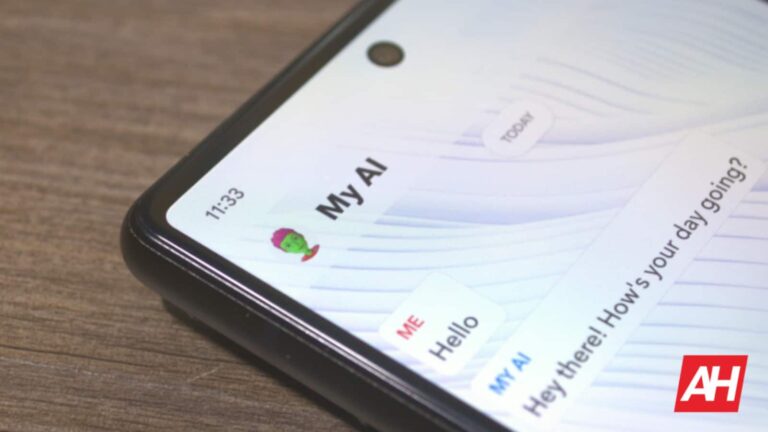

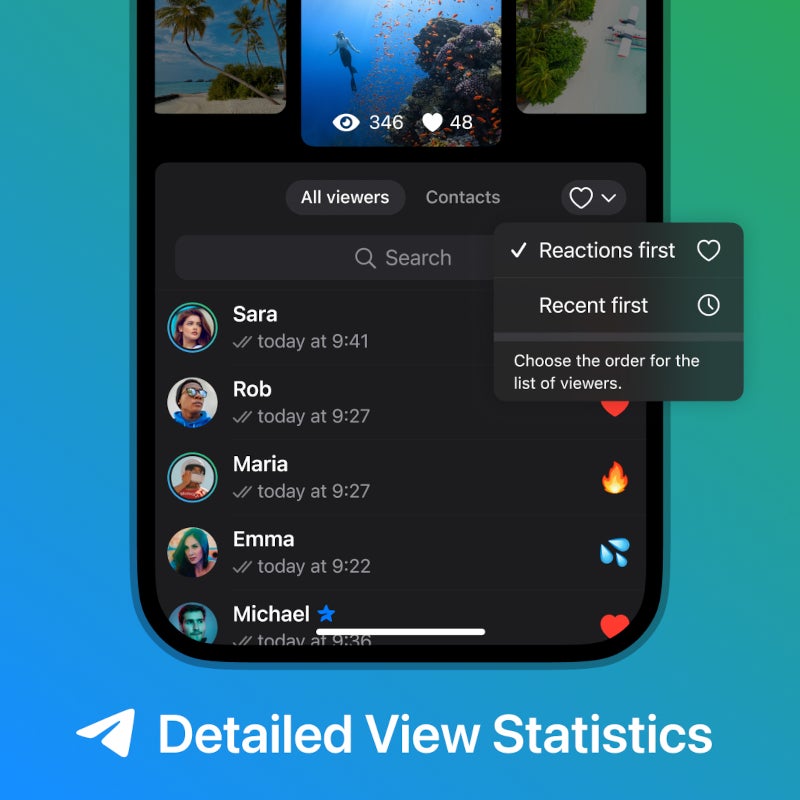


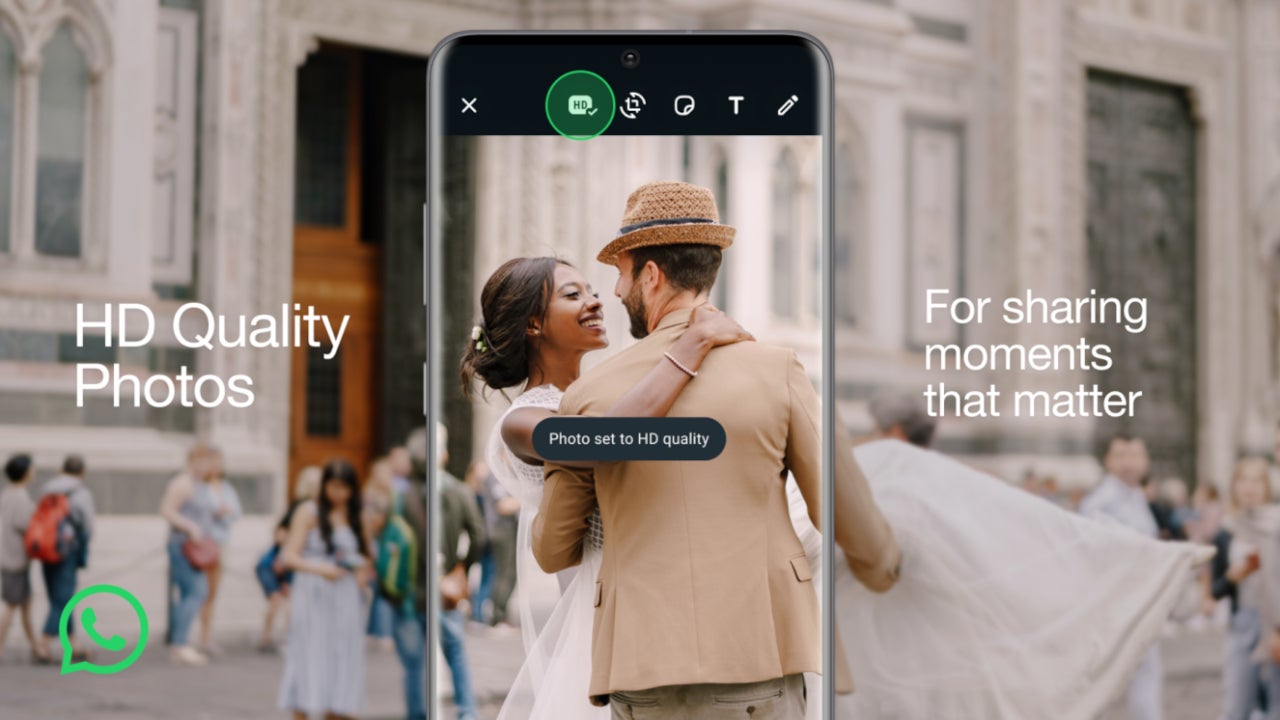




 Figure 8: WoofLocker version 1
 Figure 9: WoofLocker version 2