Microsoft Bug Bounty Program awarded $13.8M for their collaboration with over 345 security researchers from +45 countries around the world between July 01, 2023, to June 30, 2023.
Bug Bounty Programs authorize independent security experts to report bugs to a company in exchange for rewards or compensation.
These bugs can include security exploits, vulnerabilities, process issues, hardware flaws, etc. It is also known as a vulnerability rewards program (VRP).
Bug bounty programs allow companies to leverage the hacker community to improve their systems’ security posture over time.
Larger companies, including Apple, use bug bounty programs as a part of their security program.
These programs have access to a larger number of hackers or testers, thereby increasing the chances of finding bugs before malicious hackers attempt to exploit them.
The bounty programs are spread across cloud, platform, and Defense & Grant programs such as Microsoft Azure, Xbox, Microsoft Dynamics 365 and Power Platform, M65, and more.
Each program has its own scope, eligibility criteria, award range, and submission guidelines.
Bug Bounty Program in the Past 12 Months
Intune Bug Bounty research invitation challenge July 2022
New high-impact research scenarios added to the Microsoft 365 Insider Builds on Windows Bounty Program January 2023
Microsoft Teams Preview Bug Bounty research invitation challenge January 2023
New Bing Bug Bounty research invitation challenge March 2023
New severity classification for Online Services added to the Microsoft 365 Bounty Program April 2023
New scope added to the Identity Bounty Program June 2023
Secure boot research scenarios added to Windows Insider Preview Bounty Program July 2023
“In the coming year, we will continue to improve our programs based on your feedback. We appreciate our global security research community for their ongoing partnership and for sharing their expertise to help secure millions of Microsoft customers.
We look forward to strengthening our existing relationships and building new ones”, said the Microsoft Bug Bounty Team.
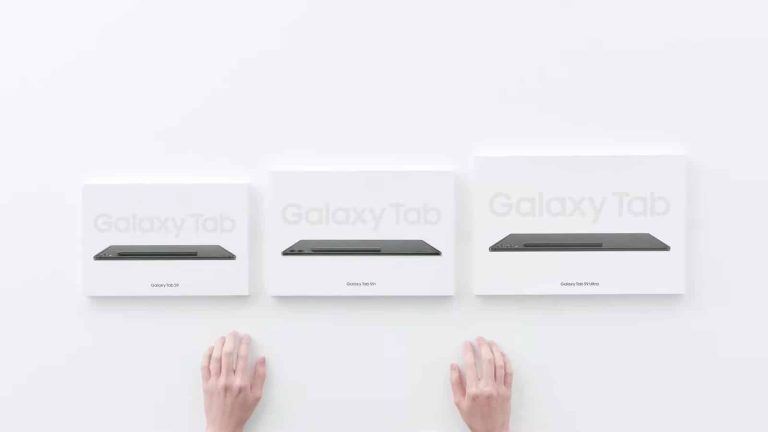
Samsung‘s Galaxy Tab S9 FE and Galaxy Tab S9 FE+ mid-range tablets might go official soon. The new Fan Edition (FE) tablets have already picked up several regulatory approvals, while leaks have revealed their key specs. We now also have our first live look at the duo thanks to photos shared by the South Korean certification agency Safety Korea.
The agency recently certified the Galaxy Tab S9 FE and Galaxy Tab S9 FE+ for launch in Samsung’s homeland. As part of the process, it published live photos of both devices on its official website. First spotted by TabletMonkeys, the photos show us the front of the duo, both of which are locked. We can still see relatively big bezels and one front-facing camera each, though.
The Safety Korea listings for the Galaxy Tab S9 FE and Galaxy Tab S9 FE+ don’t reveal anything else that we don’t already know. As expected, both devices will be available in Wi-Fi and cellular (5G) versions. The vanilla model has the model numbers SM-X510 (Wi-Fi) and SM-X516N (5G), while the Plus model has model numbers SM-X610 (Wi-Fi) and SM-X616N (5G).
Note that these are the 5G versions of the two tablets have different model numbers in other markets. The US models are identified as SM-X516U and SM-X616U, while the international models have the model numbers SM-X516B and SM-X616B. Regardless of these identifiers, the specs of the Galaxy Tab S9 FE and Galaxy Tab S9 FE+ will remain the same globally.
The Galaxy Tab S9 FE and Galaxy Tab S9 FE+ will pack modest specs
As you might expect, the vanilla Galaxy Tab S9 FE will be smaller, featuring a 10.9-inch display. The Plus model, on the other hand, sports a 12.4-inch display. Both tablets are rumored to be powered by Samsung’s in-house Exynos 1380 processor. Additionally, we are expecting a single rear-facing camera, S Pen support, a side-mounted fingerprint scanner, a smart connector, and a dual stereo speaker setup.
Rumors are that the Galaxy Tab S9 FE series tablets will run Android 13 out of the box. That suggests the duo could debut within the next couple of months or so, as Samsung’s Android 14/One UI 6.0 update will arrive in October. Unfortunately, we don’t yet have an official word on their launch. The company did name the devices on its website recently, but the launch date is still missing. The wait may not be much longer now, so stay tuned.
Apple is apparently testing its new M3 Max chipset that we expect to see in some new Macs next year. And according to Bloomberg, it’s a pretty monster chip from Apple. It’s set to offer a 16-core CPU and a 40-core GPU. The M3 Max will likely be available in the MacBook Pro, Mac Studio and possibly the Mac Pro next year.
However, the first M3 Macs are set to come out as early as this October. Which we would expect to see the M3 coming in the MacBook Air, iMac and Mac Mini.
The M3 Max is looking to be a slight upgrade over the M2 Max, at least in terms of the cores. The M3 Max is going to have 12 high performance cores and four efficiency cores. And with a 16-core CPU and 40-core GPU, that’s two more GPU cores than the M2 Max currently has. But don’t forget, the M3 series is set to be a 3nm chipset, which is going to provide more performance, while also being more efficient. So we could see some pretty big changes to battery life here.
M3 could be the next big leap for Apple, in terms of performance and efficiency
M1 was a big leap for Apple. Jumping from Intel over to it’s own silicon, which brought about some incredible performance, and efficiency. Giving us laptops that offer up to 18 hours of battery life. Which did seem pretty incredible back in 2020. Now it’s expected from Apple.
Now the next step is going to be M3, since it’ll be a 3nm process. At least that is what the rumors are pointing towards. The M1 and M2 were both 5nm, though M2 used a slightly improved 5nm process, which made it a small step, but still bigger than first expected. At 3nm, we should see some pretty big gains in both performance and efficiency. After M3, it’s unclear when we might see the next big leap. But M3 could bring 24 hour battery life to MacBooks. We’ll have to wait until October to see.
Many of us, including myself, often forget to rate a show or movie after watching it. While not necessary, it can help improve your suggestion list. Now, Netflix is simplifying the process for users to rate movies and shows on mobile devices.
According to TechCrunch, Netflix has updated the rating feature on its mobile app, enabling you to rate a show while still watching it. Instead of returning to a show or movie page to give a thumbs-up or thumbs-down, you can now simply tap the screen while watching, whether it’s in the middle or at the end. You can just click the thumbs buttons at the top and keep watching.
The new update will probably encourage more users to use the feature, which will help Netflix suggest more personalized recommendations based on users’ watch history and what they have liked or disliked. Or, to put it in a few words, by rating what you are watching, you are helping Netflix’s algorithm understand you better.
The system that suggests new movies and shows on Netflix uses two different data sets to make personalized recommendations for what you might want to watch. The first data comes from what you’ve watched before and the kinds of genres you prefer, while the second is based on your ratings.
On the mobile app, you can rate using three reaction buttons: a thumbs up, a thumbs down, and a double thumbs up button. The latter was introduced last year in an attempt to teach Netflix’s algorithm not only which movies or shows you like or don’t like but also which you love.
Based on which movies and shows received your double thumbs-up reaction, Netflix’s algorithms will better recommend similar ones. With the improved rating feature, now more user-friendly on mobile devices, starting to use it could lead to receiving more accurate and tailored suggestions.
Samsung heard all of us over the past year, and has decided to bring back the “Classic” model of the Galaxy Watch. Which, we kind of expected, after Samsung repeatedly told the press last year that the rotating bezel was not dead. It looks like we’ll be getting the Pro and Classic models on rotating years. Which is a good move by Samsung.
The Galaxy Watch 6 Classic doesn’t bring a whole lot of changes over the Galaxy Watch 5, but it does bring a number of features if you’re comparing to its true predecessor, the Galaxy Watch 4 Classic, which came out in 2021. And on top of that, it’s now starting at a higher price, of $399. We have the 47mm here on loan from Samsung, which is $429. So we’ll be reviewing it with that in mind.
Is the Galaxy Watch 6 Classic worth upgrading to this year? Let’s find out in our full review.
Samsung Galaxy Watch 6: Hardware & Design
The design of the Galaxy Watch 6 Classic isn’t much of a departure from the past two years of design from Samsung. It still has relatively flat sides, with a raised bezel that rotates on the classic. The regular Galaxy Watch 6 has a flat display, much like the Galaxy Watch 5. In fact, it’d be tough to tell the two apart, other than the colors Samsung used each year.
With the rotating bezel, Samsung is making it easier to navigate through the OS here. And that’s why this feature has become such a fan favorite. It’s pretty crazy that no other OEM has adopted something similar. But this also makes the Galaxy Watch 6 Classic look more like a traditional watch – hence the “Classic” name.
The other big change on the Galaxy Watch 6 Classic this year is, a larger display. Now, Samsung is offering the watch in 43mm and 47mm, compared to 42mm and 46mm on the Galaxy Watch 4 Classic. That gives you a 1.3-inch display on the 43mm and a 1.5-inch display on the 47mm model. Giving you more room to read notifications, and even make text larger to read it more easier on your wrist.
When it comes to the bands, Samsung has made it easier to swap them out. Sort of adding the same method that Apple has on its watches. There’s now a button on the included band that you can press to easily swap out the band. It will still use traditional watch bands (20mm bands), so that’s a really good move by Samsung, versus what Apple has done.
Now the included band, I actually quite like. Which has not always been the case for smartwatches. It’s a silicon band, but it’s been styled to look like a black leather band. What makes this so great is that you can use this band at the gym when you’re working out, and not worry about destroying the leather band. While still being able to wear this with a nice suit and it fitting in nicely.
Samsung Galaxy Watch 6: Wear OS 4 and One UI Watch 5
Samsung is the first to get Wear OS 4 on a new watch, and the Galaxy Watch 6 series also runs One UI Watch 5, which went into beta last month for the Galaxy Watch 4 and 5 series. One UI Watch gives the Galaxy Watch 6 a pretty distinct Samsung feel, in fact if you put it next to the Pixel Watch, you might not even realize both ran Wear OS. A lot like how Android works on phones. Samsung wanted its watches to basically mirror their phones look and feel, and they’ve done a good job with One UI Watch, which also mirrors your settings across both devices.
As you might expect, Wear OS 4 doesn’t change a whole lot on the Galaxy Watch this year. The big changes include the Google Calendar and Gmail apps which aren’t yet available. Those will likely come out closer to the Pixel Watch 2 launch – which is expected to be mid-October.
As usual with Samsung’s watches and really any Wear OS watch, you can use tiles to bring widgets onto your watch face. So you can swipe left or right (or rotate the bezel on this Classic model), to switch between them. Samsung has quite a few tiles too, even more than the Pixel Watch. Including a number of options for Samsung Health. Including things like your steps, shortcuts to starting an exercise, your sleep from the previous night, starting an ECG and even a body composition measurement.
There are other tiles available, including the Weather, timers, battery status, media controller, and so much more. Samsung has more than enough tiles on the Galaxy Watch 6, to keep you happy.
Galaxy Watch Faces
Samsung has also included a number of watch faces for the Galaxy Watch 6, and since this is Wear OS, you can download additional watch faces from the Google Play Store or Galaxy Store. My favorites are the Kinetic Digits (which is what you see throughout this review), as well as the Digital Dashboard. These both give you a bunch of information on your watch face, so you can see things at a glance without jumping into tiles or apps.
Samsung provides plenty of health-oriented watch faces here, as well as some more “classic” watch faces, and even more simple ones. I’m fairly certain that everyone can find a watch face that they’d like on the Galaxy Wearable app. But of course, you an download more.
Samsung Galaxy Watch 6: Health features
One of the big selling points for a smartwatch is, the health features. And much like its phones, Samsung goes above and beyond with features on the Galaxy Watch 6.
One of the cooler options that Samsung offers is the Body Composition measurement. Basically, you slide your watch further up on your wrist, then touch the buttons with your ring finger and middle finger from the other hand. It takes about a minute or so to do the measurement. Now before you start the measurement, you update your weight, which makes this a bit more accurate. This will give you your skeletal muscle, fat mass, and body water. If you scroll down a bit more, you’ll also see your body fat, BMI, and BMR numbers. Now, you might be wondering, how accurate is this? Obviously, it’s not going to be 100% accurate, but it’s pretty close to a smart scale that can measure all of this.
I compared it to my Withings scale, and it was pretty accurate. Of course, you will only get the 100% accurate number if you go to a doctor or health spa where they physically measure this stuff. But this is a good way to keep track of your progress over time.
Another feature it has is an ECG. Which takes about 30 seconds, and you need to place your index finger on the button to measure. Samsung is very adamant that this does not check for heart attacks. But it can help diagnose an arrhythmia.
Of course, the Galaxy Watch 6 Classic still has all of the usual health features you’d expect. That includes your steps taken, exercises, miles traveled and much more. And since this is water resistant, it can also track your swimming. Of course, Samsung added this feature before they even switched to the “Galaxy Watch” branding, so this is nothing new.
The Galaxy Watch 6 does have a good amount of health and fitness features included, and it’s all part of the Samsung Health app, which works on any Android device.
Samsung Galaxy Watch 6: Battery life
Battery life on the Galaxy Watch 6 series is rather interesting this year. Despite having larger displays and smaller batteries, the entire series is being marketed as getting 30 hours with AOD on and 40 hours with AOD off. That is pretty similar to what we have seen in our testing.
On the Galaxy Watch 6 Classic 47mm that we’ve been testing, we’ve been getting about a day and a half on a charge with AOD on. That’s about 36 hours. Of course, there’s a lot of factors there, like the number of notifications you get, how many workouts you have it tracking and so forth.
We did also test it with AOD off, and it was averaging about 45-50 hours on a charge. So it’s good to see that the Galaxy Watch 6 series is exceeding what Samsung is marketing on these watches.
Now what about charging? Well, it takes about an hour to charge from almost dead to 100%. Typically, I was charging it from around 20% up to 100% and that was closer to about 45 minutes. And since this watch does last more than 24 hours, you could place it on the charger before you get in the shower and have enough juice for the next 24 hours. So charging isn’t really a problem.
Should you buy the Samsung Galaxy Watch 6?
The Galaxy Watch 6 is a really good watch, in fact, I’d go out on a limb here and say it’s still the best Wear OS watch on the market. Of course, there’s not a whole lot of competition there. It’s basically Fossil’s models, and the Pixel Watch. But it’s a good all-around watch. It’s good for health and fitness, it’s also good for notifications, and has plenty of great apps that you can use, and pull out your phone less.
You should buy the Samsung Galaxy Watch 6 if:
– You have a Galaxy Watch 4 or older, it’s not much of an upgrade from the Galaxy Watch 5.
– You really want the rotating bezel on the Galaxy Watch 6 Classic.
– You have a Samsung phone and want the best smartwatch for that phone.
You should not buy the Samsung Galaxy Watch 6 if:
– You have a Galaxy Watch 5 series.
– You have an iPhone, Wear OS does not work with the iPhone now.
– You don’t want to use Samsung Health for tracking health and fitness.
It has been reported that over 43 Android applications, which are available on the Google Play Store, display ads while the mobile screen is turned off.
When the users attempt to open their home screen, they might catch a glimpse of the ad.
Though this seems to be less annoying for users, it is clearly a violation of Google Play Developer policy on how ads should be displayed.
From the user end, it might be convenient to look at lesser ads, but these apps drain the battery and consume more data.
Malicious Apps (Source: McAfee)
Additionally, these ads might also pose potential risks like information leaks and a kind of clickjacking attack.
Combinedly these apps had a total of 2.5 million installations. Most of these apps belong to TV/DMB players, Music downloaders, News and Calendar categories.
Working on these Applications
Google scans every application before they are available to the users on the Play Store. These apps evaded detection and inspection by modifying the latency period of these fraudulent activities.
It might be typically several weeks before these applications begin to initiate ads which makes it difficult to detect.
Code showing Latency period (Source: McAfee)
Furthermore, these applications have libraries that can be modified remotely by the developer. Ads are pushed using Firebase Storage or Messaging service.
Users must take precautions before allowing “power saving” permissions and “draw over other apps” permissions for an application as they allow applications to perform discrete activities in the background.
Most of these applications have been removed from Google Play Store after they were reported to Google by McAfee researchers. It is recommended that users take into consideration these kinds of applications and check for application permissions regularly to revoke any application permission that might no longer be needed.
The Galaxy Tab S9 FE and Galaxy Tab S9 FE+ may not be the only new mid-range Android tablets Samsung has in the pipeline. The Korean firm may also launch the Galaxy Tab A9 alongside the two Fan Edition (FE) models. The upcoming A-series tablet recently picked up the FCC certification on its way to launch. The listing revealed some of its key specs, while the attached live photos showed us its design.
Spotted by Pricebaba, the FCC certification website has listed the Galaxy Tab A9 with the model number SM-X115. Accompanying documents confirm that the tablet will pack a 5,100mAh battery with support for up to 15W charging speeds via a USB Type-C port. That’s pretty much the bare minimum these days for Android devices, so you can expect the rest of the specs to be modest too.
The FCC listing reveals that the tablet will offer 5G cellular connectivity, along with Bluetooth, Wi-Fi, GPS, and FM connectivity. The device will measure 210.7mm in length and 124.7mm in width. Those dimensions, coupled with chunky bezels seen in live photos, suggest its display will measure less than 9 inches diagonally. The Galaxy Tab A7 Lite features an 8.7-inch display, while the Galaxy Tab A8 sports a 10.5-inch screen. We are expecting an LCD panel here.
The certification listing further reveals that the Galaxy Tab A9 will boast expandable storage (via a MicroSD card). Its internal storage capacity is not known, but we have little hope Samsung will offer more than 128GB. Attached live photos and schematics show a single rear-facing camera, seemingly without an LED flash. The tablet has a 3.5 mm headphone jack at the bottom, while the power and volume buttons are on the right edge. It should run Android 13 out of the box.
The Galaxy Tab A9 may debut soon
This is pretty much all we know about the Galaxy Tab A9 at the moment. It’s unclear when Samsung plans to launch the device. However, as said earlier, the company also has a couple of FE-series tablets in development. The Galaxy S23 FE is in the works too.
The new FE phone is said to go official in select markets as early as September. Time will tell whether Samsung unveils the new tablets around the same time or if we’ll have to wait longer for those. We will keep a close eye on the developments around the upcoming Galaxy products and let you know as soon as we have more information.
Well, we thought that it would never happen, but miracles happen. After months of rumors, we just got a new leak showing what that iPhone 15’s USB-C ports will look like. If correct, it will mean that iPhones will change their charging port for the first time in over a decade.
So, if you’re thinking that Apple suddenly realized the benefits of USB-C, that’s not the case. The EU had to basically twist the company’s arm to make this change. However, this wasn’t a campaign targeted at Apple.
Starting last year, the EU started a push to make USB-C the standard charging port across Europe. This means that the majority of mobile devices that can be powered by USB-C will be. This includes devices like smartphones, tablets, smaller laptops, etc. Appliances and larger devices, obviously, are excluded from this.
This is a push to keep companies from making proprietary connectors for their devices. This tactic forces people to only buy accessories from that company. While that’s lucrative for the company, it’s inconvenient for the customers.
A leak shows the iPhone 15’s USB-C port
Since this is a leak, you’ll want to take it with a grain of salt. It comes courtesy of @lipilipsi (via GSM Arena). The leak doesn’t show the phone itself, but it shows us the individual USB-C components for the three models of the phone.
The top one shows the part for the iPhone 15 Pro Max, the second shows the iPhone 15 Plus’, and the bottom shows the base iPhone 15’s. So, all of the models will be using USB-C.
According to the report, the base model will use USB 2.0 ports with a 480Mbps transfer speed and up to 20W charging. The two upper-tier models could get USB 3.2 connectors with better specs.
This leak also gives us a small preview of some of the colors these phones could come in. They all seem to be some shade of blue with the base model having the lightest shade. If you’re excited for the iPhone 15, there’s not much more time to wait. This phone is expected to get an official announcement on September 13th.
It is hard to deny that phones have practically become an extension of our bodies. They are the ultimate tool of the modern human, and much of what we do in our day to day is enabled by the numerous tech that’s crammed into these small slabs that fit into our pockets.
As a consequence of our reliance on phones, however, we tend to put all kinds of sensitive information in them in the form of images, passwords, bank accounts, etc. They are practically treasure troves full of data which, if discovered, can give frightening levels of access to our lives.
Android phones in particular are highly targeted by hackers who want to make their way to your personal treasure trove and use the information inside to carry out malicious activities. Very often, the aim of this criminal act is to gain access to your hard-earned cash and — in one way or another — steal it.
One of the most common ways hackers do this is through malicious Android apps, and we are not talking about only those you can sideload outside of the official app store. Unfortunately, even the Google Play Store does not have airtight protection against apps with malware, so you can’t really depend on Google to keep you safe from such dangers.
In this article we want to help you stay safe and avoid being ensnared by the traps said hackers lay out. Below you will find out more about how to spot malicious Android apps before and after you have installed them. We will also talk about what you can do to protect yourself and clean your phone from malware.
How to spot Android malware apps
No such thing as a free lunch
Many of these applications, and that includes those in the official Google Play Store, often try to hook you by promising some kind of reward, gift, or plain and simple money. There is no such thing as a free lunch! More often than not (almost always in fact), these apps contain malware and the developers are virtually hanging a piece of candy for you to bite on.
Read the reviews and research the app
If you feel there is even a small chance the app you want to download is shady, a quick Google search wouldn’t hurt whatsoever. It is better to be safe than sorry. Additionally, it can prove helpful to check out the reviews — do they make sense? Or are they nonsensical and weird-looking?
With tech like ChatGPT now widely available, it is not uncommon for app developers to include fake reviews. These usually tend to stand out as unnatural and should be an instant red flag.
Read the app permissions
One of the best ways to see if the app will be snooping where it shouldn’t is to check its app permissions beforehand. You can do that by going to the app you are interested in, tapping on the About section, scrolling down to the bottom, and tapping on App permissions.Does something feel out of place? Is the app requesting access to your camera without any obvious need for it, for example?
Avoid third-party app stores
Yes, you can stumble upon malicious apps in the Google Play Store, but the chances of this happening are much greater as soon as you start downloading apps from other sources too. That is called sideloading.
Now, we are not saying that sideloading apps guarantees malware on your Android phone. The fact that Android allows this, to begin with, is part of what makes it a special OS. That being said, if you don’t know what you are doing and haven’t done proper research, it’s best to stay away from sideloading apps.
How do you know if your phone has malware?
There are a few common symptoms to look out for that can point to a malware-infected phone:
Ads, lots of pop-up ads!
Also called adware, this type of malware has one goal and one goal only — to flood your screen with our favorite type of ads, the ones that pop up. This might not threaten your livelihood, but it is undoubtedly one of the peskiest examples of malware.
The battery suddenly starts to drain rapidly
Phones’ batteries degrade over time and last less, but if you see a sudden change in your phone’s battery life then it’s best to check out which app is the one pulling so much juice. Is it a new one that you recently installed? If the answer is yes and it is not from a trusted developer with a good reputation, either delete it immediately or at least do thorough research on it.
Steps:
Open the Settings app and tap on Battery.
Tap on Battery Usage.
The higher the app is, the more battery it drains.
Excessive data usage
If you are on a limited data plan and you notice your data ending abnormally early, you should immediately check how much data each app is using up. It is the same as with the battery — if you see any new app or one that you don’t recognize and it’s drawing too much data, delete it!If you happen to have an unlimited data plan, our recommendation is to still check how much data each app is using up at least once in a while as a precaution.
Steps:
Go to the Settings app.
Tap on Network & Internet (or just Internet).
Next to your carrier, tap Settings.
To see graphs and details, tap App data usage. To pick a time period, tap the Down arrow.
Your phone seems slower or overheats
Is your phone inexplicably performing worse than before even during regular tasks? There could be many reasons for this, of course, like very hot or cold temperatures or software bugs, but if all else seems fine and you are still seeing a lower performance, then it could mean you have malware.
Speaking of temperatures, another giveaway related to performance might be overheating issues. Malware usually works behind the scenes while your phone is carrying out its regular tasks, so it is basically putting more stress on top of the processor which can lead to regular overheating issues.
Scan your phone for malware apps with Play Protect
The Google Play Store has a tool called Play Protect, which can run a safety check on apps from the Play Store, but also harmful apps that have been installed from other sources. It will warn you of potentially harmful applications and sometimes deactivate or straight-up remove harmful apps from your Android phone.Steps:
Open the Google Play Store app.
Tap the profile icon at the top right.
Tap Play Protect and then Settings.
Turn Scan apps with Play Protect on if it is not already.
How to get rid of malicious Android apps
Use an antivirus program
This should go without saying, but one of the best ways to protect yourself against Android apps with malware is to have some kind of mobile threat detection tool like an antivirus program installed. Just make sure that it is a reputable one and not one that is just disguised as such. Many antivirus programs can also remove malware that is already on your phone too.
Simply uninstall
It’s good practice to check your app drawer every once in a while to see if there are any apps in there that you don’t recognize. This is especially true if you notice any of the symptoms we mentioned earlier.
Does it look odd and like something that shouldn’t be on your phone? Maybe it is using up too much battery life or data. If so, delete it.
Sometimes, however, it is not as simple as going into the app drawer and uninstalling the app. There are malware applications that give themselves admin privileges, which makes the uninstall option disappear from the pop-up menu.
Here’s how you can combat this issue:
Go to Settings and then Security.
Tap on Other Security Settings.
Tap on Device Admin apps, Device Administrators, or Phone Administrators.
Toggle admin privileges off for the malware app.
Tap Deactivate.
Now you should be able to see the uninstall option.
Last resort: factory reset
If all else fails, your last option is to completely reset your phone to its factory settings. This will wipe out everything on your device, so be sure to back up all your important files and data beforehand.Once you reset your phone, you should disable the automatic app downloads in case the phone goes ahead and downloads that malicious app again. Instead, it’s best if you do it manually.
Recent reports indicate that threat actors have been manipulating Script kiddies or amateur hackers into performing malicious actions that they never intended. This is done with the OpenBullet tool, which is used by web application testers and security professionals.
OpenBullet is an open-source security testing tool that can be used for conducting simple repetitive tasks as well as complex attacks with the help of a configuration file.
These configuration files are designed by sophisticated hackers and traded, shared, or even sold to cybercriminals.
However, these configuration files can be a single line or even hundreds of lines of code. Highly complicated codes are hard for initial-level hackers to read and understand.
Such a configuration file was found on a Telegram channel which seemed to have been maliciously coded for credential stuffing and account takeover attacks.
Further analyzing the configuration file, it was revealed that the code was designed to bypass Google’s reCAPTCHA and had multiple functions inside it along with a COOKIE variable.
It was found that the configuration file does more than just bypass the CAPTCHA.
COOKIE variable before concatenation (Source: Kasada)
The function written on the configuration file concatenates the COOKIE variable, which forms a Pastebin URL that redirects to a GitHub URL that consists of a repository called GetChromeUpdates.
OpenBullet retrieves the binary hosted on this repository which was found in a chromedriver.exe file.
This chromedriver.exe file replaces the SeleniumWebDriver used in OpenBullet. Once it is done, OpenBullet creates a new session that downloads two payloads from the same GitHub repository as Ocean and Patent.
Workflow of OpenBullet Telegram RAT
Ocean is the downloaded script while Patent is a Python-based executable that does not have any obfuscation during compiling and was written in Python version 3.11.
Furthermore, the scripts download malware from the repository called Telegram-RAT, which contains the malware written in Python. It communicates with the command and control server using telebot.
A complete report has been published by the Kasada Threat Intelligence team which provides complete information on the methods, mechanisms, and code used by the threat actors.