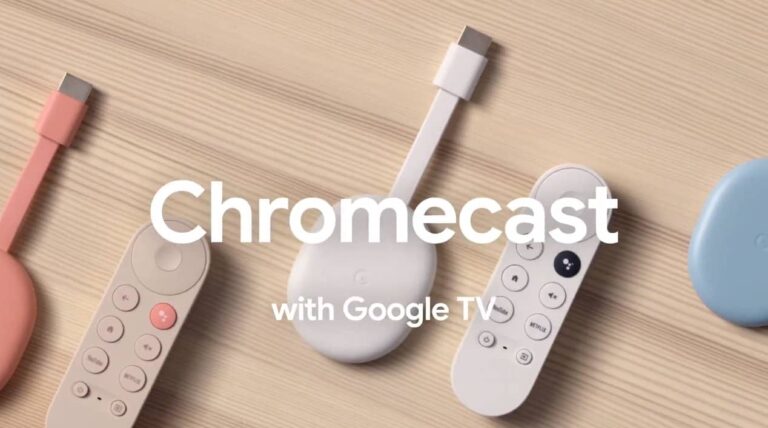
The Google Chromecast patent case has been standing for some time now. After a legal trial, the court found that Google is guilty of the charges laid against it and must pay. Total damages from this case amount to $338.7 million as decided by the court last week.
This case brings to light certain software elements on the Chromecast that are patents belonging to a tech company. The exact feature at the centre of this dispute is remote-sharing technology. With this feature, users can stream content across various screens using one device.
Touchstream claims ownership of this patent that they say Google stole and has been using for years. Google says that it didn’t infringe any patent from Touchstream and the said patents are invalid. However, a court has found Google guilty and is imposing a fine of $338.7 million on the tech giant.
Google claims that the Chromecast patent infringement case is invalid
In the tech industry, patent infringement cases are a constant feature, with various companies stealing the ideas of others. For clarification, a patent is a licence that gives the sole rights to an invention or idea to an individual or body for some time. Tech companies often use patents to protect their ideas or technological innovations that they are not yet ready to develop.
In recent times, Touchstream has taken Google to court over a said Chromecast patent infringement. According to the company, they had the sole rights to this patent back in 2010. Their claim goes on to say that Google met them at this time regarding making use of this patent for Chromecast devices but was denied its request.
Fast-forward to 2013, Google launched Chromecast devices for media streaming using this patent. Ever since then, Google has proceeded to develop the technology and launch more devices built around this idea. Touchstream is now legally fighting for what they say is rightfully theirs and they seem to have seen a measure of success.
The federal jury in Waco, Texas that heard this case, has judged in favour of Touchstream. Google, on its part, is not happy about the $338.7 billion fee the court demands it pay in damages. The tech giant insists that it didn’t infringe the patent but developed the software technology on Chromecast streaming devices.
Touchstream also claims that certain software features on other Google Home devices are part of their patents. To seek what they will consider a fair trial, Google might be appealing this court decision. More information on this patent infringement case between Google and Touchstream will become available in the coming weeks.
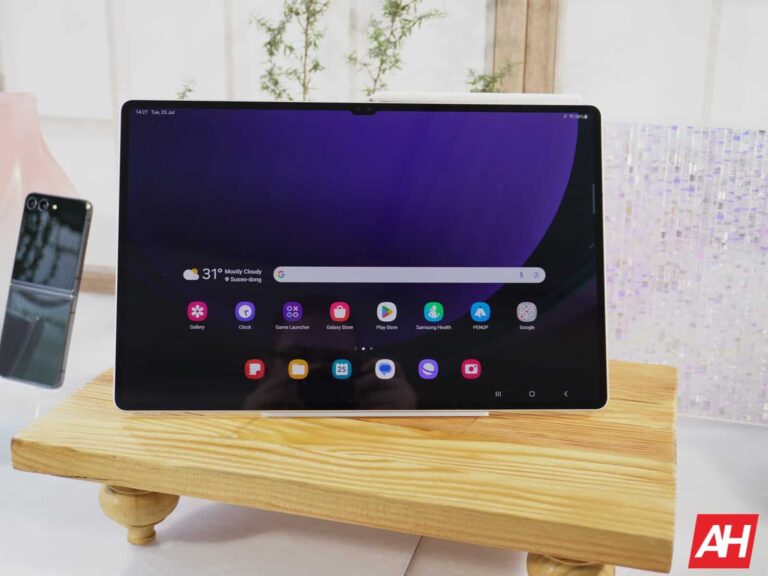
Samsung just announced the new Galaxy Tab S9 series of tablets. These are powerful that you will use for some powerful work. Thankfully, Samsung gave the Galaxy Tab S9 a killer cooling system to keep it cool.
If you’re curious about other devices that Samsung announced during its latest Unpacked event, look no further. Android Headlines covered these new devices, and you can check it out here. Samsung announced its new Galaxy Z Fold 5 and Galaxy Z Flip 5 along with the new Galaxy Watch 6. One of these might be your new favorite device.
The Galaxy Tab S9 has a killer cooling system
Whether you pick up the Ultra model with 16GB of RAM or the more affordable base model, you’re getting great specs. So, you’re more than likely to use it for serious work. The thing is that serious work really heats up a device. This can make it uncomfortable to hold, cause it to shut off, or wear down the internal components faster.
Samsung redesigned the cooling system for this latest iteration. It siphons heat away from the processor and it sends the heat in two directions. The system sends heat up through the display and down through the back of the tablet.
This further spreads the heat throughout the body of the tablet, keeping the internal components cooler. The heat will travel from the tablet’s chassis and through whatever surfaces your tablet is on.
That’s not all. The Galaxy Tab S9 is the first Galaxy Tab to employ a vapor chamber. This will further disperse the heat throughout the tablet. This dual heat dispersal setup will help keep this tablet cool whether you’re working or gaming.
Looking to pre-order this tablet?
Right now, you can get your pre-order for the Galaxy Tab S9. The base model starts at $799 while the Plus model comes in at $999 and the Ultra model starts at $1,199.
Click here to pre-order the tablet from Samsung.com (this one has discount deals on a book cover Keyboard Case, Galaxy Watch 6, and Galaxy Buds2 Pro). Click here to pre-order from BestBuy (this one comes with a trade-in deal).
The CRS v3.3.5 release has been announced by the OWASP ModSecurity Core Rule Set (CRS) team.
The OWASP ModSecurity Core Rule Set (CRS) is a set of general attack detection rules that may be used with ModSecurity or other compatible web application firewalls.
The CRS seeks to guard online applications against a variety of assaults, including the OWASP Top Ten, while producing the few false alarms as possible.
The CRS offers defense against numerous popular attack types, such as SQL Injection, Cross Site Scripting, Local File Inclusion, and others.
On March 24, 2023, the ModSecurity project first raised this vulnerability to the attention of the CRS project.
Multiple HTTP “Content-Type” header fields are not detected by the OWASP ModSecurity Core Rule Set (CRS) v3.3.4.
Because of this, on some platforms, a CRS installation may interpret an HTTP request body differently (as a result of the differing Content-Type) than a backend web application would.
The company later determined that the CRS reference platform (ModSecurity 2.9.x on Apache 2.4) was unaffected.
To resolve this vulnerability, CRS 3.3.5 has just been released.
“This is a security release which fixes the recently announced CVE-2023-38199, whereby it is possible to cause an impedance mismatch on some platforms running CRS v3.3.4 and earlier by submitting a request with multiple Content-Type headers”, the Core Rule Set development team said in its advisory.
Other Changes and Improvements in CRS v3.3.5 Release
Fix paranoia level-related scoring issue in rule 921422 (Walter Hop)
Move auditLogParts actions to the end of chained rules where used (Ervin Hegedus)
Clean up redundant paranoia-level tags (Ervin Hegedus)
Clean up YAML test files to support go-ftw testing framework (Felipe Zipitría)
Move testing framework from ftw to go-ftw (Felipe Zipitría)
Update sponsors list and copyright notices (Felipe Zipitría)
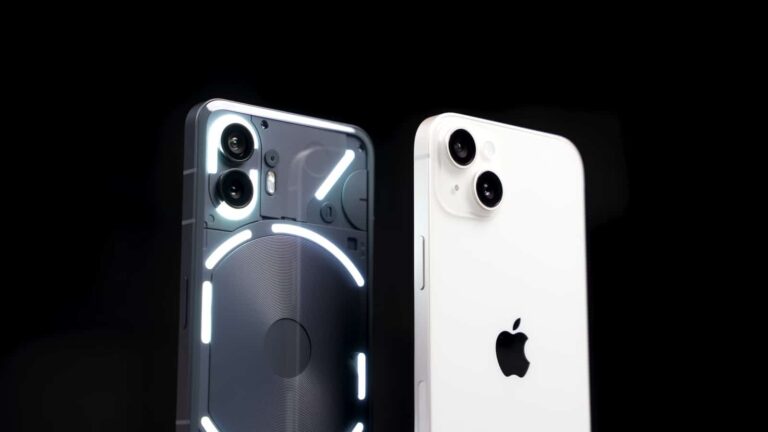
The Nothing Phone (2) launched not long ago, and a rather interesting video popped up on YouTube. It was published by PhoneBuff, and it pitches the Nothing Phone (2) vs the iPhone 14 Plus. The Nothing Phone (2) actually managed to beat the iPhone 14 Plus in a speed test, which is what this whole video is about.
The Nothing Phone (2) managed to beat the iPhone 14 Plus in a speed test
This YouTube channel is well-known for such speed tests, actually. This particular video has a duration of almost 5 minutes, and it’s embedded below the article, in case you’re interested.
So, how is this done? Well, there’s not a single app left in the multitasking on each phone, just to put them on an even playing field. There are a bunch of app icons placed on each of the home screens, though.
You’ll notice that the same apps are included on the two home screens, from various categories. In the video, you’ll see both phones open them one by one, side-by-side. In some of them, each phone performs specific tasks.
So, for example, in Snapseed, a quick picture edit is conducted, and in Filmora, a quick video render. The test is finished after both phones complete all tasks in all apps.
Nothing’s handset finished around 4 seconds faster, and kept all apps active in the background
The Nothing Phone (2) actually managed to finish this test faster, around 4 seconds faster. The Nothing Phone (2) kicked things off faster, and kept the lead until the end. The iPhone 14 Plus lost a lot of ground in Snapseed, while it managed to close the gap in most gaming apps.
Still, in the end, the Nothing Phone (2) won. Following the test, PhoneBuff wanted to make sure all apps are still running in the background. The Nothing Phone (2) passed that test with flying colors, but the iPhone 14 Plus killed Excel, however.
Many would say that the results here are unexpected, but there you go. If you’d like, you can check out the entire video below.
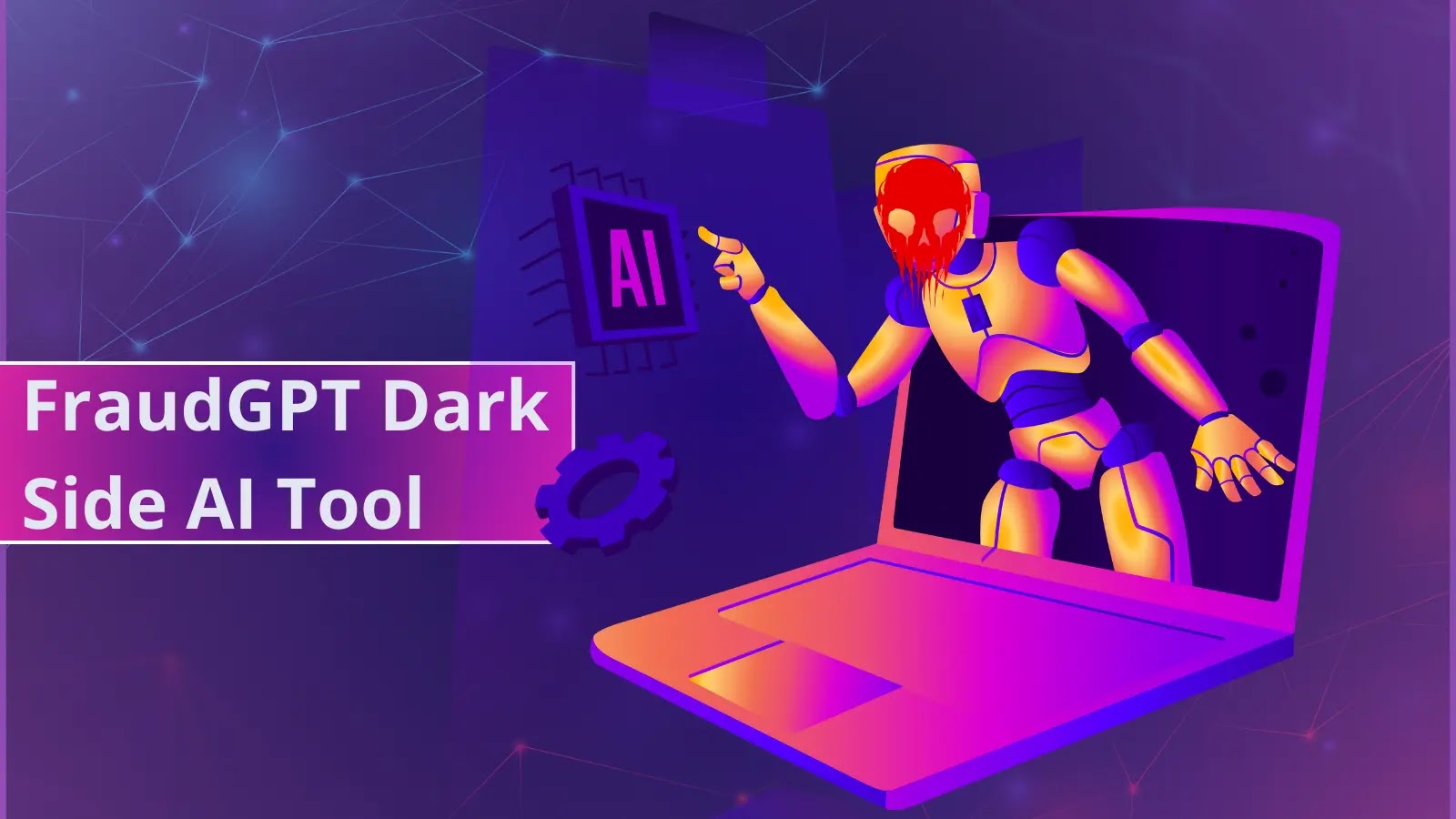
A new tool called FraudGPT has been launched by cybercriminals which pose a serious threat to both individuals and businesses.
This black-hat-based tool is capable of executing social engineering and Business Email Compromise (BEC) attacks, making it a real cause for concern.
The recent activities on the Dark Web Forum show the emergence new malicious AI tool dubbed FraudGPT, active since July 22, 2023.
According to a report shared by the Netenrich threat research team, cybercriminals are currently selling a tool on various Dark Web marketplaces and the Telegram platform.
The threat actors advertised that the “FraudGPT craftiness would play a vital role in business email compromise (BEC) phishing campaigns on organizations.”
With FraudGPT, attackers could create fewer emails that might tempt recipients into clicking on a malicious link, potentially making the future safer.
This tool has been created solely for offensive purposes and the individuals responsible for it are charging $200 per month or up to $1,700 per year.
The following are the offensive features of the tool;
Write malicious code
Create undetectable malware
Find non-VBV bins
Create phishing pages
Create hacking tools
Find groups, sites, markets
Write scam pages/letters
Find leaks, vulnerabilities
Learn to code/hack
Find cardable sites
Escrow available 24/7
3,000+ confirmed sales/reviews
The individual responsible for fraudGPT had created a Telegram channel a month prior to the release of the tool.
He confidently affirms his status as a verified vendor on numerous underground dark web marketplaces, such as EMPIRE, WHM, TORREZ, WORLD, ALPHABAY, and VERSUS.
Earlier to FraudGPT, yet another tool dubbed WormGPT was launched by threat actors aiming to offer the following services;
Generate advanced phishing emails
Launch BEC attacks
The WormGPT is an unrestricted variant of ChatGPT since it lacks ethical boundaries or limitations, unlike ChatGPT. WormGPT highlights the significant risk of generative AI.
Just after its launch, WormGPT’s Telegram channel gained more than 5,000 active subscribers in just a week, showing threat actors’ rapid adoption of the tool to perform illicit activities and attacks.
Recommendations
Defending against AI-driven BEC attacks demands a multi-layered strategy, blending tech solutions and user awareness.
Here below, we have mentioned the recommendations offered by the cybersecurity analysts:-
ChromeOS is fast becoming a more powerful platform. It’s no longer the bloated Google Chrome browser it used to be. It’s grown up, and its latest feature lets you stream apps from your Android phone. Here’s how to stream your apps to your Chromebook.
A feature like this can really come in handy, especially in our connected world. If you’re hard at work, you’d want to avoid having to constantly pick up your phone just to check your notifications and check your messages. It breaks up your workflow and causes an unnecessary distraction. It gets worse when we need to constantly access our phones for our work.
This is where streaming your apps comes in
So, what is this feature? Well, imagine if you could take your entire phone and just plug it into ChromeOS. App streaming isn’t quite that, but it’s pretty close.
This feature allows you to run full apps from your phone directly on your Chromebook. You’re running it directly from your phone, so you don’t need to install that app to your Chromebook or start the app from scratch. If you were using the app on your phone, you can pick up right from where you left off.
App streaming gives you most of the capabilities of the apps you use. There are apps that you can’t use, as they’re blocked by your Chromebook. There are other apps that require you to use pieces of your phone’s hardware. So, don’t expect to make posts using Snapchat.
Other than that, you’re free to use these apps. You can also jump from the first app you’re using to other apps as you need. Say, you open a link in Twitter, and you select to open the link in Chrome. Well, it will open Chrome as well.
When you open an app using the app streaming feature, it will also open on your phone. So, it’s actually open on your phone’s RAM, and it will behave as such. However, when you bring the app to the forefront on your phone, it will stop streaming to your Chromebook. This means that you’re able to pick up right where you left off when switching devices.
How to stream apps to your Chromebook
So, if this sounds interesting to you, then you’d want to give it a shot. Well, there’s good news and bad news. The bad news is that, as of the time of writing this article (July 2023), the list of compatible devices is pretty limited. However, this limitation only applies to the phone that you’re using.
Limitations
Google is going to expand the compatibility as time goes on, but for the time being, there’s only a handful of phones that can use this feature. You can use it if you’re rocking a Pixel 4a or newer. Also, you can if you have a Xiaomi 12 Pro, 12T Pro, 13, or 13 Pro. So, if you have one of those 11 phones, then you’re good to get this set up.
When it comes to the Chromebook, it’s not as limited. Google didn’t specify any specific model that you needed to have. So, you should be good with most any computer. However, you need to have the most up-to-date version of ChromeOS. At the time of writing this article, we’re on (Version 115.0.5790.131).
Setting it up
Now, in order to set up this feature, there are a few things that you’ll need to set up first. First, make sure that your Chromebook is up to date. Open your settings and scroll all the way down on the left panel until you see the About ChromeOS section. When you click on it, you’ll see a page that will show you the current version your Chromebook is on.
On the right side of the screen, you’ll see a Check for update button. Click on it; if there is an update available, it will update your system, If not, then it will tell you that your computer is up to date.
Next, you’ll want to enable Phone Hub. This is a panel that has information and settings that affect your phone. Go back to your settings and click on the Connected Devices section. There, you’ll see a section called Android phone. Click on the Set up button on the right of the screen.
When you do, you’ll see a dropdown menu with a list of the devices connected to your Google account. Select the phone that you want to connect. After that, enter your Google account password. Once you enter your password, you’ll get an All done screen that you can exit out of.
Back in the settings, you’ll see your phone with a little arrow on the right of the screen. Click on it and enable Phone Hub on the resulting screen. It should be the third item down. You can choose what content you want to see in the hub. Make sure to toggle on the bottom option which is called Apps. This feature might be enabled by default.
Now, on your phone
On your phone, go to your settings and scroll down to the Connected Devices button. Under your Bluetooth devices, tap on the Connection preferences button. Scroll down to the Chromebook button. On the resulting page, you’ll see some toggles that you’ll be able to flip. Make sure that the Apps toggle is enabled. You can also read and enable the other features as you seek fit.
When you enable this option, click on the Phone Hub. It’s the button on the taskbar right next to the date; it’s a little phone icon. On the bottom of the hub, you will see a section at the bottom reading Recent apps. It will show you your five most recently-used apps. To the far right, you’ll see a circle with four app icons in it. This will show you all of the apps you have installed on your phone.
When you click on an app, you might get an error message. The message will tell you that it can’t open the app. It will then tell you to “Turn on ‘Show Lock screen when waking from sleep’ and try again.” Click on the Settings button on the bottom of the notification. It will take you to your Lock screen and sign in settings. When you’re there, enable the top setting.
Just know that this setting will lock the device every time you close it or it enters sleep mode. You’ll need to enter your password or pin every time you open your computer. That could be an inconvenience for you, but it’s required for this to work. After you enable it, you’ll be able to open the apps.
Here’s a tip, if you don’t want to have to enter your password every time your computer goes to sleep, you can enable the Smart Lock feature. This will unlock your Chromebook when you unlock your phone.
After that, you are good to stream your apps to your Chromebook! If you want to know more about ChromOS and Chromebooks, read the official blog.
Elon Musk is reportedly considering taking his fight with the Securities and Exchange Commission (SEC) to the Supreme Court. Attorney Alex Spiro, who is a lawyer for Musk, confirmed on Tuesday that the Tesla CEO plans to ask the highest court in the country to determine whether the SEC exploited a consent decree that restricts him from talking about Tesla’s financials on Twitter, which is now called X. An appeals court previously dismissed Musk’s allegations of abuse against the SEC.
The consent decree arose from an August 2018 tweet from Musk where he said that he was “considering taking Tesla private.” The multi-billionaire added that he had secured the funding necessary for the privatization of the EV (electric vehicle) company. While Tesla has remained public all this while, his tweet affected the company’s share prices, causing financial losses to some investors. The SEC stepped in, alleging Musk of defrauding Tesla investors with false privatization claims.
A trial followed, eventually leading to a truce between Musk and Tesla. The two parties agreed to pay fines of $20 million each to cover the losses of Tesla investors. The agreement also required Musk to step down as the company’s board chairman and seek approval from a Tesla lawyer when tweeting about its financials. However, things didn’t end there. The SEC suspected that Musk may not have always complied with the last part of the agreement. Tesla and its CEO were repeatedly contacted by the agency’s lawyers over the matter.
Elon Musk wants the Supreme Court to settle his SEC case
Musk responded by alleging the SEC of harassing him with “endless, unfounded investigations.” He said that the agency abused the consent decree, which he had already labeled as a “muzzle” on his free speech. In mid-May 2023, an appeals court (the 2nd US Circuit of Appeals in Manhattan) dismissed his allegations. It subsequently refused to revisit the case or screening of Musk’s tweets because he had “changed his mind.” The Tesla CEO is now taking the case to the Supreme Court.
According to Reuters, which first reported Musk’s plans to turn to the Supreme Court, the country’s highest court reviews about 5,000 cases every year but hears oral arguments in only about 70 of them. Time will tell whether it takes up the “SEC v Musk” case. More importantly, where the Supreme Court overturns the consent decree that Musk isn’t happy with. If it does, the Tesla CEO would be able to talk more freely about his EV company on the rebranded social media platform X.
Samsung just announced the Galaxy Z Flip 5, and now you’re looking to pre-order it. Well, you’ve come to the right place. Here in this article we’re going to go over all of the places you can pre-order the Galaxy Z Flip 5 from, and help you get the best deal for your pre-order.
As always, Samsung is selling the Galaxy Z Flip 5 on its website, as well as through the carriers. That includes AT&T, T-Mobile and Verizon. It will also be available from Best Buy and Amazon.
AT&T (link coming soon)
AT&T is selling the Galaxy Z Flip 5 starting at $999, like everywhere else. It will also sell it in the usual colors. Those include Mint, Lavender, Cream and Graphite.
Now as far as deals go, AT&T has a few awesome deals. You can get a free Galaxy Z Flip 5 when you trade in your Galaxy phone. It can be any year and in any condition as well. AT&T is also offering you twice the storage, if you pre-order before August 10.
Best Buy
Best Buy will be selling the Galaxy Z Flip 5 for all three carriers, as well as an unlocked model. It’s going to come in all four colors – Mint, Lavender, Cream and Graphite. Though there won’t be any promos here, unfortunately.
Samsung is selling the Galaxy Z Flip 5 in both the 256GB and 512GB models. Remember it starts at $999. One of the main advantages to buying it from Samsung is going to be the fact that you can get it in a few exclusive colors. So in addition to the Mint, Graphite, Cream and Lavender that it is selling everywhere. Samsung’s website also has it available in Gray, Blue, Green and Yellow.
Once again, Samsung is offering a free storage upgrade for pre-orders. So you can purchase the 256GB model and get the upgrade to 512GB for free.
On top of that, Samsung is offering up to $900 off the Galaxy Z Flip 5 when you trade in your current device.
T-Mobile will sell the Galaxy Z Flip 5 in all four colors – Mint, Graphite, Cream and Lavendar. It will also having a starting price of $999, with some sweet promo offers for pre-orderers too.
Verizon is also selling the Galaxy Flip 5 and it will be available in Mint, Graphite, Cream and Lavender. It’ll be priced at $27.77 per month for 36 months. Verizon does have some pretty sweet offers for the Galaxy Z Flip 5 though.
Those looking to switch, Verizon will let you trade in your old phone and get a Galaxy Z Flip 5 on “us” or $1,000 towards the new Galaxy Z Fold 5. You do need to add. A new line on the Unlimited Plus plan for this. If you’re upgrading, you can trade-in select phones on qualified 5G Unlimited plans to get $1,000 off either new phone.
During pre-orders, Verizon will also bump up your storage. So you can get the 512GB model for the price of the 256GB. And if you are a NFL Sunday Ticket fan, well, those on the Unlimited Plus plan will get NFL Sunday Ticket “on us”, with the purchase of a new Galaxy Z Flip 5 or Fold 5.
Finally, for accessories, you can get 15% off the Galaxy Z Flip 5 and Fold 5 cases and screen protectors. As well as 25% off of Samsung Galaxy chargers, and 50% off of the Galaxy Buds2 when you buy select Samsung smartphones.
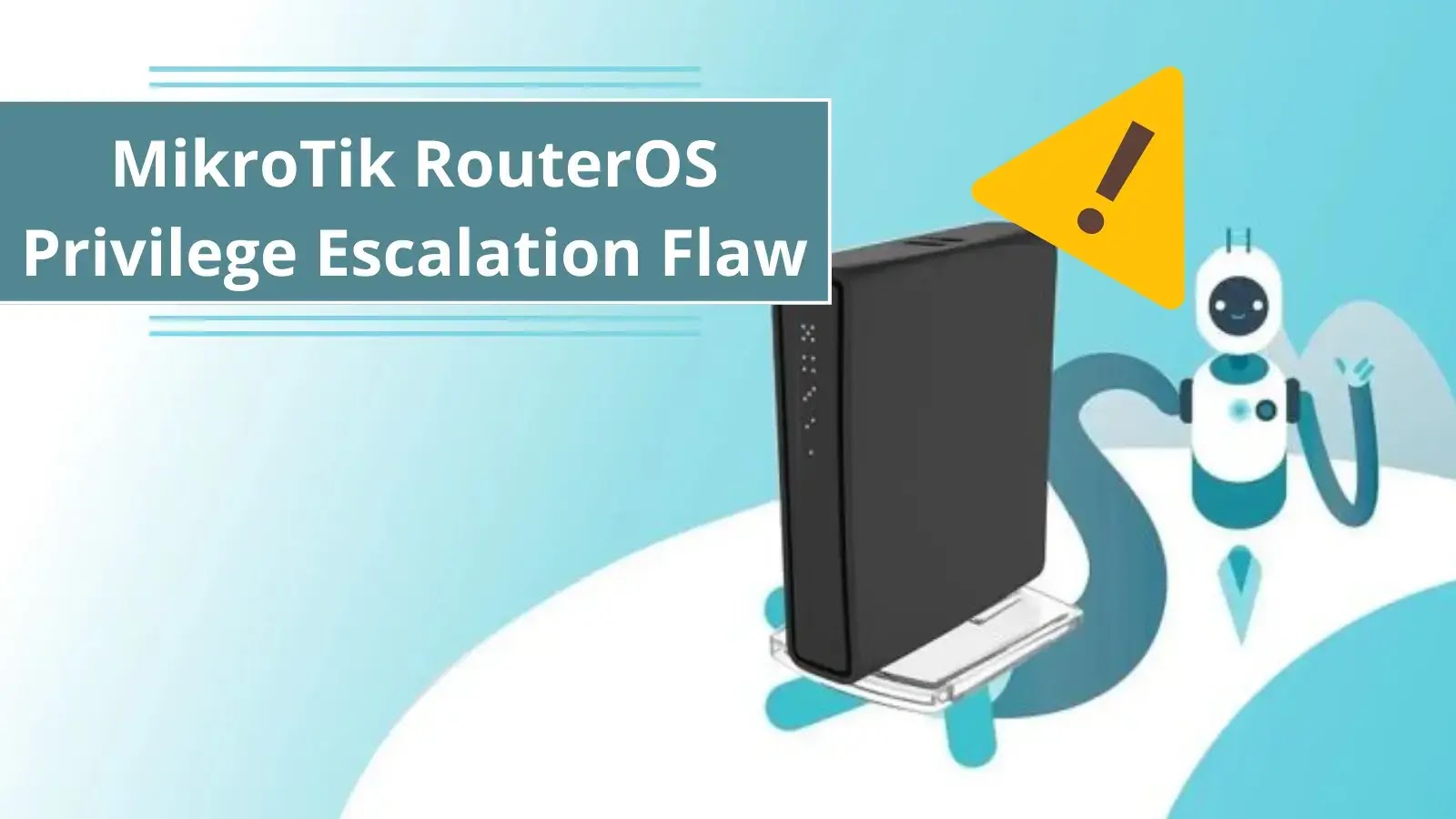
MikroTik RouterOS were vulnerable to a privilege escalation vulnerability which was first disclosed in June 2022 at REcon. The vulnerability existed on the x86 Virtual Machines of RouterOS, where a root shell can be obtained.
However, the new CVE for this vulnerability was assigned only in the middle of July 2023 when researchers at Vulncheck published new exploits for this vulnerability that can exploit a wider range of Hardware.
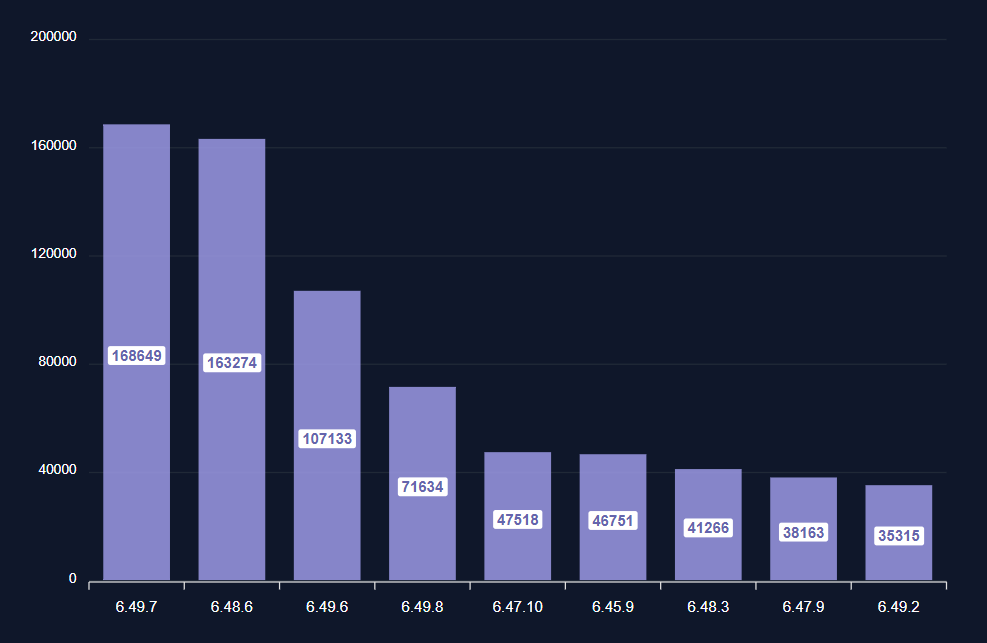
MikroTik released patches for this vulnerability on their stable release version 6.49.7.
Most installed RouterOS versions (Source: Vulncheck)
CVE-2023-30799: Privilege Escalation from Admin to Super Admin
This vulnerability exists due to improper privilege management on the RouterOS versions 6.49.7 through 6.48.6, allowing threat actors to escalate their privileges from admin to super-admin on the Winbox or HTTP interface.
This can lead to arbitrary code execution on the system by the threat actor. The CVSS score for this vulnerability was given as 9.1 (Critical). Reports indicated that more than 900K routers were vulnerable to CVE-2023-30799.
Authentication Required But Still Dangerous
Though this vulnerability requires authentication, it is easier to obtain the credentials as most installations do not change the default “admin” username. Things got even worse when RouterOS prompted their users to set a blank password in October 2021.
In addition to this, the RouterOS was also vulnerable to brute force attacks on their API port. Nearly 400K routers were exposing their API ports to the internet, which is less when compared to the Winbox or HTTP interface exposure.
Vulncheck has released a complete report on this vulnerability which mentions the origin, exploitation, and other information.
For optimal security, it is recommended that users promptly update to the latest version (6.49.8 or 7.x) and apply the necessary patch to address the vulnerability.
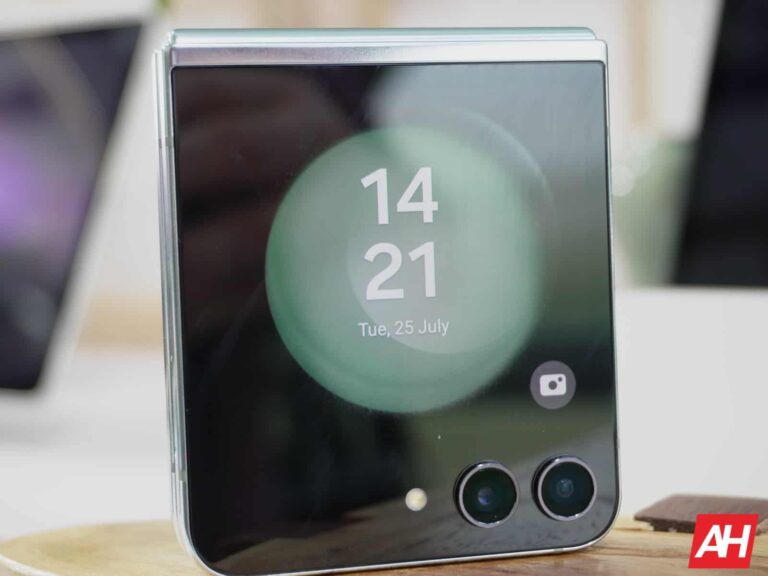
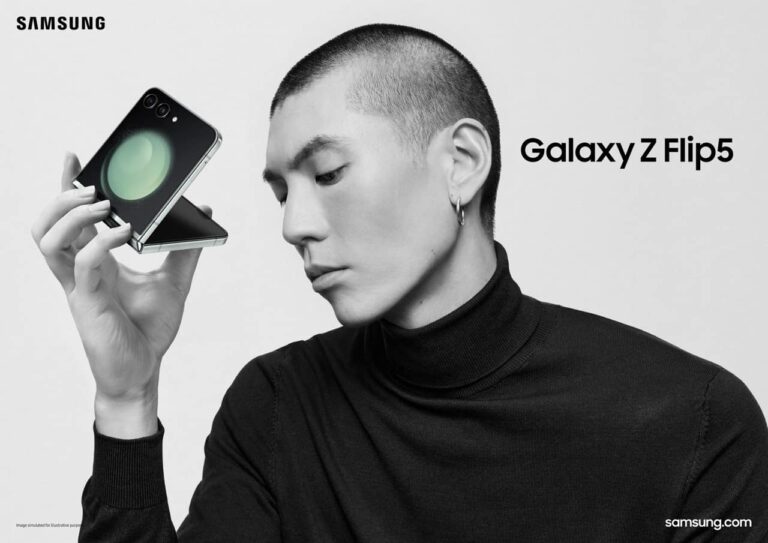
The Samsung Galaxy Z Flip 5 launched today alongside its Fold 5 sibling. We’ve already talked about the Fold 5 specs, and it’s time to take a closer look at the Galaxy Z Flip 5 specifications.
The Galaxy Z Flip 5 specifications are quite powerful, and the latest Qualcomm chip is included
Samsung opted to use the same SoC as in the Fold 5. The Galaxy Z Flip 5 is fueled by the Snapdragon 8 Gen 2, Qualcomm’s most powerful processor. You’re also getting 8GB of RAM here, and 256GB or 512GB of non-expandable internal storage. The storage variants may differ from one market to the other.
A 6.7-inch main, foldable display is included here. That is a Dynamic AMOLED 2X display that offers a fullHD+ (2640 x 1080) resolution. It has a 120Hz refresh rate, which is adaptive (1-120Hz). Samsung refers to it as an Infinity Flex display, and it has a 22:9 aspect ratio.
The cover display on the phone is quite spacious at 3.4 inches. That is a Super AMOLED panel with a 720 x 748 resolution. It has a 306 ppi, and that is a 60Hz panel, by the way.
A charger is not included, while wireless charging is supported
You will find a 3,700mAh battery inside this phone, while the device supports 25W wired charging. It can get to 50% in around 30 minutes, and the charger is not included in the box, by the way.
The Galaxy Z Flip 5 also supports Fast Wireless Charging 2.0 (15W), and Wireless PowerShare (reverse wireless charging).
Two cameras are included on the back of the phone, while one sits on the main display. A 12-megapixel wide-angle camera (f/1.8 aperture, 1.8um pixel size, 83-degree FoV, OIS, Dual Pixel AF) is backed by a 12-megapixel ultrawide camera (f/2.2 aperture, 1.12um pixel size, 123-degree FoV). On the main display, you’ll find a 10-megapixel selfie shooter (f/2.2 aperture, 1.22um pixel size, 85-degree FoV).
It has eSIM support, and comes in four color variants
Android 13 comes pre-installed on this phone, along with Samsung’s One UI 5.1.1. The device supports Bluetooth 5.3, and 5G connectivity too. There is one nano SIM card slot, while the Galaxy Z Flip 5 also supports eSIM.
The phone is IPX8 rated for water resistance. The Galaxy Z Flip 5 will be available in four color options from most retailers and carriers. Those colors are: Cream, Graphite, Lavender, and Mint color options. The thing is, four more, exclusive colors, will be available from Samsung.com. Those colors are: Blue, Gray, Green, and Yellow. The device measures 165.1 x 71.9 x 6.9mm when unfolded. It measures 85.1 x 71.9 x 15mm when folded.