How to secure your business before going on vacation

0
[ad_1]

Are you a critical security expert for your organization? Are you also going on vacation? Here’s how to ensure your time away from the office doesn’t get interrupted with a security incident.

For many, the summer months should be a time of peace: Maybe taking some vacation, maybe strolling across warm, soft sands as sapphire waves lap up against your feet, maybe even spending time with family (that you like).

But for determined cybercriminals, these periods of near-universal rest and relaxation are actually moments of attack.

In particular, ransomware gangs have shown a nasty habit of starting their attacks at the least convenient times: When computers are idle, when employees who might notice a problem are out of the office, and when the IT or security staff who might deal with it are shorthanded. 

Cybercriminals like to attack at night and at weekends, and they love holidays and special events. On the July 4 weekend in 2021, the REvil ransomware gang was likely hosting its own celebrations after pulling off an enormous supply-chain attack on Kaseya, one of the biggest IT solutions providers in the US for managed service providers (MSPs). Threat actors used a Kaseya VSA auto-update to push ransomware into more than 1,000 businesses.

But it isn’t just holiday weekends that cybercriminals leverage for attacks. They can also likely predict when IT professionals go on vacation—the summer.  

Why out-of-office attacks work

Ransomware works by encrypting huge numbers of files on as many of an organization’s computers as possible. Performing this kind of strong encryption is resource intensive and can take a long time, so even if an organization doesn’t spot the malware used in an attack, its tools might notice that something is amiss. 

“You never think you’re gonna be hit by ransomware,” said Ski Kacoroski, a system administrator with the Northshore School District in Washington state, speaking on Malwarebytes’ Lock & Code podcast. On the podcast, Kacoroski spoke about Northshore’s nighttime attack: 

“It was an early Saturday morning. I got a text from my manager saying ‘something is up’…after a short while I realized that [a] server had been hit by ransomware. It took us several more hours before we realized exactly how much had been hit.”

Kacaroski added “We had some high CPU utilizations alert the night before when they started their attack, but most of us were already asleep by midnight.”

Be prepared 

When REvil first attacked Kaseya in 2021, Malwarebytes Labs relied on the expertise of Adam Kujawa, a cybersecurity evangelist, to understand what steps organizations should take to minimize the chance that a holiday weekend could be ruined by a cyberattack. That advice is still good today—including for any IT or security employee going on vacation—so we’re offering it again for readers. 

Do these before leaving for vacation 

  • Run a deep scan on all endpoints, servers, and interconnected systems to ensure there are no threats lurking on those systems, waiting to attack! 
  • Once you know those systems are clean, force a password change a week or two out from the holiday or vacation time so any guessed or stolen credentials are rendered useless. 
  • Employ stricter access requirements for sensitive data, such as multi-factor authentication (MFA), Manager Authorization, and requiring a local network connection. Although this will make it a more difficult for employees (for a short amount of time), this will also make it significantly more difficult for attackers to traverse networks and gain access to unauthorized data. Once the holiday or vacation time ends, you can revert these policies since you’ll have more eyes to watch out for threats. 
  • Provide guidance to employees on not posting about vacations and/or holiday plans on social media. 
  • Provide free—or free for a limited time—security software to employees to use on personal systems 
  • Ensure all remotely accessible connections (e.g., VPNs, RDP connections) are secured with MFA. 

Schedule these during vacation 

  • Ensure all non-essential systems and endpoints are shut down at the end of the day. 
  • Reduce risk by disabling or shutting down systems and/or processes which might be exploitable, if they aren’t needed. 
  • Ensure there is always someone watching the network during the holiday or planned vacation, and make sure they are equipped to handle a sudden attack situation. We suggest creating a cyberattack reaction and recovery plan that includes call sheets, procedures on communicating with law enforcement and collecting evidence, and what systems can be isolated or shut down without seriously affecting the operations of the organization.

“The only mistake in life is a lesson not learned”

When we asked Kacaroski why he came forward to tell his ransomware story when many others are reluctant to, he told us: “The only mistake in life is a lesson not learned.”

A lesson we can all learn here is that cybercriminals are not reluctant to ruin somebody’s vacation plans. So don’t wait for an attack to happen to your organization before you decide you need to be ready. Prepare now, and enjoy uninterrupted peace of mind during your vacation.

Ready to learn more about staying safe before heading out on vacation? Read more at our “Stay on Vacation” hub:

Stay on vacation


[ad_2]
Source link

Another leak hints at a substantial price hike for Galaxy Tab S9

0
[ad_1]

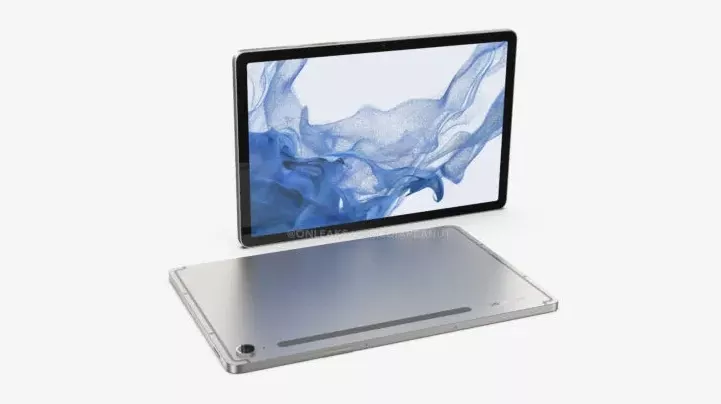
With Samsung‘s Galaxy Unpacked event drawing close, more information about the upcoming Galaxy products is hitting the internet. Recent leaks have suggested that the new foldables and tablets will cost higher than their respective predecessors. Another source has hinted at a price hike for the Galaxy Tab S9 series.

According to noted tipster SnoopyTech, Samsung will price the base Galaxy Tab S9, which comes with 8GB of RAM and 128GB of storage, at CAD 1,099 (roughly $835) in Canada. The Galaxy Tab S9+, with 12GB of RAM and 256GB of storage, will come with a price tag of CAD 1,349 (roughly $1,025). Finally, the 12GB+256GB Galaxy Tab S9 Ultra will cost CAD 1,599 (roughly $1,215) in the country.

If this information is correct, Samsung is increasing the prices of its flagship tablets by as much as CAD 200 in Canada. The base Galaxy Tab S8, Galaxy Tab S8+, and Galaxy Tab S8 Ultra debuted in the country with price tags of CAD 899, CAD 1,149, and CAD 1,399, respectively (via). A previous leak suggested a similar price hike in Europe. The new tablets are said to cost upwards of €930 in the region, notably more than the starting price of €750 for the Galaxy Tab S8 series.

That said, we can’t confirm the authenticity of these alleged Galaxy Tab S9 prices. The same goes for the alleged European prices of the Galaxy Z Fold 5 and Galaxy Z Flip 5 as well. The figures probably leaked through third-party retailers, which often list unreleased devices with higher price tags. They adjust the prices once the products are on sale. We will let you know when we have more information.

You can already reserve the new Samsung foldables and tablets

Samsung will officially unveil its next-gen foldables and flagship tablets on July 26. The company will host a big launch party, aka the Galaxy Unpacked event, in Seoul, South Korea, for the Galaxy Z Fold 5, Galaxy Z Flip 5, and Galaxy Tab S9 series. The Galaxy Watch 6 series smartwatches will also debut on the same day.

While the official launch is still a couple of weeks away, you can already reserve them. Samsung is allowing its fans to pre-reserve the new foldables, tablets, and smartwatches through its website. You don’t need to pay a penny, but the company will give you a $50 Samsung Credit if you go on to pre-order the devices once they are here. Stay tuned and we will keep you posted with all the latest leaks and rumors about the new Samsung products.


[ad_2]
Source link

New Apple case patent could revolutionize iPad designs

0
[ad_1]

Ever since their inception, phone cases have largely served just one purpose, i.e. to protect the device from fall damage by using materials such as plastic and carbon fibre. However, it looks like Apple might be looking to change this notion, as the US Patent and Trademark Office has recently awarded the company with a new patent which would allow them to develop an iPad case with an outer ring that not only safeguards the mobile device but also incorporates additional components and serves as a multifunctional kickstand.

The “Peripheral Housing for a Computing Device” patent, credited to six inventors, including renowned individuals such as Paul X. Wang and Keith J. Hendren, has the potential to revolutionize iPads by allowing users to prop them up on a table at adjustable angles, providing an improved viewing angle for watching videos. Additionally, the case itself will incorporate a substantial loop bumper that encircles all edges of the main unit, thus further protecting the device from fall damage.

In addition to the ergonomic benefits, the patent also notes that due to the recent advancements in component miniaturization, such as processors, batteries, memory, and integrated circuits, the bumper could also accommodate extra features such as batteries, cameras, and various accessories. This integration would enable Apple to make its devices even thinner potentially, thus further enhancing the user experience.

Still a patent

Although this new patent suggests that Apple has considered incorporating this design in a future model, it is also important to note that the patent does not guarantee the immediate implementation of the proposed technology in Apple’s devices. This is because the company files for numerous patents each year, and given that this patent would require the company to make significant redesigns for the iPad, it’s even more unlikely that such a device will ever see the light of day.


[ad_2]
Source link

Everything you need to know

0
[ad_1]

It’s now 2023, which means that Android 14 is just around the corner. It’s hard to believe that we are already preparing to get Android 14 from Google, for the Pixel and other Android smartphones. In this article, we’re going to round up everything you need to know about Android 14. Like when it’ll be released, what it’ll be called, what features might be included and more.

Google began the road to Android 14 on February 8, 2023 with the release of the first developer preview.

What will Android 14 be called?

This year, Android 14 will officially be called simply, Android 14. However, Google does still stick with its dessert names internally. Even thought they ditched that starting with Android 10 back in 2019. This year, Google is onto the letter U for dessert names.

  • Android 10 – Quince Tart
  • Android 11 – Red Velvet Cake
  • Android 12 – Snow Cone
  • Android 13 – Tiramisu

So what’s the dessert name for U? Well, according to 9to5Google, it has been reported that Google is calling it Upside Down Cake. But you’ll likely never hear that name from Google.

When will Android 14 be released?

Google has mostly stuck with a similar schedule every year, since releasing the new version of Android independent of new Pixels or Nexus devices. Here’s how the schedule has gone recently:

  • Android 13 – August 2022
  • Android 12 – October 2021
  • Android 11 – September 2020
  • Android 10 – September 2019

When Google releases the first developer preview, they always say that the stable version will be launching in Q3. That is technically, July 1 to September 30. Though we typically see it the day after Labor Day. In 2021, things were delayed a bit, so it came out closer to the Pixel launch. And in 2022, it came out a week before Labor Day. So the Labor Day holiday is a good time to start thinking about this new version of Android launching.

What’s the developer preview schedule?

Google released the first developer preview on February 8, 2023. There will be a second beta, likely released on the second Wednesday of March, before moving onto the betas in April. Google typically releases the previews and betas on the second Wednesday of each month. This comes after releasing the security update on the first Monday of the month.

What’s the beta schedule for Android 14?

Google has released the schedule for the betas and the previews for Android 14. It mostly matches up with previous launches. Where we will get two developer previews. Followed by the first beta in April.

  • Developer Preview 1 – Released February 8, 2023
  • Developer Preview 2 – Released March 8, 2023
  • Beta 1 – Released on April 12, 2023
  • Beta 2 – Released on May 10, 2023
  • Beta 3 – Released on June 7, 2023
  • Beta 4 – Released on July 11, 2023
  • Stable release – August/September 2023

Screenshot 2023 01 05 at 8 43 20 AM

What features are we going to see in Android 14?

It’s still pretty early, and while we really don’t know what features we could see in Android 14, since Google hasn’t yet launched the preview, we do have a pretty good idea. Thanks to some digging around in the source code, seeing some commits and a few other ways. So here’s what we’re expecting to see in Android 14.

Satellite Calls

After Apple launched Satellite capabilities on the iPhone 14 last year, it was pretty much a no-brainer that Google would do the same fro Apple. Though, Google’s Hiroshi Lockheimer confirmed that they are working on Satellite connectivity, even before the iPhone 14 was announced.

While Lockheimer’s tweet doesn’t necessarily spell out Satellite Calling, we do have some more evidence. This time from Qualcomm. It is launching Snapdragon Satellite, which will be part of the Snapdragon 8 Gen 2 processor. Though it won’t be on every phone with the Snapdragon 8 Gen 2. So it’s definitely likely that Google will add support in Android 14.

Predictive back navigation

This feature has actually long been talked about on various versions of Android over the past few years. But it looks like it could actually be available in Android 14. Basically, the way that back button works currently is, you might be going back or you might be quitting the app. The predictive back navigation aims to fix that. What will happen is that you’ll get a sneak peak of the home screen before you finish your command. This will show you if you are about to quit the app or not.

While this sounds a bit complicated, in practice it shouldn’t be. As mentioned, this was originally built for Android 13, but then got pushed back for Android 14.

Health Connect

We’re hearing that Health Connect could actually be built into Android 14. Health Connect is basically a syncing app that Google built, which can sync different health apps with each other. So you can connect MyFitnessPal, Samsung Health and Fitbit all to Health Connect and have them share data with each other. It’s also very helpful if you switched watches. Say you’ve been using a Galaxy Watch for a few years and switch over to a Pixel Watch, now you can bring your data from Samsung over to Fitbit easily.

Now, with Android 14, it’s likely going to be pre-installed on your phone. It’s already available in the Play Store, but not many people know about it. This would make it easier for people to know it exists, and actually use it.

Android Beam is finally dying

Do you remember Android Beam? That kind of cool feature where you could share pictures and files with someone else via NFC by tapping your phones against each other? Yeah, Google actually deprecated it in Android 10, back in 2019. But now, it is officially finally gone from AOSP.

So what’s the big deal with that? Well, Google does have Nearby Share, which does work a lot better. However, it does rely on Google Mobile Services (GMS). So not all phones can use it. For instance, Huawei’s phones are unable to use it, since they can’t work with Google. So this is effectively stripping out a feature from non-GMS enabled devices.

Will my phone get Android 14?

Will your phone get Android 14? That’s going to depend on two things: the manufacturer of your phone, and how old it is. Most manufacturers are now promising two or more years of Android updates. So anything released in 2021 or later should get updated. Some, like Samsung and Google promise three years, so anything released in 2020 or later will get updated.

Now the other question is when? Well, for Google, we know Pixels will get updated right away. Likely within a couple of days of Google releasing Android 14 to AOSP. Samsung and OnePlus have been pretty quick with releasing updates for new versions of Android recently, so they will likely be about one to two months behind the final release. As for the others? Who knows at this point. We still don’t even have a preview yet, let alone know when Google will release Android 14.


[ad_2]
Source link

watchOS 10 Public Beta now available too

0
[ad_1]

In addition to iOS 17 Public Beta being released today, Apple also released watchOS 10 Public Beta today. So now you can sign up and run the public beta on your Apple Watch. The website is still not live for signing up, but that should change in the coming minutes.

watchOS 10 is a pretty significant upgrade for the Apple Watch this year, and it has actually been running pretty smoothly throughout the first three developer betas. So there’s that.

When you are able to sign up for the Public Beta, the update is going to come in at a pretty hefty size. It should be around a gigabyte in size, and you will need to have your watch on the charger and above 50% charge. Since this is a big update, you really don’t want your watch to lose battery and die in the middle of the update.

What’s new in watchOS 10?

With watchOS 10, Apple actually debuted a pretty big redesign here. And it also changed the way some things work. So you’ll need to rework your muscle memory. For instance, a swipe up from the bottom now opens a list of widgets, instead of Quick Settings. A tap of the side button now opens the Quick Settings. Among a few other changes.

The widgets in watchOS 10 are actually really good. However, they are mostly limited to first-party widgets right now. So you have Activity, Clock, Heart Rate, Weather, and others from Apple. There’s no third-party apps with widgets just yet. That should change as we get closer to the launch in September.

Apple also introduced two new watch faces here in watchOS 10, that includes Palette and Snoopy. The Snoopy watchface has characters from the Peanuts cartoon and the they change with animations throughout the day. It’s a pretty cool looking watchface, to say the least.

But that’s watchOS 10, and now it’s available in Public Beta, which means we are getting closer to a stable release.


[ad_2]
Source link

The OnePlus 12 might look… familiar

0
[ad_1]

The OnePlus 11 was received well by reviewers and customers, and the company is hard at work making its next mobile tour de force. Now, long before this device is set to launch, we have some renders of the OnePlus 12. These renders show us a pretty familiar-looking device (via Smartpix).

OnePlus launched the OnePlus 11 earlier this year, so we don’t expect to see solid information about the OnePlus 12 for several months. It’s surprising that we’re seeing these renders this early. Just know that the rumor mill surrounding this phone won’t really pick up for a while.

These renders show that the OnePlus 12 will look pretty familiar

This is a pretty surprising turn of events for OnePlus- that’s assuming that these renders are accurate. Looking at the renders, we see that the company might opt for a center-mounted punch-hole rather than one on the left.

Another thing that the renders show is that this phone might sport a telescopic zoom camera as well. This will give it superior zooming capabilities. Right now, Samsung is the king of zoom photography with its 100x zoom.

The most notable thing that these renders reveal is the similar design to the OnePlus 11. In fact, based on the renders, the OnePlus 12 is looking to be a mirror image of the OnePlus 11. That’s a bit surprising, as OnePlus is one of the main companies making its flagship devices look different each year.

All hope for Apple providing fresh designs is lost, and Samsung has gone down the same path. It looks to be the same for other major smartphone brands as well. However, OnePlus has been able to keep things fresh with its designs. Admittedly, the OnePlus 11 looks rather good.

The fact that OnePlus could be recycling the same design might come off as odd to fans of the brand. Let’s just hope that OnePlus doesn’t go down the same path as Apple.


[ad_2]
Source link

The Android 14 Beta 4 update brings some major bug fixes

0
[ad_1]

Android 14 is on the horizon as Google has finally released Android 14 Beta 4 update for eligible Pixel devices, marking the final major release before the stable version is ready for public consumption. Additionally, the update also brings support for the highly anticipated Pixel Fold and Pixel Tablet, allowing developers to test and optimize their apps for these new devices.

The Android 14 Beta 4 update, with build number UPB4.230623.005, includes the July security patch and is reportedly 200MB in size, varying depending on the device. And although the update doesn’t introduce any major changes, it serves as the second “Platform Stability” release, thus giving developers the green light to start compatibility testing of their apps, APIs, SDKs, and libraries.

What’s new with the Android 14 beta 4 update?

In addition to encouraging developers to begin their final testing, the update includes several significant bug fixes. These fixes address issues that caused notifications to disappear, Quick Settings tiles to stop working until the device was restarted, the title of the currently playing song to be replaced with other information, and VoIP apps to stop recording audio when the screen was locked or the app was in the background. Additionally, the company has also resolved a system issue which prevented devices from charging and caused the Android System Intelligence service to crash.

Moreover, Google has also included a space-themed Easter egg in Android 14 Beta 4, which users can see by navigating to Settings > About phone > Android version and tapping on the Android version section repeatedly. And by doing so, the Android 14 logo will appear, floating in a space-like environment and holding down on the logo will trigger a space flight simulation.

While reports indicate that the update is rolling out, it may take some time before it reaches all users, depending on their device and carrier. You can also check manually to see if the update is available for you to download. Should it not pop up in your notifications.


[ad_2]
Source link

The HONOR Magic V2 takes the title of world’s thinnest foldable phone

0
[ad_1]

Foldable phones have come a long way since the first batch. Since then, several companies have innovated on the foldable phone formula. Now, we have companies like Oppo, Vivo, OnePlus (soon), Xiaomi, and Google bringing their foldable phones to the market. HONOR is one of them, and its Magic V2 looks like it’s going to be the world’s thinnest foldable phone via Android Authority).

The company just unveiled its third foldable device. The Magic V2 is a notebook-style foldable. It has an outer display with a 6.43-inch OLED panel (2376 x 1060) with a 120Hz refresh rate. As for the inner display, we’re looking at a 7.92-inch OLED panel (2376 x 2156) with the same 120Hz refresh rate.

Powering this phone, we have the Snapdragon 8 Gen 2 SoC, so we know that it’s as powerful as any phone on the market. There are three RAM/storage configurations. We have 16GB/256 and 16GB/512GB variants for the regular Magic V2 and 16GB/1TB for the Magic V2 Ultimate.

Moving onto the camera, we’re looking at a 50MP main camera accompanied by a 50MP ultrawide camera and a 20MP telephoto camera. For the front-facing camera, we’re looking at a 16MP wide camera. All cameras are able to take 4K video.

Keeping the lights on, we have a 5,000mAh battery. It can Use 66W Supercharge technology.

The Magic V2 is the world’s thinnest foldable phone

So, foldable phones haven’t only become more sturdy; they’ve also become thinner. Back in the day, a foldable was basically the thickness of two slab phones. Now, HONOR just took the crown for making the thinnest folding phone on the market.

This phone measures just 9.9mm when folded. That’s only 11% thicker than a Galaxy S23 Ultra. While the Ultra isn’t quite the thinnest phone, it shows that foldables are approaching the thinness of slab phones.

When it’s unfolded, the phone is only 4.7mm thick. That’s 2.4mm thinner than the iPhone 6s (7.1mm thick). For the time being, we’re going to have to wait to see if this will impact the durability of this phone. Only time will tell.

As for the price, this phone starts at ¥8999 ($1,253) for the 256GB storage variant. That’s a massive undercut compared to the foldables from Samsung and Google.


[ad_2]
Source link

macOS Sonoma Public Beta goes live

0
[ad_1]

Along with iOS 17 Public Beta and watchOS 17 Public Beta going live today, Apple has also released the public beta for macOS Sonoma. This is going to allow non-developers to try out the newest version of macOS on their Macs.

The Public Beta website is still not back up, where you can sign up for the Public Beta on these devices. But that should change very soon (we’re talking minutes). Once you do that, you should see an update on your device to update.

It’s worth noting that this is still a beta, so it’s not recommended that you install this on your work computer. If you have a spare computer, then it might be worth taking the plunge.

What’s new in macOS Sonoma?

So what’s new in macOS Sonoma? Well, like iOS 17, it does bring interactive widgets to your desktop. Making it a whole lot easier to do things like controlling your smart home products from your laptop or desktop. And with Continuity, you can use your iPhone widgets on your Mac desktop. Which is pretty neat.

Apple has also debuted updated screensavers for macOS Sonoma. They are similar to the screensavers on the Apple TV, where they are animated, high-resolution screensavers of different places. They look very cool, but really doesn’t change how you use your Mac.

Safari, of course, gets a pretty big update once again this year. It now supports web apps that you can add as favorites to your dock. Making it easier than ever to jump into your favorite websites again. iCloud Keychain now supports sharing passwords with others, and private browsing windows are now locked when they are not in use. And can be unlocked with your face.

macOS Sonoma is on Beta 3, but it’s likely going to be released a month later than iOS 17 and watchOS 10, as Macs are usually debuting in October. While the new iPhones and Watches debut in September.


[ad_2]
Source link

Threats from APT Groups to Security Researchers

0
[ad_1]

As per the research conducted by SentinelOne, a new risk has been identified, which affects the information security researchers as well as the infosec community.

Threat actors targeting the infosec community was not something new, as there were several instances where infosec individuals were targeted.

Many security researchers rely on security research tools like Ghidra, IDA Pro, and others to research various other exploits and develop Proof-of-Concepts. 

Those security researchers have been targeted in a spear-phishing campaign recently reported by Google Threat Analytics Group (TAG) in 2022.

Attacks on Security Researchers

As many security researchers could not afford security tool costs, they rely on torrents for pirated software, providing the same functionality as a paid tool for free.

Such tools were targeted by threat actors and leveraged for data exfiltration and post-exploitation techniques.

One such research from ESET in 2021 stated that some malicious actors targeted the IDA Pro torrents and injected a malicious code that downloads an additional DLL from a server in the name of IDA helper for following on post-exploitation.

Another report from Leiden University stated that around 10% of the proof-of-concept GitHub repositories have the capability to exfiltrate data from the targeted environment.

Many of the GitHub projects by Security researchers had established contact with malicious accounts.

SentinelOne also mentioned that “The ability to use a given reverse engineering or digital forensics tool to achieve living off the land types of attacks can be found.“ and “software such as Ghidra enables a threat actor to target members of the security community.”

Identifying Living off the Land

Living off the Land is an attack scenario in which threat actors use fileless malware and rely on legitimate software and services on the victim’s system for further attack cases. One such case study was conducted with the software Ghidra (released by the NSA).

An attacker can modify a .java jar file in Ghidra’s repository which contains the same class name as Ghidra within the /.Ghidra/patch directory to override the functionality.

This path releases the necessary security adversary for the security researchers, which is now under the threat actor’s control.

Once this control is gained, the threat actor can drop the stage-two payload on the system since that is the default functionality of Ghidra.

If a directory named /.ghidra does not exist during the first time installation of Ghidra, it will show a user-agreement policy that the threat actor can exploit to conduct a phishing campaign. 

Ghidra Attack Scenario (Source: SentinelOne)

A complete report on this research has been published by SentinelOne, including a case study, exploitation, and Protection against these kinds of attack scenarios.


[ad_2]
Source link