There’s new emoji heading to a smartphone near you in 2024. The new Emoji 15.1 specification from the Unicode Consortium has just been announced and will be improved around September. That means that they will likely be part of iOS 17, and potentially a feature drop for Android phones later this year or next year – more likely, next year.
The emoji that’s listed by Emojipedia are currently proposed and under consideration, however it’s important to note that most emoji that make it to this stage, are eventually approved and make it into the official release. There are some sample designs of the proposed emoji, which is what you see in the picture above. So these are very likely not going to be the final versions.
108 new directional emoji are coming
As if we didn’t have enough emojis already, there are 108 new directional emojis on the way. Now most of these consist of people emoji with different skin tones. The emoji build on existing person walking, person running, person kneeling, person with white cane, person in manual wheelchair, and person in motorized wheelchair emoji. There’s also adding orientation directions like left and right.
Once the Emoji 15.1 characters are finalized in September of 2023, other smartphone manufacturers like Apple, Google, Samsung, etc, with adapt them through software updates. We’ve seen this before with both Google and Apple. Google will typically add them onto the Pixel through a Feature Drop. Other OEMs will need to add them, in their software updates. So not all Android devices will get them at the same time.
The last set of approved emojis came to the iPhone with iOS 16.4 in February 2023. And the last set landed on the Google Pixel in January with QPR3 Beta 2, and later was made available to all Pixel devices in March. When that feature drop was made available.
Disney’s CEO, Bob Iger was speaking with CNBC earlier this week, at the Allen & Company Sun Valley Conference in Sun Valley, Idaho. And talked about how its linear channels – ABC, Disney Channel, and Freeform – may not be core to the company’s business moving forward.
While not explicitly stating it, it does sound like Iger is hinting that those channels might get sold off. Iger has acknowledged the rise in cord cutting and stating that linear television is a “no-growth business”. He also conceded that linear television is indeed “broken” right now, Iger did clarify that live sports remained different than other TV genres. This is because of the pull that they have on fans, and the appointment nature of the broadcasts, live sports “stands tall: in comparison with the rest of traditional TV programming.
Disney is looking to launch a standalone ESPN streaming service
At the same time, Iger has also noted that Disney has had conversations with potential “strategic partners” about working together to launch a standalone direct-to-consumer (DTC) streaming service for its ESPN family of networks.
While Disney does have ESPN+ already, it’s mostly an after thought. It basically shows all of the sports that other networks (including ESPN) didn’t want. But if they were to transition that into a DTC product, that could change. Since ESPN does have the rights to a whole lot of sports content. And it should, at least in theory, do better than Bally Sports+. That’s because ESPN would not be limited to only showing a couple of teams in each market.
Disney and ESPN executives have been discussing the possibility of putting all of ESPN’s programming under one streaming umbrella for quite some time. But these conversations have ramped up quite a bit over the past few months. However, Iger said back in February that the company was “just not there yet” when it came to making that big move.
However, we have heard that Disney has been working with cable and satellite providers to renegotiate their carriage deals, which would allow for a full streaming version of ESPN.
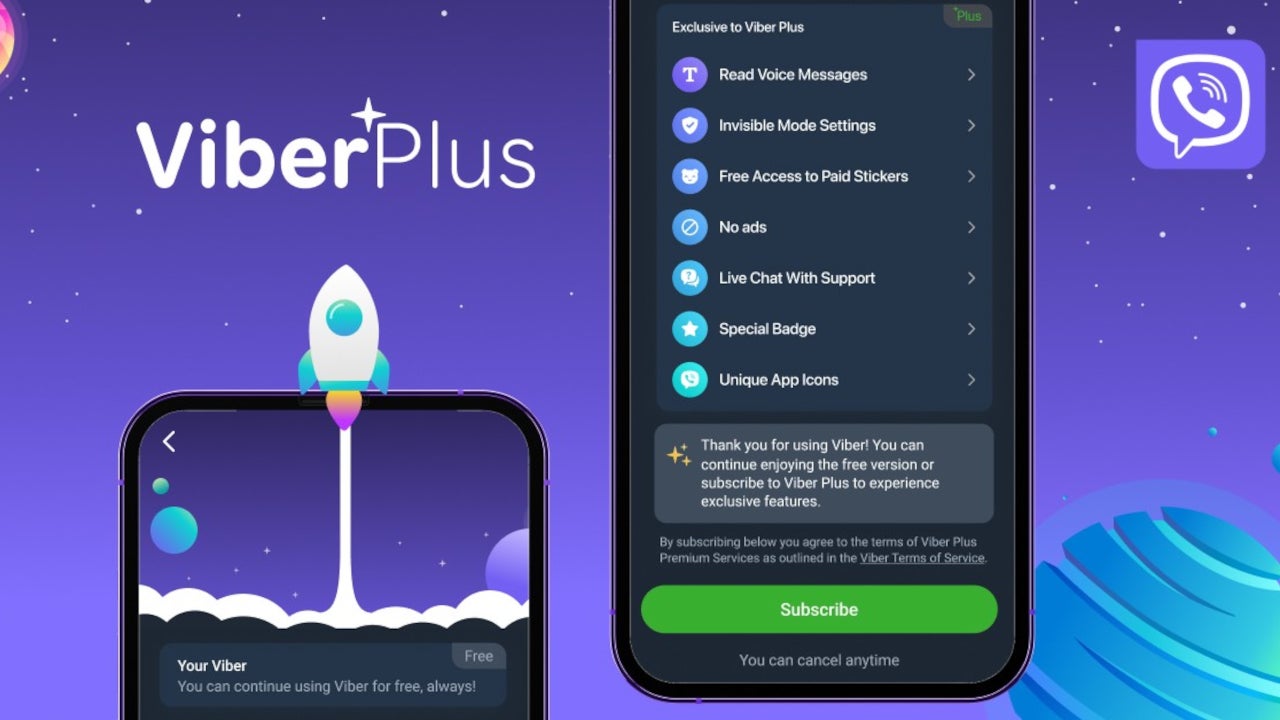
Rakuten Viber has just announced the availability of its premium service, Viber Plus, in the US. The monthly subscription service, which was initially introduced back in May, promises to offer a premium messaging experience without ads for just $1.99 per month.
None of the standard features previously available for all Viber users have been moved behind the paywall, so everyone can continue to use them without paying for Viber Plus. What the premium service does is completely remove the ads and offer some extra features that are otherwise unavailable.
For example, Viber Plus subscribers will get multiple app icon styles, personalized 1-on-1 support, as well as unlimited stickers. More exclusive features for Viber Plus will be added in the coming months, the company stated.
Here are the main highlights of the newly launched Viber Plus service, which available since launch:
No ads: Use the Viber app without seeing any ads
Unlimited stickers: Download sticker packs for free
Unique app icons: Change the mobile or desktop Viber app icon to a unique icon such as unicorn, night, or sparkle-themed
Live support: Initiate live support chats with just one click at any time of day
Verification Badge: Verification badge exclusive to subscribers
In addition to the exclusive features above, Viber Plus will be getting Voice to Text, allowing users to transcribe received voice messages into text, and Invisible Mode, which will enable users to browse privately reading messages and seeing who’s online without them knowing.
Viber users in the United States who wish to check out the premium service can do so by clicking “More” in the bottom right corner of the app.
Besides the US, Viber Plus service is available in Czech Republic, Montenegro (iOS only), Switzerland, Kuwait, Australia, Tuvalu, Israel, Sweden, Austria, India, and Italy. More countries will be getting Viber Plus in the coming months.
Rockwell Automation ControlLogix EtherNet/IP (ENIP) communication module models have two security issues that might be utilized to carry out remote code execution and cause a denial of service (DoS).
The ControlLogix system’s impacted communications modules are found in several industrial sectors, including manufacturing, electric, oil and gas, and liquified natural gas. They are also a component of the ControlLogix system.
Depending on how the ControlLogix system is configured, the outcomes and impact of exploiting these vulnerabilities vary.
Nevertheless, Dragos reported that they may result in denial or loss of control, denial or loss of view, theft of operational data, or manipulation of control with disruptive or harmful effects on the industrial process for which the ControlLogix system is responsible.
It permits arbitrary firmware memory manipulation, which may result in loss of control, loss of vision, theft of operational data, and/or manipulation of control and view with disruptive or damaging effects.
This vulnerability exists in the Rockwell Automation ControlLogix communication products 1756 EN2* and 1756 EN3*.
A malicious user may be able to create a denial of service by asserting the target system using maliciously crafted CIP messages. This vulnerability exists in the Rockwell Automation 1756-EN4* Ethernet/IP communication products.
Impacted Products
Rockwell Automation ControlLogix 1756 EN2*, 1756 EN3*, and 1756 EN4* EtherNet/IP (ENIP) communication module series are affected by these flaws.
Additional ICS/OT effects would depend on how the ControlLogix system is configured and how the process is set up to operate.
The company says that the type of access made available by CVE-2023-3595 is comparable to that made available by XENOTIME’s zero-day in the TRISIS attack.
Both allow for arbitrary firmware memory manipulation, whereas CVE-2023-3595 specifically targets a communication module that processes network commands. Their combined effect is the same, though.
Industrial control systems (ICS) malware known as TRISIS, commonly referred to as TRITON, has been seen in the past attacking Triconex safety instrumented system (SIS) controllers from Schneider Electric that are utilized in oil and gas facilities.
“An unreleased exploit capability leveraging these vulnerabilities is associated with an unnamed APT (Advanced Persistent Threat) group”, Dragos said
“As of mid-July 2023, there was no evidence of exploitation in the wild and the targeted victim organizations and industry verticals were unknown”.
For all impacted products, including hardware models that were no longer supported, Rockwell Automation has released updates. Additionally, detection rules have been offered.
Update the firmware to the newest version. It is necessary to update the 1756-EN2* and EN3* models to at least version 11.004 or 5.029, depending on the series. Models of the 1756-EN4* will require a firmware update to version 5.002.
Defenders should understand what normal looks like in their ICS/OT settings and use ICS/OT protocol-aware technology to check for changes in network activity regularly.
If you own a car that supports Android Auto, then you might have not realized that Google recently updated it to the new software version 10.0. If that indeed is the case, then don’t worry, as there is little notable about the latest firmware and even less to be noticed.
Technically, the update’s main purpose was the addition of new features revolving around electronic vehicles, although the rollout seems to still be quite restricted with only some car models getting the new perks.
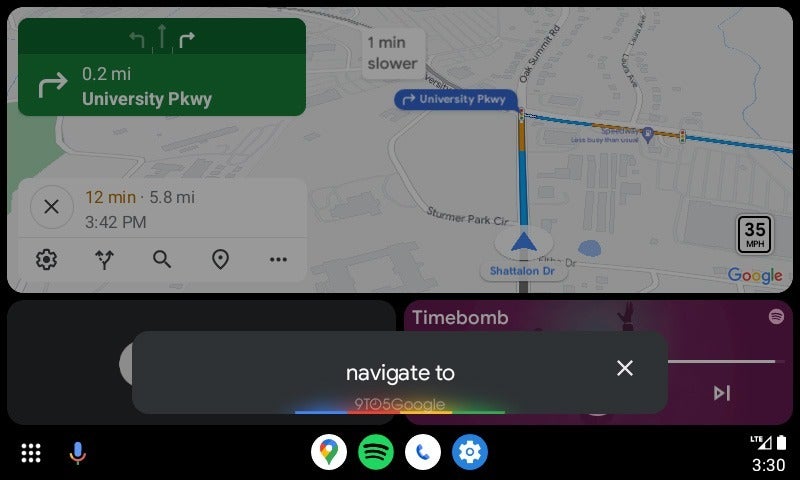
One tweak that is much more visible, however, is the new look for the Google Assistant in Android Auto, which now more closely resembles the one you see on your Android phone (via 9to5Mac).
Until recently, Android Auto displayed the Google Assistant in a black bar with the feature’s logo displayed at the left side of the bar. Now, the bar remains, but the logo is no more. Instead, you get a set of Google’s colors at the bottom, which glow while you are giving the assistant instructions.
Admittedly, this is a very tiny change, but it is simply Google trying to make the software between its different services and products have a more holistic design, thus making it an easily recognizable experience for users. Basically, reaching that point when you see a certain UI element and immediately think — “Yep, that’s Google.”
The Google Assistant in Android Auto has gone through several visual changes throughout the years, but it finally seems like the search giant has reached a point where it is happy with the way it looks. From now on, we can expect it to change alongside tweaks on the company’s best Pixel phones, which are at the forefront when it comes to everything new Google wants to show off.
ChatGPT is one of the biggest and most sophisticated language models ever made, with a massive neural network of over 175 billion parameters.
Recent research has revealed how ChatGPT for penetration testing can enable testers to achieve greater success.
ChatGPT was launched by OpenAI in November 2022, causing significant disruption in the AI/ML community.
Sophisticated email attacks are on the rise, thanks to threat actors leveraging the power of Artificial Intelligence.
However, researchers are staying one step ahead by utilizing ChatGPT for threat analysis and penetration testing.
A recently published research paper by Sheetal Tamara from the University of the Cumberlands highlights the effective use of ChatGPT in Reconnaissance.
Recently an automated penetration testing tool PentestGPT released;
ChatGPT For Penetration Testing
The ChatGPT can be used in the initial reconnaissance phase, where the penetration tester is collection detailed data about the scope of assessment.
With the help of ChatGPT, pen-testers able to obtain reconnaissance data such as Internet Protocol (IP) address ranges, domain names, network topology, vendor technologies, SSL/TLS ciphers, ports & services, and operating systems.
This research highlights how artificial intelligence language models can be used in cybersecurity and contributes to advancing penetration testing techniques.
Pentesters can obtain the organization’s IP address using the prompt (“What IP address range related information do you have on [insert organization name here] in your knowledge base?”).
This prompt would deliver the possible IP addresses used by the organization.
“What type of domain name information can you gather on [insert target website here]?”
ChatGPT could provide the list of domain names used by the organization, such as primary domains, subdomains, other domains, international domains, generic top-level domains (gTLDs), and subsidiary domains.
“What vendor technologies does [insert target website fqdn here] make use of on its website?”
Answering this question, ChatGPT will provide various technologies, such as content delivery networks (CDNs), web servers, advertising engines, analytics engines, customer relationship management (CRM), and other technologies organizations use.
“Provide a comprehensive list of SSL ciphers based on your research used by [insert target website fqdn] in pursuant to your large corpus of text data present in your knowledge base.”
ChatGPT could provide the ciphers, SSL/TLS versions, and types of TLS certificates used, also, with this question, ChatGPT above to check the encryption standard used.
“Please list the partner websites including FQDN based on your research that [insert target website here] has direct links to according to your knowledge base.”
In response to the question, ChatGPT is able to provide a list of partner websites that are directly linked.
“Provide a vendor technology stack based on your research that is used by [insert organization name here].“
This prompt would extract the include application server type, database type, operating systems, big data technologies, logging and monitoring software, and other infrastructure-related information specific to the organization.
“Provide a list of network protocols related information that is available on [insert organization name here].”
ChatGPT will return a list of network protocols the target organization uses, including HTTPS, SMTP, NTP, SSH, SNMP, and others.
The research determined that “ChatGPT has the ability to provide valuable insight into the deployment of the target organization’s technology stack as well as specific information about web applications deployed by the target organization,” reads the paper published.
“The research performed on ChatGPT required trial and error in the prompting as certain requests can either be outright rejected or may result in responses that do not contain usable data for the reconnaissance phase of a penetration test.”
Many of Google’s popular apps have been updated with new features and improvements lately. It’s now Google Chat’s turn to be in the spotlight, as the search giant has just announced a small, yet important update is now rolling out to everyone using its messaging app.
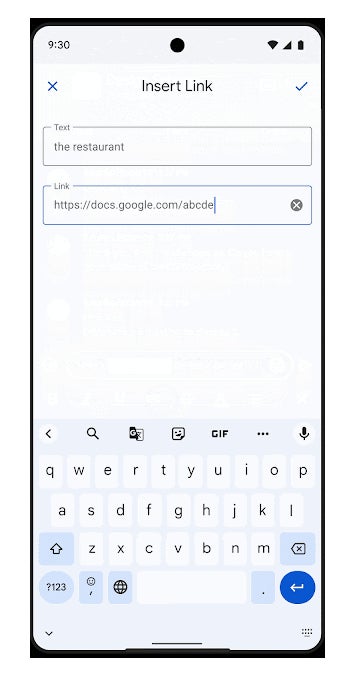
Although this isn’t a large update, it does bring a rather useful feature: hyperlinks support. With the latest version of Google Chat, you’ll be able to hyperlink text on web and Android when creating or editing a message, Google confirmed earlier today.
In addition to this new functionality, the update adds the ability to copy over hyperlinks from other Google apps like Gmail, Docs, Sheets, and Slides. Unsurprisingly, this was tagged by Google as a “highly requested” feature, so it’s safe to say that it will help many users make their message look cleaner and easier to read.
In order to hyperlink a piece of text, you’ll have to click on the link icon in the rich text formatting toolbar and enter the URL. If you’re on the web, the whole process of adding hyperlinks is much easier because you can make use of keyboard shortcuts (Ctrl+K on ChromeOS and Windows).
As far as availability goes, Google says that Chat users in the Rapid Release domains should get the new features today, but the rollout should take up to 15 days. Everyone else should start seeing the new functionality on August 1, with a full rollout taking up to 3 days.
Finally, the update being deployed to all Google Workspace customers and users with personal Google Accounts. You don’t have to do anything to hyperlink the text in your messages. Once you receive the update, you can start using the new features.
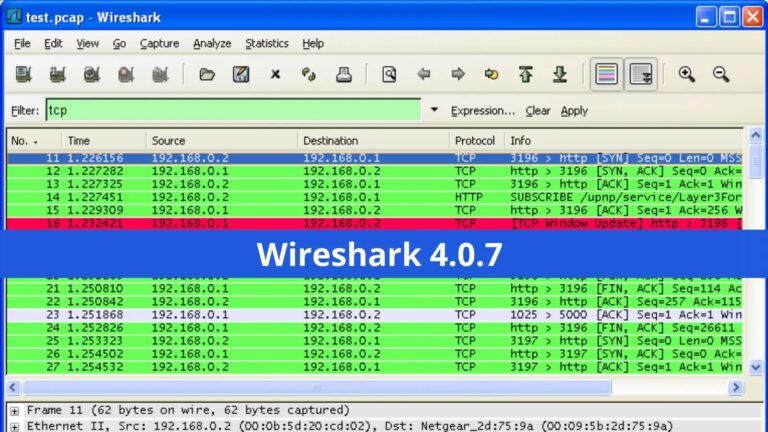
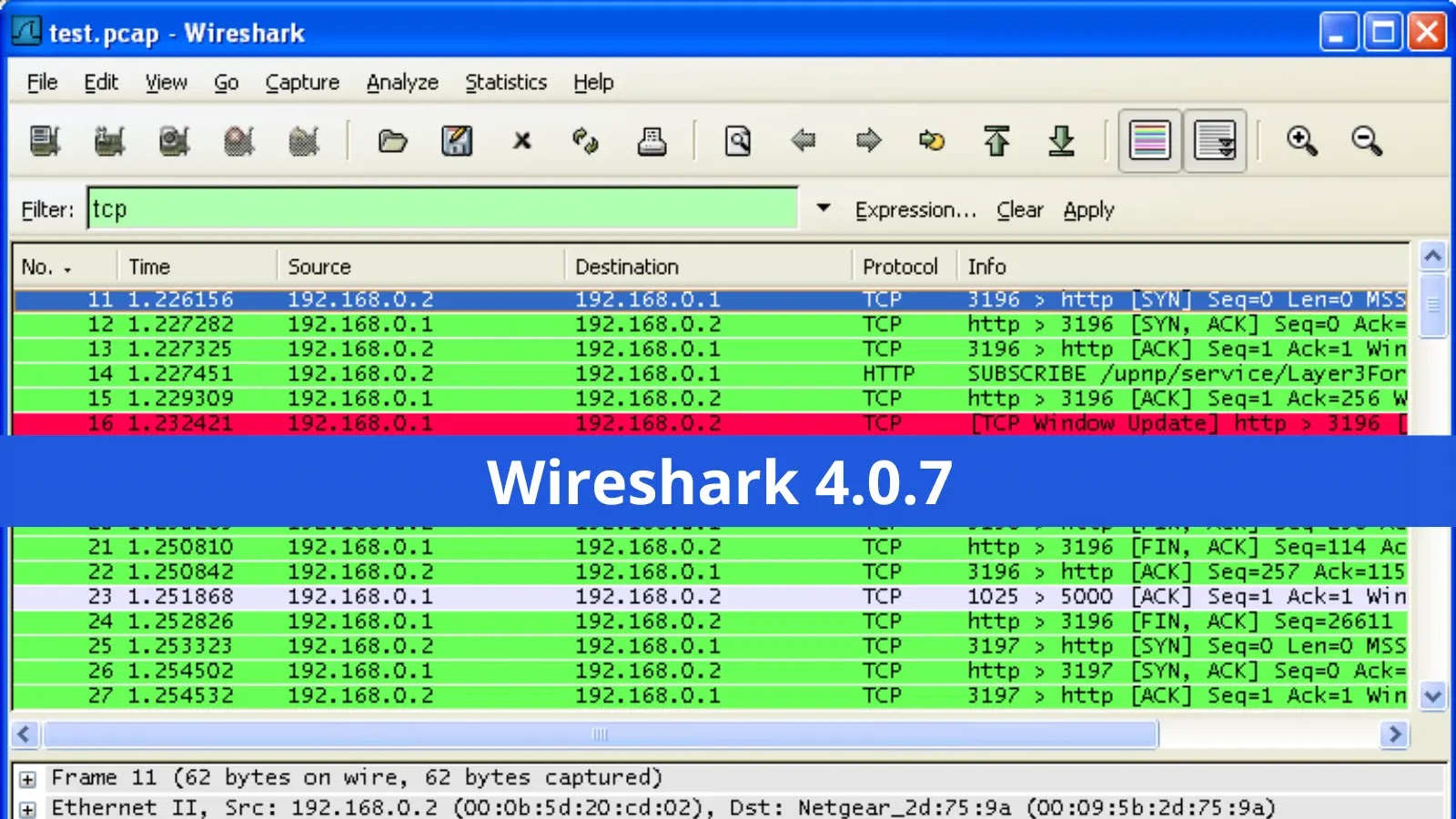
Wireshark, One of the world’s most popular network packet analyzers, released Wireshark 4.0.7 with the fixes of several bugs, updated protocol support, and a few enhancements.
Wireshark is an application that captures packets from a network link, like the one between your computer and your home office or the internet.
In a standard Ethernet network, a packet is a data unit that can be sent and received independently. The most widely used packet sniffer in the world is Wireshark.
Wireshark is one of the most popular network security tools to analyze network protocols, including IP, TCP, UDP, HTTP, SSL/TLS, FTP, DNS, DHCP, and many more.
The packet analyzer Wireshark is a crucial tool for organizations of all sizes and types since network administrators and security professionals use it to investigate network traffic and detect vulnerabilities.
Wireshark 4.0.7 Updates
Bugs Patched:
Crash when (re)loading a capture file after renaming a dfilter macro. Issue 13753.
Moving a column deselects selected packet and moves to beginning of packet list. Issue 16251.
If you set the default interface in the preferences, it doesn’t work with TShark. Issue 16593.
Severe performance issues in Follow → Save As raw workflow. Issue 17313.
TShark doesn’t support the tab character as an aggregator character in \”-T fields\” Issue 18002.
On Windows clicking on a link in the ‘Software Update’ window launches, now unsupported, MS Internet Explorer. Issue 18488.
Wireshark 4.x.x on Win10-x64 crashes after saving a file with a name already in use. Issue 18679.
NAS-5GS Operator-defined Access Category: Multiple Criteria values not displayed in dissected packet display. Issue 18941.
Server Hello Packet Invisible – during 802.1x Authentication- from Wireshark App Version 4.0.3 (v4.0.3-0-gc552f74cdc23) & above. Issue 19071.
TShark reassembled data is incomplete/truncated. Issue 19107.
CQL protocol parsing issues with Result frames from open source Cassandra. Issue 19119.
TLS 1.3 second Key Update doesn’t work. Issue 19120.
HTTP2 dissector reports an assertion error on large data frames. Issue 19121.
epan: Single letter hostnames aren’t displayed correctly. Issue 19137.
BLF: CAN-FD-Message format is missing a field. Issue 19146.
BLF: last parameter of LIN-Message is not mandatory (BUGFIX) Issue 19147.
For more information on the release, visit the Wireshark 4.0.7 release notes page.
If you’re running Wireshark on macOS and upgraded to macOS 13 from an earlier version, you might have to open and run the “Uninstall ChmodBPF” package, then open and run “Install ChmodBPF” in order to reset the ChmodBPF Launch Daemon. Issue 18734. Wireshark team said.
Twitter has now published a new post in which it explains how it is approaching moderation on its platform, reports Engadget. The post is dubbed “Freedom of Speech Not Reach”, and it focuses on the fact that tweets that violate its hateful conduct policy are getting a limited reach, a practice that the company started back in April.
Twitter explains its moderation for posts that violate its policies
In April, Twitter started enforcing a limited reach to posts that were violating its hateful conduct policy under the banner “Freedom of Speech Not Reach”. The social media platform also applies a label to such posts indicating: “Visibility limited: this tweet may violate Twitter’s rules against hateful conduct.” According to Twitter’s latest blog post detailing the progress on the initiative, the social media platform says it has applied this label to more than 700,000 posts since April and has also prevented ads from appearing next to such content.
All in all, the label reduces the visibility of a post by 81%. Twitter also stated that actually, one-third of the users that get this label on a tweet decide to delete it instead of appealing it (four percent of users have decided to appeal the label).
We remain committed to maintaining free speech on Twitter, while equally maintaining the health of our platform. Today, more than 99.99% of Tweet impressions are from healthy content, or content that does not violate our rules.
The company is also planning on expanding its labels to include more types of policy violations. Like, for example now tweets that violate the company’s Abusive Behavior or Violent Speech policies will get labeled and with a limited reach. Examples of such content include tweets targeting individuals, tweets encouraging others to harass somebody or a group, and threatening posts with threats of violence or harm.
We take a look at reports of an exploit being deployed via booby trapped Word documents.
An unpatched zero-day vulnerability is currently being abused in the wild, targeting those with an interest in Ukraine. Microsoft reports that CVE-2023-36884 is tied to reports of:
…a series of remote code execution vulnerabilities impacting Windows and Office products. Microsoft is aware of targeted attacks that attempt to exploit these vulnerabilities by using specially-crafted Microsoft Office documents. An attacker could create a specially crafted Microsoft Office document that enables them to perform remote code execution in the context of the victim. However, an attacker would have to convince the victim to open the malicious file.
While the CVE is being updated with new information and links to appropriate security information, the Microsoft Security Blog is currently exploring the issue in detail.
This all ties back to a phishing campaign operated by a group being tracked as “Storm-0978” which targets defence and government entities in both Europe and North America. The campaign itself makes use of bait related to the Ukrainian World Congress, a non-profit organisation of “all Ukrainian public organisations in diaspora”.
These infections originate from remote code execution via Word documents exploiting the above Ukraine-themed bait, as well as an “abuse of vulnerabilities contributing to a security feature bypass”. A fake OneDrive loader delivers a backdoor with similarities to RomCom, their primary backdoor tool. It’s unusual to observe websites involved in this kind of attack still be online hours after a reveal, but here are some shots we took of both site and downloads (thanks to Jerome):
Some of the other attacks launched by this group involve distribution of trojanized versions of popular software. Once the backdoor has taken hold, the group “may steal credentials to be used in targeted operations”.
Popular tools used for these installations include trojanized versions of Solarwinds Network Performance Monitor, KeePass, Signal, and Adobe products. Bogus domains imitating the real thing are registered and used as convincing fronts for the infected software.
Microsoft notes that this group also has a hand in ransomware attacks, though it is less targeted in nature and unrelated to any espionage-themed operations. Attacks which have been identified as belonging to Storm-0978 in this realm have impacted finance and telecommunications industries.
A variety of attacks on several fronts, then.
Microsoft gives the following advice for organisations concerned with the potential threat of compromise from the most recent attacks:
CVE-2023-36884 specific recommendations
Customers who use Microsoft Defender for Office 365 are protected from attachments that attempt to exploit CVE-2023-36884.
In current attack chains, the use of the Block all Office applications from creating child processes attack surface reduction rule prevents the vulnerability from being exploited
Organizations who cannot take advantage of these protections can set the FEATURE_BLOCK_CROSS_PROTOCOL_FILE_NAVIGATION registry key to avoid exploitation. Please note that while these registry settings would mitigate exploitation of this issue, it could affect regular functionality for certain use cases related to these applications.
You could also consider blocking outbound SMB traffic.
We don’t just report on vulnerabilities—we identify them, and prioritize action.