The Google Pixel 8 and Pixel 8 Pro are expected to arrive in October, and their color options have just been revealed. This info comes from the same source that shared their display info, Android Authority, as the site partnered up with a tipster.
The Pixel 8 series color options get revealed early
That being said, the Google Pixel 8 is said to arrive in Haze, Jade, Licorice, and Peony colors. Haze color will have a green hue, while Jade will combine blue and green colors. Licorice will be a black-colored device, while Peony will have a pinkish hue.
On the flip side, the Pixel 8 Pro will launch in Jade, Licorice, Porcelain, and Sky. We’ve already mentioned Jade and Licorice colors in the previous paragraph, the same will appeal here. The Porcelain color will basically be a white model, while Sky will likely be a light blue model.
The Pixel 8 series puzzle is slowly, but surely, coming together. Their designs surfaced in CAD-based renders a while back, and their display info got revealed not long ago.
The Pixel 8 will have a smaller display than its predecessor
Both phones will keep a similar design language as their predecessors. The Pixel 8 will be smaller than the Pixel 7, though, noticeably, as it will include a 6.17-inch display, compared to a 6.3-inch panel on the Pixel 7.
The Pixel 8 Pro, on the other hand, has a 6.7-inch display, just like its predecessor. That display will be flat this time around, though, at least based on the info that we have thus far.
The Google Tensor G3 will fuel the Pixel 8 and Pixel 8 Pro. That chip is tipped to arrive with considerable improvements compared to its predecessor.
Android 14 will, of course, ship pre-installed on these phones. Needless to say, these two phones will be the first in general to ship with the latest version of Android.
It’s worth noting that the wallpapers of both phones also surfaced, so you can get them early if you want.
The ASUS ZenFone 10 is coming in less than a week at this point, and its specs, price, and more images just leaked. All of this has been shared by WinFuture, by the way, and it follows several official images that surfaced not long ago.
The ASUS ZenFone 10 specs appear, along with its price tag & more images
That being said, let’s start with images. A bunch of seemingly-official renders are included in the gallery below. You get to see the phone in all of its upcoming colors, from various angles. Those colors include black, white, red, blue, and green.
The ASUS ZenFone 10 will look a lot like its predecessor. In fact, many people would have a hard time differentiating the two. You’ll once again get a soft-feel backplate, combined with an aluminum frame which has flat sides.
Two camera islands will be included on the back, and each of them is reserved for one camera. A display camera hole will once again sit in the top-left corner, and the phone’s display will be just as compact this time around.
Its display will be quite compact yet again, while a 200-megapixel will sit on the back
Speaking of which, the phone will include a 5.9-inch fullHD+ AMOLED display with a 120Hz refresh rate. The Snapdragon 8 Gen 2 will fuel this handset, while you’ll have two RAM variants to choose from. 8GB and 12GB RAM models will be available. The source also mentions 256GB and 512GB storage options.
There will be a 5,000mAh battery on the inside. A 200-megapixel main camera will be backed by an 8-megapixel ultrawide camera. On the front, ASUS seemingly opted for a 32-megapixel unit.
An audio jack will be included here, as it was on the ZenFone 9. The device will also be IP68 certified for water and dust resistance.
The ASUS ZenFone 10 will launch on June 29, and it’ll cost $749 for the 8GB RAM + 256GB storage model.
Learning to play the piano can be challenging and requires immense dedication and sincerity. Luckily, in this digital era, your Android smartphone can be of great help. Whether you want to learn piano for fun or just want to help your kids with their piano lessons, there are tons of apps for all your needs on the Google Play Store.
Of course, a piano app cannot be an equivalent substitute for taking lessons in person. Technology still can’t beat the one-on-one teachings of a human. However, if you’re dedicated enough, you can always learn something with a good piano app. And if you’re struggling to find the best app for you, we have compiled a list of the best piano apps for Android below.
Go through the article below for detailed information on each app, including a description, Google Play rating and size, cost of in-app purchases, and screenshots or promo videos, as well as a Google Play Store download link.
Best Android apps for Learning Piano 2023
Below is a quick overview of the best Android apps for learning piano for 2023, including any download and in-app purchase costs.
Download Cost
In-app cost (per item)
Piano by Yousician
✕
$14.99 – $194.99
Simply Piano
✕
$0.99 – $179.99
Perfect Piano
✕
$0.99 – $12.99
Flowkey
✕
$19.99 – $119.99
Piano – Music Keyboard & Tiles
✕
$1.49 – $89.99
Skoove
✕
$19.99 – $149.99
Piano
✕
$0.99 – $47.99
Piano Academy
✕
$5.99 – $99.99
Piano Lessons
✕
$2.99
Real Piano Teacher
✕
$4.99
Best Android apps for Learning Piano 2023 downloads
Below is a little more information on each app, including a direct link for easy downloading.
All download links go to the app’s Google Play Store listing. Users are always recommended to download apps from Google Play or an authorized app store.
Piano by Yousician
Price: Free to download
In-app purchases: $14.99 – $194.99
Size: 89MB
Google Play rating: 4.1 out of 5 stars
Yousician is an award-winning interactive and educational music service. It offers apps for learning various musical instruments, including the piano. This app provides piano lessons on hundreds of songs. There are step-by-step video tutorials that guide you through each lesson. You can play on your real instrument and the app will listen along to offer instant feedback on how well you are hitting the pitch and tone. You can also upload and practice your songs.
Piano by Yousician has piano curriculums for everyone, from complete beginners to professionals. Designed by expert piano teachers, these curriculums will help you improve your skills over time. You can learn piano at your own pace with Yousician, whenever and wherever you want.
This app is available on both PC and mobile devices and offers unlimited and uninterrupted playtime across all platforms. A Weekly Challenge feature lets you compete with friends and millions of other piano players worldwide.
If you are a beginner and want to learn the basics of piano before investing in a real instrument, then Simply Piano is the app for you. You can use your touch-enabled Android smartphone to function as a virtual piano. This app offers piano lessons on thousands of popular songs like Imagine, Chandelier, All Of Me, and Counting Stars.
There are piano courses for different musical tastes and playing levels. The app allows you to select the level that you’re at as a piano player. Depending on your current knowledge, you can start from the very basics such as reading sheet music to playing with both hands. Like Yousician, Simply Piano also provides instant feedback on your playing so you can quickly learn and improve your skills.
Perfect Piano is a piano simulator app that serves as a piano teaching tool. It features an 88-key piano keyboard and supports multiple modes: single-row mode, double-row mode, dual players, and chords mode. The app also supports multi-touch and lets you adjust the width of the keyboard.
There are multiple in-built sound effects such as Grand Piano, Bright Piano, Music Box, Pipe Organ, Rhodes, and Synthesiser. There are also multiple play modes, guidance patterns, and speed and difficulty adjustment features.
Perfect Piano supports a USB MIDI (Musical Instrument Digital Interface) keyboard, so when you decide to move to a real instrument, you can do so smoothly. A widget for your home screen lets you play around without even opening the app. You can also play the piano with other players from all over the world, make friends, chat, and participate in weekly challenges.
Flowkey is another popular piano app that supports multiple platforms. It offers piano lessons on over 1500 songs from all genres including classical, pop, rock, and jazz. You can even choose from the latest game and movie soundtracks. Interactive step-by-step courses about notes, chords, and rhythm will help you improve your skills.
This app has several high-quality video tutorials recorded by professional pianists to help you learn the right technique. Flowkey also offers instant feedback on your playing so you know where you need to work more. You can use a microphone or MIDI connection. A split-screen feature lets watch a video of someone playing the song while you practice it. Premium subscription costs $19.99 for a month, $83.99 for six months, and $119.99 for a year.
Piano – Music Keyboard & Tiles is also a keyboard simulator app that features fun and engaging music games to help learn piano keys. You can play famous songs by tapping keys under falling tiles. This not only improves your sense of timing and tempo but also helps you identify the sounds of different keys on the keyboard.
This app has a full 88-key keyboard and features nine piano instruments: Basic keyboard, Grand Piano, Organ, Harpsichord, Accordion, Electric Guitar, Harp, Cello Pizzicato, and Vintage Piano. You can choose between a single or dual scrollable keyboard. You can also record your piano sessions and share them with your friends.
Skoove is fairly new to the online piano lesson space but has quickly made its way up. It currently boasts more than two million users of varying skill levels, from beginners to advanced players. The lessons on this app are designed to get anyone started with ease, whatever might be their skill level. You get a rich, curated catalog of music across genres so you can learn piano your way.
Skoove recognizes the notes when you play piano and guides you if you’re doing something wrong. It uses artificial intelligence to give you personal feedback and help you improve at your pace. You can also get one-on-one support from expert piano instructors on this app.
Simply named Piano, this app is ideal for learning to play the piano to popular songs. It currently offers piano lessons on over 1000 hit songs, with new songs added daily. Hello by Adele, Stitches by Shawn Mendes, Let It Go – Disney’s Frozen, Chandelier by Sia, Despacito by Luis Fonsi, My Heart Will Go On by Celine Dion, and Love Yourself by Justin Bieber are a few to name.
This app is essentially a game where you tap on falling bubbles at the right time to hit the right tone. You can adjust the difficulty level to suit your skills. You can also play with backing vocals and instruments for more fun and enjoyment. The app provides scores and feedback on every song compilation. You can share your score and compete with your friends for the best score.
Piano Academy is another great app to learn piano online, particularly for kids. This app offers piano lessons on tons of songs, starting with popular kids’ rhymes like Twinkle Twinkle Little Star and If You’re Happy and You Know It. Of course, these kinds of songs are easy to play and are ideal for anyone starting from scratch. But kids would find this much more engaging.
Piano Academy also offers tutorial videos to teach you theoretical topics like notes, the staff, chords, and much more, as well as practical lessons. You can play on the on-screen virtual keyboard or connect a real instrument. The app listens to every note you play and gives you instant feedback, so you know where and how to improve. While kids would find Piano Academy engaging, it is also suitable for adults.
The best thing about Piano Lessons is that you can use this app as a piano without learning mode. It features a full 88-key keyboard. So once you learn the basics, you can play around on your own. You can even record the songs you play and share them with your friends or with other users in the Cloud Playlist.
Of course, the app offers piano lessons on a number of songs. You can click on the highlighted keys to play along. The app will analyze your timing and accuracy and rate your performance. Best Piano Lessons lets you customize the number of visible piano keys on the screen and supports multitouch. This ensures an optimal experience for users.
Real Piano Teacher offers piano lessons for both beginners as well as advanced users with full offline audio lessons in various languages and accents. You can connect a real instrument or use the on-screen virtual keyboard to practice the songs. The app supports USB MIDI Keyboard.
Theoretical lessons offered by this app include how to position your fingers on the piano, understanding the elements of the keyboard, groupings and naming of the various keys, and notes for each position, staffs, clefs, and chords. Once you master this, you can play along with the songs and see where you need to improve.
There are also some fun games designed to train your hand coordination, musical hearing, sense of rhythm, and other skills required to master the piano. Real Piano Teacher also lets you record your play and share it with your friends and family.
The OnePlus 12 will seemingly include a new main camera sensor, at least based on a new rumor. Yogesh Brar has shared a bunch of new details regarding the OnePlus 12, so let’s see what he says.
Before we do that, do take this with a grain of salt. This is not one of the most prominent tipsters out there, so just keep that in mind. Having said that, let’s dive in, shall we?
The OnePlus 12 will allegedly utilize new main & telephoto cameras
The tipster claims that the OnePlus 12 will not only have a new main camera sensor, but a new telephoto unit as well. As a reminder, the OnePlus 11 includes a 50-megapixel main camera (IMX890), and a 32-megapixel telephoto camera (IMX709) with 2x optical zoom.
We’re not sure what new sensors will be used, as the tipster did not specify anything. It’s good to see OnePlus will move forward, though. The main camera on the OnePlus 11 performed great, actually, but there are better sensors out there.
When it comes to the telephoto unit, many people would agree that a 2x optical camera is not exactly all that useful. So, let’s hope that OnePlus learned its lesson. We’ll likely get 3x optical zoom at least, but we have a feeling OnePlus will go for 5x here. A periscope telephoto camera would be nice to see.
A “new gen display” will be used, and charging will become faster too
The tipster also says that the OnePlus 12 will include an “improved new gen display”. The display on the OnePlus 11 was really, really good, and immensely sharp. If OnePlus plans to upgrade that, however, we won’t mind.
Faster charging is also mentioned here. The OnePlus 11 supports 100W wired charging, 80W in the US. That is plenty fast, but if OnePlus wants to up the ante, sure, why not. Fast wireless charging would be nice to see, though.
The tipster also mentioned “symmetrical design”, and we’re not exactly sure what is he talking about. He could be talking about the device as a whole, so for example, the display camera hole could be moved to the center to offer a more balanced design. Things like that. Or he could be talking about the bezels, in which case he should have used the word “uniform”. We’ll see.
The OnePlus 12 is expected to launch in China in December, and it’ll hit global markets in Q1 next year, most likely.
When Google pushed out the Wear OS 3 update, it removed the Google Assistant feature from all smartwatches leaving only the Pixel Watch (naturally) and the most recent Samsung Galaxy Watch models to have the virtual digital assistant available. And while there is that famous quote that says “Tis Better to have loved and lost than never to have loved at all,” consider the poor owners of the Fossil Gen 6 who had the Assistant on their wrist but lost it with the update to Wear OS 3.
According to Android Police, Google is fixing this situation by rolling out an update that will return Google Assistant to all Fossil Gen 6 devices that are powered by Wear OS 3. An update for the timepiece is available from the app found in the Google Play Store. This app is called Fossil Smartwatches and you can install it on your Android phone by clicking on this link. Fossil is listed as the developer so you shouldn’t have any qualms about downloading it on your handset.
Now there is something that you should know. If you want Google Assistant on your Gen 6 watch, the wearable must be paired with an Android phone. If your Gen 6 watch is paired with an iPhone or an Android Go device, you will not have support for the virtual digital assistant. Fossil Gen 6 watches aren’t the only ones regaining support for the Assistant as Skagen Gen 6 timepieces are also receiving an update that brings Google Assistant back.
Hey, Google, welcome back Google Assistant is now available on all Gen 6 devices powered with Wear OS 3! The automatic update will roll out to all devices paired with phones running the latest version of Android. Learn more on https://t.co/4ObktPZJbH! https://t.co/JChsq68nCppic.twitter.com/0Mg7hukE7Z
Fossil Gen 6 users will have a tough decision to make. Since these devices support Amazon’s digital helper, Alexa, they will have to choose between keeping Google Assistant or Alexa. Open the Fossil Smartwatches app on your Android phone and go to My Preferences > Default assistant option. If you choose Google Assistant you can activate the top-ranked assistant by calling out “Hey Google,” by long-pressing on the upper button, or by using a complication on your watch face.
This just might be the start of Google righting some wrongs including the decision it made to leave Assistant off of Mobvoi’s TicWatch Pro 5.
Thanks to a newly leaked image, we know what the OPPO Find N3 Flip will look like. Based on this, the design won’t be too different from the OPPO Find N2 Flip, but the phone will be easily recognizable either way. Do note that this is an early design render, so there could be some changes.
The OPPO Find N3 Flip design just leaked, here’s what the phone will look like
As you can see in the provided image, the OPPO Find N3 Flip has three cameras on the back. The Find N2 Flip included two cameras back there. The cover display next to those cameras will remain vertical, it seems. It will also be about the same size as in the Find N2 Flip.
This is the black-colored model of the phone, which includes a black side, and a dark gray (gunmetal) frame. The frame will be flat, and it will have rounded corners.
The cameras on the back will protrude, each of them on its own. A dual LED flash sits next to the top camera on the back, and right below it, you’ll notice a microphone.
OPPO’s logo sits on the back as well, along with Hasselblad’s branding. The phone’s hinge is not visible when it’s unfolded, which is something we’re used to by now.
A 120Hz display is expected, as is 16GB of RAM
What about its specs? Well, the device is expected to include a 6.8-inch fullHD+ main AMOLED panel with a 120Hz refresh rate. The cover display will measure 3.26 inches, and that will also be an AMOLED panel.
The MediaTek Dimensity 9000 Plus will fuel this phone, while you’ll also get up to 16GB of RAM and 512GB of storage. A 4,300mAh battery is also mentioned, along with 44W wired charging. The charger will be included in the package.
When it comes to cameras, you can expect a 50-megapixel main camera. In addition to that, a 32-megapixel camera will be included, and an 8-megapixel camera too. A 32-megapixel unit will sit on the front.
The OPPO Find N2 Flip was announced back in December last year, while its predecessor will likely launch around the same time this year.
Web application security refers to the measures taken to safeguard web applications from potential attacks. It involves strategies and processes to secure web applications from external threats that could compromise their functionality, safety, and data integrity.
An effective web application security strategy involves identifying possible vulnerabilities, assessing their associated risks, and implementing measures to prevent attacks.
Many businesses rely heavily on web applications for their operations. A security breach could lead to significant financial loss, damage to the company’s reputation, and potential legal repercussions. Therefore, organizations must ensure that their web applications are secure.
Common Vulnerabilities in Web Applications
Despite the best efforts of developers and security experts, no web application is entirely immune to security risks. Several common vulnerabilities often exploited by attackers include SQL Injection, Cross-Site Scripting (XSS), Cross-Site Request Forgery (CSRF), Insecure Direct Object References (IDOR), and Security Misconfigurations.
SQL Injection
SQL Injection
SQL Injection is a web security vulnerability that allows an attacker to interfere with an application’s database queries. It generally occurs when a developer uses unvalidated or unencoded user input within a database query.
An attacker can manipulate the SQL query to view sensitive information, modify the database, or even execute administrative operations on the database.
Cross-Site Scripting (XSS)
Cross-Site Scripting (XSS) occurs when an attacker injects malicious scripts into web pages viewed by other users.
The attacker uses these scripts to steal sensitive information like session cookies, enabling them to impersonate the victim and perform actions on their behalf.
The consequences of a successful XSS attack range from minor annoyance to significant security breaches.
Cross-Site Request Forgery (CSRF)
Cross-Site Request Forgery (CSRF) is an attack that tricks the victim into submitting a malicious request. This is achieved by including a link or script in a webpage that accesses a site to which the user is authenticated.
A successful CSRF attack can lead to unauthorized changes in data, such as email address, password, and more.
Insecure Direct Object References (IDOR)
Insecure Direct Object References (IDOR) occur when a developer exposes a reference to an internal implementation object, such as a file, directory, or database key. Attorneys can manipulate these references to access unauthorized data without an access control check or other protection.
Security Misconfigurations
Security Misconfigurations are the most commonly seen issue. This typically happens when an application or its platform is configured insecurely. An attacker can exploit these misconfigurations to access unauthorized information or functionality.
The Role of Security Frameworks and Standards
Security frameworks and standards are fundamental in ensuring web application security. By providing a systematic approach to managing security risks, these guidelines serve as roadmaps for organizations aiming to fortify their cybersecurity posture.
Adherence to these frameworks and standards allows organizations to tackle various security issues and ensure their web applications’ confidentiality, integrity, and availability.
OWASP (Open Web Application Security Project)
OWASP is an open community that enables organizations to develop, purchase, and maintain applications and APIs that can withstand security threats.
One of their most unique resources is the OWASP Top 10, a standard awareness document for developers and web application security.
It represents a broad consensus about web applications’ most critical security risks. Using the OWASP Top 10 as a guide, developers can prioritize security measures, focus on the most significant threats, and significantly improve their web application’s security.
ISO/IEC 27001
This is a globally recognized standard for establishing, implementing, maintaining, and continuously improving an Information Security Management System (ISMS).
This standard helps organizations consistently and cost-effectively manage their security practices in one place.
It covers various security controls, from risk assessment to access control to incident management.
Compliance with ISO/IEC 27001 demonstrates that an organization is committed to following the best information security practices.
PCI DSS (Payment Card Industry Data Security Standard)
If your web application involves processing, storing, or transmitting cardholder data, adhering to the PCI DSS is mandatory. This standard aims to secure credit card transactions against data theft and fraud.
It comprises 12 requirements, including regular security audits, secure networks and systems, access control measures, and more. Organizations can protect sensitive cardholder data and build customers’ trust by complying with PCI DSS.
NIST Cybersecurity Framework
Developed by the National Institute of Standards and Technology (NIST), this voluntary framework provides a policy for managing cybersecurity risks.
It comprises standards, guidelines, and best practices to manage cybersecurity risk cost-effectively.
The framework core consists of five main functions: Identity, Protect, Detect, Respond, and Recover. The NIST framework is widely adopted across various industries due to its flexibility and comprehensiveness.
CIS Critical Security Controls (CIS CSC)
Developed by the Center for Internet Security, CIS CSC is a set of 20 actions designed to provide a roadmap for organizations to enhance their cybersecurity posture. These controls are a series of well-vetted and supported security actions that, when implemented, can prevent the most pervasive and dangerous cyber attacks.
Best Practices for Web Application Security
The following best practices can help you secure web applications and reduce business risks.
Secure Coding Practices
Secure coding is the practice of writing code for systems, applications, and software in a way that guards against security vulnerabilities. It involves a series of principles designed to eliminate categories of bugs that could lead to system vulnerabilities.
Secure coding helps protect a system from potential threats by identifying and eliminating software bugs or flaws that cybercriminals could exploit.
Safe coding practices have become more crucial in the current technology landscape. Security is often compromised as developers are pressured to deliver fast and efficient software.
However, developers must understand that secure coding practices can improve their code’s security, quality, and maintainability.
It can significantly reduce the time and cost associated with fixing bugs and vulnerabilities in the later stages of the software development life cycle.
User Input Validation and Sanitization
User input validation and sanitization are critical aspects of web application security. They check and clean user input to prevent security vulnerabilities such as SQL injection, cross-site scripting, and remote code execution.
Enhanced user input validation and sanitization techniques include using allow-lists instead of deny-lists, secure APIs, and context-sensitive output encoding. These techniques can help prevent common web application security vulnerabilities and protect the application from potential attacks.
Automated Security Testing
Automation plays a crucial role in security testing by automating repetitive tasks, reducing human error, and speeding up the testing process.
Automated security testing tools can scan for known vulnerabilities, execute test cases, and generate reports, freeing up security teams to focus on more complex tasks.
Automation can also help businesses keep up with the rapid pace of software development and deployment. As new code is committed, automated tools can quickly test for vulnerabilities, ensuring security is integrated throughout the software development lifecycle.
This is particularly important in an Agile or DevOps environment, where speed and efficiency are critical.
Patching and Updating Software
In a DevOps environment, continuous integration and deployment are the norms. This means code is frequently updated and deployed, which can create potential security vulnerabilities.
Therefore, regular patching and updating are crucial to maintaining the application’s security.
Patching involves updating the software to fix security vulnerabilities. Regular patch management ensures that the application is protected against known threats. It’s also essential to keep all software components, including third-party libraries and frameworks, up-to-date.
Data Encryption and Secure Data Transmission
Data encryption is the process of converting data into a format that is unreadable to unauthorized users. It’s essential to web application security as it protects sensitive data from cybercriminals’ access.
Secure data transmission with HTTPS is also critical for web application security. HTTPS, or Hypertext Transfer Protocol Secure, is an internet communication protocol that protects the integrity and confidentiality of data between the user’s computer and the site.
It ensures that data transmitted between the user and the web application is encrypted and secure.
Conclusion
In conclusion, understanding and implementing web application security best practices is imperative for businesses in today’s digital age.
Secure coding practices, automation in security testing, AI in WAFs, regular patching and updating, enhanced input validation and sanitization, data encryption, and secure transmission with HTTPS are all critical aspects of web application security that businesses must prioritize.
Remember, the security of your web application is not just about protecting your business; it’s also about safeguarding your customers’ trust and loyalty.
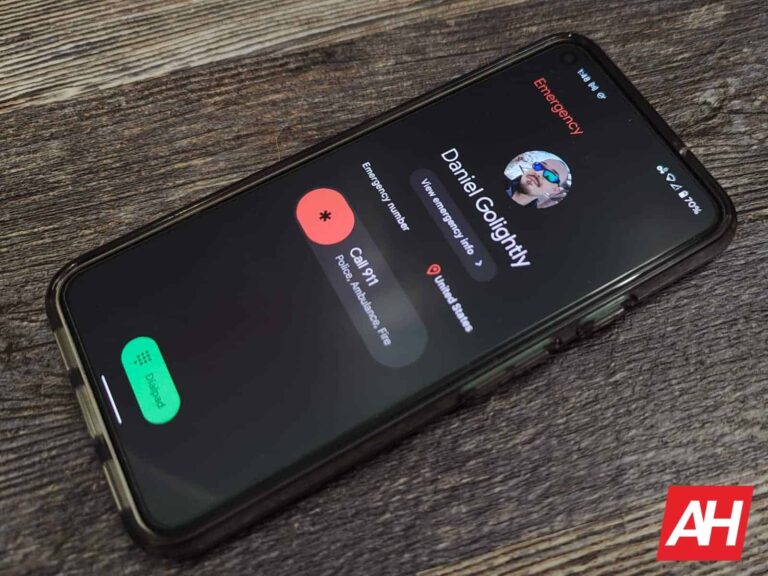
Along with a host of camera improvements and bug fixes, Samsung‘s June update for the Galaxy S23 series brings an important change to the emergency SOS feature. The feature is now always enabled with no option to turn it off. The company has already pushed this change to a handful of other devices.
Samsung smartphones have long allowed users to contact emergency services by repeatedly pressing the power button in quick succession. Originally, an SOS call was triggered when the power button was pressed repeatedly three times. The feature was always on so emergency services are easily reachable all the time. But the company later added an option to disable this shortcut. Soon after, it upped the number of presses required from three to five.
The latter change brought Galaxy devices in line with the implementation of the feature on stock Android. This ensured that anyone moving to Samsung products from other brands or vice versa is already aware of the number of presses required. Moreover, the change reduced the chances of accidentally triggering an emergency call. Perhaps those accidental calls are why the company allowed users to disable the feature in the first place.
But now that it’s requiring five repeated presses of the power button, Samsung is removing the option to disable the emergency SOS shortcut. The June update brought this change to several Galaxy devices, including the Galaxy S22 series, and recent foldables, at least in some markets. The Galaxy S23 series is getting it too, SamMobile confirms. Along with making emergency SOS always on, Samsung is also letting users disable the countdown for initiating emergency calls.
The June update for the Galaxy S23 series contains a lot more
As said earlier, the June update brings plenty of camera goodies to the Galaxy S23 series. Among those is the 2x zoom option for portrait shots. Earlier, you could only capture portrait photos in 1x or 3x modes. The latest update brings a balance between the two zoom levels. One the Ultra model, 2x portrait shots use the 200MP main camera in 50MP mode with pixel binning. The base Galaxy S23 and the Plus model use 12MP crops from the 50MP main camera.
It’s unclear if Samsung plans to bring this feature to older Galaxy flagships. There shouldn’t be any technical limitations on recent modes such as the Galaxy S22 series. We will let you know if we hear something about it. Meanwhile, if you’re using a Galaxy S23 or Galaxy S23+, the June update finally fixes the focusing issue (blurry photos) and improves low-light photos. Watch out for the update in the coming days if you haven’t already received it.
Reddit continues to pressurize moderators into reopening subreddits. The company is threatening to remove them from their moderation roles if they keep their communities private. Many subreddits have given in under pressure and reopened to the public. Some have found a new way to protest Reddit’s API updates, though the company is threatening them as well.
The Reddit community has been protesting the firm’s API updates since June 12. More than 8,000 subreddit went dark protesting the API changes that affect third-party apps and moderation tools. The company turned a deaf ear to user complaints, leading to the mass protest. Reddit CEO Steve Huffman publicly lashing out at third-party developers, and calling the protest a “noise” has made the matter worse.
However, with subreddits extending the protest indefinitely, the company is now threatening moderators. “Expectation here is that communities reopen,” a Reddit admin reportedly told a moderator. “To be very clear, you cannot remain closed so we need to know if any mods here wish to participate in opening the community,” another group of moderators was warned. One more group received a similar threat. “Keeping the community closed is not an option,” they were told.
Reddit is threatening moderators for taking communities private
As The Verge points out, the admin is a paid employee of Reddit while moderators are unpaid volunteers. Unfortunately, moderators love what they do and don’t want to lose their moderation roles. They are now unwillingly reopening their communities under the company’s pressure and threats. “We’re re-opening because if we don’t, the mods that Reddit appoints may not care about the subreddit the way we do,” a moderator of r/DIY wrote in a post.
Moderators of many other subreddits have confirmed receiving these warnings or threatening emails from the company. Some of those are as small as just ten subscribers, while others have millions of subscribers. It appears Reddit is determined to force all subreddits open, even those where subscribers have voted to stay private. The firm recently removed some moderators for accepting NSFW (not safe for work) content, but reinstated them later.
Note that NSFW-classified subreddits are not eligible for advertising. Hence moderators are going this route to try and impact Reddit’s ad revenue. This may be a more effective protest as the mass blackout didn’t make a significant revenue impact. But the company is threatening to remove moderators for accepting NSFW content as well. It remains to be seen how Reddit handles this mess in the coming weeks.
Amazon has already started its early Prime Day sales, about 3 weeks ahead of the actual Prime Day sale. And that includes some rather unique bundles for its Luna controller. This is the controller that is available to play with its game streaming service – Luna.
The controller itself is on sale for $39.99, which is nearly half off of the regular price.
Amazon is also bundling the Luna Controller with a phone clip for $52.98. This is about $30 off of its regular price, but it allows you to play Luna games on your phone without having to hold onto your phone.
The last part of this bundle is the Luna Controller plus a free month of Luna+. This is currently on sale for $39.99. So it’s the same price as the controller, but you’re getting a free month of Luna+, which is a $9.99 value. So not to bad at all.
So what is Luna? Well, as Amazon describes it, “Luna is a cloud gaming service that lets you play games on devices you already own including: supported Fire TV, Fire tablets, Windows PC, Chromebook, and Mac devices, and web apps available on iPhone, iPad, and Android devices.”
It’s kind of like a competitor to GeForce Now and Xbox Game Pass, but it’s just $5.99 per month. So it’s pretty cheap. Now, the main difference between Luna and some other gaming services is that it doesn’t have the latest and greatest AAA titles. It’s more of an indie gaming service from Amazon. But with Luna+ only costing $9.99 per month, that might be perfectly fine for most people.
You can pick up all of these bundles from Amazon by clicking the links below. This sale should last through Prime Day on July 12-13, but the prices may go back up before then, so you’ll want to be quick.