The Snapdragon 8+ Gen 2 is allegedly coming soon, but it may launch under a different name. This is the first time we’re hearing of such a change, and the info is coming from a well-known Chinese tipster.
The Snapdragon 8+ Gen 2 could feature a different name at launch
Digital Chat Station went to Weibo to reveal the news. He revealed that the main clock speed of the SoC will be 3.36GHz, and that TSMC’s 4nm process is even better this time around. In other words, this chip should bring a better experience than the Snapdragon 8 Gen 2.
In addition to that, he mentioned that a different name will be used. He did say that it will be a “strange name”, whatever that means. The Snapdragon 8+ Gen 2 would have been a rather odd name to begin with, as it doesn’t really roll off the tongue. We wonder what is Qualcomm preparing this time around.
The Snapdragon 8+ Gen 1 and Snapdragon 8 Gen 2 turned out to be fantastic processors. The expectations are high for the Snapdragon 8+ Gen 2 as well, or whatever else Qualcomm ends up naming it.
The first rumors regarding the SoC actually said it’s not coming at all. Last month, however, a well-known source said it is after all, and we’ve heard several rumors since then. So, the chip really does seem to be coming.
It won’t be much different than the Snapdragon 8 Gen 2
A report from last month claimed that the Snapdragon 8+ Gen 2 won’t be much different than the Snapdragon 8 Gen 2. That info was shared by the same tipster who reported the name change, by the way.
Back then, he said that the Snapdragon 8+ Gen 2 will basically be an overclocked version of the Snapdragon 8 Gen 2. Now, however, he seems to have gotten some new info, stating that TSMC’s 4nm process has been improved, and thus we may see more improvements.
Amazon currently has the Sony 65-inch X93L Mini LED TV on sale for just $2,198. That’s going to save you $300 off of its regular price. Now while that might not sound like a huge discount – it’s about 12% – this is the newest model, which actually just went on sale about a month ago. So definitely a good deal worth taking advantage of.
The Sony 65-inch X93L TV is a top-of-the-line 4K HDR TV that offers stunning picture quality, excellent sound, and a wide range of smart features. It is currently on sale for $2,198, which is a great deal for a TV of this caliber.
Here are some of the reasons why you should buy the Sony 65-inch X93L TV:
Amazing picture quality: The X93L TV uses a mini LED backlight system that provides deep blacks, bright whites, and an incredible range of contrast. It also supports 4K HDR, which means that you can enjoy your favorite movies and TV shows in stunning detail.
Excellent sound: The X93L TV has a built-in sound system that produces clear, powerful sound. It also supports Dolby Atmos, which creates a immersive sound experience that surrounds you.
Wide range of smart features: The X93L TV runs Google TV, which is a smart TV platform that gives you access to a wide range of streaming apps, including Netflix, Hulu, Disney+, and Amazon Prime Video. It also has built-in voice control, so you can control the TV with your voice.
If you are looking for a top-of-the-line 4K HDR TV with stunning picture quality, excellent sound, and a wide range of smart features, then the Sony 65-inch X93L TV is the perfect choice for you. It is currently on sale for $2,198, which is a great deal for a TV of this caliber.
You can buy the Sony 65-inch X93L 4K Mini LED TV by hitting the link below.
Tronsmart has just announced a new party speaker, the Halo 200. This follows the Tronsmart Bang SE which was announced at the end of last year. The Halo 200 is quite a bit different, especially from a design standpoint.
The Tronsmart Halo 200 looks like your regular, home speaker, but offers more features
This thing looks more like a regular home speaker, with some neat lights thrown into the mix. Tronsmart says that this thing is ideal for your yard parties, dance parties, pool parties, and even camping.
It has a 3-way sound system, blasting 120W sound your way. It can also sync up to 100+ speakers through TuneConn tech, or pair with two speakers via TWS pairing. To make things even more interesting, it’s worth noting that this speaker can provide you with 18 hours of playtime, claims the company.
There are 5 lighting modes available
The Tronsmart Halo 200 also has 5 lighting modes. With a click of a button, it can either provide you with lights for an energetic dance floor, or a relaxing ambiance, depending on your needs. The Tronsmart app is also available, and it will allow you to personalize light shows, and EQ to your preferences.
This speaker also has a dual-play function. It’s simple to switch between AC plug and Battery modes. Do note that the battery life of the speaker will depend on the loudness and several other factors, but it has outstanding battery life based on the numbers Tronsmart shared.
The Tronsmart Halo 200 has a guitar input, so you can both record and play your favorite tunes, if you’re so inclined.
There are three versions of this speaker available
The Tronsmart Halo 200 is available directly from Tronsmart as we speak. You can choose between a standard version, a mono-mic version, or a dual-mic version. The prices range from $169.99 to $229.99.
Tronsmart also said that the speaker will be available through “other platforms” starting in July 2023.
WhatsApp always has some new feature that it’s working on, so its beta testers always have something to sink their teeth into. According to a report from WABInfo (via Sam Mobile), WhatsApp will let you pin a chat, and choose the duration of that pinned chats.
Sometimes, there are those chats that you just need to keep at the forefront of your mind. They could be about an important project, a serious matter, or just something you need to keep in mind. Chats like these are best if you can easily access and remember them.
Pinned chats were announced before
For this update, we’re actually talking about two different features. Earlier in the year, we got the news that WhatsApp was working on a feature that will let you pin messages to the top of a chat (version 2.23.3.17 ).
So, as the conversation goes on, the pinned message will still be visible at the top of the group. While it was mentioned several months ago, this feature is still under development.
We’re not sure when the feature will make it to the public, but we have news about another feature that the company is working on. WhatsApp will allow you to set the duration of the message that you pin. This was discovered in a separate beta release (version 2.23.13.11).
WhatsApp will allow you to choose the duration of your pinned chats
There are messages that are only relevant for a certain amount of time. Maybe there’s a meeting happening soon or a deadline. You can pin a chat, but you’ll only want to have it up for a certain amount of time. Well, Whatsapp will let you set it to expire automatically after some time.
Looking at the screenshot provided by WABInfo, it looks like there will be some limitations. For starters, you’ll be able to set your chat to expire after either 24 hours, 3 days, or 30 days. That’s useful, but only having three options is a bit limited. Hopefully, the company comes out with more options including the option to set your own custom duration.
Also, in the screenshot, we don’t see the option to pin your chat indefinitely. There doesn’t seem to be the option to keep your chat pinned forever. If you need it pinned for longer than 30 days, then you might be out of luck.
At this point, we don’t know when WhatsApp plans on bringing this feature to the public. Only time will tell.
Android and Apple have been locked into a seemingly never-ending rivalry over which brand has the better operating system. Many reasons have emerged over why consumers would prefer one operating system over the other. Price is one concern, as iPhones tend to be priced pretty high. Usability is the other key factor; while Android has been perceived as more flexible, iPhones have been considered easier to use, and with the launch of iOS 17, Apple claims its mobile operating system is “more personal and intuitive.” So, is there a clear answer on the battle of the brands? Well, there might be one now, as a new study has shed light on the perpetual feud between Android and iOS mobile phones – with a clear winner as to the more intuitive operating system, according to the results.
Green Smartphones compared the usability of the Android and iOS operating systems, and found Android to be more intuitive.
A research study recently conducted by Green Smartphones, a smartphone comparison site, compared the usability between both mobile operating systems. Not only that, but results were clear as the survey revealed that, when it comes to intuitiveness of the operating systems, Android is reportedly more intuitive. More specifically, the survey found that “Android is 58% easier to use than Apple’s operating system.”
How they arrived at their conclusion was to look at the different types of Google searches that both Android and iPhone users were making about how to use certain functions on their phones. This included searches such as “how to take a screenshot,” “how to scan a QR code” and so on. Based on what they found, it looked like iPhone users were making these searches more frequently than Android users.
For instance, when it comes to taking a screen recording, the study found that the average number of monthly searches among iPhone users was at 84,000 queries. Meanwhile, the average number for Android users was at 24,000. This indicates that Android users were able to figure out how to perform the function without look it up online.
Another huge discrepancy in searches focused on performing a factory reset. The study uncovered an average monthly search of 8,400 queries for Android with, comparatively, a whopping 61,000 for iPhone.
While the study indicates Android’s operating system is evidently more intuitive, it’s unclear what this will mean for potential iPhone users switching to Android. In any case, it’s clear that the never-ending feud between the brands will undoubtedly continue.
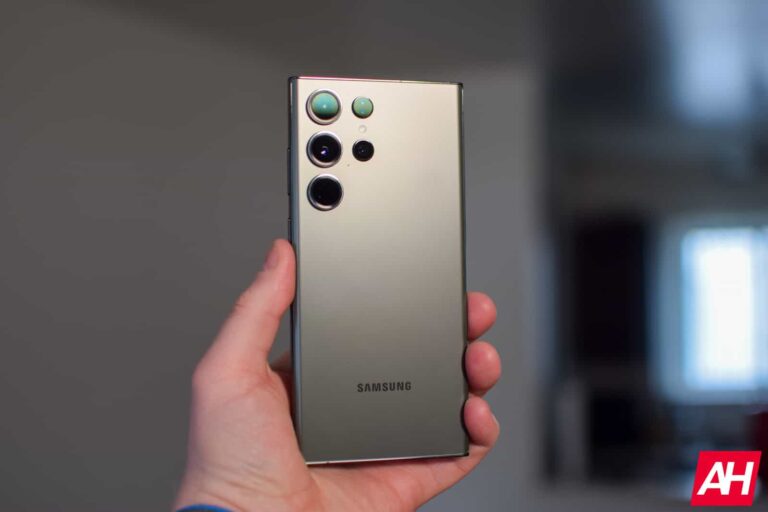
Samsung‘s Galaxy S24 series is starting to take shape internally. The company has reportedly finalized the codenames for the 2024 flagships. According to GalaxyClub, the Korean firm internally refers to the devices as “Muse”. The Dutch publication says explicitly that the Galaxy S24 Ultra is codenamed Muse3. This suggests there will be two more models in the lineup: Galaxy S24 carrying the codename Muse1 and Galaxy S24+ carrying the codename Muse2. The sources don’t seem to have confirmation about the latter two, though.
This is something to note because there have been some unverified rumors of Samsung potentially canceling the Galaxy S24+ next year. That’s highly unlikely, though. Subsequent rumors have mentioned a Plus model along with the Ultra and the base Galaxy S24.
Moreover, the company calling the Ultra model Muse3 internally strongly indicates the existence of two more models. For reference, Samsung called the Galaxy S23, Galaxy S23+, and Galaxy S23 Ultra by codenames Diamond1, Diamond2, and Diamond3, respectively.
Likewise, the Galaxy S22 series was codenamed “Rainbow,” the Galaxy S21 series was codenamed “Unbound,” and the Galaxy S20 series had the codename “Hubble”. That said, the Galaxy S24 series is currently in the very early stages of development.
Samsung could still make changes to the plans if necessary from the business perspective. It recently held a major companywide meeting of senior executives to discuss business plans and strategies across various internal divisions. The Korean behemoth has been hit hard by a steep price drop in the semiconductor industry.
Details about the Galaxy S24 series are still scarce
While rumors about the Galaxy S24 series have already started to come, details are still scarce. In fact, there are some contradicting reports about the camera specs. The aforementioned Dutch publication claims that the Galaxy S24 Ultra will feature a 5x telephoto zoom camera.
Their source is confident about it. But other industry insiders, including noted tipster Ice Universe, say Samsung will stick to the existing camera array for one more year.
According to the latter sources, the Galaxy S24 Ultra will get minor improvements to the 10x zoom camera but everything else will remain unchanged. At least, in the rear camera department. That means a 200MP main camera, 12MP ultrawide lens, and a second 3x zoom camera.
We’ll have to wait for more reports confirming either of these claims. Galaxy S24 rumors may come more frequently once Samsung is done with its upcoming Galaxy Unpacked event. It will launch new foldables, tablets, and smartwatches at the event.
Laptops are coming with fewer and fewer ports. Apple really started the trend quite some time ago, with launching the MacBook with a single USB-C/Thunderbolt port. Today, Apple has brought back some ports, but only on the “Pro” models that start at $1,999. Other laptop makers have also jumped on this trend, including Dell with its latest XPS products.
The good news is, that you can easily get a USB-C hub, or as many more people call it, a dongle, to bring back some of these ports. However, when you search on Amazon for a USB-C hub, you’re bombarded with so many options. So we are here to help you find the best USB-C dongle for your needs.
Best USB-C Hubs and Dongles
These dongles range from just adding a couple of USB-A ports, to adding just about every port imagineable. And they also range in prices, all the way up to $100.
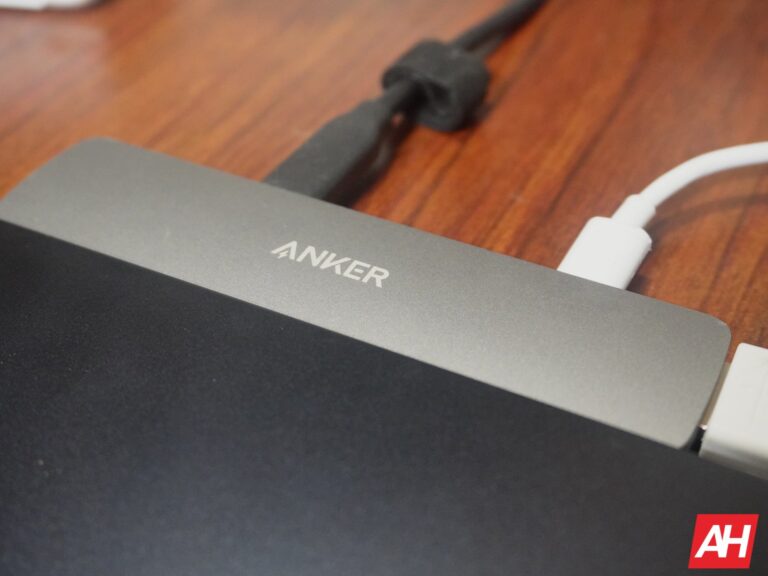
The Anker PowerExpand 10-in-1 Thunderbolt 4 Mini Dock is a versatile and powerful docking station that can transform your laptop into a fully-fledged workstation. It features a wide range of ports, including Thunderbolt 4, HDMI, USB-A, SD card reader, and Gigabit Ethernet, so you can connect all of your peripherals and devices with ease.
The PowerExpand 10-in-1 Thunderbolt 4 Mini Dock supports Thunderbolt 4, which is the latest and fastest Thunderbolt standard. This means that you can transfer data at speeds up to 40 Gbps, and you can also daisy chain up to 10 devices.
The PowerExpand 10-in-1 Thunderbolt 4 Mini Dock is small and lightweight, so you can easily take it with you on the go. It measures just 2.7 x 1.1 x 0.5 inches, and it weighs just 2.3 ounces.
The Satechi Aluminum USB-C Multiport Adapter is a sleek and compact adapter that can add a variety of ports to your laptop. It features two USB-A ports, an HDMI port, and a Gigabit Ethernet port, so you can connect all of your peripherals and devices with ease.
The Satechi Aluminum USB-C Multiport Adapter is small and lightweight, so you can easily take it with you on the go. It measures just 2.3 x 0.8 x 0.4 inches, and it weighs just 1.6 ounces.
The Satechi Aluminum USB-C Multiport Adapter has a wide range of ports, so you can connect all of your peripherals and devices with ease. It features two USB-A ports, an HDMI port, and a Gigabit Ethernet port.
The Satechi Aluminum USB-C Multiport Adapter is made from durable materials, so you can be confident that it will last for years to come. It is made from aluminum alloy, and it has a sturdy construction.
The Anker PowerExpand 6-in-1 USB C PD Ethernet Hub is a versatile and powerful hub that can add a variety of ports to your laptop. It features a 65W Power Delivery port, an HDMI port, two USB-A ports, an Ethernet port, and a USB-C data port, so you can connect all of your peripherals and devices with ease.
Here are some of the reasons why you should buy the Anker PowerExpand 6-in-1 USB C PD Ethernet Hub:
Versatile port selection: The PowerExpand 6-in-1 USB C PD Ethernet Hub has a wide range of ports, so you can connect all of your peripherals and devices with ease. It features a 65W Power Delivery port, an HDMI port, two USB-A ports, an Ethernet port, and a USB-C data port.
Powerful Power Delivery: The PowerExpand 6-in-1 USB C PD Ethernet Hub can deliver up to 65W of power, so you can keep your laptop powered up even when you are using it with demanding peripherals.
Compact and portable design: The PowerExpand 6-in-1 USB C PD Ethernet Hub is small and lightweight, so you can easily take it with you on the go. It measures just 2.6 x 1.1 x 0.5 inches, and it weighs just 2.3 ounces.
Durable construction: The PowerExpand 6-in-1 USB C PD Ethernet Hub is made from durable materials, so you can be confident that it will last for years to come. It is made from aluminum alloy, and it has a sturdy construction.
The Plugable USB-C 7-in-1 Multiport Adapter is a versatile and affordable hub that can add a variety of ports to your laptop. It features a HDMI port, two USB-A ports, an SD card reader, and a Gigabit Ethernet port, so you can connect all of your peripherals and devices with ease.
The Plugable USB-C 7-in-1 Multiport Adapter is small and lightweight, so you can easily take it with you on the go. It measures just 2.3 x 0.8 x 0.4 inches, and it weighs just 1.6 ounces.
The Plugable USB-C 7-in-1 Multiport Adapter is made from durable materials, so you can be confident that it will last for years to come. It is made from aluminum alloy, and it has a sturdy construction.
The Satechi USB C Hub Multiport Adapter V2 is a versatile and powerful hub that can add a variety of ports to your laptop. It features a HDMI port, two USB-A ports, an SD card reader, and a Gigabit Ethernet port, so you can connect all of your peripherals and devices with ease.
The Satechi USB C Hub Multiport Adapter V2 is small and lightweight, so you can easily take it with you on the go. It measures just 2.3 x 0.8 x 0.4 inches, and it weighs just 1.6 ounces.
The Satechi USB C Hub Multiport Adapter V2 is made from durable materials, so you can be confident that it will last for years to come. It is made from aluminum alloy, and it has a sturdy construction.
The Anker PowerExpand 6-in-1 Thunderbolt 3 Mini Dock is a versatile and powerful hub that can add a variety of ports to your laptop. It features a Thunderbolt 3 port, an HDMI port, two USB-A ports, an SD card reader, and a Gigabit Ethernet port, so you can connect all of your peripherals and devices with ease.
Here are some of the reasons why you should buy the Anker PowerExpand 6-in-1 Thunderbolt 3 Mini Dock:
Versatile port selection: The PowerExpand 6-in-1 Thunderbolt 3 Mini Dock has a wide range of ports, so you can connect all of your peripherals and devices with ease. It features a Thunderbolt 3 port, an HDMI port, two USB-A ports, an SD card reader, and a Gigabit Ethernet port.
Powerful Thunderbolt 3: The PowerExpand 6-in-1 Thunderbolt 3 Mini Dock can deliver up to 100W of power, so you can keep your laptop powered up even when you are using it with demanding peripherals.
Compact and portable design: The PowerExpand 6-in-1 Thunderbolt 3 Mini Dock is small and lightweight, so you can easily take it with you on the go. It measures just 2.6 x 1.1 x 0.5 inches, and it weighs just 2.3 ounces.
Durable construction: The PowerExpand 6-in-1 Thunderbolt 3 Mini Dock is made from durable materials, so you can be confident that it will last for years to come. It is made from aluminum alloy, and it has a sturdy construction.
The UGREEN USB C Hub is a versatile and affordable hub that can add a variety of ports to your laptop. It features two USB-A ports, an HDMI port, an SD card reader, and a Gigabit Ethernet port, so you can connect all of your peripherals and devices with ease.
The UGREEN USB C Hub is small and lightweight, so you can easily take it with you on the go. It measures just 2.3 x 0.8 x 0.4 inches, and it weighs just 1.6 ounces.
The UGREEN USB C Hub is made from durable materials, so you can be confident that it will last for years to come. It is made from aluminum alloy, and it has a sturdy construction.
Google Home has taken some of the feedback from its Public Preview, and rolled out a new feature to the Public Preview (for now). Which will allow users to add groups to favorites, instead of just individual lights. This will make it easier to turn on or off lights in a room, or on an entire floor, with less taps.
The update is now rolling out to those in the Public Preview, and Google’s Anish Kattukaran says that this was one of “the most heavily requested” features.
It’s a very overdue feature for Google Home, and one that should have been added a long time ago. After all, Apple’s Homekit allows users to do this.
If you’re in the Public Preview for Google Home, you should see this update very soon. It’s not quite available for everyone just yet, but that should change over the coming days.
Google Home’s big redesign is still in Public Preview
After announcing it last year, Google Home’s big redesign is still limited to the public preview. Which you can join by going to the Settings in the Google Home app. It could take a bit before you get switched over to the Public Preview, but if you do want to try this out, you can do so by joining the public preview.
With this redesign, Google is making it easier to toggle different things in your home, jump into favorites, and even switch homes that you might have in your Google Home app. It’s a pretty big redesign, and one that we hope rolls out to everyone sooner rather than later.
The new feature announced this week, where you can add groups to favorites, you’ll now see them among individual things. So you could see a group of living room lights on one tile and then an individual ceiling light on another one.
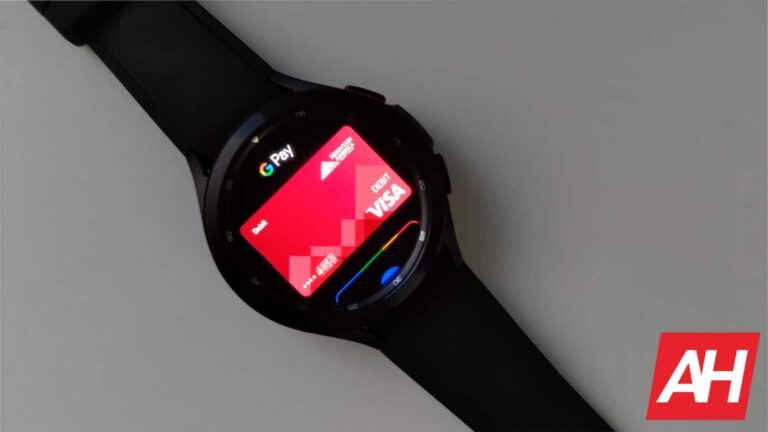
NFC, the underlying technology for Google Pay, Samsung Pay and Apple Pay (among other mobile payment solutions), is set for a pretty large upgrade. As the NFC Forum, has revealed its roadmap for NFC technology, which will extend into 2028.
Some of the new features coming to NFC include increased power for NFC wireless charging, and increased range. Below, you’ll see the major updates coming to NFC over the next five years.
Increased Power for NFC Wireless Charging. The current NFC Wireless Charging specification offers up to 1 watt of power and plans are to increase these capabilities up to 3 watts. This change will bring wireless power and charging to new and smaller form factors, disrupting industrial design while defining new markets.
Increased Range. Today, NFC connections are limited to a range of 5mm, but the NFC Forum is in the process of examining ranges that are four to six times the current operating distance. Even a modest increase in range would make contactless transactions and actions faster and easier. It would also improve usability by decreasing the precision needed for antenna alignment.
Multiple Purpose Tap. This feature will further improve the contactless user experience by supporting several actions with a single tap. The use cases driving this work include point-to-point receipt delivery, loyalty identification, and total-journey ticketing.
Modernizing Device-to-Device Communication. Designed to empower NFC-enabled smartphones to have Point-of-Sale functionality (SoftPOS), allowing businesses or individuals to receive payments anywhere.
Expanding NFC’s Ability to Share Data Formats Needed for Sustainability. Enabling NFC to share data on its composition and ways a product can be recycled, helping to meet evolving consumer demands, and regulatory requirements, as well as contributing to a healthy circulatory economy.
It’ll be a while before we see changes
Because this is a roadmap, through 2028, it’s going to be a few years before we really see any changes with NFC. It’ll likely be at least 2025 before we see any big changes on the user-end.
However, the NFC Forum has stated that the work needed for these improvements is already under development, and it could take two to five years before it is launched. It’s also going to require Apple, Google and other smartphone makers to include newer NFC chips into their smartphones to make these new features available. It’s unclear when they will be forced to use new NFC chips, however.
In the most extreme action taken against the firm by the agency’s chair, Lina Khan, the Federal Trade Commission filed a lawsuit against Amazon on Wednesday, accusing it of illegally pressuring customers to subscribe to its Prime membership and making it difficult for them to quit.
The FTC claimed in its lawsuit that Amazon had “duped millions of consumers” into signing up for Prime by employing “manipulative, coercive, or deceptive” website design techniques known as “dark patterns.”
Additionally, Amazon “knowingly complicated” the cancellation process with burdensome steps when customers wished to cancel.
Lengthy Procedure To Cancel Their Prime Membership
Over 200 million individuals worldwide are Prime subscribers. The subscription service costs $139 a year or $14.99 a month in the US and £95 a year in the UK.
It includes shipping benefits, access to streaming films, and other advantages.
Because “those changes would also negatively affect Amazon’s bottom line,” the agency claimed in the lawsuit filed in federal court in Seattle, the company tried to make it impossible for consumers to opt out of auto-enrolment.
It also claimed that Amazon forced consumers who wanted to cancel through a time-consuming “four-page, six-click, fifteen option” procedure, which the FTC dubbed “Iliad” about the Greek classic about the “long, arduous Trojan War.”
The FTC claimed that although Amazon changed the cancellation procedure soon before the case was filed, the company’s actions violated consumer protection laws.
“Amazon tricked and trapped people into recurring subscriptions without their consent, not only frustrating users but also costing them significant money,” FTC reports.
Amazon was aware that it was signing up customers for Prime without getting their permission and that it was challenging for them to understand the complex canceling process.
The Company neglected to take any significant action to rectify the problems and claimed the lawsuit until they were well aware of the FTC’s inquiry.
The FTC requests a court order requiring Amazon to alter its practices and specific monetary penalties.
Response from Amazon to the Issue
Amazon said that when the case was unexpectedly filed, it had been resolving the problems with the agency.
“The truth is that customers love Prime, and by design, we make it clear and simple for customers to both sign up for or cancel their Prime membership,” the company said.
Amazon and the F.T.C. recently resolved legal disputes. To resolve commission allegations that its Alexa home assistant devices had improperly gathered children’s data, the corporation agreed to pay $25 million last month.
The business also reached a privacy settlement with the F.T.C. involving its Ring home security division.
Manage and Secure Your Endpoints Efficiently – Free Download






.png
)