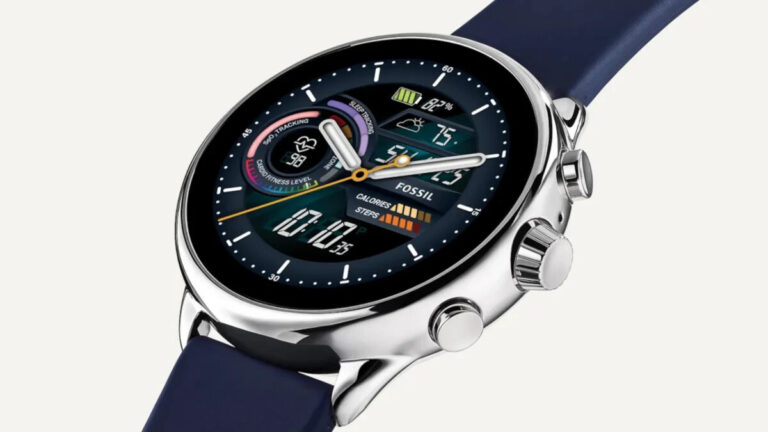
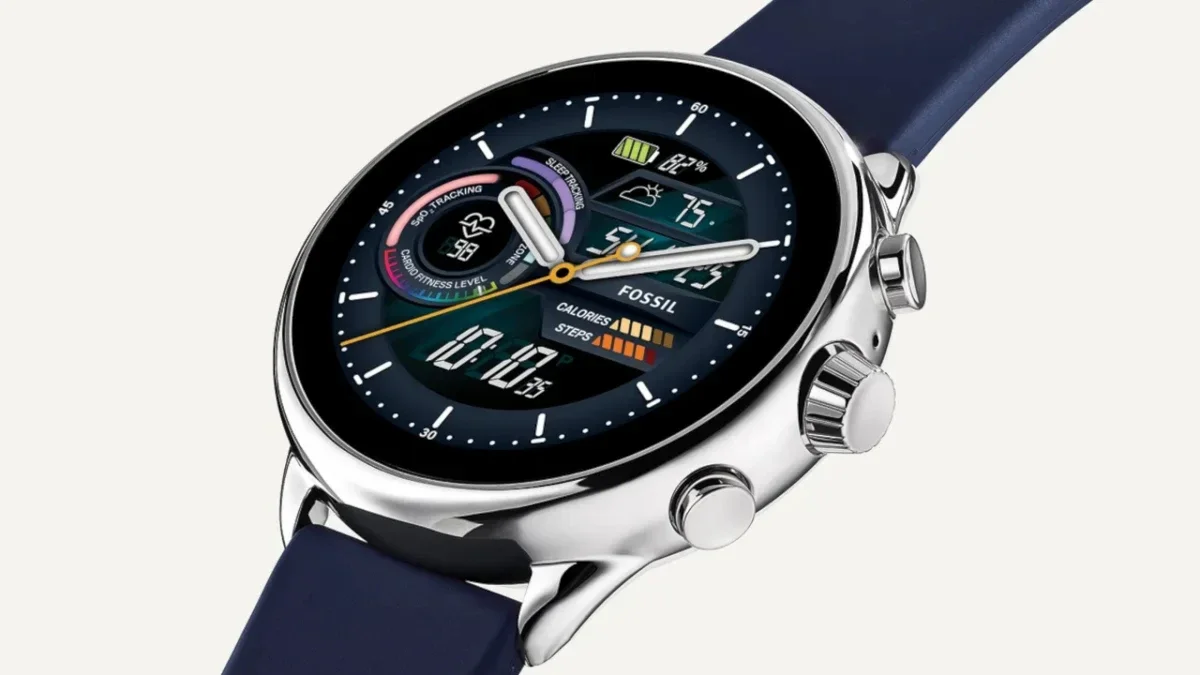
When Google pushed out the Wear OS 3 update, it removed the Google Assistant feature from all smartwatches leaving only the Pixel Watch (naturally) and the most recent Samsung Galaxy Watch models to have the virtual digital assistant available. And while there is that famous quote that says “Tis Better to have loved and lost than never to have loved at all,” consider the poor owners of the Fossil Gen 6 who had the Assistant on their wrist but lost it with the update to Wear OS 3.
According to Android Police, Google is fixing this situation by rolling out an update that will return Google Assistant to all Fossil Gen 6 devices that are powered by Wear OS 3. An update for the timepiece is available from the app found in the Google Play Store. This app is called Fossil Smartwatches and you can install it on your Android phone by clicking on this link. Fossil is listed as the developer so you shouldn’t have any qualms about downloading it on your handset.
Now there is something that you should know. If you want Google Assistant on your Gen 6 watch, the wearable must be paired with an Android phone. If your Gen 6 watch is paired with an iPhone or an Android Go device, you will not have support for the virtual digital assistant. Fossil Gen 6 watches aren’t the only ones regaining support for the Assistant as Skagen Gen 6 timepieces are also receiving an update that brings Google Assistant back.
Hey, Google, welcome back Google Assistant is now available on all Gen 6 devices powered with Wear OS 3! The automatic update will roll out to all devices paired with phones running the latest version of Android. Learn more on https://t.co/4ObktPZJbH! https://t.co/JChsq68nCppic.twitter.com/0Mg7hukE7Z
Fossil Gen 6 users will have a tough decision to make. Since these devices support Amazon’s digital helper, Alexa, they will have to choose between keeping Google Assistant or Alexa. Open the Fossil Smartwatches app on your Android phone and go to My Preferences > Default assistant option. If you choose Google Assistant you can activate the top-ranked assistant by calling out “Hey Google,” by long-pressing on the upper button, or by using a complication on your watch face.
This just might be the start of Google righting some wrongs including the decision it made to leave Assistant off of Mobvoi’s TicWatch Pro 5.
Thanks to a newly leaked image, we know what the OPPO Find N3 Flip will look like. Based on this, the design won’t be too different from the OPPO Find N2 Flip, but the phone will be easily recognizable either way. Do note that this is an early design render, so there could be some changes.
The OPPO Find N3 Flip design just leaked, here’s what the phone will look like
As you can see in the provided image, the OPPO Find N3 Flip has three cameras on the back. The Find N2 Flip included two cameras back there. The cover display next to those cameras will remain vertical, it seems. It will also be about the same size as in the Find N2 Flip.
This is the black-colored model of the phone, which includes a black side, and a dark gray (gunmetal) frame. The frame will be flat, and it will have rounded corners.
The cameras on the back will protrude, each of them on its own. A dual LED flash sits next to the top camera on the back, and right below it, you’ll notice a microphone.
OPPO’s logo sits on the back as well, along with Hasselblad’s branding. The phone’s hinge is not visible when it’s unfolded, which is something we’re used to by now.
A 120Hz display is expected, as is 16GB of RAM
What about its specs? Well, the device is expected to include a 6.8-inch fullHD+ main AMOLED panel with a 120Hz refresh rate. The cover display will measure 3.26 inches, and that will also be an AMOLED panel.
The MediaTek Dimensity 9000 Plus will fuel this phone, while you’ll also get up to 16GB of RAM and 512GB of storage. A 4,300mAh battery is also mentioned, along with 44W wired charging. The charger will be included in the package.
When it comes to cameras, you can expect a 50-megapixel main camera. In addition to that, a 32-megapixel camera will be included, and an 8-megapixel camera too. A 32-megapixel unit will sit on the front.
The OPPO Find N2 Flip was announced back in December last year, while its predecessor will likely launch around the same time this year.
Web application security refers to the measures taken to safeguard web applications from potential attacks. It involves strategies and processes to secure web applications from external threats that could compromise their functionality, safety, and data integrity.
An effective web application security strategy involves identifying possible vulnerabilities, assessing their associated risks, and implementing measures to prevent attacks.
Many businesses rely heavily on web applications for their operations. A security breach could lead to significant financial loss, damage to the company’s reputation, and potential legal repercussions. Therefore, organizations must ensure that their web applications are secure.
Common Vulnerabilities in Web Applications
Despite the best efforts of developers and security experts, no web application is entirely immune to security risks. Several common vulnerabilities often exploited by attackers include SQL Injection, Cross-Site Scripting (XSS), Cross-Site Request Forgery (CSRF), Insecure Direct Object References (IDOR), and Security Misconfigurations.
SQL Injection
SQL Injection
SQL Injection is a web security vulnerability that allows an attacker to interfere with an application’s database queries. It generally occurs when a developer uses unvalidated or unencoded user input within a database query.
An attacker can manipulate the SQL query to view sensitive information, modify the database, or even execute administrative operations on the database.
Cross-Site Scripting (XSS)
Cross-Site Scripting (XSS)
Cross-Site Scripting (XSS) occurs when an attacker injects malicious scripts into web pages viewed by other users.
The attacker uses these scripts to steal sensitive information like session cookies, enabling them to impersonate the victim and perform actions on their behalf.
The consequences of a successful XSS attack range from minor annoyance to significant security breaches.
Cross-Site Request Forgery (CSRF)
Cross-Site Request Forgery (CSRF)
Cross-Site Request Forgery (CSRF) is an attack that tricks the victim into submitting a malicious request. This is achieved by including a link or script in a webpage that accesses a site to which the user is authenticated.
A successful CSRF attack can lead to unauthorized changes in data, such as email address, password, and more.
Insecure Direct Object References (IDOR)
Insecure Direct Object References (IDOR) occur when a developer exposes a reference to an internal implementation object, such as a file, directory, or database key. Attorneys can manipulate these references to access unauthorized data without an access control check or other protection.
Security Misconfigurations
Security Misconfigurations are the most commonly seen issue. This typically happens when an application or its platform is configured insecurely. An attacker can exploit these misconfigurations to access unauthorized information or functionality.
The Role of Security Frameworks and Standards
Security frameworks and standards are fundamental in ensuring web application security. By providing a systematic approach to managing security risks, these guidelines serve as roadmaps for organizations aiming to fortify their cybersecurity posture.
Adherence to these frameworks and standards allows organizations to tackle various security issues and ensure their web applications’ confidentiality, integrity, and availability.
OWASP (Open Web Application Security Project)
OWASP is an open community that enables organizations to develop, purchase, and maintain applications and APIs that can withstand security threats.
One of their most unique resources is the OWASP Top 10, a standard awareness document for developers and web application security.
It represents a broad consensus about web applications’ most critical security risks. Using the OWASP Top 10 as a guide, developers can prioritize security measures, focus on the most significant threats, and significantly improve their web application’s security.
ISO/IEC 27001
This is a globally recognized standard for establishing, implementing, maintaining, and continuously improving an Information Security Management System (ISMS).
This standard helps organizations consistently and cost-effectively manage their security practices in one place.
It covers various security controls, from risk assessment to access control to incident management.
Compliance with ISO/IEC 27001 demonstrates that an organization is committed to following the best information security practices.
PCI DSS (Payment Card Industry Data Security Standard)
If your web application involves processing, storing, or transmitting cardholder data, adhering to the PCI DSS is mandatory. This standard aims to secure credit card transactions against data theft and fraud.
It comprises 12 requirements, including regular security audits, secure networks and systems, access control measures, and more. Organizations can protect sensitive cardholder data and build customers’ trust by complying with PCI DSS.
NIST Cybersecurity Framework
NIST Cybersecurity Framework
Developed by the National Institute of Standards and Technology (NIST), this voluntary framework provides a policy for managing cybersecurity risks.
It comprises standards, guidelines, and best practices to manage cybersecurity risk cost-effectively.
The framework core consists of five main functions: Identity, Protect, Detect, Respond, and Recover. The NIST framework is widely adopted across various industries due to its flexibility and comprehensiveness.
CIS Critical Security Controls (CIS CSC)
Developed by the Center for Internet Security, CIS CSC is a set of 20 actions designed to provide a roadmap for organizations to enhance their cybersecurity posture. These controls are a series of well-vetted and supported security actions that, when implemented, can prevent the most pervasive and dangerous cyber attacks.
Best Practices for Web Application Security
The following best practices can help you secure web applications and reduce business risks.
Secure Coding Practices
Secure coding is the practice of writing code for systems, applications, and software in a way that guards against security vulnerabilities. It involves a series of principles designed to eliminate categories of bugs that could lead to system vulnerabilities.
Secure coding helps protect a system from potential threats by identifying and eliminating software bugs or flaws that cybercriminals could exploit.
Safe coding practices have become more crucial in the current technology landscape. Security is often compromised as developers are pressured to deliver fast and efficient software.
However, developers must understand that secure coding practices can improve their code’s security, quality, and maintainability.
It can significantly reduce the time and cost associated with fixing bugs and vulnerabilities in the later stages of the software development life cycle.
User Input Validation and Sanitization
User input validation and sanitization are critical aspects of web application security. They check and clean user input to prevent security vulnerabilities such as SQL injection, cross-site scripting, and remote code execution.
Enhanced user input validation and sanitization techniques include using allow-lists instead of deny-lists, secure APIs, and context-sensitive output encoding. These techniques can help prevent common web application security vulnerabilities and protect the application from potential attacks.
Automated Security Testing
Automation plays a crucial role in security testing by automating repetitive tasks, reducing human error, and speeding up the testing process.
Automated security testing tools can scan for known vulnerabilities, execute test cases, and generate reports, freeing up security teams to focus on more complex tasks.
Automation can also help businesses keep up with the rapid pace of software development and deployment. As new code is committed, automated tools can quickly test for vulnerabilities, ensuring security is integrated throughout the software development lifecycle.
This is particularly important in an Agile or DevOps environment, where speed and efficiency are critical.
Patching and Updating Software
In a DevOps environment, continuous integration and deployment are the norms. This means code is frequently updated and deployed, which can create potential security vulnerabilities.
Therefore, regular patching and updating are crucial to maintaining the application’s security.
Patching involves updating the software to fix security vulnerabilities. Regular patch management ensures that the application is protected against known threats. It’s also essential to keep all software components, including third-party libraries and frameworks, up-to-date.
Data Encryption and Secure Data Transmission
Data encryption is the process of converting data into a format that is unreadable to unauthorized users. It’s essential to web application security as it protects sensitive data from cybercriminals’ access.
Secure data transmission with HTTPS is also critical for web application security. HTTPS, or Hypertext Transfer Protocol Secure, is an internet communication protocol that protects the integrity and confidentiality of data between the user’s computer and the site.
It ensures that data transmitted between the user and the web application is encrypted and secure.
Conclusion
In conclusion, understanding and implementing web application security best practices is imperative for businesses in today’s digital age.
Secure coding practices, automation in security testing, AI in WAFs, regular patching and updating, enhanced input validation and sanitization, data encryption, and secure transmission with HTTPS are all critical aspects of web application security that businesses must prioritize.
Remember, the security of your web application is not just about protecting your business; it’s also about safeguarding your customers’ trust and loyalty.
Along with a host of camera improvements and bug fixes, Samsung‘s June update for the Galaxy S23 series brings an important change to the emergency SOS feature. The feature is now always enabled with no option to turn it off. The company has already pushed this change to a handful of other devices.
Samsung smartphones have long allowed users to contact emergency services by repeatedly pressing the power button in quick succession. Originally, an SOS call was triggered when the power button was pressed repeatedly three times. The feature was always on so emergency services are easily reachable all the time. But the company later added an option to disable this shortcut. Soon after, it upped the number of presses required from three to five.
The latter change brought Galaxy devices in line with the implementation of the feature on stock Android. This ensured that anyone moving to Samsung products from other brands or vice versa is already aware of the number of presses required. Moreover, the change reduced the chances of accidentally triggering an emergency call. Perhaps those accidental calls are why the company allowed users to disable the feature in the first place.
But now that it’s requiring five repeated presses of the power button, Samsung is removing the option to disable the emergency SOS shortcut. The June update brought this change to several Galaxy devices, including the Galaxy S22 series, and recent foldables, at least in some markets. The Galaxy S23 series is getting it too, SamMobile confirms. Along with making emergency SOS always on, Samsung is also letting users disable the countdown for initiating emergency calls.
The June update for the Galaxy S23 series contains a lot more
As said earlier, the June update brings plenty of camera goodies to the Galaxy S23 series. Among those is the 2x zoom option for portrait shots. Earlier, you could only capture portrait photos in 1x or 3x modes. The latest update brings a balance between the two zoom levels. One the Ultra model, 2x portrait shots use the 200MP main camera in 50MP mode with pixel binning. The base Galaxy S23 and the Plus model use 12MP crops from the 50MP main camera.
It’s unclear if Samsung plans to bring this feature to older Galaxy flagships. There shouldn’t be any technical limitations on recent modes such as the Galaxy S22 series. We will let you know if we hear something about it. Meanwhile, if you’re using a Galaxy S23 or Galaxy S23+, the June update finally fixes the focusing issue (blurry photos) and improves low-light photos. Watch out for the update in the coming days if you haven’t already received it.
Reddit continues to pressurize moderators into reopening subreddits. The company is threatening to remove them from their moderation roles if they keep their communities private. Many subreddits have given in under pressure and reopened to the public. Some have found a new way to protest Reddit’s API updates, though the company is threatening them as well.
The Reddit community has been protesting the firm’s API updates since June 12. More than 8,000 subreddit went dark protesting the API changes that affect third-party apps and moderation tools. The company turned a deaf ear to user complaints, leading to the mass protest. Reddit CEO Steve Huffman publicly lashing out at third-party developers, and calling the protest a “noise” has made the matter worse.
However, with subreddits extending the protest indefinitely, the company is now threatening moderators. “Expectation here is that communities reopen,” a Reddit admin reportedly told a moderator. “To be very clear, you cannot remain closed so we need to know if any mods here wish to participate in opening the community,” another group of moderators was warned. One more group received a similar threat. “Keeping the community closed is not an option,” they were told.
Reddit is threatening moderators for taking communities private
As The Verge points out, the admin is a paid employee of Reddit while moderators are unpaid volunteers. Unfortunately, moderators love what they do and don’t want to lose their moderation roles. They are now unwillingly reopening their communities under the company’s pressure and threats. “We’re re-opening because if we don’t, the mods that Reddit appoints may not care about the subreddit the way we do,” a moderator of r/DIY wrote in a post.
Moderators of many other subreddits have confirmed receiving these warnings or threatening emails from the company. Some of those are as small as just ten subscribers, while others have millions of subscribers. It appears Reddit is determined to force all subreddits open, even those where subscribers have voted to stay private. The firm recently removed some moderators for accepting NSFW (not safe for work) content, but reinstated them later.
Note that NSFW-classified subreddits are not eligible for advertising. Hence moderators are going this route to try and impact Reddit’s ad revenue. This may be a more effective protest as the mass blackout didn’t make a significant revenue impact. But the company is threatening to remove moderators for accepting NSFW content as well. It remains to be seen how Reddit handles this mess in the coming weeks.
Amazon has already started its early Prime Day sales, about 3 weeks ahead of the actual Prime Day sale. And that includes some rather unique bundles for its Luna controller. This is the controller that is available to play with its game streaming service – Luna.
The controller itself is on sale for $39.99, which is nearly half off of the regular price.
Amazon is also bundling the Luna Controller with a phone clip for $52.98. This is about $30 off of its regular price, but it allows you to play Luna games on your phone without having to hold onto your phone.
The last part of this bundle is the Luna Controller plus a free month of Luna+. This is currently on sale for $39.99. So it’s the same price as the controller, but you’re getting a free month of Luna+, which is a $9.99 value. So not to bad at all.
So what is Luna? Well, as Amazon describes it, “Luna is a cloud gaming service that lets you play games on devices you already own including: supported Fire TV, Fire tablets, Windows PC, Chromebook, and Mac devices, and web apps available on iPhone, iPad, and Android devices.”
It’s kind of like a competitor to GeForce Now and Xbox Game Pass, but it’s just $5.99 per month. So it’s pretty cheap. Now, the main difference between Luna and some other gaming services is that it doesn’t have the latest and greatest AAA titles. It’s more of an indie gaming service from Amazon. But with Luna+ only costing $9.99 per month, that might be perfectly fine for most people.
You can pick up all of these bundles from Amazon by clicking the links below. This sale should last through Prime Day on July 12-13, but the prices may go back up before then, so you’ll want to be quick.
The founder of BreachForums made his first court appearance in the Eastern District of Virginia over a criminal complaint arising from his alleged creation and oversight of a prominent hacking forum and illicit marketplace for cybercriminals.
More than 340,000 individuals claimed to be members of the hacker forum. The FBI and Department of Health and Human Services Office of Inspector General (HHS-OIG) ran a disruption operation linked with his arrest on March 15, resulting in BreachForums being down.
According to court records, Conor Brian Fitzpatrick, 20, of Peekskill, New York, is accused of running BreachForums as a black market for hackers to exchange stolen or breached data since March 2022.
Stolen Information Sold On The Hacker Forum
The Department of Justice reports that bank account information, social security numbers, other personally identifiable information (PII), means of identification, hacking tools, compromised databases, services for gaining unauthorized access to victim systems, and account login information for compromised online accounts with service providers and merchants were among the items stolen frequently sold on the platform.
Fitzpatrick’s claimed victims include millions of US residents and hundreds of US and international corporations, organizations, and government bodies.
Sensitive data from consumers of telecommunication, social media, investment, health care, and internet service providers were included in some of the stolen datasets.
For instance, on January 4, a user of BreachForums released the names and contact details of almost 200 million subscribers of a significant American social networking website.
Additionally, on December 18, 2022, a different BreachForums user revealed about 87,760 participants in InfraGard, a collaboration between the FBI and businesses in the private sector to safeguard vital infrastructure.
“Following the seizure of RaidForums last year, cyber criminals turned to BreachForums to buy and sell stolen data, including breached databases, hacking tools, and the personal and financial information of millions of U.S. citizens and businesses,” said Assistant Director in Charge David Sundberg of the FBI Washington Field Office.
“These databases belong to a wide variety of both U.S. and foreign companies, organizations, and government agencies. Fitzpatrick allegedly profited from the scheme by charging for forum credits and membership fees”, DOJ said.
Notably, the “Cracking,” “Leaks,” and “Tutorials” areas of the BreachForums website have been provided as extra support forums where users may discuss tools and methods for hacking and using stolen or compromised data.
A “Staff” section that appears to be run by the BreachForums moderators and administrators is also on the BreachForums website.
Founder Charged For Access Device Fraud
Fitzpatrick has been charged with conspiracy to conduct access device fraud. He might get a maximum sentence of five years in jail if found guilty.
“This case sends a clear message that illicitly stealing, selling, and trading the personal information of innocent members of the public will not be tolerated, and that malicious cyber actors will be held accountable,” said Special Agent in Charge Stephen Niemczak of the HHS-OIG.
Manage and Secure Your Endpoints Efficiently – Free Download
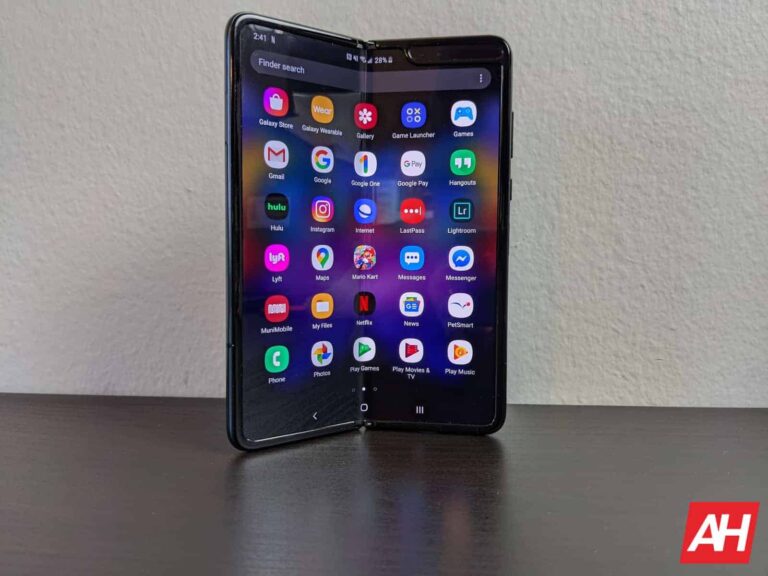
Samsung is pushing a new security update to the original Galaxy Fold in the US. Unfortunately, it’s not the latest release. Instead, the company is updating the first-gen foldable to the May 2023 security patch. International versions of the phone have already picked up the May SMR (Security Maintenance Release).
The Galaxy Fold was only sold unlocked in the US. Samsung is widely covering those phones with the May SMR. The new firmware build number for the device is F900U1UEU6HWE5 (via). While the build number suggests the update may contain more than just some security fixes, Samsung’s official changelog doesn’t mention anything else. We have little hope of new features, though. At best, there may be some system stability and reliability optimizations.
The May SMR itself patches more than 70 vulnerabilities, including 21 Galaxy-specific issues. At least six of those vulnerabilities were classified as “Critical” by Google and Samsung. Eligible Galaxy devices have received the June update with around 60 more security fixes. But the original Galaxy Fold may not get the June update. The foldable is on its last legs and will get new updates once every three months or so.
Those updates may not come beyond September this year, unfortunately. The Galaxy Fold debuted in September 2019 and will turn four later this year. Samsung’s revamped update policy (four major Android OS updates and five years of security updates) doesn’t apply to it. That’s why the foldable missed out on Android 13 as well. Debuted with Android 9 Pie, it got three major Android OS updates, up to Android 12. Security updates may also stop coming after four years.
The Galaxy A32 5G is also getting Samsung’s May security update in the US
The Galaxy Fold isn’t the only Samsung device that is belatedly getting the May security update in the US. The Korean firm is pushing last month’s security patch to the Galaxy A32 5G as well. The update is available for both carrier-locked and unlocked units. The new build numbers are A326USQSADWE2 and A326U1UESADWE3, respectively. The mid-range 5G phone isn’t getting additional goodies with this update.
If you’re using the Galaxy Fold or Galaxy A32 5G in the US, Samsung’s May SMR should be available to you anytime now unless you have already installed it. You can check your phone’s current security patch level from the About phone menu in the Settings app. If you’re on an older patch, go to the Software update menu in the Settings app and tap on Download and install. If you don’t see any updates today, wait a few days and check again.
Passive income is one of the most sought-after things in the modern day. Who wouldn’t want to earn money whilst doing absolutely nothing? In the cryptocurrency space, liquid staking with Avalanche (AVAX) and Ethereum (ETH) has emerged as popular choices, offering the potential for earnings while supporting blockchain networks.
However, a fascinating newcomer has entered the scene, Caged Beasts (BEASTS). With an enticing storyline and referral bonus scheme, it’s drawing the attention of many new investors. In this article, we will look at the different options available to investors for passive income.
Staking with Avalanche: Unleashing the Avalanche of Profits
Staking with Avalanche (AVAX) offers a compelling avenue for generating passive income in the crypto world. Avalanche, renowned for its high-performance blockchain, has introduced staking as a means to incentivize users and secure the network. By participating in staking, individuals can lock up their Avalanche tokens (AVAX) and contribute to the network’s operations, all while earning rewards.
One of the reasons why staking with Avalanche stands out is its scalability and efficiency. The Avalanche blockchain boasts lightning-fast transaction speeds and low fees, making it an attractive choice for stakers. This means that participants can lock up their AVAX tokens and enjoy a seamless staking experience without worrying about excessive transaction costs or delays.
Additionally, staking with Avalanche presents a unique opportunity for investors to become part of a rapidly growing ecosystem. As the network expands and more users join, the potential rewards for stakers increase. This growth potential makes Avalanche staking an appealing option for those seeking a long-term passive income stream in the crypto space.
Raising the Stakes with Ethereum: Fueling the DeFi Revolution
Ethereum’s (ETH) transition to Ethereum 2.0 and the introduction of staking have revolutionized the concept of passive income within the Ethereum ecosystem. By staking Ethereum (ETH), users not only contribute to the network’s security but also gain the opportunity to earn rewards.
Staking with Ethereum offers the potential for significant long-term gains. As Ethereum evolves and becomes increasingly adopted for various decentralized applications (dApps) and smart contracts, stakers stand to benefit from the network’s growth. With a growing user base and increased demand for ETH, stakers have the opportunity to enjoy substantial passive income as their holdings appreciate in value.
Both Avalanche and Ethereum present compelling cases for staking as a form of passive income. Avalanche’s scalability, efficiency, and potential for network growth make it an attractive choice for those seeking a rewarding staking experience. On the other hand, Ethereum’s pivotal role in DeFi and its position as a leading smart contract platform offer stakers the potential for significant long-term gains.
Caged Beasts: Refer and Get 20% of the Deposit Instantly!
Caged Beasts (BEASTS) is a community token that goes beyond mere investment and embraces an extraordinary storyline. With the metaphor of caged liquidity, Caged Beasts represents the strength and growth potential lying dormant within your capital.
What sets Caged Beasts apart is its innovative referral bonus scheme. By sharing your unique referral code, you have the opportunity to earn an instant 20% of the deposited amount in ETH, BNB, or USDT. Not only do you benefit from passive income, but the investor using your code also receives a 20% bonus in BEASTS tokens. It’s a win-win situation that amplifies your earnings as the value of the token grows.
To join the world of Caged Beasts and unleash the power of your investments, register your email on the official website at https://cagedbeasts.com/.
To Conclude
When it comes to passive income options, liquid staking with Avalanche and Ethereum presents enticing opportunities within the crypto landscape. However, the allure of Caged Beasts cannot be ignored. With its rewarding referral scheme, Caged Beasts can make you some serious bank if you play your cards right. Embrace the power of liquid staking and venture into the untamed territory of Caged Beasts for a chance to secure your financial future!
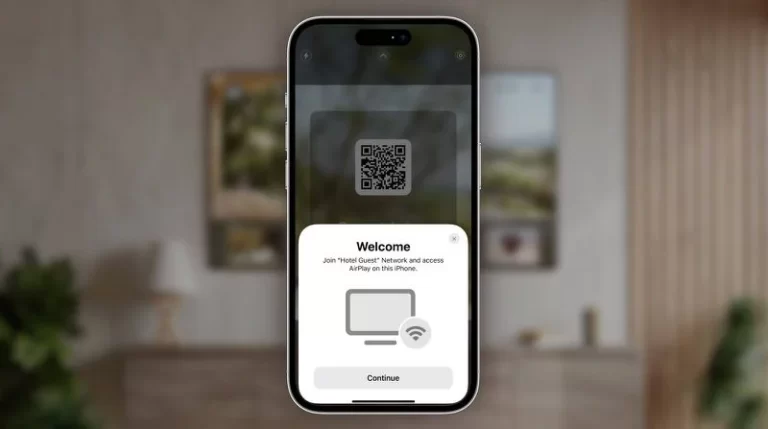
LG Electronics announced today that it will be bringing AirPlay support to its hotel room TVs later this year. This will allow guests to easily mirror their content from their Apple devices to the TV.
To use AirPlay, guests will simply need to scan a QR code on the TV with their iPhone, iPad, or Mac. Once they have done that, they will be able to mirror their screen, photos, videos, and music to the TV.
AirPlay support is a welcome addition for guests who want to watch their favorite movies or TV shows on a larger screen. It is also a great way to share photos and videos with friends and family.
LG is not the only manufacturer that is bringing AirPlay support to hotel room TVs. Samsung also announced earlier this year that it would be bringing AirPlay support to its hotel room TVs.
The addition of AirPlay support to hotel room TVs is a sign that the hospitality industry is starting to embrace the growing popularity of streaming services. As more and more people cut the cord, hotels are looking for ways to keep guests entertained. AirPlay support is a great way to do that.
Apple announced AirPlay coming to Hotels at WWDC in June
Earlier this month at WWDC, Apple announced that it was working with Hotels and TV makers to bring AirPlay to hotels. And to everyone’s surprise, it looks like it’s happening a lot sooner than expected.
Apple had announced this before, many years ago, and nothing really ever happened with bringing AirPlay to Hotel TVs. Now with AirPlay coming to both LG and Samsung Hotel TVs, that means you can play your own content on the TVs in your hotel room. And this means that you’ll be able to use either Chromecast or AirPlay, since many hotels do use Chromecast.



.png
)