Google has recently taken prompt security measures by releasing a security update for its Chrome web browser, aiming to fix the third zero-day vulnerability of this year that hackers have exploited.
The third Chrome zero-day vulnerability that was fixed recently by Google has been tracked as “CVE-2023-3079.”
Exploitationof Zero-day
Detailed information regarding the exploit and its application in attacks has not been disclosed by the company, with the focus limited to highlighting the severity of the flaw and its classification.
In the event of discovering a new security flaw, Google always follows its traditional protocol of not disclosing any technical information or data related to the flaw.
This action aims to ensure users’ protection until a significant portion of them have successfully migrated to the secure version.
Not only that even this approach also restricts malicious actors from exploiting the disclosed information to create additional exploits.
Google’s researcher, Clément Lecigne, uncovered CVE-2023-3079 on June 1, 2023, marking it as a high-severity vulnerability.
This flaw resides in V8, Chrome’s JavaScript engine that is responsible for the interpretation and execution of code in the browser.
Type confusion bugs occur when the engine incorrectly identifies the object’s type at runtime, which can result in dangerous manipulation of memory and the execution of arbitrary code.
These bugs pose a serious threat as they can enable malicious activities and compromise system security by exploiting the engine’s misinterpretation of object types.
Chrome Stable Channel Update
Sophisticated state-sponsored threat actors frequently exploit zero-day vulnerabilities, specifically targeting influential individuals in several critical organizations.
So, to ensure the utmost security, it is highly advised that Chrome users promptly update their vulnerable version of Chrome.
Taking immediate action to update your browser will help safeguard against potential attacks and protect against potential risks.
Over the upcoming days/weeks, the 114.0.5735.106 update for Mac and Linux and the 114.0.5735.110 update for Windows will be gradually rolled out to the Stable and extended stable channels.
Update Chrome
Here below we have mentioned the simple steps to update your Chrome browser:-
Firstly you have to open the Chrome browser on your computer.
Then you have to open the browser window’s Chrome settings menu in the upper right corner (Three vertically aligned dots).
Now you have to click on the settings menu to open the drop-down menu.
Then select the “Help” option.
Now, in the “Help” submenu, click on “About Google Chrome”.
That’s it, now if an update is available, Chrome will automatically start downloading and installing it.
Once the update is finished, relaunch Google Chrome to ensure the latest version is applied.
The first victims of the ongoing attacks on vulnerable MOVEit Transfer instances are coming forward. The Cl0p ransomware gang claims it is behind the attacks.
On Friday June 2, 2023 we reported about a MOVEit Transfer vulnerability that was actively being exploited. If your organization uses MOVEit Transfer and you haven’t patched yet, it really is time to move it.
Excuse the bad pun, but yesterday we saw the first victims of this vulnerability come forward. MOVEit Transfer is a widely used file transfer software which encrypts files and uses secure File Transfer Protocols to transfer data. As such, it has a large userbase in healthcare, education, US federal and state government, and financial institutions.
The Common Vulnerabilities and Exposures (CVE) database lists publicly disclosed computer security flaws. On Friday the CVE had not been assigned yet, but now this vulnerability has now been listed as:
CVE-2023-34362: In Progress MOVEit Transfer before 2021.0.6 (13.0.6), 2021.1.4 (13.1.4), 2022.0.4 (14.0.4), 2022.1.5 (14.1.5), and 2023.0.1 (15.0.1), a SQL injection vulnerability has been found in the MOVEit Transfer web application that could allow an unauthenticated attacker to gain access to MOVEit Transfer’s database. Depending on the database engine being used (MySQL, Microsoft SQL Server, or Azure SQL), an attacker may be able to infer information about the structure and contents of the database, and execute SQL statements that alter or delete database elements. NOTE: this is exploited in the wild in May and June 2023; exploitation of unpatched systems can occur via HTTP or HTTPS. All versions (e.g., 2020.0 and 2019x) before the five explicitly mentioned versions are affected, including older unsupported versions.
Microsoft says that the group behind the attacks on MOVEit instances is the Lace Tempest group, which is a known ransomware operator and runs the extortion website Cl0p. This was confirmed by a Cl0p representative to Bleeping Computer, who also said that the criminals started exploiting the vulnerability on May 27th, during the US Memorial Day holiday.
We saw a similar scenario unfold in March which caused Cl0p to occupy the first place as most used ransomware in our Ransomware Review for that month. Contributing to Cl0p’s rise to the number one spot was its extensive GoAnywhere campaign. The group successfully breached over 104 organizations by taking advantage of a zero-day vulnerability in the widely-used managed file transfer software, GoAnywhere MFT.
As we have pointed out before, ransomware gangs can afford to play the long game now. And some of them do. When you have hundreds or maybe even thousands of victims to choose from, you start with the juiciest ones that are most likely to pay.
A Reuters reporter that has an inside contact in the Cl0p ransomware gang tweeted a screenshot of his contact saying that the military, gov(ernment), children’s hospitals, and police would not be attacked.
The same was repeated by BleepingComputer’s contact. But this is no guarantee, and in the end they may not be able to resist the urge to steal data from those networks anyway.
All this means that if your organization uses MOVEit Transfer and it is internet facing, you should assume that your network has been breached. The fact that you haven’t noticed anything yet probably means you are low on the list of desirable targets. It does NOT mean you got away lucky and simply patching the vulnerability is enough.
What needs to be done
First of all, MOVEit Transfer users should visit the Progress security bulletin about this vulnerability and bookmark it. You can find the latest advice, Indicators of Compromise (IOCs), affected versions, and available patches there.
Basically the advice, and you can find detailed instructions on the page, is to:
Disable all HTTP and HTTPs traffic to your MOVEit Transfer environment.
Delete unauthorized files and user accounts.
Reset service account credentials for affected systems and the MOVEit Service Account.
Apply the patch or upgrade.
Verify to confirm the files have been successfully deleted and no unauthorized accounts remain.
Re-enable all HTTP and HTTPs traffic to your MOVEit Transfer environment.
Continue to monitor your network, endpoints, and logs for IoCs.
Additionally, users of MOVEit Transfer with Microsoft Azure integration should take immediate action to rotate their Azure storage keys.
In our previous post about this vulnerability I mentioned a few tools to help you find the malicious artifacts:
Malwarebytes detects the malicious webshell C:\MOVEitTransfer\wwwroot\human2.aspx as Exploit.Silock.MOVEit and blocks five malicious IP addresses—138.197.152.201, 209.97.137.33, 5.252.191.0/24, 148.113.152.144, 89.39.105.108—that were found to be looking for vulnerable systems.
Malwarebytes EDR and MDR removes all remnants of ransomware and prevents you from getting reinfected. Want to learn more about how we can help protect your business? Get a free trial below.
Samsung has officially confirmed the arrival date for its Galaxy Unpacked 2023 event where it will unveil the Galaxy Z Fold 5, the predecessor to last year’s Galaxy Z Fold 4.
The company says Galaxy Unpacked will take place in late Summer, specifically in July. This will be the 27th Galaxy Unpacked event and like most of them, it’ll be a showy presentation to reveal one of its next flagship devices. In this case the Galaxy Z Fold 5.
In an email to press, Samsung says it will “unveil its next generation foldables.” So it will have more to show off than just the Galaxy Z Fold 5. Viewers can also expect to see the upcoming Galaxy Z Flip 5. Although that should be surprising. Since Samsung has revealed the new versions of the two foldable devices at the same event every year.
Of course Samsung wouldn’t hold a big event for just two phones. While the company hasn’t confirmed anything yet, there will undoubtedly be other devices announced. Most likely the Galaxy Watch 6 series smartwatches.
Samsung’s Galaxy Unpacked 2023 will take place in Seoul this year
The new location for Galaxy Unpacked this year was rumored back in April. Late last week, Samsung DX’s President of Global Marketing, Lee Young-hee, noted that Samsung would be choosing South Korea for the event. Stating that the reason was because “Korea is meaningful and important.” But now Samsung has officially confirmed with global press that the event will take place in South Korea. While also mentioning a more general time window.
Officially Galaxy Unpacked will take place in Samseong-dong, Gangnam, which Samsung says will “offer the world an opportunity to experience the captivating blend of past, present and future that defines Seoul.” Although this will be the official unveiling for Samsung’s latest devices, leaked renders of the phones have already surfaced. Still, there’s a lot that’s unclear about the two new phones. But it won’t be long before consumers learn more.
When it comes to performance on devices, processors play a massive role and the Snapdragon 8 Gen 2 SoC stands out. This smartphone processor doesn’t only stand out in terms of performance but also its cost. Recent reports point out that this processor costs more than the Apple A16 Bionic chip in use on the iPhone 14 Pro series.
Snapdragon processors including the 8 Gen 2 are used on a wide range of Android flagship devices. To get this processor for usage on their flagship devices, manufacturers will need to purchase it from Qualcomm, the maker of the chip. This purchase will cost the smartphone manufacturer some money, but the price of this processor might surprise you.
The price for purchasing Qualcomm’s Snapdragon 8 Gen 2 processor is more than the price to build a rival option. In this context, the rival is the Apple A16 Bionic chip, and building it costs less than the price of purchasing the Snapdragon chip. Is this an issue that the Android community needs to be wary of, or is it simply how things are?
Here is why the price of the Snapdragon 8 Gen 2 SoC is raising concerns
You might already be wondering how much the Snapdragon 8 Gen 2 SoC costs to purchase. Well, this flagship-level processor costs over $160 per unit to purchase for smartphone manufacturers. Undoubtedly, manufacturing that processor costs much less than that price, as the actual cost price for smartphone manufacturers is dependent on other factors.
One such major factor affecting the cost price is the profit that Qualcomm aims to make. But the manufacturing cost of the rival Apple A16 Bionic chip is $110 per unit, and this discrepancy is attracting a ton of attention. Apple doesn’t need to sell its chip to any manufacturer, as it is exclusively for Apple devices.
For this reason, there is no cost price for the Bionic chips, just manufacturing costs as they aren’t sold. But this doesn’t negate the fact that Qualcomm retails the Snapdragon 8 Gen 2 SoC to manufacturers $50 more expensive than Apple’s chip. Both chips are the current generations from Qualcomm and Apple, offering great performance.
Qualcomm’s chip is on the high side pushing smartphone manufacturers to increase the price of their devices. This price increment makes the devices a bit more expensive than previous generations. Buyers of flagship devices with the Snapdragon 8 Gen 2 SoC will feel the effect of Qualcomm’s pricing of their processor during purchase.
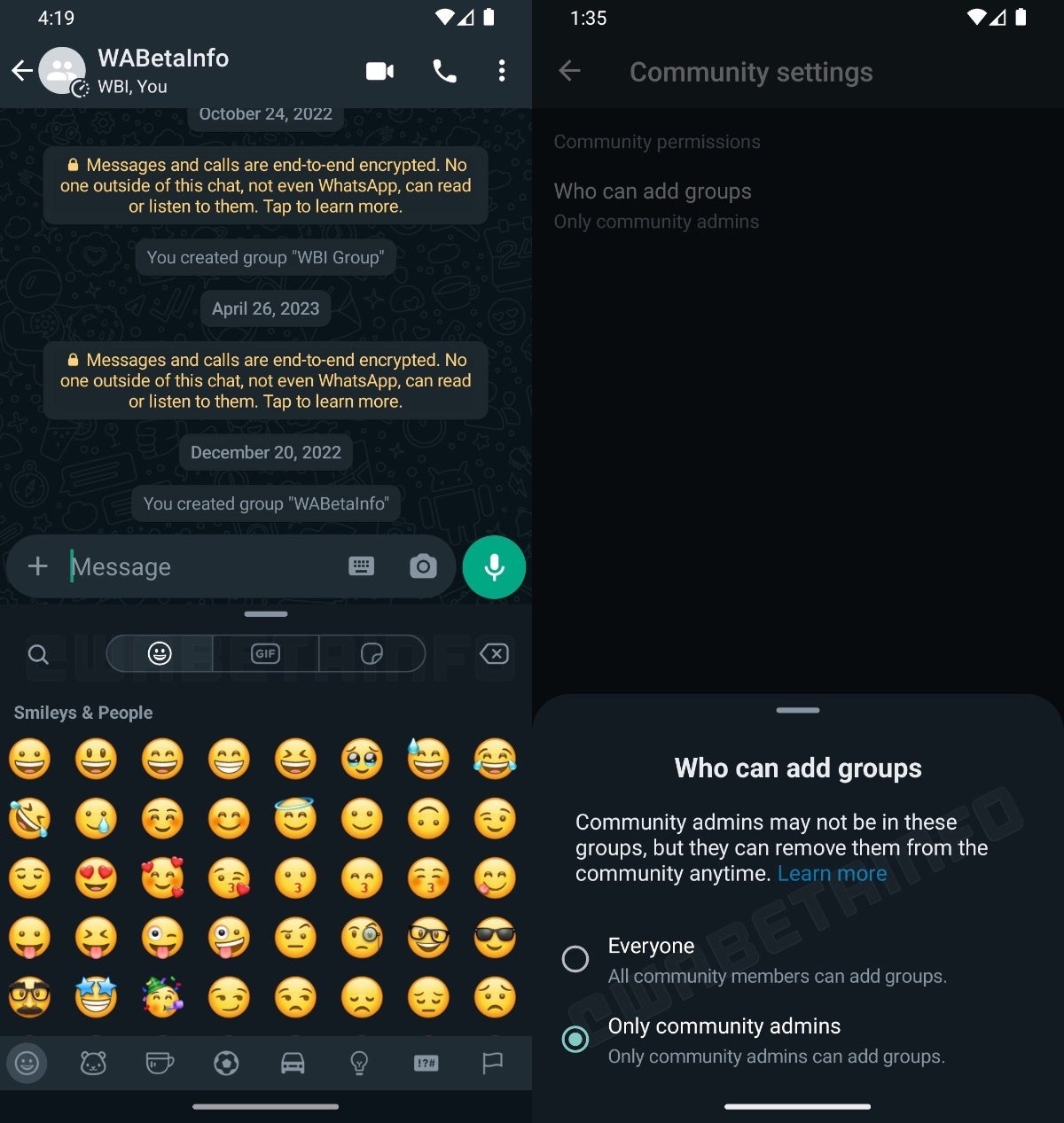
WhatsApp, the popular messaging app, is experimenting with a new redesigned Emoji keyboard that divides emoji, GIFs and stickers into three categories on the top. This keyboard was first spotted as being in development but now it’s starting to roll out in the latest version of WhatsApp beta for Android v2.23.12.13 from the Google Play Store.
This development is being reported by WABetaInfo along with images of what the new keyboard looks like. The rollout is not global though and it looks like it’s being gradually pushed server-side to beta users.
Image Credit – WABetaInfo
With this new keyboard, WhatsApp users will be able to scroll up on the keyboard and enjoy a full-screen view of the emoji list. However, you must first initiate a chat to check if your account has this capability. Additionally, a select number of beta testers may also notice a reorganization of the media sharing and emoji keyboard buttons.
Besides the changes to the keyboard, this latest beta also adds a new feature called “Community Settings,” which lets community admins choose who can add groups. This group setting is set to “Only community admins” by default, but you can change it to allow community members to add their own groups.
Unfortunately, the beta version of WhatsApp on the Google Play Store is perpetually full and almost never open for new users to sign up for. However, if you were lucky enough to grab a spot, you should definitely update to the newest version to try this out. Likewise, if you are able to sign up in the future, you must definitely sign up as well so you can secure your spot to beta test.
Emojis have become an integral part of digital communication, allowing users to express emotions, convey messages, and add a touch of personalization to their conversations. By enhancing the emoji keyboard, WhatsApp hopes to elevate the way users engage and enhance the user experience.
A Vulnerability Scanner Tools is one of the essential tools in IT departments Since vulnerabilities pop up every day and thus leaving a loophole for the organization.
The Vulnerability scanning tools help detect security loopholes in the application, operating systems, hardware, and network systems.
Hackers are actively looking for these loopholes to use them to their advantage. Vulnerabilities inside a network need to be identified and fixed immediately to leave your attackers at bay.
Vulnerability scanners are one right way to do this. With their continuous and automated scanning procedures, they can scan the network for potential loopholes.
It is on your internet or any device, they would help the IT departments identify the vulnerability and fix it both manually and automatically.
Vulnerability scanning toolsdo have two different approaches for performing their routines, authenticated and unauthenticated scans.
In the latter case, a penetration tester will show the scan disguised as a hacker without him having trusted access to the corporate network.
What are the Three types of Vulnerability Scanners?
This type of scan will help organizations identify the loopholes which will allow hackers to penetrate the system without trusted permissions.
Following are the types of vulnerability scanners
Discovery Scanning
Full Scanning
Compliance Scanning
What is an example of a Vulnerability Scanner?
The best Web vulnerability scanner in the market should allow you to perform both authenticated and unauthenticated types of scans to nullify network vulnerabilities among other related vulnerability scanners online
In this article, we’ll take a look at the top 10 best vulnerability scanning tools available in the market.
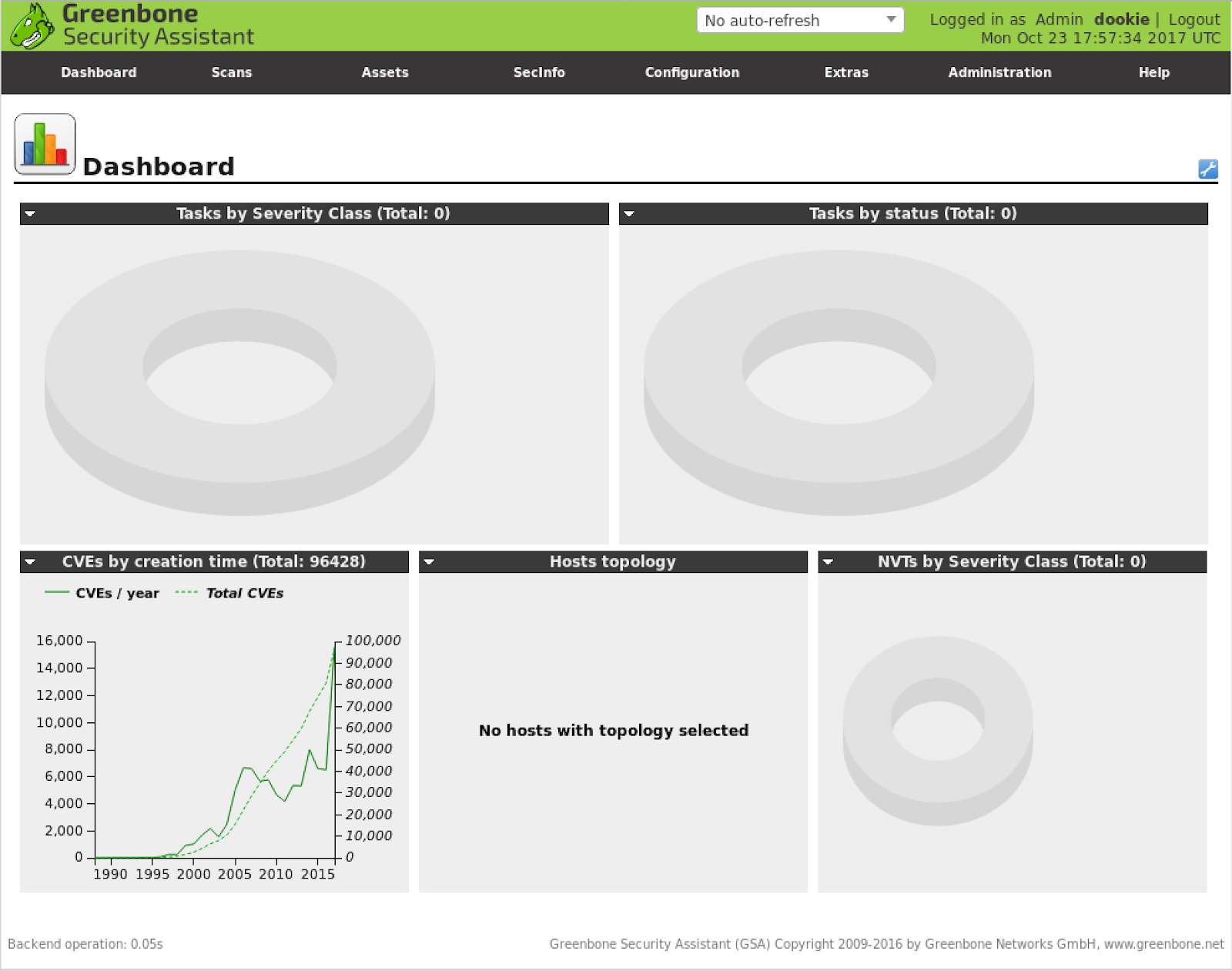
OpenVAS Vulnerability Scanner
Tripwire IP360
Nessus vulnerability scanner
Comodo HackerProof
Nexpose community
Vulnerability Manager Plus
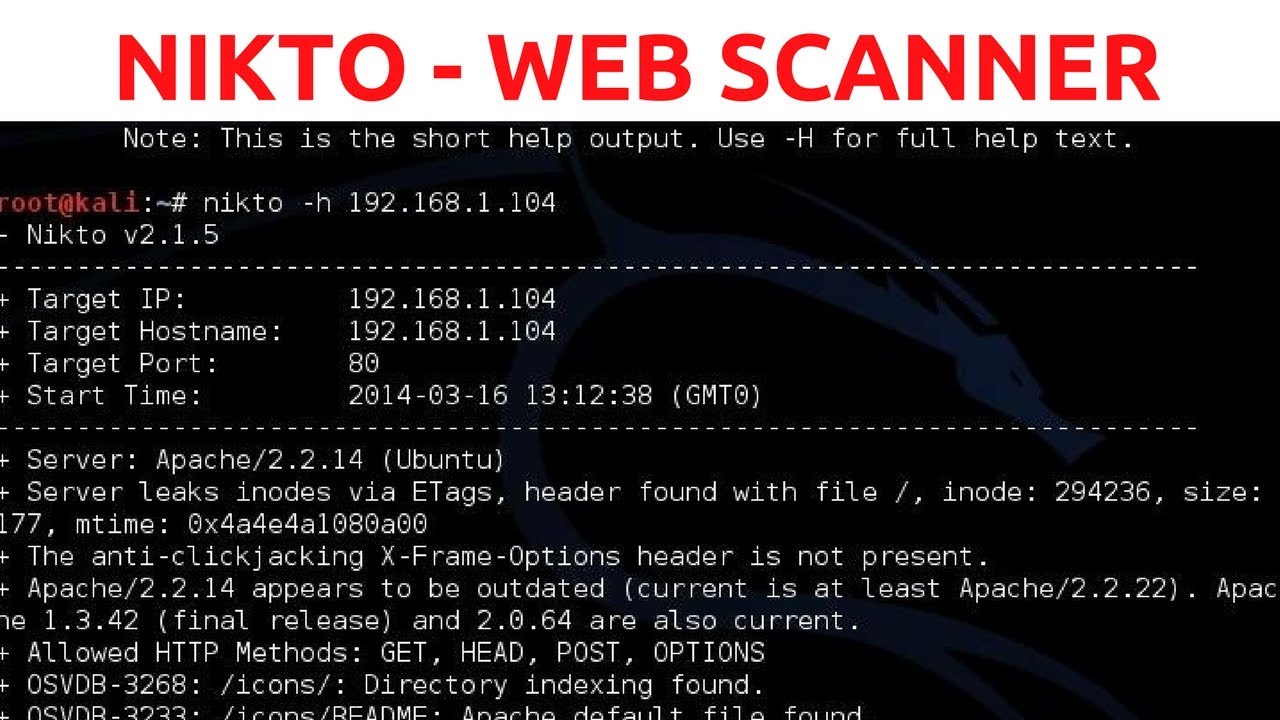
Nikto
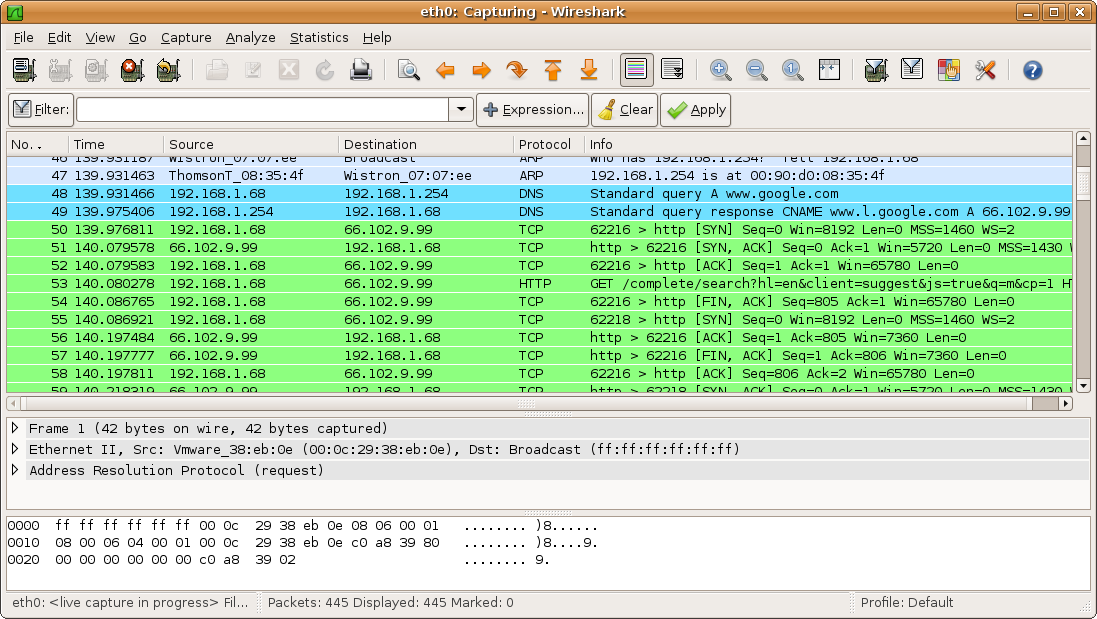
Wireshark
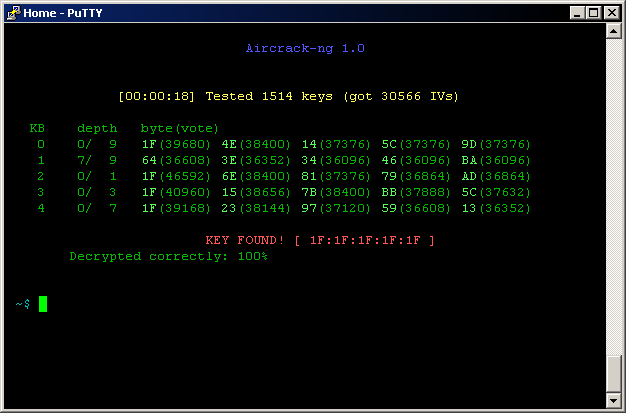
Aircrack-ng
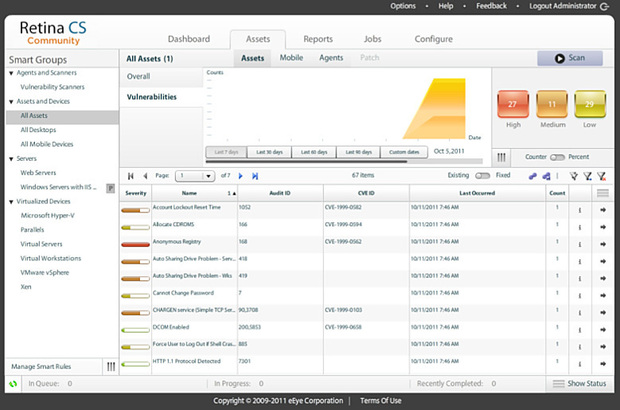
Retina network security scanner
Vulnerability Manager Plus
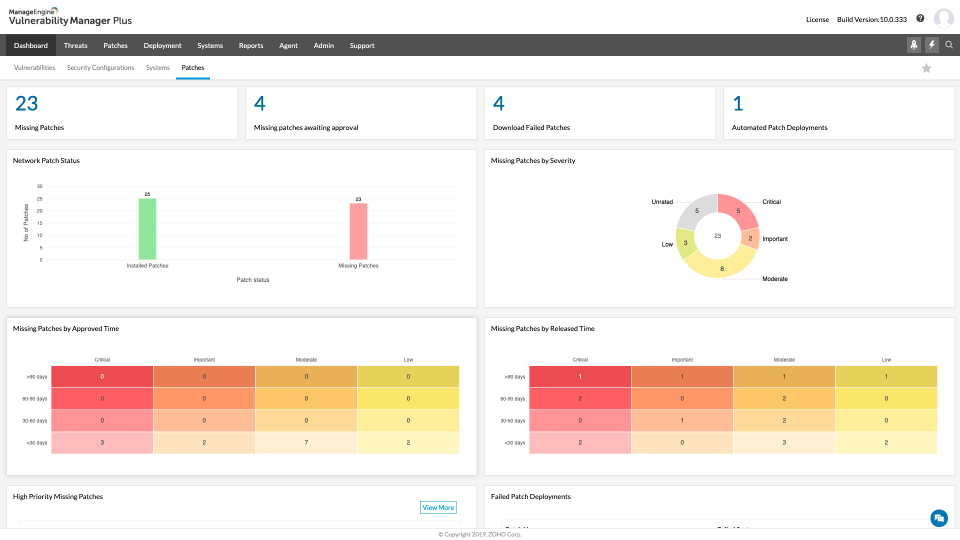
ManageEngine Vulnerability Manager Plus integrates threat and vulnerability management functions to provide a comprehensive solution that detects vulnerabilities and helps mitigate them in real-time.
Vulnerability Manager Plus is a new solution to this market, developed by ManageEngine. With its recent launch into the market and the feature it covers, this could be the expected Ethical Hacking Tool for organizations.
The entire vulnerability management process is streamlined right from detection to remediation of vulnerabilities from a centralized console.
Key Features:
Instantaneous detection of vulnerabilities for multiple OS, third party apps, and network devices.
Automated patching to secure your network from vulnerabilities.
Advanced threat intelligence to detect zero-day vulnerabilities and provides workarounds that can be implemented before official patches are released.
Ensure CIS compliance across your network by providing automated checks for the latest CIS benchmarks and generating detailed reports on compliance status.
Tighten your network security with security configuration management.
Conducts regular scans to audit your network for high-risk software, checks for BitLocker encryption compliance, and monitors active ports for potential vulnerabilities.
Harden your web server settings to secure them from being breached.
It provides attacker-based analytics allowing network admins to check the existing vulnerabilities from a hacker’s perspective.
Cons
Pros
Efficient Vulnerability Management
Pricing Plans are Expensive
Feature-rich freemium edition
Additionally, automatic scans, impact assessment, software risk assessment, security misconfigurations, patching, zero-day vulnerability mitigations scanner, and Web Server Penetration Testing & hardening are other highlights of Vulnerability Manager Plus. Comes entirely free for 25 devices.
Tripwire IP360
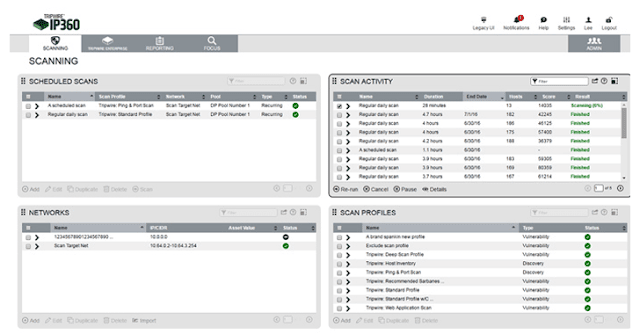
Tripwire IP360 is one of the leading Vulnerability Assessment Scanning Tools in the market, allowing users to identify everything on their network, including on-premises, cloud, and container assets.
Tripwire will allow IT departments to access their assets using an agent and agent fewer scans.
Scanning Options
It also works in integration with vulnerability management and risk management, allowing IT administrators and security professionals to have a holistic approach to security management.
Pros
Cons
Easy-to-Understand Reports with a Vulnerability score
System Performance may be affected
Very Clear Dashboard
Pricing suits only Enterprises
Database to store reports
OpenVAS vulnerability scanner
OpenVAS vulnerability scanner is the best vulnerability scanner tool that will allow IT departments to scanservers and network devices, thanks to its comprehensive nature.
These scanners will look for an IP address and check for any open service by scanning through the open ports, misconfiguration, and vulnerabilities in the existing facilities.
Once the scan is complete, an automated report is generated and sent as an e-mail for further study and rectification.
Scanning Options
OpenVAS can also be operated from an external server, giving you the hacker’s perspective, thus identifying the exposed ports or services and dealing with them in time.
If you are already having an in-house incident response or detection system, then OpenVAS will help you improvise your network monitoring using Network Pentesting Tools and alerts as a whole.
Pros
Cons
Open Source Tool, free to use
Skilled Security analysts are only able to Extract the full potential of the platform
CVEs added in regular intervals
Having a Large Community of Users
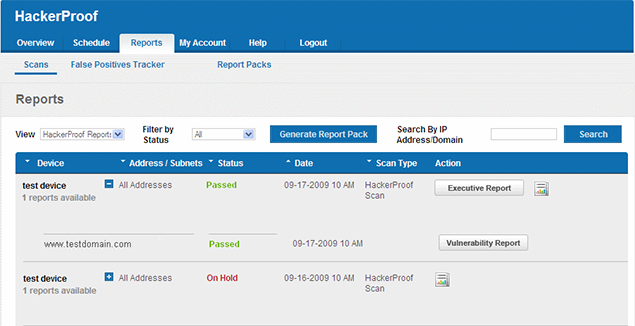
Comodo HackerProof is another leading best vulnerability scanner with robust features that would allow IT departments to scan their vulnerabilities on a daily basis.
Apart from these perks, Comodo also provides an indicator for the users to feel secure while they interact with you.
This will reduce shopping cart abandonment, improve conversions, and generate revenue in a large ratio. Not to forget their unique site inspector technology that acts as the best counter for drive-by attacks.
Pros
Cons
Web-based scanner
Limited scan availabilities
PCI Approved vendor
Nessus
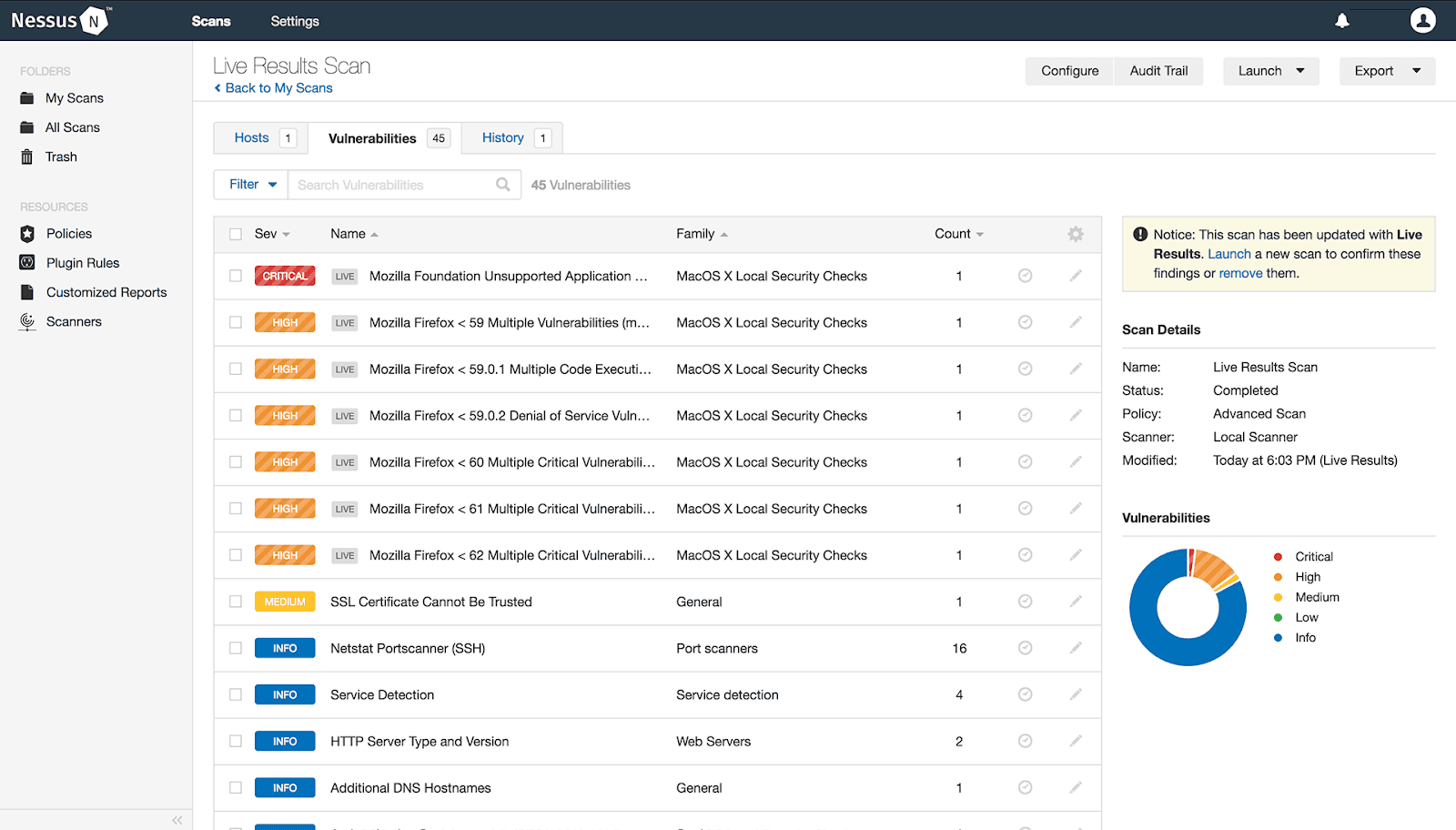
Nessus Professional from Tenable work for security professionals, taking care of patching, software issues, malware, adware removal tool, and misconfigurations over a wide range of operating systems and applications.
Nessus brings in a proactive security procedure by identifying the vulnerabilities in time before hackers use them for penetrating a network and also takes care of remote code execution flaws.
It cares about most of the network devices, including virtual, physical, and cloud infrastructure.
Scanning Options
Tenable has also been mentioned as the Gartner Peer Insights Choice for vulnerability assessment by March 2020.
Pros
Cons
Best Penetration scanner
No Graphical Reports
Customization of scanners, with lots of plugins
Pricing is a Point of Concern
Credential Scanning for Deeper Analysis
Nexpose
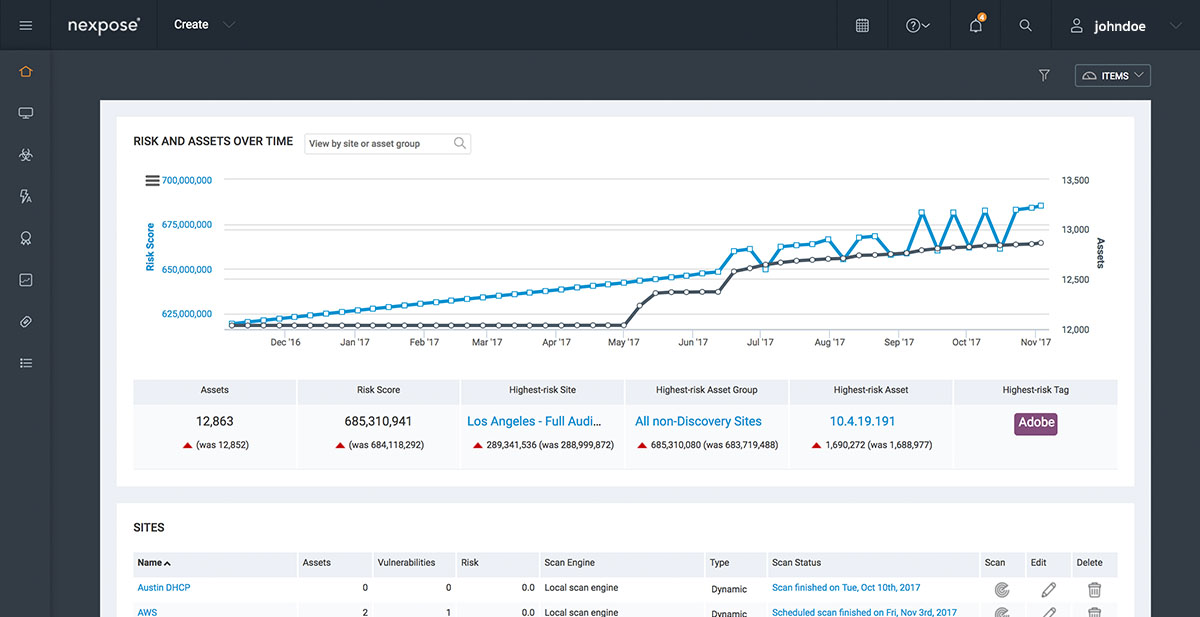
Nexpose community is a vulnerability scanning tool developed by Rapid7, it is an open-source solution that covers most of your network checks.
The versatility of this solution is an advantage for IT admins, it can be incorporated into a Metasploit framework, capable of detecting and scanning devices the moment any new device access the network.
Also monitors the vulnerability exposures to the real world, and above all, it identifies the threat’s capabilities to develop fixes accordingly.
Moreover, also vulnerability scanner tools pose a risk score for the threats, ranging anywhere between 1-1000, thus giving an idea for security pros to fix the right vulnerability before it is exploited. Nexpose currently offers a one-year free trial.
Pros
Cons
Customizable Dashboards
Some users found difficult-to-understand reports
Easy to Deploy and scan
Crowded UI
Nikto is another vulnerability scannertools free to use online like the Nexpose community.
Nikto
Nikto helps in understanding the server functions, checking up on their versions, performing a test on the web servers to identify threats and malware presence, and scanning different protocols like HTTPS, httpd, HTTP,and more.
Also helps in scanning multiple ports of a server in a short time. Nikto is preferred for its efficiency and server-hardening capabilities.
Pros
Cons
Outdated Server Components Scanning
No GUI interface
Enumerates Sub-domain
Update years before
If you aren’t looking for a robust solution to take care of the entire vulnerability management for your enterprise, then Nikto should be your pick.
The Retina vulnerability scanner is a web-based open-source software that takes care of vulnerability management from a central location.
vulnerability scanner
Its features include patching, compliance, configuration, and reporting.
Takes care of databases, workstations, server analysis, and web applications, with complete support for VCenter integrations and app scanning virtual environments.
It takes care of multiple platforms offering a complete cross-platform vulnerability assessmenttools list and security.
Please give a try on this vulnerability scanner and let us know which worked the best for you. If you have already tried them, share your thoughts about them in the comments section.
Pros
Cons
Full network Discovery
Not suits Large Environment
Clear Interface
Consume huge resources
Wireshark is considered to be one of the most powerful network protocol analyzers in the market. It runs successfully on Linux, macOS, and Windows devices.
Wireshark
It is used by many government agencies, businesses, healthcare, and other industries to analyze their network very keenly. Once Wireshark identifies the threat, it takes things offline to examine them.
Other highlights of Wireshark include a standard three-pane packet browser, network data that can be surfed using a GUI, powerful display filters, VoIP analysis, decryption support for protocols like Kerberos, WEP, SSL/TLS, and more.
You can learn Complete Training of Wireshark Tutorials to enhance your skills in network scanning.
It is used in network audits and offers WiFi security and control, also works as one of the best wifi hacking apps whelps with drivers and cards, and replay attacks.
Takes care of the lost keys by capturing the data packets. Supporting OS includes NetBSD, Windows, OS X, Linux, and Solaris.
Pros
Cons
Wireless network analyzer and attacker
Will not support WEP2 Protocols
Capture Packets and Extraction
Unable to do pentesting on non-wireless networks
Conclusion
The Vulnerability scanner tools help in detecting and patching the vulnerabilities in a proactive way.
With automated scanning options, you can generate weekly vulnerability analysis reports and compare the results to gain more insight.
Above mentioned vulnerability scanning tools are tested by our expert and listed here based on their performance.
Samsung may have been a tad slower than usual with the June 2023 security patch but it has quickly picked up the pace. The company began the rollout with the Galaxy Z Fold 4 and Galaxy Note 20 series in the US on Monday. It is now pushing the latest security update to a few more devices. The Galaxy A52s 5G, Galaxy A52, Galaxy A23, and Galaxy Tab Active 3 are all picking up the June SMR (Security Maintenance Release) in various parts of the world.
The latest update for the Galaxy A52s 5G is currently available to users in Mexico. It comes with the firmware build number A528BXXS4EWE2 and doesn’t bring any new features or user-facing changes. Samsung should roll out the June SMR to the device in other Latin American countries in the coming days. The new security patch may also soon reach users in other parts of the world. The Galaxy A52s 5G wasn’t released in the US.
The Galaxy A52 5G arrived in the US, though. And as we speak, its 4G version is picking up the June update in a handful of Latin American countries, including Brazil, Mexico, Paraguay, and Trinidad & Tobago. The new build number for this phone is A525MUBS6DWE2 (via). Samsung isn’t pushing anything apart from the latest security fixes to the device. A wider rollout should follow in the coming weeks, covering the 5G version too.
Samsung is also rolling out the June SMR to the Galaxy A23. For a change, the rollout has begun in Europe (Germany) but is still limited to the 4G version. The updated firmware version for this mid-range handset is A235FXXU3CWE4. The official changelog states the device is getting some system stability and reliability improvements along with the latest security fixes. The Galaxy A23 5G, which arrived in the US, is yet to pick up this update.
The Galaxy Tab Active 3 is the first Samsung tablet to get the June update
Samsung’s June update is also now available for the Galaxy Tab Active 3. It’s the company’s first tablet to receive the latest security patch. The rollout has begun in Latin America with the build number T575XXS5EWE3. The device isn’t getting any additional goodies. But the June SMR contains more than 60 vulnerability patches, including at least three critical issues. Samsung will continue to push these security patches to more Galaxy devices in the coming days. We will keep you posted as those updates roll out.
Samsung is now letting you reserve the Odyssey OLED G9 gaming monitor. In case you were unaware, that’s the upcoming ultrawide gaming monitor that was announced at CES 2023 earlier this year alongside the new Odyssey Neo G9.
On the outside it looks fairly similar to Samsung’s other Odyssey G9 models. Save the wider, flat base of the stand and the slightly different color of the screen’s back and frame. But functionally it has a lot of the same features. A 240Hz refresh rate, a 49-inch screen, and HDMI 2.1 support just to name a few. For the most part, it should be a pretty good monitor for gaming. Assuming you want something that appears large and unwieldly. And you actually have the space on your desk to fit it.
There’s just one minor detail that you would think would matter. What the actual cost is of the monitor is. Unfortunately, Samsung hasn’t officially announced the price of the Odyssey OLED G9. So you have no idea how much you’re paying in the end. Samsung also hasn’t confirmed a launch date. So, without knowing the cost or availability, why would you put down a reservation? Simple. You basically get free money. Kind of.
If you reserve the Odyssey OLED G9 you save $50
If you reserve the monitor, then Samsung will take $50 off the price of the monitor when you buy it. Plus, if you pre-order you get even more benefits.
Placing a pre-order on the monitor will afford you a $250 e-gift card that can be used. There are some restrictions on it though. You can’t use it towards the purchase price of the monitor. Not just because Samsung won’t let you. But because, according to Samsung, you won’t even receive it until up to 35 days after the monitor purchase. You also have to use the e-gift card at Samsung’s website or in the Samsung app on other Samsung products.
But all of that aside, if you want a new monitor for your game setup, this one should be available for pre-order in the near future. Seeing as how Samsung is now trying to secure reservations for it. If you feel like reserving, you can do so here.
Following its announcement that 1Password was all in on passkeys and were ready to say goodbye to the old fashioned password, the company is now starting to roll out passkey support to its users. This initial roll out will only be available in beta and there are some caveats.
Just as major players such as Google, Apple, and Microsoft have joined the FIDO alliance in order to come up with a solution that can replace the use of passwords, and therefore make logins more secure, 1Password made the move last year to join as well. This solidified 1Password’s commitment to taking the next big step and provide passkey support in its very popular password manager.
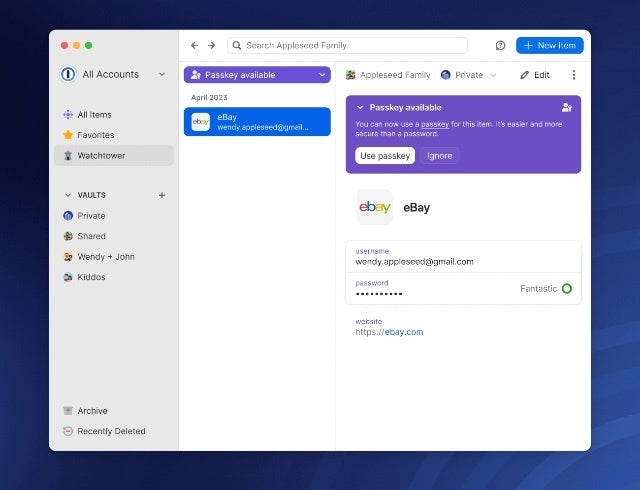
Today, the company announced that the day is here and that its users can now begin to save and sign in to online accounts using passkeys. For now, this can only be accomplished using the beta version of the 1Password extensions for Chrome, Firefox, Edge, and Brave (on MacOS, Windows and Linux), and Safari on MacOS.
Additionally, the 1Password apps for Mac, iOS, Windows, Android, and Linux have also been updated so that users can view, modify, move, share, and delete any passkey that have already been generated using the beta extensions. Also, 1Password’s Watchtower feature — which alerts you when a site has been hacked and recommends when you should change your password — has also been updated in beta to alert you when a site that you log in to has added passkey support.
How to get started with passkeys on 1Password Beta
To get started with using passkeys on 1Password, you will first need to make sure you have installed the beta extension for the supported browsers mentioned above. Once installed and logged in to, you should be able to open a passkey-enabled website.
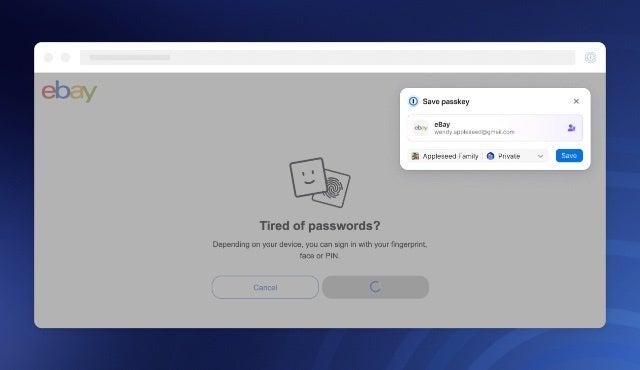
If this is the first time you visit that site, you can create an account for it with the option to use a passkey instead of a password. However, if you are visiting a site you already have an account for, you can sign in as usual and then search for the passkey login option in your account settings and update/save your passkey credentials.
Once you have a passkey set up for a website, the next time you visit and want to sign in to it, 1Password on the browser will offer up the option to sign in using your saved passkey. This will, of course, only work on the browser as long as you have the beta version of the extension installed.
1Password also announced that they are working on the ability to unlock the 1Password app itself with passkeys, a functionality that is not yet available but should be coming soon. Additionally, once Android 14 is publicly released, 1Password will add the ability to save and use passkeys on Android, which will work on Chrome for Android and any native Android apps that support passkeys. iOS support should also be coming soon thereafter.
With over 500,000 downloads from the Google Play Store alone, i2VPN boasts a significant user base.
In a recent cybersecurity incident, hackers have claimed to have successfully breached the admin credentials of i2VPN, a popular freemium VPN proxy server app available for download on Google Play and the App Store.
The hackers allegedly gained access to i2VPN’s main admin dashboard, obtaining confidential information related to hundreds of thousands of users. The breach came to light when the cybersecurity team at SafetyDetectives discovered that hackers had posted what appeared to be sensitive information from i2VPN on Telegram.
According to details shared by SafetyDetective with Hackread.com, the leaked data included the admin’s email address and password, as well as screenshots of the dashboard displaying data centers and users’ subscription details.
Alleged leaked credentials on Telegram and what the alleged i2VPN dashboard looks like (Screenshot credit: SafetyDetective)
Although the hackers did not directly release user data, the compromised admin panel credentials potentially grant access to a substantial amount of personal information and data centers.
This should not come as a surprise, since VPN companies are always a preferred target for hackers, and any security flaw can lead to privacy breaches of unsuspecting users. Just a few days ago, Hackread.com exclusively reported how SuperVPN, a free VPN service provider, exposed 360 million user records to the public.
With over 500,000 downloads from the Google Play Store alone, i2VPN boasts a significant user base. While the exact number of downloads from the App Store remains undisclosed, it is reasonable to assume that the alleged breach could impact a considerable number of individuals.
If the claims are true, the leaked information could expose sensitive details, including user IDs, account names, registered email addresses, and subscription-related information such as payment methods and expiry dates.
The implications of this breach are far-reaching. Hackers with access to such data could exploit it for various malicious purposes, including spying on users’ activities and perpetrating fraudulent activities.
Additionally, cybercriminals might employ compromised account information to initiate phishing attacks, leveraging the obtained names and email addresses to impersonate individuals and trick them into divulging sensitive personal information.
If you are an i2VPN user or subscriber, it is crucial to take immediate steps to bolster your security, particularly if you have noticed any suspicious activity related to your account. Consider the following precautions:
Evaluate whether you want to continue using i2VPN in light of these reported concerns.
Review the accounts, platforms, and websites you accessed while connected to the VPN service. Take measures to safeguard these accounts by changing your login credentials.
Scan your devices for any sensitive files or communications. Transfer or remove them promptly to prevent further compromise.
As the investigation into this breach continues, i2VPN must take swift action to address the security vulnerabilities and reinforce its system to prevent similar incidents in the future. Users are advised to remain vigilant and stay updated on any official announcements or notifications from i2VPN regarding the breach and recommended security measures.
In an increasingly interconnected world, incidents like these serve as reminders of the importance of robust cybersecurity practices and the need to exercise caution when sharing personal information online.


.png
)