The biggest day of the year for Apple fans is here. It’s WWDC day, where Apple is going to announce the next version of every software platform they have, and maybe a few new hardware products too.
While WWDC is technically a developers conference, it is still very consumer focused, at least in the opening keynote. Unlike Google’s developer conference, where it’s more of a hybrid of developer and consumer focused announcements.
This year, WWDC is still going to be mostly online. All sessions are going to be available online for free, and some press has been invited to the Apple Campus to watch the opening keynote.
You can watch the keynote here on YouTube, below. The event will kick off at 10AM PT or 1PM ET for those of us on the east coast.
What will be announced at WWDC 2023?
There’s a lot of rumors about what Apple will be announcing today. But we do know for sure that they will be announcing the next version of iOS, iPad OS, tvOS, WatchOS and macOS. iOS 17 is rumored to be a pretty small update this year, mostly fixing bugs that have plagued the system for years, as well as some user-requested features. There will also be a few apps coming to iOS 17 this year, like a new journaling app.
Now, on the hardware-front, we’re expecting to see a few hardware products here. Of course, the big one is the AR/VR headset which will be powered by xrOS. This is Apple’s first time launching a headset, so it’s set to be a big deal and likely a big part of this keynote this year. It’s rumored to be priced at $3,000. Which sounds crazy, but with leaks saying it will use micro-OLED displays that are 5,000 nits of brightness, that price doesn’t sound quite as crazy.
There’s more hardware coming too. Like a MacBook Air 15. This is basically a 15-inch version of the new 13-inch model that Apple announced last year at WWDC. It’s rumored to come with a M2 chipset, despite many expecting a M3. There could be other Macs announced too, like the Mac Studio and Mac Pro. These are less likely, though a new Mac Studio with new M2 Max chips have been seen in testing recently. So that’s a bit more likely than the Mac Pro.
Researchers have noticed a weird backdoor-like behavior with Gigabyte systems that risks devices’ security. The backdoor existence risks potential supply-chain attacks due to the release of pre-infected systems in the wild. The researchers suspect that the backdoor may deploy further payloads on target PCs.
Gigabyte Systems Backdoor Behavior Risks Supply-Chain Attack
According to a recent report from Eclypsium, their researchers detected backdoor-like behavior in Gigabyte systems available to the public.
As explained, Eclypsium’s heuristic detection methods highlighted a peculiar Windows native executable in Gigabyte systems dropped during the startup process. The executable employs OEM backdoor-like features, and it exists due to the insecure implementation of Gigabyte app center capability.
While the researchers duly reported the matter to Gigabyte, they also decided on the public disclosure of the matter, given the inherent risks associated with this backdoor. That’s because complete backdoor removal requires firmware updates; simultaneously, leaving unpatched systems in the wild without informing the users can also expose organizations to supply-chain attacks. As stated in the post,
While our ongoing investigation has not confirmed exploitation by a specific threat actor, an active widespread backdoor that is difficult to remove poses a supply chain risk for organizations with Gigabyte systems.
The researchers suspect this backdoor may be a legitimate feature from the vendors. Nonetheless, the repeated cybersecurity incidents with Gigabytein the past make the researchers doubt the said executable’s existence.
Recommended Mitigations Until A Patch Arrives
As Eclypsium continues investigating the matter, the researchers have shared some mitigations for the organizations to avoid potential risks associated with this backdoor.
These include scanning and updating the respective Gigabyte systems with firmware updates and monitoring the systems for malicious activities via the embedded backdoor-like tools. Also, the researchers advise the IT admins to consider disabling the “APP Center Download & Install” feature in UEFI/BIOS Setup on Gigabyte systems.
Likewise, securing the systems’ BIOS with a password and applying URL filtering may also help the IT teams to fend off potential attacks.
The Google Tensor G3 SoC will launch alongside the Pixel 8 series later this year. That chip, the Tensor G3, just got detailed by a tipster, and it seems like massive upgrades are in tow.
The Tensor G2 was not exactly a powerful chip when it comes to CPU performance. Its cores were basically two generations behind the competition, and Google relied more on AI smarts rather than on the sheer power of that chip.
The Tensor G2 offered a 4+2+2 core layout too, while most other SoC OEMs opted for a 4+3+1 setup with a big core to lead the pack. This info comes from Kamila Wojciechowska, a tipster, who partnered up with Android Authority.
The Google Tensor G3 gets detailed, it will deliver considerable upgrades
With the Tensor G3, Google will opt for a 1+4+4 layout, it seems. Yes, you counted those cores right, we’re looking at a nine-core SoC here. The single big core will be the Cortex-X3, clocked at 3.0GHz.
Four Cortex-A715 cores will also be in use, clocked at 2.45GHz. The four “small” cores will be the Cortex-A510 cores clocked at 2.15GHz. All in all, Google is bringing improvements across the board. We won’t have to deal with the Cortex-A78 and Cortex-A55 cores any longer.
Do note that all of those cores were announced last year, so the Tensor G3 still won’t have the latest and greatest pieces of the puzzle, but it’s closer than ever before… much closer, actually.
ARMv9 support will be included
Now, the sheer fact these upgrades are here basically means that we’ll get a boost in the CPU performance, and also efficiency. On top of that, support for ARMv9 is also included here, so… security upgrades are also in tow.
The tipster says that the Pixel 8 series will use the ARMv9 upgrade to implement Memory Tagging Extensions (MTE) from Arm. This should prevent memory-based attacks. This also means that 32-bit support will be completely gone, but that’s something we expected, and something Google already pushed towards with the Pixel 7 series.
The Tensor G3 will also offer support for UFS 4.0 flash storage
That’s not all, though. The Pixel 8 phones will also support UFS 4.0 flash storage, which is faster and more efficient than UFS 3.1. UFS 4.0 storage is already used by a number of phones, the Galaxy S23 Ultra, OnePlus 11, Xiaomi 13 Ultra, OPPO Find X6 Pro, and more.
On top of everything, the Tensor G3 will also bring a GPU upgrade. Arm’s new Immortalis GPU is expected, the Mali-G715. It is a 10-core GPU, and even though it’s not the latest one, it’s still outstanding. It offers a great performance upgrade, and also support for ray tracing.
It’ll deliver video decoding/encoding upgrades
The Tensor G3 is expected to offer a video decoding/encoding upgrade with the ‘BigWave’ block. AV1 encoding will be added for up to 4K30, while the chip will support encoding up to 8K30. An upgraded TPU is also coming, while a new digital signal processor ‘callisto’ will bring a 4-core, 512KB/core configuration at 1,065MHz.
The Google Tensor G3 will be a 4nm chip, and it will be made by Samsung, it seems. The Pixel 8 series is expected to launch in October this year, alongside this chip.
HONOR has registered a new company in China, as it seemingly wants to make SoCs of its own. The timing of this is also quite interesting. Some of you may know that OPPO ditched its SoC efforts last month, and laid off 3,000 people.
HONOR has a new company which will seemingly make SoCs down the line
We’re not sure if HONOR grabbed some of those employees, but the answer is… almost certainly. The sheer timing of this announcement is quite interesting. In any case, the company’s subsidiary is named Shanghai Honor Intelligent Technology Development Co.
That company was officially founded last Wednesday in Shanghai’s coastal Lingang Free Trade Zone. It has a registered capital of 100 million yuan, which translates to $14 million dollars. The company is owned by Honor Terminal Co in its entirety.
This company will aim at chip design, sales and related services. On top of that, it’ll also aim at the development of artificial intelligence (AI) application software, at least based on public information.
This company will become one of HONOR’s five research centers in China
HONOR said, in its official statement, that this company will become one of HONOR’s five research centers in China. It’ll focus on research and development of core software, graphics algorithms, communications, and photography.
So, it seems like this will be a rather versatile company. What is interesting, HONOR did not mention chip development in its official statement, but when we take everything into consideration, that’s easily possible.
HONOR, as many of you know, was once owned by Huawei. The company does have a lot of experience at this point, and they’ve been releasing some compelling devices since the split. HONOR is also quite active outside of China.
Xiaomi reaffirmed its commitment to chip development when OPPO’s news landed, and now a new player seems to have joined the fold. That’s always great to see, as we need more competition in the SoC market too. Only time will tell how focused this company will be on making processors, though. That’s not an easy task, that’s for sure.
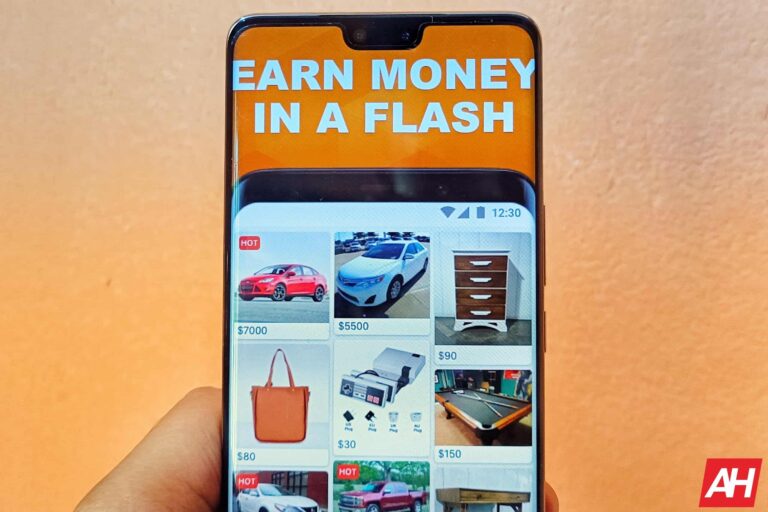
Many of us have stuff lying around in the house that we no longer use. They just occupy the space in your table’s drawer or wardrobe and make it look cluttered. There are numerous ways to get rid of such stuff, and selling them to someone who may find them useful is one of the best options. You can easily do that using Android apps and earn some extra cash in the process.
The Google Play Store is full of apps that let you sell and buy used stuff. While most of the apps let you sell pretty much anything, some apps cater to certain kinds of used products. So depending on what you want to sell, you might have to download different apps.
But finding the right app that offers the best value for your stuff can still be troublesome. To help you with that, we looked through several such apps and compiled a list of the best Android apps for buying and selling used stuff. Go through the article below for detailed information on each app, including a description, Google Play rating and size, cost of in-app purchases, and screenshots or promo videos, as well as a Google Play Store download link.
Best Android apps for selling used stuff 2023
Below is a quick overview of the best Android apps for selling used stuff for 2023, including any download and in-app purchase costs.
Download Cost
In-app cost (per item)
eBay
✕
✕
Letgo
✕
✕
Decluttr
✕
✕
Poshmark
✕
✕
CarGurus
✕
✕
5miles
✕
✕
Nextdoor
✕
✕
Stillwhite
✕
✕
CardCash
✕
✕
Facebook Marketplace
✕
$0.35 – $2,499.99
Best Android apps for selling used stuff 2023 downloads
Below is a little more information on each app, including a direct link for easy downloading.
All download links go to the app’s Google Play Store listing. Users are always recommended to download apps from Google Play or an authorized app store.
eBay
Price: Free to download
In-app purchases: No
Size: Varies with device
Google Play rating: 4.7 out of 5 stars
eBay needs no introduction. With over 100 million installs on the Play Store, it is one of the largest e-commerce platforms globally. The app is home to millions of products ranging across thousands of categories. And you can sell your used household items as well, from big-ticket items such as cars and furniture to small items such as watches, sneakers, clothes, and pretty much everything else.
You can list your items at a fixed price or put them up for auction on eBay. You have to simply describe your item, attach a few photos and set the starting bid and the length of the auction — up to 10 days. Once the auction period runs out, your item will sell for the winning bid.
eBay may charge you a small fee depending on the selling value of your item. This is a great app to sell your used stuff to potential customers globally.
Letgo is another excellent app for selling your used electronics, cars, smartphones, fashion accessories, books, clothes, and other items and making some money. Simply click a picture of an item that no longer serves you, set a value for it, and put it up for sale. The app automatically titles and categorizes your listing.
For buying and selling cars, the company promises a fair price, expert inspection for quality, a 20-day return policy, and 12 months or 20,000 km warranty. If you’re a seller, Letgo has over 100 million users globally. So you are always likely to find a buyer for your item. You can chat with other users on the app and negotiate the price as well. You can also find other users’ ratings and reviews for products on this app.
The refurbished or used smartphone market is growing rapidly since the cost of smartphones has skyrocketed in recent years. So if you want to sell your old smartphone and make some cash to buy a new one, Declutter is one of the best apps for that.
Trusted by millions of customers worldwide, this app lets you sell your old smartphone as well as other electronics such as CDs, DVDs, games, and game consoles. Simply scan the barcode of an item using the in-app barcode scanner, or manually input the item’s barcode, and enter a few details to get an instant offer price.
If you like the offer price, you can submit the order. Declutter will then send you a free shipping label which you can stick on the packaging and drop at a nearby UPS location. Decluttr will pay you the very next day they receive the items, either through PayPal, direct bank deposit, or check.
If you’re looking to sell some of your old clothes, shoes, handbags, or other fashion items that no longer fit you or you don’t want to use them anymore, then look no beyond Poshmark. Used by more than 70 million users in the United States and Canada, this app will more often than not help you find a buyer for your items. For buyers, this app has over 200 million new and gently used items for sale.
To sell your used fashion items on Poshmark, you have to first create a profile. Now add a few good-quality photos of the item along with a description and price. While listing an item on Poshmark is free, you have to pay a fee when your item gets sold: a flat $2.95 on sales under $15, and 20 percent of the selling value on sales above $15.
The amount after deducting the commission is deposited into your account. You can withdraw it at any time directly into your bank account or by requesting a check.
Selling your old car is pretty easy on CarGurus. You have to provide a description of your car (mileage and sales history, if any), and the app will provide you with a Price Analysis. CarGurus’ Instant Market Value and Dealer Trade-In Estimate features will determine the right value for your car. The company says cars sold through its platform usually get you more money than a typical dealership trade-in.
If you are not happy with the app’s suggested price, you can manually adjust your selling price. It will tell you whether your car is overpriced or if you’re offering a great deal, and how it will affect your listing’s search rankings. You can even look for the best deals in your area to get an idea of how likely will your car attract buyers. CarGurus is used by millions of potential car buyers every month, so there’s always a good chance that you will find a buyer for your old car.
5miles is a peer-to-peer buying and selling platform. You list an item and the app will use your phone’s location to market your item to potential buyers nearby. The buyer will then contact you through the app’s built-in chat feature and you can negotiate the pricing.
You can complete the deal in person by meeting at a safe place suggested by the app (or your own) or using 5miles’ online payment and shipping feature. The app uses a triple verification system – phone, email, and Facebook – so you know the app is not compromising your safety. If you want to sell or buy through actions, you have that option as well.
5miles also offers some additional features such as in-app translation tools for non-English speakers and video listings. There’s also an “Awesome Experience” team to answer your questions.
Nextdoor is a popular neighborhood-specific social media app. And its deep reach into your neighborhood makes it a great place to buy and sell stuff locally. The app has a dedicated section for this, so it’s well-equipped for all buying/selling needs.
You can create a listing to sell an item and provide a brief description of it, add photos, and mention the desired price. Nextdoor will promote your listing on your neighbors’ newsfeeds. So even if they aren’t actively looking up for something to buy, they could be intrigued to check out your item if it appeals to them. Of course, the app lets users search for listed items as well.
If you find a buyer, you can then go on to negotiate the price. Pickup and payment are also your responsibility. Nextdoor does not facilitate this. But whether you have just a single item to sell or are looking to expand your business’ local reach, this app can be helpful to you.
Your wedding dress holds a lot of sentimental value and you might want to keep it with you forever. But if you will probably never wear it again, so selling it on Stillwhite could be a good idea if you want to recoup some of the cost. After all, these dresses come quite costly.
This app offers two different listing options: the standard $25 option lets you upload up to four photos while the costlier $35 option promotes your listing on the homepage and lets you upload up to eight photos and a video of your dress. Both options give you live analytics of your listing.
You can update your listing and the asking price at any time. The app features a secure messaging platform so you can reply to buyer inquiries, share photos, or negotiate the price. And if you reach a deal, the buyer can make a person-to-person payment via PayPal.
Gift cards are one of the most popular gifts around the world. Since people don’t always get it right when it comes to gifting things, they often chose to send a gift card instead so the other person can buy whatever they like. However, there may have been instances where you received a gift card to a store you never shop at.
Well, you can sell such gift cards on CardCash in exchange for cash or gift cards to another retailer of your choice. You may get up to 92 percent of the card value at CardCash, depending on the popularity of your card. Nonetheless, this is a great place to sell a gift card that’s useless to you. The company offers a 45-day balance guarantee.
Facebook needs no introduction too. The largest social media platform in the world is also a decent place to sell your used (or new) stuff. The app has a dedicated section for it, called Marketplace. You can sell pretty much everything here.
Putting an item for sale in Facebook Marketplace is as easy as posting a status update. All listings are public and tailored to your geographic location. But with almost everyone on Facebook, your item is still visible to a substantial number of interested buyers. You can even pay Facebook to boost your listing as an ad.
Once you finalize a deal with a buyer, you can meet up to complete the transaction or choose to ship the item. In the case of the latter, the payment is made through Messenger. Facebook says more than a billion people use Marketplace to buy and sell products every month.
Physical music albums have become a thing of the past. In the modern era of smartphones and the internet, you can have access to as many songs as you want right on your smartphone. Yes, music listening is that simple today.
However, like every other industry, there’s a lot of competition in the music streaming industry as well. A quick look at the Google Play Store will tell you that there are way too many music streaming apps for your Android smartphone and you don’t know which one is the best suitable for you. Each app has its pros and cons that they don’t openly tell you.
But we are here to help you out of this situation. We used several music streaming apps for Android and selected the best apps that you should consider subscribing to. The apps that we have listed below are not in any specific order, so you might want to read through all the details before deciding. We have provided a brief description, Google Play rating and size, cost of in-app purchases, and screenshots or promo videos, as well as a Google Play Store download link, for each app below.
Best music streaming Android apps 2023
Below is a quick overview of the best music streaming Android apps for 2023, including any download and in-app purchase costs.
Download Cost
In-app cost (per item)
Spotify
✕
$4.99 – $15.99
Deezer
✕
$2.49 – $196.99
Amazon Music
✕
$10.99
TIDAL
✕
✕
YouTube Music
✕
✕
IDAGIO
✕
$0.99 – $199.99
SoundCloud
✕
$0.99 – $11.50
TuneIn Radio
✕
$0.99 – $149.99
iHeartRadio
✕
$0.99 – $12.99
Pandora
✕
$0.99 – $9.99
Best music streaming Android apps 2023 downloads
Below is a little more information on each app, including a direct link for easy downloading.
All download links go to the app’s Google Play Store listing. Users are always recommended to download apps from Google Play or an authorized app store.
Spotify
Price: Free to download
In-app purchases: $4.99 – $15.99
Size: Varies with device
Google Play rating: 4.4 out of 5 stars
Spotify is one of the best music streaming apps available today, if not the very best. It boasts a massive collection of songs from every corner of the world. You get curated playlists for every mood, song type, artist, genre, and more. Additionally, Spotify offers podcasts as well. This app has a clean interface and is very easy to navigate around.
Spotify is available in both paid and free versions in most regions around the world, including those that its competitors don’t operate in. Of course, non-paying users will have to listen to ads often and will also miss out on some features such as downloads for offline listening, unlimited skips, shuffle playlist, and others. But if that’s fine with you, then Spotify will not prevent you from listening to your favorite songs.
As for the paid version, you can choose from individual, duo, family (six accounts), and student plans. They cost $9.99, $12.99, $15.99, and $4.99 per month respectively. However, do note that Spotify lacks HiFi (High Fidelity or lossless) streaming, though the company is working on it. So if that’s a dealbreaker for you, scroll down for alternatives.
With a collection of over 90 million songs, Deezer is also one of the largest music streaming apps for Android. Its podcast collection isn’t as big as Spotify’s, but it makes up for that with HiFi streaming and live radio support.
Deezer has its own specialties too. Its SongCatcher feature identifies songs playing around you, while Deezer Flow creates the perfect playlist for you based on your music tastes. This app also lets you upload MP3 files, though the feature is limited to the web/desktop version.
While Deezer offers an ad-supported free version of its mobile app, the desktop version requires you to subscribe to a premium plan to play full songs. Individual and student plans are priced identically to Spotify, but the family plan costs $14.99 a month. Note that you will have to pay more for HiFi streaming. An individual Deezer HiFi plan costs as much as a premium family plan for six persons.
If you’re an Amazon Prime subscriber, then Amazon Music might be the best music streaming app for you since it comes at a discounted rate. But the e-commerce giant’s music streaming service isn’t a bad option for non-Prime users as well.
Amazon Music brings over 100 million songs and ten million podcast episodes at an identical price of $10.99 per month ($8.99 per month for Prime subscribers). At that price, you are getting lossless, CD-quality music. The company also offers select tracks in an immersive 3D Music format.
Other notable features include the ability to upload your own audio files. You can then stream them via the app. Amazon Music is also available in a family plan for six users at $15.99 per month and in a student plan costing $5.99 per month. Depending on where you reside, you could be eligible for up to 30 days of free trial as well.
TIDAL also boasts a massive music library of over 100 million songs and hundreds of thousands of music videos. But that’s not the best thing about this app. It is more about the music of the highest quality. You can find tracks with up to 9,216 Kbps bitrate here. That’s way more than what most other streaming services offer.
Along with HiFi and MQA (master quality audio) streaming, TIDAL also offers 360 Reality Audio and Dolby Atmos support. You get personalized mixes for both audio and video as well.
But this app isn’t available in a free version. You’ll have to subscribe to one of the premium plans to stream music on TIDAL. Prices start at $9.99 per month for an individual plan and go up to $29.99 per month for a family plan for six members, with HiFi and MQA streaming.
YouTube Music is Google’s replacement for Google Play Music as the default music player on Android smartphones. But the company is also developing it as a full-fledged music streaming service. It isn’t as feature-rich as many other apps in this list but its music collection isn’t any poorer. It boasts a collection of over 100 million songs.
Like Amazon Music, YouTube Music also lets you upload your own music files. Other features include recommendations based on taste, location, time of day, and weather, as well as easy search options.
Google offers YouTube Music free with a YouTube Premium subscription that costs $11.99 per month for an individual plan or $17.99 per month for a family plan. But if you want Music alone, you’ll have to shell out $9.99 or $14.99 per month for the two plans, respectively. YouTube Music is also available for free with ads, as well as in a discounted student plan.
If classical music is your thing, then look no beyond IDAGIO. This app boasts a collection of over two million modern and traditional classical tracks of high quality. So there’s a good chance that your favorite classical track is available here. You can search with a keyword and filter the results by composer, work, orchestra, soloist, and more. It also offers exclusive releases and personalized Weekly Mix as well as access to live concerts.
IDAGIO lets you download tracks for offline listening. The app is compatible with third-party speakers like Sonos, Chromecast, Bluesound, or Burmester. IDAGIO is available in over 190 countries worldwide and offers a free trial for varying periods. The free version doesn’t let you play music on demand. Paid plans start at $9.99 per month with lossless, CD-quality music ($19.99 per month for the family plan). Live concerts cost extra, though.
SoundCloud is not your ordinary music streaming app. It has a unique feature that lets you upload any audio file to the platform. The catch is that those files are visible to all other users. So if you have sung a cover for some hit song, you can share it with other users on SoundCloud. It is due to this approach that the app boasts a massive collection of over 300 million audio tracks. You can find music here that exists nowhere else. The company says over 30 million artists from 193 countries share their music on SoundCloud.
This app is available to use for free with ads, with access to the vast majority of tracks. If you want to get rid of those disturbances, you can subscribe to the SoundCloud Go plan for a $5.99 a month subscription. You also get offline listening with this subscription, though some tracks aren’t accessible. You will need to upgrade to the $9.99 per month SoundCloud Go+ plan to access those tracks as well as listen to music of a higher quality. This plan is available at just $4.99 per month to students. SoundCloud also offers various tiers for music creators.
Like SoundCloud, TuneIn Radio also takes a slightly different approach to music streaming. It combines music, podcasts, and radio with live news and sports. The app features curated music stations for every music taste, mood, and activity. Simultaneously, you have 24/7 access to live news and sports coverage from all over the world. You will also find nearly six million podcasts and over 100,000 AM, FM, and internet radio stations on TuneIn Radio.
TuneIn Radio is compatible with pretty much popular connected devices, including Google Home, Amazon Echo, CarPlay, Sonos, Roku, and Chromecast. It costs $7.99 per month or $79.99 annually. You also get a free trial of seven days. Note that a Premium plan doesn’t remove all ads from this app. You have to download a paid version of the app that costs a one-time fee of $9.99 for that.
iHeartRadio specializes in podcasts, though it also boasts a sizeable collection of music and radio. It offers various customization features so you can find podcasts that you like to listen to very easily. Ad with offline listening, you can tune in to your favorite podcasts anytime, anywhere. You can also control playback speed on this app.
As far as music listening is concerned, iHeartRadio boasts a collection of millions of tracks that you can listen to on demand. You can search for tracks as well as artists, albums, and playlists. It offers offline listening for songs as well. The service costs $9.99 per month.
Originally a radio streaming service, Pandora has grown into a music streaming app lately. It’s like a combination of the two and is best suitable for people who occasionally like to tune in to a radio station. Additionally, you’ll find a few good podcasts here as well. Pandora’s Music Genome Project feature classifies individual songs by over 450 different musical traits to recommend songs based on your taste.
You can access Pandora’s radio service for free with ads. If you want the full music streaming experience, Pandora Plus costs $4.99 per month. It removes ads and offers high-quality audio, unlimited skips and replays, and offline access to four stations. Additionally, Pandora Premium brings offline access to the full collection at $9.99 per month. It is also available in a family plan for six members at $14.99 per month. The plan is discounted for students and military personnel.
RedBus and MakeMyTrip Limited, two of India’s biggest online travel agencies, allow users to reserve free seats.
Mr. Vishnu Thulasidoss had intended to go to his hometown a few months ago when he was interning in Chennai for several reasons. He was searching Redbus for a bus ticket as a result.
He claimed that a single seat cost roughly 1300 rupees and a double seat cost about 1200.
He decided to take the double seat to save that extra 100 Rs.
Riding In Two Seats At The Same Time
The seat will essentially be locked for a certain amount of time, known as the lock-in period when a user chooses a seat and navigates to the payment page to prevent several users from booking the same seat.
Hence, the client should request an API to the server in the background.
“This API request should be responsible for locking the seat. If I could capture this request for a seat, and replay it at regular intervals, then I can lock the seat forever”, Vishnu Thulasidoss explained.
He switched on Burp suite, then, while using Burp to capture the traffic, he navigated to redbus[.]in and tried booking a seat.
After intercepting the queries briefly, he discovered that the seat was being locked using a post request to the endpoint [“https://redbus.in/…/…”].
He created a Python script that resends this request every 10 minutes (the lock-in time) when installed on the cloud.
Screenshot of Using Burp Suite
“This lets me travel freely in two seats without any disturbance just by paying for a single seat. But I can’t use it practically”, he said.
“Even if I lock the seat forever, those greedy bus conductors would pick up someone from the roads who are waiting for a bus. So, technically the other seat will always be filled.”
On MakeMyTrip and ClearTrip, he examined the same flaw as well. Once more, it worked.
A Bounty was Awarded
So, he reported the bug and programmatically locked every seat in a bus while recording the PoC to add some spice to the proceedings. He then informed their security team via email about the problem.
He soon received an Amazon gift card for 10,000 rupees from Redbus.MakeMyTrip paid him a bounty of 13,500 Rupees and added him to their Hall of Fame after reporting the bug.
They rejected the report on ClearTrip, saying that it was intended to be a feature rather than a bug.
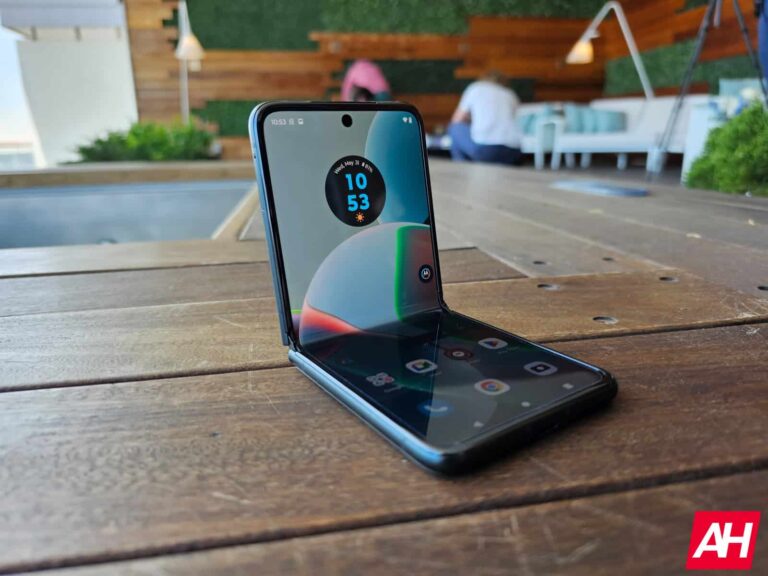
For quite some time now, many Motorola buyers have lamented at the fact that Motorola just doesn’t support their devices for very long. In fact, there was a phone they announced a couple years ago that they would only promise a single Android upgrade for. Which is really sad, but back then Motorola was also only targeting the cheaper Android market.
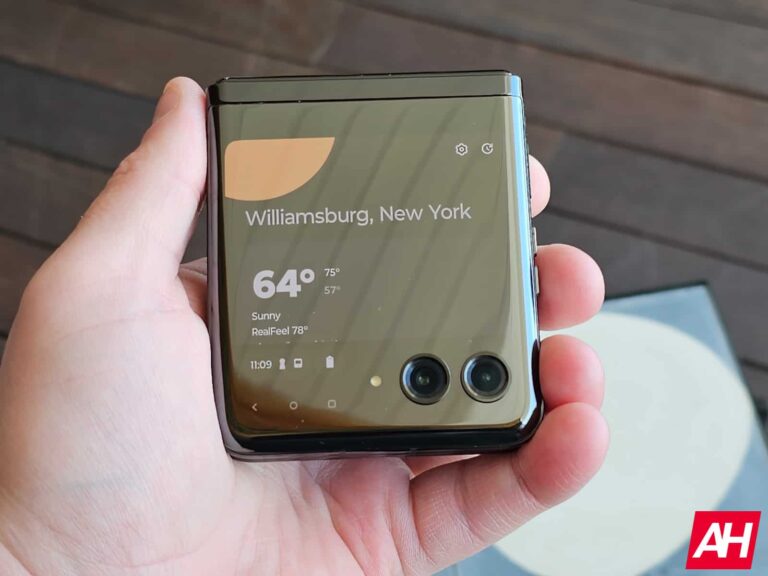
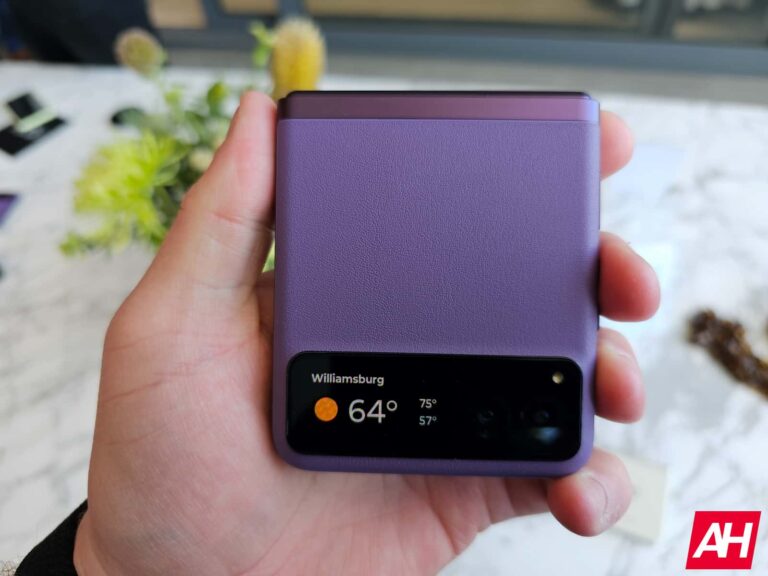
Now that Motorola is more into the high-end market, they are upping their software update game. This year, with the new Motorola Razr and Razr+, both devices will get three years of Android upgrades. Which means these will get Android 14, 15 and 16. It will also get bi-monthly security update for the next four years. Now that’s not quite as good as the monthly updates that the Pixel gets, but for most security patches, bi-monthly is definitely good enough.
Motorola heard our complaints
Not just Motorola customers, but also reviewers like myself, had long been complaining about the lack of software support, so definitely good to see Motorola making amends here with the Razr. The last thing you want to do after spending a grand on a new phone is to find out that it’s only getting one or two Android upgrades.
It’s still a tad bit behind Samsung at this point, but then again, even Google is behind them and they make Android. And everyone is behind Apple when it comes to updates, seeing as they will keep iPhones up to date for over 6 years.
There’s a lot of good things about the new Razr+, and Motorola does have a good reason to be excited for this launch. They’re doing a lot of good here, and it’s exciting to see another Android player emerging, especially in the US. Finally, someone is looking to take LG’s spot after they left the market over 3 years ago.
In a rather surprising move this week, with the Razr announcement, Motorola confirmed that Verizon will not be selling the new device. That’s rather surprising, since Motorola and Verizon have been in bed together since before the original Droid launched, way back in 2009. And every single Motorola device has launched on Verizon. But it seems that time has ended.
The new Razr+ will be available from the other carriers though – like AT&T and T-Mobile. It will also still work on Verizon, as it does have the bands to work on its 5G network, but it will miss out on mmWave. Motorola did mention that the Razr+ does work on C-Band spectrum, so you’ll still get 5G UW from Verizon, but only up to C-Band. Which is what most people would want to use anyways.
Here’s why Verizon might not be selling the Razr+
Motorola isn’t just making the Razr+ Sub-6 only, it’s also to doing a mmWave model at all. And that right there, is likely why Verizon said no thanks to Motorola. You see, Verizon only wants to sell phones that take advantage of its super-fast 5G UW network, which includes both C-Band and mmWave spectrum.
However, mmWave antennas are quite expensive, we’ve seen the “mmWave tax” on phones be as much as $150 at times. So in order to keep the price of the phone under $999, they had to ditch mmWave. Though, not doing a mmWave model at all is rather surprising. Google does tend to do Sub-6 only, but they also do a mmWave model that will be $50 to $100 more, depending on the phone. And typically sell it at Verizon only. So it’s a surprising move from Motorola here.
It’s unlikely that this is the end for Motorola and Verizon working together. Motorola of course, wants to stay close to Verizon here, as they are the biggest carrier in the US.
With the new Razr and Razr+, you might be wondering how fast the new devices are able to charge. Well, luckily, both have the same charging speeds, and that is because they are very similar in specs.
Both Razr’s will charge wirelessly at 5W, and wired at up to 30W. It’s not super fast, but it is pretty decent for wired charging. Of course, wireless charging is a bit of a joke here for Motorola. However, this speed could be due to the size of the phone as well as the battery capacity. Faster wireless charging does drum up more heat, and with the small chassis here, that could cause more issues, like the phone overheating.
Motorola’s never been known for pushing the envelope when it comes to charging speed, so none of this is really a surprise. And in all honesty, the wired charging is faster than what Google offers on the Pixel, so it’s not all bad news. But it is well behind the other Chinese OEMs, especially OnePlus and OPPO which are doing over 100W charging now. Obviously with a foldable, you need to be more careful with the battery, since it has to be two separate batteries in either side of the phone.
Turbo Charger is not included in the box
Probably not that surprising, but the Turbo Charger that Motorola sells, is not included in the box with the Razr. For many, this may not be a big deal, considering that it should still work with virtually any USB charger. Allowing you to use your current charger with the Razr. Since it is only 30W, basically any charger will work. But when you’re paying this much for a phone, you still want to get a charger in the box. Instead, Motorola is only including a USB-C to USB-C cable in the box.