Samsung continues to push the May 2023 update to more eligible Galaxy devices. The Galaxy Tab S7 FE 5G, Galaxy A21s, and Galaxy M31 are the latest models to pick up the new security patch. They join dozens of others in the ever-growing party.
Samsung started rolling out the May SMR (Security Maintenance Release) to the Galaxy Tab S7 FE last week. But it initially only covered the Wi-Fi version. Today, the new security update is available to the 5G version as well. The update is rolling out widely in Europe and Asia. Depending on your region, the new firmware build number for the tablet is T736BXXS3CWE1 or T736NKOS3CWE1. Samsung isn’t pushing anything apart from the latest vulnerability fixes to the device.
The Galaxy A21s is also joining Samsung’s may update party today. The rollout for this mid-range handset has begun in Latin America. More precisely, the update is available for users in Argentina with the firmware build number A217MUBUADWE2. The official changelog says the device is picking up some stability improvements along with the latest security fixes. Don’t expect anything major, though. The Galaxy A21s is done getting feature updates. It didn’t even get Android 13.
The Galaxy M31 is also an aging phone that would never get Android 13. However, Samsung is pushing the latest security patch to this mid-range device. According to SamMobile, the rollout has begun in select Asian countries, including India, Nepal, and Sri Lanka with the build number M315FXXS3CWD1. This phone wasn’t sold globally, so the May SMR should soon reach units in the remaining few markets. There’s no additional goodie in tow here. Just the latest security patch.
May update brings dozens of vulnerability patches to these Galaxy devices
The Galaxy Tab S7 FE 5G, Galaxy A21s, and Galaxy M31 may not be getting any major user-facing changes with the latest update, the May SMR brings plenty of goodies on the security side of things. Samsung has already revealed that this month’s security patch contains more than 70 patches. At least six of those were critical issues, potentially leading to severe damages if exploited in the wild.
If you’re using any of these Samsung devices, watch out for a notification prompting you to download a new update. You can also manually check for updates from the Settings app, under the Software update menu. As usual, these updates will roll out to eligible units in batches. So if you don’t see any pending OTA (over the air) release today, wait a few days and check again.
Want to make cool apps for Android and have no idea where to start? We got you. Android devs are a niche section of the developer workforce who work on the front end and back end of apps developed especially for use in the Google Play Store. If you start out as a generic programmer in a course you’re doing, you may well find yourself heading down the path of the Android dev, simply because there is so much demand in the market. This is a great thing if you know that’s what you want in a career!
It might also serve the aspiring Android developer to jot down some pointers from developers specializing in hugely successful niches – particularly those in the iGaming sector which has flourished over the past decade. The rise of no registration no deposit casinos has further increased the need for talented Android devs.
No matter what type of apps you think you would like to concentrate on in a dev career, there are a few things that you need to keep in mind before you set out. Here’s everything you need to know before you embark on the path to becoming a developer.
The technical skills
Becoming a developer isn’t something that you can just decide to do one day and then learn on the job. Instead, you will need to study to learn how to code. Android developers need a range of skills to develop for mobile devices.
Most developers start off their technical journey by attending university or studying an in-depth course. In a course, you will learn both the fundamentals of how to program as well as how to string concepts together to build actual, working projects. In a good course, you will combine multiple different technologies to build working projects that are assessed for your skill level.
While a Bachelor’s degree is definitely the most comprehensive way to get into Android development, it isn’t always necessary. Depending on your talent level, you may get by with a self-taught course or a coding bootcamp.
A portfolio
It’s not enough just to have a set of practicable skills, you need to be able to demonstrate that you can use them too! Way before your first technical interview, you will need to put together a portfolio of your work.
The best way to start putting together a portfolio is to use the projects that you built in your programming course. The next step is to build some little projects of your own. Put together some basic apps that demonstrate some of your skillset. Host all the code of your projects on Github publicly so that people can easily browse them whenever they like.
Another good addition to your portfolio is contributing to other open source projects that you like on Github. Contributing actively to the community is looked upon extremely favourably when you’re hunting for a job without any background experience in the workplace.
The soft skills
If you thought that you might like to become an Android developer because you’re sick of working in customer service, hospitality, or some other field where you have to chat to people a lot, well then we have news for you. Just because most of the time you’ll be working with code on your screen, doesn’t mean that you won’t have to communicate with people – a lot.
As with any role that you have, the better your soft skills, the more in demand you will be. Being able to communicate your thoughts, ideas, and opinions with co-workers and your managers is essential to doing a good job in your role.
The more impressive your soft skills are in an interview, the more likely you will be to get a job. And the better that your soft skills are during your tenure, the more indispensable you will be to the team. Everyone like a team player.
Make sure that you’re putting in the work not only to learn how to code effectively and master your tools, but to get along well with people of all backgrounds. This will hold you in good stead for the rest of your career.
A hefty dose of patience
As a developer, a lot of the time in your job will be spent trying to understand why something isn’t working the way you expect it to. Bug hunting is an inevitability of dev life and something you’ll grow to become frustrated by very quickly. This is where a hefty dose of patience will come in handy. If you don’t lose your cool easily, then this will hold you in good stead. And if you’re quick to get frustrated? Maybe it’s about time that you started practicing some meditation techniques.
A cyberattack on arms manufacturer Rheinmetall has been claimed by the BlackBasta ransomware group on its leak site.
On Friday May 19, 2023, the German arms producer Rheinmetall acknowledged a cyber-incident at one of it’s subsidiaries in the private sector. The BlackBasta ransomware group has already claimed responsibility for the attack through its leak-site.
Entry for Rheinmetall on BlackBasta leak site
Rheinmetall’s main activities are in the automobile industry and weapons manufacturing, and it descibes itself as one of the world’s largest manufacturers of military vehicles and ammunition.
The company said the attack did not affect production in the arms division, but German media is reporting that the attack was not limited to one subsidiary.
A spokesman for the Central and Contact Point Cybercrime (ZAC NRW) at the Cologne public prosecutor’s office confirmed corresponding knowledge of an incident in the early evening. They were unable to provide information about the severity of the attack given that the investigation was still ongoing.
Although BlackBasta is believed to be largely based in a Russian-speaking country, the attack is not likely to have been directed at the arms industry as such, despite the the ongoing conflict between Russia and Ukraine. BlackBasta’s main objective is to find financially attractive targets. And as we noted in our report on ransomware in Germany, in the last year Black Basta has had a liking for targets in Germany, and conducts attacks there far more frequenty than in the UK or France.
Monthly ransomware attacks in Germany with LockBit and Black Basta highlighted, April 2022 – March 2023
BlackBasta is not very different from other ransomware groups in the way it operates. Similar to others, the gang’s attacks frequently begin with initial access gained through phishing attacks. A typical attack might start with an email containing a malicious document in a zip file. Upon extraction, the document installs the Qakbot banking trojan to create backdoor access, and deploy SystemBC, which sets up an encrypted connection to a command and control server. From there, CobaltStrike is installed for network reconnaissance and to distribute additional tools.
As is the overarching trend for ransomware groups these days, Black Basta’s primary goal is to steal data so that it can hold the threat of leaked it over its victims. The data is generally stolen using the command line program Rclone, which filters and copies specific files to a cloud service. After the data is copied, the ransomware encrypts files and gives them the “.basta” extension, erases volume shadow copies, and presents a ransom note named readme.txt on affected devices. Attackers using Black Basta may be active on a victim’s network for two to three days before running their ransomware.
Prevent intrusions. Stop threats early before they can even infiltrate or infect your endpoints. Use endpoint security software that can prevent exploits and malware used to deliver ransomware.
Detect intrusions. Make it harder for intruders to operate inside your organization by segmenting networks and assigning access rights prudently. Use EDR or MDR to detect unusual activity before an attack occurs.
Stop malicious encryption. Deploy Endpoint Detection and Response software like Malwarebytes EDR that uses multiple different detection techniques to identify ransomware, and ransomware rollback to restore damaged system files.
Create offsite, offline backups. Keep backups offsite and offline, beyond the reach of attackers. Test them regularly to make sure you can restore essential business functions swiftly.
Don’t get attacked twice. Once you’ve isolated the outbreak and stopped the first attack, you must remove every trace of the attackers, their malware, their tools, and their methods of entry, to avoid being attacked again.
Malwarebytes EDR and MDR removes all remnants of ransomware and prevents you from getting reinfected. Want to learn more about how we can help protect your business? Get a free trial below.
Sony recently announced its new flagship smartphone, and it’s time to see how it stacks up next to the best Apple has to offer. In this article, we’ll compare the iPhone 14 Pro Max vs Sony Xperia 1 V. These two phones do look different, and the in-hand feel is also vastly different between them. There are way more differences here than you think, and that will make for an interesting comparison.
We’ll first list their specifications, to get that out of the way, and then we’ll move to their designs, displays, performance, battery life, cameras, and audio performance. There’s plenty to talk about here, so let’s get down to it, shall we?
Apple iPhone 14 Pro Max vs Sony Xperia 1 V: Design
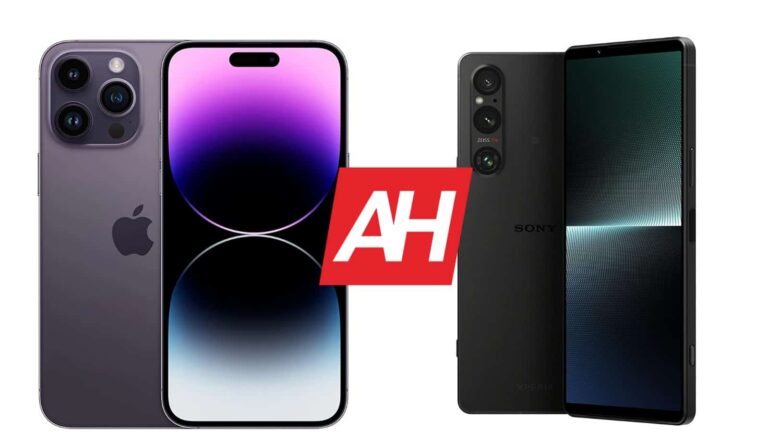
Both of these phones are flat all around, but they do have an entirely different in-hand feel. The Xperia 1 V has chamfered edges on the sides, and its sides also have vertical lines on them. Those lines are imprinted into the frame, which adds a bit of grip. The sides of the iPhone 14 Pro Max are entirely flat and smooth. They’re very slippery. Both phones have glass on the back, but the Xperia 1 V has a dotted pattern on that glass, which adds more grip to the picture.
The iPhone 14 Pro Max has a pill-shaped cutout on its display, while its bezels are uniform. The Xperia 1 V does not have a display camera hole, notch, or anything of the sort, but its top and bottom bezels are a bit thicker because of that. On the back, both phones have three cameras, but their camera setups look entirely different. The iPhone 14 Pro Max has its recognizable stovetop design, while the Xperia 1 V’s cameras are vertically aligned inside a single camera island.
The iPhone 14 Pro Max is a lot wider than the Xperia 1 V, and also slightly thinner and shorter. It does weigh 53 grams more at 240 grams, compared to 187 grams of the Xperia 1 V. Sony’s flagship does have a smaller display, though, and it’s easier to use with one hand. Not only because of its narrow form factor, but because of the weight and grip as well. Both smartphones are water and dust resistant, and both feel like premium pieces of hardware in the hand.
Apple iPhone 14 Pro Max vs Sony Xperia 1 V: Display
There is a 6.7-inch 2796 x 1290 LTPO Super Retina XDR OLED display included on the iPhone 14 Pro Max. That display is flat, and it supports HDR10 content. It also has Dolby Vision support, and a 120Hz refresh rate. This display has a 19.5:9 aspect ratio, and it goes all the way up to 2,000 nits of brightness at its peak. Apple opted for a Ceramic Shield glass protection on the front.
Apple iPhone 14 Pro Max display
The Sony Xperia 1 V, on the other hand, features a 6.5-inch 4K (3840 x 1644) OLED display. This panel can project up to 1 billion colors, and it supports HDR content. It has a 120Hz refresh rate, and the panel is flat. This display has a 21:9 aspect ratio, and a considerably higher PPI than the iPhone 14 Pro Max’s display. The Gorilla Glass Victus 2 is included on the front to protect this panel.
First and foremost, do note that the 4K resolution on the Xperia 1 V will be used only for 4K content. Both of these displays are more than sharp enough, and they are also quite vivid. They do get bright enough, even for outdoor use, and they’re also well-protected. On top of that, the viewing angles are really good, and so is the touch response. You can’t go wrong with either panel, to be quite honest.
Apple iPhone 14 Pro Max vs Sony Xperia 1 V: Performance
The iPhone 14 Pro Max is fueled by the Apple A16 Bionic processor. The phone also includes 6GB of RAM and NVMe storage. The Xperia 1 V, on the other hand, is fueled by the Snapdragon 8 Gen 2 SoC. Sony also included 12GB of LPDDR5X RAM and UFS 4.0 flash storage here. Both of these phones are extremely well-equipped hardware-wise, though the RAM and storage modules are newer and faster on the Xperia 1 V.
Apple being Apple doesn’t have a tendency to always use the latest hardware, it focuses more on software. Both smartphones have outstanding processors, and they both perform admirably. They’re very snappy during regular, everyday performance, but they also shine in the gaming department too. Both of these phones will keep you going for quite some time. Even if you’re a gamer, and tend to play rather demanding games, both of these smartphones can handle them without a problem. Performance is not something you should worry about here, which was to be expected.
Apple iPhone 14 Pro Max vs Sony Xperia 1 V: Battery
A 4,323mAh battery sits inside the iPhone 14 Pro Max. The Xperia 1 V, on the flip side, includes a 5,000mAh battery on the inside. Apple’s iPhones usually need smaller batteries due to the way iOS works, and the components included in the mix. Having said that, both smartphones do offer excellent battery life. The iPhone 14 Pro Max battery did improve since its launch, which is good to see.
Getting over 7.5-8 hours of screen-on-time is not a problem, as long as you’re not pushing them with games and similar, demanding content. In fact, some of you may be able to go way above this, if you’re not power users, and you have good cell signal in the process. The battery life can vary quite a bit depending on a number of factors, but your usage, the installed apps, and the cell surface do play a huge role. Both phones do offer excellent battery life, though.
When it comes to charging, neither one is particularly fast. The iPhone 14 Pro Max can charge at around 20W, with 15W MagSafe and 7.5W Qi wireless charging support. The Xperia 1 V supports 30W wired charging, and also 15W wireless charging. Reverse wireless charging is also on offer here. Neither phone comes with a charger in the box, though, so keep that in mind.
Apple iPhone 14 Pro Max vs Sony Xperia 1 V: Cameras
The iPhone 14 Pro Max includes a 48-megapixel main camera, a 12-megapixel ultrawide unit (120-degree FoV), and a 12-megapixel telephoto camera (3x optical zoom). The Sony Xperia 1 V comes with a 48-megapixel main camera, a 12-megapixel ultrawide unit, and a 12-megapixel telephoto camera (3.5x-5.2x continuous optical zoom). Spec-wise, both are well-equipped, but the results they provide are a bit different.
Sony Xperia 1 V rear cameras
Both smartphones do their best to keep images close to real life. The Xperia 1 V does have a larger sensor, and it relies less on image processing than Apple. Both smartphones provide great-looking shots during the day, though the Xperia 1 V does seem to offer a bit better performance in HDR situations, at least in most situations. During the night, the iPhone 14 Pro Max has a tendency to brighten up the scene a bit more than the Xperia 1 V, though Sony’s flagship usually manages to retain a bit more detail in low-light situations. Both do a great job, though.
Their ultrawide cameras are very capable, though the one on the iPhone 14 Pro Max does a better job of keeping the same color science as the main shooter. The telephoto camera on the Xperia 1 V is a bit more capable, at least based on what we’ve seen. 3.5x shots from it look outstanding, for example, though the iPhone does a good job with telephoto images as well. The video recording is still better on the iPhone, though. Both smartphones do a great job, though provide different results. The Xperia 1 V even packs in different software, as it has three different camera apps. They also look fairly different than what you’re used to, as there are a ton of controls on the screen, and the shutter is a physical one on the side. Sony’s flagship even comes with focus peeking, which some of you will find quite useful.
Audio
Both smartphones pack in a set of stereo speakers. Both sets of speakers are really good. They’re loud enough, and detailed enough, but Sony’s handset does have a bit more bass in its output.
If you need an audio jack on your phone, the Xperia 1 V is the way to go, as the iPhone 14 Pro Max doesn’t pack one. You’ll have to use its Lightning port in order to connect your headphones via a wire. Both smartphones do support Bluetooth 5.3 for wireless audio connections.
The Guerrilla malware has targeted nearly 9 million Android devices globally, including smartphones, watches, TVs, and TV boxes. The malware is distributed by Lemon Group, which is one of the most notorious cybercrime organizations.
Gadgets are always at risk of getting infected with malware, and once in a while, we hear about a new malware that targets users. Recently, McAfee researchers warned users to remove 38 Android games as soon as possible because they were running advertising in the background. Now, the BlackHat Asia conference in Singapore has illustrated the impact of Guerrilla malware.
The Guerrilla malware is developed by Lemon Group and has impacted 8.9 million Android users. The malware is essentially utilized for intercepting one-time passwords from SMS, loading additional payloads, setting up a reverse proxy from the infected device, hijacking WhatsApp sessions, etc.
Guerrilla malware targets nearly 9 million Android users globally
The report continues that Guerrilla malware has targeted users from all continents. However, the top 10 affected countries are India, Argentina, Angola, Indonesia, Mexico, Philippines, Russia, South Africa, Thailand, and the US.
Additionally, some of the infrastructure and methods used for this attack match the Triada trojan operation, which happened in 2016 and targeted 42 Android phone models. The attack is said to be done again by Lemon Group. This group later changed its name to Durian Cloud SMS, but its methods and architecture remained unchanged.
The outlet says Guerrilla malware has been found on 50 different ROMs that had been re-flashed. The malware also targets various Android device manufacturers.
The way Guerrilla malware works is simple but tricky. It first installs additional plugins on devices. Each plugin performs a certain task, like intercepting passwords sent via SMS, establishing a reverse proxy, or installing extra applications.
By infecting victims’ devices, Lemon Group can make tons of money by faking ads, taking over network resources, selling compromised accounts, selling proxy services, and offering SMS Phone Verified Accounts (PVA) services.
Remember last Summer when Backbone released a PlayStation Edition of the Backbone One but it was only for iOS and not for Android? Well now Android users can get their hands on one.
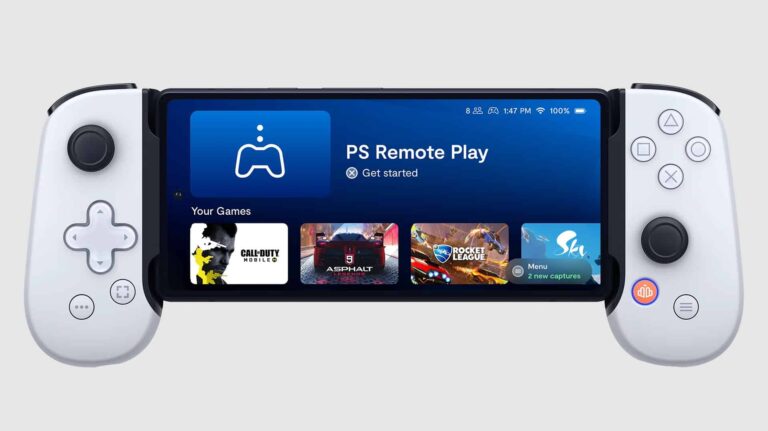
This week Backbone officially launched the Android version of the PlayStation Edition Backbone One. A mobile game controller that is hailed by many a mobile game enthusiast as the best mobile controller out there. The foundation of this controller is the exact same as the original Backbone One. Which also supports Android. Specifically it has all the same features.
But where it changes things up are with the aesthetics. Just by looking at it, you can tell the design was inspired by the PS5’s DualSense controller. In addition to the white color, it also has some of the same buttons. Most notably the square, circle, triangle, cross button combo. You’ll also find that the menu button is the same. And while the d-pad is a different shape, it has the same style as on the DualSense. Then there’s the official PlayStation log on the back of the sliding expandable hinge.
Basically, no one is mistaking this for anything other than a PlayStation-themed mobile controller.
The Backbone One PlayStation Edition for Android is great for Remote Play
While the controller will be great for mobile games and games from cloud gaming services like GeForce NOW, it’s also great for Remote Play.
Backbone confirms that the Remote Play app on Android will recognize this controller as a DualSense. So you can easily play your PS4 or PS5 games via Remote Play with the same input recognition. You won’t have the advanced DualSense features of course.
The Backbone One PlayStation Edition can be picked up right now directly from Backbone, and from retailers like Best Buy.
HBO MAX turned into Max earlier this week, and its parent-company Warner Bros Discovery, added a ton of 4K titles for the launch. There’s over 1,000 hours of movies and series that are available in 4K HDR.
Now, keep in mind that only those that subscribe to the Ultimate tier on MAX, which costs $19.99/month or $199/year, will get access to 4K. Additionally, those that got HBO MAX included in their plans from AT&T and Spectrum will get the Ultimate plan for the first six months.
Here’s all of the titles that are available in 4K right now:
2001: A Space Odyssey
2nd Annual Ha Festival: The Art Of Comedy
8-Bit Christmas
A Christmas Mystery
A Christmas Story Christmas
A Clockwork Orange
A Hollywood Christmas
Ahir Shah: Dots
Aida Rodriguez: Fighting Words
Amy
And Just Like That… The Documentary
And Just Like That…
Antlers
Aquaman
Argo
Avenue 5
Bad Education
Barbarian
Barry (S2, S3) *S1 & S4 will be available on June 23.
Batman (1989)
Batman & Robin
Batman And Harley Quinn
Batman Begins
Batman Forever
Batman Returns
Batman V Superman: Ultimate Edition
Betty
Big Little Lies
Birds Of Prey (And The Fantabulous Emancipation Of One Harley Quinn)
Black Adam
Brené Brown: Atlas Of The Heart
C.B. Strike
Casablanca
Catherine The Great
Chernobyl
Chris Redd: Why Am I Like This?
Coastal Elites
Colin Quinn & Friends: A Parking Lot Comedy Show
Cry Macho
Dc League Of Super-Pets
Death On The Nile
DMZ
Don’t Worry Darling
Dune
East Of Eden
Edge Of Tomorrow
Elvis
Empire Of Light
Euphoria
Euphoria: Trouble Don’t Last Always
Expecting Amy
Fahrenheit 451
Fantastic Beasts And Where To Find Them
Fantastic Beasts: The Crimes Of Grindelwald
Fantastic Beasts: The Secrets Of Dumbledore
Father Of The Bride
Free Guy
Friends: The Reunion
From The Earth To The Moon
Game Of Thrones
Gaming Wall St
Garcia!
Giant
Godzilla
Godzilla vs. Kong
Goodfellas
Gossip Girl
Ha Festival: The Art Of Comedy
Hacks
Harry Potter 20th Anniversary: Return To Hogwarts
Harry Potter And The Chamber Of Secrets
Harry Potter And The Deathly Hallows Part 1
Harry Potter And The Deathly Hallows Part 2
Harry Potter And The Goblet Of Fire
Harry Potter And The Half-Blood Prince
Harry Potter And The Order Of The Phoenix
Harry Potter And The Prisoner Of Azkaban
Harry Potter And The Sorcerer’s Stone
Heaven’s Gate: The Cult Of Cults
His Dark Materials
Holiday Harmony
House Of The Dragon
House Party
I Hate Suzie
In The Heights
Industry
Irma Vep
It Chapter Two
It’s A Sin
Joker
Judas And The Black Messiah
Julia
Justice League
Kimi
King Richard
Kong: Skull Island
Landscapers
Lizzo: Live In Concert
Lord Of The Rings, The: The Fellowship Of The Ring
Lord Of The Rings, The: The Fellowship Of The Ring (Extended Version)
Lord Of The Rings, The: The Return Of The King
Lord Of The Rings, The: The Return Of The King (Extended Version)
Lord Of The Rings, The: The Two Towers
Lord Of The Rings, The: The Two Towers (Extended Version)
Love, Lizzo
Lovecraft Country
Low Country: The Murdaugh Dynasty
Magic Mike
Malcolm X
Malignant
Man Of Steel
Mare Of Easttown
Marlon Wayans Presents: The Headliners
Marlon Wayans: You Know What It Is
Matrix Reloaded
Matrix Resurrections
Matrix Revolutions
Menudo: Forever Young
Mortal Kombat
Mosaic
Moses Storm: Trash White
My Brilliant Friend
My Gift: A Christmas Special From Carrie Underwood
Native Son
No Sudden Move
Ocean’s Eleven
Oslo
Our Flag Means Death
Peacemaker
Pennyworth: The Origin Of Batman’s Butler
Perry Mason
Pretty Little Liars: Original Sin
Rain Dogs
Rap Sh!T
Reminiscence
Rio Bravo
Roadrunner: A Film About Anthony Bourdain
Rose Matafeo: Horndog
Santa Camp
Scenes From A Marriage
Scoob!
See How They Run
Selena + Chef
Sex And The City
Sharp Objects
Shazam: Fury Of The Gods
Shazam!
Singin’ In The Rain
Sort Of
Soul Of America
Space Jam: A New Legacy
Starstruck
Station Eleven
Succession (S1-S3) *S4 will be available on June 30.
Suicide Squad
Superman: The Movie
Sweet Life: Los Angeles
Take Out With Lisa Ling
That Damn Michael Che
The Baby
The Banshees Of Inisherin
The Batman
The Big Brunch
The Big Shot With Bethenny
The Bob’s Burgers Movie
The Bridge
The Captive
The Climb
The Conjuring
The Conjuring: The Devil Made Me Do It
The Dark Knight
The Dark Knight Rises
The Deuce
The Fallout
The Fastest Woman On Earth
The Flight Attendant
The Gilded Age
The Girl Before
The Hobbit: An Unexpected Journey
The Hobbit: The Battle Of The Five Armies
The Hobbit: The Desolation Of Smaug
The King’s Man
The Last Of Us
The Lego Movie
The Little Things
The Man From U.N.C.L.E.
The Many Saints Of Newark
The Matrix
The Menu
The New Pope
The Night House
The Nun
The Plot Against America
The Righteous Gemstones
The Sex Lives Of College Girls
The Soul Of America
The Staircase
The Suicide Squad
The Survivor
The Third Day
The Tourist
The Undoing
The Way Down: God, Greed, And The Cult Of Gwen Shamblin
The personal information of more than 1.5 million women has been put up for sale on the dark web following an alleged data breach of Indian lingerie brand Zivame.
The alleged data breach was discovered after an advert offering the sale of the personal data stolen during the hack was posted on the dark web and the messaging app Telegram. The sellers, who are claiming to be the malicious actors who stole the data, are offering the entire database for US$500.
The data for sale includes the names, email addresses, phone numbers and home addresses of more than 1.5 million Zivame customers, the majority of whom are women.
Image source: India Today
According to India Today, the supposed threat actor offered them a sample dataset of 1,500 users including their names, contact details and addresses in order to “verify the credibility of the data”. Using the data provided, India Today was able to confirm that those in the dataset given were Zivame customers. The hacker claimed that the information was not publicly available.
Zivame has not yet publicly addressed the data breach.
This time, SuperVPN has exposed a whopping 133 GB of data, including personal details of its unsuspecting users, such as IP addresses.
In a recent cybersecurity incident, security researcher Jeremiah Fowler discovered a significant data breach in a non-password-protected database associated with a popular free VPN service.
The exposed database contained a staggering 360,308,817 records, totalling 133 GB in size. These records included a wide range of sensitive information, including user email addresses, original IP addresses, geolocation data, and server usage records.
Additionally, the breach revealed secret keys, Unique App User ID numbers, and UUID numbers, which can be utilized to identify further useful information.
Other information found in the database encompassed phone or device models, operating systems, internet connection types, and VPN application versions. Furthermore, refund requests and paid account details were also present in the breach.
With the increasing concerns over online privacy and security, the demand for VPN services has soared in recent years. Consequently, the market has witnessed a significant rise in the number of VPN apps available to users.
However, this surge in offerings has resulted in an alarming proportion of VPN apps that are unreliable and fail to provide the expected level of privacy and security. This results in a counterproductive user experience since a lack of adequate security protocols puts their information at risk of being leaked in a data breach.
The majority of records in the exposed database, according to VPNmentor’s report, were associated with SuperVPN, a free VPN application available on both the Apple and Google application stores.
Furthermore, researchers noted two apps named SuperVPN listed, each credited to separate developers. Qingdao Leyou Hudong Network Technology Co. was the developer behind SuperVPN for iOS, iPad, and macOS, while SuperSoft Tech developed the second app with the same name.
However, it is important to note that this is NOT the first time SuperVPN has been blamed for leaking the personal details of its unsuspecting users. In fact, as reported by Hackread.com in May 2022, SuperVPN was among the list of free VPN services that leaked details of over 21 million users. Other free VPN services to leak customer data included GeckoVPN and ChatVPN. In total, the database contained 10GB worth of data that was leaked on Telegram.
In the report published by vpnMentor, Fowler noticed that SuperVPN’s customer support emails were linked to StormVPN, Luna VPN, RocketVPN and GhostVPN. Additionally, references to each of these VPN providers were observed within the database.
Type of leaked data (VPNmentor)
Although there is no way to confirm that they’re all owned by the same company, it would not come as a surprise if that were the case. The proliferation of unreliable VPN apps can be attributed to profit-driven developers seeking to capitalize on the growing demand for privacy and security.
The VPN industry has become highly lucrative, with millions of users worldwide seeking reliable solutions to safeguard their online presence. In this climate, some developers prioritize monetary gains over user safety, focusing on quick and inexpensive development, marketing, and distribution of VPN apps.
Therefore, for a single company to produce multiple VPN applications with different names and slightly varying user experiences would not be unlikely since that would allow it to cast a wider net over the users scouring for a suitable VPN provider.
When opting for a free VPN service, it’s essential to exercise caution and consider certain red flags that indicate potential risks. These include:
Unclear data collection and usage policies: Verify that the VPN service doesn’t log your internet activity to avoid the risk of data being sold to advertisers or third parties.
Lack of transparency: Pay attention to the absence of an “About Us” section on the VPN provider’s official website, as this can indicate a lack of information about who handles your data.
DNS-leak protection: Ensure that the VPN service offers DNS-leak protection to prevent your internet service provider from seeing your online activities.
Weak encryption: Avoid VPNs that offer encryption weaker than 128-bit or 256-bit AES, as this increases the risk of your data being compromised.
Negative reviews: Read user reviews and consult reputable review sites to gauge the experiences and concerns of other users before choosing a VPN service.
The proliferation of VPN apps presents both opportunities and challenges for users seeking privacy and security in their online activities. While the market offers a wide range of reliable VPN solutions, the rising number of unreliable apps calls for caution and informed decision-making.
By understanding the factors contributing to the excess of VPN apps, identifying the risks associated with their usage, and implementing measures to mitigate these risks, users can make more informed choices to protect their online privacy and security.
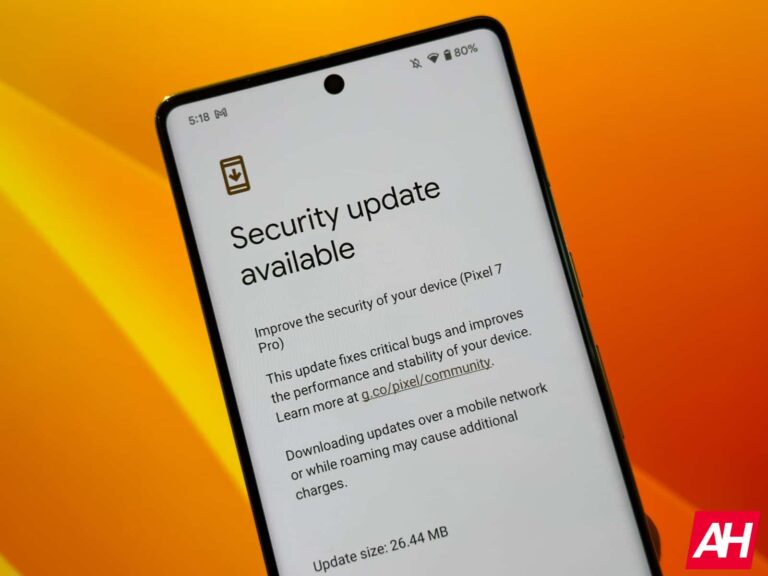
Google is currently rolling out the May 2023 security update to Pixel devices, and here’s how you can update to the latest version of Android. This update is available on the Pixel 4a and later.
It’s pretty simple to update to the November security update. Unfortunately, Google hasn’t yet found a way to do these updates automatically just yet, so there is some input needed from the user.
There are essentially two ways that you can update your Google Pixel. We are going to go through each method, with the first one being the easiest and the second one being much harder, obviously. The screenshots shown in this post are from the Pixel 7 Pro on Android 13, but they should look identical on any Pixel device.
How to update your Google Pixel via OTA (Over The Air)
This is by far the easiest way to update your Google Pixel smartphone.
First, tap on the Settings icon in your app drawer or in the notification shade.
Now scroll down to System and tap on it.
Then tap on System Update.
Now your Pixel is going to check for an update. It might not actually find one, depending on if it has been pushed to your device or not. You can also tap on the “Check for Update” button in the lower right-hand corner, to check again.
And that’s it. It’s just that simple to check for an update for your smartphone. If it does find an update, it’ll start downloading it in the background and prompt you once it’s ready to be installed.
How to Sideload the OTA
This next method is a bit tougher, and has more steps. It should really only be used if your phone is for some reason, not getting the OTAs the regular way.
Basically, what you’re going to be doing here is taking the a zip of the files that were changed and pushing it over to your device to force the update. You’re going to want to pay close attention here, as there are many steps and if you do something wrong, it likely won’t work.
Firstly, you’re going to need to download the Android SDK from the Android Developer website.
Then you’re going to want to open a command prompt or terminal (depending on the operating system of your laptop or desktop) in the folder that has the platform-tools.
Enable developer settings and USB debugging
Now that the SDK is installed. The next step is to enable developer settings and USB debugging, which will allow you to move onto the next step.
To do this, first go into Settings.
Then scroll down to System and tap on About Phone.
Next, tap on the Build Number seven times. Once you have tapped on it seven times, a dialog at the bottom of the screen will appear saying “you are now a developer”.
Press back, so you’re in the main settings page. Now you should see an option for Developer Options.
Go into Developer Options, and find USB Debugging.
Flip the switch for USB Debugging to on.
Now, plug your smartphone into your computer and click “OK” on the dialog box on your phone asking you to Allow USB Debugging while connected to that computer.
You can use the command adb devices in the command prompt or terminal to make sure that it is reading your device too. If it says “unauthorized” that means you need to give it permission still.
Unlocking the bootloader
Before you can do anything, you’re going to need to unlock the bootloader. That’s another big selling feature for a Pixel smartphone. The fact that you can easily unlock the bootloader.
To get started, you are going to need turn off your phone completely. Then press and hold the power button and volume down button. This will take you into the bootloader menu.
Alternatively, you can use command prompt to do this, type in adb reboot bootloader.
Now, to actually unlock the bootloader, you will need to use the command fastboot flashing unlock.
Moving back over to your phone, it will pop up with a dialog box asking if you are sure you want to unlock the bootloader. As it will factory reset your device. Use the volume buttons to highlight either yes or no, then use the power button to confirm it.
Once that is done, type in fastboot reboot-bootloader.
Flashing an OTA Update Image
Now, it’s finally time to flash that OTA. Of course, if you’ve done this before, you probably don’t need to worry about those last two steps.
And this also works without unlocking the bootloader. But to actually flash the entire factory image, you will need to unlock it.
In that command prompt or terminal window, type in adb devices to make sure that your device is connected.
Now, you’re going to put the device into bootloader mode. You can turn it off and then press and hold the power button and volume down button. Or type adb reboot bootloader into the command prompt.
Now, you are going to use the volume down button and press it twice. Until you have scrolled down to the Recover Mode option. Then press power to select it. Once you do that, it’s going to look like your phone is restarting, then show an Android with a red exclamation mark over it. Now don’t freak out and think that your phone is dead, this is supposed to happen. Hold the power button and press volume up. Now you’ll be in recovery mode.
Being in Recovery Mode, you will not press the volume down button til you highlight the Apply Update From ADB option then press the power button to select it.
In command prompt, type in adb sideload [OTA file].zip as the command. You’ll change the [OTA file] to the name of the ota file. It’s usually easier to rename the file, so it’s not a random string of numbers and letters.
In Recovery Mode, it will show the status of the update being pushed to your phone. Depending on the size, it could take a few minutes before it is completely pushed. But once it is, the phone will reboot back to the regular Android screen.
And then you’re all set. You’ve successfully sideloaded an OTA to your Pixel smartphone.
That’s just how easy it is to update your Google Pixel smartphone to Android 12. Of course, this works for more than just the Android 11 update on your Pixel. But also for security patches and the quarterly feature drops that Google does.