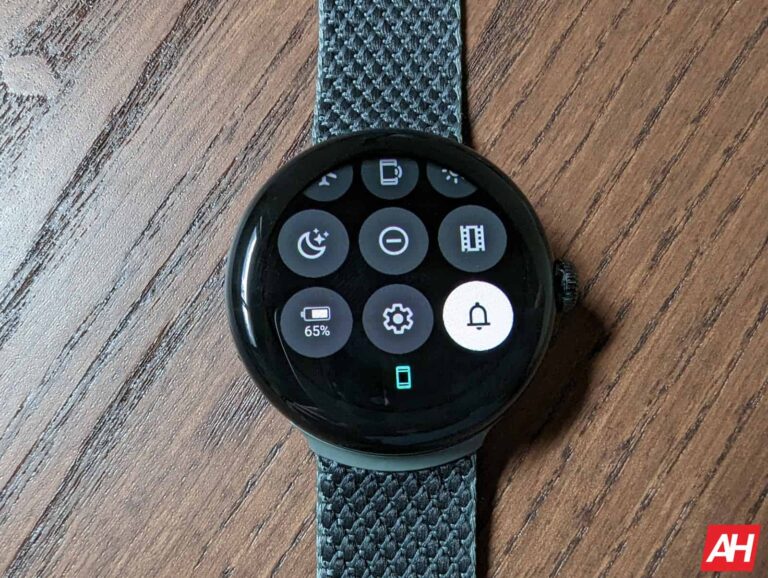
Wear OS 4 sems to be getting Material You dynamic theming, according to a recent report from 9To5Google. Google is keeping the changes to the new version of Wear OS pretty close to the chest, but it did share a couple of things about Wear OS 4 back at Google I/O.
Notably that there will be improvements to battery life and text-to-speech. Wear OS previously got battery life improvements with Wear OS 3. Though it still has a way to go and it seems Wear OS 4 will help push it a little further. Visually, one big design change coming looks to be Material You. The ability to apply dynamic theming was found in the early preview of the update that Google provided through the Android Studio Emulator.
However this isn’t something you can access on your watch for regular use. But that didn’t stop it from being discovered. So if you’ve wondered what Material You might look like on your watch, now you’ll know.
Material You on Wear OS 4 will have a dynamic theme toggle
With Wear OS 4 you won’t have to use the dynamic theming. Rather, there’s going to be a toggle that allows you to turn it on and off. So you can apply the theming when you want to and disable when you aren’t feeling it.
As you’d expect, enabling the toggle ends up pulling colors from your wallpaper and applying them to different parts of the watch UI. such as in Quick Settings. It’s not immediately clear where all these color accents will be present. And according to 9To5Google using a wallpaper from the Play Store turns the colors back to a default blue. So you may need to use one of the pre-installed wallpapers for the dynamic theming to work. That could always change though once the update is actually released to the public.
Ever since Elon Musk took over, Twitter has seen changes like never before. However, it looks like Musk’s erratic changes have negatively affected the platform, as according to a new study from Pew Research, around 60% of US users have decided to step away from Twitter over the past year.
The survey, which spanned a week in March, also revealed that Musk may not have succeeded in creating an addictive platform that compels users to engage on a daily basis. This is because, in comparison to Meta’s social apps, which boast a staggering 3.02 billion daily active users, many Twitter users are opting to avoid the app for extended periods.
“Six-in-ten Americans who have used Twitter in the past 12 months say they have taken a break from the platform for a period of several weeks or more during that span,” said Pew Research.
Demographic Patterns
Furthermore, the study highlighted demographic variations in Twitter usage patterns, indicating that women and people of color were most likely to take breaks from the platform. Among women, 69% reported breaks, while 67% of Black users did the same. In comparison, 54% of men, 60% of white users, and 54% of Hispanic users took breaks. This suggests that the platform’s relaxation of rules and Musk’s general amnesty for previously banned accounts might have disproportionately affected marginalized groups.
Twitter’s most active users might remain
While it appears that Twitter’s engagement and user numbers have started to decline, the study also suggested that Twitter’s most active users have not completely abandoned the platform, as only 25% of highly active users expressed a lack of interest in remaining on Twitter in the future.
However, it is important to note that Pew Research’s data does not definitively prove a decline in Twitter’s active user base, as there is no historical usage comparison. Additionally, with Elon stepping down and Linda Yaccarino, a former NBCU executive, being appointed as the new CEO, it remains uncertain whether she will implement new policies to regain people’s trust and encourage them to return to the platform.
The best monitors for Xbox Series X can make all the difference when playing your favorite games. And just because they’re the best doesn’t mean they have to cost you an arm and a leg. On the same token, it doesn’t mean they’ll be dirt cheap. More than likely, they’ll sit somewhere in the middle of all that.
Many monitors fit for gaming can also be less expensive than a TV. And chances are if you can get a TV for around the same price or less as a dedicated gaming monitor, it’s probably not the best option for gaming. Of course, it all depends on where you plan to keep your Xbox Series X. If your setup is in the living room, sitting on a couch, then a TV may be the way to go. Though keep in mind they have big-screen gaming monitors as well. And we even have a few on this list.
If your Xbox Series X is going to be set up on a desk however, then you want a monitor. In most cases they tend to be smaller screens, so it’s the more suitable option. You’ll save space on your desk which means more room for peripherals or little trinkets that liven up your space. Monitors are also ideal for those who don’t have a lot of space to begin with. With that all in mind, take a look at our list below for the best monitors for Xbox Series X.
We’re kicking this list off with a monitor that was designed for Xbox Series X. The Philips Momentum 279M1RV. Philips worked in partnership with Microsoft to create a gaming monitor that was purpose built for the console.
And the results of that are a 4K nano IPS panel with a 120Hz refresh rate and a 1ms response time. To take advantage of that 120fps at 4K you’re going to need HDMI 2.1 for the connection to the monitor. And as you may have guessed, this monitor delivers that. It was designed for Xbox Series X after all.
One of the other cool features is the Ambiglow RGB lighting on the back of the monitor. This helps make your gaming a bit more immersive thanks to the Ambiglow lighting colors matching what’s on screen. Other benefits include DisplayHDR600 and DisplayPort 1.4 if you want to connect a PC in addition to the Xbox. It’s definitely one of the best monitors for the Xbox Series X. Even if it’s a bit pricey.
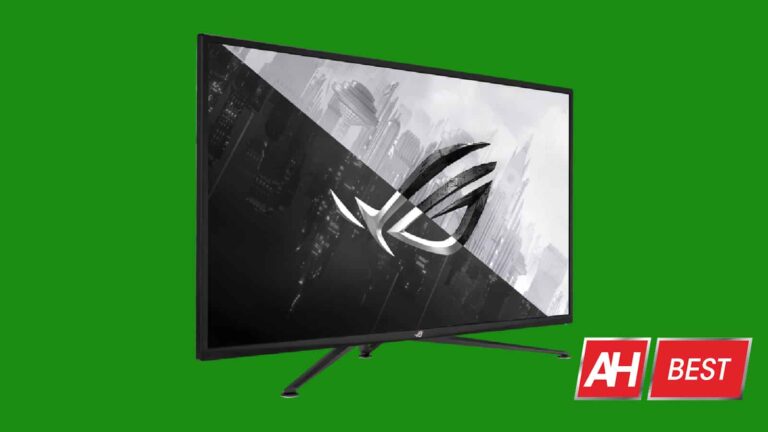
Next up we have a very nice large monitor from ASUS. If you have a little extra room on your desk and you like a bigger monitor, the ASUS ROG Strix 43 (XG43UQ) is one of the best monitors for the Xbox Series X. There are a few reasons for this. For one it’s a larger display which means more screen real estate for your games. It also comes with a 4K panel, and has a 120Hz refresh rate with multiple HDMI 2.1 ports to take the most advantage of your Xbox’s graphics capabilities.
The max refresh rate is also 144Hz if you plan to hook up a PC to this monitor as well. And to help really make the colors of your games come to life, the monitor features DisplayHDR1000. It’s a big beefy boy, but it’s probably one of the best gaming monitors for the Xbox Series X that you’ll find.
LG makes a great gaming monitor and if you don’t really need or want a bigger screen, consider LG’s UltraGear 27GP850-B. It’s a 27-inch panel with a QHD nano IPS display, up to 165Hz refresh rate (for PC), DisplayHDR400, and a quick response time of just 1ms.
Now it doesn’t have HDMI 2.1. But at the price of $399, there has to be some compromises and that was one of them. But if this is right around what your budget is, Xbox Series X games will still look good on this monitor and run at 60fps, which isn’t bad by any means.
Plus the small 27-inch form factor means you should have plenty of room on your desk.
There’s lots to love about this monitor and especially at this price range. For starters, it’s a curved 32-inch monitor but it isn’t ultrawide. Which means no black bars on the sides of your console’s picture. more importantly though it’s 4K, comes with HDMI 2.1 ports and has a 144Hz display. So you can get 4K and 120fps with your Xbox Series X games that support the faster frame rate. Keep in mind you will need an HDMI 2.1 cable though.
DisplayHDR400 is also present to really make the colors pop for your games.
Another great option here if you’re looking for something smaller that not only has HDMI 2.1 but also a 4K panel and a fast response time is the TUF Gaming VG28UQL1A from ASUS.
It’s a smaller display than the GIGABYTE one above and costs $20 more. So in most cases we would probably still recommend the GIGABYTE monitor over this one. Due to size and slightly higher cost with similar features. But, if you would prefer a monitor with a screen smaller than 32-inches, this is an excellent choice.
You’ll still get the features you need to make the most of your Xbox Series X and won’t pay much more. This is also a flat panel if you don’t care for the curved displays. At $599 this is one of the best monitors you’ll find for Xbox Series X.
Sticking with the smaller monitors, Acer’s Predator XB283K KV is $50 less than the ASUS TUF monitor above and offers many if not all of the same features. It comes with variable refresh rate support, multiple HDMI 2.1 ports, a 1ms response time and a 4K 144Hz panel.
So with an HDMI 2.1 cable connected to your Xbox Series X you can ensure you get the faster 120fps in games that support it with the higher resolution 4K visuals.
Should you need to get in and tweak any of the settings, the menu button is located in the bottom left corner so it’s super easy to reach. Though you shouldn’t have to fumble with much if any settings at all.
There’s a few reasons why we included this monitor. It’s definitely expensive. And because of that we feel there are better options on this list. But that doesn’t mean this isn’t a great option for use with the Xbox Series X. Cost aside, here’s what we really like about this one.
It features a 32-inch display with an ultrawide format, which means it’s great for PC games. The downside with that is you’ll end up seeing those black bars on the side when using this for the Series X. But if you can overlook that then there are tons of other good features. It supports HDMI 2.1, it’s a 4K panel, and it features Quantum HDR2000 which means rich, vibrant colors you won’t get on a lot of other monitors.
It’s pricey but worth it if you want something for Xbox Series X and PC, since it does offer the Ultrawide 21:9 aspect ratio.
A cheaper option from Samsung is the Odyssey Neo G7 43. If you have the space on your desk for a bigger monitor, this model comes in at $100 less than the one above. It still offers HDMI 2.1 and has a 4K panel. But best of all it comes with a 16:9 aspect ratio so your Xbox Series X picture will fill the entire screen.
Just like the model above it also comes with a 1ms response time. This is also a flat panel, and the display is matte so you won’t have to worry about reflections too much. It’s a solid buy if you’re looking for one of the best monitors for Xbox Series X in the 40+-inch size range.
Rounding out our list is another option from Acer. This time the Acer Nitro XV282K. This is a 28-inch screen with 4K visuals, a 144Hz refresh rate, HDMI 2.1 ports, and a 1ms response time. It’s fairly similar to the Predator model up above but you’ll end up saving some money going with this model. And you won’t really lose much in doing so.
That being said, the Predator model is on sale right now. So at only $60 more, it’s a better value. This monitor however is a great pickup when the Predator monitor goes back up to its full price. Some other things to consider are the MSRP of both Acer monitors when coming directly from Acer. The Predator model normally retails for $629.99. While this Nitro monitor is listed at $899.99. And at those prices, there are better options on this list.
Making the headlines across the internet is Oura’s acquisition of Proxy, and this is rather interesting. For starters, these two companies do not exist in the same niche, so this purchase brought Oura out of its comfort grounds. Although these two companies don’t operate in the same industry, merging their products will make the consumer’s life a bit easier.
Asides from profit-making, a big aim of tech firms is to make life a bit easier for the end users. This article will look at how Oura’s latest purchase will help its users purchase goods with contactless payment. In an official statement, the CEO of Oura pointed out areas where the purchase of Proxy will help users.
Some benefits of this purchase are payments, access, security, identity, and others. Of main focus of this article is the issue of payments and how this will benefit users. Let’s now look into Oura and Proxy and the service they individually offer.
Contactless payment with a ring might be made possible as a result of Oura’s acquisition of Proxy
You might already be familiar with Oura and their smart rings that help track users’ health. In the wearable industry, Oura is a top competitor in the manufacturing and retailing of smart rings. So in place of smartwatches, some users might opt for smart rings to monitor their health as they go about their daily activities.
Proxy, on the other hand, is a firm that concerns itself with the creation of user digital identity signals. These signals can be linked to a ton of products that a user accesses for usage from time to time. So, instead of using keys, cards, passwords, and so on to access these products, users can rely on their digital identity signal.
Oura aims to integrate Proxy’s services into its smart rings, hence expanding its usage. To make this work, Oura will need to work on the hardware and software of its smart rings. By doing this the integration of Proxy’s digital identity signals into Oura rings will be possible.
This integration might help users to pay for stuff with just their Oura smart ring. The Proxy’s digital identity signal should be able to link payment services such as Google Pay, Apple Pay, and so on to the smart ring. So purchasing items, an Oura smart ring user can pay with their ring instead of pulling out their smartphones or cards.
With time, the wearable industry will get to see the end product of Oura’s acquisition of Proxy. Achieving contactless payment on a smart ring will improve Oura’s business in the wearable industry. More information on the progress of Oura and Proxy as they work together will be available in the coming weeks.
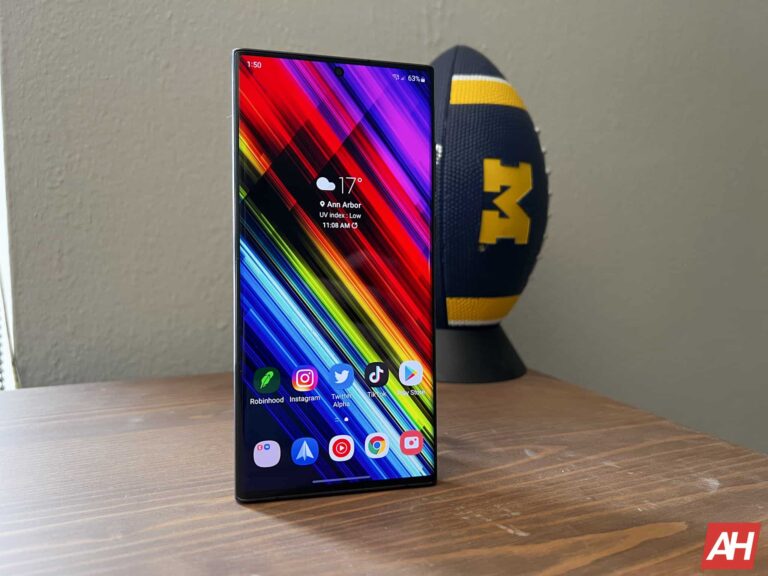
Samsung‘s May 2023 update is now available for more Galaxy smartphones in the US. The Galaxy S22 series and Galaxy Z Flip 5G are widely picking up the latest security patch stateside, while the Galaxy S21 FE has joined the party too. The company has already pushed the May SMR (Security Maintenance Release) to most of its recent flagship models globally.
The Galaxy S22 series began receiving the May update in the US last week. Samsung initially updated the factory-unlocked variants of the Galaxy S22, Galaxy S22+, and Galaxy S22 Ultra stateside. Today, the company has released the May SMR for their carrier-locked counterparts. These phones are picking up the update with the firmware build number S90*USQS2CWE1 or S90*USQS2CWE2 depending on your carrier.
Like the unlocked units, the carrier-locked Galaxy S22 phones are also only getting the latest security fixes with this update. Samsung isn’t pushing anything else here. Perhaps there may not be many new feature additions to these phones in the coming months. The company would keep most big features for Android 14, which should arrive later this year along with One UI 6.0.
That said, the May SMR does contain plenty of security fixes. We are talking about more than 70 fixes, some of which are critical ones. These patches are now available to unlocked Galaxy Z Flip 5G users as well. Samsung is rolling out the update with the build number F707U1UES4HWE1 (via). The carrier-locked variants of the original 5G-enabled Flip phone received this update a few days back. And we repeat ourselves, the device isn’t getting anything notable apart from the latest security fixes.
The Galaxy S21 FE is also getting the May update in the US
Earlier today, Samsung released the May update for the Galaxy S21 FE in Europe. It followed the limited initial rollout in Latin America last week. The company has wasted no time to bring the May SMR the US-bound Galaxy S21 FE. As of this writing, the update appears limited to carrier-locked units on Comcast’s network. But it should just be a matter of time before Samsung covers units on other networks and expand the release to unlocked devices. The new firmware version for carrier-locked units is G990USQS6EWD8.
If you’re using any of these Galaxy smartphones in the US and haven’t yet received Samsung’s May update, you can manually check for it from the Settings app. Go to the Software update menu and tap on Download and install to see if you have a pending OTA (over the air) release. If not, wait a few days and check again. You may also get a notification when the OTA release hits your Galaxy device.
It comes as no surprise as the launch of ChatGPT and other AI language models has ushered in a new era of artificial intelligence, with many people and companies now using AI tools in their everyday lives. However, according to security researchers at Sophos, this public interest in AI has also captivated the attention of threat actors, who are now posting fleeceware apps disguised as ChatGPT on Google Play and Apple’s App Store, tricking users into paying costly subscription fees under the guise of free trials.
What are fleeceware apps?
Unlike traditional malware, fleeceware apps operate by tricking unsuspecting users into paying exorbitant subscription fees through deceptive practices. In the case of ChatGPT, threat actors are currently taking advantage of the lack of an official ChatGPT app on mobile and targeting people who have just heard about this technology but do not know how to access it.
For example, the Open Chat GBT app on Android is available for free. However, when a user downloads it, the app constantly bombards them with advertisements until they subscribe to the premium tier.
Although both Google and Apple have guidelines in place for developers to offer in-app purchases, these threat actors submit their apps for review without fully disclosing the subscription pricing details, thus making it challenging for users to understand the payment structure.
“I saw multiple ads for these types of apps on social media platforms where it’s cheap to advertise, and sometimes they use tactics like typos in the name—calling the app ‘Chat GBT’ or others—to screen out people who might be a bit more savvy. They’re trying to screen out people who would do the free trial and then cancel it because it’s crap. They want the people who are not focused enough to know how to unsubscribe,” said Sean Gallagher, a senior threat researcher at Sophos.
How to stay protected?
While this new wave of fleeceware ChatGPT apps has prompted Apple and Google to take action, users also need to be aware of the possible dangers of downloading an unofficial app. Since OpenAI has not yet released an official app, the only way to access ChatGPT on your mobile is by going to the official website. Moreover, users should always exercise caution when downloading any app and carefully review the subscription terms.
KeePass, a widely used password manager application, is vulnerable to a security flaw that gives the threat actors ability to extract the master password from the memory of the app.
This vulnerability poses a significant risk as attackers can retrieve the password even when the database is locked, putting user data at risk if a device is compromised.
A security researcher named ‘vdohney’ identified the vulnerability and tracked the flaw as “CVE-2023-3278.” While apart from this, the researcher also developed a proof-of-concept tool (KeePass Master Password Dumper) to demonstrate how attackers can extract the KeePass master password from memory.
KeePass Password Vulnerability
Password managers eliminate the need to memorize multiple passwords for every account by generating distinct or unique passwords for each and storing them securely.
To ensure the security of the password vault, users need to remember a single master password that encrypts the KeePass database, restricting access to stored credentials.
If the master password is compromised, then unauthorized individuals could gain unrestricted access to all the credentials stored within the database, posing a serious threat.
To ensure robust security for a password manager, users must prioritize safeguarding their master password and refrain from sharing it with others.
The vulnerability, CVE-2023-3278, allows for retrieving the KeePass master password in clear text form, except for the first few characters, regardless of the locked workspace, enabling the recovery of most of the passwords in plaintext form.
A memory dump from various sources, such as process dump, swap file, hibernation file, or RAM dump, can be utilized without requiring code execution on the target system.
The flaw stems from KeePass 2.X’s usage of a custom password entry box called “SecureTextBoxEx,” which inadvertently stores traces of user-typed characters in memory, posing a risk for recovering passwords not only for the master password but also for other password edit boxes within KeePass.
The vulnerability, CVE-2023-32784, affects KeePass 2.53.1 and potentially its forks. However, it seems that the flaw doesn’t affect the:-
KeePassXC
Strongbox
KeePass 1.X
While the exploit is not limited to Windows and can be adapted for Linux and macOS, as it stems from how KeePass handles user input rather than being OS-specific.
Recommendation
Here below, we have mentioned all the security steps that the expert offers to secure your app:-
Make sure to change your master password immediately.
Delete the hibernation file.
Make sure also to delete the pagefile/swapfile.
To prevent carving, overwrite the deleted data on the HDD.
Even at $399 for the base model, you want to protect your Steam Deck as best you can and that’s why cases are a good thing to consider. The nice thing about the Steam Deck is that it comes with its own case already. And it’s not a bad one by any means. But it is bulky and is fairly basic in terms of what it can carry.
There’s also other types of cases out there that are meant to stay on the Steam Deck at all times. Much like a phone case would for a phone. Whether you’re looking for one of those types of cases, or something slimmer to keep it in during travel, or something more protective, there are options out there. And some pretty good ones at that. To help save you some time, we’ve rounded up a list of some of the best Steam Deck cases out there to keep your Deck in. Each one has its own unique benefits, but all will serve a single main purpose. Protecting your Steam Deck.
We’re starting off this list with the Vault Case from Insignia. While this isn’t a slimmer or more compact option than what you get with the Steam Deck, it does carry more things and it’ll be more protective from drops and bumps. The harder outer shell provides the drop and bump protection while the inside assists with the soft cushioned lining.
There’s a flip-down screen protector for the deck to prevent scratches on the display, and a zippered ouch on the underside of the lid makes for easy storage of your charger, microSD cards, microfiber cloth and more. What we don’t really like about it is that there’s no protection for the sticks. If this isn’t something you’re super worried about though, this makes a solid option.
This is currently our favorite option thanks to a few simple factors. One, it’s slim. And the whole point of one of these cases is to protect the Steam Deck during travel or when you want to stuff it in your backpack for on-the-go outings for the day.
The problem is how much room the Steam Deck case from Valve takes up. This option from tomtoc solves that by being much slimmer. It’s also great because it has cutouts for the joysticks and the touch pads. Which adds extra protection and helps prevent them from being pressed and smushed. There’s even a padded bumper to help prevent the triggers from being pressed during storage.
Lastly, it’s got a nifty carry handle up top and it’s splash resistant. If there’s one downside, it’s that there’s no extra storage room for the charger. There is however a tiny pocket in the screen cover for microSD cards and microfiber cloths and the like. Overall a solid option if you want a slim and protective case.
This next option is also from tomtoc and might just be a better option for some. The tomtoc sling pouch is a great case with everything from protection to storage. What we like about it is the fact that it protects your Steam Deck while also providing you with ample room to carry a few other small items. The unique “W” design of the inner pocket helps prevent pressure on the sticks. Plus you’ve got plenty of pocket space in there for your charger, microSD cards, and maybe even a pair of foldable wireless headphones.
Though your headphone storage may vary depending on what you have and if they’re foldable at all. It can also be used as an everyday carry sling for other items like your phone, keys, wallet, etc. And since it’s a sling you can wear it like a cross-body bag so you don’t have to carry it around in your hands. Making it a little more convenient if you need your hands for shopping or carrying anything else.
It’s a bit more pricey than the case, but worth it if you want room for more stuff.
This is another non-slim option but it’s got everything you need for carrying your Steam Deck around if you have a larger bag to put this in, such as a backpack. In fact there’s a lot of really neat features about this one that perhaps make it the ideal option if you don’t mind that it’s a thicker case. We’ll start with what every case should have. Indents on the underside of the lid for protection of the joysticks.
Aside from this feature, there’s a nice little compartment under where the Steam Deck sits for your charger, and a couple of other small items. Perhaps a pair of true wireless earbuds or a pair of wired earbuds, and maybe a small power bank. Additionally, there’s a separate flap that has storage for microSD cards, and the second flap can act as a kickstand for propping up your Steam Deck if you want to play with a controller. Which we think is a pretty nifty little feature to have.
The case also comes in a dark gray and this yellow color that mimics the Steam Sale discounts on games, which is kind of a nice touch.
Not every case is meant to be something you constantly put your devices into and take them out of. And that’s the idea with this case from Spigen. It’s a rugged armor case that is basically a shell case you’d see for smartphones and is meant to fit on your Steam Deck like a glove. So it stays there protecting it from bumps and scratches while you use it.
That being said, this isn’t designed for complete protection all the way around. The case protects the back, sides, bottom, and top. So essentially the face is completely unprotected. Which means you still need to be careful not to drop it if you can. The good news is that the Spigen Rugged Armor case also has an attached lanyard you can wrap around your wrist. Which we highly recommend using if you get this case. It also has proper cutouts for every button and port.
Overall, one of the best cases for Steam Deck and not a bad option for $19.99.
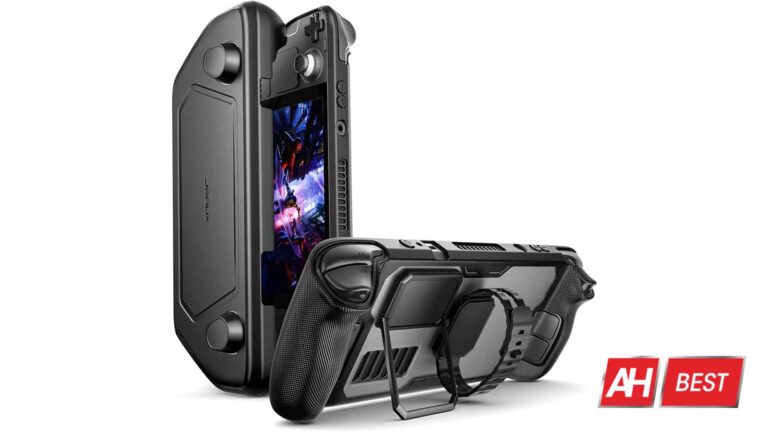
This is the perfect case to go with if you liked the style of the Killswitch case from Dbrand. While the Dbrand case is very nice, it’s also $75 and is only available for pre-order at the moment. Whereas the one from JSAUX here is available right now and is a fraction of that price at only $30.
You’ll get a lot of the same features with this case too. Like the cover that fits over the screen with the joystick cutouts. This is also a modular case, which adds the ability to attach two different accessories. A kickstand and a silicone strap. The kickstand is of course for propping up the Steam Deck so you can play with a controller. But the more nifty attachment we think, is the strap. This can be used to fasten a smaller power bank to the back to help keep your Steam Deck charged up while you play.
The case also features textured grips on the handgrips with cutouts for all the buttons and ports. Save for the volume and power buttons which have raised buttons instead.
This one is a similar option to the tomtoc one above, but with some slight differences. For the similarities, it has the soft microfiber lining, as well as cutouts for the joysticks, d-pad, touchpads and action buttons. It’s also slim and water and scratch resistant.
It will also fit your Deck with a silicone case on it. Where it differs is there’s no little pocket for the microfiber cloth or microSD cards. So the tomtoc case is a little in that respect. This one from Tombert though has the wrist strap which is a nice touch.
Rounding out the list is a silicone shell case from JSAUX. It’ll be a bit slimmer than the Spigen Rugged Armor case and still provide you with scratch and bump protection. And may just fit inside of a carrying case depending on the one you have.
The case comes in multiple colors so you can personalize it a bit, and it’s fairly flexible making it easy to put on. The anti-slip design will also make it easier to hold if you are prone to drop things or get sweaty hands while holding controllers or handhelds and the like.
For more than half a decade, we’ve seen smartphone manufacturers partner with camera manufacturers. This helps bring better results for the smartphone camera experience, and that does not seem to be slowing down. Japanese camera manufacturer Canon is looking to partner with a smartphone manufacturer.
We know about different partnerships between smartphone makers and Camera makers. Vivo has partnered with Zeiss, Xiaomi partners with Leica, and Oppo/OnePlus has partnered with Hasselblad. So, this isn’t something that’s entirely different.
The camera maker doesn’t go in and build the camera for the phone, however. It would either contribute its optics or assist in the software development and tuning for the camera.
Canon is considering partnering with a smartphone manufacturer
Anyone in the photography world knows Canon as an all-around consumer-focused brand. The company has its flagship cameras that give you great results along with its mid-range and budget cameras that you will find at your local Walmart. So, the company knows what it’s doing.
According to a report from CNBETA, Hideki Ozawa, the chairman of Ken in China, said in an interview that the company has been studying the matter. So, this probably means that Canon does not have a particular brand in mind. However, we can imagine that it has a list of potential partnerships being written up as we speak.
So, since the company is just in the consideration stage, we shouldn’t expect to see any phones boasting Canon Optics anytime soon. As for what companies would need this, we could probably expect companies like HTC. Not to say that HTC’s cameras are bad, but this could definitely be a great marketing stunt to put HTC back into the consumer mindset.
The same could probably be set for Nokia. This company has been struggling to get back into the smartphone market, and posting the robust camera experience powered by Canon would definitely raise a few eyebrows.
It’ll be interesting to see what company Canon decides to shake hands with. Only time will tell.
If you’re old enough, you might remember when Apple introduced the App Store back on July 10th, 2008 which coincided with the release of the iPhone 3G. The opening of the App Store changed everything and all of a sudden, the iPhone became exponentially more useful. The App Store launched with 500 apps available. By the time Apple was advertising the iPhone 3GS in 2009, the ads were claiming that there were 75,000 apps in the App Store. That doubled to 150,000 apps by February 2010.
Apple releases its first-ever App Transparency Report
And the number kept growing. By 2011, just 34 months since the App Store opened for business, it had over 500,000 apps on the shelves. In 2012, the App Store had 700,000 apps. But by July 2013, the Google Play Store, which started life in 2008 as the Android Market on the T-Mobile G1 (with less than 50 apps) had passed the App Store. The Play Store was the first to hit the one million app mark topping the 900,000 that was then available from the iOS app storefront. Five months later, the App Store finally went over the 1 million app mark.
There are nearly a million more apps in the Google Play Store than the Apple App Store
Apple today released its 2022 App Store Transparency Report that indicated exactly how many apps were available in the App Store by the end of last year. That figure amounted to 1,783,232 apps which is more than 3566 times the number of apps in the App Store when it first launched 14 years before. According to Apple, it removed 186,195 apps from the App Store last year.
Apple notes that “Apps may be removed from the App Store for a number of reasons, including violations of local law, repeated violations of App Store policy, fraud, and demands by regulators.” Games (38,883 apps removed) and Utilities (20,045) were the two categories with the most removed apps in the App Store last year.
Apple removed 1,474 apps from the App Store due to government demand. As the company stated, “Apps are removed only from storefronts in which the entity demanding removal has jurisdiction, and they remain available in all other storefronts.” Perhaps it is not a huge surprise that 97% of the apps removed from the App Store because of a country’s request came from mainland China.
Even though developers make much more money from the App Store than the Google Play Store, the latter hosts nearly more than 1 million more apps than the App Store. The Android app storefront had 2,694,114 apps available at the end of last year according to Statista. Part of the theory that many have come up with to explain this discrepancy is that since those with an iPhone pay more for their phone, they have the wherewithal to purchase more apps than Android users.
Apple created the App Transparency Report as part of a class action lawsuit settlement
With the release of its 2022 App Store Transparency Report, its first-ever, Apple writes, “Our App Store Transparency Report provides data about how we operate the App Store in all 175 countries and regions where it’s available. Below you’ll find information about our efforts to help keep the App Store a safe and trusted place for users to find apps they love. This report covers data from 2022, and we’ll update the information annually.”
Apple didn’t create the report out of the kindness of its heart. The report was part of a settlement related to a $100 million class action lawsuit between Apple and app developers in 2021. Besides having to shell out some money to developers (half received a $250 check while only 1% were supposed to be sent a $30,000 payment from Apple), the settlement requires Apple to release this App Transparency Report every year starting with the one just posted by Apple covering 2022.
The plaintiffs alleged that Apple would not allow app developers to communicate with its customers. Apple did not want these developers to provide links to third-party payment platforms that would allow subscribers to make in-app purchases using a third-party payment platform. This would allow subscribers to bypass Apple’s own in-app payment platform which collects a 30% cut of the price of an in-app purchase from an app’s developer.
The report shows that the average number of customers searching the App Store each week during 2022 was an impressive 373,211,396. The total number of apps appearing in the top ten results of at least 1,000 searches was 1,399,741. At the end of 2022, the number of registered Apple developers was 36,974,015.
The average number of weekly visitors to the App Store was 656,739,889 and the average number of app downloads each week was 747,873,877.