After announcing Rapid Security Response (RSR) last year, Apple has finally released the first RSR patches to the public.
On Monday, Apple released its first batch of Rapid Security Response (RSR) patches, iOS 16.4.1 (a), iPadOS 16.4.1 (a), and macOS 13.3.1 (a), for iPhone and iPad, and macOS devices, respectively.
RSR is a new type of software patch delivered between Apple’s regular, scheduled software updates. Previously, Apple security fixes came bundled along with features and improvements, but RSRs only carry security fixes. They’re meant to make the deployment of security improvements faster and more frequent. According to an Apple notice about RSRs, the new updates “may also be used to mitigate some security issues more quickly, such as issues that might have been exploited or reported to exist ‘in the wild’.”
Think of it as the company’s version of Microsoft’s out-of-band (OOB) patches.
“When a Rapid Security Response has been applied, a letter appears after the software version number, as in this example: macOS 13.3.1 (a),” the notice said, giving users a glimpse of how RSR versioning works.
Apple introduced Rapid Security Response updates with the launch of iOS 16, iPadOS 16, and macOS Ventura at its Worldwide Developers Conference last summer. Devices allow automatic RSR patching by default, but the company provided its users with the option to disable it. You can visit this Apple Support page to learn how you can do this on iPhone, iPad, and Mac.
If you do disable RSR, you will still receive security fixes as part of Apple’s regular software updates, just as you did previously. However, not getting a quick fix when it’s available could leave your device vulnerable to in-the-wild exploits.
Apple began testing RSR last year, with its beta testers. Monday’s patches were the first to be released to the public. Some users reported they couldn’t install the updates, even when devices successfully downloaded the patches, but that problem seems to have been resovled now, according to The Verge.
The company also didn’t make clear what security fixes RSR for iOS, iPadOS, and macOS addressed, since there were no notes released for them. Moving forward, Apple will only make RSR available to all devices running the latest version of iOS, iPadOS, and macOS.
RSRs aren’t the only recent innovation that should make it harder for criminals to exploit Apple devices. On April 21, we reported on Citizen Lab’s investigation into the effectiveness of Apple’s Lockdown Mode, a feature designed to provide a safer environment for users at a higher risk from targeted attacks, such as those developed by NSO Group, the company behind the notorious spyware Pegasus, and QuaDream. NSO Group is known to take advantage of 0-day vulnerabilities. RSRs should improve protection further by allowing Apple to patch those 0-days immediately after they’re discovered.
Malwarebytes removes all remnants of ransomware and prevents you from getting reinfected. Want to learn more about how we can help protect your business? Get a free trial below.
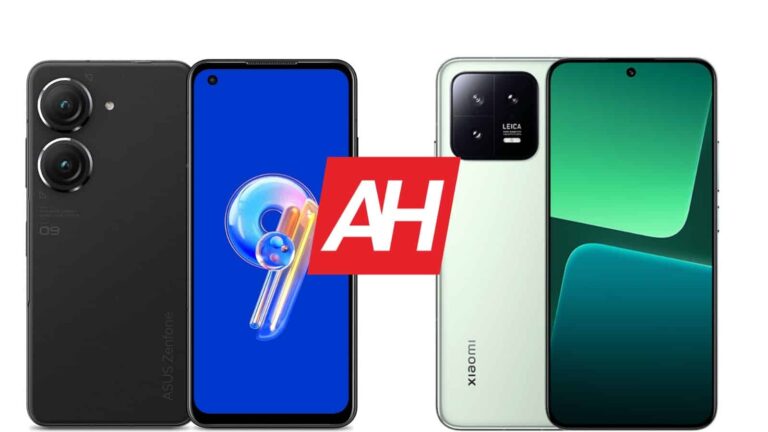
The ASUS ZenFone 9 is one of the best compact smartphones you can get at the moment. It did get some competition when Xiaomi launched its very own, rather compact offering, the Xiaomi 13. Those are the two phones we’re here to compare, the ASUS ZenFone 9 vs Xiaomi 13. Granted, the ZenFone 9 is the smaller one of the two, and you will notice the difference. But still, the Xiaomi 13 has truly thin bezels, and a 0.46-inch larger display, so that may be worth it for some.
Both of these phones are quite powerful, though they both look different, and feel different in the hand. There are quite a few differences here in general, so comparing them should be interesting. We’ll first list their specifications, and will then move to compare them across a number of other categories. Let’s get to it!
You will notice that both smartphones have flat displays, but don’t really look that similar from the front. The Xiaomi 13 does have thinner bezels in comparison (and uniform too), while their display camera holes are in different spots. The ZenFone 9 has one in the top-left corner, while the Xiaomi 13’s is centered at the top of the display. They both have rounded corners, though. You will notice that both of these phones also have flat sides all around.
Both devices also have physical buttons on one side only, the right side. The ZenFone 9’s power/lock key does double as a fingerprint scanner, and it has more functions. If we flip them over, you’ll notice quite a few differences. The ZenFone 9 has two cameras on the back, each of which is presented by its own camera island. The Xiaomi 13 includes three cameras back there, but all of them are included inside a single camera island.
The ZenFone 9 combines an aluminum frame with a composite polymer back, while the Xiaomi 13 comes in both glass back and silicone polymer back variants. It includes an aluminum frame. Both devices are IP68 certified, while the ZenFone 9 is the lighter of the two. It is also shorter, narrower, and thicker than the Xiaomi 13. Both smartphones feel really good in the hand, and are good for one-hand use, but the ZenFone 9 more so than the Xiaomi 13. Both companies did a good job when it comes to build quality.
ASUS ZenFone 9 vs Xiaomi 13: Display
The ASUS ZenFone 9 includes a 5.9-inch fullHD+ (2400 x 1080) Super AMOLED display. This panel is flat, and it has a 120Hz refresh rate. The ZenFone 9’s display supports HDR10+ content, and it also gets up to 1,100 nits of peak brightness. This display has a 20:9 aspect ratio, and it’s protected by the Gorilla Glass Victus.
The Xiaomi 13, on the flip side, has a 6.36-inch fullHD+ (2400 x 1080) AMOLED display. This display is also flat, and it has a 120Hz refresh rate. Dolby Vision is supported, and so is HDR10+ content, by the way. The Xiaomi 13’s panel goes up to 1,900 nits of peak brightness, and it has a 20:9 aspect ratio. The Gorilla Glass 5 protects this display.
Now, both of these displays are really good. They offer more than enough sharpness, they’re vivid, and have good viewing angles. The touch response is good on both of them. We did prefer the default color settings on the Xiaomi 13, but you can tweak that through the settings. The Xiaomi 13 panel does have one notable advantage, and that is its brightness. If you’re using your phone outdoors a lot, you’ll definitely appreciate the difference. The Xiaomi 13 can go way higher in terms of brightness.
ASUS ZenFone 9 vs Xiaomi 13: Performance
ASUS’ handset is fueled by the Snapdragon 8+ Gen 1 SoC. In addition to that, it includes up to 16GB of LPDDR5 RAM and UFS 3.1 flash storage. The Xiaomi 13, on the other hand, is fueled by the Snapdragon 8 Gen 2 SoC, while it comes with up to 12GB of LPDDR5 RAM and UFS 4.0 flash storage. Do note that its base, 128GB model, does include UFS 3.1 storage, not UFS 4.0. All the other variants do have UFS 4.0, though.
The Xiaomi 13 does include more powerful performance-related specs, that’s for sure. It has a more powerful SoC, and newer and faster RAM and storage. That is not something that will be obvious during usage, however. The Snapdragon 8+ Gen 1 is an outstanding SoC, and even though you may notice minuscule differences on how fast the two phones open apps, that’s really not important here.
The Snapdragon 8 Gen 2 will technically be able to handle more strain, but both phones perform admirably. Even when it comes to gaming, there’s nothing you won’t be able to run on the ZenFone 9. When you get the most graphically-intensive titles, you may notice a difference between the two, but the ZenFone 9 can still run any game with style. Both devices have outstanding performance, though we did prefer the software implementation on the ZenFone 9.
ASUS ZenFone 9 vs Xiaomi 13: Battery
ASUS’ handset includes a 4,300mAh battery, while the Xiaomi 13 has a 4,500mAh battery pack under the hood. They both offer good battery life, but the ZenFone 9 does have a slight advantage, at least based on what we’ve seen. Getting over 7 hours of screen-on-time was easily possible for us, while the Xiaomi 13 was closer to 6-6.5 hours most of the time. It’s possible that changed due to a number of updates, though, as the Xiaomi 13 is capable of providing more juice.
Your mileage may, of course, vary, considerably. You will be using your phone differently, with different apps installed, and with different signal strengths. One thing is for sure, for compact phones, both devices offer really good battery life. You cannot really expect the heights of the Galaxy S23 Ultra or the OnePlus 11, but for compact devices, this is excellent, especially if we compare them to some older models.
When charging is concerned, the Xiaomi 13 dwarfs the ZenFone 9. It supports 67W wired, 50W wireless, and 10W reverse wireless charging. The ZenFone 9 supports 30W wired, and 5W reverse wired charging. Both smartphones do come with chargers in the box, which is a nice touch, especially considering how many OEMs ditched chargers in the last couple of years.
ASUS ZenFone 9 vs Xiaomi 13: Cameras
The ASUS ZenFone 9 has a 50-megapixel main camera, and a 12-megapixel ultrawide camera (113-degree FoV). The Xiaomi 13, on the other hand, comes with a 50-megapixel main camera, a 12-megapixel ultrawide camera (120-degree FoV), and a 10-megapixel telephoto camera (3.2x optical zoom). The Xiaomi 13 also has Leica lenses on the back. Do note that the two phones provide entirely different-looking photos.
The ZenFone 9 loves to tune up the saturation, and the images do tend to look a bit oversharpened. That’s not immediately noticeable in some situations, but the moment you zoom in even a bit, you’ll notice it. The Xiaomi 13 images do tend to look closer to real life. If you opt for the ‘Leica Vibrant’ shooting mode, however, you can make them more lively, without having them looking overprocessed. It’s a nice balance, actually. Both phones provide sharp and nice-looking photos, but we prefer the Xiaomi 13 output, due to the lack of oversharpening.
Ultrawide cameras do keep up with the main cameras in terms of color profiles. The Xiaomi 13’s ultrawide camera has a wider field of view, however. The ZenFone 9 doesn’t have a telephoto camera, so zoom shots do look better on the Xiaomi 13. They actually look really good in general. Both selfie cameras are good for what you’ll use them for, but the ZenFone 9’s has the same problem as the rear cameras, too much sharpening.
Audio
You will find stereo speakers on both of these phones, and both sets are actually really good. I didn’t expect much out of the ZenFone 9 in this regard, mainly due to its size, but the phone sure delivered. Both sets of speakers provide detailed and pleasant sound output, while they can also get quite loud if needed.
The ZenFone 9 even has a headphone jack, in case you want to hook up your wired headphones. The Xiaomi 13 does not offer it, so you’ll have to utilize the Type-C port. If you prefer wireless headphones, the ZenFone 9 and Xiaomi 13 support Bluetooth 5.2 and Bluetooth 5.3, respectively.
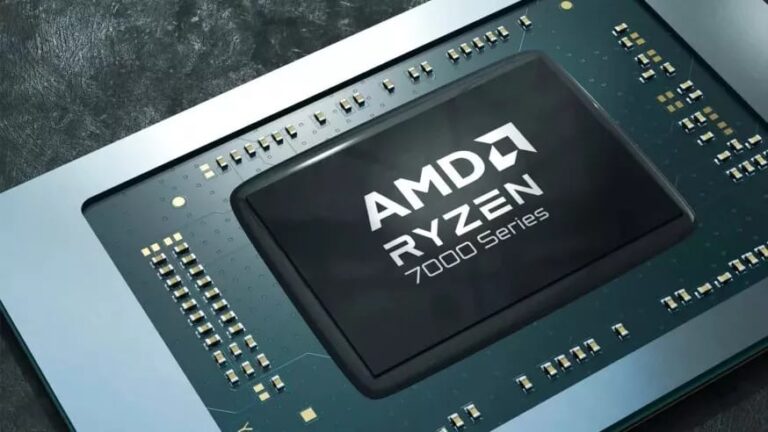
It’s no secret that ever since Apple switched to using its in-house processors, no other chip manufacturer has been able to match Apple in terms of performance per watt. However, AMD has stepped up its game with its latest processor, the Ryzen 7040U series. These new chips will directly compete with Apple’s latest offerings, and according to the promotional videos, the new Ryzen 7040U series just might be the competitor everyone has been waiting for.
AMD first showcased the new Ryzen 7040U series at CES in January. This series is part of the Ryzen 7040 family and consists of four new U-class chips, including the flagship Ryzen 7 7840U, the midrange Ryzen 5 7640U and 7540U, and the affordable Ryzen 3 7440U, which all have a configurable TDP of 15 to 30 watts. This feature allows laptop manufacturers to balance performance and efficiency.
However, it is important to note that all the newly launched U-class chips are not equal, as the two highest-end variants not only have more cores but also support Ryzen’s AI hardware.
Performance comparisons
In terms of performance, the flagship Ryzen 7 7840U promises to offer a solid 72% better multiprocessing performance, 9% better 3D rendering performance and 14% better responsiveness compared to Apple’s M2 chip. When competing with Intel, AMD claims that the 7840U can outperform Intel’s top-end Raptor Lake P chip by 30% to 130%, depending on the workload. Which is a pretty significant difference in terms of performance if the figures are accurate.
Furthermore, AMD claims that its new RDNA 3 iGPUs are significantly better than Intel’s Iris Xe integrated graphics, with performance up to 139% better than the i7-1360P’s graphics.
With the performance numbers AMD is claiming, these new chips can potentially disrupt the laptop industry. Slim and lightweight laptops like the Dell XPS 13 may now compete with Apple in terms of performance without having to rely on Intel’s power-hungry and less efficient chips.
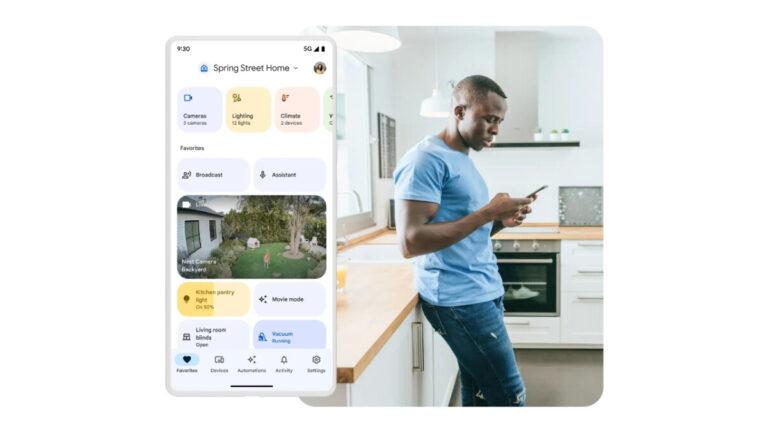
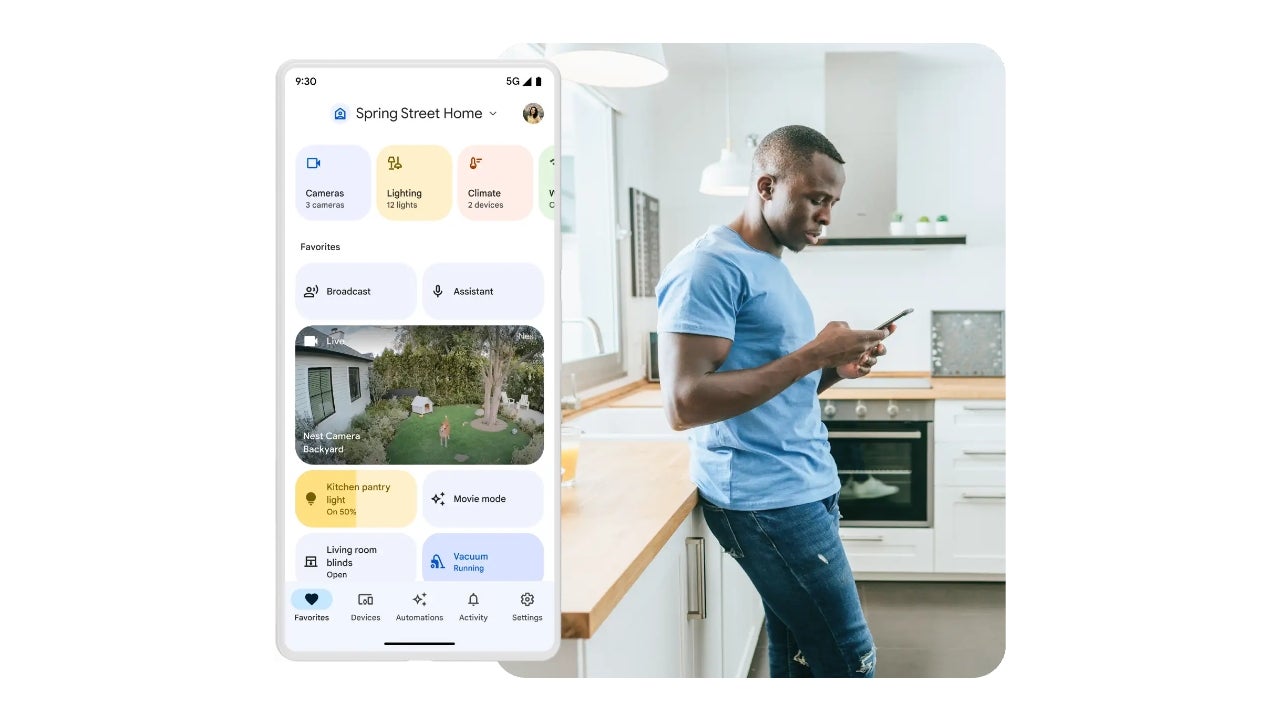
Following the massive update that the Google Home app received back in March, it is now working on a new version with some additional changes. Some of the most obvious changes are the introduction of an Inbox and redesigned lighting controls.
This redesign, as reported by 9to5Google, is currently rolling out server-side to those who are enrolled in the Google Home Public Preview program. One of the most obvious design changes is the introduction of a notification bell icon that sits on the top of the favorites tab. Tapping on this notification bell brings up the Inbox feed, which is basically a redesigned activity tab.
An actual Activity tab will remain, but it will soon only display what was formerly known as the “History” view. As a result, Google has updated the bell icon in the bottom bar of versions 3.0 and higher of the app so that it more accurately reflects the app’s new purpose. Note that these new modifications to the bottom bar that contains all the tabs, has not been pushed to version 2.67, and version 3.0 is not yet generally accessible on Android.
Another very noticeable design change is what is rolling out with version 3.1, which will completely transform the look of the lighting controls. This change is currently only visible on that version which is only available in the Dogfood build, meaning the version of the app that is still being tested internally and with a trusted group.
The new lighting controls replace the familiar adjustment ring with a pill-shaped slider, enhancements to the color controls, and a grid of lighting presets. The enhanced color controls now let you adjust the temperature and color, allowing you to get more granular when wanting to pick a specific color.
It’s not clear when the new version will be rolled out to users. However, judging by the work has been done on it so far, it’s clear that Google is committed to making the Google Home app a one-stop-shop for your smart home.
Samsung‘s year-long run as the world’s largest smartphone company is under serious threat from Apple. The iPhone maker just posted its highest-ever Q1 share, almost toppling Samsung as the smartphone leader. The two firms were separated by less than a single percentage point in Q1 2023.
According to research firm Counterpoint Research, the global smartphone market declined 14 percent year-on-year (YoY) in Q1 2023. The firm reported a shipment volume of 280.2 million units in the first three months of the year, down from 326.4 million in the same period a year ago. Shipments also dropped seven percent from 302.6 million units in the year-ending quarter of 2022.
The ongoing economic situation caused this slowdown. All major smartphone vendors suffered a decline in sales in Q1 2023. But things now look much worse for Samsung than for its rival Apple. Its shipments dropped 19 percent this past quarter, while the iPhone maker suffered a negligible two percent decline. The result is, Apple captured 20.7 percent of the global smartphone market while Samsung’s share came in at 21.6 percent.
This is reportedly Apple’s highest-ever market share in the first quarter of any year. Its share in Q1 2022 was 18.1 percent. Samsung captured 22.8 percent of the global smartphone market in the first three months of last year. But it has failed to maintain that gap at the top in the first quarter of 2023. The Korean giant is now at risk of conceding the smartphone crown to the iPhone maker.
Apple usually leads the quarterly chart in the year-ending quarter thanks to the launch of the latest iPhones. However, such a close battle at the top in the first quarter doesn’t bode well for Samsung. The Korean firm launched the Galaxy S23 flagships early in February this year. It should have kept a healthy lead over Apple in Q1 2023. It remains to be seen if Samsung sees turn a of fortune in the second quarter.
Apple already has a massive lead over Samsung in smartphone profit share
Since Apple doesn’t make budget phones, its average selling price (ASP) is usually much higher than other smartphone vendors. Unsurprisingly, it has a massive lead in profit share too. The iPhone maker took about 80 percent of the total operating profit in the smartphone industry in Q1 2023, which is a 72 percentage point lead over Samsung. Apple also generated almost half of the total smartphone revenue despite the Korean firm increasing its ASP 17 percent YoY to $340.
Xiaomi, Oppo, and Vivo are the three biggest smartphone companies behind Samsung and Apple, in that order. They also suffered a massive decline in shipments in Q1 2023. Xiaomi, which had the biggest decline of all five vendors (22 percent), marginally increased its ASP but that wasn’t enough to significantly improve its profit and revenue share. Overall, global smartphone revenues declined by seven percent YoY to around $104 billion in Q1 2023 on the back of poor sales.
Bluesky is the new kid on the social media block. And in the past couple of weeks, it has gotten very popular. So popular in fact, that invites to the new website are now being sold on eBay.
Just a quick search on eBay and you’ll find invites going for around $75 to $150, however those are bids. If you click on “Buy it Now” you’ll see invites going for as much as $6,900 right now. Which is incredibly insane. That’s just how badly some people want to get onto Bluesky, and away from Elon Musk’s Twitter.
To cap it off, after paying $6,900 for an invite, the seller is charging you $5.05 to ship it. It’s a digital code, there’s no shipping.
Why is Bluesky so popular right now?
Bluesky, if you aren’t aware, is a new social media network that was being built by Twitter co-founder Jack Dorsey even before Elon Musk bought Twitter. But since Musk bought Twitter, Bluesky has gained a lot of popularity. As Musk continues to drive Twitter into the ground, users are looking for an alternative.
Sites like Mastodon and Hive Social surged with new users in October and November after the Musk deal was finalized, but most users have stopped using those sites. Mastodon was the first to fall, because it is so difficult to use.
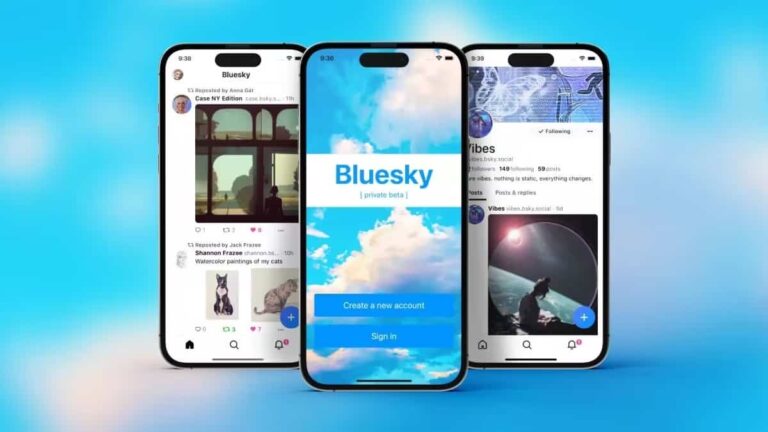
Enter Bluesky, who opened a waiting list for invites about a month ago. From the screenshots we can see, since we don’t have an invite yet, Bluesky looks like a stripped down version of Twitter. It looks exactly like Twitter, even down to the colors and fonts. But there are things missing, like private messages. The ability to block people was missing, but it rolled out earlier this week.
So why are people so interested in switching to Bluesky? Well, Musk is one reason. Another is so they can reserve their username of choice, and watch Bluesky grow up. Now will Bluesky take over and replace Twitter? Who knows. But it could end up being a really nice alternative to it.
If you want to get onto Bluesky, without buying an invite from eBay, you can check out our guide on how to get an invite here.
Like every other tech giant out there, Apple also has their own smart speaker – the HomePod. Now the HomePod has had a rather shaky history on the market. With the first one being priced pretty high at $349. Which ended up with Apple canning the product, only to bring it back as basically the same HomePod but now $50 less.
But you can often times find the HomePod for less than what Apple sells it for. Many retailers do generally have discounts for the HomePod and HomePod Mini. And in this article, we’ll round up the very best deals.
Best Apple HomePod Deals
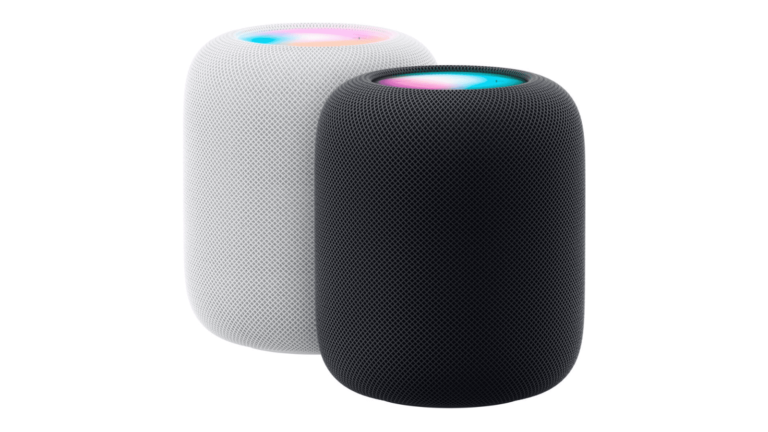
Apple, currently has two versions of the HomePod. There’s the HomePod and the HomePod Mini. As you might expect, the HomePod Mini is smaller and cheaper than the HomePod. The HomePod is normally $299, while the HomePod Mini is $99.
The big difference between the two, is the audio difference. Which does have an impact due to the size. Both of them do support Spatial Audio and Dolby Atmos. But if you’re looking for a whole-home experience, the regular HomePod is going to be the better option. The HomePod Mini is better to use on a desk or next to your bed. Somewhere that you don’t need the music to be very loud.
The HomePods are pretty limited, unfortunately. They really only work with Siri and Apple Music. They are supposed to get Spotify support, but who knows when that will happen. Of course, the most important part here is that they also need to be setup with an iPhone or iPad. So you’ll need at least another Apple device to really take advantage of the HomePod.
They are great speakers, but some might hesitate to call them a “smart speaker”.
Without further ado, here are the best HomePod deals available right now.
The foldable industry is booming with some new screen technology coming from Huawei, ZTE, and BOE. These tech giants are pulling their resources and know-how together to hit the foldable market with something new. Already Huawei is prepping to announce their new foldable device to the world and it comes with some jaw-dropping technology.
But this article will focus on what is coming from the collaboration between these Chinese tech firms. Information on this issue was made public by popular tipster, Digital Chat Station, via his Weibo page. He also gave some details on the screen in work and the brands that might feature the folding screen technology.
All three companies in this collaboration are top of their games in their various industries. So it will be lovely to see a foldable device that encompasses all three companies’ designs. Without any delay, here is what you need to know about the flexible under-display camera OLED display this collaboration will bring to the limelight.
Details on the coming flexible under-display camera OLED screen from Huawei, ZTE, and BOE
Over the past few years, Huawei has been a reputable force in the foldable industry. Bringing impressive foldable devices with inward and outward folding hinges. They are also great at making their foldable devices quite sleek, hence outwitting the competition from the like of Samsung and other recent entries.
ZTE on its part has come through with the most impressive under-display camera technology. This has made their flagship-level devices like the ZTE Axon 40 Ultra stand out from the crowd. Samsung has even tried to make use of a similar technology but didn’t hit the nail on the head as well as ZTE has done.
BOE is one of the top display manufacturing companies available today. Their business brings products that are put to use in the development of a ton of flagship devices available today. Apple is one of the big names that source screens from BOE, this is so because of the quality it offers.
Considering the achievements of these three firms in their various lines, one can expect much from their collaboration. This will produce a foldable device that will stand out from the crowd in many ways. According to Digital Chat Station, this screen will be used on a coming ZTE foldable device, that will be the first from the brand.
Huawei will also implement this technology in its coming foldable devices. Pairing this flexible screen with Huawei’s impressive hinge technology will be game-changing. The coming months will bring more details on the 1,440Hz PWM dimming screen this collaboration will produce.
Samsung is pushing the May 2023 Android security patch to several Galaxy devices today. The company has released the latest security update for the Galaxy Note 20 series, Galaxy Z Flip 3, Galaxy Z Fold 2, Galaxy A52 5G, and Galaxy A33 5G. The new SMR (Security Maintenance Release) has been previously rolled out to the Galaxy S23 series, Galaxy Tab S8 series, and a few other models.
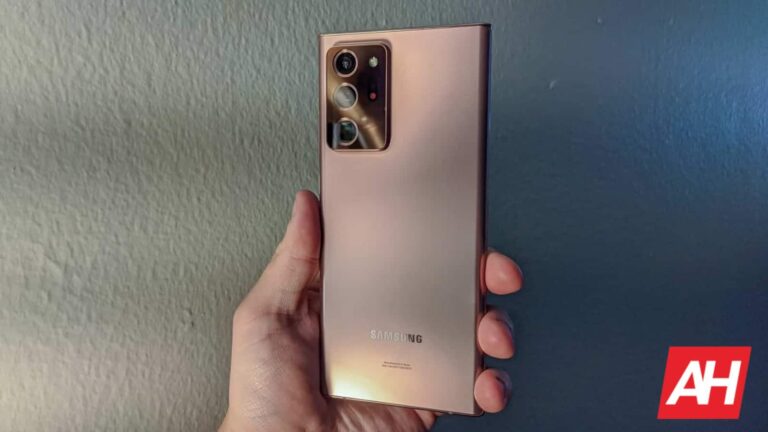
Samsung’s May update for the Galaxy Note 20 series is currently available in Latin America. More specifically, the new SMR is rolling out to users in Brazil. The company should soon expand the release to other countries in the region, and also cross boundaries to other parts of the world. The new firmware build number for the last Note-series phones is N98*BXXS6HWE2. The update seemingly doesn’t bring anything apart from the latest security fixes.
The Galaxy Z Flip 3 is also initially receiving the May SMR in Latin America. The rollout is a little wider for the 2021 clamshell foldable. It is picking up the new update in Colombia, Guatemala, Mexico, Panama, Peru, and Trinidad & Tobago, SamMobile confirms. This phone is getting the build number F711BXXS4EWD9 with the latest update. Once again, Samsung isn’t pushing anything apart from the new security patch.
The story remains the same for the Galaxy Z Fold 2 as well. The May update for this 2020 foldable is available in the same six Latin American countries as the Galaxy Z Flip 3. The updated firmware version for this phone is F916BXXS2JWE1. And you guessed it right, there aren’t any goodies to look forward to here either. The update brings the latest security patches but nothing else.
The May update for the Galaxy A52 5G and Galaxy A33 5G is also currently limited to Latin America. Samsung is pushing the latest SMR to the two mid-range models in select countries in the region. The new firmware versions for the phones are A526BXXS3EWD8 and A336MUBS4CWD4, respectively (via). A wider rollout should follow in the coming days. Don’t expect anything major, though. This update is all about security fixes.
The May update patches over 70 vulnerabilities in Galaxy devices
If you’re using any of these Samsung smartphones, the latest update for your phone brings fixes for more than 70 security issues. The May SMR patches around 20 Galaxy-specific flaws and over 50 Android OS vulnerabilities. At least six of those issues are labeled critical by Google and Samsung. If you don’t receive a notification for a new update anytime soon, you can manually check for it from the Software update menu in the Settings app.
Ever since the advent of e-commerce websites, fake reviews have been a headache for shoppers who rely on customer feedback to make informed purchasing decisions. However, the launch of AI chatbots like ChatGPT has made matters worse since companies are now using AI to write fake reviews for their products. Now, in an effort to address this issue, Mozilla has acquired Fakespot, a startup that uses AI and machine learning to identify fake or unreliable reviews.
Mozilla says it plans to integrate the browser extension into its Firefox browser and use Fakespot’s grading system to assign a grade between A and F based on the authenticity of the reviews. Additionally, the company is also working on new exclusive Fakespot features that will help users make informed purchasing decisions on all major retailers, including Amazon, BestBuy, eBay, Walmart, Shopify, and Sephora.
Furthermore, speaking on the concerns that Mozilla might make Fakespot exclusive to their browser, Steve Teixeira, Mozilla’s Chief Product Officer, assured users that the extension would continue to work on all major web browsers and mobile devices and that Mozilla would only continue to enhance the experience.
Mozilla’s efforts to incorporate AI
Since the start of the AI revolution late last year, companies like Mozilla and Microsoft have been pushing to integrate more AI features and potentially gain some market share from Chrome. And this move to acquire Fakespot aligns with the company’s goals and comes shortly after it launched Mozilla.ai, an AI-focused startup that aims to build trustworthy and open-source AI.
“We think there is a commercial market in trustworthy AI — and that this market needs to grow if we want to shift how the industry builds AI into the apps, products and services we all use every day. Mozilla.ai — working loosely with many allied companies, researchers and governments — [has] the opportunity to collectively create a ‘trust first’ open source AI stack,” said Mark Surman, the executive president of Mozilla.