OpenAI has introduced a feature that lets you opt your conversations out of ChatGPT’s training data, but you have to switch it on.
Last week, OpenAI announced it had given ChatGPT users the option to turn off their chat history. ChatGPT is a “generative AI”, a machine learning algorithm that can understand language and generate written responses. Users can interact with it by asking questions, and the conversations users have with it are in turn stored by OpenAI so they can be used to train its machine learning models. This new control feature allows users to choose which conversations to use to train OpenAI models.
“Conversations that are started when chat history is disabled won’t be used to train and improve our models, and won’t appear in the history sidebar,” the company said in the announcement. “When chat history is disabled, we will retain new conversations for 30 days and review them only when needed to monitor for abuse, before permanently deleting.”
Prior incidents involving ChatGPT may have prompted these changes. Early this month, reports revealed Samsung employees had erroneously shared confidential company information with ChatGPT. Before this, OpenAI took ChatGPT offline after it exposed some chat histories to others using the tool at the same time. This incident earned the attention of a data protection agency in Italy, which then ordered a temporary ban for the AI, pending an investigation.
Along with its announcement, OpenAI also revealed a ChatGPT Business subscription that will keep users’ input out of its training data. “ChatGPT Business will follow our API’s data usage policies, which means that end users’ data won’t be used to train our models by default,” the company said.
How to opt out of OpenAI’s trianing data
Log in to ChatGPT and click the three dots next to your name to open a menu.
Choose Settings from the menu.
The Settings menu will appear in the middle of the screen. Click Show next to Data Controls to expand the window, and then toggle the switch next to Chat History & Training to the off position to stop your data being used to train ChatGPT.
Users can also export their chat history for local storage by clicking the Export data text in the expanded Settings window. Users will receive an email with a button link to the file containing all of their conversations.
Note that disabling Chat History & Training also turns off ChatGPT’s conversation history feature. Chats created after disabling the option won’t appear in the history sidebar, but cached conversations found in the sidebar of the page remain.
Malwarebytes removes all remnants of ransomware and prevents you from getting reinfected. Want to learn more about how we can help protect your business? Get a free trial below.
This time around, we’re comparing the Xiaomi 13 Ultra vs OPPO Find X6 Pro. These two smartphones are amongst the most powerful devices on the market at the moment. Both of them come from well-known China-based smartphone manufacturers, and both are heavily focused on the camera experience. They have another thing in common, they’ve both been released in China only, for now. The Xiaomi 13 Ultra is coming to global markets for sure, but the Find X6 Pro may not launch outside of its homeland. We’ll see.
Having said that, both are perfectly usable outside of China, even with China-based software. I’ve reviewed them after quickly sideloading Google services, and it turns out they are true powerhouses. You can check out their specs below, and following that, we’ll compare the two devices across a number of other categories, including design, display, performance, battery life, cameras, and audio performance.
Both of these smartphones have curved displays, and huge camera oreos on the back. They’re both large, and utilize vegan leather on the back (more on that later). The implementations are different, and they’re not that similar design-wise. Well, they are if you look at them from the front, but the moment you flip them over, or start handling them, you’ll notice plenty of differences. Both smartphones have a centered display camera hole at the top of their displays, and both include thin bezels.
The Xiaomi 13 Ultra is a bit heavier at 227 grams, compared to 216/218 grams of the OPPO Find X6 Pro. The Find X6 Pro comes in two different build variants, one has a glass backplate, and the other combines vegan leather with glass. They’re very similar when it comes to height, while the Xiaomi 13 Ultra is a bit narrower. They’re equally thick, well, at least at the thinnest point.
The Xiaomi 13 Ultra is thinner in the lower portion of its body, as the thickness gradually increases towards the camera oreo. Xiaomi did this to hide the camera bump a bit, as it would be truly gigantic otherwise. That hill also serves as a good anchor point for your finger when you’re holding the device. The vegan leather backplate does not curve into the sides of the phone, it transfers to metal on the back itself. This is a rather interesting implementation. The vast majority of the Find X6 Pro’s backplate is covered by vegan leather, while the top portion is covered by glass. The glass model has glass only on the back, though, of course.
Both of these phones are quite large, and are not exactly easy to use with one hand. Their weight doesn’t help things. The vegan leather on the back does add some grip to the equation, so that’s good if you plan on using them without a case. That’s not something we’d recommend, however, mainly because of those huge camera oreos on the back. Both phones feel sturdy in the hand, and well-built.
Xiaomi 13 Ultra vs OPPO Find X6 Pro: Display
The Xiaomi 13 Ultra features a 6.73-inch QHD+ (3200 x 1440) LTPO AMOLED display. That panel can project up to 1 billion colors, and supports a 120Hz refresh rate (adaptive). Dolby Vision is also supported, as is HDR10+ content. This display gets immensely bright, as its brightness goes up to 2,600 nits at its peak. We’re looking at a 20:9 display aspect ratio here, and this panel is curved. It is protected by the Gorilla Glass Victus.
Xiaomi 13 Ultra display
The OPPO Find X6 Pro, on the flip side, has a 6.82-inch QHD+ (3168 x 1440) LTPO3 AMOLED display. This display is also curved, and it has a 120Hz refresh rate (adaptive). Dolby Vision is supported, as is HDR10+ content. This panel also gets immensely bright, up to 2,500 nits. These are actually two of the brightest displays on the market now. This display is protected by the Gorilla Glass Victus 2.
Both of these displays are outstanding in every way. They’re not only immensely bright, and easily usable outdoors, but are also extremely sharp and vivid. They offer great viewing angles, and the blacks are deep. Touch response is excellent on both smartphones too. I enjoyed using both panels, and quite frankly, don’t have any complaints here. They can also be tuned to your preference in the settings.
Xiaomi 13 Ultra vs OPPO Find X6 Pro: Performance
You will find the Snapdragon 8 Gen 2 SoC inside both of these smartphones. That is Qualcomm’s most powerful processor to date. In both smartphones, that SoC is backed by LPDDR5X RAM and UFS 4.0 flash storage. Both phones offer up to 16GB of LPDDR5X RAM. The specs are there, but what’s the performance like? Well, outstanding, as far as general operational smoothness is concerned.
Both of these phones are buttery smooth. It doesn’t really matter what you’re doing at the moment, they can do easier tasks without a problem, and the same goes for more demanding operations. Opening apps is a breeze, as is browsing, image and video processing, media consumption, and so on. Even if you love gaming, both of these phones can deliver. Even when it comes to the most demanding games out there, it’s not a problem. These are some of the most powerful devices you’ll find in the market at the moment. Do note that both are running software made for China at the moment.
Xiaomi 13 Ultra vs OPPO Find X6 Pro: Battery
A 5,000mAh battery sits inside each of these two smartphones. The battery life is not the same, but it is comparable. The Snapdragon 8 Gen 2 is great when it comes to power consumption, and having the latest RAM and storage units definitely helps too. Both smartphones can cross the 8-hour screen-on-time mark, at least they did for us. They won’t offer the same level of battery life as the Galaxy S23 Ultra or OnePlus 11, but they’re outstanding in that regard regardless.
Even power users should be happy with the battery life here. Do note that gaming could affect the battery life negatively, I didn’t really play any games outside of specific game testing. I am a power user, though, so take that into account. Your apps, usage, and signal strength will be different, though, so your mileage will vary, the question is by how much. One thing is for sure, though, they both offer great battery life.
As far as charging is concerned, they’re both well-equipped. The Xiaomi 13 Ultra supports 90W wired, 50W wireless, and 10W reverse wireless charging. The OPPO Find X6 Pro supports 100W wired, 50W wireless, and 10W reverse wireless charging. Do note that both smartphones ship with proper charging bricks, so that you can take advantage of the fastest charging available.
Xiaomi 13 Ultra vs OPPO Find X6 Pro: Cameras
When it comes to cameras, both smartphones have outstanding hardware. The Xiaomi 13 Ultra has four 50-megapixel cameras. A 50-megapixel main camera (1-inch sensor, variable aperture) is backed by a 50-megapixel ultrawide camera (122-degree FoV), and a 50-megapixel telephoto camera (3.2x optical zoom). A 50-megapixel periscope telephoto camera (5x optical zoom, 120x digital zoom) is also included. Leica lenses are included.
OPPO Find X6 Pro cameras
The OPPO Find X6 Pro, on the other hand, offers three 50-megapixel cameras on the back. A 50-megapixel main camera (1-inch sensor) is included, alongside a 50-megapixel ultrawide camera (110-degree FoV), and a 50-megapixel periscope telephoto unit (2.8x optical zoom, 120x digital zoom). These cameras are backed by Hasselblad, who also handles color tuning.
Both of these smartphones are outstanding when it comes to camera performance. The images they provide during the day, with that 1-inch camera are outstanding. The colors are spot on, and the vignetting effect is noticeable on the Xiaomi 13 Ultra. You can counter that via a different Leica shooting mode, though. The natural bokeh looks great on both phones, while the images are extremely well-balanced. In low light, those sensors can pull in a lot of light, and without a ton of processing or sharpening, provide truly detailed photos. The OPPO Find X6 Pro images do tend to be slightly brighter, but the details are on par with them.
Ultrawide cameras are great on both devices. The Xiaomi 13 Ultra’s has a wider field of view, but the OPPO Find X6 Pro’s does a slightly better job in low light. The telephoto camera on the phone also handles low light slightly better, while both of those telephoto cameras are great for portraits, actually. The periscope telephoto units are truly useful in good lighting, but even if there’s not a ton of light around, they’re still perfectly usable. The OPPO Find X6 Pro’s periscope telephoto unit does handle low light situations a bit better, actually, perhaps even better than any other implementation out there. The selfie camera is not the Xiaomi 13 Ultra’s strong suit, the one on the Find X6 Pro does a better job.
Audio
You will find a set of stereo speakers on each of these two smartphones. Those speakers are actually really good in both cases, though they do sound a bit different. The soundstage is wide enough, and the sound is detailed, with even some bass thrown into the mix.
If you want to plug in your wired headphones, you’ll have to use a dongle, as neither phone has an audio jack. If you prefer to handle things wirelessly, the good news is that both devices do support Bluetooth 5.3.
Google is reportedly considering switching to TSMC for manufacturing its next-gen Tensor processor, the Tensor G4. However, the latter’s high prices may force it to stick with Samsung, which manufactured the first three generations of Tensor chips. The Pixel maker appears undecided at the moment.
Google started using custom Tesor processors in its Pixel smartphones in 2021. The Pixel 6 series was the first to feature a custom chipset. Last year’s Pixel 7 series used the second-gen Tensor G2, while the upcoming Pixel 8 series is all set to ship with the third-gen Tensor G3. The company also uses Tensor chips in mid-range Pixel phones.
All three Tensor processors, including the upcoming Tensor G3, are manufactured by Samsung. The Korean firm also helped Google in development (more on that later). However, Google now plans to switch to TSMC for manufacturing its future Tensor chips, starting with next year’s Tensor G4. The idea is to use TSMC’s 4nm process node for Tensor G4 and 3nm node for Tensor G5 in 2025.
By the looks of it, Google wants to move away from Samsung because of the latter’s recent troubles with yield rates and power efficiency. TSMC has been doing a better job than the Korean giant in these areas. It’s no wonder the Taiwanese firm captures almost 60 percent of the semiconductor foundry market, while Samsung comes a distant second with just about a 15 percent share of the market.
However, better things usually cost more, and that’s true in this case too. TSMC’s prices are reportedly “too high” compared to Samsung’s. As such, Google isn’t entirely sure whether to make the switch or stick with the Korean firm. Increased manufacturing cost of Tensor chips would hit its profit margin, or make Pixel phones more expensive. Samsung has also significantly improved its chip fabrication nodes in recent months. So that may also be tempting Google to stay. Time will tell what it decides.
Google may design Tensor G4 on its own, moving on from Samsung’s Exynos chips
While Google may be undecided about whether to have the Tensor G4 manufactured by Samsung or TSMC, it plans to design the new chip on its own. The company currently uses Samsung’s Exynos chips as the base for its custom processors. The unreleased Exynos 2300 reportedly serves as the base for the Tensor G3. Likewise, the first-gen Tensor chip was a modified version of the Exynos 2100, while last year’s Tensor G2 used the Exynos 2200 as its base.
However, Google no longer wants to rely on Samsung chips for its custom processors. Starting with the Tensor G4 next year, it will reportedly design chips on its own. It remains to be seen if Google completely cuts ties with Samsung’s semiconductor division next year or if TSMC’s prices are too high for it to switch from Samsung Foundry. We may get a confirmation in the coming months.
The US Department of Justice has confirmed that the US and Ukrainian law enforcement authorities have jointly seized nine websites that offer cryptocurrency laundering services to cybercriminals and ransomware gangs.
This takedown is a result of a coordinated effort launched by US and Ukraine law enforcement to bust underground digital infrastructure that facilitates cybercriminals in making their illegal money clean.
The operation took place last week and was made possible by the FBI’s Detroit Branch, its Virtual Currency Response Team, Ukraine’s National Police, and Ukraine’s Prosecutor General.
The FBI took down the nine domains that were engaged in the conversion of cryptocurrencies and assisting cybercriminals/ransomware groups. According to authorities, the related servers of these websites, including those in the USA, were also shut down. The websites reportedly offered services in English and Russian languages.
The names of the domains shared by Ukrainian authorities included the following:
Anyone who visits these domains now will see a banner stating that the website has been seized by federal authorities suspected to be offering illegal money laundering and cryptocurrency exchange services.
In its press release, the Department of Justice stated that these were “non-compliant virtual currency exchanges,” boasting a “lax anti-money laundering program” and which do not collect or minimally collect know-your-customer information serve as a haven for cybercriminals. These services violate Title 18 United States Code’s Sections 1956 and 1960.
The banner that is currently appearing on the 100 BTC website
“Many of these services are advertised on online forums dedicated to discussing criminal activity by providing these services, the virtual currency exchanges knowingly support the criminal activities of their clients and become co-conspirators in criminal schemes,” the DoJ noted.
It is worth noting that Ukraine police arrested a 32-year-old suspect on 28 April for their alleged involvement in using the SIM cards of Ukrainian soldiers and siphoning money from their accounts.
The scammer allegedly stole 2.5 million hryvnia/$65,000 from 2 dozen accounts belonging to soldiers who were either captured, killed, or missing in action. The police seized laptops, bank cards, and mobile phones from the suspect.
Node.js logging plays a crucial role in supporting the entire software life cycle. Logs help us along the road, from development to debugging to designing new features. We can get insights, find faults much more quickly, and identify issues as they arise by examining the data in the logs. In today’s article, let’s explore what you need to know about Node.js logging. Let’s dive in.
What Is Node.js?
Node.js is a JavaScript runtime environment and library which assists in the execution of any JavaScript-based application. It is an open-source server environment that can be used with a variety of operating systems, including Windows, Mac OS, and Linux. Dynamic content is produced by node.js, which can perform several actions to open, create, and write files on the server.
What Is Logging?
Logging is the process of keeping track of data about an application as it is being used. By examining the data, logs support us from the start to the debugging and addition of new features. We can also quickly fix issues and catch errors at an early stage with the help of logs.
How Are Logs Used?
Logs are used for debugging by developers and for planning and design by UX designers and product managers. Logs are also used by marketers who want to monitor how various components related to marketing campaigns are performing. Logs offer information that can be useful to everyone with a stake in the organization. You must transmit your logs to log analysis tools for additional analysis and reporting in order to obtain the value and insights you require from them.
What Should You Log?
It is crucial to choose what information to log in to Nodejs logging must be done on purpose, and there are a few important logging categories to consider. Despite the lack of a universal standard, typical Node.js logging settings include,
Log: The default log stream for messages that are uncategorized or general.
Info: Any notifications regarding the application’s routine usage.
Debug: Messages used to acquire additional data during development and debugging operations that provide technical information about the system during runtime.
Warn: Application bugs that may be a hint of larger problems compromising the application’s ability to continue functioning.
Error: messages about anything that has a significant impact on how the application runs.
Each type can be tangentially connected to a particular objective. All logging levels in the Node.js console log are either an error or log and we can handle log events differently thanks to the various logging levels.
Using Node.js Logging
The first and most crucial step for a developer to work with a node.js logger is to install the node.js logger. Developers can save time by troubleshooting work by using the js log to assist them to understand what their code is actually doing.
Utilizing a node.js log has many benefits, one of which is that it makes it easier to comprehend how the source code functions. Programmers prefer to use the runtime’s console functions, such as console.log() to help debug source code errors. This makes it easier for developers to understand the program.
WhatsApp is always adding useful features to help you use it as a business and recreational communication platform. It has a flourishing beta testing community, and these testers experience tons of new features. The latest feature, according to WABInfo, isn’t quite the biggest. WhatsApp is working on bringing auto-playing GIFs to the app.
So, if you use WhatsApp to communicate with your company or connect business, not having auto-playing GIFs bum you out. However, it can be a useful feature to have if you typically communicate using GIFs.
It’s not uncommon for people to go on GIF-sharing sprees in casual conversations, and having to tap on the GIF every time can just be a pain in the neck. So, with this update, the GIFs will play automatically when you scroll to it.
Auto-playing GIFs for Whatsapp is still in the testing stage
This new feature was discovered in the latest version of the beta app for Android (version 2.23.10.2). Even if you have the beta version of the app, you’re not guaranteed to see the update. It’s only available to a select number of users. This means that it might be a while before people on the public version of WhatsApp will see it. In any case, when it does arrive, it will definitely be a bit more convenient for people who constantly use GIFs in WhatsApp.
What else is going on at WhatsApp?
WhatsApp is currently testing the ability for people to share their statuses directly to Facebook. Both Facebook and WhatsApp are owned by Meta, so it’s no surprise that they can integrate so closely.
With this new feature, people will be able to share their WhatsApp status directly to Facebook without having to leave the app. This is great for people who want to seamlessly keep their Facebook followers updated about what’s going on in their lives.
Also, if you are unavailable to communicate with people, it’ll be useful to share that information directly to Facebook so that people on Facebook will know that you’re unavailable. This feature is still in beta testing, so it may be a while before it comes out.
Despite not being available on iOS and Android, Fortnite still remains one of the most popular battle royale games on the market. It is still accessible on several platforms including game consoles, PCs, and certain cloud gaming platforms. According to Amazon, Fortnite is now available on Amazon Luna, Amazon Fire TV, and Fire tablets.
In case you don’t remember, Epic Games, the company behind Fortnite, pulled the game from the iOS and Android stores. This was because of the 30% fee that Epic Games had to pay each respective platform for hosting its app. This led to a messy legal battle and Fortnite being yanked off of both platforms.
However, the game still remains playable on mobile devices via GeForce Now, Nvidia’s cloud gaming service.
Fortnite is available on Amazon Luna, Fire TV, and Fire Tablets
According to a blog post from the company, you can play Fortnite using these platforms if you’re in the United States, Canada, Germany, or the UK. This is very convenient if you miss having Fortnite on your mobile device. It’s also great if you just want to play the game in general.
Amazon Luna, being a cloud gaming service, allows you to play games on a wide range of devices including PCs, MacBooks, Android tablets/iPads, and Android phones/iPhones. You can use it if you have the Chrome browser, Microsoft Edge, or Safari browser. You can see the full list of compatible devices here.
If you already have a Luna-compatible device, and you use it, then you’re all set to go. In order to play Fortnite on your Luna device, you will need to have a Luna Plus subscription. The plan costs $9.99/month, so it’s not too bad.
If you own an Amazon Fire TV device, you can also use that to play Fortnite. The game is compatible with Amazon Fire TV Sticks as old as the second generation, and Amazon Fire TV Cubes as old as the first generation. It’s also compatible with the third-generation Fire TV along with the Toshiba Fire TV, Insignia Fire TV, and several more. The full list is in the link above.
Also, you can also use fire tablets. It’s compatible with the Fire 7 (2019 or newer), Fire HD 8 (2018 or newer), and Fire HD 10 (2019 or newer) tablets. It’s available today if you want to get playing Fortnite as soon as possible.
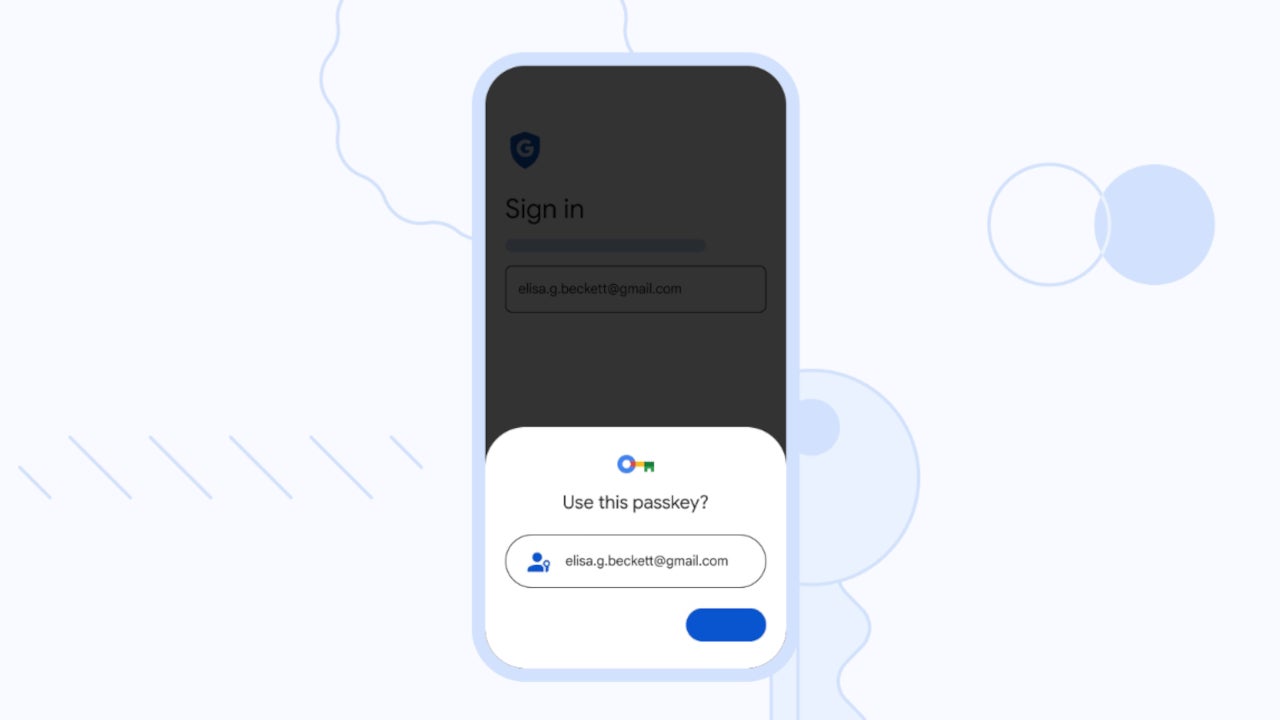
Google Accounts already have a few layers of security features meant to protect accounts from multiple types of online attacks. Today, the search giant launched a brand-new security feature, which seems to be the most powerful ever supported by Google Accounts: passkeys.
Passkeys aren’t just an almost foolproof protection method for those using Google Accounts, but a very convenient way to sign in. If you’re not familiar with the term, passkeys have been around for a while, and they represent an alternative to passwords. Passkeys are used to sign in to apps and websites and are not just much easier to use than passwords, but also more secure.
Basically, passkeys work the same way as many of the unlocking options that we now have available on just about every smartphone: fingerprint, face scan, or screen lock PIN. Instead of using a password, passkeys allow you to sign in to apps and websites using any of the methods mentioned.
As you can imagine, passkeys are safer than passwords because they’re resistant to online attacks, including phishing. They’re even more secure than SMS one-time codes.
Google announced that it’s now rolling out support for passkeys across Google Accounts on all major platforms, including Android and iOS. These will not replace current sign in options, but they will be available as an additional option that users can take advantage of.
Passkeys aren’t enabled by default, so you’ll have to set them up via your Google Account settings. As far as Google Workspace accounts go, administrators will soon have the option to enable passkeys for their end-users during sign-in for, the company confirmed earlier today.
The passwordless sign-in experience is certainly something more convenient and more secure than anything Google Accounts offer currently. Considering that most smartphones these days come with a fingerprint sensor or face unlock support, just about anyone will be able to use the new security feature.
To secure enterprise assets in the cloud, CISOs must address several challenges previously unseen in traditional IT and on-premises data centers. This whitepaper explores the key strategies to secure your enterprise cloud infrastructure from cyber threats.
Cloud migration has many benefits, including virtual storage and virtual network support. However, cloud storage and infrastructure also adds complexity to network security. Unique cloud dynamics require future-proof solutions in order to ensure they are adequately protected.
Cloud security has far-reaching implications for organizational success. A cloud security maturity model can help business leaders to benchmark and assess their organization’s security evolution. Securing cloud infrastructure can have a number of enterprise-wide positive effects including reducing security risks, lowering your security budget and reducing the likelihood of a cyber security incident.
Download this whitepaper to learn:
How to transform cloud security challenges into business opportunities.
Where your organization fits into the cloud security maturity model.
The six cloud security strategies to harden your enterprise cloud infrastructure.
Numerous updates and alterations were witnessed in the major malware families employed in phishing scams during the first quarter of 2023, alongside significant variations in TTPs.
The Cofense Intelligence team has recently published Active Threat Reports, which provide insights into the latest malicious email threats. At the same time, all these reports are based on their thorough observations and analysis of the threats.
During the first quarter (Q1), a substantial increase has been observed in Active Threat Reports, with a 20% increase compared to the previous quarter and a 34% increase compared to Q1 of the previous year.
Malware Campaigns Abusing Telegram Bots
During Q1 of 2023, there has been a significant surge in evasive, malicious campaigns that exploit Telegram bots.
The volume of these attacks has increased dramatically, surpassing the volume of Q4 2022 by a staggering 397% and exceeding the entire volume of attacks witnessed in 2022 by 310%.
The volume of credential phishing attacks observed in the current quarter has been highly unstable and witnessed a sharp rise of 527%.
Compared to the same period last year (Q1 2022), the overall increase in credential phishing attacks is significant, amounting to a rise of 40%.
Despite the significant volume of dissemination, Emotet failed to reach inboxes as frequently as Qakbot, making Qakbot the most successful malware family in terms of reaching inboxes.
In fact, Qakbot reached inboxes 185% more often than Emotet during the period under observation. During Q1, threat actors have been observed experimenting with various combinations of delivery mechanisms.
The notable thing is the increased usage of OneNote files as a common delivery mechanism for threats. This indicates threat actors’ continued efforts to refine their methods and evade detection.
The inclusion of YouTube in the list of Top 10 .com domains being exploited by threat actors came as a surprise.
These actors were observed using open redirects on youtube.com to direct victims toward phishing pages, which is a cause for concern.
This analysis is crucial in identifying the latest tactics and techniques employed by threat actors and helps organizations to protect their users from phishing attacks better.