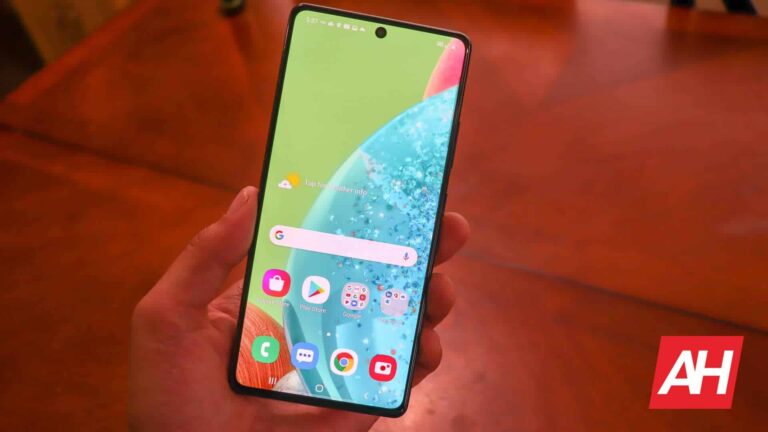
Another mid-range Samsung smartphone is receiving the April security patch. Samsung has released the latest security update for the Galaxy A71 5G. It follows dozens of other Galaxy devices in the party.
As of this writing, the April SMR (Security Maintenance Release) for the Galaxy A71 5G is limited to a couple of Asian countries. According to SamMobile, which first reported this rollout, the 2020 premium mid-range handset is getting the latest update in Saudi Arabia and the UAE. The new firmware build number for the device is A716BXXS7FWC1. A wider release covering the phone in other markets, including the US, should follow soon.
This update doesn’t seem to bring anything notable to the Galaxy A71 5G. By notable, we mean user-facing changes, improvements, or new features. Otherwise, the device is getting a big security patch with more than 70 vulnerability patches. At least five of those are critical patches. According to Google, some of those vulnerabilities could enable remote attackers to gain system-level access to your device without you doing anything.
If you’re using a Galaxy A71 5G, you should install this update as soon as possible. While you may receive a notification once the OTA (over the air) rollout hits your unit, you can also manually check for updates. To do that, go to the Settings app and select Software update. Now, tap on Download and install to see if you have a new update pending download. If there’s no OTA update available, check back again later.
Galaxy A71 5G will not get the Android 14 update
Samsung launched the Galaxy A71 5G in April 2020, with sales beginning in June of that year. The device arrived running Android 10 out of the box. Over the past three years, it has received updates to Android 11, Android 12, and Android 13. The handset picked up the Android 13-based One UI 5.1 update last month. It brought a host of new features and improvements.
Unfortunately, that’s the last major feature update for the Galaxy A71 5G. The device is now in its final year of official support from Samsung and will not receive new features anymore. That means no Android 14. The handset isn’t eligible for four Android OS updates. It will only get security updates going forward. We will keep you posted on those releases. In the meantime, if you’re considering upgrading to a recent Samsung phone in a similar price bracket, you may check out the Galaxy A54 5G.
Samsung is reportedly working on a 1-inch camera sensor for smartphones. However, it doesn’t plan to use that sensor in its Galaxy phones. The company will supply the gigantic camera to other vendors.
Sony launched the world’s first 1-inch smartphone camera last year. The Sony IMX989 debuted inside the Xiaomi 12S Ultra in July. This camera has made it into several other devices since then, including the Vivo X90 Pro+ and the OPPO Find X6 Pro. Samsung has been rumored to be readying a competing solution for some time now but it hasn’t introduced a 1-inch camera sensor yet. The latest word is that the company is still working on the new camera. Noted Twitter tipster @Tech_Reve recently confirmed that.
While the tipster didn’t reveal a launch date or even a tentative timeframe, they shared some interesting bits of information. According to them, Samsung “has no intention” of using the big camera in Galaxy devices. Instead, it will sell the sensor to rival firms. The Korean behemoth is probably looking to capitalize on the demand for a new 1-inch smartphone camera from Chinese firms such as Xiaomi, Oppo, and Vivo. They currently don’t have a second choice over the Sony IMX989.
Samsung will focus on improving its 200MP camera for Galaxy devices
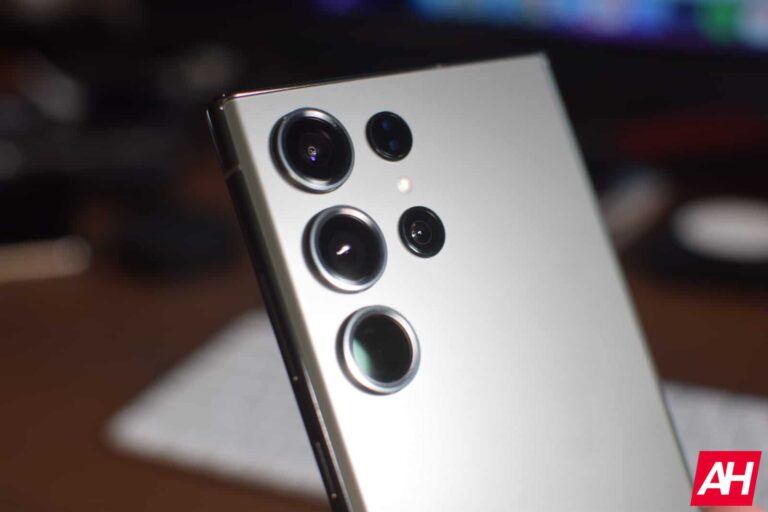
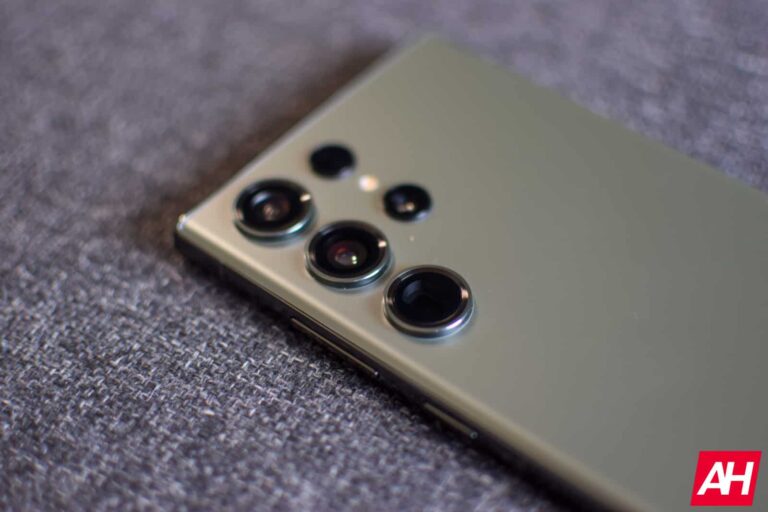
Samsung will not use a 1-inch camera in its upcoming smartphones because it plans to improve its 200MP sensor featured in the Galaxy S23 Ultra. Next year’s Galaxy S24 Ultra may get an improved version of it. The company will reportedly introduce a new 200MP camera with the Galaxy S25 series in 2025. Rumors have it that it will include technologies like nanophotonics and arrive as the world’s first image sensor built on a 17nm process node.
Moreover, Samsung also plans to introduce a new 50MP flagship camera in 2025. The ISOCELL GN3 sensor found in the Galaxy S23 and Galaxy 23+ will make it to the Galaxy S24 series as well. However, with the Galaxy S25 series, the company is expected to equip the smaller two models with a new sensor.
It remains to be seen if Samsung’s decision not to launch a Galaxy phone with a 1-inch camera sensor backfires amid competition from Chinese vendors. Bigger sensors mean bigger pixels, effectively allowing more light to go through. Theoretically, this should enable brighter and sharper pictures in low-light conditions. Time will tell what Samsung has in store for its flagship smartphone camera for the next few years.
Analysis by Apple’s Patrick Wardle confirms that Lockbit ransomware “poses no threat to macOS users.”
LockBit ransomware gang is reportedly developing a new version of malware that can encrypt files on Apple macOS, as revealed by MalwareHunterTeam. This would be the first instance of malware targeting Mac devices, as LockBit has previously focused on Linux and Windows devices.
The ransomware group is known for its RaaS (ransomware-as-a-service) operation, lending ransomware to cybercriminals for a fee. The new malware is named locker_Apple_M1_64, and there are separate versions for PowerPC Macs as well.
Malware Details:
The new malware, locker_Apple_M1_64, was first detected targeting Mac devices in November 2022, according to Vx-Underground, a platform that examines malware samples. It has not been detected by any anti-malware engines on VirusTotal, but information about this malware has been limited since last fall.
Researchers have noted that the LockBit ransomware gang is expanding its attack spectrum by targeting Macs, which marks a significant development in their tactics.
Not a single person I can find tweeted LockBit has a Mac targeting version before I did above yesterday, nor can find any blog posts mentioning it, etc. So even if the gang had the first build in 2022 November, for public, this is not late at all, but even yet, seems the first… pic.twitter.com/4iR71cuLpo
According to Patrick Wardle, a security researcher and founder of Objective-See, while the malware is capable of running on Macs, it does not pose a serious risk due to several factors. The malware sample analyzed by Wardle was not signed by a trusted certificate, which means macOS won’t run it.
Additionally, Apple’s file system protection solutions such as Transparency, Consent, and Control/TCC would limit the impact of the malware even if it manages to infiltrate a macOS device. Moreover, the malware had bugs, and Wardle concluded that it was not ready for prime time.
In a blog post, Wardle stated that the ransomware is buggy and contains flaws, including buffer overflows that cause it to prematurely exit.
While this may be the first time a large ransomware group created ransomware capable of running on macOS, it is worth noting that this sample is far from ready for prime time […] From its lack of a valid code-signing signature to its ignorance of TCC and other macOS file-system protections as it stands it poses no threat to macOS users.
Patrick Wardle
Conclusion:
In conclusion, the LockBit ransomware gang’s development of a macOS version of malware targeting Mac devices is a significant development in their attack tactics. However, based on Apple’s analysis, the current version of the malware does not pose a serious risk to macOS devices due to security measures in place.
Nevertheless, it underscores the need for continued vigilance against evolving malware threats and the importance of robust cybersecurity measures to protect against ransomware attacks on all platforms.
The Samsung Galaxy S23 is one of the most compact high-end Android smartphones in the market at the moment. In this article, we’ll compare it with its predecessor. No, I’m not talking about the Galaxy S22, as we already did that comparison. This time around, we’ll compare the Samsung Galaxy S23 vs Samsung Galaxy S21. Many of you are probably considering upgrading at this point, and if you’re aiming at a more compact flagship, there are not that many choices out there
These two phones may look somewhat similar, but there’s more here than meets the eye. They also have quite a few differences in the spec department, so we’ll get over that too. Speaking of which, we’ll first list their specifications, and will take things from there. We’ll compare the two phones across a number of other categories, including design, display, performance, battery, cameras, and audio.
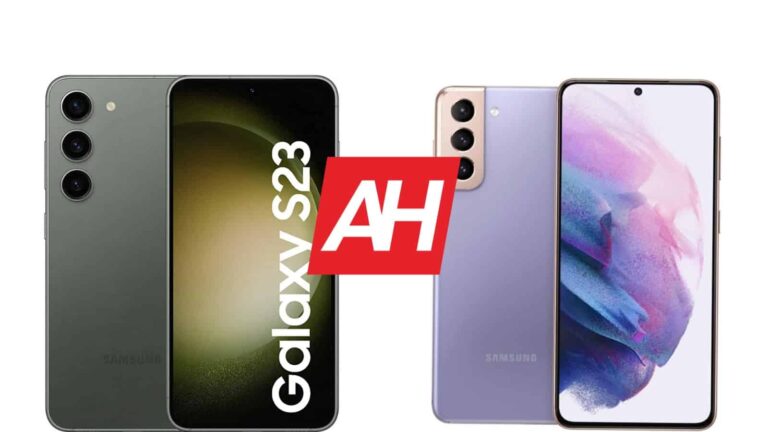
These two devices do look somewhat similar. They both have flat displays, a centered display camera hole, and thin displays. The curvature in the corners is also quite similar. You will easily tell the two apart when you flip them, however. The Galaxy S21 has a dedicated camera island, while the Galaxy S23 does not. Each of the three cameras on the Galaxy S23 protrude directly from the backplate.
The Galaxy S23 is made out of aluminum and glass, while the Galaxy S21 combines aluminum with plastic. Yes, that’s a plastic backplate on the back of the Galaxy S21, though you wouldn’t necessarily know it just by holding the phone. The Galaxy S23 is shorter, narrower, and slightly thinner. That’s mostly because it has a slightly smaller display. It’s also a gram or two lighter, but that’s not a difference you’ll be able to notice.
Both devices are IP68 certified for water and dust resistance. Both of them feel really nice in the hand, though they are quite slippery. They do feel like premium products, even the Galaxy S21 with a plastic backplate, as you’re unable to tell the difference, really. That plastic will scratch more easily, though, of course. Therefore, the Galaxy S23 is, technically, a more premium product of the two.
Samsung Galaxy S23 vs Samsung Galaxy S21: Display
The Samsung Galaxy S23 includes a 6.1-inch fullHD+ (2340 x 1080) Dynamic AMOLED 2X display. This display is flat, and it supports a 120Hz refresh rate. It also has HDR10+ content support, and gets up to 1,750 nist of peak brightness. We’re looking at a 19.5:9 display aspect ratio, while the Gorilla Glass Victus 2 is in charge of protecting the panel itself.
The Galaxy S21, on the other hand, has a 6.2-inch fullHD+ (2400 x 1080) Dynamic AMOLED 2X display with a 120Hz refresh rate. It also has support for HDR10+ content. You may wonder what’s different in comparison with the Galaxy S23. Well, the brightness aspect. This panel gets up to 1,300 nits, nowhere near the Galaxy S23’s display. And while this display is also flat, it has a different aspect ratio of 20:9. This display is protected by the Gorilla Glass Victus.
Truth be said, both of these displays are great. They’re vivid, more than sharp enough, and have great viewing angles. The touch response is also quite good, so there’s really not much to complain about. The Galaxy S23 is definitely the better choice if you’re planning to use the device plenty while you’re outdoors, especially in direct sunlight. The difference in brightness is quite noticeable.
Samsung Galaxy S23 vs Samsung Galaxy S21: Performance
The Samsung Galaxy S23 is fueled by the Snapdragon 8 Gen 2 for Galaxy SoC. It also includes 8GB of LPDDR5X RAM and UFS 4.0 flash storage. The Galaxy S21, on the other hand, is fueled by the Snapdragon 888 or Exynos 2100, depending on the market. It includes 8GB of LPDDR5 RAM and UFS 3.1 flash storage. The Galaxy S23 definitely has the edge when it comes to performance.
The fact the Galaxy S23 comes with the Snapdragon 8 Gen 2 for Galaxy in all markets is a great move by Samsung. Exynos models have been inferior to their Snapdragon counterparts over the years. The Galaxy S23 is technically a much more powerful phone, based on the performance-related specs. That much is obvious. Is that something you’ll notice in day-to-day performance?
Well, let’s just say that the Galaxy S21 still performs really well, but when you pit it directly against the Galaxy S23, you’ll notice the added fluidity. A much more noticeable difference can be spotted while gaming, as the Galaxy S23 can chew through anything, basically, with style. The Galaxy S21 is a bit easier to bog down with the most demanding titles. The Galaxy S23 also has better power consumption, especially when compared with the Exynos Galaxy S21 model.
Samsung Galaxy S23 vs Samsung Galaxy S21: Battery
There is a 3,900mAh battery inside the Galaxy S23, while the Galaxy S21 includes a 4,000mAh unit. Back when we tested the Galaxy S21 battery life, we were able to cross the 6-hours screen-on-time mark and still have about 15% of battery life. Well, on most days, at least. The Galaxy S23 offers comparable results. You should not have a problem getting over the 6-hour screen-on-time mark on either phone, presuming you’re not a gamer.
Your mileage may, of course, differ. You’ll be using different apps, in different situations, and have different signal strengths. Still, the battery life on these two phones is nowhere near as bad as is on the Galaxy S22. That device really didn’t provide much in terms of battery life. Most of you will be happy with what these two have to offer. If you already use the Galaxy S21, upgrading to the Galaxy S23 should bring you similar results.
When the charging is concerned, they’re the exact same. They both support 25W wired, 15W wireless, and 4.5W reverse wireless charging. You won’t get a charger with either phone, actually. Samsung doesn’t include it in the box, so you’ll have to get one separately in order to take advantage of the full charging speed.
Samsung Galaxy S23 vs Samsung Galaxy S21: Cameras
The Galaxy S23 is equipped with a 50-megapixel main camera, a 12-megapixel ultrawide unit (120-degree FoV), and a 10-megapixel telephoto camera (3x optical zoom). The Galaxy S21, on the flip side, has a 12-megapixel main camera, a 12-megapixel ultrawide camera (120-degree FoV), and a 64-megapixel telephoto camera (1.1x optical zoom). It is to be expected for the Galaxy S23 to offer better results, and it does, quite noticeably.
The Galaxy S23 provides better results in pretty much every way. The least visible change is in the ultrawide camera, but that doesn’t mean the Galaxy S23 isn’t better in that regard too. The Galaxy S23 can take sharper images, which are also balanced better, not to mention it does better with HDR too. In low light, the results come out both sharper, and better exposed in general.
The telephoto camera is miles better, as the Galaxy S21’s doesn’t offer anything close to a 3x optical zoom. The ultrawide camera provides better colors for images, and sharper results overall. On top of that, the photos look less artificial. That being said, the Galaxy S21 still provides good results, but noticeably worse in comparison with its much younger cousin. Something similar can be said for video recording, but the difference is not that big.
Audio
Both the Galaxy S23 and S21 feature a set of stereo speakers. Those speakers are optimized by AKG, and they’re good in both cases. We did notice more details from the Galaxy S23, and also a wider soundstage in general. Both sets of speakers are loud enough.
There is no audio jack on either of these two phones. You will have to use their Type-C ports, if you’d like to connect your headphones via a wire. Alternatively, the Galaxy S23 offers Bluetooth 5.3 support, while the Galaxy S21 comes with Bluetooth 5.0.
Master & Dynamic is back with its next collaboration, this time with Lamborghini as the auto brand embracing the company’s top headphones. In truth, though, this isn’t the first time Master & Dynamic has worked with Lamborghini.
The two have collaborated twice before and Automobili Lamborghini is back for a third round of co-branded products. This latest co-branded release comes just two weeks after M&D launched a set of co-branded headphones with Bugatti. And whether you’re a fan of Bugatti, Lamborghini, or both, you can pick up some M&D headphones emblazoned with the recognizable designs of each automaker.
The Master & Dynamic Lamborghini collection includes three products
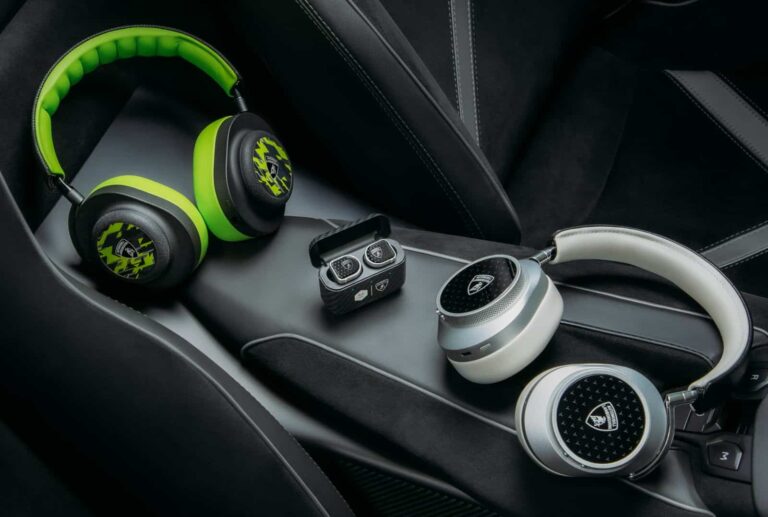
Just as with the Bugatti collection, the new Automobili Lamborghini collection includes three different products. The MW75 Noise Cancelling headphones, the MW08 Sport True Wireless earphones, and the MG20 gaming headset. The Lamborghini logo can be found on all three, but the MW75 and the MW08 Sport have an interestingly more subtle design approach.
And unlike the Bugatti collection, each of the three products in this latest collection only come in one colorway. This is where the MG20 actually stands out a bit. It’s noticeably louder in its use of bright green on the ears, earpads, and underside of the headband. It’s using lambskin leather for the headband to give a slightly more supple and soft feel. Compared to the Alcantara® that’s on the standard model. And the ears feature a sapphire glass faceplate, which is something you won’t find on the original version of the headset either.
The Automobili Lamborghini versions of all three audio products go on sale today and are $50 more than their standard counterparts. That works out to be $399 for the MW08 Sport, $499 for the MG20, and $649 for the MW75. All three are excellent for audio quality and have a lot of great features to offer. So even if you’re not fond of the Lamborghini styling, the standard designs are worth a look.
While ChatGPT has drawn immense attention from digital users owing to its large list of features, it now begins to attract people from the cybersecurity world too. Recently, OpenAI – the parent firm behind ChatGPT – announced the launching of a bug bounty program for the AI tool, with rewards ranging between $200 and $20,000.
OpenAI Rolls Out Bug Bounty Program For ChatGPT
Recently OpenAI announced a dedicated bug bounty program for the public regarding its AI fame ChatGPT.
As elaborated in its blog post, OpenAI decided on this move after realizing the potential security risks in its AI technology.
We invest heavily in research and engineering to ensure our AI systems are safe and secure. However, as with any complex technology, we understand that vulnerabilities and flaws can emerge.
Hence, the firm has set up a bug bounty program on Bugcrowd. OpenAI now invites researchers and bug hunters from around the world to scan its products for vulnerabilities.
As mentioned on its official Bugcrowd page, the scope of the program includes OpenAI APIs, ChatGPT, corporate targets (to which OpenAI’s information may be disclosed), and the relevant OpenAI website and services.
The bounties start from $200 and go as high as $5000 for bugs related to corporate targets and $20,000 for ChatGPT issues.
OpenAI’s ChatGPT garnered immense popularity recently. Around the launch of GPT-4, it seemed to take over human jobs with its remarkably humane intelligence soon, generating much stir.
Some notable use cases when ChatGPT made it to the news include its code suggestions for developers, swift blog and content creation for copywriters, and providing fast and near-accurate answers to users’ queries with a human tone.
Given these use cases, big firms like Microsoft, Brave, and DuckDuckGo, also jumped on the bandwagon, integrating ChatGPT into their search engines for an enhanced user experience.
And now, interested researchers and bug hunters can scan the tool for possible vulnerabilities, making it safer, alongside making money.
For those waiting for the launch of the Google Pixel 6a successor, this news might interest them. The coming budget entry device from Google might launch earlier than its predecessor did, making early purchases possible. Its announcement will come a day earlier than the Pixel 6a and will hit retail stores shortly after the device’s launch.
This information was made available by tech tipster Snoopy Tech via his Twitter page. He also shared some information about the coming Pixel Fold, which will be the brand’s first foldable device. The tipster also claims that the coming device won’t launch with a color option that most leaks made popular.
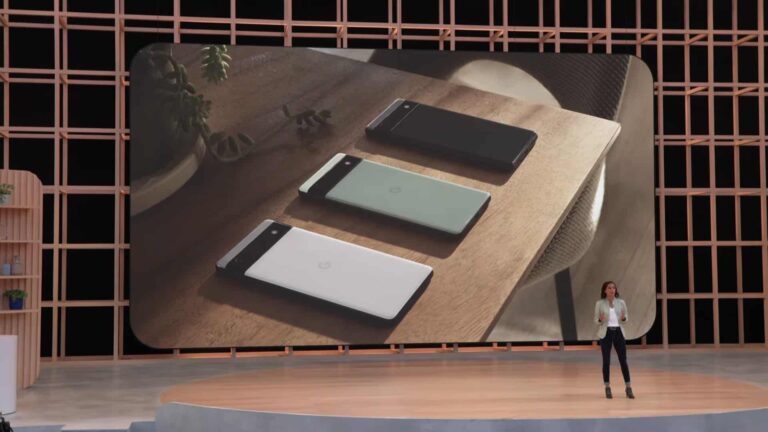
Google’s I/O event for 2023 will put this device in the spotlight come May 10. There will be a ton of upgrades that this device will bring in comparison with its predecessor. These improvements will make this device a bit more appealing to the Android community shopping for a compact device.
Some improvements the Android community can expect with the Google Pixel 6a successor
Over the past few months, information on the Google Pixel 6a successor has flooded the internet. This shows off the device’s camera improvement as well as the processor and new color options to be made available.
A major improvement on the Google Pixel 6a successor is its processor. In place of the Tensor processor on the Pixel 6a, this device will come with the Tensor G2 processor found on the Pixel 7 series. This processor upgrade will come with better performance in various areas such as when taking pictures.
Speaking of photography, this device will come with a 64MP main rear camera and a 12MP secondary camera. It will retain its 8MP selfie camera, but this might also see some improvements as a result of the new processor. Because the Google Pixel 6a was a big name in the camera industry for budget smartphones, a lot is expected from its successor.
For its color options, the Google Pixel 6a successor will come with new entries. Previous leaks claimed that this device would come with a Jade color option, but that might not be the case. The Jade option will not be part of the entries to be available with the coming Pixel 7a.
In a few weeks, this device will launch and also be available for purchase online and in Google walk-in stores. Pricing and full specifications would become available ahead of the device’s launch. For more details on the Pixel Fold and Tablet along with their possible launch date, check the article linked here.
In an attempt to curb Microsoft’s efforts of gaining the search engine market share with its Bing AI chatbot, Google is reportedly planning to release new AI-powered search tools next month. The new tools, codenamed “Magi,” will initially launch in the US for a limited number of users and will likely build on the conversational capabilities of Google’s experimental chatbot, Bard.
In addition to the AI search tools, Google is also reportedly working on other projects, including a radical rebuild of its search engine, an image generator called GIFI, a language learning system called Tivoli Tutor, and Searchalong, a feature similar to Bing’s sidebar, which will help users answer questions about the current webpage. For instance, while booking a hotel, users could ask the chatbot to search for activities nearby, and the AI would scan the webpage and the internet for a suitable response.
“We’re excited about bringing new A.I.-powered features to search and will share more details soon,” said Lara Levin, a Google spokeswoman.
Google’s hurried development of these AI tools comes in response to the growing threat posed by Microsoft’s Bing chatbot and OpenAI’s ChatGPT. While conversational chatbots are still in their early stages, Microsoft’s integration of them in many of its services has given the company a significant advantage against Google.
Samsung considers switching to Bing
Although fierce rivals, over the past few years, Samsung and Google have been working together on a lot of projects. But Google’s position in the search engine market is under threat, and Samsung is considering replacing Google with Bing as the default search engine on its phones and tablets. This could have a significant impact on Google since their deal is reportedly worth over $3 billion annually.
However, it is also important to note that it’s unclear whether Samsung is seriously considering Microsoft, or is just trying to advantage of Google’s tough situation and negotiate a more favorable deal.
Researchers have spotted a new Android malware “Goldoson” actively targeting users in South Korea via legit apps. The malware-infected apps garnered over 100 million downloads before the malware caught attention. Android users must review the apps installed on their devices to ensure not running any malicious apps, especially those spreading Goldoson.
Goldoson Android Malware Found Running Active Campaigns
According to a recent report from McAfee, their researchers have found a new Android malware that ruined numerous legit apps.
Identified as “Goldoson,” the malware is actually a malicious library that sneakily infected the apps, generating malicious app updates, to reach users’ devices. (Though, it remains unclear if the threat actors deliberately deployed the apps via different author accounts to leave no link between the apps and the malware, or if the app developers themselves had fallen victim to the threat.)
Briefly, McAfee researchers observed Goldoson executing various malicious functionalities, such as stealing device information, logging GPS locations, and tracking Bluetooth and WiFi-connected devices’ history. The malware keeps sending the collected data to the C&C to receive further commands. Also, Goldoson executes ad fraud by running malicious apps in the background.
When detected, McAfee noticed the Goldoson campaign had targeted millions of users. Specifically, they found around 60 different apps on the Google Play Store running the malicious library. Together, these apps boasted over 100 million downloads hinting at the exceptionally high number of victims of this malware.
Besides, the campaign seems typically aimed at South Korean users, where it also garnered over 8 million downloads via malicious apps on ONE store – a popular Korean app store.
Upon detecting this campaign, the researchers notified Google about it, following which, the tech giant addressed the matter. Hence now, the researchers confirmed numerous malicious apps to have been removed from the Play Store. Whereas some other apps’ developers rolled out clean updates for the users.
The researchers have shared the list of all apps and malicious domains in their report. So now, users must review the list to ensure their devices are not running any of those apps.
Variable zoom may not be the only big camera improvement Samsung‘s Galaxy S24 Ultra will bring next year. Rumors are that the company is considering offering a variable aperture as well. Its Galaxy S9 and Galaxy S10 phones featured this technology.
When Samsung launched the Galaxy S9 series with a variable aperture (f/1.5-2.4) in early 2018, smartphone camera enthusiasts liked the idea a lot. Photographers could get more manual control over the shot they want to capture, including the amount of light the lens receives. The company fitted the Galaxy S10 series in 2019 with the same camera setup. Once again, it offered a variable aperture of f/1.5-2.4.
However, Samsung quietly removed this feature with the Galaxy S20 series in 2020. The Galaxy S21, Galaxy S22, and Galaxy S23 series also lacked it, giving us the impression that a Galaxy device with a variable aperture may not arrive anytime soon, if at all. But it looks like the Korean firm will offer the technology on the Galaxy S24 Ultra next year. It’s unclear if other Galaxy S24 models will also get a variable aperture. We’ll have to wait for more details to emerge.
The Galaxy S24 Ultra may get a major camera upgrade
This rumor about Samsung offering a variable aperture comes just a day before Xiaomi launches the Xiaomi 13 Ultra on Tuesday, April 18. The new flagship offers this tech too, paired with a huge 1-inch camera sensor (Sony’s IMX989). Unfortunately, Samsung isn’t expected to equip its phones with a gigantic 1-inch camera anytime soon. It is developing a new 1-inch sensor but not for Galaxy devices. The Galaxy S24 Ultra will reportedly get an improved version of its 200MP camera.
Despite that, the new Samsung flagship will seemingly bring a major camera upgrade. As said earlier, the 2024 Ultra model is expected to offer variable zoom as well. You will get continuous zoom at all magnification levels between 3X and 10X. This also eliminates the need for two different zoom cameras. The Galaxy S23 Ultra or older Ultra models have a 3X zoom camera and a 10X periscope zoom camera. With variable zoom, one sensor will do the job of both, and even offer optical zoom between those two magnification levels.
All this said, remember that the Galaxy S24 series is still several months away. Since early rumors aren’t always accurate, we advise you to be cautious with this information. We will let you know as and when we have more information about Samsung’s 2024 flagships.