If you installed any of these apps from the Play Store, they contained malware and should be deleted

0
[ad_1]

Malware has infected more than 60 legitimate apps in the Google Play Store that together have been installed over 100 million times. The malware that makes these apps so dangerous is a new brew known as ‘Goldoson’ and the developers behind these apps accidentally added the malware by using a third-party library that included components that already contained malware. These components are used by app developers to save the time it might take to develop certain parts of an app.

Infected apps were either cleaned up by the developer or booted out of the Google Play Store

Goldoson was discovered by researchers at security firm McAfee which noted on its blog that the Goldoson malware can collect a list of apps installed on a mobile device, the name of devices connected synced to a phone via Bluetooth and Wi-Fi, and nearby GPS locations. In addition, the malware can commit ad fraud by clicking on ads running in the background without the consent of the user.
Google was informed about the malware as were the developers. Many of the affected apps were cleaned up by the developers (remember, the developers were just as much a victim as those who installed the infected apps) and those who did not follow Google’s directive had their apps vaporized from the Play Store.

To be safe, you should make sure that your phone does not have any of these apps installed

The list below names the apps that had been infected. Note that the list includes the number of installs and whether the malware was removed from the app (Updated) or whether the app was removed from the Play Store (Removed). 

  • L.POINT with L.PAY 10M+ Updated
  • Swipe Brick Breaker 10M+ Removed
  • Money Manager Expense & Budget 10M+ Updated
  • TMAP 10M+ Updated
  • Lotte Cinema 10M+ Updated*
  • Genie Music 10M+ Updated*
  • Cultureland version 2 5M+ Updated*
  • GOM Player 5M+ Updated*
  • Megabox 5M+ Removed**
  • LIVE Score Real-Time score 5M+ Updated*
  • Pikicast 5M+ Removed**
  • Compass 9: Smart Compass 1M+ Removed**
  • GOM Audio – Music, Sync lyrics 1M+ Updated*
  • TV – All About Video 1M+ Updated*
  • Guninday 1M+ Updated*
  • Item mania1M+ Removed**
  • LOTTE WORLD Magicpass 1M+ Updated*
  • Bounce Brick Breaker 1M+ Removed**
  • InfiniteSlice Infinite Slice 1M+ Removed**
  • Norae bang 1M+ Updated*
  • SomNote – Beautiful note app 1M+ Removed**
  • Korea Subway Info: Metroid 1M+ Updated*
  • GoodTVBible 1M+ Removed**
  • Happy Mobile Happy Screen1M+ Updated*
  • UBhind: Mobile Tracker Manager 1M+ Removed**
  • Mafu Driving Free 1M+ Removed**
  • Girl singer WorldCup 500K+ Updated*
  • FSP Mobile 500K+ Removed**
  • Audio Recorder 100K+ Removed**
  • Catmera 100K+ Removed**
  • Cultureland Plus 100K+ Updated*
  • Simple Air 100K+ Removed**
  • Lotteworld Seoul Sky 100K+ Updated*
  • Snake Ball Lover 100K+ Removed**
  • Play Geto 100K+ Removed**
  • Memory Memo 100K+ Removed**
  • PB Stream 100K+ Removed**
  • Money Manager (Remove Ads) 100K+ Updated*
  • Inssaticon – Cute Emoticons 100K+ Removed**
  • ECloud 100K+ Updated*
  • SCinema 50K+ Updated*
  • Ticket Office 50K+ Updated*
  • Lotteworld Aquarium 50K+ Updated*
  • Lotteworld Water Park 50K+ Updated*
  • T map for KT, LGU+ 50K+ Removed**
  • Random number 50K+ Updated*
  • AOG Loader 10K+ Removed**
  • GOM Audio Plus – Music, Sync l 10K+ Updated*
  • Swipe Brick Breaker 2 10K+ Removed**
  • Safe Home10K+ Removed**
  • Chuncheon 10K+ Removed**
  • Fantaholic  5K+ Removed**
  • Cinecube 5K+ Updated*
  • TNT 5K+ Removed**
  • Bestcare Health 1K+ Removed**
  • InfinitySolitaire 1K+ Removed**
  • New Safe 1K+ Removed**
  • Cashnote 1K+ Removed**
  • TDI News 1K+ Removed**
  • Eyesting 500+ Removed**
  • TingSearch 50+ Removed**
  • Krieshachu Fantastic 50+ Removed**
  • Yeonhagoogokka  10+ Removed**
Keep in mind that just because an app has been removed from the Play Store, it doesn’t mean that it can’t steal your personal data and click on ads if you still have the offending app installed on your phone or tablet. In other words, if you have any of these apps on any of your mobile devices, uninstall them now even if they were supposedly cleaned up by the developer and passed Google’s testing. Why take a chance?
To save yourself some time in the future, before you install an app from an unknown developer, check the comments from those with real-life experience using the app. If you see a user writing about how the battery on his device started draining after installing the app, or that a user noticed too many ads on his phone, consider those to be red flag warnings. If an app doesn’t pass the smell test, forget about it.

[ad_2]
Source link

Ring Video Doorbell Now Just $69: Don't Miss This Incredible Deal

0
[ad_1]
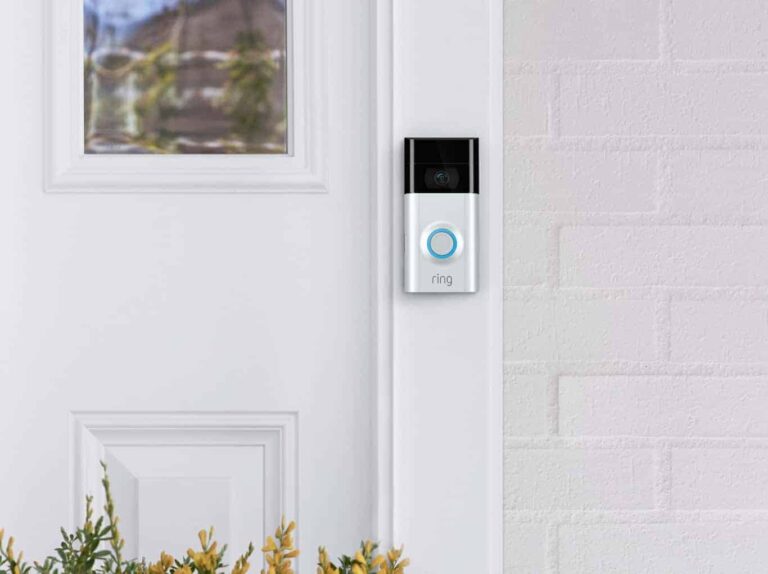
Ring Video Doorbell second generation 2

Video Doorbells are a great product to have at your home. The ability to see who’s at your door, get notified when you get a package and so much more. And today, Amazon is making the barrier to entry even cheaper. With the Ring Video Doorbell being just $69. Amazon has shaved $30 off of its regular price here.

Ring Video Doorbell – Amazon

Why should I buy the Ring Video Doorbell?

Amazon owns Ring, which makes the Ring Video Doorbell work really well with the Alexa ecosystem. Using Alexa, you can open up the stream of the video from your Ring Video Doorbell on other devices like a Fire TV, Fire Tablet, or Echo Show. It can also tell you when someone is at the door, as well as when packages are delivered.

This particular doorbell is able to record in 1080p HD video, giving you a nice and crisp picture quality. There’s also two-way audio. So you can answer the door even when you aren’t home, and tell FedEx to put the package under a planter or something to hide it from those porch pirates. Of course, you can also use it to catch those porch pirates.

The doorbell is able to record all motion and everyone that comes near your home. And it will store it for a few days. Though if you pay for Ring Protect, you can save and share videos and photos from your Ring Video Doorbell. This costs just $3.99 per month per device, or if you have multiple devices, you can get the $10 plan to cover them all. It makes the most sense if you have more than three products.

Finally, the battery life. Battery life on the Ring Video Doorbell is pretty subjective. This depends on how much traffic your home gets, your settings and more. But for me, it does last generally, around a month or so on a charge. Ring does make it pretty easy to swap out, thanks to the Quick Release Battery feature. You can also buy additional batteries and pop in a new one right away.

You can buy the Ring Video Doorbell from Amazon today by clicking the link below.

Ring Video Doorbell – Amazon

The post Ring Video Doorbell Now Just $69: Don't Miss This Incredible Deal appeared first on Android Headlines.


[ad_2]
Source link

Google Drive gets redesigned location picker on the web

0
[ad_1]

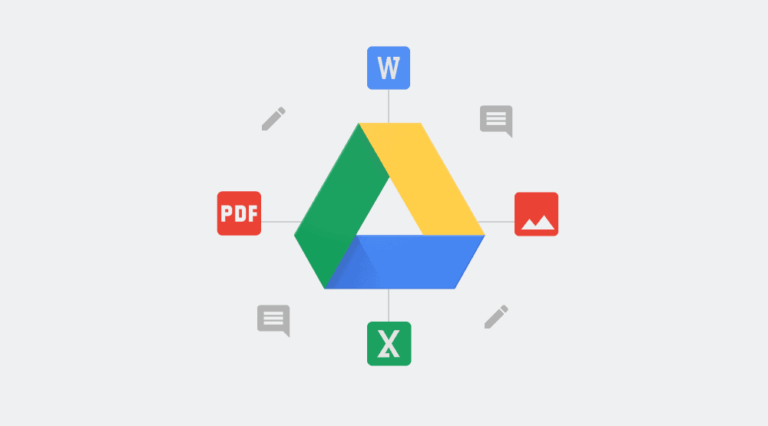
Google is rolling out a redesigned location picker for Google Drive on the web. The update brings visual enhancements to the pop-up that appears when moving files and folders or adding shortcuts to items. You also get helpful suggestions that enable you to “quickly and efficiently select a location to organize files and folders.”

When you right-click on a file or folder in Drive and select “Move to,” you’ll be presented with a redesigned pop-up with the file/folder name at the top, along with its current location. Below it, you get three tabs — Suggested, Starred, and All locations — from where you can select the destination location. The path of the selected location is noted at the bottom. Google Drive will also tell you if the selected folder is empty.

A “Move” button will let you move the file to that location with just one click. If you want to select a sub-folder, you can use the “arrow” icon. Google adds that “the tabs are replaced by a back button and the name of the location” upon navigating into a folder location. You’ll also get details for the selected folder paths and an option to quickly create a new folder within an existing folder.

Additionally, Google Drive will provide you with suggested locations when moving files or folders. If you don’t want to move to a suggested location, you have the option to reject the suggestion. It will immediately remove the suggestion from the list. Last but not least, the company has added a label that notes if a folder is “view only”. It also explains why “you might face an error when moving a file, such as not being the owner of a file.”

This Google Drive update is now rolling out to users

Google started rolling out the latest update for its cloud file storage and synchronization service this Wednesday, April 12. As usual, the changes will first reach Google Drive users on Rapid Release domains. The company plans to cover those users within the next couple of days. It will start seeding the redesigned location picker to users on Scheduled Release domains on April 26. There is no admin control for these changes. They will be available to you immediately. As far as eligibility is concerned, Google says this update for Drive will breach all Google Workspace customers, legacy G Suite Basic and Business customers, and users with personal Google Accounts.

Google Drive web location picker update redesign


[ad_2]
Source link

What is Insider Attacks?: How Prepared Are You?

0
[ad_1]
Insider Attacks

Insider attacks often catch organizations by surprise because they’re tricky to spot.

Banking on reactive solutions like antivirus software or a patch management solution to avoid such attacks is not wise.

Understanding what contributes to the increasing number of insider threats and addressing these factors is the only way to secure your enterprise against such attacks.

An insider attack is often defined as an exploit by malicious intruders within an organization.

This type of attack usually targets insecure data. Insider threats might lurk within any company; in some industries, they can account for more than 70% of cyberattacks.

More often than not, insider attacks are neglected. Perhaps this is why they have been on a constant rise.

A survey by CA Technologies in 2018 found that about 90% of organizations feel vulnerable to insider attacks.

Organizations also feel that the data most vulnerable to insider attacks is sensitive personal information (49%), intellectual property (32%), employee data (31%), and privileged account information (52%).

Many insider attacks are associated with excessive access privileges. While it might be unpleasant or inconvenient not to trust employees, organizations must be vigilant.

 Insider Attacks

This can be accomplished by monitoring possible sources of cyberattacks. A big problem is that many companies are unaware of how to identify and combat insider threats.

Questions then arise: Where can you find the best network security tools to gain more knowledge on combating insider attacks? What security standards should you follow to stay within your industry’s security compliance requirements and protect your digital assets better? How do you differentiate between a malicious insider and a non-malicious one?

Insider Threat Warnings That You Should Look Out For

Here are some tell-tale signs you can monitor to avoid an insider attack. Be on the lookout for anyone who:

  • Downloads large amounts of data on personal portable devices or attempts to access data they don’t normally use for their day-to-day work.
  • Requests network or data access to resources not required for their job, or searches for and tries to access confidential data.
  • Emails sensitive information to a personal email account or people outside your organization.
  • Accesses the network and corporate data outside of regular work hours.
  • Exhibits negative attitudes or behaviors—for instance, a disgruntled employee leaving the organization.
  • Ignores security awareness best practices, such as locking screens, not using USBs or external drives, not sharing passwords and user accounts, or does not take cyber threats seriously.

Once you have started monitoring, you can implement security measures to prevent attacks from occurring. We’ve put together a short list of solutions for curbing insider threats.

1. Zero Trust

Zero Trust, a new cybersecurity buzzword, is a holistic approach for tightening network security by identifying and granting access, or “trust”.

No specific tool or software is associated with this approach, but organizations must follow certain principles to stay secure.

More users, applications, and servers and embracing various IoT devices expands your network perimeter.

How do you exert control and reduce your overall attack surface in such cases?

How can you ensure that the right access is granted to each user?

IT security at some organizations reflects the age-old castle-and-moat defense mentality that everything inside an organization’s perimeter should be trusted while everything outside should not.

This concept focuses on trust too much and tends to forget that we might know little about the intentions of those we deem “insiders.”

The remedy is Zero Trust, which revokes excessive access privileges of users and devices without proper identity authentication.

By implementing Zero Trust, you can:

  • Understand your organization’s access needs.
  • Decrease risk by monitoring device and user traffic.
  • Lower the potential for a breach.
  • Profoundly increase your business’s agility.

2. Privileged access management

Privileged access management (PAM) means extending access rights to trusted individuals within an organization.

A privileged user has administrative access to critical systems and applications.

For example, if an IT admin can copy files from your PC to a memory stick, they are said to be privileged to access sensitive data within your network.

This also applies to accessing data via physical devices, logging in, and using different applications and accounts associated with the organization.

A privileged user with malicious intent might hijack files and demand your organization pay a ransom.

PAM takes some effort, but you can start simple. For instance, you can remove an employee’s access to the data associated with their previous role.

Consider an employee moving from finance to sales. In this case, the rights to access critical financial data must be revoked because we do not want to risk the organization’s financial security.

By implementing PAM, you can:

  • Make dealing with third-party devices and users safer and more accessible.
  • Protect your password and other sensitive credentials from falling into the wrong hands.
  • Eliminate excess devices and users with access to sensitive data.
  • Manage emergency access if and when required.

3. Mandatory Security Training for Existing & New Employees

Not all insider attacks are intentional; some happen because of negligence or lack of awareness.

Organizations should make it mandatory for all their employees to undergo basic security and privacy awareness training sessions regularly.

Employees can also be quizzed on these sessions to make the training more effective.

Ensuring employees are acquainted with the cost consequences that negligence can cause the organization can help prevent unintentional insider threats significantly.

With so much to lose, it’s a wonder more companies aren’t taking steps to reduce their chance of suffering from an insider attack.

As mentioned earlier, no particular software or tool is behind the security approaches mentioned above.

Rather, your organization must address these aspects while developing a homegrown security solution or utilizing a similar service or product from a vendor.

By doing so, you can protect your organization from bad actors within or outside of your organization.

However, to specifically tackle the threat posed by insiders who regularly misuse their access credentials or bring malicious plug-and-play devices to work, we recommend looking into other security protocols, such as identity and access management and user behavior analytics, to prevent internal security mishaps.

You can also check out dedicated solutions for device and application control that make it easier to monitor and curb malicious activities.

Looking For an All-in-One Multi-OS Patch Management Platform – Try Patch Manager Plus


[ad_2]
Source link

The Pixle Tablet may come with a useful privacy feature

0
[ad_1]

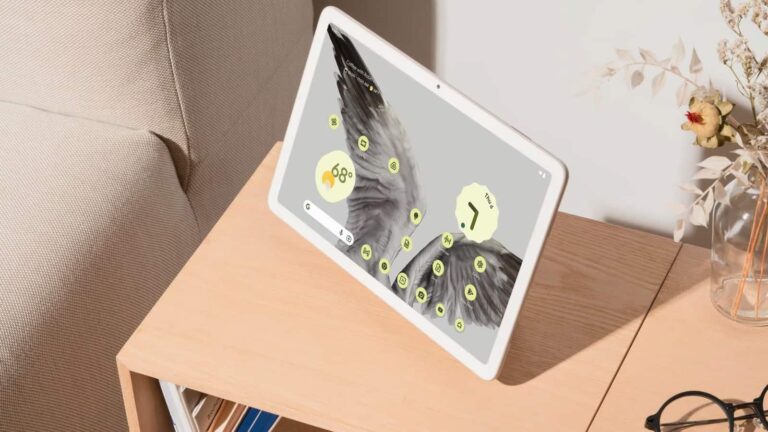
The Pixel Tablet is inching closer to its launch, and we’re just getting crumbs of information about it. Thanks to a leak from 9To5Google (via Phone Arena), we got sight of what could potentially be a useful privacy feature coming with this tablet. The Pixel Tablet might come with a privacy toggle.

Google unveiled the Pixel Tablet last year as another addition to the Pixel family of devices. So far, we know a fair bit about the tablet, and you can see what we know thus far by clicking here. There’s not much more time to wait, as rumors point to it launching about halfway through the year.

The Pixel Tablet could have a privacy toggle

Since this is a rumor based on a leaked image, you’ll want to take this with a grain of salt. There’s a close-up image of the Pixel Tablet, and it shows a hardware slider on the right side of the device right under the rear camera.

When phones have hardware sliders, they’re usually mute sliders, but we don’t believe that’s the case with the Pixel Tablet. Since this is going to double as a smart display, it’s going to have its microphone on constantly. So, it makes sense for the company to put a switch that you can simply flip to turn it off.

Pixel Tablet privacy toggle

The funny thing is that this slider wasn’t there in older images of the tablet, even the official ones. This points to the toggle being a more recent addition to the tablet. Who knows when the company added this feature, but it makes us wonder what other changes we’ll see when this slate actually launches. Only time will tell.

Rumors say that the Pixel Tablet will officially launch alongside the Pixel Fold that we’ve been hearing so much about. These will be some of the most exciting products of 2023, so you’ll want to stay tuned for updates about them. We should hear more about them during Google I/O.


[ad_2]
Source link

Picture-in-picture is now available in the Windows Subsystem for Android

0
[ad_1]

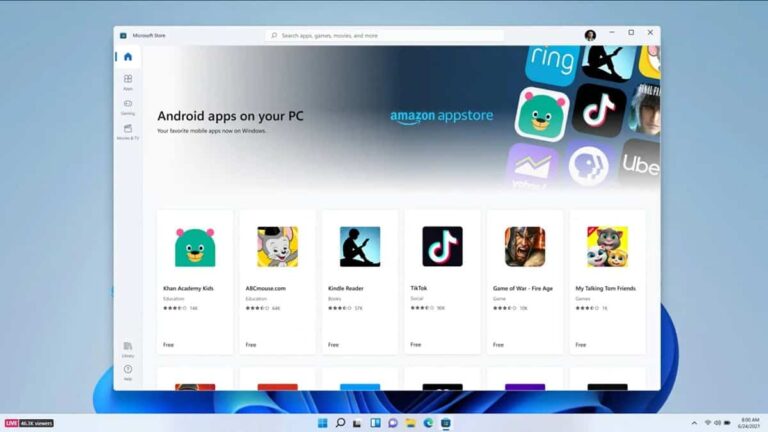
If you use the Windows Subsystem for Android, then you are in for a treat. The latest update to this system brings a feature that you might have been waiting for all this while. That feature is the picture-in-picture mode and it will help improve how you interact with the Android apps available on your Windows 11 device (monitor or laptop).

If you aren’t aware, you can use Android apps on your Windows device. This has been the case over the past months and it gets better with constant updates and improvements. Well, the past updates to the Android app system on Windows devices have majorly bumped up their frame rates while in use.

With this new update, users get a proper improvement in how they interact with Android apps on Windows 11 devices. Asides from the picture-in-picture addition, other features come with the latest Windows Subsystem for Android update. We will take a look at all five new features in this article.

All new features coming with the latest Windows Subsystem for Android update

The Windows Subsystem for Android made its first appearance back in 2021. This came along with the Windows 11 launch and it brought Android apps to Windows devices. But it relied on the Amazon App Store and not the Google Play Store to make these apps available to users around the world.

Ever since its launch, Microsoft has worked hard to improve this system for its users globally. The latest update to this system is bringing four new features in addition to the long-awaited picture-in-picture mode. Two features are major improvements, while the rest are rather subtle.

The picture-in-picture mode and performance improvement for Android apps make up the major improvements. With the new picture-in-picture mode, users can now use their Android apps more flexibly. Following this is what Microsoft calls a “partially running” system setting. This helps to improve the launch speed of Android apps and it is under the WSA Settings app.

Other minor improvements with the new Windows Subsystem for Android update are major security related. They include updates to the Linux kernel version, platform reliability, and lastly Android 13 security updates. All these other features ensure that Android apps on Windows are safe to use by everyone.

These improvements are only available to Windows Insiders via the most recent update. To get early access to it, you need to sign up for the Insider program. The update will become available to the public in the coming weeks via a stable release.


[ad_2]
Source link

New Google Chrome Zero-day Exploited to Crash Browser

0
[ad_1]
New Google Chrome Zero-day

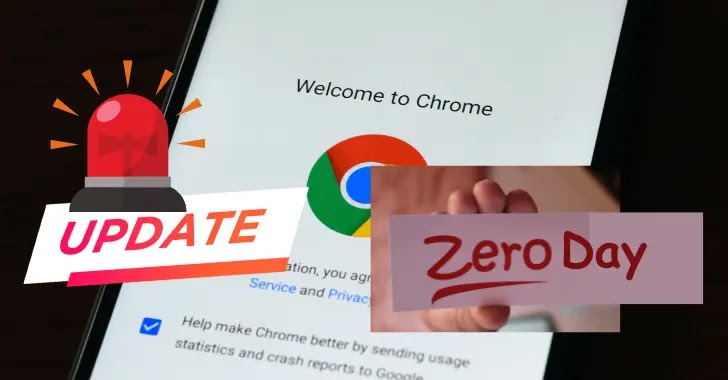
To address the first zero-day vulnerability exploited in assaults since the year’s beginning, Google has published an urgent Chrome security upgrade.

Users on the Stable Desktop channel are receiving the updated version, which will gradually become available to all users in the coming days or weeks.

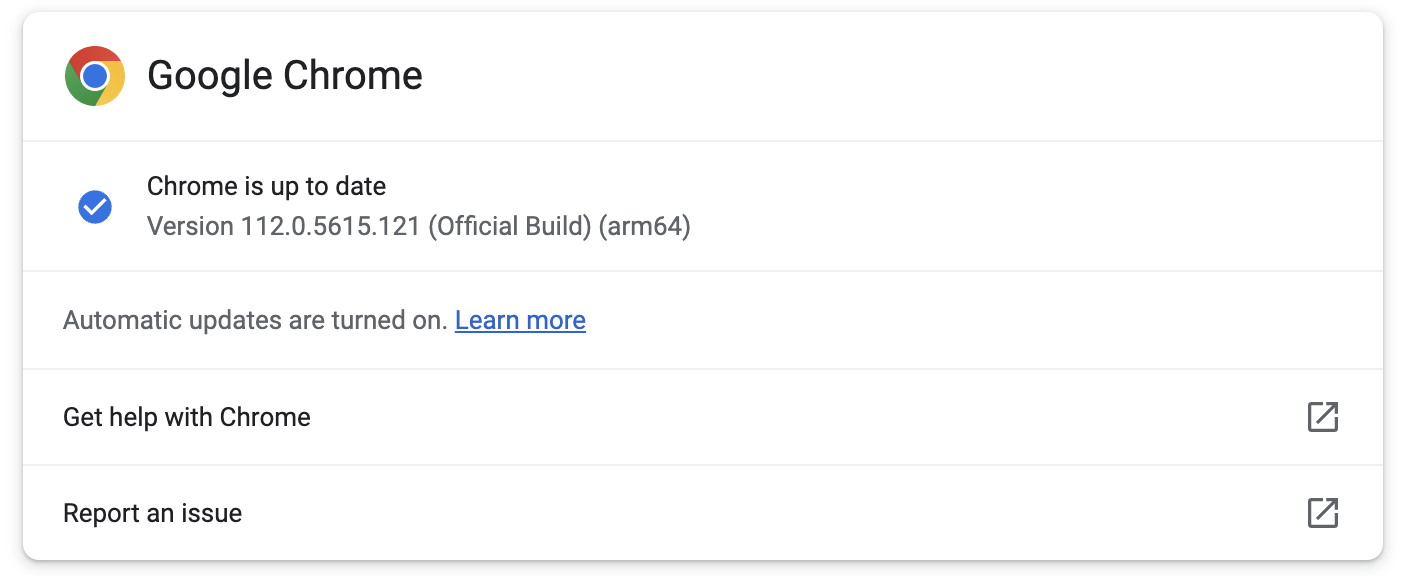
Users of Chrome should update as soon as possible to version 112.0.5615.121 since it fixes the CVE-2023-2033 vulnerability on Windows, Mac, and Linux platforms.

Google patched two vulnerabilities in this update, but the specifics won’t be made public until most users have installed the patch.

A Type Confusion in V8 vulnerability with a high severity rating is CVE-2023-2033. Clément Lecigne of Google’s Threat Analysis Group discovered the vulnerability on 2023-04-11; Clement also discovered a similar weakness (CVE-2022-4262) last year, and the patch was released in December.

“Google is aware that an exploit for CVE-2023-2033 exists in the wild,” Google said in a security advisory published on Friday.

Details of the Chrome Zero-Day Bug (CVE-2023-2033)

All Chrome versions are vulnerable to a high-severity type Confusion vulnerability in the V8 Javascript engine, which lets attackers remotely exploit the flaw by executing arbitrary code.

When this zero-day issue is successfully exploited, it causes browser crashes by reading or writing memory outside of buffer bounds.

While Google stated that it is aware of CVE-2023-2033 zero-day exploits being utilized in attacks, the company has yet to release any details about these occurrences.

“Access to bug details and links may be kept restricted until a majority of users are updated with a fix,” Google said.

“We will also retain restrictions if the bug exists in a third party library that other projects similarly depend on, but haven’t yet fixed.”

Google advises users to update their Chrome web browser as soon as possible to avoid exploitation.

Google Chrome 112.0.5615.121

This update can be accessed via the Chrome menu > Help > About Google Chrome. After a restart, the web browser will automatically check for new updates and install them without user intervention.

Struggling to Apply The Security Patch in Your System? – 
Try All-in-One Patch Manager Plus


[ad_2]
Source link

Twitter increased the character limit for paid subscribers again, and by a lot!

0
[ad_1]

Twitter Blue has been the company’s main priority since Elon Musk took over, and we’ve seen several changes to the subscription service. After a massive bump to the tweet character limit not too long ago, Twitter is increasing it yet again- and by a lot this time.

A few months ago, Twitter announced that it was increasing the tweet character limit to a staggering 4,000 characters. This dwarfs the 280-character limit that free users have access to. It’s already enough to type up a short article on the platform, but the company wanted to take it to an even further extent.

The Twitter Blue character limit is now 10,000

Twitter announced this via tweet. “We’re making improvements to the writing and reading experience on Twitter! Starting today, Twitter now supports Tweets up to 10,000 characters in length,”. That’s a 150% increase, and it’s enough for you to really flesh out your ideas. We’re not sure if people will really want to write (or read) a 10,000-character tweet, but the ability is there should you need it.

This change doesn’t stop there, as the platform now lets Blue users use bold and italic formats for their text. This means that you can add emphasis to your tweets in a way that you couldn’t before on the platform. So, if you wanted to, you’d be able to write full-on articles on the platform if you were so inclined.

You already have the ability to add pictures to your tweets. Being able to format your text like that is just the icing on the cake. These changes are rolling out, so chances are that you’ll be able to use them right away.

Other changes that came to Twitter Blue include fewer ads. The company had a little bit of backlash because you didn’t see reduced ads across the platform. You’d only see fewer ads on the For You page. This means that, across the majority of the platform, you were still seeing just as many ads as everyone else.


[ad_2]
Source link

New iPhone SE 4 info brings even more confusion to the mix

0
[ad_1]

The iPhone SE 4 rumors have been floating around for a long time now, and the latest info brought even more confusion to the mix. Let’s start from the top, just to bring some perspective to this.

New iPhone SE 4 info brings more confusion to the table

At the very end of last year, a well-known analyst, MIng-Chi Kuo, said that the iPhone SE 4 is canceled. Then, in February this year, he shared some new info, saying that Apple revived its plans. He added that the device is expected to launch in 2024.

Following that, a different tipster indicated that the phone may not arrive before 2025. He also added that it will include a custom 5G modem that Apple is preparing, as the company wants to use it in future devices.

Is it just an engineering prototype?

Well, now, Ming-Chi Kuo is back, and… well, he’s bringing more conflicting info. He said that the iPhone SE 4 could be just an engineering prototype. Apple may use it just to test its in-house 5G baseband chip tech. The device may not get mass-produced at all, and thus won’t be up for sale.

He added that Apple is planning to mass produce its 5G baseband chip in 2025, but if things go south during testing, the company may push it back to 2026, or even beyond that.

It was originally rumored to use the iPhone 14 design

So, if this info is to be believed, we may not even get the iPhone SE 4. Originally, Ming-Chi Kuo said that the phone will be based on the iPhone 14 design. That would represent a huge change for the series.

All iPhone SE models that Apple released thus far had the same design. They were all using the iPhone 8 design, which is quite dated at this point, and it has been for a while. So, it made sense for Apple to try something new. But… it seems like this device may not get to see the light of day after all.


[ad_2]
Source link

Google New Initiative to Reduce the Risk of Zero-Day

0
[ad_1]
Risk of Zero-Day

Charley Snyder, the Head of Security Policy at Google, has posted a new initiative that will eliminate the risk of vulnerabilities and protect security researchers.

In his post, he mentioned, “The security industry has improved in many ways, both in technological advances and collaboration, but many challenges remain, especially within the vulnerability management realm. Today it seems like the community is caught in the same cycle when it comes to security vulnerabilities”.

The post also mentioned that Vulnerability management has become highly challenging as every vulnerability revolves around a cycle of found, patched, and new vulnerabilities.

This is because the patches released by the vendors are not sufficient enough to fix the vulnerability once and for all.

Project Zero is a team inside Google that has been studying software and hardware vulnerabilities and provides a patch and a time for disclosure.

However, this patch cycle has been going around for many years, so Google has devised an idea to stop this loop.

Google posted that the zero-day vulnerabilities will always become flash news, but the risk remains the same even after they are patched.

These risks include the original equipment manufacturer (OEM) adopting the patch, testing the patch and its pain points, and also includes the end-user updating the fixed patch.

The post also said that over one-third of the vulnerabilities found in 2022 were primarily additional variants of earlier vulnerabilities. Due to these, Google has proposed the following initiatives.

Greater Transparency

This includes the manufacturer and government providing transparency on the exploitation of the vulnerabilities and how they are adopting the patches. This helps to understand whether the current method of approach works or needs additional steps.

Attention to Friction Points

During a vulnerability lifecycle, there must be extreme attention to the difficulties every user faces in running a patch and whether they know the vulnerability’s risks. 

Root Cause Addressing

This means that the root cause of every vulnerability must be addressed to the developers, and every development cycle must prioritize modern secure software development practices.

This development practice must also have the potential to seal all exploitation methods of a vulnerability.

Security Researcher Protection

Security Researchers face legal threats from vendors for their contributions whenever their research is not expected or misunderstood. This creates a sense of negligence for valuable security research and vulnerability disclosure.

These credible security researchers must be protected since their research prevents threat actors from exploiting a vulnerability.

Patching the Ecosystem together

Google proposed that stakeholders, users, security researchers, vendors, platform or service developers, governments, and any others who are important in patching a vulnerability must come together in support of patching these exploitable bugs.

Hacking Policy Council

In recent years, new laws support private disclosure of vulnerabilities to the Government under certain conditions.

Due to this, the Hacking Policy Council has been formed by Google, which will help support best practices for vulnerability management with new policies and regulations.

As mentioned, Individual security researchers have been contributing enormously to Security.

These contributions help vendors patch a vulnerability before they get into a data breach by an attacker’s exploitation.

However, they sometimes face legal issues which will remove them from the security research radar.

To protect these individuals from legal issues, Google has introduced the Security Research Legal Defense Fund, which will aid security researchers in having legal representation and improve cybersecurity posture in the Public.

Exploitation Transparency

Google claims that users must also be notified about exploiting a vulnerability which will help users understand a threat actor’s method of attack, which can also lead to better protection.

We believe this transparency should become part of the industry’s standard vulnerability disclosure policies. We have always prioritized transparency when our products are exploited, but starting today we will make this an explicit part of our policy, committing to publicly disclose when we have evidence that vulnerabilities in any of our products have been exploited,” reads the post published by Google.

As posted by Google, these efforts must positively impact downgrading the risk of vulnerabilities. However, the results of this initiative will have to wait until implementation.

Struggling to Apply The Security Patch in Your System? – 
Try All-in-One Patch Manager Plus

Related Read:


[ad_2]
Source link