Notorious dark web hacking forum BreachForums is reportedly shutting down following the arrest of one of its top administrators by the United States’ Federal Bureau of Information (FBI).
The administrator of the site, who went by ‘Pompompurin’ on the site and was named as Conor Brian Fitzpatrick by the FBI, was allegedly arrested by the Bureau on March 15 on suspicion of hosting and running the forum. BreachForums was thought to be the reincarnation of RaidForums, a similar dark web site that was investigated and subsequently shut down by the FBI in April 2022.
It has been used by a number of hackers to break news of data breaches they have committed and as a marketplace for selling the data stolen in these breaches. Large databases of victims’ information have been posted to the site, including those involved in the Medibank data leak, which affected over 9.7 million people.
BreachForums officially closes
On March 21, a new admin for BreachForums, who uses the screen name ‘Baphomet’ made a post via the site’s official Telegram channel. Baphomet said it was the “final update for Breached” and that he would be “taking down the forum”.
“I believe we can assume that nothing is safe anymore. I know that everyone wants the forum up, but there is no value in short term gain for what will likely be a long term loss by propping up Breached as it is,” he added.
The reference to “nothing [being] safe” is likely an allusion to the fact that the FBI has taken control of the forum. When the FBI shut down RaidForums in April 2022, the organization seized all its servers and domains, allowing them access to all posts before it was shut down.
Following his arrest, Fitzpatrick will appear before the federal court on March 24.
Pompompurin hacks into FBI network
Pompompurin has caused issues for the FBI in the past beyond his involvement with BreachForums. He was reportedly responsible for hacking into the FBI’s network in 2021 to send fake emails about a cybercrime investigation.
Fitzpatrick claimed he was able to send the emails across the FBI’s network by exploiting a vulnerability that was designed to help the FBI share information with law enforcement offices at both the state and local level. The FBI later confirmed that a software misconfiguration had allowed an unauthorized party to send the fake emails.
Optus hacker posts apology on BreachForums
Australian telecommunication company Optus suffered a devastating data breach on September 22, 2022 that led to the details of 11 million customers being accessed.
A person claiming to be the hacker responsible for the data breach posted a small sample of the customer data stolen to BreachForums on September 23.
Using the alias optusdata, the hacker demanded that Optus pay them $1mn ransom, or they would leak the data of all 11 million customers affected by the breach. When Optus did not respond to the ransom demand, optusdata then posted a text file of 10,000 customer data records on September 26, allowing other malicious actors to use the data in their own phishing campaigns.
Victims of the breach reported on September 27 that they had been contacted with demands that they pay AU$2,000 (US$1,300) or their data would be sold to other hackers.
However, on the same day, the supposed hacker posted a new message on BreachForums, rescinding their demand and apologizing to Optus.
The hacker said there were “too many eyes” and would not be selling the data to anyone. They claimed they had deleted all the data from their personal drive, and had not made any copies. They also offered an apology to the 10,200 people who had their data exposed via their posts on BreachForums, and to Optus itself, saying “hope all goes well with this”.
They finished by saying they “would have reported [the] exploit if [Optus] had [a] method to contact” and that while the ransom was not paid, they “dont[sic] care anymore” as it was a “mistake to scrape [and] publish [the] data in the first place”.
After the arrest of the administrator of the Dark Web site BreachForums there was talk about keeping it alive, but now the forums will be shut down for fear of law enforcement infiltration.
At first, a new administrator rose to the occasion and said they were working on a plan to get the forum through the problems caused by that arrest. But on Tuesday March 21, 2023 this new administrator announced the decision to shut BreachForums down.
BreachForums was set up by the arrested administrator working under the handle “Pompompurin” after the FBI seized RaidForums in 2022. On his arrest, 21-year-old Conor Brian Fitzpatrick allegedly confessed he used the alias Pompompurin and that he was the owner and administrator of BreachForums. Fitzpatrick has been charged with a single count of conspiracy to commit access device fraud.
Another forum administrator going by the account name “Baphomet” said they were working through an emergency plan for the forum after the arrest of Fitzpatrick. After taking ownership of the forum Baphomet announced an impending migration to a new infrastructure.
But after Baphomet noticed someone logged in on one of the old servers after the arrest of Fitzpatrick, they said they had serious misgivings about the forums being compromised. The server, which was left unchanged, should only be accessible from Fitzpatrick’s machine.
A statement signed by Baphomet says:
“Any servers we use are never shared with anyone else, so someone would have to know the credentials to that server to be able to login. I now feel like I’m put into a position where nothing can be assumed safe, whether it’s our configs, source code, or information about our users the list is endless. This means that I can’t confirm the forum is safe, which has been a major goal from the start of this sh*tshow.”
There is unfortunately absolutely no reason to assume that your stolen data is now suddenly safe. There are plenty of other forums, and Baphomet talked about plans to revive BreachForums with the help of competitor forum admins and various service operators. Besides that, we have already noticed a shift from the use of forums to Telegram channels that serve the same illicit purposes.
Data breach
There are some actions you can take if you are, or suspect you may have been, the victim of a data breach.
Check the vendor’s advice. Every breach is different, so check with the vendor to find out what’s happened, and follow any specific advice they offer.
Change your password. You can make a stolen password useless to thieves by changing it. Choose a strong password that you don’t use for anything else. Better yet, let a password manager choose one for you.
Enable two-factor authentication (2FA). If you can, use a FIDO2-compliant hardware key, laptop or phone as your second factor. Some forms of two-factor authentication (2FA) can be phished just as easily as a password. 2FA that relies on a FIDO2 device can’t be phished.
Watch out for fake vendors. The thieves may contact you posing as the vendor. Check the vendor website to see if they are contacting victims, and verify any contacts using a different communication channel.
Take your time. Phishing attacks often impersonate people or brands you know, and use themes that require urgent attention, such as missed deliveries, account suspensions, and security alerts.
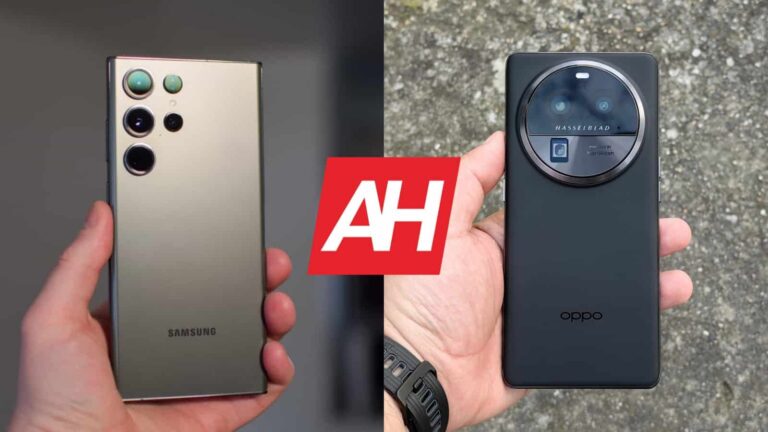
The OPPO Find X6 Pro launched not long ago, though only in China, at least for now. We’ve already reviewed the device, and considering how good it is, comparing it to other flagship smartphones makes sense. In this particular case, we’ll compare the Samsung Galaxy S23 Ultra vs OPPO Find X6 Pro. Both of these smartphones have a lot to offer, though before we begin, it is worth noting that the Find X6 Pro does come with software made for China. You can easily install Google Play Services here, but it’s still not the same experience as it would be with a global version. We do hope OPPO will release a global version.
In any case, we’ll first list the specs of both devices, and will then move to compare them across a number of other categories. We’ll compare their designs, displays, performance, battery life, cameras, and audio performance. That’s what we usually do in such comparisons. Some of these sections may surprise you, actually, so… let’s dive in!
Specs
Samsung Galaxy S23 Ultra
OPPO Find X6 Pro
Screen size
6.8-inch QHD+ Dynamic AMOLED 2X display (curved, 120Hz adaptive refresh rate, LTPO, down to 1Hz, 1,750 nits peak brightness)
Samsung Galaxy S23 Ultra vs OPPO Find X6 Pro: Design
Both of these phones are made out of metal and glass, though one version of the Find X6 Pro combines glass with vegan leather on the back. It has brown vegan leather on the majority of its backplate, and glass in the top third of its backplate. Both phones have a centered display camera hole, curved displays, and extremely thin bezels. They’re both also quite large, but have different shapes, and feel entirely different in the hand.
The Galaxy S23 Ultra has sharp edges, and flat top and bottom sides. The Find X6 Pro comes with curved edges, and its top and bottom sides are not exactly flat. Both phones are truly slippery, and are not comfortable to use with one hand, that’s for sure. The Galaxy S23 Ultra even less than the Find X6 Pro thanks to its sharp corners and width. Speaking of which, the Galaxy S23 Ultra is slightly shorter, and noticeably wider than the Find X6 Pro. It’s also a bit thinner, and considerably heavier. It is worth noting that the Galaxy S23 Ultra does pack an S Pen stylus on the inside too.
If we flip them around, you’ll notice entirely different camera setups. Each of the Galaxy S23 Ultra’s camera sensors protrudes directly from the backplate. The OPPO Find X6 Pro has a bold, circular camera island on the back, which is huge. It does fit nicely in the design here, and can be a nice anchor for your finger when you’re holding the phone.
Samsung’s flagship has Gorilla Glass Victus 2 on the back, while the OPPO Find X6 Pro includes Gorilla Glass 5 on the back. Using a case is recommended for both phones, of course. Due to their size and slippery nature, that would be a smart thing to do. Both phones are IP68 certified for water and dust resistance, and both feel immensely premium in the hand.
Samsung Galaxy S23 Ultra vs OPPO Find X6 Pro: Display
The Galaxy S23 Ultra packs in a 6.8-inch QHD+ (3088 x 1440) Dynamic AMOLED 2X display. That panel is curved, and it offers a 120Hz refresh rate. Well, up to 120Hz, as it’s adaptive. HDR10+ content is supported, while this panel goes up to 1,750 nits of peak brightness. The Gorilla Glass Victus 2 protects this panel.
The OPPO Find X6 Pro, on the other hand, has a 6.82-inch QHD+ (3168 x 1440) LTPO3 AMOLED display. This panel is also curved, and it can project up to 1 billion colors. It supports a refresh rate of up to 120Hz, and Dolby Vision too. This panel’s peak brightness is at 2,500 nits, and it is protected by the Gorilla Glass Victus 2.
So, both of these panels are outstanding. Both are extremely sharp and vivid, and have outstanding viewing angles. The touch response is really good, and those OLED blacks are deep. The OPPO Find X6 Pro’s display does have one advantage, though, its brightness. It does get noticeably brighter, even though the Galaxy S23 Ultra display is truly bright as well. If you do spend a lot of time outdoors, in the sun, you will notice the difference. Other than that, both of these panels are outstanding, and some of the best on the market.
Samsung Galaxy S23 Ultra vs OPPO Find X6 Pro: Performance
Both of these smartphones are fueled by the Snapdragon 8 Gen 2 SoC, but the unit in the Galaxy S23 Ultra is clocked a bit higher. The Galaxy S23 Ultra includes 12GB of LPPDR5X RAM, and up to 1TB of UFS 4.0 flash storage. The OPPO Find X6 Pro has up to 16GB of LPDDR5X RAM, and up to 512GB of UFS 4.0 flash storage. In other words, both phones have the most powerful chip possible, and the best RAM and storage modules too.
Does that equal great performance on both phones? Well, yes, it does, actually. That, in addition to software optimization, of course. Both phones are extremely snappy, regardless of what you’re doing. Regular, everyday tasks, are a breeze, while both phones do a great job when it comes to gaming as well. They can probably run any game from the Play Store without an issue. They don’t even get too warm while they do it, even though they do heat up, of course. We did not notice any slowdowns due to that, however.
One thing to note is that the Find X6 Pro does include software made for China at the moment. So, if you do decide to import it, you’ll need to sideload Google Services, which is not a problem. This version of ColorOS does have some limitations when it comes to background apps, and some bloatware too. Despite all that, it works like a charm from the performance standpoint, so… there you have it.
Samsung Galaxy S23 Ultra vs OPPO Find X6 Pro: Battery
A 5,000mAh battery is included in both of these smartphones, actually. Considering they have the same SoC, and the same RAM and storage units, you’d assume the battery life is similar, right? Well, not really, the software is entirely different after all. The hardware itself is only half the picture. That being said, we got outstanding battery life with both phones, but the Galaxy S23 Ultra did offer a bit more during our testing.
We were able to cross the 9-10-hour screen-on-time mark without a problem on the device, while the OPPO Find X6 Pro was closer to 8 hours. Those are great results for both devices. Now, do note that gaming will affect battery life, as we did not really play games outside of testing. Your usage will also be different, so your mileage may be different too. There are simply too many factors to consider. One thing is for sure, though, both phones do offer excellent battery life.
When it comes to charging, the OPPO Find X6 Pro blows the Galaxy S23 Ultra out of the water. The phone supports 100W wired, 50W wireless, and 10W reverse wireless charging, while it also comes with a charger in the box. The Galaxy S23 Ultra supports 45W wired, 15W wireless, and 4.5W reverse wireless charging, and it does not include a charger.
Samsung Galaxy S23 Ultra vs OPPO Find X6 Pro: Cameras
The Galaxy S23 Ultra has four cameras on the back. It includes a 200-megapixel main camera, a 12-megapixel ultrawide camera (120-degree FoV), a 10-megapixel telephoto unit (3x optical zoom), and a 10-megapixel periscope telephoto (10x optical zoom, 100x digital zoom) camera. The OPPO Find X6 Pro features a 50-megapixel main camera (1-inch sensor), a 50-megapixel ultrawide camera (110-degree FoV), and a 50-megapixel periscope telephoto camera (2.8x optical zoom, 100x digital zoom).
_cuva
Both smartphones are excellent when it comes when it comes to taking pictures and video, but there are notable differences. The Galaxy S23 Ultra tends to provide brighter image and a bit more colorful images in low light, while the OPPO Find X6 Pro tends to lean towards more dramatic shots with stronger contrast. Both companies should optimize HDR a bit, as the Galaxy S23 Ultra sometimes leaves darker areas too dark, while the Find X6 Pro fails to balance highlights at times. These occasions are very rare, though, so keep that in mind.
Other than that, both smartphones are outstanding when it comes to photography. The photos during the day are sharp and extremely well balanced. The Find X6 Pro does offer that creamy bokeh, which makes images look more professional aka closer to professional cameras. Both phones have great macro modes, and both phones do a good job of keeping the colors consistent across all cameras. The periscope telephoto shots from the Find X6 Pro do a better job in low light, you’ll find more detail in them. The Galaxy S23 Ultra does a slightly better job during the day with that camera.
The video is good on both phones, but the Galaxy S23 Ultra has better video stabilization, maybe even the best in the business at the moment. You can’t really go wrong with either when it comes to photography, it’s all a matter of style/preference.
Audio
Neither of the two phones has a 3.5mm headphone jack. You’ll need to use their Type-C ports if you’d like to connect your headphones via a wire. For wireless connections, however, Bluetooth 5.3 is supported on both phones.
Both devices also have a set of stereo speakers. Those speakers are excellent on both end, though they do sound a bit different. The Galaxy S23 Ultra has a bit stronger bass, and seemingly slightly wider soundstage, but the results are very similar.
For iPhone users, the Apple Watch is hands down the best smartwatch you can buy. Unfortunately, the Apple Watch only works with the iPhone, so it’s not really great for Android users. But for iPhone users, there’s more choices than ever for the best Apple Watch. So we have gone through Apple’s current lineup to help you decide on which model is right for you.
In 2023, Apple’s lineup for watches range from $249 all the way to $799 as starting prices. Of course, those prices can go up with the titanium case, or different bands. But those are the starting prices. So without further ado, here is the best Apple Watch you can buy in 2023.
Best Apple Watch you can buy today
In the table below, you’ll find the Apple Watches that we are recommending here, as well as their pricing and where you can find them. We are only recommending the ones Apple are currently selling, along with the Apple Watch Series 7. The Series 7 can still be found at Amazon and other retailers, brand new and not used. So it’s worthwhile to add to our list here.
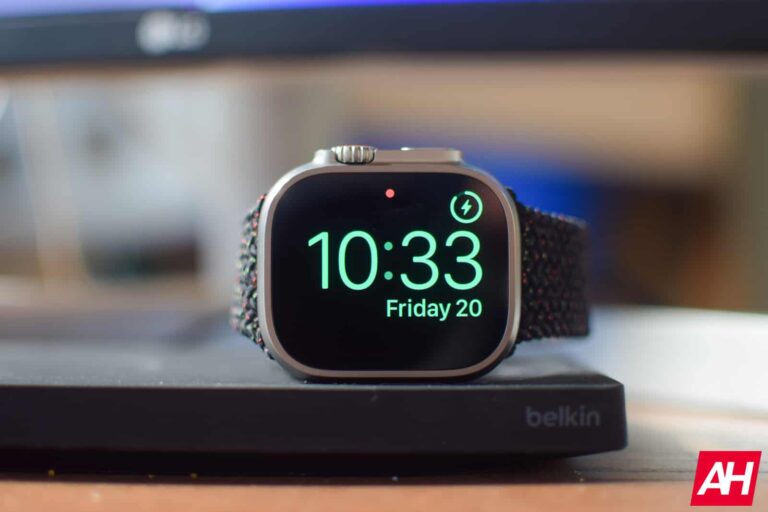
The Apple Watch Ultra is our choice for the best Apple Watch overall for two main reasons. The titanium case with sapphire crystal glass, and the battery life.
While the Ultra is geared more towards athletes, you don’t need to be an athlete to enjoy the Apple Watch Ultra. It’s actually my Apple Watch of choice, and I absolutely love it. The battery life is a little more than two times as much as the other Apple Watches. Apple rates it at about 36 hours, but of course this number is going to fluctuate depending on how you use your Apple Watch Ultra. I can typically get two to three full days out of mine.
With the Apple Watch Ultra, you get the crown guard on the side, which gives it a unique look compared to the other Apple Watches. On the left side you get an action button, which defaults to starting workouts, but can be used for just about everything.
Now, when it comes to bands, the Apple Watch Ultra does have three different styles of bands available – the Alpine Loop, Trail Loop and Ocean Loop. But if you already have some Apple Watch bands laying around, those will work too. Any 44mm/45mm watch band will work here.
The Apple Watch Series 8 is really our best overall runner-up watch here. Not everyone can or wants to, spend $800 on a smartwatch. Luckily, Apple makes it so that you don’t have to. The Apple Watch Series 8 starts at $399 for the 41mm size. There’s also a larger 45mm model available for $429. The Series 8 also comes in stainless steel for $699 and $749 respectively. Which is a tad cheaper than the Ultra.
With the Apple Watch Series 8, you get a lot of the same features as the Ultra. But you do miss out on the extra battery life, the sapphire display (unless you get the stainless steel option) and the action button. Apple quotes the Series 8 as lasting about 18 hours, but you can usually get a full 24 hours and then some out of the battery here.
Like the other watches on this list, the Series 8 also runs on Watch OS 9, which gives you access to all sorts of features. Like Apple Fitness, Apple Health, MyFitnessPal and many other apps. Apple Pay and Apple Wallet is also available for a quick tap of the wrist to pay.
If you don’t currently have a smartwatch, or use an Android phone and smartwatch and are thinking about switching, the Apple Watch SE is going to be the best option for you. Not only because it’s the cheapest at $249 for the 40mm model and $279 for the 44mm, but because it is pretty bare bones.
It does lack some of the features from the other watches here. For example, it does not have the always-on display. Which for some might be a big deal. Myself, I normally turn that off, so it’s not a huge deal for me. It does run the same chipset as the Apple Watch Series 8, so you won’t have to worry about it losing support sooner.
The Apple Watch Series 7 is no longer sold by Apple, so pricing can be a bit wonky here. But we’ve found over at Amazon, that it starts at $251, and that is not for a “renewed” model either. This makes it just a few bucks more than the Apple Watch SE, and it has all the same features as the Series 8, including that always-on display.
This model also comes in a lot more options over on Amazon, so you can get the specific case color and band color that you want, which is definitely good. It also has the Blood Oxygen and ECG apps on-board, which the Apple Watch SE do lack.
Now, you might be worried about support here. But keep in mind that the Apple Watch Series 7 actually runs on the same processor as the SE and Series 8. In fact, so does the Series 6. So the Series 6 and later should continue to get updated by Apple for quite some time. They only just dropped support for the Series 3, last fall with the launch of Watch OS 9.
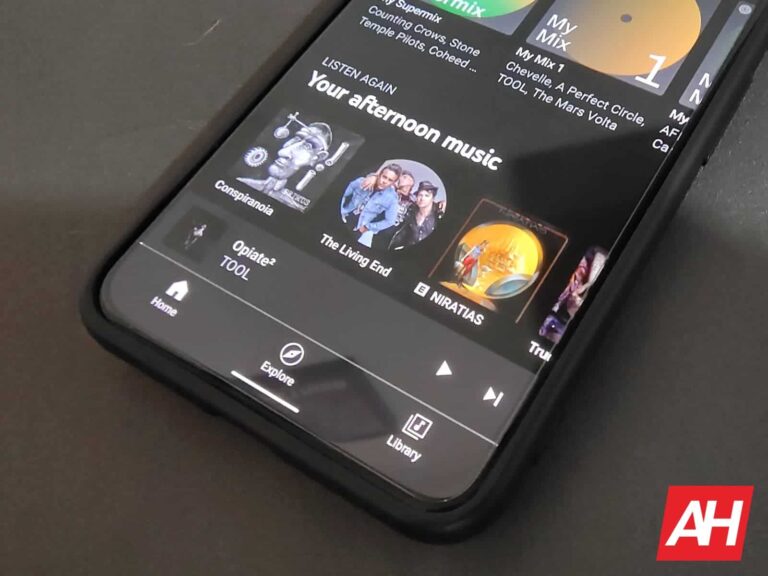
Last month, YouTube Music added personalized radio stations featuring up to 30 artists. Google’s music streaming service is now doubling down on its radio efforts by placing Artist radio stations on the app‘s home page. The idea is to make artist radios readily accessible should anyone be interested in them.
Reddit user cancerkol recently shared a screenshot showing a new “Artist radios” section on YouTube Music‘s home page. As pointed out by Android Police, which spotted the Reddit post, these are playlists featuring artists that you frequently listen to and musicians they have worked with. Opening a playlist brings up the normal radio layout with an option to tune the stations by mood (chill, discover, etc.). A similar refining feature is available for recommendations on the YouTube Music Home tab as well.
YouTube Music is making artist radio stations more accessible
Content recommendation is key to the success of any streaming service. The more users find interesting and relatable content, the more they are likely to stick to a platform. This goes for both audio and video streaming. Audio platforms like YouTube Music and Spotify already do a stellar job at it. But there’s always room for improvement. There’s always a way to do things better than others.
While Spotify shows artist radios in search results (when you search for a specific artist), YouTube Music is taking a different approach to it. Google is placing them directly on the app’s home page, making artist radios more accessible. It is keeping the personalization aspect of the service intact by allowing you to filter content by mood directly from the homepage.
You also have curated playlists for each genre you listen to more often on YouTube Music. This is in addition to the aforementioned custom radio stations where you can hand-pick your favorite artists and genres and bring them all in one place to create your own unique radio station and become the DJ of it.
The latest change is currently in testing
Artist radios on the YouTube Music home page aren’t available to everyone. The company is currently testing the new feature among a small group of users. Should everything go as planned, an upcoming update for the app should bring it to the general public. If YouTube Music is your go-to music streaming service, you can click the button below to download the latest version of the app from the Google Play Store.
After being embroiled in controversies about its data privacy for more than a year, TikTok CEO Chew is set to testify before Congress on Thursday to address “misconceptions” about the app and its parent company, ByteDance. Lawmakers have long expressed concerns about the app’s connections with the Chinese government and its possible use to target American consumers, leading to calls for a ban on the app in the US. Chew aims to argue that banning TikTok would harm the country’s economy and that the Chinese government has no control over the app.
During his testimony, Chew plans to highlight the app’s safety features and Project Texas, a billion-dollar initiative designed to protect the data of US users. He will also mention that the company is currently erasing historically protected US user data stored in non-Oracle servers and that the Chinese government cannot access data under their current app structure.
“ByteDance is not an agent of China or any other country. Rather, our approach has been to work transparently and cooperatively with the U.S. government and Oracle to design robust solutions to address concerns about TikTok’s heritage,” reads Chew’s remarks.
Tough times for TikTok
Despite TikTok’s efforts to safeguard US user data, recent reports of the FBI investigating the company for spying on US journalists have worsened matters for the company. Lawmakers are likely to criticize Chew for TikTok’s connections to ByteDance and China. Nevertheless, Chew contends that the allegations that TikTok is “beholden to the Chinese government” are untrue, and he describes ByteDance as a “global enterprise” established by Chinese entrepreneurs.
TikTok CEO Chew’s appearance before Congress will be his first, and his testimony could have a significant impact. With lawmakers threatening to ban the app unless the company divests from ByteDance, Chew’s defence of TikTok’s safety measures and its parent company’s autonomy will determine the company’s fate in the US.
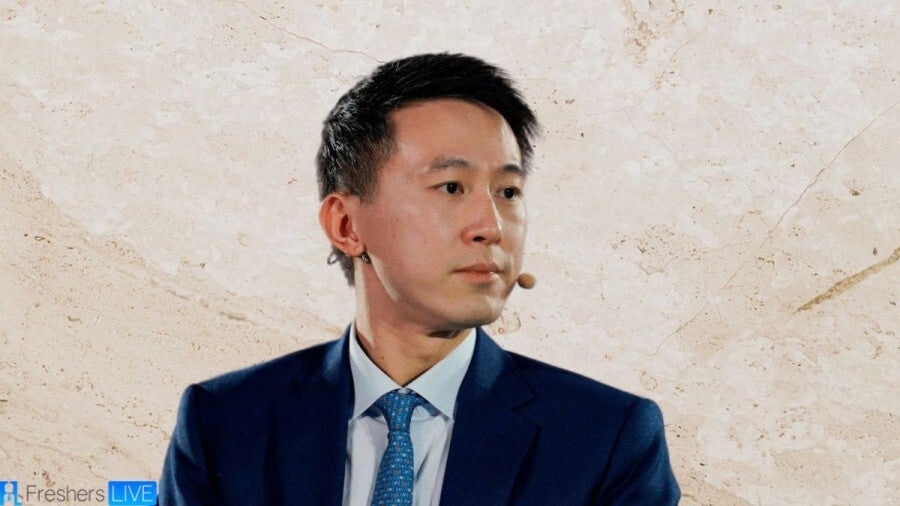
Looking to cut off a possible bipartisan bill that would ban TikTok in the U.S., the CEO of the platform, Shou Zi Chew, spoke to lawmakers today. The executive did admit to members of the House Energy and Commerce Committee that some China-based employees working for TikTok parent ByteDance might still have access to data from U.S. users. However, that access will end when the company’s Project Texas initiative begins.
But this hardly calmed the lawmakers who are concerned about a law in China that forces firms like Byte Dance to turn over personal information collected to the Chinese Communist Party (CCP) for “national security” reasons. TikTok’s CEO did deny that TikTok shares data with the CCP.
TikTok’s Project Texas initiative is designed to prevent employees in China from accessing U.S. data
According to CNBC, when Rep. Bob Latta, (R-Ohio), asked Chew if any ByteDance employee in China could access U.S. data today, Chew answered, “After Project Texas is done, the answer is no. Today, there is still some data that we need to delete.” That data is located inside servers in Singapore and Virginia. Once this data is deleted, China-based ByteDance employees will not have access to that information. TikTok currently has 150 million U.S. subscribers.
Shou Zi Chew, CEO of TikTok
A TikTok spokesperson said today, “Since October of 2022, all new U.S. user data has been stored exclusively in the Oracle Cloud Environment, with protected data fully out of reach of any foreign government. That data is managed exclusively by U.S. Data Security—a TikTok subsidiary made up of Americans, led and located in America—whose sole focus is to protect U.S. national security interests by securing U.S. user data and preventing outside manipulation of our systems.”
Lawmakers were also upset with certain content found on the short-form video app. For example, Rep. Gus Bilirakis (R-Fla.) grilled Chew about the suicide of 16-year-old Chase Nasca, who died last year after allegedly viewing TikTok videos that promoted suicide. Nasca’s parents attended the hearing and were in tears when Bilirakis played some of these videos. The parents have filed a wrongful death lawsuit against ByteDance. “Mr. Chew, your company destroyed their lives,” Bilirakis said.
Rep. Earl Carter, (R-Ga.), asked Chew about TikTok challenges many of which are dangerous and life-threatening. One, the “Blackout Challenge,” tries to get TikTok users to strangle themselves and several children have died. Lawsuits have been filed.
Rep. Carter asked TikTok’s CEO, “Why is it that TikTok consistently fails to identify and moderate these kinds of harmful videos? Why is it that you can’t control this?” Chew responded by saying, “This is a real industry challenge and we’re working very hard.” Carter replied, “We’re not talking about the industry. We’re talking about TikTok.”
Lawmakers blast TikTok’s CEO
During the hearing, Rep. Kat Cammack (R-Fl) played for attendees a TikTok video that showed an animated gun firing bullets targeting committee chair Rep. McMorris Rodgers (R-Wa). Cammack chastised Chew by saying, “Your own community guidelines state that you have a firm stance against enabling violence on or off TikTok. This video has been up for 41 days.” Chew confirmed after a break that the video had been removed during the hearing.
Cammack also read into the record an internal ByteDance memo that told employees to “downplay the parent company ByteDance, downplay the China association, downplay AI.” Commick responded by saying, “You’ve said repeatedly that there is no threat, that this is a platform for entertainment and for fun. Why, if you had nothing to hide, would you need to downplay the association with ByteDance and China?”
The executive answered, “Congresswoman, I have not seen that memo.” That led Cammack to say, “You cannot answer that question.”
TikTok is still one of the most popular apps on iOS and Android. On the latter platform alone the app has been installed over 1 billion times.
In this campaign, attackers have used the legitimate ChatGPT for Google extension and added malicious code to it in order to steal Facebook session cookies.
The cybersecurity researchers at Guardio have found a new info-stealing campaign exploiting ChatGPT, the popular AI chatbot from OpenAI. In this campaign, attackers are distributing fake ChatGPT extensions that promise to integrate the chatbot with your Google search results. In reality, it can steal your Facebook account.
The latest ChatGPT scam should not come as a surprise, as cybercriminals have been attempting to exploit the popularity of the AI chatbot since its launch last year. In January 2023, it was reported that several fake ChatGPT clone apps on the iOS and Play Stores were collecting user data and sending it to remote servers.
The fake ChatGPT extension (Guardio)
Fake ChatGPT Extension Discovered
In the newly discovered campaign, Guardio researchers noted that it is based on an open-source extension containing malicious code to force the product to function as per the attacker’s demands and make it difficult to detect it.
The fake extension is leveraged by the Chrome Extension API to obtain active Facebook cookies and send the data to the attacker’s server. Hackers can easily log into the victim’s Facebook account, change account credentials and create zombie accounts by converting profiles into a false persona “Lily Collins.” The accounts are then used to distribute malicious ads and propaganda campaigns.
How Does the Attack Work?
Attackers have used the legitimate ChatGPT for Google extension and added malicious code to it in order to steal Facebook session cookies. Users are lured to download the extension via fake sponsored search results.
When the user search for ChatGPT 4, you will click on a sponsored search result that will redirect you to a landing page offering to embed the chatbot inside your search results. After you have installed the extension from the official Chrome Web Store, it allows you access to ChatGPT in search results along with compromising your Facebook account.
Attack flow (Guardio)
“Looking at the “OnInstalled” handler function that is triggered once the extension is installed, we see the genuine extension just using it to make sure you see the options screen (to log in to your OpenAI account). On the other hand, the forked, turned malicious, code is exploiting this exact moment to snatch your session cookies,” the report read.
How to Identify Fake Extension?
Researchers explained that the fake add-on was most probably downloaded via a sponsored ad in Google search results for Chat GPT 4, just like Bitwarden and Radeon users were targeted earlier in 2023. This extension was downloaded from the Chrome Store between Feb 14 and Mar 22.
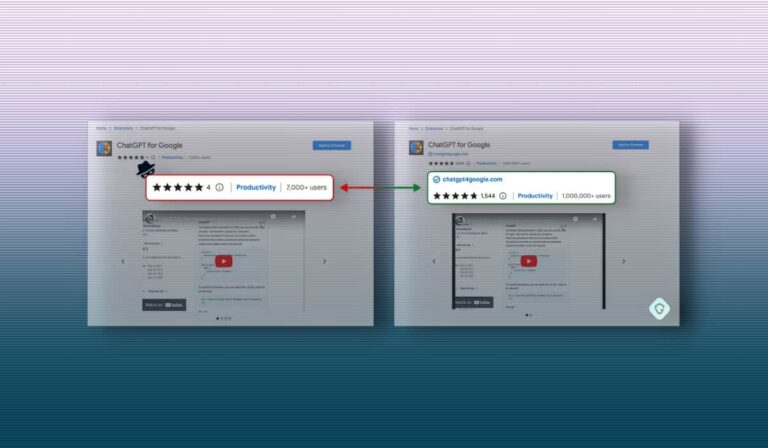
It has now been removed from the store. You can check if the ChatGPT for Google installed on your computer is fake or legit by clicking on the puzzle icon on the Chrome address bar’s right side. then click on Manage Extension> Details> View in Chrome Web Store.
If the official extension shows chatgpt4googlecom as its verified developer and boasts more than a million users then it is original else it is fake.
Amazon Alexa is available in a number of different devices. And if you’re already invested in the Alexa ecosystem, then it is a good idea to pick up more Alexa devices to add to your home.
In this buyer’s guide, we will be discussing the top 10 best Amazon Alexa compatible devices that you can buy right now. This will include things like smart displays, smart speakers, smart bulbs, thermostats and so much more.
The Amazon Echo Show 5 can do everything that Alexa can do, now with a display. The Echo Show 5 is great to put in the kitchen or even in a bedroom on a nightstand in your room.
The display on the Echo Show 5 is a bit wider than the other Echo Show devices, which means it can show more content in-line versus the 8 or 10-inch models.
It’s great for controling your smart home, as well as playing music, watching Prime Video and much more.
This is a great bundle to get started with actually. It’s pretty inexpensive, and also comes with a smart plug, which is always a nice added bonus.
These bulbs from GE (it’s C by GE brand does the smart home products) are pretty basic. These are soft white bulbs, hence the much lower price here. They offer up the ability to use Amazon Alexa, Google Assistant and even Apple’s Siri or Homekit for voice control.
Smart control here isn’t as robust as on Philips Hue lights, since you can’t change the color. It’s on or off, you can schedule them, and dim them. And that’s about it. That makes these great for ceiling lights in your home.
Works with: Amazon Alexa, Google Assistant, Apple Siri/Homekit, IFTTT
The Philips Hue Go is another really cool light that you can add to your setup. Many people refer to it as a “bowl of light” which is technically true. The Philips Hue Go is also portable, meaning that it does not need to stay plugged in. So you can put it anywhere. Bounce the light off of the wall and so forth. Which is another way to add some cool accent lighting to your home.
This is a multi-colored light, with up to 16 million colors available to use here.
Much like the other Philips Hue products, the Go works with Amazon Alexa, Google Assistant and Siri/Homekit. It is also a newer model, so it works with Bluetooth too. Meaning it is not required to have the bridge.
Amazon’s fourth-generation Echo smart speaker is the best one yet, and perfect for those that are building a smart home. Since it has a Zigbee hub built into the speaker.
With this fourth-generation speaker from Amazon, it has improved the audio and also redesigned the speaker. You’re getting premium audio on the Amazon Echo, so you won’t need to use something like a Sonos or Bose speaker to get great audio.
The redesign on the Amazon Echo means that it is going to be able to better project audio in your home. As well as looking really unique. The Alexa ring is now on the bottom and can light up the table, which looks really nice.
Sonos announced the new Beam 2 in September 2021, as the second-generation compact sound bar. Which has Amazon Alexa baked in (as well as Google Assistant). And it makes it the best Alexa-compatible sound bar again. We chose this over the Sonos Arc, because we feel that the price here is more attainable than the $700 for the Arc.
With the Sonos Beam 2, there is support for Dolby Atmos now, but it’s not full-on Dolby Atmos. It’s a bit strange, but it basically comes down to the size, and the fact that there are no up-firing speakers here.
Internally, things have been upgraded which will give you a better sound experience here, and it’ll also be quicker to play via AirPlay 2, as well as HDMI eARC for controlling your TV.
The Amazon Echo Show 10 is a redesigned Echo Show, with a display that will now follow you around the room. This is useful for a few reasons. It’s great for video calls, as you’re able to stay in the frame all the time. But it’s also good for seeing what’s happening when you’re not home. Much like the Nest Hub Max, this camera can be used for security too.
The Echo Show 10 does have a really good speaker in it, and allows you to watch content from Amazon Prime Video, Netflix and other providers. As well as allowing you to watch what’s happening on your Ring Video Doorbell.
The Blink Mini is the cheapest camera on this list. And you’re probably wondering why this $35 home security camera is on this best of list, with many others that are over $100 – some of which are $200.
Well, the Blink Mini does the basics, and nothing more. It is a very small camera as you can tell by the name. Which offers two-way audio, and motion detection. It also only records in HD, and not 1080p or even 4K. Basically, you get what you pay for. And for most people, this is really all you need.
The RemoBell S is a great video doorbell to pick up, and perhaps the cheapest on this list. It does require existing doorbell wiring, which is part of why it’s so much cheaper. As there is no battery inside to power it.
It can record your front yard and see what’s going on, giving you notifications and more. There is no subscription required, so it can record and keep everything for you. Without having to pay anything extra. Which is always nice.
The Echo Dot also got a redesigned, and looks very similar to the Echo that is listed above. But of course, smaller. So it has a new spherical shape, which looks really futuristic and a bit like the Nexus Q.
But the Echo Dot still does its job and does it well. It’s a small smart speaker that offers some good audio now. It also has Alexa built-in. So you can ask about the traffic, weather and much more. Not to mention, streaming music. There is support for Spotify, TiDAL, Amazon Music Unlimited, Apple Music and many more.
The new Ring Video Doorbell 3 is a great device to pick up and add to your Alexa ecosystem. It adds quite a few new features, including a better way to pop out the battery and charge it. It also does 1080p HD video, with night vision. Has motion detection and person detection. So it’ll only record when it sees motion.
It does work with Echo devices, like the Echo Show, so you can see what is happening outside, from your smart display. Or on your TV with a Fire TV device.
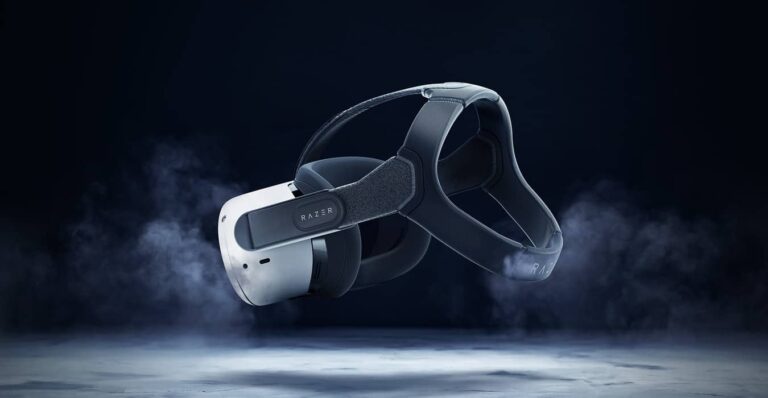
Razer today is launching two accessories for the Meta Quest 2 VR headset, promising a more comfortable experience when playing games in virtual reality. The Razer Adjustable Headstrap and Razer Facial Interface were designed in collaboration with ResMed, an expert in human factors that uses “billions of hours of data” to gain a deep understanding of materials, geometry, and skin science to help with their creation.
Razer says both accessories were designed with the intention of enhancing the VR gameplay through improved comfort. The Razer Facial Interface for example is meant to reduce facial pressure. Razer says these “float the surface of your face on a microscopic level.” While that’s a pretty interesting claim to make, the important thing is that these should distribute weight more evenly. Which should lead to more comfort during the time you’re wearing your headset.
It also features a light-blocking design with ventilation and a contoured 3D design for better support. Both accessories are available directly from Razer at $69.99 each. Or you can grab them both in a bundle for $139.98.
The Razer Adjustable Headstrap for Meta Quest 2 was designed for all head shapes
With comfort as a central point of focus for this accessory, the headstrap needs to fit. The thing is it’s not just the size of your head that can throw that off. Everyone is different is head shape can factor into whether or not something like this fits as well.
But that shouldn’t be a problem here. Razer says it was designed to fit all head shapes. To that end, Razer calculated the ideal vector and angle for each strap so that they don’t apply as much force to the parts of the head that they contact. The adjustable straps are soft and made of a breathable texture to help with comfort and the high-performance nylon that the straps are made of will help with durability. Ensuring that they last you a while.
The best part of all perhaps, is the unique cap design. It’s meant to promote a quick on/off solution that allows you to jump out and back into your VR games. Without having to mess around with strap adjustments. You simply need to set it up the first time and from then on, you can just slide the headset off if you need to take a quick break. Then right back on when you’re ready to play again.