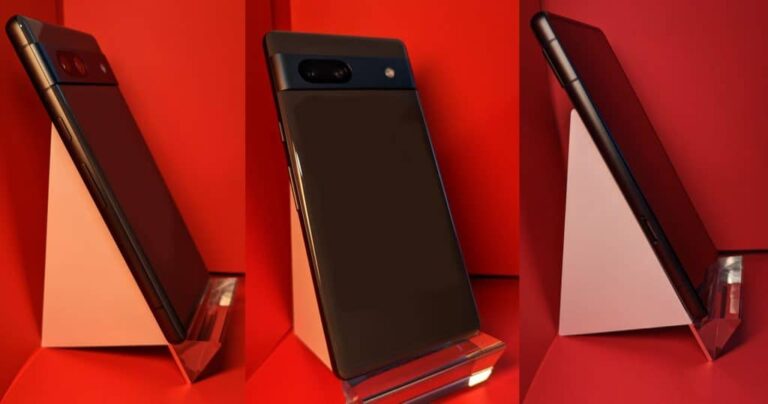
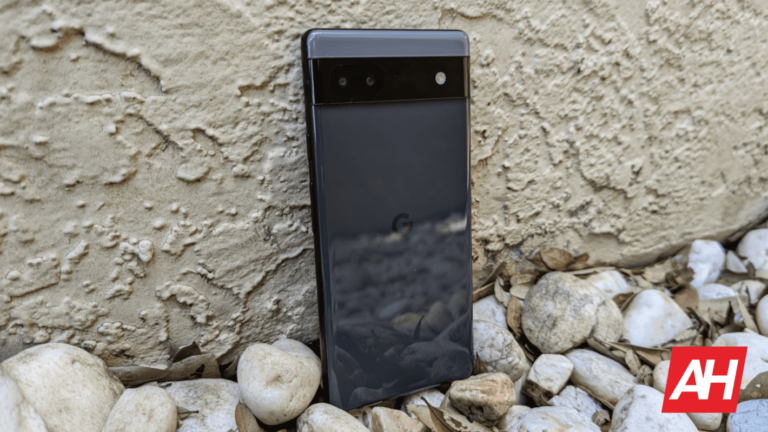
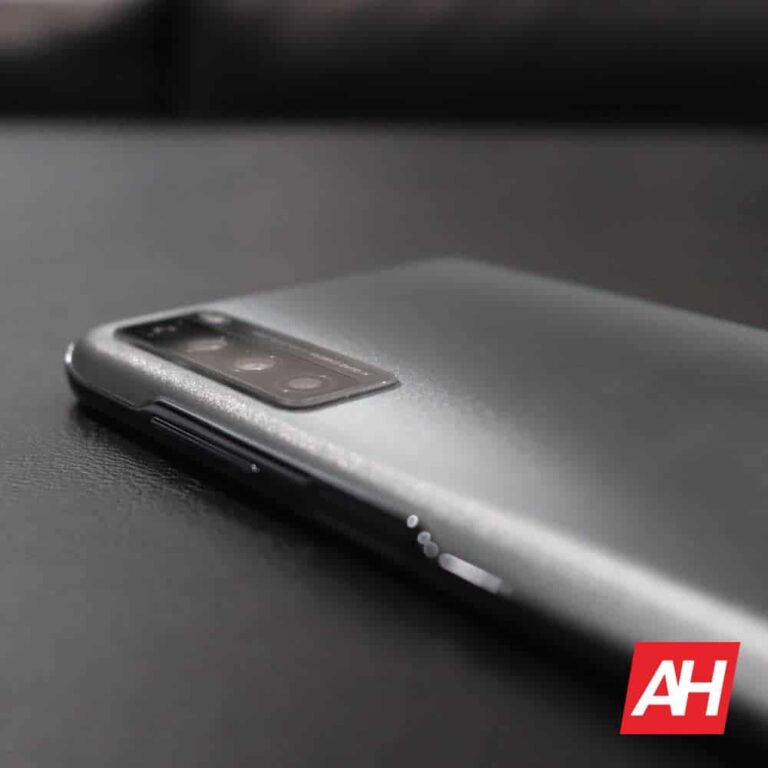
The Google Pixel 7a prototype actually ended up on eBay. Someone from Greece put it up for sale with a $1,650 starting bid. At the time of writing this article, however, the “listing was ended by the seller because the item is no longer available”. The phone is still listed on eBay, though, for everyone to see.
The Pixel 7a prototype found its way to eBay way ahead of launch
This seems to be the same phone whose real-life images were shared online recently. The seller did note that it has 8GB of RAM and 128GB of storage, and that the phone goes only into fastboot mode, it’s not working. He also noted that it’s in “excellent cosmetic condition”, and that the SIM tray is missing.
The Pixel 7a is hardly a secret at this point, thanks to all the leaks. It’s not exactly surprising all that happened, as it’s not the first time. We’ve seen Pixel phone prototypes listed for sale before. Google can’t seem to put the lid on all the leaks, it seems.
The Pixel 7a will launch during Google I/O 2023 in May. It will have the Pixel 7’s design, but be a bit smaller. It is said to feature a 6.1-inch display, like its predecessor. Unlike the Pixel 6a, however, this phone will offer a 90Hz refresh rate.
The Google Tensor G2 will fuel this phone, it seems
Google’s Tensor G2 processor is tipped to fuel the phone. That is the company’s flagship SoC at the moment. It fuels the Pixel 7 and Pixel 7 Pro handsets, Google’s current-gen flagship phones.
The phone is also said to include 8GB of LPDDR5 RAM and 128GB of UFS 3.1 flash storage. A 64-megapixel main camera will allegedly be included, along with a 12-megapixel ultrawide camera.
Android 13 will, of course, come pre-installed on the device, and we also know that Bluetooth 5.3 will be supported. The device got certified by Bluetooth SIG recently. 5W wireless charging could also be included.
If you’d like to know more about the phone, check out our preview.
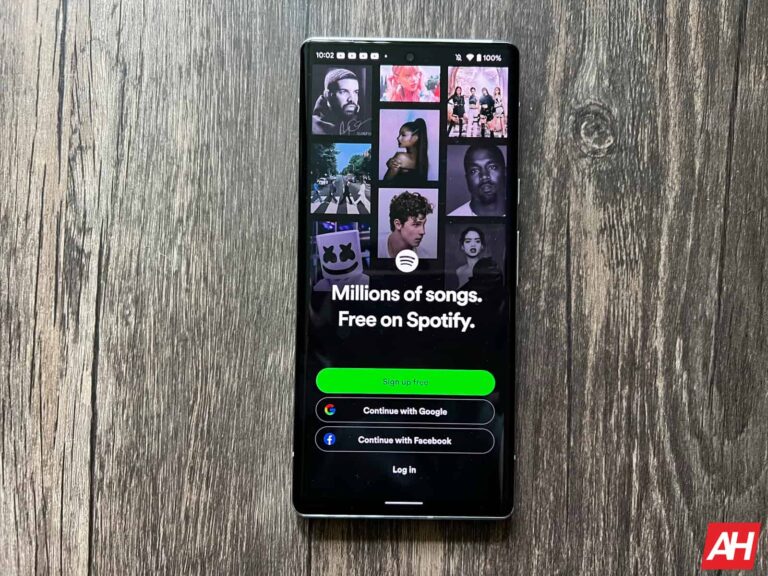
In February 2021, Spotify announced that it’ll launch a lossless HiFi (high fidelity) streaming tier. The new tier was supposed to be available later that year. But deep into March 2023, Spotify Hifi is still missing with no signs of it coming anytime soon. So what happened? Well, after remaining mum for over two years, the company has finally broken the silence on the matter. Spotify’s Co-President Gustav Söderström recently said that HiFi streaming is still in the pipeline but delayed due to changing demands of the industry.
“We announced it, but then the industry changed for a bunch of reasons,” Söderström said in an interview with The Verge earlier this week. “We are going to do it, but we’re going to do it in a way where it makes sense for us and for our listeners. The industry changed and we had to adapt”. The Spotify executive didn’t elaborate on how the industry changed and what precisely caused the delay. But he suggested that the company is still evaluating the cost structure. “We want to do it in a way where it works for us from a cost perspective as well,” he said.
Söderström’s words suggest Apple and Amazon offering lossless streaming for free has affected Spotify’s HiFi plans. The company wanted to introduce a more expensive streaming tier than the existing ones with lossless music. But Apple and Amazon have spoiled those plans. It may now be reworking its strategies to make money off HiFi music without risking losing customers to Apple Music or Amazon Music. Spotify is unlikely to offer it for free, though. Maybe its lossless streaming tier will come with added perks such as spatial audio, Dolby Atmos, audiobooks, and podcasts.
Spotify still doesn’t have a launch timeline for HiFi streaming
Spotify is the world’s largest music streaming service with more than 500 million users globally, including over 205 million Premium subscribers. The service missing lossless music is still baffling. The company has reportedly already made all necessary preparations for HiFi streaming. It has ” re-ingested its entire music catalog in lossless quality” and has also largely completed the technical work for the feature.
In fact, lossless music has been available to some Spotify employees for more than a year now. However, the streaming giant is intentionally holding off rolling out the feature to the public. Söderström said that Sopify HiFi “is coming at some point” but didn’t share even a vague timeline. Hopefully, the company will not keep its 500 million plus users waiting for lossless streaming much longer.
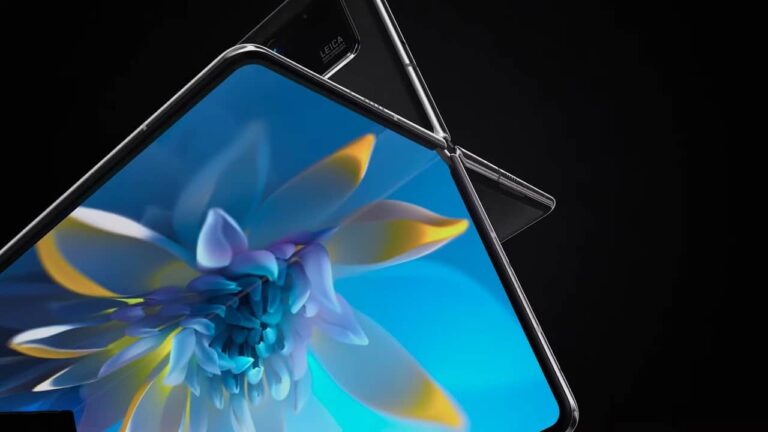
The Huawei Mate X3 foldable will launch next week. Huawei confirmed that already, as it will launch next to the Huawei P60 series on March 23. Well, a well-known display analyst has just revealed the Huawei Mate X3 display details, as we’re getting ready for the launch event.
The Huawei Mate X3 display details surfaced ahead of launch
This info comes from Ross Young, as the Mate X3 will seemingly feature a 7.85-inch main display. That panel will be foldable, of course. The cover panel on the device will measure 6.45 inches.
It seems like both will be LTPO panels, in other words, both will offer an adaptive refresh rate. He also mentioned that this will be Huawei’s first smartphone with a UTG (Ultra Thin Glass), which is used on foldable devices these days.
Huawei seems to be quite optimistic regarding this foldable, as the tipster says that “initial production and target volumes are high”. Do note that the phone will launch in China first, and it remains to be seen if it will make it to global markets.
So, March 23 is basically the date when Huawei plans to launch two flagship phones. The Huawei P60 series is coming as the company’s main flagship series, of regular smartphones. The Mate X3 will be positioned as the flagship foldable phone.
Both phones will be quite powerful, though the Mate X3 is still a mystery
The Huawei P60 Pro sketch surfaced recently, seemingly revealing what the phone will look like. That device will allegedly include the XMAGE 2.0 camera tech, and a pill-shaped display camera hole. The Snapdragon 8 Gen 2 is also tipped, even though it will be limited to 4G connectivity.
The P60 Pro will feature a 6.6-inch QHD+ AMOLED display, and also offer LPDDR5X RAM and UFS 4.0 flash storage. A 50-megapixel main camera will be backed by a 50-megapixel ultrawide camera, and a 64-megapixel telephoto camera.
When it comes to the Mate X3, well, we don’t have much info at this point. We presume it will have a similar form factor to the Galaxy Z Fold 4, but be a bit wider. Its specs are a mystery at this point, but we do expect high-end specifications.
According to a new report by 9to5Google, Google is preparing the Video Unblur feature, and it could debut with the Pixel 8. As many of you know, this is basically the same thing as Photo Unblur, but for videos.
Google’s Video Unblur feature could debut later this year, with the Pixel 8 series
Google introduced Photo Unblur last year, along with the Pixel 7 series. That feature is still exclusive to the Pixel 7 series, and it seems like the Video Unblur could debut on this year’s flagships.
The source spotted some changes in the new Google Photos APK. It basically detected the Video Unblur feature in there, as they even managed to force the UI to appear in the app. That’s all they were able to do, though.
The feature is not functional at the moment, unfortunately. What they did discover, however, is that we’ll get new video overlays, which you’ll be able to use to change the color of the video, basically. Photo Unblur is actually a truly useful feature, so having something similar for videos will be great. Well, as long as it functions well enough. Needless to say, it’s far more difficult to make something like that for videos.
Now, do note that folks over at 9to5Google are only guessing this will debut with the Pixel 8 series. Mainly because Photo Unblur first appeared on the Pixel 7 series, of course.
There is a slight chance Google will talk about it during Google I/O 2023
There is a chance we may see this feature even sooner, though, at least some sort of a preview. Google is hosting the Google I/O 2023 developers conference in May this year, as it does every year.
Last year, during Google I/O, Google basically confirmed the design of the Pixel 7 series. So, we may get some sort of a preview this year, and who knows, Video Unblur may be demoed too. Google will most likely keep that under wraps until the Pixel 8 launch, though.
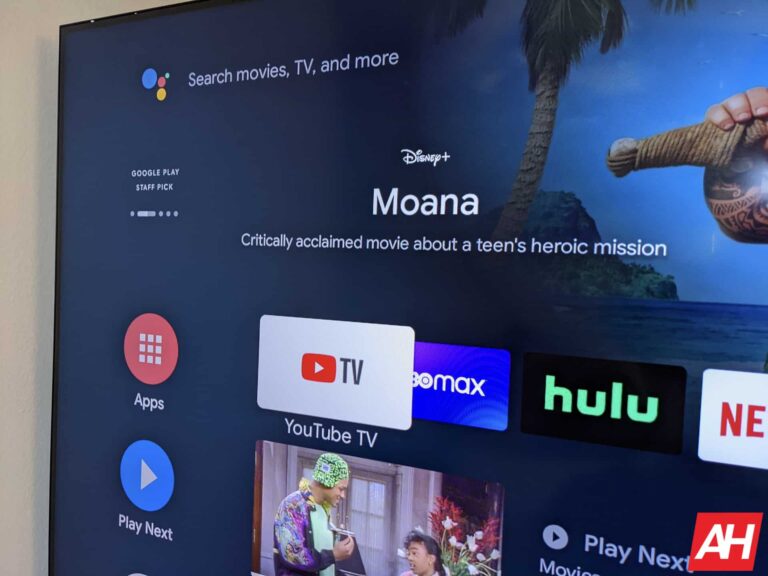
Google may be prioritizing the new Google TV experience for smart TVs, it isn’t sunsetting the old Android TV interface just yet. The company has just released an update for the latter, adding an account switcher to the home screen. A similar feature has been available on Google TV for almost a year now.
Several Android TV users have recently reported seeing a new icon in the top-right corner of their TV’s home screen. Nestled between the settings button and time, it is an account switcher that lets you quickly change the primary Google account linked to the TV. The icon shows the profile avatar of the account that is currently in use. Clicking on it will take you to a new page where you can switch to another linked account, add a new account, or remove an existing account. The page also notes that the primary account is used for watchlists, purchases, and personalized recommendations.
Android TV adds an account switcher to the home screen
This new addition to Android TV makes things a lot more convenient for families that share the same TV. By linking the Google accounts of all family members, everyone can get a personalized feed of recommendations on the homescreen. Google will use your online activities and watch history to recommend content. However, it’s still far from the perfect user profile system for multiple reasons. Firstly, it only shows up on the ad-powered Google Discover home screen. The account switcher doesn’t exist on the old Leanback interface of Android TV.
Moreover, it only switches the primary account for your “TV”. According to Android Police, changing the primary account doesn’t change the accounts logged in Google apps like YouTube, YouTube TV, or even the Play Store — something that Google TV does. The publication also noticed a typo on the account switcher page. It says “Login to a different Google account” under the “Add account” button. It should have been the verb “log in” instead of the noun “login”. Hopefully, Google will fix this error and improve the feature with subsequent updates in the future.
Meanwhile, the new account switcher should be available to more users with an Android TV device soon. The rollout began recently for users in the US. It should reach everyone around the world in the coming weeks. As said earlier, Google TV has had a more feature-rich account switcher for about a year now.
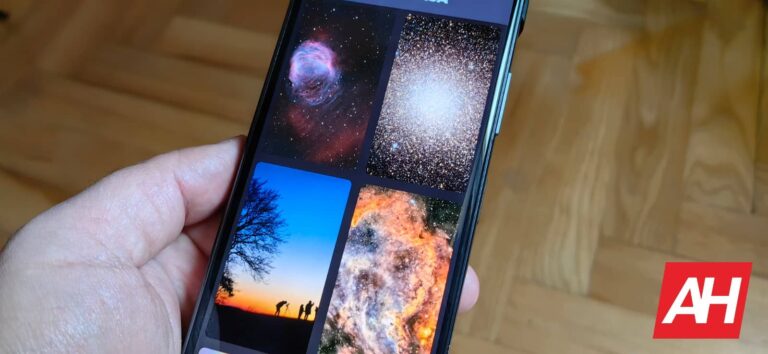
Not many people know that NASA constantly publishes photos of stars, comets, and many other objects of the cosmos. NASA does that on a daily basis, believe it or not, and the app we’re here to talk to you about, offers those images as wallpapers, basically.
EveryNASA app provides you with wallpapers that NASA shared, daily
The app in question is called ‘EveryNASA’, or as its full Play Store name says “EveryNASA: Space Wallpapers”. Needless to say, those photos look amazing as wallpapers on your smartphone.
You can easily apply those wallpapers via this app, or you can set the app to change wallpapers for you daily. It’s even possible to choose a specific day to see a photo that NASA published then. That’s not all, you can read everything about the photo that is provided, which is an extra level of cool.
The app is very minimal, as it wants to keep the focus on the wallpapers at hand. It’s in line with a number of other nice-looking wallpaper apps we’ve seen. Needless to say, that’s a good thing.
The app also has really nice reviews on the Google Play Store. It’s currently holding a 4.2-star rating, after over 1,000 downloads. It’s not insanely popular, at least not yet, but it’s hard to deny it’s quite neat.
It has the ‘favorites’ option, and the app looks really nice
It does offer you an option to favorite some wallpapers into a separate folder, so that you can access them whenever you want. As with any similar app, it’s possible to share these wallpapers with others too.
We’ve included some official screenshots in the gallery below. You’ll also find a link to the app’s listing below the article, of course, it will lead you directly to the Google Play Store. The app is free, though ads are a part of the package. Check it out if you’re interested.
If you really want to know what someone wrote to you, and you don’t want them to know you’ve seen a message… we have just the app for you. The app is called NoBlueTick, and it essentially allows you to read messages without opening them.
NoBlueTick app is great for reading messages without letting other know you did it
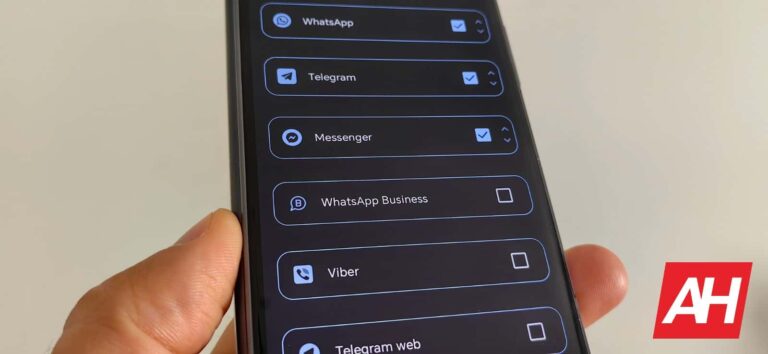
It’s really simple, really. All you have to do is install the app, grant it permission to see your notifications, and you’re good to go. All you need to do at that point is open the app, and the full messages that you’ve received will be located there.
You may wonder why would you need this when messages are visible in the notification panel, without opening the app itself. Well, yes, that’s true, but only to a certain length. They will get cut off.
So, if you tend to receive longer messages, and you’d like to check them out without someone finding out you did, this is the app for you. People who sent the message won’t see that you read them. You won’t exactly open them, technically.
There are a couple of reasons why an app like this can be useful
This can be quite useful for two reasons. First, you won’t feel the pressure to answer immediately. And two, you won’t forget about a specific message despite the fact you’ve read it, as the initial notification will still sit in your notification shade.
The app supports all the most popular messaging services, including WhatsApp, Viber, Telegram, Signal, Messenger, Instagram, and more. You can even select which ones do you want to be included. NoBlueTick will ignore the rest.
The app itself looks very simple, which is the whole point. The emphasis is on the messages you’ve received. Themes are also supported. Do note that there are both ads and in-app purchases included here, though. A download link is included below, if you’d like to try out the app.
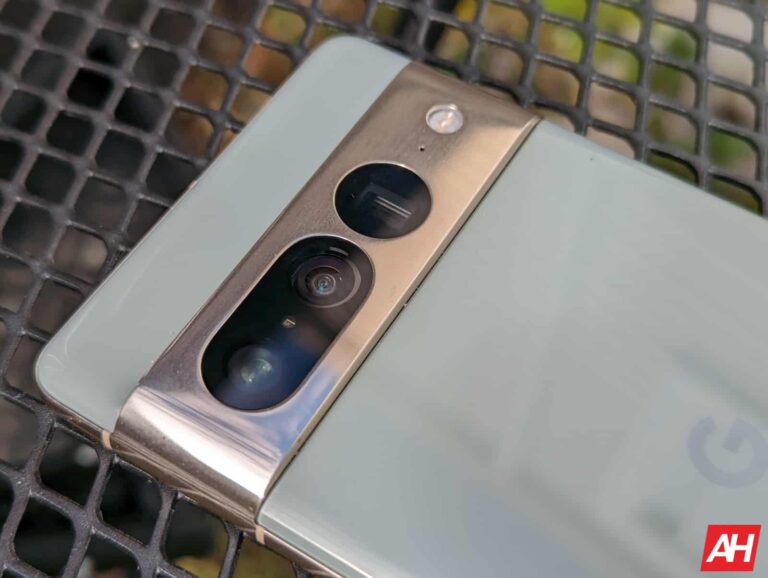
Amazon has the Google Pixel 6a back down to just $299. Now that is not an all-time low, however that is still a really good value. This is normally priced at $449, so not to shabby. This phone is a really good value. How good? Well, it won MKBHD’s blind smartphone camera test last year. Beating out the iPhone 14, Pixel 7, Galaxy S22 Ultra and even the $1600 Xperia 1 IV. So yeah, this is a great value.
The Pixel 6a is a pretty impressive smartphone in this price range. It sports a 6.1-inch FHD+ display, which is still at 60Hz, but that’s fine at this price. It is powered by Google’s own Tensor chipset – the same as the Google Pixel 6 and 6 Pro. That’s paired with 6GB of RAM and 128GB of storage on-board.
There’s also a pretty sizable 4410mAh capacity battery on-board here. Which Google estimates will get you through a full 24 hours.
Camera-wise, it’s using the same 12-megapixel sensor that the Pixel 2 through Pixel 5a used. So it’s not the upgraded one on the Pixel 6 models. It’s a fine camera sensor, and Google has spent a lot of time on software for this sensor so it performs really well. This year, it is also including a 12-megapixel ultrawide sensor too. So you can get some great pictures with this sub-$500 smartphone.
A lot of the features from the more expensive Pixel is also available on the Pixel 6a. Which is really what makes the Pixel 6a such a great deal every year. That includes features like Magic Eraser that can remove entire objects from the picture. As well as Live Translate, which can translate live video captions, private chats and messages and signs in up to 44 languages in real-time on your Pixel 6a, just to name a few.
You can pick up the Google Pixel 6a from Amazon today by clicking here. But you’d better be quick as this price is not going to last very long.
It’s so easy to fall in love with the shiniest and fanciest premium phones on the market. That makes sense, as they have the best features and most robust specs. However, we don’t always have the $1,000+ to buy those devices, and we sometimes need to set our sites just a little lower. This is where budget Android smartphones come in handy.
The Android platform is home to a myriad of budget-friendly phones that pack more power than their puny prices project. If you’re looking for a new phone that breaks expectations (and NOT the bank), then continue reading. Here’s a list of 10 great budget Android phones.
Top 10 Best Budget Android Smartphones – March 2023 Summary
Finding the best budget Android smartphones can be a bit of a tedious affair; there are quite a few of them out there. So, here is a quick summary of the phones that are on this list. It’s recommended that you read below to see a full description of the phones. The descriptions will tell you which aspects make these phones great and why you should buy them.
However, if you don’t want to bother with the descriptions, here’s a chart of the phones. It tells you the full names of the devices, their price, and a link to buy them. Just know that prices can change as time goes on, so the prices that are written might not reflect the final price when you visit the page.
TCL has contributed some interesting and nice phones to the budget smartphone market. If you’re looking for a neat and stylish phone that doesn’t cost much, then you’ll want to look at the TCL 20S. This smartphone has the design language that TCL has built up over the years, and it’s sure to turn some heads.
As for the specs, we’re looking at a 6.67-inch display with an FHD+ resolution. That will give you great visuals, especially with TCL’s great display technology. There are dual speakers as well, so it’s a great phone if you’re going to watch a lot of movies and videos.
You can expect great battery life with the TCL 20S. It comes with a large 5000mAh battery. It will get you through the day with no sweat.
This phone is on the pricier side of the spectrum, but it’s still a bargain. The OnePlus 10T was released last year as the mid-cycle release for the OnePlus 10. This phone is a true-to-form premium med-ranger with some monster specs.
You’re looking at a 6.7-inch AMOLED display with a resolution of 1080 x 2412. So, it’s an FHD+ display with a 120Hz refresh rate. It uses the flagship-grade Snapdragon 8+ Gen SoC. It’s more powerful than the processor in the Galaxy S22, and it’s backed up by up to 16GB RAM and 256GB of RAM.
If you’re looking for a flagship-grade experience for the price of a mid-range phone, then you’ll want to check this phone out.
Motorola is a giant in the budget phone segment, and the Moto e is a good example of that. This phone is a good mobile companion, so it’s not for the power users out there. If you need a solid phone to get you through the day, then it’s for you.
The Moto e has a decently large 6.2-inch display for watching videos. Motorola usually hooks its cheaper phones up with decent displays. What’s the best spec about this phone is the battery. It promises up to two days of battery power on one charge. Given Motorola’s history with battery efficiency, that’s not a bold claim.
T-Mobile wanted to get into the smartphone game, and the company has done a decent job at it. The Revvl phones are good competition in the budget phone space. These phones are rather affordable, and they have decent specs.
The Revvl 6 Pro 5G cones with an impressive 6GB of RAM and 128GB of storage. That’s not bad for the price. Also, it has a large 5,000mAh battery which should give you really good battery life. Topping off the specs, this phone has a 50MP main camera which most likely bins to 12MP.
Even though the Galaxy Note 20 was an expensive flagship phone when it launched, it’s much cheaper nowadays. Getting an older flagship phone today can still give you great performance. Also, this phone isn’t all that old.
The main thing about this phone is the built-in stylus that adds a ton of added functionality. You’re able to draw, take notes, sign documents, etc. with the S Pen. Samsung stuffed a ton of features into the pen, so this is a great phone to get if you need that.
Also, you can bet that you’re getting an amazing display.
The Nokia G400 is definitely a middle-of-the-road phone that deserves your attention. It’s meant to be an affordable phone to get the job done. What’s probably most notable about this phone is the display.
The display has a 1080p+ display with an impressive 120Hz refresh rate. That means that you’ll have some nice visuals. If you’re going to be using this phone for the camera, there’s a decently powerful 48MP main camera. On the front of the phone, there’s a 16MP selfie camera. It should be good enough to take some nice pictures.
If you’re looking for a cheap phone from Motorola with some decent specs, then you should look no further than the One 5G Ace. This phone has a design different from most other Motorola devices, but it will still bring the great Moto experience.
This phone, along with having a large FHD+ display, a large 5000mAh battery, and 128GB of onboard storage, has the fast 5G connectivity. You get Sub-6 5G, which isn’t the fastest out there, but it’s still really fast compared to 4GLTE. This is a great phone to get if you’re looking for an affordable 5G phone.
The Galaxy A03 is one of the lower-powered Galaxy phones that prioritize value. This phone is definitely a mid-range phone with its HD+ LCD display.
It uses the MediaTek Helio P36 SoC, and it comes with 3GB of RAM and 32GB of storage. On top of that, the Galaxy A03s has a large 5,000mAh battery. That should give you more than a day and a half of battery easy.
It might be weird that this list includes an LG phone, but the company has been updating this phone since it shut down its smartphone division. The LG Velvet is now on Android 13, so its software is up to date. Also, the processor is good enough to run most games that come out today.
What’s notable about this phone is its amazing display. LG gave this phone a gorgeous AMOLED display that rivals many other phones in its price range. It’s a steal if you miss the LG phones from the old days.
The Redmi is a mid-range phone with some neat specs. You have a sturdy build to give you a premium feel. This phone has a 6.57-inch 1080+ display.
The phone is powered by the mid-range Snapdragon 765G SoC, and that will give you some good performance. This is backed up by 4GB of RM and 128GB of storage. Also, this phone has a pretty big 4520mAh battery. You can expect good battery life from this phone.
So, while Twitter is weathering Hurricane Elon, it’s still able to bring changes to the user experience. The company is rolling out a change that will add another metric to your tweets that you can see. Twitter will let you see how many people have bookmarked your tweets.
Not too long ago, Twitter brought the update that lets people see how many views their tweets get. Technically, this information was always available to the public. When you’re viewing your tweet, you’re able to tap on the View Tweet Activity button. This would show you a bunch of information about that tweet.
Twitter will let you see how many people bookmarked your tweets
Sometimes, people want to preserve a tweet to access at a later time. In order to do that, people would typically just retweet it and go to their profile later. Twitter solved this issue by letting people bookmark tweets. This would save the tweet to a list that you can come back to later.
So, if someone bookmarks your tweet, it means that they like it so much that they want to see it multiple times. It’s the ultimate form of flattery. Wouldn’t you want to know how many people bookmarked your tweets?
Apparently, Twitter thinks that you do. The company rolled out a feature that will show you how many times your tweets were bookmarked. At the moment, the company only rolled this out on iOS. The company announced this via a tweet, but it didn’t say when it will make its way over to Android.
If someone bookmarks your tweet, the app won’t tell you who did it. It will just show up as a number under the other metrics on your tweet. If you’re interested in seeing how many people are bookmarking your tweets, make sure that the Twitter app on your phone is up-to-date.