The hacker claims that, among other sensitive data, the stolen information includes data about convicts, drug cartels, witnesses, and individuals enrolled in the agency’s witness protection program.
In late February 2023, the US Marshals Service (USMS) suffered a ransomware attack, leading to all sorts of speculation. Now, however, a hacker is selling data that they claim belongs to the USMS for $150,000.
For readers outside the United States, the U.S. Marshals Service (USMS) is a high-profile government agency associated with the U.S. Department of Justice, which offers protection to government witnesses and their families.
The Stolen US Marshals Service Data
The stolen data, which is being offered for sale by an unknown threat actor on a Russian cybercrime and hacker forum operating on both the Dark Web and the clearnet, allegedly include military base photos, wiretap data belonging to USMS, drone footage of military bases, and documents on cartels, gang leaders, IDs, and passports.
The data also includes information about convicts, drug cartels, witnesses, and individuals enrolled in the agency’s witness protection program. Additionally, the dataset includes files marked as Top Secret and Confidential, as well as backdoor software for Apple devices.
This is what the hacker has to say about the alleged US Marshals Service data (Image credit: Hackread.com)
Are These Claims Authentic?
Although no ransomware group has claimed responsibility for the attack yet, the hacker who posted the advert claimed that the dataset was stolen from the USMS between 2021 and February 2023. However, the post was uploaded from a one-day-old account, and the author did not provide any data samples as evidence.
It is worth noting that the threat actor suggests using a middleman to ensure a successful sale, in this case, the forum’s administrator. The hacker’s willingness to use a third-party and their confidence in the quality of the stolen information indicates that the threat should be taken seriously.
The USMS had previously announced in February 2023 that it had fallen victim to a major ransomware attack, which compromised sensitive data on known fugitives, USMS employees, and legal proceedings.
At the time, the agency stated that data related to individuals enrolled in the witness protection program had not been accessed.
YouTube is constantly adding more features to make it a great platform to use. The company just added a neat feature that you’d usually see on an app like Tidal. According to 9To5Google, YouTube Music will finally show you song and album credits for the music you listen to.
YouTube Music has been making some notable changes to the software lately. Recently, the company updated the playlist/album UI. It declutters the UI a bit so that it’s easier on the eyes.
YouTube Music brings song and album credits
This is rolling out at the moment, so there’s a chance that you won’t see it just yet. When you’re listening to a song, tap on the three-dot menu. Close to the bottom, you’ll see the View song credits button. When you do that, you’ll see a little popup appear. In the popup, you’ll see information like who performed the song, who wrote it, who produced it, and the label that it was released under.
This type of information is important to know. A lot of the time, people confuse the performer of a song with the writer. Sure, you have musical tour de forces such as The BeeGees who wrote all of their own songs.
However, a lot of the time, the person who sings your favorite love ballad didn’t write it. There are songwriters behind the curtain who write some of the best songs we hear today.
Also, there’s a lot more to a song than the singer and songwriter. In order to bring everything together and make sure that everything’s balanced, you’ll need someone to produce it. You need people to mix and master all of the parts to make sure that everything sounds good together.
So, it’s great that YouTube Music is doing this. Now, all of the people who took part in the production of the music will get credit. This goes for both new and old songs. You’ll see it for new songs released today and older songs released back in the older days.
YouTube TV has been routinely angering its customers, though it’s not all its fault. Between raising prices to almost double what it initially launched at – now $65 per month – and losing channels, many customers are not happy. But luckily, you can cancel your YouTube TV subscription. That’s the beauty of cord cutting. The ability to ditch a service for a competitor in just minutes. Meanwhile, with cable, that is not possible. As most areas only have one or two cable operators available. So that’s another reason that it’s a good idea to switch to a streaming service. Makes it easier to vote with your wallet.
YouTube TV has recently lost the Bally Sports regional sports networks (though that’s more Sinclair’s fault than YouTube TV’s, since they are removing the networks from all the streaming services). Then they almost lost the NBC networks, which is roughly a fifth of YouTube TV’s channel offerings. However, NBC decided to step up and not force YouTube TV to include Peacock with its membership. And surprisingly, the price did not go up. Which is a good thing.
If you just want to stop using YouTube TV for a few weeks, maybe cut some costs, we’d recommend pausing YouTube TV instead. That will keep all of your recordings and continue recording, but without charging you. You can pause YouTube TV for up to six months. We’ll also show you how to pause your YouTube TV membership in this tutorial.
How to cancel YouTube TV
To cancel YouTube TV, you’ll need to either open the app, or go to tv.youtube.com. The process is virtually the same, aside from tapping versus clicking.
Then tap on your profile icon in the right-hand corner.
Next, you’re going to tap on Settings.
YouTube TV Settings
Tap on “Membership” which should be the first option on the left side. And should already be highlighted
Then you should see “Pause or cancel membership” underneath the YouTube TV listing that shows it as $64.99 per month.
Cancel your YouTube TV membership
Click on that. Now you can see options for pausing or cancelling your membership.
After you click cancel, it’ll ask to make sure you want to cancel, and just go through that process until it has successfully cancelled.
And that’s it. It’s pretty simple to cancel, and that’s one thing that YouTube TV still has over cable. The ability to easily cancel TV service, without needing to call them and explain to them you don’t want it any longer.
How to Pause YouTube TV
Pausing YouTube TV has a pretty similar process to cancelling it. Start out by opening the YouTube TV app.
Then tap on your profile picture.
Next, tap on Settings.
From there, you’ll want to tap on Membership.
Next tap on “Manage” next to the “Base Plan” option. This will be at the very top.
Now, you’ll see an option to pause your account. It defaults to eight weeks, but you can adjust the slider all the way up to 24 weeks (or about six months). It will also show you below, when your account will resume. YouTube TV also mentions that your recordings will be kept, which is a big deal.
Pause your YouTube TV membership
Now, just tap on Pause.
You’ll now get a confirmation that your account is put on pause (you’ll also get an email with details). And you’re all set.
That’s just how easy it is to pause your YouTube TV account. You can also choose to unpause it at any time. So if you paused it by mistake, or paused it for too long, you can unpause it and be back in business. Keep in mind that if you share this membership with others, their accounts will also be paused.
What’s the difference between cancelling and pausing YouTube TV?
Cancelling means that you’re not planning to return anytime soon. While pausing means that you plan to return in a month or two, or even longer.
If you do want to get rid of YouTube TV for a couple of months, pausing is the right way to go. This is because it will keep all of your shows in your library. While cancelling will get rid of it all.
However, with this price hike, YouTube TV is likely going to be seeing a whole lot of people cancelling their membership, unfortunately. Even though YouTube TV is a really good service – I’d still say, one of the best out there. At $65 per month, it’s a pretty tough ask. Especially since YouTube TV only has one plan, so you’re stuck paying for all of those channels at $65/month. Instead of having a smaller plan option that costs, say $50 per month for fewer channels.
Pausing is a good idea if you are looking to cut some costs for a few months, or if your favorite shows are off season now, so you don’t need YouTube TV. And that will save you $65 per month, which is no small cost, to be quite honest. Most other streaming Live TV services don’t really offer this ability. So this is a big deal.
YouTube TV has continued to improve its service, and is looking to add some more flexible packages. So we may not see any more price increases on the base plan. But we may lose some channels from that base plan. With them moving into the add-ons. This is simply because the costs to carry these channels are getting pretty pricey.
Today, YouTube TV announced that it is raising prices again. Stop me if you’ve heard this before, but they are raising prices due to rising content costs. Now, YouTube TV is going to cost you $72.99 per month (now for new customers, or April 18 for current customers). Who remembers when YouTube TV launched at $29.99? Prices have gone up quite a bit since then.
The price increase is not a surprise, and I’m not even made about it. But, with that price increase comes, fewer channels. In recent years, YouTube TV has lost channels like Bally Sports, which is the leader for regional sports across the country. It serves 14 markets, for the NBA, MLB and NHL. That was likely a big reason for the price at YouTube TV, as sports are expensive, especially regional sports. However, now YouTube TV has also lost MLB Network.
So we’re getting fewer sports on a streaming service that was targeting sports fans. And raising prices. It really sounds like YouTube TV wants you to go back to cable here.
Is cable a good alternative to YouTube TV?
Since YouTube TV announced the price increase, I’ve seen a lot of people saying that they are going back to cable. So I decided to check out Comcast and see how much a comparable cable package would cost. And, it’s about the same. Comcast offers around 125 channels for $70 per month. 125 is still more than what YouTube TV offers, but remember, it’s actually about half that. Since Comcast does double up on channels with non-HD and HD versions.
Now, don’t forget that with cable, you also pay other fees. This includes taxes, regional sports fees, cable box fees and much more. You also don’t get things unlimited DVR, or the ability to watch your content anywhere. Some content on Comcast you can watch outside of your home, but most of it, you cannot.
So is it a good alternative? Not really.
Is cable cheaper than YouTube TV?
Once you add in all of the fees that we mentioned above, a comparable package from Comcast would cost you about $100 per month. So no, it’s not cheaper.
Not to mention, with YouTube TV, you can also share and split the cost with other people. Which I actually do myself. I share YouTube TV with my parents, so I’m actually paying roughly half of what YouTube TV charges here.
Cable is also not as flexible as streaming TV. And DVR is limited to how much space is in your cable box. Versus YouTube TV offering unlimited cloud DVR.
Should I stick with YouTube TV?
I’ve been a YouTube TV member for many years now. And every time YouTube TV raises prices, or it loses a substantial number of channels (like when it was feuding with Disney or NBCUniversal in 2021 and 2022), I take a look at its competitors to see if I should switch. And the answer is usually no.
One of the big features for YouTube TV that keeps me around is, the unlimited cloud DVR. I actually rarely watch anything live, other than sports. And record everything to watch later. So I take advantage of that unlimited cloud DVR. Now, others do have this feature, like Hulu + Live TV and DIRECTV Stream, but they are also more expensive.
Now, DIRECTV Stream does have local sports with Bally Sports (though that might not be the case for long as their contract is coming up soon). However, it is not in their base plan. It’s in the more expensive plan that is $99.99/month. Along with a few other sports channels like the additional ESPN networks and BTN.
Then there’s Hulu + Live TV, which has mostly the same channels as YouTube TV, and adds in the A&E Networks. It also has Disney+ and ESPN+ included for a few bucks less. Which is pretty decent actually. But their live guide is just so bad. And the software is pretty tough to navigate. Making me stick with YouTube TV.
Why does YouTube TV want you to go back to cable?
So why does YouTube TV want you to go back to cable? Well, we don’t actually know that, it is the case. But it definitely seems like it. When YouTube TV launched, it was the cable killer. Offering 35 of the big cable channels, including sports and regional sports for just $30 per month. But now, the service has more than doubled in size and price. While losing a lot of those sports channels.
YouTube TV has fought with content providers over wanting more money. Disputes with Disney, NBCUniversal and Roku all come to mind as of late. And it looks like YouTube TV probably caved in, and now that added cost is being pushed down to the consumer. Which is very unfortunate, but that is how business works.
YouTube TV just announced that it is raising prices once again. This time by $8. Which represents a 12% increase from the last increase back in August of 2020. That puts it squarely in between most of its competitors. But this news has still annoyed quite a few people, since YouTube TV is still losing channels – like MLB Network – and not getting local sports back. Yet we are paying more. And these are things that their competitors do have.
That has a lot of people looking elsewhere to see where else they can get their Live TV streaming services. Well, we have rounded up the very best alternatives to YouTube TV. That includes DIRECTV Stream, FuboTV, Hulu + Live TV and Sling TV.
Best YouTube TV Streaming Alternatives
These prices are accurate as of March 2023. Many of which saw price increases in the past few months. Some might offer up specials, like Sling TV offering half off your first month. So definitely worth checking out.
DIRECTV Stream is the third iteration of AT&T’s streaming Live TV service, and it offers a lot of channels that many of its competitors do not. Hence why it is priced higher than the others on this list.
Starting at $75/month, you can get 75+ channels. But if you really want or need a lot of channels, you can spend as much as $155/month for over 140 channels. However that price does include HBO MAX and Showtime. Making that price a bit more worth it.
Currently, DIRECTV Stream is the only streaming service that has all of the regional sports networks – from Bally Sports and NBC Sports. It does also offer unlimited cloud DVR storage now. And it’s not an added cost either.
It’s a pricey service, but it’s no doubt worth it with the features and channels that are included here.
FuboTV has been marketed as a streaming service for sports fans. That’s because there are over 50 sports channels available on FuboTV. And that does not include regional sports networks – though it’s worth mentioning that Bally Sports is not available, only NBC Sports. Overall, there are 216 channels that are available on FuboTV right now. So there’s plenty to watch.
For $75/month, you’re getting a pretty good deal from FuboTV. That includes 108 channels, with over 130+ events in 4K. It also has 250 hours of Cloud DVR space, and you can share with your family allowing for up to three screens simultaneously.
FuboTV does allow you up to upgrade to its “Elite” plan which is $85.99/month and it increases the Cloud DVR to 1000 hours, and gives you unlimited screens.
FuboTV does also include most local channels, this will depend on your area of course.
Hulu + Live TV is one of the more popular options, because a lot of people already have Hulu. Hulu + Live TV is available for $69.99 per month, there’s one plan and then some add-ons available.
It has 75+ top channels, which includes all of our local channels. But again, the Bally Sports regional sports networks are missing here. NBC’s regional sports networks are available, however.
One feature that Hulu has that a lot of these other options do not have, is the massive on-demand library that Hulu has built up over the years. So in addition to the cloud DVR that is included with Hulu + Live TV, you also get the Hulu on-demand library. Which kind of renders the cloud DVR useless. As almost everything is on Hulu already.
Hulu + Live TV has also added unlimited Cloud DVR. So you can record virtually everything on your account. And watch it whenever. The big difference here is that you can only watch it for up to 9 months from the recording. But as long as it keeps airing, that won’t be an issue.
Sling TV is the cheapest, on the surface, but that is because it is an a la carte option. Basically, you have two options here, Sling Blue and Sling Orange, these are both $40 per month. or you can combine them for $55 per month. That’s going to get you 51 total channels if combined, which is not a lot.
However, there are plenty of add-ons available here. There’s the Sports Extra for $11/month, Comedy Extra for $6/month, News Extra for $6/month, Lifestyle Extra for $6/month and a few others too. There are also some bundles you can use to keep this cheaper. But you can get up to the $60-$70 prices of the other services on this list pretty quickly.
Sling TV does offer everything about 50 hours of DVR for free. Or you can upgrade to DVR Plus for around 200 hours of recording, and that will cost you $5 per month.
Premium channels are also available on Sling TV. This includes Showtime, Starz, Epix, Cinefest, Cinemoi, Comedy Dynamics and more.
The one big caveat for Sling TV is that local channels are not available. You will get on-demand content for FOX and NBC, that will depend on your market. As for CBS and ABC, you’re out of luck. But you can get an OTA antenna and watch these for free. That’s a big reason why Sling TV is so much cheaper than everyone else here.
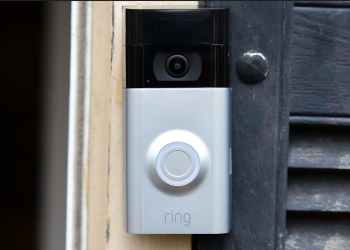
Russia-linked ransomware gang ALPHV has claimed to have launched a cyber attack against Amazon-owned domestic security company, Ring.
Ring, which makes doorbells with video and sound recording capabilities, has denied that the hack took place. ALPHV, however, posted on the dark web about the hack and is threatening to release data stolen during the breach.
The gang, which is responsible for creating BlackCat malware, posted a picture of the Ring logo on its website alongside the phrase “There’s always an option to let us leak your data”.
Ring LLC, the home security and smart home company owned by Amazon, has been ransomed by ALPHV ransomware group.
They left a simple message to Ring: “There’s always the option to let us leak your data”. pic.twitter.com/RfrvpXBgGh
In a statement to Techcrunch, Ring spokesperson Emma Daniels said there were “no indications” that Ring had been the victim of a “ransomware event”.
Ring also said in a statement to Vice that while the company was aware of a third-party vendor that was the victim of a ransomware attack, that company does not have access to Ring customer records. Ring said it would be working further with the company in question to find out more about the cyber attack.
Vice alleged in the same article that an earlier version of its coverage was shared on an internal Amazon Slack channel with the message: “Do not discuss anything about this. The right security teams are engaged”.
ALPHV is notorious for targeting companies, organizations and educational institutions with its ransomware in an attempt to extort them.
BlackCat ransomware attack against the University of Pisa
In June 2022, the University of Pisa was targeted by ALPHV’s BlackCat ransomware.
It was discovered that the ransomware gang planned to target the university on June 11, 2022, as ALPHV posted a message to its website that read: “Let’s play, the university goes to sleep, the mafia wakes up?”
A BlackCat ransomware attack was launched against the university shortly afterwards. Italian news site Cybersecurity360 reported that the gang requested a US$4.5mn ransom by June 16, 2022, noting that the amount would increase to $5mn if the date passed without the gang being paid.
The outlet shared a screenshot of the compromised network page which appears to invite the victim to speak to the gang about the ransom via an online chatroom.
Image source: Cybersecurity360
The university did not publish any details concerning whether it paid the ransom on the date required.
CISA has updated its list of security flaws that have been actively exploited, including a critical vulnerability affecting Adobe ColdFusion versions 2021 and 2018.
The vulnerability is tracked as (CVE-2023-26360), Adobe ColdFusion Improper Access Control flaw. These flaws provide serious threats to the federal enterprise and are frequently used as attack vectors by malicious actors.
“Adobe is aware that CVE-2023-26360 has been exploited in the wild in very limited attacks targeting Adobe ColdFusion,” the company said.
The report says using low-complexity techniques that don’t necessitate user interaction, the flaw can be remotely exploited by unauthenticated attackers.
As a zero-day exploit, the application server vulnerability was patched by Adobe in ColdFusion 2018 Update 16 and ColdFusion 2021 Update 6.
Although installations of ColdFusion 2016 and ColdFusion 11 are likewise vulnerable, Adobe no longer offers security updates for those versions.
Administrators are urged to implement the security configuration settings described in the lockdown instructions for ColdFusion 2018 and ColdFusion 2021 as soon as possible (within 72 hours, if practicable), along with the security upgrades.
CISA’s Recommendations
All U.S. Federal Civilian Executive Branch (FCEB) entities have until April 5 to protect their systems from potential attacks employing CVE-2023-26360 flaws, according to CISA.
All organizations are strongly advised to patch their systems to avoid exploitation attempts that might target their networks, even though the binding operational directive (BOD 22-01) driving CISA’s mandate only applies to federal agencies.
“CISA strongly urges all organizations to reduce their exposure to cyberattacks by prioritizing timely remediation of Catalog vulnerabilities as part of their vulnerability management practice,” CISA reports.
In a comment to Adobe’s blog post, Charlie Arehart—one of the two security researchers credited with finding and disclosing the CVE-2023-26360 bug, warned ColdFusion administrators of the real significance of the security patches and the urgency with which they must be patched.
“This security fix is far more important than the wording of this blog post suggests and even that the update technotes would suggest,” Arehart warned.
“To be clear, I HAVE personally seen both the ‘arbitrary code execution‘ and ‘arbitrary file system read’ vulnerabilities having been perpetrated on multiple servers and it IS grave.”
AT&T is the second largest carrier in the US, and has plenty of great plans for everyone. But like all carriers, their plans can be pretty confusing. So to help you find out which of the AT&T phone plans are the best in 2022, we’re here to help. As the last thing you want to do is pay for a plan that does not meet your needs.
In this article, we’re going to go over the best postpaid plan, the best plan for travelers, the best prepaid plan, and much more. So there’s something for everyone here, and you can make sure you get the right plan without worrying about paying extra. AT&T does also include some perks with most of its postpaid plans, which we will also be detailing here. Don’t forget that HBO MAX is owned by AT&T, so it is included with some of its plans.
Postpaid vs Prepaid vs MVNO
Before we get started, it’s important to talk about the differences between Postpaid, Prepaid and MVNO. Postpaid are customers that pay for their service after they have received it. That means your final bill will be larger than your first bill. Prepaid essentially means that you pay for your service before you receive it. And MVNO stands for Mobile Virtual Network Operator, they essentially buy access to AT&T’s network at wholesale rates. Which is why it can be a lot cheaper than getting a postpaid plan.
When it comes to coverage, all three will offer the same coverage, if they are on the same network. The difference here is going to be in busy areas. On a network tower, Postpaid customers get priority, followed by prepaid customers. MVNO customers are at the very bottom, however an AT&T-owned MVNO may be a bit higher than other MVNO’s, as it’s still a AT&T company. Cricket is one that is owned by AT&T.
Smartphone selection is another difference here. While postpaid customers get access to almost all smartphones that are available, prepaid and MVNO’s have far fewer options for customers. They also usually do not offer any financing, so you’d need to go through a third-party, like Samsung (and buy unlocked).
Now that you know the difference between postpaid, prepaid and MVNO, let’s get started.
Best overall AT&T Plan: Unlimited Extra
The best overall plan over at AT&T for postpaid customers is going to be the Unlimited Extra plan. This plan will cost you $75 per month for a single line. Or for a family of four lines, just $40/month/line.
This plan offers quite a bit. For example, you do get unlimited talk, text and data with up to 50GB of premium data. What that means is that after you use that 50GB, you are likely to be throttled. In addition to that, you get 15GB of hotspot data per line, per month. Which is really useful in a pinch.
AT&T does also offer up unlimited talk, text and data to and from Mexico and Canada. Along with unlimited texting from the US to over 200 countries. Finally, AT&T will give you six months of Stadia Pro with this plan – that’s Google’s cloud gaming service. AT&T Active Armor advanced security is also available, which will help with spam and fraud call blocking, identity monitoring, safe browsing and more.
The Unlimited Elite plan is the most expensive plan over at AT&T, but for travelers, it is the best. It’ll cost you $85/month for a single line, or as low as $50/month/line with four or more lines.
This plan offers unlimited talk, text and data. It’s truly unlimited data, as you will not be slowed down. According to their website “Unlimited talk, text, & high-speed data that can’t slow down based on how much you use”. So you will not be throttled, but if you’re in a crowded area, you may experience a slower network due to the congestion. AT&T also includes 40GB of hotspot data per line, per month.
Like with the Unlimited Extra plan, you also get unlimited talk, and text to and from Mexico and Canada. Along with unlimited texting to over 200 countries. But there are a few other perks included here. You also get the six months of Stadia Pro included, along with HBO MAX, and you can watch content in 4K over its network. Whereas other plans are limited to SD.
AT&T Prepaid offers three plans, and we believe that the 5GB Data option is the best for most people. It’ll cost you $30 per month, which is not bad for cell service.
With this plan, you’ll get 5GB of high-speed data, throttled afterwards. You also get unlimited talk and text. Mobile Hotspot is included, and uses data from your 5GB cap. AT&T does offer rollover data, so if you did not use the full 5GB this month, whatever is left will rollover to the next month. This can be very useful for those months where you don’t leave home much, and can use that data for those months where you’re traveling a lot.
Talk and text to Mexico and Canada is pay-per-use, but you get unlimited text to over 230 countries with this plan.
Cricket Wireless is an MVNO (Mobile Virtual Network Operator) that is owned by AT&T. It’s a great way to get cell phone service for cheap. The best plan over at Cricket Wireless is the Unlimited plan. This will cost you $55/month for a single line, or $25/month for a family of four (that’s $100 total).
This plan offers unlimited high-speed data, and does have access to its 5G nationwide network. You may get throttled however, in congested areas. There’s unlimited talk and text as well. Video will stream in 480p or SD quality.
With this plan, you can also get unlimited talk, text and data in Canada and Mexico. Cricket Wireless notes that your Canada usage cannot exceed 50%. There’s also unlimited texts from the US to over 37 countries, as well as HD Voice and WiFi Calling available.
If you don’t need unlimited from Cricket Wireless, there are 5GB and 10GB plans available for $30 and $40 per month, respectively. Though they do not include usage in Mexico and Canada, nor do they include texting to 37 countries.
YouTube TV announced today that it is raising prices, after nearly 3 years. The new price for YouTube TV is going to be $72.99 per month. Which effectively puts it above most of its competitors – FuboTV starts at $70, Hulu + Live TV also starts at $70, and DIRECTV Stream starts at $75.
While it’s unfortunate to see this price increase, it was time. YouTube TV has kept the $64.99 per month price for three years, while all of its competitors have raised prices higher. Some have done two increases since the last YouTube TV price increase.
An update for our members. As content costs have risen and we continue to invest in our quality of service, we’ll be adjusting our monthly cost, after 3 years, from $64.99/mo to $72.99/mo, in order to bring you the best possible TV service.
Many conspiracies are floating around that the reason for the price increase is due to the NFL Sunday Ticket. Though, I don’t quite believe that, since NFL Sunday Ticket is going to be separate. But then again, how many people are realistically going to sign up for it? Probably not as many as they’d like.
YouTube TV says rising costs for content resulted in this price increase
YouTube TV has had quite a few disputes with content companies like Disney, NBCUniversal and others as of late. Claiming that they were asking for more money. It’s unclear if they did get more money or not. But judging by this price increase, it does seem like it is what happened.
What makes this sting even more, is that YouTube TV lost the MLB Network as well as MLB.TV as an option for an add-on, but sports fans need to pay $8 more per month. Hopefully they do get the MLB Network back before Opening Day, though those days are limited now.
To put things into perspective, a similar plan from Comcast would cost you $70 per month. That’s without the added in taxes and fees, as well as the fee to rent the cable box. Whereas with YouTube TV, you’re getting the same channels (for the most part), as well as unlimited cloud DVR, and the ability to split the cost with up to 5 people. So even with this price increase, it is still worth it.
The server was exposed to the public without any password or security authentication, allowing access to tens of thousands of passport and ID card copies.
In recent news, Jeremiah Fowler of Website Planet discovered an exposed database belonging to the online currency exchange platform, Fiatusdt. The database contained cryptocurrency sales records, including customer names, bank account numbers, purchase and sales records, and other sensitive information.
Online currency exchanges are internet-based platforms that facilitate the transfer of currencies for distribution in a stable, centralized setting between countries or companies. Like their physical counterparts, online currency exchanges make money by charging a nominal fee and/or through the bid-ask spread in a currency.
Amongst the exposed information were Know Your Customer (KYC) compliance records and identification images, which were particularly concerning as they contained sensitive information that proved the identity of customers.
Fowler reported having viewed as many as 20,000 passport and identity card images. The customer ID documents appeared to belong to individuals from all over the world, including the following countries:
Oman
China
India
Malaysia
Australia
Indonesia
Singapore and others.
According to Website Planet’s blog post, it is still unclear how many users were affected by the data leak since the total number of records could not be seen, and whether or not the exposed records were accessed by anyone before being discovered.
Publically leaked folders and one of the ID cards (Image credit: Website Planet)
The database also contained screenshots of deposit and withdrawal amounts, which exposed bank transfer records identifying customer names, account numbers, email addresses, phone numbers, and other sensitive information.
Additionally, transaction IDs and wallet addresses for transactions were present in the database.
This database was exposed due to a misconfigured AWS storage name and address, which allowed public access. This resulted in the database being open and accessible to anyone with an internet connection.
The company was notified of the breach through a responsible disclosure notice, and public access to the database was subsequently closed.