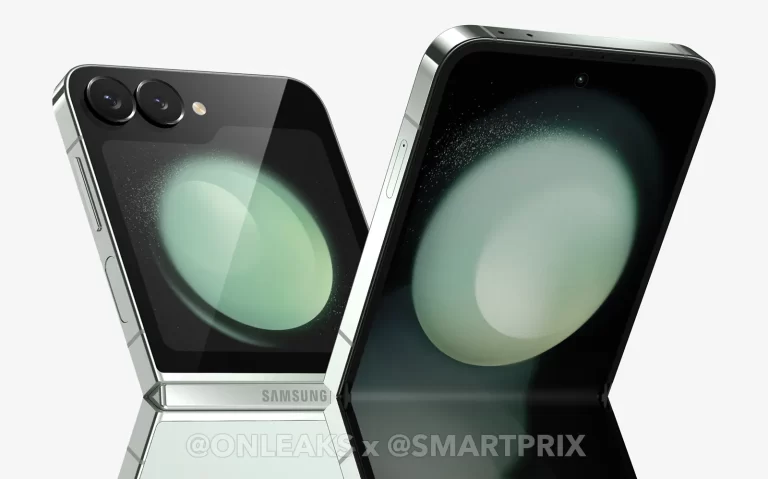
You will find all the specs listed in images below the article, but we’ll talk about them separately in the rest of the article too. This seems to be a proper leak, as the source hints that these come from an official listing.
The Galaxy Z Flip 6 will feature a 6.7-inch Dynamic AMOLED 2X main display. It will offer a fullHD+ (2640 x 1080) resolution and a 120Hz refresh rate. The cover display will be a 3.4-inch Super AMOLED panel with a 720 x 748 resolution.
The Snapdragon 8 Gen 3 for Galaxy will fuel the phone, and it will offer clock speeds of 3.39 GHz, 3.1 GHz, 2.9 GHz, and 2.2 GHz. In other words, they’ll be identical to what the Galaxy S24 series offers. The device will launch in 256GB and 612GB storage options.
The main camera on the device will get an upgrade
The cameras will be upgraded compared to the Galaxy Z Flip 5. The main camera will be a 50-megapixel unit (f/1.8 aperture, PDAF). That one seems to be the same as on the Galaxy S24 and Galaxy S24+. it’s a major improvement over the 12-megapixel unit in the Galaxy Z Flip 5. The ultrawide camera will remain the same, it will be a 12-megapixel unit with an f/2.2 aperture. A 10-megapixel unit will be located on the main display.
5G will be supported, of course, while Bluetooth 5.3 will be included too. The device will actually support dual 5G with 14 5G bands based on this information. Wi-Fi 6E support will also be a part of the package, though not Wi-Fi 7.
Charging will remain the same
A 4,000mAh battery will power the device. That is also an area where the phone has been upgraded, the Galaxy Z Flip 5 has a 3,700mAh unit. 25W wired charging will still be supported.
When unfolded, the Galaxy Z Flip 6 dimensions are 165.1 x 71.9 x 6.9mm. When folded, the phone measures 85.1 x 71.9 x 14.9mm. The device weighs 187 grams.
The Galaxy Z Flip 6 will launch on July 10, as that date has been confirmed by Evan Blass recently. It was mentioned several times before that too. The launch event will take place in Paris. The Galaxy Z Fold 6 is also coming, with several other devices.
Now Microsoft has announced Windows 10 22H2 Build 19045.4593 (KB5039299) for both the Beta and Release Preview Channel for insiders on Windows 10 22H2. The new build contains fixes for a number of known bugs. Both the Beta Channel and the Release Preview channel of the Windows 10 build will receive the same Windows 10 builds.
The new build focuses on fixing known bugs
However, Microsoft says that they will try new features only in the Beta Channel for insiders. These new features are not yet ready for the regular Windows 10 users. Notably, the Windows 10 22H2 Build 19045.459 (KB5039299) does not include any new features. It’s all about making adjustments in the OS in order to improve the user experience.
Microsoft has reportedly improved the overall stability of the search box in the taskbar. For example, it should provide you with more relevant search results when you search for a particular app.
Microsoft is working on the backup and restore functionality. As a part of this, the issue causing backup failures when desktop and lock screen backgrounds were backed up twice has been resolved.
Insiders on the Beta Channel on Windows 10 who want to get the features in advance will be able to turn on the toggle “Get the latest updates as soon as they are available” by going to Settings > Updated & Security > Windows Update. Going forward, Microsoft promises to increase the rollouts of features to everyone with the toggle turned on.
Windows 10 Beta Channel to release improvements to Windows Backup
The new build also contains improvements to the Windows Backup app. It can now store your computer’s Activity History and your Printer Device Settings preferences. Given you have backed up your hardware settings, the enhancements to Windows Backup will simplify restoring the settings when you configure a new PC. “The goal is to ensure that the most used preferences of these settings are backed up, while avoiding those that are tied to specific hardware, to facilitate a seamless transition to a new PC,” notes the blog post.
While this release mainly focuses on bug fixes, it at least means that the Beta channel for Windows 10 is now active. We could also get some new features going forward.
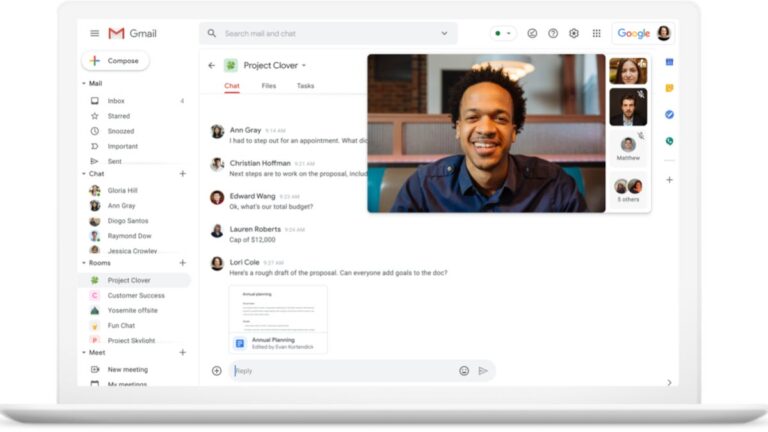
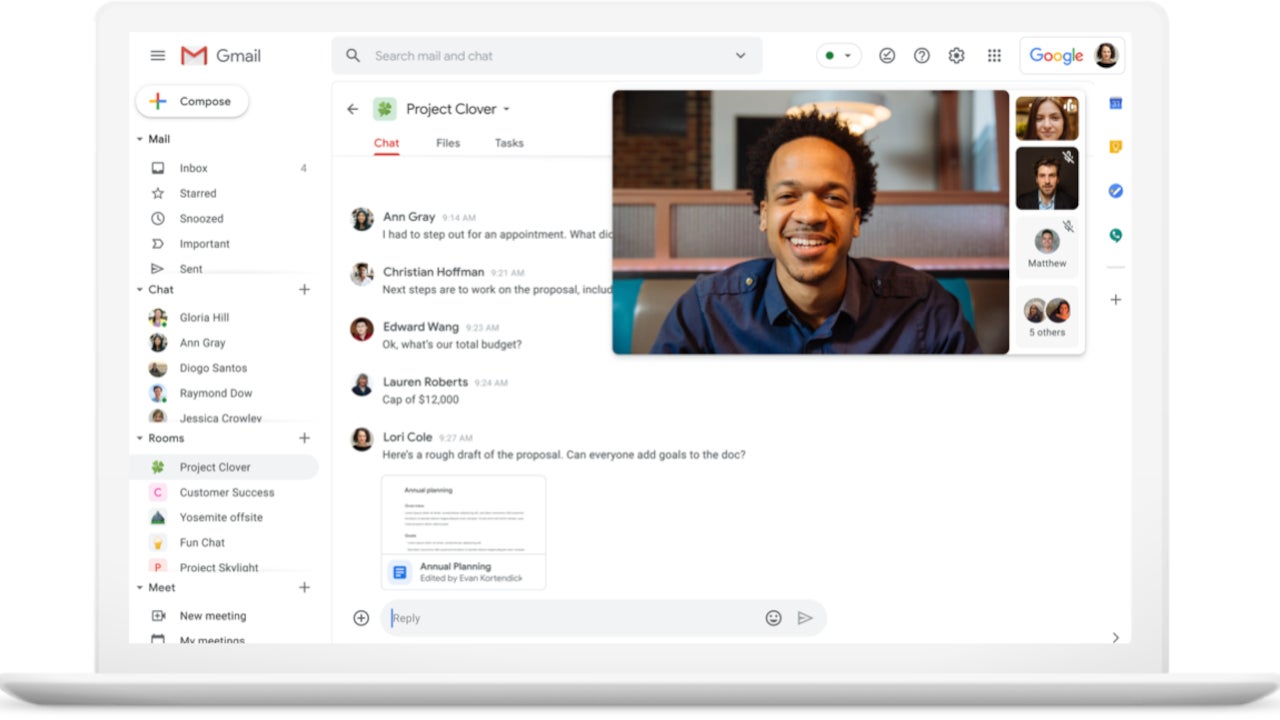
Great news for Google Meet users, as the app’s latest update brings high definition video support for meeting recording and devices. Google has just announced that full HD video content is now available for recorded meetings in the Meet app.
This means that Google is increasing the maximum resolution for the speaker’s video feed from 720p to 1080p. Although Meet already supported 1080p recording for presented content, this feature was not available for the speaker’s video feed until this update.
Besides full HD video content for recorded meetings, the latest update also brings the ability to send full HD video on all computers with 1080p cameras. Keep in mind though that this is disabled by default and requires the user to enable it via the settings menu.
According to Google, full HD video is only sent when recording is enabled or when one or more users have pinned the 1080p-enabled user on a screen large enough to render the 1080p video feed.
Google Meet will automatically adjust the resolution if the device is bandwidth constrained, which is important to mention considering that additional bandwidth will be required to send 1080p video.
The full HD video for meeting recordings is now available for Google Workspace customers with Business Standard and Plus, Enterprise Essentials and Essentials Plus, Enterprise Starter, Standard, and Plus, as well as Education Plus and the Teaching & Learning Upgrade.
On the other hand, the ability to send full HD video on computers with 1080p cameras is available for Google Workspace customers with Business Standard and Plus, Enterprise Starter, Standard, and Plus, Education Plus and the Teaching and Learning Upgrade, Enterprise Essentials and Essentials Plus, as well as Google One subscribers with 2TB or more storage space.
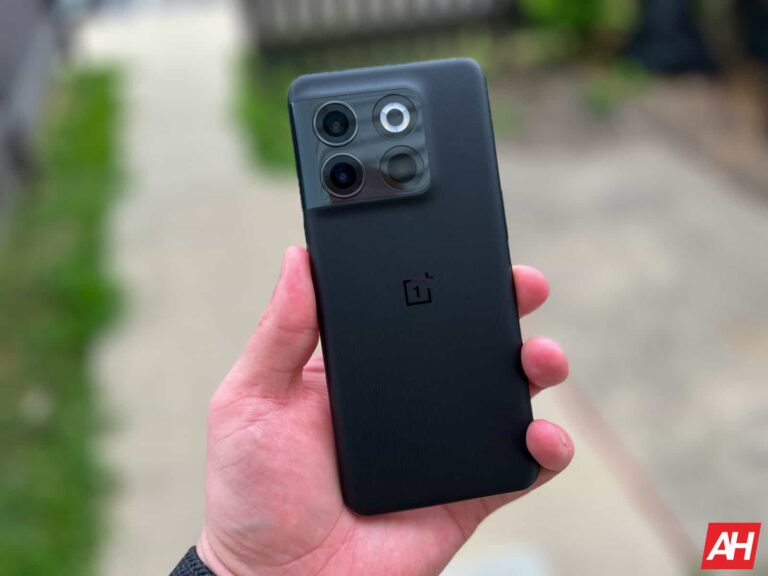
OnePlus 10T is starting to get the June 2024 update with some improvements and fixes. The device received its last update in April with multiple new features. The new OxygenOS 14.0.0.710 firmware focuses on optimizing performance and fixing several bugs. It also includes the June Android security patch.
All fixes and improvements included in the OnePlus 10T June 2024 update
The update brings a new privacy feature that allows you to hide your lockscreen pattern track. This makes it difficult for third parties to access your device. There is also a fix to a storage-related bug. The bug caused the files to take up much more space than normal. So, now users should even have more storage available, which is always good.
Another issue that OnePlus 10T users were facing affected NFC payments. The update also brings a fix for those cases where contactless payments did not work. Likewise, the occasional UI glitch where two volume sliders appeared was resolved.
Device users also reported problems related to calls. Sometimes, the OnePlus 10T would not vibrate when receiving calls, even though vibration was enabled. Also, phone numbers may not be displayed correctly during call forwarding. The OnePlus 10T June 2024 update has a fix for both problems. Lastly, mobile gamers will be happy to know that the bug where a black screen appeared while playing was addressed.
Update rolling out gradually
Currently, the update is available in India and Europe. As usual, the OTA rollout will be carried out gradually or in phases. This means you may have to wait a few days before receiving it. Anyway, you can manually check the availability of the update by going to Settings > About Device > OxygenOS > Check for Update. People who receive the update can report potential bugs by typing *#800# in the dialer app.
Lastly, the previous update, OxygenOS 14.0.0.700, brought improvements such as partial screenshots, creation of collages without frames, volume adjustment for individual apps, and a flashlight shortcut.
Android 15 is coming with several behavioral changes, one reportedly related to force-stop functionality. As you may know, when a particular Android app keeps nagging you or behaves weirdly, you tend to try clearing the app from memory by swiping the app card up from the Recent Apps section.
However, another alternative method is to kill the app completely by using the force stop feature. Force-stopping an app kills all the background activity, but the widgets related to the app remain unaffected and work fine.
Using the force stop function in Android 15 will temporarily disable the app’s home screen widgets
You may think, what’s wrong with it? Well, there’s a possibility that an app could be behaving weirdly due to the widget itself. And, in such cases killing an app by using the force stop method isn’t effective. Therefore, Android 15 will address this issue effectively. Today, Android Police reported that Google has recently updated the Android 15 behavior changes section of its developer website.
The section highlights when you force-stop an app, all the widgets related to it will be temporarily disabled “as the OS will terminate or cancel the app’s pending intent.” That’s not all, the related widgets will be grayed out on the home screen. As a result, the widgets won’t restart until you launch the app directly or indirectly.
This behavioral change may not directly affect you
It is a major behavioral change in Android 15 and will define how apps will function even if it may not directly affect you. As we mentioned earlier, one of the reasons behind a misbehaving app could be its widgets. Since many Android apps you may use don’t come with home screen widgets, you may not face this issue.
However, if there’s one that has widgets, the new changes offer peace of mind. With this change, Google wants to ensure that the force stop function remains effective for users in Android 15. That’s why Google wants app developers to use the new “ApplicationStartInfo.wasForceStopped()” method to confirm whether the operating system puts the app into the stop state.
Not to forget, Android 15 comes with several other behavioral changes, too. For example, apps will be able to run the “dataSync” foreground service for a maximum of 6 hours in a 24-hour window. Moreover, the next big Android update will include security features like Private Space, Theft Detection Lock, and more.
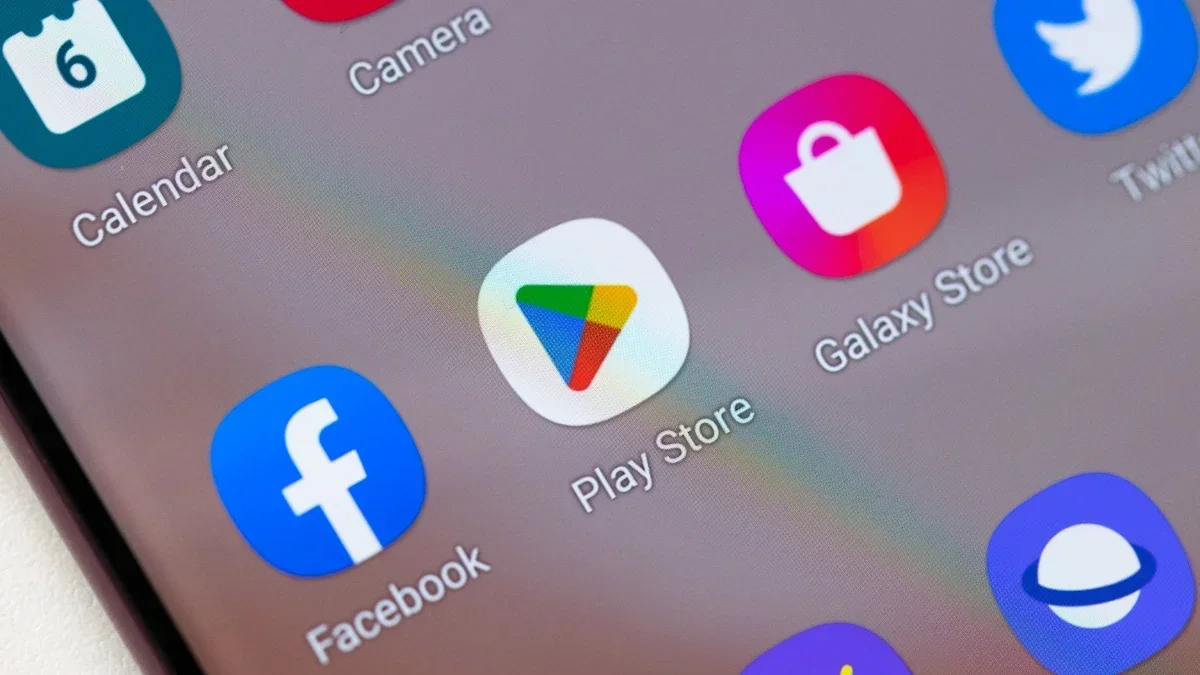
Currently, when you install an Android app from the Google Play Store, when the installation process ends you return to the Play Store listing for the app with three choices: Uninstall the app, Open the app, or continue browsing the Play Store for more apps. If you want to use the new app right away, you have to press Open, of course. But does this really make sense? After all, you just took some time out from your day to install this new app and that would seem to indicate that you might desire to use it immediately.
Soon, Android apps installed from the Play Store might open automatically after being installed. This is based on code found by AssembleDebug who wrote about it for Android Authority. In version 41.4.19 of the Play Store, code was discovered suggesting that Google is working on a feature called App Auto Open which, by automatically opening apps immediately after being installed, will save you a tap and some time.
A banner across the top of the screen will appear for five seconds once App Auto Open is activated. Besides visually notifying the user, the notification will also make a noise or vibrate depending on how the phone has been set up. The user can also set the feature not to play an alert or have the phone vibrate when the notification surfaces on the screen. Android users will be able to toggle the feature on or off although it will be enabled by default.
Code for App Auto Open is discovered in the Google Play Store
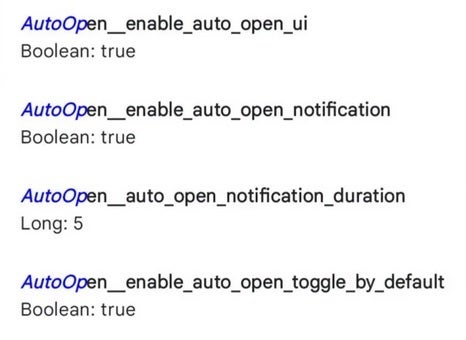
The code discovered by AssembleDebug will enable the App Auto Open UI, enable the notification mentioned in the above paragraph, show the App Auto Open notification for five seconds, and have the App Auto Open toggle on by default.
This feature will come in handy when you are looking for an app to install immediately to help you do something specific. Instead of installing the app and then tapping the Open button to use it, you’ll be able to install the app and have it ready to help you right away.
There is no telling when or if we will see this feature available for the Google Play Store but it is something that Google is seriously considering as a helpful addition for Android users.
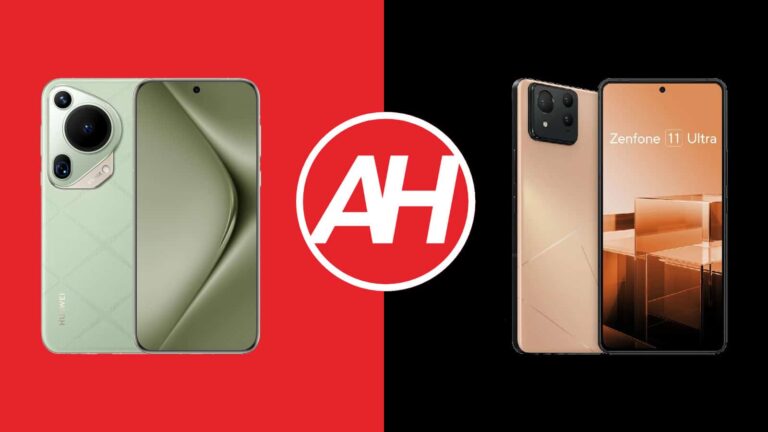
Both Huawei and ASUS launched their most powerful smartphones ever in the first half of this year. Huawei’s arrived in April, while ASUS’ landed about a month earlier than that, in March. We’ll compare those two devices in this article, the Huawei Pura 70 Ultra vs ASUS ZenFone 11 Ultra. They are quite different in many ways, so this should be quite interesting. Huawei’s handset is definitely more camera-centric out of the two.
It is worth noting that while both phones come in global variants, the Huawei Pura 70 Ultra does not include Google services. It comes with Huawei services out of the box, so no Google Play Store. We will first list their specifications, and will then compare them in various other ways. We’ll compare their designs, displays, performance, battery life, camera performance, and audio output.
Specs
Huawei Pura 70 Ultra vs ASUS ZenFone 11 Ultra, respectively
Huawei Pura 70 Ultra vs ASUS ZenFone 11 Ultra: Design
The Huawei Pura 70 Ultra is made out of aluminum and vegan leather aka eco leather. ASUS’ handset utilizes aluminum and glass. While both phones have flat displays, those displays feel entirely different to use. Huawei’s phone has quad-curved glass on top of its display, its curved on all sides, and thus feels rather unique to use. ASUS’ phone has slightly curved glass on top, but nowhere near the level of the Huawei Pura 70 Ultra.
The back sides are proportional, which makes the Huawei Pura 70 Ultra rather interesting to hold and use, it’s a rather interesting design. That phone is also considerably grippier of the two, eco leather really does help with that. It’s also the more comfortable of the two to use, at least that was the case for us. The two phones have very similar weights, the difference is only 2 grams between them. The ASUS ZenFone 11 Ultra is ever so slightly taller, wider, and thicker, while the Huawei Pura 70 Ultra has a slightly larger display.
Both phones have a centered display camera hole up top. The Huawei Pura 70 Ultra’s corners are more rounded, and its bezels are also thinner. They’re also uniform, unlike the bezels on the ZenFone 11 Ultra. Both smartphones have their physical buttons on the right-hand side, and they have similar placement. Both devices have their camera islands in the top-left corner on the back, though they look considerably different. Huawei’s is also considerably larger in comparison, that’s mainly due to more advanced camera hardware that can be found on the inside.
Huawei Pura 70 Ultra vs ASUS ZenFone 11 Ultra: Display
The Huawei Pura 70 Ultra includes a 6.8-inch 2844 x 1260 LTPO OLED display. That panel is flat, and it can project up to 1 billion colors. It also supports HDR content, while it has an adaptive refresh rate. Its refresh rate goes from 1 to 120Hz. The peak brightness of this display is at 2,500 nits. The screen-to-body ratio is at around 89%, while the Kunlun Glass (Basalt-tempered) protects this panel.
ASUS ZenFone 11 Ultra
The ASUS ZenFone 11 Ultra, on the other hand, includes a 6.78-inch fullHD+ (2400 x 1080) LTPO AMOLED display. This panel is also flat, and it supports HDR10 content. It has a refresh rate of 144Hz, but you’ll be able to use that for specific games only. It will run at a maximum of 120Hz in all other instances. The peak brightness here is also 2,500 nits, while the display aspect ratio is 20:9. The screen-to-body ratio is at around 88%, and the display is protected by the Gorilla Glass Victus 2.
There’s not much to complain about here. The Huawei Pura 70 Ultra does have a sharper display, but that’s not something most of you will notice. They’re both vivid, have great viewing angles, and deep blacks. They’re also quite vivid and have good touch response. Huawei’s panel has a higher PWM dimming, in case you have sensitive eyes. Both panels do get bright enough regardless of where you use them. Sure, there are brighter panels out there, but both of these are bright enough.
Huawei Pura 70 Ultra vs ASUS ZenFone 11 Ultra: Performance
Huawei’s handset is fueled by the Kirin 9010 SoC. That is a 7nm processor made by SMIC for Huawei. The phone also includes 16GB of LPDDR5X RAM and it utilizes UFS 4.0 flash storage. The Snapdragon 8 Gen 3 fuels the ASUS ZenFone 11 Ultra, that’s a 4nm chip. That smartphone comes with either 12GB or 16GB of LPDDR5X RAM. It also utilizes UFS 4.0 flash storage. Neither phone offers storage expansion, though.
ASUS’ handset is the more powerful of the two, there’s no doubt about that. It has a more powerful chip, as Huawei is limited in that section due to the US ban. Despite the more powerful chip, both smartphones perform similarly well in day-to-day tasks. You would have never been able to guess that the Huawei Pura 70 Ultra has an inferior chip. They can both do equally well while jumping between apps, multitasking in various ways, browsing, consuming multimedia, and so on.
You will start seeing a difference if you end up running very demanding games. That’s where the Snapdragon 8 Gen 3 will show its prowess. If you’re not much of a gamer or don’t play the most demanding games you can possibly find, you’ll be fine with either phone. Neither of them gets too hot during use either. They both perform really well overall.
Huawei Pura 70 Ultra vs ASUS ZenFone 11 Ultra: Battery
A 5,200mAh battery sits inside the Huawei Pura 70 Ultra. The ASUS ZenFone 11 Ultra is equipped with a 5,500mAh battery. The ASUS ZenFone 11 Ultra does do a better job of keeping a charge than the Huawei Pura 70 Ultra. With that being said, both phones do offer really good battery life. You can go the distance with both. We’ve been able to cross the 7-hour screen-on-time without a problem.
It’s possible to go over the 8-hour screen-on-time mark too, sure, if you’re careful, especially with the ZenFone 11 Ultra. We’ve even been able to push it up to 9 hours of screen-on time when we were really careful. It does offer a better battery life out of the two, there’s no doubt about that. Do note that graphically-intensive tasks will take a hit, and will mess up the battery life, of course. Your mileage may also vary, predicting battery life with different use scenarios and different signal strengths is… impossible. Do note that we’ve used both phones mainly on WiFi, with some mobile data use thrown in the mix.
When it comes to charging, the Huawei Pura 70 Ultra is a clear winner here. It supports 100W wired, 80W wireless, 20W reverse wireless, and 18W reverse wired charging. It also comes with a charger in the box. The ASUS ZenFone 11 Ultra supports 65W wired, 15W wireless, and 10W reverse wired charging. It does not include a charger in the box, unfortunately. Huawei’s phone will charge considerably faster in every way.
Huawei Pura 70 Ultra vs ASUS ZenFone 11 Ultra: Cameras
Both of these phones have three cameras on the back, though it’s worth noting the Huawei Pura 70 Ultra does include better camera hardware/sensor. The Huawei Pura 70 Ultra has a 50-megapixel main camera (variable aperture, sensor-shift OIS, retractable lens), a 40-megapixel ultrawide unit, and a 50-megapixel periscope telephoto camera (3.5x optical zoom, macro). The ASUS ZenFone 11 Ultra, on the flip side, has a 50-megapixel main camera (gimbal OIS), a 13-megapixel ultrawide unit (120-degree FoV), and a 32-megapixel telephoto camera (3x optical zoom).
Huawei Pura 70 Ultra
While the ASUS ZenFone 11 Ultra does provide good camera performance, the Huawei Pura 70 Ultra is excellent in that regard. It’s regarded as one of the best camera smartphones in the market for a reason. Both phones provide really good images during the day, but the ones from the Huawei Pura 70 Ultra look more natural and have more natural processing. The ZenFone 11 Ultra images can often look overprocessed in comparison. The phone also tends to boost up the saturation a bit too much at times. HDR processing is also better on the Huawei Pura 70 Ultra.
Both ultrawide cameras do a good job, but the one from the Huawei Pura 70 Ultra does provide more details. All three cameras on the ZenFone 11 Ultra suffer from too aggressive processing at times. The periscope telephoto camera on the Huawei Pura 70 Ultra is miles ahead of the telephoto unit on the ZenFone 11 Ultra. Not only does it do a better job at shorter zooms, but it can do a much better job at high-zoom levels. The ZenFone 11 Ultra has a regular telephoto camera, not a periscope telephoto unit. Macro shots are also better from Huawei’s phone, thanks to that periscope telephoto camera.
Both devices do a great job in low light, though once again, shots from the Huawei Pura 70 Ultra look better overall. There’s basically no noise to be found, while the level of detail is high. There’s also no need to use night mode manually or anything like that. The colors are on point too, which is not something we can say for ASUS’ handset. We do advise you to stick to the main camera while shooting images in low light, however.
Audio
Both the Huawei Pura 70 Ultra and ASUS ZenFone 11 Ultra include a set of stereo speakers. Both those sets provide good audio output, they’re well-balanced. The ones on the ZenFone 11 Ultra are a bit louder, however.
If you need an audio jack on your smartphone, you’ll be glad to know that the ZenFone 11 Ultra includes one. That’s not something we can say for the Huawei Pura 70 Ultra, though you can always use its Type-C port. The Pura 70 Ultra comes with Bluetooth 5.2 for wireless audio, while the ZenFone 11 Ultra includes Bluetooth 5.4.
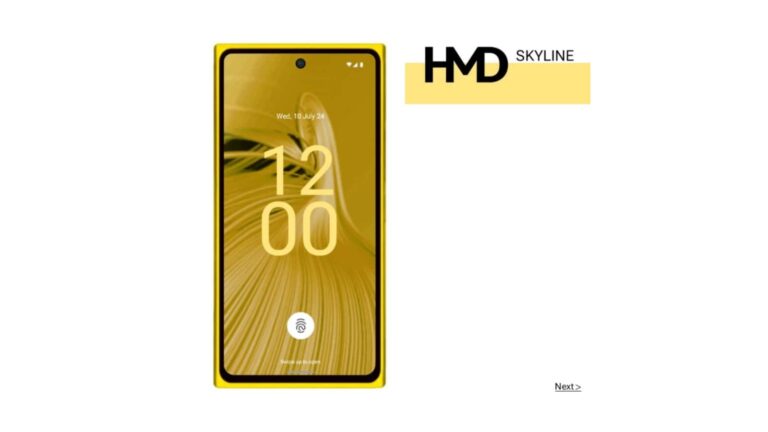
It seems that HMD is working on several phones to launch in the coming weeks. According to a recent leak, the HMD Skyline would be the most eye-catching. This device could bring back the Lumia-style design of yesteryear.
HMD Skyline leaked specs; a stylish mid-ranger
The leak says that the HMD Skyline will be built around an AMOLED screen. It would support Full HD+ resolution, 120Hz, and HDR10+ PureDisplay tech. It would be powered by the Snapdragon 7s Gen 2 mid-range chipset. Its battery would be a 4,900 mAh cell with support for 33W fast charging (wired). Other potential features include an NFC chip, Bluetooth 5.2, and IP67 certification.
The rear of the HMD Skyline would integrate a triple camera system. The configuration would have a 108MP main sensor, an ultra-wide lens, and a 2MP macro/depth sensor. Its front camera would be a 32MP sensor. The leak even reveals the possible price of the HMD Skyline. The device would cost €400 ($429 USD or Rs. 35,917) for the 8GB + 256GB version. On the other hand, the 12GB + 256GB model would cost €440 ($472 USD or Rs. 39,508).
HMD Atlas and HMD Ridge leaked too
The company would also be working on other, more affordable models. One of them would be the HMD Atlas, which would have a more humble IPS LCD screen. The 6.64″ display would support Full HD+ resolution and 120 Hz. This model would use the Snapdragon 4 Gen 2 chip, along with 8 GB of RAM and 128 GB of expandable storage. It would have a triple rear camera system commanded by a 48MP sensor. It would also have a 5MP ultra-wide sensor and a depth lens.
Other features of the HMD Atlas would include Wi-Fi 5, Bluetooth 5.1, an NFC chip, and a 3.5mm audio jack. This smartphone would cost around $240 (about Rs. 20,054).
The other leaked device is the HMD Ridge. The source claims that it will have a 6.64″ IPS LCD screen with Full HD+ resolution, 90 Hz support, and Gorilla Glass 3 protection. This model would use the old Qualcomm Snapdragon 480+ chipset. It would be available in multiple variants with 4 GB, 6 GB, or 8 GB of RAM. Buyers would choose between 128 GB or 256 GB of internal storage (expandable).
The HMD Ridge would come with a 50MP main camera and an 8MP front camera. Its battery would be a 5,000 mAh cell.
More models are on the way
But that’s not all, as HDM has even more phones in development. The report mentions devices such as the HMD Waylay and HMD Xenon, but without revealing their specs. Lastly, the brand is expected to reveal info about these devices in July.
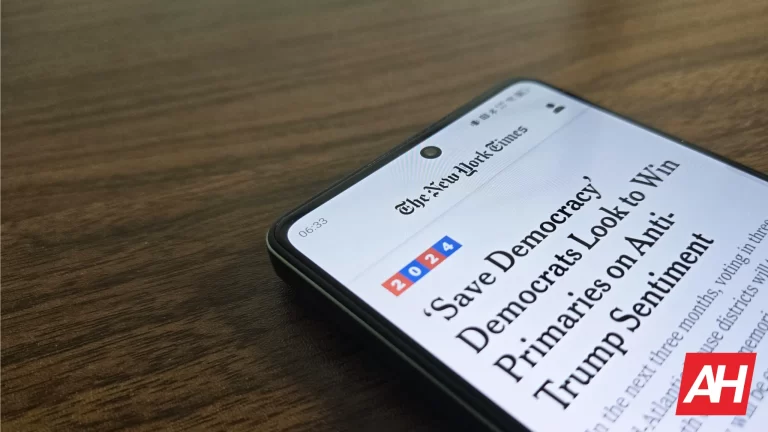
The New York Times warned several of its freelance contributors about a recent data breach. The company contacted those who have worked with them in recent years about the situation. The attack could have compromised much of their personal information.
The data breach occurred following an attack on the New York Times‘ GitHub repositories. The hacker obtained source code which included personal data from multiple freelancers. The hacker then posted this data on 4chan, a popular imageboard where users are anonymous. The leak includes around 5,000 repositories and 3,6 million files.
A hacker got and exposed personal data of New York Times contributors
All the data was available for download in a 4chan post using P2P networks. Sensitive information stolen from freelancers includes full names, phone numbers, nationalities, bio info, postal addresses, websites, phone numbers, and even social media accounts. The exposed data even includes bits useful to obtain certifications of multiple types and specialized equipment, among other things.
It is noteworthy that there is no exact number for how many freelancers were affected by the New York Times data breach. In this regard, a company spokesperson said that “The New York Times recently communicated to some of our contributors regarding an incident that resulted in the exposure of some of their personal information.” The spokesperson adds “We send this note to freelance visual contributors who have done work for The Times in recent years. We don’t have indications the data exposure extended to full-time newsroom staff or other contributors.”
Hackers often target the freelancer segment for their attacks. They can use this kind of personal data to organize massive frauds or for potential illegal activities. Therefore, these types of situations can be quite dangerous for those affected. Sadly, this time, the New York Times was not up to par when it came to protecting the personal data of its collaborators.
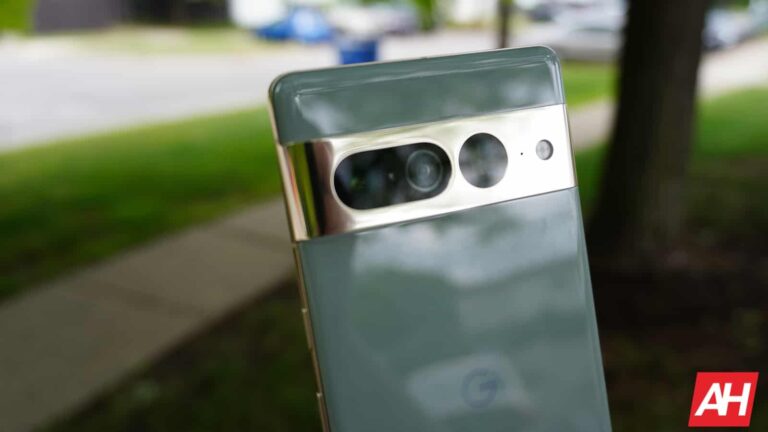
If you’re a Pixel 7 user who used the VPN provided with your Google One subscription, you’re probably disappointed that Google shut it down. Well, don’t fret, as Google’s new VPN is making it to your phone. VPN By Google is making it to the Pixel 7 series and the Pixel Fold.
Google pulled a pretty disappointing move with its VPN. Before, people with a certain Google One subscription gained access to the VPN provided by Google. It wasn’t as robust as the VPNs that you see in ads. It would still keep your data safe, but you couldn’t use it to change your location. So, no foreign Netflix movies for you.
In any case, it was still useful. However, Google moved to get rid of that VPN, and it introduced another one. The only thing is that the new VPN, called VPN By Google, was exclusive to the Pixel 8 series. So, if you are on an older phone, you’re out of luck.
VPN By Google is making it to the Pixel 7 and Pixel Fold
Google shifted gears with its VPN, and it didn’t want to leave Pixel 7 owners out of it. People using a Pixel 7, Pixel 7 Pro, or Pixel 7a can now use this service. This is great news for people who care about their online safety. As noted by 9to5Google, you don’t need the latest Android 14 QPR3 to get this functionality. That’s a good thing.
Also, if you’re a Pixel Fold user, then you’ll be able to get the VPN as well. Just like with the Pixel 7 phones, you won’t need the latest QPR to get the service.
There are a few changes to the VPN. For starters, it’s no longer provided via Google One. Rather, it’s a Pixel-exclusive feature. In fact, Google ditched the “One” icon and went with a more generic shield icon.
If you want to take advantage of this VPN, you’ll need to be in either Austria, Australia, Belgium, Canada, Finland, France, Germany, Iceland, Ireland, Italy, Japan, Mexico, Netherlands, Norway, South Korea, Spain, Sweden, Switzerland, Taiwan, The UK, or The U.S.