The most recent new feature launched by YouTube TV has been specifically designed for sports fans. To provide this incredibly passionate audience with the best viewing experience on TV, the streaming service announced that it has added a new multiview feature allowing them to switch audio and captions between streams.The new feature is only available in early access for the moment, so if you don’t see that feature yet in your YouTube TV app, then this is why. The streaming service revealed that “some members” will start to see a new option to watch up to four pre-selected, different streams at once in their “Top Picks for You” section.
As mentioned earlier, this will allow select YouTube TV members to switch audio and captions between streams, as well as jump in and out of a fullscreen view of a game. In development for quite a while, the new multiview feature joins a slew of improvements YouTube TV introduced in the last couple of years, including key plays, fantasy view, and 4K streaming.
YouTube TV’s multiview feature has been designed to work even on devices that have less processing power. According to German Cheung (Engineering lead, YouTube TV), the company decided to move the entire processing requirements to happen on YouTube’s servers, allowing subscribers to use the feature regardless of what device they’re using.
This is possible because your device will see only one life feed instead of two or four, so it won’t need any processing power to be able to playback multiple streams at once. It’s an ingenious approach that required some resources investments from YouTube TV, so let’s hope it will work as intended.
If you’re not among the early adopters, be patient as YouTube TV announced that the multiview feature will be gradually rolled out while the company gathers feedback from subscribers. More importantly, the feature will continue to be fine-tuned and refined, but expect more functionality to be added too, including the option to customize multiview streams.
This Patch Tuesday, Microsoft has released fixes for two actively exploited zero-days and Adobe has fixed one.
Microsoft, and other vendors, have released their monthly updates. In total Microsoft has fixed a total of 101 vulnerabilities for several titles (including Edge), with two of them being actively exploited zero-days. On top of that, Adobe has fixed an actively exploited vulnerability in ColdFusion.
The Common Vulnerabilities and Exposures (CVE) database lists publicly disclosed computer security flaws. The CVEs of the actively exploited vulnerabilities patched in these updates are:
CVE-2023-23397: a critical Microsoft Outlook Elevation of Privilege (EoP) vulnerability. External attackers could send specially crafted emails to cause a connection from the victim to an external UNC location of attackers’ control. This would leak the Net-NTLMv2 hash of the victim to the attacker who could then relay this to another service and authenticate as the victim. The mail would be triggered automatically when retrieved and processed by the Outlook client, which could result in exploitation even before the email is viewed in the Preview Pane.
This means this vulnerability could be used to obtain a hashed token, which could then be used in a so-called “pass-the-hash” attack. Windows NT LAN Manager (NTLM) is a challenge-response authentication protocol used to authenticate a client to a resource on an Active Directory domain. When the client requests access to a service associated with the domain, the service sends a challenge to the client, requiring the client to perform a mathematical operation using its authentication token, and then returns the result of this operation to the service. The service may validate the result or send it to the Domain Controller (DC) for validation. If the service or DC confirm that the client’s response is correct, the service allows access to the client. Sounds secure, right? Well, the fun part is that with the hash you have enough information to perform that mathematical operation required to gain access. The authentication process does not require the plaintext password. The hash is enough.
CVE-2023-24880: a moderate Windows SmartScreen Security Feature Bypass vulnerability. An attacker could craft a malicious file that would evade Mark of the Web (MOTW) defenses, resulting in a limited loss of integrity and availability of security features such as Protected View in Microsoft Office, which rely on MOTW tagging. Reportedly, this vulnerability was used in ransomware related attacks.
MOTW, the technology that ensures Windows pops a warning message when trying to open a file downloaded from the Internet makes another comeback. The MOTW is an attribute added to files by Windows when they have been sourced from an untrusted location, like the internet or a Restricted Zone. When you download a file from the internet, Windows adds the zone identifier or Mark of the Web as an NTFS stream to the file. And, when you run the file, Windows SmartScreen checks if there is a zone identifier Alternate Data Stream (ADS) attached to the file. If the ADS indicates ZoneId=3, which means that the file was downloaded from the internet, the SmartScreen does a reputation check.
CVE-2023-26360: classified as a priority 1 vulnerability in Adobe ColdFusion due to critical deserialization of untrusted data. This flaw can lead to arbitrary code execution, making it a high-priority target for attackers.
Adobe says it is aware that CVE-2023-26360 has been exploited in the wild in very limited attacks targeting Adobe ColdFusion.
Adobe recommends updating your ColdFusion versions 2021 and 2018 JDK/JRE to the latest version of the LTS releases for JDK 11. Applying the ColdFusion update without a corresponding JDK update will NOT secure the server.
Adobe also recommends customers apply the security configuration settings as outlined on the ColdFusion Security page as well as review the respective Lockdown guides.
Other vendors
Other vendors have synchronized their periodic updates with Microsoft. Here are few major ones that you may find in your environment.
SAP has released security updates for 19 vulnerabilities, five of which were rated as critical.
Malwarebytes removes all remnants of ransomware and prevents you from getting reinfected. Want to learn more about how we can help protect your business? Get a free trial below.
When we’re talking about the best camera smartphone out there, the Pixel 7 Pro and Xiaomi 13 Pro are difficult to avoid. That’s what we’re here for, to talk about those two devices. In this article, we’ll compare the Google Pixel 7 Pro vs Xiaomi 13 Pro. We won’t be focusing on the cameras alone, but they will be a part of the conversation, of course. It would be a shame not to talk about them.
We’ll first list the spec sheets of both smartphones, and will then get down to business. We’ll compare these two phones across a number of categories, including design, display, performance, battery, cameras, and audio. There’s plenty to talk about here, so let’s get started, shall we?
When it comes to the design, they don’t look all that different from the front, but things change when you flip them around. We’ll talk about that soon. The Pixel 7 Pro is made out of metal and glass, while the Xiaomi 13 Pro combines metal with a ceramic backplate. Both smartphones have curved displays, and both have thin bezels. A centered display camera hole is also included on both of them.
When we flip them around, you’ll notice that their camera modules are considerably different, design-wise. The Pixel 7 Pro has a camera visor on the back, which goes from the phone’s left side to its right side, it connects to the frame on both sides. The Xiaomi 13 Pro has a more regular-looking camera island in the top-left corner of its backplate, and Leica’s lenses on top of its cameras.
The two devices are identical when it comes to height, but the Xiaomi 13 Pro is noticeably narrower. It’s only 2mm, but you’ll definitely notice the difference. The Xiaomi 13 Pro is also slightly thinner than the Pixel 7 Pro. It is, however, heavier, mainly due to its ceramic backplate. It weighs 229 grams, compared to 212 grams of the Pixel 7 Pro. Only the ceramic variant of the Xiaomi 13 Pro was launched globally, by the way. Both phones are slippery, and both feel quite premium in the hand.
Google Pixel 7 Pro vs Xiaomi 13 Pro: Display
When it comes to displays, both are well-equipped. The Pixel 7 Pro has a 6.7-inch QHD+ (3120 x 1440) LTPO AMOLED display. This panel has an adaptive refresh rate up to 120Hz. It supports HDR10+ content, and gets up to 1,500 nits of brightness at its peak. The display aspect ratio here is 19.5:9, and the Pixel 7 Pro’s panel is covered by the Gorilla Glass Victus.
The Xiaomi 13 Pro, on the flip side, has a 6.73-inch QHD+ (3200 x 1440) LTPO AMOLED panel. This display can project up to 1 billion colors, and it has an adaptive refresh rate of up to 120Hz. Dolby Vision is supported, and the phone also supports HDR10+ content. It gets immensely bright, as its peak brightness is at 1,900 nits. It offers a 20:9 display aspect ratio, while the panel is protected by the Gorilla Glass Victus.
Both of these displays are outstanding, to say the least. They offer vivid colors, great viewing angles, and those deep AMOLED blacks. They’re also well-protected, and extremely sharp too. The Xiaomi 13 Pro does have an advantage in the form of its brightness. You will notice the difference in direct sunlight, for sure. The Xiaomi 13 Pro’s panel does get noticeably brighter, though the Pixel 7 Pro’s display is not dim by any means.
Google Pixel 7 Pro vs Xiaomi 13 Pro: Performance
The Google Pixel 7 Pro is powered by the Google Tensor G2 SoC. The phone includes 12GB of LPDDR5 RAM, and also UFS 3.1 flash storage. The Xiaomi 13 Pro is equipped with the Snapdragon 8 Gen 2 SoC, 12GB of LPDDR5X RAM, and UFS 4.0 flash storage (UFS 3.1 is included on the 128GB storage model only). So, as you can see, the Xiaomi 13 Pro does have the edge spec-wise.
The Tensor G2 is an excellent chip, but it cannot compete with the Snapdragon 8 Gen 2 in terms of sheer power. The Snapdragon 8 Gen 2 has also proven itself as being quite power-efficient. The Xiaomi 13 Pro also has faster and more efficient RAM and flash storage. Does that translate to better performance overall? Well, that’s a difficult question to answer, but if you look at everything altogether, then yes, it does. Let me elaborate.
The Xiaomi 13 Pro does feel a bit snappier when it comes to regular everyday tasks. The Pixel 7 Pro does all of those really fast too, but the Xiaomi 13 Pro does seem to be a small step ahead. We’re talking about app loading and such, general tasks. The Pixel 7 Pro is plenty fluid, but a bit slower than Snapdragon 8 Gen 2 phones, generally. The Pixel 7 Pro is also not great when it comes to gaming. It can play games just fine, until you come to the most demanding ones. The Xiaomi 13 Pro does chew through those with ease. Google never claimed the Pixel 7 Pro is great for gaming, though. The truth of the matter is, the vast majority of people will be more than happy with the performance of both phones.
Google Pixel 7 Pro vs Xiaomi 13 Pro: Battery
The Pixel 7 Pro has a 5,000mAh battery on the inside, while the Xiaomi 13 Pro packs in a 4,820mAh unit. Overall, we’ve seen better battery life on the Xiaomi 13 Pro. We managed to reach the 8-hour screen-on-time mark on a number of occasions, while the Pixel 7 Pro danced closer to the 7-hour screen-on-time mark. On some days, things were different, of course. The point is, both smartphones do offer really good battery life.
Your mileage, though, may vary. We use different apps, have different usage habits, and on top of that have different signal strengths. It also depends on how long in a day you spend on mobile data, and so on. There are just so many factors included here. Both of these phones do offer really good battery life, so getting to the end of the day shouldn’t be a problem for most of you. If you’re gaming, however, you’ll drain the battery considerably quicker. The same goes for hotspot sharing etc.
As far as charging is concerned, the Xiaomi 13 Pro blows away the Pixel 7 Pro. The Pixel 7 Pro offers support for 23W wired, 23W wireless, and also reverse wireless charging, while it does not include a charger. The Xiaomi 13 Pro supports 120W wired, 50W wireless, and 10W reverse wireless charging. A 120W charger is included in the box with the device. Needless to say, the Xiaomi 13 Pro charges a lot quicker. It can get you from 0 to 100% in only 19 minutes, while it takes the Pixel 7 Pro 30 minutes to get to 50%.
Google Pixel 7 Pro vs Xiaomi 13 Pro: Cameras
The Pixel 7 Pro features a 50-megapixel main camera, a 12-megapixel ultrawide unit (126-degree FoV), and a 48-megapixel telephoto camera (5x optical zoom). The Xiaomi 13 Pro, on the other hand, includes a 50.3-megapixel main camera (1-inch sensor), a 50-megapixel ultrawide camera (115-degree FoV), and a 50-megapixel telephoto unit (75mm lens, 3.2x optical zoom).
Now, these two phones are both outstanding when it comes to photography, but provide entirely different results. Google relies heavily on its processing, and it provides contrasty images, that are usually full of life. It does an outstanding job in HDR situations, and also in low light. The Xiaomi 13 Pro photos have that Leica style to them, and tend to look more moody in a way. The main camera on the phone can shoot outstanding shots with natural bokeh, though it’s not perfect. It does need some optimization when it comes to demanding HDR situations.
The Pixel 7 Pro tends to do better with zoomed-in shoots, especially for further zoom distances, while the telephoto camera on the Xiaomi 13 Pro takes outstanding portrait shots. That 75mm lens is really something else when it comes to portrait photography. You’ll be able to capture wider ultrawide shots with the Pixel 7 Pro, but both phones do a great job in that regard, and stay true to the color science of the main camera. The video recording is good on both phones, but they both shine more in the photography department.
Audio
Both of these phones include a set of stereo speakers. Those speakers are really good on both devices, actually. They’re loud enough, and also well-balanced. You won’t notice any obvious distortion or anything of the sort. We did prefer the Xiaomi 13 Pro’s output, though, as the speakers felt a bit more punchy.
What they both lack is a 3.5mm headphone jack, though. You’ll need to use their Type-C ports for wired connections. If you’d like to connect your headphones wirelessly, however, the Pixel 7 Pro and Xiaomi 13 Pro support Bluetooth 5.2 and 5.3, respectively.
With a recent partnership, the Boosteroid cloud gaming service aims to revive its industry. Microsoft and this cloud gaming firm have entered a partnership that will bring Xbox games to their platform. Well, not only Xbox games but also games from Activision Blizzard will be available for playing on the cloud.
This will allow gamers to play some of their favorite games on the cloud. The cloud gaming industry has had its ups and downs in recent times, but this partnership will draw more attention to the industry once again. Boosteroid’s partnership with Microsoft will draw more people into the gaming industry.
The Boosteroid cloud gaming service doesn’t require a user to have a gaming console or PC before letting them play. With just a laptop, smartphone, tablet, or smart TV, players can enjoy their favorite games. Here is everything you need to know about the Boosteroid and Microsoft cloud gaming partnership.
Play or access your Microsoft Xbox games via the Boosteroid cloud gaming service platform
Ever since the year 2017, Boosteroid has been operating in the cloud gaming industry. This company is of Ukrainian origin and continues to develop its business despite the country’s challenges. Now, they have entered a 10-year partnership with Microsoft to bring Xbox games to its cloud streaming platform.
The partnership will also bring Activision Blizzard games to the Boosteroid cloud gaming service. Microsoft is optimistic about this partnership as it will help introduce more people to some of its games. In a recent blog post announcing this partnership, Microsoft claimed that Call of Duty will amass “150 million additional players.”
This will be possible thanks to the Boosteroid and other partnerships (NVIDIA, Nintendo, and most recently Ubitus) the company has gone into. Boosteroid will also help make Microsoft games from Xbox, Bethesda, and Activision Blizzard available on the cloud. More people will be able to access and play these games without a gaming console.
Those using the Boosteroid cloud gaming service will be able to stream or play games over the cloud. The service is now available on Mac, Chromebooks, Android set-top boxes and LG TVs. Previously, it was mainly available on Windows but expanding support to other platforms means lots of people will be able to access the cloud gaming platform.
To access Xbox and Activision Blizzard games via the cloud, you need to sign up for the Boosteroid subscription service. You will then be prompted to pay a subscription fee of $10.47 monthly or $95.17 yearly. This will give users access to play games they own or any random game on the Boosteroid cloud gaming platform.
If you’re an Android user who is tired of being insulted in a group chat by iPhone users because your presence causes the text bubbles to turn green and downgrades the service from iMessage to SMS, pay attention to this. When Android users chatting via RCS (Rich Communication Service) allow an iPhone user to join the group, the same thing happens and the service is downgraded from RCS to SMS. Character limits return, image and video quality drops, read receipts and typing indicators are disabled.
The only difference between iMessage and RCS is that Android users don’t make a big stink when an iPhone user interrupts an RCS chat session. But it soon won’t matter anyway when the Sunbird Message app launches. Currently in Alpha testing, Sunbird is a universal messaging app that will allow Android users to pass themselves off as iOS users during a group chat. There will be no green bubbles in sight and all iMessage features will be available to Android users with the app installed.
Right now you can join the waitlist by tapping on this link or by directing your browser to www.sunbirdapp.com. The list is pretty long and this writer is number 91257. There are ways to move up the list if you don’t mind referring the app to other Android users. When your number is up, you will receive an email inviting you to join a closed beta.
The good news is that Sunbird Messaging will be free, at least for the foreseeable future. Sunbird writes, “We don’t have any reason to turn on paid subscriptions right now just based on our goals. Right now we have one goal in mind to give iMessage on Android to millions of users. Let’s connect the world first.”
Sunbird will work over Wi-Fi and cellular networks although you could be hit with data usage if Wi-Fi is not available. The platform takes less than a minute to set up and you’ll need less than 5 minutes to add iMessage to your Android phone. Since this will be a global platform, the app will also be available in Samsung’s Galaxy App Store and Huawei’s AppGallery.
It is important to know that a fake Sunbird app was discovered in the Google Play store. It contains adware and might have malicious code. Do not download it. All you can do with the legit Sunbird Messaging app is join the waitlist or by joining Sunbird Messaging’s Discord you can install the Alpha app.
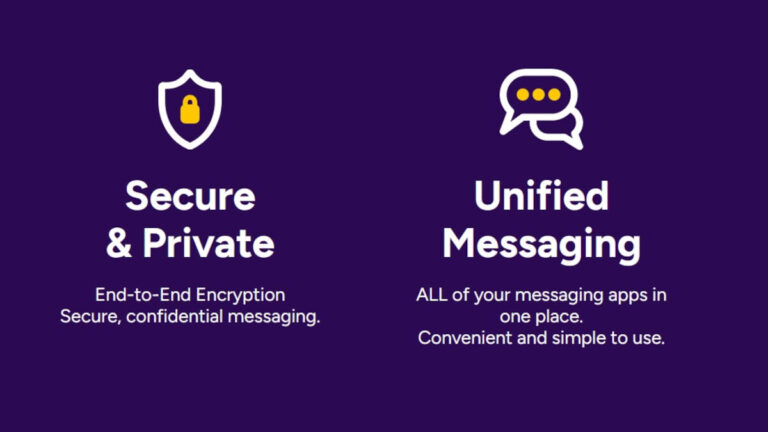
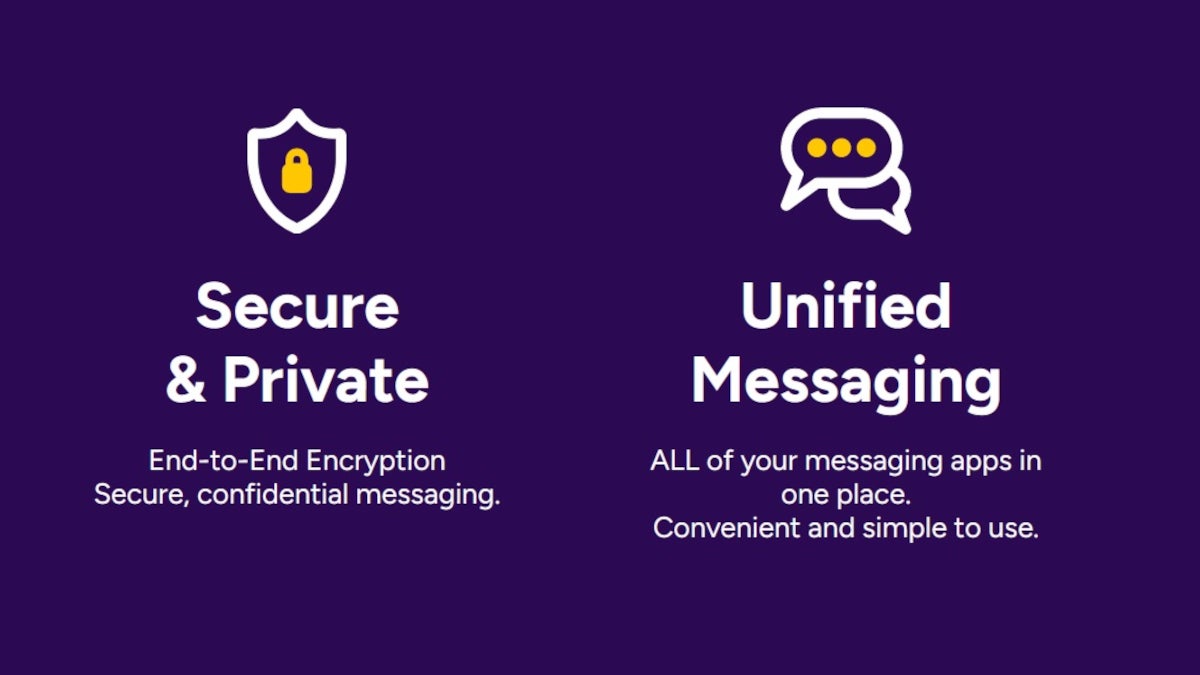
A unified inbox will give app users access to their WhatsApp, FB Messenger (Meta), SMS accounts. Eventually, support will be added allowing users to see their inboxes for Telegram, Discord, RCS, Slack, and more.
Both suspects, Sagar Steven Singh and Nicholas Ceraolo, were reportedly members of a notorious cybercrime group, ViLE.
Two US citizens have been charged with hacking into the US DEA online portal using fake emergency data requests from hijacked government and police email accounts. Their primary objective was to blackmail and extort victims.
According to the press release from the US Department of Justice, the two accused hacked into the US Drug Enforcement Agency (DEA) online portal, which is connected to sixteen federal government law enforcement databases.
The two suspects are allegedly associated with a criminal organization that specializes in making fake emergency data requests via compromised email accounts of police and government officials to extort their victims.
The Eastern District of New York prosecutors unsealed criminal complaints against the two accused, 19-year-old Sagar Steven Singh from Pawtucket, Rhode Island, and 25-year-old Nicholas Ceraolo from Queens, NY.
The complaint (PDF) revealed that on May 7, 2022, Singh, aka Weep, logged into a US federal government portal using stolen credentials. The agency name was not disclosed in the complaint, but it did mention that the portal offered access to databases maintained by the US agency that tracks narcotics seizures. Additionally, cybersecurity journalist Brian Krebs reported that the targeted agency was the DEA.
Singh and Ceraolo, aka Ominus and Convict, were reportedly members of a notorious cybercrime group, ViLE. This group specializes in obtaining private data about third-party victims and using it to harass, threaten, or extort them. The two were also staff members for Doxbin.
The DEA portal hacking involved Doxbin’s current administrator, KT, who has been referred to in the government’s complaint as CC-1. This individual is listed at the top of ViLE’s official roster, followed by Weep and Ominus.
As per the government, the defendants and other ViLE members used different methods to access their victims’ private information, such as tricking customer service personnel, sending fake legal processes to social media companies to obtain users’ registration details, corrupting company employees, illegally accessing non-public US government databases and email accounts of foreign officials, and searching for private/public online databases.
When the gang obtained a victim’s data, the two accused would post it on an online forum, which the government calls Forum-1, administered by ViLE leader/CC-1.
“Victims are extorted into paying CC-1 to have their information removed from Forum-1. Singh also uses the threat of revealing personal information to extort victims into giving him access to their social media accounts, which Singh then resells,” prosecutors alleged.
Singh’s residence was raided on September 8, 2022, and investigators seized a cellphone and laptop allegedly containing evidence of DEA portal access.
Moreover, the complaint stated that between February and May 2022, Ceraolo used a Bangladeshi police official’s email account to impersonate him as the individual was in contact with the US-based social media platforms.
“In these communications, Ceraolo requested personal information about users of these platforms, under the false pretense that the users were committing crimes or in life-threatening danger,” the government noted.
One of the perks of using web browsers on your desktop is the selection of extensions that you can add to them. They add additional functionality to your browsing. Think of them as the equivalent of downloading apps to your phone. Firefox has been testing browser extensions for its mobile app, and now they’re available for the public.
So, if you’re looking to add and use these add-ons to improve your browsing experience, you can. But, how do you install them? How do you access and use them after you’ve gotten the add-ons? Here’s a handy guide to show you how to.
In case you don’t know what browser extensions are
So, web browsers come with a selection of features that define the whole browsing experience. However, there could always be more that it can do. It’s possible to add additional functionality to your browser that the developer didn’t originally put in it. It’s possible to add more features to the browser through what are called browser extensions.
Browser extensions can be thought of as little programs that you can install onto your browser that perform certain tasks. These extensions are typically developed by third-party developers. A developer can make an extension to do just about anything.
There are all types of extensions that you can add on desktop browsers like Google Chrome and Microsoft Edge. These include voice-to-text dictation extensions, spell-check extensions, picture-in-picture extensions, and thousands more. However, for Firefox mobile, there are far fewer.
How to install browser extensions on Firefox Mobile
The first thing you’ll want to do is download the Firefox app or make sure that you’re using the most up-to-date version of it. Open the app and access the three-dot menu on either the top or bottom of the screen. There, in the top section, you’ll see the Add-ons menu item. Tapping on it will open the browser extension sub-menu.
The extensions menu
You’ll see the list of all of the available add-ons that you can install. While there are thousands of add-ons for desktop browsers, there are only 22 at the time of writing this article. The company is currently working on delivering more extensions, so you’ll see the list get longer as time goes on.
Each item will show you the title of the add-on, a short description of it, and its rating between one and five stars. Tap on the item to see additional information on it. You’ll see information like a longer description, the author, the version number it’s on, when it was last updated, and a link to the homepage.
Adding the extensions
If you want to add the browser extension, tap on the “+” button on the right side of the item. When you do that, you’ll see a little popup appear showing you the permissions that the extension needs to function. Review those permissions carefully and decide if you want to give those permissions.
If you’re comfortable, tap on the Add button on the bottom right. After that, the browser will download and install the add-on. When it’s installed, you’ll see another pop-up appear giving you the option to allow the extension while in private mode. After that, you’re good to go.
Managing the add-ons
When you access the three-dot menu again, you’ll see a little arrowhead on the Add-ons button. When you tap on it, you’ll see the list of some of your installed extensions pop up at the bottom of the screen. If you want to add more extensions, tap on the Add-ons Manager button at the bottom.
When you do that, you’ll see the list of all available extensions just as before. Only, the extensions you’ve installed will be pinned to the top.
If you tap on an extension that you’ve already installed, you’ll see a different page pop up. you’ll see the toggle to enable/disable it along with the toggle to allow/disallow it to run in private mode. Under those, you’ll see the Settings, Details, and Permissions buttons.
Lastly, you’ll see the Remove button under all of those options. When you tap it, the browser will remove it immediately. There’s no confirmation screen, so you’ll want to be careful not to press it by accident.
Some recommended add-ons
Read Aloud: A Text to Speech Voice Reader is a handy plug-in to install if you want to have your text read back to you. This is also an extension that you can install on the desktop version of Chrome. It’s a useful tool that will read back any selected text.
You’re able to dig into the settings for the extension and customize it to function how you please. You’re able to change the language, speed, pitch, and volume of the voice.
BitWarden is a useful and free password manager that you can use if you want to keep all of your passwords under one roof. It’s able to generate strong passwords for different services. The passwords always comply with the security requirements of each site.
You know that your information is safe because BitWarden uses world-class end-to-end encryption. This keeps it protected from people who try to hack into your account and steal your passwords.
Search By Image is a powerful and reliable reverse image search tool. It works with more than 30 different search engines. With this tool, you’re able to upload an image and search for the possible source of it. It’s useful if you’re trying to check the authenticity of an image.
These are only a few of the add-ons that you can use. As time goes on, you’ll see more useful browser extensions. You never know if your next favorite extension is right around the corner.
Did you know they were making an official movie about Blackberry and that there’s a trailer that was just released? Maybe, maybe not. Either way, the official Blackberry movie trailer is out and it’s worth a watch. Because the trailer is bound to give you a few laughs and at the very least, it’ll get you excited to see the film when it comes out later this year.
The interesting bit, is not that there’s a movie being made about Blackberry at all. But that it’s seemingly going to be a pretty hilarious film. It’s not a full-on comedy mind you. Rather, it’s a drama that appears to have pockets of comedy that guide the viewer from serious moment to serious moment. The film itself is about the rise and fall of Blackberry. It stars Glenn Howerton (It’s Always Sunny in Philidelphia) and Jay Baruchel (Tropic Thunder, This is the End, the How to Train Your Dragon series) as the co-CEOs of Canadian technology company Research In Motion.
It also stars SungWon Cho, an American voice actor well-known for his hilarious comedy skits on YouTube. If you’re looking for a comparison for the film, it gives off some serious ‘Halt and Catch Fire’ vibes. Just with less chaos and backstabbing. Judging by the trailer at least.
The Blackberry movie comes out May 12
With the release of the first official trailer today, fans interested in seeing the film now have a release date to look forward to. The movie will be coming out May 12 in theaters. It’ll also likely hit streaming services eventually.
The trailer can be viewed above if you want a sneak peek at what’s to come. The movie definitely looks like a good way to spend a couple hours. It can however, certainly be more than that. Blackberry was a majorly influential company in the world of smartphones. And the film will do its part to out together the pieces of the story that consumers may have never known.
It also appears to do a good job of making the world of geek and tech culture more entertaining.
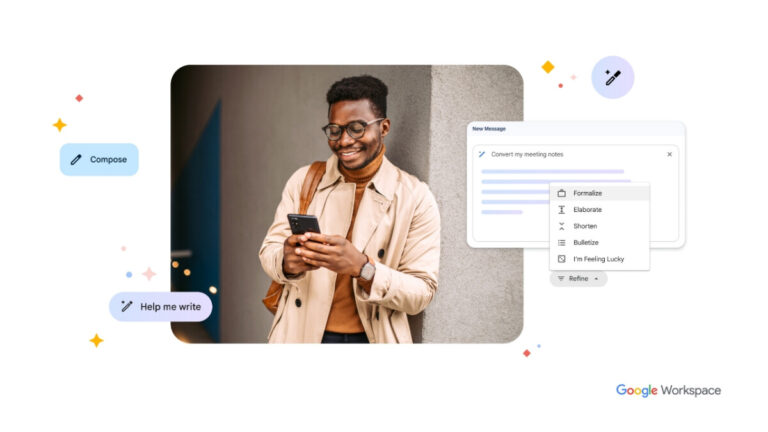
Google has introduced, and announced via a blog post, a set of AI-powered writing features in Docs and Gmail to select beta users, allowing Workspace users to leverage the power of creative AI for creativity, connection, and collaboration.
Users will be able to use these features to draft, reply, summarize, and prioritize their Gmail ideas as well as proofread, write, and rewrite in Docs. Although this is where it will start, the plan in the future is to expand to the rest of the Google Workspace applications, such as by generating images, audio, and video in Slides, as well as automatically generating formulas and insights in Sheets.
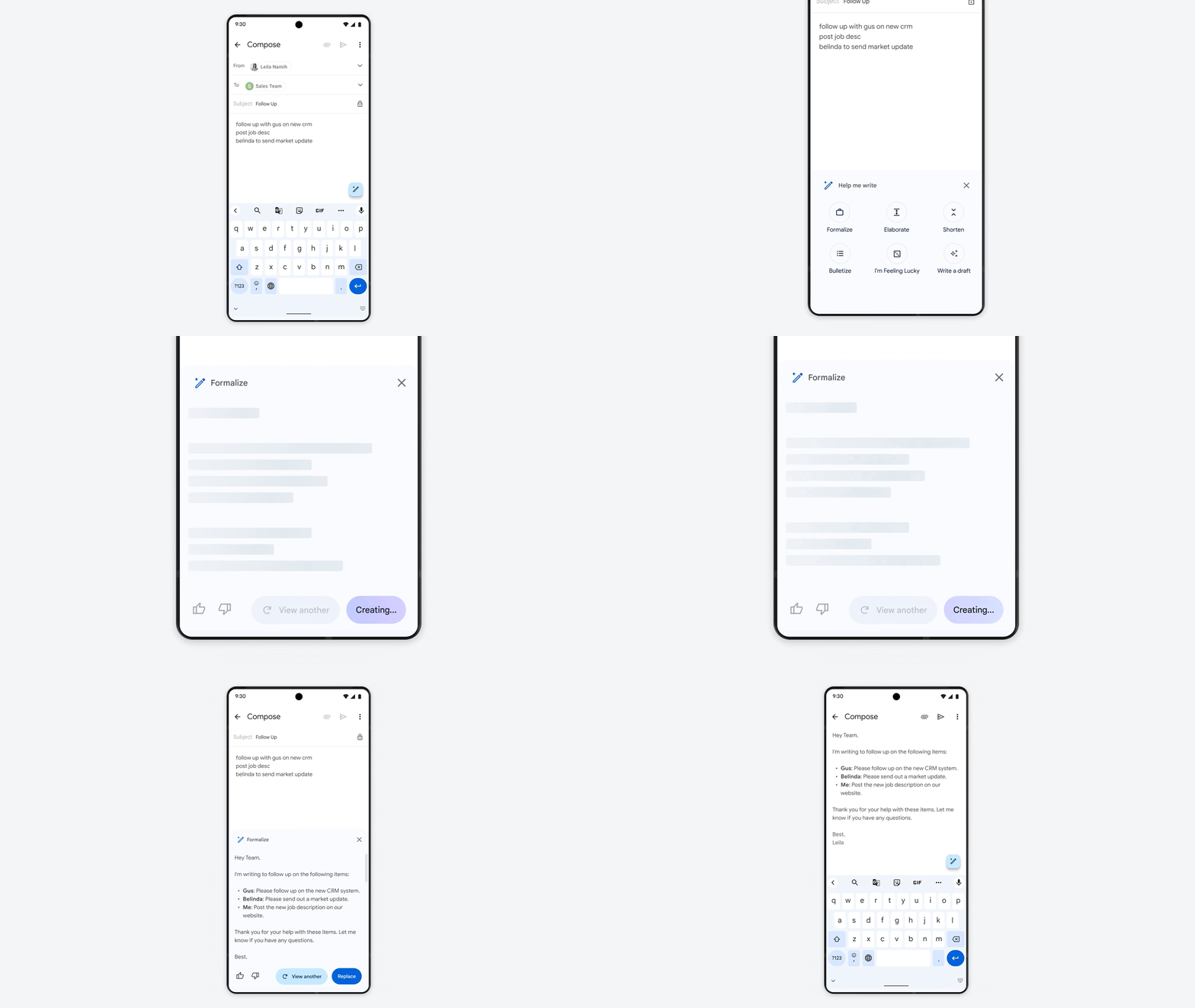
For now, Google is making these tools available in Gmail and Docs, which will help save time and effort when writing first drafts of a resume, an event invitation, or a professional email. You will only need to enter in the subject you want to write about, and an initial draft will be produced for you right away. This will provide a base that you can then edit and improve upon, which you will also be able to do with the help of the AI partner.
Where things will also get interesting is in Gmail with the introduction of an “I’m feeling lucky” button inside the Gmail application, which can help you re-write that email you’re not so sure about. You can use this tool to apply the appropriate tone of voice if an email needs to sound more formal. Additionally, you can take notes that you have taken on your phone and plug those in to turn them into a more cohesive thought or summary.
In its announcement, Google was clear to mention that “AI is no replacement for the ingenuity, creativity, and smarts of real people,” and thus this technology is not perfect and will have its quirks. Considering this, Google is developing this tool in compliance with Google’s AI Principles, which are intended to keep the user in control by allowing the AI to make recommendations that the user is able to approve, modify, and change. In addition, Workspace admins can rest assured that the corresponding measures will be put into place to allow I.T. professionals to apply the appropriate policies for their organization.
As more people use and provide input on AI-based tools, those tools will improve. Google plans on releasing these new features later this month, beginning with the English-speaking market in the USA with members of its trusted tester program. Once it has gone through its proper paces, Google intends to improve on the experience and eventually make this available for the masses.
A powerful new AI model called GPT-4 has been released recently by OpenAI, which is capable of comprehending images and texts. The company describes this as the next-stage milestone in its effort to scale up deep learning.
In November 2022, ChatGPT was launched and has since been used by millions of people worldwide. The all-new GPT-4 is now available through ChatGPT Plus, while it is the paid GPT subscription option of OpenAI available for $20 per month.
However, currently, there is a cap on the usage amount, and to access the API, the developers need to be registered on a waitlist.
The GPT-4 can also perform a number of tasks at once, with a maximum word count of 25,000. That is eight times more than the ChatGPT can.
Pricing & Implementation
Here below, we have mentioned the pricing tags:-
For 1,000 “prompt” tokens (Raw text), which is about 750 words will cost $0.03.
For 1,000 “completion” tokens (Raw text), which is about 750 words will cost $0.06.
A prompt token is part of a word that has been fed into GPT-4 in order for it to function. While the content that is generated by the GPT-4 is referred to as completion tokens.
In addition, Microsoft recently announced that it is using the GPT-4 version for its Bing Chat chatbot. Since the investment from Microsoft into OpenAI has amounted to $10 billion.
Stripe is another early adopter of GPT-4, which uses it to scan business websites. By doing so, it provides a summary of the results to customer service staff as part of the scanning process.
A new subscription tier for language learning has been developed by Duolingo based on the GPT-4. In order to provide financial analysts with access to information retrieved from company documents, Morgan Stanley is creating a GPT-4-powered system.
It appears that Khan Academy is also working towards automating some sort of tutoring process using GPT-4 that can help students.
A simulated bar exam was given to GPT-4, and it performed particularly well in it, as it managed to achieve scoring around the top 10% of test takers. Interestingly, GPT-3.5, on the other hand, scored in the bottom 10% of the group.
GPT-4 Action
The GPT-4 algorithm is a form of generative artificial intelligence, similar to the ChatGPT algorithm. With the help of algorithms and predictive text, the generating AI constructs the content based on the prompts that are presented by the user.
As you can see in the image below, GPT-4 generates recipes based on images that have been uploaded.
The reasoning skills of GPT-4 are more advanced than those of ChatGPT. In order to find available meeting times, the model can, for instance, search for three schedules with three available times.
In short, the GPT-4 is much smarter and more capable as compared to the GPT-3.5. GPT-4 is capable of receiving and processing textual and visual information, one of its most impressive features.
At the moment, it is not yet possible for OpenAI customers to utilize the image understanding capability of GPT-4. However, currently, OpenAI is testing this technology with only one partner, Be My Eyes.
OpenAI has warned that, just like its predecessors, the GPT-4 is still not entirely reliable. This model needs to be further improved by the entire community by building on top of the model, exploring it, and contributing to it through collective efforts.
There is still a lot of work to be done, and the company affirmed that they are looking forward to working together to improve it.