Samsung readying three Galaxy Tab S9 models, including an Ultra

0
[ad_1]

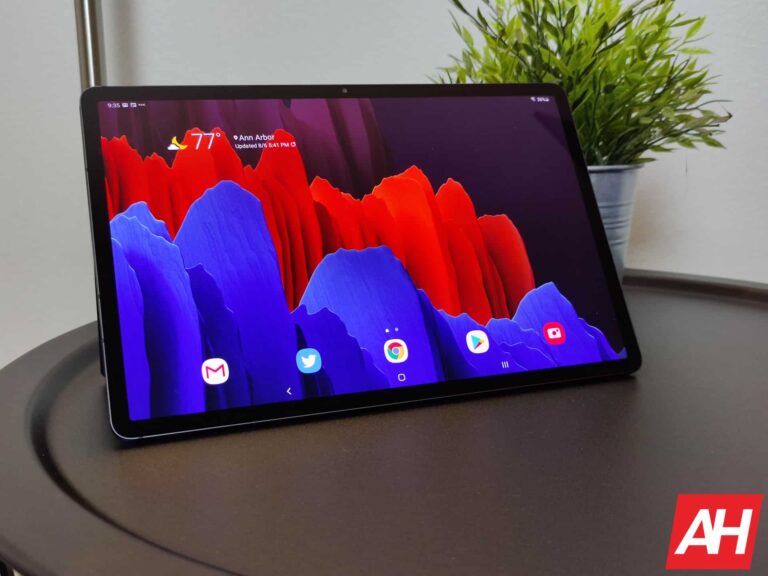
Samsung‘s Galaxy Tab S9 series flagship Android tablets are starting to take shape. We recently learned that the devices will boast an official IP rating for dust and water resistance. If true, they will be the first waterproof flagship tablets from Samsung. While we wait for further confirmation on that report, we have more information about the upcoming products. Dutch publication GalaxyClub has unearthed model numbers confirming the existence of three Galaxy Tab S9 models.

According to the new report, Samsung is developing three new flagship tablets, namely the Galaxy Tab S9, Galaxy Tab S9+, and Galaxy Tab S9 Ultra. That isn’t surprising since the company added an Ultra model to the lineup last year. We only got the Galaxy Tab S7 and Galaxy Tab S7+ before that. The Korean firm also recently launched its first-ever Ultra-branded laptop, the Galaxy Book 3 Ultra. It seemingly plans to make the brand synonymous with an ultra-powerful Galaxy device.

Unfortunately, the specs of the Galaxy Tab S9 Ultra, or any other upcoming Galaxy tablet for that matter, are not known. So it’s unclear what Samsung has in store this time around. But what we know is that the new tablets will be available in both Wi-Fi-only and cellular (5G) variants and come to the US. They will bear predictable model numbers too. The Dutch publication discovered that the base Galaxy Tab S9 model will be identified as SM-X710 (Wi-Fi), SM-X716B (5G Global), and SM-X718U (5G US).

Likewise, the Galaxy Tab S9+ will bear the model numbers SM-X810 (Wi-Fi), SM-X816B (5G Global), and SM-X818U (5G US). These identifiers for the Ultra model are SM-X910 (Wi-Fi), SM-X916B (5G Global), and SM-X918U (5G US). We expect to come across more leaks about the new Samsung tablets in the coming months. An IP67 rating is a much-needed addition that will further cement the Korean firm’s stature as the best maker of flagship Android tablets today. It remains to be seen what else the company has up its sleeves.

The Galaxy Tab S9 series is still months away

Samsung launched the Galaxy Tab S8 series in February last year. Those devices are already a year old, but their successors aren’t arriving anytime soon. The company doesn’t launch new tablets in a yearly cycle. The Galaxy Tab S9 series isn’t expected to arrive until the second half of this year. The Korean firm will likely debut the new tablets alongside its fifth-gen foldables in August or September. The Galaxy Watch 6 series and Galaxy S23 FE may also debut around the same time. You can expect to hear more about these devices ahead of that.


[ad_2]
Source link
Google execs address confusion surrounding Bard AI’s priorities

0
[ad_1]

Google’s launch event for its Bard AI did not go as smoothly as planned, as the chatbot gave several incorrect answers during the presentation. This resulted in Googlers expressing their disappointment about the launch and even questioning CEO Pichai’s leadership. Now, according to a report from CNBC, Google executives are trying to address any confusion surrounding the company’s priorities for Bard.

During an all-hands meeting on Thursday, top executives attempted to answer questions as employees expressed their concerns about the chatbot’s potential impact on the company’s core search engine business. In response, Jack Krawczyk, the product lead for Bard, emphasized that the chatbot is not a search engine but rather an experiment that is meant to act as a creative companion for users. However, he acknowledged that some users may still attempt to use it as a search engine, and Google is working on addressing this issue with a new tool named “Search It.”

“The first public demo was demoralizing, sent our stock into a nosedive, and invited massive media coverage,” read an employee’s comment.

Google is facing the heat of competition

For over nine years, Google has been the dominant player in the search engine market, with its Chrome browser having a market share of over 60%. However, the launch of ChatGPT and its successful integration into the Bing browser have leveled the playing field, causing Google to fear its dominance for the first time.

With the launch of Bard, Google hoped to get ahead, but it is clear that the company currently lacks a plan. Previously, the company stated that Bard’s technology could integrate with search, but now top executives like Elizabeth Reid, vice president of engineering for search, are saying that the chatbot is “separate from search.”

This confusion towards Google’s approach has caused the company’s investors to fear that the search business might become obsolete as chatbots like Google Bard and ChatGPT will provide better answers to search queries.


[ad_2]
Source link

Twitter breaks, users respond, Twitter resolves issue

0
[ad_1]
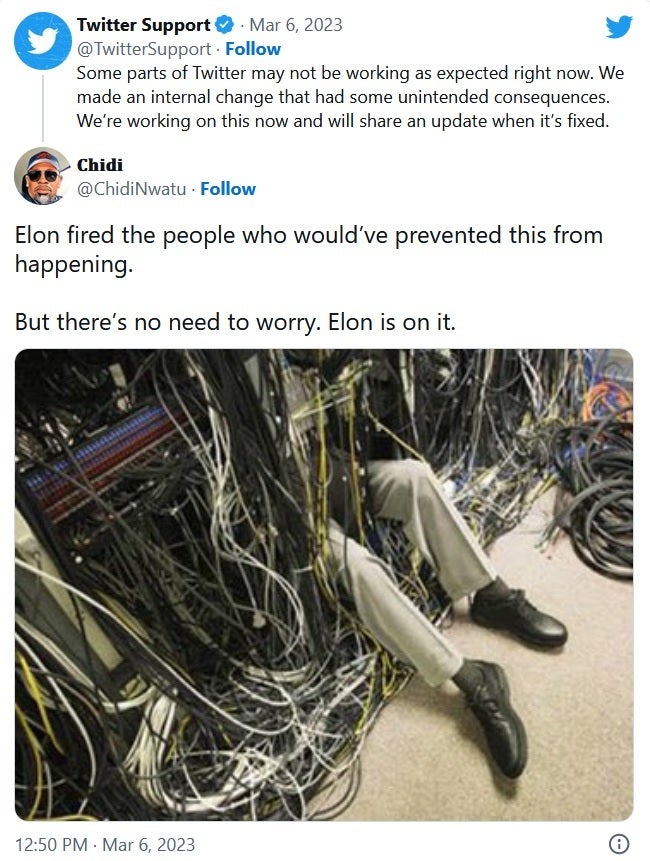
Twitter isn’t kicking off the work week in good shape. According to Downdetector, around 12 pm EST, the number of complaints it received about the social media site soared from 31 to over 10,000 in a bit over 30 minutes. 76% of the complaints deal with the Twitter website while 14% say that they had a problem with the Twitter app. Some users received error messages when trying to tap on links inside tweets that said, “your current API plan does not include access to this endpoint.”
The Twitter Support account disseminated a tweet at 12:19 pm EST that said, “Some parts of Twitter may not be working as expected right now. We made an internal change that had some unintended consequences. We’re working on this now and will share an update when it’s fixed.” Of course, this led some Twitter users to offer up some hilarious responses blaming Twitter owner Elon Musk (who is or isn’t the richest man in the world depending on which day it is) for mismanaging Twitter.
In the U.S., outages were noticed in cities like Boston, New York, Washington, and Tampa. Other cities affected include St. Louis, Atlanta, Chicago, Toronto (that’s in Canada, folks), Dallas, Houston, Phoenix, Los Angeles, and Seattle.

The number of Downdetector users reporting an issue with Twitter has declined sharply. This has left the graph looking like the stock chart of Game Stop or any other of those shares manipulated by Robin Hood subscribers. At 1:27 pm EST, the number of Twitter users reporting an issue with Downdetector had declined to 250. That’s much lower than 10,000 but still indicates that there is a problem.

But there is good news. The Twitter Support account reports that “Things should now be working as normal. Thanks for sticking with us!” The social media company didn’t explain what caused links to fail and images not to appear in the first place. If Twitter does share this information, we will update this article.

[ad_2]
Source link

Samsung pushes One UI 5.1 to the Galaxy A52s 5G

0
[ad_1]

The Galaxy A52s 5G is the latest Samsung device to receive the One UI 5.1 update. The company has released the new One UI version for the 2021 premium mid-range smartphone in its homeland South Korea. A global release should follow in the coming days.

The One UI 5.1 update for the Galaxy A52s 5G is rolling out with the firmware build number A528NKSU2EWB4 in Samsung’s domestic market (via). We expect the company to cover the phone with the latest iteration of its custom Android software internationally soon.

The handset didn’t launch in the US but was sold in Europe, Africa, Latin America, and Asia. The firmware version may vary slightly in these markets, but the phone will get the same goodies everywhere.

Speaking of goodies, this update brings a lot of them. Firstly, the Galaxy A52s 5G is picking up the February 2023 Android security patch that contains more than 50 vulnerability fixes. Samsung’s official security bulletin reveals that last month’s SMR (Security Maintenance Release) patched at least five critical vulnerabilities in Android OS. It also contained fixes for seven Galaxy-specific issues, including one in Secure Folder.

Along with these security enhancements, the Galaxy A52s 5G is also getting a host of new features and improvements with the latest update. One UI 5.1 adds new selfie effects that can be quickly accessed within the camera app while shooting selfies.

And, if you took hundreds of selfies and other photos and videos during a family trip, sharing them with others is easier than ever with a new Shared Family Album in Gallery.

Power users will find multitasking more efficient with easier resizing of pop-up windows and an improved split-screen mode. Samsung has also improved Bixby Routines to allow you to automate more tasks, including changing ringtones and fonts.

Your Galaxy phone can even automatically change wallpapers based on your activity. Continued browsing across connected laptops and tablets is another handy feature. Last but not least, One UI 5.1 brings smart settings suggestions, improved widgets, and custom folders for screenshots and screen recordings.

One UI 5.1 is rolling out to the Galaxy A52s 5G

Samsung has been rolling out the One UI 5.1 update to its Galaxy devices for a few weeks now. The Galaxy A52s is the latest to join the party, bringing these new features and improvements to its users.

If you’re using an eligible Galaxy device and haven’t received the update yet, you can manually check for it from the Settings app. Go to the Software update menu and tap on Download and install. The Galaxy A52s 5G will also get Android 14.


[ad_2]
Source link

Biden administration limits CHIPS Act funded companies from expanding in China

0
[ad_1]

Last year, the Biden Administration launched the CHIPS Act to boost the US semiconductor industry and outcompete China in semiconductor manufacturing, making the US the premier destination for leading chip manufacturers. And as part of the act, the government launched the first round of funding worth $39 billion aimed at constructing, expanding, and modernizing commercial facilities.

However, according to a report from the Financial Times, companies looking to benefit from this funding must adhere to specific conditions, including restrictions on expanding production capacity in foreign countries of concern, such as China, for ten years.

“Our goal is to make sure that the United States is the only country in the world where every company capable of producing leading-edge chips will be doing that in the United States at scale,” said commerce secretary Gina Raimondo.

In addition to the ban on expanding fabs in China, CHIPS act recipients cannot knowingly engage in any joint research or technology licensing effort with a foreign entity of concern that involves sensitive products or technologies. This aims to prevent domestic firms from partnering with Chinese companies like Ford’s recent partnership with CATL.

Ensuring appropriate use of funds

To ensure the funds are used aptly, the government will require companies to outline their plans for providing affordable childcare for workers if they apply for more than $150 million. The companies also cannot use the funds for share buybacks or dividend payments. Moreover, Raimondo also announced that companies will need to return some of the money they receive from the CHIPS Act to the government if they generate excess profits.

“This is about investing in our national security, not enabling these companies to use our money to increase their profits. We need more people in the labour force. We right now lack affordable childcare, which is the single most significant factor keeping people, especially women, out of the labour force,” said Raimondo.


[ad_2]
Source link

Florida Attorney General wants to warn iOS, Android users which apps are foreign-owned

0
[ad_1]
Worried about national security risks, Republican Florida Attorney General Ashley Moody proposes that Apple and Google flag apps developed and/or owned by foreign companies. Moody sent letters (via AppleInsider) to Google CEO Sundar Pichai and Apple CEO Tim Cook suggesting that a special icon or designation accompany Android and iOS apps that are created or owned by a company located outside of the states.

Moody’s letter naturally pointed out the one foreign-owned app that many are fearful of, TikTok. The short-form video app is always among the top titles getting installed on Android and iOS devices each year. It is owned by a Chinese company called ByteDance and Moody notes that the app has “been flagged by national security experts as posing a risk to both privacy and user information.”

There are concerns that TikTok can track the keystrokes that users type on its in-app keyboard allowing ByteDance to steal users’ personal information related to the TikTok app. In her letter to Apple and Google, Moody mentions the high-altitude spy balloons from China recently shot out of the skies by the U.S. military. She says that events like that underscore the need to add additional protections to mobile applications.

AG Moody writes, “We must ensure that consumers have the information needed to make informed decisions about their data privacy and security. The existing lack of transparency in app stores can create a significant risk for American citizens and could cause their personal information to be exploited by foreign entities of concern.” She added, “Further, it is alarming that out of the top apps in Apple’s App Store [and Google’s Play Store], the top three are China-based, thus equating to hundreds of millions of downloads domestically and billions worldwide.”

States such as Maryland, Texas, South Dakota, and Oklahoma have banned TikTok on government devices and The House of Representatives has ordered the removal of TikTok on phones used by lawmakers and staff. Another incident that scares Moody is the discovery of code from Russian company Pushwoosh that was found in thousands of App Store apps including ones from The Centers for Disease Control and Prevention (CDC), and the U.S. Army.

Moody’s letter added that “Consumers deserve the highest level of transparency when choosing to download an application to their phones. This can be achieved by adding a foreign-owned and/or developed designation to applications related to these countries.”


[ad_2]
Source link

WhatsApp is beta testing split view for Android tablets

0
[ad_1]

WhatsApp has started to test the split view for Android tablets, and the feature might come to these devices in the coming months. The feature is spotted in the WhatsApp beta version 2.23.5.9 for Android.

WhatsApp has been through big changes in the last year, and the evolution of the Meta-owned messaging app seemingly continues in 2023. The platform was recently spotted testing newsletters in Android, which is an excellent feature for communities and small businesses. Wabetainfo now reports that WhatsApp is testing a split view interface in its Android beta app.

The split view allows users to work simultaneously with multiple apps and sections. The feature can significantly improve users’ experience on Android tablets and paves the way for a seamless multi-tasking functionality. Managing and organizing chat is also much easier with a split view.

A split-view interface is coming to WhatsApp for Android tablets

The WhatsApp interface has never been really tablet-friendly. Back in September, the app tried to solve the issue by rolling out a companion mode with tablet support. Then, it released a version that was supposed to offer better tablet compatibility. Hopefully, the split view interface can significantly impact the WhatsApp user experience on Android tablets.

As you can see in the screenshot below, the WhatsApp interface on tablets has now become more user-friendly. You also don’t need to return to the chat list to switch between conversations, and the chat list is visible while you’re reading a chat. The feature supports calls and status tabs too.

The beta testers can now update their WhatsApp app through the Play Store to access the feature. If it wasn’t there, you need to wait a few days as the update is expanding to more users. Of course, it would be great if the company could release the split view interface to the stable version as soon as possible due to its impact on user experience.

WA TWEAKED INTERFACE TABLET ANDROID


[ad_2]
Source link

Meta Quest headsets are now up to 33% off due to low sales

0
[ad_1]

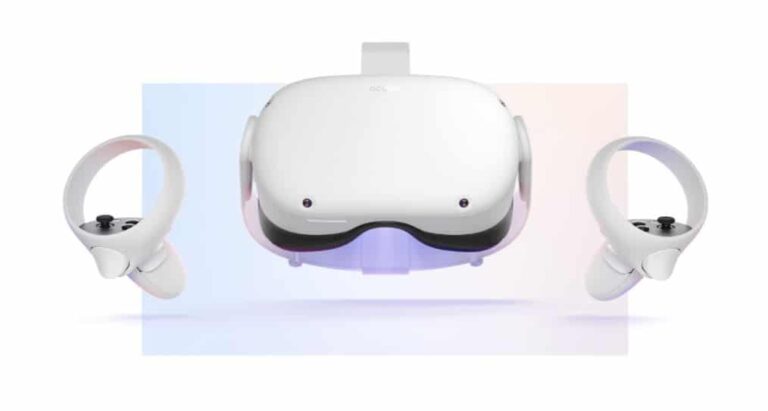
The sales of Quest headsets have disappointed Meta, and the company is now trying to sell these devices with up to 33% discount.

Virtual Reality (VR) is still in the early stages of development, and only a few users know about it. Meta is a pioneer company in developing AR glasses and VR headsets. Mark Zuckerberg believes the future of his company revolves around VR and the metaverse. However, the sales of Meta VR headsets prove that Zuckerberg needs to reconsider his beliefs for now.

According to the company’s announcement, the discount starts on Sunday, March 5, for Quest Pro and Quest 2. The Quest Pro was launched in November 2022 at a starting price of $1499. The headset goes on sale for $999 after a $500 price cut. The 256GB variant of Quest 2 also costs you $429, which shows a slight price drop from $499. The 128GB variant isn’t getting a price cut.

“Our goal has always been to create hardware that’s affordable for as many people as possible to take advantage of all that VR has to offer,” Meta said in its blog post.

Quest Headsets sales disappoint Meta, but the company won’t give up on VR ideas

Of course, it’s worth noting that the March 5 discount sale for the Quest Pro headset is dedicated to the United States and Canada. The discount for the headset comes to other countries on March 15.

As for the Quest 2, it goes on sale on March 5 in the following countries: Australia, Austria, Belgium, Canada, Denmark, Finland, France, Germany, Iceland, Italy, Japan, Netherlands, Norway, South Korea, Spain, Sweden, Switzerland, Taiwan, the UK, and the US.

Last year, the Meta “Reality Labs” unit, which oversees VR and metaverse efforts, lost $13.7 billion (via CNN). Despite upsetting sales and a huge investment loss, Meta doesn’t seem to give up on VR glasses. The company is reportedly preparing to launch Quest 3 headset later this year.


[ad_2]
Source link

Google Play can now let you know if an app isn’t performing well so that you can skip it

0
[ad_1]

Okay, stop me if you can’t relate to this one: you are bored. You open Google Play and start browsing games. You find a timekiller worth your time, but it’s from 2012, while you are rocking the Galaxy S23 Ultra — or another brand new unit from the Best Android Phones around. You download the game, as the reviews are pretty much glowing, but the app barely works on your smartphone. What gives? Many of us — and I’m more inclined to say “most” there, as this extends beyond games to apps and utilities too — have experienced this, so it would be super-helpful if there was some sort of feature to warn us ahead of time. Well, Google has now introduced exactly this type of feature!

Increasing amounts of users on a global level are shouting out Google Play for saving them some sweet megabytes and priceless time with a warning. It basically lets them know if an app is expected to run properly or not. The warning is related to data from “users on a similar device”, which helps out a ton.


As we all know, app-related issues can stem from a myriad of reasons. Ranging from screen resolution, hardware and extending to Android version. But the way the warning is set-up feels authentic, as reportedly the data is sourced from smartphones, which are comparatively similar to the one that the user in question has. Google Play may very well be scanning for details just as the ones above, as only limiting things to phone models would be quite… well, limiting.

This feature is part of a plan from the Big G that was presented last year. Google Play is reportedly set to gauge app performance up to a threshold of 8% per a specific configuration. In simpler terms: if an app starts misbehaving for 8% (or more) of users with a similar configuration, the warning will pop up for those who are looking at it from a smartphone with hardware of the same caliber.

The feature has another side too: it’s a healthy form of public shaming, as the developers have access to the data described above. As such, if they start getting feedback from users from a given hardware group, they can make an informed decision about dedicating resources to fix the issues.

In review, Google Play’s app performance warning prevents users from becoming disappointed, while providing info about specific user groups to developers. This is a great step forward towards clarity on the Play Store, so we can’t wait for a wider rollout.


[ad_2]
Source link

Google Drive update for Android brings PDF drawing & highlighting

0
[ad_1]

Google Drive is gaining free-hand PDF annotation support on Android. You can use a stylus or finger to quickly draw on PDF files to highlight a text, image, or anything else. Once you install the latest update for the app (link below), opening a PDF will show a new pen FAB (floating action button) in the bottom-right corner of the screen. Tapping it brings up a new pill-shaped toolbar just above the bottom navigation bar.

This toolbar contains six buttons or tools. There’s a pen tool that you can use to draw on the PDF. It is available in four colors (red, black, blue, and green) and 8px to 40px of stroke width. Next, we have a highlighter in yellow, green, blue, or purple colors. This tool also offers the same range of stroke width and can be used to highlight text. An eraser tool lets you erase an entire stroke while you also get undo/redo buttons in case you incorrectly mark something. Lastly, you get a tool to hide all marks you’ve made on the PDF.

A “Save” button at the top-right of the screen lets you save any changes you make to a PDF file directly on it without creating a copy. But Drive also lets you save the changes as a copy from the overflow menu. This will leave the original file unmarked. By default, the toolbar containing these annotation tools opens at the bottom of your phone’s screen. But you can move it to the top. If you open Drive in landscape mode on tablets, the pill sits vertically on the right by default but can be moved to the left.

Free-hand PDF annotation is rolling out to Google Drive users on Android

Google announced the ability to draw and highlight PDFs on Drive’s Android app last month. The company didn’t tell when the new feature will be available to users. But 9to5Google recently spotted that version 2.23.081.2 of the app brings the new annotation tools. The update isn’t available widely yet but it should just be a matter of time now. If you regularly use Drive, you might find these tools pretty handy. Unless you haven’t already installed the update, you can click the button below to download the latest version of the Drive app for Android from the Google Play Store. If no update is available for you, wait a few days and check again.

DOWNLOAD GOOGLE DRIVE


[ad_2]
Source link