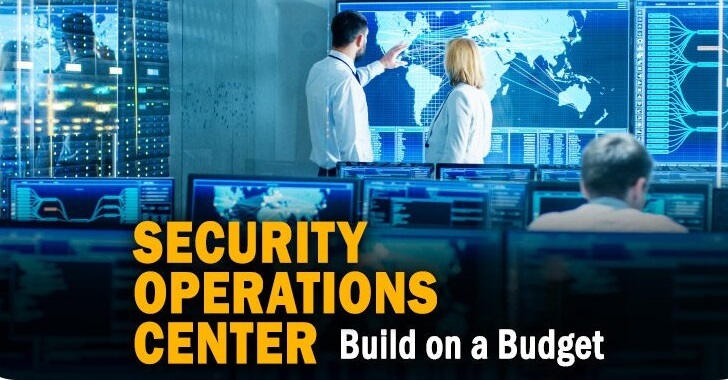

Today’s Cyber security operations center (CSOC) should have everything it needs to mount a competent defense of the ever-changing information technology (IT) enterprise.
This includes a vast array of sophisticated detection and prevention technologies, a virtual sea of cyber intelligence reporting, and access to a rapidly expanding workforce of talented IT professionals. Yet, most CSOCs continue to fall short in keeping the adversary—even the unsophisticated one—out of the enterprise.
Ensuring the confidentiality, integrity, and availability of the modern information technology (IT) enterprise is a big job.
It incorporates many tasks, from robust systems engineering and configuration management (CM) to effective cybersecurity or information assurance (IA) policy and comprehensive workforce training.

It must also include cybersecurity operations, where a group of people is charged with monitoring and defending the enterprise against all measures of cyber attack.
What Is a SOC?
A SOC is a team primarily composed of security analysts organized to detect, analyze, respond to, report on, and prevent cybersecurity incidents using cybersecurity incident response tools.
The practice of defense against unauthorized activity within computer networks, including monitoring, detection, analysis (such as trend and pattern analysis), and response and restoration activities.
There are many terms that have been used to reference a team of cybersecurity experts assembled to perform CND.
They include:
- Computer Security Incident Response Team (CSIRT)
- Computer Incident Response Team (CIRT)
- Computer Incident Response Center (or Capability) (CIRC)
- Computer Security Incident Response Center (or Capability) (CSIRC)
- Security Operations Center (SOC)
- Cybersecurity Operations Center (CSOC)
- Computer Emergency Response Team(CERT)
In order for an organization to be considered a SOC, it must:
- 1. Provide a means for constituents to report suspected cybersecurity incidents
- 2. Provide incident handling assistance to constituents
- 3. Disseminate incident-related information to constituents and external parties.
Mission and Operations Tempo
SOCs can range from small, five-person operations to large, national coordination centers. A typical midsize SOC’s mission statement typically includes the following elements:
1. Prevention of cybersecurity incidents through proactive:
- a. Continuous threat analysis
- b. Network and host scanning for vulnerabilities
- c. Countermeasure deployment coordination
- d. Security policy and architecture consulting.
2. Monitoring, detection, and analysis of potential intrusions in real time and through historical trending on security-relevant data sources
3. Response to confirmed incidents, by coordinating resources and directing use of timely and appropriate countermeasures
4. Providing situational awareness and reporting on cybersecurity status, incidents, and trends in adversary behavior to appropriate organizations
5. Engineering and operating CND technologies such as IDSes and data collection/ analysis systems.
Of these responsibilities, perhaps the most time-consuming are the consumption and analysis of copious amounts of security-relevant data. Among the many security-relevant data feeds a Security Operations Center is likely to ingest, the most prominent are often IDSes.
IDS’es are systems placed on either the host or the network to detect potentially malicious or unwanted activity that warrants further attention by the SOC analyst.
Combined with security audit logs and other data feeds, a typical SOC will collect, analyze, and store tens or hundreds of millions of security events every day.
An event is “Any observable occurrence in a system and/or network. Events sometimes provide an indication that an incident is occurring” (e.g., an alert generated by an IDS or a security audit service). An event is nothing more than raw data.
It takes human analysis—the process of evaluating the meaning of a collection of security-relevant Fundamentals Ten Strategies of a World-Class Cybersecurity Operations Center 11 data, typically with the assistance of specialized tools—to establish whether further action is warranted.
Tier Level:
- Tier 1
- Tier 2
- Tier 3
- Soc Manager
Tier 1: Alert Analyst
Duties
Continuously monitors the alert queue; triages security alerts; monitors health of security sensors and endpoints; collects data and context necessary to initiate Tier 2 work.
Required Training
Alert triage procedures; intrusion detection; network, security information and event management (SIEM) and host-based investigative training; and other tool-specific training, you take SOC Training from leading experts.
Tier 2: Incident Responder
Duties
Performs deep-dive incident analysis by correlating data from various sources; determines if a critical system or data set has been impacted; advises on remediation; provides support for new analytic methods for detecting threats.
Required Training
Advanced network forensics, host-based forensics, incident response procedures, log reviews, basic malware assessment, network forensics and threat intelligence. Certifications could include SANS SEC501: Advanced Security Essentials – Enterprise Defender; SANS SEC503: Intrusion Detection In-Depth; SANS SEC504: Hacker Tools, Techniques, Exploits and Incident Handling.
Tier 3 Subject Matter Expert/ Hunter
Duties
Possesses in-depth knowledge of network, endpoint, threat intelligence, forensics and malware reverse engineering, as well as the functioning of specific applications or underlying IT infrastructure; acts as an incident “hunter,” not waiting for escalated incidents; closely involved in developing, tuning and implementing threat detection analytics.
Required Training
Advanced training on anomaly detection; tool-specific training for data aggregation and analysis and threat intelligence.
Certifications could include SANS SEC503: Intrusion Detection In-Depth; SANS SEC504: Hacker Tools, Techniques, Exploits and Incident Handling; SANS SEC561: Intense Hands-on Pen Testing Skill Development; SANS FOR610: Reverse-Engineering Malware: Malware Analysis Tools and Techniques.
SOC Manager
Duties
Manages resources to include personnel, budget, shift scheduling and technology strategy to meet SLAs; communicates with management; serves as organizational point person for business-critical incidents; provides overall direction for the SOC and input to the overall security strategy
Required Training
Project management, incident response management training, general people management skills. Certifications include CISSP, CISA, CISM or CGEIT.
The SOC typically will leverage internal and external resources in response to and recovery from the incident. It is important to recognize that a SOC may not always deploy countermeasures at the first sign of an intrusion. There are three reasons for this:
- 1. The SOC wants to be sure that it is not blocking benign activity.
- 2. A response action could impact a constituency’s mission services more than the incident itself.
- 3. Understanding the extent and severity of the intrusion by watching the adversary is sometimes more effective than performing static forensic analysis on compromised systems, once the adversary is no longer present.
To determine the nature of the attack, the SOC often must perform advanced forensic analysis on artifacts such as hard drive images or full-session packet capture (PCAP), or malware reverse engineering on malware samples collected in support of an incident.
Sometimes, forensic evidence must be collected and analyzed in a legally sound manner. In such cases, the SOC must observe greater rigor and repeatability in its procedures than would otherwise be necessary.
Building a Security Operations Center (SOC)
In addition to SOC analysts, a security operations center requires a ringmaster for its many moving parts.
The SOC manager often fights fires, within and outside of the SOC. The SOC manager is responsible for prioritizing work and organizing resources with the ultimate goal of detecting, investigating and mitigating incidents that could impact the business.

The SOC manager should develop a workflow model and implement standardized operating procedures (SOPs) for the incident-handling process that guides analysts through triage and response procedures.
Processes
Defining repeatable incident triage and investigation processes standardize the actions a SOC analyst takes and ensures no important tasks fall through the cracks.
By creating a repeatable incident management workflow, team members’ responsibilities and actions from the creation of an alert and initial Tier 1 evaluation to escalation to Tier 2 or Tier 3 personnel are defined.
Based on the workflow, resources can be effectively allocated.
One of the most frequently used incident response process models is the DOE/CIAC model, which consists of six stages: preparation, identification, containment, eradication, recovery and lessons learned.
Technology
An enterprisewide data collection, aggregation, detection, analytic and management solution is the core technology of a successful SOC.
An effective security monitoring system incorporates data gathered from the continuous monitoring of endpoints (PCs, laptops, mobile devices and servers) as well as networks and log and event sources.
With the benefit of network, log and endpoint data gathered prior to and during the incident, SOC analysts can immediately pivot from using the security monitoring system as a detective tool to using it as an investigative tool, reviewing suspicious activities that make up the present incident, and even as a tool to manage the response to an incident or breach.
Compatibility of technologies is imperative, and data silos are bad—particularly if an organization has an existing security monitoring solution (SIEM, endpoint, network or other) and wants to incorporate that tool’s reporting into the incident management solution.
Adding Context to Security Incidents
The incorporation of threat intelligence, asset, identity and other context information is another way that an effective enterprise security monitoring solution can aid the SOC analyst’s investigative process.
Often, an alert is associated with a network or host-based activity and, initially, may contain only the suspicious endpoint’s IP address.
In order for Network Flows Network Traffic Security Events Identity/ Asset Context Endpoint Data System Logs Threat Intel Feeds SECURITY MONITORING SYSTEM.
Compatible Technologies Aid Detection Data Aggregation for Improved Incident Handling Visibility. By centralizing these various sources of data into a security monitoring system, the SOC gains actionable insight into possible anomalies indicative of threat activity.
Action Based on findings, automated and manual interventions can be made to include patching, firewall modification, system quarantine or reimage, and credential revocation. Analysis.
Security operations analysts can analyze data from various sources and further interrogate and triage devices of interest to scope an incident.
A Roadmap the SOC analyst to investigate the system in question, the analyst generally needs other information, such as the owner and hostname of the machine or DHCP-sourced records for mapping IP and host information at the time of the alert.
If the security monitoring system incorporates asset and identity information, it provides a huge advantage in time and analyst effort, not to mention key factors the analyst can use to prioritize the security incident—generally speaking, higher-value business assets should be prioritized over lower-value assets.
Defining Normal Through Baselining
The ability to create a baseline of activity for users, applications, infrastructure, network and other systems, establishing what normal looks like, is one advantage of aggregated data collected from various enterprise sources.
Armed with the definition of “normal,” detecting suspicious behavior—activities that are in some way outside of the norm— becomes easier.
A properly baselined and configured security monitoring system sends out actionable alerts that can be trusted and often automatically prioritized before getting to the Tier 1 analyst.
one of the top challenges in utilizing log data cited by respondents is the inability to discern normal from suspicious activity.
A best practice is to use platforms that can build baselines by monitoring network and endpoint activity for a period of time to help determine was “normal” looks like and then provide the capability to set event thresholds as key alert drivers.
When an unexpected behavior or deviation of normal activity is detected, the platform creates an alert, indicating further investigation is warranted.
Threat Intelligence
Mature SOCs continually develop the capability to consume and leverage threat intelligence from their past incidents and from information-sharing sources, such as a specialized threat intelligence vendor, industry partners, the cybercrimes division of law enforcement, information-sharing organizations (such as ISACs), or their security monitoring technology vendors.
According to the 2015 SANS Cyber threat Intelligence (CTI) Survey, 69% of respondents reported that their organization implemented some cyber threat intelligence tools capability, with 27% indicating that their teams fully embrace the concept of CTI and integrated response procedures across systems and staff.
A security monitoring system’s capability to operationalize threat intelligence and use it to help spot patterns in endpoint, log and network data, as well as associate anomalies with past alerts, incidents or attacks, can enhance an organization’s capability to detect a compromised system or user prior to it exhibiting the characteristics of a breach.
In fact, 55% of the respondents of the CTI Survey are currently using a centralized security management system to aggregate, analyze and operationalize their CTI.
Efficient SOC Incident Handling To achieve efficient incident handling, the SOC must avoid bottlenecks in the IR process that moves incidents through Tier 1, into Tier 2, and finally through Tier 3.
Bottlenecks can occur due to too much “white noise,” alerts of little consequence or false-positives that lead to analyst “alert fatigue.”
This phenomenon is a common experience among responders, Incident Response Survey results, where 15% reported responding to more than 20 false-positive alarms originally classified as incidents.
When choosing an enterprise security monitoring tool, look for such features as alert threshold customization and the ability to combine many alerts into a single incident.
Also when incidents include additional context, analysts can triage them more quickly, reducing the layers of evaluation that must take place before an issue can be confirmed and quickly mitigated.
Types of SOC
Categorize SOCs that are internal to the constituency into five organizational models of how the team is comprised,
1. Security team.
No standing incident detection or response capability exists. In the event of a computer security incident, resources are gathered (usually from within the constituency) to deal with the problem, reconstitute systems, and then 16 stands down.
Results can vary widely as there is no central watch or consistent pool of expertise, and processes for incident handling are usually poorly defined. Constituencies composed of fewer than 1,000 users or IPs usually fall into this category.
2. Internal distributed SOC.
A standing SOC exists but is primarily composed of individuals whose organizational position is outside the SOC and whose primary job is IT or security related but not necessarily CND related.
One person or a small group is responsible for coordinating security operations, but the heavy lifting is carried out by individuals who are matrixed in from other organizations. SOCs supporting a small- to the medium-sized constituency, perhaps 500 to 5,000 users or IPs, often fall into this category.
3. Internal centralized SOC.
A dedicated team of IT and cybersecurity professionals comprise a standing CND capability, providing ongoing services.
The resources and the authorities necessary to sustain the day-to-day network defense mission exist in a formally recognized entity, usually with its own budget.
This team reports to a SOC manager who is responsible for overseeing the CND program for the constituency. Most SOCs fall into this category, typically serving constituencies ranging from 5,000 to 100,000 users or IP addresses.
4. Internal combined distributed and centralized SOC.
The Security Operations Center is composed of both a central team (as with internal centralized SOCs) and resources from elsewhere in the constituency (as with internally distributed SOCs). Individuals supporting CND operations outside of the main SOC are not recognized as separate and distinct SOC entities.
For larger constituencies, this model strikes a balance between having a coherent, synchronized team and maintaining an understanding of edge IT assets and enclaves.
SOCs with constituencies in the 25,000–500,000 user/IP range may pursue this approach, especially if their constituency is geographically distributed or they serve a highly heterogeneous computing environment.
5. Coordinating SOC.
The SOC mediates and facilitates CND activities between multiple subordinate distinct SOCs, typically for a large constituency, perhaps measured in the millions of users or IP addresses.
A coordinating SOC usually provides consulting services to a constituency that can be quite diverse.
It typically does not have active or comprehensive visibility down to the end host and most often has limited authority over its constituency.
Coordinating SOCs often serve as distribution hubs for cyber intel, best practices, and training. They also can offer analysis and forensics services, when requested by subordinate SOCs.
Capabilities
A SOC satisfies the constituency’s network monitoring and defense needs by offering a set of services.
SOCs have matured and adapted to increased demands, a changing threat environment, and tools that have dramatically enhanced the state of the art in CND operations.
We also wish to articulate the full scope of what a SOC may do, regardless of whether a particular function serves the constituency, the SOC proper, or both. As a result, SOC services into a comprehensive list of SOC capabilities.
the SOC’s management chain is responsible for picking and choosing what capabilities best fits its constituency’s needs, given political and resource constraints.
- Real-Time Analysis
- Intel and Trending
- Incident Analysis and Response
- Artifact Analysis
- SOC Tools Life-Cycle Support
- Audit and Insider Threat
- Scanning and Assessment
- Outreach
Real-Time Analysis
Call Center
Tips, incident reports, and requests for CND services from constituents received via phone, email, SOC website postings, or other methods. This is roughly analogous to a traditional IT help desk, except that it is CND specific.
Real-Time Monitoring and Triage
Triage and short-turn analysis of real-time data feeds (such as system logs and alerts) for potential intrusions.
After a specified time threshold, suspected incidents are escalated to an incident analysis and response team for further study. Usually synonymous with a SOC’s Tier 1 analysts, focusing on real-time feeds of events and other data visualizations.
Note: This is one of the most easily recognizable and visible capabilities offered by a SOC, but it is meaningless without a corresponding incident analysis and response capability, discussed below.
Intel and Trending
Cyber Intel Collection and Analysis
Collection, consumption, and analysis of cyber intelligence reports, cyber intrusion reports, and news related to information security, covering new threats, vulnerabilities, products, and research.
Materials are inspected for information requiring a response from the Security Operations Center or distribution to the constituency.
Intel can be culled from coordinating SOCs, vendors, news media websites, online forums, and email distribution lists.
Cyber Intel Distribution
Synthesis, summarization, and redistribution of cyber intelligence reports, cyber intrusion reports, and news related to information security to members of the constituency on either a routine basis (such as a weekly or monthly cyber newsletter) or a non-routine basis (such as an emergency patch notice or phishing campaign alert).
Cyber
Intel Creation Primary authorship of new cyber intelligence reporting, such as threat notices or highlights, based on primary research performed by the SOC. For example, analysis of a new threat or vulnerability not previously seen elsewhere.
This is usually driven by the SOC’s own incidents, forensic analysis, malware analysis, and adversary engagements.
Cyber Intel Fusion
Extracting data from cyber intel and synthesizing it into new signatures, content, and understanding of adversary TTPs, thereby evolving monitoring operations (e.g., new signatures or SIEM content).
Trending
Long-term analysis of event feeds, collected malware, and incident data for evidence of malicious or anomalous activity or to better understand the constituency or adversary TTPs.
This may include unstructured, open-ended, deep-dive analysis on various data feeds, trending and correlation over weeks or months of log data, “low and slow” data analysis, and esoteric anomaly detection methods.
Threat Assessment
Holistic estimation of threats posed by various actors against the constituency, its enclaves, or lines of business, within the cyber realm.
This will include leveraging existing resources such as cyber intel feeds and trending, along with the enterprise’s architecture and vulnerability status. Often performed in coordination with other cybersecurity stakeholders.
Incident Analysis and Response
Incident Analysis
Prolonged, in-depth analysis of potential intrusions and of tips forwarded from other SOC members. This capability is usually performed by analysts in tiers 2 and above within the SOC’s incident escalation process.
It must be completed in a specific time span so as to support a relevant and effective response. This capability will usually involve analysis leveraging various data artifacts to determine the who, what, when, where, and why of an intrusion—its extent, how to limit damage, and how to recover. An analyst will document the details of this analysis, usually with a recommendation for further action.
Tradecraft Analysis
Carefully coordinated adversary engagements, whereby SOC members perform a sustained “down-in-the-weeds” study and analysis of adversary TTPs, in an effort to better understand them and inform ongoing monitoring.
This activity is distinct from other capabilities because (1) it sometimes involves ad-hoc instrumentation of networks and systems to focus on an activity of interest, such as a honeypot, and (2) an adversary will be allowed to continue its activity without immediately being cut off completely.
This capability is closely supported by trending and malware and implant analysis and, in turn, can support cyber intel creation.
Incident Response Coordination
Work with affected constituents to gather further information about an incident, understand its significance, and assess mission impact. More important, this function includes coordinating response actions and incident reporting. This service does not involve the Security Operations Center directly implementing countermeasures.
Countermeasure Implementation
The actual implementation of response actions to an incident to deter, block, or cut off adversary presence or damage. Possible countermeasures include logical or physical isolation of involved systems, firewall blocks, DNS black holes, IP blocks, patch deployment, and account deactivation.
On-site Incident Response
Work with constituents to respond and recover from an incident on-site. This will usually require SOC members who are already located at, or who travel to, the constituent location to apply hands-on expertise in analyzing damage, eradicating changes left by an adversary, and recovering systems to a known good state. This work is done in partnership with system owners and sysadmins.
Remote Incident Response
Work with constituents to recover from an incident remotely. This involves the same work as on-site incident response.
However, SOC members have comparatively less hands-on involvement in gathering artifacts or recovering systems. Remote support will usually be done via phone and email or, in rarer cases, remote terminal or administrative interfaces such as Microsoft Terminal Services or Secure Shell (SSH).
Artifact Analysis
Forensic Artifact Handling
Gathering and storing forensic artifacts (such as hard drives or removable media) related to an incident in a manner that supports its use in legal proceedings. Depending on jurisdiction, this may involve handling media while documenting chain of custody, ensuring secure storage, and supporting verifiable bit-by-bit copies of evidence.
Malware and Implant Analysis
Also known as malware reverse engineering or simply “reversing.” Extracting malware (viruses, Trojans, implants, droppers, etc.) from network traffic or media images and analyzing them to determine their nature.
SOC members will typically look for initial infection vector, behavior, and, potentially, informal attribution to determine the extent of an intrusion and to support timely response.
This may include either static code analysis through decompilation or runtime/execution analysis (e.g., “detonation”) or both.
This capability is primarily meant to support effective monitoring and response. Although it leverages some of the same techniques as traditional “forensics,” it is not necessarily executed to support legal prosecution.
Forensic Artifact Analysis
Analysis of digital artifacts (media, network traffic, mobile devices) to determine the full extent and ground truth of an incident, usually by establishing a detailed timeline of events.
This leverages techniques similar to some aspects of malware and implant analysis but follows a more exhaustive, documented process. This is often performed using processes and procedures such that its findings can support legal action against those who may be implicated in an incident.
SOC Tool Life-Cycle Support
Border Protection Device O&M
Operation and maintenance (O&M) of border protection devices (e.g., firewalls, Web proxies, email proxies, and content filters). Includes updates and CM of device policies, sometimes in response to a threat or incident. This activity is closely coordinated with a NOC.
SOC Infrastructure O&M
O&M of SOC technologies outside the scope of sensor tuning. This includes care and feeding of SOC IT equipment: servers, workstations, printers, relational databases, trouble-ticketing systems, storage area networks (SANs), and tape backup.
If the Security Operations Center has its own enclave, this will likely include maintenance of its routers, switches, firewalls, and domain controllers, if any.
This also may include O&M of monitoring systems, operating systems (OSes), and hardware. Personnel who support this service have “root” privileges on SOC equipment.
Sensor Tuning and Maintenance
Care and feeding of sensor platforms owned and operated by the SOC: IDS, IPS, SIEM, and so forth. This includes updating IDS/IPS and SIEM systems with new signatures, tuning their signature sets to keep event volume at acceptable levels, minimizing false positives, and maintaining up/down health status of sensors and data feeds.
SOC members involved in this service must have a keen awareness of the monitoring needs of the SOC so that the SOC may keep pace with a constantly evolving consistency and threat environment.
Changes to any in-line prevention devices (HIPS/NIPS) are usually coordinated with the NOC or other areas of IT operations. This capability may involve a significant ad-hoc scripting to move data around and to integrate tools and data feeds.
Custom Signature Creation
Authoring and implementing original detection content for monitoring systems (IDS signatures, SIEM use cases, etc.) on the basis of current threats, vulnerabilities, protocols, missions, or other specifics to the constituency environment.
This capability leverages tools at the SOC’s disposal to fill gaps left by commercially or community-provided signatures. The SOC may share its custom signatures with other SOCs.
Tool Engineering and Deployment
Market research, product evaluation, prototyping, engineering, integration, deployment, and upgrades of SOC equipment, principally based on free or open source software (FOSS) or commercial off-the-shelf (COTS) technologies.
This service includes budgeting, acquisition, and regular recapitalization of SOC systems. Personnel supporting this service must maintain a keen eye on a changing threat environment, bringing new capabilities to bear in a matter of weeks or months, in accordance with the demands of the mission.
Tool Research and Development
Research and development (R&D) of custom tools where no suitable commercial or open-source capability fits an operational need. This activity’s scope spans from code development for a known, structured problem to multiyear academic research applied to a more complex challenge.
Audit and Insider Threat
Audit Data Collection and Distribution
Collection of a number of security-relevant data feeds for correlation and incident analysis purposes.
This collection architecture may also be leveraged to support distribution and later retrieval of audit data for on-demand investigative or analysis purposes outside the scope of the SOC mission.
This capability encompasses long-term retention of security-relevant data for use by constituents outside the SOC.
Audit Content Creation and Management
Creation and tailoring of SIEM or log maintenance (LM) content (correlation, dashboards, reports, etc.) for purposes of serving constituents’ audit review and misuse detection.
This service builds on the audit data distribution capability, providing not only a raw data feed but also content built for constituents outside the SOC.
Insider Threat Case Support
Support to insider threat analysis and investigation in two related but distinct areas: 1. Finding tip-offs for potential insider threat cases (e.g., misuse of IT resources, time card fraud, financial fraud, industrial espionage, or theft).
The SOC will tip off appropriate investigative bodies (law enforcement, Inspector General [IG], etc.) with a case of interest. 2. On behalf of these investigative bodies, the SOC will provide further monitoring, information collection, and analysis in support of an insider threat case.
Insider Threat Case Investigation
The SOC leverages its own independent regulatory or legal authority to investigate insider threats, including focused or prolonged monitoring of specific individuals, without needing support or authority from an external entity.
In practice, few SOCs outside the law enforcement community have such authorities, so they usually act under another organization’s direction
Scanning and Assessment
Network Mapping
Sustained, regular mapping of constituency networks to understand the size, shape, makeup, and perimeter interfaces of the constituency, through automated or manual techniques. These maps often are built in cooperation with—and distributed to—other constituents.
Vulnerability Scanning
Interrogation of consistency hosts for vulnerability status, usually focusing on each system’s patch level and security compliance, typically through automated, distributed tools.
As with network mapping, this allows the Security Operations Center to better understand what it must defend. The Security Operations Center can provide this data back to members of the constituency—perhaps in report or summary form. This function is performed regularly and is not part of a specific assessment or exercise
Vulnerability Assessment
Full-knowledge, open-security assessment of a constituency site, enclave, or system, sometimes known as “Blue Teaming.”
SOC members work with system owners and sysadmins to holistically examine the security architecture and vulnerabilities of their systems, through scans, examining system configuration, reviewing system design documentation, and interviews.
This activity may leverage network and vulnerability scanning tools, plus more invasive technologies used to interrogate systems for configuration and status.
From this examination, team members produce a report of their findings, along with recommended remediation. SOCs leverage vulnerability assessments as an opportunity to expand monitoring coverage and their analysts’ knowledge of the constituency
Penetration Testing
No-knowledge or limited-knowledge assessment of a specific area of the constituency, also known as “Red Teaming.”
Members of the SOC conduct a simulated attack against a segment of the constituency to assess the target’s resiliency to an actual attack.
These operations usually are conducted only with the knowledge and authorization of the highest level executives within the consistency and without forewarning system owners.
Tools used will actually execute attacks through various means: buffer overflows, Structured Query Language (SQL) injection, and input fuzzing. Red Teams usually will limit their objectives and resources to model that of a specific actor, perhaps simulating an adversary’s campaign that might begin with a phishing attack.
When the operation is over, the team will produce a report with its findings, in the same manner as a vulnerability assessment.
However, because penetration testing activities have a narrow set of goals, they do not cover as many aspects of system configuration and best practices as a vulnerability assessment would.
In some cases, Security Operations Center personnel will only coordinate Red Team Tools and its activities, with a designated third party performing most of the actual testing to ensure that testers have no previous knowledge of constituency systems or vulnerabilities.
Outreach
Product Assessment
Testing the security features of point products being acquired by constituency members. Analogous to miniature vulnerability assessments of one or a few hosts, this testing allows in-depth analysis of a particular product’s strengths and weaknesses from a security perspective.
This may involve “in-house” testing of products rather than remote assessment of production or preproduction systems.
Security Consulting
Providing cybersecurity advice to constituents outside the scope of CND; supporting new system design, business continuity, and disaster recovery planning; cybersecurity policy; secure configuration guides; and other efforts.
Training and Awareness Building
Proactive outreach to constituents supporting general user training, bulletins, and other educational materials that help them understand various cybersecurity issues.
The main goals are to help constituents protect themselves from common threats such as phishing/pharming schemes, better secure end systems, raise awareness of the SOC’s services, and help constituents correctly report incidents
Situational Awareness
Regular, repeatable repackaging and redistribution of the SOC’s knowledge of constituency assets, networks, threats, incidents, and vulnerabilities to constituents.
This capability goes beyond cyber intel distribution, enhancing constituents’ understanding of the cybersecurity posture of the constituency and portions thereof, driving effective decision-making at all levels.
This information can be delivered automatically through a SOC website, Web portal, or email distribution list.
Redistribution of TTPs
Sustained sharing of Security Operations Center internal products to other consumers such as a partner or subordinate SOCs, in a more formal, polished, or structured format.
This can include almost anything the SOC develops on its own (e.g., tools, cyber intel, signatures, incident reports, and other raw observables).
The principle of quid pro quo often applies: information flow between SOCs is bidirectional.
Media Relations
Direct communication with the news media. The SOC is responsible for disclosing information without impacting the reputation of the constituency or ongoing response activities.
Summary
As you tackle the challenge of building a security operations center (SOC), your ability to anticipate common obstacles will facilitate smooth startup, build-out, and maturation over time.
Though each organization is unique in its current security posture, risk tolerance, expertise, and budget, all share the goals of attempting to minimize and harden their attack surface and swiftly detecting, prioritizing and investigating security incidents when they occur.
Also Learn
SOC First Defense phase – Understanding the Attack Chain
SOC Second Defense Phase – Understanding the Threat Profiles
SOC Third Defense Phase – Understanding Your Organization Assets
SOC Fourth Defense Phase – Importance of Cyber Threat Intelligence
References
https://www.sans.org/reading-room/whitepapers/analyst/building-world-class-security-operations-center-roadmap-35907
https://www.mitre.org/sites/default/files/publications/pr-13-1028-mitre-10-strategies-cyber-ops-center.pdf
http://www.mcafee.com/in/resources/white-papers/foundstone/wp-creating-maintaining-soc.pdf
Also Read:
[ad_2]
Source link