Apple has applied for a new patent that would allow iMessages to be read in the sender’s voice. And no, this is not Siri reading the message or a straight-up voice note. This is your phone reading the written words as it thinks they would sound and be said by the person writing them. (via PatentlyApple)For those of you who have used a VoIP service, this might remind you a bit of the Voicemail transcription some of those apps have, albeit working somewhat backward, as it is words being turned into audio and not the other way around.
As we already established, this would be nothing new practicality-wise, since Siri can already read out loud messages to you whenever you find it convenient. If this feature does end up reaching real implementation in Apple’s devices, it would serve more as a fun extension that would bring personality to iMessages, which might sound superficial, but these little details tend to be quite liked by most users.
How would iMessage to voice note work?
Whenever one side sends a message via the iMessage app to another person who owns an iPhone, the phone would ask if they would like to attach a voice file. What is this voice file you ask? Well, the good news is that you don’t actually have to manually train some kind of voice model because you have already been doing that by talking to Siri.By using all that it has heard you speak, Siri would have already created and stored the file on your phone. Once you send that voice file, on the opposite side the recipient would get to choose whether they want to receive just your message or the file with it as well. If they decide to accept both, then going forward your messages will be read with a simulation of your voice, instead of Siri’s.
Keep in mind that this is a just a patent, so there is no certainty about the feature reaching actual implementation in the future. That said, it is easy to imagine, as it just seems like something Apple wouldn’t skip on.
Researchers have warned users about a new malicious campaign that scans and profiles potential victims before targeting. Identified as “Screenshotter,” the malware takes screenshots on the victim’s machines to share with the attackers.
Screenshotter Malware Campaign Active In The Wild
According to a recent post from Proofpoint, their research team has observed a malicious campaign in the wild that profiles potential victims.
The campaign, identified as “Screentime,” seems financially motivated and involves multiple malware to perform various activities.
One of these includes the “Screenshotter” that takes and shares screenshots from the victim machines to the attackers. Whereas the other malware is the WasabiSeed installer that executes an embedded VBS script to download Screenshotter and other additional payloads. Moreover, WasabiSeed also helps the threat actors gain persistent access to the victim device.
Briefly, the attack begins with phishing emails sent towards the target organization. To lure the employees, the emails include subject lines and messages imparting a corporate feel, such as asking the recipient to check a presentation.
Like always, the emails include the malicious URL, which triggers the download of the JavaScript file. If the victim clicks and the JavaScript runs, it downloads WasabiSeed, followed by Screenshotter malware.
Upon receiving the victim machine’s screenshots, the threat actors analyze whether to proceed with the attack. If the victim appears lucrative, the attacker installs other payloads to execute the attack, such as the AHK bot, which downloads domain profiler and data stealer.
Moreover, the attack also involves deploying a data stealer from the Rhadamanthys malware family. It can steal sensitive information such as stored credentials, web cookies, crypto wallets, FTP clients, Telegram and Steam accounts, and VPN configurations.
The researchers have shared a detailed technical analysis of the campaign in their post.
Possible Russian Origin
The threat actors behind this campaign, identified as TA886, seemingly have a Russian origin, given the presence of the Russian language in the codes.
Also, the campaigns, which have been ongoing since October 2022, typically aim at organizations within the United States and Germany.
While the campaigns appear financially motivated, the researchers do not rule out the possibility of cyber espionage associated with these attacks.
Android 13 has seemingly started rolling out to the Sony Xperia 10 III. This smartphone was launched back in 2021, and its time for the update came after some of Sony’s newer smartphones.
Android 13 starts rolling out to the Sony Xperia 10 III
The update with the software version 62.2.A.0.367 is rolling out to the global dual SIM variant of the phone. Based on the report, it is currently rolling out to a number of European and Asian countries.
With this update, you’ll be getting all the major features Android 13 brings, with some additions from Sony. Those of you who used Sony’s phones in the last couple of years know very well that Sony’s UI is rather light. Sony likes to keep it close to stock, which is a good thing, for the most part.
Now, this update will deliver you the benefits of Android 13, and will also boost the phone’s security. The update includes the Android security patch for January 2023. It’s not the latest one available, but still, it’s a quite recent one.
Needless to say, this update is rolling out OTA (Over-The-Air), and your phone will let you know once it’s available. You can also manually check for it via the phone’s settings, of course.
This phone launched in 2021, and originally shipped with Android 11
The Sony Xperia 10 III includes a 6-inch fullHD+ OLED display, while it is fueled by the Snapdragon 690 SoC. This phone originally launched with Android 11 back in 2021.
The device has three cameras on the back, and a 4,500mAh battery. It supports 21W charging, while it is water and dust resistant. It also has a side-facing fingerprint scanner, and more.
Do note that this will likely be the last major Android update for the device. Chances are the phone won’t get Android 14 after it launches.
LED technology is greatly admired around the globe, and its value can be expressed by the fact that its inventor has awarded a noble prize in physics in the year 2014. Now it is widely used in televisions, phones, panels, blue-ray players, and many other gadgets. There isn’t any controversy about the usefulness of LED screens, especially in the advertising field. Almost every business prefers video ads and promotions, and their importance is out of the question in large exhibitions and product launching events.
A more convenient option for LED screens is that they can be built in custom designs compatible with the size and shape of the installation site. These screens catch the audience’s attention with their animated and colorful graphics and video content.
Customized displays are created to meet the client’s requirements and have lots of benefits. Let’s look at their benefits.
Multiple designs and sizes
If you want a custom LED display, there are lots of options to avail. These can be designed in geometrical shapes, alphabets designs, and curve shapes. These can be installed on round and rectangle pillars, curved corners, shop fronts, and also in hanging styles. Whatever your requirement is, it’ll be fulfilled.
Long-lasting
These screens have a long performing life span from 50000 to 100000 hrs. There aren’t any threats of burning out or damage due to long use. These can work 24/7 continuously. Outdoor LED units have high weather resistance and work excellently.
Time-saving
The installation of outdoor and indoor screens is very easy and quick. These screens do not require much maintenance and allow display content to be easily managed. These are mostly controlled and managed through cloud-based CMS, which allows quickly changing the content and scheduling multiple contents to display at multiple times. In this way, it saves lots of time in managing and running promotional content.
Cost-effective
These screens are lightweight, which thusly diminishes continuous maintenance. Moreover, LEDs contain no hazardous gases or glass tubes that can cause leakage and require maintenance for good performance. All this greatly reduces the cost and makes it highly convenient.
Unbelievable brightness
LED screens have high brightness and remain clearly visible 24/7. It enhances the content reach and engages more audience, and this results in an increase in your brand recognition and also improves sales.
Modernity
LED screens are the latest concept with advanced technology and are the first choice of educated individuals who have current preferences and are accustomed to perusing computerized media. On the off chance that your business focuses on this populace, specific LED screens will have a critical effect.
Eco friendly
These screens are eco-friendly because they don’t contain harmful gases like argon or mercury and can easily be recycled. Furthermore, as compared to other display gadgets are the most harmless to the ecosystem. Low energy utilization decreases the ecological effect of any undertaking. What’s more, the long performance life of the gadget thusly assists with saving materials, looking after expenses, and potential fixes. During activity time, LEDs produce light, and little intensity yet emanate no infrared or UV radiation.
Conclusion
In advertising, field LEDs have played a significant role, and their customization has made it more beneficial. These are environmentally friendly and highly cost-effective for running your advertisement campaigns, and their role in branding and business promotion is noticeable.
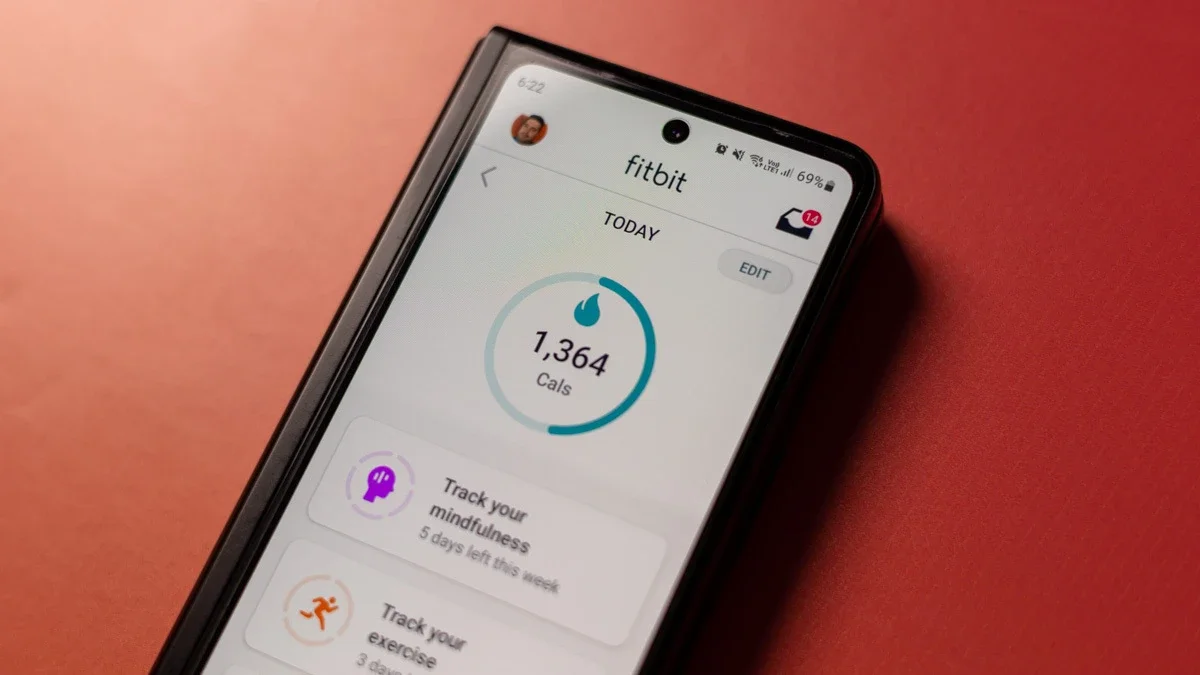
Last fall, images appeared on the Google Play Store of a planned redesign of the Fitbit app on Android. These screenshots showed the app taking on a Material You theme, keeping with the current trend of Google apps adopting its design language of choice. However, it appears that now those screenshots have been removed, calling into question whether the redesign has been scrapped.
The app redesign included a bottom bar shaped as an arc, which was highly distinct and undoubtedly original. This is in contrast to the solid bottom bar we see on the app now. Additionally, other sections were rearranged within the app, such as the “Today” tab which was moved from the first tab to the center of the screen, the word “Community” moved to the far right, and the word “Discover” moved to the far left.
The currently active tab of the app would also have its icon filled in, but it did’t look like plans were made to fit the fourth “Premium” tab that appears in the current app as pretty much just a placeholder to call out the features. However, as noted by 9to5Google, those screenshots are now gone from the listing and replaced with ones that match the design the app has now.
Current Screenshots vs Redesigned Screenshots (via 9to5Google)
The removal of these images from the Play Store listing prompts speculation that this redesign may not happen after all, or at the least has been delayed, perhaps so that its launch coincides with that of a new generation of Fitbit smartwatches. Still, I was looking forward to a new look in the Fitbit app, as it is starting to feel a bit dated and out of place with the rest of the Google apps.
Hopefully, the lack of updates to the Fitbit app are not due to Google’s recent layoffs as the company also struggles with antitrust lawsuits across the U.S. brought on by the Justice Department. Let’s hope the search giant’s recent issues does not affect its ability to continue innovating and bringing us helpful features.
The US, in partnership with the UK, named individuals tied to TrickBot and shamed them with a sanction.
In a collaborative partnership, officials in the United States and the United Kingdom unmasked and imposed financial sanctions against seven members of the notorious Russian gang TrickBot (alias “TrickLoader”), a mainstream banking Trojan turned malware-as-a-service (MaaS) platform for other criminals.
Apart from taking over bank accounts, TrickBot has been instrumental in spreading ransomware across multiple healthcare organizations, and critical infrastructure in the US, especially during the height of the COVID-19 pandemic.
Under Secretary of the Treasury for Terrorism and Financial Intelligence Brian E. Nelson said in a statement:
“Cybercriminals, particularly those based in Russia, seek to attack critical infrastructure, target US businesses, and exploit the international financial system. The United States is taking action today in partnership with the United Kingdom because international cooperation is key to addressing Russian cybercrime.”
According to the sanctions notice, in one attack the group deployed ransomware against three Minnesota medical facilities, disrupting their computer networks and telephones, and causing ambulances to divert.
“Members of the TrickBot Group publicly gloated over the ease of targeting the medical facilities and the speed with which the ransoms were paid to the group.”
TrickBot debuted in 2016 after succeeding Dyreza (alias “Dyre”), another banking Trojan also operated by cybercriminals based in Moscow, Russia. TrickBot has since evolved into “a highly modular malware suite that provides the TrickBot Group with the ability to conduct a variety of illegal cyber activities, including ransomware attacks”. Among the ransomware strains TrickBot collaborated with was Ryuk, which was then succeeded by or identified as related to the now-defunct Conti ransomware.
Sanctions
Coinciding with the US sanction notice, the UK’s Office of Financial Sanction Implementation (OFSI) released a guidance on ransomware and sanctions. Sanctioning generally has a two-fold effect. On the one hand, people (usually victim organizations of a ransomware attack) are prohibited from making ransom payments to a sanctioned entity (usually the organized ransomware gang behind the attack) as doing so is “a serious criminal offence” with imprisonment and fines. On the other hand, sanctioned entities have their assets frozen and are subjected to a travel ban.
Indeed, sanctions are powerful tools to deter and disrupt behaviors that would otherwise undermine national security. It has as much effect in the digital ecosystem as it has in the real world, yet it continues to be challenged by current technological innovations, such as digital currencies, alternative payment methods, and other ways to keep monetary transactions under the radar. It may not look like it, but the US Treasury asserts “the ultimate goal of sanctions is not to punish but to bring about a positive change in behavior”.
How to avoid ransomware
There is no doubt hospitals remain under a bullseye, and attackers can strike at any time. Thankfully, there are ways organizations can help reduce their risk of suffering from a ransomware attack.
Have an incident response (IR) plan. Organizations should accept the fact that a cyberattack is likely to affect them at some point, whether they’re the direct victim or part of a supply chain. An IR plan can direct your responders on what to do in the event of a cybersecurity attack. This should include restoring from backups, client outreach, and reporting to law enforcement among others.
Educate your staff. Awareness goes a long way, and everyone in the company has a responsibility to keep the organization’s network safe. Staff should be taught social engineering tactics and red flags of a system attack, so they can alert the right personnel quickly should an attack occur.
Patch as soon as you can. Many threat actors get into networks by exploiting unpatched vulnerabilities. Have a patching plan in place to ensure that your organization’s network is protected against the latest and most exploited weaknesses.
Backup your files. Backups have saved a lot of organizations after a ransomware attack—provided they work. When you make a plan, ensure you also have provisions for backup testing.
Get an EDR solution.Malwarebytes Endpoint Detection and Response offers built-in ransomware protection, 72-hour ransomware rollback, and zero-day ransomware protection. In fact, we guarantee our Endpoint Detection and Response will stop a ransomware infection on your deployed systems, or we’ll refund your annual subscription fee. Try it here.
Learn more. If you want to read more about protecting your business from ransomware, take a look at our Ransomware Emergency Kit.
We don’t just report on threats—we remove them
Cybersecurity risks should never spread beyond a headline. Keep threats off your devices by downloading Malwarebytes today.
OPPO launched its first global foldable smartphone yesterday, the OPPO Find N2 Flip. For that occasion, OPPo’s President of Overseas Sales and Service, Billy Zhang, discussed foldable phones with Forbes. He basically revealed that OPPO has big plans for foldable smartphones moving forward.
OPPO has big plans for foldable smartphones, and sees them as a pathway for growth
The main takeaway from that interview is that OPPO is investing big into foldables in order to grow. He said that the overall smartphone market decreased in terms of sales last year, but the same cannot be said for foldables.
The foldable smartphone market has seen considerable growth. That goes for both the global market, and OPPO’s home market. OPPO sees a great opportunity in foldable phones, which is why it has been focusing on them for a long time now.
Billy Zhang said the following: “We are confident about the evolution of this product, and the technologies related to foldable phones. That is why, in the future, we will be setting foldable phones as our first priority in product strategy, product investment, sales, and marketing”.
OPPO has been working on foldable smartphones for a long time now
He said that the company worked through six prototype devices, and published over 1,600 patents as part of its 5-year investment plan. He did note that OPPO did most of this behind closed doors.
Many people have the wrong perception. OPPO has been working on foldables as long as Samsung, or close to it, it would seem, but it did not publicize it as much as Samsung did. That’s something Billy Zhang wanted to point out.
The company is taking a different approach than Samsung
OPPO is taking a different approach than Samsung entirely. Not only did it not publicize every step of the way, but it’s also going to market with a clamshell foldable, not a tablet-like foldable.
Why is that? Well, Zhang says that a flip phone “offers a familiar experience to the traditional bar-type phones, while providing the great compactness of a pocket-sized and attractive design. That means there is no learning cost for users to enjoy a brand new experience”.
It seems like OPPO believes this will be an easier transition for people. Still, it’s a shame that OPPO didn’t deliver the Find N2 as well, as we found out it’s a truly great smartphone. Some users in markets outside of China would likely enjoy it quite a bit.
OPPO will have to compete with Apple as well, at one point
In the interview, Forbes did bring up Apple, as the Cupertino giant will, sooner or later, release a foldable as well. Zhang was asked how OPPO plans to deal aka compete with Apple. He said the following: “That’s why all manufacturers should try to innovate. We need to compete against Apple, and Apple holds the majority of the market share in the premium segment. It’s necessary for Android manufacturers to find some differentiation”.
OPPO has already invested big in foldables, and it seems like the company doesn’t plan on stopping anytime soon. Their foldable devices ended up being quite popular in China, so it remains to be seen if OPPO can get some traction in other markets.
Following the legalization of cannabis in many US states and Canada, Twitter has updated its ad policy to allow cannabis ads on its platform in areas where the drug is legal. According to the company’s blog post and Axios, advertisers can now endorse brand preferences and cannabis-related content for CBD, THC, and cannabis-related products and services. This makes Twitter the first social media platform to allow cannabis ads.
“The cannabis space on Twitter is fun and engaging with users Tweeting about their experiences using cannabis—whether medicinally, for wellness, or recreation—as well as recommending brands, products, and retail locations. The conversation also reflects where the cannabis industry is currently heading: legislative/policy reform, business development, and community impact,” says Twitter’s blog post.
Regulations surrounding the cannabis advertisements
While Twitter is now allowing cannabis marketing on its platform in legal areas, there are several strict regulations that advertisers must follow. Firstly, brands must obtain pre-authorization and licenses from the appropriate authorities in their respective jurisdictions before advertising. Secondly, the ads cannot target customers under the age of 21, and they cannot use any characters, sportspersons, celebrities, or images that may appeal to minors, nor include minors or pregnant women in advertisements. Thirdly, Twitter does not allow ads that claim health benefits, make false or misleading claims, or depict someone smoking cannabis.
Additionally, these brands cannot promote or sell cannabis or CBD on the platform unless the ads are for topical, non-ingestible, hemp-derived CBD products that comply with government regulations and have less than 0.3% THC.
Although Twitter says its decision to permit cannabis ads will enable the cannabis industry to grow and expand in a more regulated and controlled environment, this policy update comes at a time when 500 of Twitter’s top advertisers have left since Musk took over the company, leading to a 40% drop in advertising revenue. Therefore, by opening up to cannabis companies, Twitter is hoping to attract a new set of advertisers to its platform.
The Apple Support app is now expanding its horizons to help people, receiving a major upgrade right now for iPhone and iPad, reports 9to5Mac. Starting today, the app will be available to users in 118 new regions, and three new languages of support have been added to it.
Apple Support app now available to 118 new regions, with support for three new languages
Apple is expanding the availability of its Apple Support app for iPhone and iPad. Here is the full list of the 118 new countries where you will now get access to the app:
Afghanistan, Albania, Algeria, Angola, Anguilla, Antigua & Barbuda, Armenia, Azerbaijan, Bahamas, Barbados, Belarus, Belize, Benin, Bermuda, Bhutan, Bolivia, Bosnia & Herzegovina, Botswana, British Virgin Islands, Brunei, Burkina Faso, Cambodia, Cameroon, Cape Verde, Cayman Islands, Chad, Congo-Brazzaville, Congo-Kinshasa, Costa Rica, Côte d’Ivoire, Croatia, Cyprus, Dominica, Dominican Republic, Ecuador, El Salvador, Estonia, Eswatini, Fiji, Gabon, Gambia, Georgia, Ghana, Greece, Grenada, Guatemala, Guinea-Bissau, Guyana, Honduras, Iceland, Iraq, Jamaica, Kazakhstan, Kenya, Kuwait, Kyrgyzstan, Laos, Latvia, Liberia, Libya, Lithuania, Madagascar, Malawi, Maldives, Mali, Malta, Mauritania, Mauritius, Micronesia, Moldova, Mongolia, Montenegro, Montserrat, Morocco, Mozambique, Myanmar (Burma), Namibia, Nauru, Nepal, Nicaragua, Niger, Nigeria, North Macedonia, Pakistan, Palau, Panama, Papua New Guinea, Paraguay, Peru, Rwanda, São Tomé & Príncipe, Senegal, Serbia, Seychelles, Sierra Leone, Slovenia, Solomon Islands, South Africa, Sri Lanka, St. Kitts & Nevis, St. Lucia, St. Vincent & Grenadines, Suriname, Tajikistan, Tanzania, Tonga, Trinidad & Tobago, Tunisia, Turkmenistan, Turks & Caicos Islands, Uganda, Uruguay, Uzbekistan, Vanuatu, Venezuela, Yemen, Zambia, Zimbabwe
On top of that, three languages have also been added by Apple to the Support app. Those are Croatian, Greek, and Bulgarian. All in all, that now makes the Apple Support app available in 173 regions and in 31 languages. However, do keep in mind that certain features of the app or AppleCare+ plans are available in select countries or regions.
The Apple Support app offers you access to solutions for your Apple devices and services. From there, you can manage your subscriptions, reset your Apple ID password, and even talk with a real person to troubleshoot a bug or an issue you’re having. You’re also able to get step-by-step instructions on how to solve an issue yourself.
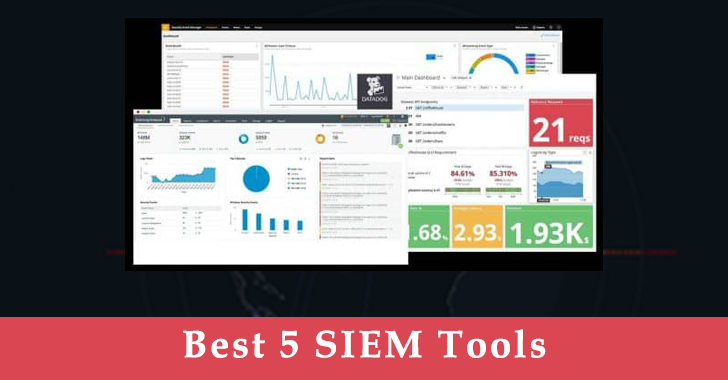
Every cybersecurity workflow starts from log data collection and management, that’s why we curated the Best SIEM Tools list that is highly demanded among enterprises that strive to maintain a stable security posture and comply with necessary regulations.
This overview offers a brief look at the top 5 SIEM vendors for the beginning of 2023, both on-premises and cloud-native depending on the infrastructure.
Find out about their distinctive features to choose the best security solution perfectly tailored to your organization-specific needs.
Best SIEM Tools List and Keywords
Splunk
Works in cloud and on-premises log sources Quick threat detection Enables automated actions
As the world is now shifting its focus to digital transformation, it has become more important than ever to ensure that your systems and data are secure.
Organizations can choose the most applicable setup depending on their infrastructure with the same capabilities available in the cloud or on-premises.
Splunk Enterprise covers the needs of on-premises SOCs while Splunk Cloud is suitable for cloud and hybrid architectures. This software is infinitely scalable and effectively deals with big data. Splunk can be installed quickly and is compatible with multiple platforms.
This SIEM is capable of monitoring and searching through vast amounts of data from the organization’s log sources. Next, the information gets indexed and correlated within containers that make it available for search.
It is also possible to automatically generate alerts and reports with a detailed visualization, with the Splunk tool in the Best SIEM Tools List.
Splunk provides improved security operations like customizable dashboards, an asset investigator, statistical analysis, as well as incident review, classification, and investigation.
Key Characteristics:
Works both with cloud and on-premises log sources
Allows quick threat detection
Enables automated actions, workflows, and event sequencing
Includes the functionality of an asset investigator, statistical analysis, and incident review
Splunk is packed with a lot of useful functions. It’s one of the popular SIEM Tools used across a wide variety of industries by startups and large-scale businesses alike.
Plus, it delivers customizable dashboards so any SOC team can create one that suits their needs and particular system architecture.
For added efficiency and speed, engineers may use the SOC Prime CCM App, both for Splunk Cloud and on-premises to continuously stream new detection rules directly into their environment and update the existing ones.
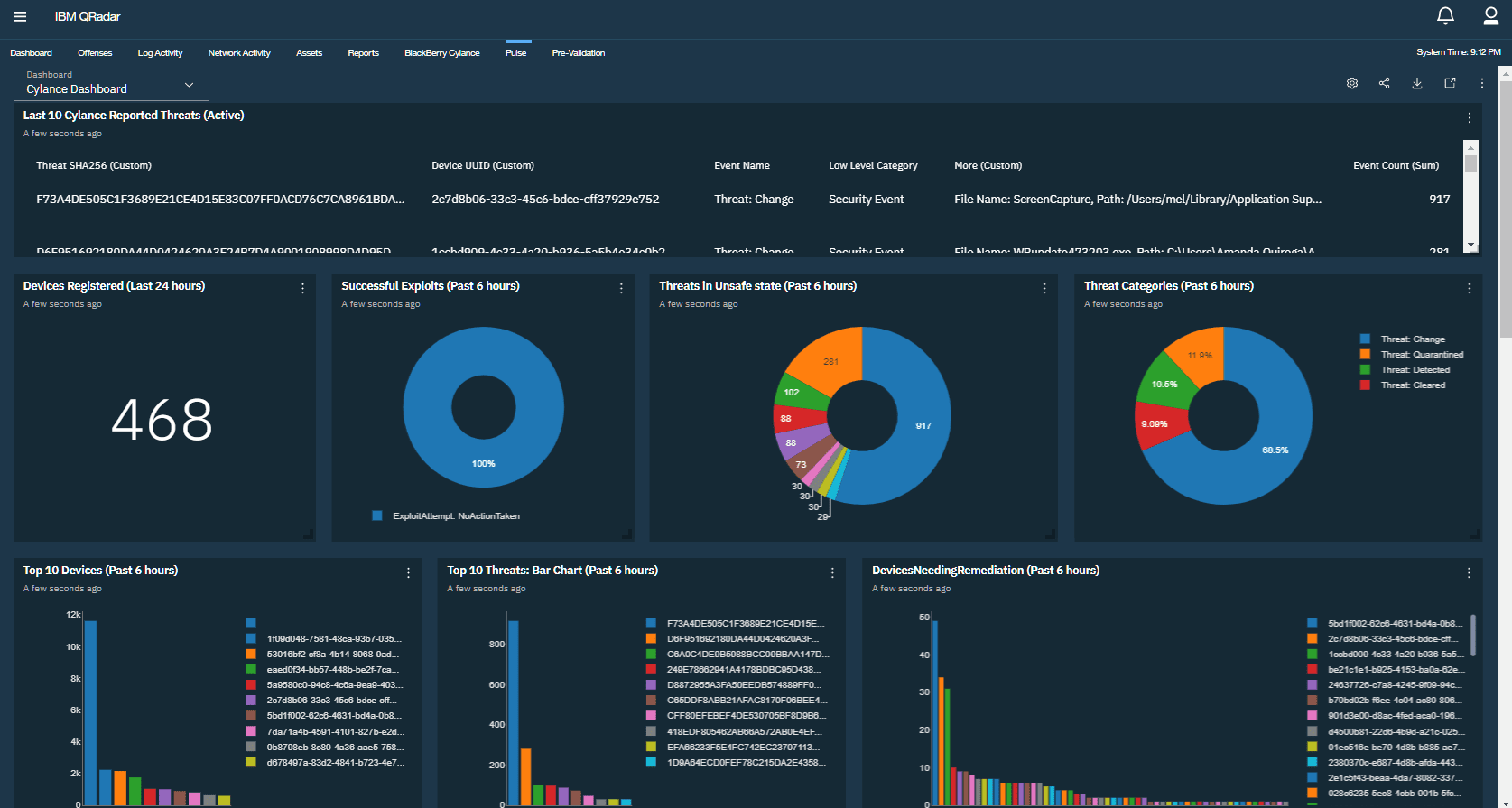
IBM Security QRadar
QRadar SIEM is available both on-premises and in cloud environments. SOC teams can connect a whole network of configured devices, apps, workstations, and servers to collect log data. It also helps to ensure accurate threat detection and run prioritization.
The software ingests and correlates data from endpoints, clouds, networks, and users against the latest threat intel feeds. Advanced security analytics helps to track down threats at every stage of the kill chain.
Prominent Features:
Supports multiple logging protocols
Provides AI-powered investigations
Runs intelligent root cause analysis
Includes zero-trust model
Generates reports with visualizations
QRadar delivers a number of useful features that can be further enhanced by integrating other IBM security products. It helps to reduce the manual workload by automation and prioritization.
ArcSight
ArcSight Enterprise Security Manager (ESM) is one of the SIEM Tools that scalable solution for collecting, correlating, and reporting on security event information.
It collects data from more than 500 types of log sources. Its scalable data collection framework unlocks visibility across the entire organization’s network.
The aggregation, normalization, and data enrichment enable the performance of advanced security analytics throughout the appliance, software, and cloud environments.
Besides the standard ingestion and interpretation of log data, ArcSight offers threat intelligence, security alerts, compliance reporting, and real-time correlation through intuitive user interface dashboards.
The product is compatible with other security tools from ArcSight such as User Behavior Analytics with the Best SIEM Tools List.
Recent Enhancements to ESM Include:
Distributed correlation via distributed cluster technology
Baselining and outlier mechanism notification
Integration with machine learning algorithms
Compliance with GDPR
Default content and customizable rule sets
Community marketplace support
Asset, network, user, and vulnerability modeling with geo-location
ArcSight is a highly scalable SIEM solution that is popular among large enterprises and suitable for a wide range of cybersecurity environments. Generally, it provides high-speed performance combined with effective threat blocking.
Overall, the SIEM market stretches far beyond the most popular big players. New startups can find cheaper solutions with more services provided on a subscription basis if they wish to keep a small in-house team.
Moreover, cybersecurity enterprises are looking for highly-scalable solutions that will help overcome the pressure of cost and time caused by cross-tool migrations.
The use of automated content translation engines, like Uncoder.IO, enables converting detection algorithms from the Sigma standard to multiple SIEM language formats on the fly while saving time and costs on cross-tool detection.
Microsoft Sentinel
Microsoft Sentinel is the best SIEM tool that enhanced the version of the preexisting on-premises SIEM Microsoft Azure Sentinel which also supports cloud-based functionality.
As a result, the number of available ingested events has grown to over 20 billion daily.
New Features Include:
Query performance has become 12 times faster than in the previous version and up to 100 times faster in some particular cases
The iteration speed of the features set now executes at a faster rate
The use of out-of-the-box connectors allows easier data ingestion
Microsoft provides simplified training and onboarding of security engineers for an easy start with the platform
The newly implemented Azure Security Center playbook automates over 800 Azure subscriptions and soon is about to include 20,000 additional subscriptions
Overall, Microsoft Sentinel is one of the most powerful and best SIEM Tools that offers high performance and needed agility for all kinds of organizations, from small businesses to large-scale enterprises.
Its powerful capabilities for creating analytics rules, hunting, and incident response with playbook support ensure a high level of automation, often demanded by complex networks.
Google Chronicle Security
This security analytics platform is built on Google’s infrastructure which gives this platform an edge over its competitors. Chronicle Security offers a cloud-based elastic container for storing enterprises’ security telemetry.
The data integrity is provided by built-in threat signals along with automation capabilities.
Some of the Other Services Include:
The integration of the largest malware database in the world by VirusTotal Enterprise
The improved speed of threat discovery and investigation (within seconds)
Reduced rate of false positives and elimination of the triaging for speeding up threat hunting and detection
Retroactive correlation of log data with backing from threat intelligence sources such as Avast and AVG
Ingestion of large data sets, as well as indexing, correlating, and analyzing in a matter of seconds
Backed by Google’s core infrastructure, Chronicle Security provides a number of services that work together at maximum speed.
Security event and information management, as well as extensive threat detection and analysis, are available driven by the ability to process petabytes of data on a whim.
Chronicle is also compatible with popular cybersecurity solutions like SOC Prime’s Detection as Code platform for collaborative cyber defense, threat hunting, and discovery that helps security teams address the challenges of building custom use cases while making threat detection easier, faster, and more efficient.
Conclusion
The Best SIEM Tools List help in selecting the right product for detecting and patching the vulnerabilities in a proactive way.
With automated scanning options, you can generate weekly incident analysis reports and compare the results to gain more insight.
Above mentioned Best SIEM Tools List scanning tools are tested by our expert and listed here based on their performance.









![Best SIEM Tools List for SOC Team 2023 [Updated]](https://h4ckers.news/wp-content/uploads/2023/02/AVvXsEgt4ydu9fuRn5_ZauZk-EwmB8Zc6Xhcmak6l7T8NfoacGYgcZ-YjqYoRCdl0UE-relh8Btcb_Yci0c79BJx_7lRXqynq5u1ziZuhauj03A6OuIwoFF7qUrhFkferBVsjFCfGudVjbmVuH5e5TFUMr2I1M4dWhkVz2748ZhS_9hGM4XBkLt11pIAQndAIQs16000.png "Best SIEM Tools List for SOC Team 2023 [Updated]")