There is nothing quite as motivating as downloading a new fitness app to help kick off a new healthy habit – something many of us routinely do every January. However, Android users have been warned that several extremely popular fitness apps could pose a threat to their phone security and should be deleted immediately.
Three apps in particular have been exposed as potential phishing/malware scams. These apps initially promised customers rewards in return for being active; however, users were then unable to withdraw rewards and found themselves caught in a never-ending cycle of ads. In addition to this, the apps also appeared to have been accessing sensitive data from users’ phones.
We all know the importance of being vigilant about the apps we install on our devices and the access we grant to our personal data. However, worryingly for customers, all three of these Android apps were highly rated on the Google Play store (rating 4 out of 5 stars on average) and, subsequently, had together amassed over 20 millions downloads before the alarm was raised.
Official advice from Android is for users to delete any of the following apps with immediate effect:
Lucky Step – This walking tracker app proved extremely popular, with over 10 million downloads. The free-to-download app enticed users by converting steps taken in the real world into virtual ‘lucky coins’. The coins could then be exchanged for various rewards. However, any action in the app would lead to an advert, which users had to watch before they could move on to the next task.
WalkingJoy – Having amassed 5 million downloads, this app claimed you could earn up to $135 just by winning tickets from taking steps, spinning a wheel, and playing in-game slots. However, the app was filled with ad walls, which meant that users would have to watch endless adverts to access mini-games to earn tickets (which then could not be cashed out).
Lucky Habit – A free to download health tracker app with over 5 million downloads offering earning through activity, tracking, and in-game playing. Users are invited to hit all their ‘goals of the day’ and earn coins by doing activities such as stretching, drinking water, brushing their teeth or watching the news. Users could also earn coins by playing in-game slots; however, all activities required watching adverts before they could be completed.
In addition to these three apps, information has been released about several other dangerous apps for Android users to look out for. These have been classified as ‘command and control’ apps (meaning they can spread malware to your phone during an attack). The apps include:
Happy Step (a clone of Lucky Step)
King Blitz
Lucky Clover
Lux Fruits Game
Jewel Sea
Unlimited Score
Seven Golden Wolf Blackjack
Reflector
Golden Hunt
A common theme that some of these apps share is in-app casino-type games, such as slots or blackjack. Users are reminded that games like these can carry extra risks, as players may be asked to link the account to a credit card, debit card, or bank account. Chris Evans, a spokesperson for Casinos.win, an iGaming affiliate marketing site, warns of the potential dangers associated with unregulated sites and apps.
Evans said: “We put a lot of effort and time into researching the safest places for players to enjoy iGaming online. Privacy and security are of the utmost importance. It is all too easy to unintentionally fall prey to a phishing scam or mistakenly download malware. We would encourage all users to research apps and websites, read reviews from a variety of sources, and only download from trusted sites.”
Of course, this list of apps is nowhere near comprehensive, and more potential security risks are being identified every day. One site suggests that there may be at least a further 200 dangerous apps which could potentially be stealing money from users’ bank accounts. These apps vary wildly in content, ranging from 4K camera apps to beauty filters, astrology apps, and even some messenger apps.
The controversy doesn’t stop there. Another extremely popular app which has come under scrutiny in recent months is TikTok. With over 3 billion downloads, TikTok is one of the most popular apps on the planet; however, as each day passes, more warnings hit the headlines. There are several countries which have gone so far as to ban the TikTok app completely, citing pornography, security, inappropriate content, and even, ‘leading the youth astray’, as justification. Due to security concerns, several states in America have clamped down on federal agents accessing the app on work phones. There has been much talk about the app’s association with the Chinese Communist Party (CCP), and the access to secure and private information that they may be privy to – the app is owned by the Chinese company, Bytedance, who are required by law to share all the data they collect with the CCP.
Whatever the potential threat from TikTok, it is clear that as apps become more sophisticated, so too will their counterparts – phishing, malware, spyware and viruses. The best customers can do to limit their security risks, allay their privacy concerns, and protect from unwanted charges, performance issues and misleading information, is to remain vigilant and up to date. Risks can be minimised if apps are downloaded from trusted sources like the Google Play Store, and if users read the terms, conditions and permissions carefully before installing a new app.
You’ve probably heard about the plans that Netflix has to prevent account sharing. The streaming platform has been slowly building up to that goal through a series of announcements, and even feature releases, like the one that allows users to transfer their profile to a standalone account (wink-wink, nudge-nudge).Well, the time is nigh and Netflix has released the final guidelines on its help site. The plan revolves around the service trying to define a “home address” through your IP, device ID and your overall activity pattern. Then it will use that information to establish whether the user accessing the account is actually the account owner.
So how is that going to happen? Through an arduous verification process, of course! It may get triggered each time that you try to watch Netflix from a new device or location, and it involves the sending of the codes through the emails and the texts, and then you need to input them correctly on time and… ugh.
Well, at least security concerns have not been raised yet, but nowadays that’s always just a matter of time.
What is the impact of Netflix’s new account rules?
Well, now it’s sort of limited.
The process itself wouldn’t be an issue, if it happened once. But Netflix wants to make sure that you are indeed the account holder and that you are the only person using the account, so it may prompt you to do this “periodically”.
These changes will have a heavier negative impact on two groups of people: those that travel often and those who use a VPN.
You see, due to the unique disposition of hardcore film watchers, they prefer to watch content on a big screen. As such, if it so happens that they are about to travel, they wouldn’t be able to take the TV along with them, as it is probably huge. Hence, every time that they try to watch Netflix while away from home, they will likely get bombarded with verification requests.
The second group is also likely obvious: VPNs change your IP and location. This will mess up Netflix’s attempts to get a grasp on your “home address”, which will also result in a sequence of verification requests.
Guess that infamous VPN promotion tagline of being able to “conveniently watch territory-exclusive content” just got outdated effective immediately.
Is Netflix’s verification process going to be annoying?
The level of annoyance of this process will highly depend on the algorithm that Netflix has implemented. On its help site, the company states that the service should be smart enough to recognise if you are an owner of multiple homes, so only time will tell if the aforementioned examples truly end up becoming as much of a bother as they can be.
This isn’t much of a silver lining, but at least Netflix won’t go out of its way to punish users who are switching locations and devices often, at least for now. As long as you are willing to bear with the verification process, you can move about as often as you like.
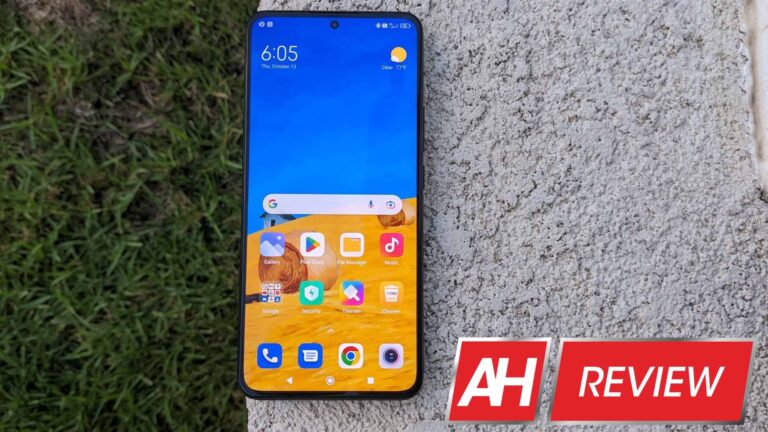
Xiaomi 12T Pro is the mid-year refresh on their flagship series. Albeit, Xiaomi typically introduces a stellar upgrade on the T series and then trims other features from the Pro model launched earlier in the year to keep the price competitive.
In keeping with tradition, the Xiaomi 12T Pro has a brand new 200MP main camera on the rear. And it still has the stellar 120W HyperCharge support that was first introduced on the Xiaomi 11T Pro last year.
Hardware design is greatly improved from last year
At first glance from the front, you might have some difficulty in figuring out if there are any big changes. A closer inspection reveals one important change, which is that all bezels are uniform. The ever so slight chin that was present in last year’s model is gone. Besides the improved bezels, there is another big hardware improvement which is the under-display fingerprint scanner. The new FPS is fast and accurate although it would be nice if it was placed about a half-inch higher on the display.
There are some subtle changes on the top and bottom rails. The two-tone effect is executed quite nicely and there seems to be quite a bit of shuffling of the internal components with the newer device. On the bottom, the microphone is now to the left of the USB-C charging port. While up top, the only thing same is the ‘SOUND BY harman kardon’ logo. The speaker grille, the IR blaster, and the second microphone are all shuffled around. The side rails look the same in terms of power and volume button placement on the right-hand side rail. The opposite side is clean as usual.
I am a big fan of the clean matte black finish on the rear cover which feels pretty similar to what we saw on the Xiaomi 12 Pro. This is a great improvement from the mirror finish that was on the 11T Pro last year. Another big improvement is the camera island which is inspired by the 12 Pro and looks quite good. Another huge improvement Xiaomi has made in the last year is the superb haptic motor which is now at par with what you get from Google and Samsung in the Android world.
Xiaomi 12T Pro comes in three colors – Black, Silver, and Blue and has IP53 dust and splash-resistant rating. Three variants are offered in terms of LPDDR5 RAM and UFS 3.1 storage – 8GB/128GB, 8GB/256GB, and 12GB/256GB. Our review unit is the middle of the road 8GB/256GB in Black color.
Xiaomi 12T Pro has a 1220p resolution AMOLED display
The display gets a bump up from the 1080p version we saw in last year’s model. Rather than a QHD panel, Xiaomi opted to go with a 1220 x 2712 pixel AMOLED display. The end result is a large 6.67-inch display with a 446 ppi pixel density. Specs aside, this display looks more color accurate and has greater clarity than last year’s model which looked to artificially saturated to my eyes.
For the review, I kept the refresh rate on auto to dynamically change the refresh rate depending on what was being displayed. I also went into the Display Settings and turned on every feature in the AI engine section. The end result is that colors are vivid and contrast is excellent on this display no matter what you are viewing. On paper, the brightness specs seem to have taken a hit but lab tests show that this isn’t the case. And in actual use, this display is far better than what was on the 11T Pro.
Okay, so there is one compromise Xiaomi made and that is with the glass that is above the AMOLED display. Last year we had Gorilla Glass Victus on the 11T Pro which was carried over to the 12 Pro. But for some inexplicable reason, the newer 12T Pro has Gorilla Glass 5 protection. I am not sure what the reason is but it is a head-scratcher for sure.
Xiaomi 12T Pro performs like a champ
Geekbench 5 scores on the Xiaomi 12T Pro are absolutely at the top of the class. This phone is running the latest Snapdragon 8+ Gen 1 with 8 GB RAM. My review unit of the Xiaomi 12T Pro shows a single-core score of 1286 and a multi-core score of 4192. So you can see that from a raw benchmark performance standpoint this smartphone is right up there with the gaming phones of 2022.
Qualcomm’s latest Snapdragon 8+ Gen 1 has 30% better power efficiency for both the CPU and GPU. The performance boost is about 10% primarily via higher clock speeds on the cores. This doesn’t quite show up in the single-core score but the multi-core score is about 10% better than the Xiaomi 12 Pro.
Phone doesn’t get hot while gaming or long videography sessions
Besides the increase in raw power, the Snapdragon chip comes from Taiwan Semiconductor fab instead of Samsung. So the newer fab and slightly better chipset design result in better thermal performance and better battery life as well.
Xiaomi also claims that the vapor chamber is now 65% larger than last year and there is 125% more thermal material (heat sink tape) on the 12T Pro. I took quite a few videos during this review, my kid played a lot of Genshin impact on a long road trip and there were no slowdowns or thermal management issues.
Battery, Charging and Audio hardware are unchanged from last year
Xiaomi 12T Pro has a large 5,000 mAh battery and comes with a 120W HyperCharge brick in the box. Note that since Xiaomi uses a proprietary standard to communicate with the device, you need to use the USB-A to USB-C cable included in the box. This will help you get the maximum benefit and not have a negative impact on battery performance over time.
With a more efficient processor and display, the SoT on this device is consistently 6+ hours. This means you can go a full day without having to charge. If you decide to game for a couple of hours the 120W HyperCharge brick will get the phone up from zero to 100% in about 20 minutes. Bottom line, this phone will make sure you have zero battery life anxiety.
The Harman Kardon tuned dual speakers are loud and clear. Perhaps some of the best stereo speakers from the newer phones. Audio is same as last year but unlike the 12 Pro it only has dual speakers not 4.,
Dual stereo speakers tuned by Harman Kardon sound great. They are loud – in fact, louder than the Pixel series or iPhone 13. Only minor issue is that the bass is a bit lacking compared to the other devices. But you will probably never have to crank the volume slider up to 100%. I bet, most people will want to turn the volume slider down because the speakers are genuinely loud. Oh and these speakers support Dolby Atmos which is a nice bonus.
MIUI 13 provides a fast and fluid software experience on the 12T Pro
We have seen way too many Xiaomi devices here at AndroidHeadlines this year. So in terms of software, there isn’t much to add to our other reviews. A couple of things to note. This is a top-tier device so there aren’t any intrusive pop-up ads in the software UI which is great. Secondly, Xiaomi is now promising three years of OS updates and four years of security patches with the 12T Pro. This brings them at par with Google and just slightly behind Samsung. This is excellent news for people looking to buy the 12T Pro.
Our review unit came is running MIUI 13 on top of Android 12. There was an OTA update a few days ago and the latest version is MIUI Global 13.0.9 with the September security patch. In terms of software, I think it is clean without excessive bloatware and you can pretty much uninstall the few extra apps that come pre-loaded. Overall experience isn’t too different than a Google Pixel. And unlike Samsung, there aren’t a lot of duplicate apps which is nice.
Main story is the 200MP camera
Xiaomi 12T Pro is the second device, after the Motorola Edge 30 Ultra, to use Samsung’s 200MP ISOCELL HP1 sensor. There is no telephoto camera on the 12T Pro because the massive 200MP main sensor is easily able to offer 2X zoom. For a phone that does not have a telephoto camera, you will be surprised at the 2X zoom from the 200MP sensor. Just check out the photo below.
The 200MP sensor does an excellent job for daytime pictures and videos. Colors are vivid, white balance is excellent, good contrast and dynamic range. To keep the colors from being too saturated, I recommend you turn on the AI only when absolutely necessary. Check out some stellar shots of the Grand Canyon in our Flickr camera samples gallery.
The ultrawide camera produces good results in the daytime. The color science is slightly off compared to the main camera in my opinion. For better ultrawide results you may want to look elsewhere. However, the main camera is the reason to buy this phone.
Night time pictures are great from the main camera. But since this is a really good sensor you may want to keep Night Mode on only when the lighting is quite poor. In decently lit scenes Night Mode produces good-looking results at first glance but there is quite a bit of loss of detail.
The story is reversed on the ultrawide camera. I suggest you use Night Mode as much as possible to get some good-looking pictures.
Connectivity is excellent as usual on a Xiaomi device
The nice thing about the Xiaomi 12T Pro is that it gets 5G VoLTE right out of the box. That is on T-Mobile here in Southern California. I believe Verizon and AT&T do not support Xiaomi or other Chinese devices.
Now data download speeds are horrible but they are equally bad on all my devices so nothing odd to report on that front. Besides 5G, you get NFC, Bluetooth 5.2 with aptX HD support, and an IR blaster. You can also access Nearby Share, Mi Share, and Cast right from the quick settings menu which come in handy in certain situations.
Xiaomi 12T Pro Verdict
The question to ask here is, what are we getting for a bump of about €100 in base price from last year? Basically, the premium is for the latest and greatest Snapdragon processor. Followed by the superlative jump to a 200MP main camera sensor. Besides these two big upgrades, there’s a better display with an integrated fingerprint scanner. Not to mention an absolutely stellar haptic motor.
Xiaomi also didn’t mess with the battery capacity, the 120W HyperCharge support, or the excellent dual stereo speakers. You also get 5G connectivity, a clean software experience, and 3 years of OS updates. Overall the 12T Pro has a lot of great things packaged in a great modern-looking design.
The 12T Pro starts at €750 for the 8GB / 128GB version. At first glance, it seems that it is priced quite well. But if you look closer, the pricing splits the difference between the Pixel 7 and Pixel 7 Pro. I would argue that for a little bit more the Pixel 7 Pro offers a better display, better software smarts, and a better overall camera experience. And if you want to save a bit of money then definitely don’t overlook the base Pixel 7 if it is available in your country.
Alternatively, the Xiaomi 12 Pro from earlier in the year might be available on sale for a comparable price. That device offers a better display, better audio, and a better overall camera experience. So it is going to be up to you to decide if the 12T Pro is worth your hard-earned money.
The Linux Distros is generally acknowledged as the third of the holy triplet of PC programs, simultaneously with Windows and macOS. Here we have provided you with a top 10 best Linux distros list 2023 for all professionals.
Hence Linux can be defined as the most rebellious among the three, as it’s flexible and customization, including a bunch of various Best Linux distros designed by unique associations for various values.
Moreover, the Linux “core” (kernel) and most distros are free, which is a significant trading point for the OS when it is compared to Windows and macOS.
As there are several Linux distros are available for various situations. Even if you are behind an OS that is customized for desktops, workstations, laptops, servers, gaming, or A/V editing, there is a distro over there for everyone.
Hence, we are trying to give you a summary of the most reliable and popularLinux distros accessible, each of which is customized for desktop use.
Therefore, you can install those Linux distros on a Chromebook, PC, or Mac as a substitute for your prevailing operating system, utilize both in a dual-boot scenario, or utilize them in combination with one of the best practical tools out there.
Well, if you want a Linux distro similar to windows? Or do you like to apply commands rather than click? Or do you want something special on privacy? Each of these and several other determinants will conclude which would be the most suitable Linux Distros for you.
Usually, the top Linux distros list is customized to meet the requirements of users. For example, Kali Linux is specifically created for digital forensics and penetration testing. Hence, here in this article, we have selected the top 10 best Linux distros list and we have updated this list from PopularLinux distro 2022.
What is Linux Distro?
As we have said before that Linux is flexible and customizable, which includes a bunch of unique features for different uses.
Moreover, we can also say that Linux is a house to nearly each programming language, and it is a Unix-like operating system.
Hence, this open-source operating system is basically designed as per the Linux kernel and is usually collected in multiple Linux distributions.
Thus the Linux distributions, traditionally known as a distro, are operating systems that progressed from a software compilation based on the Linux kernel.
Various users use Linux by downloading one of the various Linux distros. Linux operating systems are most common to coders, programmers, and gamers.
Thus, we can say that Linux is a worldly gift that has formed our modern life. Well, in today’s world, we can’t imagine a particular moment outwardly technology.
Dynamic firewall Better end-user software Virtual desktop support
Elementary OS
Easy image resizing Keyboard shortcuts cheat sheet Bold use of color
Kali Linux
Full customization Full disk encryption Metapackages
MX Linux
One-click enabling event sound. Hibernation is now enabled by default. Easy and flexible installation.
Therefore, Linux has produced the most significant and meaningful innovations in the creation of modern technology.
At first, Linux was not like the form as now it is, it has evolved a long way through varied crafting and drafting from an open-source friendly association.
Thus, with no doubt, we can say that Linux does not only appear with a delicate-looking desktop manager, but it also contributes a wide range of beneficial and productive sets of free and open-source software for performing all the basic and necessary needs of the users.
Now without wasting much time, let’s get started and simply explore the whole list that we have mentioned below.
Best Linux Distros 2023
Ubuntu
CentOS
Debian
Linux Mint
Arch Linux
Tails
Fedora
Elementary OS
Kali Linux
MX Linux
Ubuntu
Ubuntu
Ubuntu is one of the most popularLinux distros, as it implements various good reasons. Well, the most popular qualities of Linux and simultaneously with Mint are completely approved for Linux newcomers, as it’s remarkably friendly.
As the latest versions of Ubuntu are published every six months, and in all other years the developer officially releases an LTS version of Ubuntu.
Those promise five years of protection and overall maintenance updates. Basically, the standard releases are recommended for one year only.
Hence, the recent LTS version of Ubuntu utilizes the Gnome 3 desktop context, which may be less accustomed to Windows and macOS users.
Not only this but there are also varieties of Ubuntu that operate in different situations such as Lubuntu, which employs a minimum desktop context based on LXDE and an assortment of fast, lightweight applications.
This allocates far less stress on system resources than the graphic-intensive Unity.
Key Features:-
Compiz performance improvements.
Kernel 3.11
LibreOffice 4.12
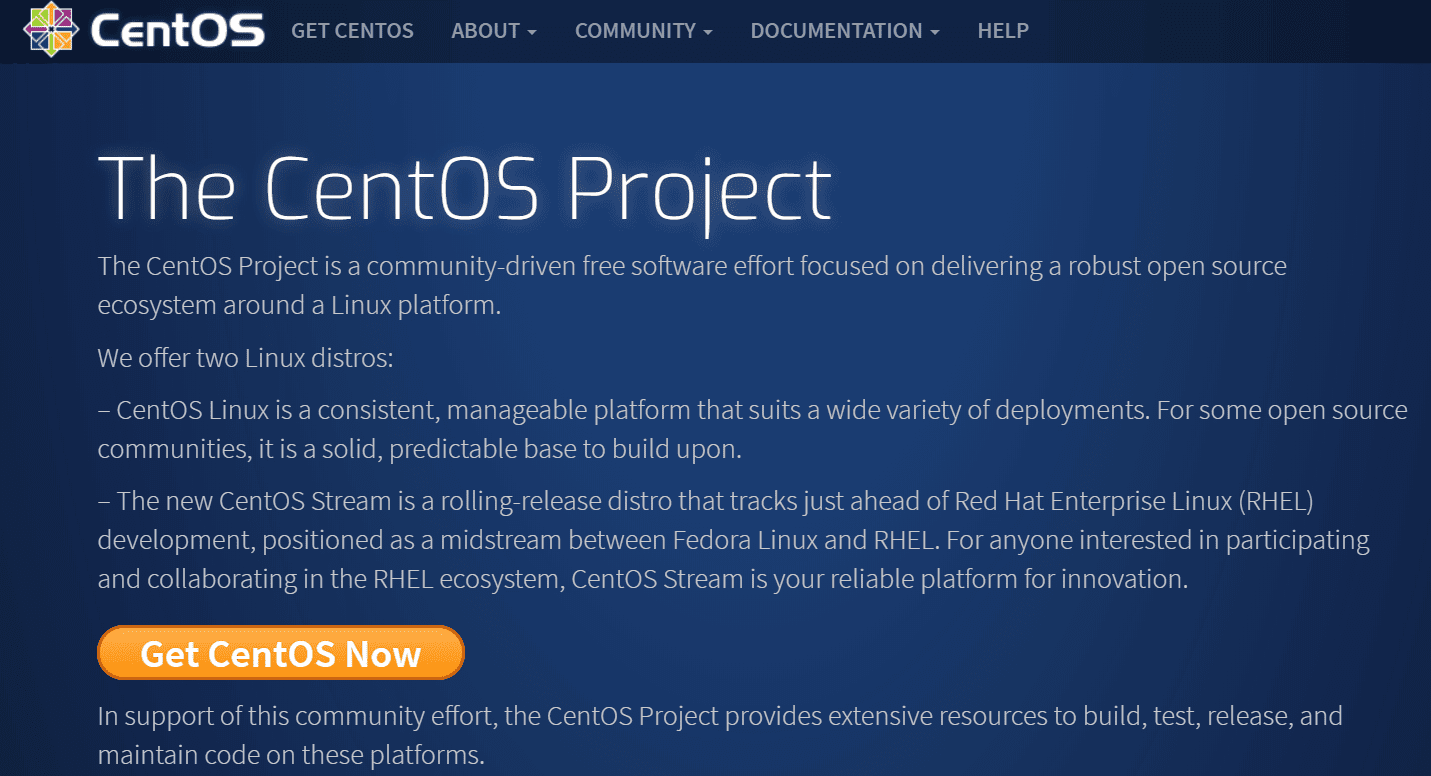
CentOS
CentOS
This Linux is popular as it is the offshoot of enterprise version Red hat Linux.
Thus, its focus is on security rather than continuous updates. Hence, just like Red Hat, security and support updates for CentOS are bootlegged out up to 10 years from the first release of every version.
Thus, CentOS is composed to be super-reliable; that is why it’s an excellent alternative for a server.
But we can say that it’s not a good bet for someone seeing for a new OS for everyday usage on their desktop PC or laptop.
Moreover, you can experience the satisfaction of having something for nothing – sets selected for the industrial version of Red Hat Linux are fully agreeable with CentOS. Hence, without any doubt, you can simply utilize them free of cost.
Key Features:-
Excellent documentation and support community.
Based on Debian.
Open stack interface.
Debian
Debian
Debian powers the internet throughout the world. If we go along with the statistics, more than 96% of the web servers, Websites, and cloud hosts are powered by Linux.
Though Debian wasn’t created to be userfriendly or to allow a quick and easy out-of-the-box experience.
Hence, when you try to download and run live Debian, all you receive is a black extremity screen with a prompt at the top of your screen.
Just like the pre-built distributions that we discussed before, Debian provides you with a more do-it-yourself practice.
You determine the packages that you require to install, the desktop background that you want, and any supplements that you need for the OS.
Well, you can imagine Debian as a stock Android. MIUI, and Samsung’s One UI is generally created on stock Android.
Businesses that build this for their phones can be associated with the Linux distributions, which are built on Debian.
Key features:-
Morden branch of GnuPG
UEFI support improved
MariaDB is default
Linux Mint
Linux Mint
Linux Mint is an inclusive ‘default’ Linux distro for current Linux users, as it appears with a set of the software you’ll require while switching from Mac or Windows, such as LibreOffice, the preferred productivity suite for Linux users.
Thus, it also has sufficient support for established media formats, enabling you to play videos, DVDs, and MP3 music lists out of the box.
However, you can also download three main master characteristics of Mint 19, each of which employs a separate desktop atmosphere, the topmost panel of the interface enabling you to adjust elements such as the presence of windows and menus.
Hence, Cinnamon is currently the most famous, but you can also select the more basic MATE or Xfce.
Hence, Linux Mint 18.3 was the latest release to have an established KDE version.
Unluckily, this is no longer possible with Linux Mint 19, but it can yet be installed on a chief of version 19 if you miss it.
Timeshift was launched in version 18.3, and to all Linux Mint publicity, it is one of the main characteristics of Linux Mint 19.
As the timeshift allows users to re-establish their computers from the last working snapshot.
Therefore, all these desktop surroundings allow a good deal of customization choices, so feel free to download a few and simply test them to find out which works best.
Key Features:-
Software manager.
Automatic updates.
Better file search file in Nemo.
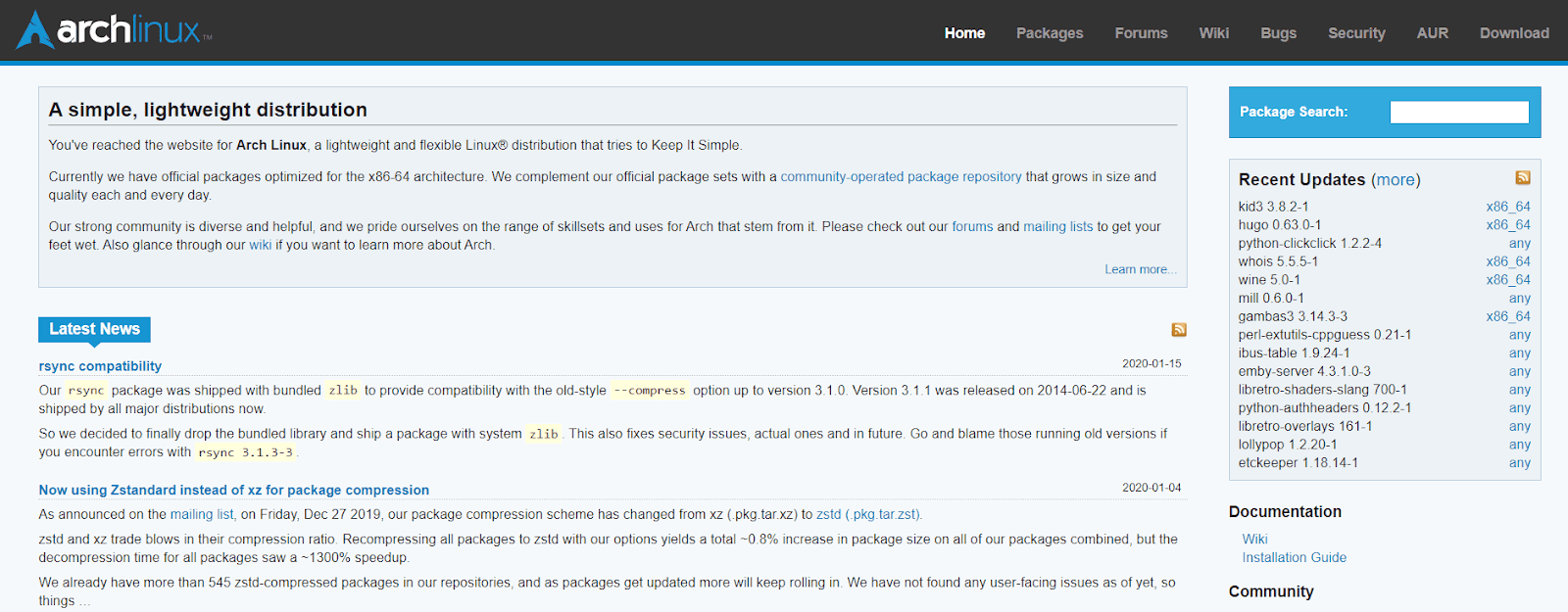
Arch Linux
Arch Linux
If you want to try a somewhat less user-friendly and popular Linux distro, then Arch Linux is one of the most well-liked options of all.
Arch Linux simply enables you to customize your interface using the terminal to download and install packets.
It’s very useful for developers and those with more traditional machines, which might not want random packages exerting up space.
Thus the main aim of Arch Linux is to store items that are simple, and not so important for users as much as assure code is clear and correct, with minimum access to everything.
Hence, there are not so many things that are bundled with Arch Linux like other linux distros. So users will be expected to download any additional software they require, as well as customize Arch Linux as per their needs.
Thus it might make the Linux distros a little complex; the reduction of bloat can execute it very attractive to users who need a clean Linux practice with little or no confusion.
Hence, the effect of a Linux experience that supports more sophisticated users rather than newcomers.
Thus, the original version was built to be more user-friendly, entitled Antergos, but that has now been terminated.
Moreover, there is another feature of Arch Linux that, rather than significant releases, accompanies a rolling deliverance model that is constantly updated.
Key features:-
Easy installation
Great learning tool
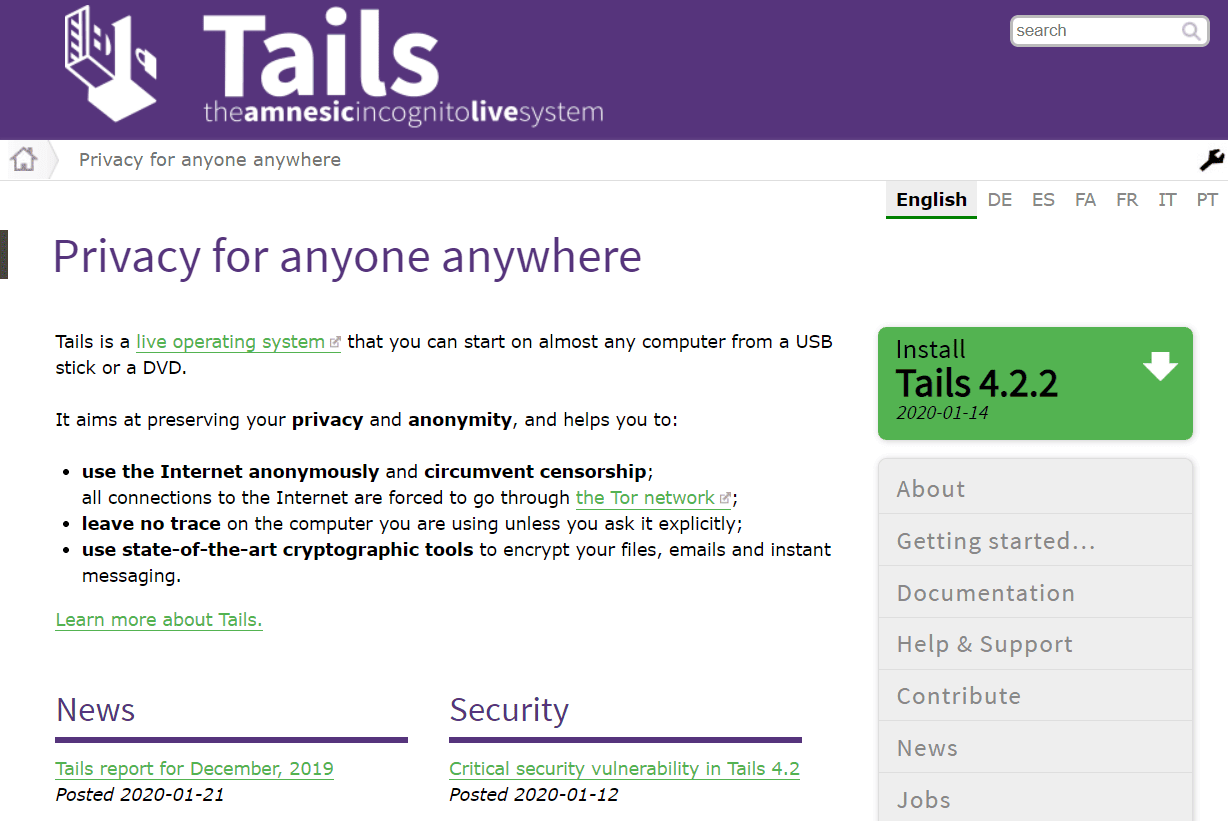
Tails
Tails
Tails are one of the privacy-oriented popular Linux distros which have the purpose of screening your location and identification as much as attainable, hence, Edward Snowden also practiced it.
The Tails OS routes all its internet transactions within the anonymizing Tor network, which is created to block data from being hijacked and analyzed.
Hence, under all the security means, it’s based on Debian Linux and utilizes the Gnome desktop, so the interface is yet clear and user-friendly.
However, the Tails isn’t for everyone, but this corner OS does give you amazing peace of mind if you’ve been fussing about all the concerned privacy-trampling laws being offered these days.
Key Features:-
Stream isolation
Onion circuit’s graphical frontend
Network manager
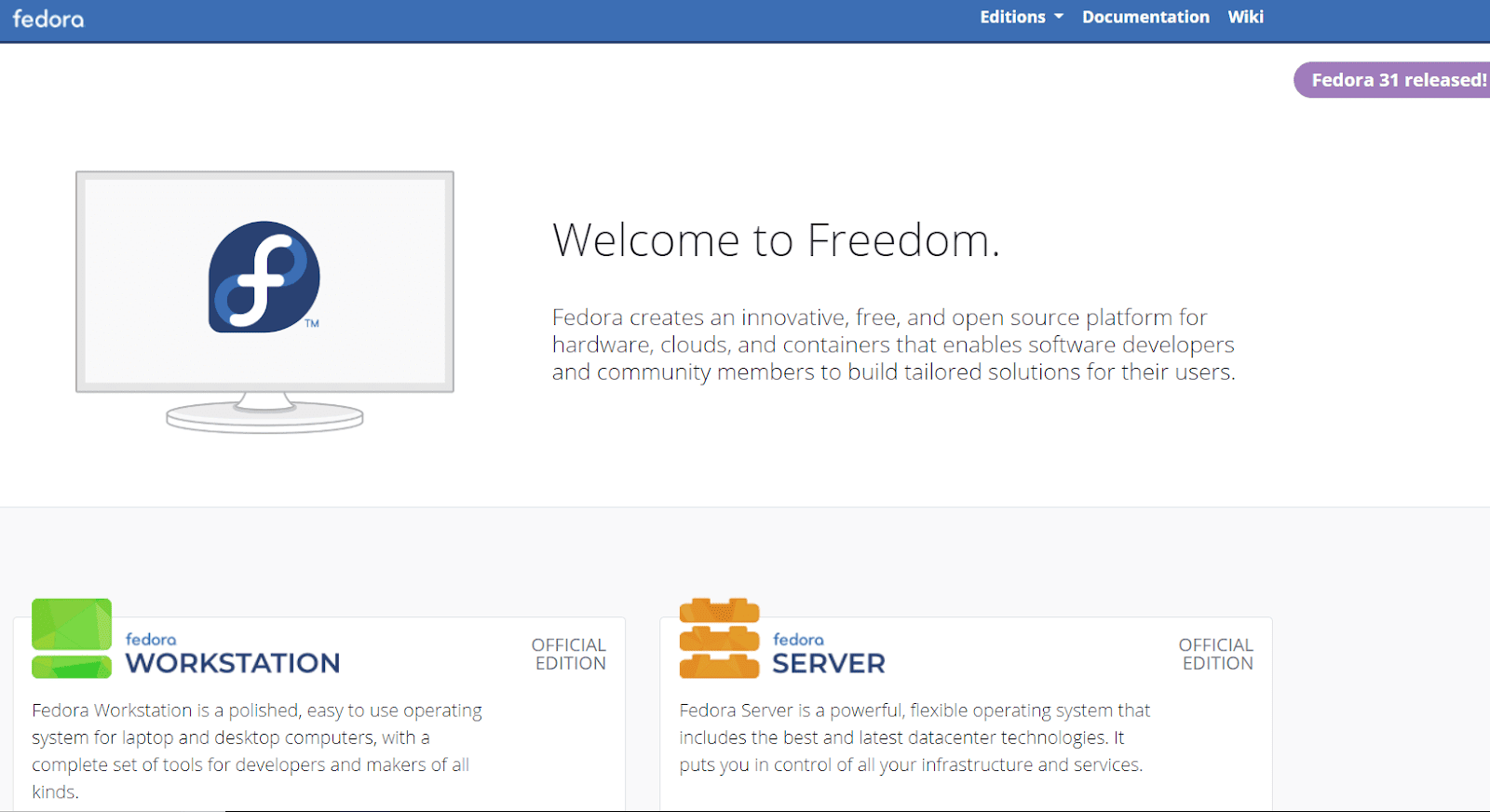
Fedora
Fedora is not based on any additional Linux distros and has been created by its community wholly from hurt.
In case, if you’re a developer, you can provide the distribution too. Now you must be thinking that what presents Fedora so unique? And the answer is undoubtedly its community support.
The association is very active, and you can get answers to your problem pretty fast on their community forum.
As developers build it, their main focus was on building an OS that will have a very sarcastic edge software container.
Thus, a package that is yet unavailable in other Linux distributions will be assembled and available for Fedora.
Key Features:-
Dynamic firewall.
Better end-user software.
Virtual desktop support.
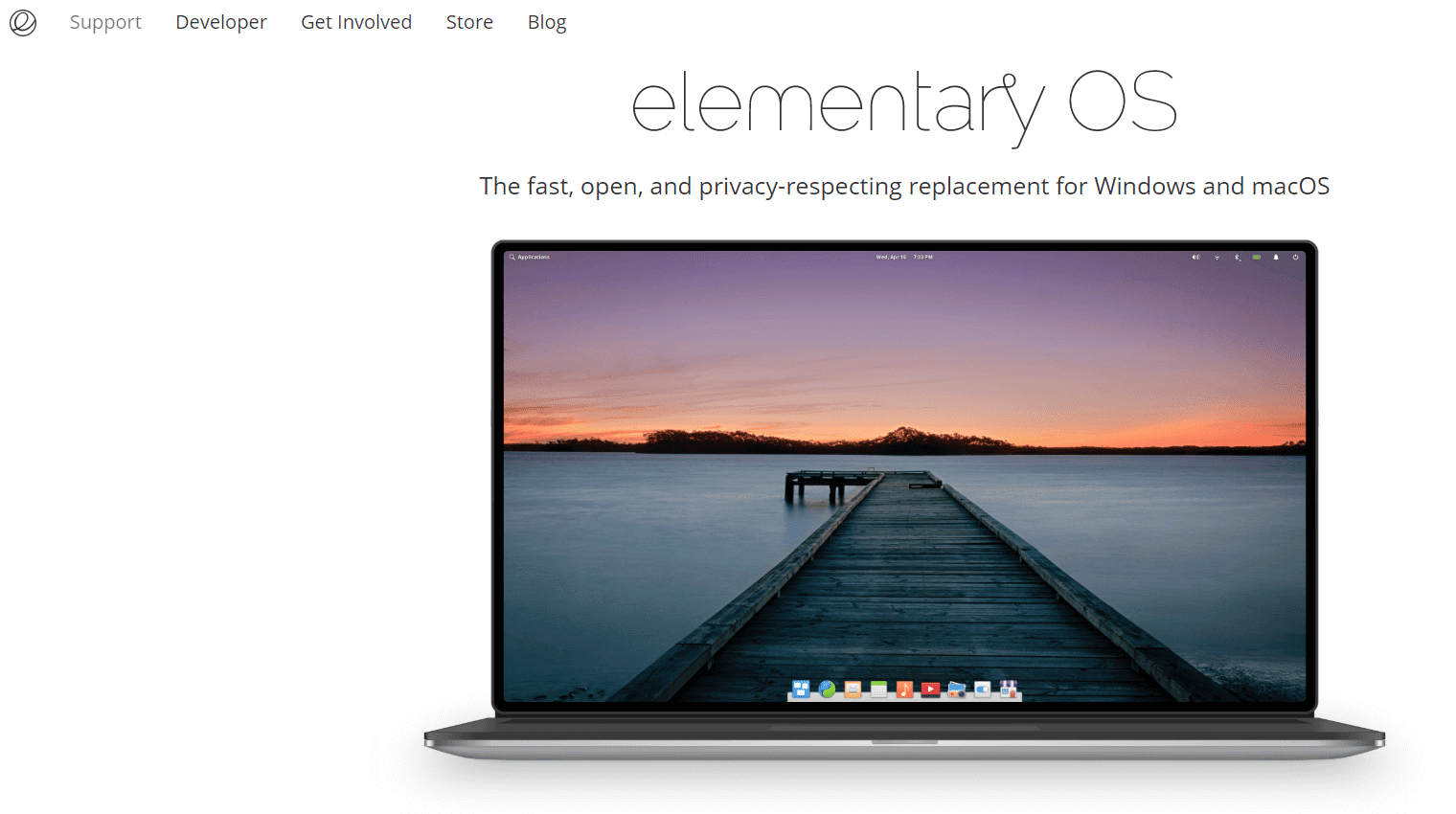
Elementary OS
Elementary OS
If you’re finding a popular Linux distro that you can easily use from the image of a nerdy hacker type bashing away at a terminus interface.
It’s the most beautiful Linux distro around, with a custom related to that of macOS.
This operating system’s excellent desktop environment is known as Pantheon and is complied with Gnome.
Well, the most advanced version of Elementary OS is named Loki, which as well as holding a bit more attractive and more elegant than its forerunner Freya, has its statement installer UI called AppCenter.
Well, it’s a delightfully easy way to install apps outside the terminal, which is usable.
Moreover, Elementary OS does, come bundled with the Epiphany browser, the Geary email client, and a few essential ‘tool’ apps.
Thus you may require to add more extra programs, but this is simple to do using the combined AppCenter, which includes paid programs created especially for the OS such as Quilter for aspiring writers or Spice-Up for creating presentations.
Elementary OS’ Class supports the trouble of purchasing and downloading additional apps.
Key Features:-
Easy image resizing
Keyboard shortcuts cheatsheet
Bold use of color
Kali Linux
Kali Linux
If you are finding Linux for ethical hacking, then there is no better Linux distro than Kali Linux.
Honestly, there is no additional distribution that can level up Kali Linux. The distribution appears with a bundle of Kali Linux Hacking tools that one can apply to ethically hack any system.
These devices are grouped in different verticals such as wireless attacks, stress testing, web applications, vulnerability scanning tools, exploitation tools, and many more.
Hence, Kali Linux is based on the Debian Testing branch, and most of the packages are shipped from the Debian repository.
Moreover, in the early versions, updates were not presented in a not-so-accurate manner.
But, in the most advanced release, it has partnered with offensive Security and Cloudflare to make sure that all updates are administered dependably.
Thus one of the most important advantages of Kali Linux is that it can be placed on different systems such as Chromebook, Raspberry Pi and BeagleBone, and many more.
Further, with the package Kali NetHunter, users can utilize it on Android smartphones.
There are some of the advantages of using Kali Linux are daily rolling updates, analyzed and tested hacking tools, great learning resources, and a strong Debian base.
Kali Linux is the most extensively utilized distribution for penetration testing.
Well, the amount of built-in penetration tools gives it the most comfortable for ethical hackers.
Aside from being an excellent penetration testing program, it also allows the knowledge scope for modern ethical hackers. Moreover, it has an existing community and presents proper documentation.
Key Features:-
Full customization
Full disk encryption
Metapackages
MX Linux
MX Linux
It is a “midweight” popularLinux distro, MX Linux works like a dream yet on lower-end PCs, and its reasonably least starting setup makes it preference and most desired among developers.
Well, we can say that it is a default XFCE desktop background that may appear a little dated as compared to more famous Linux distros like Ubuntu.
Still, there’s something to be declared for holding things simple.
Thus the major stuff is never more than a few clicks away in MX Linux. Therefore the taskbar serves up a list of MX Tools, which combines important things like PC preservation and setup options for your system quality and keyboard.
Hence, the base installation of MX Linux comprises a solid group of packages that combine Firefox, VLC, LibreOffice, and GIMP, and you can, of course, get more by the Synaptic Package Manager, which will lead you to the packing containers for MX Linux.
Key Features:-
One-click enabling event sound.
Hibernation is now enabled by default.
Easy and flexible installation.
Conclusion
Basically, we have already stated that there is no such best or perfect distribution available.
But, in this article, we will simply tell you the best distros of 2023, but as a newcomer, a completely terminated environment is a more relaxed start.
Depending on what you need a Linux OS for, you can select from one of the above and begin your learning from thereon.
Hence, here in this post, we have simply mentioned the list of the 10 popular Linux distros in 2023 that will surely help you to manage your daily task.
Shields Health Care Group has disclosed it was subject to a recent cyber security incident which could affect up to two million of its patients.
The company said it was alerted to suspicious activity that may have involved data compromise on 28 March 2022. Following the alert, Shields immediately launched an investigation into this issue and worked with subject matter specialists to determine the full nature and scope of the event.
This investigation determined that an unknown actor gained access to certain Shields systems from 7 to 21 March 2022, Shields said in a statement.
During this timeframe some data was acquired by the “unknown actor” and although on 18 March Shields had identified and investigated a security alert, at that time data theft was not confirmed.
According to the US Department of Health and Human Services Office for Civil Rights, where the Shields breach has been reported, up to two million individuals could be affected and the location of the breach is the company’s network server.
Data exposed
Shields said that at this time there is no evidence to indicate that any information from the incident has been used to commit identity theft or fraud.
However, the type of information that was or may have been impacted could include one or more of the following: full name, social security number, date of birth, home address, provider information, diagnosis, billing information, insurance number and information, medical record number, patient ID and other medical or treatment information.
The company said in response to the incident it has taken steps to secure its systems, which includes rebuilding certain systems. It also has safeguards in place to protect the data it has responsibility for, which continue to undergo review and enhancement.
Healthcare a prime target
Healthcare providers are high-value targets for cyber criminals because of the sensitive data they hold and the vulnerable people that can be affected by an incident. Combined, these two factors make healthcare providers more likely to pay a ransom when hit by a ransomware attack for example.
During the Covid-19 pandemic overstretched and under-resourced healthcare organizations became a prime target for threat actors.
Duguin also noted that ransomware attacks on the sector occurred at a rate of four incidents per week in the first half of 2021.
More needs to be done in healthcare, according to Duguin, who said that cyber security in this industry suffers from a general lack of human resources. In addition, software and security tools need to be secure by design and investment in cyber security should increase.
Social media/video-sharing apps are thought of as the next frontier in e-commerce, but Instagram is walking back some of its shopping ventures. The company has been stepping further away from its live shopping feature. Now, Instagram will stop letting people tag products in live streams.
Instagram has become a home for business owners to sell their products. However, the company seems to be backtracking on some of its shopping features. Not too long ago, a new UI change removed the shopping tab from the bottom bar. This moved it to a less accessible location in the app. This was the first hint that the app wanted to make some changes.
Instagram will get rid of live shopping
Live shopping is a pretty interesting feature on Instagram. It allows you to tag products during a live stream. So, if your favorite influencer has a certain shirt or gadget that they want to promote, they can tag it so that the users can buy it then and there. It’s not something that’s revolutionary, as this is something that TikTok has been trying to popularize in the States. Also, it’s something that Amazon also did.
However, this feature is on its way out, according to The Verge, Instagram will remove live shopping on March 16th. Since February is already halfway done, that gives the feature only one more month.
While live shopping is going away, Instagram isn’t getting rid of all shopping. Companies can still run their own stores on the platform, and the company isn’t going to be shutting that down. This change will only affect the live aspect of shopping.
At the moment, we’re wondering what Instagram is planning on doing with shopping as a whole. A bunch of big-name brands have their shops on the platform. We don’t Instagram will be getting rid of shopping altogether. We’ll just have to wait and see what the company has up its sleeves.
Robot vacuums have come a long way in the past few years. No longer do you have to take out your regular vacuum to clean up what it left behind. But we also have robot vacuums at all sorts of price points. From under $100 to over $1,000. So it’s hard to gauge which of these robot vacuums are the best. Well, we have tested and reviewed a good number of robot vacuums, so we are here to help you decide on the best one you can currently buy.
There are generally three tiers of robot vacuums. The lower tier is really basic, it doesn’t even have WiFi and uses it’s own remote. The middle tier has WiFi and a compatible app, along with Google Assistant/Amazon Alexa compatibility and most likely a way to map out your home. Then there’s the higher-end tier that uses cameras to see obstacles and might even have a way to empty its own dustbin. This list of the best robot vacuums have entries from all of these tiers and ones that meet different needs.
So without further ado, here is our list of the best Robot Vacuums available right now.
Best Robot Vacuums
Robot vacuums can be pretty fun. As you can watch it zoom around the house picking up everything and even put your cats on them for a ride too. Not to mention the fact that it means you no longer need to vacuum your floors.
But, not all robot vacuums are created equally. And not all of them are good. So here are the best robot vacuums.
As an honorable mention, the Roborock S8 was announced at CES in January 2023. However, it is not yet available to buy, so it’s not actually on this list.
The Roomba Combo j7+ is the company’s first robot vacuum that also has a mop built-in. Typically, iRobot would make a mop that was separate. But not this time around. This is based off of the j7+ that is listed below, but now with mopping.
What iRobot did here was create a dustbin that was also a water tank. The water tank looks rather small, but it’s actually not that small. Just be careful to fill the right section with water – there are instructions. Now with the mop, iRobot will lift up the entire mop over the robot vacuum, so that your carpet won’t get wet. That’s a really cool way to solve this problem. And also explains why this is so much more expensive than the j7+.
The ECOVACS Deebot X1 Omni is the most expensive robot vacuum we’ve ever had on this list, at an eye-watering $1,549. The X1 Omni has dual mops on the bottom, that do a really great job of cleaning up your hardwood, vinyl and tile floors. However, it cannot lift the mop up off of the floor to clean carpets, like some other vacuums.
The X1 Omni also comes with the full empty station. That includes the ability to refill the water reservoir, as well as cleaning the mops. And it can also empty the dustbin.
This robot vacuum is from Anker (eufy is a sub-brand of Anker), so you already know what to expect with this one. It’s a relatively inexpensive robot vacuum, that does pretty well. Now unlike the iRobot and Roborock vacuums already listed, this one does not map out your home, or go in a specific pattern. It goes in a random pattern. Which might sound like a bad idea, but it does still do a good job at getting every inch of your home – it may just take a bit longer.
The name of this one is the RoboVac 11S, and the “S” is for slim. That is because this robot vacuum is not quite as tall as the others out there, allowing it to go under your furniture without hitting it. That might sound like a small thing, but it’s actually a big deal. As some others can’t get under your couch to clean, normally.
eufy says that the RoboVac 11S will run for about 120 minutes before it needs to head back to its dock. If it hasn’t finished cleaning before the battery starts dying, it’ll start up again once the battery is fully charged.
The Neato D7 Connected has been a fan-favorite here at Android Headlines for quite some time. We’ve been really impressed with the way the D7 Connected is able to navigate around the home. And this is thanks to it using lasers. Now it’s not the only one that uses lasers – most iRobot and Roborock vacuums do too. But this one does a better job, actually.
With the D shape, the D7 Connected is able to edge clean much better and get into all of those corners in your home. That’s actually a bigger deal than it might sound like.
This robot vacuum is perfect for those that have pets. Thanks to the extra suction here, the D7 Connected is going to be able to get all of the pet hair up and out of the carpet in your home, which is also a big deal. Especially if you are allergic to those pets, but still love them.
Neato made sure that with a robot vacuum that has “connected” in the name, that it is going to be well connected. It is of course connected through the Neato Robotics app, so you can control this robot vacuum with your phone. But it is also connected to Amazon Alexa and Google Assistant, so you can control it all with your voice as well.
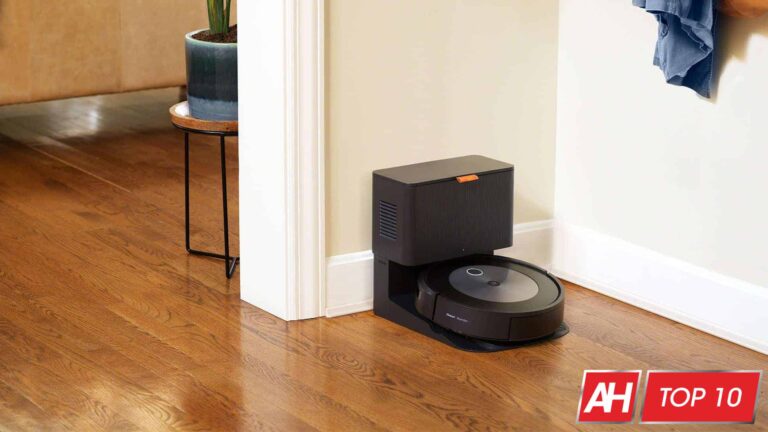
Robot vacuums that can empty their own dust bins, is one of the newer features that we are starting to see on robot vacuums these days. It’s a really cool feature, because you don’t need to worry about forgetting to empty it, or spilling it on the ground after it has cleaned up. iRobot was first to do this, and now it’s bringing it to even cheaper models.
With the new Roomba i3+, you get the ability to self-empty the dustbin. But you also get improved cleaning with the longer brushes and better suction.
Even though there is no LiDAR module on the top of the i3+, there is still connected mapping, as well as Amazon Alexa and Google Assistant available.
Shark isn’t a name you’re probably familiar with for robot vacuums, but they have been making vacuums for decades. And the IQ R101AE is a really good option if you want a self-emptying robot vacuum, without spending $600.
The R101AE actually backs up onto the base to empty itself. And it does it really well. It still offers up some incredible suction, and won’t miss any of the dirt, dust and other debries. It also can be controlled via your smartphone and use Amazon Alexa or Google Assistant to control it.
iRobot just came out with a new robot vacuum, the Roomba j7 and j7+ – the difference is the inclusion of the auto-empty dock. The new Roomba j7 uses a camera in the front, which is able to identify obstacles better, in your home. Obstacles like cords, shoes and even pet waste. In fact, iRobot is so sure that it will avoid pet waste, that it is guaranteeing that it will avoid it.
It does come with a new auto-empty dock that can still hold up to 60 days of dirt and debris. It’s a great option for hands-free cleaning, as it can empty itself and avoid other obstacles around your home.
The Ecovacs Deebot N8 Pro+ is quite the mouthful of a name, but it does quite a bit too. It takes what you already expect from Ecovacs, which is a superb cleaning experience and takes it to the next level. The Deebot N8 Pro+ has pretty powerful suction at around 2600Pa. That’s the best on the market right now, but that won’t last long.
It also has a pretty good mopping experience here. Though it does not have the Ozmo Pro mopping system. It does a good job of getting up all of the dried on messes with ease.
Now, since the Deebot N8 Pro+ is a plus model, that means that it also includes a self-empty dock. So when the Deebot N8 Pro+ is done cleaning and heads back to the dock. It will automatically empty the dustbin.
Most people want to spend as little as possible on something like a vacuum, but also want it to work well. And the Roborock S4 fits that bill. It’s under $300 right now, but still offers a really great experience.
It uses LiDAR to map out your home still, so it can clean everywhere without missing any spots. It offers some pretty powerful suction at 2000Pa, that’s strong enough to pick up AA batteries.
Roborock also includes the ability to do selective cleaning, so you can choose to clean a specific area, and not the entire house. Or set no-go zones.
With the Roborock S4, you’re going to get about two and a half hours of cleaning time. Before you need to recharge it. Which is pretty nice. Finally, it is compatible with the Roborock app, for automated cleaning and ability to use Amazon Alexa or Google Assistant.
This is the latest and greatest from Roborock. With the S7, the company focused more on the mopping functionality, than on previous models. And debuted a couple of new mopping features. Like VibraRise, which allows the vacuum to pick up the mop off of the ground when it is on carpet. Keeping your carpet from getting wet. And then there’s Sonic Mopping, allowing customers to get a more deep clean out of their robot vacuum.
Of course, all of the usual features are here. Including the same 2500Pa suction that the S6 MaxV has. As well as support for the Roborock app. However, the stereo camera is not available on the S7, so there’s no obstacle avoidance. Which is why we are keeping the S6 MaxV at the top of this list as the best robot vacuum that you can buy right now.
Technically, this is not a robot vacuum. But we’d thought we would include it since a lot of the mopping on these robot vacuums is just not that great.
The Braava Jet M6 on the other hand, is pretty incredible. It has a precision jet spray, which is good for getting up tough grease and other dirt off the floor. It still uses the smart mapping that other iRobot Roomba’s use, so it can run back and forth until it has cleaned the entire house.
Finally, this is really great for open spaces. Obviously, it is not something that a lot of people are going to buy, unless the majority of their house is not carpeted. If just your kitchen and bathroom are not carpet, then it’s not really worth it to buy this.
Nowadays, you can’t help but notice all the Twitter drama. But it’s maybe a good thing, as the more popular a social media platform is, the more users need to be sure that it’s a safe place to hang around on. Weather that should come at a cost and result in a blue checkmark — you’ll have to be the judge. In a further attempt to improve Twitter, Musk’s team allegedly already have a new feature planned: ID verification. This will surely help Twitter users become informed about whether the person they are following is actually someone real.
This will also help the platform combat impersonators, with the attempt likely being tied to the everlasting conflict to end internet misinformation. That being said, real people can lie too, so in the end, users will still have to apply their common sense for final judgment.
An example screenshot shared by the leaker.
TechRadar managed to spot a Tweet from a reliable leaker, who’s been known in the past for spilling tea about upcoming features and changes to the social platform. The post also has an image to go along with it, but fair warning: it seems to be in German.
The contents of the Tweet detail an allegedly upcoming flow that will allow users to upload their legal ID along with a selfie, so that the platform can verify their identity. While this is indeed a step towards combating toxicity on the platform, seeing the internet lose another bit of its coveted user anonymity will likely bum some users out.
From the leaker’s Tweet, it would appear that a third-party company will handle the verification process, in order to ensure protection over user data. Despite all of this sounding like a done deal, you should keep in mind that it is just a rumor. A logical rumor, but a rumor nonetheless. Time will tell if it becomes a reality and if Musk is still head of Twitter by then.
The Google Pixel lineup has never been an incredible success for Google. It was recently uncovered that Google has only sold 27.6 million units since the Pixel’s inception in 2016. However, the number of phones sold have been jumping each year. In May it was reported that Google sold 1.2 million units in 2021, that’s up from around 200,000 from the year before. So Pixel is growing, but is the Pixel 7 the pinnacle for Google? Is this where the Pixel finally really starts to make Samsung and Motorola scared? Let’s find out.
Table of contents
Google Pixel 7 Review: Hardware & Display
Last year, Google unveiled a new redesign with the Pixel 6. Finally getting away from the design that it has basically had since the Pixel 2. It morphed over the years, but the design was mostly the same all these years, up until the Pixel 6. That’s where Google introduced the camera bar that goes across the top of the back of the phone. Well, now in 2022, Google is refining that design. And dare I say, it looks even better.
So Google actually showed off the Pixel 7 series at Google I/O back in May. So we knew what the phone was going to look like back then. Including the new redesigned camera bar. I wasn’t a fan of the camera bar at first. I preferred the Pixel 6 camera bar which was all glass. Whereas the Pixel 7 is metal with cut outs for the cameras and the flash. Now that I’ve seen it in person and used it for a week, I love it.
The back is curved a little bit, making it easier to hold in the hands. The sides and the camera bare are also matte. Which is something I wish Google had used on the Pixel 7 Pro. So it does feel and look better in the hands than the Pixel 7 Pro does.
The back and front are using Gorilla Glass Victus, which should keep it from getting destroyed as easily. But that does typically mean the glass is a bit softer, so keep that in mind for scratches. The Pixel 7 still has a flat display, and the edge is a bit sharp. Nowhere near as sharp as the iPhone has been in recent years. And if you pop on a case for it, you’ll be just fine.
Now that display. It’s a FHD+ 90Hz AMOLED display, and it looks amazing. It’s 90Hz, which is a step down from the Pixel 7 Pro and most other Android phones. But it’s still faster than the 60Hz that the iPhone 14 and 14 Plus use, which starts at $799 – $200 more than the Pixel 7. This display is amazing. It’s vibrant, and very contrasty. It is not quite as bright as the Pixel 7 Pro’s display, but it’s still plenty bright for outdoor viewing. I’ve had no issue using it outdoors on sunny and overcast days.
Google Pixel 7 Review: Battery
If you look at the specs of the Pixel 6 versus the Pixel 7, you’ll notice that the battery is actually smaller this year. It went from a 4614mAh battery in the Pixel 6 to a 4355mAh battery in the Pixel 7. About a 5% decrease in capacity. But you also can’t forget that the Pixel 7 is also smaller this year, compared to the Pixel 6. Which is why it is important not to put a lot of faith into specs like that.
The Pixel 6 sported a 6.4-inch display, while the Pixel 7 has a 6.3-inch display. Going from dimensions of 158.6 x 74.8 x 8.9mm to 155.6 x 73.2 x 8.7. So it’s smaller in every aspect. Meaning a smaller battery was needed here.
So how good is that 4355mAh capacity battery? As it turns out, pretty good. I was able to squeeze over 8 hours of on screen time on this phone a couple of times. And hit 7 hours pretty consistently. Now one of the battery life cycles shown below is in the 6 hour frame, and I believe that was mostly due to how much I used the camera that day. I used it a lot to shoot pictures of the changing leaves, since it is fall now. And naturally, the camera does use a good amount of battery.
It’ll get you through a full day without any issues. And for some lighter users, you may even get two days out of it. But then there’s the charging. Google has been very conservative with charging speeds for quite some time now, and it’s rather unfortunate. The Pixel 7 charges at 21W wired and wireless. That’s pretty decent for wireless charging, but pretty terrible for wired. I used the OnePlus 10T a few months ago, which has 125W charging in the US, it can charge from empty to 100% in under 30 minutes. That’s about how long it takes the Pixel 7 to go from empty to around 30%. That’s a huge difference.
Google has battery life down, now they need to work on the charging speed.
Google Pixel 7 Review: Performance
Let’s get this out of the way. Tensor G2 is not a powerhouse. It is not going to beat the Snapdragon 8+ Gen 1 or the A16 Bionic chipsets in benchmarks. The Tensor G2 was designed specifically for the Pixel 7, and therefore prioritizes what Google wants. Which is machine learning and AI. Don’t get me wrong, the processor is plenty fast. I never noticed it really slowing down. And it really only got warm with long periods of using the camera or gaming. Which is the case on basically every phone.
But many are wondering why benchmarks are so low on the Tensor G2, and well, that’s why. It’s not as fast as a Snapdragon 8+ Gen 1. Because Google is looking to make a great overall experience, and not the fastest possible chip.
There’s 8GB of RAM paired with the Tensor G2 here, which is pretty decent. Of course, more RAM would always be better. I did notice that some apps were taken out of memory and had to be reloaded when I reopened them. And this happened a bit more often then on the Pixel 7 Pro, which does have 12GB of RAM. If that’s something that will annoy you, then you may want to look at the Pixel 7 Pro.
Google Pixel 7 Review: Camera
If you have ever used a Pixel phone before, then the camera here won’t be a big surprise to you. It takes some incredible looking images, and with its computational photography, it does have some neat tricks up its sleeve. Like the new Photo Unblur feature, which is exclusive to the Pixel 7 right now. This works on any photo, even ones that Google Pixel did not take. Essentially, it can unblur faces in the image. The one caveat here is that the face does need to sorta be in focus. It can’t be totally blurry. It’s not a magic fix for those old photos, as expected.
The camera on the Pixel 7 is basically the same as the Pixel 7 Pro, with the only features missing being Macro and the Telephoto lens. That means that you don’t get the 5x, 10x or 30x zooms here. It only goes to 2x. Technically, you can zoom in further, but it only offers 0.7x, 1x, and 2x stops in the camera app. There’s also no macro here, which is annoying since it has the hardware – it uses the ultrawide sensor – but Google needed more reasons for you to buy the Pixel 7 Pro.
Portrait mode, which is still one my favorite modes on a Pixel camera right now, has also improved since the Pixel 6 series. Noticing that it does a much better job with edges. Though it still has trouble with the edges of my glasses, when taking a selfie. Which is the case with just about every phone.
Below, we have posted a ton of photos taken with the Pixel 7. And since it’s fall, many of them are of the falling leaves.
Google Pixel 7 Review: Software
The Pixel 7 comes with Android 13 installed, which is what you’d expect. Since that is the latest version of Android right now. Of course it does also come with a bunch of Pixel exclusive features, which we will be talking about here. If you want to see what’s new in Android 13, you can check out guide here.
Google spent a good bit of time on the actual phone part of the Pixel this year. We have features like Call Screen and Direct My Call, which aren’t really new. Call Screen has been around for a while, allowing you to screen calls when they come in. This is especially useful for telemarketers and scam callers. Direct My Call will show you the menu for automated calls. Say you called Comcast, and you need to press 1 to get to where you’re going. Google will show you the entire menu on the screen, so you don’t have to wait for the voice to tell you all the options. It’s a very simple thing, but extremely useful. Direct My Call does not work for all businesses. But the big ones, it does.
Continuing with phone calls, there’s also Clear Calling. Basically, it’s able to block out the background noise, and make it easier for those on the other end to hear you. This works well if you’re in a club, or a noisy restaurant and get a call that you need to take. It’s actually really useful, and done really well.
Another favorite app of mine that is only on the Pixel is the Recorder app. I attend a lot of briefings ahead of products being announced, and other meetings, so having the Recorder app open and transcribing everything is so very helpful. And now, with the Pixel 7, the Recorder app is able to identify multiple speakers. It will label them, and later on, you can go back through and identify who Person 1 was and who Person 2 was. Making it even cleaner. Somehow this app continues to get even better.
Google is also providing the Google One VPN for free to all Pixel 7 users, though it’s not yet live. I have used it, since I get it with Google Fi and Google One already. And it works just like a regular VPN. Though it’s worth noting that if you use sportsbetting apps like DraftKings or Fanduel, you will need to turn off the VPN first.
Otherwise, it’s the usual Pixel experience that you have come to know on the Pixel 7. Google has also added the ability to see notifications from the Nest Doorbell in the At A Glance section. Ring doorbells will be supported soon.
Finally, Google is promising three years of Android updates and five years of Security updates. That means the Pixel 7 will get Android 14, 15 and 16, at the least. Google could also opt to keep it supported even longer.
Google Pixel 7 Review: Should you buy it?
The Google Pixel 7 is the new default Android smartphone that everyone should consider. It’s just $599 (or $699 if you’re on Verizon, due to mmWave 5G). Which is super cheap for a flagship smartphone. Considering Apple’s cheapest iPhone 14 model is $799, and Samsung’s cheapest S22 model is also $799. Making it super competitive.
Google has checked just about every box with the Pixel 7 here. The only major drawback is really the charging speed. And if you’re only charging at night, then it’s not really a big deal.
You should buy the Google Pixel 7 if:
Your phone is two years or older
You don’t want to spend a ton of money on a new phone
You enjoy Google’s take on Android
You want a good camera in your pocket, but don’t need telephoto
You just need a phone that works
You shouldn’t buy the Google Pixel 7 if:
You want a larger phone
You want faster charging
You want a faster refresh rate (120Hz is available on the Pixel 7 Pro)
You can also check out review on the Pixel 7 Pro here, to find out which one is the better option for you.
As ChatGPT increasingly becomes popular, appearing more of a threat to human writing capabilities, OpenAI has now decided to create a balance. For this, OpenAI has released AI Text Classifier – an AI-text detection tool, to help users detect AI-generated texts.
OpenAI’s “AI Text Classifier” Tool To Detect AI-Text
The American tech firm OpenAI has recently announced the release of an AI-text detection tool – the “AI Text Classifier.” The firm claims that this tool can detect AI-generated texts from different tools including ChatGPT; though, it currently lacks the necessary precision.
OpenAI has been working on artificial intelligence for quite some time, recently disrupting the industry with ChatGPT – an AI text generator. While OpenAI’s GPT-3 has already empowered numerous AI text-writing assistants like Copy AI and Jasper, the ChatGPT seemingly appeared as a one-stop solution for creating texts.
According to its blog post, OpenAI’s latest AI text classifier tool can detect AI-generated text with 26% precision. However, it is currently in its early stages and has many limitations. OpenAI even admitted the tool generated up to 9% of false alarms (detecting human-written text as AI-generated). Nonetheless, it still works better than its precious classifiers and can be improved with users’ feedback.
Regarding the tool’s working, the classifier works relatively well with texts longer than 1000 characters. However, it produces unreliable results for shorter texts. Also, OpenAI recommends using the tool for the English language only (at present) as it is unreliable for other languages yet.
The tool is now available to the public, and OpenAI seeks feedback from different user groups, especially educators. The firm is also keen to improve the tool to better serve users like journalists and information/disinformation groups.



![10 Best Linux Distributions In 2023 [Updated]](https://h4ckers.news/wp-content/uploads/2023/02/LinuxDistros-768x403.png "10 Best Linux Distributions In 2023 [Updated]")