Telegram typically pushes out major updates once a month, and February is no exception. After adding the ability to hide spoilers in media content and a bunch of other features in late 2022, Telegram recently released yet another update that brings even more new features to both Android and iOS users.The highlights of February’s update include a profile photo maker, real-time message translation, and emoji categories. Depending on how you’re using Telegram, some of these new features might be more important than others.
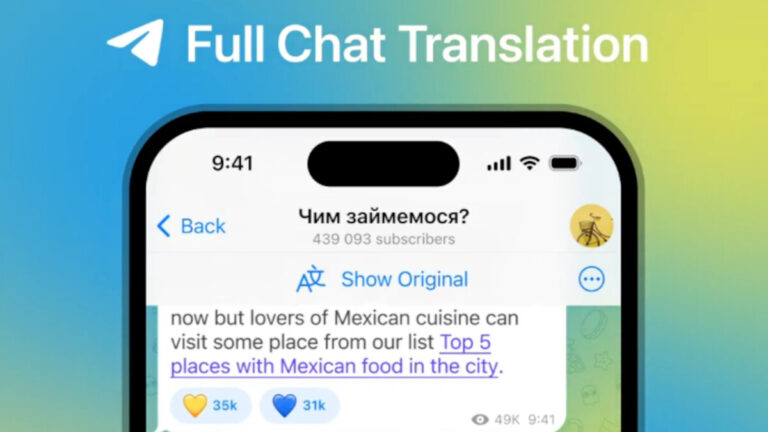
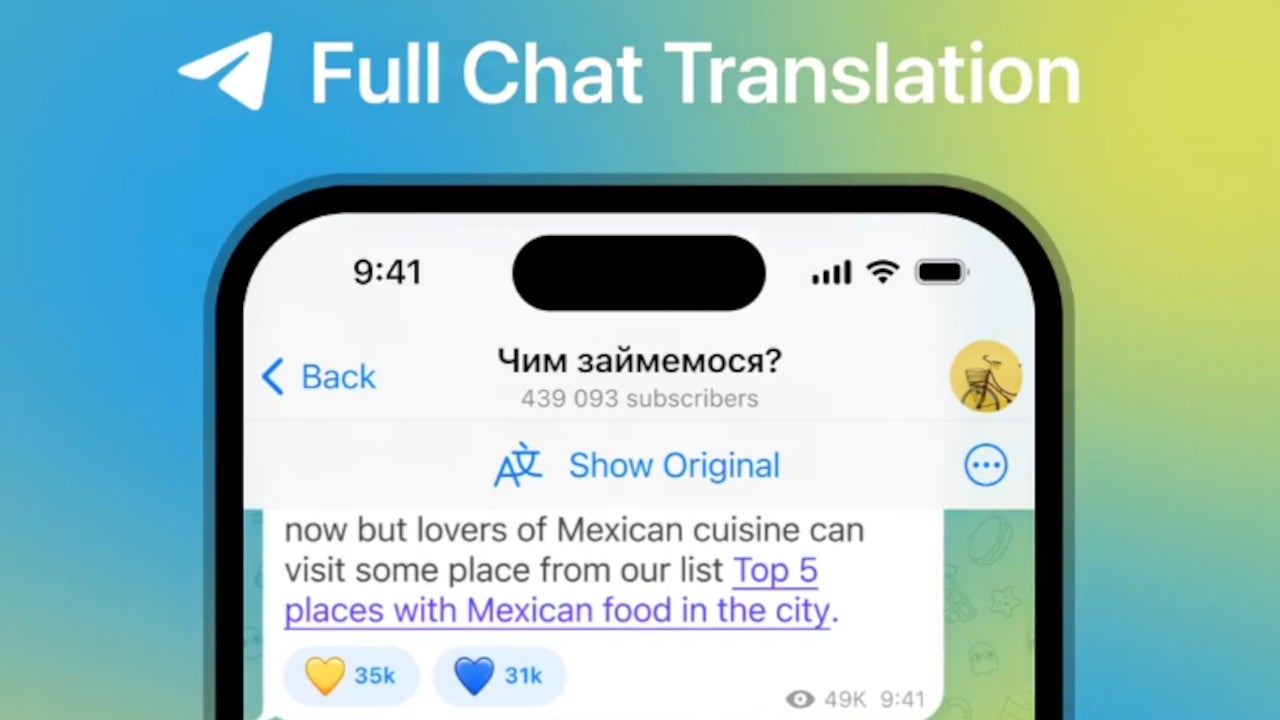
As the first Telegram update of the year, the new piece of content introduces no less than 10 major features. With the new profile pictures maker, Telegram users will be able to turn stickers or animated emoji into a profile picture that can be used for accounts, groups, and even channels. The new feature is not locked behind the Premium subscription, so everyone can use it once they updated to the latest version of Telegram.Another premiere for Telegram is the ability to translate entire chats, groups and channels in real time. The Translate bar at the top of the app will make this complex task a breeze. You can even hide the bar and control which languages are translated. The bad news is you have to pay for Premium to be able to use real-time chat translation.
For those who are obsessed by data, the update makes it possible to see how much data has been used by the app with detailed pie charts for both mobile data and Wi-Fi. You can even adjust the auto-download settings the way you want.
There’s also a new menu from where Telegram users can control when media is saved automatically to the gallery based on size, type and which chat it was received from. Additionally, the menu makes it possible to filter your media by using exceptions.
Telegram has so many emoji that more often than not it’s hard to find what you want. The latest update introduces emoji categories in the panel. You can also hold any emoji to zoom in to get a better look at it before sending.
There are plenty of streaming devices out on the market, and some of them stick out above the rest for their affordability. Mecool is one of the companies that makes devices like these. Android Headlines had the opportunity to review the company’s premium streaming box, the Mecool KM2 Plus. Should this be your next streaming device? Let’s find out.
Mecool KM2 Plus: Design and build quality
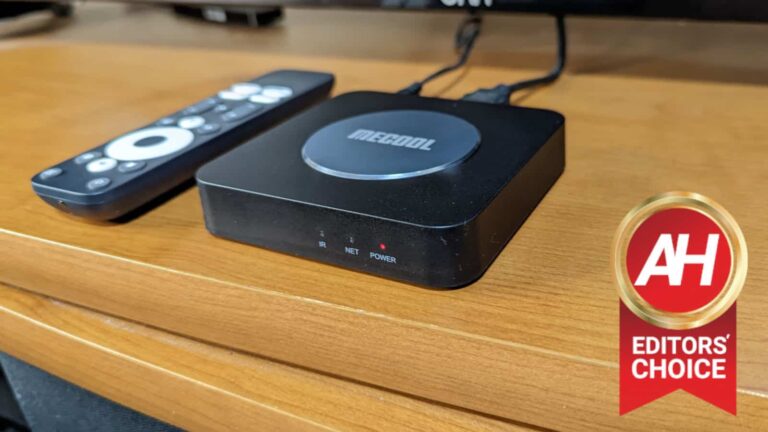
The Mecool KM2 Plus has a plastic build, but it’s still sturdily built. The metal circle in the center gives it a bit of a premium feel and some added heft. Also, it adds nice aesthetic to it Overall, I can tell that the company used quality materials for this device.
As for the design, the Mecool KM2 Plus is made to fit into any setup. It’s an ultra-portable device that can be placed anywhere in your room on shelves, on tables, and so on. The device is a 4.75-inch x 4.75-inch square, and it’s just over half an inch thick. The Mecool KM2 Plus is smaller than any cable box- heck, it can actually fit in a pocket. You won’t have any trouble storing or moving this streaming box at all.
Mecool KM2 Plus: Picture
This is a 4K streaming device, so you’re able to get a crisp picture if you’re using the right TV. Along with 4K resolution, the Mecool KM2 Plus is compatible with HDR10, HDR10+, and HLG HDR processing. It’s not the most impressive list, but that’s still great for the price you’re paying.
Mecool KM2 Plus: Software
The software is another strong aspect of this device. The Mecool KM2 Plus comes with Android TV preloaded. This is one of the best TV operating systems to come on a device. With Android TV, you have access to all of your favorite streaming services like Netflix, Disney+, Hulu, Amazon Prime Video, DROPOUT by CollegeHumor, Tubi, Peacock, etc.
Along with those services, you also have access to the Google Play Store. This means that you’re able to download a library of games compatible with Android TV devices. You’ll have options like Evo Land, Evo Land 2, Orbia, and many more.
Since this is Google software, you also have Google Assistant installed. With the Assistant, you can use your voice to search for content to watch. There’s an Assistant button on the included Android TV remote to quickly access it.
Mecool KM2 Plus: Performance
Being able to navigate the software smoothly is an important part of any streaming experience. I’m glad to say that the Mecool KM2 Plus navigates the software without much of an issue. Hopping from app to app and searching through channels is extremely smooth. I didn’t notice many instances when the software lagged or stuttered. This also goes for returning to the home screen from an app. Everything is quick and snappy.
The superior performance also applies to the gaming capabilities. I downloaded games from the Play Store onto this device, and I was able to play them without any trouble. I played 2D titles like Magic Rampage and Orbia, and there was no issue at all.
Ramping things up, I played 3D titles like Dungeon Quest and Rally Fury. No matter what I ran, the Mecool KM2 Plus, it was able to run them flawlessly. You shouldn’t have an issue using this for some light gaming. Just know that some of these games do require a gamepad to be connected.
Mecool KM2 Plus: Ports
One of this device’s best traits is its selection of ports that you can use. You get plenty more connectivity options than other devices in this price range.
You have the HDMI port, of course, but you also have two USB ports to use for flash drives. If you have media saved on an SD card, there’s a microSD card port next to the USB ports.
Moving onto internet connection options, you have your standard WiFi connectivity and there’s an Ethernet port on the back. This will give you a faster connection than WiFi.
As for audio connection options, you have a 3.5MM headphone jack to connect headphones. This is great if you only want to keep the audio to yourself. You can also connect the KM2 Plus to an external speaker. For those who need it, there’s also an S/PHIF port for people who want to connect to a device that way.
There are far more ways to connect this device than standard streaming sticks. It’s amazing that there are so many ports on such a small device.
One thing you’ll need to know is that there is an AC port on the back to power it, not a micro USB/USB type-C port. This limits the options you have for powering it. Just keep that in mind.
Mecool KM2 Plus: Storage
When it comes to streaming devices, storage isn’t always the hottest topic. However, there are folks who like to download plenty of apps onto their devices. The Mecool KM2 Plus comes with 16GB of onboard storage. That’s impressive as far as streaming devices are concerned. I downloaded some games and additional streaming apps, and I didn’t come close to filling it up.
Should you buy the Mecool KM2 Plus?
The answer is yes! I was impressed with the amount of features that Mecool threw at this device. For less than most of the top-tier competition, you have a device with Ethernet connectivity, two USB ports, a micro SD card port, an S/PHIF port, 16GB of storage, Android TV, 4K resolution with HDR10, and more. Along with the features, it has top-tier performance.
This is a fantastic device to buy if you’re looking for a premium streaming device for an affordable price.
You should buy the Mecool KM2 Plus if
You want an affordable 4K streaming device
You want multiple input methods
You have a cramped setup that requires a compact device
You’re used to using the Android TV platform
You want to use your streaming device for light gaming
You’re going to download a bunch of apps
You have a sound setup that’s compatible with Dolby Atmos
The famous password management tool Dashlane has now decided to share its mobile app codes publicly. As explained, Dashlane open-sourced its mobile apps (Android and iOS) for increased transparency and enhanced development.
Dashlane Open-sourced Mobile Apps
As announced via a recent blog post, Dashlane has now open-sourced its mobile app for Android and iOS devices.
Dashlane is a popular password management tool helping users with their password safety. Besides the expected functionalities like password generation and storage, it also boasts other features, such as storing sensitive personal details, notes storage, and breach alerts.
As explained, Dashlane decided on this move to ensure better transparency for increased customer trust and to garner support for prompt security. Also, there’s another reason that Dashlane has stated,
There’s also an internal side benefit to sharing our code base publicly: it forces our engineering team to level up on the quality of the code, to make it cleaner, and to ensure it’s readable. We would not want to share code we cannot be proud of, even though all code includes some level of tech debt and legacy content.
Under the current public release, the firm expects feedback from Android and iOS developers, allows business users to review the code for better compliance, and seeks bug reports from security researchers, which they can report via Dashlane’s bug bounty program on HackerOne.
What Next?
For now, they have shared the code for public audit only, and to help them understand the apps’ working better. But in the future, Dashlane plans to accept external contributions for code improvements.
Besides, they also intend to make the source code for their web extension publicly available after completing the Google Chrome MV3 requirements.
Despite these moves, it remains unclear if Dashlane actually plans to transform into an open-source project in the future. Nor has the firm expressed any intentions yet to make the source codes for its desktop password manager apps open-source.
Currently, the primary target of the new Roaming Mantis malware is users in South Korea, but Kaspersky cybersecurity researchers suspect its scope will be expanded soon.
According to a report from Kaspersky Labs, the infamous Roaming Mantis attack campaign, aka Shaoye has resurfaced with a brand-new scheme. As previously reported by Hackread.com, Roaming Mantis operators use DNS changer functionality to abuse compromised public WiFi routers.
The objective is to infect a large number of Android smartphones with Wroba.o mobile malware (also called Agent.eq, Moqhao, XLoader). The prominent target of this campaign is users in South Korea. However, Kaspersky cybersecurity researchers suspect its scope to be expanded soon.
Threat Analysis
Researchers explained that the Roaming Mantis attackers are delivering a revamped version of their patent mobile malware Wroba for infiltrating WiFi routers and hijacking Domain Name System/DNS.
This malicious new attack is designed to specifically target South Korean WiFi routers manufactured by one of the leading network equipment vendors in South Korea.
The campaign recently introduced a DNS changer functionality in its mobile malware. DNS changer is a malicious attack technique that forces a device connected to an infected WiFi router to be directed to an attacker-controlled server instead of a genuine DNS server.
The victim is asked to download malware that steals credentials or hijacks the device on this malicious landing page. Around 508 malicious APK downloads were observed by Kaspersky in December 2022.
How does the Attack Works?
The new DNS changer functionality first detects the router’s IP address to check its model and compromises the targeted devices by overwriting the DNS settings. Some compromised devices leverage WiFi routers to take users to a fake landing page through DNS hijacking to redirect targets to bogus sites.
Regardless of which method is used, the invasion allows the attackers to deploy mobile malware that carries out a range of malicious activities. Kaspersky researcher Suguru Ishimaru stated that this new functionality could manage all device communications via the infected router, like redirecting to malicious hosts and disabling security product updates.
Infection flow of the Roaming Mantis malware with DNS hijacking (Credit: Kaspersky)
About Roaming Mantis
For your information, Roaming Mantis is a financially motivated, long-running cybercrime campaign in which attackers target Android smartphones and infect them with malware to steal banking credentials and sensitive data. The campaign was first observed in April 2018 by Kaspersky when it used DNS hijacking to infect Android smartphones and hijack data.
It used malicious APK (Android package) files to gain control of infected Android devices and steal data. However, a phishing option is available for iOS devices and PCs equipped with cryptocurrency mining features. From Asian targets, the cyber crooks running this campaign expanded their range to France and Germany in 2022.
How to stay Protected?
You can protect your internet connection from the infection by referring to your router’s user manual to verify whether your DNS settings have been tampered with or contact your ISP. Update your default login/password for the router’s admin web interface and regularly update its firmware from the official source. Check browser and web addresses before visiting to make sure they are legitimate, and before entering data, check the address.
Apple is gearing up to announce iOS 17 at WWDC in June, as it typically does. At WWDC, we’ll get new versions of every operating system that Apple has. That includes iOS 17, iPad OS 17, Watch OS 10, and macOS 14. But today, we’re going to focus on everything that’s coming in iOS 17 later this year. Like what features are we getting? When is the first beta coming? When will it roll out to everyone? and much more.
When will iOS 17 be announced?
iOS 17 will most likely be officially announced at WWDC (WorldWide Developer’s Conference) in June. That’s Apple’s annual developer conference, which is typically focused on software, but we do sometimes get some new hardware there too. Now, we say “most likely” for WWDC because there is always that chance that it could be announced earlier or later. However, Apple has always announced the new version of iOS at WWDC, since it was iPhoneOS.
With the announcement of iOS 17, Apple will also go over a bunch of new features being added to the update. As well as releasing the first developer beta that same day. The public beta typically launches a month or two later.
When can I download the iOS 17 beta?
There’s two answers to this question actually. If you’re a registered developer, you’ll be able to download it after the WWDC keynote in June. Apple has not yet announced the dates for WWDC, so we don’t know specifically what day that will be just yet.
Now, if you’re not a registered developer, you’ll still be able to download the Public Beta. Which Apple does typically launch about a month after the developer beta. So you can expect that in July, or August at the latest.
How many beta’s will there be?
Unlike Google, Apple doesn’t lay out the beta timeline, telling us exactly how many beta releases there will be. But for Apple, typically they start out at about once a month, and as it gets more polish, Apple will update a bit more often. In August, you could see a beta followed by a release candidate in a week’s time. Which is probably the better way to do it.
What features are coming in iOS 17?
Even though a report from Bloomberg noted that we won’t see a lot of new features in iOS 17 (or any of the other usual OS updates), due to Apple focusing more on xrOS for their AR/VR headset, there’s still quite a few features coming to iOS 17. And at this point, iOS is still a pretty mature operating system, so there’s really not a lot that can be added these days. But here are the features that are rumored.
Alternative App Stores
Finally, alternative App Stores are coming to iPhone. But that’s not Apple’s decision. The EU is once again putting its nose where it doesn’t belong, and forcing Apple to open up the iPhone. In addition to forcing the iPhone to add USB-C, the EU also wants Apple to allow alternative App Stores. Now does that mean we’ll get a competitor to the Apple App Store on the iPhone? Probably not. It’ll likely be more like App Stores like Epic’s Store, where you can download games directly from Epic.
This is part of Europe’s Digital Markets Act, which doesn’t actually go into effect until 2024, but reports have said that this is already being put into iOS 17. But it might not roll out til iOS 17.1 or 17.2. As it’s not enforceable until March 2024.
In addition to that, the EU is also reportedly trying to force Apple to allow sideloading apps. That’s something that we’ve had on Android for years (and honestly, I can’t remember the last time I used it). That could spell disaster for Apple, with a lot of people downloading apps full of malware to go onto their iPhones. But we shall see.
Revamped CarPlay
Last year, Apple showed off a revamped CarPlay, which looked really incredible. Apple called it the “next generation of CarPlay”. Which allows the OS to take over multiple screens in your vehicle. So that it’s not stuck with just a single 7-12″ display. That allows it to show you more things in your vehicle.
When this was announced, Apple said that the first vehicles to support the next-generation CarPlay would be announced in late 2023. It’s pretty likely that it’ll need iOS 17 for that. So we should hear more about it at WWDC in June. Apple has also said that automakers that have committed to this new CarPlay include:
Acura
Audi
Ford
Honda
Jaguar
Land Rover
Mercedes-Benz
Nissan
Porsche
Volvo
Support for Apple’s AR/VR headset
This is the elephant in the room right now. The AR/VR Headset has been rumored for many, many years now. But it seems very possible that this will be coming in 2023. Recently, we heard that the AR/VR Headset was pushed back to the beginning of Q3 2023. Which makes it very likely that this would be announced at WWDC (just a couple weeks before Q3 starts), and released a bit later on.
That also likely means that iOS 17 is going to bring support for the Apple AR/VR Headset, and possibly some other cool features.
Will my iPhone get iOS 17?
Apple has a better track record than all Android OEMs when it comes to updating their phones. And while we won’t know for sure which iPhones are getting updated until WWDC in June, we do have a good idea. These are the iPhones we believe will get updated to iOS 17:
iPhone 15
iPhone 14
iPhone 13
iPhone 12
iPhone 11
iPhone Xs
iPhone XR
iPhone X
iPhone SE (2020)
iPhone SE (2022)
Apple also generally releases iOS for every model on the same day. So you won’t need to wait around for the update to come to your device. That’s something we have to do on Android, unfortunately.
The demand for automation testers is rapidly growing, making them increasingly sought-after in the tech industry.
According to the U.S. Bureau of Labor Statistics (BLS), Software developers, quality assurance analysts and testers are expected to experience an explosive 25% growth from 2021-2031 – far outstripping the average rate of all other occupations.
On average, an astounding 162,900 job openings for software developers, quality assurance analysts and testers will be available annually over the next decade.
Since the demand for automation testers is quickly escalating, it is prompting more and more individuals to develop their skills in this area.
In this article we will briefly answer the following question:
What is Software Automation Testing?
Why is Software Automation Testing needed?
What are the top 10 skills to learn in Software Automation Testing?
So, let’s get started!
What Is Software Automation Testing?
Software Automation Testing is an essential tool for businesses looking to ensure quality and accuracy in the software development process. It is the process of testing software using specialized tools and automated scripts to verify that our products are capable of meeting their desired performance standards and overall functionality.
Automation testing is a cutting-edge Software testing approach created to evaluate how the final product or service stacks up against pre-set expectations.
An Automation Tester, otherwise known as a SDET (Software Development Engineer in Test), is an individual who amalgamates the tasks of both a tester and developer.
Develop your knowledge of SDET and learn how to become an expert in the field by reading: What is SDET?
Why Is Software Automation Testing Needed?
Automation testing minimizes errors, reduces manual effort, and helps developers quickly detect issues with their code.
Automation makes testing easier and more efficient, allowing developers to focus on developing robust applications.
By automating software tests, companies can identify problems quickly and efficiently, saving time and money in the development process.
Automation also enables businesses to test a vast array of scenarios at once, giving them insight into how their application works under different conditions.
Automation testing is essential for businesses looking to produce quality and reliable products on time.
What Are The Top 10 Skills To Learn In Software Automation Testing?
Knowledge of Software Testing Principles and Concepts: To effectively test software, it is indispensable to have a thorough comprehension of the various principles that encompass the testing process- such as developing test strategies and designs, debugging systems, validating output results, automating frameworks and more.
Programming Languages: Automation testers must possess a diversity of development skills–familiarity with an array of programming languages is critical. Java, C++, and Python remain some of the most prevalent languages used to create software applications. Having knowledge in one or more brings versatility to an automation tester’s skill set, enabling them to build powerful tools that drive software quality and reliability.
Knowledge of Software Automation Testing Tools: In order to excel in automation testing, testers must have comprehensive knowledge and extensive practice using automation tools.Additionally, it is essential to understand which tool will be most suitable for the task at hand since each job may require different approaches and techniques to validate its success.
Choosing the right software automation testing tool can be a daunting task, but there are many options available to choose from. Popular tools like Selenium, UFT/QTP (Unified Functional Testing), Cucumber, TestComplete, Appium and Ranorex have proven effective in streamlining test processes while ensuring accuracy and quality of results.
Database Querying: Testing the data integrity of software applications requires an aptitude for writing complex queries against databases.Automation testers must possess the capability to craft intricate queries that can be employed against a database to guarantee the validity of any software application they are testing.
Test Design and Execution: Automation testers must have comprehensive knowledge and expertise to design, develop, and execute test plans, scripts, and other strategies that guarantee maximum testing coverage.Automated tests are often used for regression testing, which means multiple rounds of tests will be conducted over time as the product or system evolves. This requires tests to not only detect bugs and errors but also to detect any changes that affect the existing tests.
GUI Testing: Automation testers must have a comprehensive understanding of how to properly assess graphical user interfaces (GUIs) for both performance and functionality.Automation testing of GUI-based applications can help testers to detect potential security vulnerabilities in the software.
Familiarity with Test Management Tools: To ensure an optimal level of quality, automation testers should be well-versed in popular test management tools such as HP Quality Center and TestLink among others.Furthermore, familiarity with defect tracking programs like Bugzilla, Mantis and JIRA is recommended to accurately keep track of any bugs that are found during testing.
Source Code Version Control:Automation testers should have a good understanding of source code version control systems for effective testing. Version control systems such as GIT, SVN, or CVS provide invaluable support for tracking and managing source code changes throughout the development process.
These systems ensure that any changes made to the source code are tracked and can be reverted if problems arise. Automation testers who are familiar with version control systems can easily identify and review any changes that may impact their tests and verify whether those changes have been successfully incorporated into the available software builds.
Soft Skills: Along with technical know-how, automation testers must also possess the essential soft skills to succeed. Automation testing involves working closely with developers, so it is important for automation testers to have excellent communication and collaboration skills.Additionally, to be successful in software testing, it is imperative to have the ability to work as a team, think critically and solve problems quickly while also maintaining an efficient sense of time management.
Conclusion
Overall, software automation testing requires a variety of technical and interpersonal skills in order to be successful.
By honing the above-mentioned skills, automation testers can ensure that their tests are thorough and effective.
For those interested in pursuing a career in Software Automation Testing, it is essential to become knowledgeable of the required concepts and tools. A powerful way to master these theoretical and practical elements is by enrolling in an intensive Software Testing Course that offers comprehensive instruction.
Even experienced Automation testers should stay up-to-date on the latest trends in software testing and continue to build a broad range of skills relevant for their field and constantly strive to develop and elevate their skills, whether through an engaging Software Testing Course or attending a stimulating and informative conference. With the right skills in place, automation testers can ensure that software applications are properly tested and released on time.
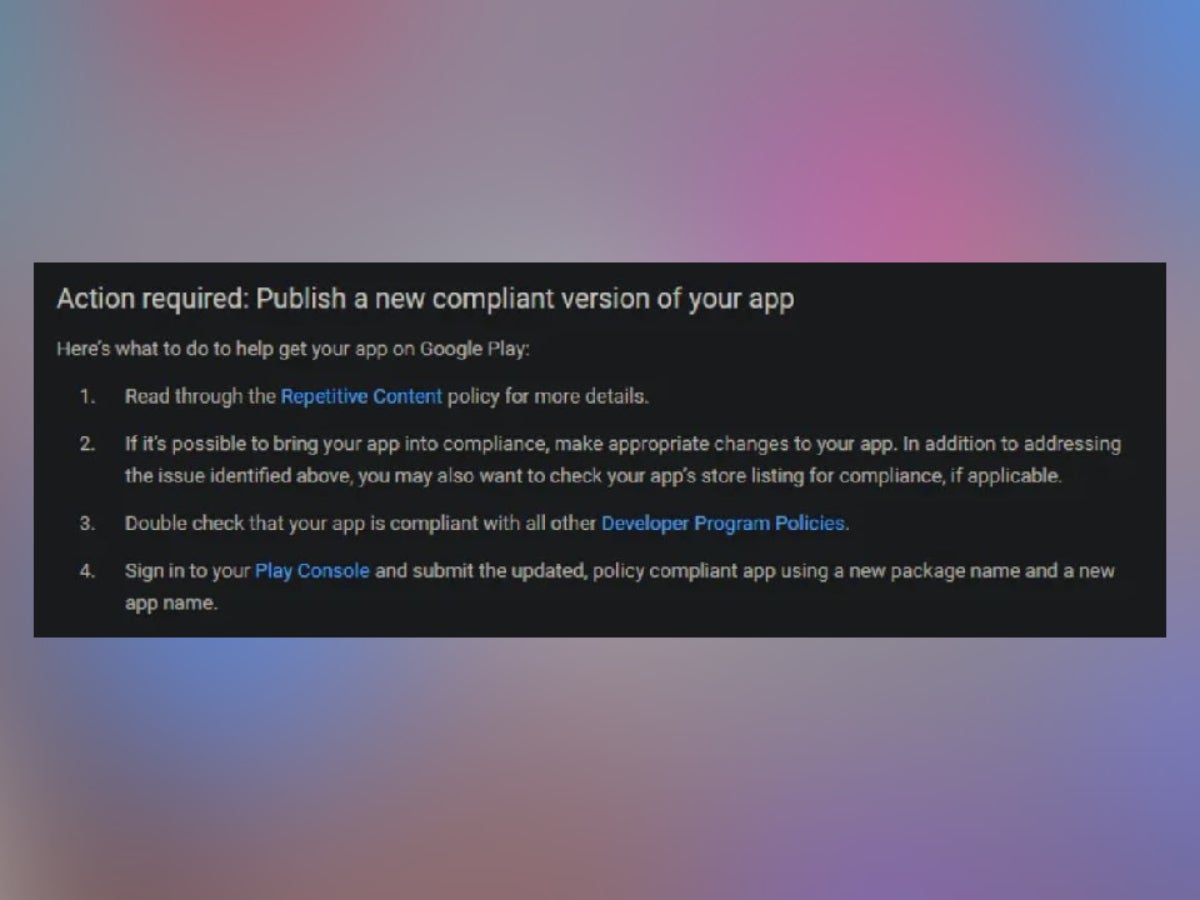
So, Google has some spam-prevention rules regarding the apps that get uploaded to the Play Store. Part of those is the Repetitive Content policy from 2018, which — as the name implies — ensures that each app on the platform is unique and valuable in its own way.
While that sounds fine and dandy, an issue arises when the entire definition of the policy fits in about a paragraph of text. Don’t get us wrong: it’s better for it to exist, but further elaboration is certainly required. Why? Redditor Grabster’s first hand account is the perfect example.
Grabster is a developer that makes icon packs — apps that allow you to to change how your app icons look on Android. Typically, products like this come in a couple of different variants, so that users can have a wider diversity of options when creating their ideal setup. This is part of Android’s approach to customization from time immemorial and is pretty much what users have come to see as the “norm”.
Enter stage left: Google’s bot that enforces the Play Store policies. It noticed these variant apps that Grabster uploaded and — after a period of contemplation — decided that they look samey, so they must be repetitive. Right?
Here’s what the bot cited in an automated email to the developer:
Copying content from other apps without adding any original content or value.
Creating multiple apps with highly similar content and user experience.
And the bot didn’t even sign it off personally. Total shame. How and why did the bot reach such a conclusion? Well, the dev had uploaded three variants of their icon pack: in black, in white and in color. While this may seem repetitive in essence, it is actually what Android users want when it comes to icon packs.
One of the solutions that Google offered through the automated email was combining all variants in a single pack, but let us explain why that wouldn’t work. First off, it would call for a price increase, which is never good news, and — more importantly — users would end up paying for icons that they wouldn’t really use. Ergo, this makes zero marketing sense.
Furthermore, if the decision that the bot made was part of some grand-sweep, affecting all icon packs with a multitude of variants, it would’ve made slightly more sense. That, however, isn’t the case, as other icon packs were not affected at all.
At this point, Customization should really be its own navbar category.
Grabster had options: appeal the decision or combine the variants into a single fat-pack of an app. But they were too exhausted to do either, even if users encouraged them otherwise. And this is where things get odd.
AndroidPolice got a hold of this story and reached out to Google for comments, especially regarding how the aforementioned repetitive content policy would be enforced from here on out. After all, if more decisions like this are underway, they would certainly impact the culture of customization that Android is known for as an OS.
In a dualistic and somewhat dissatisfying turn of events, Google didn’t provide any commentary on the situation, but it went ahead and reinstated the icon packs back on the Play Store. While this is a solid win indeed, we hope that the Big G will take a moment to scold their bot and ensure that no mishaps like this happen again.
An anonymous plaintiff has filed a class action lawsuit against password management company LastPass after the company suffered two data breaches within four months in 2022.
The suit, which was filed by an anonymous plaintiff referred to as ‘John Doe’ with the United States District Court of Massachusetts, alleges that LastPass failed to “exercise reasonable care in securing and safeguarding highly sensitive consumer data”.
The lawsuit also alleges that bad actors could “wreak financial havoc on the lives of LastPass users” affected by the breach. The plaintiff has accused LastPass of “likely stor[ing]” the master passwords of users – the sole way of unlocking users’ password vaults and accessing their login information – meaning users’ passwords would have been accessed during the breach. This would allow malicious parties access to any number of users’ accounts, including those that store banking or payment information. However, according to LastPass, “master password[s] [are] never known to LastPass and [are] not stored or maintained by LastPass”, meaning they could not have been accessed in the breaches.
The lawsuit goes on to accuse LastPass of “failing to invest in adequate data security measures that would protect Plaintiff and the Class from the unauthorized access to, and copying of, their private information”, meaning that those affected by the breach are at an “especially high risk of ransom threats and blackmail attempts” due to the information exposed. This information includes company names, end-user names, billing addresses, email addresses, telephone numbers and the IP addresses used to access LastPass services.
It also states that the personal data of victims is “no longer hidden but is, instead, in the hands of cybercriminals who have already fraudulently misused such data”. The evidence for this is stated to be that in November 2022, Doe had around US$53,000 worth of Bitcoin stolen from his blockchain wallet, allegedly via the use of private keys he had stored using LastPass.
The lawsuit goes on to allege that Doe has “never knowingly transmitted unencrypted sensitive personally identifiable information or information that is otherwise confidential over any unsecured source” and is “thoroughly diligent” with securing his personal information. For this reason, the only way his Bitcoin could have been stolen is if malicious parties gained access to his master password and therefore the private keys for his Bitcoin vault.
LastPass maintained, however, that it would be “extremely difficult to attempt to brute force master passwords” due to the hashing and encryption methods used to protect customers. The company also noted that it would take “millions of years to guess [a] master password using generally-available password-cracking technology” if customers followed its best-practice guidelines for creating master passwords.
The password management company also stated that “sensitive vault data, such as usernames and passwords, secure notes, attachments and form-fill fields” had remained safely encrypted due to LastPass’ zero knowledge architecture.
The LastPass’ 2022 data breaches
In August and November 2022, LastPass suffered two connected data breaches that resulted in confidential customer information to be compromised.
After the information was decrypted, the hacker accessed and copied information stored on a cloud backup that included “basic customer account information and related metadata”. The number of customers affected has not yet been shared.
LastPass explained that the hacker was also able to “copy a backup of customer vault data from the encrypted storage container which is stored in a proprietary binary format that contains both unencrypted data, such as website URLs”, as well as “fully-encrypted sensitive fields such as website usernames and passwords, secure notes and form-filled data”.
The password management company reassured its customers about the safety of their encrypted data, noting that all encrypted files remain “secured with 256-bit AES encryption”, meaning they need a unique encryption key derived from each user’s password to decrypt it. As LastPass does not know, store or maintain user master passwords, this reduces the chance of compromise.
The premium earbuds market is full of so many wonderful devices, but it can sometimes have a high barrier to entry. The beyerdynamic FreeBYRD are fantastic premium earbuds (you can read our glowing review here), but, at $299, they’re pretty pricey if you’re just breaking into the premium earbuds market.
Enter Edifier with the affordable W240TN. These are a set of earbuds with some of the perks that you get from more expensive earbuds, but they’re priced at a compelling price. Are these worth your $79.99? Let’s find out in this review.
Edifier W240TN: Hardware and design
The design of these earbuds is pretty classy. Since these are rather inexpensive, you’re not getting the most premium materials here, but they look nice anyway.
The housing for the button is made of plastic, but it has the appearance of being metallic. That definitely gives them a more premium appearance. The rest of the body is made from glossy plastic.
Edifier W240TN: Sound quality
The sound quality of these earbuds is a nuanced story. For starters, the sound quality is solid. It’s tuned toward the higher side of the spectrum, and that makes for a more open sound. This is a nice change of pace from earbuds that are so focused on bass that the sound winds up being muddy and cluttered.
What makes this nuanced is that the Edifier Connect app lets you deeplycustomize the sound. You’re able to customize it as much as you can with the Edifier NeoBuds S. You’re given a four-band EQ, but that’s not it. You can choose the frequency for each band down to the single Hz, which is pretty insane.
The lowest band can be set between 20Hz and 200Hz, 2001Hz-3KHz for the second lowest, 3001Hz-5KHz for the second highest, and 5001Hz-10KHz for the highest band.
Not only are you able to change the frequency, but you can adjust the Q factor of each band as well. This gives the EQ a ton of options for editing the sound to your liking.
If you want to save different EQ presets, you can do that as well. Audiophiles will enjoy tinkering and finding the perfect sound for them.
Not as top-heavy as the Neobuds S
One of the main issues with the Neobuds S is that they seemed to focus a bit too much on the high end. This made the music sound a bit shrill and tinny. Fortunately, that’s not the case for the W240TN. They’re tuned just right to make the vocals pop and keep the sound open.
Edifier W240TN: Noises cancellation/Ambient Mode
One of the main features that these earbuds bring to the affordable earbuds market is noise cancellation. This technology cancels out the noise in your environment so you can better hear your content. This is a well-sought-after feature, and it can be make-or-break for a pair of earbuds.
The noise cancellation on the Edifier W240TN is spectacular. They did a great job at filtering out a wide range of the noise in my environment. They easily handle inside noise like appliances and the AC on the inside. Taking them outside, they also did a great job at reducing the noise from traffic. I’d say that the noise cancellation is one of the strongest aspects of these earbuds.
Ambient mode
When it comes to the ambient mode, these earbuds bring one useful feature that most other premium earbuds don’t have. You’re able to adjust the volume of the sound coming in through the microphones. There are six volume levels that you can choose from.
Edifier W240TN: Battery life
You won’t have to worry about these earbuds lasting you a full day with these buds. Using the Edifier W240TN with the ANC on, I was able to get about 6.5 hours of playback per charge. The charging case almost triples the battery capacity of the earbuds, bringing them up to about 20 of playback.
When I turned the ANC off, I was able to get some more mileage out of the buds. I was able to get about 7.5 hours on a single charge and about 24 hours using the charging case.
These earbuds do also have fast charging to top them off quickly. I was able to fully charge the earbuds in under an hour. What’s neat is that you’re able to get about 2 hours of playback on a 10-minute charge. I tested this claim, and it’s accurate.
Edifier W240TN: Controls
The main gripe that I have about these earbuds is the limited selection of button controls. You can control your earbuds by either double-pressing or triple-pressing the button on then. That only gives you four options for controlling your media. This is extremely limited.
You’re able to toggle ambient mode, toggle ANC, skip track, restart/go to previous track, raise volume, lower volume, activate voice assistant, activate Game mode, answer calls, reject calls, and mute calls. Having only four button gestures means that it’ll be tough picking which functions you want to add.
It would have been nice having single-press and press-and-hold gestures. Just adding those would double the number of gesutres, and make these a more compelling offer.
Edifier W240TN: Extra features
There are other goodies with these earbuds that make them just that much better.
IP rating
For starters, the Edifier W240TN are IP55 water and dust-resistant. They can withstand most solids, but you’d want to avoid using them around fine sand.
As for the water resistance, you’ll be fine if you’re caught out in the rain. The earbuds can also survive the occasional splash. You’ll just want to be careful because these can not be submerged in water, and you’ll also want to be careful around pool water.
Game mode
People who hate Bluetooth latency will love Game mode. When this mode is activated, the latency between what you hear and what you see on your phone will be reduced. You can easily enable the Game mode from the Edifier Connect app. Using the mode, I was able to hear a significant reduction in the latency.
Overall, the Edifier W240TN are a great set of earbuds if you’re looking to break into the premium earbuds space. They have a nice set of features that enhance the experience, a few of which aren’t present with more expensive earbuds.
According to Google Fi’s email sent to its customers on Monday, a limited amount of their customer data was exposed in T-Mobile’s breach after suspicious activity was noted in a system that contained Google Fi’s customer data.
Google Fi, Google’s official mobile virtual network operator (MVNO), has confirmed that data belonging to its customers was exposed in a recently discovered T-Mobile security breach. The incident was reported by Hackread.com on January 20th, 2023.
What does Google Fi have to do with T-Mobile?
For your information, Google Fi relies on T-Mobile and US Cellular for connectivity. It operates on the networks of US Cellular and T-Mobile, allowing customers to enjoy comprehensive coverage across the country.
Unlike traditional plans from Verizon or AT&T, Google Fi uses technology to switch between different cellular providers while your phone is in use. This means that if you’re using your phone and one carrier’s service becomes weaker than another’s in the area, your phone will automatically switch to a stronger signal – without any interruption in service.
T-Mobile Data Breach Details
On January 19th, T-Mobile published a regulatory filing revealing that an unauthorized threat actor had managed to access the data of 37 million of its current customers. The breach occurred in November 2022 and was discovered on January 5th, 2023.
T-Mobile Inc. informed law enforcement officials and cybersecurity consultants regarding the data hack, which included customers’ names, dates of birth, billing addresses, email addresses, and more than 37 million postpaid and prepaid customers.
Google Fi Warns About Data Exposure
According to Google Fi’s email sent to its customers on Monday, a limited amount of their customer data was exposed in T-Mobile’s breach after suspicious activity was noted in a system that contained Google Fi’s customer data.
Google has confirmed that no text message call contents or PINs were taken. Moreover, the exposed system did not store private customer data such as names, payment card details, email IDs, passwords, government IDs, etc.
However, the hackers could access account statuses, phone numbers, service plan details such as international roaming, and SMS card serial numbers. It is worth noting that, despite utilizing the T-Mobile network for its connections, Google did not name it as its primary service provider in the email.
Email sent to Google Fi customers:
Dear Google Fi customer,
We’re writing to let you know that the primary network provider for Google Fi recently informed us there has been suspicious activity relating to a third-party system that contains a limited amount of Google Fi customer data.
There is no action required by you at this time.
This system is used for Google Fi customer support purposes and contains limited data including when your account was activated, data about your mobile service plan, SIM card serial number, and active or inactive account status.
It does not contain your name, date of birth, email address, payment card information, social security number or tax IDs, driver’s license or other forms of government ID, or financial account information, passwords or PINs that you may use for Google Fi, or the contents of any SMS messages or calls.
Our incident response team undertook an investigation and determined that unauthorized access occurred and have worked with our primary network provider to identify and implement measures to secure the data on that third-party system and notify everyone potentially impacted. There was no access to Google’s systems or any systems overseen by Google.
If you are an active Fi user, please note that your Google Fi service continues to work as usual and was not interrupted by this issue.
What does this mean for me?
The accessed information included your phone number and limited technical information. This includes information about when your account was activated, SIM card serial number, account status (for example, whether your plan is active or inactive), and limited details about the mobile service plan and options provided by your Google Fi service (such as unlimited SMS or international roaming).
Google has assured its customers that they don’t need to take any further action, and there was no unauthorized invasion of Google’s own systems or any system that it directly oversees.