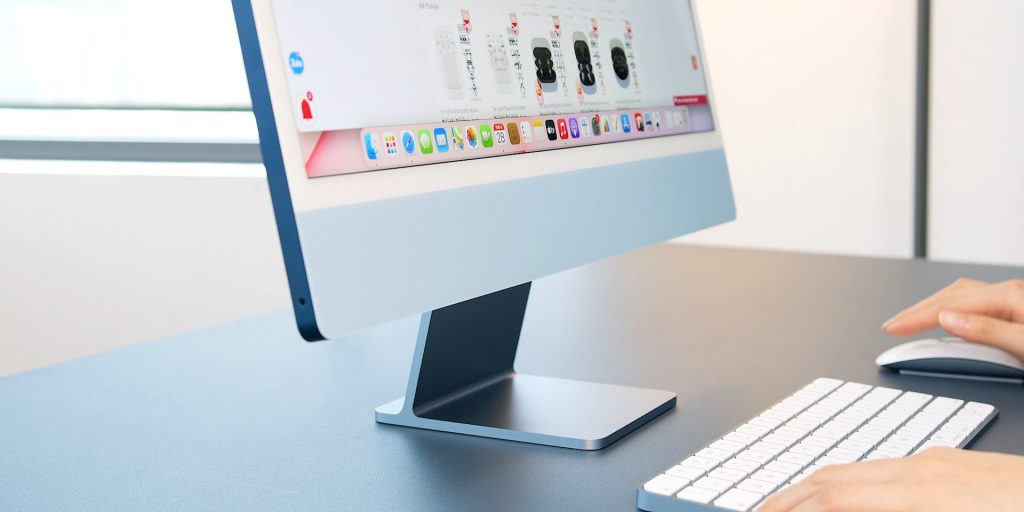
A recent report revealed that the earliest time to expect a new 24-inch iMac is late 2023, as Apple has no plan to launch the desktop soon.
In his latest newsletter, Gurman claims that Apple will skip updating the 24-inch iMac with its latest M2 chip. Instead, the Cupertino-based tech giant intends to release an M3 chip-powered model. Since Apple hasn’t announced a third iteration of its M-series silicon, we may not see a new 24-inch iMac until late in the year — maybe even 2024, says Gurman.
“I haven’t seen anything to indicate there will be a new iMac until the M3 chip generation, which won’t arrive until the tail end of this year at the earliest or next year,” writes Gurman. “So if you want to stick with the iMac, you’ll just have to sit tight.”
A new 24-inch iMac Powered By Apple’s M3 Chip
In 2021, Apple launched a new 24-inch iMac with the M1 chip. Besides the Apple Silicon, the desktop computer has an ultra-thin design in seven colors. These include yellow, blue, pink, silver, purple, green, and orange.
However, the tech giant has since updated its other M1-powered products with the M2 chip.
For example, a new M2 MacBook Air with a thinner design and improved performance rolled out in June 2022. Then earlier in the year, Apple announced the new M2 Pro/Max 14 and 16-inch MacBook Pro, including an M2 Mac mini.
Meanwhile, the iMac still has the M1 chip and is unlikely to receive the M2 chip upgrade. But that may not be a terrible thing.
Reports suggest that Apple’s forthcoming M3 chip will be manufactured based on TSMC’s 3nm process. That’s an improvement over the M2 chip based on TSMC’s second-generation 5nm process.
Besides delivering more performance than the current chip, the forthcoming M3 should also feature improvements in power efficiency.
Ever since the launch of Google Translate, the company has been at the forefront of the field of translation and language technology. At the recent Live from Paris event, Google announced new contextual tools for Google Translate, which the company claims will transform how people communicate across different languages, along with a major redesign of the iOS app.
The update places a major emphasis on improving the accuracy of bilingual translations with the introduction of contextual translation in English, French, German, Japanese, and Spanish. The app will now display different variations of words with multiple meanings, allowing users to choose the option that best fits their intended communication. This is particularly helpful for those learning a new language and seeking to communicate effectively with native speakers.
Further, Google is also enhancing its AR translation capabilities through Google Lens by introducing the ability to seamlessly blend translated text into the background image, making it easier to translate posters and signs without altering their appearance. However, this feature will only be available on Android phones with 6GB RAM or more.
Redesign for the iOS app
After rolling out the Material You redesign for the Android version of the app last year, Google is finally updating the iOS Google Translate app. As part of the redesign, the app will now feature a large microphone button in the centre-bottom part of the screen, making it easier for users to input text through voice. Secondly, the app will also include a dynamic font that will make the translations more legible as users type and new gestures such as swiping down to access recent translations and holding the language button to quickly select a recently used language.
Additionally, the app will also support offline translation for 33 new languages, including Basque, Corsican, Hawaiian, Hmong, Kurdish, Latin, Luxembourgish, Sundanese, Yiddish, and Zulu.
ChatGPT has got everyone talking about artificial intelligence (AI) lately. Google launching its alternative called Bard last week has further fueled these conversations. Since Microsoft is one of the biggest and early investors in OpenAI, the firm behind ChatGPT, many see it as a race between Microsoft and Google in AI and related technologies in the coming years. Noted VC investor Vinod Khosla, who invested $50 million in Open AI back in 2019, agrees.
Microsoft and Google will compete fiercely in the AI industry
In an interview with CNBC, Khosla said that ChatGPT and Bard will transform search engines into “answer engines”. Microsoft has already announced an integration of OpenAI’s AI tool with its search engine Bing as well as the Edge Browser. Google is also bringing Bard to Search and Chrome. Both companies want to turbocharge their respective products with AI, which Khosla labels as the “most critical technology for the planet in the next 20 years”. He says Microsoft and Google have big opportunities ahead of them.
Google may have hurried to launch Bard following ChatGPT’s overnight success, but the founder of Khosla Ventures noted that the internet giant has been working on new AI advancements for several years now. However, he also pointed out that the industry needed another “center of excellence” when it comes to AI. Khosla saw that potential in OpenAI as early as 2018, and the startup exceeded his expectations with the progress it made over the past three years or so. It is now giving Google tough competition.
That said, Google has a lot of resources, talent, and the required infrastructure, so it will catch up real quick. But the AI market is very large, “larger than most people would project today”. Pretty much every tech facet is open to AI-powered innovations and re-casting. That means there’s enough opportunity for both OpenAI, or perhaps Microsoft, and Google to establish themselves in this emerging market. In the long run, it could be a two-horse race between these tech behemoths.
“One will have nimble OpenAI. The other will have a lot of deep talent,” Khosla said. “I suspect it will dwarf Google’s current market and Microsoft’s current market 20 years from now. There is no question we are seeing the Cambrian Explosion of opportunity here.”
There will be more participants in this race
Microsoft-backed OpenAI and Google aren’t the only companies in the AI race, though. Many other tech firms are working on similar products of their own. China’s Baidu and Alibaba are to name a couple. We should see more companies enter the conversation AI industry in the coming months. Fascinating times are ahead as the world seems to be on the cusp of a massive technological transformation.
It seems like the developers of the popular dating platform Tinder are looking to equip users with more tools for safety. And with Valentine’s Day fast approaching — which is also your kind reminder to check out our Valentine’s Day deals guide — is it any wonder at all?
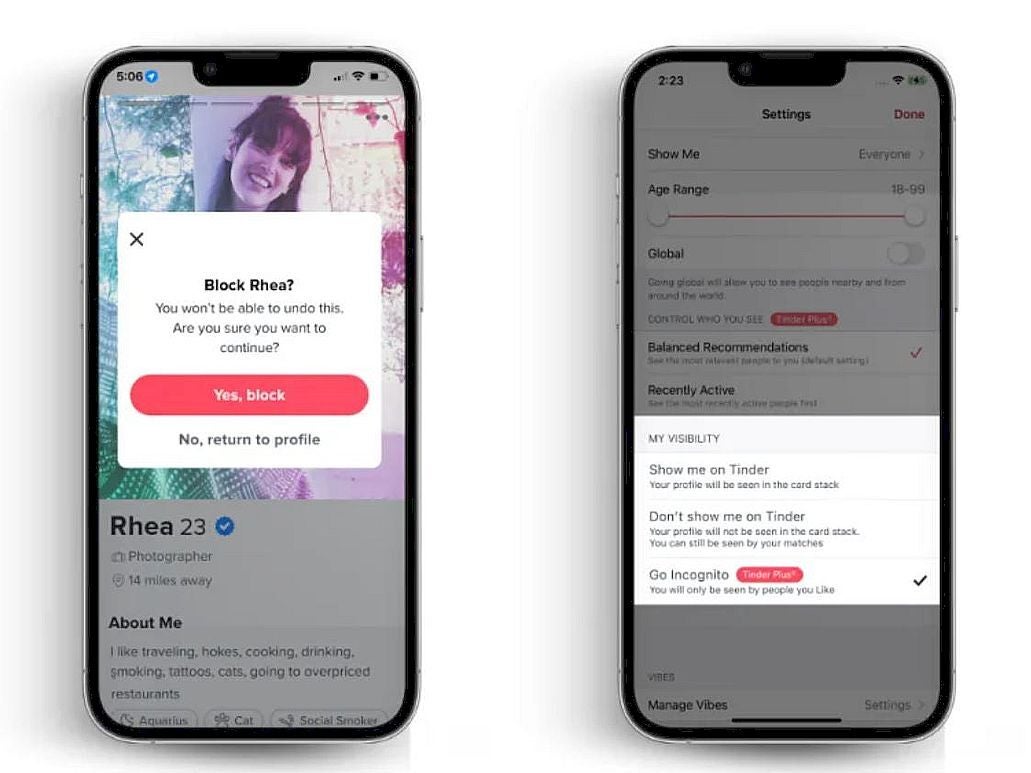
But, come on — how can an app that is all about matching strangers provide more safety? Well, through an Incognito Mode, of course. While it may seem counterintuitive at first, it actually makes sense, as when turned on, only the users that you’ve liked can view your profile.
That may limit your reach, per say, however it also sounds like adding a higher success rate into the mix, as you’ll have a larger say in who gets to mingle with you. But that’s not all: you can outright block users straight from your feed, if you are certain in your abilities to judge a book by its cover photo.
A quick example of some of the new features.
There is more too! Users will get the option to long press a message in order to send a report to Tinder staff regarding the user in question. The company is hoping that this will help them moderate their community in a way, which punishes inappropriate behavior.
The app also received minor tweaks to its “Are You Sure” and “Does This Bother You” features, which basically nudge users into being more considerate when talking to one another. And it seems to be working, as ever since the latter was introduced, the company has been receiving 46% more user reports. Yay?
In case you are becoming stressed about your dating habits, you can always turn to the official Tinder dating online guide, which has been drafted up in an attempt to end sexual harassment. Definite yay! The update is rolling out for the Tinder app right now, so if you haven’t checked recently, it may be high time to do so.
The Hive ransomware is known for targeting schools, hospitals, and critical infrastructure in the EU and the US.
The international law enforcement community has scored a significant victory against cybercrime with the disruption of a Hive ransomware gang and the seizure of their dark web website called The Hive Leak site. For your information, Hive used the website to announce new hacks and leaks.
Acting on intelligence gathered from multiple sources, the FBI, Europol, German, Dutch and other agencies also managed to seize Hive’s servers disrupting Hive’s ability to attack and extort victims.
It is worth mentioning that authorities have also obtained and shared decryption keys with the victims of the Hive ransomware, preventing them from paying a ransom of $130 million.
In the Department of Justice (DoJ) press release, FBI Director Christopher Wray said that “The coordinated disruption of Hive’s computer networks, following months of decrypting victims around the world, shows what we can accomplish by combining a relentless search for useful technical information to share with victims with investigation aimed at developing operations that hit our adversaries hard.”
“The FBI will continue to leverage our intelligence and law enforcement tools, global presence, and partnerships to counter cybercriminals who target American businesses and organizations,” added Director Wray.
At the time of writing, the official website of the Hive Ransomware gang displayed the following message in English and Russian:
“The Federal Bureau of Investigation seized this site as part of a coordinated law enforcement action taken against Hive Ransomware.”
Hive ransomware gang’s dark web domain right now (Image: Hackread.com
The Hive ransomware gang is alleged to have been responsible for numerous successful attacks on organizations located around the world. Some of its targets included school districts, large IT and oil multinationals, financial firms, critical government and private infrastructure and hospitals.
The ransomware gang has made over $100 million in ransom from more than 1,500 victims since June 2021. In one of its attacks, the targeted hospital was forced to shut down its operation and move to analogue methods. The ransomware attack also impacted the hospital’s capability to treat existing and new patients.
Hive’s Modus Operandi: RaaS
The modus operandi of the Hive ransomware gang involved using Ransomware-as-a-Service (RaaS), a type of cybercrime in which a hacker creates and distributes ransomware, and then rents it out to other individuals or groups who use it to carry out attacks and demands payment from victims.
RaaS allows individuals or groups with little or no technical knowledge to carry out ransomware attacks, making it a growing threat in the cyber security landscape.
Like other ransomware gangs, Hive stole data from targeted networks, lock the company out of their system and demanded ransom. The victim company would be given decryption keys to unlock its network but in case the gang’s demands were not met; it would leak the stolen data on its dark web domain.
If the ransom was paid, the affiliates and administrators split the ransom 80/20, a mechanism which is known in the cybercrime community as a “double-extortion model.”
In a conversation with Hackread.com, Duncan Greatwood, CEO of Xage Security said that “Critical infrastructure attacks result in widespread impacts, draw international attention and increase the success of a ransomware payout. Every second of downtime at energy, utilities, hospitals and other critical infrastructure around the world can leave communities stranded and even cost lives, forcing parties to respond quickly.”
“Today’s announcement is a win for the DOJ and I applaud their efforts but we also need to be realistic. Adversaries are smart and this win is bound to be short-lived. If we don’t shift our mindset and find ways to not only stop them but also prevent them from getting in the first place, we’ll continue to see these attacks succeed,” Duncan warned.
He suggested that “It’s paramount that critical infrastructure operators embrace the latest technology and security measures to go beyond just detecting and reacting to these attacks and instead prevent them by blocking them at the source.”
This latest action will go a long way towards reducing cybercrime activity in affected regions and should serve as a warning to other criminal groups considering similar activities.
The HuaweiFreeBuds 5i earbuds were originally launched back in June last year in China. It took Huawei a bit of time to deliver us the global model of these earbuds, and we’re glad the company did it. After over 10 days of use with these earbuds, I can say that they’re… spoiler alert… well worth the money. We’ll get into the details in the review itself, of course, but the Huawei FreeBuds 5i do justify their price tag.
Before we begin, however, it is worth noting these are not the company’s premium truly wireless earbuds. The Huawei FreeBuds Pro 2, which I reviewed last year, take that spot in Huawei’s lineup. These are one step below the FreeBuds Pro 2, but are probably a better choice for the vast majority of you. Let’s see what they have to offer, shall we?
Table of contents
Huawei FreeBuds 5i Review: Hardware / Design
The Huawei FreeBuds 5i are made out of plastic. They come in Ceramic White, Isle Blue, and Nebula Black color options. We’ve had the chance of reviewing the latter option, and I’m glad that was the case. The case has a frosted finish on top of the plastic, and Huawei says it’s supposed to give out the eggshell feel. Well, truth be said, it kind of does. I’m just glad this plastic is not glossy, and the fact repels fingerprints really well. The earbuds themselves are kind of glossy, but considering their color, and finish, the fingerprints are not really an issue.
The case is compact and feels good in the hand
Now, this case has a shape of an egg as well, to a degree. Its back is flatter than the front, so it won’t really wobble on the table. That’s another detail I truly appreciate. The case is very light, and it actually feels great in the hand. I found myself fidgeting with it all the time, for better or worse. There is an LED indicator on the outside of the case, signaling the battery level, and charge status of the case itself.
A Type-C charging port is placed at the bottom, while these earbuds do not support wireless charging. The Huawei logo is visible on the front side. Now, the closure is magnetic, of course, and the cap on the top does feel cheap, but it also feels sturdy at the same time. What I mean by that is, it doesn’t wobble and feels like it’ll fall apart, but you can clearly tell it’s made out of plastic, and it feels plasticky at the same time. I don’t really mind that, as it makes the case really light (33.9 grams).
The earbuds have rather short stems
The earbuds themselves have rather short stems, though not the degree of the FreeBuds Pro 2. Still, they look really nice. They weigh under 5 grams each, and are quite ergonomic. I had a really pleasant time using them, and they fit my ears really well. I had to change the silicone tips to the smallest ones available, but that’s the case with pretty much every pair of earbuds in my case. There are three sizes available, and the medium ones are pre-installed. The earbuds felt comfortable to wear for longer periods of time. I used them for hours without a problem, and even forgot I had them on at times.
It is also worth noting that these earbuds are IP54 certified, which means you can comfortably use them for workouts and not worry about sweat. The same goes for outdoor runs, as you don’t have to worry about rain.
FreeBuds 5i vs FreeBuds Pro 2
As you can see in the provided images below, the FreeBuds 5i charging case is smaller than the FreeBuds Pro 2 charging case, noticeably. It is a bit thicker, though. It’s also quite a bit lighter. The FreeBuds 5i do have longer stems than the FreeBuds Pro 2 earbuds, but they’re not exactly too long, and they also feature a different shape.
Huawei FreeBuds 5i Review: Sound & Call Quality
You can have the most comfortable earbuds ever, with the best battery life, but they’re not really of much use if the sound quality is not good, right? Well, you’ll be glad to know that the FreeBuds 5i deliver in that regard too. They come equipped with 10mm dynamic drivers, and also offer an extended frequency range in the highs. Truth be said, I expected less of them in the sound department, but the sound was actually really good, in my opinion.
The sound is well balanced
It is balanced, and even though you do get some bass here, it was never too bassy. There’s a lot of detail here, and the instruments never blend together, nor did I ever feel one aspect is overpowered by the other. The vocals were clear, and everything I played sounded really good. Rock, metal, jazz, country, and various instrumentals were all depicted nicely by the earbuds. There is also a ‘Bass Boost’ mode included in case you need some more bass. I wouldn’t recommend using the ‘Treble Mode’, though, as it pushes things a bit too far. The mids and lows are also depicted nicely. The sound was never muddy or too sharp, Huawei managed to strike a really nice balance here. Not the level of the FreeBuds Pro 2, of course, but still… these earbuds sounded great.
The FreeBuds 5i do come with LDAC support, and also supports AAC and SBC codecs. Those of you who like to fine-tune everything via EQ won’t exactly be happy, but not many people do, so it’s good these earbuds sound really good from the get-go.
Call quality is not bad either
The call quality was not at the level of the FreeBuds Pro 2, but it was not far from it either. I was able to hear the other end of the line just fine, while people I talked to didn’t have any complaints hearing me. I actually tried talking to a friend of mine via a phone, while he was talking via these earphones, and I managed to hear him just fine. The sound quality was not perfect, but it was good enough. Even in high traffic, it was doable, and that’s a win in my book.
Gestures work like a charm
The FreeBuds 5i do feature touch panels on the side. You’ll be glad to know that the touch surface is quite large, and that the touch panels are quite responsive. I usually have problems with these on cheaper earphones, but that’s not the case with the FreeBuds 5i. These earbuds are not exactly cheap, not at all, but considering they’re technically mid-range offerings, it’s nice to see that you can normally use gestures here.
Those touch panels are also nicely-placed. Only light touches are required, so once you get used to using these, you won’t be moving them in your ear every time you play/pause a song, tune up the volume or something like that. The touch panels are placed on the stems, though, but rather high up, so that the earbuds don’t move when you use gestures. You can also customize those gestures in the AI Life app, we’ll talk more about that later.
Huawei FreeBuds 5i Review: Battery
The charging case comes with a 410mAh battery, while each earbud has a 55mAh battery pack. Huawei claims you can get 6 hours of playtime with ANC on, and about 7.5 hours with ANC off. The charging case can allegedly provide 18.6 hours of extra battery with ANC on, and 28 hours with ANC off. Is this realistic, though? Well, yes, actually. Well, I can’t really guarantee for the charging case battery life claim, but I can for the earbuds themselves.
I used the earbuds with ANC on and awareness mode, I basically never used the ANC off function. So, the earbuds were always doing something while I was using them, either trying to drown down the noise, or allowing me to hear my surroundings. I was able to get around 6 hours of playtime on them, without a problem. Oh, and by the way, my ANC level was always set to ‘Ultra’ mode, for maximum effect.
The charging is not particularly fast
The charging case was able to provide me with two full charges, and it still had some juice left in the pocket, but not much. Speaking of which, it takes about two hours to fully charge the charging case. That is quite a lot, actually, but there you have it. It would be nice to see faster charging here, but it is what it is.
Huawei FreeBuds 5i Review: AI Life app
There is an app that you’ll definitely want to install if you get these earbuds. The app is called ‘AI Life’, and it’s not mandatory, but it’s good to have. You can simply connect these earbuds to your phone and use them with default settings. The gestures will work, and everything else, but you won’t be able to customize anything. On top of that, many people also won’t know what gestures are available, and so on. So, we definitely do recommend installing this app.
Installing AppGallery first is probably the best option
You can either sideload the app via an APK repository, or you can install it via Huawei’s AppGallery app store. We’d suggest installing AppGallery via this link, so that you can update the app when needed, via this store. It’s not available in the Google Play Store because of the US ban. As you all know, Google Play Services are not allowed on Huawei phones, so Huawei had to make some changes.
This app is not mandatory, but it’s good to have
Once you install this app, you’ll be able to learn more about the gestures, and also customize them. You can customize double tap, tap and hold, and swipe gestures. The app will also allow you to set the level of noise canceling level, and to control connected devices. Yes, this app does allow for dual connections. There are some additional options available in the app.
Huawei FreeBuds 5i Review: Should you buy it?
The Huawei FreeBuds 5i are not the best truly wireless earbuds around, they’re not even Huawei’s best earbuds, but… they’re surely worth the money, and there’s a reason we’ve opted to award it our editor’s review badge. You will hardly find a better pair of earbuds for under €100. If your budget is limited to under €100, and you still want to grab an excellent pair of truly wireless earphones with almost all bells and whistles, well, don’t look any further, the FreeBuds 5i are the way to go.
You should buy the Huawei FreeBuds 5i if:
You don’t want to spend over €99 on a pair of truly wireless earphones
You want a pair of compact, and light earphones
You appreciate good sound quality, but are not an audiophile
The Redmond giant Microsoft recently announced an interesting move for its web users. Reportedly, Microsoft has introduced the new AI-powered Bing and Edge browser variants boasting ChatGPT chatbot intelligence.
Microsoft Edge And Bing With AI Chatbot
According to a recent blog post from Microsoft, the tech giant has decided to integrate its latest crush, “ChatGPT,” into its flagship Microsoft Edge web browser and the Bing search engine.
As explained, Microsoft’s new Bing and Edge browser versions will present AI-powered search results and answers to users’ queries. Such intelligence will ensure a smoother, easier, faster, and more precise user experience.
Quoting its CEO Satya Nadella’s statement, Yusuf Mehdi, Corporate Vice President & Consumer Chief Marketing Officer, mentioned,
AI will fundamentally change every software category, starting with the largest category of all – search… Today, we’re launching Bing and Edge powered by AI copilot and chat, to help people get more from search and the web.
The New Features
Microsoft calls this improvement the ‘copilot for the web,’ as it will boast many interesting features for smooth browsing. These include,
Improved search with more relevant results. Also, the search results page includes a separate sidebar where ChatGPT will give improved results.
The search results will include complete answers to users’ queries without the need for extensive scrolling.
Bing search engine will also feature a chat experience. The new Bing preview includes numerous preset questions that users can click on to get the desired results, just as they do with a chatbot.
The new Bing also comes with content generation capabilities. It also displays the relevant web results used as references.
The Microsoft Edge browser will boast a new layout, having a dedicated sidebar for chat and composition help.
The tech giant has elaborated that the new Bing and Edge are powered by “four technical breakthroughs.’ These include.
Next-Generation Open AI model that leverages ChatGPT and GPT 3.5 for fast and advanced performance.
Microsoft’s proprietary ‘Prometheus’ AI model.
Application of AI to the core Bing search engine for accurate results.
Layout improvements for a better user experience.
Limited Previews Available
For now, Microsoft has introduced AI-powered products with a limited preview. Specifically, the new latest Edge Developer version includes a dedicated Bing icon for this feature, whereas the Bing search’s URL also includes a ‘Chat’ option and a limited preview of how the new AI-powered search will work.
However, for now, both tools do not provide immediate access to the AI functionality. Instead, users need to join a waiting list to get their hands on the latest feature as it rolls out.
PlugX malware has been around for almost a decade and has been used by multiple actors of Chinese nexus and several other cybercrime groups.
The Palo Alto Networks Unit 42 incident response team has discovered a new variant of PlugX malware that is distributed via removable USB devices and targets Windows PCs. This should not come as a surprise since 95.6% of new malware or their variants in 2022 targeted Windows.
According to Unit 42 researchers, the new variant was detected when carrying out an incident response post a Black Basta ransomware attack. The researchers uncovered several malware samples and tools on the victims’ devices. This includes the Brute Ratel C4 red-teaming tool, GootLoader malware, and an old PlugX sample.
PlugX malware has been around for almost a decade and has been used by multiple actors of Chinese nexus and several other cybercrime groups. The malware was previously used in many high-profile cyberattacks, such as the 2015 U.S. Government Office of Personnel Management (OPM) breach.
The same backdoor was also used in the 2018 malware attack on the Android devices of minority groups in China. Most recently, in November 2022, researchers linked Google Drive phishing scams to the group infamously known for using PlugX malware.
Scope of Infection
The new variant stood out among other malware because it could infect any attached removable USB device, e.g., floppy, flash, thumb drives, and any system the removable device was plugged into later.
So far, no evidence connects the PlugX backdoor or Gootkit to the Black Basta ransomware group, and researchers believe another actor could have deployed it. Moreover, researchers noted that the malware could copy all Adobe PDF and Microsoft Word documents from the host and places them in a hidden folder on the USB device. The malware itself creates this folder.
Malware Analysis
Unit 42 researchers Jen Miller-Osborn and Mike Harbison explained in their blog post that this variant of PlugX malware is a wormable, second-stage implant. It infects USB devices and stays concealed from the Windows operating file system. The user would not suspect that their USB device is being exploited to exfiltrate data from networks.
PlugX’s USB variant is different because it uses a specific Unicode character called non-breaking space/ U+00A0 to hide files in a USB device plugged into a workstation. This character prevents the Windows OS from rendering the directory name instead of leaving an anonymous folder in Explorer.
Furthermore, the malware can hide actor files in a removable USB device through a novel technique, which even works on the latest Windows OS.
The malware is designed to infect the host and copy the malicious code on any removable device connected to the host by hiding it in a recycle bin folder. Since MS Windows OS by default doesn’t show hidden files, the malicious files in recycle bin aren’t displayed, but, surprisingly, it isn’t shown even with the settings enabled. These malicious files can be viewed/downloaded only on a Unix-like OS or through mounting the USB device in a forensic tool.
Earlier today, Apple announced a second-generation HomePod that promises excellent audio quality, enhanced Siri capabilities, and an improved smart home experience.
Apple discontinued its full-size HomePod model two years ago without releasing an obvious replacement — until recently. However, several reports suggested that the Cupertino-based tech giant could launch a larger smart speaker to fill that space.
Well, it’s official. Starting today, users can buy a new full-size HomePod for $299. However, deliveries and in-store availability will begin on Friday.
“Leveraging our audio expertise and innovations, the new HomePod delivers rich, deep bass, natural mid-range, and clear, detailed highs,” says Greg Joswiak, Apple’s senior vice president of Worldwide Marketing. “With the popularity of HomePod mini, we’ve seen growing interest in even more powerful acoustics achievable in a larger HomePod.”
Let’s delve a little deeper.
Features of the Second-Generation HomePod
Here’s everything you should know about the new smart speakers
Same HomePod Design
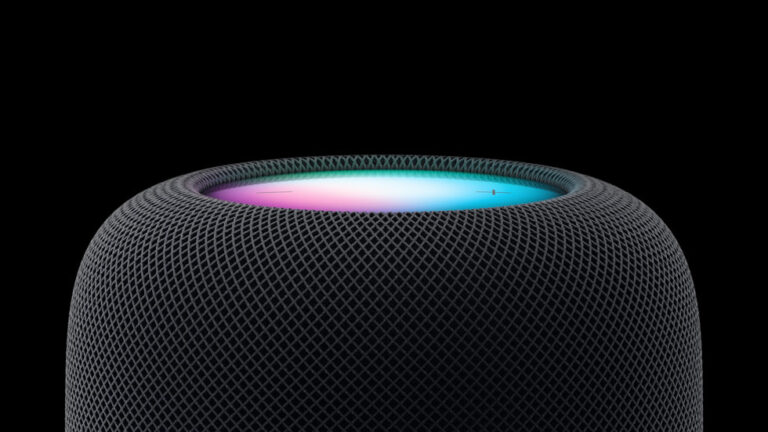
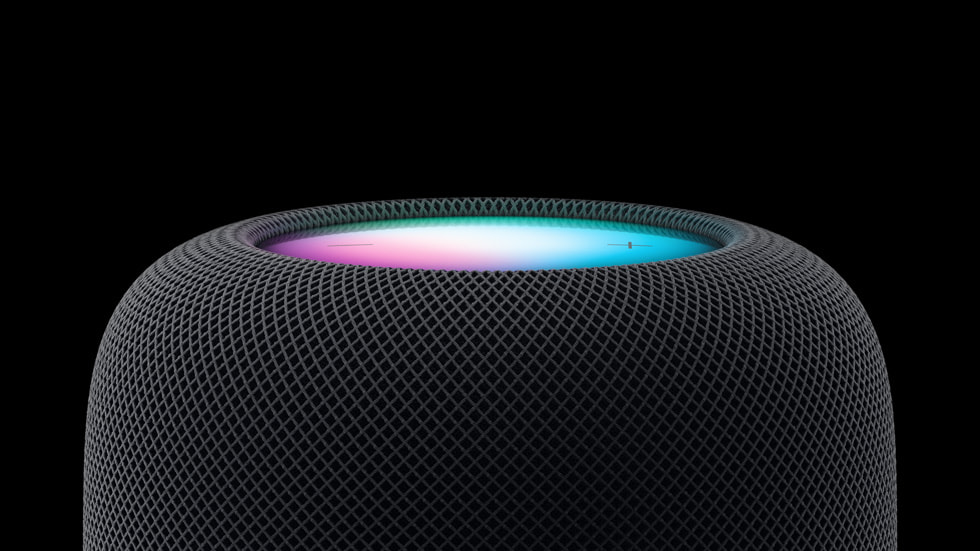
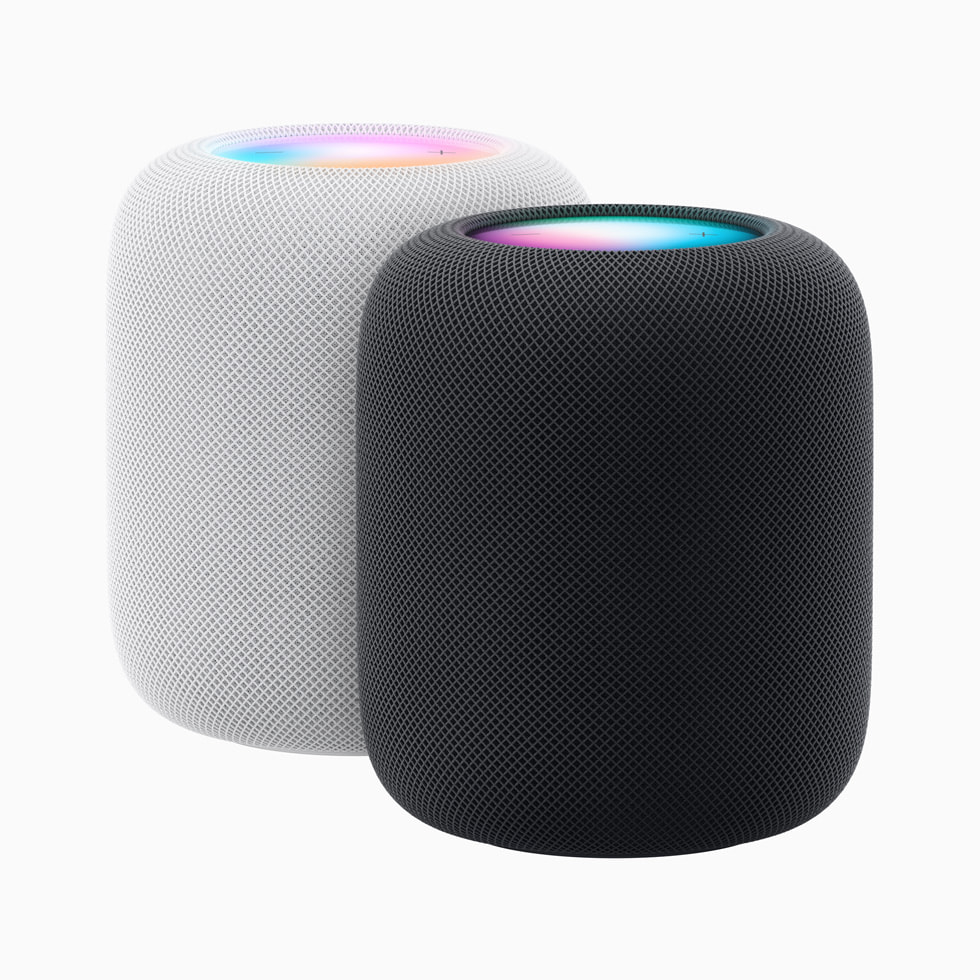
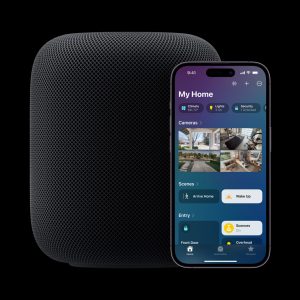
The second-generation HomePod’s design is essentially identical to its predecessor. It’s a 6.6 inches tall cylindrical speaker with a mesh fabric exterior and backlit touch surface.
The HomePod is available in white and midnight. Although the new midnight color looks like the first-generation smart speaker in grey, Apple claims the color is new.
Computational Audio
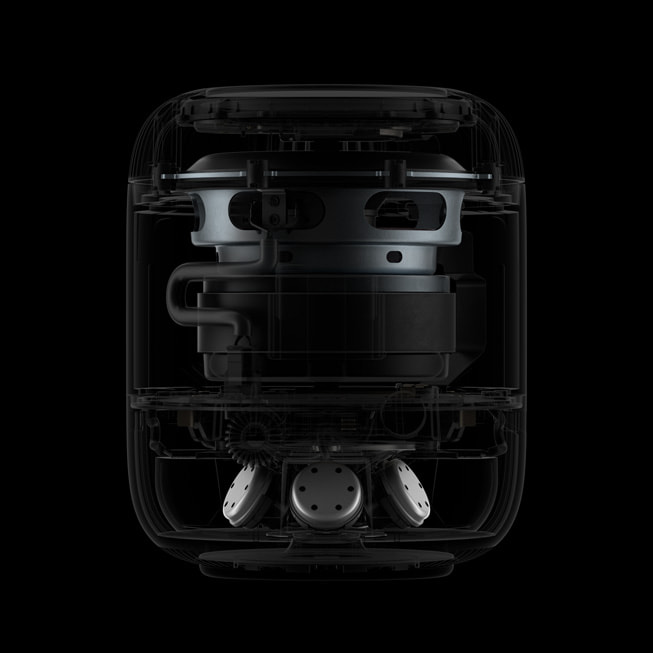
The new HomePod’s interior has significantly improved compared to the original.
It now has an S7 chip for advanced computational audio that promises to deliver a groundbreaking listening experience. There’s also a new U1 chip for Ultra Wideband features such as handing off music from iPhone and spatial audio capability.
The smart speaker features four microphones, five tweeters, and a four-inch high-excursion woofer. While you can pair two second-generation HomePod for stereo sound, it won’t work if you try to pair the speaker with the original version.
Smart Home Capabilities
Apple’s press release shows that the second-generation HomePod has enhanced Siri capabilities, Matter support for HomeKit, and other smart home functionalities. For example, the speaker now has a sensor to measure temperature and humidity in indoor environments.
Also, a software update will bring Sound Recognition, a feature that allows the HomePod to listen for smoke and carbon monoxide alarms. Then it’ll send a notification to a user’s iPhone if a sound is identified.
Availability and Release Date
The new HomePod will launch in Australia, Canada, China, France, Germany, Italy, Japan, Spain, the UK, the US, and 11 other countries. While you can order the speaker online and in the Apple Store app starting today, availability will begin Friday, February 3.
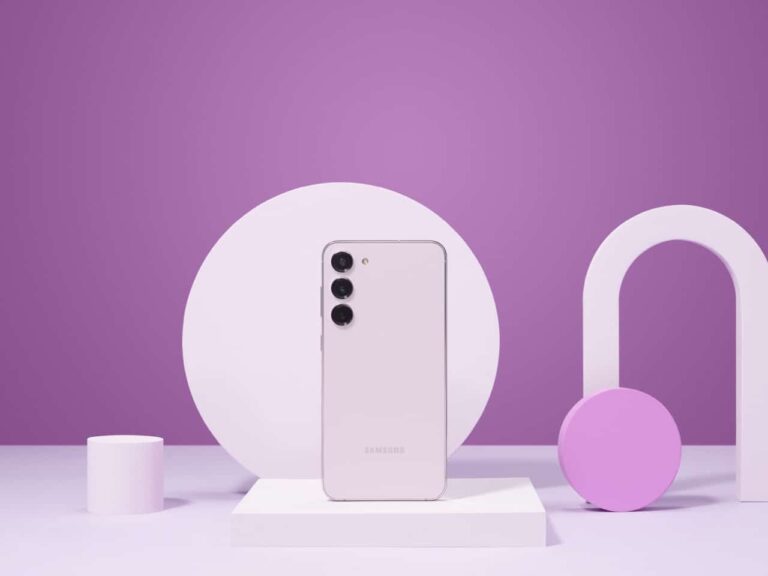
The Samsung Galaxy S23 series is finally official, from Samsung. Pre-orders opened on February 1, and they will start shipping on February 17, 2023. The Galaxy S23 series starts at $799, with the Plus starting at $999 and the Ultra at $1,199. But that doesn’t mean you’re going to pay that much for these phones. Luckily, there are always some great deals for the Galaxy S23 series. And other Samsung smartphones. So we’ve rounded up the best deals for the Galaxy S23 series.
Best Samsung Galaxy S23 Deals
The Galaxy S23 isn’t a huge upgrade over the Galaxy S22 models, but if you have an older phone, it’s probably worth upgrading. All three models use the Snapdragon 8 Gen 2 for Galaxy. Along with 8GB of RAM and 256GB of storage (128GB on the regular Galaxy S23). They also sport 6.1-, 6.6- and 6.8-inch screens respectively. The Galaxy S23 and S23 Plus both are flat while the Ultra is curved, as usual. All of which are AMOLED and 120Hz Adaptive displays.
Samsung did improve the battery capacity here. With the Galaxy S23 and S23 Plus getting 200mAh larger batteries. That’s 3,900mAh and 4,700mAh capacity batteries here. While the Ultra is still at 5,000mAh. Which, when paired with the Snapdragon 8 Gen 2 processor, it should last quite a while on a charge. As we’ve seen from other Snapdragon chips manufactured by TSMC.
Samsung does typically offer some pretty insane trade-in values on smartphones for pre-orders. So if you’re looking at getting a new Galaxy S23, now is definitely the time to do it. Down below, we’re going to be rounding up all of the deals for the Galaxy S23 from Samsung, the carriers, Amazon and Best Buy. So you can choose the one that’s best for you. Depending on your carrier and any other freebies that might be on offer.
Without further ado, here’s the best deals for the Samsung Galaxy S23.