OnePlus 11 vs Google Pixel 7 Pro

0
[ad_1]

The OnePlus 11 is a brand new smartphone at this point. It’s the best OnePlus has to offer, and we continue our series of comparisons with the best of Google. In this article, we’ll compare the OnePlus 11 vs Google Pixel 7 Pro. The Pixel 7 Pro arrived in September last year, and it’s currently Google’s flagship. It’s considered by many to be one of the best, if not the best camera smartphone for stills. It will be interesting to see how the OnePlus 11 compares to that, amongst other things.

As per usual, we’ll first list the spec sheets of both phones, and will then move to a number of other sections. We’ll compare their designs, displays, performance, battery life, cameras, and audio performance. There’s a lot to talk about here, so, let’s get started with the comparison, shall we?

Specs

OnePlus 11Google Pixel 7 Pro
Screen size6.7-inch QHD+ LTPO3 Fluid AMOLED display (120Hz refresh rate, curved, 1,300 nits peak brightness, LTPO down to 1Hz)6.7-inch QHD+ curved OLED LTPO display (120Hz refresh rate, 1,500 nits peak brightness)
Screen resolution3216 x 14403120 x 1440
SoCQualcomm Snapdragon 8 Gen 2Google Tensor G2
RAM8GB/16GB (LPDDR5X)12GB (LPDDR5)
Storage128GB/256GB, non-expandable (UFS 4.0)128GB/256GB/512GB, non-expandable (UFS 3.1)
Rear cameras50MP (f/1.8 aperture, 1.0um pixel size, OIS, multi-directional PDAF)
48MP (ultrawide, f/2.2 aperture, 115-degree FoV, AF)
32MP (telephoto, f/2.0 aperture, 2x optical zoom, PDAF)
50MP (Samsung ISOCELL GN1 sensor, 1.2um pixel size, f/1.85 aperture, 82-degree FoV)
12MP (ultrawide, 1.25um pixel size, f/2.2 aperture, 125.8-degree FoV, lens correction)
48MP (telephoto, 0.7um pixel size, f/3.5 aperture, 20.6-degree FoV, 5x optical zoom, Super Res Zoom up to 30x)
Front cameras16MP (f/2.5 aperture, 25mm lens, 1.0um pixel size)10.8MP (1.22um pixel size, f/2.2 aperture, 92.8-degree FoV, Fixed Focus)
Battery5,000mAh, non-removable, 100W wired (80W in the US) charging
Charger included
5,000mAh, non-removable, 23W wired charging, 23W wireless charging, reverse wireless charger
Charger not included
Dimensions163.1 x 74.1 x 8.5mm162.9 x 76.6 x 8.9mm
Weight205 grams212 grams
Connectivity5G, LTE, NFC, Bluetooth 5.3, Wi-Fi, USB Type-C5G, LTE, NFC, Bluetooth 5.2, Wi-Fi, USB Type-C
SecurityFace scanning (front camera)
In-display fingerprint scanner (optical)
Face Unlock
In-display fingerprint scanner (optical)
OSAndroid 13
OxygenOS 13
Android 13
Price$699/$799$899/$999/$1,099
BuyOnePlusGoogle

OnePlus 11 vs Google Pixel 7 Pro: Design

The moment you lay your eyes on these two phones, you’ll notice considerable differences design-wise. They both have curved glass on the front and back, with a frame made out of aluminum in between. That’s basically where the similarities end, though. Both phones do have curved displays, with display camera holes. Those hole punches are placed in different spots, though. The one on the OnePlus 11 is in the top-left corner, while the Pixel 7 Pro has a centered one, up top.

The bezels are thin on both phones, while their backplates look entirely different, thanks to different camera setups. The OnePlus 11 has three cameras on the back, placed inside a circular camera island. That module sits in the top-left corner. The Pixel 7 Pro has a large camera strip on the back, which goes from the left to the right side, all the way. There are three cameras included in it.

The OnePlus 11 is slightly taller, and a bit narrower than the Pixel 7 Pro. It’s also slightly thinner (less than a 1mm difference). The OnePlus 11 weighs 205 grams, while the Pixel 7 Pro weighs 212 grams. The OnePlus 11 has Gorilla Glass 5 on its back, while the Pixel 7 Pro has Gorilla Glass Victus. Both phones are quite large, and quite slippery at the same time. They’re both fairly difficult to use with one hand, but the Pixel 7 Pro more so, due to its width. Using a case with both of them is a good idea. They do both feel good in the hand, though, and feel premium.

OnePlus 11 vs Google Pixel 7 Pro: Display

The OnePlus 11 features a 6.7-inch QHD+ (3216 x 1440) LTPO3 Fluid AMOLED display. This is a 120Hz panel, and it offers an adaptive refresh rate. It supports HDR10+ content, and gets up to 1,300 nits of peak brightness. We’re looking at a 20:9 aspect ratio here, and this display is protected by the Gorilla Glass Victus. The ppi is 525, in case you were wondering, and yes, this panel is curved.

google pixel 7 pro AM AH 02 1

The Pixel 7 Pro, on the flip side, has a 6.7-inch QHD+ (3120 x 1440) LTPO AMOLED display. It also offers an adaptive refresh rate of up to 120Hz, and supports HDR10+ content. This display gets a bit brighter than the OnePlus 11’s, as it can reach 1,500 nits at its peak. The display has a 19.5:9 aspect ratio, and it’s protected by the Gorilla Glass Victus. The ppi here is 512.

The bottom line is, both of these displays look really nice. They’re sharp, vivid, and have good viewing angles, The touch response is also quite good. You may notice the extra 200 nits of brightness under direct sunlight, from the Pixel 7 Pro, but in every other situation, 1,300 nits will be more than enough. The point is, both displays are excellent, and unless you’re really a nitpicker, you’ll be happy with either one. They’re smooth, well optimized, and offer those deep blacks as well. One thing to note is that the Pixel 7 Pro has better auto brightness.

OnePlus 11 vs Google Pixel 7 Pro: Performance

The Snapdragon 8 Gen 2 fuels the OnePlus 11, Qualcomm’s most powerful SoC to date. The phone also includes up to 16GB of LPDDR5X RAM and UFS 4.0 storage (the 128GB model has UFS 3.1). The Pixel 7 Pro, on the other hand, is fueled by the Google Tensor G2 SoC. It comes with 12GB of LPDDR5 RAM, and UFS 3.1 flash storage in all models. On paper, the OnePlus 11 is more powerful.

In day-to-day use, however, the difference in sheer power are not exactly noticeable. The Pixel 7 Pro does have great specs too, and it’s really well optimized. No matter if you’re browsing, consuming multimedia, processing images, or doing something else entirely, both phones can keep up without a problem. You will see a difference in gaming, though, if you’re playing more demanding games. The OnePlus 11 will do better than the Pixel 7 Pro in such situations. The Tensor G2 is not that great with intensive games. Both phones do get quite warm during longer gaming sessions, but the heat doesn’t directly impact performance. It’s not that excessive or anything like that.

OnePlus 11 vs Google Pixel 7 Pro: Battery

Both of these smartphones include a 5,000mAh battery pack. Considering that they have the same display sizes, and somewhat similar display types, you may assume that they offer similar battery life. Well, that’s not exactly true. The OnePlus 11 does do a lot better in the battery department. The Snapdragon 8 Gen 2 does have something to do with that, that’s for sure, but OnePlus’ optimizations probably play a part in it.

We’ve managed to go beyond the 10-hour screen-on-time mark while using the OnePlus 11, on several occasions. Even with some light gaming included. The phone offered outstanding battery life, to say the least. The Pixel 7 Pro was mostly closer to 7 hours of screen-on-time. On very rare occasions it went significantly above that mark. That’s still very good battery life, but it doesn’t look that way compared to what the OnePlus 11 offers.

The OnePlus 11 has much faster charging overall. It supports 100W (80W in the US) wired charging. It does not support wireless charging at all, though. The Pixel 7 Pro supports 23W wired, 23W wireless, and 5W reverse wireless charging. Do note that the OnePlus 11 does ship with a charger, while the Pixel 7 Pro does not.

OnePlus 11 vs Google Pixel 7 Pro: Cameras

Both of these smartphones have three cameras on the back, and one on the front. The OnePlus 11 features a 50-megapixel main camera, a 48-megapixel ultrawide unit, and a 32-megapixel telephoto (2x optical zoom) camera. The Google Pixel 7 Pro has a 50-megapixel main camera, a 12-megapixel ultrawide camera, and a 48-megapixel telephoto (5x optical zoom) unit. The camera setups and their performance is really good on both phones, actually.

OnePlus 11 Review AM AH 20

The OnePlus 11 camera is miles better than what the OnePlus 10T offered, at least in our experience. The phone actually manages to keep up with the Pixel 7 Pro, and even pull ahead in some aspects. In the daytime, the Pixel 7 Pro provides more contrasty images, while the OnePlus 11 pulls more light out of the shadows and provides more saturated shots. It’s a matter of personal preference, really, both results are quite sharp, and well-balanced. The Pixel 7 Pro is still the dynamic range king, but the OnePlus 11 is not far behind.

In low light, the difference is a bit more noticeable. The OnePlus 11 photos did look great, but a bit washed out compared to the Pixel 7 Pro. They’re not washed out in general, not at all, but looking at them side-by-side with what the Pixel 7 Pro provides, it looks that way. Indoors, the story is different, they do both do a great job, and look quite similar. When it comes to a telephoto camera, the Pixel 7 Pro is an easy winner. It does a noticeably better job.

In the video department, on the other hand, the OnePlus 11 does pull ahead. It does better in both daylight and low light. In low light, the results are close, but the OnePlus 11 manages to offer slightly more detail, and overall produce better results. It also grabs better video in most daylight situations, without any undesirable effects, such as the halo effect. Ultrawide cameras are really good on both phones, there’s not much to separate them. They’re both really great in the camera department.

Audio

When it comes to audio, they both come equipped with stereo speakers. Those speakers sound really good on both phones, and very similar at the same time. They’re not the best around, but they’ll do the trick for the vast majority of people. They’re loud enough, and provide more than enough audio detail.

Neither phone includes an audio jack, so you’ll have to rely on Type-C ports. If you prefer a wireless audio connection, the OnePlus 11 is equipped with Bluetooth 5.3, while the Pixel 7 Pro has Bluetooth 5.2. We did experience a couple of connection drops with the OnePlus 11 in the last 24 hours (at the time of writing this article), but those could only be isolated cases.


[ad_2]
Source link

New HomePod Teardown Shows Minor Improvements

0
[ad_1]

HomePod Tear-down

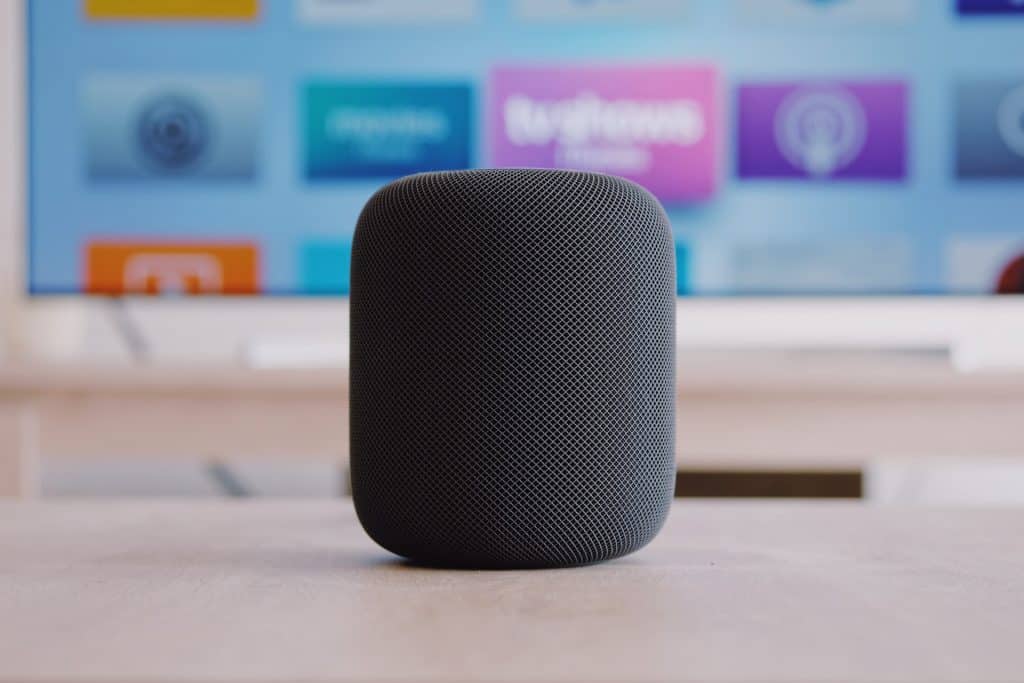
In a recent tear-down of the second-generation HomePod, a tech YouTuber showed how the new smart speakers differ from the original version. 

Last month, Apple released a video to announce a new full-sized HomePod that promises excellent audio quality and enhanced Siri capabilities. Furthermore, the new device’s design is the same as its predecessor — a cylinder with a mesh fabric exterior and backlit touch surface. 

Of course, Apple claimed that the internals is different. 

According to the Cupertino-based tech giant, the new HomePods now have an S7 chip for advanced computational audio and a U1 chip for Ultra Wideband features. The speaker also reportedly has four microphones, five tweeters, and a four-inch high-excursion woofer. 

But what else is different? Well, that’s what the YouTube channel Brandon Geekabit sought to uncover. 

The YouTube channel recently shared a complete tear-down video of the second-generation HomePod. Despite the similarities between the new device and its predecessor, there are a few notable differences. 

Second-Generation HomePod Tear-down: Exploring the Improvements 

One of the first differences we noticed during the tear-down was the power cable. The new HomePod has a removable Figure-8 power cord, unlike the previous model. That means users can conveniently replace the cable when necessary. 

Removing the top part of the speaker in the original HomePod model was challenging — even for the most skilled technicians. But that’s no longer the case. The reviewer quickly removed the top part after removing the mesh and the screws on the base. 

That’s not the only difference. 

The tear-down also confirmed the presence of five tweeters and four microphones in the smart speakers. While that’s a downgrade from the first-generation HomePod’s seven tweeters and six microphones, there’s no notable difference in sound quality.

Finally, the new HomePods now have a built-in sensor to measure room humidity and temperature. 

At the end of the video, the reviewer pointed out that the second-generation Apple smart speaker is easier to take apart and assemble than the original version. He, however, admitted that the device’s repairability hasn’t improved. 

Watch the full video here: 


[ad_2]
Source link

Apple Executive Discusses the iPhone 14’s Improved Repairability

0
[ad_1]

iPhone repairability

The senior director of iPhone product design at Apple, Richard Dinh, discusses the iPhone 14 models’ design and improved repairability. 

While the iPhone 14 models may look identical to their predecessors, there are a few significant design changes. Richard Dinh, Apple’s longtime senior director of iPhone design, discusses some of these changes in a recent interview with The Sydney Morning Herald. 

Dinh admits to the publication that previous iPhones’ single enclosure design and permanently-fixed glass backs hurt repairability. So Apple made a few internal changes to the device. 

The latest iPhone 14 and 14 Plus have a central aluminum structure that more consistently dissipates heat across the entire surface. More importantly, the aluminum acts as a backbone, making it possible to open the iPhone from the display or rear glass. 

“This design also introduces our first four-sided stacked main logic board,” says Dinh “[It] really condenses all the iPhone 14 components in a smaller space and allows us to access the board from either side, for improved repairability,” says Dinh. 

Thanks to these improvements, Apple’s estimate to repair a screen has dropped from $579 on an iPhone 13 to $275 on an iPhone 14. Besides reducing repair costs, the new internal design diminishes the chance of accidental damage during repair. 

Improved Repairability of the iPhone 14 Models

Apple hasn’t released iPhone models that can be opened from the back side since the 2011 iPhone 4S. As a result, technicians often have to remove the glass panel and several other components to replace an iPhone’s back panel.  

However, the iPhone 14 and 14 Plus models have a slightly different internal than its predecessor. 

According to iFixit, Apple secured the devices’ display and back panel with two screws and two connectors, making it easy to replace both parts. Indeed, iFixit CEO Kyle Wiens praised the iPhone 14 and 14 Plus’s more repairable internal design. He further noted that it was the most substantial iPhone design since the iPhone X. 

“This is such a big deal that it should have been Apple’s big announcement—the iPhone has been redesigned from the inside out to make it easier to repair,” said Wiens.

That said, Dinh noted that Apple doesn’t always follow a recipe regarding iPhone design. While the non-Pro models occasionally draw inspiration from the Pros, he said it’s not unusual for the tech giant to create something entirely different. 

The iPhone 14 is a perfect example of “something different.” 


[ad_2]
Source link

Apple Could Limit iPhone 15 USB-C Port’s Functionality 

0
[ad_1]

A recent rumor suggests that Apple could limit the functionality of the iPhone 15 lineup’s USB-C port with a lightning-like authenticator chip. 

In 2012, first-party and MFI-certified lightning ports started shipping with Integrated Circuit interfaces. These are semiconductor chips designed to manage information between devices. 

For example, the IC on current iPhone ports confirms the authenticity of the accessory or parts involved in a connection. As a result, connecting non-MFI certified Lightning cables — that don’t have an IC chip — could trigger a “This accessory is not supported” message. 

Last year, Apple confirmed that the iPhone would eventually switch to USB Type-C to conform with a new EU regulation. 

A report shared on Weibo claims that the Cupertino-based tech giant has developed new Integrated Circuit interfaces specifically for USB-C ports and charging cables. That suggests that the future iPhones and MFI-certified accessories could get the new IC chip. 

The message reads

“Apple does it by itself and makes a type C, lightning interface IC, which will be used in this year’s new iPhone and MFI-certified peripheral devices.”

While the implication of adding the chip is currently unclear, reports suggest that it could impact a few functionalities. For example, it could limit data transfer speed from the iPhone 15 to non-MFI-certified accessories. Apple could also limit fast charging on non-supported accessories. 

So what are the other advantages of an authenticator chip?

Benefits of the IC Chip on the iPhone 15 USB-C Port

Apple uses the Integrated Circuit chip to persuade customers to buy genuine iPhone accessories. That way, the tech giant can receive a commission on MFI-certified products. Besides, the authenticator chip provides a quick way to prevent potentially dangerous accessories. 

That said, the USB-C interface on the latest iPads doesn’t have an IC chip for authentication. In other words, this would be the first Integrated Circuit for a USB Type-C port for any Apple device. 


[ad_2]
Source link

Daily deals Feb. 12: $15 off HomePod mini, 26% off M1 Pro 14-inch MacBook Pro, Giftcard bonuses, more

0
[ad_1]

Get $15 off a HomePod mini today

Some of the best offers we found include a discount on TurboTax Deluxe + State 2022, $150 off the M2 MacBook Air, smart TVs down as low as $89, and more.

The AppleInsider team scours online retailers for unbeatable deals to create a list of discounts on the top tech items, including discounts on Apple products, TVs, accessories, and other gadgets. We post the top deals in our Daily Deals list to help you save money

There are plenty of additional bargains going on, knocking double and triple digits off Mac hardware, software, iPads and more. Here’s a sampling of some of the deals, with hundreds of items on sale in our AppleInsider Apple Price Guide.


[ad_2]
Source link

Daily deals Feb. 11; $310 off 14-inch M1 MacBook Pro, $51 off Sony Wireless Headphones, 43% off inBloom Hydroponics, more

0
[ad_1]

Grow your own fruit and veg with the inBloom Hydroponics system

Some of the best deals we found today include $100 off the Sonos Sub, 20% off Dell’s 34-inch curved monitor, and 94% off a course introducing you to ChatGPT.

The AppleInsider team scours online retailers for unbeatable deals to create a list of discounts on the top tech items, including discounts on Apple products, TVs, accessories, and other gadgets. We post the top deals in our Daily Deals list to help you save money

There are plenty of additional bargains going on, knocking double and triple digits off Mac hardware, software, iPads and more. Here’s a sampling of some of the deals, with hundreds of items on sale in our AppleInsider Apple Price Guide.


[ad_2]
Source link

Apple works with UKESF to get more girls into electronics

0
[ad_1]

Arduino (Unsplash/Sahand Babali)

AppleInsider may earn an affiliate commission on purchases made through links on our site.

The UK Electronics Skills Foundation is partnering with Apple for the 2023 “Girls into Electronics” program, helping to inspire more teenage girls in the engineering field.

Announced to mark International Day of Women and Girls in Science, the initiative will take place in June and July, and aims to support 400 girls aged 15 to 18 years.

According to the UKESF, the UK has an 8% share of the global compound semiconductor market, which is forecast to reach $136 billion by 2024. However, demand for employable graduates far outstrips supply.

Furthermore, figures reveal only 3,245 students enrolled into Electronic and Electrical Engineering degrees in the UK in 2021, and just 335 were women. The initiative intends to raise that figure, improving the gender imbalance in the sector.

Under the scheme, events will be delivered in collaboration with 15 of the UK’s leading universities, including Imperial College London, Bristol, Leeds, and Southhampton.

The events will include lectures, input from current students, department tours, and an introduction to microcontrollers. Online sessions and further practical activities will also be provided, such as a practical session using Arduino.

“Many students touch upon Electronics in their Physics and Computer Science lessons at school, but the breadth, complexity and importance of the field is often not fully understood,” said UKESF CEO Stew Edmondson. “This initiative will ensure that more young people get to experience this fascinating and creative subject, and learn about the worthwhile opportunities available in Electronics Engineering.”


[ad_2]
Source link

Save $200 on new 1TB Apple MacBook Pro 16-inch 2023

0
[ad_1]

Save $200 with coupon.

AppleInsider may earn an affiliate commission on purchases made through links on our site.

Despite being released less than three weeks ago, Apple’s 2023 MacBook Pro 16-inch is already heavily discounted, with the M2 Pro model with 1TB of storage $200 off with our exclusive coupon.

To redeem the $200 price drop on Apple’s M2 Pro MacBook Pro 16-inch with a 19-core GPU, 16GB of memory and 1TB of storage, head over to Adorama.com and enter promo code APINSIDER during Step 3 of checkout. Step-by-step activation instructions can be found below, as well as on this help page.

Why is the coupon such a good deal?

At its regular price of $2,699, there’s a lot to love about the 1TB MacBook Pro 16-inch. But with the APINSIDER coupon knocking $200 off, this laptop is even more attractive for budget shoppers who still want to enjoy all of its cutting edge features. Plus, due to its long battery life and fast charging capabilities with the included 140W USB-C power adapter, this MacBook Pro will be able to keep up with your needs both in and out of the office setting.

What does the 2023 MacBook Pro 16-inch offer?

Available in your choice of Silver or Space Gray, the 2023 MacBook Pro 16-inch is equipped with Apple’s new M2 Pro chip with a 12-core CPU and 19-core GPU, along with 16GB of memory and 1TB of storage space. It also features a vibrant Liquid Retina XDR display with True Tone technology and a sleek design that makes it easy to transport.

Additionally, the laptop runs on Apple’s macOS Ventura and comes with three Thunderbolt 4 ports, an HDMI port, an SDXC card slot, and a MagSafe 3 port. In short – it’s a versatile machine that’s suitable for business professionals, students and home users alike.

Exclusive Deals Through AppleInsider

2023 MacBook Pro 14-inch M2 Pro in Space Gray

14-inch MacBook Pro (2023)

M2 Pro chip (10-core CPU, 16-core GPU), 16GB memory, 512GB SSD

Buy for $1,849
2023 MacBook Pro 16-inch M2 Pro in Silver

16-inch MacBook Pro (2023)

M2 Pro chip (19-core GPU), 16GB memory, 512GB SSD

Buy for $2,339
14-inch MacBook Pro M2 Max in Space Gray

14-inch MacBook Pro (2023)

M2 Max chip (12-core CPU, 30-core GPU), 32GB memory, 1TB SSD

Buy for $2,849
Apple MacBook Pro 16-inch M2 Max in Silver

16-inch MacBook Pro (2023)

M2 Max chip (38-core GPU, 32GB memory, 1TB SSD)

Buy for $3,199

To activate the APINSIDER code at Adorama, simply follow the steps below.

  1. Shop through this pricing link and add the M2 Pro Mac mini to your cart.
  2. Proceed to checkout and when you get to step 3 (Payment), look for a link with a gift icon that says: “Do you have a gift card or promo code?”
  3. Click that link to bring up the coupon code field and enter APINSIDER. Here’s what it looks like:
How to open Adorama coupon code field

Clicking the link above will bring up the field below.

Where to enter Adorama coupon code

Additional savings on tech products

Best Apple prices

There are plenty of additional bargains going on, knocking double and triple digits off Mac hardware, software, iPads and more. Here’s a sampling of some of the deals, with hundreds of items on sale in our AppleInsider Apple Price Guide.

Exclusive Deals Through AppleInsider

2023 MacBook Pro 14-inch M2 Pro in Space Gray

14-inch MacBook Pro (2023)

M2 Pro chip (10-core CPU, 16-core GPU), 16GB memory, 512GB SSD

Buy for $1,849
2023 MacBook Pro 16-inch M2 Pro in Silver

16-inch MacBook Pro (2023)

M2 Pro chip (19-core GPU), 16GB memory, 512GB SSD

Buy for $2,339
14-inch MacBook Pro M2 Max in Space Gray

14-inch MacBook Pro (2023)

M2 Max chip (12-core CPU, 30-core GPU), 32GB memory, 1TB SSD

Buy for $2,849
Apple MacBook Pro 16-inch M2 Max in Silver

16-inch MacBook Pro (2023)

M2 Max chip (38-core GPU, 32GB memory, 1TB SSD)

Buy for $3,199

[ad_2]
Source link

How to use classic Atari, Commodore, and Sinclair software on your Mac

0
[ad_1]

AppleInsider may earn an affiliate commission on purchases made through links on our site.

Running 1980s home computer software on your modern Mac is fun, but can be done in many different ways. Here’s how to run retro Atari, Sinclair, and Commodore software on the latest hardware.

In Part 1 of our series on classic emulators, we looked at running vintage Mac, Lisa, NeXT, and Apple II software on your Mac.

In this part, we’ll look at four more of the 1980’s major home computers: VIC-20 and C64 from Commodore, Sinclair ZX81 and Timex/Sinclair 1000, and Atari 400/800 and consoles.

Atari

Another key Silicon Valley company that helped launch the home computer revolution was Atari, which originally started the home video game console industry with home Pong consoles and the Atari 2600 (originally called Video Computer System) in 1977. The 2600, which only lasted five years sold an astonishing thirty million units, which at the time was unheard of.

The Fairchild Channel F, a similar console launched a year earlier, was considered a commercial failure – and only sold 350,000 units worldwide.

Known for being big and bulky, most of the 2600’s flat, black case was taken up by a massive metal internal RF shield surrounding a small central circuit board with a ROM cartridge slot for game cartridges. A smaller board at the top of the case contained power, reset, and difficulty switches.

Atari later licensed the 2600 to Sears, which rebranded it as TELE-GAMES.

The 2600’s killer app was Space Invaders, a port of the wildly popular arcade game. Asteroids, another arcade hit soon followed along with Missile Command, Centipede, and others.

The video game company Activision produced fifty-four game cartridges for the 2600, some of which such as Kaboom!, Barnstorming, and Fishing Derby became the console’s most beloved games.

Later, Atari launched three successive smaller, lighter 2600 models called the 2600 Jr., which was about half the size and a quarter the weight of the original. Inside it featured a smaller, single-board design and reduced component set.

You can still get refurbished 2600 Jr’s today on Amazon, eBay, and other online retailers. Here’s a Jr. with an original Atari joystick, and six classic games, including two from Activision:

After the 2600, Atari later launched two additional game consoles, the 5200, and 7800. While the 5200 was considered a failure and criticized for its controllers, the 7800 did fairly well, selling a million units by 1988.

The 7800 was followed in 1987 by the Atari XEGS, which was essentially a repackaged Atari 65XE (see below).

As a footnote, the manufacture of the 7800 was contracted out to several third parties. One of which was GCC Technologies, which in the mid-1990s made some of the first external SCSI drives for the Mac, with its UltraDrive line of 45MB/80MB hard drives.

When Atari saw the release of the Apple II and its wild popularity, it released two of its own home computers in 1978: the Atari 400 and 800. Both ran a proprietary Atari OS, had cartridge slots for video games and other cartridges, and offered RAM and expansion card slots beneath a top cover:

The 400/800, and later XL models were based around 3 major chips: CTIA and GTIA, ANTIC, and POKEY. As a footnote GTIA was made by Japan’s OKIDATA, which in the 80’s also made a low-cost color printer for Atari machines: the Okimate 10.

The Atari 800 also offered built-in BASIC and other features lacking on the 400. Namely that the 400 featured only one cartridge slot and was little more than a memo pad without either a program loaded from a floppy disk, or a game or programming language cartridge such as BASIC, PILOT, or LOGO.

A nearly unusable membrane keyboard also hobbled the 400.

Priced at $550, and $1,000 US dollars, respectively, both machines were considered expensive, but by far much more affordable than the Apple II’s whopping $1,500 price tag. The next time you buy a MacBook or iPad Pro and pay $1,000 keep in mind that adjusted for inflation the Atari 400 and 800 today would cost $2,000 and $3,800.

Atari also sold a rather large and heavy 810 5.25-inch floppy disk drive, a 410 cassette recorder, and an acoustic-coupler modem for both machines. The modem required the Atari 850 interface unit to operate.

Later Atari introduced a revised line of similar 8-bit machines including the smaller, lower cost 600XL, an 800XL, and 1200XL. All were mostly cartridge-compatible with the 400 and 800 models. All XL models did well in the market, and in 1985 Atari again redesigned the line and released the 65XE and 130XE.

When the first Macintosh appeared in 1984 with its graphical interface, Atari immediately set to work on its own GUI-based computer, the Atari ST. The two ST models faired well also, selling over 2 million units.

Both ran Atari’s new TOS OS along with Digital Research’s GEM operating system. The ST models were the first PCs offering a color mouse-driven GUI:

The ST models featured a thinner, wider case with fewer components, and a 3.5″ floppy disk drive much like the Mac Plus’s. Both ST models also used the same CPU as the Mac Plus – an 8MHz (yes, MHz) Motorola 68000.

There are several Atari 800 emulators available, but by far the best on the Mac is Atari800MacX, which features disk and cartridge support, and even vintage Atari printer support. During the Atari XL line, Atari also produced the tiny Atari 1020 thermal printer.

All Atari peripherals connected via a proprietary connector called SIO. Atari800MacX also provides SIO2OSX – an Atari peripheral emulator which lets you emulate any original Atari SIO peripherals. You can even find brand-new replacement SIO cables on eBay and other sites for under $20.

When Atari released the XL line of computers it also introduced a new line of peripherals including the 1027 printer, 1010 cassette drive, a newer 1050 5.25-inch floppy drive, and a new direct-to-phone digital modem, the 1030.

Both the Atari 2600 game console and the Atari 8-bit computers shared a common CX40 Atari joystick based on a 9-pin connector, which could be used on any of the computers.

Today, for Atari emulation, there are several great options. For 2600 emulation, Stella is the first choice.

Stella was the codename of the 2600 project, and its TIA, or Television Interface Adapter. (Late 70’s early 80’s home computer and console engineers developed a tradition started by Jay Miner of codenaming system chips after their wives or girlfriends, and as we will see, the trend stuck).

Amazingly, Atari’s original CEO, Nolan Bushnell has resurrected the company and a newer, Linux-based VCS was produced in 2018, and is still available on atari.com, although production of the new system has ceased as of 2023. atari.com also offers new, special “>limited editions of some of the original 2600 games for around $100 each.

He also has a website and is now a mental health counselor.

Warshaw was the author of the 2600 game E.T.: The ExtraTerrestrial based on the 1980’s Stephen Spielberg movie of the same name. The ET game was much maligned, and when the video game crash of 1983 hit, in order to legally write off inventory, Atari infamously dumped thousands of unsold copies of the ET game into a Utah landfill.

Warshaw also wrote another movie-based game for the 2600: Raiders of the Lost Ark, also based on the Spielberg movie.

For emulation today, the best Atari Emulators are:

For a complete list of 7800 emulators, see EmuGen.

For a complete list of Atari 400/800/XL/XE emulators, see Emutopia.

Hands down, the best general retro console gaming emulator for macOS is OpenEmu, which supports 20+ retro-consoles, including most Atari consoles, Colecovision, NES, GameBoy, Intellivsion, and early Sega consoles. You will need to install system ROMs for each console, however, and OpenEmu provides some self-installing ROMs.

From a classic console standpoint, OpenEmu is a must.

There is also C64 65XE NES Debugger by slajerek, which allows you to run and view Atari 65XE, Commodore 64, and NES apps in real time, view their assembly as it executes, set breakpoints, and more.

Xformer 10 is an 400/800/XL/130XE emulator, but it is Windows only and hasn’t been updated in a few years.

In 2017, AtGames released licensed mini Atari consoles called Atari Flashback, now in its 10th iteration. Later models feature HDMI out for picture-perfect Atari gaming. They also released a 7800 version.

Sinclair

Founded by UK’s Clive Sinclair and starting as an electronic calculator maker, Sinclair Research produced several computer kits in the 1980’s.

The first Sinclair computer was the ZX80 kit, which was available via mail-order and based on the Zilog Z80 CPU. Two years later Sinclair released a new model called ZX81.

Users had to assemble both by hand. ZX81 was tiny, with a small plastic case, membrane keyboard, 1K of RAM, and an external expansion connector. Sinclair also released a 16K memory upgrade module that plugged into the back.

US watchmaker Timex licensed the ZX81 for an American model which was called the Timex/Sinclair 1000, and a 16K RAM expander, the 1016. A 32K version was planned but never released.

In fact, Sinclair had hired a Timex factory in Scotland to manufacture most ZX81s, and both the ZX81 and TS1000 as it became better known were made there. Thousands of TS1000s were sold in the US and Canada along with a small thermal printer, the TS2040.

Timex added a 1500 model which was smaller, and offered a rubber-chicklet keyboard much like Sinclair’s color model of the ZX81, the Spectrum. Spectrum was adapted for North America by Timex in a larger case for a model called the 2068, which included a front cartridge port.

Both the ZX81 and TS1000 cost under $100, which was a major selling point. Corners were cut to keep costs down, including leaving the entire solder mask off the top of the motherboard and shenanigans with RAM bank switching to reduce RAM costs.

Several other UK Spectrum models followed including the Spectrum+, Spectrum 2, 128K, Spectrum 3, and others. Later models included a larger case and a full-sized keyboard.

Hundreds of third-party companies sprang up around Sinclair computers from 1980-1983 with many add-ons, expansion modules, keyboards, printers, RAM packs, and software.

Sinclair and Timex models lacked disk drives initially and most programs were loaded/saved to cassette tapes on standard audio recorders of the day.

Sinclair finally released the Spectrum Microdrive for most Spectrum models which was a tiny proprietary disk drive in a case that snapped onto the expansion port.

Renewed interest today in Sinclair computers has led to a host of new companies and sites springing up. You can even get a brand new plastic Spectrum plastic case ($40) in several colors, along with a new rubber keyboard, membrane ($13), and replacement Microdrive shell ($20) at RetroRadionics.

They even offer a fully modernized and restored complete working Spectrum 128 model in a new case called the “OMNI DESKTOP 128HQ” for $130.

ByteDelight offers a wide range of new ZX81 and Spectrum replacement parts and add-ons – including a new modern SD card reader called DivMMC, ZX diagnostic carts, Ethernet, WiFi, audio, mouse, LED light-up keyboards, ROMs, and even floppy drive interfaces.

They also offer two entire new Spectrum kits called “Harlequin“, in 128K and 48K versions for $93 and up. You’ll need good soldering skills and patience to assemble them, but when done you’ll have a brand new working Spectrum computer.

If you have a working TS1000 and just want it modernized and upgraded with new parts, check out ts1000upgrade.com which offers several upgrades including keyboard replacement, and a complete refurb ($150). They also can add a composite video mod so your TS1000 works with modern TVs which have composite input.

There are several top Sinclair/Timex emulators for macOS:

Fuse and zxsp are on par with each other, except that zxsp allows you to emulate nearly every model of Sinclair, Timex and Spectrum machine ever made, and the Jupiter ACE.

There are also three very cool online ZX81 emulators:

There are also several ZX/Spectrum emulators for iOS and Android, the two best being Spectaculator ($3, iPad only), and ZX81 (iPad only).

If you have a Raspberry Pi you can also download or purchase a pre-built multiple-machine Spectrum emulator for that platform, which turns your Pi into a full working Spectrum clone.

David Anderson has written a fabulous book: Everything Timex/Sinclair: The Guide to All Hardware, Software and Accessories for the Timex/Sinclair Computers and has a definitive website for all things Timex/Sinclair. He also has a weekly podcast and YouTube channel.

Also, be sure to check out the BBC movie Micro Men, a quasi-fictional account of Clive Sinclair and Sinclair Research.

Commodore

As the 1970s turned to the 1980s, a new player entered the market: Commodore Business Machines, (later Commodore International).

Like Sinclair, Commodore started out as an electronic calculator maker competing with the dominant calculator maker of the day: Texas Instruments. Prior to that it made mechanical typewriters.

In fact, nearly thirty years later Apple would borrow one of the original Commodore typewriter model numbers: the 4400.

Commodore got into the PC business with the Commodore PET – a massive PC in a huge metal box with a built-in monitor. PETs were mostly sold to businesses but faced stiff competition from the Apple II.

Commodore decided the home market was more lucrative and easier, so it set out to make a low-cost home computer for around $300 to compete with the ZX81, TS1000, and Atari computers.

The result was the Commodore VIC-20, which became the first home computer to sell a million units. Like Apple II, Atari, and many other computers of the day, VIC-20 was based on the Motorola 6502 CPU, which was the first real low-cost PC CPU allowing home computers to be affordable.

“VIC” was short for “Video Interface Chip”. The VIC-20, however, was limited in several ways: 3K of RAM, expandable to 32K, low-resolution display with large characters, and an AC power supply on the motherboard which could destroy the entire machine if the power supply failed.

The VIC-20 and later Commodore machines ran a proprietary Commodore OS called KERNAL. The VIC-20 had three ROMS: Kernal, Character, and BASIC. Commodore revised the VIC-20 four times, and the final version, an “RC” or “Reduced Cost” version was the last of the VIC-20 line.

Commodore’s follow-up was the wildly-successful Commodore 64 which offered a much higher resolution display, 64K of RAM, expandable to 1MB, an enhanced sound “SID” chip, and hardware sprites for smooth graphics, which sold for $599 – a steep sum for the early 1980s.

Customers loved the “C64” as it became known and it became the most popular home computer of the 1980s, and the best-selling home computer of all time.

Commodore also made a cassette drive for both machines, and several floppy drives, including the most popular 5.25-inch drive: the 1541 (which was a computer unto itself and also had its own 6502 CPU inside).

All of this was before the commercialization of the internet and Commodore also made a modem for the VIC-20 (the VICMODEM), and later models for both the VIC-20 and C64. Modems used landline telephone technology to dial up other computers for communications – and to connect to BBS’es.

Dave Bradley, one of Canada’s top BBS operators in the 1980’s now has a YouTube channel with a variety of tutorials and discussions about vintage Commodore computers and software.

There were several models of the C64, the last being the C64C, after which commodore introduced the Commodore 128, which was a failure because it didn’t really offer much that was new, other than 128K and a few other improvements.

As a result of the C128’s failure, Commodore began to decline. In an attempt to save the company, Commodore introduced several smaller, more limited models: the C16, C116, and the Plus 4, none of which faired well.

Both VIC-20 and C64 included a keyboard, cartridge port, serial and video ports, a cassette port, and a user port for other peripherals.

There are several great VIC-20 and C64 emulators, but the definitive standard is called VICE – the Versatile Commodore Emulator. VICE runs nearly every model of early Commodore home computer from VIC-20 to Plus 4, and it’s easy to use. It also offers peripheral support.

Two newcomers to the Commodore emulation arena are VirtualC64 by Dirk Hoffman, and micro64, although micro64 is still yet a little unpolished. VirtualC64 is slick, but the file loading system takes a little getting used to.

Frodo is another very nice C64 emulator, but it lacks comprehensive peripheral support like VICE and others have.

Vx02 is another C64 emulator.

If you have Java installed on your Mac, check out the very cool Z64K multi-emulator. This single .jar file can emulate Atari 2600, VIC-20, C64, C128, and ZX Spectrum – all from a single-window interface. Just double-click the .jar file, select a machine, then click the Start button and you’re off and running.

You may get a macOS Gatekeeper warning the first time you run Z64K, so you’ll need to open System Settings->Privacy & Security and click “Open Anyway” to allow it to run.

Basil PET Emulator is a Commodore PET emulator that runs on the C64. So you can run PET programs in Basil running in a C64 emulator.

commodoreserver.com is a Commodore cloud file storage and retrieval site which also sells new WiFi modems for the C64. You can store your C64 files and apps on the site, then use one of their WiFi modems to download those files from the internet wirelessly. They also have a C64 TrueType font you can install on your Mac.

RetroReceipies has a video on how to build your own brand new C64 with nearly all new parts.

The final model in the original line of Commodore home computers was the unreleased Commodore 65. A dedicated group of enthusiasts has resurrected the Commodore 65 in a new project: the MEGA65, which is in pre-order.

Amiga

After the failure of the three new Commodore computer models, the company had to take drastic action. The result was an entirely new line of Commodore computers called Amiga (Spanish for “friend”).

The first model – the Amiga 1000 was large – far larger than any previous Commodore home computer. Commodore followed up with the Amiga 500, 500+, and 600 models in much smaller cases, followed by the 1200 in a somewhat larger case.

In 1994, largely due to competition from Apple and Microsoft, Commodore closed its doors forever.

Strangely, after Commodore closed, its original founder Jack Tramiel and several key employees bought the remnants of Atari after the video game crash of 1983 and formed a new company, Atari Corporation. Many of the original Commodore employees were instrumental in the development of Atari ST and 7800.

All Amiga models were based on the same original CPU as the first Macs: the Motorola 68000. Amigas ran a new Commodore OS called AmigaOS developed jointly with Hyperion.

You can still buy the final version of Amiga OS 4.1 available in the US only at amigaonthelake.com ($52).

They also sell the Amiga Windows emulator package Amiga Forever on DVD ($39). They also have add-ons, adapters, PCBs, modems, and new Atari SIO cables.

Top Amiga emulators for macOS include Denise, FS-UAE and vAmiga. (Denise was the name of the Amiga’s graphics chip). Denise can also run some C64 program files.

Also, check out Amiga enthusiast Dan Wood’s YouTube channel.

Given so many classic emulators for macOS and Windows, it’s easy to run old software from the 1980’s and early 90’s on your current Mac today. There’s a huge range of emulators and more continue to appear every few months.

In our next installment in the series, we’ll look at two remaining classic 1980’s home computers and emulators for them: the Tandy TRS-80 series, and Texas Instruments’ TI/99-4A.


[ad_2]
Source link

Engineer makes dual-port iPhone by adding USB-C

0
[ad_1]

A dual-port iPhone mod [YouTube]

In the presence of rumors that Apple could switch from Lightning to USB-C for a future iPhone release, an engineer has gone one further, and added a USB-C port to an iPhone 12 mini.

Apple has long been the subject of speculation about the future of Lightning, and whether it will make the switch to USB-C sooner rather than later. In a video published on Saturday, it seems someone wanted to see what it would be like before Apple released its own version.

The video, by a YouTube user with the id “Hyphaistos3672,” depicts an iPhone 12 mini but with an extra connection in the base. To the side of the Lightning port, the person added their own USB-C port to the assembly, creating a “TwinPort” device.

To accomplish this feat, they disassembled the iPhone, placed a hole in the base where the new port would go, added a USB-C port, wired it up to connections attached to the existing hardware, and reassembled it all.

The videos are published at a time when Apple is facing pressure to actually add USB-C to its hardware. Regulations by the European Union were finalized in October 2022 that will force the use of common charging connections, namely USB-C, with India also intending to follow suit.


[ad_2]
Source link