Android’s ‘Find My Device’ network is live for select users

0
[ad_1]

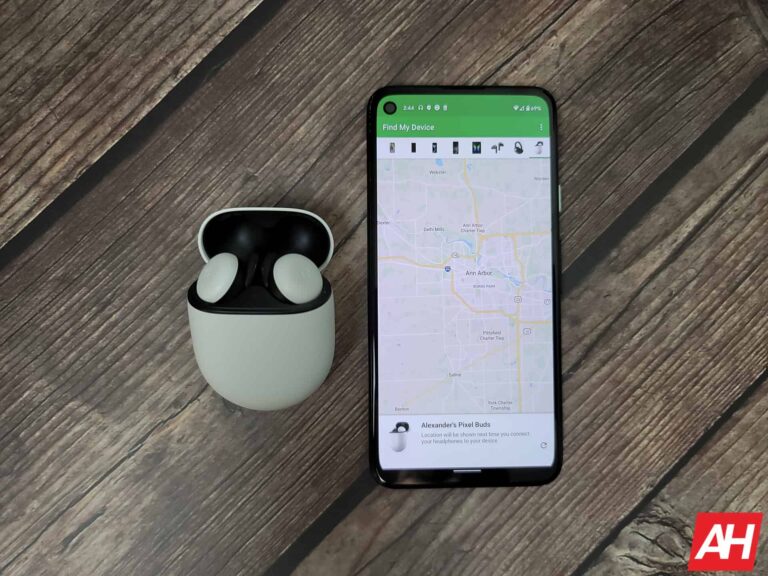
Have you ever lost your Android device, leaving you unable to locate it through Android’s Find My Device? Your misplaced device likely couldn’t be located by the feature since it wasn’t connected to the internet then. Fortunately, Google is introducing the Android Find My Device network option. This option will help locate a lost or stolen device even offline.

While the Find My Device network feature was announced in May 2023, the Summer 2023 launch date was indefinitely delayed. The delay occurred as Apple did not have protection against unwanted tracking accessories. Fortunately, that seems to be changing soon, and select users can already see Android’s Find My Device network feature.

Android’s Find My Device network starts going live

Some users have reported a new Find Your Offline Devices option in the Find My Device screen. However, this is only after updating it to the latest beta version of Google Play Services, v24.12.14. Attempting to modify the feature leads to another page with different options for using this feature.

Users can find devices without the network, with the network in high-traffic areas, and with the network in all areas. Furthermore, for users who don’t wish to use this feature, there is also an option to turn it off. Find My Device network is enabled by default and set to find devices with the network in all areas.

This rollout and addition were first pointed out by AssembleDebug on X and validated by many users on Telegram. However, the new feature is rolling out only for selected users. Some users will see it when they open the Find My Device screen; others must wait for its official launch.

How does the ‘Find My Device’ network actually work?

The main advantage the ‘Find My Device’ network provides users is the ability to find the location of an offline device. Previously, the Find My Device feature required the lost or stolen Android device to have an active internet connection before you could locate it.

The Find My Device network will gain access to Google Play Services of all Android phones to find lost devices. This way, the mandatory connection requirement will be removed from the equation. Supported devices include phones, smartwatches, trackers, and headphones.

There will be an option for you to not participate in the network and still be able to locate lost devices by using their stored recent locations. Another option is for your device location information to be accessed only if other devices in the network also detect the lost device.

Lastly, you can allow your device to be used by the Find My Device network even if it is the only device in the network being used to locate the lost device. Regardless of how you set your Android device up in the network, this feature will help many owners of lost or stolen devices.


[ad_2]
Source link
The Nest Doorbell (Wired) is suffering from an audio issue

0
[ad_1]

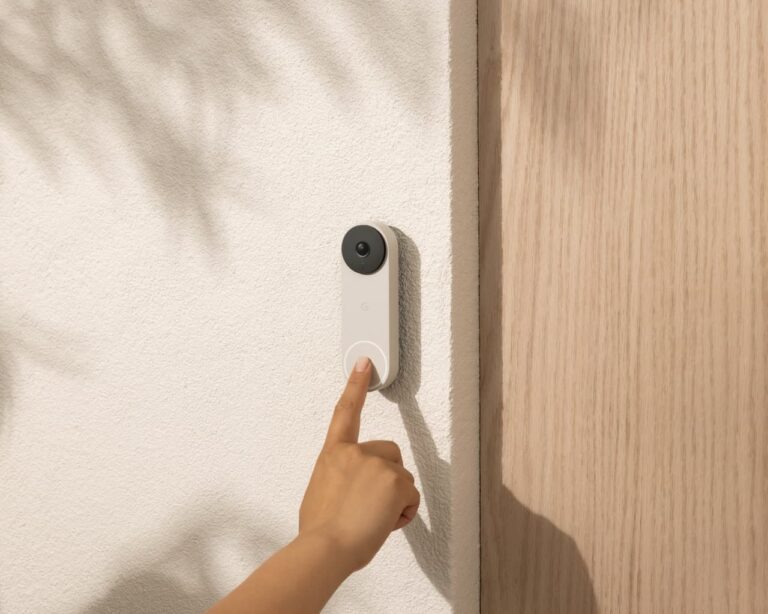
Google’s Nest doorbell is one of the most useful smart home devices a person can own. However, a rule of thumb is that a device is only useful when it works. Several users have reported that the wired Nest doorbell is experiencing a bug that causes the audio to cut out constantly.

The Nest doorbell is a very useful tool for people who want to keep an eye on their front porch. It comes with a camera and a microphone so that the user can look at a camera feed of what’s going on. Also, people can actually have conversations through the doorbell. It comes in a wired and wireless variant. If you’re planning on picking up one of these devices, they retail for $179.99. Both the wired and wireless models cost the same price.

Check out the Nest Doorbell at Amazon

The Nest doorbell is suffering from an audio bug

There are people who can’t quite make it to the door in a timely manner. So, they are likely to have a conversation through the doorbell with the person ringing. People who are doing this will need to have consistent audio in order to have a proper conversation. Well, according to several users, after the latest update, the audio would constantly drop in and out. This is, obviously, very frustrating for the people trying to have a consistent conversation.

The audio will cut in and out, but the video feed would be just fine. So, it’s just an audio bug affecting the Nest Doorbell. According to the reports we have, this is only happening to the wired version of The Nest doorbell. However, that’s just according to the reports. For all we know, there could be people using the wireless version experiencing this issue. The folks at 9To5Google were able to replicate this issue using a wired Nest Doorbell running software version 1.71.

In any case, all users affected are expecting a speedy update from Google. Hopefully, the company will be able to send out an update to affected users quickly.


[ad_2]
Source link

Snapdragon X Elite outperformed Intel’s Core Ultra by a huge margin

0
[ad_1]

Qualcomm shows that its upcoming Arm-based Snapdragon X Elite chip has outperformed Intel’s most capable “Meteor Lake” series chips by a huge margin. Qualcomm’s new platform that is targeting Apple‘s M series chips, is scheduled for a “mid-2024” release. While we are still away from the release, performance numbers of Qualcomm’s new solution for power-efficient Windows computing are building up anticipation.

Previously in October, Qualcomm compared Snapdragon X Elite with Intel’s 13th generation Raptor Lake series chips. It showed Snapdragon X Elite matching the performance of Intel’s powerful i913980HX albeit consuming 70% less power. However, 2024 has offered us a number of really efficient Windows laptops running on Intel’s latest Meteor Lake series Core Ultra chips. So, it’s worth knowing how Qualcomm’s upcoming ARM-based SoC compares to Intel’s latest and best offerings.

Qualcomm compared Snapdragon X Elite with Intel’s Core Ultra 7 155H and Core Ultra 9 185H

The latest revelation from Qualcomm and PCWorld aims to answer just that. Qualcomm has shared the same sort of comparison once again, with two of the latest 14th generation Meteor Lake series Core Ultra chips – the Core Ultra 7 155H and Core Ultra 9 185H. Both of the chips include similar core architecture with a total of 16 cores and a peak turbo frequency of 4.8 and 5.1GHz respectively.

On the other side, the Arm-based Snapdragon X Elite boasts 12 of Qualcomm’s custom-made Oryon CPU cores, thanks to the company’s acquisition of Nuvia. Each of them runs at the same 3.8 GHz.

The numbers indicate a win for Qualcomm

Notably, the devices Qualcomm used to measure the performance of the Core Ultra 7 155H, and Core Ultra 9 185H are – Asus Zenbook 14 OLED, and Asus ROG Zephyrus G16 respectively.

In the single-thread test, Qualcomm says that the Snapdragon X Elite is 54% faster than the Core Ultra 7 155H with the exact same power consumption. And when both the chips perform the same, the Arm-based chip consumes 65% less power. While this is still a synthetic benchmark, the difference is huge and it may result in incredible power-efficient operation for Windows going forward.

Moving on to the multi-thread, the Snapdragon X Elite is again 52% faster than the Core Ultra 7 at the same power, and with the same performance, it consumes 60% less power. It’s very similar to the single-thread performance and means a similar potential outcome for the future.

Speaking of the more powerful Core Ultra 9 185H, it performed only slightly better as compared to Core Ultra 7 in multi-thread. However, the Snapdragon X Elite still outperformed it with 41% faster performance at the same power and 58% less power at the same performance.

For those who are waiting for a graphics test, the Snapdragon X Elite is 36% faster using the UL 3DMark Wild Life Extreme benchmark as compared to the Core Ultra 9 185H at the same power. It consumes 50% less power if the performance is the same.

Qualcomm also claims that its Arm-based offering is capable of outperforming Apple’s M3 chip by 22% on Geekbench 6.2.

Will Snapdragon-powered laptops dominate all of its competition in performance?

Nonetheless, there isn’t a commercially available device with the Snapdragon X Elite chip yet. It indicates two things – firstly we cannot rely solely on the power efficiency to get an idea of the battery life. Secondly, without accounting for the cooling system, we cannot claim that it will perform the best. Manufacturers might focus on lightweight systems with small batteries and cooling with a reasonably good performance. It will surely benefit but may be in a different way.


[ad_2]
Source link

Google Search with AI features might come with a fee soon

0
[ad_1]

Google is thinking about charging a fee for access to features in Search that are powered by generative AI, a new report claims. Currently, Search doesn’t offer any native AI-based features. At least, not features that Google has baked into the core Search product as fully rolled out. However, you can access experimental AI features in Search through the “Search Labs” page.

On this page, you’ll find two toggles for AI-powered features that will let you test these experimental offerings. One feature, called SGE or Search Generative Experience, will give you AI-powered overviews of your chosen topic. Say you’re looking for “Pizza in downtown Seattle.” If you have the SGE toggle enabled, you might end up with an AI-powered overview. These should pop up with every search topic. Some will be automatic while others will have a “generate” button above the results. And they simply give you a more detailed overview of what you were searching for.

Another AI feature called “SGE while browsing” will fill the web pages you’re looking at with AI-powered tools. These pop up in a card panel on the right of the page and will have a generate button for highlighting key points, as well as jump links that take you to a specific section on that page. It’s these kinds of features that Google is reportedly thinking about charging for.

Google Search would remain free to use, while the AI features would have a fee

According to The Financial Times, which first reported on Google’s consideration of tacking a fee onto the AI-powered Search tools, only the AI features would come with a fee. The core Search product, which is currently free, would remain free to use and would still serve up ads since ads are still the primary way Google makes a profit from Search. However, this does come with a caveat. Those who would pay the subscription fee for access to these AI features would still see ads according to the report.

It’s not clear if the number of ads shown would be the same or if they would be lessened as part of the subscription. Google also doesn’t have a price set at the moment. The reason why is that Google has yet to decide on whether or not it should charge for these AI features, people “familiar with Google plans” said. Google also reportedly hasn’t decided on what the charge should be if there were to be one. So right now, there’s no actual charge.

Some AI-powered features may roll out as free over time

Google may end up charging a fee for AI features in Search, but if it does, that doesn’t mean that all AI features will come with a subscription fee. The report states that “people familiar with its thinking” said Google may choose to roll out some AI features for the main free Search product over time. These could end up being the two features you can currently test in the Search Labs section. Or they could be different AI features entirely. Engineers are currently “developing the technology needed to deploy the service but executives have not yet made a final decision on whether or when to launch it.”


[ad_2]
Source link

Google patches critical vulnerability for Androids with Qualcomm chips

0
[ad_1]

In April’s update for the Android operating system (OS), Google has patched 28 vulnerabilities, one of which is rated critical for Android devices equipped with Qualcomm chips.

You can find your device’s Android version number, security update level, and Google Play system level in your Settings app. You’ll get notifications when updates are available for you, but you can also check for updates.

If your Android phone is at patch level 2024-04-05 or later then the issues discussed below have been fixed. The updates have been made available for Android 12, 12L and 13. Android partners are notified of all issues at least a month before publication, however, this doesn’t always mean that the patches are available for devices from all vendors.

For most phones it works like this: Under About phone or About device you can tap on Software updates to check if there are new updates available for your device, although there may be slight differences based on the brand, type, and Android version of your device.

The Common Vulnerabilities and Exposures (CVE) database lists publicly disclosed computer security flaws. The Qualcomm CVE is listed as CVE-2023-28582. It has a CVSS score of 9.8 out of 20 and is described as a memory corruption in Data Modem while verifying hello-verify message during the Datagram Transport Layer Security (DTLS) handshake.

The cause of the memory corruption lies in a buffer copy without checking the size of the input. Practically, this means that a remote attacker can cause a buffer overflow during the verification of a DTLS handshake, allowing them to execute code on the affected device.

Another vulnerability highlighted by Google is CVE-2024-23704, an elevation of privilege (EoP) vulnerability in the System component that affects Android 13 and Android 14.

This vulnerability could lead to local escalation of privilege with no additional execution privileges needed. Local privilege escalation happens when one user acquires the system rights of another user. This could allow an attacker to access information they shouldn’t have access to, or perform actions at a higher level of permissions.

Pixel users

Google warns Pixel users that there are indications that two high severity vulnerabilities may be under limited, targeted exploitation. These vulnerabilities are:

  • CVE-2024-29745: An information disclosure vulnerability in the bootloader component. Bootloaders are one of the first programs to load and ensure that all relevant operating system data is loaded into the main memory when a device is started.
  • CVE-2024-29748: An elevation of privilege (EoP) vulnerability in the Pixel firmware. Firmware is device-specific software that provides basic machine instructions that allow the hardware to function and communicate with other software running on the device.

On Pixel devices, a security patch level of 2024-04-05 resolves all these security vulnerabilities.


We don’t just report on phone security—we provide it

Cybersecurity risks should never spread beyond a headline. Keep threats off your mobile devices by downloading Malwarebytes for iOS, and Malwarebytes for Android today.


[ad_2]
Source link

Android 15 could bring a new desktop mode

0
[ad_1]

Most people use Android on their smartphones, so there’s not much need to expect a desktop-like experience from the operating system. However, as smartphones and tablets become more capable,  it’s much more of a possibility to use them as desktop computers. Well, as discovered by Mishaal Rahman, Android 15 may bring a new desktop mode.

Currently, Android does have a desktop mode. However, it’s very limited. It basically plays the role of putting Android apps on a bloated screen. However, the apps never truly utilize the added screen space. Also, app windows lacked proper top bars like you would see on macOS or Windows. So, running multiple apps in Windows mode didn’t really yield many benefits.

Android 15 could bring a new desktop mode

Right now, people are digging into the Android 15 developer preview and the Android 14 QPR 3 beta 2.1 update. The latter is where Rahman discovered this new desktop mode for Android 15. After doing something, he was able to find that Google hadn’t forgotten about Android’s desktop mode.

As seen in the video above, it’s very easy to switch an app from full-screen to windowed mode. When in full-screen mode, it’s a little handle up top that will give you the option between popping it out into a window or moving it over to split-screen mode.

When in windowed mode, you will see a top bar on the app. The top bar will show the app icon and name. Right next to the name, you will see a downward-facing karat that will give the option to make a full-screen or split-screen.

On the right side of the top bar, you will see the option to make the app almost full-screen. It will fill the entire screen, but it will stop at the status bar, and it will leave a little bit of room at the bottom. Next to that button, you will see the X button to exit the window.

What’s neat about these windows is the fact that you can freely resize them. It looks like you can resize them with great precision.

At this point, it’s hard to tell if Google will release this new desktop mode in the final build of Android 15. We’re going to have to wait and see.


[ad_2]
Source link

Unveils the new AI Eraser Tool

0
[ad_1]

Via a press release today, OnePlus has announced an AI Eraser tool for its smartphones, marking its initiation into AI-driven software features. This is a significant leap forward for the company and it will likely revolutionize OnePlus’ image editing with unprecedented ease and creativity.

OnePlus enters the AI arena with a new Eraser Tool for images

Kinder Liu, CEO & President of OnePlus, said the company plans to empower users through innovative AI features. He talked about how generative artificial intelligence might change productivity and creativity. And cited the AI Eraser tool as OnePlus’ beginning into AI-driven tech. Competing with industry giants like Samsung and Google’s Magic Eraser.

Users will find AI Eraser in OnePlus’ Photo Library. It uses artificial intelligence (AI) and advanced algorithms to remove unwanted elements from images, instantly. All one has to do is identify and select the objects such as strangers or blemishes they want to be clipped out of the picture. The device picks that zone and automatically generates another background that blends perfectly with the original photo. Here’s a ‘before’ and ‘after’ image sample showcased by OnePlus in its press release.

OnePlus’ focus on accuracy and dependability has led to the development of AI Eraser. The feature runs on a proprietary large language model (LLM) trained heavily using a huge dataset capable of understanding complex scenes thus providing context-aware intelligent object replacements.

According to Nicole Zhang, General Manager of AI Products at OnePlus, a user-centric design philosophy underpins their new offering. It doesn’t require manual editing or special photo editor software. So image retouching is doable by anyone regardless of their expertise level.

These are the devices bound to receive the AI Eraser tool

The AI Eraser tool will deploy to new devices gradually beginning in April. Subsequent announcements regarding additional supported devices as well as updates will be communicated via other channels including emails. The devices slated to receive AI Eraser include the OnePlus 12, OnePlus 12r, OnePlus 11, OnePlus Open, and OnePlus Nord CE 4.

OnePlus’ AI Eraser indicates a user-centric innovation, allowing people to simply be creative and improve their mobile photography experience without any effort. Moreover, there are other AI projects in the company’s R&D, which we will likely witness in the coming months. So stay tuned.


[ad_2]
Source link

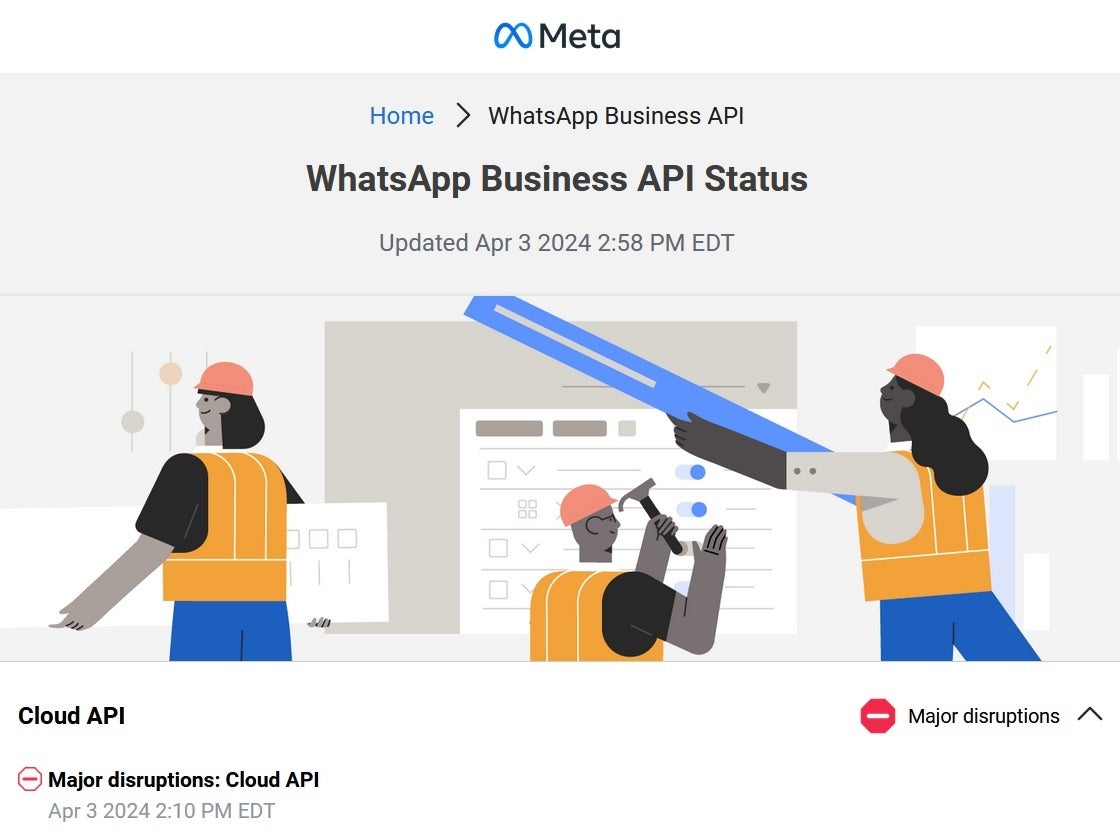
Instagram, Facebook, Whatsapp users are reporting a “Major Disruption” worldwide

0
[ad_1]
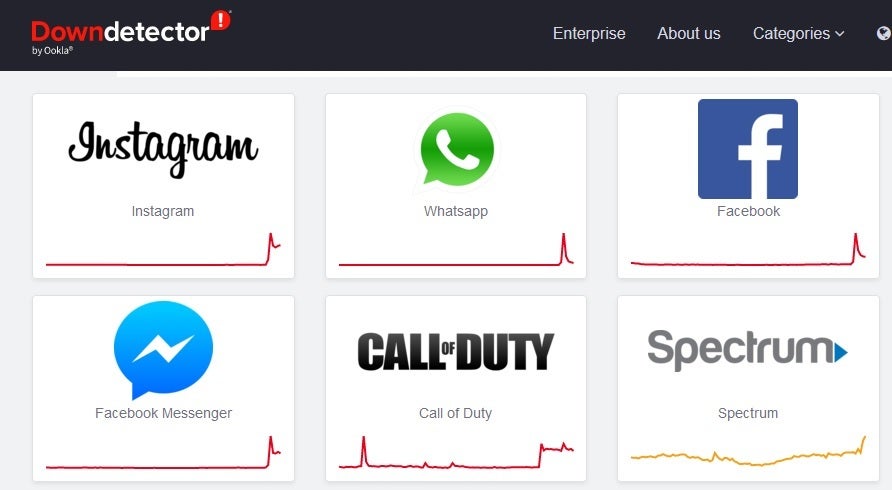
Meta is having big-time problems today. As of 3:40 pm EDT, Downdetector lists Instagram, Whatsapp, Facebook, and Facebook Messenger as the top four apps/websites that are having issues based on the number of complaints received from users. For example, the number of Instagram users telling Downdetector about a problem with the app and website soared from 31 to over 5,700 in about 30 minutes. Meta is reporting this outage as a “Major Disruption” on its Business API Status page.

Most of the complaints on Downdetector from Instagram users were from subscribers unable to see Stories that they had just posted. One user said that she had been trying to post a Reel on Instagram for over an hour. 67% of the complaints focused on the app, 28% had a problem with their feed, and 5% could not log in. 

A huge number of Whatsapp users, nearly 25,000, reported that they were having an issue with the app and website at around 2:22 pm. 68% of the complaints were about issues with the app, 26% were not able to receive messages, and 6% were having problems with the website. Users in countries are far apart as New York and Romania were complaining about the messaging platform being down.

A far fewer number of Facebook users, 1,689, submitted a complaint to Downdetector by 2:27 pm EDT. 59% of those included a complaint about the app, 29% cited issues with the website, and 12% had problems signing in. As for Facebook Messenger, the number of complaints soared from 7 to 891 during a 45-minute period that ended at 2:19 pm EDT. Most of the platform’s users said that their messages were not going through.

The outage is taking place worldwide with Meta saying that the issues began at 2:11 pm EDT. The company adds, “Our engineering teams are investigating the issue. We will provide another update within 4 hours or sooner if additional information is available.”

When we learn more about the outage, we will update this story.


[ad_2]
Source link

Google Chrome gets ‘Device Bound Session Credentials’ to stop cookie theft

0
[ad_1]

Google has announced the introduction of Device Bound Session Credentials (DBSC) to secure Chrome users against cookie theft.

In January we reported how hackers found a way to gain unauthorized access to Google accounts, bypassing multi-factor authentication (MFA), by stealing authentication cookies with info-stealer malware. An authentication cookie is added to a web browser after a user proves who they are by logging in. It tells a website that a user has already logged in, so they aren’t asked for their username and password over and over again. A cybercriminal with an authentication cookie for a website doesn’t need a password, because the website thinks they’ve already logged in. It doesn’t even matter if the owner of the account changes their password.

At the time, Google said it would take action:

“We routinely upgrade our defenses against such techniques and to secure users who fall victim to malware. In this instance, Google has taken action to secure any compromised accounts detected.”

However, some info stealers reportedly updated their methods to counter Google’s fraud detection measures.

The idea that malware could steal authentication cookies and send them to a criminal did not sit well with Google. In its announcement it explains that, “because of the way cookies and operating systems interact, primarily on desktop operating systems, Chrome and other browsers cannot protect them against malware that has the same level of access as the browser itself.”

So it turned to another solution. And if the simplicity of the solution is any indication for its effectiveness, then this should be a good one.

It works by using cryptography to limit the use of an authentication cookie to the device that first created it. When a user visits a website and starts a session, the browser creates two cryptographic keys—one public, one private. The private key is stored on the device in a way that is hard to export, and the public key is given to the website. The website uses the public key to verify that the browser using the authentication cookie has the private key. In order to use a stolen cookie, a thief would also need to steal the private key, so the more robust the “hard to export” bit gets, the safer your cookies will be.

Google stated in its announcement that it thinks this will substantially reduce the success rate of cookie theft malware. This would force attackers to act locally on a device, which makes on-device detection and cleanup more effective, both for anti-malware software as well as for enterprise managed devices.

As such, Device Bound Session Credentials fits in well with Google’s strategy to phase out third-party cookies.

Development of the project is done in the open at Github with the goal of DBSC becoming an open web standard. The goal is to have a fully working trial ready by the end of 2024. Google says that identity providers such as Okta, and browsers such as Microsoft Edge, have expressed interest in DBSC as they want to secure their users against cookie theft.


We don’t just report on threats—we remove them

Cybersecurity risks should never spread beyond a headline. Keep threats off your devices by downloading Malwarebytes today.


[ad_2]
Source link

Google Store Opens in Boston on April 5

0
[ad_1]

Google is opening its fourth physical store in Boston on Friday, April 5th. The store, located at 153 Newbury Street, will open at 10 AM local time.

Google says that since opening its first three physical stores, it has heard from customers about how useful it is to try out products in person. This includes being able to take the Google Pixel 8 Pro for a spin and trying out some of the new AI features or the new Google Home app for the Pixel Tablet that launched last year. And, of course, the new Boston store will have similar hands-on experiences available.

It is a store after all, which means that customers can buy products made by Google at the store. This includes Pixel phones, watches, tablets, Nest Cameras, Fitbit trackers and much more. Shoppers are also able to make purchases online and then pick them up in store.

Finally, the new store will have experts available to help out shoppers and also help with troubleshooting or repairs for Pixel phones and more.

Google’s Boston Store will be open seven days a week

The new store in Boston will also be open seven days a week. From 10 AM to 8 PM Monday through Saturday and 11 AM to 7 PM on Sunday.

This one is going to be a smaller store for Google, whereas the Chelsea and Mountain View locations are considered their “flagship” stores, which are larger and have a lot more products available. The Boston store is going to be closer in size to the Williamsburg store. It’ll still offer a ton of things to do and buy, as you’d expect from Google. And now, Bostonians can pick up brand-new Pixel devices on launch day at the Google Store without having to wait for UPS or FedEx. That’s a pretty sweet experience, to be perfectly honest.

Photos courtesy of Andy Ryan


[ad_2]
Source link