Everything you need to know

0
[ad_1]

Google Photos might be one of Google’s most-used and best apps. And that’s saying a lot, considering Gmail has over 1.8 billion active users. Google Photos is a way to back up your photos, but over the years, it has become so much more than just a photo backup tool.

In this article, we will be going over everything there is to know about Google Photos, which is actually much more than just an app these days.

What is Google Photos?

Google Photos is a photo-sharing and storage service that Google announced at Google I/O 2015. It was originally part of Google+ but Google eventually spun Google Photos out of Google+, which was probably a good idea, seeing as Google+ is no longer around.

Google Photos quickly became a popular favorite for photo storage since Google was offering everyone free unlimited storage for their photos. That was unheard of at the time, and even though Google is no longer offering that for everyone, it’s still pretty unheard of. Amazon’s Photos does include unlimited photo storage, but video storage is capped at 5GB. At the same time, Google Photos had unlimited storage for photos and videos.

Today, many things have changed for Google Photos. However, it’s still one of the best photo storage options on the market. And it’s available on both iOS and Android.

Getting Started with Google Photos

Google Photos is a great tool for storing all of your memories. Whether you have photos of your kids when they were toddlers, or your loved ones before they passed, Google Photos will keep them intact for you, and bring them up as memories from time to time. To get started with Google Photos, you’ll of course, want to download the Google Photos app on your iPhone or Android device. Or you can head to the Google Photos website.

Screenshot 20240403 101322 com google android apps photos Large

When you first open the app or the website, it’ll ask you to log in. You’ll log in with your Google account, and from there, you’ll be asked about backing up your photos. There are two options for backing up your photos: you can back them up in the original quality or in Storage Saver. Both will use up your Google One storage, but obviously, “Storage Saver” will save on your storage. Surprisingly, this option does not compress your images and video all that much. Photos are compressed to 16MP, and where most phones will pixel bin their higher-resolution photos down to 12MP anyway, that’s not a big deal. Video will be compressed to High Definition, which is actually 1080p. Google also mentions that this option will still provide good quality prints up to 24″ x 16″.

Screenshot 20240403 101342 com google android apps photos Large

After you’ve set up the app and have your photos backed up, we’d recommend adding the Google Photos Widget to your home screen. On Android, you can set it in a variety of different shapes and sizes, and also choose what photos or albums are used in that widget. So if you have an album of your kids, you could use that and have it automatically switching out photos every few hours.

Getting more storage

Google provides every account with 15GB of storage. This storage is used for your Gmail, Docs, and Photos, as well as a few other things like device backups and Google Recorder recordings. It originally was 5GB for each of Gmail, Drive,, and Photos, but Google has decided to merge it all together, so you can have 7GB of photos, 2GB of Docs, and 1GB of Gmail and still have some storage left over.

However, if you need some additional storage, it’s pretty cheap. Google One offers three plans that most people would sign up for. They do have some even more expensive plans, but I don’t think many would need those. For $2 per month, you can get 100GB of storage. This also includes some advanced Google Photos editing features, which we’ll get to later. Google’s VPN is also included in these paid plans. At $3 per month, you can get 200GB of storage. If that’s not enough, for $10 per month, you can jump up to 2TB.

Screenshot 2024 04 03 at 10 23 49 AM

These plans are all available as annual plans too, which drops them down to $19.99, $29.99 and $99.99 respectively. Google also typically offers discounts for the first three months. At the time of writing this, the 100GB plan was going for $0.49 for the first three months, which is not bad at all.

Now, if you need a ton of storage (and we do mean a ton), Google offers plans up to 30TB! So if 2TB isn’t enough, Google has a 5TB plan at $24.99 per month, 10TB at $49.99 per month, 20TB at $99.99 per month and 30TB at $149.99 per month. However, only the 5TB plan is offered as an annual plan, and it is $249.99 for the year.

How to get unlimited Google Photos storage

You can still get unlimited Google Photos storage, but the choices are getting pretty tough. You could get unlimited storage on the Pixel 3 until January 31, 2022. Now, you’re only real choice is through T-Mobile.

T-Mobile offers an exclusive Google One Plan that will get you 500GB of storage for $5 per month, or the regular 2TB plan for $9.99 per month. T-Mobile does also offer a 2TB + Unlimited Photos and Videos plan that gives you unlimited storage for your photos and videos and will not count against your 2TB of storage. Google does say that you are limited to only backing up 100GB of photos and videos every 30 days. But that is still a lot of content. This plan costs $19.99 per month and is billed through T-Mobile.

What features do Google Photos have?

Google Photos has quite a few features, both editing features and organization features that make the app and service the best among its competition. One of my favorite features are the auto-updating albums.

Auto-updating Albums

Creating albums is cool and all, and a standard feature with any gallery app or photo storage service. However, what sets Google Photos apart is the auto-update of albums. So, Google is able to identify both people and pets. With that being said, you can create an album and have it add photos of specific people and/or pets. For instance, I have a photo album with all of the pictures I’ve taken of my dog since I got her four years ago. That album now has over 8,000 photos, and I didn’t have to lift a finger to do that other than creating the album in the first place. That’s pretty neat.

Screenshot 2024 04 03 at 10 31 22 AM

Something that I feel is missing from this is the ability to add a location for an album. Say you go to Las Vegas every year, you could make an album for Las Vegas, and have everything taken there every year in that album automatically.

Of course, you can still create albums and manually add photos, but having both options is really nice.

Creating Animations, Collages and Movies

Google Photos does also offer the ability to create an animation, collage and even a movie pretty easily from within the app. Just tap on Library and then Utilities to get there. Google will sometimes create these for you, but you also have the ability to do this yourself.

Magic Eraser and Photo Unblur

Using AI, Google has introduced Magic Eraser and Photo Unblur. Now these two features are only part of a recent Google Pixel purchase, or a Google One plan.

Magic Eraser will allow you to erase people, pets and objects from your photo. It’s not perfect, and sometimes you can see that something isn’t quite right with the photo. But most of the time it works as intended.

Photo Unblur works as you might expect as well. Ever taken a blurry photo? Well, Google and its AI magic is able to unblur the photo. Even photos that were taken many, many years ago. There’s no limit to what kind of photos this works on. I used it on a digital photo from over 15 years ago, and it was pretty impressive how well it was able to make this pretty blurry photo a lot more sharp.

Google Photos AM AH 1

Video editing

While the service is indeed called “Google Photos”, it is not only for photos. But also for videos. Google also has a pretty decent video editor. You can use Video Boost on the Pixel 8 Pro, which will enhance the quality of your photos. The video editor isn’t going to replace something like Capcut, Adobe Premiere Pro, or Rush or something like that. But for some simple editing, it can get the job done. Google also lets you export specific frames, which can be very useful.

Google Photos can identify people and pets

As mentioned before, Google Photos is able to identify people and pets, allowing you to group those photos together in Google Photos. You are able to add names for different people, so you can now search for them by name, and find every photo with them in it. This works extremely well, and you can even find them in a tiny photo or screenshot from something like Google Messages or WhatsApp.

Speaking of Google Messages or WhatsApp, Google’s search engine inside Photos can also find every WhatsApp screenshot by searching “WhatsApp”. So you can quickly find those receipts when you need to post them on social media. This works for other apps, too, actually, and even places if they are in the photo. Like a specific restaurant.

This is the power of Google’s AI and Search put to good use.

Sharing photos and videos in Google Photos

Sharing photos and videos can sometimes be pretty tough, especially if you’re sharing multiple photos or videos. As they can take up a good amount of space. But Google let’s you share, essentially, a link that goes to the album or individual photo you are sharing. That’s going to save space in your email, instead of sending them as an attachment.

Additionally, you can create a shared photo album. Tap on the sharing icon at the top of the screen (it’ll look like two people), then tap on “Create shared album,” and from there, you can choose who you want to share with; now, both (or more) people can add photos to that photo album. This can be very useful if you want to a birthday party, and multiple people take loads of photos. Now you can add them all together in a single photo album to share with everyone.

Screenshot 20240403 112922 com google android apps photos Large

One final cool sharing feature that Google Photos has is, sharing with a partner. Say you want to share all of your photos with your spouse, Google makes that easy. Just tap on “Share with Partner,” and from there, you are able to choose the start date of photos being shared and also which photos are shared. The options for which photos are still kind of limited, basically all photos or photos containing selected people. Then, you’ll choose the partner you want to share with.

Hide sensitive photos and videos with Google Photo’s Locked Folder

Back in 2021, Google introduced a new Locked Folder for Google Photos. This allows you to keep certain media locked away behind a pin, passcode, or fingerprint. This is a good place to store photos like those of your passport or ID card and maybe some nudes, too.

Basically, anything you don’t want to be backed up to the cloud but do want to be stored in Google Photos, you should add it here. But this does mean that if you switch to a new phone, and don’t copy all of your data over, those photos will be gone. Since they are not backed up.

Clear up your phone’s storage with Google Photos

Google Photos is easily able to back up your photos and then delete them from your phone. That’s going to save you a good amount of space on your phone, as photos and videos can be a pretty big part of what’s using all of your storage.

To do this, tap on your profile icon at the top of the app, and then tap on “Free up Space”. This next page will sow you how much it can free up, and verify with you that the items are already backed up in Google Photos, and that you’ll be able to view them anytime in Google Photos.

Screenshot 20240403 113459 com google android apps photos Large

Now, if you need to free up some space in Google Photos, you can also do that here. Tap on your photo in the corner, then tap on “Manage storage”. On this page, it’ll tell you how long you can go before you run out of photo storage. That’s based on what you’ve used so far. It also gives you a few options to review and delete, freeing up space. These are “Large photos and videos,” “other apps,” “screenshots,” and “blurry photos.” You can almost always free up space by deleting all of the blurry photos, to be quite honest.

Screenshot 20240403 113820 com google android apps photos Large

Creating photo books with Google Photos

Google Photos lets you create photo books, print out photos, and so much more. As I’ve mentioned before, it is a full-fledged photo app, and it’s really incredible.

To print a photo, find the photo you want to print. Then swipe on that photo and tap on “Order Photo”. You can choose the size you want to print the photo in, and even have it arranged to be picked up at a local CVS, Walgreens, or similar place. You can also create a Canvas Print or a photo book. The photo books are really cool. I’ve made a couple for my Mom over the years, and I’m always impressed at how well they come out, considering these are all pictures from phones.

Google Photos is much more than a gallery app

While Google Photos may have started out as a glorified Gallery app that could store your photos in the cloud, it’s now much more than that. Google Photos can store your photos, edit them, and even create some pretty cool collages, photo books and so much more. Even if you don’t have Google One and the extra storage, Google Photos is worth getting and using.


[ad_2]
Source link
Reply suggestions from Gemini may be coming soon to Gmail on Android

0
[ad_1]
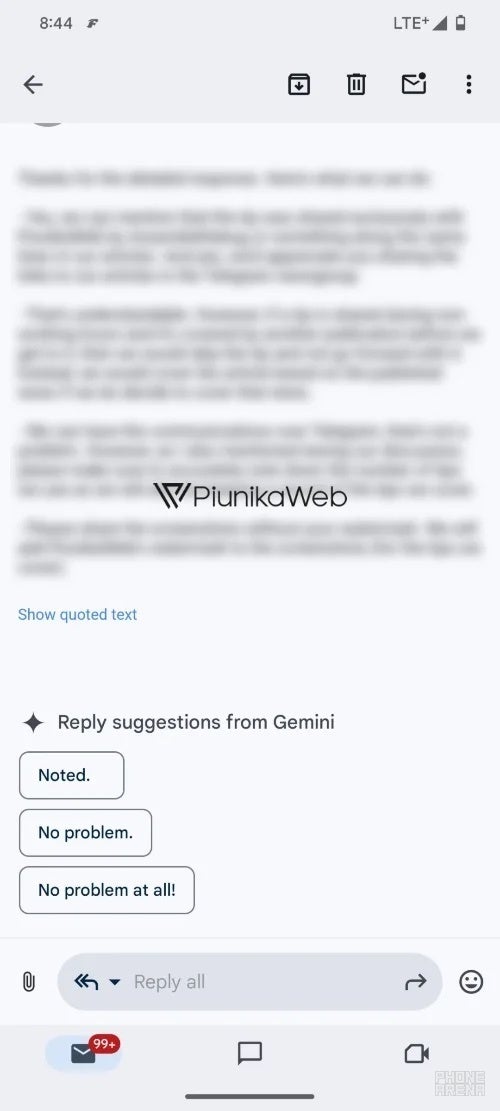
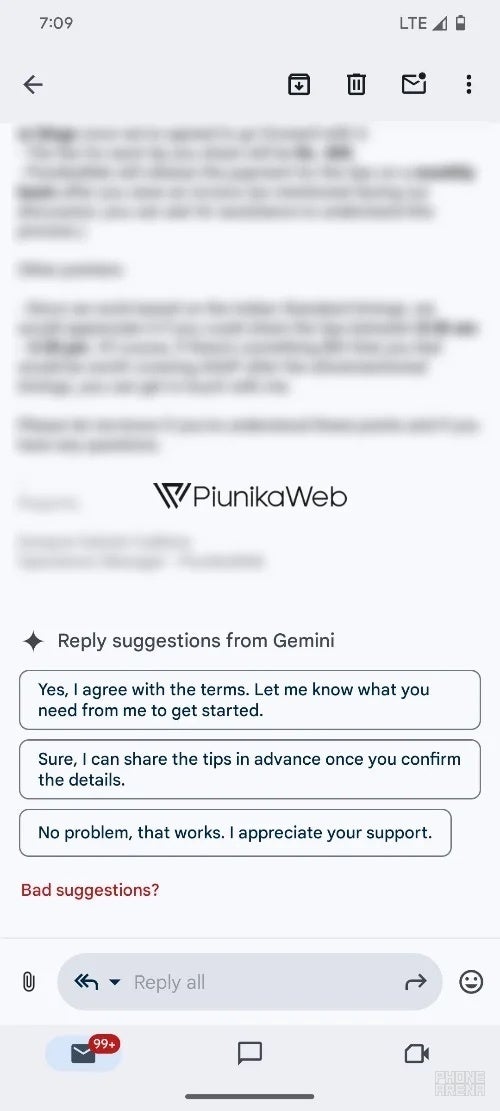
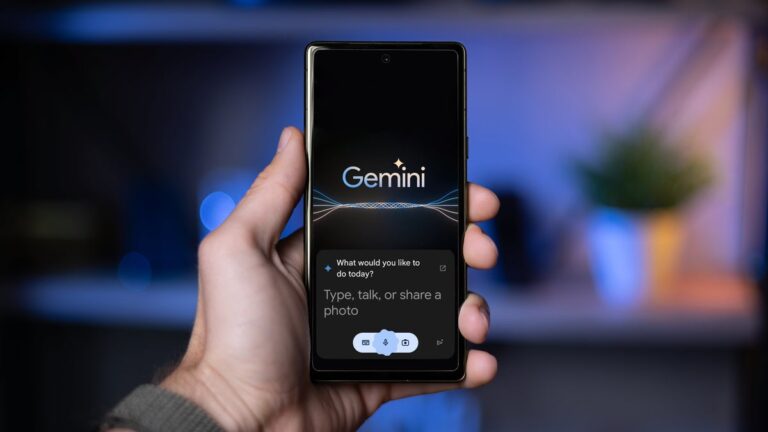
Google announced back in February that its Gemini conversational AI would be powering several apps for Google One AI Premium subscribers. Now, it’s starting to look like Android users will finally get AI-powered reply suggestions in their Gmail app.
Code-digging site PiunikaWeb recently got an exclusive tip that the “reply suggestions from Gemini” feature is hiding out in the Gmail app. A little behind-the-scenes tinkering by developer AssembleDebug got the feature up and running.The new AI tool seems to be hitting its stride. In some cases, Gemini even asks for feedback on its suggestions to help it learn and get better. It’s a simple process: just tap the reply you want, and it’ll pop into your composition window. You can adjust the wording or send it as-is.

For those not familiar, Gemini is Google’s conversational AI, formerly named Bard. Think of it as a brainier version of the autocomplete you’re used to. It helps with simple tasks, drafting whole emails, or – as we’re now seeing – suggesting quick replies to keep your inbox moving.

The aforementioned Google One AI Premium plan includes access to Gemini Advanced, which includes the latest Ultra 1.0 AI model — for $19.99 a month. Additionally, this new Google One tier gives you 2TB of storage, as well as other Google One benefits currently found in the Premium tier.

When the Google One AI Premium plan first launched, all users that signed up were eligible for a two-month free trial of the plan. This means that the time to decide whether the plan is worth keeping or not is quickly approaching. This addition to Gmail for subscribers comes right at the tail end of the trial period, but hopefully with enough time for users to try it out before making a decision.

While Gemini was already working its magic with email drafts, it looks like Google’s doubling down on bringing the AI into more places. If all goes smoothly, we should hopefully see the feature become available to users within the next few weeks.


[ad_2]
Source link

Sophos Reveals Ransomware Attacks Are Now Targeting Backups

0
[ad_1]
Sophos Reveals Ransomware Attacks Are Now Targeting Backups

New Sophos report reveals a problematic trend: ransomware attackers are increasingly targeting backups, crippling organizations’ ability to recover data and significantly raising ransom demands. Learn how to protect your backups and minimize the impact of a ransomware attack.

Ransomware attacks have become a reality for businesses of all scales worldwide, but a new report from cybersecurity firm Sophos reveals an even more disturbing trend: attackers are increasingly targeting backups.

Backup, as we know it, is one thing that keeps victim businesses from paying ransom to ransomware groups. However, the new tactic of targeting backup data cripples an organization’s ability to recover data without paying the ransom, seriously increasing the pressure to meet the demands of cybercriminals.

As observed before, companies such as Accenture and Bykea have thwarted ransomware attacks by leveraging backups and dismissing ransom demands. However, there have also been examples where the backup itself was encrypted.

The Sophos report (PDF), titled “The impact of compromised backups on ransomware outcomes,” is based on a survey of nearly 3,000 IT professionals whose organizations fell victim to ransomware attacks in the past year. The findings reveal a concerning reality, emphasizing the role of strong backup security in fighting cyber extortion.

Near-Universal Backup Targeting:

The report exposes the pervasiveness of backup targeting by attackers. A staggering 94% of surveyed organizations reported that attackers attempted to compromise their backups during the attack.

This attempt rate goes even higher in specific sectors, with government and media organizations experiencing a near-perfect 99% rate of attempted backup compromise.

Compromised Backups, Soaring Costs:

The effects of losing access to backups are harsh. The report found that organizations unable to recover data from backups due to the attack were forced to pay significantly higher ransoms.

On average, these organizations paid more than double the ransom amount compared to those with secure backups. This results in an average ransom demand of $2.3 million for those with compromised backups, compared to $1 million for those with secure backups.

Importance of Backup Security:

The Sophos report also emphasizes the role secure backups play in mitigating ransomware damage. Having a reliable, isolated backup system that’s not vulnerable to the initial attack allows organizations to restore data quickly and minimize downtime.

This not only reduces financial losses from operational disruptions but also weakens the attacker’s leverage, potentially leading to lower ransom demands or even complete avoidance of payment.

Commenting on this, Chad Graham, Manager of the Cyber Incident Response Team (CIRT) at Critical Start emphasised that regularly backing up data ensures business continuity and protects against cyber threats like ransomware.

“Performing backups for computer information systems is a crucial cyber risk mitigation strategy because it ensures the continuity of business operations and data integrity in the event of a cyberattack, system failure, or data corruption. Having offline backups is particularly important, as they are immune to online threats like ransomware attacks, which can encrypt or destroy online data,” Chad advised.

He further explained that “Despite its simplicity and effectiveness, the practice of regularly creating and updating backups is often overlooked, leading to significant vulnerabilities in an organization’s cybersecurity posture. This oversight can result in catastrophic data loss and operational downtime, emphasizing the necessity of incorporating backup strategies into comprehensive cybersecurity plans.”

Investing in Cybersecurity Solutions:

The report shows the importance of investing in security solutions against ransomware attacks that prioritize backup security. This includes implementing strong access controls, and offline backups that are physically isolated from the network.

  1. LockBit Ransomware Gang Returns, Taunts FBI
  2. ThreatHunter.ai Halts 100s of Attacks: Battling Ransomware
  3. Insights on Google Cloud Backup, Disaster Recovery Service
  4. Reddit hacked: Hackers steal full copy of old database backup
  5. Ransomware Attack Disrupts Services in 18 Romanian Hospitals

[ad_2]
Source link

Spotify Premium expands its audiobook library to more regions

0
[ad_1]

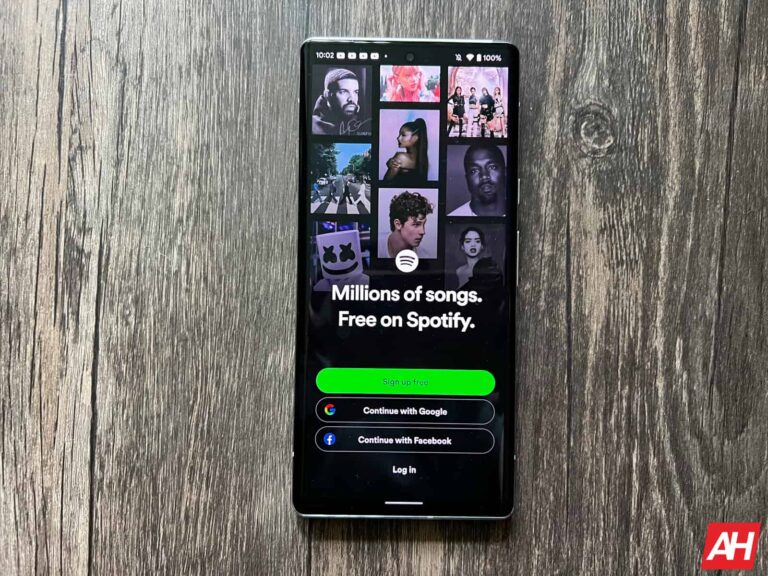
Spotify has expanded its audiobook library to more regions, including Canada, Ireland, and New Zealand. Spotify Premium users in these countries will now be able to enjoy 15 hours of free monthly audiobook listening. This perk was already available in the United States, the UK, and Australia, but now it will expand to other regions on April 9th.

Get access to over 250,000 audiobooks using a premium subscription in Canada, Ireland, and more

With this expansion, the number of audiobook titles that are accessible to premium subscribers is around 250,000 compared with about 200,000 at the end of 2023. This wide range provides a lot of alternatives for listeners, hence it is different from Spotify’s numerous songs and podcasts library.

People who go beyond the time permitted can purchase extra time through increments of 10 hours at Spotify. In these new markets, additional listening time costs CAD $14.99, IRE €12.99, or NZD 19.99 according to TechCrunch.

Last month Spotify released an exclusive audio book-only subscription plan in America that goes for $10/month. This plan offers listeners a similar 15 hours of audiobook listening duration as Spotify Premium but at a slightly lower price. Depending on individual listening behavior, such plans offer better value than the like of audible.com.

Spotify’s Audiobook library saves way more money than Audible’s

Compared to Spotify’s new credit plan, Audible plans sound bleak, where one gets one audiobook credit every month for $15. Also, audiobook unused minutes do not carry over into the next month.

“By offering access to a myriad of books and other digital media forms on tape, we want our product to become more useful for you,” says Spotify. The company has built a lot of trust as a comprehensive platform for audio content.

Spotify continues expanding its audiobook services. It promises consumers more alternatives and variations in choices while enjoying their music either through podcasts or even audiobooks since they have remained loyal to quality provision and innovation among their worldwide audience.


[ad_2]
Source link

The FCC will vote to restore net neutrality later this month

0
[ad_1]

Nowadays, AI is the biggest buzz phrase in the tech world. However, just seven years ago, the biggest buzz phrase was net neutrality. Back in 2017, the established net neutrality rules (established in 2015) were taken away, and many users were furious. Well, the FCC will vote to restore net neutrality later this month.

One of the biggest debates in the tech world was whether eliminating net neutrality would allow internet service providers to commit heinous acts. These acts could include throttling specific websites. This is one of the driving forces behind the hate toward this ruling. However, it does not seem like companies have been doing this.

Rather, it appears that the internet has remained pretty much the same even though the ruling came nearly a decade ago. In any case, the subject of net neutrality has been on the minds of some officials since last year.

The FCC will vote on net neutrality later this month

Back in October last year, FCC chair Jessica Rosenworcel brought forth a proposal to bring net neutrality back. It took a long five months to get to this point. We all know that the government works at a snail’s pace, but the reason for this delay was the fact that the commission had trouble gaining a third Democrat to secure the votes. The Democrat in question is Anna Gomez. With Gomez in this seat, the vote is able to move forward.

At this point, we’re not quite sure which way this vote will go. What we do know is that we expect the vote to take place on April 25th. That’s a few weeks away, but the tech community isn’t quite on the edge of its seat like it was back in 2017.

If the vote falls in favor of returning net neutrality, then the new rules will take place 60 days after the vote is finalized. When that happens, internet service providers will need to adjust their businesses accordingly.


[ad_2]
Source link

Aembit Selected as Finalist for RSA Conference 2024 Innovation Sandbox Contest

0
[ad_1]

Silver Spring, United States / Maryland, April 3rd, 2024, CyberNewsWire

The Leading Company for Securing Access Between Workloads Recognized for the Aembit Workload IAM Platform

Aembit, the Workload Identity and Access Management (IAM) Company, has been named one of the Top 10 Finalists for the RSA Conference™ 2024 Innovation Sandbox contest for its platform that manages and secures access between critical software resources, like applications and services. Aembit will present its technology to a panel of renowned industry judges and a live in-person audience on May 6 at RSA Conference 2024 at the Moscone Center in San Francisco.

Since 2005, the RSAC Innovation Sandbox contest has served as a platform for the most promising young cybersecurity companies to showcase their groundbreaking technologies and compete for the title of “Most Innovative Startup.” The competition is widely recognized as a catapult for success as the Top 10 Finalists have collectively celebrated more than 80 acquisitions and received $13.5 billion in investments over the last 18 years. Aembit will have three minutes to pitch the panel of judges before a question-and-answer round.

“The submissions for this year’s RSA Conference Innovation Sandbox contest were both dynamic and inspiring. Along with the rest of our entrepreneurial audience, I am excited to see these ideas come to life on stage,” said Linda Gray Martin, senior vice president of RSA Conference. “The evolution of global cyber threats is constant and there’s no better place to look for solutions and to help solve these challenges than in our own community.”

With the rapid expansion of automated software, cloud services, and APIs, enterprises are being met with an exploding number of workloads across their IT environments. Reflect on the now-outdated practice of jotting down user credentials on sticky notes. Similarly, the current method of securing interactions between workloads typically involves the use of static, long-lived credentials, which are prone to theft and often embedded directly within code.

This approach not only introduces security vulnerabilities but also complicates management and impedes prompt response during security incidents and compliance audits. Aembit shifts the model so enterprises can focus on managing access, instead of managing secrets.

“Aembit automates and secures the entire workload-to-workload access workflow, from discovery, to enforcement, to audit – at scale,” said David Goldschlag, co-founder and CEO of Aembit. “Instead of building another dashboard showing you problems due to secrets and keys, we proactively fix the root cause of these challenges by systematically improving the way workloads are authorized access to your most sensitive resources, without code changes. You can think of us as Okta (or Azure AD), but between workloads instead of between users and services. The RSA Conference presents the ideal platform for us to demonstrate the significance and impact of our solution to the global security community.”

The RSAC Innovation Sandbox contest kicks off at 10:50 a.m. PT on May 6, and winners will be announced at approximately 1:30 p.m. the same day. The panel of renowned expert judges includes Asheem Chandna, partner at Greylock; Dorit Dor, chief technology officer at Check Point Software Technologies; Niloofar Howe, senior operating partner at Energy Impact Partners; Paul Kocher, independent researcher; and Nasrin Rezai, SVP & CISO at Verizon. Hugh Thompson, RSAC executive chairman and program committee chair of RSA Conference, will return to host the contest.

For more information regarding RSA Conference 2024, taking place at the Moscone Center in San Francisco from May 6 to 9, users can visit https://www.rsaconference.com/usa.

To learn more about the Aembit Workload IAM Platform, watch this demo video.

About Aembit

Aembit is the Workload Identity and Access Management platform that secures access between workloads across clouds, SaaS, and data centers. With Aembit’s identity control plane, DevSecOps can fully automate secretless, policy-based, and Zero Trust workload access. For more information, visit www.aembit.io and follow us on LinkedIn.

About RSA Conference

RSA Conference™ is the premier series of global events and year-round learning for the cybersecurity community. RSAC is where the security industry converges to discuss current and future concerns and have access to the experts, unbiased content, and ideas that help enable individuals and companies advance their cybersecurity posture and build stronger and smarter teams. Both in-person and online, RSAC brings the cybersecurity industry together and empowers the collective “we” to stand against cyberthreats around the world. RSAC is the ultimate marketplace for the latest technologies and hands-on educational opportunities that help industry professionals discover how to make their companies more secure while showcasing the most enterprising, influential, and thought-provoking thinkers and leaders in cybersecurity today. For the most up-to-date news pertaining to the cybersecurity industry visit www.rsaconference.com. Where the world talks security.

Contact

CMO
Apurva Dave
Aembit
[email protected]


[ad_2]
Source link

Everything you need to know

0
[ad_1]

When you think of Google’s core services, there are quite a few that come to mind. Many of you will think of Google Translate quite fast, though, that’s for sure. Google has plenty of software offerings that stand out, but Google Translate is easily one of the best-known ones. This translation service has been around since April 28, 2006. That makes it almost 18 years old at the time of writing this article. Back then it was categorized as a ‘statistical machine translation’ service, while it switched to a ‘neural machine translation’ service in 2016. In this article, we’ll talk more about Google Translate, to give you a better idea of what it is, and what it can do.

What is Google Translate?

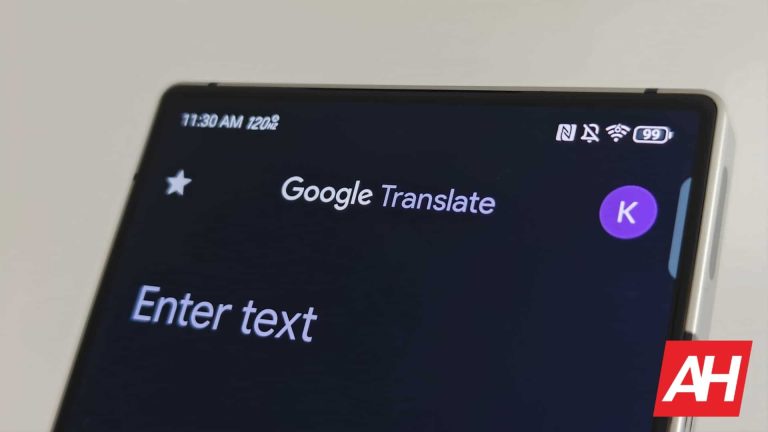
Google Translate is basically a language translation service from Google. Or if you’d like a more scientific term, it’s a “multilingual neural machine translation service”, as indicated on Wikipedia. It’s actually one of the best-known language translation tools out there, if not the best-known one. Basically everyone I personally know uses Google Translate for translation needs, I don’t think I’ve ever heard anyone mention anything else in day-to-day life. There are other offerings out there, which we’ll talk about later on, but Google Translate is very popular.

AH Google Translate 2024 image 1

What platforms is Google Translate available on?

You can access Google Translate in an app form, and also via your web browser. When it comes to apps, Google Translate is available on both Android and iOS, to of the largest mobile operating systems out there. You can also access it via basically any desktop operating system, simply navigate to https://translate.google.com/, and you’ll have access to its services. Using it is also very simple.

Do note that you may not be able to use the Google Translate app on just any Android smartphone. The device needs to have Google services. So it either needs to come with Google Play Store pre-installed, or in case if you’re importing a device from China, it needs to have support for Google services. The app likely won’t work on devices from Huawei, unless you’re using an emulator like GSpace. Why? Well, due to the US ban. Huawei is blocked from using Google services on its devices.

What are Google Translate’s competitors/alternatives?

Are there any competitors to Google Translate out there? Well, yes, and you may have even heard of some of them. The Microsoft Translator is a good example of competition for Google Translate. It can translate well over 100 languages, and it has a nice app you can use. It also has some benefits if you plan on using it on your website, over Google Translate. Its API lets you translate more characters than Google Translate (for free), for example.

Another good example of a competitor is Amazon Translate. It’s a part of Amazon Web Services, though it’s mostly focused on API usage, so it’s not exactly the same. Amazon Translate also has a higher monthly limit than Google Translate when it comes to API usage, the same as the Microsoft Translator. Looking at it as a personal translation tool, however, it’s not exactly a competitor to Google Translate or Microsoft Translate.

Yandex Translate is another great choice. It doesn’t translate nearly as many languages as Google Translate or Microsoft Translator, but its pricing is the advantage here if you plan on using it on your website or something like that. API usage is paid only, though, it’s no longer free, as is for Google Translate and Microsoft Translator (with limits).

Can I use Google Translate if I’m not connected to the Internet?

Is it possible to use the tool without an Internet connection? Well, yes, but only if you use an app, it’s not possible on the web. Why? Well, because you need to download the languages you’re interested in first. If you want to translate a language you didn’t download for offline use, you’ll need an Internet connection. You can easily download them via the Google Translate app, though. Simply open the app, and tap the section with languages at the bottom (either left or right). Once you do that, you’ll see a drop-down menu and a download icon next to various languages. Tap that icon and download the language you need. That way you’ll be ready to go if you’re traveling abroad or something like that.

AH Google Translate offline download

What is the first thing you should do in Google Translate before you start using it?

This actually ties into the previous section, downloading languages. There’s really only one thing you should do before you start using the app, download the languages you need. This only applies if you expect to be out of the Internet connection at some point while needing the Google Translate app. Many people only download Google Translate when they’re traveling somewhere, so its usage in offline mode is presumably quite high. If that’s the case for you, make sure you download the languages you’ll need. That’s basically the only thing you should do in order to prepare the app for usage.

Is the Google Translate app free to use?

The answer to this is both yes and no. How come? Well, the app is completely free to use for personal use. If that’s what you’re looking for, you’re good. If you plan on using it on your website and need API usage, then it’s free to use up to a certain degree. Google Translate API free tier lets you translate up to 500,000 characters per month. If you expect that the limit will go over that, you’ll need to pay up for Google Translate API usage. The vast majority of you reading this will probably use it as a personal translation tool. If that’s the case, you have nothing to worry about.

What are the best features of Google Translate?

Needless to say, Google Translate is all about translation. All of its features are related to various translations, so that’s what we’ll talk about here. Google Translate does offer plenty of choices in that regard, text is only one of them. So, let’s see what’s on offer.

Offline access

The first feature worth noting is the offline access for your translating needs. As mentioned in an earlier chapter, you can download specific languages offline, so that you always have access to them. Many times when you travel you don’t have access to the Internet at all times, which is where such an option is welcomed. This is basically a must-have feature for an application that handles language translations.

Basic text translation

Google Translate does support basic text translations. That’s the basic feature of this app and the first one that was made available. You can simply type in what you need translate, or paste text from a different app, website, or wherever you want. Make sure to select the language that the text comes from and the language you want the app to translate it to. You can also let the app figure out what language it is, in case you don’t know.

Voice translation / conversation

Voice translation allows you to speak to someone who speaks a different language. All you need to do is fire up an app and tap the ‘Conversation’ option in the bottom-left corner. That will enter the conversation mode where you’ll be able to set the parameters and start talking to a person who speaks a different language. Do note that there’s also an option for you to speak into the microphone, and for the app to translate what you said (or someone else). That option is highlighted with a large microphone icon, it’s located next to the ‘Conversation’ option.

AH Google Translate 2024 image 3

Camera translation

The third option at the bottom of the screen within Google’ translation app is ‘Camera’. It’s located in the bottom-right corner, and it’s the last one of the magic trio down there. If you tap this option, a camera UI will appear, and you’ll be able to point it to the text you need to translate. Google Translate will do the heavy lifting for you even without you snapping a photo, it’ll translate text in real-time.

AH Google Translate 2024 image 5

Handwriting translation

Google Translate also supports handwriting translation. You can simply use your handwriting in order to write something that needs translating, and that’s it. This is also very convenient if you need something to be translated and there’s no letter on your keyboard. If we’re talking about a different alphabet or something like that.

Website translation

What if you need Google Translate to translate an entire website for you? Well, that’s not a problem either. It’s very simple, copy and paste the URL of a website you need translated into Google Translate, and the app will handle things for you. This is also a rather common use case for this tool, and it improved a lot over time.

Translations of text inside files

Google’s translation service also allows you to translate files. For example, if you have a PDF document that you don’t really understand, and need to read it in a different language, that’s not a problem. You can simply upload that document to Google Translate, after which the tool will analyze it, and offer you the translated version.


[ad_2]
Source link

Amazon’s ditching its Just Walk Out tech in stores

0
[ad_1]

A while back, Amazon launched something pretty ambitious. This is a store where you can simply grab the items you want, walk out, and be charged accordingly. This forgoes using a traditional cashier. Well, it appears that Amazon is going to ditch its Just Walk Out technology.

Amazon has been developing this technology for quite some time, and it has distributed it throughout about half of the Amazon Fresh stores present in the States. There are also other Amazon Fresh stores with this technology including those in the UK. This means that the technology has not been able to make it to other entities despite the company’s efforts to distribute it.

Amazon is ditching its Just Walk Out tech

As cool as this technology sounds, there was a lot of drama going on behind the curtain that basically spelled this technology’s demise.

Data concerns

For starters, technology like this does not come without its price. We’re not just talking about money; we’re talking about data. If oil is “black gold,” then data is “digital gold.” The Amazon Just Walk Out technology employs a bevy of sensors and cameras to identify the people taking products off of shelves. This will help the company identify what products are being taken off of shelves.

These sensors would have to collect biometric information such as faces and the shapes of people’s bodies. This is something that the city of New York did not like, and it filed a class action lawsuit against Amazon.

Not really cashier-less

Another thing about this tech is the fact that, while it was “cashier-less”, the technology was not devoid of human intervention. A ton of data was gathered through the cameras, and there was actually a team of over 1,000 workers in India scanning the camera footage. So, while there were no cashiers, there had to be an army of people looking over the footage. That, ostensibly, costs much more than a handful of cashiers.

The cost of running this technology was pretty high in general. Since it was only supported in a handful of stores, it appeared that more money was going out than was coming in for the technology. So, Amazon had to ditch this technology. It earns much more money from people doing online shopping than people doing real-world shopping. Buying a fruit salad at an Amazon Fresh store doesn’t quite push people to shop for a dress online, so the company isn’t prioritizing its in-store experience as much. The outflow of money isn’t quite justified.

Amazon walks out

Because of these factors, Amazon is walking back this technology in its stores in the US. While that’s the case, it was still operating in the stores in the UK.


[ad_2]
Source link

OnePlus says bye-bye to photobombs with new AI Eraser tool: Which devices are getting it?

0
[ad_1]
AI has been a buzzword lately, especially with smartphone brands jumping on the generative AI bandwagon. Now, OnePlus is joining the fray with its new feature called “AI Eraser,” which will be available on select OnePlus devices starting this month.

OnePlus has introduced a new feature called AI Eraser (via 9to5Google). This feature uses GenAI (generative AI), and it’s all about letting you tweak or erase stuff in your photos that you are not digging. This new AI tool is set to roll out on the following OnePlus devices across the globe:


The AI Eraser taps into GenAI to remove unwanted elements from photos, much like Google’s Magic Eraser does. Samsung’s Galaxy AI suite in the latest Galaxy S24 series also offers a similar editing capability.

The AI Eraser feature will be integrated into the OnePlus Photos gallery app. Once users pinpoint specific objects in a photo, the AI kicks in, analyzing the chosen area and crafting a replacement background that seamlessly meshes with the surroundings, all while complementing the overall style of the image.

The company stated that the new feature will roll out gradually to the mentioned devices throughout April, although it hasn’t provided a specific date. It’s still uncertain whether the feature will be delivered through an Oxygen OS update or a dedicated update for the OnePlus Photo Gallery app.

OnePlus plans to introduce more AI features sometime this year. However, there’s no word yet on what those features might be. This move may mark the start of OnePlus diving deeper into the world of AI, but it is not the first time OnePlus has used AI.

Recently, it introduced the AI Summariser, a handy tool for generating call summaries, though it’s currently only available on the OnePlus 11 and 12. Additionally, last year, the company launched an online AI Music Studio where users can generate songs.


[ad_2]
Source link

Key Rotation Flaw Triggers Breach

0
[ad_1]

Storm-0558, a cyberespionage group affiliated with the People’s Republic of China, has reportedly compromised Microsoft Exchange mailboxes of 22 organizations and over 500 individuals between May and June 2023.

This was done by using authentication tokens of accounts that were signed by a Key held by Microsoft in 2016. 

This key was used for secure authentication into remote systems. However, this key was possessed by the threat actor, which provided several permissions to access any information or systems within that key’s domain.

Is Your Network Under Attack? - Read CISO’s Guide to Avoiding the Next Breach - Download Free Guide

Additionally, a single key can have enormous power, which, combined with a flaw in Microsoft’s authentication system, resulted in the threat actor gaining full access to any Exchange online account anywhere in the world.

Moreover, Microsoft is still investigating how Storm-0558 got its hands on this key.

The accounts compromised using this attack included 

  • Senior United States government representatives working on national security matters
  • Email accounts of Commerce Secretary Gina Raimondo, 
  • United States Ambassador to the People’s Republic of China R. Nicholas Burns and
  • Congressman Don Bacon.

Microsoft’s Exchange Server Hack

According to the CSRB reports, during the time the threat actor had access to these sensitive email accounts, they downloaded over 60,000 emails from the State Department. 

Attack vector of Storm-0558 (Source: CISA)

Moreover, the first victim of this intrusion was the State Department, which was on June 15, 2023, when the SOC team detected anomalies in access to their mail systems.

Following this, the next day, there were several security alerts for which they contacted Microsoft.

10-Day Investigations From Microsoft

Microsoft initiated an investigation for the next 10 days and confirmed that the threat actor Storm-0558 had gotten their hands on certain emails through their Outlook Web Access (OWA).

Further, Microsoft also identified 21 different organizations and 500+ users that were impacted by the attack. The impact was further noted by the U.S. government agencies.

In addition to this, Microsoft also found that the threat actor used the OWA for accessing emails directly using tokens which authenticated Storm-0558 as a valid user.

This also specified that these kinds of tokens must be associated with Microsoft’s identity systems only, but unfortunately, they were not. 

Furthermore, the tokens used by the threat actor had digital signatures with a Microsoft Services Account (MSA) cryptographic key that dated back to 2016.

This key was originally intended to be retired by March 2021, providing more insights on the attack.

The Revealing Point

Microsoft initially concluded that the threat actor had forged tokens for accessing these Microsoft Exchange online accounts from affected individuals.

However, after developing some hypotheses they found a flaw in the token validation login used by Microsoft Exchange which could allow any consumer key to access enterprise Exchange accounts if the accounts did not have a code to reject consumer key.

However, it was still not evident enough to prove that the threat actor had obtained and used the 2016 MSA key to compromise the accounts.

By that time, Microsoft recalled an attack performed by the same threat actor in 2021 in which they accessed several documents that were stored in SharePoint as they were looking for information on Azure service management and Identity-related management.

The final stages of investigations revealed some major things: Microsoft had been using manual key rotation mechanisms on enterprise systems and had completely stopped the rotation mechanism after they faced a major outage on one of these activities in 2021. 

This allowed the threat actor to use these consumer keys to forge authentication tokens to access consumer email systems.

However, another previously unknown flaw was combined with this issue, potentially compromising sensitive email accounts and organizations.


[ad_2]
Source link