CrowdStrike and HCLTech, a leading global technology company, have announced a strategic partnership.
This collaboration aims to enhance HCLTech’s managed detection and response (MDR) solutions with the cutting-edge AI-native CrowdStrike Falcon® XDR platform.
Here’s a detailed look at this partnership and its implications for the cybersecurity landscape.
Partnership Announcement
CrowdStrike and HCLTech’s partnership marks a pivotal step in the fight against the ever-evolving cyber threats facing organizations today.
Alert Fatigue that helps no one as security teams need to triage 100s of vulnerabilities.:
The problem of vulnerability fatigue today
Difference between CVSS-specific vulnerability vs risk-based vulnerability
Evaluating vulnerabilities based on the business impact/risk
Automation to reduce alert fatigue and enhance security posture significantly
AcuRisQ, that helps you to quantify risk accurately:
By integrating the CrowdStrike Falcon® XDR platform into HCLTech’s MDR solutions, this alliance is set to deliver comprehensive cybersecurity transformation across various domains, including device, identity, cloud, data, next-gen SIEM, and more.
This collaboration empowers organizations with the tools and expertise needed to effectively counteract cyber threats and ensure robust digital security.
Quotes from HCLTech and CrowdStrike Executives
“Delivering a Dynamic Cybersecurity Posture is core to our solutions and engagements, and the partnership with CrowdStrike will further strengthen our commitment to accelerate this journey for our customers.”
Amit Jain, Executive Vice President – HCLTech
He highlighted the synergy between HCLTech’s managed services solutions and the CrowdStrike Falcon XDR platform, which creates a formidable defense against cyber threats.
“Our partnership with HCLTech extends the reach of the Falcon platform to new customers and markets, expediting spend consolidation and improving operational efficiencies.”
Daniel Bernard – CrowdStrike’s Chief Business Officer
He emphasized the mutual mission of securing the world’s largest enterprises on cybersecurity’s winning platform.
This strategic partnership between CrowdStrike and HCLTech represents a significant advancement in enterprise cybersecurity. It promises to deliver robust defenses against the sophisticated cyber threats of today and tomorrow.
Stay updated on Cybersecurity news, Whitepapers, and Infographics. Follow us on LinkedIn & Twitter.
HONOR has been making strides in the market for quite some time now. The company has been growing quite a bit, and it released some truly compelling devices in the last year or so, including some innovative foldable smartphones. What HONOR did not launch is a flip phone, but it will do so soon. The alleged HONOR Magic Flip design appeared onli
The alleged HONOR Magic Flip design surfaced online
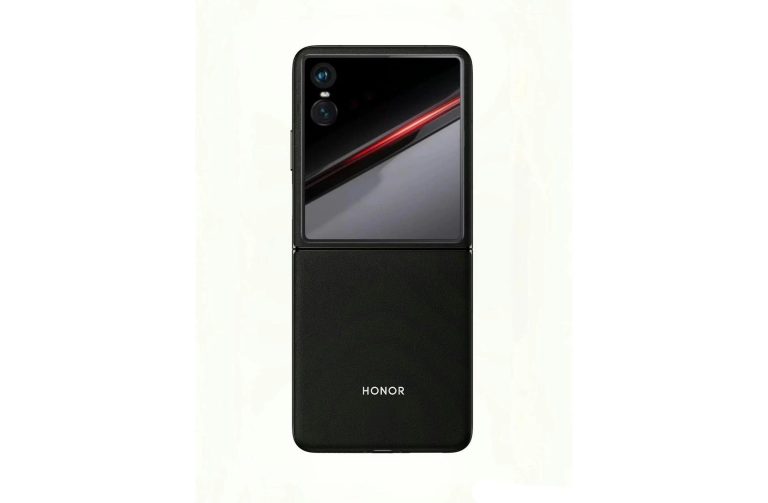
The image surfaced on Weibo, from a tipster known as Mr. Guan. You can check out the image below. Based on this, the HONOR Magic Flip will have a large cover display and two vertically-oriented cameras.
Those two cameras will seemingly be a part of the phone’s display, they won’t be a separate entity. The phone will fold right down the middle, of course, and HONOR’s logo is visible here too. You’ll also notice that vegan leather is used on the back, if you take a closer look.
This is an all-black model of the device, and you will notice its physical buttons on the right-hand side. The power/lock button doubles as a fingerprint scanner, and the volume rocker buttons sit above it.
HONOR confirmed that it will launch its first flip phone in 2024
Do note that this design could be false, it could be just a concept. It looks plausible enough, though, and HONOR is launching its first flip phone this year, so… take note of that.
The HONOR Magic V2 managed to surprise many people, us included, with how thin and light it is. It feels like a regular smartphone in the hand. HONOR followed that up with a Porsche Design variant of the phone, which is just as compelling, if not more so.
HONOR has big plans for this year, and they include two firsts, as already mentioned. Let’s wait and see what will HONOR offer in the flip phone category.
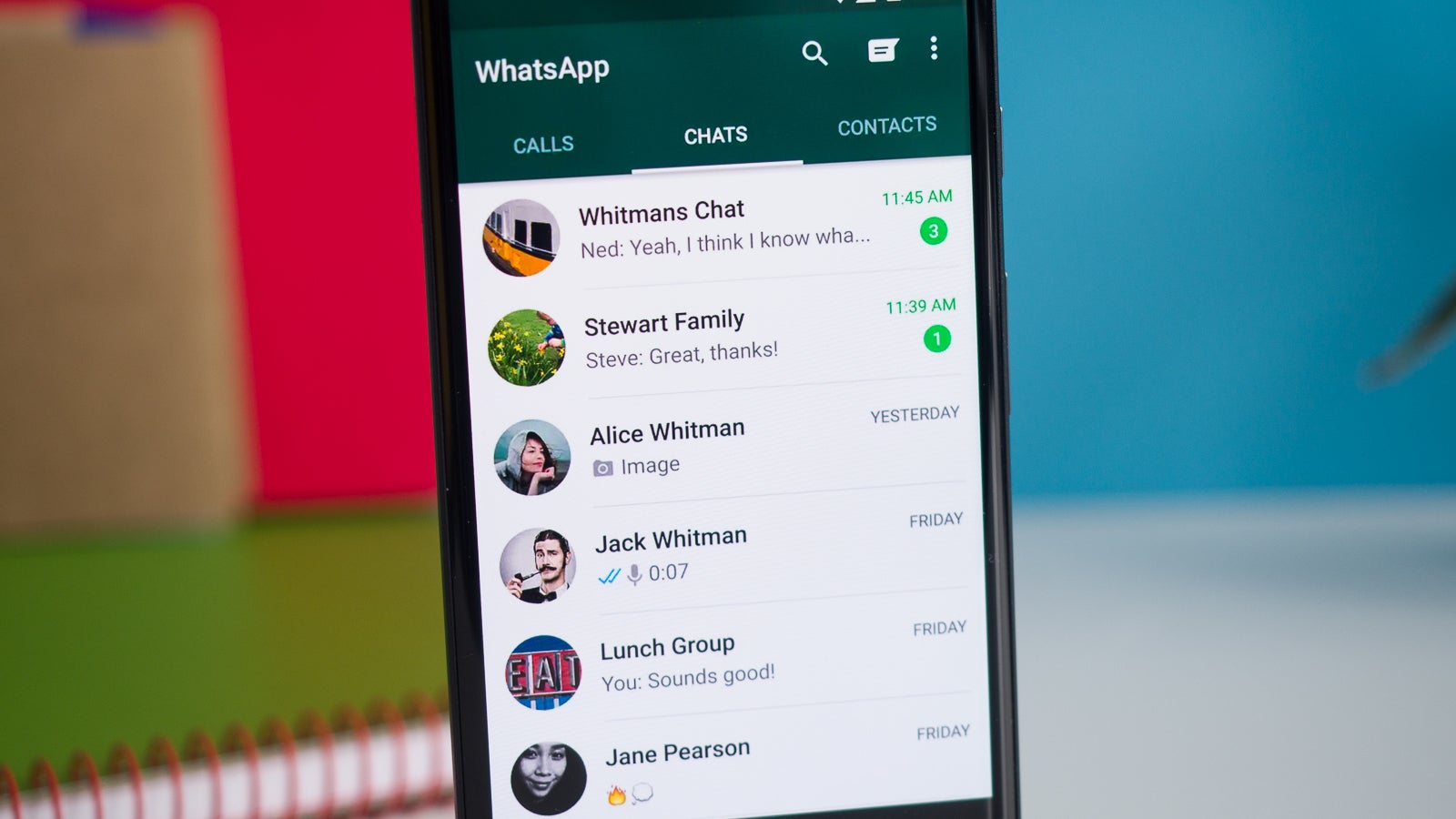
WhatsApp’s latest update brings a couple of new features and a bunch of fixes, especially on iOS. One of the highlights of the update is the ability to forward and rewind a video, thus adding a bit more convenience when you want to return to a video to check something in particular.
This feature has been in testing since last year, but it seems to be making its way to iOS devices now. We’re not sure if the same feature is also available for Android users since the changelog hasn’t been updated on the Google Play Store yet.
What you should know is that the update released on March 25 should allow you to quick forward/rewind by double tapping the edge of a video. According to WhatsApp, this feature will be rolled out to everyone in the coming weeks, so be patient if you don’t see it yet.
Along with the new functionality, WhatsApp has also included a bunch of improvements and bug fixes, as well as the ability to start conversations and discuss with Meta AI and AI bots from Mac. Here is the full changelog below:
You can now see the chat options menu when hovering over the chat list
Improved spacing and hover states in Call History and Status
Fixed an issue where the cursor disappeared after clicking an emoji suggestion
Fixed an issue where quoted message text was sometimes extending outside the message
Fixed an issue where messages were sometimes duplicated when editing a media caption
Fixed an issue that prevented quitting the app when it had expired
Fixed an issue where reactions sometimes didn’t appear in message previews
Fixed an issue where the toolbar was sometimes obscured
Fixed an issue where the Cancel button was hidden when forwarding media
Although the Android version has been updated too on the same day, it’s unclear if includes the ability to forward/rewind a video directly in the app.
Giant Tiger, a prominent Ottawa-based discount retailer, has announced a breach of customer data.
This incident, linked to a third-party vendor responsible for managing the retailer’s customer communications and engagement, has put the personal information of an undisclosed number of customers at risk.
The Breach Unveiled
The security lapse was discovered on March 4, and Giant Tiger concluded by March 15 that customer information was indeed compromised.
Alert Fatigue that helps no one as security teams need to triage 100s of vulnerabilities.:
The problem of vulnerability fatigue today
Difference between CVSS-specific vulnerability vs risk-based vulnerability
Evaluating vulnerabilities based on the business impact/risk
Automation to reduce alert fatigue and enhance security posture significantly
AcuRisQ, that helps you to quantify risk accurately:
Alison Scarlett, a spokesperson for Giant Tiger, emphasized the company’s commitment to resolving the issue swiftly and transparently.
However, the identity of the implicated vendor remains undisclosed.
In response to the breach, Giant Tiger has been proactive in notifying affected customers and advising them to be vigilant about suspicious emails and phone calls.
The compromised data varies among customers but predominantly includes names, email addresses, and, for some, phone numbers and street addresses.
This information pertains to Giant Tiger’s email subscribers, loyalty members, and those who have placed online orders for in-store pickup or home delivery.
According to a recent report by CBC News, Giant Tiger, the discount retailer, has confirmed that its customer data was compromised due to a third-party breach.
The Scope of the Breach
Scarlett refrained from providing a specific figure but indicated that the number of impacted customers correlates with each program’s enrollment.
This breach is part of a growing trend of cybersecurity incidents involving third-party vendors, a point highlighted by Ritesh Kotak, a cybersecurity technology analyst and lawyer based in Ontario.
Kotak warns that such breaches often occur when companies share data with third parties for marketing and advertising, leaving customers vulnerable if these partners lack robust cybersecurity and privacy protocols.
He advises those affected to monitor their accounts closely and be wary of phishing attempts designed to harvest further information or deceive them into making purchases.
In a recent tweet by NewsMarket Today, it was reported that Giant Tiger’s customer information was compromised in a data breach.
No Payment Information Compromised
It’s a small consolation that no payment information or passwords were included in the compromised data.
Giant Tiger has enlisted cybersecurity experts to investigate the breach independently.
The retailer assures that the incident did not affect its store systems and applications.
This incident adds Giant Tiger to the list of Canadian organizations hit by cybersecurity breaches in recent years, joining the ranks of Indigo Books & Music, the LCBO, the Nova Scotia government, the Toronto Public Library, and the City of Hamilton in Ontario.
Scarlett’s statement to The Canadian Press underscores Giant Tiger’s regret over the incident and its dedication to employing best practices to prevent future breaches.
As the digital landscape continues to evolve, so too does the complexity of protecting consumer data, highlighting the need for stringent cybersecurity measures across all sectors.
Stay updated on Cybersecurity news, Whitepapers, and Infographics. Follow us on LinkedIn & Twitter.
Cybersecurity and Infrastructure Security Agency (CISA) and the Federal Bureau of Investigation (FBI) have warned technology manufacturers and their customers about the persistent threat posed by SQL injection vulnerabilities.
Despite being a well-documented issue for over two decades, SQL injection—or SQLi—vulnerabilities continue to be a prevalent defect in commercial software products, leaving thousands of organizations at risk.
Persistent Threat of SQL Injection
SQL injection vulnerabilities allow malicious cyber actors to compromise a database’s confidentiality, integrity, and availability by executing arbitrary queries.
Alert Fatigue that helps no one as security teams need to triage 100s of vulnerabilities.:
The problem of vulnerability fatigue today
Difference between CVSS-specific vulnerability vs risk-based vulnerability
Evaluating vulnerabilities based on the business impact/risk
Automation to reduce alert fatigue and enhance security posture significantly
AcuRisQ, that helps you to quantify risk accurately:
This class of vulnerability stems from the software developers’ failure to adhere to security best practices, particularly the separation of database queries from user-supplied data.
The recent campaign exploiting SQLi defects in a managed file transfer application, impacting thousands, has prompted CISA and the FBI to urge a formal review of code by technology manufacturers to eliminate this threat.
Secure by Design: A Proactive Approach
The “Secure by Design” concept emphasizes the importance of incorporating security measures from the outset of product development.
This approach reduces the cybersecurity burden on customers and minimizes public risk.
Despite being labeled as “unforgivable” since 2007, SQL vulnerabilities continue to rank high on the list of most dangerous and stubborn software weaknesses in 2023, according to MITRE’s CWE Top 25.
DeepBlue Security & Intelligence recently tweeted that the Cybersecurity and Infrastructure Security Agency (CISA) has recommended developers eliminate SQL injection vulnerabilities in their software.
Preventing SQL Injections
To combat SQLi vulnerabilities, software developers are encouraged to use parameterized queries with prepared statements, which effectively separates SQL code from user-supplied data.
This method ensures that user input is treated as data rather than executable code, mitigating the risk of SQL injection attacks.
However, CISA and the FBI caution against solely relying on input sanitization techniques, which can be bypassed and are difficult to enforce at scale.
Principles for Secure by Design Software
CISA and the FBI have outlined three key principles for achieving Secure by Design software:
Take Ownership of Customer Security Outcomes:
Manufacturers must prioritize security by adopting prepared statements with parameterized queries and conducting formal code reviews to identify vulnerabilities.
Embrace Radical Transparency and Accountability:
Transparency in disclosing product vulnerabilities and tracking software defects is crucial.
Manufacturers should participate in the CVE program, which aims to eliminate entire classes of vulnerabilities.
Build Organizational Structure and Leadership to Achieve These Goals:
Security should be a core business goal, with investments and incentives aligned to promote secure coding practices and proactive vulnerability detection.
The alert serves as a call to action for software manufacturers to adopt a comprehensive set of Secure by Design practices beyond just mitigating SQL injections.
Manufacturers are urged to publish their Secure by Design roadmap, demonstrating a strategic commitment to customer safety.
Stay updated on Cybersecurity news, Whitepapers, and Infographics. Follow us on LinkedIn & Twitter.
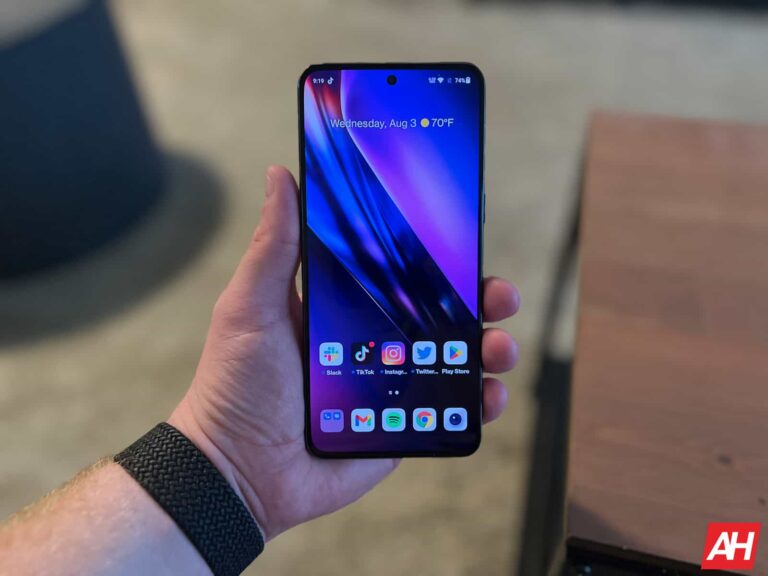
The OnePlus 10T was announced on August 3, at an event in New York City. The company’s first in-person event in nearly two years, due to the pandemic. This would be OnePlus’ second flagship device launched in 2022, behind the successful OnePlus 10 Pro which was initially launched in China in January, and then launched globally in 2022.
The OnePlus 10T isn’t necessarily a successor to the OnePlus 10 Pro. Unlike in previous years, OnePlus is really trying to keep both phones on the market, at different price points. The OnePlus 10 Pro is the premium flagship, while the OnePlus 10T is a slight step down in specs, features and price.
OnePlus 10T will continue to get updates until October 2025, with security updates until October 2026.
Now we’re here to tell you everything you need to know about the OnePlus 10T and if you should actually buy this phone or not.
When will the OnePlus 10T be available?
In most regions, it’ll be available in August. However in North America, pre-orders open September 1 and it’ll be available starting on September 29.
China will have access to the OnePlus 10T starting on August 3. India will have open sales starting on August 6, and Europe will start open sales in mid-August.
It’s currently unclear why there is such a staggered release date for the OnePlus 10T, but the global chip shortage is likely a big reason why.
How much will the OnePlus 10T cost?
The OnePlus 10T will come in two colors – Moonstone Black and Jade Green. It’ll also come in two RAM and storage configurations like usual for OnePlus. That’s a 8GB of RAM and 128GB of storage, or 16GB of RAM and 256GB of storage. OnePlus says that the 16GB model can actually allow for about 35 apps to stay in memory, compared to only 6 with the 8GB of RAM model. These are apps that will stay in memory and not need to redraw when you go back to them.
As far as price goes, the 8GB/128GB model is going to cost $649 in the US, and the 16GB/256GB model will cost $749.
Where can I buy the OnePlus 10T?
At launch, the OnePlus 10T will be available from OnePlus.com, Amazon and Best Buy. With pre-sales starting on September 1.
OnePlus has not yet announced any carrier partnerships for the OnePlus 10T, but we are expecting it to be on sale at T-Mobile.
What offers are available for the 10T?
With pre-sales not starting until next month, OnePlus has not yet announced any offers for the OnePlus 10T just yet. And neither have the carriers. But there will likely be some decent trade in offers that will help you get a good price on the 10T.
Does the OnePlus 10 Pro get a price drop?
OnePlus is also announcing that the 10 Pro is getting a price drop. It’s dropping $100, going down to $799. That means that for $150 more, you’re getting a lot more phone with the 10 Pro, compared to the 10T.
This price drop will be permanent.
What carriers will support the OnePlus 10T?
The OnePlus 10T is a carrier unlocked smartphone, so you do need to pay attention to what carriers it’ll work on. It will work on T-Mobile, and likely on Verizon once it gets certified.
The spec sheet shows that it does support Sub-6 5G bands across all three carriers – AT&T, T-Mobile and Verizon. However, Verizon and AT&T will need to certify the device for it to work on its network. It’s also important to note you likely won’t get HD Voice or WiFi Calling in addition to no 5G access. That’s why certification is so important, and OnePlus doesn’t normally get certification before their launch.
What colors does the OnePlus 10T come in?
OnePlus is offering the 10T in two colors once again, which are similar to the 10 Pro from earlier this year. It’ll come in Moonstone Black and Jade Green.
The Moonstone Black is kind of an homage to the sandstone material that OnePlus used on the OnePlus One many years ago. It’s a textured back, that actually looks and feels really nice in the hand. This makes it easier to hold onto, if you do decide you want to go without a case.
The Jade Green is more of a matte finish, kinda like a lot of the other phones on the market today.
What are the specs of the OnePlus 10T?
In the table below, we are comparing the specs of the OnePlus 10T to the OnePlus 10 Pro. Since both are on the market as “flagships” from OnePlus, and are pretty similar in price.
OnePlus 10T
OnePlus 10 Pro
Display
6.7-inch FHD+ Fluid AMOLED Adaptive 120Hz
6.7-inch FHD+ LTPO Fluid2 AMOLED Adaptive 120Hz
Processor
Snapdragon 8+ Gen 1
Snapdragon 8 Gen 1
RAM
8GB/16GB
8GB/12GB
Storage
128GB/256GB
128GB/256GB
Battery Capacity
4800mAh
5000mAh
Charging Speeds
150W (125W in North America) fast wired charging No wireless charging
80W (65W North America) fast wired charging 50W wireless charging Reverse wireless charging
Software
Android 12, OxygenOS 12.1
Android 12, OxygenOS 12
Rear Cameras
50MP wide 8MP ultrawide 2MP macro
50MP wide 8MP telephoto 48MP ultrawide
Front Camera
8MP
32MP
Dimensions
163 x 75.37 x 8.75mm
163 x 73.9 x 8.6mm
Weight
203.5 grams
200.5 grams
Price
$649
$799.99
Colors
Moonstone Black Jade Green
Volcanic Black Forest Emerald
Available
Pre-order on Sept. 1
Yes
What new features did OnePlus unveil?
Being that the OnePlus 10T is running Oxygen OS 12.1, there’s not a lot of new features here on the 10T, compared to the 10 Pro. As most of those new features are being saved for Oxygen OS 13 which will come later this year. But there are some new goodies here.
HyperBoost Gaming Engine
The OnePlus 10T wants to be a gaming phone, without really being a gaming phone. So it has included its new HyperBoost Gaming Engine.
This powers three features on the OnePlus 10T, to make gaming smoother and more responsive. That includes:
General Performance Adapter (GPA) Frame Stabilizer
GPU Load Control (GLC)
LSTouch
The GPA Frame Stabilizer on the 10T will reduce the frame rate fluctuation when gaming for a smoother and more stable gaming experience. While GLC is designed to improve the efficiency of graphics rendering and to reduce rendering power consumption when playing games. Finally, the LSTouch works with the 1,000Hz instant touch sampling on the OnePlus 10T to improve the responsiveness when gaming.
All of that works to bring you an impressive gaming experience on the OnePlus 10T.
Smart Link
Another new feature on the OnePlus 10T is the Smart Link. This works to improve upload signals and speed by acting as an advanced signal navigation system that proactively finds the best way to avoid network congestion. So it can provide you with the best experience possible.
This actually works well with the new 360-degree antenna system on the 10T. The OnePlus 10T has 15 antennas that inside, and form a 360-degree antenna system. This is why the Alert Slider was removed from the 10T, to make room for this. The new system works to deliver stronger WiFi and cellular signals, no matter how you are using or holding your phone.
How many software updates will the OnePlus 10T get?
OnePlus is promising three Android version updates, which means it’ll be updated through Android 15. It comes at a rather odd time for releasing phones, since Android 13 is set to be released within the next month, and that would count as the first Android version update.
On the security side, OnePlus is promising four years of updates.
How fast does it charge?
OnePlus has been pushing the envelope for a few years, on how fast it can charge a device. And with the OnePlus 10T, we’re getting 125W of charging speeds.
Similar to the OnePlus 10 Pro, the 10T is getting faster charging outside of the US. This comes down to the outlets found in homes in the US versus in Europe and Asia. In the US, we normally have 110V or 120V outlets. While many other countries have 220V or 240V outlets. Which allows the new SUPERVOOC charger to charge faster. So in the US, we get 125W, while Europe and India get 150W.
However, OnePlus is including the exact same charger in the box for all 10T models. That means that if you buy a 10T in the US and then travel to Europe with your charger, you’ll get those faster charging speeds. The charger is 160W, and the reason for that, is to ensure that it has the higher voltage needed to get the best charging speeds possible.
Even at 125W, OnePlus claims that it can charge from 1 to 100% in 20 minutes. And 1 to 65% in just under 10 minutes.
How does OnePlus protect my battery?
Fast charging a smartphone battery can really damage it over time, and keep it from lasting as long as it should. But OnePlus has some safe guards in place. Like the new Intelligent Charging Management. The OnePlus 10T supports a trio of charging management systems that improve charging safety, efficiency and reduce heat emitted during the process. These include:
Dual charge pump
VFC trick charging optimization algorithm
Customized Smart Charging Chip
OnePlus is also using a dual-cell battery on the OnePlus 10T. Basically, it’s two batteries like you’d find in a foldable smartphone, which enables the phone to support a higher battery current, for faster charging speeds.
So you don’t need to worry about the charging of your OnePlus 10T affecting the battery in the long run. OnePlus says that the battery is rated at 1,600 cycles to remain around 80% of its capacity. Which is far more than most other smartphones. Since the majority of its competition rates it around 300-500 cycles to remain at 80% capacity.
Should I upgrade to the OnePlus 10T?
That’s a tough question, but OnePlus is clearly positioning the 10T and the 10 Pro for different audiences. The OnePlus 10T is all about performance, while the 10 Pro is more about the experience and the cameras.
At $649, however, the OnePlus 10T is a very competitive smartphone. It’s right on par with the Galaxy S22 Plus which retails for $999, however OnePlus is selling their 10T for $350 less, with almost identical specs.
It’s official, DIRECTV Stream is finally here. On the surface, DIRECTV Stream is really just a rebrand of AT&T TV (which was a rebrand of DIRECTV NOW). But there are some changes here that you need to be aware of. So we are going to tell you everything you need to know about DIRECTV Stream. And whether it’s worth using as your new Live TV Streaming service.
When did DIRECTV Stream launch?
DIRECTV Stream officially launched on August 26, 2021.
As mentioned, it’s really just a rebrand of AT&T TV (and AT&T TV NOW), and that’s because AT&T kinda sold off DIRECTV. So it needed to branch out its streaming TV service, and get rid of the “AT&T” name from it. But instead of going back to DIRECTV NOW, it’s now DIRECTV Stream.
How much does DIRECTV Stream cost?
Update: Prices for DIRECTV Stream will increase in January 2023. All plans are seeing a price increase, of at least $5 per month. Some are seeing a $10 increase.
Update 2: Prices for DIRECTV Stream have increased a second time this year. Starting in November 2023, prices will start at $79.99 per month
DIRECTV Stream offers four different tiers, similar to AT&T TV. Their no-contract plans start at $94.98 per month for their Entertainment Plan, which includes 65 channels. Then there’s the Choice Plan that begins at $123.98, with Ultimate at $134.98. DIRECTV Stream has also added its Sports package to every plan, so now you’re paying $15 more than you would without sports, which is rather unfortunate, especially if you don’t like sports or don’t watch them.
What different tiers are available?
As mentioned already, there are four tiers available for DIRECTV Stream. Entertainment will cost you $69.99 per month and includes 65+ channels. If you want to get your regional sports channels (which DIRECTV Stream is the only streaming service that has these now), you’ll want to get Choice or higher. This includes 90+ channels for $84.99.
If that’s not enough channels, Ultimate is available for $94.99 with 140+ channels.
Contract vs no-contract plans?
DIRECTV Stream is available as a no-contract streaming TV service, which is honestly how you should sign up for it. While the contract plans are cheaper, they then jump to a much higher price in the second year. It’s also almost impossible to sign up for DIRECTV Stream on a contract. And that’s probably a good thing.
What channels does DIRECTV Stream offer?
So what channels are available on DIRECTV Stream? Well, most of them, to be quite honest. In the table below, you can see how the channel lineups stack up for each tier.
Entertainment $95
Choice $124
Ultimate $134
Premier $170
A&E
✓
✓
✓
✓
AMC
✓
✓
✓
✓
BET
✓
✓
✓
✓
Bravo
✓
✓
✓
✓
Cartoon Network
✓
✓
✓
✓
CNN
✓
✓
✓
✓
Comedy Central
✓
✓
✓
✓
Discovery
✓
✓
✓
✓
Disney Channel
✓
✓
✓
✓
Disney Junior
✓
✓
✓
✓
E!
✓
✓
✓
✓
ESPN
✓
✓
✓
✓
Food Network
✓
✓
✓
✓
Fox News
✓
✓
✓
✓
Freeform
✓
✓
✓
✓
FX
✓
✓
✓
✓
FXX
✓
✓
✓
✓
Hallmark Channel
✓
✓
✓
✓
HGTV
✓
✓
✓
✓
History
✓
✓
✓
✓
Investigation Discovery
✓
✓
✓
✓
Lifetime
✓
✓
✓
✓
MSNBC
✓
✓
✓
✓
MTV
✓
✓
✓
✓
Nickelodeon
✓
✓
✓
✓
Paramount Network
✓
✓
✓
✓
Syfy
✓
✓
✓
✓
TBS
✓
✓
✓
✓
TLC
✓
✓
✓
✓
TNT
✓
✓
✓
✓
Travel Channel
X
✓
✓
✓
truTV
✓
✓
✓
✓
USA Network
✓
✓
✓
✓
VH1
✓
✓
✓
✓
WE tv
✓
✓
✓
✓
And here’s how DIRECTV Stream stacks up against the competitors.
Given the fact that a number of streaming TV services have been forced to drop regional sports networks, you may be interested in seeing which ones DIRECTV Stream actually has. Let’s see how they stack up in both national and regional sports networks.
While local channels are indeed free, and you can get them just by buying an antenna for your TV, it is definitely convenient to have it included in your TV service. And DIRECTV Stream does have all of your locals. Here’s how it stacks up to the competition.
The features available on DIRECTV Stream are very similar to AT&T TV (NOW). That includes DVR support, a ton of simultaneous streams, and more. Let’s go over the features of DIRECTV Stream.
Is there DVR included in DIRECTV Stream?
All new customers will get unlimited DVR with DIRECTV STREAM. If you are on a grandfathered plan, you will stick with your current DVR plan – that could be as little as 20 hours.
Unlimited DVR is included in the price, and recordings will remain on your account for up to 9 months. However, there is a caveat. In a series, DIRECTV STREAM will only keep the most recent 30 episodes. Deleting the oldest recordings. So you won’t be able to keep episodes of something like Friends on your account, to watch whenever.
How many simultaneous streams are included?
Get ready to be blown away. DIRECTV Stream allows you to have 20 simultaneous streams. That’s pretty crazy. Most services only offer 3-5 simultaneous streams. And you can pay more for more streams.
But there is a caveat, as you might expect. It’s 20 simultaneous streams in the same home and on the same WiFi network. However, there are only three if you are on different WiFi networks. So, if you are sharing DIRECTV Stream with others who are not in your home, you’re still limited to just three streams at a time.
What devices work with DIRECTV Stream?
DIRECTV Stream works on pretty much every device you would expect it too. But if for some reason you don’t have any of these devices, you can “rent” a box from AT&T, which is essentially an Android TV box with DIRECTV Stream pre-loaded on it. And they will happily charge you $5 per month for it. If you don’t have one of the devices below, we recommend buying the Chromecast with Google TV or even a Roku, which can be as cheap as $20.
These devices work with DIRECTV Stream:
Amazon Fire TV (2nd generation and newer)
Android
Android TV
Apple TV (4th and 5th generation)
Chromecast with Google TV
Chromecast Built-in TV (select models)
DIRECTV Stream device
iOS (devices running iOS 11 and later)
Roku
Samsung Smart TV (2017, 2018, 2019 and 2020 models)
What is the DIRECTV Stream device?
The DIRECTV Stream device is essentially an Android TV box that AT&T is renting to customers. It has the DIRECTV Stream app pre-installed, of course. However, you can also install other apps from the Google Play store. It also has Google Assistant available, and it’s super easy to set-up. There’s no need to have someone come and install it for you.
AT&T will “rent” this to you for $5 per month. Or you can pay $120 upfront. This is pretty overpriced for what it is. When the Chromecast is combined with Google TV, it will likely perform better for less than half the price.
Can I keep my existing plan & price from AT&T TV?
Existing DIRECTV Now, AT&T TV, and AT&T TV Now customers are grandfathered in. So you can keep your current plan and price.
However, you may find that these plans are better than what you currently have even though the prices are now higher. But the bottom line is, if you had DIRECTV Now, AT&T TV, or AT&T TV Now, you won’t be moved to one of these new plans, which is a good thing.
Do AT&T TV customers need to do anything to use DIRECTV Stream?
Nope. Like with most service rebrandings, the current AT&T TV app will be rebranded to DIRECTV Stream. That update will likely begin rolling out on August 26. All you need to do is update the app on all of your devices, and you’re good to go. It’s very likely that the update will happen automatically. So there’s even less to worry about here, which is really nice.
Is it worth it to switch to DIRECTV Stream?
This really depends on what channels you need and what content you watch. And if you really want your regional sports networks back. As DIRECTV Stream is the only service with the regional sports networks right now. And that is also why it is more expensive than other services like YouTube TV.
However, DIRECTV Stream is becoming a very competitive service with this rebrand. It offers more channels and an unlimited DVR option. It has me looking twice at the service, considering that was the biggest reason I was sticking with YouTube TV – that unlimited DVR. But it is quite a bit more expensive than YouTube TV when you add the DVR and regional sports. Looking at $95/month plus tax. At the same time, YouTube TV is still $65. Are sports really worth an extra $30? Perhaps to some people.
This is what we need in the streaming live TV space, though. We need more competition, and forcing these services to compete with each other is going to either drive the price down or give us more channels and features to justify that price because cable is indeed dead.
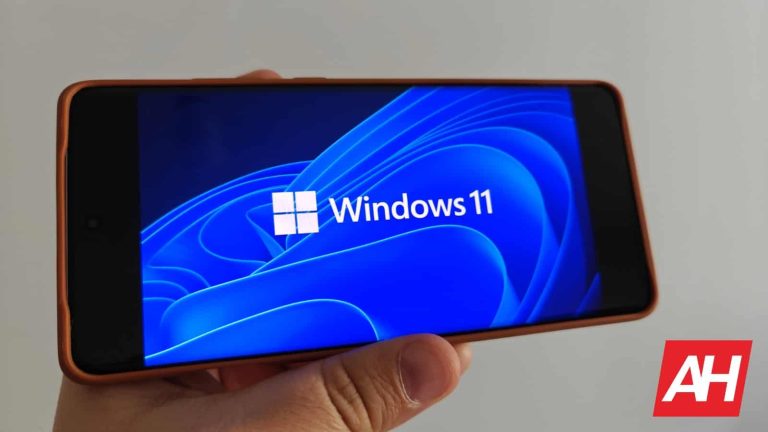
Ever since Windows 11 first hit the scene, we saw a ton of effort put into bridging the gap between Android and Windows. For example, Microsoft allowed Windows 11 users to download and install apps from the Amazon App Store. Being able to access the apps you love on your computer could have several benefits, so here’s how to install Android apps on your Windows computer.
At the time of writing this article, at least one of the methods is in beta testing, so the availability will vary. If you don’t have access to all of the methods, then you will want to either get on the beta or wait for it to reach a public release. We will update the article when these methods hit the public. We will also update the article if a company discontinues a method, as is the case with one.
How to install Android apps on your Windows computer
The first method is a bit weird at the time of writing this, as it’s in the process of being discontinued. However, you’re still able to use it in a limited capacity, so we’re including it.
Through the Amazon App Store
If you were around for the Windows 11 announcement back in 2021, then you’ll know that Microsoft partnered with Amazon to bring its app store onto the Windows operating system. This was a little clunky when it started, as it went through a lengthy beta testing process. At first, you needed to be a member of the Windows Insider program.
Now, this functionality is available to all Windows 11 users. However, it’s a bit hindered, as, at the time of writing this article, Amazon is in the process of discontinuing it. Can you still access and install Amazon apps to your Windows 11 computer? Yes. However, there are a few caveats.
How to install Amazon apps on Windows 11
The first major caveat is that you needed to have installed the Windows Subsystem for Android from the Microsoft Store before March 6th, 2024. If you haven’t then you won’t be able to use this method. However, if you happen to have downloaded it, you’ll be able to access apps.
As it stands now, you’ll still be able to download apps onto your computer until March 5th, 2025. You’ll have access to the full library of games and other apps. Go to the search bar in your Windows taskbar and type “subsystem”, and one of the results that show up will be the Subsystem for Android. When you open it, you’ll see the Amazon App Store appear.
Click on the Get button under the app you want to use and click on the Download button in the popup that appears. After that, you’ll see the app start to download and install. After that process, you can open the app by clicking the Open button under the app on the App Store or by finding it in your apps.
One thing to note is that you can’t download the subsystem from the Windows store anymore, so if you already have it on your computer, then don’t uninstall it if you want to continue using Amazon apps.
Through Google Play Games
While using the Amazon app store gives you access to a wide range of apps, it’s nothing compared to the Google Play Store. This is also true when it comes to the number of games. This is why some people were excited when they heard that Google was bringing Google Play for Windows.
Basically, you will download the Google Play launcher to your computer, and the launcher will download, manage, and run your games. This is very much like Steam.
This method is actually more robust than what you had with Amazon apps. You get access to a wide range of games including Genshin Impact, Fruit Ninja 2, Turnip Boy Commits Tax Evasion, Etc. Also, since this goes through the Google Play Store, any apps you previously purchased will be freely available to download on your computer.
How to use Google Play for Windows
It’s important to note that this is also available for Windows 10 computers. Right now, this is in beta testing, but it’s available in over 100 regions. You can check if your region is eligible for Google Play games on PC. If you’re eligible, go to the official download page. From there, you will download the .exe file and install the launcher.
After you do that, you will sign in to your Google account in the launcher. After you do that, you will be able to look through the library of games and start playing.
The Home tab on the left side of the screen will give you a feed of recommended and featured games. This will be just like the Google Play Store on your phone. So you will see different types of games that conform to different categories.
Under the Home tab, you will see the Library tab. This is where you will see all the games that you’ve downloaded onto your computer. You will also see a feed of games you’ve downloaded in the past onto your mobile device. So, this will be a way of letting you know that some of your favorite classics on your phone can be available on your computer.
Under the library tab, you have the Explore tab. This tab will show you a grid of all of the games that you can download. Up top, you will see a search bar to type in the title of the game you want to play. Under the search bar, you will see the different categories all laid out in a succession of chips. So, you will be able to search all of the games that are available to download and play.
Playing the games
Don’t worry about playing mobile games on your computer. The developers formatted these games to use both mouse & keyboard and controllers. So, you’ll have a PC gaming experience.
To uninstall a game, go to your Library. When you find the game that you want to uninstall, click on the three-dot button on the right side of the game, and click on the Uninstall button.
Through BlueStacks
For over a decade, BlueStacks has been one of the primary ways of playing Android games on computers. It’s been around since 2011, and it’s only gotten better as time went on. BlueStacks is still a viable option with its latest version being BlueStacks 10.
It’s similar to the Google Play launcher in that you will open an interface and download the apps. However, BlueStacks is a bit different because it will run an Android virtual machine and play the apps through that.
This option may have the most choices for games, as you’re not playing from a curated list of Select games. You have access to the full Google Play Store library of games using BlueStacks.
Installing BlueStacks
To install BlueStacks, go to the official BlueStacks site. You will see a download link for the latest version of BlueStacks on the homepage. On that page, you will see BlueStacks 10 being advertised. Click on that button and download the installer. One thing about BlueStacks is the fact that it may trigger your system’s virus protection and flag it as a threat. However, BlueStacks is perfectly safe to use. The reason why it triggers red flags is that it uses a virtual machine. In any case, if you don’t trust it, then you’re free to disregard this method.
One thing to know is that there are different versions of BlueStacks available. So, if version 10 does not work with you, then you can check out the different BlueStacks versions. Since you are running a virtual machine, you’ll be able to download different machines targeting different versions of Android. So, if the latest version of BlueStacks 10 isn’t compatible with your system, you can try one of the other ones.
Currently, there are four versions of BlueStacks 5, which are the 32-bit version targeted at Android 7 (Nougat) along with the 64-bit version. There’s a 64-bit version targeting Android 9 (Pie) and a 64-bit version targeting Android 11 (R).
Along with that, there are three versions of BlueStacks 4 which are the 32-bit and 64-bit versions targeted at Android 7. Also, there is a 64-bit version targeted at Android 7 with Hyper-v.
Using BlueStacks
When you have BlueStacks installed, you will see a bare-bones interface with a folder of apps, an app called App Center, and a row of suggested apps to download. Up top, you will see a search bar. Click on the App Center to start exploring apps to download.
When you click on an app to download, you’ll be taken to the Google Play Store. Being sent to the Google Play Store is inevitable, as when you click on an app in the App Center, you’ll be taken to that app’s Google Play Store page. Just click the Install Button as usual, and the app will be installed into the Android virtual machine. From that point, you’ll be able to go back to the home screen and fire up the app.
Installing Android apps directly to your system [currently unreleased]
At the time of writing this article, Google is currently working on a way to let users install apps directly to their systems rather than through a launcher. At this point, details about this are still scarce, so we’ll have to wait for more information to come out. The company is currently testing this method with a few titles.
This article will be updated with more details as they arise.
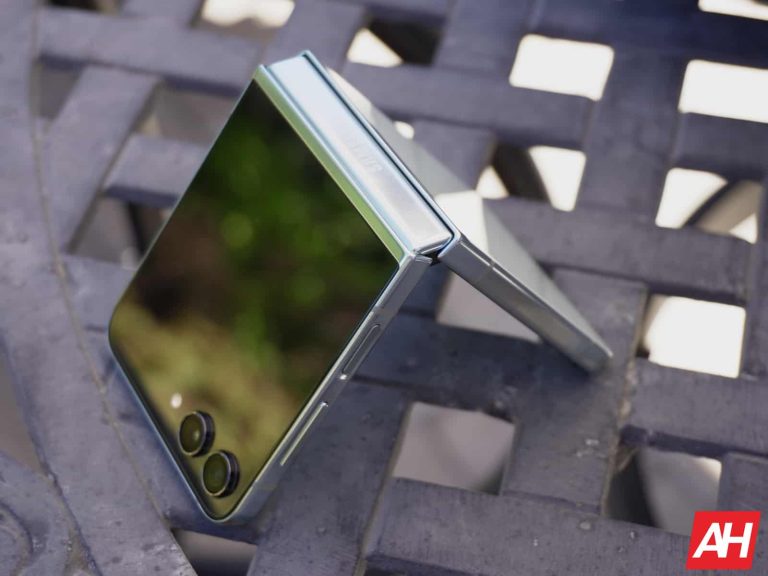
According to new info that surfaced online, the Samsung Galaxy Z Flip 6 will have a titanium frame. This information has been shared by Revegnus, a tipster. That’s basically the only piece of info he shared via that particular tweet.
The Galaxy Z Flip 6 to offer a titanium frame, and arrive in two SoC variants
Not long after that, he had more to say. In a new tweet, he shared some information that he relayed from Yeux1122, who shared the info on Naver. Earlier this month, Revegnus reported that an Exynos model of the Galaxy Z Flip 6 is on the way. Well, Naver just reconfirmed that, it seems.
The Galaxy Z Flip 6 is said to arrive in both Exynos and Snapdragon variants. So it’s basically following the Galaxy S24 and Galaxy S24+’s path. If we had to guess, we’d say that Europe will get the Exynos model, the same as with the Galaxy S24 and Galaxy S24+.
It will also get AOD functionality from the Galaxy S24
On top of all that, Samsung will include the Galaxy S24’s AOD (Always On Display) functionality here. That’s basically everything new that leaked regarding the Galaxy Z Flip 6.
Do take this info with a grain of salt, of course, even though it’s probably accurate. Utilizing titanium could bring down the weight of the Galaxy Z Flip 6 down unless Samsung changes the size or something like that.
Not everyone will be happy with the two SoC options, as the Exynos 2400 is technically inferior to the Snapdragon 8 Gen 3. The Exynos 2400 is a lot better than its predecessors were, at least.
The Galaxy Z Flip 6 will likely launch in the first half of July. Its launch event is rumored for July 10, and the Galaxy Z Fold 6 will arrive alongside the Galaxy Z Flip 6. The Galaxy Ring is also expected.
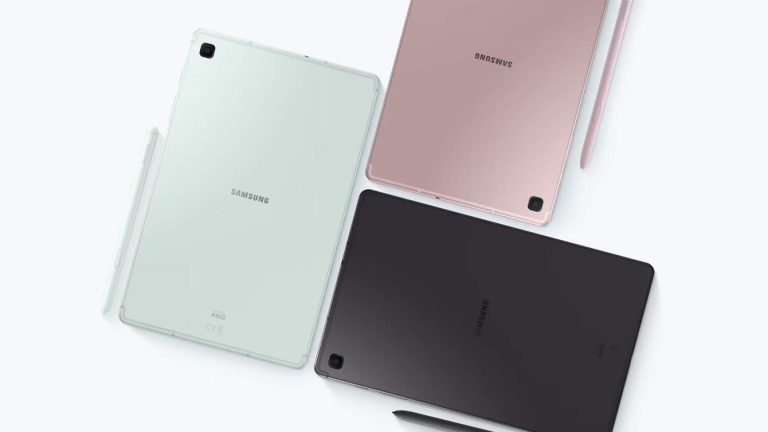
We’ve been following rumors that Samsung was planning on releasing the Galaxy Tab S6 Lite… for the third time. While it seems unlikely that Samsung would release this tablet after it re-released it a few years ago, it appears that our suspicions were true. According to a new report, the Galaxy Tab S6 Lite 2024 is official.
Back in 2022, Samsung re-released the Galaxy Tab S6 Lite (which originally launched in 2020), and it was a nice little tablet. It used the Snapdragon 720G (Exynos 9611). It was a nice contrast to the Galaxy Tab S8 that launched the same year.
The Galaxy Tab S6 Lite 2024 is official
News about this upcoming tablet started popping up a little while back, and leaks and rumors began flowing in. It was a bit tough to believe because Samsung already has a ton of tablets on the market as is. It launched the Galaxy Tab S9 series, Galaxy Tab S9 FE series, and Galaxy Tab A9 series. So, refreshing a tablet that’s already been refreshed when it has nine tablets and circulation seems like a bit overkill.
However, it appears that Samsung does not care about overkill. The revamped tablet was spotted on the Samsung store in Romania. In the store listing, we see some confirmed specs for this tablet. Many of the specs are unchanged from the 2022 revamp.
Rumored specs
The Galaxy Tab S6 Lite 2024 will come with a 10.4-inch LCD display. That might not sound too impressive, but Samsung’s LCD technology is some of the best on the market. It comes with 64 GB of storage and 4 GB of RAM, which puts it firmly in the budget tablet market.
This tablet will come with a 7,040mAh battery, which is a little bit small compared to the standard 8000mAh battery we see with tablets. Along with that, it’s also compatible with an S Pen.
The Galaxy Tab S6 Lite 2024 will use an SoC that’s clocked up 2.4GHz and 2GHz. The company didn’t outright state what chip the tablet is using, but the folks at SamMobile were able to guess that this is the Exynos 1280 SoC.
The 2022 version of this tablet came with an 8-megapixel camera on the rear and a 5-megapixel selfie camera. So, it’s likely that the company will copy and paste those same specs.
In the listing, we see the tablet in three colors. Two colors launched with the last version of the tablet, and they are Chiffon pink and Oxford gray. However, there’s a new mint option that looks rather nice.
Price
We don’t know how much this tablet is going to cost when it launches. However, previous reports say that this tablet will start at €429. That’s for the Wi-Fi-only 64GB variant. There could also be a more expensive cellular variant that comes with 128GB of storage, which could retail for €519.