As deep neural networks (DNNs) become more prevalent, concerns over their security against backdoor attacks that implant hidden malicious functionalities have grown.
Cybersecurity researchers (Wenmin Chen and Xiaowei Xu) recently proposed DEBA, an invisible backdoor attack leveraging singular value decomposition (SVD) to embed imperceptible triggers during model training, causing predefined malicious behaviors.
DEBA replaces minor visual features of trigger images with those from clean images, preserving major features for indistinguishability.
Invisible Backdoor Attack –DEBA
Extensive evaluations show that DEBA achieves high attack success rates while maintaining the perceptual quality of poisoned images.
Furthermore, DEBA demonstrates robustness in evading and resisting existing defense measures against such attacks on DNNs.
The work highlights escalating threats of stealthy backdoor embeddings compromising the trustworthiness of deep learning models.
Deep neural networks (DNNs) receive backdoor attacks in the form of patches introduced by embedding as a starting point, with subsequent implementations becoming stealthy and invisible.
Alert Fatigue that helps no one as security teams need to triage 100s of vulnerabilities.:
The problem of vulnerability fatigue today
Difference between CVSS-specific vulnerability vs risk-based vulnerability
Evaluating vulnerabilities based on the business impact/risk
Automation to reduce alert fatigue and enhance security posture significantly
AcuRisQ, that helps you to quantify risk accurately:
A particular process evolves from visible backdoors into adversarial perturbations, label-consistent poisoning, edge-based dynamic triggers, and color shifts to make them look natural.
However, some previous attacks still leave visual traces that expose them as not completely invisible.
Besides this, recent research shows that backdoors can also be extended to face recognition systems used in real-world applications.
Initially targeting inference errors, these have changed towards creating secret resiliently embeddable backdoor threats which are more dangerous for DNNs deployed across different domains due to their credibility reasons and security concerns.
Yet it remains difficult to devise countermeasures against such disguised poisoning attacks.
Continuing to evolve, the silent back-door attacks on deep neural networks (DNNs) have made further research into effective defenses.
Such efforts concentrate on protecting data inputs, models, and output detection.
Input defenses analyze saliency maps and artifacts for poisoning-suspected anomalies. Model defenses remove backdoors by pruning neurons, fine-tuning, or distilling models.
Output detection identifies infected models by measuring prediction randomness under input perturbations.
However, this race between attacking and defense continues with DEBA as one of the new attacks that can bypass existing defenses through invisible trigger embedding in the course of the training process.
Overview framework of SVD-based backdoor attack (Source – Arxiv)
Given the escalation of surreptitious model corruption and the need for DNNs to be used reliably and securely, evaluating robustness against the emergence of the latest defenses is quite important.
The proposed attack assumes the attacker can poison a portion of the training data without controlling the model architecture or training process.
During inference, attackers can only manipulate inputs.
DEBA utilizes singular value decomposition (SVD) to decompose images into singular values and vectors capturing structural information.
By replacing the smallest singular values/vectors of clean images with those from trigger images, DEBA embeds imperceptible triggers, retaining the major features of clean images while injecting minor trigger details.
This process enables generating poisoned images effective for targeted mispredictions during inference while appearing indistinguishable from benign samples.
The attack is evaluated under the threat model of data poisoning during training but restricted test-time access, demonstrating high attack success and robustness against existing defenses through its covert trigger embedding approach.
DEBA conducts this invisible trigger embedding in the UV color channels for enhanced efficiency and imperceptibility.
Comprehensive experiments demonstrate DEBA’s superior attack success rates and invisibility compared to prior attacks.
Stay updated on Cybersecurity news, Whitepapers, and Infographics. Follow us on LinkedIn & Twitter.
Apple’s brawl with the EU has become a never-ending story. After the iPhone maker was forced to allow app sideloading on iOS to comply with the EU Digital Markets Act (DMA), the continent’s antitrust chief has now scrutinized Apple over its new fee structure. The EU official has also issued a similar warning to Meta.
Speaking with Reuters on Tuesday, EU antitrust chief Margrethe Vestager noted that Apple’s plan to take new fees prevents users from enjoying the DMA and might dissuade them from using alternative app stores.
In January, Apple revamped the App Store policies to comply with DMA. As a part of this, app developers can now distribute their apps via alternative app stores, which means they can evade paying a 30% commission to Apple. But if you think Apple will forget its commission, you’re building castles in the air.
EU Antitrust Chief oversees Apple’s compliance with DMA
Apple still demands 50 euro cents per user account per year from app developers. Additionally, developers with entitlement to the App Store Small Business policy should pay a 12% commission, and others are entitled to a 27% fee. Taking fees from developers who want to use alternative app stores has also led Epic to file a new lawsuit against Apple.
On paper, Apple has fully complied with DMA rules. Meanwhile, EU’s Vestager said, “There are things that we take a keen interest in, for instance, if the new Apple fee structure will de facto not make it in any way attractive to use the benefits of the DMA. That kind of thing is what we will be investigating.”
Complying with DMA exposes users to security risks, Apple says
Vestager also added that discouraging users from migrating to alternative services might lead to an investigation. According to Vestager, developers’ feedback helps her to investigate the DMA violations by companies.
“I would think of it as unwise to say that the services are not safe to use because that has nothing to do with the DMA. she said. “The DMA is there to open the market for other service providers to get to you and how your service provider of your operating system, how they will make sure that it is safe is for them to decide.”
Apple claimed that complying with some DMA rules could expose users to security risks. Conversely, an EU official threatened the tech giant with “Strong action” if it failed to comply with the DMA.
If you’re in the market for a high-end compact smartphone, there’s not really much to choose from. There are a lot more huge high-end smartphones out there. Luckily for us, some options are available. In this article, we’re comparing some of the best devices on both iOS and Android sides, in that category, the Apple iPhone 15 Pro vs Xiaomi 14. These two handsets are not exactly tiny, but both are considered to be compact. Both are also immensely powerful.
As per usual, we’ll first list their specifications, and will then move to other categories. We’ll compare their designs, displays, performance, battery life, cameras, and audio performance. These two phones are fairly different, so there’s plenty to talk about in this one. Let’s get to it, shall we?
Both devices are made out of metal and glass. Well, the Xiaomi 14 also comes with a vegan leather backplate, but that model is also available in China. We’ll focus on the global variant here. Both devices do have flat sides, which are slightly curved towards the edges. Both phones also have flat displays and mostly flat backplates. They do feel different in the hand, though, despite those similarities.
The iPhone 15 Pro includes a pill-shaped cutout on its display, along with very thin, uniform bezels. The Xiaomi 14 has a display camera hole that is centered, and extremely thin, uniform bezels. The bezels on the Xiaomi 14 are slightly thinner. If we flip them around, you’ll notice that their camera islands are different, but they sit in the same spot. They’re located in the top-left corner of the back. The iPhone 15 Pro has its recognizable setup on the inside, which is not neatly aligned, not exactly. The Xiaomi 14 has two sensors per row, even though only three of them are cameras, the second one in the top row is actually an LED flash.
The iPhone 15 Pro has physical buttons on both its left and right sides. All the physical buttons on the Xiaomi 14 are located on the right side. The iPhone 15 Pro is shorter and narrower in comparison, but it does have a smaller display, so that’s a given. The two phones are about the same thickness, and very similar in terms of weight. The iPhone 15 Pro weighs 187 grams, while the Xiaomi 14 weighs 193 grams.
Both devices are IP68-certified for water and dust resistance. They both feel premium in the hand, and both are very comfortable to hold. The thing is, they’re very slippery too, so have that in mind. Using a case may be a good choice.
Apple iPhone 15 Pro vs Xiaomi 14: Display
There is a 6.1-inch 2556 x 1179 LTPO Super Retina XDR OLED display included on the iPhone 15 Pro. That display is flat, and it has a 120Hz refresh rate (adaptive). It supports HDR10 content and also comes with Dolby Vision support. The maximum brightness of this panel is 2,000 nits. The screen-to-body ratio is around 88 percent, while the display aspect ratio is 19.5:9. The Ceramic Shield glass protects this panel.
Apple iPhone 15 Pro
The Xiaomi 14, on the other hand, includes a 6.36-inch 2670 x 1200 LTPO OLED panel. This display is also flat, and it has an adaptive refresh rate of up to 120Hz. Dolby Vision is supported here, as is HDR10+ content. The maximum brightness you’ll be able to hit on this panel, in theory, is 3,000 nits. The screen-to-body ratio on the Xiaomi 14 is around 89 percent, while the display aspect ratio is 20:9. The Gorilla Glass Victus protects this panel.
Both of these displays are great. They’re both vivid, have excellent viewing angles, and they’re more than sharp enough. The blacks are deep on both panels, the bezels around them are very thin, and the touch response is also very good. The Xiaomi 14’s panel does get a bit brighter, technically, but chances are you’ll be happy with the brightness on both panels, regardless of where you are.
Apple iPhone 15 Pro vs Xiaomi 14: Performance
The iPhone 15 Pro is fueled by the Apple A17 Pro processor. That is a 3nm chip and Apple’s most powerful one for smartphones. The phone also includes 8GB of RAM and NVMe flash storage. The Xiaomi 14 is fueled by the Snapdragon 8 Gen 3 processor, while it includes 12GB of LPDDR5X RAM and UFS 4.0 flash storage. They’re both very well equipped in terms of performance-related specs, though the Xiaomi 14 has the edge in the RAM and storage departments.
We all know that iOS and Android function differently, so that’s not necessarily a big deal. You’ll find out that both smartphones work great, no matter what you throw at them. In regular, everyday performance scenarios, they fly through everything you throw at them. They both launch apps extremely fast, they’re great for multimedia consumption, browsing, image taking and processing, and everything else you can think of, really.
The same can be said for gaming, actually. If you fire up some of the most demanding games out there, these two phones can handle them without a problem, which is to be expected. The thing is, they do get quite warm after longer gaming sessions. They never got too warm to handle for us, though, so no worries there. Just note that they will feel rather warm in the hand if you’re playing for long, but that won’t affect the performance, at least it didn’t for us.
Apple iPhone 15 Pro vs Xiaomi 14: Battery
A 3,274mAh battery sits inside the Apple iPhone 15 Pro. The Xiaomi 14, on the flip side, has a 4,610mAh battery on the inside. The two operating systems on these phones do handle battery life differently, so this difference shouldn’t really shock you. On top of that, the iPhone 15 Pro does have a smaller display of the two. They’re both good in terms of battery life, but we’ve noticed a bit better performance out of the Xiaomi 14.
Getting over the 6-hour screen-on-time mark with the iPhone 15 Pro proved to be possible, and even easy. The same goes for the Xiaomi 14, but for the 7-hour screen-on-time mark. We noticed that the Xiaomi 14 was consistently better in regards to battery life. Gaming does affect both smartphones quite a bit, especially demanding games, but that’s the case for almost every phone. So do note that. If you’re not a gamer, however, you’ll get good battery life on both phones. Your mileage could always vary, though, of course.
When it comes to charging, the Xiaomi 14 completely destroys the iPhone 15 Pro. It supports 90W wired, 50W wireless, and 10W reverse wireless charging. It also comes with a 90W charger in the box. The iPhone 15 Pro supports 20W wired, 15W MagSafe and Qi2 wireless charging, 7.5W Qi charging, and 4.5W reverse wired charging. The Xiaomi 14 chargers a lot faster wirelessly than the iPhone 15 Pro does via a wired. The difference is even more noticeable when you utilize 90W charging on the Xiaomi 14. The iPhone 15 Pro also doesn’t include a charger in the box, unlike the Xiaomi 14.
Apple iPhone 15 Pro vs Xiaomi 14: Cameras
The iPhone 15 Pro features a 48-megapixel main camera, a 12-megapixel ultrawide unit (120-degree FoV), and a 12-megapixel telephoto camera (3x optical zoom). The Xiaomi 14 comes with a 50-megapixel main camera, a 50-megapixel ultrawide camera (115-degree FoV), and a 50-megapixel telephoto unit (3.2x optical zoom. Both are well-equipped in that regard, and both do a great job.
Xiaomi 14
The iPhone 15 Pro leans towards warmer tones, while the Xiaomi 14 loves contrasty shots. There are also different shooting modes on both phones, that change the overall look of images. So you can choose between them to get your shots just right. Both devices provide plenty of details both during the day and night, though the Xiaomi 14 handles street lights better, and generally light sources in low light.
We’ve also noticed that the Xiaomi 14 provides more consistent performance in heavy HDR conditions, at least that was the case for us. Secondary and tertiary cameras on both phones do a great job of following the color science of the main shooters, and it’s a tossup when it comes to image quality that comes from those cameras, it all depends on the scene. Sometimes we preferred shots from the iPhones, sometimes from Xiaomi’s handset.
Audio
You will find a set of stereo speakers on both of these smartphones. Speakers on both phones are good, but the ones on the Xiaomi 14 are a bit louder. Both sets of speakers are well-balanced, though.
Neither phone offers a 3.5mm headphone jack. You’ll need a dongle to connect your headphones via a wired, to their Type-C USB ports. If you prefer wireless audio, the iPhone 15 Pro and Xiaomi 14 offer Bluetooth 5.3 and Bluetooth 5.4, respectively.
For breaching an agreement with news publishers to pay for their online content, the French regulatory body slammed Google with a €250 million fine. The European investigative publication, Watchdog, has accused Google of not negotiating in good faith with news publishers and violating intellectual property rights in news publishing. The fine is also based on concerns about the company’s AI service, Gemini.
Google fined big in France for breaching intellectual property rights
The Guardian expands on the topic and explains how the company violated the 2022 commitments leading to the imposed fine. In its earlier settlements, Google had agreed not to contest facts during settlement proceedings but instead suggested remedies for its wrongdoings.
France has taken a leading role in fighting for publishing rights and revenues against technology giants like Google and Facebook. The EU introduced neighboring rights copyright laws, allowing print media to demand compensation for the use of their content. France enacted the directive on publishing rights in 2019, requiring large tech platforms to negotiate with publishers seeking remuneration.
The recent penalty comes after a copyright dispute that started from complaints by major news companies in France back in 2019. However, in the recent negotiations for transparency details, there were infringements, identified by competition Watchdog despite earlier settlements and commitments from Google to do fair negotiations with news organizations.
Gemini’s training is the main reason for Google’s ensuing fine in Europe
Especially, it was noticed that Google’s AI chatbot Gemini was trained and operated without correct permission from media outlets. This led to unfair negotiation positions adopted by publishers and press agencies resulting in the levying of this fine.
In return, Google explains in a blog post how it entered into “substantial” licensing agreements with French news publishers covering hundreds of publications and paying millions of euros annually. Despite having a justifiable stance, Google has decided to settle the case and change how it negotiates in the future. The company disputed the proportionality of the fines saying that they have already addressed some of the concerns raised by regulators.
This fine demonstrates that technology firms still face hurdles when navigating through intellectual property (IP) laws. Copyright laws, especially concerning the employment of artificial intelligence (AI) systems, raise eyebrows while aggregating and distributing content.
Discover how cybersecurity researchers uncover vulnerabilities in Zephyr OS, a real-time operating system used in IoT and embedded devices — Learn about the risks of IP address spoofing and denial-of-service attacks and the importance of maintaining strong security measures in connected device environments.
Cybersecurity researchers at the Synopsys Cybersecurity Research Center (CyRC) have uncovered vulnerabilities within the Zephyr OS network stack, potentially leaving connected devices susceptible to IP spoofing (or IP address spoofing) attacks.
Zephyr OS, a widely used real-time operating system prevalent in the Internet of Things (IoT) and embedded devices, boasts extensive customizability and broad compatibility with multiple architectures and boards, catering to diverse applications.
One of Zephyr OS’s key features is its built-in network stack, which supports various networking protocols, including IPv4 and IPv6. This flexibility enables developers to create connected devices capable of seamless communication across different networks.
However, the CyRC identified a flaw in the Zephyr OS implementation, particularly concerning its handling of IP address spoofing attacks. IP address spoofing involves the creation of IP packets with falsified source IP addresses, often with malicious intent to deceive recipients into believing they are from legitimate sources.
The vulnerability originates from Zephyr OS’s failure to drop IP packets arriving from an external interface with a source address equal to the local host or the destination address, contrary to recommended security practices. Therefore, responses sent back to the fake source IP address bypass host-side IP address–based access control, potentially leading to unauthorized access or data manipulation.
Furthermore, the flaw exposes devices to denial-of-service attacks (DoS attacks), as responses handled by loopback interfaces can overwhelm the system, resulting in instability or crashes. The vulnerability shares a similar modus operandi with a recently identified attack known as Loop DoS, where IP spoofing is exploited, leaving devices susceptible to denial-of-service (DoS) attacks.
The affected versions include Zephyr OS v.3.5, v.3.4, and 2.7 (LTS v2), as well as other releases supporting IPv6 or IPv4. However, patches have been integrated into the main branch and specific release branches to mitigate these vulnerabilities.
According to CyRC’s blog post, the discovery credit for these vulnerabilities goes to the company’s Senior Software Engineer Kari Hulkko, who utilized the Defensics® fuzz testing tool with IPv4 and IPv6 protocol test suites. In response to the disclosure, Synopsys acknowledges the collaboration and responsiveness of the Zephyr OS team in addressing these vulnerabilities.
The timeline of events surrounding the disclosure and resolution of the vulnerabilities highlights the collaborative efforts of cybersecurity researchers and software maintainers to ensure the security and integrity of connected devices powered by Zephyr OS.
As IoT and embedded devices continue to grow in number, it’s essential to prioritize strong security measures to defend against threats and vulnerabilities found in operating systems like Zephyr OS.
In November last year, we noticed “seamless updates” on Google’s Pixel devices starting to get a lot faster than before, and now it seems that Samsung has at least adopted this functionality. This is a feature for Android, also known as A/B system updates which lets you normally use the phone while the update gets installed in the background. After the March 2024 security patch update, the Galaxy A55 5G users have seen this Android feature in action which has been available in Google’s Pixel devices for a while.
The Samsung Galaxy A55 5G got the “seamless updates” feature before the Galaxy S24 series
The Mobile Indian noted that while updating, the Galaxy A55 5G now shows a two-stage installation process – ‘Downloading and Installing’ and ‘Verification’. It’s interesting to see that the company’s latest flagship lineup, the Galaxy S24, still requires users to restart their device and wait while the phone installs the updates.
Meanwhile, a midrange offering has already utilized the advanced method to save users’ time and offer a better experience experience. This phone now installs the update in the background. After that, it needs a simple restart to complete the process. For reference, all other Samsung devices currently show the One UI installation screen for a while. The Galaxy A55 5G was reportedly faster in completing the update than the Galaxy S24 Plus. Notably, the latter one equips a much faster SoC.
It could be possible that the Galaxy A55 was the first. After they completed the implementation of the A/B updates in their system and they applied it right away. We will need to see how soon the users of other models (especially the high-end ones) get to experience this new feature.
How do A/B updates actually work?
The concept of seamless updates relies on the presence of two system partitions. When a seamless update is initiated, the new software is installed on the inactive partition. This is where the phone finally requires a reboot, to transition to the updated partition. Likely, it does not require the same amount of time that is needed to install the update.
Additionally, it was noted that these new A/B or seamless updates offer enhanced safety against installation errors. It essentially creates a copy of the system during the installation. It will be able to revert back to the previous version if necessary. However, on the flip side of the coin, it requires more system storage during the process.
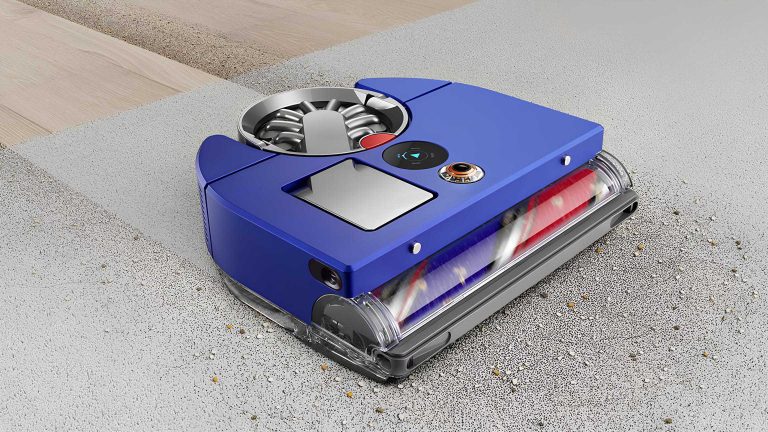
After achieving success in the UK and Australian marketplaces, Dyson’s much-awaited 360 Vis Nav robot vacuum has finally landed on North American shores. This high-end vacuum cleaner replaces Dyson’s 2017 model called ‘360 Eye’ bearing advanced features and cutting-edge technologies of that time to provide efficient and exhaustive cleaning.
High-end Dyson 360 Vis Nav Vacuum is ready to clean houses in the US
At the heart of the Dyson 360 Vis Nav lies the all-seeing fisheye camera that can capture a full 360-degree perspective around it. This way, it allows the vacuum to create an accurate representation of your house including furniture placement. It also maps the areas where dust usually accumulates. Meanwhile, on the MyDyson app in Google Home and Alexa, one can easily change cleaning schedules or specify areas to relieve you of voice commands.
One thing that stands out about the Dyson 360 Vis Nav is its strong motor. This vacuum cleaner has a motor spinning at 11,000rpm with a suction power of 65 air watts (AW). Thus, it ensures thorough cleanliness for all surfaces. The device offers four distinct cleaning modes, including Auto, Boost, Quiet, and Quick, catering to diverse needs and preferences when it comes to tidying up.
Single charge usage, recharging, and pricing details
In terms of improvements, Dyson has increased battery life for the North American model to last up to 65 minutes per charge. Now, it also has a faster recharge time capped at just an hour and fifty-five minutes. With these advances, Dyson’s new product goes for USD 1,200/CAD 1,500 retaining its premium status among consumers who are willing to pay extra for the convenience factor.
The Dyson 360 Vis Nav has many cutting-edge functionalities and high-end performance. Its high price might put off some people. Nevertheless, as for the buyers who are in search of a cleaning technology that is of high quality and also convenient, they should consider the Dyson 360 Vis Nav as the best choice available in the market today.
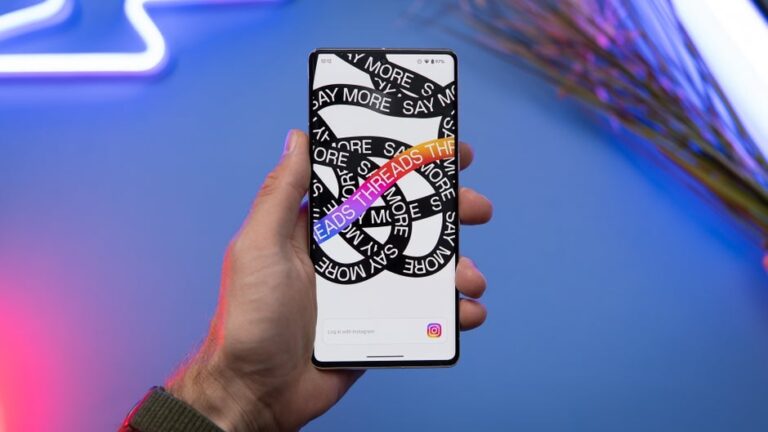
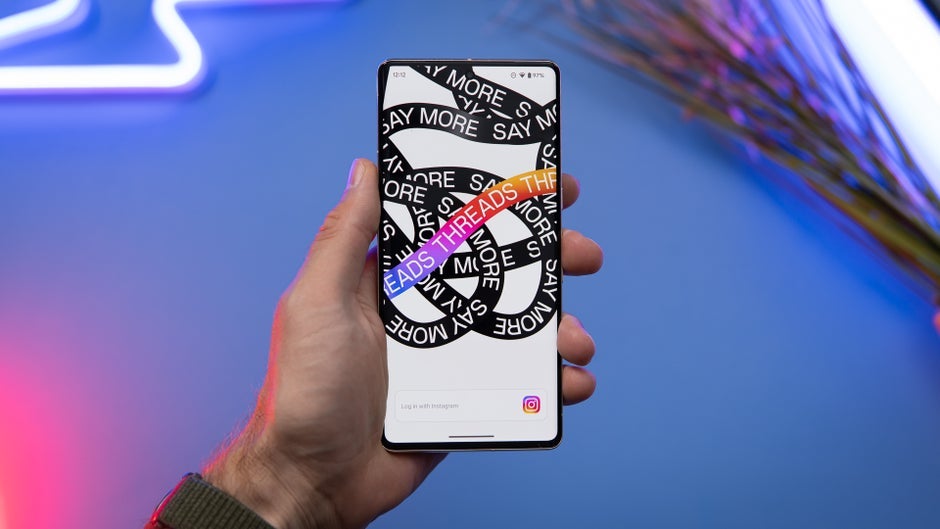
Threads is continuing on its path of testing features back-to-back in order to make it a more user-friendly and efficient platform. The latest test involves a feature that had already been spotted earlier this month: the ability to swipe on a post in order to tell the algorithm that you like it.
Even though we already knew this was underway, since it was already working for some users who spotted it a few weeks ago, the test is now official, as it has been formally announced by the usual parties: Mark Zuckerburg, Adam Mosseri (Head of Instagram) and the official Threads account.
As of right now, this is still a very limited release and only available to a select group of users. However, as Mosseri explained, the goal of this feature is to give users more control over their Threads experience.
Swiping right on a post “likes” it, whereas swiping left will show the Threads algorithm that this isn’t something one is interested in. In other words, this is a way in which we can tell Threads what is relevant to us, what we want to see more of in the “For You” page, and what we want to see less of. Some users have commented that this is reminiscent of third party Twitter apps from back in the day, such as “Tweetbot ” or “Twitterrific.”
When the test actually began at the start of the month, the feature appeared to be limited to iOS only. It is unclear whether, at this stage, this has been opened up to Android users as well. Since this feature is only available to a small subset of users, and we happen not to have the feature available to us yet, we cannot confirm. Let us know in the comments if you have access to this feature on Android.
What is a Cross Tenant migration, and why and when do you need it? Cross-tenant migration refers to the process of moving data, applications, and services from one Microsoft 365 tenant (or organization) to another. Whether due to mergers, acquisitions, restructuring, or strategic decisions, businesses often find themselves in situations where they need to consolidate or reorganize their tenant structures.
The different actors
When it comes to tenant-to-tenant migration within Microsoft 365, several key actors play crucial roles in ensuring a successful transition. Let’s explore them:
Microsoft Consulting Services (MCS): Organizations often collaborate with MCS to plan and execute tenant migrations. Their expertise ensures a smooth transition, addressing complexities and minimizing disruptions1.
Microsoft Partners: These skilled professionals specialize in tenant migrations. They work closely with organizations, offering tailored solutions and leveraging third-party tools for content migration1.
IT Administrators: Within the organization, IT administrators take charge of technical aspects. They oversee user accounts, data integrity, and configuration adjustments during the migration process.
Identity Architects: These architects design the identity framework for the new tenant. They handle user authentication, access permissions, and identity synchronization across tenants.
Data Migration Specialists: These experts focus on moving data—emails, files, SharePoint sites—from the source to the target tenant. They ensure data fidelity and minimal downtime.
Change Management Teams: Communication is key. Change management teams inform stakeholders about the migration, manage expectations, and guide users through the transition.
The different solutions: When it comes to cross-tenant Microsoft 365 migrations, several vendors and solutions can assist you in smoothly transitioning your users’ data. Here are some options:
Microsoft 365 Native Tools: Microsoft provides native tools and interfaces for cross-tenant mailbox and OneDrive migrations.
Third-Party Migration Solutions: Several third-party vendors offer specialized migration tools for Microsoft 365 cross-tenant scenarios. These solutions provide additional features, flexibility, and support.
Some popular vendors include:
Cloudiway:
Cloudiway specializes in cloud migration services, including Microsoft 365. Their platform is one of the most complete solutions and supports Microsoft cross-tenant migrations for mailboxes, OneDrive, Microsoft Teams, SharePoint, Intune and devices. Cloudiway emphasizes ease of use and efficient migration processes.
AvePoint:
AvePoint offers migration solutions for Microsoft 365, including cross-tenant scenarios. Their tools provide features like Mailbox, OneDrive, Microsoft Teams and SharePoint migrations. AvePoint’s solutions are known for their reliability and comprehensive support.
BitTitan:
BitTitanis known for its MigrationWiz tool, which supports cross-tenant migrations for mailboxes, OneDrive, and Microsoft Teams.
Quest:
Offers solutions like Quest On Demand Migration and Quest On Demand Migration for Email.
SkyKick:
SkyKick provides automated migration tools for Microsoft 365, including cross-tenant scenarios.
ShareGate:
Known for its ShareGate Desktop and ShareGate Migrate tools, which support SharePoint, Teams and OneDrive migrations. They have recently integrated mailbox migration.
CodeTwo:
CodeTwo offers migration solutions for Microsoft 365, including cross-tenant mailbox migrations.
Table of comparison:
AvePoint
Cloudiway
Microsoft
BitTitan
Quest
Skykick
Avepoint
ShareGate
CodeTwo
SAAS
Yes
Yes
Yes
Yes
Yes
Yes
No
No
MailsMaturity
Yes * 2012
Yes 2022
Yes *2010
Yes 2012
Yes 2010
Yes 2021
Yes Beta
Yes 2012
Drives
Yes *
Yes
Yes*
Yes
No
Yes
Yes
No
Maturity
2012
2022
2015
2015
AvePoint
2020
SharePoint
Yes
Partial SPMT (On-premises)
No (librairies seulement)
Yes *
No
Yes *
Yes*
No
Microsoft Teams
Yes*2018
No
Yes2020
Yes
No
Yes*2018
Yes2021-22
No
Teams Private messages
Yes
No
No
No
No
No
No
No
Slack
Yes*
No
No
No
No
Yes
No
No
Slack Direct Messages
Yes
No
No
No
No
No
No
No
Google Chat
Yes
No
No
No
No
No
No
No
Laptops
Yes
No
No
Yes
No
No
No
No
Intune
Yes
No
No
No
No
No
No
No
FreeBusy & Galsync
Yes
No
No
No
No
No
No
No
* leader
Conclusion:
In the ever-evolving landscape of cloud collaboration,cross-tenant migrations have become a critical undertaking for organizations. Whether due to mergers, acquisitions, or strategic realignments, the need to seamlessly transition data between Microsoft 365 tenants is more prevalent than ever.
Vendor Selection Matters: Choosing the right migration solution is paramount. Evaluate vendors based on factors such as scope of migration, reliability, scalability, support, and ease of use. Consider both native Microsoft tools and third-party offerings.
Preparation Is Key: Properly prepare your source and target tenants. Establish trust relationships, configure identity mapping, and ensure that users are set up correctly in the destination tenant.
Data Integrity and Security: During migration, prioritize data integrity and security. Test thoroughly, monitor progress, and address any issues promptly.
Communication and Change Management: Keep stakeholders informed throughout the process. Effective communication minimizes disruption and ensures a smooth transition for end-users.
Post-Migration Validation: Validate data integrity, permissions, and functionality post-migration. Address any discrepancies promptly.
Remember, cross-tenant migrations are not just about moving data; they impact user productivity, collaboration, and overall business continuity. By following best practices and leveraging the right tools, organizations can navigate this complex journey successfully.
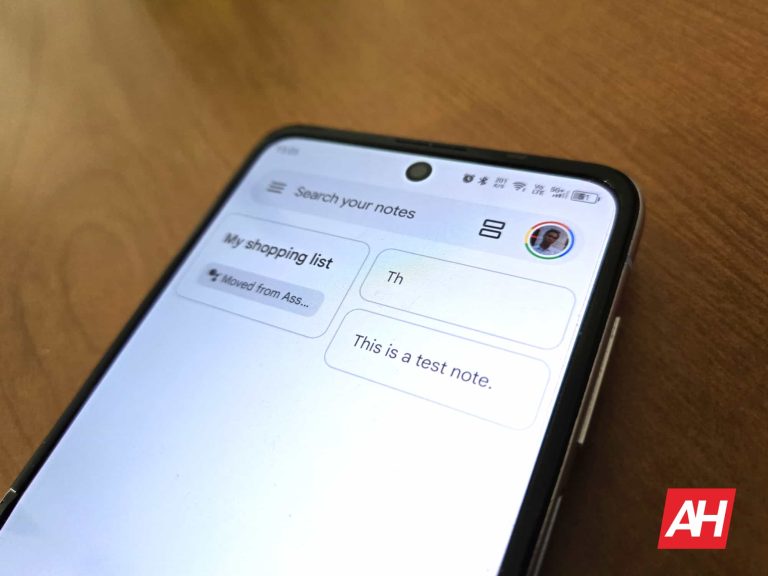
Google Keep is testing two new features aimed at enhancing note-taking and list-making experiences. The first feature, ‘Help me create a list,’ brings generative AI capabilities to assist users in quickly creating shopping lists, to-do lists, packing lists, and more. This feature is a part of Google Workspace Labs, which is currently available to testers in English. There’s also another design revamp, currently under development.
‘Help me create a list’ in Google Keep and
‘Help me create a list‘ is one of the latest additions to Google Keep on Android, designed to assist users with common list-making with Gemini integration. With this feature, (upon tapping ‘Create’ in Keep) users get a “Help me create a list” button on the bottom right. Here they can simply type a prompt like “Packing list for a camping trip with 2 kids in summer” or “Groceries for a week for a vegetarian family of 3,” and Google Keep’s AI will generate a corresponding list.
Below the list, you will see a like and a dislike icon that represents a good and a bad suggestion. If the AI-generated suggestion appears to be inaccurate or inappropriate to you, and you select the dislike icon, you will get to select the issue you found and an option to explain it further.
Credit: Google
A new floating bottom toolbar in Google Keep
Meanwhile, TheSpAndroid shows that Google is also testing a newly designed floating bottom toolbar. This feature is also in the works and currently hidden under flags, which you can enable, given you use a rooted device. This new floating design will likely replace the existing toolbar that covers the whole width of the screen after it completes the testing phase.
It features three primary buttons: one for taking a note, another for creating a list, and a third for creating a drawing or picture note. This streamlined design conserves screen space, particularly in landscape mode. This new floating design in Google Keep is actually very similar to the floating toolbar recently introduced in the Google Chat app, suggesting a consistent design language across Google apps.
The introduction of these features marks Google’s ongoing efforts to enhance the functionality and user experience of Google Keep. While the ‘Help me create a list’ feature aims to simplify list-making tasks, the floating bottom toolbar is a design revamp probably inspired by Google’s Material You design language.

.webp)