A cybercriminal group known as ResumeLooters has infiltrated 65 job listing and retail websites, compromising the personal data of over two million job seekers.
The group used SQL injection and cross-site scripting (XSS) attacks—both common techniques— to extract the sensitive information from the websites.
The attacks primarily focused on the Asia-Pacific (APAC) region, targeting sites in Australia, Taiwan, China, Thailand, India, and Vietnam. However, other compromised companies were located in other regions, including Brazil, Italy, Mexico, Russia, Turkey, and the US.
Researchers first detected the activity of the group in November 2023, and tracked the massive malicious campaign targeting employment agencies and retail companies. Due to the criminals’ focus on job search platforms and the theft of resumes, the researchers dubbed the group ResumeLooters.
The stolen data is hard to quantify given the amount of sources, but it may include names, phone numbers, emails, and dates of birth, as well as information about job seekers’ experience, employment history, and other sensitive personal data.
The stolen data were put up for sale on Chinese-speaking Telegram channels. This and other indicators make it very likely that the group is of Chinese origin.
If you want to find out how much of your own data is exposed online, you can try our free Digital Footprint scan. Fill in the email address you’re curious about (it’s best to submit the one you most frequently use) and we’ll send you a report.
We don’t just report on threats – we help safeguard your entire digital identity
Cybersecurity risks should never spread beyond a headline. Protect your—and your family’s—personal information by using Malwarebytes Identity Theft Protection.
Smartphones have improved a lot in the last ten years. If you compare one of the new mid-priced phones to a ten-year-old mid-budget PC, the phone can manage memory better. The software is also improving, and companies are always trying to make better hardware to handle it.
We’re transitioning into an era where everything is getting smarter. But some people, like our grandparents or those who aren’t good with technology, might find it hard to use these phones. For example, my grandfather prefers using navigation buttons on his Android phone to switch between apps, instead of using gestures. And around the corner is an upcoming Android 15 feature, called “easy pre-set” mode, which addresses these issues.
Android 15 could include an “easy pre-set” mode for non-tech-savvy folks
Android expert Mishaal Rahman reported this first. According to him, Google seems to be working on a new feature called “easy pre-set” mode, aimed at making the interface more user-friendly. Which is highly useful for people with vision issues and those who are growing old. So, it could make a big difference for them and for anyone else who finds smartphones a bit tricky to use.
Even though the easy pre-set feature is available in the Android 14 QPR3 Beta 1 code strings, he adds that Google probably won’t include it in the final Android 14 QPR3 update in June. What’s more likely is that Google will add this feature to Android 15 later this year. The reason it’s in the QPR3 beta is likely because Google is working on both the QPR3 update and Android 15 at the same time.
Other companies have already introduced similar features to help people who might not be as comfortable with technology. But having it built right into Android means that more people will have access to it without needing to download extra apps or updates.
How will this feature help non-techies, and of course, old-timers?
Android 15 “easy pre-set” mode will make things easier by making icons bigger text clearer, and navigation simpler. This helps older people and those struggling with phones. Instead of using multiple apps or changing settings one by one, it’s built right into the phone’s main system.
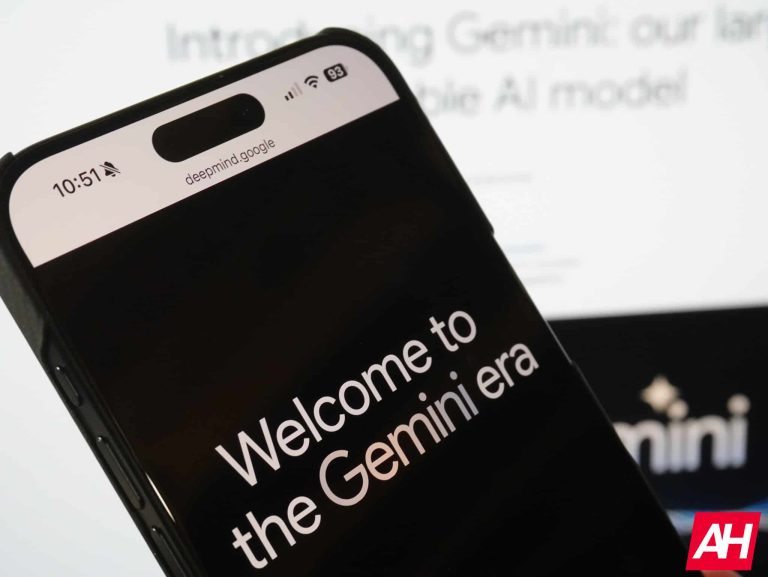
About a year ago, Google introduced us to Google Bard. This was the company’s generative AI chatbot and an answer to ChatGPT. Well, Bard is dead; the company officially renamed it to Gemini today.
This is something that we wondered about once the company released it late last year. We are all wondering why Google had two powerful generative AI products existing simultaneously. Well, today Google announced that Bard is being retired, and Gemini will be the flagship generative AI product for the company.
Bard was renamed to Gemini, so what does this mean?
It doesn’t mean much for the common user. If you’ve been using Bard for your AI needs, it will simply be called Gemini now. It’s all still powered by the Gemini Pro model, so you won’t see a difference in functionality or capability. You will still use the platform just like regular. The only thing that’ll be different is the name.
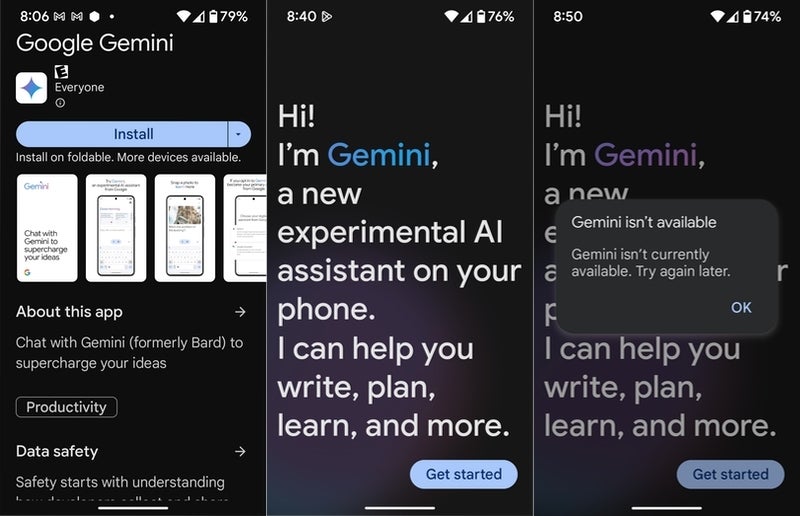
Also, in case you haven’t seen it, Gemini now has its own app on the Play Store. You can download it for free now.
If you are a paying customer, then there will be a few things to note. Firstly, if you use Duet AI, this service is also getting a name change. It’ll be called Gemini for Workspace. You won’t see a change in functionality, however.
If you are a Google Cloud customer, Duet AI will also become Gemini. However, this change will happen within the next couple of weeks.
If you are a Google One user, and you want to gain access to Gemini Ultra, then you will want to sign up for the Google One AI Premium plan. This plan costs $19.99/month, and it will give you access to Gemini Ultra along with 2TB of storage and more. Check out the official page for more information.
If you don’t know what Gemini Ultra is, this is the most powerful model that Google currently has. It has multimodal capabilities and extremely great reasoning capabilities.
That’s about it
Other than that, there’s not much more to say about this new transition. We saw this coming when Google announced Gemini. Bard was very much just an answer to ChatGPT. It was just a product basically slapped together so that Google didn’t lose search revenue.
So, with several months of planning behind it, the company was able to thoroughly construct an AI strategy, and that strategy involves a three-tier generative AI model. 2024 will be the year of Google AI, and things are definitely going to change… either for better or worse. If you want to know more about Gemini, check out our Gemini explainer.
Gemini, the new chatbot from Google’s large language model (LLM), is now available on Android devices, providing users with a direct and interactive way to engage with the AI. It is now available through the Google Play store as a standalone application, seamlessly integrating with the Google App.
It was leaked earlier this week that Bard, Google’s web based chatbot, would complete its rebrand to the name “Gemini” this week, matching the name of its newest AI model. As part of the rebrand, a new Android app was also rumored to be in the works, in order to fully bring this integration across the Google ecosystem. This rebrand has been completed today, with both the Android app launching and the Gemini rebrand live on the web.
The launch of the app was tipped earlier today by Android expert Mishaal Rahman, with a link to the app on the Play Store. Not yet officially announced by Google, the app appears to be working in limited capacity at the moment, with some users receiving an error stating that “Gemini isn’t currently available. Try again later.” Based on this, it appears that access to the app rolling out server-side.
However, those that have gained access to the app have confirmed that once set up, you will be able to access Gemini either via the app icon, saying “Hey Google,” or by long-pressing the power button, which invokes a Gemini overlay. This presents the option of replacing Google Assistant on your device if you so choose, however, it should be noted that Gemini does not currently offer all of the same functionality. According to Rahman’s reporting based on his testing of the application, Gemini supports some Google Assistant features such as smart home device controls and setting alarms. Additionally, you can always switch back to Google Assistant in Gemini’s settings.
The interface provides the ability to use text and text-image prompts, along with the convenient feature of capturing photos or screenshots directly. At the moment, only English is supported, but support for Korean and Japanese language will be available soon. Gemini is also available for iOS by tapping the “Gemini” button at the top of the Google app.
Although it has its own app, it’s important to note that Gemini is not completely independent. Just like the Assistant and Lens “apps” on Google Play, it mainly functions as a convenient way to access the Gemini integration within the Google App. We will be adding more information on the Gemini app and its capabilities as we learn more and once Google makes an official announcement.
Cisco released patches to address multiple vulnerabilities in the Cisco Expressway Series that might allow an attacker to do arbitrary operations on a vulnerable device.
Cisco Expressway Series includes Cisco Expressway Control (Expressway-C) and Cisco Expressway Edge (Expressway-E) devices.
“Multiple vulnerabilities in the Cisco Expressway Series could allow an unauthenticated, remote attacker to conduct cross-site request forgery (CSRF) attacks, which could allow the attacker to perform arbitrary actions on an affected device,” Cisco said.
An attacker may induce users into performing activities they do not intend to by using a web security flaw called cross-site request forgery, or CSRF.
Cisco patched the CSRF vulnerabilities identified as CVE-2024-20252 and CVE-2024-20254 (CVSS score: 9.6) with ‘critical’ severity and CVE-2024-20255 (CVSS score: 8.2) with ‘high’ severity ratings.
DocumentProtect Your Network From Data Breach
Prevent malware from infecting your network at the delivery stage by intercepting malicious files in transit from their source to the target device’s web browser..
Cisco Expressway Series CSRF
CVE-2024-20252 and CVE-2024-20254
An unauthorized remote attacker may be able to launch CSRF attacks against a compromised system due to two vulnerabilities in the API of Cisco Expressway Series devices.
“These vulnerabilities are due to insufficient CSRF protections for the web-based management interface of an affected system. An attacker could exploit these vulnerabilities by persuading a user of the API to follow a crafted link”, Cisco said.
A successful vulnerability could allow the attacker to do arbitrary actions with the vulnerable user’s privileges. These activities could involve changing the system configuration and making new privileged accounts if the impacted user has administrative capabilities.
CVE-2024-20255
Cisco Expressway Series API vulnerability may enable a remote, unauthenticated attacker to launch a CSRF attack against a compromised system.
This vulnerability results from insufficient CSRF protections for a vulnerable system’s web-based management interface. An attacker could exploit this vulnerability by convincing an API user to click on a specially crafted link.
“A successful exploit could allow the attacker to perform arbitrary actions with the privilege level of the affected user. If the affected user has administrative privileges, these actions could include overwriting system configuration settings, which could prevent the system from processing calls properly and result in a denial of service (DoS) condition”, Cisco said.
Affected Products
CVE-2024-20254 and CVE-2024-20255 impact Cisco Expressway Series devices when they are configured by default.
CVE-2024-20252: This vulnerability affects Cisco Expressway Series devices if the cluster database (CDB) API feature is enabled. By default, this feature is not enabled.
Fixes Released
Cisco Expressway Series Release
First Fixed Release
Earlier than 14.0
Migrate to a fixed release.
14.0
14.3.4
15.0
15.0.0
Due to its end-of-support date, the Cisco Expressway Series no longer covers the Cisco TelePresence Video Communication Server (VCS).
Cisco has not published software upgrades for Cisco TelePresence VCS to fix the vulnerabilities, and it will not release any in the future.
Unified Communications Manager (CM) and Contact Center Solutions products are affected by a critical severity remote code execution weakness that Cisco announced in January. This lets the attackers run the command as a root user.
It is recommended that users upgrade to the latest version to prevent these vulnerabilities from getting exploited.
Stay updated on Cybersecurity news, Whitepapers, and Infographics. Follow us on LinkedIn & Twitter.
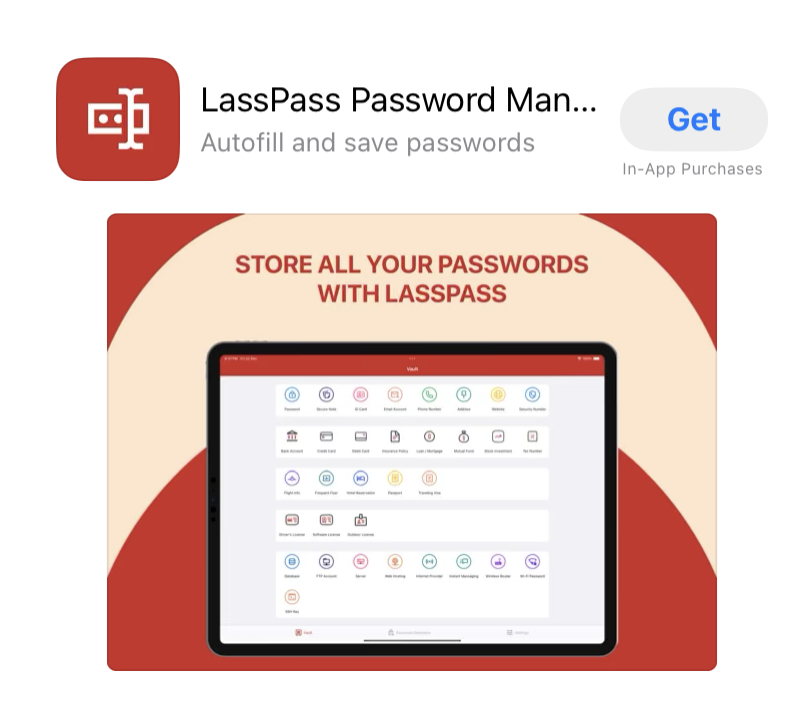
Password Manager LastPass has warned about a fraudulent app called “LassPass Password Manager” which it found on the Apple App Store.
The app closely mimics the branding and appearance of LastPass, right down to the interface. So, even if the name was a “happy accident” it seems clear that this was a purposeful attempt to trick users installing the fake app.
The fake app can be recognized not only by the name, but other misspellings in the screenshots, and the app lists Parvati Patel as the developer and the privacy policy as hosted at bluneel[.]com. The developer of the legitimate LastPass app is LogMeIn, Inc.
While using a genuine password manager provides extra security, entrusting your passwords to an app that is a rip-off does not. Obviously, storing all your passwords in an app that is not trustworthy can get you in all kinds of trouble, including identity theft.
We have not tested if the app sends your passwords to a third-party, but we should assume that it does just that.
In the App Store the impersonator claims to be “Trusted by over 1+ million users and 10,000+ businesses” which clearly can’t be right and was most certainly copied from LastPass.
LastPass states that it is:
“… actively working to get this application taken down as soon as possible, and will continue to monitor for fraudulent clones of our applications and/or infringements upon our intellectual property“
But at the time of writing the app was still available in the Apple App Store.
We don’t just report on threats – we help safeguard your entire digital identity
Cybersecurity risks should never spread beyond a headline. Protect your—and your family’s—personal information by using Malwarebytes Identity Theft Protection.
Previously, we got rumors that Google was rebranding Bard as Gemini and that this transition was going to involve a dedicated app. Well, that day has come. Google just released the new Gemini app to the Google Play Store. As you can tell, this brings the power of Gemini into the Android ecosystem.
In case you don’t know, Gemini is Google’s most advanced AI model. It comes in three different sizes. Gemini Nano currently powers AI features on smartphones such as the Google Pixel 8 Pro (Review) and the Galaxy S24 series (Purchase a Galaxy S24 here). Next, Gemini Pro previously powered Bard, but this just might be the standard Gemini that people have access to. Lastly, Gemini Ultra is the most advanced multimodal model that is yet to be released.
Currently, Google is in the process of rebranding Bard as Gemini. So, the website and all of the adjacent services will now bear the Gemini branding. The functionality will remain the same, however. This is just a way for Google to streamline its generative AI products. So, if you’re currently using Bard, or if you have been using it for the longest time, don’t worry if you see a new name and Logo pop-up.
Google releases the official Gemini app
Gemini is available to download for free in the Google Play Store, and it’s quickly making its way up the ranks. Just 30 minutes before this article was written, it was sitting at 3.9 stars. However, at the time of writing this article, it’s at 4.2 stars with 24 million reviews.
When you open up the app, you’ll be greeted by a splash screen letting you know what Google Gemini is all about. It gives you the option to read how it uses your data and accept or decline the terms of service. This is standard smartphone AI fare. If you’re not comfortable with using AI, then you may not like what Gemini is doing.
Using the Gemini app
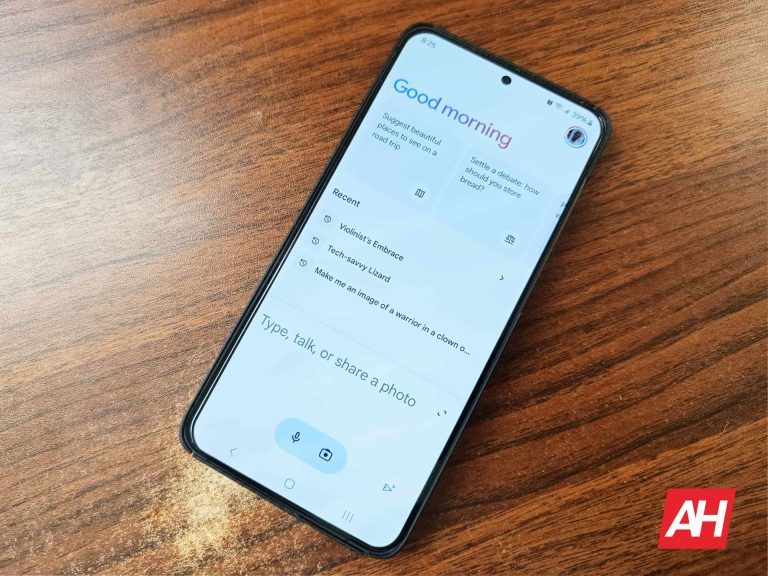
When it comes to using this app, it’s pretty straightforward. When you open the interface, you’ll see a little greeting message up top. This is followed by a horizontally scrolling carousel of suggestions. These are suggested queries that you can have Gemini answer. At the far right of the carousel, you’ll see the Hide suggestions button. This will get rid of them.
Below that, you’ll see your recent conversations. These are the recent conversations you had in Bard, so you won’t lose them in the transition. If you tap on the Recent text, the list will expand to show you all of your conversations
Under that is where all the magic happens. This is the text box where you will input your query. You’re able to type, speak into the microphone, or upload a picture for Gemini to discern. If you’ve used a chatbot like ChatGPT or the ChatGPT app then this is all pretty standard for you.
Profile menu
At the top right corner of the screen, you’ll see your profile picture. When you tap on it, you’ll see a pop-up with several menu items. It will show you a link to access your Gemini activities, extensions, updates, and Settings.
If you’ve used a lot of phones in the past, then you’ve probably broken your fair share. Well, you either continue using the phone, toss it in the dump, or have it repaired. Based on a new study, it appears that iPhones are the most repaired smartphones on the market. They far surpass Android phones.
Now, this doesn’t mean that iPhones constantly get broken. This is going off of iFixit data. According to a report from Electronics Hub, researchers analyzed data from iFixit. They found the terms that people searched for the most regarding fixing phones and compiled the data to find which phones people searched for how to repair the most.
Ostensibly, the number of times people search for how to fix a phone is proportional to the number of sales that phone had and how long that phone has been on the market. The report found that most of the phones people search for how to repair phones released in the early and mid-2010s. Those phones had much more time to be on the market and be dropped or dunked into water.
iPhones are the most repaired phones on the market, and the champion is the iPhone 4
Electronics Hub put together a list of the 20 most repaired phones of all time, and Apple products dominate the list. The publication used the number of page views each search got to rank them. At the top of the list with 5,192,539 page views is the iPhone 4 from 2010. The fact that this is the most repaired phone probably has to do with the whole “Death Grip” controversy.
This phone had an antenna band in a very inconvenient spot. Holding the phone in your left hand, your palm would completely cover that antenna band causing you to lose signal. So, people have to hold their phones in a different way in order to avoid covering it. Well, it appears that adjusting your grip made it easier for you to drop it.
On this top 20 list, a whopping 16 of them are iPhones. These are the iPhone 4, iPhone 6, iPhone 5, iPhone 4s, iPhone 5s, iPhone 3G, iPhone 3GS, iPhone 6s, iPhone 7, iPhone X, iPhone 6 Plus, iPhone 5c, iPhone 2G, iPhone 7 Plus, iPhone 8, and iPhone SE (First Gen). This is all in descending order of their page results.
What about the most repaired Android phone?
As for the Android phones, we have four Samsung phones. The most repaired Samsung phone is the Galaxy S3 from 2012 (972,558). People loved this phone but had trouble repairing it. Samsung fused several parts of the phone to the body. So, many people using this 11-year-old phone had trouble fixing it. The remaining Samsung phones are the Galaxy S5, Galaxy S4, and Galaxy S6.
Again, these numbers don’t represent how many times these phones received repairs, they represent how many times people searched for how to repair them. More devices on the market mean more opportunity for them to break. Still, it’s interesting to see how certain phones need to be repaired over others based on popularity and controversial events like the whole death grip debacle.
WhatsApp adds new features and brings updates quite often, and its latest plan might just make life easier. Have you ever been annoyed by switching between messaging apps to write to different people? Well, soon, WhatsApp wants to let people message you from another app. It is a big change for its 2 billion users and is happening because of the Digital Markets Act (DMA), which enters into force next month.
In a chat with Wired, Dick Brouwer, an engineering director at WhatsApp, spilled the beans that WhatsApp is thinking about bringing in cross-platform usability. This could mean that you will be able to send messages to other apps like iMessage, Telegram, Google Messages, Signal, and more.
Over the last two years, WhatsApp has been working on a way for different messaging apps to connect to its service, allowing people to chat across apps without compromising its end-to-end encryption, which is crucial for protecting privacy and message security. This is a big step for the Meta-owned app, as it is the first time it is opening up like this, and it could bring more competition to the table.
A decision made more out of necessity than volunteering?
However, this isn’t a complete change decided by WhatsApp alone. In September last year, European lawmakers tagged WhatsApp’s parent company, Meta, along with Apple, Microsoft, Amazon, Google, and TikTok as significant gatekeeper companies under the expansive Digital Markets Act.
They gave the gatekeepers six months to open up their closed-off systems to others. With just a few weeks left before that deadline, companies are starting to comply. For instance, Apple has already announced significant changes to its App Store, iOS, and Safari. Now, it is WhatsApp turn to share details of how it might collaborate with other apps.Brouwer, who has experience with Meta’s encryption rollout for its Messenger app, said:
There’s real tension between offering an easy way to offer this interoperability to third parties whilst at the same time preserving the WhatsApp privacy, security, and integrity bar. I think we’re pretty happy with where we’ve landed.
The move towards interoperability will start with letting users send text messages, images, voice messages, videos, and files directly to each other. Essentially, this means you could chat with folks on WhatsApp using other apps like iMessage, Telegram, Google Messages, or Signal, and the other way around, too.
But here’s the catch: it all depends on whether other companies jump on board. There are still worries about how WhatsApp will maintain the safety and encryption of messages when it begins working with other services.
As reported by Wired, WhatsApp prefers that the messaging services it links up with use the same Signal Protocol for encrypting messages. However, Meta is open to apps using different encryption protocols as long as these companies can demonstrate they meet the security standards outlined in WhatsApp’s guidance. Before connecting to WhatsApp, third-party services will need to sign a contract with Meta.
We will have to wait until March to get more details about how exactly the plan will work. Right now, it is still unclear whether these changes will only apply in the EU or if they will roll out globally.
Google just released the latest Android 14 QPR3 Beta 1 update, so it doesn’t seem like the company is working on Android 15. However, that’s not the case. News about the next Android upgrade is starting to become more abundant. For example, Android 15 could make app archiving better on Android. According to a new report, Android 15 could make floating chat bubbles much better.
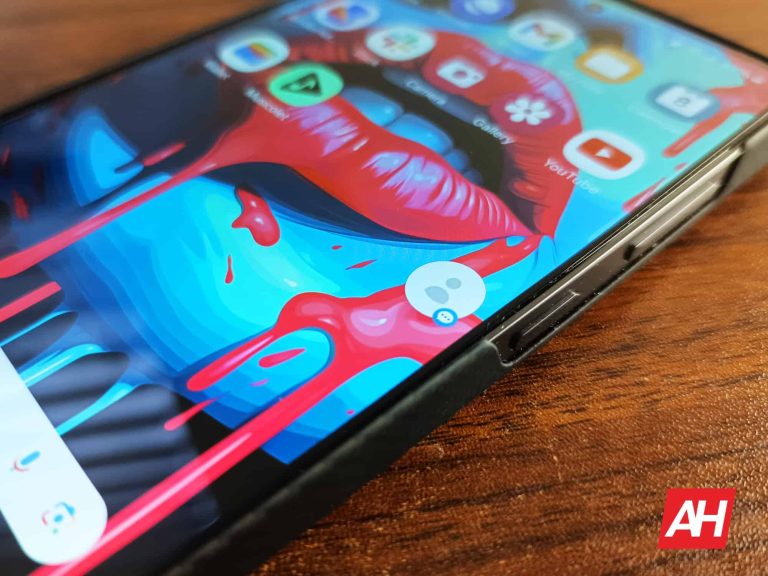
For a while, Android allowed you to house your chat conversations in floating bubbles on the display. This is something popularized by Facebook Messenger. Now, you’re able to place message conversations as chat bubbles by default on Android. What’s neat is that you can house multiple conversations inside the chat bubbles, and they will just take up a small part of the UI.
But, Android 15 could make folding tap bubbles even better
Since we are still so far away from Android 15 even hitting the developer preview stage, you’ll want to take this news cautiously. Right now, we’re not quite sure what features Google is going to bring or test out.
Surprising no one, this bit of Android inside baseball comes to us via Mishaal Rahmen via Android Authority. Hidden within the Android 14 QPR3 beta 1, Rahmen found code alluding to a chat bubble bar. Currently, your chat bubbles will float above the UI and remain there consistently until you get rid of it. However, it appears that Android 15 may give you the ability to hide the chat bubbles, at least on tablets.
He was able to get this feature activated and post screenshots. Looking at the screenshots, we see that the chat bubbles will collapse into a little bar on the bottom right of the screen. In order to access it, you have to swipe up on that bar. Then, you’ll see a little UI element that houses the chat bubbles. Simply tap on one of the bubbles to bring up a chat window.
This is a bit different than what we have now where, when you tap on a bubble, a floating window takes up most of the screen. With the new implementation, you’ll see a small chat window open up, but it looks like it will be anchored to the bubble bar. It will take up less of the screen, as you’re dealing with a bigger canvas.
It’s a tablet feature
Right now, we’re not quite sure if this is only going to be for tablets, as the code indicates that. We’re all wondering if this will be available for foldables as well. Hopefully, it is, as foldables and tablets go hand in hand.
Also, it would be neat if this came out for phones as well. Rather than having a bar on the bottom right of the screen, it could probably be on the top right or top left. Simply swiping in from the left or right could bring out a shelf holding the chat conversations. Hopefully, Google makes this available for phones as well. Only time will tell.