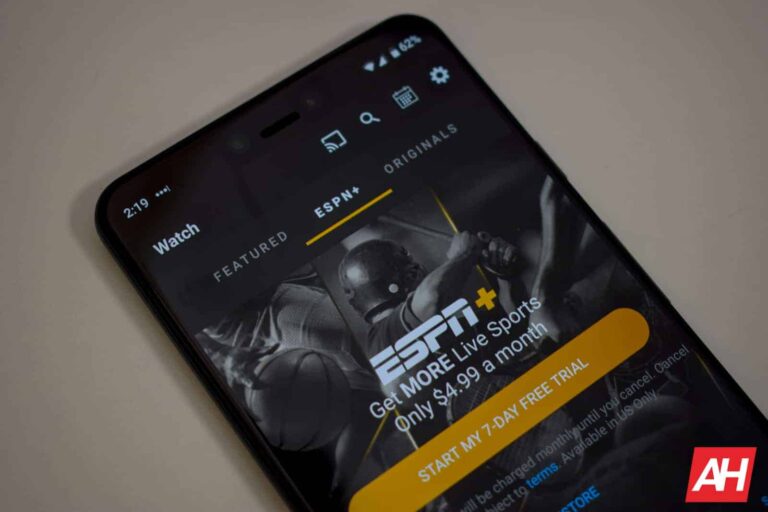
Sports streaming these days is just about as convoluted as streaming anything else, but that could change with a new joint service being developed by Disney’s ESPN, Fox, and Warner Bros. Discovery. The three companies are reportedly partnering up for a joint streaming service to house sports from each of their respective network families
Currently, if you want to stream sports and related sports programming, you generally have to select from a wide array of options. Just like choosing between Disney+, Max, Netflix, Paramount+, and numerous others. This partnership will bring together three of the largest broadcasters and offer their sports streaming options under one roof. This would include allowing subscribers to watch content from essentially all of the sports streaming options that each company offers.
As CNBC reports, the service doesn’t yet have a name and no subscription fee has been decided upon. The new service is expected to launch sometime this Fall, however. So it shouldn’t be too long before a price is announced. That being said, it would seem unlikely to come with an unreasonably high monthly cost. As it’s supposed to be a “skinnier bundle of linear networks” compared to cable sports bundles.
The new service will feature sports streaming from multiple ESPN, Fox, and Warner Bros. Discovery networks
Being a skinnier bundle doesn’t mean viewers won’t have plenty to watch. The new service will reportedly feature programs from ESPN. As well as its sister networks including ESPN2, ESPNU, SECN, ACCN, ESPN News, and the ABC broadcast network. For Fox’s part, viewers can expect content from FS1, FS2, BTN, and the Fox Broadcast network. Meanwhile, Warner Bros. Discovery will offer content from TNT, TBS, and TruTV.
All three companies will reportedly form a new company just for the platform, with each of the three parent companies owning a one-third stake. This company will also have its own leadership team to run things. Which will hopefully translate to a compelling offering with plenty of features.
“The launch of this new streaming sports service is a significant moment for Disney and ESPN, a major win for sports fans, and an important step forward for the media business. This means the full suite of ESPN channels will be available to consumers alongside the sports programming of other industry leaders as part of a differentiated sports-centric service,’ said Disney CEO Bob Iger. While there’s no confirmed cost yet, combining the prices of service from all three companies costs upwards of $27.
So it wouldn’t be surprising to see it cost somewhere between $20 and $30. In terms of signups, interested consumers will be able to sign up through a dedicated app.
For a while, WhatsApp has given people the ability to create and manage Channels. Channels are one-to-many chat groups where people can post messages for the masses to view. Well, according to a new report, WhatsApp is working on a feature that will let people pin Channels to the top of their feed.
If you’re curious about making your own Channel, it’s pretty simple to do. In the app, go to the Updates tab and you’ll see a section titled Channels; tap on the “+” icon next to it. You see a popup menu with two options, tap on the Create Channel option. After that, you’ll be able to give your Channel a name, description, profile picture, and other characteristics.
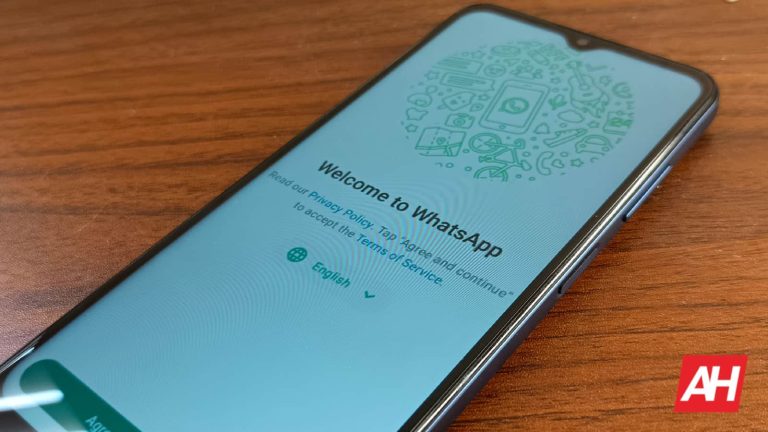
WhatsApp is working on a feature that will let you pin your favorite Channels
Right now, since we’re dealing with a leak, you’ll want to take this news with a grain of salt. This has not been officially announced by WhatsApp, so the company could make changes or shelf this feature altogether. Several beta testers have seen this feature, but it’s not available to all testers.
In WhatsApp, you’re able to see a list of the Channels you follow within the app under the Updates tab. It’s a convenient way to see all the Channels you follow, but it’s always possible to fall in love with one Channel above others. Obviously, you’ll want to see that first when you open the Updates tab. Well, according to a new leak, WhatsApp is working on a feature that’ll let you pin your favorite Channel to the top of your Channel list.
This way, you won’t have to scroll down to find the Channel that’s captured your heart. At the moment, we don’t exactly know when this feature will roll out if it ever does. Based on the screenshot, it looks like it’s complete enough to be available soon.
However, this feature might not launch independently. Apparently, WhatsApp is working on an overall to the Channels interface. So, it’s possible that the company could roll out this new Channel pinning option when it launches the new interface. In fact, there could be more features coming to Channels, as WhatsApp is also working on the ability to post voice messages and polls into channels.
The parent company of social-media platform Snapchat, Snap Inc., lost over 30% of its valuation this afternoon after releasing its fourth-quarter earnings release. The company reported revenue of $1.36 billion for the fourth quarter of 2023 slightly topping the year-earlier figure of $1.30 billion. But the $1.38 billion in Q4 gross did not meet Wall Street expectations of $1.38 billion. And at $4.61 billion, 2023 revenue barely topped the $4.60 billion Snap generated in 2022.
In a letter to stockholders, Snap said that its flat 2023 revenue was “reflecting a challenging operating environment.” Just yesterday, Snap said that it will lay off 10% of its workforce or approximately 500 employees. Back in 2022, Snap eliminated 20% of its headcount. Heavily reliant on advertising income, Snapchat has been unable to recover from Apple’s App Tracking Transparency feature which allows iPhone users to choose whether they want to block advertisers from tracking them when using an app.
In the letter to stockholders, Snap said that it was “encouraged by the progress we are making with our ad platform,” but noted that it is battling a headwind with the conflict in the Middle East. The violence in the region cost Snap about two percentage points in growth, according to the company. Snapchat had 414 million active daily users during the fourth quarter of 2023, up 10% year-over-year. 800 million users worldwide visit Snapchat every month the company said.
Half of the users are in North America and Europe which indicates that the social media platform will no longer focus on gaining users in emerging markets who mostly use Android phones. The company did note that the number of Daily Active Users DAUs rose both sequentially and year-over-year on both iOS and Android.
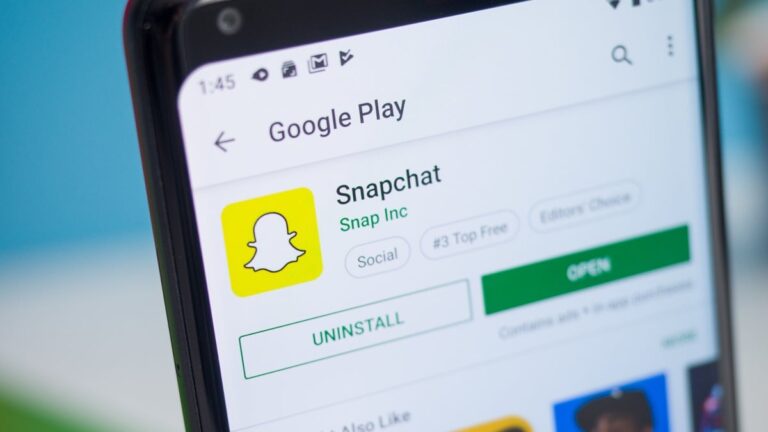
Snapchat is known for its often hilarious lenses
CEO Evan Spiegel wrote in the stockholder’s letter, “We are shifting more of our focus toward user growth and deepening engagement in our most highly monetizable geographies. Focusing on these initiatives will help us increase daily active usage of Snapchat, deepen content engagement, improve performance for advertisers, and ultimately accelerate revenue growth and drive increased free cash flow.”
Snapchat incurred a loss of $248.7 million for the fourth quarter, an improvement from the $288 million in red ink Snap spilled during Q4 of 2022. For the three months, Snap lost 15 cents per share compared with an 18 cents per share loss during the same quarter in 2022. For all of 2023, Snap lost $1.32 billion which was a 7% improvement from the $1.43 billion it lost the preceding year. 2023 saw the company lose 82 cents per share, 8% lower than the 89 cents per share loss Snap suffered in 2022.
During the regular trading day, Snap shares rose 70 cents or 4.18% to $17.45 right near the 52-week high of $17.90. But that peak now seems very far away after the stock tumbled $5.45 to $12 in after-hours trading following the release of the report. That is a decline of 31.23%.
Delve into automated versus manual API testing for efficient software delivery. See how automation speeds validation while manual testing provides human insight, ensuring comprehensive coverage for robust development.
In the domain of software development, the distinction between automated and manual API testing is pivotal for efficient and reliable software delivery. Automated API testing harnesses the power of software tools to execute tests on an application’s interface, verifying interactions and responses without human intervention.
This method ensures that APIs, which serve as crucial communication channels between different software systems, consistently behave as expected under various conditions. By emphasizing API testing automation and its best practices, this approach contributes to the reliability and efficiency of these integral components in software development.
Manual API testing, on the other hand, relies on a human tester to manually send requests to the API and assess the responses. While this approach allows for nuanced and exploratory testing, it can be time-consuming and less consistent compared to its automated counterpart. Choosing between these methodologies often depends on specific project requirements, with a blend of both strategies being ideal for thorough testing coverage.
Key Takeaways
Automated API testing enables faster and more reliable validation of APIs.
Manual testing provides detailed exploratory testing with human insight.
A combination of both testing methods offers a comprehensive approach.
Comparative Analysis of Automated and Manual API Testing
In exploring the differences between automated and manual API testing, it’s essential to understand their distinct methodologies, the tools and techniques involved, and the skills that testers need to effectively execute these tasks. These key areas reveal the benefits and challenges associated with each approach during the development process of APIs.
Fundamental Differences
Automated API testing and manual API testing vary in several fundamental ways. Automation leverages testing tools to execute predefined tests on an API without human intervention, allowing for continuous and consistent testing throughout the development lifecycle. In contrast, manual testing relies on a tester to manually perform the tests by directly interacting with the API, which can be time-consuming and prone to human error.
Facilitates testing in multiple environments and conditions
Manual API Testing:
Requires human judgment for exploratory testing
Beneficial during the early stages of development and for ad-hoc testing
Allows for nuanced observation and insight that automated tools might miss
Testing Tools and Techniques
Different testing tools are available for both manual and automated testing, each with unique features designed to cater to specific testing objectives. These tools facilitate automated functional, performance, security, and integration testing.
Automation Tools:
Postman: Enables quick API testing with a user-friendly interface
SOAPUI: Offers extensive capabilities for both REST and SOAP APIs
REST Assured: Integrates easily with Java-based projects for API validations
Karate: Allows writing tests in a readable domain-specific language
In the realm of manual API testing, tools like Jira can be used to track and manage testing efforts, and documentation plays a significant role in guiding the manual testing process.
Manual Testing Techniques:
Documentation Review: Critical in understanding API behavior and test cases
Exploratory Testing: Involves interactively tinkering with API endpoints
Use Case Testing: Focuses on the API’s functional requirements
Skills and Expertise Required
The skills and expertise required for manual and automated testing differ substantially. Manual API testing typically demands a strong understanding of the API’s functional requirements and the ability to meticulously document and report findings. Testers need superior attention to detail and analytical skills for exploratory testing practices and use case validation.
Manual Testing Skills:
Substantial functional understanding of APIs
Analytical thinking for exploring and validating API responses
On the other hand, automated API testing requires knowledge of scripting and proficiency in using selected API testing tools. Understanding best practices in automation, development, and continuous integration processes becomes crucial. Testers should also be adept at creating comprehensive test environments that mimic real-world scenarios for more effective testing.
Automated Testing Skills:
Technical know-how in scripting and familiarity with various automation tools
Proficiency in setting up environments and integrating tests with CI/CD pipelines
Advantages of Automated API Testing
Automated API testing has significantly transformed the software development process, offering a range of benefits that optimize performance and ensure the delivery of high-quality applications. These advantages particularly resonate with agile development teams that prioritize speed, efficiency, and frequent iteration.
Speed and Efficiency
Automated tests execute much faster than manual tests, enabling teams to perform functional tests, unit tests, and integration tests at an increased pace. This rapid execution facilitates parallel testing, thereby saving time and resources that are pivotal in an agile and CI/CD environment. The shortened feedback loop allows bugs and errors to be identified and addressed promptly, contributing to a more efficient development cycle.
Accuracy and Reliability
Automation reduces human error, leading to more accurate test results. Test automation tools can repeatedly run the same set of tests in the same manner, increasing the reliability of the testing process. This high degree of consistency helps in uncovering defects that might be missed during manual testing due to oversight or tester fatigue.
Integration with Development Workflows
Automated API testing is designed to integrate seamlessly into modern CI/CD pipelines, advocating for a ‘shift left’ approach where testing occurs earlier in the software development process. This allows for continuous testing throughout the lifecycle of the application, from development to deployment, aligning with the agile development ethos. Additionally, maintenance becomes less cumbersome as automated tests can be easily updated alongside changes in API functionality, ensuring that the tests evolve with the application.
Conclusion
Automated API testing and manual API testing serve distinct purposes within the software development lifecycle. Automated testing shines in high-volume, repetitive tasks, enabling swift and consistent feedback, perfect for regression and load testing. In contrast, manual testing is irreplaceable for exploratory scenarios where human intuition and creative test design are paramount.
The advantages of automated testing—such as scalability, speed, and reliability—are counterbalanced by the flexibility and nuanced observations that come with manual testing. They are not competing practices but complementary, with the choice between them often guided by the specific requirements of the project at hand. The integration of both approaches tends to yield a more robust and thorough testing regimen.
What is Wear OS? In its simplest definition, it’s Google’s smartwatch operating system. Wear OS is more than just a platform for wearables, though. And, for anyone looking to learn more about the platform, this article aims to answer all your questions.
Does Wear OS run on all smartwatches?
No. While many smartwatches do run on this operating system, there are a number of them that don’t. For example, smartwatches from plenty of lesser-known brands run on their own operating systems.
In the same vein, the Apple Watch, smartwatches from Fitbit, and other wearable brands run on their operating systems as well. Even Samsung’s smartwatches use to run on their own OS. Although they now use Wear OS with OneUI Watch layered on top for a unique Wear OS user experience.
Google’s smartwatch operating system is probably the most expanded. There are more available smartwatches that operate on this software than any other. Not too unlike Android with smartphones.
This could be both a good and a bad thing, depending on how you look at it. For the most part, though, it stays true to a core component of Android, which is consumer choice.
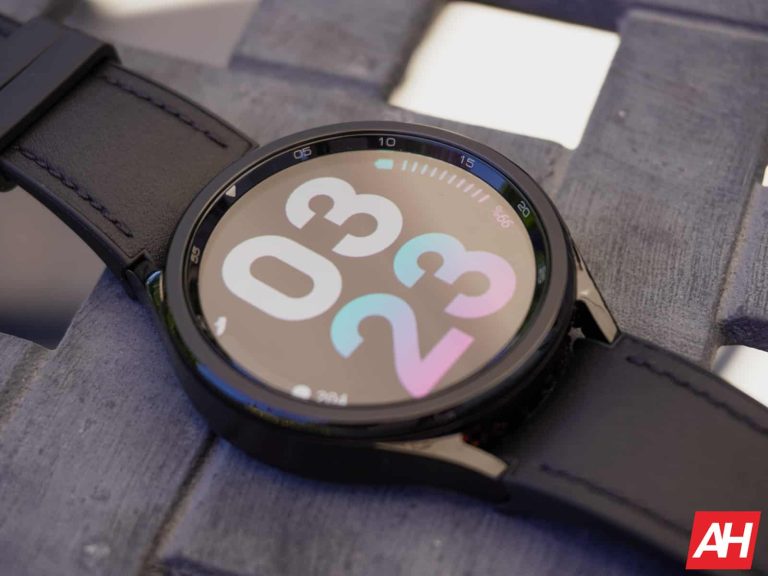
With so many smartwatches running on Wear OS, consumers have plenty of options.
What apps are available for Wear OS?
There are loads of apps that are available on the platform.
Many of them are the same apps that you can download on Android. Apps like Google Fit, Strava, Telegram, and even Uber can be installed. You can even find more obscure apps that are specifically for smartwatches. Facer is one of these apps and lets you customize your watch faces easily. Some other more commonly available apps on Wear OS these days include Spotify, YouTube Music, Google Assistant, Google Maps, Google Wallet, and many, many more.
I personally like to use the Calm meditation app for little moments of zen or guided breathing to get a small moment of relaxation here and there throughout the day. Although, you do usually need a subscription for Calm to use most of its features. So that’s worth keeping in mind. Quite a few apps will have subscription fees to use the service. Just like with their smartphone counterparts.
Where do you get apps?
Just like with Android smartphones and with Android TV, apps on Wear OS are downloaded from the Play Store. You can even install apps directly from the watch. In the early days of Android Wear, which is what Wear OS used to be, apps were installed via the phone. If you wanted an app installed on your watch, you’d simply find the app on the phone, install it, and then sync it with your watch to transfer the app
These days, with the Play Store being available on watches, no syncing is involved in the installation process. You just scroll the Play Store on the watch instead and install everything you want. It’s a much simpler, and much more convenient process because it saves you time and effort.
How much do the watches cost?
This all depends on the brand you pick and the features it comes with, though most Wear OS watches come with just about all the same features.
What it mostly comes down to is the brand, and whether or not the watch comes with LTE capabilities. Meaning, it can be used with cellular data so you don’t need your phone to be connected to it.
For the most part Wear OS watches will usually run in the range of $250-$400. Some of the high-end watches, like those from TAG Heuer or Mont Blanc, can cost quite a bit more as they use more premium materials and they come from luxury fashion brands. Even some like Samsung’s Galaxy Watch 5 Pro from 2022 were about $500 for the LTE model.
What are the more popular smartwatches on this platform?
There used to be a lot of different models available from various brands. Many of those were under the Fossil umbrella, and once upon a time, Fossil would have easily been one of the most popular if not the most popular brands for Wear OS smartwatches. However, Fossil no longer plans to make smartwatches going forward.
With that being said, Samsung is likely the most popular brand right now and the Galaxy Watch 6 or Galaxy Watch 6 Classic is likely the most popular watch. It has the most up-to-date smartwatch components for the Wear OS platform and the newest features. Not to mention Wear OS 4 which is currently the nest version of the software.
Google’s Pixel Watch 2 is another really popular Wear OS smartwatch since it was only just released back in October of 2023. It also wouldn’t be surprising if Samsung ends up announcing yet another new smartwatch for later this year.
What sorts of features does Wear OS have?
Wear OS offers tons of features, and basically all the features you’d expect from a smartwatch including phone notifications, health tracking, and a whole lot more. These days, watches do more than they used to as well. Some will also have unique features that are specific to that brand or model.
Platform features
You can receive incoming notifications from your smartphone, and even make and receive calls on some models. Calls can be made through a Bluetooth-connected phone, or completely on their own if the watch has LTE.
Beyond calls and notifications, most or all Wear OS watches come with Google Assistant these days. This will allow you to interact with other smart devices like lights and power switches, fans, or really anything that has Google Assistant integration. You can even ask it questions if you just need an answer to something.
Some of the more common uses for Wear OS though revolve around fitness. Most or all Wear OS watches will have the ability to keep track of things like step counts, distance run or walked, and even your heart rate. Samsung’s Galaxy Watch 6 Classic even has an ECG feature for helping to detect Afib and it can track and manage your stress and sleep habits.
There is literally a plethora of fitness-related features, it all depends on how you exercise. Some watch models even have water resistance and can be worn while you swim.
All watches also come with an always-on display, which allows you to quickly glance at information. This feature basically wakes the screen just by sensing your wrist movement, so if you lift it up, the watch knows and wakes the screen up so you can see the information.
Apps
Naturally, since this is a smartwatch platform, apps are available to install on the watch to help augment its capabilities. See the above apps section for an idea of what apps you can install on a Wear OS smartwatch.
How do you use Wear OS?
Like touchscreen smartphones, Wear OS watches are interacted with through the display. They’re touch-sensitive, so using features, installing apps, and managing notifications is all done through touching the screen.
Some watches may have buttons or crowns that can be used to navigate the interface though, and Google Assistant can even add some hands-free functionality depending on what it is you’re trying to do. For example, you have a watch like the Galaxy Watch 6 Classic which has both Google Assistant support and the rotating bezel. You can use the bezel for navigating the user interface for most things, then tap the screen to select stuff. And you can use Google Assistant for some things as well.
When you boot up your watch, you’ll load up to the home screen every time. After unlocking the watch, you can swipe up to view notifications. Swiping down brings up the quick settings menu, which is where you’ll find things like brightness and other settings functions.
Swiping to the left though is where you’ll find all of the most useful stuff. Like apps. This is where you’ll also find tiles, a useful feature that was added earlier this year.
What are tiles?
Tiles is a feature that Google rolled out for Wear OS way back in 2019, and it’s grown since then to include a lot more apps and features. Tiles are basically a way for you to pin key information onto your watch and you can access them to the right of your watch face homescreen. These make details glanceable and readily available for you at a moment’s notice. So if you need to check something quickly while out on a run, you can swipe to a particular Tile and get the information you need or want fast. You can now set up Tiles for all kinds of apps, more recently with Spotify. There are also Tiles for Weather, Wallet, and plenty more features and apps.
Do Wear OS watches use the same batteries as regular watches?
No. All Wear OS smartwatches are going to come with internal batteries that will be rechargeable. Sow when it needs juice, simply toss it on the charger and let it be.
This means you’ll never have to worry about replacing the batteries within it. However, you will be swapping out remembering to replace the battery with remembering to charge it. It’s easy to forget to toss your watch on the charger just as it is with your phone. This is why it’s a good thing more companies have started trying to increase the battery efficiency of Wear OS while also speeding up the charging time.
That being said, if you think about it like a phone accessory, this may help to prevent you from forgetting to charge it when needed. For the most part at least.
Most smartwatch batteries will run on average, 24 hours before you need to recharge them. Though, more often now there are brands claiming watches will last for around two days on a single charge. A good example of this is the Galaxy Watch 5 Pro. This would easily last me close to 48 hours or more with slightly more than average use.
What are the issues with Wear OS?
There aren’t too many, but Wear OS is not a flawless system. Its biggest issue is that it’s been struggling to show how useful it can be, and this is a big reason why the Apple Watch has a bigger piece of the smartwatch market.
Tiles has helped with this, making the platform the most useful it’s ever been. And Google and Samsung’s advancements in increasing battery life and performance with Wear OS 3 and Wear OS 4 have been a big help too. Things feel less convoluted and more accessible. Like any piece of tech, it might take a few days to get truly used to it, but that will fade.
Another issue is that not all Android apps are available on Wear OS. This means you find that the app you want to use on the watch can’t be installed. If you think about it, though, that might not be such a bad thing. Wear OS is not meant to be a replacement for your phone. It’s simply there to help you access some of the features so you don’t have to pull it out of your pocket all the time.
Whether that’s checking an incoming message or using Google Pay to buy stuff at the store.
Where can you buy Wear OS smartwatches?
Pretty much anywhere. If the store sells electronics, it likely sells Wear OS smartwatches.
Online
Obviously, you can buy just about every single Wear OS smartwatch online. Some of them can be found on Amazon, some at Best Buy. You can also find the watches from each brand specifically at their own online stores in most cases.
BestBuy & other electronics retailers
BestBuy will be one of the bigger electronics retailers to sell Wear OS devices, and they’ll probably be mixed in with other smartwatch options, or at least close by the same section. You can also find some options at Amazon too, which shouldn’t be surprising since Amazon sells basically everything under the sun.
Some carriers will sell smartwatches along with smartphones and other smart devices. Usually, these will be the LTE options, but if that’s what you’re looking for then your carrier might be the best place to look since you can handle other business there at the same time.
Believe it or not, some department stores will sell smartwatches too. Especially the more fashion-oriented brands. You’ll also find smartwatch options at places like Target, Fred Meyer, and similar stores may sell these devices as well.
Nope. You can use an Apple iPhone and still use a Wear OS smartwatch, as the platform works with both Android and iOS devices.
That being said, you will probably have a little bit more functionality with Android, but most of the features will be there if you are on iOS.
Is Wear OS customizable?
Both Wear OS and the watches themselves are pretty customizable. With the platform, you can customize the watch with the tiles feature and by selecting the watch face.
Watch faces are already pre-installed and there will be a handful of choices. If however, you use something like Facer, the watch faces are infinitely more customizable, and there are a lot of really cool options out there. This is something you should explore if you like to customize your devices.
With the watches themselves, you can customize the watch case depending on the brand and the model, as many watch options offer varied choices for watch case colors.
Wear OS watches also support removable watch straps so you can choose the one that best fits your style, or simply swap it out based on the activity. For example, silicone straps for when you’re exercising, and a leather or metal option for just about everything else.
Does Wear OS get updates?
It will get updates from time to time. Probably not as often as Android phones, though. That being said Google and Samsung have been updating their Wear OS watches more often these days. You will generally get a notification on your connected phone that an update for the watch is available. And if you’re wearing the watch and it’s powered on, you should get an alert there too. You can also always manually check to see if there’s an available update.
What are the benefits of Wear OS?
There are a ton of benefits, not the least of which is all the hands-free functionality you’ll have. Wear OS also helps you get fit, and it does this with various fitness-related apps. They can also be a fashion statement if you simply like to have a watch on your wrist. It’ll just be more functional than a regular watch too.
Really though, the benefits depend on what you want out of having a smartwatch. If it’s for the voice capabilities, then Wear OS is perfect thanks to Google Assistant. If you want at at-a-glance notifications and other information, this is another big benefit as you won’t have to reach for your phone. Simply lift your wrist and take a peek at what you need to see.
Is Wear OS the right smartwatch for you?
If you use an Android phone, it’s probably the right option, but that will entirely depend on you and what you’re looking for. Since there are so many Wear OS watch options out there, you won’t lack choices. That’s a certainty. You will need to be mindful though, of if you will get any use out of all the functionality.
If you’ll never use Google Assistant or want to use apps, you may be better off with a fitness tracker as many of these also offer heart rate sensors and notifications. If you do indeed want a smartwatch, you may also want to consider whether or not Wear OS would be a better option, or if something from a brand that doesn’t use Wear OS is the way to go.
Malicious software can infect your storage devices and lead to the loss or corruption of videos. To address these situations and recover lost videos, individuals can use specialized data recovery tools or services. For this purpose, Wondershare Recoverit can help you recover the lost video efficiently. In this article, we will discuss the tool’s recovery feature to restore video or corrupted files. Let’s get started!
Part 1: Common Reasons That Lead to Video Corruption or Lost
It is essential to avoid the reasons that cause the loss of your data or video. Data is less likely to get lost if you consider the reasons for video loss. Such reasons have been discussed below so you can get an idea and avoid them to preserve data.
– Users may lose the video data from the camera that gets damaged due to physical damage. Also, a liquid spill can affect the camera’s working, which causes video corruption. – Software crashes while transferring the data can cause the loss of videos from the system. Additionally, the video data was also erased from the system due to hardware issues. – Your important video files can get deleted when you format the SD card to free up space. Moreover, video data can get corrupted in this SD card formatting process. – Pulling out the disk without unmounting it first causes the video to be lost from the storage device. Furthermore, video data gets deleted because of unexpected viruses.
Part 2: Recover and Repair the Lost Video with Recoverit
Have you ever lost the video of the wedding ceremony due to the formatting of the SD card? This video recovery tool enables you to restore it in a better way. This data recovery software not only restores the video but also repairs it to make it playable. Also, the tool doesn’t require any technical skill to recover the lost video. Interesting, right?
With the help of this software, users can rescue their missing video data that gets lost due to NAS failure. In addition to the NAS server, this tool can work with 2000 storage devices for data restoration. You can restore MKV, M4V, MP4, and many other formats of the corrupted video. Furthermore, you can use the preview feature to find the desired video instead of wasting time recovering unwanted videos.
Part 3: Simple Guide to Restore the Lost Video With Recoverit
This video recovery tool can work equally with Ultra HD 4K, Full HD, and 8K video without any issue. Moreover, users can find hidden files that are not scannable with the tool’s quick and deep scan features. Follow the easy-to-follow step guide to learn how to recover lost videos with this tool:
Step 1: Launch The Data Recovery Software and Select the Location
Start downloading and launching this data recovery tool on your desktop. Then, select the “Enhanced Recovery” option from the software’s main interface. After this, select the location and format of the lost video and press the “Start” button to start the scanning process.
Step 2: Scan the Folders to Locate the Desired Video
The tool starts “Quick Scan” and “Deep Scan” simultaneously to match the selected video formats. Once you find the desired lost video, you can stop or pause the scanning process.
Step 3: Preview the File to Recover it
After this, you can preview the file to confirm that it is your desired video. When satisfied, click the “Recover” button below to restore the lost video on your device.
Part 4: 5 Essential Key Features of Recoverit for Data Recovery
You can restore videos that get corrupted or lost due to device damage with the help of this tool. Besides that, it offers other vital features to retrieve your lost data easily. This makes the tool versatile for the users to recover any kind of data from different storage devices and systems. The below section gives a better explanation of the other key features of the tool:
1. File Recovery
Suppose a business loses its record-keeping files due to the unstable power supply of its system. The file recovery feature helps revive the lost important data containing the file. In addition to that, this tool can recover the file in 1000+ formats.
2. Memory Card Data Recovery
If students lose their study-related data from the memory card, we have a solution for them. With the help of this feature, they can revive their lost data effortlessly. Additionally, it is capable of restoring the data from all kinds and brands of memory cards.
3. Linux Data Recovery
Linux data recovery feature allows you to restore the deleted file from the Linux-operated server. This will enable you to recover the file in different file formats that get corrupted. Furthermore, the tool supports the different types of Linux distributions to retrieve the data.
4. NAS Data Recovery
User installs the NAS server to store and share the data, while its failure can erase their data. NAS data recovery feature helps the users regain the erased data from all brands of NAS servers. Also, it enables you to get rid of complex RAID-building processes for recovery.
5. Photo Recovery
Travel influencer can lose all their travel journey photos due to accidental deletion. Influencers can regain their permanently deleted photos through this easy-to-use photo recovery software. Furthermore, this tool supports the 500+ loss scenario to revive the lost data in your system.
Part 5: Benefits of Using the Recoverit to Recover the Video Data
You’ve gotten familiar with the video recovery feature of the software to restore video. Besides this, there are some benefits of using this data recovery software to restore video data. Let’s review this tool’s benefits to recover and repair your corrupted videos:
– It allows the recovery of video data with the highest success rate. – With an innovative data recovery method, it has been awarded 35 advanced patents. – The tool has extensive and professional knowledge with 20 years of experience. – You can recover data from all devices and storage media with the help of this tool.
Conclusion
In conclusion, companies can revive their lost video data with this data recovery tool. This easy-to-use tool can restore and repair lost data in different scenarios. It also offers the highest recovery success rate for different file formats. Therefore, get your hands on this video recovery tool to retrieve your lost memories.
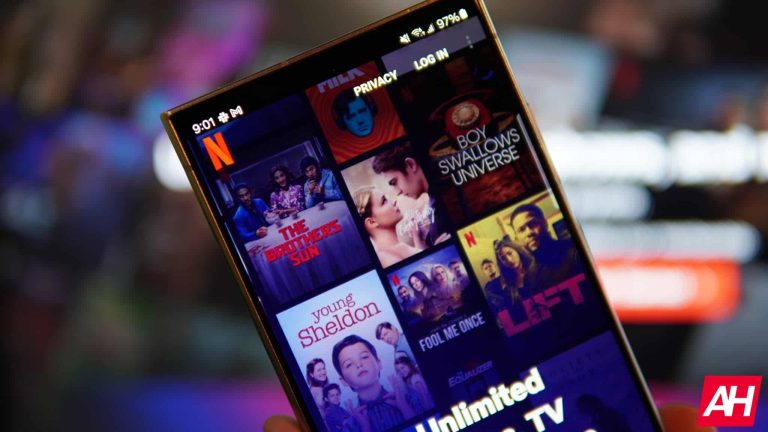
Netflix is the most popular streaming service on the planet, but with that popularity comes price increases which appear to be happening just about every year. Recently, Netflix announced that its Basic plan would be discontinued, replaced by its Basic with Ads plan instead. So prices didn’t actually go up; it’s just more expensive to get Netflix without ads now. But there is a price hike on the horizon, as the company indicated as much in its recent earnings call.
With that news, you might be looking to cancel or unsubscribe from Netflix. Well, you’ve come to the right place for that. In this tutorial, we’ll show you how you can cancel your Netflix account.
How to Cancel Netflix
Cancelling Netflix is quite simple.
First, log in to Netflix.
Then tap on your profile picture in the upper-right-hand corner.
And tap on “Account.”
From there, you’ll be taken to your account, and you’ll see a nice big gray “Cancel Membership” button at the top.
Click on “Cancel Membership.
From there, you’ll see a new screen asking if you are done watching or if you want to stick around. Offering you the option to switch to a lower plan.
Tap on “Finish Cancellation”.
After that, you will receive confirmation that your plan is canceled.
To Netflix’s credit, they do make it super simple to cancel your account, compared to some other streaming services, where you need to call them to get them to cancel it.
Netflix will show you the date when your account is going to be canceled, and that is when you’ll no longer have access to Netflix. Since Netflix does not pro-rate and offer a refund, you just have access until your next billing date.
FAQs
Does Netflix offer a free trial?
Unfortunately, no. Many streaming services have started to ditch the free trials, as many would sign up for the free trial and then leave the service. Switching out emails in the process. So, Netflix stopped offering a free trial to new customers in October 2020.
Can I come back to Netflix at any time?
Some people will cancel Netflix and then return to the service in a few months when some new shows they want to watch come out. Luckily, Netflix will keep your profiles, favorites, viewing preferences, and account details for ten months. So you can return within ten months and not need to start over.
That means that all of your recommendations will still be available as well. So if you’ve decided you didn’t want to cancel, then you can reactivate and continue where you left off.
Can I create a new account for Netflix?
Yes, you can always create a new account and return to Netflix. However, as mentioned already, there’s no free trial available anymore. So, starting a whole new account doesn’t make a lot of sense. It would be better to simply start your old account up again; at least you’ll have your watch history and recommendations in tow.
What plans does Netflix offer?
Currently, Netflix offers three plans. These are Standard with Ads, Standard, and Premium. Standard with Ads and Standard are essentially the same, minus the ads part. These will cost you $6.99 per month and $15.49 per month respectively. Then there’s the Premium plan which offers 4K content and the ability to download titles on up to six devices, for $22.99 per month. You can also add extra family members who don’t live in your home for $7.99 per month for each of the ad-free plans.
Well, it comes as no surprise that AI just might help you find your next product on Amazon. With the tech industry moving toward more AI, it should come as no surprise that Amazon is using AI to help you buy more products from its site. The company unveiled Rufus, an AI-powered shopping assistant that comes with a lot of potential and a lot of concerns.
If you don’t know what Rufus is, the company unveiled it a few days ago. According to the company, “Rufus is an expert shopping assistant trained on Amazon’s product catalog and information from across the web to answer customer questions on shopping needs, products, and comparisons…” To put it plainly, imagine taking Amazon and ChatGPT and throwing them in a blender. It’s a chatbot geared toward helping you shop more easily on Amazon. It wouldn’t take a crystal ball to protect something like this eventually coming out.
Amazon Rufus seems cool, but it raises concerns
Right now, Rufus is only available to a subset of beta tests. We don’t know how widespread this test is, but we’re sure that a fair amount of shoppers have it.
Rufus doesn’t seem bad until you think about what this chatbot will do. Basically, it sounds like it’s meant to guide your shopping based on information collected across the web, its products, reviews, Community Q&As, Etc. It’s a tool used to potentially help you avoid hours of scrolling through search results to find products. It seems plausible that Amazon could use personal customer data to help guide the results, but the company did not state that.
So, this seems like pretty standard fare for 2024, but why are people concerned? Well, Amazon is currently going through a pretty massive antitrust lawsuit. Right now, the company is swatting accusations that its search algorithm favors its own products over other products. Selling its own products makes it more money than selling products from other companies. We also can’t forget how much money it makes from companies paying to advertise their products on Amazon
So, many people fear that Amazon will live up to the accusations and use Rufus to push its products on customers over others. Also, people believe that Amazon could unfairly favor sponsored products. “You’ll most likely get sponsored results,” stated Michael Pachter, a Wedbush Securities analyst. “Advertising drives retail and Amazon is no different – why do you think they are generating tens of billions of dollars in advertising a year?”
It’s all about money
We can’t deny that companies are looking for ways to monetize their AI technology. Developing these large AI tools costs billions upon billions of dollars. This is why many companies offering AI tools either charge or plan to charge for them. Google is going to charge for Gemini Advanced, Samsung could possibly charge for Galaxy AI after 2025, and OpenAI has ChatGPT Plus. As for Amazon, the company is going to charge people to use its generative AI tool when it finally launches.
So, it’s definitely conceivable that Amazon could use this tool to help it rake in more money. This is what raises concerns about Amazon and Rufus. However, these are just concerns and accusations. We’ll have to wait and what happens when Rufus officially launches
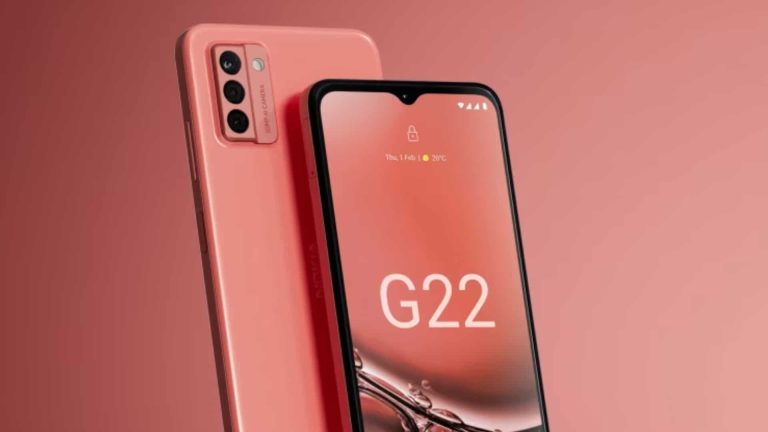
Nokia may be circling the drain right now, but that does not mean that you can’t enjoy one of its fine devices in 2024. Hmd, the company formerly building Nokia phones, announced the re-release of the Nokia G22 with a new peach coat of paint.
So, in case you don’t know, HMD is the Finnish company that held the rights to manufacture Nokia phones. It recently announced that it was going to break away from Nokia in order to establish its own brand identity. Unfortunately for Nokia, this means that it may not have a company to make its products. A smartphone company without the means to develop smartphones doesn’t quite have a chance to survive.
We’ve already been seeing leaks of the new phones that it is working on. In fact, we expect to see nine phones being unveiled during MWC this year. That’s a heck of an unveiling, but it leads us to wonder if the company is not biting up more than they can chew.
Nokia re-released the Nokia G22 in a peach color
This phone doesn’t really have too much to offer in the specs department. It’s a mid-ranger unveiled back during MWC 2023. There wasn’t really much special about it, however. The Nokia G22 was your classic mid-range handset with a 6.5-in 720p+ display. The Nokia G22 has 6GB of RAM and 64GB/128GB/256GB of storage.
So, nothing on the spec sheet really stood out with this phone. However, what made it special was the fact that it was very repairable. It even won an award for its repairability. Nokia is releasing the same exact phone this year, so you shouldn’t expect any changes. The only difference is the peach color. This is an orangish pink color that looks absolutely stunning. It’s a lovely-looking device.
As for the price, this phone starts at £149.99. Unfortunately, it does not look like it’s coming to the States. So, if you are in the UK, and you are looking for a new phone that looks marvelous, then you should put in your order.
Students use Excel files to enter data and create graphs for keeping records. However, they can get corrupted due to a virus attack on their computer system, making the file unreadable. Wondershare Repairit helps students repair corrupt Excel files and make them readable. With this ultimate solution, you can repair Excel file online and offline to get back your essential data file. This article will discuss both methods to repair Excel files via Repairit.
Part 1: How to Repair Excel Files via Wondershare Repairit Online
Repairit Online is a renowned tool that assists users in restoring the original data of several document types. With its over-the-top features, you can also repair various Excel corruption errors. The format becomes unrecognizable when a file gets corrupted, which this tool can quickly solve. This file repair tool allows you to repair multiple Excel files in a single process.
Also, it makes unreadable data and graphs of Excel files readable. Repairit enables you to repair the damaged file quickly with advanced features. The acceptable size of the file for repairing a corrupted file is 5 MB. To repair an Excel file online, follow these easy-to-follow steps:
Step 1: Access the Excel Repair Online Tool
Start the online process of Excel file repairing by accessing the Repairit website on your browser. Then, click the “Product” option on the main interface to open the drop-down list. After this, choose “Online File Repair” from the drop-down menu to access the new window.
Step 2: Upload the Corrupted Excel File for Repairing
On this new open window, press the “Add” button. Then, upload the Excel file that has a corruption error for repair.
Step 3: Preview and Save Repaired Excel File
Once the Excel file gets uploaded, hit the “Repair” button to repair the corrupted Excel file online. Now, the successful completion of the process will be confirmed by the progress bar. Next, click “Download All” to save the repaired Excel file in your system.
Part 2: How Can You Perform Excel File Repair through Repairit Offline?
As we have discussed, users can use the online service of this file repair tool to repair Excel files. However, the online service Repairit has files and size limitations while repairing the damaged file. If you want no limit on the number and size of Excel files, the tool offers an offline service. Additionally, users do not need to be worried about the internet connection to use this file repair software. It supports all versions of Excel, ranging from 2007 to 2019, and Office 365 for repair. In addition to that, it offers the option to preview Excel files before repairing them. In addition to that, you can regain the Excel file content with this desktop-based file-repairing software. The step-by-step guide to effortlessly repair the Excel file on your desktop has been discussed below:
Step 1: Launch and Access the Repairit Software
Initiate the process by downloading and launching this Excel file repairing software in your system. Now, open it and click the “More Types Repair” option from the main interface. Then, choose the “File Repair” option to get access to the new window.
Step 2: Upload Excel File with Corruption Error to Repair
After this, hit the “Add” button to upload the corruption error containing the Excel file. Next, the Excel file will appear in the “Unrepaired Files” section after it gets uploaded. Later, press the “Repair” button to begin the file repairing process.
Step 3: Preview and Save the Excel File
Following this, a notification will appear after the Excel file gets repaired. Afterward, hit the “Preview” button to preview the file for confirmation. Finally, click the “Save” button to save the repaired Excel file on your device.
Part 3: Some Common Reasons for Excel File Loss
Through this Excel file repair tool, you can regain the corrupted file content with ease. However, it is advisable to avoid the reasons that cause the corruption of Excel files. To prevent file corruption, consider the following reasons that cause Excel file corruption:
1. Disk Errors: The error on the disk that contains your important data file causes the file to be corrupted or lost. Moreover, bad sectors on disk can also affect the Excel file and make it inaccessible.
2. Virus or Malware Attack: Excel files become corrupted due to virus attacks on the user’s system. Furthermore, some malicious software can encrypt the Excel file and make data unreadable for users.
3. Sudden Shutdown: Due to overheating, the system can shut down without warning, affecting the file. Additionally, this shutdown damages the Excel workbook on which you are working.
4. Software Update: Your Excel file can become corrupt due to incompatibility issues with the Excel file version. If you open the old version file, it does not recognize the updated software, causing an error in the Excel file.
Part 4: Other File Formats You Can Repair With Wondershare Repairit
Repairit allows you to repair Excel files with online and offline methods. In addition to that, you can repair other file formats such as Word, Excel, and PDF with this tool. This makes it a versatile and flexible tool for all users to repair files. Whatever the reason for this file format corruption, you can repair the file easily to regain it:
1. PDF Repair
Students and professionals usually use the PDF format to preserve the formatting of content. However, the malware attack on their computer can corrupt PDF files. With the PDF Repair feature, they can repair all components of a PDF file. Moreover, they can fix the watermarks, hyperlinks, forms, and text of corrupt PDF files.
2. Word Repair
People make their assignments and generate cover letters on Word files. In case of hardware issues in the system, the assignment’s Word file can get damaged. The Word Repair option of the tool enables people to regain all the content of the PDF without modifying the original one. Furthermore, the tool is compatible with all new and earlier versions of Word files.
3. PowerPoint Repair
PowerPoint presentation files of employees might get corrupted due to unforeseen reasons. Employees can use this tool to repair the presentation file for presenting in meetings. This file repair feature helps them fix tables, charts, and other file content. Also, this user-friendly tool can repair multiple corrupt PowerPoint files simultaneously.
4. Adobe Files Repair
In addition to these files, Repairit can repair Adobe files such as PSB, PSD, and AI files in Illustrator. It helps to save graphic designers the effort of spending time creating such files. Graphic designers can fix corruption issues in all versions of AI files in Illustrator. Additionally, you can repair image resources and channels of corrupted Photoshop files.
Conclusion
Therefore, you can repair the damaged Excel file with this file repair tool. Repairit offers online and offline services to users for repairing files efficiently. Plus, it supports all versions and formats of the file to regain their content. Its versatility makes it a perfect option for repairing important files.
Wondershare Repairit Free Download: Click below to download Wondershare Repairit.