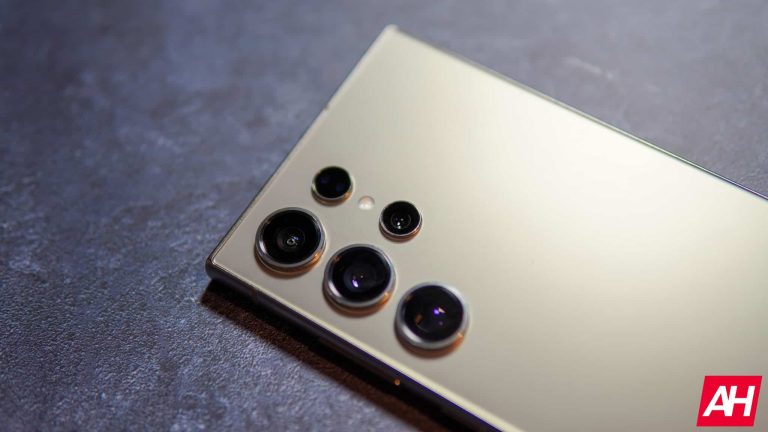
The Xiaomi MIX Fold 4 could end up offering a truly compelling camera setup. Based on a new rumor, the Xiaomi MIX Fold 4 will end up featuring four 50MP cameras on the back, including a periscope telephoto unit.
The Xiaomi MIX Fold 4 to offer four 50MP cameras, including a periscope unit
This information comes from Digital Chat Station, a well-known Chinese tipster. He shared some information not only about the Xiaomi MIX Fold 4, but the Xiaomi MIX Flip as well. In addition to the camera info we’ve already mentioned, he said that both devices will be thin and light.
That would suggest that the Xiaomi MIX Fold 4 will be even thinner and lighter than its predecessor. We’re not sure how will Xiaomi achieve that with four 50MP cameras on the back, but it remains to be seen.
The tipster also said that the Xiaomi MIX Flip will include the Snapdragon 8 Gen 3 processor. So, Xiaomi plans to make this smartphone just as powerful as some of its flagships… in terms of performance. A previous rumor claimed that the Snapdragon 8 Gen 2 will be used.
Xiaomi’s first flip phone could ship with a “zero-perception crease”
The device will also feature a “zero-perception crease”. In other words, the crease will be barely noticeable, as is the case on some other foldables out there, like the OnePlus Open. Who knows, perhaps Xiaomi can up the ante even further.
It will be interesting to see how will Xiaomi handle the hinge. We presume that a teardrop curve for the display will be used, but we’ll see. Perhaps Xiaomi has an even better idea up its sleeve.
We’re not sure when will these devices arrive, but the Xiaomi MIX Fold 3 launched in August last year. It’s possible Xiaomi will be aiming for a similar launch timeframe again.
Apple has bagged the Fortune’s “World’s Most Admired Company” award for the 17th time in a row. Every year, Fortune releases its list of most admirable companies in the world. The list consists of over 1,500 companies of which 1,000 are US-based and 500 are from the rest of the world. Notably, all these companies have at least $10 billion in revenue. What’s more intriguing is despite Microsoft taking over Apple as the world’s most valuable company, Apple hasn’t lost its position. At least, in the eyes of Fortune.
Apple becomes the World’s Most Admired Company for the 17th time
Cupertino tech major has once again topped as “World’s Most Admired Company”. This ranking is in terms of being socially responsible, financially strong, innovative, and competitive globally. Microsoft also did great, especially in computer software, and came in second. Amazon got third place, slightly lower than before, but still did well in internet services and retail.
According to Fortune, the yearly ranking is determined through a survey of about 3,700 executives, directors, and analysts. Even though Apple is still at the top, its ratings have slightly decreased. It scored 8.19 this time, whereas last year it was 8.65.
There could be several factors behind this, but most importantly, Tim Cook’s remark regarding layoffs might have a role. The Apple CEO had referred to layoffs at Apple as “a last resort.” However, a recent report outlined Apple’s plans to relocate its San Diego team working on Siri to Austin, Texas. Those not complying with this decision might have to face layoffs. Despite this move, Apple has largely avoided layoffs, unlike the global tech industry, which saw more than a quarter of a million layoffs in 2023.
Moreover, the coming time looks mixed yet bright for Apple as it prepares to introduce generative AI in its devices. Also, it had one of the biggest releases in a long time, the Vision Pro. And the company has already sold over 200,000, according to Macrumors, even before it hit shelves on February 2.
Other companies that made it to Fortune’s Top 10 include Microsoft, Amazon, Berkshire Hathaway, JP Morgan Chase, Costco Wholesale, Alphabet (Google), American Express, Walmart, and Nvidia.
According to Reuters, a federal judge stated that tens of millions of Apple customers can proceed with a class action lawsuit. The lawsuit accuses the company of monopolizing the market for iPhone apps by forbidding purchases outside its App Store, which allegedly leads to higher prices.
In March 2022, US District Judge Yvonne Gonzalez Rogers initially declined to certify a class action. However, she reversed her decision after the class was narrowed down to include only Apple account holders who spent $10 or more on app or in-app content.
Although expressing concern that the narrowed class might encompass more than 10 million accounts that suffered no harm, accounting for 7.9% of the total, Rogers noted that this number could be reduced. She emphasized that there was no fixed “cutoff” for denying certification.
The judge also dismissed Apple’s attempt to exclude testimony from two expert witnesses, including Nobel Prize-winning economist Daniel McFadden, that Apple considered unreliable. These experts are expected to shed light on how Apple may have caused harm to consumers.
Mark Rifkin, the lawyer representing the consumers, expressed being “extremely pleased” with the judge’s decision and looks forward to the next phase of the 12-year-old antitrust case. Rifkin estimated that the class incurred “billions of dollars in damages.”
Judge Rogers was also in charge of the Epic Games vs. Apple showdown. Back in September 2021, she told Apple to ease up on restrictions for where developers can ask for payment. However, she didn’t go all the way in making Apple allow downloads to iPhones outside the App Store.
No matter how the case unfolds, Apple’s rules, under attack in this lawsuit, are already undergoing changes globally. For instance, the EU Digital Markets Act is pushing Apple to make adjustments, mandating the allowance of third-party app stores and third-party payment processing within the European Union.
The POCO X6 Pro is a premium mid-range smartphone from POCO, a Xiaomi sub-brand. The phone is powered by MediaTek’s high-end Dimensity 8300-Ultra processor. It is a 4nm solution that debuted with a Xiaomi phone in China a few months back. The new POCO handset also boasts the latest RAM and storage standards, a big and bright flagship display, a big battery, fast charging, stereo speakers, and an under-display fingerprint scanner.
The device features a solid build with a vegan leather back option, which feels premium in hand. The handset’s shape and size feel perfect—not too big, not too compact. But does the POCO X6 Pro back up its excellent design and powerful specs with a reliable, sustained performance? There’s only one way to find out, by putting it through its paces. Over the past couple of weeks, we used the phone as a daily driver to determine how it holds up during real-world usage. Read on for an in-depth review of the POCO X6 Pro.
Table of contents
POCO X6 Pro Review: Hardware & Design
POCO sent us the Yellow color variant of the POCO X6 Pro. It features a textured vegan leather back. The Black and Gray color variants of the phone have a plastic back. The vegan leather one is marginally thicker (8.35mm) than the plastic one (8.25mm). It is also a little heavier (190 grams vs. 186 grams). However, these differences won’t be noticeable to users, so we aren’t complaining. The vegan leather finish not only feels premium in hand but looks stunning too. POCO gave a matching yellow accent to the power button, adding to the handset’s aesthetics.
The power and volume keys are on the right side and at a perfect height, making them easily reachable during one-hand usage. The buttons aren’t the most clicky and premium ones we have seen. They are made of plastic and you can feel that. The POCO X6 Pro’s frame is also made of plastic, while you get Corning Gorilla Glass 5 on the front. The frame is mostly flat but has chamfered edges. The back plate also has chamfered edges, making it comfortable to hold the handset for a long time.
The rear camera housing has a stylish, reflective design
The POCO X6 Pro has a big, slab-like camera bump at the back, housing three sensors and a dual-tone LED flash unit. Each of them gets a separate circular lens protruding further away from the body. The housing features the “POCO” branding and has “64MP OIS” imprinted below it. The company has given a stylish, reflective design to the camera bump, complimenting the vegan leather finish. The big camera housing makes the device wobble a little when kept on the table, but not much.
The bottom edge of the POCO X6 Pro has a speaker grille, a USB Type-C port, a microphone hole, and a SIM tray. On the top, we can see the second speaker, a secondary microphone hole, and an IR blaster, which allows you to use the phone as a remote control for compatible electronic devices in your house, including the TV, Air Conditioner, and Music Player. For the speaker, POCO has used tiny holes instead of a single slit on the frame, making for a more tidy finish. The left side of the POCO X6 Pro is completely blank.
Slim but asymmetric bezels
Adding to the POCO X6 Pro’s aesthetics are the slim bezels around the display. While these aren’t the slimmest bezels we have seen, there isn’t much to complain about here. The chin is slightly thicker, though. We would have liked symmetric bezels more. The punch hole cutout is relatively small, smaller than the iQOO 12, which is a flagship offering. The earpiece is tucked right under the frame, making it almost unnoticeable. All of this makes the POCO X6 Pro a good-looking phone from the front too.
The unboxing experience is nothing special. Along with the phone, the POCO X6 Pro’s black and yellow-themed retail box includes a 67W charger, a USB-A-to-C cable, a SIM ejector PIN, a back cover, and some paperwork. It is a silicone case with a bumper around the camera housing. While it gives solid protection to the device, you lose the premiumness of the vegan leather finish. If you are getting the Black and Gray, which have a plastic back, putting a cover will prevent the rear panel from catching fingerprints and smudges.
POCO has also applied a plastic coating on top of the display. However, it gets scratched too easily, so you might want to replace it with tempered glass or something. The overall build quality is solid and punches above its price segment, particularly when holding the vegan leather variant without a protective cover. However, when you plan to use a phone for a long, it is always a good idea to put a cover and display protection.
Not the best protection against dust and water
While the handset looks and feels premium, the POCO X6 Pro doesn’t boast the strongest protection against dust and water. It has an IP54 rating, which means the device isn’t completely dustproof and can only block non-pressurized splashes of water. Submerging the phone in a pool or taking it out in the rain won’t be a good idea. Overall, you might want to keep it out of water. You will find phones with better IP ratings in this price range but you will have to cut corners in other areas. Speaking of which, let’s look into the POCO X6 Pro’s display.
POCO X6 Pro Review: Display
The POCO X6 Pro features a 6.67-inch CrystalRes Flow AMOLED DotDisplay with a 1.5K resolution (1,220×2,712 pixels) and a 120Hz refresh rate. This gives you an aspect ratio of 20:9 and a pixel density of 446ppi. Thanks to the slim bezels, you get a 94% screen-to-body ratio, making for an immersive visual experience while watching videos or gaming. With an instant touch sampling rate of 2160Hz, the display feels extremely smooth and responsive. There was no touch lag during graphic-intense gaming.
The screen brightness is adequate too. POCO officially rates the display at 500 nits of typical brightness, 1200 nits of HBM (high brightness mode) brightness, and 1800 nits of peak brightness. The contrast ratio is rated at 5,000,000:1. The display is perfectly legible under direct sunlight with good color accuracy and vibrancy. The images don’t appear washed out. With a 1920Hz PWM (pulse-width modulation) dimming, the POCO X6 Pro’s display can get dim enough in dark areas to make for comfortable viewing while still retaining colors well.
Vibrant screen colors with extreme customization options
Speaking of colors, the screen boasts a 100% DCI-P3 color gamut. So, you get vibrant pictures with high color accuracy. On top of this, POCO lets you customize the colors to an extreme level. While most phones limit you to three color modes with temperature sliders, the POCO X6 Pro offers advanced controls over the screen colors. You can switch to the P3 and sRGB color gamuts with manual control over the three standard colors (Red, Green, and Blue), HSB (Hue, Saturation, and Value) color space, contrast, and gamma.
Additionally, there is a Reading mode that automatically adjusts colors based on the app you are using and sunset/sunrise times in your region. This helps achieve optimal colors for the best viewing experience while being easy on the eyes. You can also manually control the color gamut, temperature, and texture for Reading mode. While it works automatically when enabled, you have the option to schedule it. The POCO X6 Pro offers one of the most customizable screen color settings in the Android world.
The POCO X6 Pro’s Always On Display (AOD) is highly customizable too. You can create a custom theme for AOD with options to select the text color, clock position, battery icon, and notifications. Additionally, the phone offers a wide range of built-in clock designs, AOD patterns, backgrounds, and more. AOD is activated when you tap on the screen when the device is locked. It disappears automatically after ten seconds, so the power consumption doesn’t go up when the phone is in your pocket.
Widevine L1 certification for Full HD streaming
The new POCO phone has a Widevine L1 DRM certification, so you get Full HD streaming across all major streaming apps such as Netflix and Amazon Prime Video. With HDR10+ and Dolby Vision support, the POCO X6 Pro’s display enhances the viewing experience. The dual stereo speakers are quite loud too, louder than some more expensive phones, further making for more enjoyable and immersive video streaming. The speakers elevate your gaming experience as well. Thanks to Wet Touch technology, sweaty fingers won’t affect your gaming.
POCO X6 Pro Review: Performance
The POCO X6 Pro is an excellent performer in its segment. The phone is powered by MediaTek Dimensity 8300-Ultra chipset, which is a flagship-grade solution customized for Xiaomi. The 4nm octa-core SoC has four Cortex-A715 performance cores operating at a maximum frequency of 3.35GHz and four Cortex-A510 efficiency cores at a maximum frequency of 2.2GHz. The CPU is supported by ARM’s 6-core Mali-G615 GPU and an integrated APU 780 AI processor.
On top of this, you get up to 12GB of the latest LPDDR5X RAM (plus 6GB of virtual RAM) and 512GB of the latest UFS 4.0 storage standard. The POCO X6 Pro also boasts LiquidCool Technology and has a huge vapor chamber of 5,000 mm² in area. Additionally, it features a massive graphite coating covering over 10,000 mm². All of this ensures reliable and efficient performance with optimal system temperature whether you are gaming, making a video call, or just browsing the internet.
Superb gaming performance, brilliant at multitasking
This phone can handle graphic-intense games with ease. We didn’t feel any hint of lag or stutter while playing games like COD (Call of Duty: Mobile) and BGMI (Battlegrounds Mobile India), the Indian version of PUBG Mobile, with the highest supported graphics. The POCO X6 Pro ran BGMI at HDR graphics and Ultra frame rate without any issues. In our three weeks of testing, we played BGMI for about an hour almost every other day. There were no frame drops or performance issues even once.
Of course, if you continuously play graphic-intense games for over an hour, the handset will get a little hot. But the POCO X6 Pro’s cooling system works amazingly well to keep the temperature in check. The vegan leather back probably helped too, but you get the list. POCO’s latest mid-range phone delivers excellent gaming performance. You won’t find many better performers in this segment. Gameturbo helps enhance your gaming experience with some pro-grade controls.
Not just gaming, the POCO X6 Pro is excellent at multitasking and other everyday usage too. The phone is fast at loading apps, switching between apps in the background, taking pictures, and other routine tasks. Its background app retention is good too, capable of retaining apps in the split-screen mode so you can quickly jump back in. To check its speed, we copied an 8GB file within the internal storage and it did the job in just 28 seconds, which is remarkable in this segment.
Reliable haptic feedback and fingerprint recognition
The POCO X6 Pro features an X-axis linear vibration motor that offers excellent haptic feedback. You get effective vibration feedback while gaming, controlling the volume, unlocking the device, and various other gestures and system controls. The phone lets you customize the feedback level or entirely disable haptic feedback if it is not your thing. As far as the under-display optical fingerprint scanner is concerned, it is as fast as they get these days. We initially felt it was placed too low but got used to it quickly.
Benchmarks
Every phone that comes to our desk for review goes through a series of benchmark tests. We ran multiple benchmarks on the devices to see how they perform when pushed to their limits. This gives us a fair idea of a phone’s performance levels compared to competing devices. To start with, we put the POCO X6 Pro through a CPU and GPU test on Geekbench v6. It scored 1,285 points in single-core CPU tests and 4,356 points in multi-core CPU tests. The GPU score came in at 4,673.
Since this is the first phone with the Dimensity 8300-Ultra processor we have tested, we don’t have any direct comparison to make. However, the POCO X6 Pro punched above its weight, scoring better than some higher-priced devices. It performed better than the HONOR Magic 6 Lite and Tecno Phantom V Flip and gave tough competition to the Google Pixel 8 Pro. Below is a chart for a quick comparison of Geekbench 6 scores of some recent phones.
Next up, we did a Capcut video export test on the POCO X6 Pro. This is a test we have put together here at Android Headlines to compare the performance and speed of phones. It involves measuring the time it takes for a device to export a one-minute video in Capcut. We perform this test with the same video on every phone we review. The less time a phone takes to do the job, the better its performance. The POCO X6 Pro took 13.72 seconds to complete the export, which is better than most competing phones. Below is a chart for quick comparison.
We also usually run the 3D Mark Wildlife Extreme Stress Test on devices we review. It is a demanding 20-minute test that evaluates the device’s performance stability during prolonged heavy use. However, the benchmarking app appears to be blocked on the POCO X6 Pro. While we could download the app from the Google Play Store, it didn’t connect to servers. Nonetheless, the phone’s performances across Geekbench and Capcut tests give us a solid idea of its capabilities.
POCO X6 Pro Review: Battery life and charging
The POCO X6 Pro features a 5,000mAh battery and supports 67W wired charging—there is no wireless charging here, which isn’t surprising at this price range. We used the phone in the balanced mode at a 120Hz refresh rate and Wi-Fi connected all the time. Even with the heaviest usage, which involved a lot of camera use, over an hour of graphic-intense gaming, a few benchmark runs, two hours of YouTube, some web browsing, and a few minutes of video calling, the device took us through the day.
On normal usage, the POCO X6 Pro lasted for almost 40 hours before the battery ran out. To give you a better idea of its battery life, we did a YouTube test on the phone. We charged it to 100% and played a specific YouTube video till it discharged completely. We do the same test on every phone we review, playing the video in 1080p resolution with full sound and brightness. The iQOO 12 is the current leader with a runtime of a whopping 21 hours and 52 minutes. The new POCO phone lasted for 17 hours.
No complaints about the charging speed
We don’t have any complaints about the POCO X6 Pro’s charging speed either. The bundled 67W charger refilled the battery from 0 to 100% in 46 minutes, which is brilliant. We got 13% charge in 5 minutes and 31% in ten minutes. It took just over 17 minutes to charge the battery to 50%. In half an hour, we got an 80% charge. Overall, this phone offers one of the best charging speeds in its segment.
POCO has included a Nighttime charging protection feature here. It automatically adjusts the charging speed if you put the device on charge overnight. This helps protect the battery’s health over time. The POCO X6 Pro also offers suggestions to prolong the battery life. Additional battery-saving features include automatically turning off mobile data and clearing the cache when the device is locked.
POCO X6 Pro Review: Camera
The POCO X6 Pro has three cameras at the back. There’s the 64MP primary shooter flanked by an 8MP ultrawide lens and a 2MP macro camera. On the front, we have a 16MP selfie camera. The main rear camera has OIS (Optical Image Stabilization) and uses pixel binning to capture 16MP images by default.
In daylight conditions, the phone gives you good pictures with enough detail, color accuracy, and dynamic range. Not the best we have seen, but certainly up to the expectations in this price range. Switching to the 64MP resolution doesn’t bring notable changes to the image quality, at least not when you see them on the phone itself. Speaking of which, you get HDR for images in the built-in Gallery app.
The stock camera app on the POCO X6 Pro has a shortcut button to 2x zoom, which digitally zooms into the scene as the phone lacks a dedicated telephoto camera. We found 2x shots almost comparable to the default 1x images in terms of quality. You don’t lose much detail or dynamic range. Zooming in further degrades the quality fast, though you can get usable photos up to 5x zoom.
POCO X6 Pro 2x zoom camera samples
POCO X6 Pro 5x zoom camera samples
The ultrawide and macro cameras are mostly there to just make up the numbers, though. Considering the output of the main camera, the other two sensors are a massive drop in quality. We won’t call them outright bad, but when capturing group photos, it might be a better idea to step back a little and use the main camera rather than the ultrawide lens. The macro camera won’t give you outstanding close-up photos either.
An average selfie camera
The POCO X6 Pro’s 16MP selfie camera is just about average. While there is a decent amount of detail, the white balance isn’t the most accurate, making selfies look bland sometimes. We expected better from POCO. Interestingly, this isn’t the first time we have said so for a phone’s selfie camera. It’s just baffling how companies fail to match the quality of the main rear camera so consistently.
Video stabilization is average too
This phone can capture up to 4K videos with its 64MP main camera. The videos come out decent in quality with good detail and exposure. You get comparable results with 2x zoom as well. However, the stabilization leaves a little to be desired. It appears POCO somehow couldn’t put the main camera’s OIS to the best use in videos. Weirdly, the stabilization is better in ultrawide videos.
Low-light shots are usable
The POCO X6 Pro gives you usable photos and videos in low-light conditions. You lose some detail compared to daylight photos but that is expected. The phone does well to limit noise while preserving colors effectively. Even at 2x zoom, the photos don’t drop quality much. Ultrawide photos in low-light conditions are also decent when you consider what you get during the daytime. The same can be said for selfies and videos.
POCO X6 Pro Review: Software
The POCO X6 Pro is the first phone we tested with Xiaomi’s rebranded Android skin, HyperOS. The device runs Android 14-based HyperOS 1.0, which has a few similarities with the old MIUI but brings a few notable changes too. The biggest change we see is the Quick Settings panel. Like MIUI, HyperOS also separates Quick Settings from the notification panel. The former can be pulled down from the right side of the top of the screen, while the latter from the left side.
However, by default, POCO doesn’t show text labels for icons/buttons in Quick Settings. While most of the icons have a familiar design, we felt having labels would have helped in some situations. You can see labels when customizing the layout of the buttons, but we wanted to enable labels all the time. Thankfully, upon some digging in Settings, we found that option. It is available under the “Notifications & status bar menu” in the Settings app. But if you like the label-less design, there is also an option to remove icon labels from the homescreen and app drawer.
HyperOS builds on MIUI’s customization features but still has a lot of bloatware
Another complaint with HyperOS is the amount of pre-installed bloatware. There are loads of them. Thankfully, you can uninstall most of them. Bloatware aside, HyperOS impressed us with its customizability. When customizing the app layout on the homescreen, you can shake the phone to fill empty spaces. You can also remove the app drawer and switch to a classic design with all apps on the home screens. This can be done when setting up the device too.
If you are using an app drawer you will get suggestions at the top, though you can disable suggestions. You can also control the transparency of the wallpaper in the app drawer. HyperOS also offers many styles for the lockscreen, each with a unique clock design and background. You have the option to use a Glance-powered lockscreen too. Lockscreen gestures include double-pressing the volume down button to open the camera.
There is also a Pocket mode that disables touch gestures when the device is in your pocket, reducing accidental touches. The Recent Apps menu doesn’t see any change with POCO still giving you a vertically-scrollable dual-column layout with no horizontal option. Long pressing on an app preview in the Recent Apps menu brings up a multitasking menu that lets you open the app in split-screen mode or pop-up window.
When in split-screen mode, you can quickly switch the bottom app to a pop-up window by long pressing on the three dots at the center and dragging it up. The HyperOS-powered POCO X6 Pro also has a built-in graphic equalizer to customize audio. If multiple apps are playing audio simultaneously, you can adjust the sound level for each app separately. All of this is on top of the display customization options we discussed above.
Three major Android OS updates are a plus
POCO has promised three major Android OS updates for the POCO X6 Pro. Debuted with Android 14, the device will get updates up to Android 17. This isn’t the best support you get in this price segment—some of Samsung’s mid-range phones get four major updates—but it’s still decent update support from the company. Additionally, the phone will get security patches for four years, i.e. until early 2028. So, the POCO X6 Pro is well-equipped to prevail for the next four years or so.
POCO X6 Pro Review: Should you buy it?
The POCO X6 Pro is an excellent performer in its segment. While performance may have been POCO’s priority, the device strikes a good balance of the display and cameras too, particularly the primary rear camera. But there are some areas where it lags the competition. Most notably, an IP54 rating isn’t the best you get at a sub-$400 price. The phone doesn’t give you the best ultrawide, macro, and selfie cameras either. Additionally, the Black and Gray variants with a glossy plastic back catch fingerprints and smudges too easily. If you plan to get this phone, picking up the vegan leather variant (Yellow color) might be the best idea.
You should buy the POCO X6 if you:
…want great all-round performance at an affordable price …want an excellent display …value the main rear camera more than the selfie camera …want a bundled fast charger in the box …like a vegan leather finish (only on the yellow variant)
You should not buy the POCO X6 if you:
…want an excellent selfie camera …want the best dust and water protection …don’t want a fingerprint magnet at the back (not an issue on the yellow/vegan leather variant)
Amazon has announced Rufus, an AI shopping assistant that’s like a helpful buddy for online shopping. Right now, it’s in the beta phase and available exclusively to a select group of users in the US. Once it becomes available for everyone, you can talk to Rufus through the Amazon app on your phone, asking it questions about products, looking for comparisons, or even asking for advice on what to buy. Fun fact: The name “Rufus” pays homage to the company’s “shortest volunteer worker.”
Amazon Rufus could change the way we shop online
You may wonder what Amazon’s Rufus is all about. Well, it’s trained on the Amazon catalog and also the information available online. It’s like other AI chatbots but acts as a smart shopping assistant. For example, if you’re searching for a gift, just ask, “Can you recommend birthday gift ideas for my partner?” and it will understand. Besides suggestions, it can also explain product differences. Amazon provided an example: “What are the differences between trail and road running shoes?” It leverages a specialized Large Language Model (LLM), according to Stork.
Additionally, the more people talk to Rufus, the smarter it gets. It’s the same way how an AI model operates, but Amazon may have a better explanation. It says that Rufus is learning from everyone’s questions to be even better at helping out. It adds to Amazon’s big plan to use smart technology in other ways to make things easier for everyone.
There’s still some time
As we mentioned before, Amazon’s latest Rufus chatbot is not available to everyone, even in the US. It’s available only to a bunch of early testers, but it’s expected to roll out in the coming weeks.
Once it rolls out to more people, you can access it using the Amazon app. It pops up at the bottom of your screen. You could make it bigger if you want more details or just keep it small for a quick answer.
Apple CEO Tim Cook confirmed during a quarterly earnings call that Apple’s generative AI features are coming later this year. While the details remain scarce, the company hinted that it wants to compete with players who’ve made a space for themselves in the generative AI arena. This includes Amazon, Google, Microsoft, and OpenAI, or possibly Samsung, too. Why Samsung? Because the Samsung Galaxy S24 series’ AI features became the highlight of the recent Galaxy Unpacked.
Tim Cook confirms Apple’s generative AI features are on the way
While Apple has largely remained out of the show, during a time when firms like OpenAI took the sweet spot. But Apple is taking a slightly different approach to training its generative AI. We reported earlier that Apple talked to news publishers to train its generative AI model.
“As we look ahead, we’ll continue to invest in these and other technologies that will shape the future,” Tim Cook began, before diving into Apple’s plans for artificial intelligence. While remaining tight-lipped on specifics, he did offer an intriguing glimpse. He said, “There’s a huge opportunity for Apple with generative AI and with AI, in general.” Regarding any timelines, he mentioned “later this year”.
The “later this year” remark aligns with Mark Gurman’s report that iOS 18 could be the biggest update ever. Notably, he had also reported that these features will likely be unveiled during the WWDC 2024, taking place in June. And most features may land with the release of iPhone 16 models.
What’s expected?
Something similar to what we’ve seen with the latest Samsung Galaxy S24 series and Pixel 8 series. So, we may expect a bunch of photo editing, including photo manipulation tools, some improvements in the camera department, and improved word processing, which could be a step forward to last year’s improved autocorrect feature on iPhone. All in all, Apple may roll out its generative AI features to iOS, iPadOS, and macOS in a gradual rollout.
February 2, 2024 – CISA has ordered all FCEB agencies to disconnect all instances of Ivanti Connect Secure and Ivanti Policy Secure solution products.
February 2, 2024 – The FBI has removed malware from hundreds of routers in an effort to disrupt threat actors linked to the Chinese government.
January 31, 2024 – The MOAB may not be just recycled data after all.
January 31, 2024 – Threat actors are using all the tools at their disposal to deliver malware. Malicious ads are only one step in the chain, with compromised sites providing the free hosting and changing capabilities that can evade detection.
January 31, 2024 – Actions by the FCC and FTC have led to a decrease in unsollicited and scammy calls
A new large-scale campaign named “ApateWeb ” has been discovered, which uses over 130,000 domains to deliver scareware, potentially unwanted programs, and other scam pages. Threat actors use deceptive emails to lure victims into their malicious websites and redirect them to their infrastructure for delivering malware.
This particular campaign has a complex infrastructure with multilayered systems and several redirections between the entry point and the delivery of the final payload. The campaign has been active for the past three years, from 2022 to now.
The potential impact of this campaign is massive as hundreds of these malicious attacker-controlled domains remain on the top list of 1 million websites, contributing to millions of unique visits every month.
ApateWeb Campaign Infrastructure (Source: Unit 42)DocumentRun Free ThreatScan on Your Mailbox
Trustifi’s Advanced threat protection prevents the widest spectrum of sophisticated attacks before they reach a user’s mailbox. Try Trustifi Free Threat Scan with Sophisticated AI-Powered Email Protection .
ApateWeb: 130,000+ Domains
According to the reports shared with Cyber Security News, the campaign has a complex workflow and infrastructure setup by threat actors for evading crawlers, bots, security defenders’ scans, and other research mechanisms. However, the campaign can be dissected into three layers.
The First Layer (Layer 1) consists of the entry point URLs distributed to victims through emails. From here, the traffic is routed through the second layer (Layer 2). A series of redirections are performed, including adware or anti-bot verification, and finally, the last layer (Layer 3) is served.
This final layer delivers the malicious payload, which could be a scareware, PUP, or scam page. 93% of the attacker-owned domains resolve to only 10 IP addresses, which are
192[.]243[.]59[.]20
192[.]243[.]59[.]13
192[.]243[.]59[.]12
192[.]243[.]61[.]227
192[.]243[.]61[.]225
173[.]233[.]139[.]164
173[.]233[.]137[.]60
173[.]233[.]137[.]52
173[.]233[.]137[.]44
173[.]233[.]137[.]36
Layer 1: Entry Point
The techniques employed in this layer include redirection to search engines, error message displaying for bots/crawlers, and abusing wildcard DNS to generate a large number of subdomains as a means of evading detection.
Moreover, this layer consists of the entry point URL and specific parameters. Failure of these URL parameters results in an error page or no content being served to the victim. Additionally, there is also an initial payload in this layer that can assign Unique identifiers to each visitor.
This layer performs several intermediate redirections using random domains before routing to Layer 3. Moreover, the redirection includes additional parameters which, when examined, revealed that the campaign was able to be monetized by forwarding traffic to the adware.
In addition to this, there are also anti-bot verifications performed in this layer, some of which require human interaction, such as a CAPTCHA. In some cases, Layer 2 is skipped from redirection and directly Layer 3 is served.
This is the final stage of the attack chain, which serves as a web page for downloading the malicious program. Their malicious payloads are found to be hosted on public cloud environments. In some cases, the malicious payloads were also found to be unwanted browsers and extensions.
Payload Delivery (Source: Unit 42)
The campaign has been published by Unit 42, which provides detailed information about the URLs used, methodologies, evasion tactics, and other information.
Indicators of Compromise
Campaign entry point example
Domains part of centralized infrastructure to track victims
Follow us on LinkedIn for the latest cybersecurity news, whitepapers, infographics, and more. Stay informed and up-to-date with the latest trends in cybersecurity.
Cybersecurity researchers have identified multiple threat actors on a Russian language dark web forum actively selling AnyDesk accounts, ranging from 18,000 to 30,000 accounts.
On February 2, 2024, AnyDesk, a popular remote desktop application, disclosed a security breach incident involving unauthorized access to its production systems by unknown hackers.
Now, in its latest blog post published on Sunday, February 4, 2024, cybersecurity researchers at Resecurity disclosed alarming findings: multiple threat actors are selling compromised AnyDesk login credentials on both the clear web and the dark web.
It’s crucial to note that the sale of AnyDesk credentials on the dark web is separate from the recent security breach. According to Resecurity, the stolen login credentials being sold are a result of infostealing malware infecting PCs to harvest sensitive information.
This parallels a similar incident in June 2023, where hackers were found selling 100,000 ChatGPT login accounts. These accounts were obtained through devices infected with Raccoon, Vidar, and Redline malware worldwide.
According to Resecurity’s blog post, researchers have identified a threat actor operating under the alias “Jobaaaaa,” who has been observed selling 18,317 compromised AnyDesk accounts. These accounts are being offered for sale for $15,000 worth of Bitcoin (BTC) or Monero (XMR) cryptocurrency, with transactions facilitated through escrow services.
AnyDesk accounts being sold – Screenshot translated from Russian to English by Hackread.com using Yandex AI translator (Credit: Resecurity)
However, Alon Gal of Hudson Rock has countered Resecurity’s findings, stating that the threat actor is actually selling over 30,000 AnyDesk accounts. Despite this difference, the use of Escrow—a trusted third-party payment service—by the hacker adds a level of credibility to the offer.
These compromised AnyDesk accounts are being marketed on Exploitin, a cybercrime and hacker forum accessible on both the clear and dark web and primarily operating in Russian. This forum has gained notoriety for facilitating various cybercrimes, including exploiting vulnerabilities, selling databases, and leaking sensitive information.
Interestingly, it’s the same platform where administrators of the Genesis cybercrime market acknowledged the seizure of their clear web domain in April 2023.
Timestamp Disaster
Resecurity’s latest revelation centers on the timestamps related to the sale of compromised accounts. The timestamps visible on the shared screenshots illustrate instances of successful unauthorized access on February 3, 2024, after the disclosure of the security incident.
Furthermore, researchers have verified that the compromised accounts include those of both individual users and enterprises. This highlights the potential for a significant disaster for organizations and unsuspecting users if these accounts fall into the wrong hands. As a precautionary measure, it is crucial for all AnyDesk users, irrespective of their location, to promptly change their passwords.
The screenshot shared by the threat actor with Resecurity displays recent successful login sessions from the AnyDesk accounts currently being sold on the dark web forum.
The potential impact
The potential impact, whether on an individual or enterprise, would be devastating. Here’s what could happen if a functioning AnyDesk account for either an individual or an enterprise falls into the hands of a malicious threat actor:
For Individual
Financial Loss: Hackers could use stolen credentials to make fraudulent transactions, steal money from linked accounts, or commit financial extortion.
Data Theft: Personal data like documents, photos, and browsing history could be stolen and sold or used for identity theft.
Identity Theft: Hackers could impersonate the individual online or over the phone to steal their identity or commit other crimes.
Reputational Damage: Stolen accounts could be used to spread misinformation or engage in other harmful activities, damaging the individual’s reputation.
Operational Disruption: Individuals might lose access to important accounts or data if hackers change passwords or lock them out.
For enterprises:
Financial Losses: Businesses could suffer financial losses due to fraud, data breaches, and ransomware attacks.
Data Theft: Sensitive business data, trade secrets, and customer information could be stolen and sold or used for competitive advantage.
Employee Impersonation: Hackers could impersonate employees to gain access to sensitive systems or data.
Reputational Damage: Data breaches and other security incidents can damage a company’s brand image and customer trust.
Operational Disruption: Stolen credentials could be used to disrupt business operations, causing productivity loss and downtime.
Ransomware Attacks: Hackers could encrypt data and demand a ransom payment to decrypt it.
What Should Victims Do?
Here are some steps that individuals and enterprises can take to protect themselves:
Change passwords immediately: If you think your AnyDesk credentials might be compromised, change your password immediately and enable two-factor authentication if available.
Be cautious of phishing emails: Don’t click on links or open attachments in suspicious emails, even if they appear to be from AnyDesk.
Report suspicious activity: If you see any suspicious activity on your AnyDesk account, report it to AnyDesk immediately.
Use strong passwords: Use strong, unique passwords for all your online accounts, and avoid using the same password for multiple accounts.
Enable two-factor authentication: Two-factor authentication adds an extra layer of security by requiring a second factor, such as a code from your phone, to log in.
Stay informed: Keep yourself informed about the latest security threats and best practices.
Nevertheless, regardless of your location or whether you recently changed your AnyDesk account password, it’s critical to change the password once again immediately. The timestamps of login sessions from these accounts authenticate their legitimacy.
Before, Google Photos was all about keeping a private album of your photos and videos for your own viewing. However, the platform now is all about sharing your memories. Right now, Google is working on a new feature for Google Photos called My Week. It will take your photos and videos and put them front and center for your friends’ home screens.
Though it seems likely that Google will launch this feature, you still want to take this news cautiously. At this moment, this is only a collection of strings found within the Google Photos app. So, there’s no guarantee that Google will launch these features.
Google Photos is working on a My Week feature
This feature comes soon after Google Photos launched its stacked photos feature. While My Week will be new, its concept isn’t all too new. The thinking behind this feature is that it lets you automatically share memories with other people. Currently, you can create shared albums where people will be able to view an ever-updating collection of photos and videos that you post.
Well, with the Google Photos My Week feature, you’ll be able to do the same thing while making your pictures and videos front and center for the people. AssembleDebug (via The SPDroid) discovered a few strings in the code for the latest version of Google Photos. The strings of code allude to the My Week feature and a few things about it.
The way this feature Works, you will invite other people to be included in the album. Then, just like a regular shared album on Google Photos, the people you invite will see new photos and videos that you add to it. The only difference is that the My Week feature will add photos and videos to the invitee’s home screen. They’ll see the memories via a horizontally scrolling carousel. So, they won’t have to navigate to the album to see the new content. It will all be displayed on their home screen.
This feature is for people who want to keep up with what’s going on in their loved ones’ lives. Maybe a family member is taking a trip, and you want to see everything that’s going on.
There’s another feature
Along with the My Week feature, Google Photos is also working on a feature called Real-Time Albums. You’re able to create events within Google Photos. Well, Real-Time albums will automatically suggest photos and videos to upload to the album while the event is going on.
Say, you create an event called “Skiing trip.” Well, during the event, Google Photos will suggest pictures and photos to add to the album. After the event is finished, it will stop. We’re not sure if you will have the option to continue sharing content with the album after the event has expired. It seems reasonable that the app would let you do that.
There’s no telling when these features will come out, so you have to wait to see what Google does next.